Category: Computers

  • Zorin OS 18.1 Enhances Windows App Detection and Compatibility

    Zorin OS 18.1 Enhances Windows App Detection and Compatibility

    Key Takeaway

    1. Zorin OS 18.1 introduces a Lite edition optimized for older and lower-spec hardware.
    2. The update emphasizes improved speed, ease of use, security, and overall performance.
    3. Compatibility expanded to include popular laptops and handheld devices like the ASUS ROG Ally.

    Introduction of Zorin OS 18.1

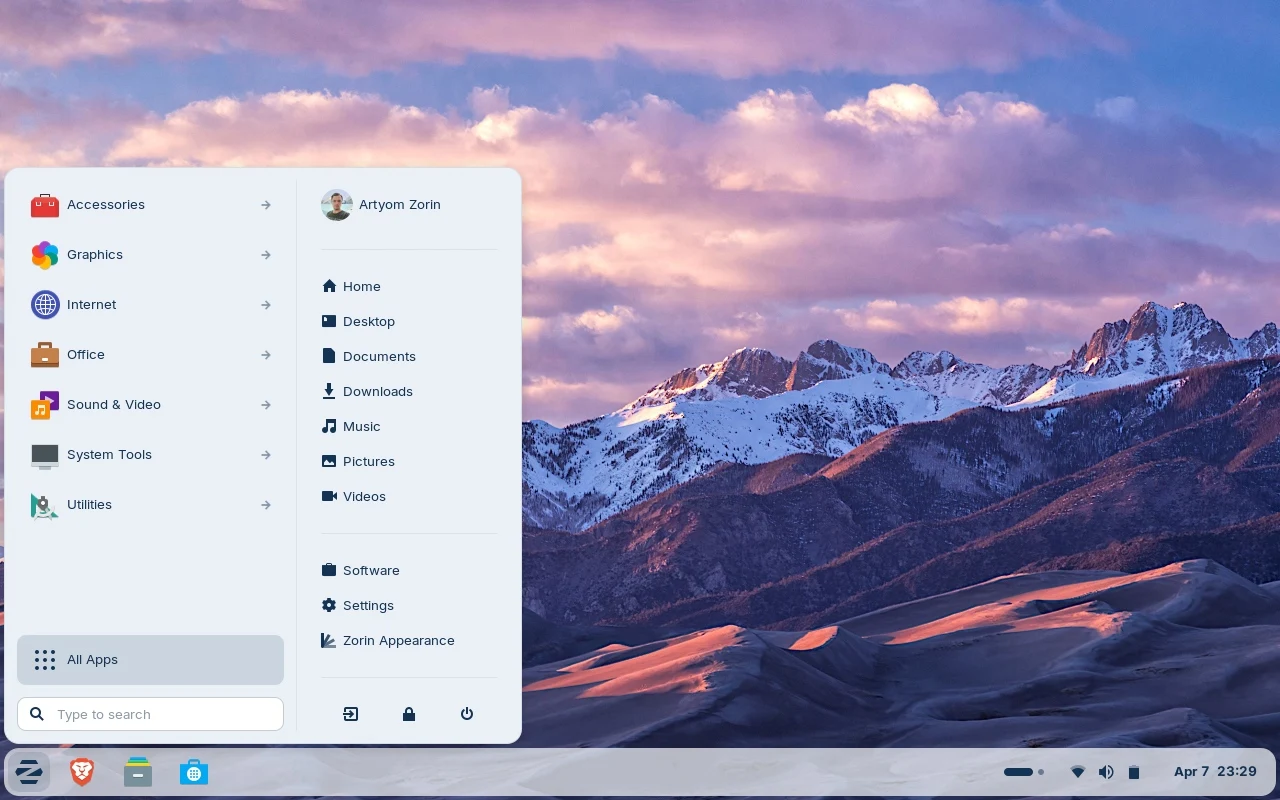
    On October 14, 2025, Zorin OS 18 was released with a bunch of improvements. This Linux-based system, built on Ubuntu, has been downloaded over 3.3 million times so far. Now, the newest version, 18.1, comes with the promise to be more faster, easier to use, more secure, and overall better than before. Its main aim is to give users a smooth and reliable computing experience.

    Features and Updates in 18.1 Version

    The latest update also brings a brand new Lite edition, specially designed for older computers and ones with low specs. Those who are using newer, high-performance machines probably won’t need the Lite version and should stick with the standard one. This update emphasizes performance improvements and additional security measures, making the user experience more seamless and safe across all devices.

    Device Compatibility and Availability

    Compatible with a wide range of hardware, including recent Lenovo ThinkPad and Samsung Galaxy Book laptops, Zorin OS 18.1 is also expected to work well on gaming handhelds such as the ASUS ROG Ally. Currently, the ASUS ROG Ally is available at many stores, like Amazon, where it’s selling at a discounted price of $539.99, down from the original $599.99—about a 10% saving. This broad hardware support means users can expect the OS to perform well on various machines, from traditional laptops to handheld gaming devices.

    Sources

  • Connect 15 Laptop with Removable Battery, Smart Card Reader & LTE Options

    Connect 15 Laptop with Removable Battery, Smart Card Reader & LTE Options

    Key Takeaway

    1. The Connect 15 offers a 15.6-inch IPS display with over 90% sRGB coverage and a resolution of 1920×1080 pixels, suitable for office use.
    2. It is powered by an Intel Core 5 120U processor and comes with options for LTE and fast charging via USB PD.
    3. The laptop features comprehensive connectivity options, including Thunderbolt 4, multiple USB ports, HDMI, Ethernet, and card readers.
    4. Battery life is approximately 6 hours during typical use, with a replaceable 55Wh battery.

    New Schenker Connect 15 Laptop Overview

    Schenker’s unveiled the new Connect 15, a portable device that comes at starting prices of about €999. For that price, you get an 8GB DDR5 RAM and 500GB SSD, though higher configurations are available for different needs. The system is driven by the Intel Core 5 120U processor, which might be ideal for routine works but not very powerful for intense gaming or processing. Its 15.6-inch IPS display with a resolution of 1920×1080 pixels and a refresh rate of 60Hz is designed primarily for everyday tasks and office use, with claimed color coverage upwards of 90% sRGB and a brightness of 400 nits. Information suggests a balance between display quality and productivity.

    Physical Dimensions & Battery Life Facts

    The device is pretty portable, with measurements of about 10.3 x 9.4 x 0.8 inches and a weight close to 3.9 pounds. It sports a 55Wh battery that can be replaced easily without needing tools, which is good for longevity and convenience. If you lower the brightness to 150 nits while browsing online over Wi-Fi, the battery is from rated for approximately six hours of use. Wireless options include Wi-Fi 7 and Bluetooth 5.4, always standard even on lower-end models. Additionally, there is an optional LTE module costing €79, allowing users to connect via mobile networks rather than relying solely on Wi-Fi. The webcam delivers Full-HD resolution, providing decent quality for video calls or meetings. The device’s overall portability and connectivity features are quite practical for mobile users, and the quick battery replacement is a notable feature.

    Charging & Connectivity Details

    One very unique part of the Connect 15 is the charging feature — it can be powered over USB PD at a maximum of 65 watts, which can actually be faster than the included power adapter that supplies only 45 watts through a barrel connector and weighs about 9.5 oz. This flexibility makes charging more adaptable for users who may want to use any compatible USB-C charger. The port setup includes gigabit Ethernet, alongside a microSD card reader and a SmartCard reader, catering to business or security-focused users. For connectivity options, you’ll find a Thunderbolt 4 port, a USB 3.2 Gen 1 Type-C port, a USB 3.2 Gen 1 Type-A port, HDMI 1.4b, and a combined 3.5mm audio jack. If needed, users can activate Secured-Core features for an added €29, which is useful in environments that require enhanced security measures. Overall, the device offers quite a mix of modern and legacy ports for versatile connectivity, along with innovative charging options.


    Sources

  • Asus Zenbook A16 16-Inch Laptop: Powerful, Lightweight at 1.2 kg

    Asus Zenbook A16 16-Inch Laptop: Powerful, Lightweight at 1.2 kg

    Key Takeaway

    1. The Zenbook A16 is notably lightweight at 1.2 kg, made from ceraluminum, making it one of the lightest 16-inch laptops.
    2. It features the new Snapdragon X2 Elite Extreme processor with 48 GB RAM, offering high CPU and GPU performance with low noise levels.
    3. The device has excellent build stability and a high-quality 120 Hz OLED display, though touchscreen options may add to the weight.
    4. Battery life is limited due to the small 70 Wh battery, resulting in comparable runtimes to more efficient systems despite better performance.

    Introducing the New Asus Zenbook A16

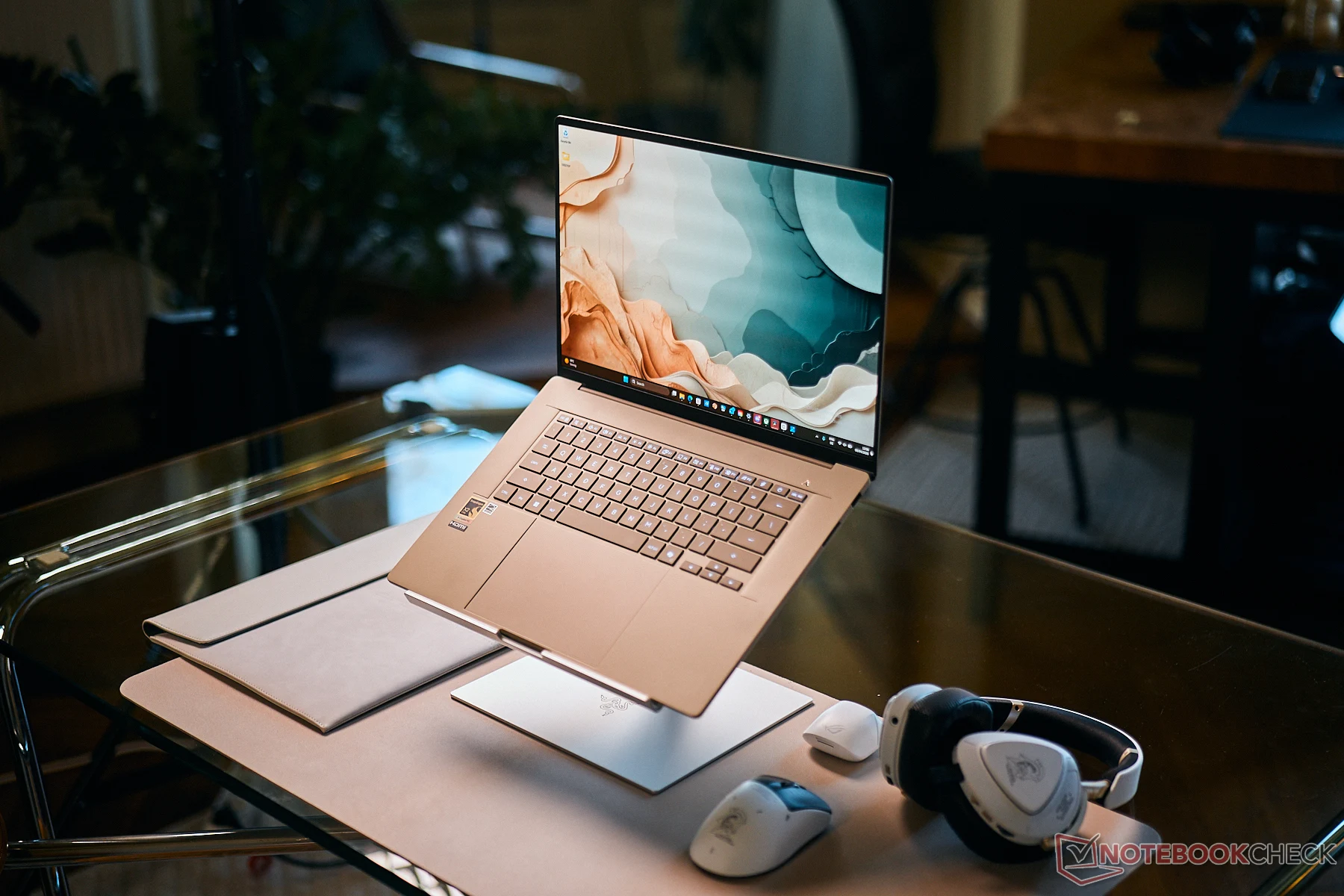
    Asus has just released a new lightweight 16-inch laptop that carries the Zenbook A16 name. Continuing their trend of producing super-lightweight devices, this model is incredibly lightweight despite its larger size. Thanks to the innovative use of ceraluminum, which blends ceramic and aluminum, this notebook weighs just about 1.2 kg, which is significantly lighter in comparision to similar models including the Macbook Air 15, which is slightly smaller. This makes it a standout for portability and ease of handling.

    Design and Build Quality

    In terms of build, the Zenbook A16 impresses with its sturdy and dense feel. It feels more solid and well-crafted than the smaller A14, despite being larger. The overall stability of the device is fantastic, although some users may find the display hinges could benefit from additional firmness. The device offers decent port options, which are enough for most users. The keyboard is comfortable for typing, and the display features a 120 Hz OLED screen, loved for its sharp image quality. However, not all SKUs include a touchscreen, which slightly increases the weight, but overall, the design remains sleek and appealing.

    Performance and Power

    The core processor in this model is the Snapdragon X2 Elite Extreme, complemented with 48 GB of RAM. This setup provides strong CPU performance and an improved GPU. When operating in Whisper mode, the device remains very quiet, with fans reaching just about 30 dB(A). Even under a 20W power limit, the multi-core performance tops that of some AMD and Intel counterparts in high mode. It allows users to enjoy powerful computing capabilities without the typical noise and heat, making it ideal for quiet office work or multimedia tasks.

    Battery Life and Efficiency

    One area where the Zenbook A16 could improve is its battery life. The device incorporates a 70 Wh battery, which is relatively small, likely to keep the weight down. A comparison with the AMD powered Zenbook S16, which has an 83 Wh battery, shows that both models offer similar runtimes. This indicates that the A16 is more efficient, but still, it doesn’t provide longer battery endurance. For more deep insights into the device’s performance and features, it’s recommended to check out detailed reviews from trusted sources.

    Sources
    • Ryzen 9 9950X3D2 Benchmarks with Stock Air Cooler Revealed

      Ryzen 9 9950X3D2 Benchmarks with Stock Air Cooler Revealed

      Key Takeaway

      1. Early benchmarks of the AMD Ryzen 9 9950X3D2 show promising performance with a 5.13 GHz boost and a maximum power draw of 220W, but are preliminary and may not reflect final results.
      2. The CPU achieved notable scores in 7-Zip and Cinebench tests under air cooling, with temps around 76-96°C.
      3. AMD claims a 13% performance improvement in some tasks, potentially boosting gaming performance due to increased L3 cache.
      4. Full performance insights await real-world testing and official release around April 22.

      Introduction to the Ryzen 9 9950X3D2

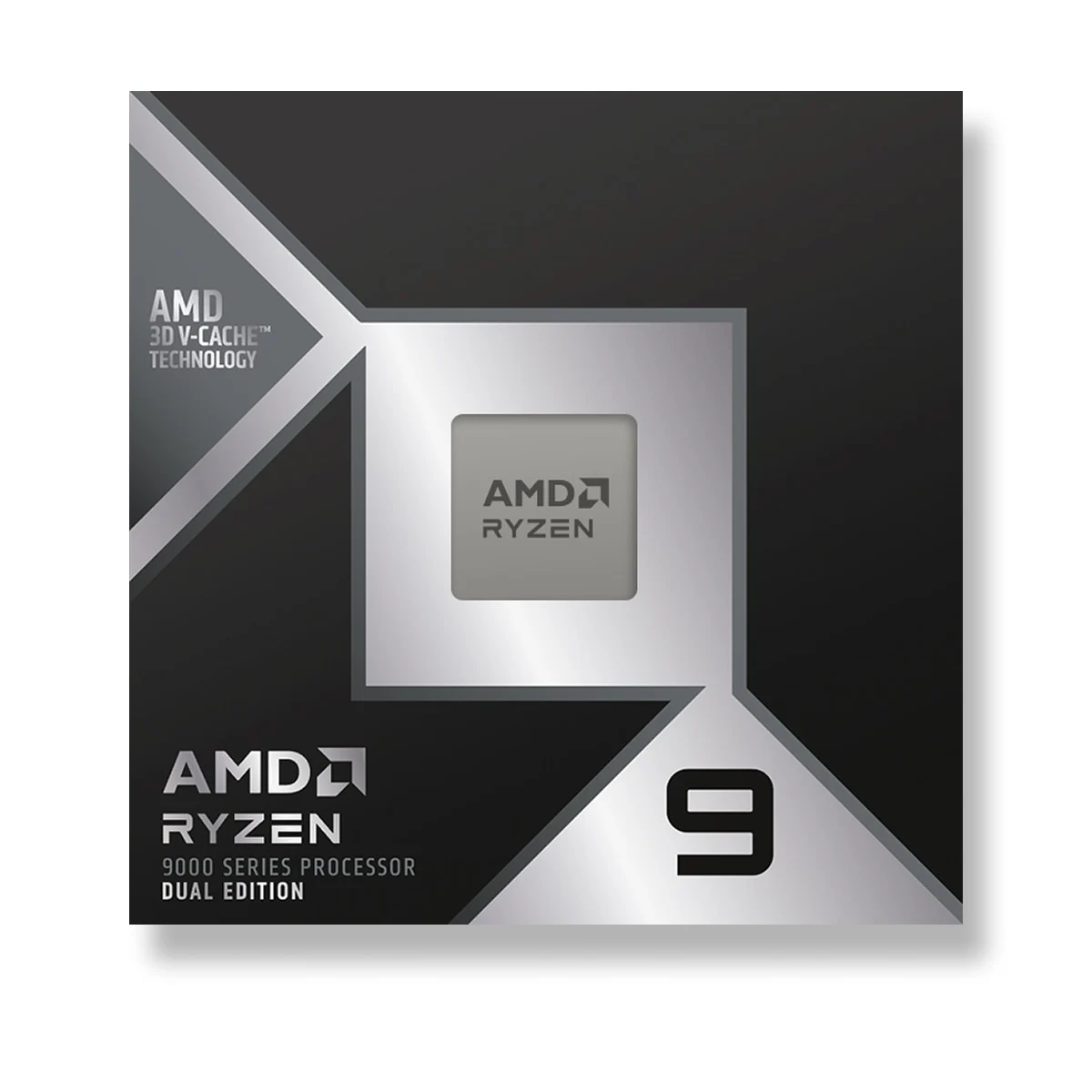
      AMD is getting ready to launch their new Ryzen 9 9950X3D2 cpu, that they announced last month. There’s still about a week left before it hits the market for everyone to buy, but some early testers already started to try it out. The first benchmark results are now available, but it’s still early days to see exactly how well it performs. Since not all details about these tests are known yet, we gotta wait for more extensive tests to get a true picture of its capabilities.

      Benchmark Tests and Hardware Used

      The benchmarks come from user Stoikov on HWBOT, showing results in 7-Zip, Cinebench 2026 (single and multi-core), and Cinebench R23 scores. The testing setup involved an air cooler, 32 GB of DDR5 RAM, a Radeon RX 7900 XTX graphics card, and an Asus ROG Strix B850-A Gaming WIFI motherboard. These scores are preliminary, meaning they should not be taken as final or definitive. But they do give a glimpse into what we might expect from this processor when fully optimized.

      Performance Results in Different Benchmarks

      In the 7-Zip test, the 9950X3D2 achieved 227,919 MIPS, with the CPU clocking up to 5.13 GHz and temperatures hitting 96 degrees Celsius. For the Cinebench 2026, the single-core score was 746, running at 5.4 GHz with 76 Degrees C, while the multi-core score was 9,246 at 96 Degrees C, with a maximum clock speed of 5.19 GHz. The Cinebench R23 multi-core result was 38,579 points, with similar temperatures of 95 Degrees C and a maximum clock speed of 5.19 GHz. When it comes to power usage, the CPU hit 220W during the Cinebench R23 test. In CPU-Z, the TDP was listed as 200W, which lines up with AMD’s official rating.

      Preliminary Nature of the Benchmarks

      These scores are early results and shouldn’t be regarded as the final or most accurate performance indicators. Many other Ryzen 9 9950X3D benchmarks might outperform these numbers, but those tests usually involve more advanced cooling methods. AMD has claimed about a 13% performance increase for the 9950X3D2 in some tasks, mainly thanks to its larger L3 cache which could boost gaming performance significantly. However, we still need actual real-world tests, which are expected to be available around April 22, the official launch date of this processor.


      Sources

    • Huawei 14-Inch Laptop with 24GB RAM Predicted to Outperform MacBook Neo

      Huawei 14-Inch Laptop with 24GB RAM Predicted to Outperform MacBook Neo

      Key Takeaway

      1. Apple’s MacBook Neo is competitively priced and well-received compared to Microsoft’s Surface Laptop 13-inch.
      2. Huawei has confirmed the development of the MateBook 14 HarmonyOS Edition, featuring thinner bezels and more ports than the MacBook Neo.
      3. The MateBook 14 is expected to include up to 24 GB RAM, 512 GB storage, and a Kirin X90A chipset.

      The New Rival to Apple’s MacBook Neo

      Apple’s latest MacBook Neo has been making waves recently in the tech world, especially since its price point is significantly lower than many competitors. With a current retail price of around $589, it’s more affordable than the Surface Laptop 13-inch, and this price cut is quite notable after Microsoft’s recent price hikes. The MacBook Neo received good reviews from many tech sites, highlighting its value for price. The impressive design combined with decent hardware specs gives it an edge over many other laptops in its class.

      Huawei’s MateBook Neo: The New Contender

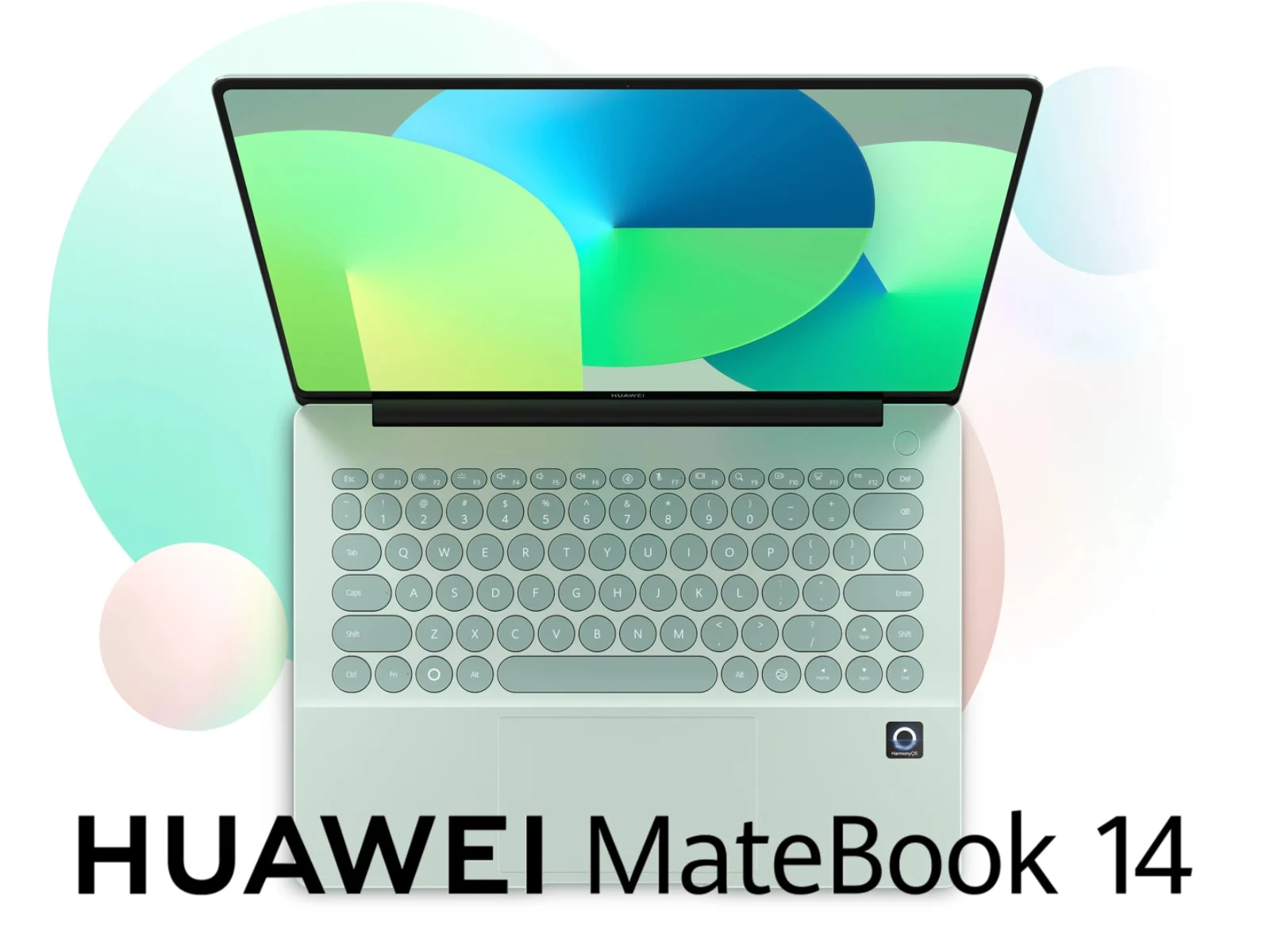
      Just last month, some leaks suggested Huawei was working on a device called the MateBook Neo, which was supposed to be a competing model to Apple’s MacBook. Now, Huawei itself has officially confirmed this laptop’s development, though it’s going to be released under a different name. Scheduled for release on April 20, the MateBook 14 HarmonyOS Edition shows strong similarities to the MacBook Neo but with some noteworthy improvements, especially with its display bezels being much thinner.

      Design and Connectivity Differences

      One of the key differences that stand out is the port selection. Unlike the MacBook Neo, which has a limited set of connections, the MateBook 14 offers a broader range of port options. On its left side, you will find HDMI, USB Type-A, USB Type-C, and a 3.5 mm headphone jack. However, Huawei hasn’t yet revealed the right side of the device, so it’s unclear if it offers additional ports. An interesting design choice on the MateBook is the rounded keycaps, which adds a unique aesthetic appeal. The specs are expected to include 24 GB of RAM, 512 GB of storage, and a Kirin X90A chipset, the same one used in last year’s MatePad Edge, promising a good blend of performance and efficiency.

    • MSI Unveils Over 12 New Gaming Laptops Featuring Nvidia GeForce RTX 5090

      MSI Unveils Over 12 New Gaming Laptops Featuring Nvidia GeForce RTX 5090

      Key Takeaway

      1. MSI has introduced eight new laptops featuring Intel’s Arrow Lake-HX Plus processors, including the Core Ultra 9 290HX Plus.
      2. The lineup includes the Crosshair 16 Max HX E2WGXK, the first to feature Nvidia’s upcoming 12 GB RTX 5070 GPU.
      3. Several models are updated with Core i7 or i9 HX processors and various GeForce RTX 5050 to 5070 graphics; MSI also announced new 15-inch Cyborg models.

      MSI Unveils New High-Performance Laptops with Cutting-Edge Processors and GPUs

      About a month ago, Intel launched their latest Arrow Lake-HX Plus processors like the Core Ultra 9 290HX Plus, shaking up the gaming and professional laptop scene. MSI has jumped into this trend with a bold lineup of eight fresh models that belongs to their Raider and Stealth Titan series. These new machines are packed with powerful hardware, especially the Core Ultra 9 290HX Plus CPUs, promising to deliver impressive performance across genres.

      New Models and GPU Innovations

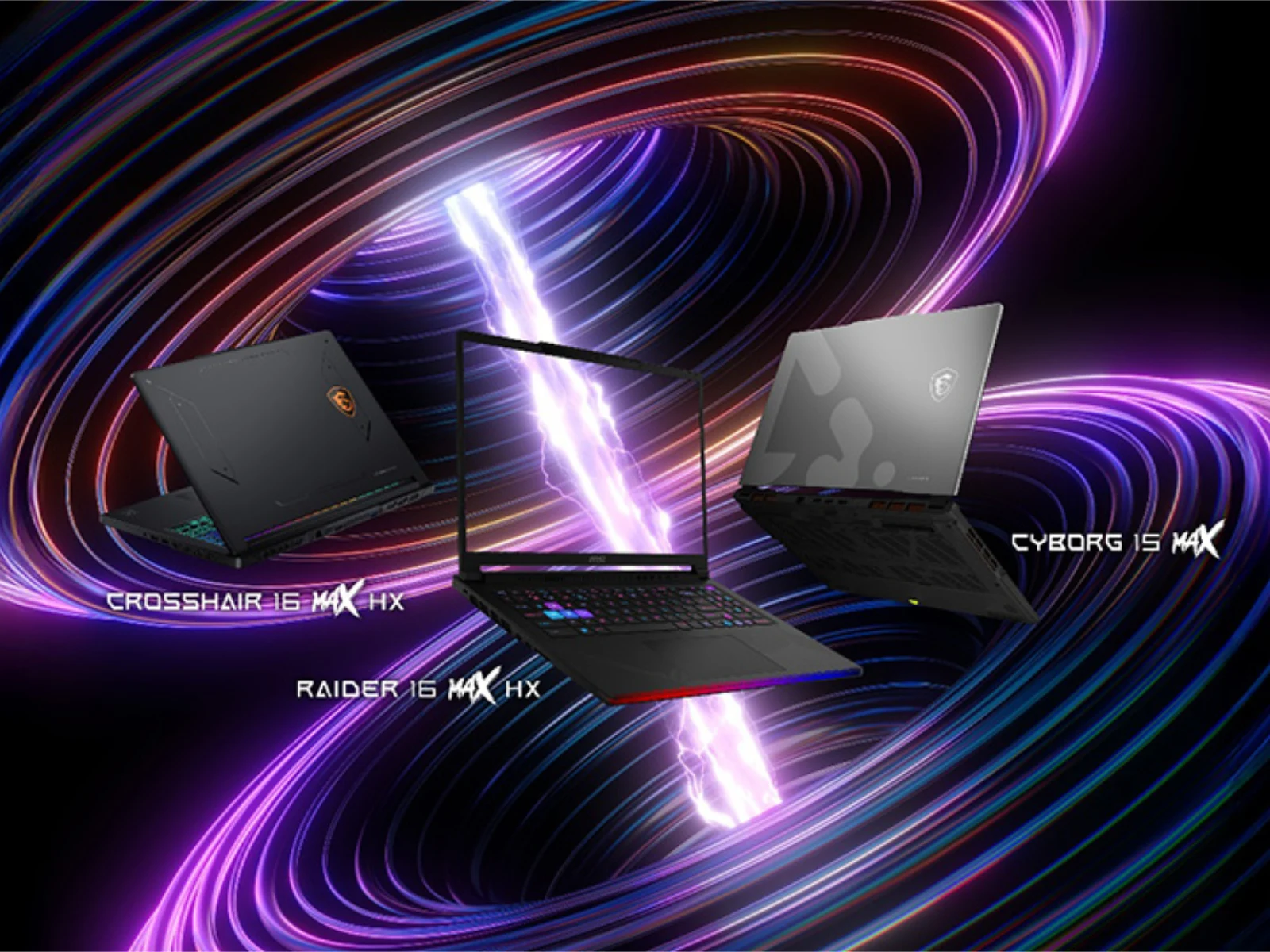
      The highlights include a series of gaming laptops, such as the Crosshair 16 Max HX E2WGXK, which is particularly notable for being the first to feature Nvidia’s upcoming 12 GB RTX 5070 laptop GPU. The rest of the lineup is equipped with high-end Nvidia graphics cards, including the GeForce RTX 5070 Ti, RTX 5080, and RTX 5090. Such specifications hint towards outstanding graphics capabilities for gaming and heavy-duty tasks alike.

      Updated Variants and Affordability

      Meanwhile, MSI has enhanced its existing models by updating the Crosshair 16 HX series with newer configurations of the E14WGK, E14WFK, and E14WEK. These variants now leverage the latest processors, like the Core i7 14650HX or Core i9-14900HX, paired with 8 GB versions of the RTX 5050, 5060, or 5070 GPUs. Additionally, MSI has introduced three new 15-inch Cyborg models—Max, C2WG, and C2WE—styled similarly to their previous year’s offerings, with a current price tag around $1,299.

      Market and Release Information

      Although MSI hasn’t yet shared specifics regarding prices or release dates for these new models, the company’s press release promises cutting-edge performance and diverse options for gamers and professionals. With this announcement, MSI reinforces its position in the high-performance laptop market, aiming to provide users with powerful options fueled by the latest technology innovations.


      Sources

      • Fake Samsung 990 Pro SSDs detected in Europe

        Fake Samsung 990 Pro SSDs detected in Europe

        Key Takeaway

        – Counterfeit Samsung 990 Pro SSDs have been identified in both Japan and Germany, with the German fake being non-functional.
        – The counterfeit SSDs mimic packaging and labels but reveal discrepancies like poorer print quality and different PCB color.
        – Genuine Samsung SSDS can be distinguished using tools like Samsung Magician, which can identify non-authentic units even if they appear operational.

        Counterfeit Samsung 990 Pro Found in Germany

        Recently, there was a tight situation found in Germany where some fake SSDs were sold pretending to be the real Samsung 990 Pro, which normally costs around $319 for 1 TB. The incident is similar to what was seen in Japan, where cheaper SSDs with a fresh packaging were sold at the same high price as genuine ones. But in Germany, the fake SSDs are more obvious because they don’t even work properly.

        Comparison of Packaging and Construction

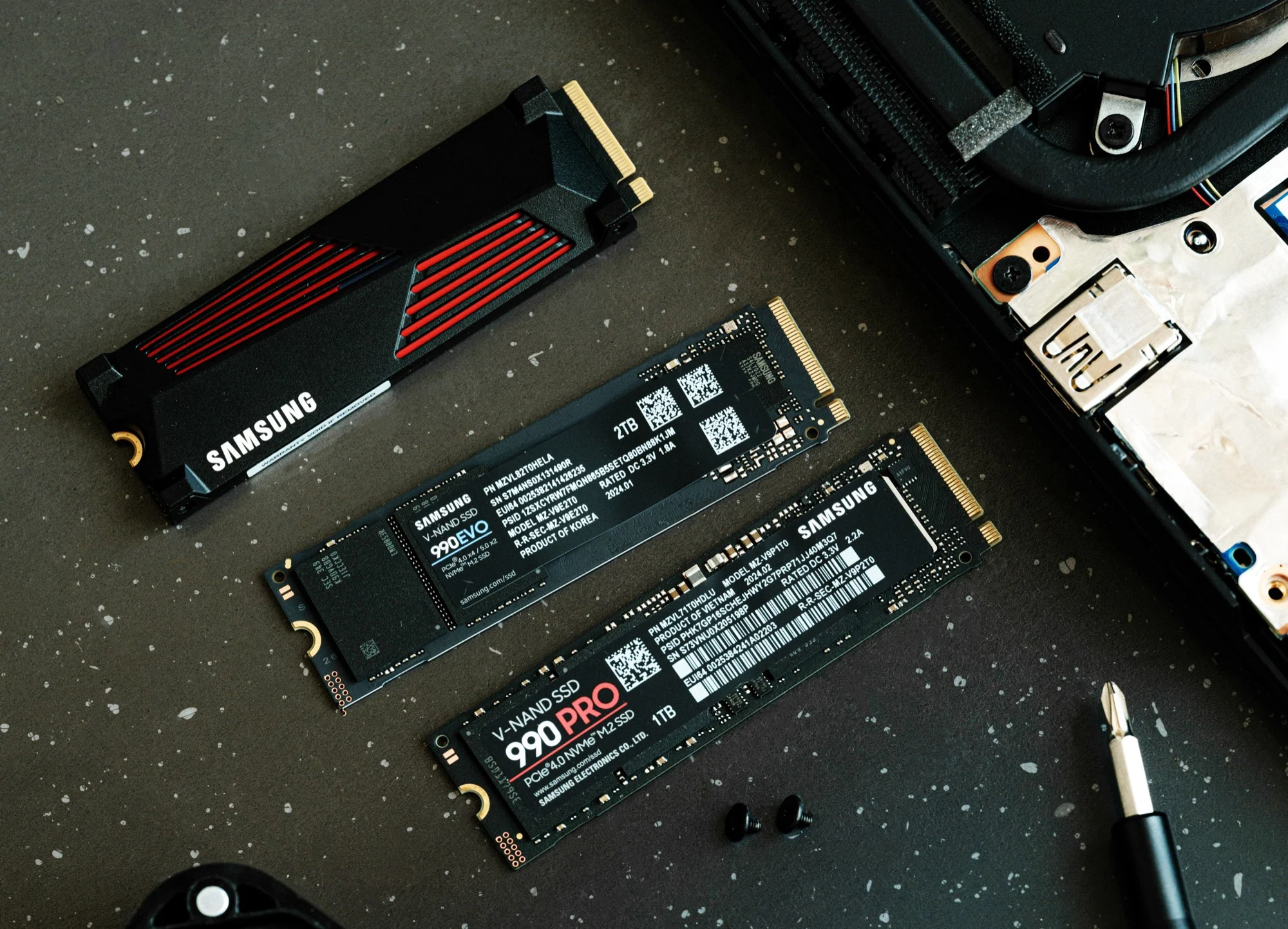
        A member from the ComputerBase community explains that they ordered two Samsung 990 Pros from an online shop in Austria earlier in April. The packaging seemed almost identical to the real, but when looked at closely, the print quality was lower, and some symbols like the CE mark were placed differently. After opening, it was clear these were fakes, especially because the stickers looked copied but the SSDs were on a blue circuit board, unlike the usual black board of authentic Samsung 990 Pro units.

        Detection and Verification by Software

        Connecting these SSDs to a computer shows they are recognized by programs like CrystalDiskInfo, but the details don’t match real Samsung devices — the memory isn’t correct and firmware IDs are off. Additionally, Samsung Magician software labels these SSDs as “non-Samsung”, confirming they are counterfeit. If you bought one lately, it’s best to run Samsung Magician or similar tools to verify its authenticity, because as in Japan, some fake SSDs are even functional and may appear normal at first.

        The retailer in Austria is now investigating where they got these SSDs from, but how these counterfeit drives entered the market without being caught remains a mystery. This incident shows the importance of checking purchases carefully to avoid fake products.

        Sources
      • Leak Unveils Next-Gen Microsoft Surface Pro and Surface Laptop

        Leak Unveils Next-Gen Microsoft Surface Pro and Surface Laptop

        Key Takeaway

        1. Microsoft is planning new Surface Pro and Surface Laptop models with increased RAM, storage options, and either ARM or Intel processors, including OLED display options for business devices.
        2. The Surface Laptop 15 with ARM processor will be discontinued, while smaller Surface Laptop models with Qualcomm Snapdragon chips will continue.
        3. The next-generation Surface Pro for consumers will feature ARM processors and more color options, with increased RAM and storage capacity.
        4. Business versions will offer multiple display options, higher RAM (up to 64 GB), Intel processors, and an optional 5G modem, with prices expected to rise.

        Microsoft’s Surface Range Gets a Price Hike and New Models Coming

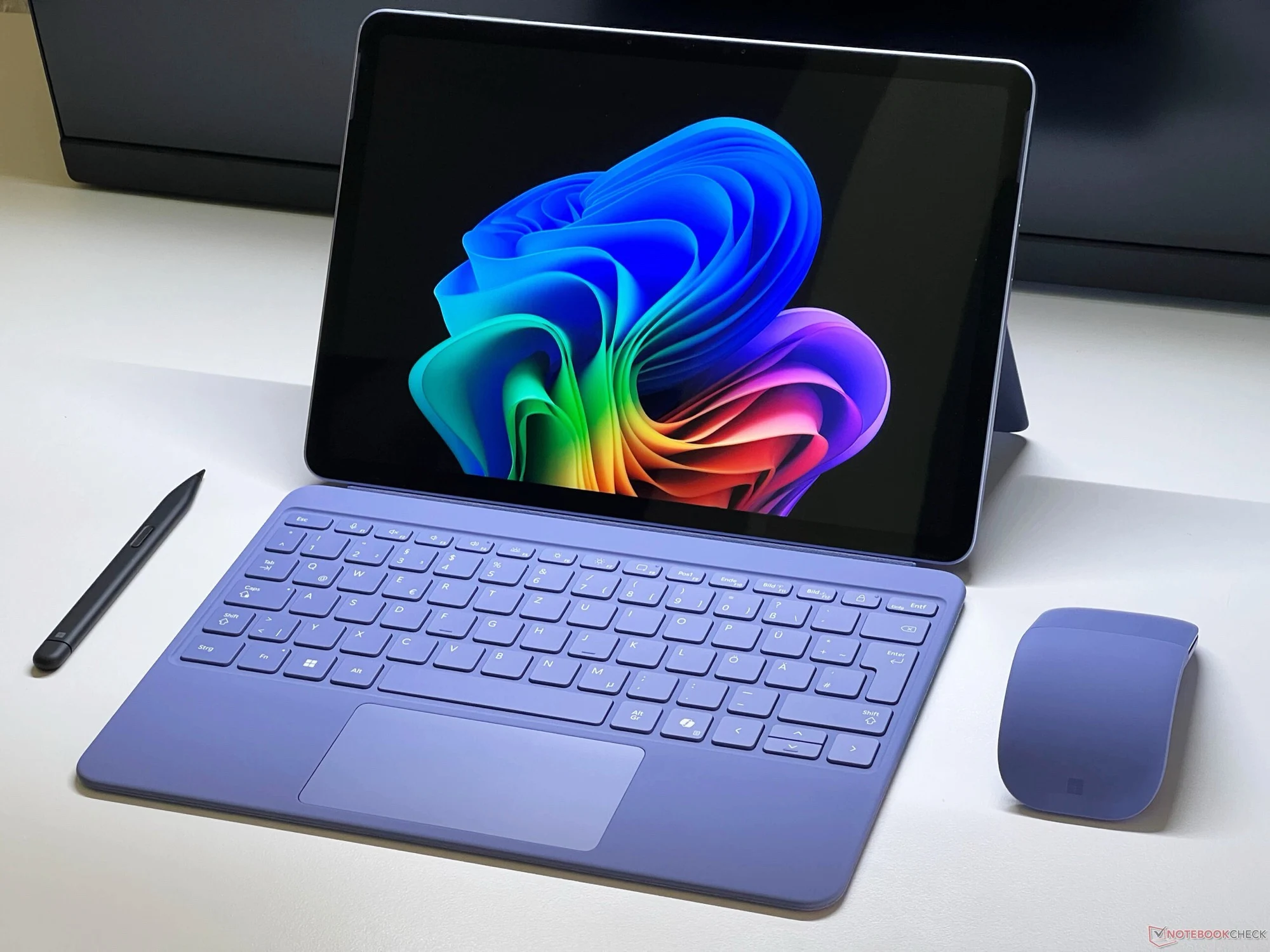
        Microsoft has recently raised the prices across all their Surface devices. This move comes with some exciting news about upcoming models, especially the Surface Pro and Surface Laptop which are expected to get some upgrades and new variations. The price increase has been reported, but there are also indications that new versions might be released soon. People who follow the retail listings could see some hints about what’s coming in the near future.

        Plans for ARM and Intel Variants

        According to reports from retailers, Microsoft is planning to continue offering models with ARM processors for both consumers and business users. These models are typically easier to purchase from independent retailers, at least in certain regions. The existing Surface Laptop 15 with an ARM chip, which will be discontinued, was known to be available, but now it looks like the smaller Surface Laptop with a 13.8-inch screen will return with options for Qualcomm Snapdragon X2 Plus and Snapdragon X2 Elite processors, featuring RAM options from 16 GB to 24 GB, and SSD storage from 512 GB to 1 TB.

        Next-Generation Surface Pro and Laptop Details

        The upcoming consumer-focused Surface Pro is poised to come with ARM processors and will be offered in colors like “Platinum” and “Black.” The configuration options include 16 GB to 32 GB of RAM and storage options from 256 GB to 512 GB. Meanwhile, the business models are expected to offer more options and customization.

        Business-Ready Surface Devices

        For professionals, the new Surface Pro for business will come in several variations. Buyers will have the choice between a 13-inch LCD or OLED display. Processor options include Intel Core Ultra 5 or Core Ultra 7 Panther Lake chips, supported by 16 GB to 64 GB RAM. An extra feature is the possible inclusion of a 5G modem, which might cost extra. As for the Surface Laptop aimed at business users, it will be available in 13.8-inch or 15-inch OLED screens, based on Intel Panther Lake, with the same RAM range. While prices are expected to go higher, specific pricing or release dates haven’t been announced yet. The official details are still to be revealed, but it’s clear that Microsoft is gearing up for a new push in their Surface lineup.

        Sources
      • Nvidia Graphics Card Defects Spike 1,003% Amid AI, DRAM Crisis & 16-Pin Issue

        Nvidia Graphics Card Defects Spike 1,003% Amid AI, DRAM Crisis & 16-Pin Issue

        Key Takeaway

        1. Nvidia’s warranty claims increased by 1,003% in 2025, reaching $894 million, with warranty claim rates rising significantly.
        2. The warranty claim rate for Nvidia’s GPUs in Q4 2025 was 0.9%, nine times higher than in Q4 2024, indicating higher defect rates.
        3. Potential causes include issues with the 16-pin 12VHPWR power connector and increased use of GPUs for artificial intelligence, leading to higher wear.
        4. The DRAM crisis has also contributed to increased costs for replacing defective graphics cards under warranty.
        5. AMD experienced a more moderate increase in warranty claim rates, rising by two-thirds to 0.69%.

        Significant Rise in Nvidia’s Warranty Claims

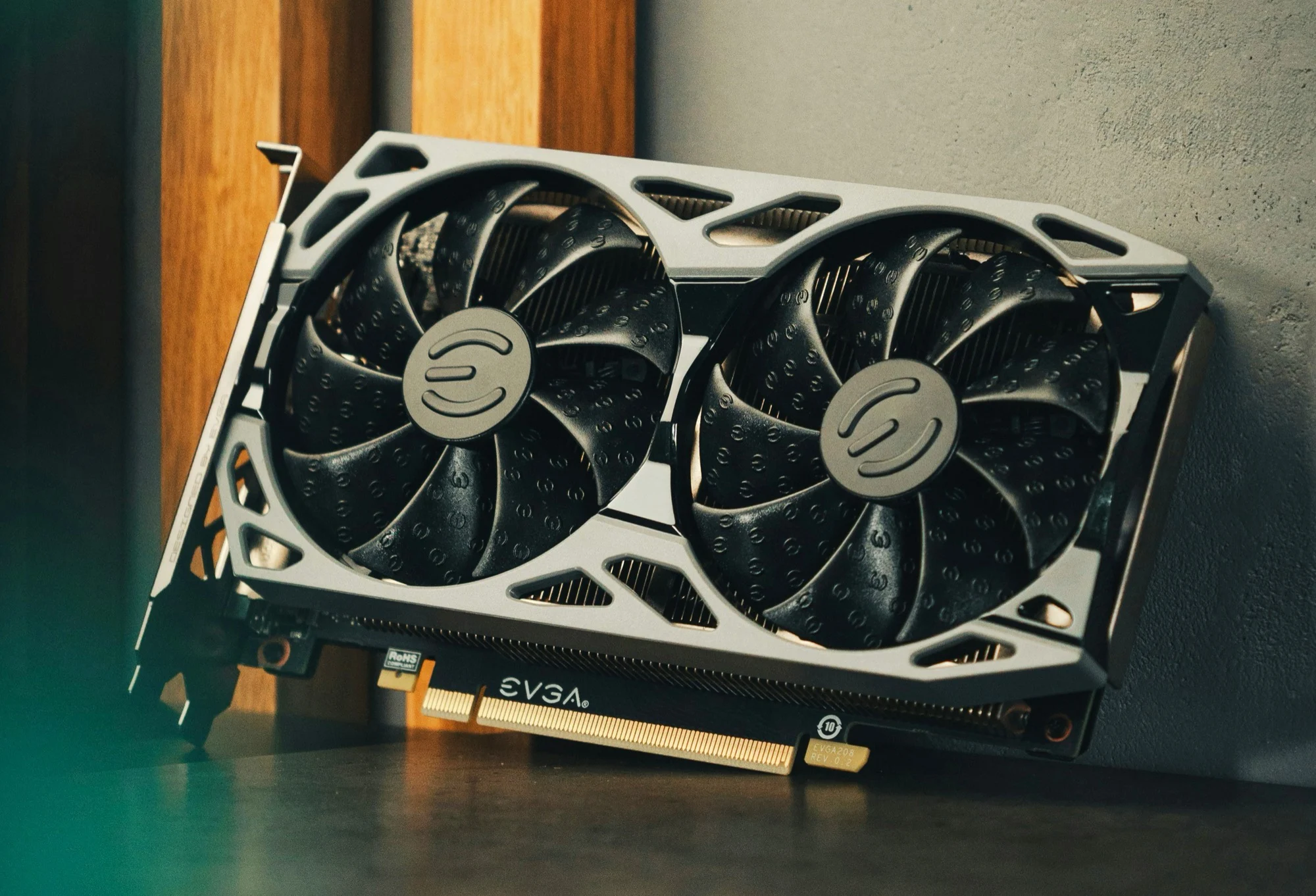
        Recently, some reports from Warranty Week showed that Nvidia has had a massive jump in warranty claims, climbing from just $81 million in 2024 to a staggering $894 million in 2025. This huge increase of about 1,003 percent hints at bigger issues behind the scenes rather than just increased sales. The data on the rate of warranty claims also shows that more GPUs are failing at a faster pace.

        Warranty Claim Rates and Industry Comparisons

        The report shows, in the last quarter of 2025, Nvidia had to spend 0.9% of its GPU sales on warranty claims. That is — listen to this — nine times more than what was spent in the same period in 2024. AMD, on the other hand, saw a less drastic increase, with a rate of 0.69%, which still grew by about two thirds from the previous year. Many experts are saying that the rise in defect rates for graphics cards might be caused by several different reasons.

        Possible Causes for the Increase in GPU Failures

        Some think that the notorious 16-pin 12VHPWR power connectors used on Nvidia’s high-end cards like the GeForce RTX 5080 ($1,499) are part of the problem, especially because similar connectors have been used for a while now. These connectors have been known for melting and causing issues, which is not a new problem. Yet, many believe that caused the increase in faults may be more than just this issue alone, and they’re looking at other reasons as well.

        The Shift to AI and Its Impact

        Another point to consider is the increasing use of graphics cards in artificial intelligence tasks. Unlike gaming, where GPUs are used just a few hours a day, AI applications can keep the cards running at full capacity all the time. This constant workload can lead to more wear and tear, making these GPUs more prone to failing. As a result, the repair and replacement costs for Nvidia are rising, adding more pressure on their warranty services.

        The Broader Market Dynamics

        Adding to the challenge is the ongoing DRAM shortage crisis, which has driven up the costs of graphics cards. When a card breaks under warranty, the higher cost of replacement makes the situation even more expensive for manufacturers. All these factors combined suggest that the rise in warranty claims is influenced by technological issues, changing use cases, and market conditions, making it a complex problem to deal with.

        Sources
      • Dell XPS Offers More Battery Charging Options Than Most Laptops

        Dell XPS Offers More Battery Charging Options Than Most Laptops

        Key Takeaway

        1. Laptop batteries, including those in EVs and laptops, degrade over time, reducing battery life.
        2. Manufacturers like Dell offer advanced settings via BIOS or software to optimize battery longevity, such as adaptive charging or peak shift options.
        3. Fine-tuned battery management, available on Dell XPS and certain HP models, helps extend battery health by adjusting charging behaviors based on user needs and time of day.
        4. Default “Adaptive mode” prioritizes maximum capacity, but alternative modes can enhance battery lifespan depending on usage patterns.
        5. Battery runtime on Dell XPS 16 can vary significantly, from around 10 hours to over 20 hours, based on configuration and settings.

        Understanding Laptop Battery Degradation and Manufacturer Efforts

        Similar too electric vehicles, the Lithium-ion batteries housed inside laptops naturally tend to degrade after some time, which results in shorter runtimes as the battery ages. Unluckily, most of the time this issue is somewhat unavoidable, but few brands like Asus and LG try to mitigate this by providing built-in options that limit battery charging to 80 percent or less. Meanwhile, Dell pushes this further with more detailed options that can help sustain the battery’s health over a longer period.

        Battery Management in XPS Models

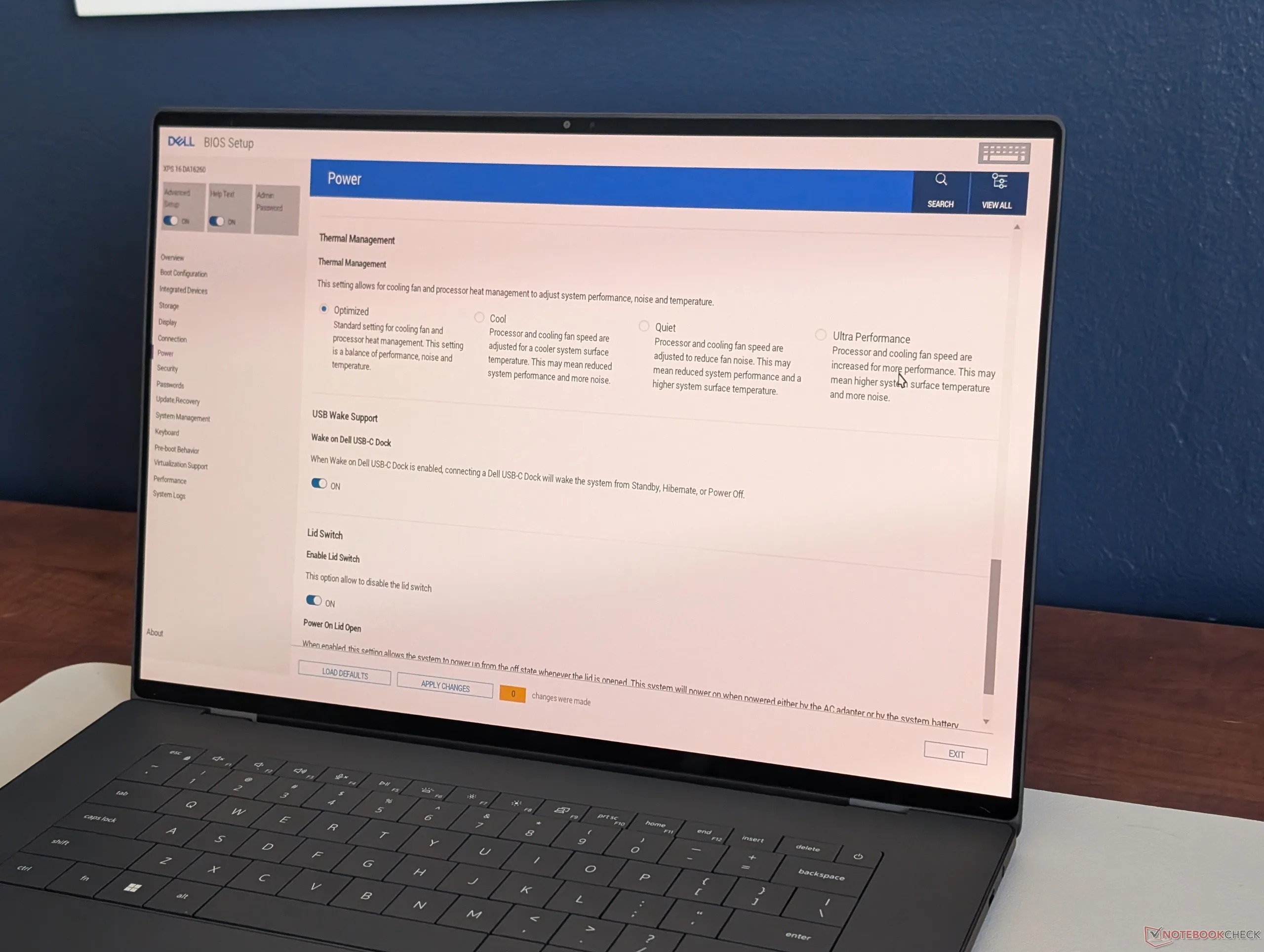
        Particularly in Dell’s XPS series, managing your battery’s health is easier thanks to either the pre-installed Optimizer software or the BIOS settings. This gives users some control over how their batteries are charged and maintained, which can directly influence long-term performance. Specifically, these settings include the default “Adaptive mode,” optimized for maximum capacity and charging speed, but you also have the options of switching to “Primary AC mode” or “Standard mode” if you want to prioritize battery longevity instead of immediate performance.

        Fine Tuning Battery Settings for Better Longevity

        Additionally, for those who want finer control, enabling the “Advanced Setup” in BIOS opens a range of more detailed options. These pertain mainly to peak shift and charging behaviors that are designed to be responsive to the time of day, thus more align with the user’s daily routine and demands. Some premium HP models, particularly certain Elite laptops, offer similar precise adjustments, although mainly at higher price points.

        Battery Life Expectations

        Depending on the specifications, the XPS 16 can last somewhere between 10 hours to well over 20 hours on a full charge, as shown in our recent reviews of their IPS and OLED options. This wide range illustrates how different configurations and settings can dramatically influence how long a laptop can operate before needing a recharge.


        Sources