Tag: Gaming Performance

  • Windows 11 Xbox Mode: Less RAM, No Gaming Boost

    Key Takeaway

    – Xbox mode for Windows 11 shows no gaming performance improvement over standard mode.
    – It does reduce RAM usage (about 600 MB less), but this doesn’t translate to higher FPS.
    – The feature is a positive sign that Microsoft is taking competition from SteamOS and Linux gaming seriously.
    – Future development is uncertain due to Microsoft’s history of abandoning features.


    Xbox Mode for Windows 11 Hits a Performance Snag

    Pressured by the growing popularity of SteamOS and increasing fan outcry over Windows 11’s bloatware problem, Microsoft officially began rolling out “Xbox mode” for Windows 11 at the end of April. Xbox mode logs users into a controller-friendly UI that makes it easy for gamers to jump strait into their games. On top of this, Xbox mode aims to deliver better gaming performance by only running critical Windows processes and unloading things like the Windows Desktop to free up recources.

    Testing Reveals No Real Gains in Frame Rates

    Linus Tech Tips has tested the Windows 11 Xbox mode to see how big or little of a performance gain you can expect from enabling the Xbox Mode. The answer? Xbox mode appears to make no difference at all while gaming. across a variety of games tested at 1080p and 1440p, gaming on Windows 11 with and without Xbox mode yielded practically the same results.

    Consistent Results Across Multiple Titles

    For instance, LTT ran Forza Horizon 5 on a PC in and outside of Xbox mode. In both cases, the results were 1% Lows of 108/109 FPS and an average FPS of 123. LTT saw the same pattern in games like Cyberpunk 2077, F1 24, and Doom: The Dark Ages. This is dissapointing to see, as Xbox mode does reportedly use less RAM than the standard Windows 11 UI.

    RAM Usage Shows a Noticable Reduction

    For instance, LTT measured that Windows 11 used only 4,493 MB of RAM in Xbox mode and 5,101 MB running the Xbox App outside of Xbox mode. So, we can conjectur that either Xbox mode frees up negligible resources for them to make a difference, or the results are highly dependent on the game you are running. Whatever the case may be, it can be argued that the mere existance of Xbox mode is a good thing for Windows gamers.

    Microsoft’s Move Signals a Positive Shift

    It shows that Microsoft is taking the threat of Linux gaming and SteamOS seriously. Fingers crossed that Microsoft keeps on working on the feature and does not abandon it halfway. But it is Microsoft we are talking about. So, we never know what they are going to do next. The Asus ROG Ally features a 7-inch 1080p display, AMD Ryzen Z1 Extreme processor, 16GB LPDDR5 RAM, and a 512GB SSD for $699.99.
    Sources

  • Intel Panther Lake Mini PC with eGPU under $600: Cyberpunk 2077 at 50 FPS

    Intel Panther Lake Mini PC with eGPU under $600: Cyberpunk 2077 at 50 FPS

    Key Takeaway

    – The Minisforum M2 pairs an Intel Core Ultra 7 356H with dual NVMe slots, Wi-Fi 7, and PCIe 4.0 storage for about $575, but it uses a standard iGPU with only four Xe cores (not a higher-end XeDG solution).
    – In synthetic CPU/GPU benchmarks, it scores around 2,696 (single) / 15,073 (multi) in Geekbench 6 and about 3,273 in 3DMark Time Spy, lagging behind higher-tier chips like Ryzen AI 9 HX 470.
    – In gaming tests at 1080p, Cyberpunk 2077 runs ~45–50 FPS using XeSS/FSR tweaks; enabling 4X Frame Generation can exceed 100 FPS but may introduce artifacts, with balance/quality trade-offs recommended.
    – 1080p Crimson Desert stays ~25–30 FPS (up to ~70 FPS with 2X frame gen, but ghosting occurs); Red Dead Redemption 2 results were reported but not specified in detail.


    Minisforum M2 Overview and Pricing Details

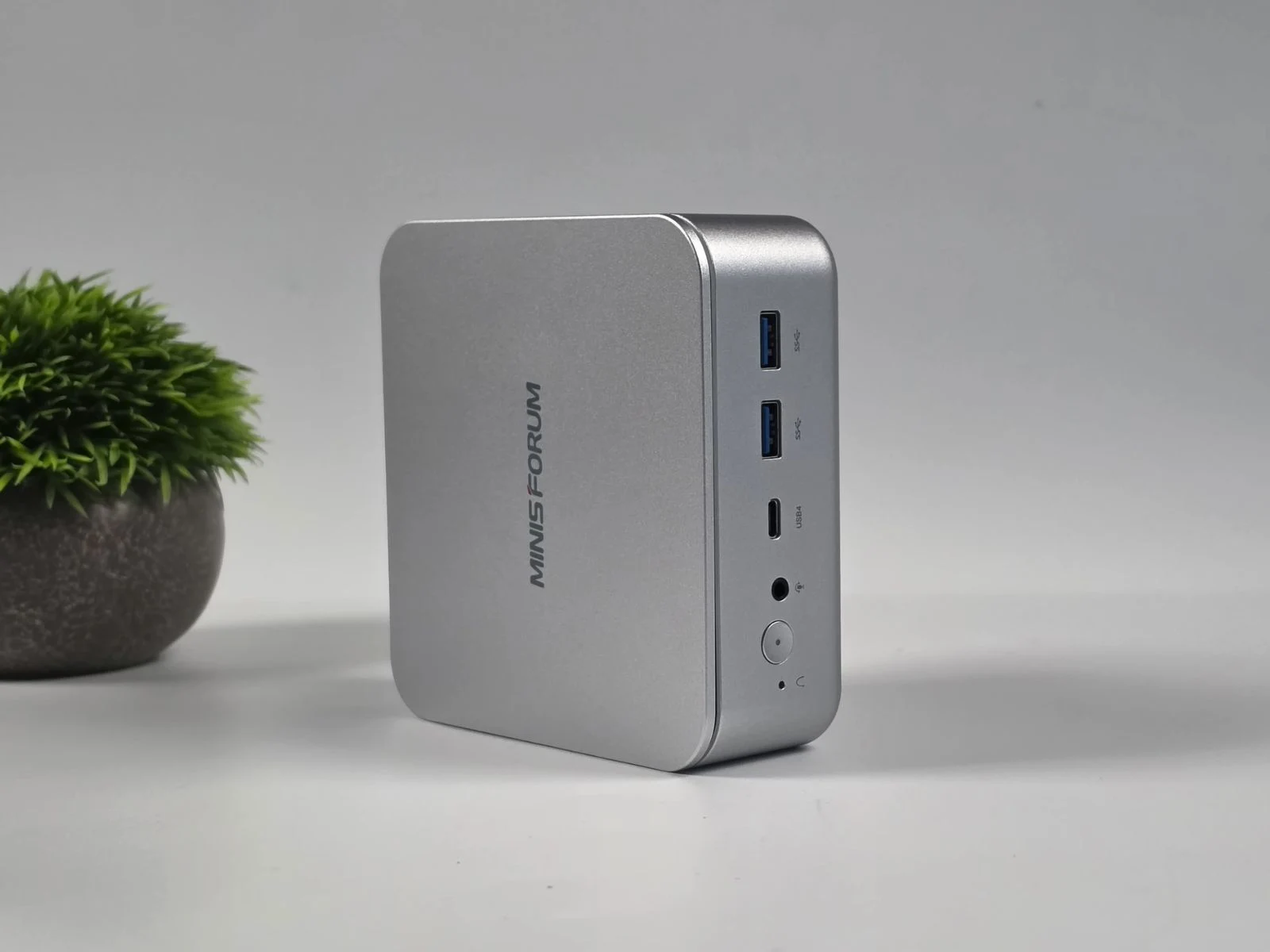
    Minisforum M2 could very well be one of the most affordable bare-bones Intel Panther Lake mini PCs on the market, featuring the Intel Core Ultra 7 356H, two M.2 2280 NVMe SSD slots (PCIe 4.0 x4), Wi-Fi 7, and Bluetooth 5.4, costing around $575. But don’t get confused by the Intel Panther Lake branding, as the processor uses the standard Intel Graphics iGPU instead, featuring only four Xe graphics cores.

    Previous Claims and Onboard Graphics Considerations

    In our previous reporting of the device, we had reported that, to counter the weak iGPU, Minisforum has included a USB4 port for connecting an eGPU dock. However, the question still remains as to how the Minisforum M2 performs on its own in terms of gaming, without any external graphics power.

    ETA Prime’s Test and RAM Configuration

    YouTube channel ETA Prime might have an answer, as they recently tested the Minisforum M2 mini PC in their latest video. The affordable Intel Panther lake mini PC was equipped with 32 GB of DDR5-5600 RAM in a quad-channel configuration, meaning it used two 16 GB modules.

    CPU and Graphics Benchmarks

    In Geekbench 6, it scored 2,696 in single-core and 15,073 in multi-core performance. Compare that to the AMD Ryzen AI 9 HX 470, which has median scores of 2,963 and 15,813, respectively, according to the Notebookcheck database.

    GPU and Gameplay Performance

    Moreover, in GPU-based benchmarks like 3DMark Time Spy, the HX 370 scored noticeably higher at 4,138 compared to the Core Ultra 7 356H’s 3,273.

    Cyberpunk 2077 Testing and Settings

    In terms of gaming, the first game on the test bench was Cyberpunk 2077, for which the YouTuber chose the Steam Deck preset but manually switched the upscaler from FSR to XeSS Balanced. At this point, the game ran between 45 and 50 FPS and was easily playable without any hiccups.

    Frame Generation Experiments

    They also tried a 4X Frame Generation Override using Intel Graphics Software, since Cyberpunk 2077 has not yet been updated to natively support Intel’s multi-frame generation multipliers. This resulted in over 100 FPS in-game, as the YouTuber also turned off XeSS scaling and switched back to native 1080p.

    A Balanced Recommendation and Visual Quality Trade-offs

    In the end, the YouTuber did say that changing the multiplier to 3X or switching XeSS scaling back to the “Quality” preset would be the ideal way to go, as it would help alleviate visual artifacts and ensure a much smoother, more stable experience.

    Crimson Desert and Frame Generation Effects

    Next up, they tested Crimson Desert at 1080p with XeSS set to Balanced, and it ran between 25 and 30 FPS. With a 2X frame generation multiplier, the frame rate did go up to 70 FPS; however, it also caused a lot of in-game ghosting.

    Other Titles

    They also tested Red Dead Redemption 2 later in the video, which you can watch linked down below.


    Sources

  • Intel Nova Lake Leak Shows Multiple Chips with Large Cache Sizes

    Intel Nova Lake Leak Shows Multiple Chips with Large Cache Sizes

    Key Takeaway

    1. Intel’s Nova Lake desktop chips will feature significant cache sizes, some surpassing AMD’s Ryzen X3D models, with multiple SKUs ranging from 22-core to 52-core configurations.
    2. Several Nova Lake chips will include a big last-level cache (bLLC), positioning them as direct competitors to AMD’s Ryzen X3D lineup.
    3. The lineup includes new processor prefixes (e.g., Core Ultra DX9, DX7, D9, D7) with varying core counts and power ratings, which may cause confusion among buyers.
    4. There is conflicting information regarding the power consumption (TDP) of the Core Ultra SKUs, with estimates ranging from 125W to 175W, pending further clarification.

    Recently, a leak hints that intel could be releasing at least 12 nova lake desktop CPUs. Among these, three are supposed to come with a big last-level cache, called bLLC, making them direct competitors against AMD’s Ryzen X3D series. A known source of intel leaks, Jaykihn, explains exactly how much cache these chips will have, even for those without the bLLC feature. Interestingly, some of these processors will beat the newly announced Ryzen 9 9950X3D2 Dual Edition, particularly in cache size. It will be fascinating to see if this extra cache will give them a gaming performance edge.

    Different Models and Naming Conventions

    According to Jaykihn, the flagship with 52 cores will be branded as Core Ultra DX9 4xx. Meanwhile, a 44-core version will carry the name Core Ultra DX7 4xx. Simpler models like the 28-core and 24-core will be called Core Ultra D9 4xx and Core Ultra D7 4xx. The lowest-tier 22-core model will simply be called Core Ultra 4xx with no special prefixes. This creates a lineup with three Core Ultra 9 SKUs that feature bLLC and two Core Ultra 7 SKUs, all with different core counts. For first timers, this might be confusing because, apart from D, the letters ‘K’, ‘F’, and ‘KF’ are now all part of Intel’s CPU naming language. It’s a bit tricky to keep track of what each letter means, especially with new additions like D.

    Power Consumption and Performance Specs

    However, there’s some conflicting info about how much power these chips will use. One leak from Videocardz mentions that the Core Ultra DX9 and DX7 models will draw about 175 Watts. But Jaykihn’s table suggests they might start at just 125 Watts. The top-tier Core Ultra 5 SKU is said to have a TDP of 125 Watts, while a non-DX Core Ultra X9 with bLLC is limited to 65 Watts. Because these are still early leaks, more details should be available as Nova Lake’s release date gets closer. Until then, it remains to be seen how these power figures will affect real-world performance and efficiency.

    Final Thoughts

    Overall, intel’s upcoming nova lake lineup is shaping up to be impressive with its diverse models and cache configurations. The variation in core counts and power ratings indicates they are aiming to cover a broad market segment. Whether the extra cache will truly excel in gaming or other tasks remains to be tested once the processors are officially released. Fans and tech enthusiasts will definitely want to keep an eye out for more updates in the coming weeks.

    Sources
  • Qualcomm Snapdragon X2 Elite Delivers Over 60 FPS in Red Dead Redemption 2 Gaming Test

    Qualcomm Snapdragon X2 Elite Delivers Over 60 FPS in Red Dead Redemption 2 Gaming Test

    Key Takeaway

    1. The Snapdragon X2 Elite offers significant CPU performance improvements over previous chips, outperforming rival Intel and AMD offerings in benchmarks.
    2. Graphics performance has notably improved, with the Snapdragon X2 Elite achieving near-identical scores to Intel’s latest chips, though still lacking compared to high-end dedicated GPUs.
    3. Real-world gaming tests show the Snapdragon X2 Elite can deliver playable frame rates on demanding titles, with performance enhanced by features like Windows Auto SR and FSR 3.1.

    Performance Improvements of the Snapdragon X2 Elite

    Recently, a tech reviewer tested the new Qualcomm Snapdragon X2 Elite X2E-88-100, which is used in the latest Asus Zenbook A14, and predicted that this chip is a strong upgrade over the older versions. It performed notably better than its rivals like Intel’s Panther Lake and AMD’s Zen 5 chips, especially in CPU benchmarks where it showed its strength. The chip is quite promising for those looking for powerful mobile processor options.

    Graphics Capabilities and Benchmarks

    in the past, Snapdragon X Elite chips had a major downside, which was their weak Graphics performance. The older version scored just 5,560 points in the 3DMark Fire Strike Graphics test, but the new X2 Elite scored 9,974 points. For comparison, the current Snapdragon chip for Windows scored about 9,956 points, making the X2 Elite very close in graphics performance. These benchmarks are good, but they don’t always tell the full story about how games actually run on these processors.

    Gaming Performance on the Snapdragon X2 Elite

    Beyond numbers, the real test was how games performed on the Asus Zenbook A14 powered by Snapdragon X2 Elite, which the YouTuber ETA Prime demonstrated. They played heavy games like Cyberpunk 2077 and Red Dead Redemption 2, showing how well the chip can handle gaming. Cyberpunk 2077 at 1920 × 1200 resolution on High settings ran at around 52 FPS, but when using Windows’ auto scaling feature, the game was internally rendered at 1280 × 800 and then upscaled, resulting in a higher 72 FPS. Just shows how software tricks can improve gameplay.

    Optimizing Game Performance

    The laptop was in Performance Mode during testing, which used a constant 45W TDP to push the GPU. The YouTuber also mentioned that applying FSR 3.1 with a Balanced setting made the game run smoother than standard scaling. In Spider-Man 2 at 1200p with Medium settings, they saw the performance jump from 40-50 FPS to over 70-80 FPS when FSR Frame Generation was enabled. While some stuttering and ghosting issues were observed, overall, the game ran quite well.

    Additional Gaming Outcomes and Future Potential

    In the final part, the YouTuber tested Red Dead Redemption 2 at the same resolution and settings, and it managed a steady 66 FPS in various areas. These tests give a glimpse of the chips true potential, but it’s worth noting that the version tested was not the fastest available, which is the Snapdragon X2 Elite Extreme X2E-96-100. ETA Prime also hinted that they plan to test even more powerful versions of the X2 Elite soon, so expect improvements in future tests.


    Sources

  • Ryzen 9 9950X3D2 Benchmarks with Stock Air Cooler Revealed

    Ryzen 9 9950X3D2 Benchmarks with Stock Air Cooler Revealed

    Key Takeaway

    1. Early benchmarks of the AMD Ryzen 9 9950X3D2 show promising performance with a 5.13 GHz boost and a maximum power draw of 220W, but are preliminary and may not reflect final results.
    2. The CPU achieved notable scores in 7-Zip and Cinebench tests under air cooling, with temps around 76-96°C.
    3. AMD claims a 13% performance improvement in some tasks, potentially boosting gaming performance due to increased L3 cache.
    4. Full performance insights await real-world testing and official release around April 22.

    Introduction to the Ryzen 9 9950X3D2

    AMD is getting ready to launch their new Ryzen 9 9950X3D2 cpu, that they announced last month. There’s still about a week left before it hits the market for everyone to buy, but some early testers already started to try it out. The first benchmark results are now available, but it’s still early days to see exactly how well it performs. Since not all details about these tests are known yet, we gotta wait for more extensive tests to get a true picture of its capabilities.

    Benchmark Tests and Hardware Used

    The benchmarks come from user Stoikov on HWBOT, showing results in 7-Zip, Cinebench 2026 (single and multi-core), and Cinebench R23 scores. The testing setup involved an air cooler, 32 GB of DDR5 RAM, a Radeon RX 7900 XTX graphics card, and an Asus ROG Strix B850-A Gaming WIFI motherboard. These scores are preliminary, meaning they should not be taken as final or definitive. But they do give a glimpse into what we might expect from this processor when fully optimized.

    Performance Results in Different Benchmarks

    In the 7-Zip test, the 9950X3D2 achieved 227,919 MIPS, with the CPU clocking up to 5.13 GHz and temperatures hitting 96 degrees Celsius. For the Cinebench 2026, the single-core score was 746, running at 5.4 GHz with 76 Degrees C, while the multi-core score was 9,246 at 96 Degrees C, with a maximum clock speed of 5.19 GHz. The Cinebench R23 multi-core result was 38,579 points, with similar temperatures of 95 Degrees C and a maximum clock speed of 5.19 GHz. When it comes to power usage, the CPU hit 220W during the Cinebench R23 test. In CPU-Z, the TDP was listed as 200W, which lines up with AMD’s official rating.

    Preliminary Nature of the Benchmarks

    These scores are early results and shouldn’t be regarded as the final or most accurate performance indicators. Many other Ryzen 9 9950X3D benchmarks might outperform these numbers, but those tests usually involve more advanced cooling methods. AMD has claimed about a 13% performance increase for the 9950X3D2 in some tasks, mainly thanks to its larger L3 cache which could boost gaming performance significantly. However, we still need actual real-world tests, which are expected to be available around April 22, the official launch date of this processor.


    Sources

  • Capcom Limits Pragmata Performance Reviews Due to GPU VRAM Concerns

    Capcom Limits Pragmata Performance Reviews Due to GPU VRAM Concerns

    Key Takeaway

    1. The final version of Pragmata may be more demanding on PCs, with notable VRAM limitations affecting performance.
    2. GPU with 8GB VRAM, such as the RTX 4060, can experience significant frame rate drops, especially after certain in-game progress points.
    3. Disabling settings like shadow cache can improve performance, highlighting VRAM as a key bottleneck rather than processing power.
    4. Capcom restricts sharing multi-GPU test results, possibly to manage perceptions of performance across different hardware configurations.
    5. Future GPU upgrades with higher VRAM capacities could mitigate these performance issues on memory-constrained systems.

    Capcom’s new game, Pragmata, got some decent review scores, but the performance on PCs might not be as smooth as people hope. The detailed review from Digital Foundry indicates that some PCs with certain GPUs could experience drop in frame rate that is noticeably annoying. Interestingly, the testing was limited to just one graphics card, which is kinda odd in the PC gaming memory.

    High-end vs. mid-range performance

    When testing with a top-tier GPU like the RTX 5090, especially at 4K resolution, the game runs smoothly, with high fps even at maximum settings. But on a more typical setup, like using an RTX 4060 at 1440p, things start fine but then dips occur as the game gets more intense. The performance dips below 50 fps sometimes and gets worse after passing the demo section, making the experience less than ideal.

    Effects of tweaking settings

    By adjusting some visual options and turning off the shadow cache, the performance improved quite a lot. The frame rate stayed closer to 60 fps, which is quite good. The reviewer learned that freeing up memory on the RTX 4060 helped big time, showing that games like Pragmata rely heavily on VRAM, especially features like ray tracing and strand-based hair effects, which are quite demanding.

    Memory limitations and review restrictions

    Many gamers might notice that the options menu does not always illustrate how much memory is being used, leading to confusion. The review showed that at 1440p, with DLSS in Balanced mode, the game should run pretty smoothly on an RTX 4060. It seems the main issue is VRAM capacity, not processing power or Nvidia’s features support, according to Digital Foundry’s insights.

    Limitations imposed by tech sites

    Interestingly, while many reviews involve multiple GPUs, some sources like TechPowerUp are only allowed to publish performance results from a single graphics card. They found that restriction strange and had to make edits afterward, which makes things complicated for fair comparisons. It’s speculated that Capcom might request this to hide performance issues on lower-end hardware.

    Future expectations and hardware rumors

    After the official release date, more comprehensive performance comparisons should become available. Some gamers worry that these bottlenecks may reveal itself more widely in future titles. There are rumors suggesting Nvidia might upgrade the RTX 5060 and 5060 Ti with higher-capacity GDDR7 RAM to handle such demanding games better.

    Additional impressions and coverage

    In addition to written reviews, Notebookcheck posted their first impressions of Pragmata on their YouTube channel, giving more insights into how the game plays on different hardware setups. All in all, it seems that while the game looks promising, its PC performance depends greatly on VRAM and system optimization.

  • Honor WIN Gaming Laptop with 6 Fans & RTX 5070 Ti Unveiled

    Honor WIN Gaming Laptop with 6 Fans & RTX 5070 Ti Unveiled

    Key Takeaway

    1. The Honor WIN Gaming Laptop H9 will be the world’s first to feature a six-fan cooling system in a typical gaming laptop form factor, enhancing airflow and thermal management.
    2. The cooling system consists of two large intake fans and four exhaust fans, which deliver 10% improved airflow and reduce temperatures by approximately 2°C around the keyboard surface.
    3. The laptop incorporates Honor’s Gaming Turbo X and Phantom Engine tuning system for dynamic overclocking and AI-based performance optimization.
    4. Configurations include Intel Core i7 or Ultra 9 290HX Plus CPUs paired with RTX 5060, 5070 Ti GPUs, up to 16GB DDR5 RAM, and SSD options between 512GB and 1TB; pricing and global release details are yet to be announced.

    Introducing the Honor WIN Series Gaming Laptop

    Honor plans to shake up the gaming laptop scene with their new WIN series, starting with the H9 model. This machine is equipped with some very innovative features, especially designed to tackle one of gamers’ biggest headaches — overheating. The H9 features a six-fan cooling system which is quite the surprise in a device of normal gaming laptop dimensions. According to some data shared, this unique setup promises to improve airflow significantly and maintain better thermal performance during intense gaming sessions.

    Cooling System and Design

    The technical details revealed on Weibo show a clever arrangement of two intake fans at the bottom and four exhaust fans positioned vertically. This is a first in the industry for a gaming laptop, surpassing the five-fan system seen in the previously renowned Acer Predator 21 X. The fans are designed to work in harmony, enhancing airflow by about 10%, which technically helps keep interior components cooler and extends the lifespan of the hardware. It’s a clever design that draws in fresh air and pushes out the hot air efficiently, although how loud it will be in reality remains unknown until testers get the device in hand.

    Performance and Software Technologies

    Aside from the impressive cooling innovation, the H9 sports advanced software systems such as Honor’s Gaming Turbo X and Phantom Engine. These features are designed to dynamically overclock and improve AI scheduling, which adjusts system performance based on what the user is doing — whether that be gaming or productivity. This combination aims to offer smoother gameplay, better frame-rates, and more efficient power consumption, which is expected to reach up to 270 watts during peaks of heavy load. The real-world noise levels and thermal endurance will be clear after thorough testing, but initial reports sound promising.

    Variants and Availability

    In terms of configurations, there are at least two options expected. The first has an Intel Core i7-14650HX processor with an RTX 5060 graphics card, paired with 16GB of DDR5 RAM and storage options of either 512GB or 1TB SSDs. The more powerful version hosts an Intel Core Ultra 9 290HX Plus CPU combined with an RTX 5070 Ti GPU, targeting those who demand top-end gaming performance. Pricing details aren’t available yet, nor is international release information, but it is scheduled for unveiling in China on April 23. More details are eagerly awaited as the launch date nears and the world gets a chance to see this groundbreaking machine in action.

    Sources
  • Apple M5 Max Delivers Smooth AAA Windows Gaming Through Emulation

    Apple M5 Max Delivers Smooth AAA Windows Gaming Through Emulation

    Key Takeaways

    1. The Apple MacBook Pro with the M5 Max SoC is capable of delivering good gaming performance, even if it’s not primarily marketed for gaming.
    2. Andrew Tsai’s tests show that the M5 Max can effectively emulate 20 Windows games using Crossover, with most performing well.
    3. The M5 Max can run demanding AAA games like Cyberpunk 2077 at over 60 FPS at 1440p/ultra settings without upscaling.
    4. While there are few AAA macOS games, the M5 Max’s strength allows for effective emulation of Windows games and likely console games too.
    5. The M5 Max is highlighted for its performance potential, especially for games designed for macOS.


    While not many people are purchasing the Apple MacBook Pro 14 and 16 equipped with the M5 Max SoC specifically for gaming, it’s clear that the M5 Max has the speed necessary for a good gaming experience. A recent test by Andrew Tsai on YouTube demonstrates that the MacBook Pro with the Apple M5 Max can effectively emulate Windows games.

    Performance Testing

    In his tests, Andrew Tsai evaluated 20 Windows games on the Apple M5 Max using Crossover. Most games performed excellently, although a few had some performance issues. The tests included popular titles like Death Stranding 2, Horizon Forbidden West, and Black Myth Wukong, which are known for their demanding graphics.

    Impressive Results

    From Andrew Tsai’s findings, it is evident that the Apple MacBook Pro with the M5 Max is incredibly powerful. The SoC can deliver smooth gameplay on demanding AAA games, even when using a translation layer for emulation.

    It’s worth noting that the M5 Max shines even brighter with games designed for macOS. Our performance review showed that it could run Cyberpunk 2077 at over 60 FPS at 1440p/ultra settings without relying on FSR or MetalFX upscaling.

    Emulation Capabilities

    Even though there are not many AAA macOS games available, the M5 Max is sufficiently robust to emulate Windows games effectively. This also indicates that the M5 Max should manage console emulation quite well. There are several excellent console emulators available for macOS, such as RPCS 3 for PlayStation 3 and Ryujinx/Hydra for Nintendo Switch emulation.

    You can purchase the Apple MacBook Pro 16 with M5 Max on Amazon.

    Andrew Tsai on YouTube, Teaser image source: Andreas Osthoff for Notebookcheck, nicolepineda on Pixabay, edited.

    Source:
    Link


  • Apple’s $599 MacBook Neo: Great for Gaming, But 8GB RAM Lacks

    Apple’s $599 MacBook Neo: Great for Gaming, But 8GB RAM Lacks

    Key Takeaways

    1. The MacBook Neo is priced at $599 and features the A18 Pro SoC, the same chip used in iPhone 16 Pro models, which enhances its gaming capabilities.

    2. It can run demanding games like Cyberpunk 2077 and Control at lower settings, achieving over 40 FPS at 720p and around 50 FPS at 1080p, respectively.

    3. The 8 GB RAM can limit performance, particularly with memory-intensive games and emulations, affecting the experience with titles like Elden Ring.

    4. While less demanding games, such as Minecraft, perform well, challenging titles may struggle, especially when using CrossOver for Windows games.

    5. Overall, the MacBook Neo is suitable for daily tasks and light gaming, but gaming performance can vary widely based on the game’s requirements.


    Aside from its lackluster battery performance, Apple has managed to keep the MacBook Neo priced at $599 by incorporating the A18 Pro SoC, the same chip found in the iPhone 16 Pro and 16 Pro Max. This A18 Pro chip actually performs quite well for gaming. The MacBook Neo is capable of playing demanding games like Cyberpunk 2077, Resident Evil 2 Remake, and Control at 1080p and 720p with lower settings. However, it’s important to note that the 8 GB RAM can be a significant limitation.

    Gaming Performance Insights

    In tests conducted by Andrew Tsai, the MacBook Neo achieves over 40 FPS in Cyberpunk 2077 at 720p (with MetalFx upscaled from 360p) when set to the lowest settings. Control runs at about 50 FPS on the laptop at 1080p using low settings (with MetalFx upscaling from 540p). Games that are optimized properly can perform even better.

    Frame Rates and Limitations

    Tsai’s results suggest that Resident Evil 2 Remake can nearly hit 60 FPS at 1080p, upscaled from 540p with default graphics. Less demanding or indie games like Minecraft can even reach high frame rates without much trouble.

    However, not all games run smoothly. The MacBook Neo has difficulties with titles that heavily rely on memory. This issue becomes especially pronounced when emulating consoles such as the Nintendo Switch or attempting to play PC games via CrossOver, which allows Windows applications to run on macOS and Linux.

    Emulation Challenges

    For example, Elden Ring reportedly struggles significantly, averaging in the mid-20s FPS with choppy performance at 450p/low settings. The limited memory makes it hard to run CrossOver alongside a modern AAA game. On a brighter note, Dark Souls Remastered performs decently through CrossOver, achieving a steady 60 FPS with few frametime hiccups.

    Emulating Nintendo Switch games also tends to be quite unstable, especially with demanding titles like The Legend of Zelda: Breath of the Wild, while other Switch games might work better.

    In conclusion, the MacBook Neo proves to be a capable machine for daily tasks and light gaming. It handles less demanding macOS-native titles well. While it can emulate Windows games and other platforms, the gaming experience will vary significantly depending on the title.

    Source:
    Link


  • Apple M5 SoC in MacBook Air 13 Consumes 7-8 Watts in Games

    Apple M5 SoC in MacBook Air 13 Consumes 7-8 Watts in Games

    Key Takeaways

    1. The MacBook Air 13 features a slightly slower M5 SoC with 8 GPU cores, compared to the 10 GPU cores in larger models.
    2. The MacBook Air operates without a fan, which can lead to performance dips under heavy workloads, stabilizing around 8 Watts.
    3. During gaming, power consumption is low, dropping between 6.9 and 7.2 Watts while still achieving playable frame rates.
    4. The MacBook Air 13 is noted as the most efficient laptop tested, with overall power usage, including the display, at just 19 Watts.
    5. Lowering graphics settings and using MetalFX upscaling allows for a smoother gaming experience in demanding titles while avoiding throttling.


    We recently had a chance to check out the new Apple MacBook Air 13, featuring the base configuration powered by the M5 SoC. Unlike the 15-inch version of the MacBook Air or the MacBook Pro 14 with the M5, the base Air 13 comes with a slightly slower M5 SoC, which has 8 GPU cores rather than the 10 found in its larger counterparts. Despite this, the performance remains impressive, and we were especially amazed by its efficiency during our gaming tests, where the SoC consumed only 7 to 8 Watts.

    Performance Under Load

    The MacBook Air operates without a fan, meaning its performance can dip under heavy workloads, causing the M5 to stabilize at around 8 Watts during combined tasks. You might think the processor holds steady at this range (7-8W) while gaming, but that’s not entirely true. For instance, while playing Cyberpunk 2077, the SoC’s consumption drops to between 6.9 and 7.2 Watts, which is still below the maximum of 8 Watts. This power level allows for a frame rate of 19.6 fps at 1080p with ultra settings, and this performance remains consistent even after an hour of play. If you lower the graphics settings a bit and utilize MetalFX upscaling, you can enjoy a smooth gaming experience in demanding titles like Cyberpunk 2077 or Baldur’s Gate 3, with power usage ranging from 7.5 to 7.8 Watts, all while avoiding throttling.

    Efficiency and Comparison

    This efficiency makes the compact MacBook Air stand out as the most efficient laptop in our records by a significant margin, without falling into unplayable frame rates. For the entire system, including the display, we measured just 19 Watts, which again showcases its efficiency. On the other hand, the M5 SoC with 10 GPU cores in the actively cooled MacBook Pro 14 isn’t as efficient but does provide a boost in gaming performance.