Tag: Gaming Performance

  • Smartphones Throttle to 70% Performance: No Impact in Tests

    Smartphones Throttle to 70% Performance: No Impact in Tests

    Key Takeaways

    1. The Realme GT 8 Pro features the Qualcomm Snapdragon 8 Elite Gen 5 processor, delivering impressive CPU performance compared to rivals like the Pixel 10 Pro XL.

    2. During stress tests, the GT 8 Pro experienced significant throttling, with performance drops of up to 70% under high heat situations.

    3. Despite some thermal throttling, the device maintained consistent CPU performance, scoring about 10% higher in Geekbench tests when cooled.

    4. In gaming scenarios, the GT 8 Pro achieved high frame rates (59.2 fps in Genshin Impact) but experienced some drops when overheated, though these were not majorly impactful for regular use.

    5. Overall, the Realme GT 8 Pro effectively handles demanding tasks and remains a strong choice for everyday use and gaming, despite some thermal limitations.


    Inside the Realme GT 8 Pro, users will find the new Qualcomm Snapdragon 8 Elite Gen 5 processor. Our assessments of the flagship model show that it boasts impressive CPU capabilities, placing it far ahead of several rivals like the Pixel 10 Pro XL.

    Performance Under Pressure

    The question arises: how does this top-tier smartphone, equipped with a powerful SoC, manage the heat it generates during regular usage? During our evaluations, the GT 8 Pro showed noticeable throttling. In stress tests using 3DMark, we noted a performance drop of as much as 70%. Do these constraints become obvious while playing demanding games in real-world situations?

    To explore this, we pushed the test unit to its limits using the Burnout benchmark until it overheated (which took about 10 to 15 minutes). Shortly after, we subjected the CPU to a Geekbench test and the GPU to a gaming benchmark.

    Consistent CPU Performance

    Regarding CPU strength, there hasn’t been a significant difference when comparing our Geekbench results. When adequately cooled, the Realme device scored about 10% higher in both single-core and multi-core evaluations.

    In daily tasks, this performance drop is hardly noticeable. After the GT 8 Pro powered down due to excessive heat, we didn’t see any major issues like stuttering or lag in the system interface.

    Moreover, with the Snapdragon 8 Elite Gen 5 at a working temperature, the Realme phone still outperforms a Google Pixel 10 Pro XL powered by its Tensor G5 in optimal conditions.

    Gaming Capabilities

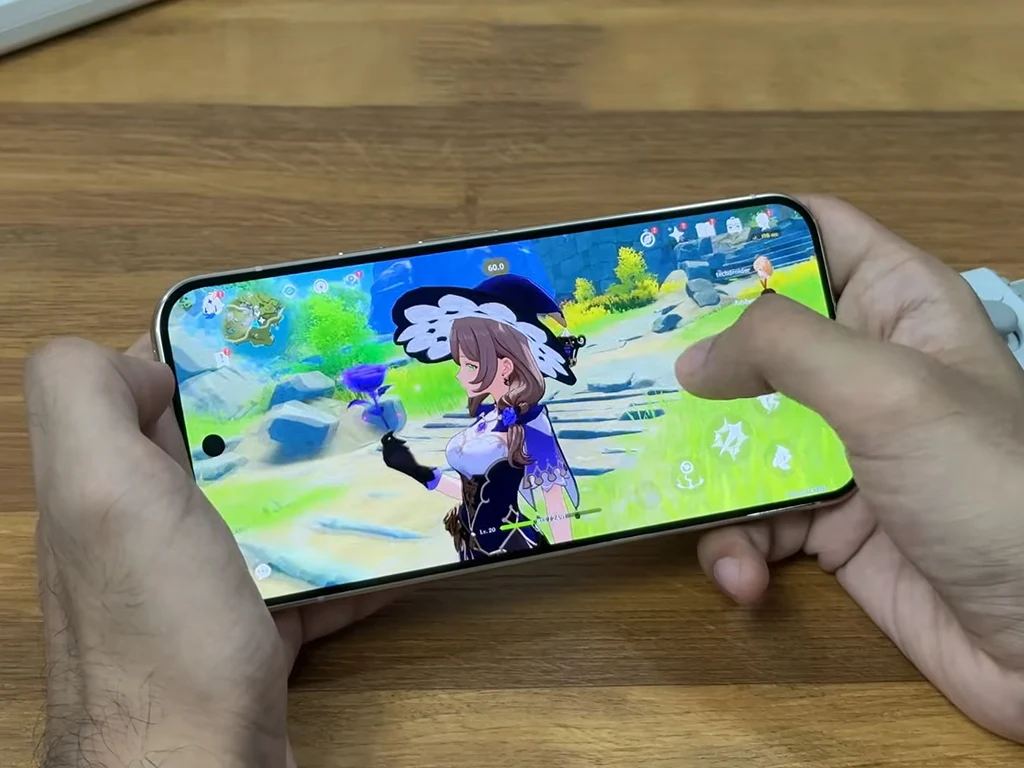
    Next, the Realme device needed to showcase its skills in a gaming scenario. For this test, we tried playing the demanding title Genshin Impact with the highest detail settings, targeting 60 frames per second.

    In our stress test, the GT 8 Pro achieved an impressive 59.2 fps, while the high-end device previously managed nearly the same at 59.4 fps when it was cool. Although frame rate drops were a bit more noticeable when the phone was heated—sometimes falling to 48 fps, while drops to 51 fps were noted without any load—this is unlikely to create a major impact during regular usage.

    Conclusion

    In conclusion, the Realme GT 8 Pro demonstrates that it can handle demanding tasks effectively, even under stress. The Snapdragon 8 Elite Gen 5 processor provides robust performance, though some thermal throttling is evident. Nonetheless, for everyday use and gaming, it still stands out as an excellent choice.
     

  • Top 3 Best-Selling Ryzen X3D CPUs on Amazon US in November

    Top 3 Best-Selling Ryzen X3D CPUs on Amazon US in November

    Key Takeaways

    1. AMD Ryzen CPUs dominated Amazon sales in November, with the top three revenue-generating processors being Ryzen X3D models.
    2. The Intel Core Ultra 9 285K significantly lagged behind AMD’s Ryzen 9 9950X3D, generating 499% less revenue.
    3. Performance tests show only a 3% to 4% difference between the Ryzen 9 9950X3D and the Core Ultra 9 285K, but the Ryzen offers about 30% better gaming performance.
    4. The Ryzen 7 9800X3D excels in gaming, outperforming both the Ryzen 9 9950X3D and the Core Ultra 9 285K in gaming efficiency.
    5. The Ryzen 7 7800X3D offers strong gaming performance at a lower price point ($369.99) compared to the more expensive Ryzen 7 9800X3D and Ryzen 9 9950X3D.


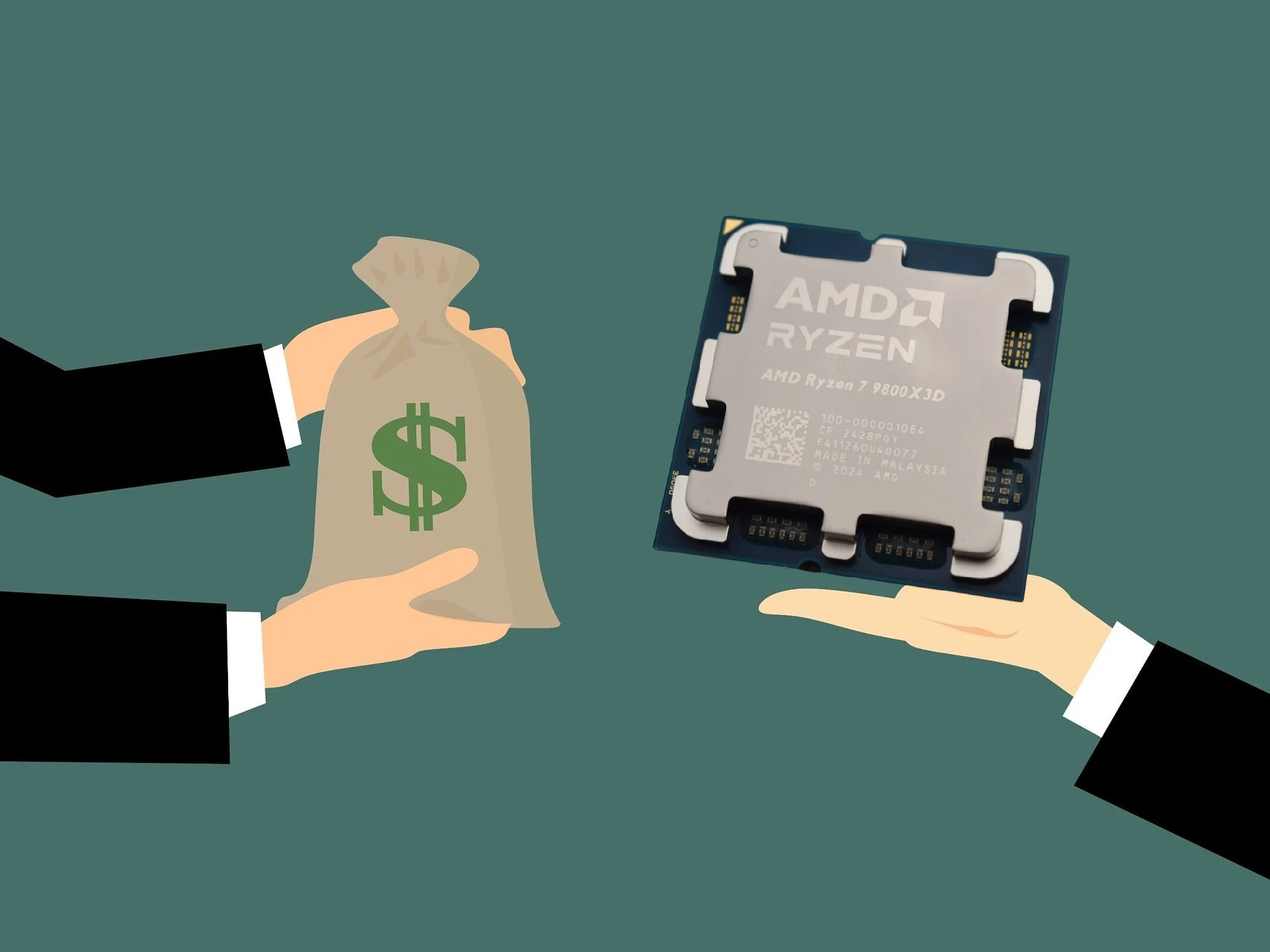
    November was said to be a great month for AMD in terms of consumer desktop CPUs on Amazon. Data from TechEpiphany shared on X shows that the top three CPUs by revenue were all AMD Ryzen X3D processors, listed in the following order:

    Intel’s Performance

    In contrast, Intel’s leading CPU in terms of revenue, the Core Ultra 9 285K, only reached around $524,990 according to TechEpiphany. This is rather disappointing, especially considering that the similarly priced Ryzen 9 9950X3D generated 499% more revenue for AMD. The revenue difference was an eye-popping 838% when comparing the Ryzen 7 9800X3D to the Core Ultra 9 285K.

    Performance Comparisons

    It is pretty clear why the Ryzen 9 9950X3D outperformed the Core Ultra 9 285K in sales when we examine their performance. Based on our review of the 16-core Ryzen processor, the performance gap between the Ryzen 9 9950X3D and the Core Ultra 9 285K is just 3% to 4% in the Cinebench 2024 single-core and multi-core tests. When you factor in about 30% better gaming performance, it is easy to understand why the Ryzen 9 9950X3D made significantly more money than the Core Ultra 9 285K (available on amazon.com).

    Gaming Dominance

    The Ryzen 7 9800X3D continues to dominate in gaming. Although it does not provide as much multi-core performance as the Ryzen 9 9950X3D or the Core Ultra 9 285K, it is faster and more efficient in gaming tasks.

    Lastly, the Ryzen 7 7800X3D is also a fantastic option for gamers. It ranks just behind the Ryzen 7 9800X3D and the Ryzen 9 9950X3D in gaming performance. Still, it is more efficient than both of those Zen 5 processors. Additionally, the Ryzen 7 7800X3D is currently priced at only $369.99 on Amazon, a much better deal compared to the $454.99 Ryzen 7 9800X3D and the $679.99 Ryzen 9 9950X3D.

    Source:
    Link


  • iPad Pro M5 Gaming Test: Death Stranding 1080p High Settings

    iPad Pro M5 Gaming Test: Death Stranding 1080p High Settings

    Key Takeaways

    1. The new iPad Pro features the M5 chip, enhancing performance compared to the M4 and M1 models, particularly in gaming.
    2. In gaming tests, the M5 iPad Pro achieved smoother frame rates, reaching up to 60 FPS in some cases, while older models struggled significantly.
    3. Thermal performance of the M5 is superior, maintaining performance longer under stress compared to the M4, which throttles faster.
    4. Visual quality issues were noted in games like Assassin’s Creed Mirage, with shader compilation causing frequent FPS spikes and freezes.
    5. Overall, the M5 iPad Pro shows improvements in gaming performance, but some games still require optimization to fully utilize the new chip’s capabilities.


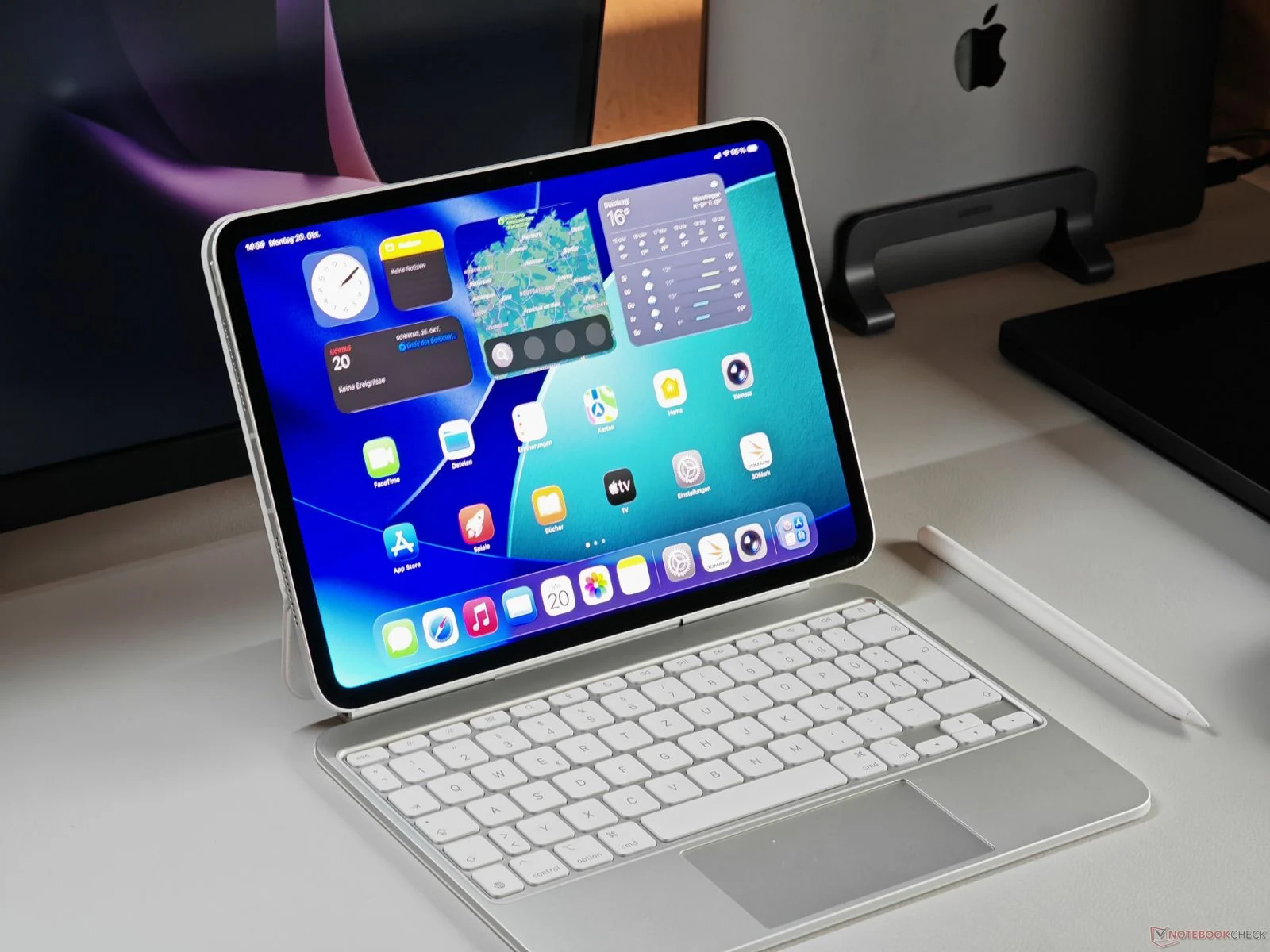
    Apple has just introduced the refreshed iPad Pro, now equipped with the new M5 chip. While its design mirrors the previous M4 model from last year, it offers various improvements, particularly in its performance capabilities. For a thorough analysis, you can check out our detailed review of the iPad Pro M5 here.

    Gaming Performance Tested

    Recently, we received firsthand insights into the gaming abilities of the new M5 iPad Pro. The YouTube channel MrMacRight performed tests using several high-profile games, comparing the M5 model with the earlier M4 iPad Pro and the older M1 version. The M5 variant tested came with 16 GB of RAM and a 10-core CPU (consisting of 4 performance cores and 6 efficiency cores), which includes one extra performance core compared to the 12 GB base model that has a 9-core CPU (3 performance cores + 6 efficiency cores).

    The first game tested was Resident Evil 4, which was run at a scaled input resolution of 800 × 450 and an upscaled target resolution of 1600 × 900, capped at 30 FPS by default, with low settings and temporal upscaling via Apple’s Metal FX.

    Frame Rate Insights

    The game performed well with its default settings, but the YouTuber pointed out that shader compilation can lead to brief stutters during loading and sometimes while playing. On the M5 iPad Pro, Resident Evil 4 ran pretty smoothy, but the limited graphics options from Capcom and the black bars due to the fixed 16:9 aspect ratio slightly hindered the gaming experience on the iPad’s 4:3 display.

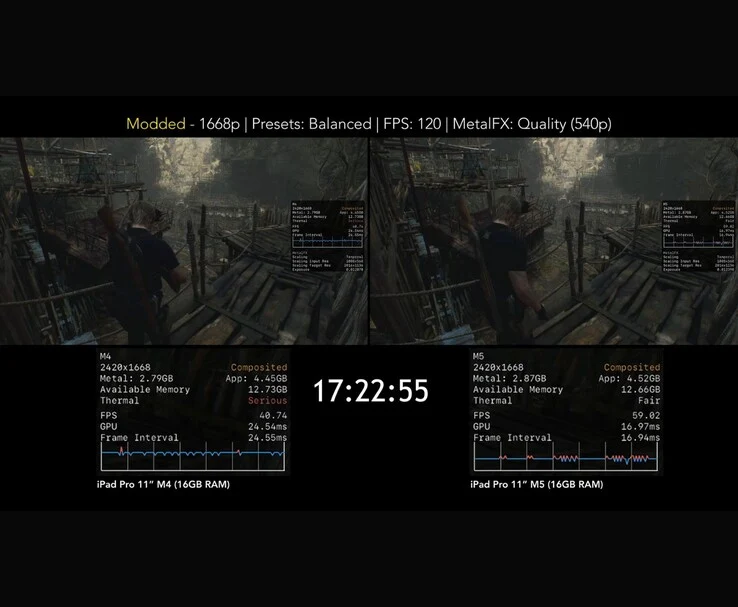
    When the YouTuber adjusted the configuration settings, the game managed to run at around 60 FPS by changing the preset to Balanced, lowering the resolution, enabling MetalFX Quality mode, and setting the FPS target to 120. Under these enhanced settings, the M5 iPad Pro performed between 50-60 FPS, whereas the M4 iPad Pro dropped to the mid-40s, and the M1 version struggled to even hit 20 FPS.

    Thermal Performance Comparison

    In a one-hour thermal throttling assessment, both the M4 and M5 were tested under the same conditions. The M4 iPad Pro started to throttle after just nine minutes, with its thermal rating declining from “Nominal” to “Serious.” In contrast, the M5 maintained its performance for about 17 minutes, keeping a 15-20 FPS advantage by the end of the test, as its rating changed from “Nominal” to “Fair.”

    Next up was Death Stranding. The game was run at a scaled input resolution of 784 × 540 and upscaled to 1567 × 1080, utilizing low graphics settings at 30 FPS with aggressive MetalFX upscaling.

    Visual Quality Observations

    Throughout the test, the M5 maintained a steady 30 FPS, but the YouTuber expressed concerns about noticeable softness and ghosting on the larger iPad screen, which were less apparent on the smaller iPhone display while running the same game.

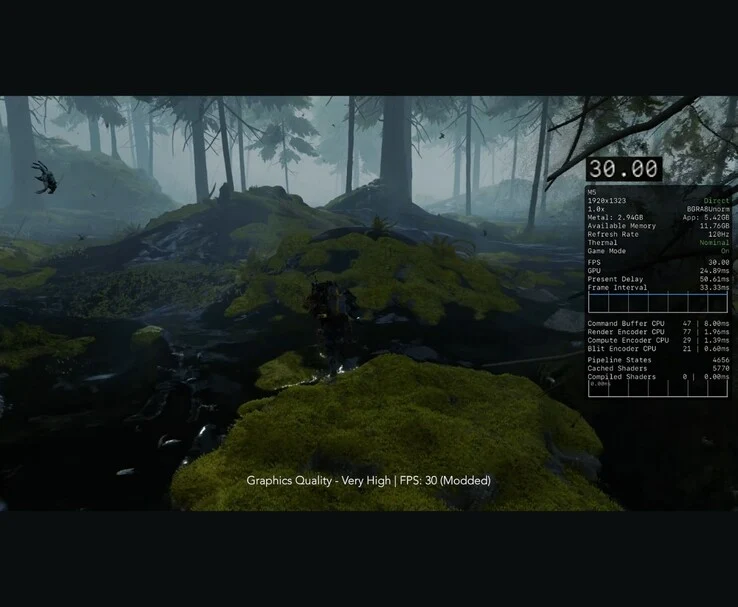
    By swapping the iPad’s configuration file with the Mac version, the game was able to run natively at 1080p on “Very High” settings while still capping at 30 FPS. The visuals were impressive, with only slight dips during intensive scenes, suggesting that the iPad could manage higher fidelity graphics if developers permitted it.

    To achieve a 60 FPS frame rate, the YouTuber adjusted the graphics quality to “Low” and activated MetalFX in “Temporal Balanced” mode. This 1080p low setting provided smooth gameplay with only occasional dips during heavy action. The M5 iPad Pro outperformed the M4 by 5-10 FPS, and significantly surpassed the M1 model. In thermal tests, the M5 again demonstrated superior thermal performance, achieving a “Fair” state after 13 minutes and maintaining it throughout the test, while the M4 iPad Pro started throttling after 15 minutes.

    Assassin’s Creed Mirage Review

    The YouTuber then moved on to Assassin’s Creed Mirage. This game features adjustable resolution scaling up to 100% and quality presets up to “High.”

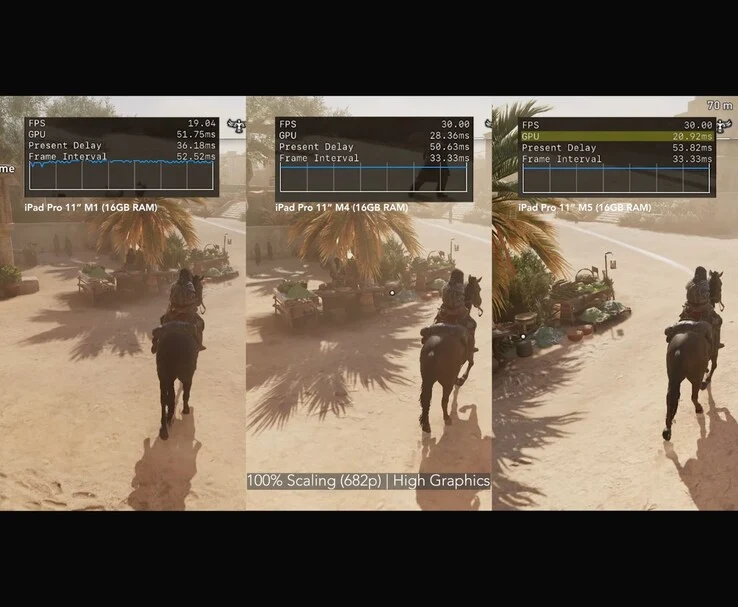
    However, it is limited to 30 FPS. On the M5 iPad Pro, MrMacRight played at 100% resolution with High graphics quality, and while it consistently held at 30 FPS, the overall experience fell short due to shader compilation issues causing frequent FPS spikes and unexpected freezes. The YouTuber described the gameplay experience as “awful.”

    The target resolution for the game is 2420 × 1362, but it renders internally at just 1210 × 682 because of a fixed 50% internal scaling. This setting is always active and cannot be adjusted, meaning even at the iPad’s native resolution, the game still runs at a lower internal resolution. GPU frame times were consistently high, around 20 ms during gameplay. MrMacRight pointed out that even if Ubisoft lifted the 30 FPS cap, the game would still struggle to achieve 60 FPS in its current state.

    Final Thoughts on Performance

    When the YouTuber lowered the resolution scale to 50%, effectively rendering at 1210 × 834 and further reducing it via MetalFX to about 606 × 340 internally, frame times remained around 20 ms. Visually, there were no significant improvements in Assassin’s Creed Mirage between the M4 and M5 iPad Pro. Both models are locked at 30 FPS and face similar shader compilation problems. However, a closer examination of the Metal HUD showed that the M5’s GPU frame times were 5-10 ms lower.

    This trial indicated that the M1 iPad Pro is best played at a much lower resolution to maintain a steady 30 FPS. Even then, the visual quality suffers, making it the least favorable option among the three for this title. MrMacRight concluded that Assassin’s Creed Mirage needs considerable optimization to fully leverage Apple’s latest M-series chips. The YouTuber also reviewed Hitman: World of Assassination and Divinity: Original Sin 2 in the video, which is linked below.


  • Cheaper Switch 2 Rivals: ROG Ally X Performance with DLSS Boost

    Cheaper Switch 2 Rivals: ROG Ally X Performance with DLSS Boost

    Key Takeaways

    1. The Switch 2 offers competitive performance against the ROG Xbox Ally X despite its lower price, with only minor differences in frame rates.
    2. Improved specifications on the Switch 2 allow it to run demanding AAA titles, achieving stable performance around 30 fps without significant drops.
    3. The Switch 2’s custom DLSS provides better image quality compared to the ROG Xbox Ally X’s FSR, which can result in softer visuals in some games.
    4. The ROG Xbox Ally X has advantages in battery life and faster game loading times due to its internal SSD, but its overall user experience may not match that of traditional consoles.
    5. Buyers must weigh the cost and flexibility of the Windows 11 handheld against the more straightforward appeal and game library of the Switch 2.


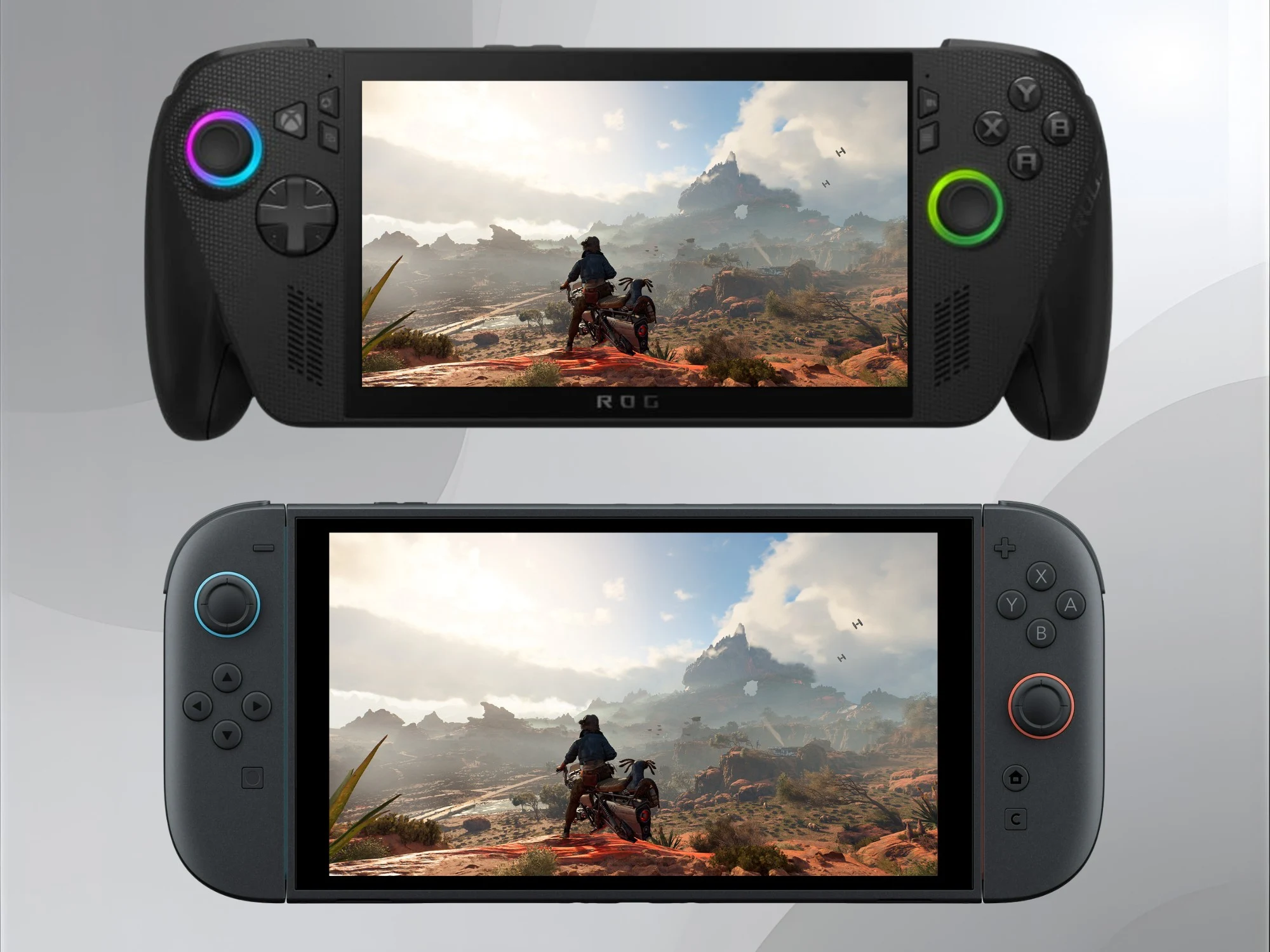
    With the price of the Switch 2 being less than half of the ROG Xbox Ally X, gamers might think it would perform much worse. However, a comparison video by ElAnalistaDeBits shows that Nintendo’s handheld can hold its own. The Windows 11 device does have some advantages in frame rates, but its image quality often suffers due to FSR upscaling.

    Improved Specs for Switch 2

    Thanks to better specifications, games on the Switch 2 now feature some of the most demanding AAA titles. The YouTuber observed that in Hogwarts Legacy, the ROG Xbox Ally X achieved higher frame rates. However, it needed Turbo Mode to surpass the Switch 2’s 30 fps. Even with this mode activated, the performance differences were not significant.

    Similar Findings Across Games

    The ElAnalistaDeBits video showcased similar results in other games, such as Star Wars Outlaws. Meanwhile, the Switch 2’s custom DLSS often provides better image quality. In Ubisoft’s open-world game, both handhelds upscale from 635p to 1080p. However, while FSR is active, the ROG Xbox Ally shows softer visuals, especially with distant textures.

    Advantages of the Xbox Ally X

    Despite this unexpected comparison, the more expensive Microsoft system does have its perks. When running Cyberpunk 2077 and Silksong in the lower-power Performance Mode, the Xbox Ally X exhibited better battery life. Additionally, the Asus device loaded games from its internal SSD faster than the Nintendo console.

    Even though the Switch 2 has a larger variety of AAA games, it can’t compete with the extensive library available on Windows 11 and Steam. However, this broader selection might come at the price of user-friendliness. Notebookcheck’s review found few issues with the Xbox Ally X’s interface. Still, the full-screen experience on Xbox does not yet offer the ease of use found in a console or SteamOS.

    Making the Choice

    Potential buyers will need to consider if the flexibility that a Windows 11 handheld provides is worth the cost. With the $999.99 Xbox Ally X not delivering a huge performance jump, the price of the Switch 2 appears to be more attractive.

    Source:
    Link


  • Affordable 16GB AI Workstation Card Runs Cyberpunk 2077 at 85 FPS

    Affordable 16GB AI Workstation Card Runs Cyberpunk 2077 at 85 FPS

    Key Takeaways

    1. The Intel Arc Pro B50 is a top-selling workstation GPU with 16 GB of GDDR6 VRAM, aimed at small workstation setups, compact gaming PCs, and beginner AI projects.
    2. In testing, the GPU performed well in AI tasks while consuming only 50-55 W and includes ECC memory support for stability in professional applications.
    3. Benchmark scores indicate that the Arc Pro B50’s performance is lower than dedicated gaming GPUs like the RTX 5060 but comparable to the RTX 4050 mobile GPU.
    4. The GPU can achieve decent gaming performance, reaching 80-90 FPS in Cyberpunk 2077 with optimized settings and maintaining over 100 FPS in Forza Horizon 5 at 1440p Ultra.
    5. Despite being primarily designed for work tasks, the Arc Pro B50 showcases surprising gaming capabilities, especially when utilizing Intel’s XeSS and frame generation features.


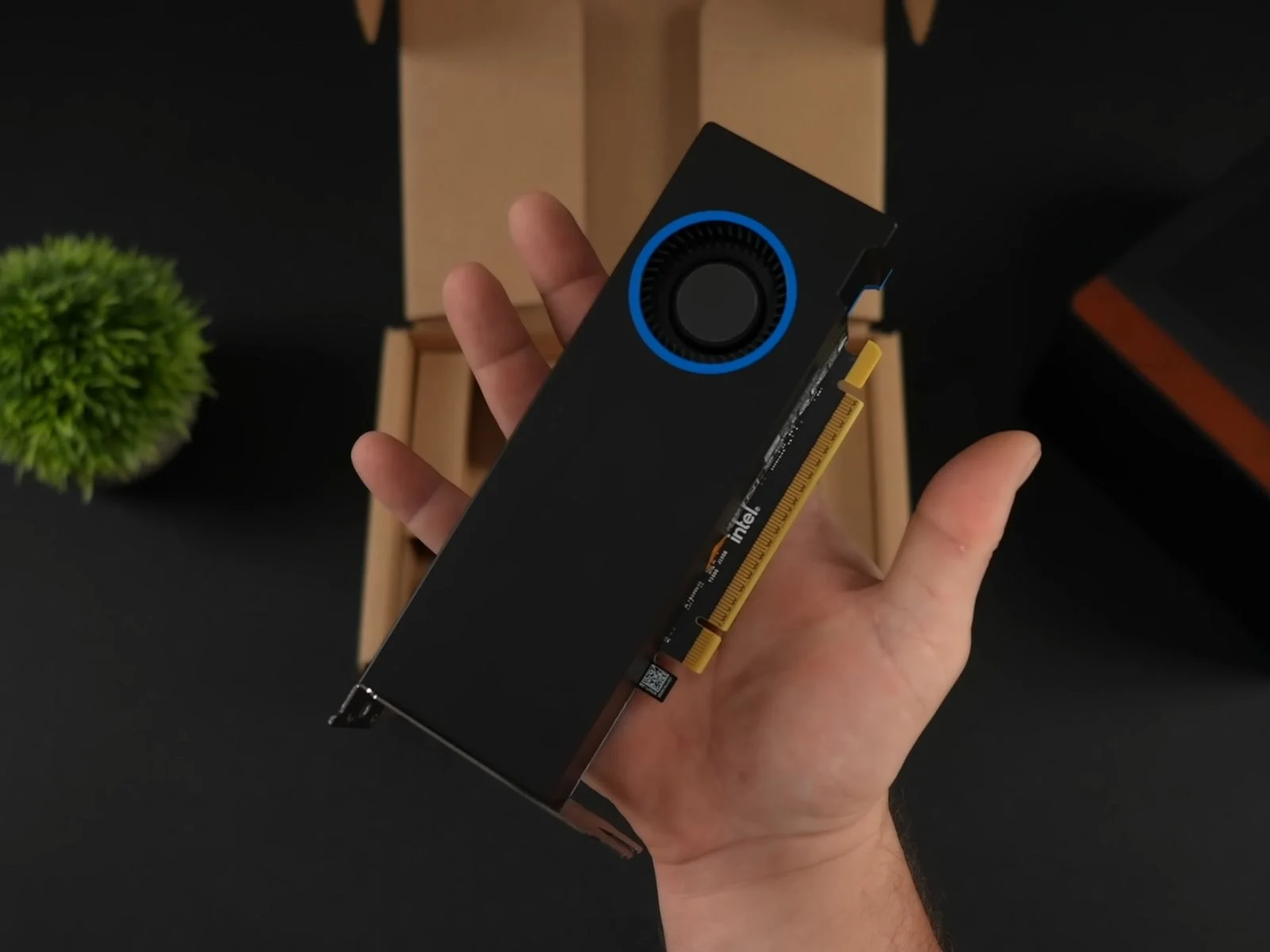
    Intel’s new Arc Pro B50 is currently the top-selling workstation GPU on Newegg, but content creator ETA Prime decided to test its performance beyond just work tasks. With 16 GB of GDDR6 VRAM, a board power of 70 W, and a dual-slot low-profile design, the Arc Pro B50 is aimed at small workstation setups. However, its specs also make it appealing for compact gaming PCs and beginner AI projects.

    Specifications Overview

    In ETA Prime’s testing setup, the GPU was combined with an AMD Ryzen 7 8700G, 32 GB of DDR5-6000 RAM, and placed in a Jonsbo NV10 case powered by a 500 W power supply. Thanks to its compact form, the B50 fit snugly into the case’s low-profile dual-slot area.

    Using Intel’s AI Playground, the GPU managed text generation and image creation tasks fully while consuming only about 50-55 W. It also offers ECC memory support to enhance stability in professional applications.

    Benchmark Performance

    When it came to synthetic benchmarks, the Intel Arc Pro B50 fell short compared to gaming GPUs like the RTX 5060. It scored approximately 73,000 points in Geekbench 6 OpenCL, 1,631 points with an average of 16.3 FPS in 3DMark Steel Nomad, and 8,376 points in 3DMark Time Spy.

    For context, data from Notebookcheck shows the RTX 5060 achieving 14,083 in Time Spy and 129,886 in OpenCL. Performance-wise, the Intel Arc Pro B50 is more comparable to an Nvidia GeForce RTX 4050 mobile GPU, which scored 7,980 in Time Spy and 77,854 in OpenCL.

    Gaming Tests

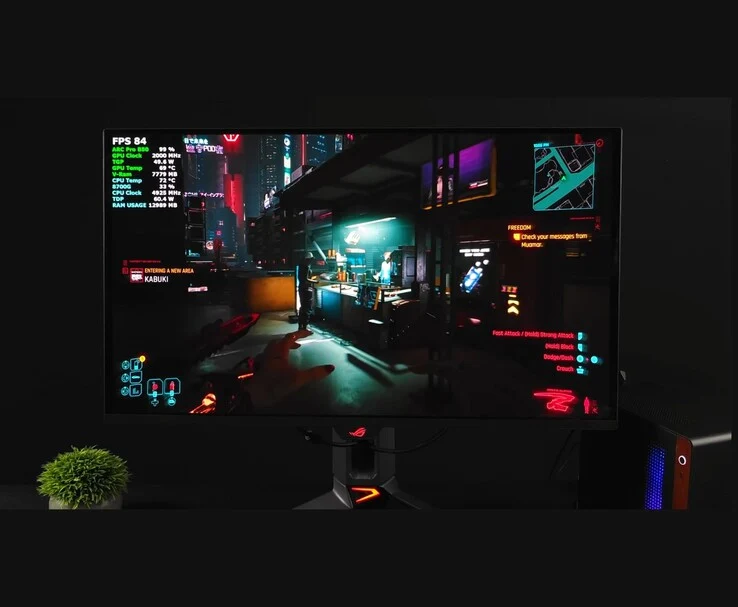
    After switching from the Pro driver to Intel’s gaming driver, ETA Prime tested various games on the Arc Pro B50. In Cyberpunk 2077 at 1440p Ultra with XeSS Super Resolution 2.0 set to Quality, the game ran at 40-50 FPS. By changing XeSS-SR to Balanced, performance improved to 50-60 FPS. Ultimately, enabling Intel XeSS Frame Generation, setting the Intel Xe Low Latency Frame Rate Target to zero, and returning XeSS to Quality, allowed the game to reach 80-90 FPS.

    In Marvel Rivals at 1440p High with XeSS Quality, the frame rate consistently stayed above 60 FPS, even during intense action scenes.

    Doom: The Dark Ages averaged around 71 FPS at 1080p with Nightmare settings and no scaling, while Forza Horizon 5 performed exceptionally well, averaging over 100 FPS at 1440p Ultra without scaling. Throughout all these tests, the GPU’s power draw remained around 50 W, with utilization staying between 98 and 100%.

    Even though the Intel Arc Pro B50 isn’t designed specifically for gaming, ETA Prime’s tests reveal it can offer surprisingly good performance in modern games, especially when using features like XeSS and frame generation. For a deeper dive into the full build and how the card performed across different games, it’s definitely worth checking out the complete video for more insights into both the setup and gameplay results.

    Source:
    Link


  • Google Tensor G5 Performance in Pixel 10 XL Gaming Test Mixed

    Google Tensor G5 Performance in Pixel 10 XL Gaming Test Mixed

    Key Takeaways

    1. The Pixel 10 series features the new Tensor G5 chip, which is Google’s first 3 nm smartphone processor, enhancing power efficiency.
    2. The PowerVR D-Series GPU in the Tensor G5 shows stability in stress tests, but synthetic benchmark results do not reflect real gaming performance.
    3. Popular games like Valorant Mobile and PUBG Mobile perform well at an average of 60 FPS, while Genshin Impact and Wuthering Waves struggle with lower frame rates.
    4. Fortnite performance is disappointing, averaging only 25 FPS with significant frame drops and high temperatures during gameplay.
    5. Future software updates may improve gaming performance for the Tensor G5 in the Pixel 10 series.


    Google has released its latest Pixel 10 series, which includes several enhancements compared to the previous generation. One of the standout features is the Tensor G5, introduced in August 2025. This is the first 3 nm smartphone chip from Google, promising significant improvements in power efficiency compared to its predecessor.

    Performance Insights

    The new System on Chip (SoC) is equipped with the PowerVR D-Series DXT-48-1536 GPU. Recent stress tests conducted with the Pixel 10 XL have shown that it maintains impressive stability. However, the results from synthetic benchmarks don’t seem to translate well into actual gaming performance.

    Gaming Tests

    A recent video evaluated the Tensor G5’s performance by playing several popular games on the Pixel 10 XL. According to the video, the gaming experience does not match the excitement of the synthetic benchmark results. Nevertheless, some games performed decently.

    For instance, Valorant Mobile ran at an average of 60 FPS on high graphics settings, and PUBG Mobile also held the same average with the “Smooth + Extreme” preset. In contrast, Genshin Impact struggled to deliver a smooth experience, averaging only 29 FPS on the highest settings. Wuthering Waves had a similar performance, achieving 44 FPS at the top visual settings on the Pixel 10 XL.

    Disappointing Results

    The biggest letdown was seen with Fortnite, where the Tensor G5 exhibited significant frame drops and stutter. During a 25-minute session, the average frame rate was just 25 FPS with the “Epic” preset. Additionally, while playing Fortnite, the device reached a peak temperature of 42.9° C, while it remained cooler at around 42° C or less with other games. This suggests that the SoC might have been throttling during the intense gaming session.

    As the Pixel 10 series has only recently launched (you can order it on Amazon and receive a complimentary $200 gift card), it’s likely that updates will enhance the gaming performance of the Tensor G5 in the future. For more information on how the SoC performs currently, check out the videos linked below.

    Source:
    Link


  • PS5 Pro Games Should Optimize Specs for PS6 Benefits, Says Developer

    PS5 Pro Games Should Optimize Specs for PS6 Benefits, Says Developer

    Key Takeaways

    1. Many gamers feel there is a lack of PS5 Pro games that fully utilize the console’s advanced features.
    2. Developer Ivaylo Koralsky believes studios are missing opportunities to enhance gameplay with the PS5 Pro’s capabilities, especially in ray tracing and GPU performance.
    3. The PS5 Pro was designed for higher-resolution gameplay without sacrificing frame rates, but gamers often have to choose between the two.
    4. The market share of the PS5 Pro might not justify the investment for developers to create optimized games, despite its recent release.
    5. Koralsky encourages developers to prepare for the PS6, suggesting that games optimized for the PS5 Pro will perform better on the next generation of consoles.


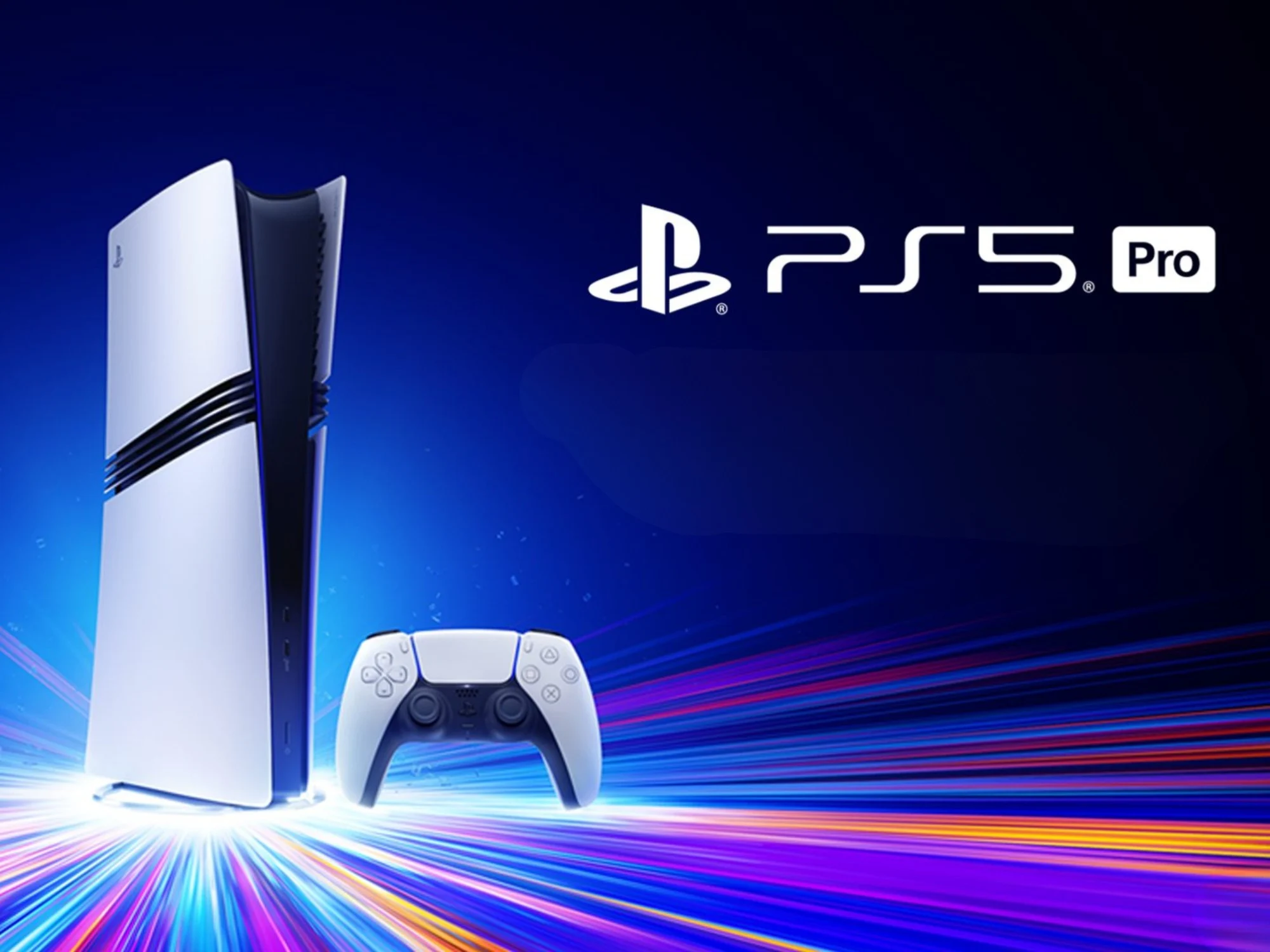
    Many gamers value the performance improvements that come with Sony’s high-priced console. Yet, some feel that there aren’t enough PS5 Pro games that truly utilize the system’s capabilities. A developer who agrees with this viewpoint recently shared thoughts on how PS5 Pro support is currently lacking.

    Missed Opportunities

    According to TwistedVoxel, the CEO and co-founder of Kyodai Ltd, Ivaylo Koralsky, expressed that game studios are missing out on a great chance. On the ResetEra forums, he noted that the additional effort could lead to significant benefits with the upcoming PS6.

    Koralsky replied to a user who voiced frustration over the absence of PSSR support. He believes that merely relying on upscaling technology is inadequate to unlock the full potential of the console. The specifications of the PS5 Pro feature a GPU with enhanced memory and extra compute units. Furthermore, the system’s ray tracing capabilities provide realistic lighting and shadows. However, Koralsky points out that very few games for the PS5 Pro actually highlight these advancements.

    The Vision Behind PS5 Pro

    Mark Cerny, the lead architect, aimed for the PS5 Pro to deliver higher-resolution gameplay without sacrificing frame rates. Sadly, gamers often find themselves in a position where they must choose between the two. Koralsky, discussing his own projects, indicates that maximizing the console’s capabilities can surpass the constraints faced by the standard PS5. One of his titles successfully integrates ray tracing, a 120Hz mode, while targeting 60 fps.

    It remains unclear why more studios aren’t taking full advantage of the available PS5 Pro features. The console’s market share might not be sufficiently large to justify the development investment. To be fair, the system is still under a year old, and there are more PS5 Pro Enhanced titles being released. Additionally, the console doesn’t magically resolve performance issues seen in newer games like Wuchang: Fallen Feathers, which faces similar limitations across multiple platforms.

    Encouraging Developers for the Future

    Koralsky raises the prospect of the PS6 to motivate developers to invest the extra effort. Anticipated to be backward compatible with PS5 titles, the PS5 Pro could aid in getting games ready for the new system. Koralsky asserts that games optimized for the current console will see improved performance on the forthcoming system without needing major updates.

    Source:
    Link


  • Black Myth: Wukong, Hogwarts Legacy, Witcher 3 – 60 FPS on macOS

    Black Myth: Wukong, Hogwarts Legacy, Witcher 3 – 60 FPS on macOS

    Key Takeaways

    1. High FPS Performance: Apple Silicon Macs, particularly the M1 Max, can achieve or exceed 60 FPS in games like Black Myth: Wukong, Hogwarts Legacy, and The Witcher 3 with suitable settings.

    2. DLSS vs. AMD FSR: DLSS offers better performance compared to AMD FSR, with significant frame rate improvements in games when using DLSS for upscaling.

    3. Challenges with Spider-Man Remastered: The game faced configuration issues; using DLSS alone provided the most stable performance, while mixing DLSS with AMD FSR resulted in frame drops.

    4. Encouraging Future for Mac Gaming: The combination of Game Porting Toolkit 3.0, Metal 4, and Crossover shows promise for gaming on Macs, allowing for smoother gameplay in more titles.

    5. Performance Variations: Different games have varying performances based on settings and technologies used, highlighting the importance of optimizing configurations for the best results.


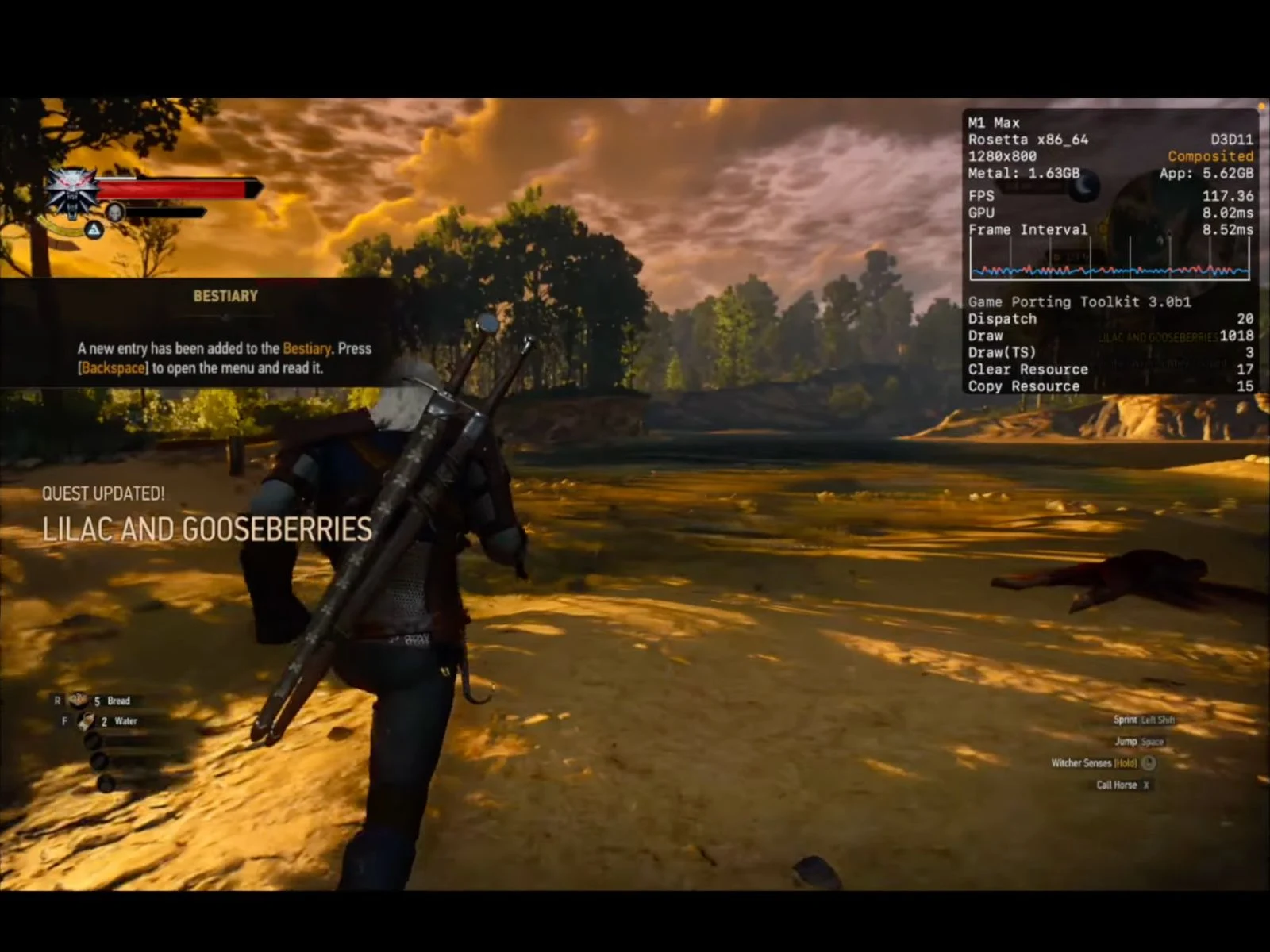
    A recent video from the YouTube channel Blendlogic Tech highlights the advancements of Apple Silicon Macs in gaming. The creator tested various games using Crossover on an M1 Max MacBook Pro, running macOS 26 “Tahoe”, Metal 4, and the latest Game Porting Toolkit 3.0 (auto beta 1). Among the games, Black Myth: Wukong, Hogwarts Legacy, and The Witcher 3 managed to achieve or surpass 60 FPS under suitable settings.

    Understanding Features

    For those who may not know how technologies like DLSS, Metal FX, and frame generation work on macOS, these concepts have been detailed in a different article linked here.

    Game Performance Insights

    In the tests conducted by Blendlogic Tech, Black Myth: Wukong showed impressive performance, with DLSS providing frame rates around 70 FPS. The creator noted that the game ran well with Nvidia’s upscaling, but AMD FSR didn’t perform as well. Although there were issues such as untranslated menus and frame generation inconsistencies, pinpointing the exact cause was challenging, they mentioned. The YouTuber also speculated that newer Apple chips, like the M2, might yield even better outcomes.

    Hogwarts Legacy Results

    Hogwarts Legacy performed admirably during testing. With DLSS activated, the game reportedly started at roughly 45 FPS. Enabling frame generation almost doubled the performance to 90 FPS indoors and brought it close to 70–80 FPS in outdoor settings. However, switching to AMD FSR caused a performance drop, averaging about 40 FPS indoors and around 30 FPS outdoors, despite frame generation being on. The creator concluded that DLSS provides a more dependable upscaling experience on Apple silicon based on the results.

    The Witcher 3 Performance

    According to the YouTuber, The Witcher 3 operates under DX11, which currently limits access to frame generation. Nonetheless, the performance remained strong during testing. On low settings, the game exceeded 120 FPS, fully utilizing the MacBook Pro’s 120 Hz ProMotion display. Even on ultra settings, with HairWorks turned off, it still maintained a steady 60 to 70 FPS.

    Spider-Man Remastered Challenges

    Spider-Man Remastered posed more challenges in terms of configuration, as shown in the YouTuber’s video. DLSS combined with Metal FX achieved around 50 FPS, but enabling AMD’s frame generation dropped performance to the low 40s. The possibility of mixing DLSS with AMD FSR’s frame generation was also tested, but this setup resulted in more frame drops, likely due to the conflicting upscaling pipelines. The video ultimately suggests that the most reliable performance came from using DLSS alone with frame generation disabled.

    Promising Future for Mac Gaming

    With GPTK 3.0, Metal 4, and Crossover working together, Blendlogic Tech’s video presents an encouraging outlook for gaming on Macs. For Apple Silicon users ready to tweak settings, achieving 60 FPS gaming is now possible with an increasing number of titles, even those that are not officially supported on Macs.

    Additional Titles Explored

    The YouTuber also tested several other games, including Spider-Man 2, Armored Core 6, and Marvel Rivals. For a detailed performance breakdown and to see how these games performed, be sure to check out the complete video linked below.

    Source:
    Link

  • Aoostar Launches Godz Mini PC with Ryzen 7 and RX6600LE GPU

    Aoostar Launches Godz Mini PC with Ryzen 7 and RX6600LE GPU

    Key Takeaways

    1. Powerful Hardware: The Godz Mini PC features an AMD Ryzen 7 7435HS processor with 8 cores, 16 threads, and a max boost clock speed of 4.5 GHz, making it suitable for gaming and multitasking.

    2. Graphics Capability: It includes an AMD Radeon RX 6600LE GPU with 8GB GDDR6 memory, capable of handling modern 1080p gaming on high settings.

    3. Memory and Storage Options: The device supports up to 64GB DDR5 RAM and has two M.2 slots for a total of 4TB SSD storage, enhancing performance and flexibility.

    4. Efficient Cooling System: The Glacier 3.0 cooling system features dual fans, heat pipes, and dedicated SSD/RAM cooling to maintain optimal performance.

    5. Affordable Pricing: The Godz Mini PC is available in three configurations, starting from 3,289 yuan ($455) for the barebones version to 4,989 yuan (~$690) for the highest-spec model.


    Aoostar has introduced the Godz Mini PC in China, aiming at users who desire a small yet powerful device for gaming and content creation. The starting price for the basic version is 3,289 yuan ($455).

    Godz Mini PC Features

    The Godz Mini PC is powered by an AMD Ryzen 7 7435HS processor. This chip boasts eight cores and sixteen threads, utilizing AMD’s Zen 3+ architecture on a 6nm process. It has a maximum boost clock speed of 4.5 GHz and includes 16MB of L3 cache, making it well-suited for intensive multitasking and gaming.

    For graphics, it features an AMD Radeon RX 6600LE GPU with 8GB of GDDR6 memory. The GPU can reach a boost of up to 2495 MHz, enabling it to handle modern 1080p gaming. According to Aoostar, popular games like PUBG, Naraka: Bladepoint, and DOTA 2 run smoothly on high settings.

    Motherboard and Memory Support

    This machine is built on a unique AMD Thin ITX motherboard with a size of 170 x 170 mm. It supports two DDR5 memory slots, allowing for a total of 64GB RAM at 4800 MHz. For storage, there are two M.2 2280 PCIe 4.0 x4 slots, accommodating up to 4TB of SSD storage.

    The Godz Mini PC comes with dual 2.5G Ethernet ports for fast wired networking and an AX210 Wi-Fi 6 card, which supports external antennas. The device has various I/O ports, including one USB 3.2 Gen 1 port, one USB-C port, and two 3.5mm audio jacks on the front. The rear panel features one HDMI port, one DisplayPort, four USB 3.2 Gen 2 ports, one USB4 port (data only), two additional 2.5G LAN ports, and two more 3.5mm audio jacks.

    Cooling and Design

    To maintain optimal temperatures, the system uses a Glacier 3.0 cooling system. This includes dual fans, seven heat pipes, and large finned heatsinks. Additionally, a dedicated fan cools the SSD and RAM area to ensure sustained performance.

    The chassis is constructed from CNC-machined full metal with precision sheet metal design, incorporating rubber shock absorbers to minimize vibrations. The dimensions of the machine are 20 cm x 8 cm x 19.3 cm, and it weighs around 1.5 kg.

    Pricing Options

    Aoostar offers three configurations for purchase: a barebones version without RAM or storage for 3,289 yuan ($455), a version with 32GB RAM and a 1TB SSD for 4,089 yuan ($565), and a model with 64GB RAM and a 2TB SSD for 4,989 yuan (~$690). These are currently available on JD.com.

    Source:
    Link

  • G-Dock eGPU Dock: 800W PSU, OCuLink & USB-C for Mini PCs

    G-Dock eGPU Dock: 800W PSU, OCuLink & USB-C for Mini PCs

    Key Takeaways

    1. External graphics cards can enhance graphics performance for small devices, making them suitable for gaming and video editing.
    2. The Gtbox G-Dock features a built-in 800W power supply and supports USB PD for laptop charging.
    3. OCuLink is recommended for better bandwidth connection to the eGPU dock over USB 4.
    4. The G-Dock’s design allows compatibility with nearly all modern GPUs, measuring 8.8 x 4.3 x 2.3 inches.
    5. The G-Dock is priced at $239, with an alternative option being the Minisforum DEG1 available on Amazon.


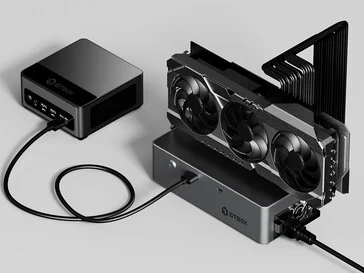
    An external graphics card can really boost the graphics performance of small devices in many cases. At times, it might even render a secondary desktop computer unnecessary. This kind of docking solution is especially helpful for a slim and lightweight laptop that has a strong processor but lacks a dedicated GPU. When used at home, this setup provides users with enhanced graphics capabilities for gaming or demanding activities like video editing. The new Gtbox G-Dock could be a great option, as it can hold a powerful GPU and connect to laptops or mini PCs with high bandwidth.

    Power Supply and Connectivity

    This eGPU dock comes with a built-in 800W power supply, making it suitable for even the most power-hungry graphics cards. It also supports USB PD, enabling the dock to provide up to 100 watts to a laptop or mini PC. However, it’s not the best to use a USB 4 connection for this eGPU dock, as it offers a significantly lower bandwidth compared to OCuLink, which is a better choice.

    Design and Pricing

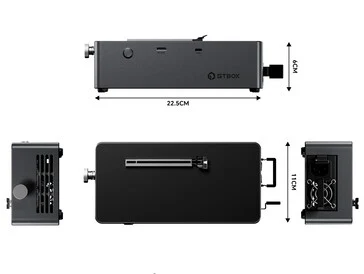
    The G-Dock has dimensions of 8.8 x 4.3 x 2.3 inches. Interestingly, the graphics cards are placed on top of the dock, allowing them to protrude from all sides. This design means that nearly all modern GPUs should be compatible with this eGPU docking station. Currently, the G-Dock is priced at $239 directly from the manufacturer.

    Source:
    Link