Tag: Apple Silicon

  • Apple Price Hikes Begin with Mac Mini; Will MacBook Neo Follow?

    Apple Price Hikes Begin with Mac Mini; Will MacBook Neo Follow?

    Key Takeaway

    1. Apple has increased the entry-level Mac mini price by $200, eliminating the 256GB storage option and making the base model start at $799.
    2. The removal of the more affordable storage tier effectively raises the “buy-in” cost, impacting overall value proposition for new customers.
    3. The MacBook Neo remains the most budget-friendly option, currently starting at $599, potentially making it a better entry point than the Mac mini for some users.
    4. Future Mac upgrades are anticipated with the M6 chip, expected to offer significant performance improvements and new features like OLED displays and touchscreen support.

    Mac mini Price Increase and Market Changes

    Shortly after we discussed how Mac and MacBook prices gonna keep rising, apple has officially made a change to the Mac mini lineup. They now increased the starting price by $200, making it more expensive for people who just wanna start with their smallest desktop.

    Shift in Storage Options and Pricing

    By quietly dropping the 256GB storage option from the global configuration, apple has set a barrier higher for new buyers. The new M4 Mac mini now starts at $799 with a chip, 16GB RAM, and at least 512GB storage. The 512GB model itself did not see a price change, but the loss of the cheaper base model counts as a hidden price hike. Apple has used similar tactics before with the M5 MacBook Air and MacBook Pro launches, so no big surprise here.

    Supply/Demand and Industry Factors

    During a recent earnings call, Tim Cook, Apple’s CEO, explained that both high demand and supply constraints have led to these price adjustments. He also mentioned that Mac mini and Mac Studio are gaining popularity among AI tool users. Industry analysts, however, point to a global chip shortage and increasing component costs as main reasons behind the price hike.

    Global Pricing and Market Impact

    Looking at different countries, the price of the Mac mini’s base model (with M4 and 16GB RAM) now varies. While the 512GB version stayed the same price, the removal of 256GB configuration means new customers are now paying $200 / £200 / €230 more to buy into Mac mini.

    Implications for Buyers and Ecosystem Shifts

    With the new pricing, the value of Mac mini is kinda shifting. Interestingly, the MacBook Neo, Apple’s cheapest device, is now the most affordable way to get into the Apple ecosystem. Currently, Neo starts at $599 for a 256GB drive and 8GB RAM. The 512/8GB model is $699, still $100 less than the Mac mini.

    Alternative Choices for Consumers

    Some users might find it more sensible to spend around $1,100 for a MacBook Air with 512GB storage and 16GB RAM – which offers portability, a built-in display, and a more powerful M5 chip compared to the Mac mini’s M4. At this price point, the MacBook Air might be a better buy considering overall features and performance.

    Future Outlook and Rumors

    Now with the Mac mini starting at $799, attention turns to the MacBook Neo as Apple’s budget-friendly option. Launched in March 2026, the Neo became unexpectedly popular, which could lead Apple to consider discontinuing the 256GB variant, especially given ongoing memory shortages.

    Upcoming Mac Developments

    Rumors are already brewing about the next generation of Macs, expected around late 2026 or early 2027. The upcoming M6 Macs may feature OLED displays, slimmer designs, and even touchscreen support. The M6, built on a new 2nm process, promises to be a significant upgrade over current models, especially for professional users who need high performance.

    Conclusion: Price hikes are Unavoidable

    One thing is clear – just like Windows laptops, Mac prices are going up, and they’re unlikely to get any cheaper any time soon.

    Sources
  • Apple Confirms Mac Price Hike Due to Sky-High Memory Costs and Mac Shortages

    Apple Confirms Mac Price Hike Due to Sky-High Memory Costs and Mac Shortages

    Key Takeaway

    1. Supply-demand imbalance and a surge in AI-related demand are causing significant shortages and unavailability of Mac mini and Mac Studio.
    2. Global memory shortages, driven by AI server needs, are increasing memory costs and impacting product availability and pricing.
    3. Apple anticipates higher memory costs starting in the June quarter, which could lead to increased prices for high-performance Macs and other hardware.
    4. The broader hardware industry, including brands like Dell and Lenovo, is also experiencing price hikes due to the memory shortage.

    Supply Issues Hit Apple’s Product Line

    In recent news from Apple’s Q2 2026 earnings call, it’s clear that getting hold of their desktop lineup like the Mac mini and Mac Studio has been tough. CEO Tim Cook said that the supply and demand are still “several months” apart being balanced out. The unexpected jump in demand, especially from folks wanting Macs for artificial intelligence work, is causing quite a stir.

    Market Response and Availability

    The reaction from the market has been so strong that the basic Mac mini is now marked as “unavailable” on Apple’s official site. Additionally, Apple has stopped selling the 512GB RAM versions of the Mac Studio completely. The scarcity is a big change from previous availability, leaving many potential buyers in a lurch. The situation is driving home just how high the demand for high-end Macs really is.

    Global Memory Crisis Impact

    But the problem isn’t just about how popular Macs are—it’s tied to a larger global memory crisis. Because AI server demand dominates the chip production, the costs for memory components are soaring. This has caused a ripple effect across tech manufacturing. When companies like Apple see these cost pressures, they warn that higher expenses for memory are inevitable, starting from the June business quarter.

    Implications for Consumers and Industry

    To handle this, Apple is exploring various options to reduce the impact of rising costs. Still, the message is loud and clear: anyone in need of powerful Apple Silicon for AI projects will face longer wait times and possibly higher prices. The wider tech industry also feels the pinch. Well-known brands like Dell and Lenovo are already preparing for increased prices, as leading memory chip makers such as Samsung and SK Hynix prioritize AI server chips over regular consumer RAM. Smaller companies like Framework are also adjusting, hinting that budget-friendly laptops might become a thing of the past in the Windows segment too.

    Sources
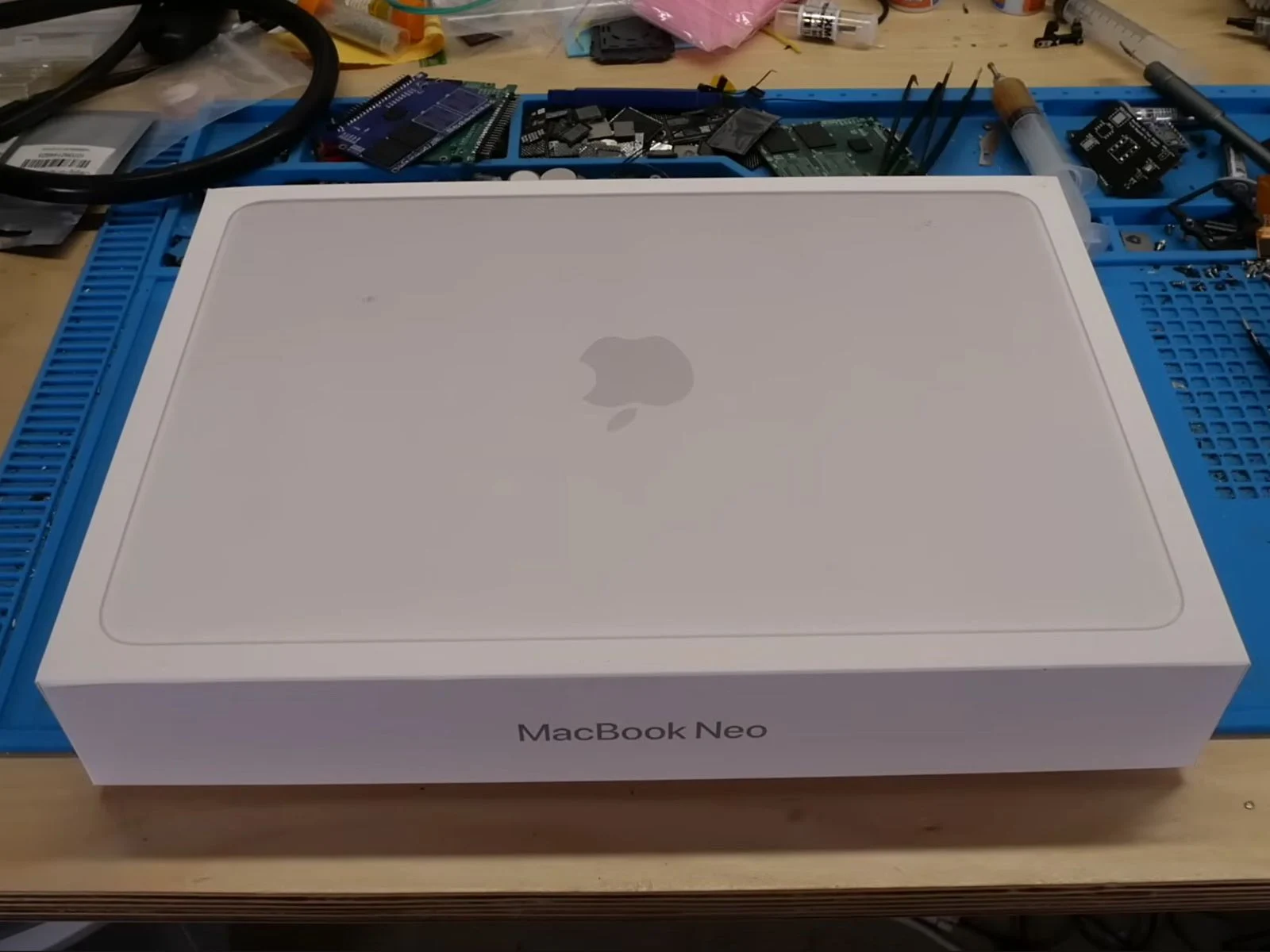
  • Modded MacBook Neo: The Apple Laptop Version You Never Saw

    Modded MacBook Neo: The Apple Laptop Version You Never Saw

    Key Takeaway

    1. The MacBook Neo, powered by the A18 Pro chip, is capable of supporting 1 TB of storage by replacing the original NAND chip.
    2. Upgrading the SSD involved soldering a blank 1 TB NAND chip designed for an iPhone 16 Pro onto the logic board, which successfully recognized and formatted the new storage.
    3. The device uses a NAND-only boot chain, allowing stability and automatic recovery mode even when the NAND is replaced with a blank chip.
    4. Upgrading RAM is impossible due to the PoP design, which stacks RAM on top of the SoC, and no alternative RAM packages are available for this layout.

    Introduction to the MacBook Neo and Its Capabilities

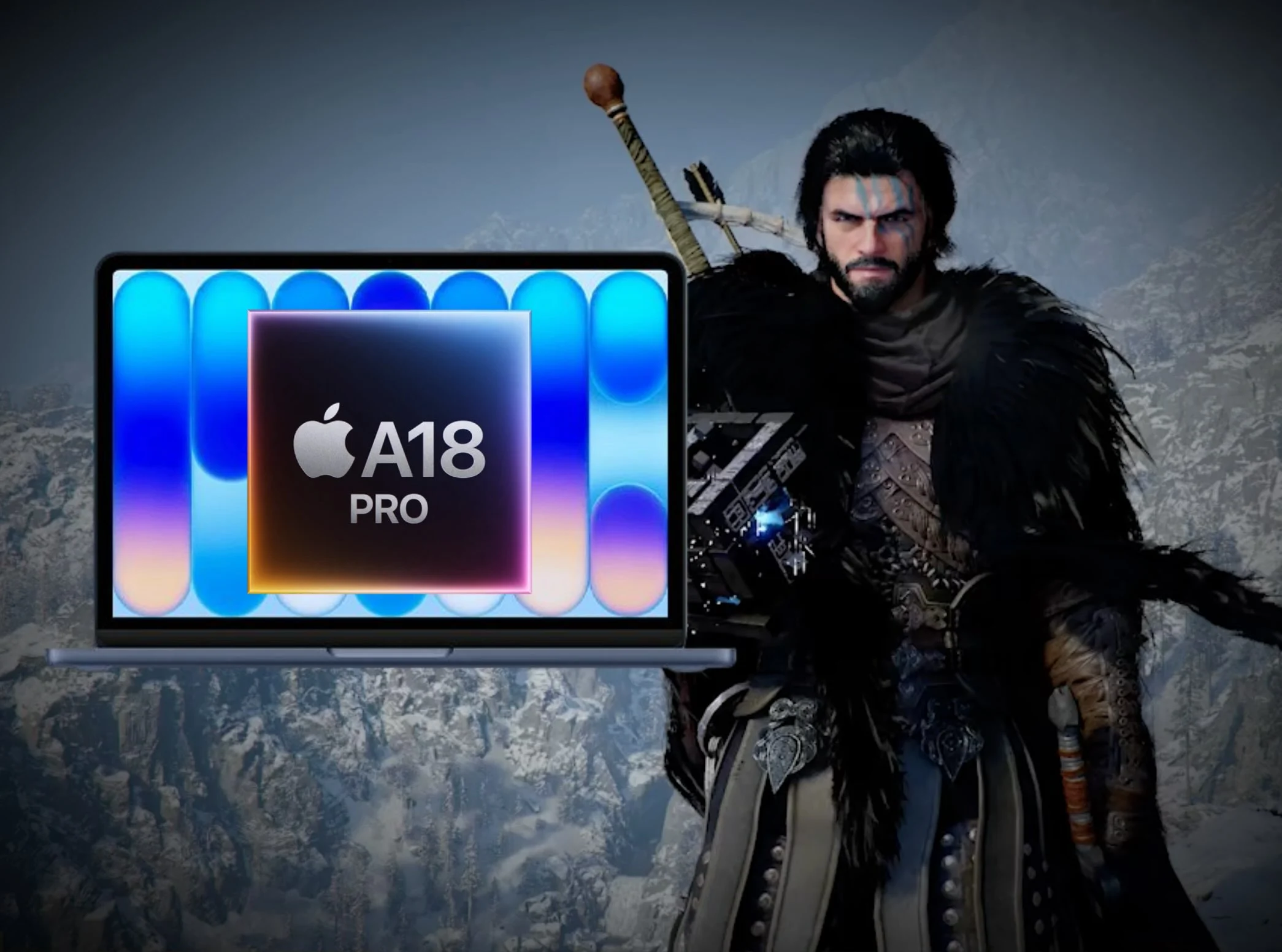
    The MacBook Neo has been a big hit for apple. Even though it is a passively cooled device, it packs the A18 Pro chip that is still very capable for everyday work. When apple introduced the entry-level Neo, the company brought the amazing power efficiency of the A18 Pro SoC into a wallet-friendly laptop. But, it had a strict storage limit of 512 GB officially.

    Shared Components and Storage Potential

    Since the Neo and the iPhone 16 Pro share the same A18 Pro silicon, and the iPhone supports up to 1 TB storage, some question if the Neo could be upgraded too. To find out, the youtuber dosdude1 took a 1 TB NAND chip meant for iPhone 16 Pro and soldered it onto the Neo’s mainboard.

    Testing the Hardware and Initial Results

    Before starting with soldering and risking the warranty, the YouTuber checked how the Neo performs straight from the box. With a fresh install of macOS 26, it runs just as you’d expected for a machine with Apple Silicon.

    The RAM Limitation and Why It Can’t be Upgraded

    If you’re asking why the 8 GB RAM isn’t getting an upgrade, it’s because of the design of the A18 Pro. It uses a PoP setup, meaning the RAM is stacked right on top of the processor. And with no alternative packs available in this specific layout, RAM upgrades are practically impossible, even with soldering skills.

    Soldering the 1 TB NAND and Final Tests

    The YouTuber also explains that a used NAND from an old iPhone can’t be used, because the new NAND must be blank. Using a JC P15 programmer, they checked the chip and confirmed it was empty and ready to work with macOS.

    After soldering and reassembling, it was found that Neo’s A18 Pro uses a NAND-only boot process. Unlike older Macs that often get stuck with a blank NAND, the Neo stayed stable and quickly entered DFU mode, similar to an iPhone or iPad.

    Successful Upgrade and Performance

    Using Apple’s Configurator with a macOS IPSW file, the YouTuber saw the system detect the new 1 TB drive, format it, and complete the restore without any problem. When checked in macOS, the storage shows 1 TB and speeds in Disk Utility showed around 1700 MB/s — about 200 MB/s faster than the original 256 GB drive.

    Conclusion and Economic Factors

    While the upgrade was successful, the cost is high. Due to the ongoing shortage caused by AI component demands, buying a blank 1 TB NAND chip is very costly now, often over $200, compared to under $100 previously.

    The entire process is shown in the video linked below, where the YouTuber demonstrates the storage upgrade on the MacBook Neo.


    Sources

  • Crimson Desert Runs at 50 FPS on MacBook Neo at Low Resolution

    Crimson Desert Runs at 50 FPS on MacBook Neo at Low Resolution

    Key Takeaways

    1. Mixed Reviews for Crimson Desert: While some praise its stunning visuals, others criticize the gameplay mechanics and narrative.

    2. Affordable MacBook Neo: Apple’s new MacBook Neo is designed to be budget-friendly, featuring a last-generation iPhone SoC and 8 GB of RAM.

    3. Performance on MacBook Neo: The game runs natively on Apple Silicon, but only at very low settings, achieving around 50 FPS with upscaling and frame generation.

    4. Playable Experience: With adjustments, players can achieve a steady 30 FPS, making it a somewhat enjoyable experience on lower-end devices.

    5. Optimization for Lower Hardware: Pearl Abyss shows commitment to optimizing Crimson Desert for less powerful hardware, as evidenced by its performance on the MacBook Neo.


    Crimson Desert reviews are mixed, to say the least. Some reviewers rave about the stunning visuals of this expansive open-world game, while others view the gameplay mechanics and narrative as lacking. On the bright side, it performs quite well on lower-end hardware, which is great news for gamers on a budget.

    A New Affordable Option

    The MacBook Neo marks Apple’s first laptop designed with affordability in mind. It’s equipped with a last-generation iPhone SoC and has a modest 8 GB of RAM, helping to keep the price down. Interestingly, Crimson Desert runs natively on Apple Silicon, which includes this new MacBook Neo model.

    Testing the Limits

    Popular gaming YouTuber Andrew Tsai took it upon himself to see how well the MacBook Neo handles the game. It turns out that the laptop can run the highly talked-about title, but only at very low settings. This is not surprising, given that the minimum requirements for running Crimson Desert on a Mac are an M2 Pro or M3-class SoC.

    With the game set to its lowest preset, using MetalFX to upscale from a lowly 180p to 540p, and enabling frame generation, the MacBook Neo achieves around 50 FPS while running Crimson Desert. Given that the A18 Pro’s 5-core GPU includes hardware-accelerated mesh shaders, performance is nearly on par with the M1.

    Playable Yet Limited

    With a slightly better resolution, achieving a steady 30 FPS gameplay with the help of frame generation and upscaling seems feasible on this system. Andrew mentioned that playing Crimson Desert with frame generation turned on is a fairly enjoyable experience, which may be the redeeming factor for those using lower-end Apple Silicon devices.

    It’s important to note that the MacBook Neo isn’t designed for gaming, but the fact that it can run Crimson Desert with only 8 GB of shared RAM between the CPU and GPU shows that Pearl Abyss is serious about optimizing for less powerful hardware.

    Andrew Tsai via YouTube

    Source:
    Link


  • Asahi Linux Remix 43: New Fedora for Apple Silicon Macs

    Asahi Linux Remix 43: New Fedora for Apple Silicon Macs

    Key Takeaways

    1. Asahi Linux Remix focuses on providing a refined Linux experience specifically for Apple silicon Macs, built on the Fedora distribution.
    2. The latest release, Asahi Linux Remix 43, includes enhancements from Fedora 43 along with additional improvements for Mac users.
    3. A Fedora Server version is available, designed for server tasks and headless setups, as well as a minimal image for customized installations.
    4. Existing users of Asahi Linux Remix 41 or 42 can upgrade using the standard Fedora upgrade procedure, but GNOME Software is not suitable for this process.
    5. The project aims to combine Fedora’s features with Apple-specific enhancements, making it a notable option for optimizing Linux on Apple hardware.


    Asahi Linux has been around for about three years, and it seeks to provide a refined Linux experience on Apple’s silicon Macs. The project, known as Asahi Linux Remix, focuses specifically on the Fedora distribution. This version combines the features enjoyed by all Fedora users with unique code tailored for Apple hardware. Just yesterday, Asahi Linux Remix 43 was released, bringing along all the Fedora 43 enhancements and some additional improvements for Mac users.

    Key Features of Asahi Linux Remix 43

    Besides the main release, Asahi Linux Remix 43 also offers a Fedora Server version, which is designed for server tasks and various headless setups. For those who prefer to tailor their operating system from the ground up, a minimal image is also provided. Users can access the latest and earlier versions through this link.

    Upgrade Path for Existing Users

    If you’re currently using Asahi Linux Remix 41 or 42, you can upgrade following the standard Fedora upgrade procedure (if you’re unfamiliar with this process, check this page for detailed instructions). Unfortunately, the GNOME Software application isn’t suitable for performing the upgrade, meaning you’ll need to use the KDE Plasma Discover software manager or the DNF’s System Upgrade command instead.

    Conclusion

    This release enhances the overall experience and brings new features to those using Fedora on Apple hardware. The unique blend of Fedora’s capabilities with additional Apple-specific enhancements is what makes Asahi Linux Remix 43 a noteworthy option for users looking to optimize their systems.

    Source:
    Link


  • Resident Evil Requiem Achieves ~70 FPS on Apple Silicon

    Resident Evil Requiem Achieves ~70 FPS on Apple Silicon

    Key Takeaways

    1. Game Availability: Capcom’s Resident Evil Requiem is released for PC and consoles, but Mac users are still waiting for an official macOS version.

    2. Performance on Older Apple Silicon: Older Apple Silicon chips (M1 and M2) struggle with the game, often crashing due to lack of hardware mesh shader support.

    3. Positive Results on Newer Devices: On the M3 Max MacBook Pro, the game runs at about 70 FPS at 1080p with default settings, demonstrating good performance without upscaling.

    4. Enhanced Indoor Performance: Indoor scenes show improved performance, achieving 73-75 FPS, and better results are seen at 1440p with MetalFX Quality upscaling.

    5. Affordable Device Performance: The budget-friendly MacBook Air with the M4 chip can run the game at 60 FPS with lower settings and upscaling adjustments, showcasing playable performance on less powerful hardware.


    Capcom’s Resident Evil Requiem has now been released for PC and consoles, and we’ve also seen how it performs on Linux. However, Mac users are still in anticipation of an official macOS version. Despite this, testing from Andrew Tsai’s YouTube channel reveals that the game can actually run on Apple Silicon devices with CrossOver 26, offering playable performance on the latest chips.

    Performance on Older Chips

    Testing indicates that older Apple Silicon chips like the M1 and M2 struggle with Resident Evil Requiem, crashing during startup. The tester proposes that this might be due to the absence of hardware mesh shader support, a crucial feature that the game seems to need quite a lot.

    Better Results on Newer Machines

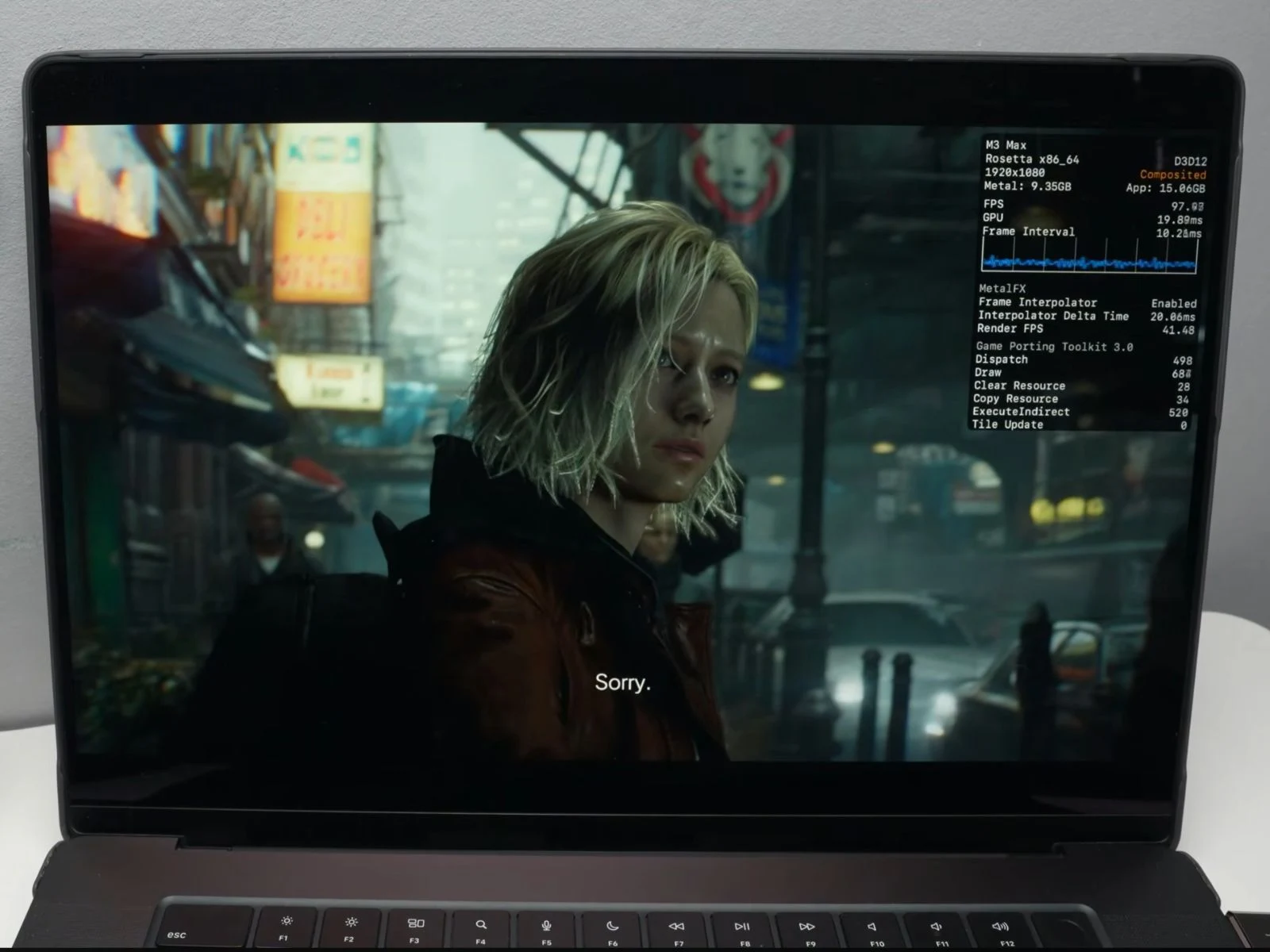
    For newer devices, results are much more encouraging. The game was tested on an M3 Max MacBook Pro equipped with 48 GB of unified memory and a 40-core GPU through CrossOver 26. At native 1080p with default graphics settings, MetalFX turned off and frame generation disabled, the system maintained approximately 70 FPS in an open street area, demonstrating that the hardware can manage the game without relying on upscaling techniques. The overlay indicates the title operates through Apple’s Game Porting Toolkit layer with around 14 ms frame times, while consuming about 10.5 GB of GPU memory.

    Indoor Performance and Upscaling Tests

    When it comes to indoor scenes, the performance is even more impressive, reaching about 73-75 FPS, with frame times sitting near 13-14 ms.

    In a different test at 1440p using MetalFX Quality upscaling, the game runs at roughly 50 FPS, with frame times close to 19-20 ms. MetalFX is set to Quality, rendering internally at 1708 × 960 before scaling to 2560 × 1440, while frame generation remains turned off. The overlay also shows GPU memory usage of around 11.2 GB and application memory at about 17.2 GB.

    Enhanced Performance with Frame Generation

    Activating frame generation delivers a noticeable boost in performance. In the same 1440p MetalFX Quality setting, the game runs at approximately 87 FPS, with frame times around 11-12 ms. The overlay also indicates a render FPS of about 34-35 FPS, meaning the actual rendered frames are lower and frame generation effectively increases the displayed frame rate. GPU memory usage increases slightly to around 13.1 GB, while application memory reaches about 19.3 GB.

    Running on More Affordable Devices

    On the more budget-friendly MacBook Air with the M4 chip, the game can still function with some tweaks. The game was adjusted to 1080p with the lowest graphics settings, while enabling MetalFX Ultra Performance upscaling and frame generation. Under these conditions, the game achieves around 60 FPS, with frame times near 16 ms. The overlay also shows a render FPS of approximately 31-32 FPS, suggesting that frame generation helps elevate the final frame rate. GPU memory usage is around 5.3 GB, while application memory is about 9.1 GB.

    Andrew also illustrates the complete process of setting up CrossOver 26 and running the game on a Mac, so be sure to check out the full video linked below for additional details.

    Source:
    Link


  • macOS Tahoe Update: Play Star Wars Outlaws & More on Apple Silicon

    macOS Tahoe Update: Play Star Wars Outlaws & More on Apple Silicon

    Key Takeaways

    1. Apple’s macOS Tahoe developer beta, along with Game Porting Toolkit 3.0 and Crossover Preview, improves compatibility for popular Windows games on Apple Silicon.

    2. Games like Starfield and Horizon Forbidden West now run more reliably, achieving good performance without needing community patches or hacks.

    3. New titles like Jurassic World Evolution 2 and Avatar: Frontiers of Pandora have become playable on Macs, indicating advancements in DirectX 12-to-Metal translation.

    4. Custom tweaks in Crossover Preview allow the use of modern gaming features like DLSS and AVX emulation on Macs.

    5. Apple is quietly enhancing macOS for gaming, making it a more viable platform for recent AAA titles despite not officially promoting these advancements.


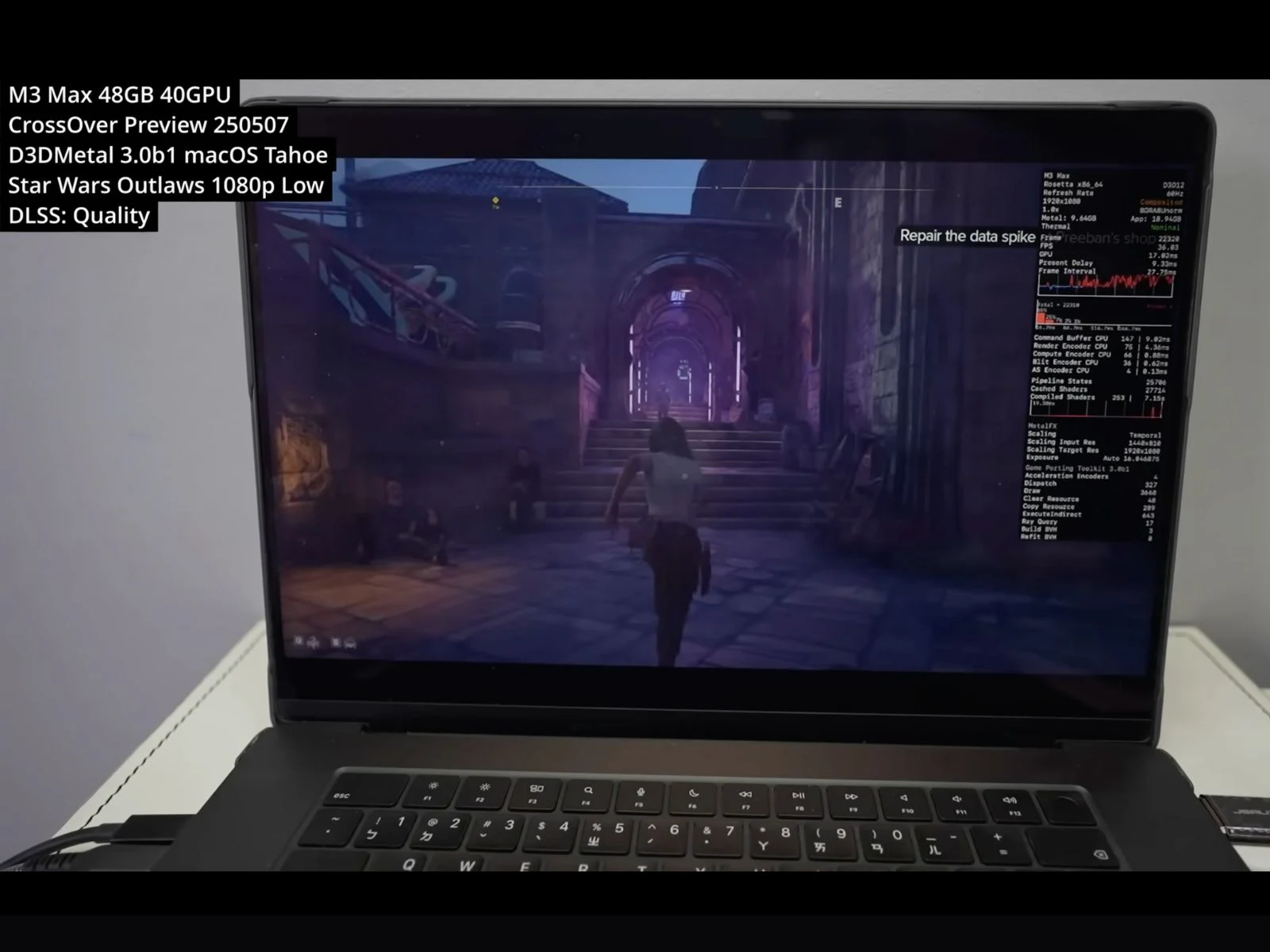
    Apple’s macOS Tahoe developer beta, along with Game Porting Toolkit 3.0 and the newest Crossover Preview (build 0507), is paving the way for popular Windows games to function on Apple Silicon. YouTuber Andrew Tsai has conducted tests showing that games like Starfield, Star Wars Outlaws, and Horizon Forbidden West now start more reliably and perform better. In many instances, these games no longer require community patches or hacks, indicating that Apple has made significant strides in DirectX 12 compatibility within macOS.

    Starfield and Horizon Forbidden West Perform Better

    Starfield now runs on Apple Silicon, and the results are impressively good. The YouTuber demonstrated that the game achieves 60 FPS at 1080p on medium settings with MetalFX upscaling turned on, making use of DLSS and frame generation through Crossover. Horizon Forbidden West, which used to crash when launched, now opens smoothly without needing shader patches or unofficial modifications.

    New Titles Become Playable

    Jurassic World Evolution 2 and Avatar: Frontiers of Pandora, which were previously unplayable on Macs, now start without issues and run more stably, as highlighted by Andrew. The latest update to Apple’s Game Porting Toolkit seems to have greatly enhanced the DirectX 12-to-Metal translation, bringing Apple Silicon closer to mainstream AAA gaming.

    All of this is tested using Crossover Preview, CodeWeavers’ compatibility layer for macOS, with Andrew Tsai using it to evaluate the new configurations. By manually swapping in GPTK 3.0 files and making some custom bottle tweaks, the setup allows features like DLSS hooks, AVX emulation, and real-time MetalFX. This marks the closest Apple Silicon has ever gotten to supporting modern PC gaming technologies natively.

    Quiet Improvements for Gamers

    Apple hasn’t officially promoted these advancements for gamers, but the capability to play recent AAA titles on MacBooks, such as Horizon Forbidden West, Final Fantasy VII Rebirth, and Star Wars Outlaws, points to a subtle yet steady effort to make macOS a more viable gaming platform.

    As of now, all the games were tested on a MacBook Pro with M3 Max, the macOS Tahoe developer beta, Game Porting Toolkit 3.0 Beta 1, and Crossover Preview. You can find the complete video showcasing these tests below.

    Source:
    Link

  • Black Myth: Wukong, Hogwarts Legacy, Witcher 3 – 60 FPS on macOS

    Black Myth: Wukong, Hogwarts Legacy, Witcher 3 – 60 FPS on macOS

    Key Takeaways

    1. High FPS Performance: Apple Silicon Macs, particularly the M1 Max, can achieve or exceed 60 FPS in games like Black Myth: Wukong, Hogwarts Legacy, and The Witcher 3 with suitable settings.

    2. DLSS vs. AMD FSR: DLSS offers better performance compared to AMD FSR, with significant frame rate improvements in games when using DLSS for upscaling.

    3. Challenges with Spider-Man Remastered: The game faced configuration issues; using DLSS alone provided the most stable performance, while mixing DLSS with AMD FSR resulted in frame drops.

    4. Encouraging Future for Mac Gaming: The combination of Game Porting Toolkit 3.0, Metal 4, and Crossover shows promise for gaming on Macs, allowing for smoother gameplay in more titles.

    5. Performance Variations: Different games have varying performances based on settings and technologies used, highlighting the importance of optimizing configurations for the best results.


    A recent video from the YouTube channel Blendlogic Tech highlights the advancements of Apple Silicon Macs in gaming. The creator tested various games using Crossover on an M1 Max MacBook Pro, running macOS 26 “Tahoe”, Metal 4, and the latest Game Porting Toolkit 3.0 (auto beta 1). Among the games, Black Myth: Wukong, Hogwarts Legacy, and The Witcher 3 managed to achieve or surpass 60 FPS under suitable settings.

    Understanding Features

    For those who may not know how technologies like DLSS, Metal FX, and frame generation work on macOS, these concepts have been detailed in a different article linked here.

    Game Performance Insights

    In the tests conducted by Blendlogic Tech, Black Myth: Wukong showed impressive performance, with DLSS providing frame rates around 70 FPS. The creator noted that the game ran well with Nvidia’s upscaling, but AMD FSR didn’t perform as well. Although there were issues such as untranslated menus and frame generation inconsistencies, pinpointing the exact cause was challenging, they mentioned. The YouTuber also speculated that newer Apple chips, like the M2, might yield even better outcomes.

    Hogwarts Legacy Results

    Hogwarts Legacy performed admirably during testing. With DLSS activated, the game reportedly started at roughly 45 FPS. Enabling frame generation almost doubled the performance to 90 FPS indoors and brought it close to 70–80 FPS in outdoor settings. However, switching to AMD FSR caused a performance drop, averaging about 40 FPS indoors and around 30 FPS outdoors, despite frame generation being on. The creator concluded that DLSS provides a more dependable upscaling experience on Apple silicon based on the results.

    The Witcher 3 Performance

    According to the YouTuber, The Witcher 3 operates under DX11, which currently limits access to frame generation. Nonetheless, the performance remained strong during testing. On low settings, the game exceeded 120 FPS, fully utilizing the MacBook Pro’s 120 Hz ProMotion display. Even on ultra settings, with HairWorks turned off, it still maintained a steady 60 to 70 FPS.

    Spider-Man Remastered Challenges

    Spider-Man Remastered posed more challenges in terms of configuration, as shown in the YouTuber’s video. DLSS combined with Metal FX achieved around 50 FPS, but enabling AMD’s frame generation dropped performance to the low 40s. The possibility of mixing DLSS with AMD FSR’s frame generation was also tested, but this setup resulted in more frame drops, likely due to the conflicting upscaling pipelines. The video ultimately suggests that the most reliable performance came from using DLSS alone with frame generation disabled.

    Promising Future for Mac Gaming

    With GPTK 3.0, Metal 4, and Crossover working together, Blendlogic Tech’s video presents an encouraging outlook for gaming on Macs. For Apple Silicon users ready to tweak settings, achieving 60 FPS gaming is now possible with an increasing number of titles, even those that are not officially supported on Macs.

    Additional Titles Explored

    The YouTuber also tested several other games, including Spider-Man 2, Armored Core 6, and Marvel Rivals. For a detailed performance breakdown and to see how these games performed, be sure to check out the complete video linked below.

    Source:
    Link

  • Steam Now Supports Native macOS Performance

    Steam Now Supports Native macOS Performance

    Key Takeaways

    1. Steam now has native support for Apple Silicon with the launch of a new beta version for M-series Macs.
    2. The new Steam app performs significantly better than the previous Intel version, improving startup times and user experience.
    3. The app previously relied on Rosetta 2 for compatibility, which limited performance; now it runs natively on Apple Silicon.
    4. The beta version fixes various macOS-specific issues, enhancing usability for non-Steam games.
    5. Major updates for Intel-based Macs will cease after WWDC 2025, with Rosetta 2 support ending in macOS 27.


    Steam has been on Mac for a long time, but it didn’t have proper support for Apple Silicon until now. This changes with the launch of a new beta version of the game marketplace app, which is now available for Macs that use Apple’s M-series chips. The new version is much better optimized and performs significantly better than the Intel version. This update comes as Apple continues its shift to its own silicon and is phasing out support for Intel-powered Macs.

    Native Support for Apple Silicon

    The announcement about the Steam Client Beta was made on the Steam community forum, where it was revealed that both the Steam Client and Steam Helper apps now run natively on Apple Silicon. Previously, the Steam app depended on Rosetta 2 to function on Apple Silicon, which didn’t provide the best experience. Steam utilizes the Chromium browser for most of its web content, and the Intel version had to consistently process through the Rosetta layer. Now, Valve has transitioned the Chromium Embedded Framework from being Intel-exclusive to supporting Apple Silicon.

    Performance Improvements

    YouTuber Andrew Tsai conducted a comparison between the Intel and Apple Silicon versions of the Steam app, showing significant enhancements in startup times, navigation, and overall user satisfaction. The new version also fixes some macOS-specific issues, including problems with icons not automatically setting for non-Steam games and the missing game icon file dialog.

    To get the new Steam beta, you need to open the Steam app on your Mac, go to Settings, then Interface, and find ‘Client Beta Participation.’ After that, you should click on Steam Beta Update, and the app will ask you to restart. Once you’ve restarted, the app will update to the latest beta version.

    Future Updates

    After WWDC 2025, Apple announced that it would stop providing major updates for Intel-based Macs post-macOS Tahoe. Regarding Rosetta 2, macOS 27 will be the final firmware update that supports it.

    Source:
    Link

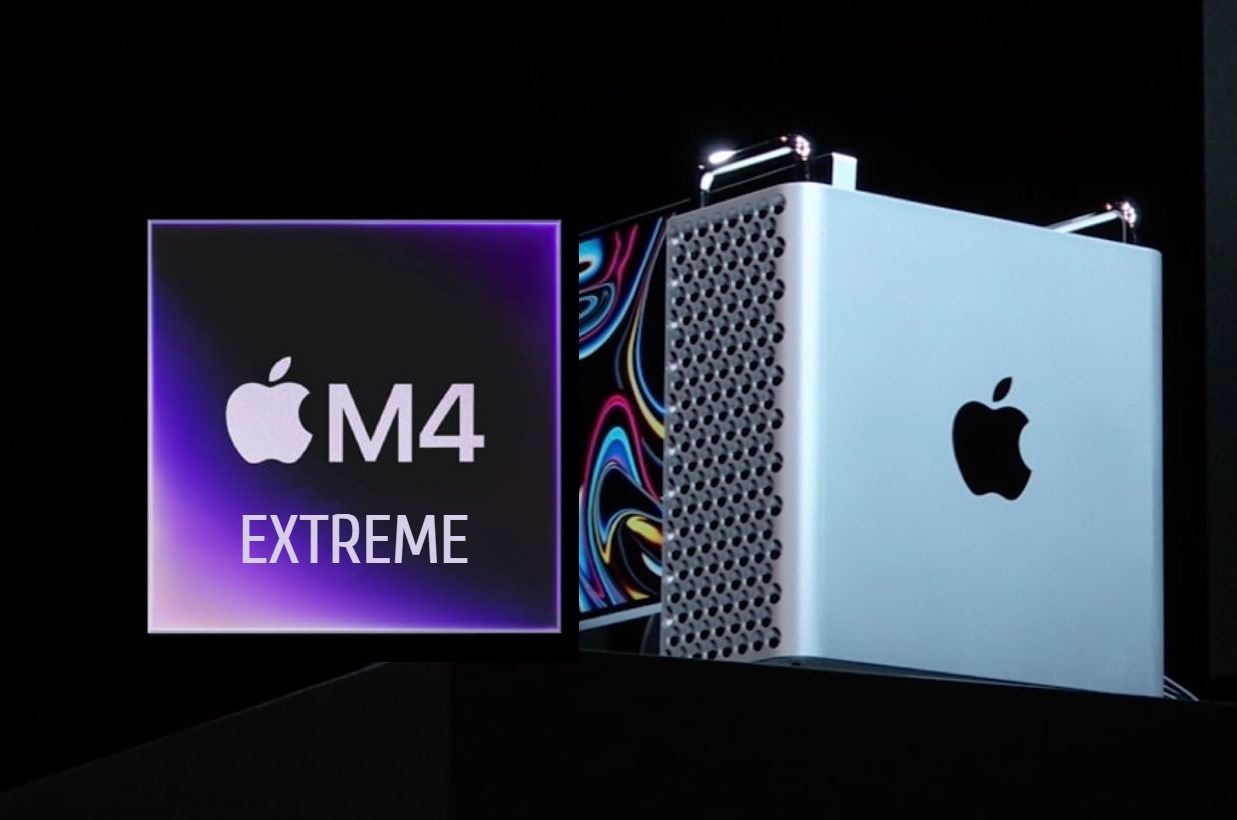
  • Apple M4 Extreme SoC with 64-Core CPU and 160-Core GPU Canceled

    Apple M4 Extreme SoC with 64-Core CPU and 160-Core GPU Canceled

    Apple has recently unveiled the M4 series of SoCs, showcasing impressive capabilities. It has been four years since Apple introduced its Silicon, and the M-series ARM chips are now more advanced in terms of both power and efficiency. Currently, the ‘Ultra’ variant of the M SoCs stands out as the most powerful option, featuring two ‘Max’ dies. Although there are rumors about an M4 Ultra being in the works, those who hope for an even more powerful M4 Extreme may need to adjust their hopes.

    Delay on the M4 Extreme

    A report from The Information, highlighted by MacRumors, reveals that Apple has been looking into a high-performance ‘M4 Extreme’ SoC, which would combine the power of two M4 Ultra chips or four M4 Max chips. However, these plans have reportedly been put on hold by Apple. The report suggests that this decision was made to focus on creating a server chip based on Apple Silicon. Those familiar with the evolution of Apple Silicon might recall that a similar situation occurred with the rumored M2 Extreme, which likely contributed to the Mac Pro’s struggle to maintain its status as a leading workstation.

    The Potential Power of the M4 Extreme

    Should the M4 Extreme ever become a reality, it could feature an astonishing 64-core CPU and an integrated GPU boasting 160 cores. The die size would be extraordinarily large, and the number of transistors might surpass even that of server-grade equipment. With the M4 Extreme now seeming unlikely, it is uncertain if Apple will revisit this concept in the future. Nonetheless, a Mac Pro equipped with an M4 Extreme would undoubtedly be seen as a premier product, although developing and marketing it may not be practical. Ultimately, only time will tell what Apple decides.

    Source: Link