Tag: VRAM Limitations

  • Capcom Limits Pragmata Performance Reviews Due to GPU VRAM Concerns

    Capcom Limits Pragmata Performance Reviews Due to GPU VRAM Concerns

    Key Takeaway

    1. The final version of Pragmata may be more demanding on PCs, with notable VRAM limitations affecting performance.
    2. GPU with 8GB VRAM, such as the RTX 4060, can experience significant frame rate drops, especially after certain in-game progress points.
    3. Disabling settings like shadow cache can improve performance, highlighting VRAM as a key bottleneck rather than processing power.
    4. Capcom restricts sharing multi-GPU test results, possibly to manage perceptions of performance across different hardware configurations.
    5. Future GPU upgrades with higher VRAM capacities could mitigate these performance issues on memory-constrained systems.

    Capcom’s new game, Pragmata, got some decent review scores, but the performance on PCs might not be as smooth as people hope. The detailed review from Digital Foundry indicates that some PCs with certain GPUs could experience drop in frame rate that is noticeably annoying. Interestingly, the testing was limited to just one graphics card, which is kinda odd in the PC gaming memory.

    High-end vs. mid-range performance

    When testing with a top-tier GPU like the RTX 5090, especially at 4K resolution, the game runs smoothly, with high fps even at maximum settings. But on a more typical setup, like using an RTX 4060 at 1440p, things start fine but then dips occur as the game gets more intense. The performance dips below 50 fps sometimes and gets worse after passing the demo section, making the experience less than ideal.

    Effects of tweaking settings

    By adjusting some visual options and turning off the shadow cache, the performance improved quite a lot. The frame rate stayed closer to 60 fps, which is quite good. The reviewer learned that freeing up memory on the RTX 4060 helped big time, showing that games like Pragmata rely heavily on VRAM, especially features like ray tracing and strand-based hair effects, which are quite demanding.

    Memory limitations and review restrictions

    Many gamers might notice that the options menu does not always illustrate how much memory is being used, leading to confusion. The review showed that at 1440p, with DLSS in Balanced mode, the game should run pretty smoothly on an RTX 4060. It seems the main issue is VRAM capacity, not processing power or Nvidia’s features support, according to Digital Foundry’s insights.

    Limitations imposed by tech sites

    Interestingly, while many reviews involve multiple GPUs, some sources like TechPowerUp are only allowed to publish performance results from a single graphics card. They found that restriction strange and had to make edits afterward, which makes things complicated for fair comparisons. It’s speculated that Capcom might request this to hide performance issues on lower-end hardware.

    Future expectations and hardware rumors

    After the official release date, more comprehensive performance comparisons should become available. Some gamers worry that these bottlenecks may reveal itself more widely in future titles. There are rumors suggesting Nvidia might upgrade the RTX 5060 and 5060 Ti with higher-capacity GDDR7 RAM to handle such demanding games better.

    Additional impressions and coverage

    In addition to written reviews, Notebookcheck posted their first impressions of Pragmata on their YouTube channel, giving more insights into how the game plays on different hardware setups. All in all, it seems that while the game looks promising, its PC performance depends greatly on VRAM and system optimization.
  • Is 8 GB VRAM Still Relevant in the Legion Pro 5 16?

    Is 8 GB VRAM Still Relevant in the Legion Pro 5 16?

    Key Takeaways

    1. Laptops with an RTX 5070 start around €1,500, but users are concerned about the adequacy of 8 GB VRAM for long-term relevance in gaming.
    2. General gaming performance shows that VRAM usage isn’t a major issue, with games like Baldur’s Gate 3 and Cyberpunk 2077 running smoothly even at 4K.
    3. Some games, like Assassin’s Creed Shadows, may exceed VRAM budgets without significant performance drops, indicating VRAM isn’t the sole factor affecting gameplay.
    4. Indiana Jones and the Great Circle demonstrates more serious VRAM issues, crashing at higher settings, but is noted for being poorly optimized.
    5. Overall, 8 GB of VRAM is generally sufficient for most current games, but certain poorly optimized titles may pose challenges, highlighting the need for future-proofing as games evolve.


    Laptops featuring an RTX 5070 typically start at about €1,500, although many setups are priced much higher. For that kind of money, customers expect a machine that will remain relevant for a long time. However, discussions on Reddit and tech forums reveal that many users worry Nvidia’s 8 GB VRAM might be insufficient, which could lead to problems in certain games.

    VRAM Examination

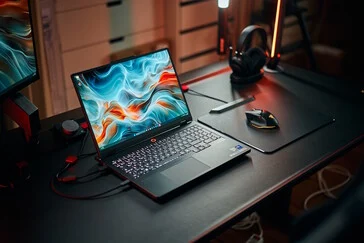
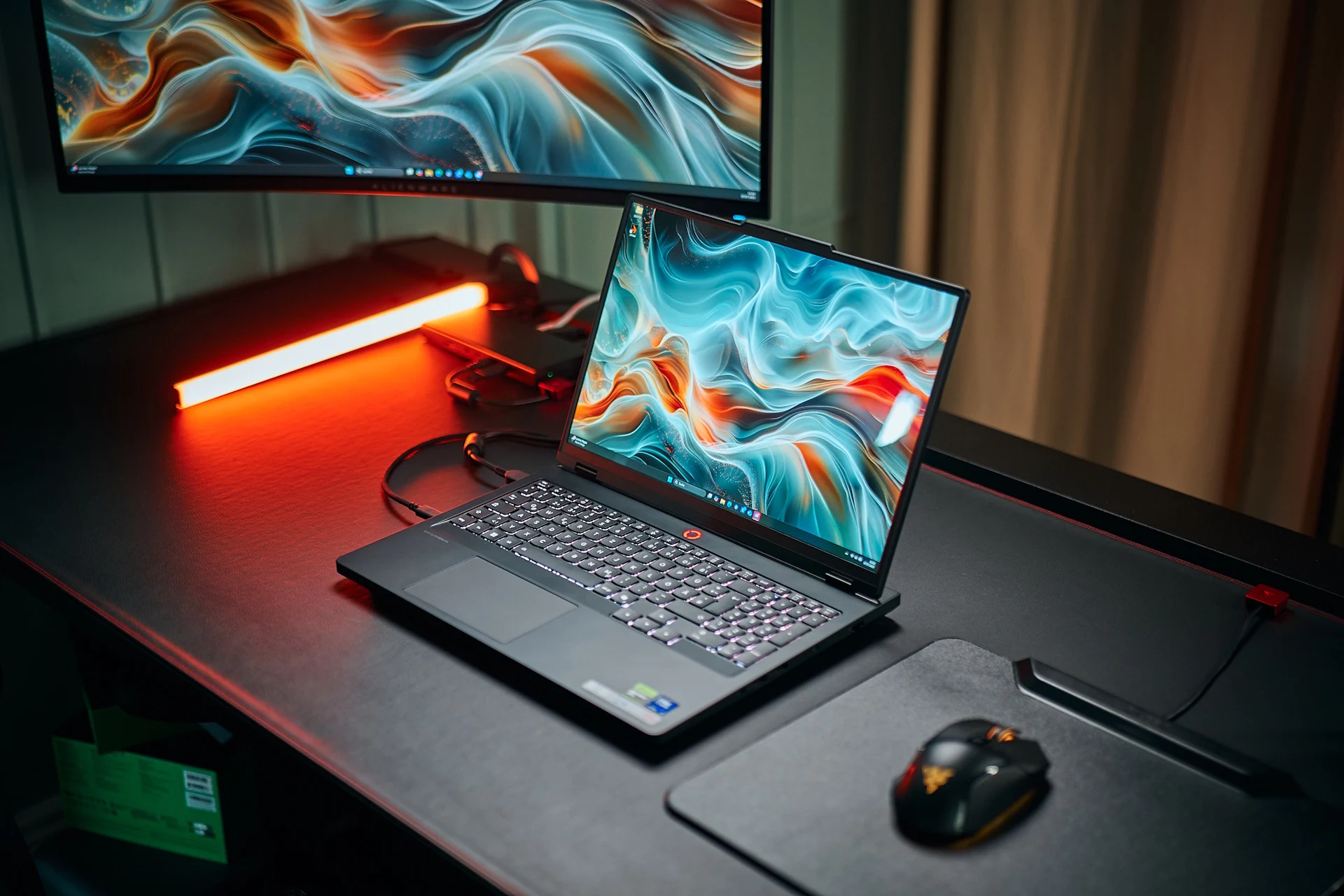
    We examined the VRAM scenario with the Lenovo Legion Pro 5 16IAX10, aiming to provide a judgment specific to this laptop and a select number of games. A more detailed article on the larger VRAM topic is on its way.

    Game Performance Analysis

    In general, VRAM usage isn’t something that stands out while gaming. There’s no visible gauge, and we could run games like Baldur’s Gate 3, GTA V, and Cyberpunk 2077 seamlessly — even at 4K — without any noticeable memory issues.

    Some games, however, do show a “VRAM budget” in their graphic settings. Depending on the resolution and detail level selected, that indicator can fill up quickly. For instance, Assassin’s Creed Shadows and Indiana Jones and the Great Circle are examples of this.

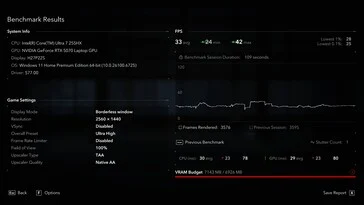
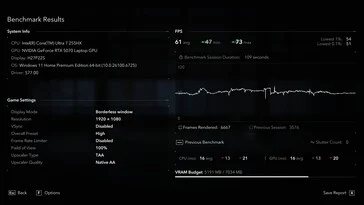
    In Assassin’s Creed Shadows at 2,560 x 1,440 (QHD), the game indicates that the VRAM budget is exceeded by around 100 MB. Nevertheless, during the benchmark, frame times remained consistent — even if the average frame rate was around 38 fps. The internal stutter count was just 1.

    Stress Testing VRAM

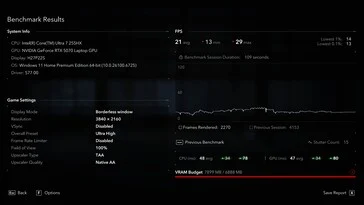
    To put more pressure on the VRAM, we switched to native 4K. Now, based on the indicator, the VRAM requirements clearly exceeded the limit — and we noted a stutter count of 15. The tricky part here is that we dropped to an average of 21 fps at native 4K, making it tough to determine whether the stuttering was truly due to VRAM limits or just the GPU struggling overall.

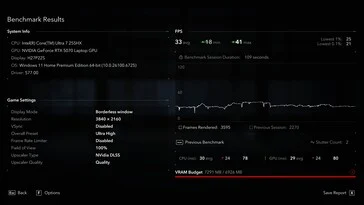
    Switching to DLSS Quality mode raised the average frame rate back above 30 fps and lowered the stutter count to 2 — even though the game still indicated an overage in VRAM. When playing in Full HD on High settings, the VRAM limit was not breached, the stutter count remained at 0, and performance averaged 61 fps. In summary, Assassin’s Creed Shadows doesn’t serve as the best test for VRAM adequacy, since performance issues happen well before memory usage becomes a real concern. So, it’s less of an issue after all.

    Indiana Jones Experience

    Moving on to Indiana Jones and the Great Circle, we noticed a more evident negative effect from the RTX 5070’s “just” 8 GB of VRAM: at a certain moment, the game simply wouldn’t start or crashed on initiation. Even at Full HD with low settings, the game claims VRAM usage surpasses the limit — though in reality, we didn’t see any issues until we increased the detail levels. Beyond that point, the game crashes each time it tries to launch (every settings change requires a restart).

    That said, Indiana Jones is somewhat of a unique case. As our colleague Florian mentioned in his benchmarking article, the game is in “a questionable technical state” and “poorly optimized, making its VRAM demands unreasonable.” Even GPUs with 16 GB of VRAM experience significant frame rate drops. However, at least you can start the game with higher resolutions and settings.

    Conclusion on VRAM Sufficiency

    Returning to our initial question — is 8 GB of VRAM inadequate? For most current games, the answer appears to be no. The few exceptions we’ve encountered seem more related to poor optimization rather than true hardware constraints. Still, those particular games do exist, and users with 8 GB GPUs may face challenges at certain resolutions and settings, while those with more VRAM can keep playing. Waiting for patches is the only solution — if they ever come. And considering that upcoming titles will likely require even more VRAM, the concerns are not entirely baseless.

    As previously stated, this conclusion specifically pertains to the Legion Pro 5 16 and should be viewed as a general indication rather than a conclusive statement. A more thorough analysis with detailed benchmarks and comparisons will be available soon.