Category: Computers

  • PixelMob Portable SSD with Touch Display and 8-Core Mini PC

    PixelMob Portable SSD with Touch Display and 8-Core Mini PC

    Key Takeaway

    1. The PixelMob is a compact device combining a portable SSD with smart features and networking capabilities, powered by an ARM Rockchip RK3588 SoC and 12 GB of RAM.
    2. It features two display options: a 5.5-inch 1080p LCD for the standard version and a 7-inch 1080p OLED for the Pro variant, with the latter offering higher brightness.
    3. The device provides multiple storage options, including M.2 slots and onboard eMMC, with the Pro variant offering three M.2 slots for expanded storage.
    4. Despite capable hardware, it operates on a custom OS, limiting its use to storage and smart functions rather than full PC capabilities.
    5. Likely to be launched via crowdfunding and positioned at a premium price point due to its innovative combination of storage, networking, and AI features.

    Compact Tech Marvel

    Over many years, we’ve seen quite a handful of innovative gadgets, but the PixelMob definitely stands out. It’s a tiny device that packs a complete computer into a super small shell, with a 7-inch display. This screen mainly functions as a portable SSD, making it perfect for on-the-go storage and light computing tasks.

    Specs and Performance

    Based on info from Liliputing, the PixelMob runs on an ARM-powered Rockchip RK3588 SoC paired with 12 GB RAM. Now, this isn’t a monster chip, but it’s enough to handle basic and light workloads. In performance tests like Geekbench 6, the RK3588 scores roughly 800 in single-core and 2500 in multi-core, similar to an AMD Ryzen 5 3500U. Still, the device feels more like a storage focused gadget than a full PC.

    Operating System & Features

    Interestingly, the PixelMob seems to run a custom OS that limits it from becoming a total mini-PC. Despite decent hardware, it seems mainly designed for storage benefits, integrated networking, and cool features like duplicate photos removing, AI-based color editing, camera monitoring, and multiple layers of security. It’s more of an smart accessory than traditional computer.

    Display & Storage Capabilities

    The standard PixelMob will come with a 5.5-inch 1080p LCD touchscreen, but the Pro version ups the ante with a 7-inch 1080p OLED screen that shines at 1300 nits brightness. The Pro version also shines in storage options, holding three M.2 slots (PCIe 3.0) along with a built-in 64 GB eMMC to run the OS. The regular model offers only two M.2 slots, still quite workable for most needs.

    Connectivity & Pricing Outlook

    The I/O selections are particularly appealing, though some specifics are detailed below. The PixelMob duo will be launched by the same team behind the high-end UnifyDrive lineup. It’s expected that this device will undergo crowdfunding soon, and with its features, storage, and portability, it’s likely to come with a higher price tag considering the ongoing surge in tech prices and demand for portable storage.

    Sources

  • Beelink Mate Pro Dock with 80Gbps USB4 and 32TB Storage

    Beelink Mate Pro Dock with 80Gbps USB4 and 32TB Storage

    Key Takeaway

    1. The Beelink Mate Pro dock features dual USB4 v2 ports with 80Gbps transfer speeds and daisy-chaining capability, including eGPU connectivity.
    2. It offers four PCIe 4.0 x1 M.2 slots, supporting up to 32TB of storage with high read/write speeds.
    3. The dock supports 96W PD for fast charging of the host device and peripherals, powered by a 140W PSU.
    4. Additional features include Bluetooth connectivity, a built-in speaker with DSP and amplifier, and a cooling fan.
    5. Launched at approximately $155 in China, it is expected to be available internationally soon.

    Beelink’s Latest Performance Dock: The Mate Pro

    In China, Beelink rolled out a new performance-oriented docking station called the Mate Pro. One of the main attractions of this dock is the inclusion of the two USB4 v2 ports, which boasts impressive transfer speeds of up to 80Gbps. The design supports daisy-chaining, allowing developers to connect an eGPU on one port while still maintaining a connection to a host PC on the other. This feature makes it very flexible for high-end gaming, editing, and professional workstations.

    Enhanced Storage and Speed

    Another major focus of the Mate Pro is its storage capacity. The dock features four M.2 slots, capable of holding up to 32TB total storage, which is perfect if you need large extra space for files, games, or software. These slots are PCIe 4.0 x1, promising a speedy read performance of about 1,655MB/sec and write speeds around 1,586MB/sec. This makes data transfer quick and efficient, especially useful for demanding tasks.

    Power Delivery and Connectivity

    This device supports 96W Power Delivery (PD), so it can charge your connected laptop or PC while you’re using other connected peripherals. The charging power comes from a 140W built-in PSU and requires connection to AC power. The dock also comes with a 6-feet Anker Nano cable, which is suitable for fast charging, priced at around $16.99. Connecting to power and peripherals simultaneously ensures seamless work or entertainment workflows without interruptions.

    Additional Features and Audio

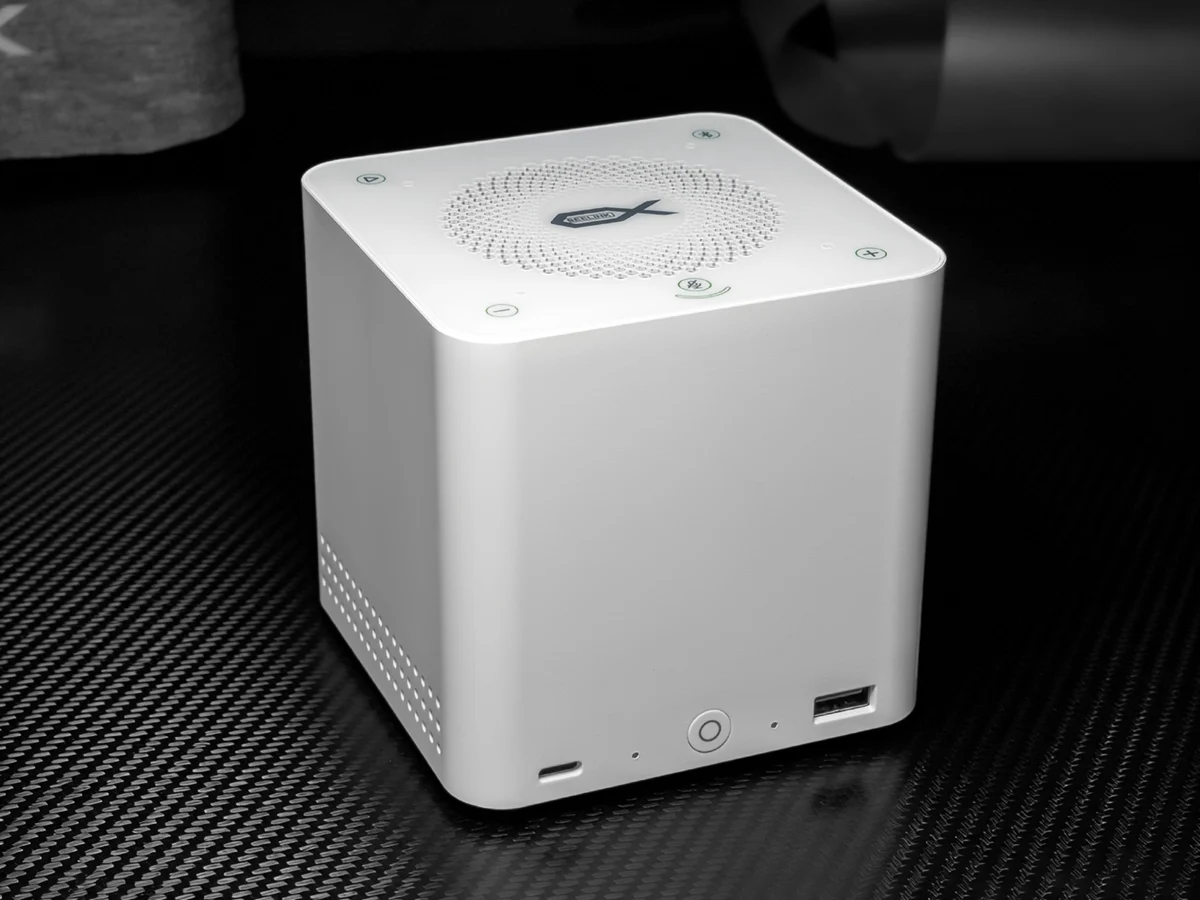
    Beyond the USB4 ports, the Mate Pro boasts Bluetooth connectivity designed to support its built-in speakers. Beelink has included a built-in DSP and amplifier to deliver quality audio for meetings or playing music. You can also connect audio devices via wired connections through the PC, although direct speaker connections through Bluetooth enhance convenience. The dock has a built-in fan system meant to keep internal components cool, avoiding overheating during intensive use.

    Pricing and Availability

    The price point for Beelink’s Mate Pro in China is set at CNY 1,059, roughly equivalent to $155. Although specifically launched there, the company’s global market presence suggests that this powerful dock will likely make its international debut shortly. Tech enthusiasts and professionals can look forward to this affordable yet highly capable docking solution.


    Sources

  • Lenovo Launches Compact Mini PC with Intel Lunar Lake Processor

    Lenovo Launches Compact Mini PC with Intel Lunar Lake Processor

    Key Takeaway

    1. The Lenovo Lecoo AI Mini Pro is a compact mini PC available in China with three CPU options from the Lunar Lake lineup, featuring integrated Intel Arc iGPUs suitable for gaming at 1080p.
    2. The system supports eGPU via USB4, but lacks more advanced external GPU interfaces like OCuLink or Lenovo’s TGX.
    3. It has a design similar to the Mac mini with a metallic finish and efficient cooling, with prices ranging from approximately $586 to $880.
    4. No clear plans are announced for international availability outside China.

    Introduction to the New Lecoo AI Mini Pro

    Lenovo has recently announced a new mini PC called the AI Mini Pro, branded under Lecoo. This small but mighty computer has been teased for sometime now and is finally available for purchase in China. While Lenovo’s also released a Panther Lake mini PC, this Lecoo model uses the older Lunar Lake architecture, bringing a different set of features and options to users who are looking for compact computing solutions.

    Hardware Options and Performance

    The AI Mini Pro offers three different CPU configurations, catering to a range of needs. The lowest tier features the Intel Core Ultra 5 226V processor, paired with an Intel Arc 130V iGPU, which offers decent graphics performance for everyday tasks. Moving up, the middle variant is equipped with the Core Ultra 5 228V, which comes with 32GB of RAM compared to 16GB in the base model, enhancing multitasking abilities.

    The highest-end version packs the Intel Core Ultra 7 258V CPU, also with 32GB RAM, and includes the more powerful Arc 140V iGPU. This setup is designed to manage many AAA games at 1080p resolution, making it suitable for gaming enthusiasts or content creators seeking portability.

    Connectivity and Design

    This mini PC allows eGPU support through USB4, which can be extended via an Aoostar AG02 dock that costs around $229, though this could be better if it had OCuLink or Lenovo’s proprietary TGX interfaces. The system provides a variety of ports for connectivity, ensuring versatility for different external devices.

    Design-wise, the Lenovo Lecoo AI Mini Pro has a look similar to the Mac mini, particularly from the bottom. It features a metallic finish, giving it a sleek and premium appearance. Lenovo emphasizes its efficient cooling system that can keep the internals cool without making excessive noise, with noise levels staying below 35dB.

    Pricing and Market Availability

    Pricing for this mini PC starts at CNY 3,999 ($586), with the high-end configuration priced at CNY 5,999 ($880). It remains uncertain whether Lenovo will expand its availability beyond China, as Lecoo products tend to have limited international reach. For those interested, it looks like an affordable option for compact computing needs with multiple CPU and GPU configurations.

    Sources
  • Framework Aims to Surpass Logitech K400 with Improved Trackpad

    Framework Aims to Surpass Logitech K400 with Improved Trackpad

    Key Takeaway

    1. The wireless keyboard features a membrane key switch with 1.5mm travel, aiming for a high-quality typing experience.
    2. It includes a large, portrait-oriented multi-touch trackpad, deemed advantageous over competitors like the Logitech K400 Plus.
    3. The combination of keyboard and trackpad is designed for portable use, such as on a couch, with multiple connectivity options (USB, Bluetooth, USB-A dongle).
    4. The keyboard supports multi-device pairing (up to four devices) with easy switching via a key combination, and customizable keys via a web interface.
    5. Launch details and pricing for the Wireless Touchpad Keyboard remain unspecified.

    Introduction of the New Wireless Keyboard

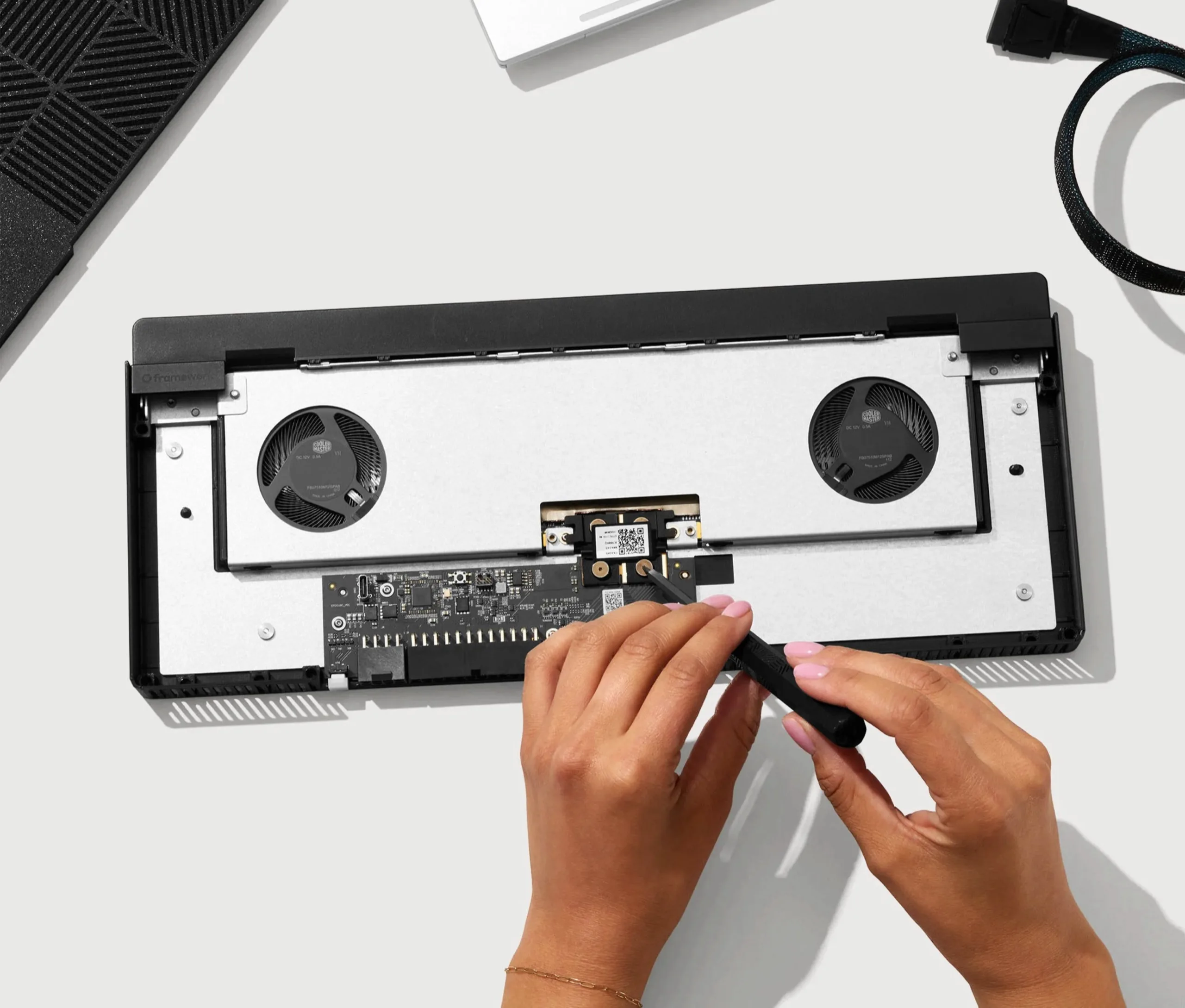
    Today, the makers of the Framework Laptop 13 Pro unveiled a new product, a wireless keyboard with an integrated trackpad. This device is modeled based on the same keyboard that was used in the Framework Laptop 12, which features a membrane mechanism and a key travel of 1.5 millimeters. This design aims to combine portability with functionality, making it an interesting addition to the Framework lineup.

    Design and Features

    The keyboard’s key feature appears to be its first-class typing experience, which Framework claims is particularly good for laptops. Located to the right of the keys is a large multi-touch trackpad, recently modelled from the core of the Framework Laptop. Interestingly, the trackpad has been rotated into a portrait format, providing a different ergonomic feel. Framework states their trackpad offers significant advantages over other popular keyboards like the Logitech K400 Plus, which is a common choice but often criticized for its performance and feel.

    Practical Usage and Connectivity

    The compact combo of a function key-enabled keyboard along with a large trackpad is especially practical for usage on a couch or when space is limited, where traditional mice are not really usable. Users can connect this keyboard to various devices via USB cable, a USB-A dongle, or Bluetooth. It can connect to up to four devices simultaneously, allowing users to switch between them effortlessly with a dedicated key combination. The device’s microcontroller, the Nordic nRF54L20, combined with ZMK firmware, makes this possible because every key can be customized via a user-friendly web interface.

    Additional Information and Availability

    At this moment, the company has not announced when or how much the wireless keyboard with trackpad will cost. For further updates and detailed specifications, interested individuals are encouraged to visit the official Framework website. Though the release date remains a secret, anticipation is high for this innovative accessory that aims to enhance portable device interaction.


    Sources

  • Framework’s First eGPU Connects Laptop and Desktop GPUs Using OCuLink

    Framework’s First eGPU Connects Laptop and Desktop GPUs Using OCuLink

    Key Takeaway

    1. The OCuLink Dev Kit offers a high-bandwidth eGPU solution with data rates of up to 128 GT/s, surpassing Thunderbolt 4 or USB 4.
    2. The system is modular, consisting of an OCuLink cable, Expansion Bay Adapter, Graphics Module OCuLink Dock, and PCIe OCuLink Dock for flexible configurations.
    3. Compatible with the Framework Laptop 16 and potentially other devices with an OCuLink port, allowing users to connect standard desktop GPUs or laptop GPUs from Framework.
    4. Pricing details are not yet available; GPU modules are sold separately, with options including AMD Radeon and Nvidia GeForce models.

    Introduction to the OCuLink Dev Kit

    The company has rolled out a new product, the OCuLink Dev Kit, alongside the Framework Laptop 13 Pro. This innovative eGPU kit is mainly aimed at enhancing the capabilities of the Framework Laptop 16. Moreover, it is expected to be compatible with other devices featuring an OCuLink port. This setup comprises four distinct parts, giving users the flexibility to customize their experience with connected components.

    Details about Components

    The core of the kit begins with the OCuLink 8i cable, handling data speeds up to 128 GT/s, offering a considerable upgrade in bandwidth compared to traditional solutions like Thunderbolt 4 or USB 4. Next, an OCuLink Expansion Bay Adapter is designed to integrate into the Framework Laptop 16, providing an extra port for connecting external hardware seamlessly.

    Functionality of the Graphics and PCIe Modules

    For turning the laptop’s own GPU into an eGPU, the Graphics Module OCuLink Dock is used. This allows for extending graphics processing power right from the hardware inside the Framework Laptop 16. The fourth component, the PCIe OCuLink Dock, caters to users needing to connect standard PCIe devices, including typical desktop graphics cards, expanding the system’s versatility.

    Pricing, Compatibility, and Additional Information

    Framework has not disclosed exact pricing or release dates for the OCuLink Dev Kit yet, but more details will be made available on their website soon. Buyers will need to purchase specific GPU modules separately; for example, an AMD Radeon RX 7700S costs $399, while Nvidia’s GeForce RTX 5070 laptop GPU is priced at $699. If desired, standard desktop GPUs such as the Nvidia GeForce RTX 5060, which can be found for approximately $329, are also compatible, offering wider options for users.


  • Lenovo Panther Lake-Powered iMac Rival Revealed with High Price Tag

    Lenovo Panther Lake-Powered iMac Rival Revealed with High Price Tag

    Key Takeaway

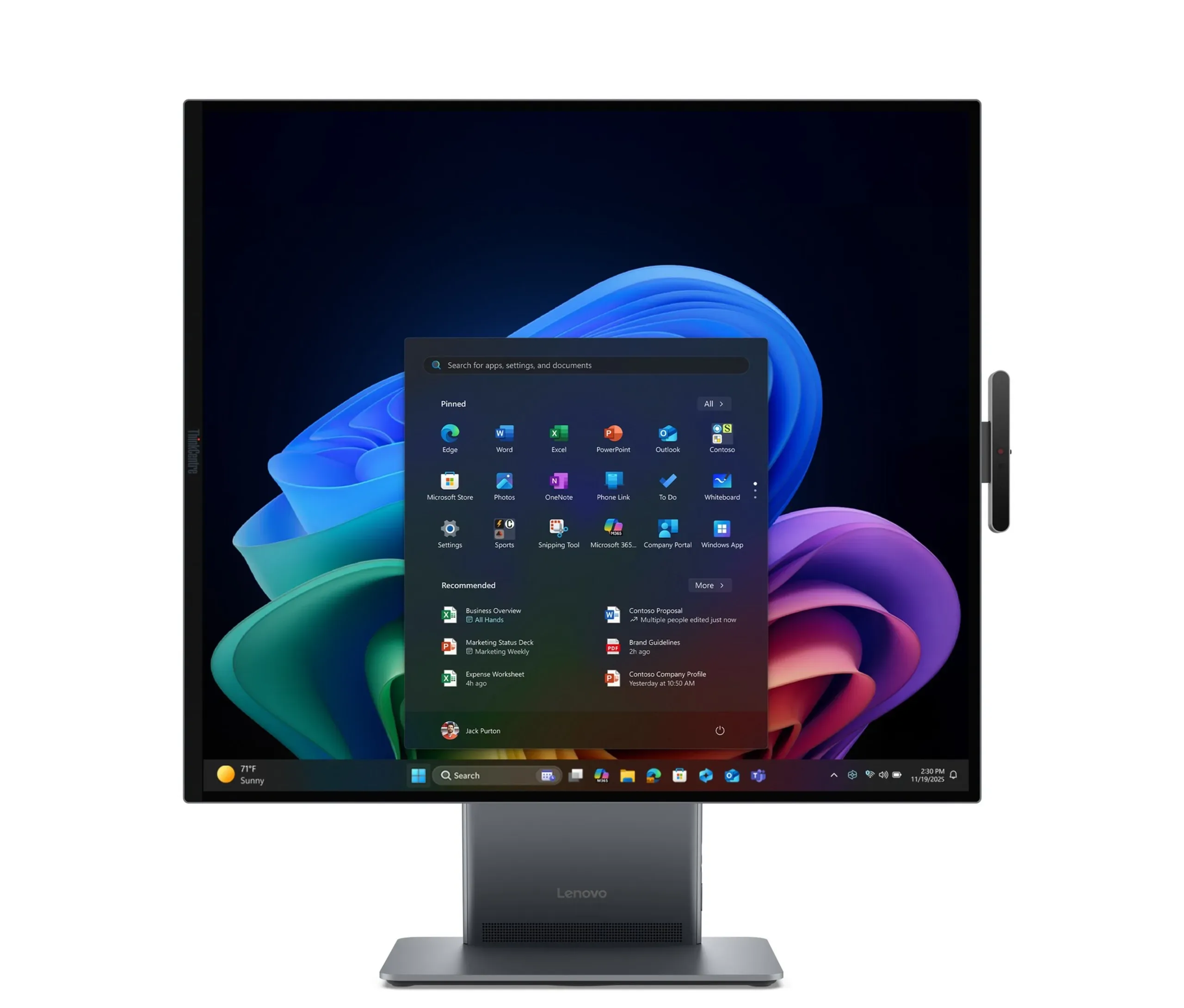
    1. Lenovo’s ThinkCentre X AIO Aura Edition features a unique, rotatable 27.6-inch IPS LCD with a high-resolution 2560×2880 pixels, aimed at competing with the iMac.
    2. Priced at approximately $4,980 USD, it is nearly twice the cost of a comparable high-end iMac, with limited memory options of only 32 GB of LPDDR5x RAM.
    3. The device is powered by an Intel Core Ultra X7 358H CPU with an Xe Arc iGPU and is currently only available in Japan, with possible delays in other markets.

    Lenovo Unveils Unique ThinkCentre X AIO Aura Edition at CES 2026

    During this year’s Consumer Electronics Show, Lenovo showcased a wide range of innovative and eccentric devices, one of which was a rollable laptop. Among these, the ThinkCentre X AIO Aura Edition stands out primarily because of its distinct display resolution. The company seems to be targeting it as a competitor to Apple’s well-known iMac. While Lenovo didn’t announce the price at CES, we now have a better idea thanks to a listing on its Japanese website, which was reported by GDM and Videocardz.

    Price and Specification Highlights

    The listed price is ¥792,000, inclusive of local taxes, which converts to approximately USD 4,980 as of April 21. To put this in perspective, this price is nearly double that of a high-end iMac equipped with an Apple M4 processor, 24 GB of RAM, 2 TB SSD storage, and four Thunderbolt ports (around USD 2,500). Interestingly, though the product was promoted to support up to 64 GB of RAM, the minimal configuration offers only 32 GB of LPDDR5x memory.

    Design and Hardware Features

    Information on the storage capacity isn’t specified in the listing. The Aura Edition features a 27.6-inch IPS LCD screen with a rather unusual resolution of 2560 x 2880 pixels, and an aspect ratio close to 16:18. The display can be flipped 90 degrees to better suit applications that require unconventional aspect ratios. Beneath its stylish exterior, it boasts an Intel Core Ultra X7 358H processor, paired with a 12 Xe Arc integrated GPU, signifying a focus on professional or creative use.

    Availability and Market Introduction

    At this stage, the ThinkCentre X AIO Aura Edition has only been made available in Japan. While there’s hope it might soon appear in other international markets, the ongoing chip and memory shortages might lead to delays in global rollout. Enthusiasts and potential buyers will need to stay tuned for further announcements and release details.

  • Microsoft Pro and Surface Laptop Launch Delayed Rumors

    Microsoft Pro and Surface Laptop Launch Delayed Rumors

    Key Takeaway

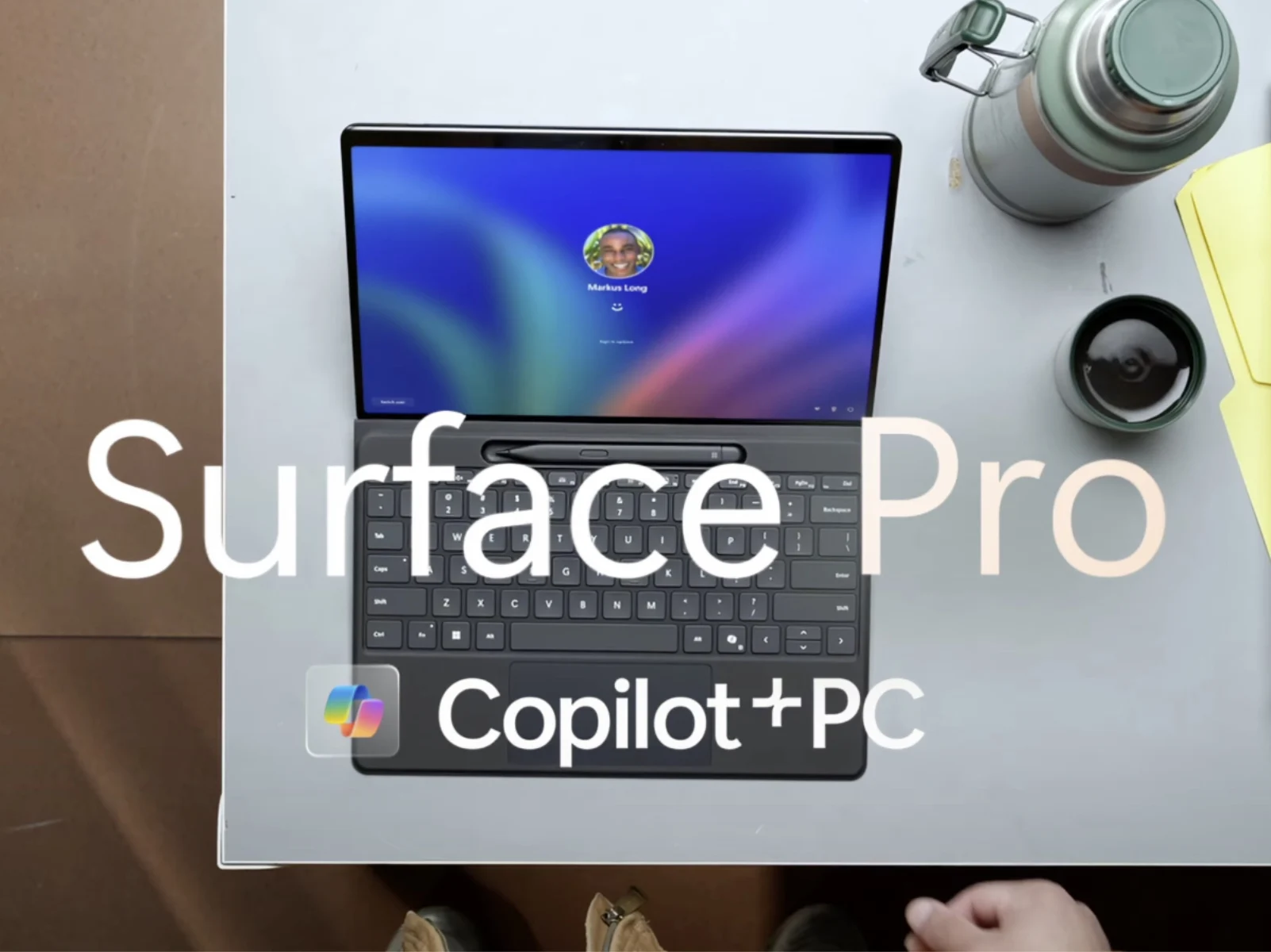
    1. Microsoft’s Surface PC releases, including the Surface Laptop 8 and Surface Pro 12, have been delayed by approximately one month.
    2. All versions of the Surface Laptop 8 will be configurable with OLED displays.
    3. The new Surface Pro and Surface Laptop models are expected to be smaller and may see significant price increases, with some versions potentially costing 65% more than previous models.

    Latest Insights on Microsoft’s Surface PC Launches

    Roland Quandt recently give us new updates about Microsoft’s upcoming Surface device line-up. He shared some initial details about the Surface Laptop 8 and Surface Pro 12 last week. The tech world is waiting eagerly as these devices are expected to introduce some interesting features and improvements.

    Details on Display Options and Variants

    Windows Central added that all Surface Laptop 8 versions might feature OLED screens, which will be a big upgrade for sharpness and color vibrancy. They also hinted at smaller versions of Surface Pro and Surface Laptop, which could appeal to users who prefer more compact designs. The inclusion of both ARM and Intel chips means users might get a broader choice depending on their needs.

    Delay in Launch and Price Speculations

    According to Quandt, Microsoft is delaying the launch of its new Surface devices by around a month. He mentioned on Bluesky that the prices are ‘so bad’, but didn’t give any specific numbers. A Dutch retailer, however, suggests that the Surface Pro 12 might be up to 65% pricier than the older model, which was priced around $999 on Amazon. This means some versions could be quite expensive.

    Upcoming Models and Expected Release Timeline

    This delay probably affects the new Intel-powered Surface models codenamed Panther Lake, which might now release in July. Meanwhile, their Snapdragon X2 based counterparts are expected to arrive later, between July and September 2026. As of now, there are no official images or detailed promotional materials available for these devices yet, so all the information is based on leaks and rumors.

    Sources
  • Minisforum N5 Max NAS Price and Release Date Revealed

    Minisforum N5 Max NAS Price and Release Date Revealed

    Key Takeaway

    1. The Minisforum N5 Max is a high-performance NAS powered by AMD’s Strix Halo APU with 64 GB of RAM, priced at $2,899.
    2. It features extensive I/O options, including dual 10 Gb/s Ethernet, multiple USB 4 ports, and HDMI 2.1 output.
    3. The device offers up to 200 TB of storage via five SATA bays and one NVMe slot, with additional NVMe slots available for SSD expansion.
    4. Despite its advanced specs, the base model ships with only 128 GB of storage, which is relatively small for its intended use.

    Mini PC Meets High-End NAS

    Even tho AMD designed their Strix Halo lineup as processors for laptops, it turns out they are quite versatile and gets used in different gadgets. Minisforum decided to use one of these chips to create a very powerful Network Attached Storage (NAS), called the N5 Max. This device is not just a regular NAS, it comes packed with an AMD Ryzen AI Max+ 395 CPU and an enormous 64 GB of RAM. Many systems that use the same chip usually have 128 GB, but Minisforum probably cut corners here because, well, RAM is really rare and expensive these days.

    Pricing and Storage Options

    The N5 Max costs a jaw-dropping $2,899, which is a lot of money for a NAS. If you want to buy it, you can start placing your orders on April 23. But remember, the price only includes the basic machine – storage needs to be bought separately. The initial setup comes with a tiny 128 GB drive in one of its five NVMe slots. And for more space, it has five SATA bays, so you can expand your storage up to 200 TB if you need massive data storage.

    Connectivity and Features

    This isn’t just any NAS; it comes with a impressive array of ports. You get two 10 Gb/s Ethernet connections for fast networking, two USB 4 ports running at 80 Gb/s, another USB 4 port with 40 Gb/s, and even an HDMI 2.1 port for connecting a monitor. That’s pretty unusual on most NAS devices, which are mainly for storage and not display output. In fact, it’s really like a compact high-power mini PC that’s perfect for those who want lots of local data handling capabilities without wireless features, making it super reliable for critical tasks.

    Summary

    Overall, the Minisforum N5 Max is a beastly piece of kit, blending high performance computing with expansive storage potential, making it suitable for professional use or advanced home setups. With its hefty price tag and top-tier features, it’s clearly aimed at users who want a totally powerful and flexible NAS experience.

    Sources
  • Apple MacBook Pro with Tandem OLED Touchscreen Delayed by DRAM Crisis

    Apple MacBook Pro with Tandem OLED Touchscreen Delayed by DRAM Crisis

    Key Takeaway

    1. The new MacBook Pro is expected to feature a redesigned, thinner chassis, punch-hole display, and touchscreen OLED panel, marking the most significant update since 2021.
    2. Launch has been delayed to early 2027 due to supply chain issues caused by the DRAM crisis, despite software being on schedule for fall.
    3. The Mac Studio’s release has also been pushed to October, with improvements in performance through new chips but no design changes.
    4. The new MacBook Pro will include a new hinge and macOS adaptations but will not feature iPad-like functionalities such as Apple Pencil support.

    Future Changes for Apple MacBook Pro

    The MacBook Pro, with its new pricing at around $1,759, along with the upgraded Apple M6 Pro and M6 Max, is all set for a one of the most anticipated design overhauls since the M1 series launched in the fall of 2021. This upgrade features a slimmer body, a modern punch-hole instead of the classic notch, and a touchscreen that incorporates a tandem OLED panel, making it rumored to be the most substantial update in ages.

    Delay Due To External Factors

    According to recent info, mostly from Bloomberg, Apple’s release schedule might be pushed back cos of issues with DRAM shortage. While most rumors indicate a launch around the tail-end of 2026, now it looks like the next-gen MacBook Pro might only hit the shelves by early 2027, which is later than earlier thought. This has some implications on their overall release plans.

    Software and Design Expectations

    Sources say that Apple’s software development is still on track for a fall release, despite the delays with hardware production. The new MacBook Pro is expected to feature a reworked hinge design plus some macOS updates to work better with a touchscreen. Still, it seems unlikely that Apple plans to turn it into a full iPad hybrid—features like the Pencil will probably stay exclusive to tablets, not laptops.

    Impact on Other Apple Devices

    This delay appears to extend beyond just the MacBook Pro. Bloomberg’s insiders suggest that the upcoming Mac Studio’s deliveries won’t kick off until October. No major redesign is anticipated for the Mac Studio, but it will be more powerful because of new chip options, likely with either an Apple M5 Max or an M5 Ultra, making it a serious upgrade in performance.


    Sources

  • Arc G3 Extreme and Arc G3: Intel’s New Handheld Console Chips

    Arc G3 Extreme and Arc G3: Intel’s New Handheld Console Chips

    Key Takeaway

    1. The Intel Core G3 Extreme has surfaced in a leak, featuring 14 cores, a 4.7 GHz boost clock, and 18 MB L3 cache, but its authenticity is questioned.
    2. A prominent insider claims the supposed Core G3 Extreme listing is fake, and the actual chip is called Arc G3 Extreme, with fewer L3 cache (12 MB) and an Arc B380 iGPU.
    3. The main distinction between the G3 and G3 Extreme models is their integrated GPUs, with the Extreme featuring higher Xe cores (12 vs. 10).
    4. These chips are expected to compete with AMD’s Ryzen Z2 lineup and are anticipated to be revealed in Q2 2026.

    Intel Core G3 Extreme Leak Sparks Speculation

    Just after Intel announced their whole Panther Lake lineup, a new leak poped up talking about two chips that didn’t get released yet. These are the Core G3 and Core G3 Extreme, and as their names suggest, they was supposed to kinda compete with AMD’s Ryzen Z2 series. But, for reasons nobody knows yet, their launch got delayed, and now, one of these chips just appeared online unexpectedly.

    Details from the Leak and Rumors

    X leaker @9550Pro shared a screenshot from CPU-Z showing what looks like the Intel Core G3 Extreme. Based on what was expected, it has 14 cores total — including 2 P-cores, 8 E-cores, and 4 LPE-cores. But interestingly, it doesn’t match any other Panther Lake chips seen before, and seems to be a scaled-down version of the Core Ultra X7 358H, likely designed to lower power use. The chip’s boosted clock speeds goes up to 4.7 GHz, with 18 MB of L3 cache, which is pretty decent.

    Contradictory Information from Insider

    However, some trusted sources like Jaykihn — a well known insider with a good record about Intel leaks — claim this listing is fake. According to him, what’s really shown is the Intel Arc G3 Extreme, not the Core G3 Extreme, and it is said to have the same 4.7 GHz boost clock but just 12 MB of L3 cache. He also mentions that the listing showing a Core Ultra X7 358H is totally spoofed, claiming it’s not a real chip name for this product.

    Variants and GPU Differences

    The main difference between the Arc G3 Extreme and the non-extreme Arc G3, as told by insiders, has to do with their integrated GPUs. The Extreme version is expected to feature an Arc B380 with 12 Xe cores, while the regular Arc G3 could come with an Arc B360 graphics card that has 10 Xe cores. These tiny GPU differences could influence gaming and graphical performance, even if the CPU core numbers are somewhat similar.

    Potential Market Competition and Release Timing

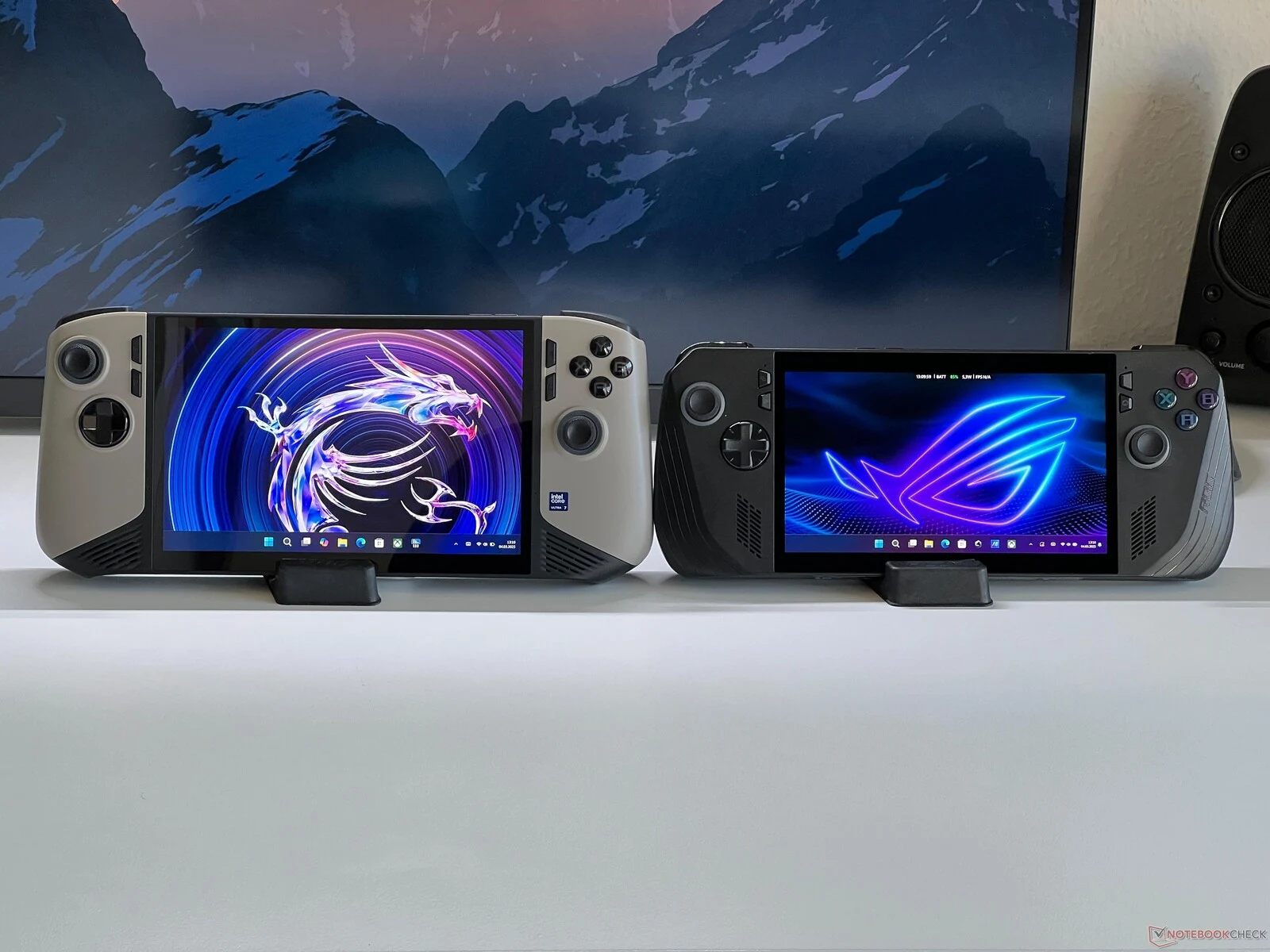
    In general, these two chips look like they will be very similar and appear to be strong contenders to AMD’s Ryzen Z2 family, especially considering what little we know about Panther Lake so far. Intel plans to reveal the Arc G3 and G3 Extreme probably in the second quarter of 2026, but the exact devices and use cases, especially for handhelds, still remains unknown even now. The MSI Claw is thought to be one of the likely gadgets to get powered by these chips, especially since the last one was based on the Lunar Lake platform, making it a good match to host Intel and AMD competing in the same space.

    Sources