Category: Computers

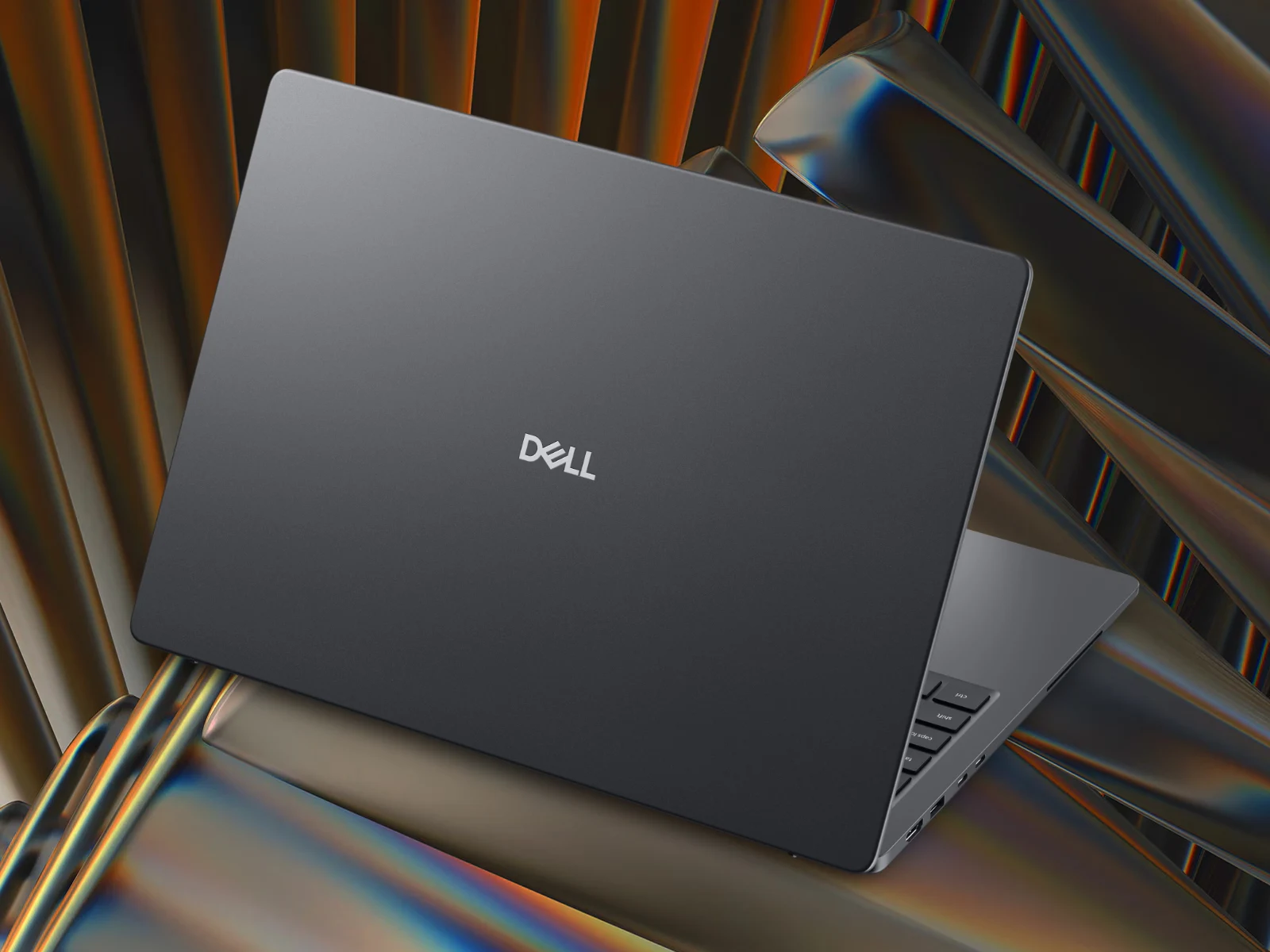
  • Dell Launches New 16-Inch with 120Hz VRR & 64GB RAM

    Dell Launches New 16-Inch with 120Hz VRR & 64GB RAM

    Key Takeaway

    – Dell Pro 5 Series 16 (P516265) launched with AMD Ryzen AI 400 processors, offering up to 49% CPU and 80% GPU performance gains over base models.
    – Configurable with up to 64 GB DDR5-5600 RAM, 2 TB storage, and battery options of 45 Wh, 57 Wh, or 70 Wh.
    – Display options include up to a 1600p, 500-nit, 120 Hz VRR anti-glare IPS panel; Wi-Fi 6E/7 and 4G/5G cellular modems available.
    – Starts at $2,099 in the US, priced significantly lower than Intel Panther Lake-based models.
    – Available globally, though order placement requires a phone call in Australia.


    New Dell Pro 5 Series 16 Laptop Variants

    Dell has returned to its Pro 5 Series 16 laptop with new versions, so lets look. To recap, the company introduced Intel Panther Lake-based models at the start of May 2026. Replacing the Pro 16 PC16255 (curr. $1,199 on Amazon), the P516260 was complemented last week by Wildcat Lake-based SKUs in Europe.

    AMD Ryzen AI 400 Processor Options Start

    Alternatively, Dell sells the Pro 5 Series 16 with AMD Ryzen AI 400 processors. Available globally, P516265 variants start with a Ryzen AI 5 Pro 435 but can be configured with up to the Ryzen AI 9 HX Pro 470. For reference, the latter enjoys a 49% performance improvement over the former in our benchmarks, which extends to over 80% in GPU workloads.

    Memory, Storage and Battery Configurations

    Also, Dell sells the P516265 with up to 2 TB of storage and 64 GB of DDR5-5600 RAM. While user-replaceable, this RAM is neither as fast nor as energy efficient as the LPCAMM2 equivalent in the P516260. Setting that aside, Dell lists 45 Wh, 57 Wh and 70 Wh battery configurations, which can be supported by 65 W, 100 W or 65 W GaN chargers. Moreover, Wi-Fi 6E and Wi-Fi 7 modems are available, as are Snapdragon X12 4G cellular and MediaTek T700 5G cellular modems.

    Display and Pricing Details

    The P516265 can be configured with up to a 1600p, 500-nit and 120 Hz VRR display with an anti-glare coating too. All display options are IPS-based, though. Currently, the Pro 5 Series 16 (P516265) starts at $2,099 in the US for a substantial saving over Panther Lake-based models. Comparable pricing exists in other markets too, although one must call Dell to place an order in Australia.
  • Lenovo ThinkPad T14 Gen 7 Screen Downgrade: RAM Crisis Impact

    Key Takeaway

    – Tech sector prices rising due to datacenter boom and component shortages.
    – PC makers cut costs by using cheaper, lower-quality components.
    – Lenovo ThinkPad T14 Gen 7 base model costs €450 more than its predecessor.
    – Low-end screen covers only ~60% sRGB, offering poor color accuracy.
    – Best option for customers may be buying the older Gen 6 model while available.


    Rising Tech Prices Hit Laptops Hard

    Prices are climbing across the tech world, all thanks to the boom of datacenters and the chaos in supply chains for memory, SSDs, and processors. This price hike is a nightmare for PC builders. Who actually wants to fork out more cash for a laptop that cost way less just last year? It is a really though situation for everyone.

    How Manufacturers Soften the Blow

    One trick to ease the pain is for companies to cut corners on cheaper parts. They might stick in slower CPUs, smaller SSDs, or less RAM, while also fitting terrible screens. This is becoming a common theme, and its not a great look for consumers who expect quality.

    A perfect example of this is the Lenovo ThinkPad T14 Gen 7 we recently looked at. We tested the most basic version you can buy in Germany, and it starts at around €1,600. That is approximately €450 more expensive than the last generation base-model, the ThinkPad T14 Gen 6 Intel, which is a big jump for a new model.

    • Screen size: 14-inch
    • Resolution: WUXGA (1,920 x 1,200)
    • Brightness: 400 cd/m²
    • Color gamut: Only about 60% sRGB

    The Cheap Screen Problem

    What gives it away as a low-cost screen is the colour gamut. It covers a measly 60 percent of the sRGB range, so colours look washed out and inaccurate. For a laptop at this price, that is a major letdown, and it makes photo editing or watching videos less enjoyable.

    To be fair, Lenovo offered the exact same screen on the old model too. However, it was rarely used in consumer configurations. Nearly every T14 Gen 6 you could buy in Germany came with a better 500 cd/m² display that hit 100% sRGB, so most people got a decent panel.

    Current Configuration Situation

    Now, almost all configurations under €2,000 have this inferior screen as standard. This is a frustrating situation for customers. There is basically no perfect solution without compromises, except maybe grabbing an older Lenovo ThinkPad T14 Gen 6 while it is still available.

    Sources
    • Hands-On Nvidia RTX Spark Surface Laptop Ultra Reveals New USB-C Port

      Hands-On Nvidia RTX Spark Surface Laptop Ultra Reveals New USB-C Port

      Key Takeaway

      – Early hands-on reports suggest the Surface Laptop Ultra could be one of Microsoft’s most impressive laptops yet.
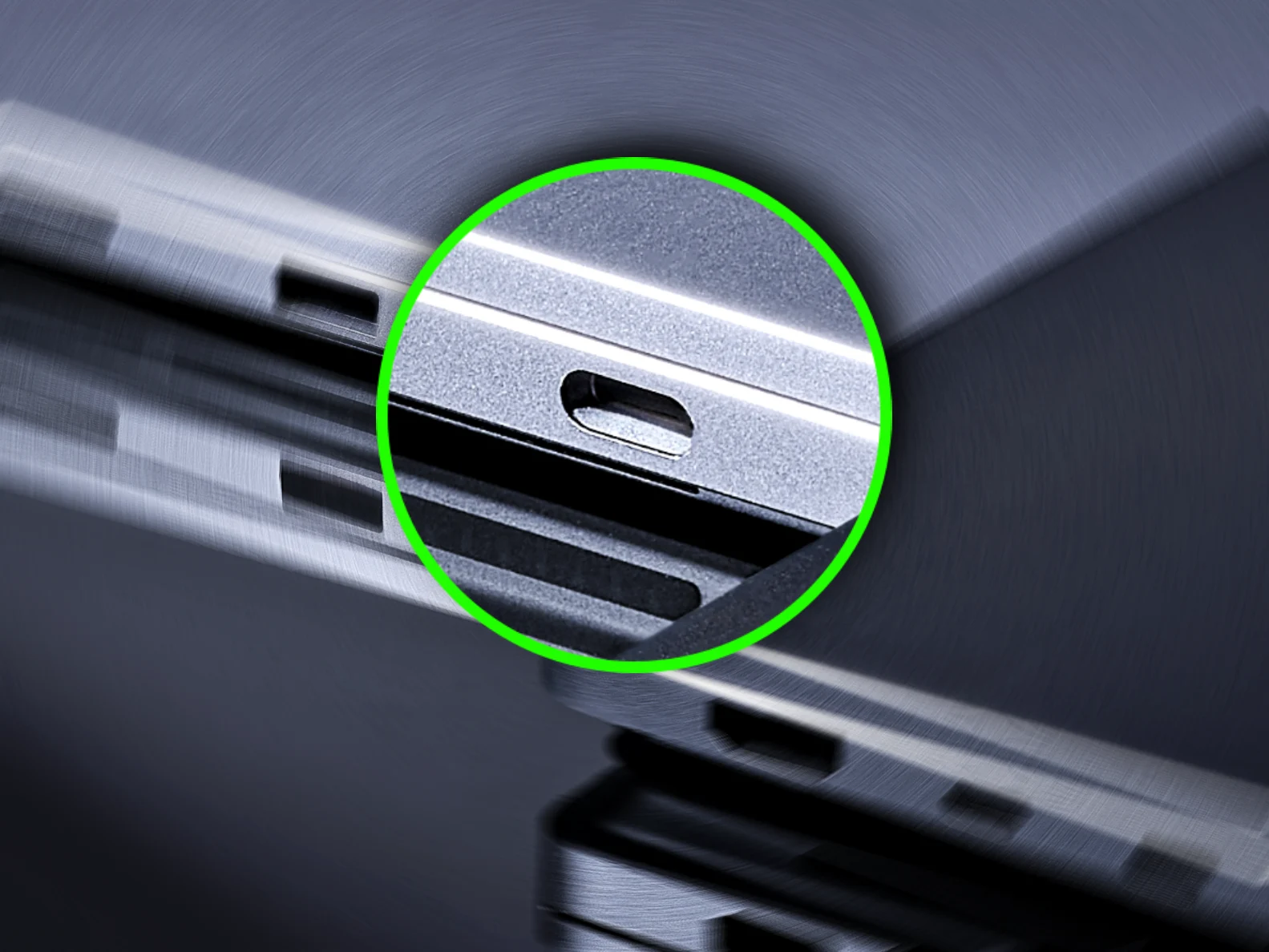
      – A unique, oversized USB-C port on the right side has been confirmed by Microsoft to be intentionally different from the other ports.
      – Cables feel “looser” in this port, sparking speculation about a proprietary magnetic USB-C cable or adapter.
      – The oversized port is not for high-wattage power delivery, as other RTX Spark laptops do not share this modification.
      – The mysterious port may introduce magnetic breakaway charging, directly competing with Apple’s MagSafe on the M5 MacBook Pro.


      Surface Laptop Ultra’s Mysterious Oversized USB-C Port

      Microsofts upcoming Surface Laptop Ultra is already generating significant buzz, with early hands-on reports suggesting it could be one of the most impressive laptops the company has ever produced. Beyond its high-end performance, driven by Nvidia’s RTX Spark platform, a mysterious hardware detail has caught the attention of enthusiasts, and thats the unique, oversized USB-C port on the right side of the Surface Laptop Ultra.

      Hardware Difference Confirmed by Microsoft

      During his hands-on time with the Surface Laptop Ultra (and communication with Microsofts reps), tech reporter Zac Bowden has found out that the USB-C port on the right side of the laptop does indeed stand out. Unlike the other USB-C ports (on the left), this specific connector is physically different, a fact Microsoft has reportedly confirmed.

      In discussions on social media, Bowden addressed the various speculation regarding the ports design, by saying the hardware design and ports on the device are final (as per Microsoft). Apparantly, the reps have acknowledged the port is different for a specific reason, though they are withholding details until later this year.

      Looser Cable Fit and Potential Magnetic Adapter

      Addressing theories that the port might just feature a simple chamfer for aesthetics, the reporter (again) pointed out that the other USB-C ports do not share this design. He noted that cables feel “looser” in this specific port, fueling speculation that Microsoft may be planning a proprietary, magnetic USB-C cable designed to attach more securely. Or perhaps an adaptor, which plugs into the oversized USB-C port and allows for a new version of the magnetic Surface Connect plug from prior Surface laptops.

      Distinct from Other RTX Spark Laptops

      According to the report, the oversized port isnt an implementation similar to proprietary high-wattage power delivery found in other notebooks. He says that other laptops utilizing the RTX Spark platform have not modified their USB-C ports for charging purposes, further distinguishing the Surface Laptop Ultra as having “something a little extra going on”.

      Potential Competition with Apple’s MagSafe

      As Microsoft prepares to pull the curtain back on the Surface Laptop Ultra later this fall, the nature of this mysterious port remains one of the most intriguing “unknowns” in the world of new RTX Spark laptops. If it does indeed introduce a magnetic breakaway feature to the standard USB-C interface, it could mark a significant evolution in charging convenience for pro-grade hardware.

      Of course, the Surface Laptop Ultra is going to compete directly with Apples M5 MacBook Pro, which does indeed offer MagSafe charging as an added feature.

      Microsoft, WindowsCentral, Zack Bowden

    • New Microsoft Surface Pro 12: Snapdragon X2, 32GB, Longer Battery

      New Microsoft Surface Pro 12: Snapdragon X2, 32GB, Longer Battery

      Key Takeaway

      – Microsoft unveils two Surface PCs with Nvidia’s RTX Spark chipset, but they won’t be available until later in 2026.
      – A new Surface Pro 12 launches June 16, featuring up to Qualcomm Snapdragon X2 Elite processors.
      – The Surface Pro 12 offers up to 32 GB RAM, up to 1 TB removable PCIe Gen 4 storage, and a 13-inch OLED display with 10% better battery life.
      – A new “Dune” color finish will be available, along with matching Surface Pro Flex Keyboard accessories.
      – Pricing remains undisclosed; consumer models likely start with Snapdragon X2 Plus.


      Surface PCs Get Nvidia RTX Spark This Week

      This week, Microsoft has unveiled two Surface PCs powered by Nvidia’s new RTX Spark chipset. Unfortunately, neither the Surface Laptop Ultra or the Surface RTX Spark Dev Box will be available until unspecified dates later in 2026. In the meantime, Roland Quandt and WinFuture have revealed that Microsoft will be unveiling a new Surface Pro soon.

      New Surface Pro Launch Date and Processors

      For context, Microsoft has already confirmed that it would be launching Qualcomm Snapdragon X2-powered machines ‘later this year’. According to Quandt, the next Surface Pro will launch on June 16 with a few tweaks from the older Surface Pro 11 featuring Snapdragon X processors (curr. $1,199 on Amazon). Incidentally, the Surface Pro 12 is already available with Intel Panther Lake processors under Microsoft’s ‘for Business’ line.

      X2 Elite and Core Configurations

      On June 16, Microsoft will complement x86 models with up to Snapdragon X2 Elite-backed counterparts. Leaked promotional materials only mention a 12-core variant, which could be the X2E-78-100, X2E-80-100 or the X2E-84-100. Experience suggests that the consumer Surface Pro 12 will start with the Snapdragon X2 Plus, though.

      RAM, Storage, and Display Details

      Regardless, Microsoft will sell the Surface Pro 12 with up to 32 GB of RAM and 256 GB, 512 GB or 1 TB of removeable PCIe Gen 4 storage. Also, while a 13-inch OLED display returns, Microsoft is claiming an extra 10% battery life in official tests at 15.5 hours. For reference, the OLED version of the Surface Pro 11 lasted over 11 hours in our Wi-Fi test with the Snapdragon X Elite X1E-80-100 and 15.9 hours in our H.264 video playback test.

      New Dune Color Finish and Accessories

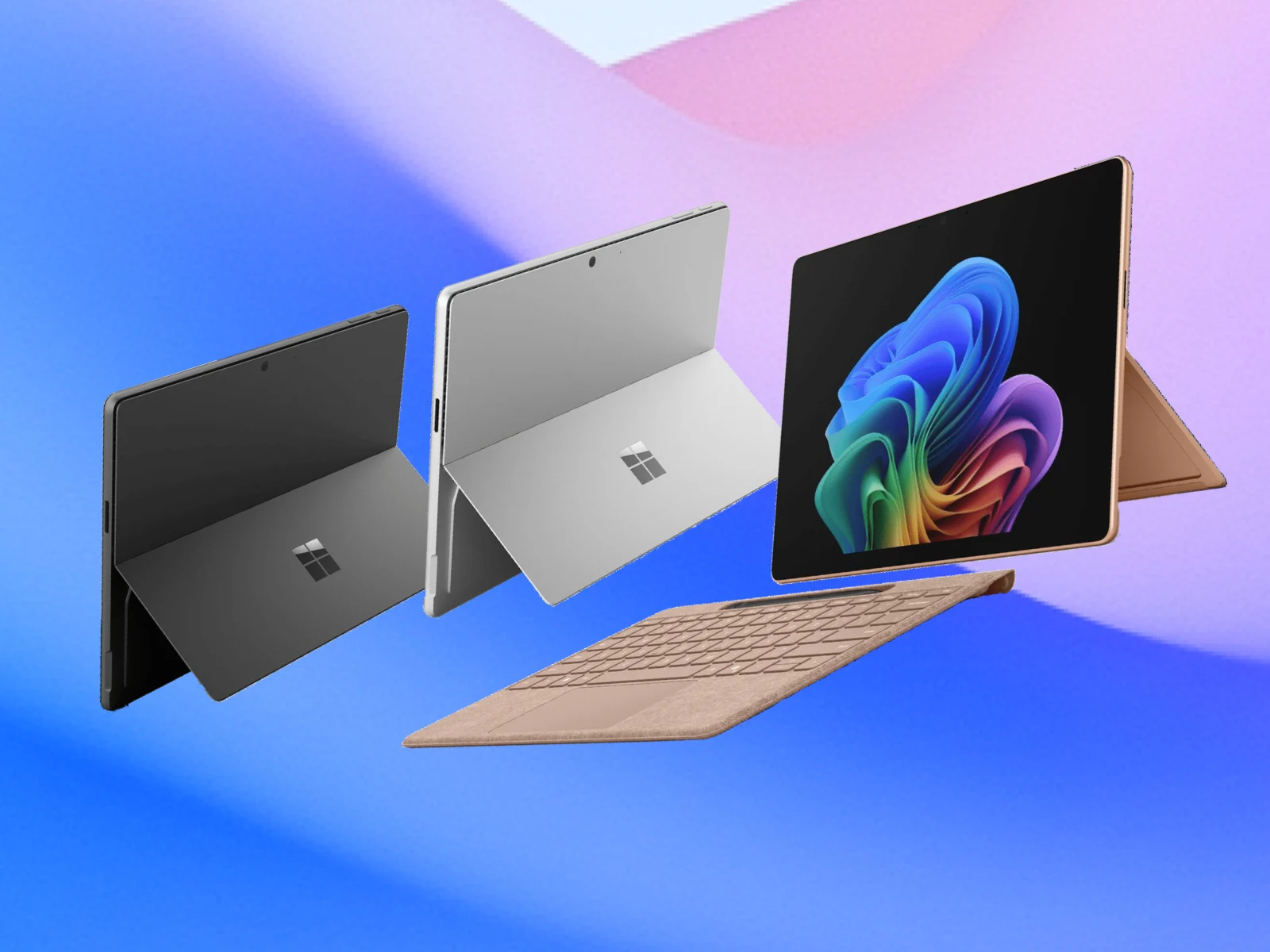
      Moreover, Quandt reports that the ARM-based Surface Pro 12 will be available in a new Dune finish to complement Microsoft’s existing Black and Platinum options. Accordingly, accompanying Surface Pro Flex Keyboard accessories are coming. Unfortunately, pricing remains unknown for now.


      Sources

    • This Popular $300 PC Speaker Can Hack Your PC

      This Popular $300 PC Speaker Can Hack Your PC

      Key Takeaway

      – Fully remote exploit via Bluetooth Low Energy (up to 15m) requires no physical access or pairing.
      – Two flaws: unauthenticated BLE command protocol and unsigned firmware updates (only trivial SHA-256 checksum).
      – Custom firmware adds keyboard injection to HID descriptor, enabling silent keystroke injection after reboot.
      – Creative was notified; they stated it is not a vulnerability and will not release a patch.
      – Third-party mitigation tool (v2x-patcher) blocks the attack but likely breaks the Creative mobile app.


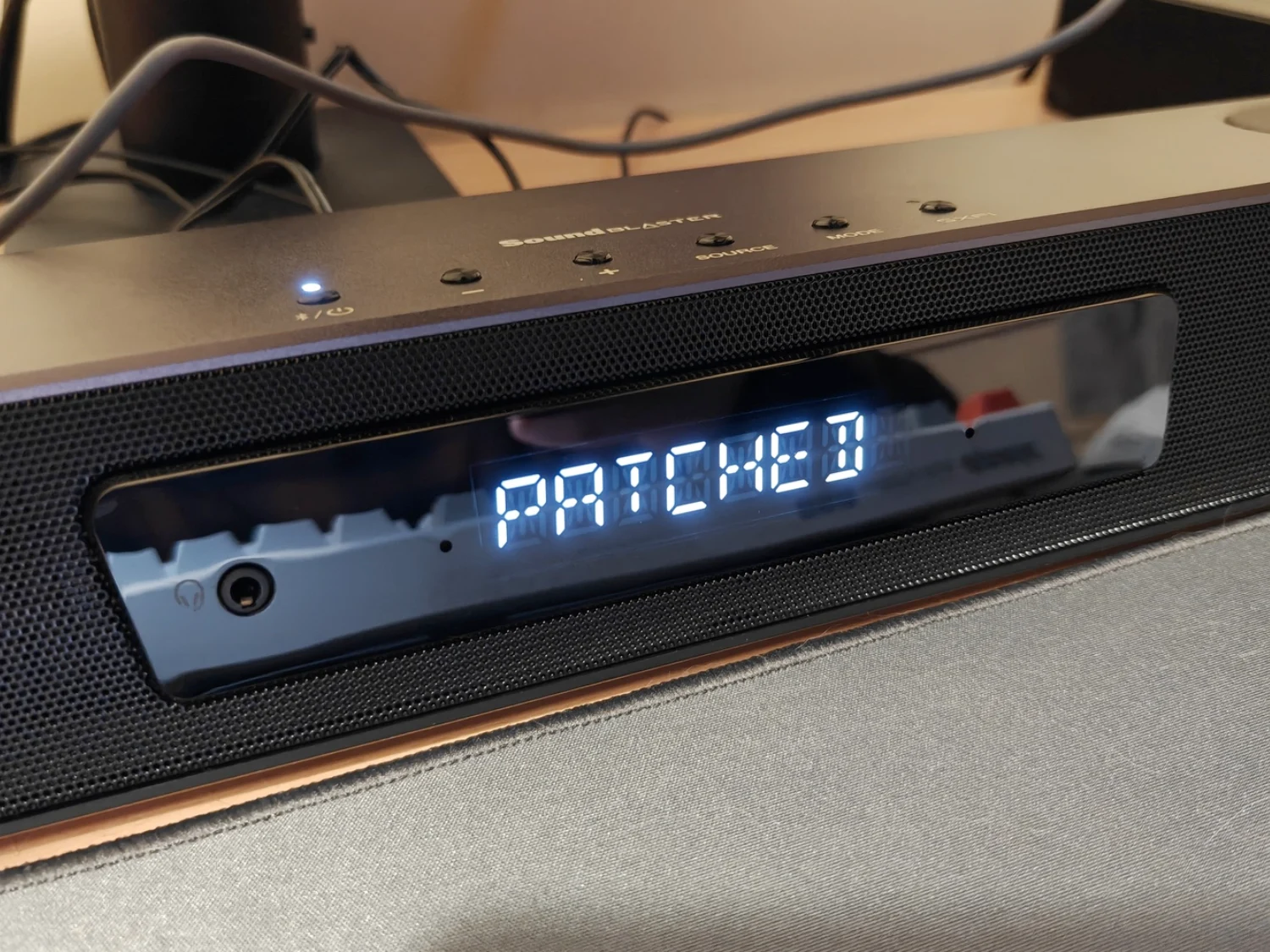
      A security researcher has published a fully remote exploit for the Creative Sound Blaster Katana V2X that needs no physical access or pairing. It turns the popular PC soundbar into a covert keystroke injector, all from up to 15 meters away.

      Two Critical Flaws Discovered

      The research was published earlier today (June 3) by a researcher known as Rasmus Moorats, and it chains two critical flaws. First, the speaker’s Bluetooth Low Energy interface exposes its entire command protocol to any nearby device without authentication — commands that require a handshake over USB go through completely unchallenged and unchecked over BLE. Second, the speaker accepts firmware updates with no cryptographic signing. It is protected only by a SHA-256 checksum that is trivial to patch.

      How the Exploit Works

      Combined, these flaws can let an attacker silently flash custom firmware to the speaker over the air, without pairing or touching the device. That custom firmware then abuses the fact that the Katana V2X is a trusted USB peripheral on the host PC. It then appends a keyboard entry to its existing HID descriptor and injects arbitrary keystrokes after reboot. The proof-of-concept types echo pwned into a terminal. A real attacker would probably run something far worse.

      The speaker’s Bluetooth radio has no off switch and stays active even in sleep mode, which keeps the attack surface permanently open. Creative was notified via SingCERT after the researcher’s direct contact attempts went nowhere. Creative’s eventual response: this is not a vulnerability. No patch is coming.

      Third-Party Mitigation Tool

      A third-party mitigation tool, v2x-patcher, is available from the researcher’s Gitea page and blocks CTP-over-Bluetooth at the firmware level, at the cost of likely breaking the Creative mobile app. As per Moorats, the latest official firmware is still very much vulnerable.

      Sources
    • Lenovo Launches Nvidia RTX Spark Laptop 15-Inch SD Slot

      Lenovo Launches Nvidia RTX Spark Laptop 15-Inch SD Slot

      Key Takeaway

      – Lenovo’s Yoga Pro 9n is the first laptop revealed with Nvidia’s new RTX Spark superchip, combining a Grace CPU and Blackwell GPU.
      – It features up to 128GB RAM, 1 petaflop of AI performance, and promises “all-day battery life” for creators, gamers, and AI work.
      – The 15-inch laptop includes top-firing speakers, a backlit keyboard, a large trackpad with pen support, HDMI, and an SD card slot.
      – Pricing is estimated at $1,799 to $2,899, competing with Apple’s M5 MacBook Pro lineup.
      – Official launch details are unconfirmed, but Spark RTX laptops are expected to ship in fall 2026.


      Lenovo Shows Off Its First RTX Spark Laptop

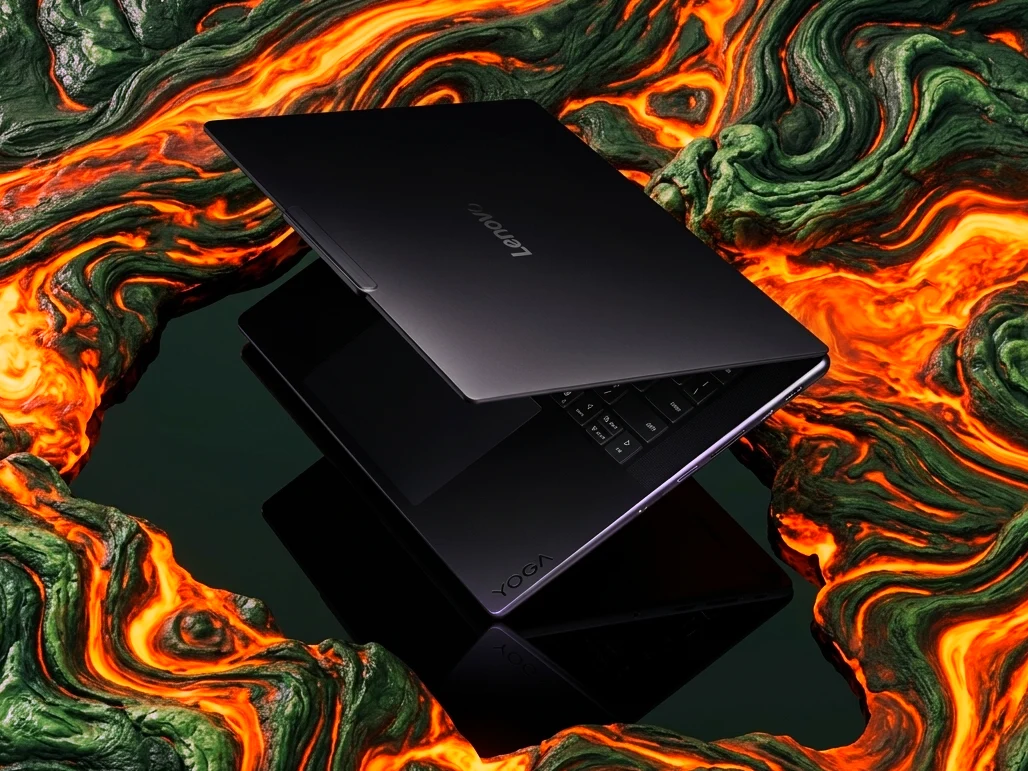
      Lenovo has (sort of) officially revealed its first laptop powered by the new Nvidia RTX Spark, the Lenovo Yoga Pro 9n, which appears to follow the design of the Yoga Pro 9i. While the next-gen Yoga laptop is on full display at Computex 2026, and an official teaser video has been shared online, the company hasn’t (technically) detailed the hardware just yet. However, thanks to reports from the event, we have more info.

      Under the Hood of the Yoga Pro 9n

      Of course, at the core of the Yoga Pro 9n the Nvidia RTX Spark superchip. In its fastest flavor, the platform pairs a 20-core Nvidia Grace CPU with an Nvidia Blackwell-based RTX GPU; up to 128GB of RAM, and up to 1 petaflot of AI performance. According to Nvidia and Lenovo, the Spark RTX-powered Yoga Pro 9n is built for agents and AI, creators, and gamers, while offering “all-day battery life”.

      Design and Ports Revealed in Teasers

      The short video shared by Lenovo reveals the laptop from a distance, confirming a 15-inch screen, and a familiar Yoga aesthetic. The remaining details we have come from hands-on reports from Computex, which confirm the laptop has top-firing speakers, a backlit keyboard, and a large trackpad with pen support so you can use it for drawing.

      We can also spot the presence of an HDMI port and an SD card slot from the images, which (unsurprisingly) confirms the Lenovo Yoga Pro 9n is made for creators and professionals, who might need to use external displays and transfer large video files.

      Pricing and Launch Timeline

      Naturally, official pricing and launch date for the Lenovo Yoga Pro 9n haven’t been shared yet. Most new laptops with the RTX Spark are expected to hit the shelves this fall. One thing’s for sure, and it is that the Lenovo Yoga 9n will face some stiff competition from the likes of Dell, Asus and Microsoft.

      In related news, according to market analyst Morgan Stanley, Spark RTX laptops like the Lenovo Yoga Pro 9n could start at $1,799 and $2,899, depending on the chip (N1 or N1x). This is in the same ballpark as the base M5 MacBook Pro and an M5 Pro 16-inch MacBook Pro.

    • New Peladn Mini-PC: AMD Strix Halo, 96GB VRAM

      New Peladn Mini-PC: AMD Strix Halo, 96GB VRAM

      Key Takeaway

      – Peladn YO2 is a new high-end mini-PC powered by the AMD Ryzen AI Max+ 395 (Strix Halo) APU.
      – It can push the APU to 160W in performance mode using a triple-fan and three-heatpipe cooling system.
      – The YO2 includes 128GB of LPDDR5X RAM, with up to 96GB assignable as VRAM for its Radeon 8060S iGPU.
      – Current pricing starts at roughly $3,249 in China; global availability is unconfirmed but possible.
      – The mini-PC weighs 1.85 kg, measures 246 x 193 x 92 mm, and offers three M.2 2280 slots plus extensive ports.


      New Mini-PC From Peladn

      Earlier this year, we reviewed the Peladn HO5 mini-PC powered by AMD’s Strix Point platform (curr. $999 on Amazon). In the months befor that, Peladn released the WO-4 with a slower AMD Ryzen APU. Additonally, the company launched the Link S-3 eGPU dock with Thunderbolt 5 connectivity.

      Availibility and Power

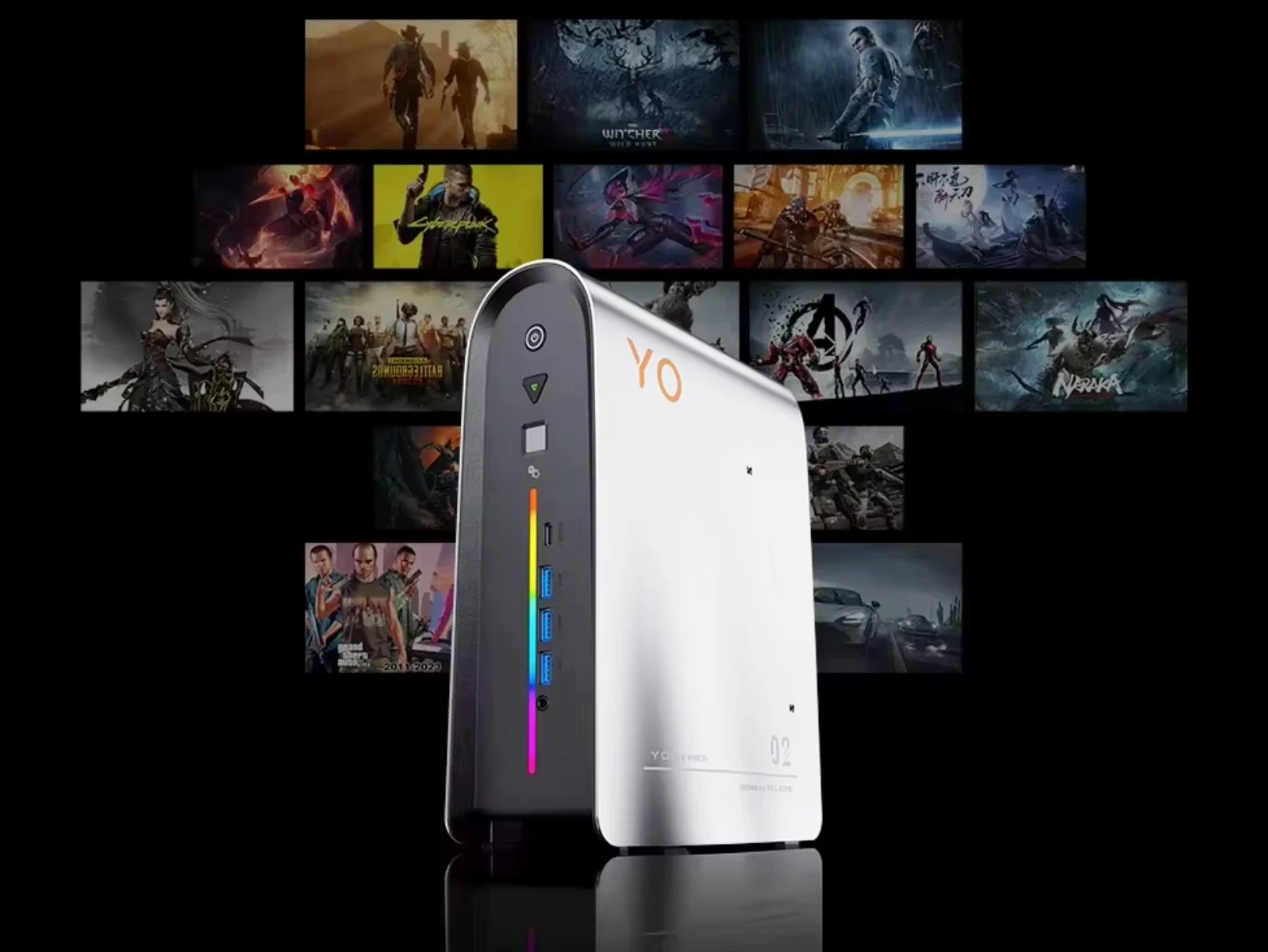
      Now, it has returned with a new mini-PC called the YO2. For the time being, the Peladn YO2 is only available in China. However, the company tends to offer its mini-PCs globally at some stage. Wheather that will occur with the YO2 remains unconfirmed for now. Unofficially, the mini-PC can be picked up on AliExpress for over $3,200.

      Setting that aside, the YO2 is far more powerful than the HO5 we reviewed in February, thanks to its Ryzen AI Max+ 395 APU. While this Strix Halo processor is found in many other high-end mini-PCs, Peladn claims that the YO2 can push the Ryzen AI Max+ 395 to 160 W in performance mode.

      Design and Specifications

      To that end, the company has included a triple-fan setup and three heatpipes, which contribute to the YO2’s 1.85 kg overall weight. Moreover, the mini-PC measures 246 x 193 x 92 mm and contains three M.2 2280 slots, as well as multiple ports. Pricing starts at CNY 21,999 (~$3,249) in China with 2 TB of storage and 128 GB of LPDDR5X RAM running at 8,000 MT/s, 96 GB of which should be assignable as VRAM to its Radeon 8060S iGPU.


    • Lenovo Launches Lightweight 14-Inch Laptop with 20+ Hour Battery

      Lenovo Launches Lightweight 14-Inch Laptop with 20+ Hour Battery

      Key Takeaway

      – Lenovo IdeaPad Slim 5 Ultra is lighter than the MacBook Air 13 and offers Intel Lunar Lake processors, dual SSD slots, and an optional OLED display.
      – Base model (Core Ultra 5 226V) starts at ~$1,000 in Singapore and includes 16 GB RAM, a 1600p/120 Hz IPS display, and a 65 Wh battery rated for 23.3 hours of video playback.
      – Upgrading to the Core Ultra 7 256V provides ~6% better CPU and over 25% better GPU performance for 13% more cost.
      – OLED display option reduces battery life by over 15% (to 19.5 hours) and is available with up to 1 TB storage and Wi-Fi 7.
      – The laptop is currently available in Australia, Hong Kong, and Singapore, with wider release expected later in March 2026.


      Lenovo IdeaPad Slim 5 Ultra 14ILL11 Now Available

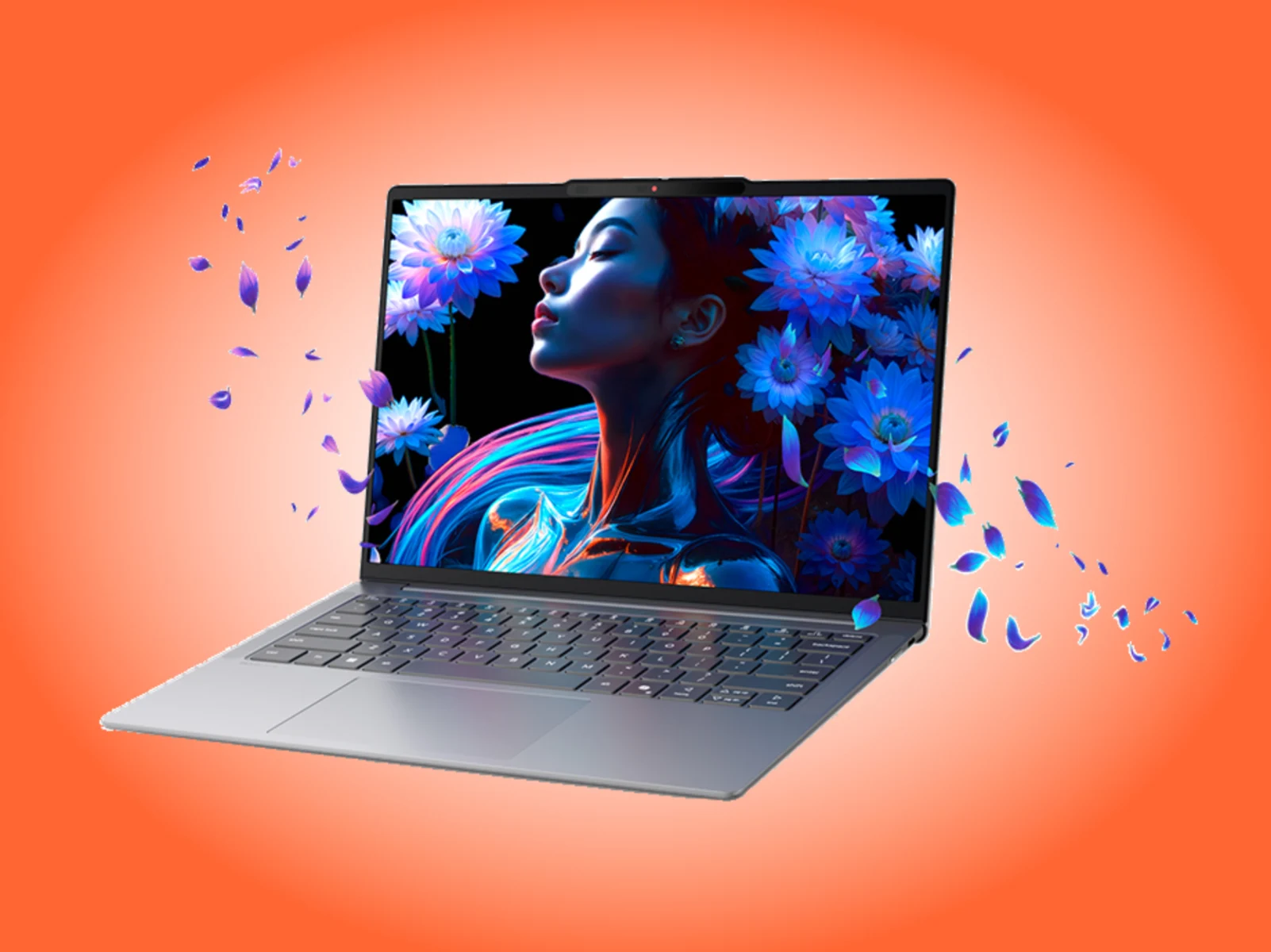
      Hardly any time has passed since Lenovo added the IdeaPad Slim 5 Ultra 14ILL11 to its global PSREF website. So the 14-inch laptop is now available to purchase internationally following its MWC 2026 debut in March. It comes with Intel Lunar Lake processors and dual SSD slots, plus an option for a OLED display. This thing is even lighter then the MacBook Air 13.

      Pricing and Specs Details

      Currently, the IdeaPad Slim 5 Ultra starts at AUD 1,799 in Australia, and HKD 10,288 in Hong Kong and SGD 1,299 (~$1,000) in Singapore. For those prices, Lenovo includes a Core Ultra 5 226V processor, which brings 8 cores, an Arc 130V iGPU and 16 GB of LPDDR5X-8533 RAM to the table. Also, the laptop features Wi-Fi 6 connectivity and a 1600p IPS display with 100% sRGB colour space coverage, 400 nits peak brightness and a 120 Hz refresh rate. On top of that, its 65 Wh battery is said to last 23.3 hours when playing 1080p locally-host videos at 150 nits.

      Processor Options and Performance

      Alternatively, it can be configured with a Core Ultra 7 256V in Australia, which surpasses the Core Ultra 5 226V by about 6% in CPU benchmarks and over 25% in GPU workloads. However, Lenovo charges 13% more for the privilege. This is a decent upgrade if you need more graphics power for your apps.

      Additional Configurations Available

      Moreover, the IdeaPad Slim 5 Ultra is available with up to 1 TB of M.2 2242 storage, Wi-Fi 7 connectivity and a 1200p/60 Hz OLED display as needed. Please note that equipping an OLED display drops official battery life estimates by over 15% to 19.5 hours. Lenovo claims it will release the laptop in other markets later this month.

      • Base price: AUD 1,799 in Australia
      • Price: HKD 10,288 in Hong Kong
      • Price: SGD 1,299 (~$1,000) in Singapore
      • Core Ultra 5 226V: 8 cores, Arc 130V iGPU, 16 GB LPDDR5X-8533 RAM
      • Display: 1600p IPS, 100% sRGB, 400 nits, 120 Hz
      • Battery: 65 Wh, up to 23.3 hours (1080p video at 150 nits)
      • Core Ultra 7 256V: +6% CPU, +25% GPU performance, 13% higher cost
      • Storage: Up to 1 TB M.2 2242
      • Connectivity: Wi-Fi 6 or Wi-Fi 7
      • OLED display: 1200p/60 Hz, reduces battery to 19.5 hours


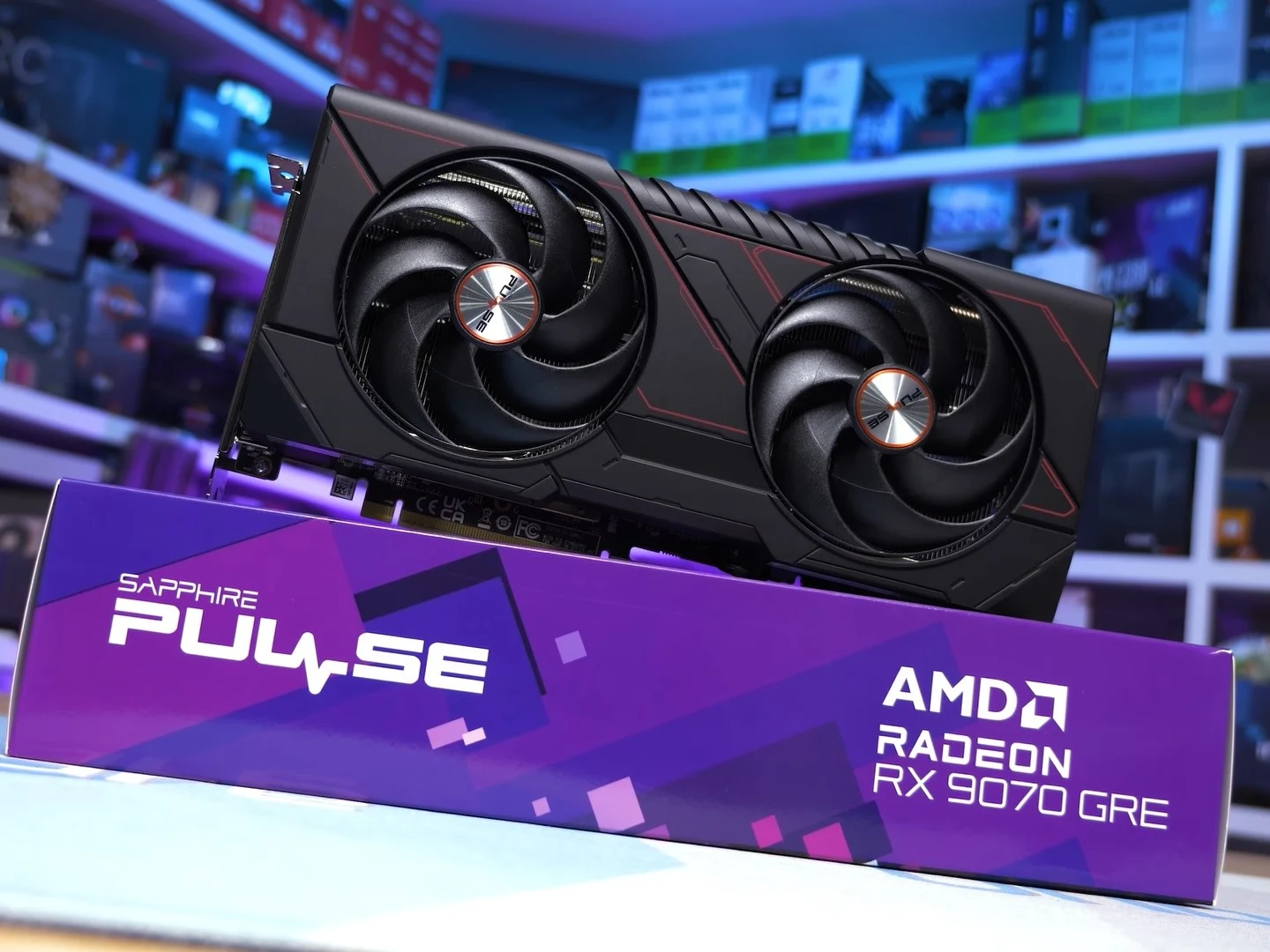
    • AMD RX 9070 GRE vs RX 9070: Same Price, 16% Worse

      AMD RX 9070 GRE vs RX 9070: Same Price, 16% Worse

      Key Takeaway

      – RX 9070 GRE essentially matches RX 7900 GRE performance, 16% behind RX 9070
      – 25% faster than RTX 5060 Ti 16 GB at 1440p, but 5% slower than RTX 5070
      – Poor value at $549 MSRP due to only $50 less than the superior RX 9070
      – 9% worse cost per frame than RX 9070, which offers 4GB more VRAM and 16% better raster
      – Makes more sense compared to overpriced Nvidia alternatives, but should have launched at $500 or less


      AMD’s New GPU Finally Hits Global Shelfs

      A year after its availability in China, AMD has brought the Radeon RX 9070 GRE to the US and other regions. The card is meant to be a cheaper alternative to the RX 9070 and a direct competitor to the RTX 5060 Ti 16 GB and the RTX 5070. However, the RX 9070 GRE fails to make a solid case for itself in Hardware Unboxed’s review.

      Benchmark and Performance Numbers

      Per HU’s testing of 15 games at 1440p, the RX 9070 GRE essentially matches the performance of the RX 7900 GRE and falls 16% behind the RX 9070. It is also 5% slower than the RTX 5070. However, the RX 9070 GRE is 25% faster than the RTX 5060 Ti 16 GB at 1440p. At 4K, the RX 9070 GRE shows a similar performance deficit to the RTX 5070 and the RX 9070.

      Ray Tracing and Power Draw

      Moving on to the average ray tracing performance in seven tested titles at 1440p, the RX 9070 GRE is not particularly impressive. It is 10% slower than the RTX 5070 and 17% slower than the RX 9070. The RX 9070 GRE’s only real advantage here is against the RTX 5060 Ti 16 GB, where the Radeon card is 17% faster. Power-consumption-wise, the RX 9070 GRE sits between the RX 9070 and the RTX 5070. It consumes much less than the RX 9070 but gets handily beaten by the RTX 5070.

      Value and Pricing Analysis

      In a vacuum, the RX 9070 GRE could be considered a pretty solid GPU. It is much faster than the RTX 5060 Ti 16 GB and only marginally behind the RTX 5070. However, AMD has priced the RX 9070 GRE too close to the RX 9070. HU calls the RX 9070 GRE “a waste of time” at the official $549 MSRP. HU notes that the RX 9070 GRE delivers a 9% worse cost per frame than the RX 9070. At $549, the RX 9070 GRE is only $50 less than the RX 9070, which you can currently find for $599 on Amazon. HU argues that the RX 9070 costing just $50 more for 4 GB extra VRAM and 16% better raster performance than the RX 9070 GRE has made the latter a pretty unremarkable option. It would’ve been much better if the RX 9070 GRE had launched at $500 or less.

      Comparisons to Nvidia’s Offerings

      The RX 9070 GRE makes much more sense when we compare it to the RTX 5070 and the RTX 5060 Ti 16 GB, as Nvidia GeForce GPUs have seen a worse price increase compared to AMD Radeon cards. For instance, the cheapest RTX 5070 on Amazon, at the time of writing, is a $607 MSI Ventus Black RTX 5070 that is on sale at a 7% discount. So, normally, you’d be looking at an RTX 5070 that is much more than $600. For the RTX 5060 Ti 16 GB, you’ll need to shell out $549.99 on Amazon to get an Asus Prime GeForce RTX 5060 Ti 16 GB. So, the RX 9070 GRE makes more sense here.

      • RX 9070 GRE: 1440p performance matches RX 7900 GRE, 16% behind RX 9070, 5% slower than RTX 5070
      • Ray tracing: 10% slower than RTX 5070, 17% slower than RX 9070, 17% faster than RTX 5060 Ti 16 GB
      • Power consumption: Between RX 9070 and RTX 5070, better than RX 9070 but worse than RTX 5070
      • Pricing: $549 MSRP, only $50 less than RX 9070 at $599
      • Competition: RTX 5070 starts at $607, RTX 5060 Ti 16 GB at $549.99

      Final Verdict from Reviewers

      Hardware Unboxed on YouTube provided all these insights, concluding the card is a waste of time at its current price. They emphasize the $50 savings does not justify the 16% performance loss and reduced VRAM compared to the RX 9070. The card would be more attractive at $500 or below.


      Sources

    • Windows Netlogon CVE-2026-41089 Exploited: Urgent Patch Now

      Windows Netlogon CVE-2026-41089 Exploited: Urgent Patch Now

      Key Takeaway

      – Attackers are actively exploiting CVE-2026-41089, a critical Windows Netlogon vulnerability (CVSS 9.8) patched May 12 but initially assessed by Microsoft as “exploitation less likely.”
      – The exploit requires no credentials, user interaction, or prior access, giving attackers SYSTEM-level code execution on domain controllers—effectively full Active Directory domain compromise.
      – The Centre for Cybersecurity Belgium issued an exploitation warning on May 29, 17 days after the patch, meaning organizations on a 30-day patch cycle are currently exposed.
      – Apply the May 12 cumulative update immediately if not already deployed; isolate domain controllers from direct internet access and restrict Netlogon traffic to authenticated internal sources.
      – June 9 is the next Patch Tuesday and the final update window before the June 24-27 Secure Boot certificate expiration, adding urgency to completing the May rollout.


      Attackers are actively exploiting a critical Windows Netlogon vulnerability

      This is a thing that Microsoft patched three weeks ago and they said it was unlikely to be exploited, but now attackers are exploiting it. The Centre for Cybersecurity Belgium issued an exploitation warning on May 29, raising the risk profile for every unpatched Windows Server environment running as a domain controller. While Microsoft stated on June 1 that it is still validating those claims and has not yet updated its MSRC portal, security teams are urged not to wait.

      CVE-2026-41089 is a stack-based buffer overflow

      CVE-2026-41089 is a stack-based buffer overflow in the Netlogon service with a CVSS score of 9.8. An unauthenticated remote attacker sends a crafted network request to a Windows Server acting as a domain controller. If successful, the Netlogon service mishandles the request, allowing the attacker to execute arbitrary code with SYSTEM privileges. No credentials. No user interaction. No prior access needed.

      Microsoft patched CVE-2026-41089 on May 12

      Microsoft patched CVE-2026-41089 on May 12 as part of its May Patch Tuesday, which addressed 138 CVEs total. Despite the 9.8 severity rating, Redmond assessed the flaw as “exploitation less likely” at the time of release. That gap between official assessment and real-world threat reports is exactly what is catching enterprise security teams off guard.

      The CCB advisory came 17 days after the patch dropped

      The CCB advisory came 17 days after the patch dropped. That is well within the window that many enterprise patch cycles operate. Organisations that treat Patch Tuesday updates as a 30-day rollout schedule rather than an immediate priority are currently exposed.

      Domain controllers are the authentication backbone

      Domain controllers are the authentication backbone of Active Directory environments. Successful exploitation of CVE-2026-41089 gives an attacker SYSTEM-level code execution on the domain controller itself, which in practice means full control of the Active Directory domain, the ability to create privileged accounts, and lateral movement across every system that authenticates against that controller.

      Jack Bicer, director of vulnerability research at Action1

      Jack Bicer, director of vulnerability research at Action1, flagged the flaw at patch time: “This CVE requires immediate attention. Successful attacks may lead to widespread endpoint compromise, ransomware deployment, credential harvesting, and operational disruption across corporate networks.”

      • Apply the May 12 cumulative update immediately if it has not been deployed
      • The fix is included in the standard Windows Server update for all supported versions
      • Isolate domain controllers from direct internet exposure
      • Restrict Netlogon traffic to authenticated internal sources only
      • June 9 is the next Patch Tuesday and the final update window before the June 24-27 Secure Boot certificate expiration window, which adds further urgency to completing the May rollout before that date


      Sources