Category: Computers

  • Efficient Low-Emission Cooling Tech Absorbs 67 Joules per Gram

    Efficient Low-Emission Cooling Tech Absorbs 67 Joules per Gram

    Key Takeaways

    1. Cooling and refrigeration technology is crucial but contributes significantly to electricity use and carbon emissions, with systems responsible for over 7.8% of global emissions.
    2. A new research breakthrough by Prof. Li Bing’s team introduces a cooling method using an ammonium thiocyanate salt solution, merging solid and liquid coolant benefits.
    3. The innovative cooling cycle can reduce fluid temperature by nearly 30°C in just 20 seconds and achieve a cooling range of up to 54 kelvins at higher temperatures.
    4. The new system demonstrates high energy efficiency nearing 77% and a cooling capacity of 67 joules per gram.
    5. This zero-carbon emissions technology is poised to address the growing global cooling demands, particularly for future artificial intelligence computing centers.


    Cooling and refrigeration technology is one of the most important inventions by humans, but it has a significant environmental impact. The commonly used vapor-compression cooling systems are responsible for around 15% of electricity use in China (as of 2019) and over 7.8% of carbon emissions globally (based on 2020 data). Although solid-state caloric materials have been identified as a low-emission option, their poor heat transfer efficiency has greatly hindered widespread use.

    Breakthrough in Cooling Technology

    Now, a research team, directed by Prof. Li Bing from the Institute of Metal Research at the Chinese Academy of Sciences, has successfully addressed the challenging balance of high cooling capacity, effective heat transfer, and zero-carbon emissions. Their research, published in the journal Nature, showcases a new approach that utilizes the dissolution barocaloric effect.

    The researchers accomplished this by employing an ammonium thiocyanate (NH4SCN) salt solution. This innovative method merges the thermal advantages of solid coolants with the quick flow characteristics of liquids. By converting the coolant into a fluid that can be pumped, the system can quickly respond to changes in pressure without encountering the heat-transfer delays that are common in traditional solid interfaces.

    Innovative Cooling Cycle

    The fundamental process of this new cooling cycle follows a straightforward sequence. In tests conducted at room temperature, the temperature of the fluid dropped by almost 30 kelvins (nearly 30°C) in a mere 20 seconds. The cooling range reached up to 54 kelvins at higher temperatures. Simulations of a four-step prototype cycle demonstrated an energy efficiency nearing 77% and a cooling capacity of 67 joules per gram.

    With the global need for cooling expected to triple by 2050 (according to 2022 data), this reliable and reversible technology opens doors for commercial refrigeration that emits no carbon. Its outstanding performance at high temperatures makes it especially effective for handling the significant thermal demands of future artificial intelligence computing centers.

    Source:
    Link


  • Unbloated Network: Switching to OpenWRT Routers (Part 1)

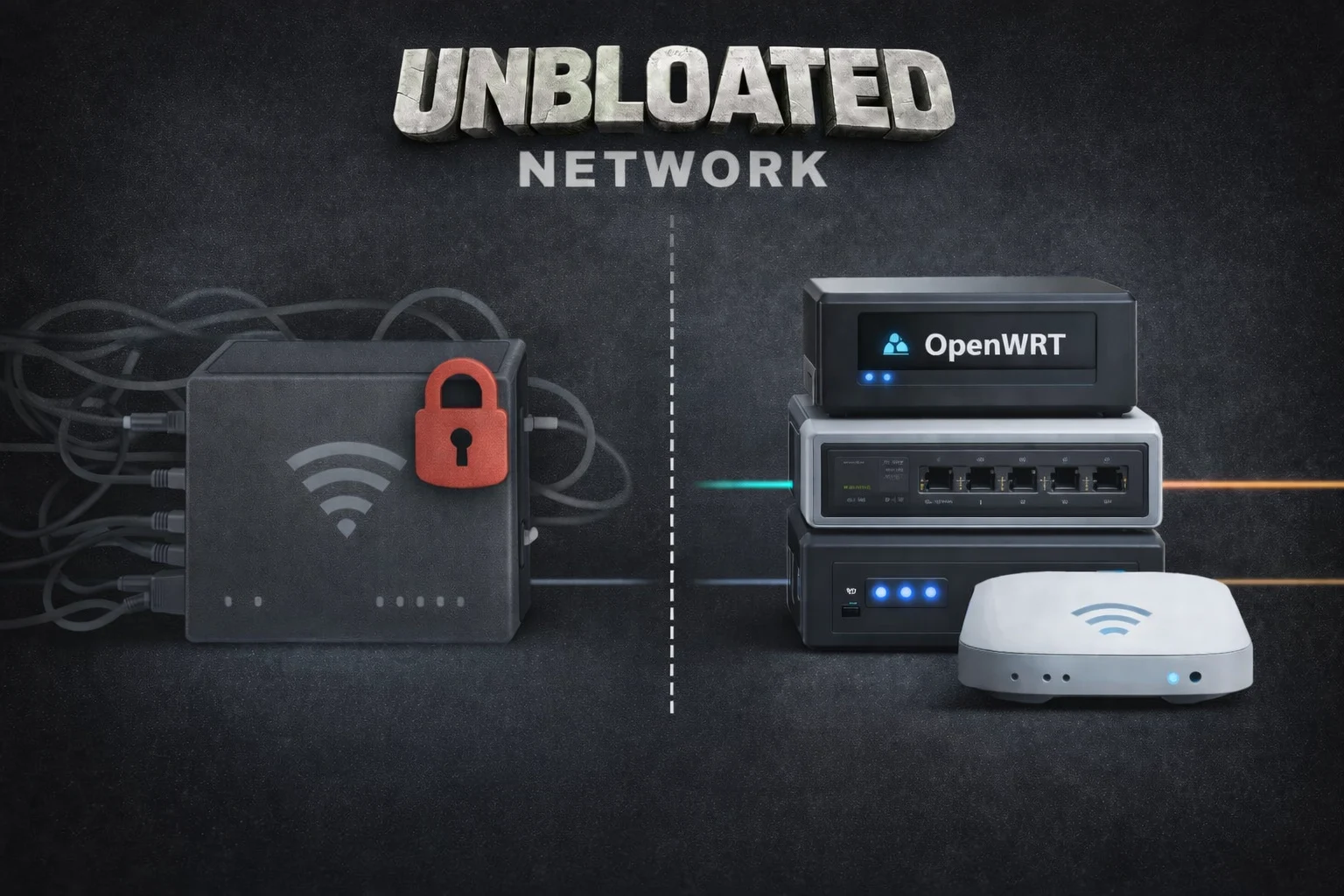
    Unbloated Network: Switching to OpenWRT Routers (Part 1)

    Key Takeaways

    1. Weak Wi-Fi Signal: The current Vodafone router struggles to provide a strong Wi-Fi signal, especially in areas like the kitchen, due to walls and outdated technology (Wi-Fi 5).

    2. Concerns About Router Security and Privacy: The Vodafone router operates as a “black box,” raising concerns about remote updates, potential security risks, and privacy issues regarding browsing habits.

    3. Planned Network Setup Changes: The intention is to separate the modem, router, and Wi-Fi functions into different devices to improve performance and efficiency, using the Vodafone router solely as a modem.

    4. Pros and Cons of Device Separation: While an all-in-one device may seem more energy-efficient, splitting functions can enhance network flexibility and performance, especially for future needs.

    5. Knowledge Gain and Control: Transitioning to a new setup offers valuable learning opportunities about networking and greater control over the home network configuration.


    I put off this issue for quite a while, but now I’m ready to face it. For instance, the Wi-Fi signal from my router barely reaches my kitchen due to two walls in the way; even the room next door has a tough time getting a decent signal—it’s really weak. Plus, the router’s Wi-Fi technology is pretty old now, being Wi-Fi 5 and all.

    Understanding the Vodafone Router

    The Vodafone router feels like a total “black box” to me. I have no idea how often the provider sends updates from afar, which remote maintenance services might be security risks, or what firewall rules might be in place (could there be censorship?). Vodafone might even be able to track my browsing habits (privacy concerns). When the device restarts, everything goes offline—including my phone, which is a single point of failure.

    Rethinking My Network Setup

    My long-standing Vodafone router combines a modem, router, and Wi-Fi access point all in one. Now, I’m planning to divide these roles among different devices. The Vodafone box will simply act as a modem, with its router and Wi-Fi functions turned off. A low-energy mini-PC will take on the role of the new router, while a separate energy-friendly access point will manage the Wi-Fi. I’ll also use a small switch to connect LAN devices (like my PC through Ethernet, an AV receiver, or a home server). The setup will look something like this:

    Wait a second—this means I’ll be introducing three new devices instead of just relying on the single Vodafone unit. Is it really worth switching to a Vodafone modem along with a different router, switch, and access point?

    Weighing the Pros and Cons

    As I mentioned before, provider black boxes come with plenty of downsides. From a technical perspective, splitting these functions is logical for various reasons:

    An all-in-one router can quickly reach its limits, especially if you want to run multiple services, virtual machines, or different network segments in the future.

    Sure, breaking one device into four might seem a bit wasteful. But calculating energy consumption isn’t as simple as it looks, as it largely depends on the hardware you select. Choosing energy-efficient devices is crucial. Here’s a rough idea of how much power each device might use:

    The Vodafone router likely uses about 12-15 W continuously—perhaps even more, since DOCSIS is always active, Wi-Fi is perpetually on, and the internal SoC and switch are consistently running. In the new configuration, the power consumption looks like this:

    Yes, that’s more than before. And I’m honest about that. A single combo device does use a bit less energy. However, the additional power usage is almost insignificant:

    Most importantly—this is probably my biggest personal motivation for this project—you gain a lot of knowledge about networking and configuration, which allows you to fully control your home network.

    The next section will dive into the hardware: what options are out there, what a device needs to transform into an OpenWRT router, and whether you can repurpose just any PC or even a Raspberry Pi.


  • PC Upgrades Decline: January 2026 CPU Sales Down 51% on Amazon US

    PC Upgrades Decline: January 2026 CPU Sales Down 51% on Amazon US

    Key Takeaways

    1. AMD dominates the CPU market in January 2026, with 88.32% of sales and $7.2 million in revenue, while Intel lags behind at 11.68% and $929,583.
    2. There was a significant 51% drop in CPU sales from January 2025 to January 2026, indicating gamers are not upgrading their systems.
    3. The Average Selling Price (ASP) of CPUs rose by 34.4%, increasing from $227 in January 2025 to $305 in January 2026.
    4. Rising costs of RAM, SSDs, and GPUs have contributed to the decline in CPU sales, making upgrades less affordable for consumers.
    5. Future CPU sales could improve with Intel’s upcoming Nova Lake CPUs, depending on market conditions and potential price reductions for other components.


    TechEpiphany has shared the CPU sales figures from Amazon US for January 2026. The report indicates that AMD continues to lead the market in both the number of CPUs sold and the revenue generated. Intel holds a far-off second place, which aligns with expectations since the Arrow Lake CPUs did not meet consumer hopes, and the upcoming Nova Lake CPUs are not available yet.

    Sales Data Insights

    In terms of sales, AMD moved 23,050 Ryzen CPUs, which makes up 88.32% of all CPUs sold on Amazon in January 2026. In contrast, Intel managed to sell only 3,050 units, capturing a mere 11.68% of the market. Revenue reflected these numbers, with AMD raking in $7,196,106.50 (88.57%) while Intel earned only $929,583.00 (11.43%). The best-selling CPUs included the AMD Zen 5 Ryzen 9000, followed by the Zen 4 Ryzen 7000, and the older Zen 3 Ryzen 5000 models.

    Comparisons to Previous Years

    While the total of 26,100 CPUs sold in January 2026 might seem impressive at first glance, a comparison with January 2025 reveals a troubling trend: many gamers are not upgrading their systems.

    According to TechEpiphany, 3DCenter has compiled a detailed table tracking CPU sales data on Amazon from December 2024 through January 2026. There was a shocking 51% drop in CPU sales from January 2025 to January 2026. During this same period, the Average Selling Price (ASP) surged by 34.4%, climbing from $227 in January 2025 to $305 in January 2026.

    Rising Component Costs

    Furthermore, prices for consumer DDR5 and DDR4 RAM have skyrocketed in recent months, and there’s no sign of this trend reversing. SSDs and GPUs have also seen significant price increases. For example, the 1 TB Kingston NV3 was priced at just $53 in May 2025 on Amazon, according to camelcamelcamel, but it is now listed at $170. Similarly, the RTX 5060 Ti 16 GB has also experienced a sharp uptick in price.

    In essence, the 51% drop in CPU sales in January 2026 on Amazon can be directly attributed to the rising costs of RAM, SSDs, and GPUs. After all, what good is a powerful new CPU if you can’t afford other essential parts at fair prices?

    Future Outlook

    It’s uncertain how much longer this challenging market will persist. Intel is expected to launch its next-gen Nova Lake CPUs, reportedly with extreme power limits, by the end of 2026. If this happens, CPU sales might rebound, especially if prices for memory, storage, and GPUs also decrease.

    TechEpiphany on X, 3DCenter on X, camelcamel, Teaser image source: Intel, AMD, PabitraKaity on Pixabay, edited.

    Source:
    Link


  • Lenovo Launches Affordable ThinkBook 14 and 16 G9 IPL Laptops

    Lenovo Launches Affordable ThinkBook 14 and 16 G9 IPL Laptops

    Key Takeaways

    1. Intel’s Panther Lake focuses on high-end CPUs like the Core Ultra X9 and X7, but they may not dominate the market due to their placement in expensive laptops.

    2. Standard Panther Lake processors, such as the Intel Core Ultra 7 355, are aimed at budget-friendly laptops, making them more accessible to common users.

    3. Lenovo has launched new ThinkBook models (14 and 16 inches) featuring basic Panther Lake processors, targeting small and medium-sized businesses.

    4. The new ThinkBooks maintain a similar design to the previous generation but include an additional Thunderbolt 4 port and improved display options.

    5. Pricing for the latest ThinkBooks starts at €929 in Germany, making them significantly cheaper than previous Panther Lake laptops.


    When Panther Lake was introduced by Intel, the spotlight was on its high-end CPUs, especially the Intel Core Ultra X9 and X7. These premium processors attracted a lot of media attention, yet they might not capture a large portion of the market, as they’re likely to be used primarily in pricier laptops.

    Regular CPUs for Common Users

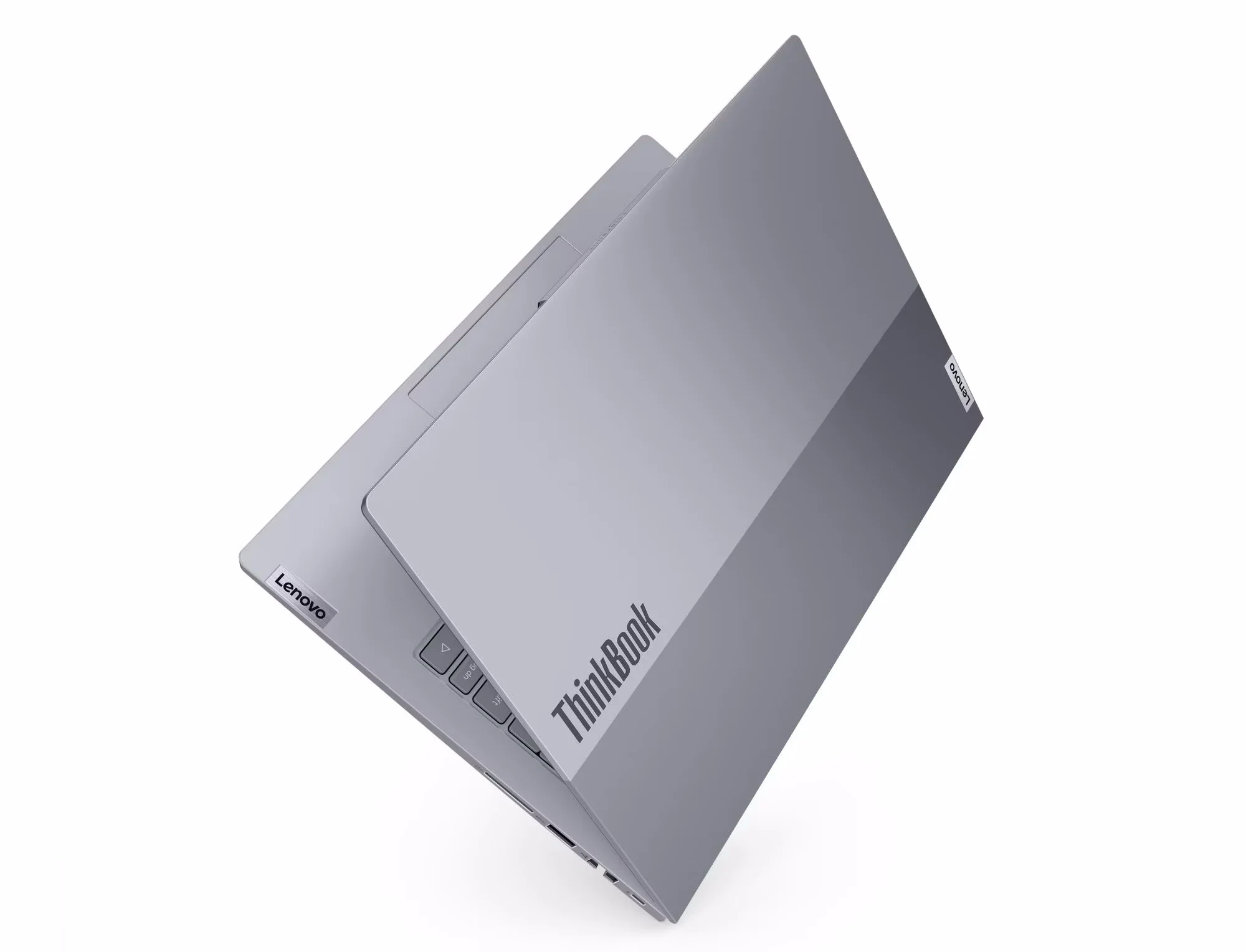
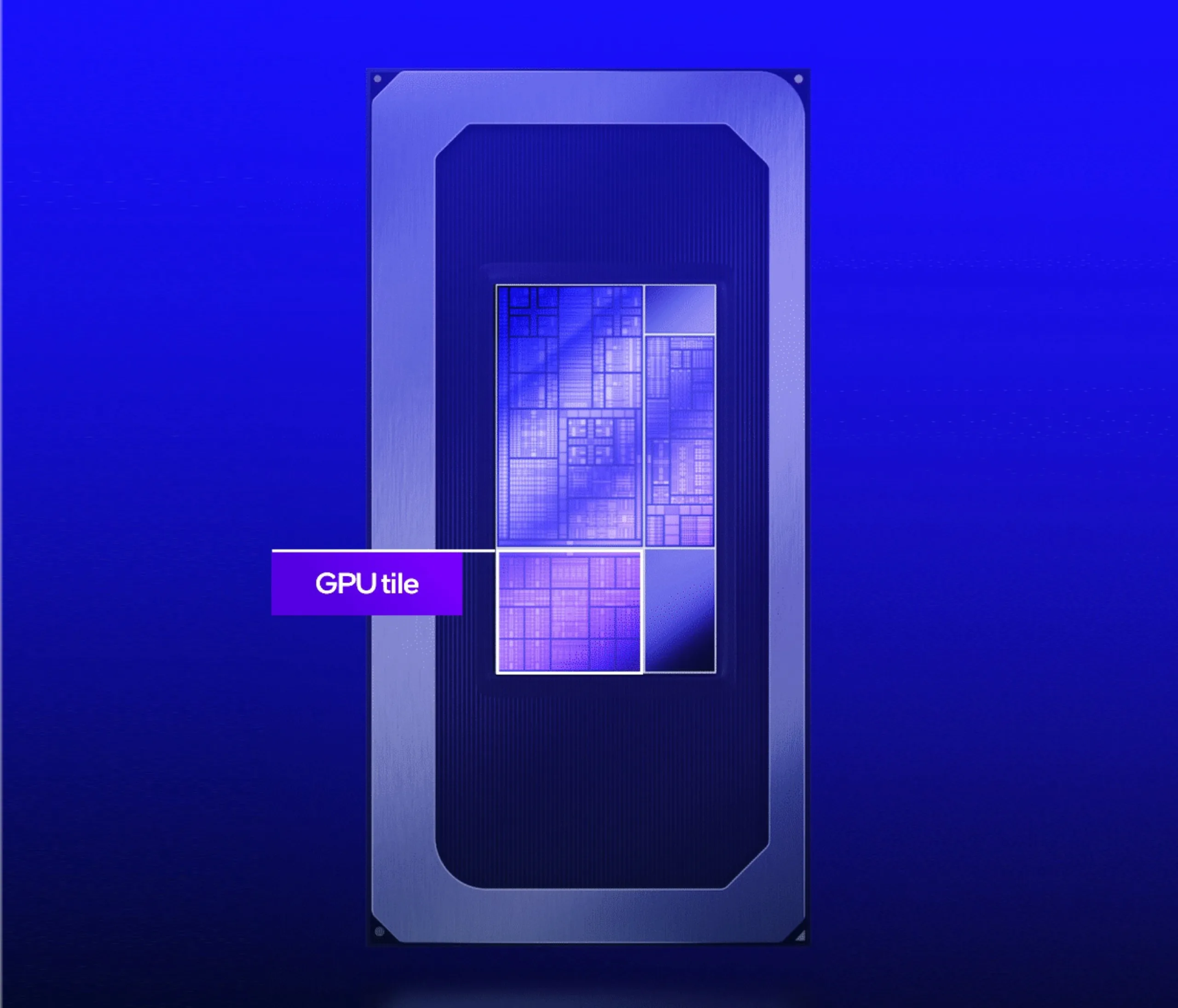
    At the lower end of the spectrum are the standard Panther Lake processors, such as the Intel Core Ultra 7 355. This eight-core chip features a less powerful integrated GPU, making it less thrilling, but it will be far more prevalent, powering budget-friendly laptops like Lenovo’s new ThinkBook 14 G9 IPL and ThinkBook 16 G9 IPL.

    Lenovo’s New Offerings

    Lenovo has quietly rolled out these two models via their PSREF database, without much publicity. These laptops are designed for small and medium-sized businesses, coming with 14- and 16-inch screens. The ThinkBooks are equipped with basic Panther Lake processors, which range from the Intel Core Ultra 5 325 to the Core Ultra 7 355.

    In comparison to the previous generation, the 8th-gen ThinkBooks, like the ThinkBook 14 G8 (available on Amazon), don’t show significant changes, as the design remains the same. Besides the updated CPUs, the new ThinkBooks now come with an extra Thunderbolt 4 port instead of a standard USB-C. The 14-inch version even offers a new WQXGA (2,560 x 1,600) IPS 120 Hz display option. Moreover, the battery capacity has increased from 60 to 64 Wh on the smaller model, and there’s a new 5 Mpix webcam option, up from the previous 1080p limit.

    Pricing Insights

    The pricing of the latest ThinkBooks is particularly noteworthy. In Germany, they are already listed with prices starting at €929, which is about €400 cheaper than the previously least costly Panther Lake laptop.

    Source:
    Link


  • Samsung Delivers Premium HBM4 Memory for Nvidia’s AI Needs

    Samsung Delivers Premium HBM4 Memory for Nvidia’s AI Needs

    Key Takeaways

    1. Samsung has started shipping its new HBM4 memory, targeting Nvidia GPUs and AI data centers.
    2. The price of HBM4 memory is around $500 per unit, double that of the previous HBM3E, contributing to Samsung’s stock surge.
    3. HBM4 memory performs at 13 Gbps, exceeding JEDEC benchmarks by 46% and achieving 3.3 TB/s bandwidth, surpassing Nvidia’s needs.
    4. The advanced 10nm-class 6th-generation DRAM process and 4nm foundational die enhance performance, with improved heat dissipation and energy efficiency.
    5. Samsung can currently supply up to 36 GB of HBM4 memory, with plans for a 48 GB option and ongoing development of HBM4E memory set for sampling in 2026.


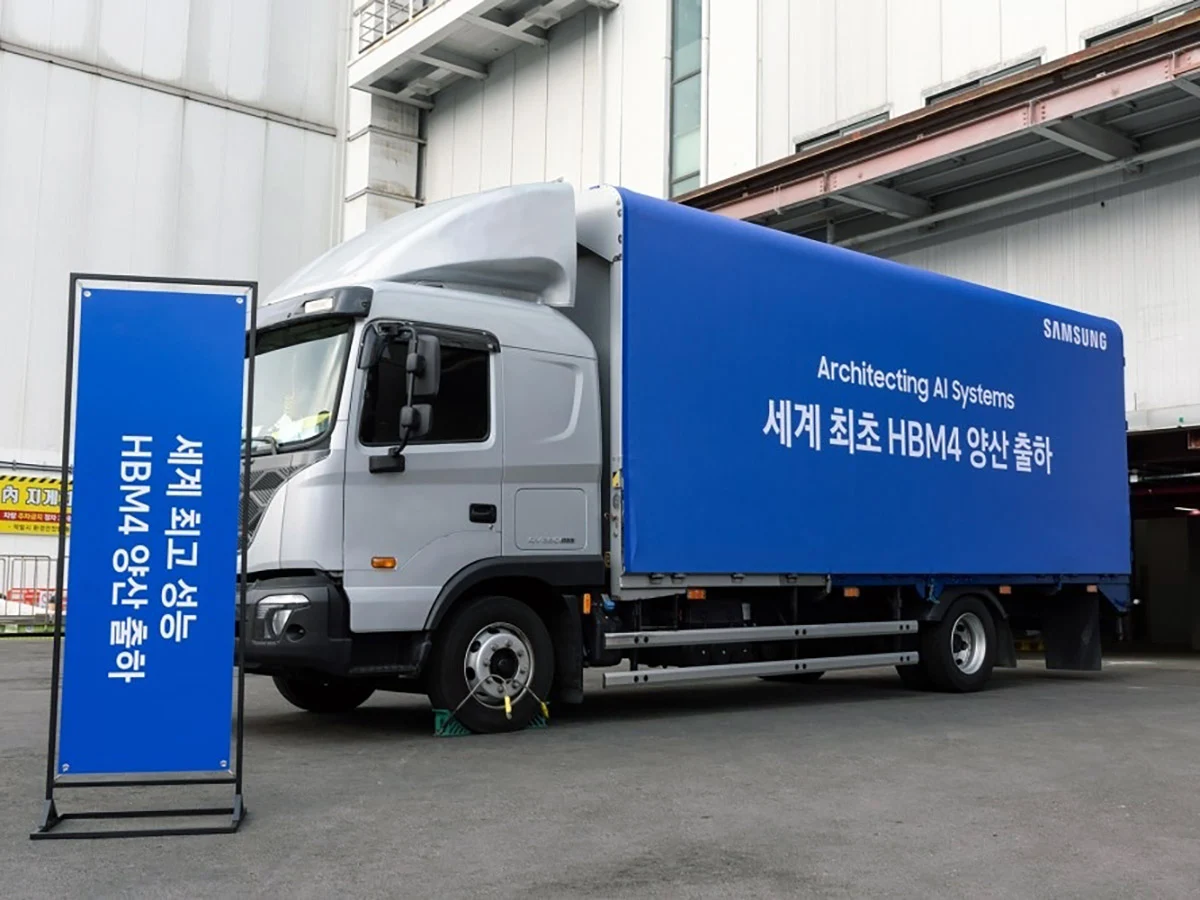
    Samsung has revealed that it has begun the first shipments of its new HBM4 memory, which is aimed at applications like Nvidia GPUs and related AI data centers.

    Pricing Details

    Reports indicate that Nvidia and other clients are shelling out nearly $500 each for Samsung’s HBM4 memory, which is twice the cost of the previous HBM3E high-bandwidth memory. This price hike has led to Samsung’s stock reaching a record high, and the company’s management is optimistic about another prosperous year, fueled by the ongoing memory shortage.

    Performance Breakthroughs

    Currently, memory manufacturers are demanding a premium for every unit they create, but Samsung claims that its HBM4 AI memory has exceeded both the Joint Electron Device Engineering Council (JEDEC) benchmarks and Nvidia’s specifications. The operating speed of HBM4 can hit an impressive 13 Gbps, which is 46% above JEDEC’s standards. Moreover, its total memory bandwidth can reach up to 3.3 TB/s per stack, significantly surpassing the 3 TB/s requirement from clients like Nvidia.

    Advanced Technology

    Samsung achieved this remarkable performance by preemptively utilizing the 10nm-class 6th-generation 1c DRAM process, with the foundational die produced at 4nm, in contrast to the 14nm 1a DRAM used for the HBM3 version. This allows for substantial room for enhancements in both process and performance. To handle the heat generated, Samsung crafted the core die and data transmission systems using low-power and low-voltage technologies, resulting in 30% improved heat dissipation and 40% enhanced energy efficiency compared to the HBM3 memory currently employed in Nvidia’s Blackwell series AI graphics cards.

    Future Prospects

    At present, Samsung can deliver up to 36 GB of HBM4 memory using a 12-layer stack, but it can also create a 16-layer stack for a total of 48 GB once Nvidia finalizes its GPU design and budget. Samsung assures that it will maintain a steady supply of these premium HBM4 chips, stating it will “continue to secure stable supply capabilities to meet the growing mid- to long-term demand, particularly from AI and data centers.” Furthermore, Samsung plans to begin sampling its next-generation HBM4E memory in the latter half of 2026.

    Source:
    Link


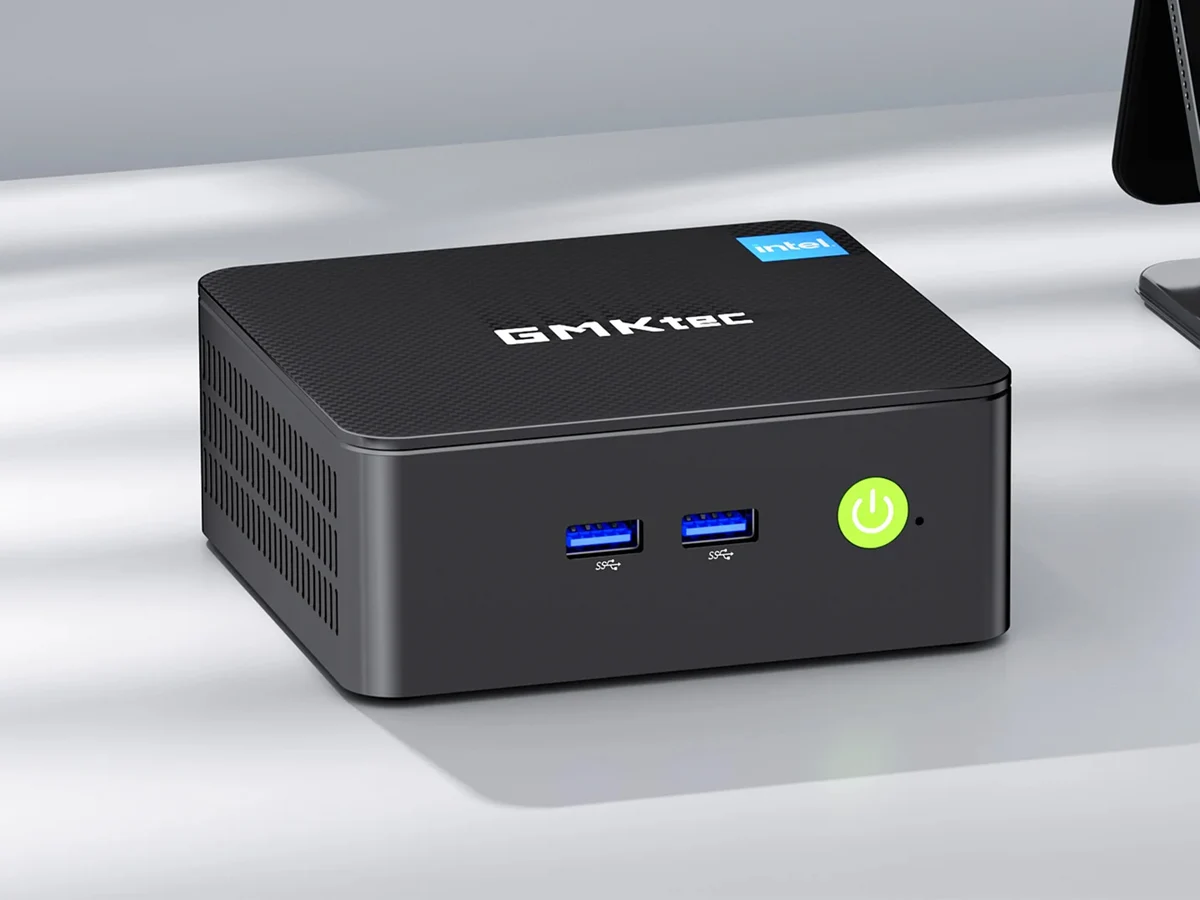
  • GMKtec G3 Pro Mini PC Launch: Global Discounts Available Now

    GMKtec G3 Pro Mini PC Launch: Global Discounts Available Now

    Key Takeaways

    1. GMKtec launched the budget-friendly NucBox G3 Pro mini PC, now available worldwide with exclusive launch discounts.
    2. Pricing starts at $169.99 for the barebones model, with options up to $299.99 for higher RAM and storage configurations.
    3. The mini PC is powered by an Intel Core i3 10110U processor and supports up to 64GB of DDR4 RAM and 9TB of storage.
    4. It features energy-efficient operation at 15W and is suitable for NAS setups, with advanced connectivity options including 2.5G LAN, Bluetooth 5.2, and WiFi 6.
    5. The compact design allows for VESA mounting, making it versatile for various setups.


    GMKtec has just launched the NucBox G3 Pro in China, which is a budget-friendly mini PC featuring a low-power CPU. This economical device is now available worldwide, and the company is providing exclusive discounts for its launch.

    Pricing Options

    Currently, the barebones model of the mini PC is priced at $169.99. If you opt for the 8GB RAM and 256GB storage version, it costs $239.99. For those looking for more power, there’s a model with 16GB of RAM and a 512GB SSD, retailing at a launch price of $299.99. Additionally, you can save an extra $20 by using the G3PV20 coupon code.

    Specifications and Performance

    Inside, the GMK NucBox G3 Pro is powered by an Intel Core i3 10110U processor, which comes from the Comet Lake series and has two cores. Users can expand memory up to 64GB of DDR4 RAM using the two SO-DIMM slots available. There are also two M.2 slots that can accommodate a total of 9TB of storage (for reference, a 2TB Silicon Power Gen 3 is currently priced at $249.97 on Amazon).

    Connectivity and Features

    According to GMKtec, the support for 9TB of storage and the 15W energy-efficient operation make this mini PC suitable for NAS setups. The connectivity options are also impressive, particularly with the 2.5G LAN powered by the Intel i226 controller. This device includes the following ports:

    Additionally, it features Bluetooth 5.2 and dual-band WiFi 6 for wireless connections. The NucBox G3 Pro has a compact design and supports VESA mounting. Be sure to check out the detailed spec sheet below to find out more about this mini PC.

  • Dell XPS 14 (2026) Boosts Battery Life 55% Over 2025 Model

    Dell XPS 14 (2026) Boosts Battery Life 55% Over 2025 Model

    Key Takeaways

    1. Dell has improved the XPS line with the new Dell XPS 14 for 2026, featuring significant upgrades over previous models.
    2. The Dell XPS 14 (2026) received an improved rating of 87%, up from 83% for the Dell 14 Premium.
    3. The 2026 model boasts an impressive battery life of 16 hours and 45 minutes, significantly better than the 2025 and 2024 versions.
    4. The Intel Core Ultra X7 358H Panther Lake APU contributes to a 55% longer battery life compared to the Dell 14 Premium and 216% longer compared to the 2024 Dell XPS 14.
    5. The performance of Intel’s Panther Lake APUs has enhanced GPU performance and battery longevity, but concerns remain about potential high pricing.


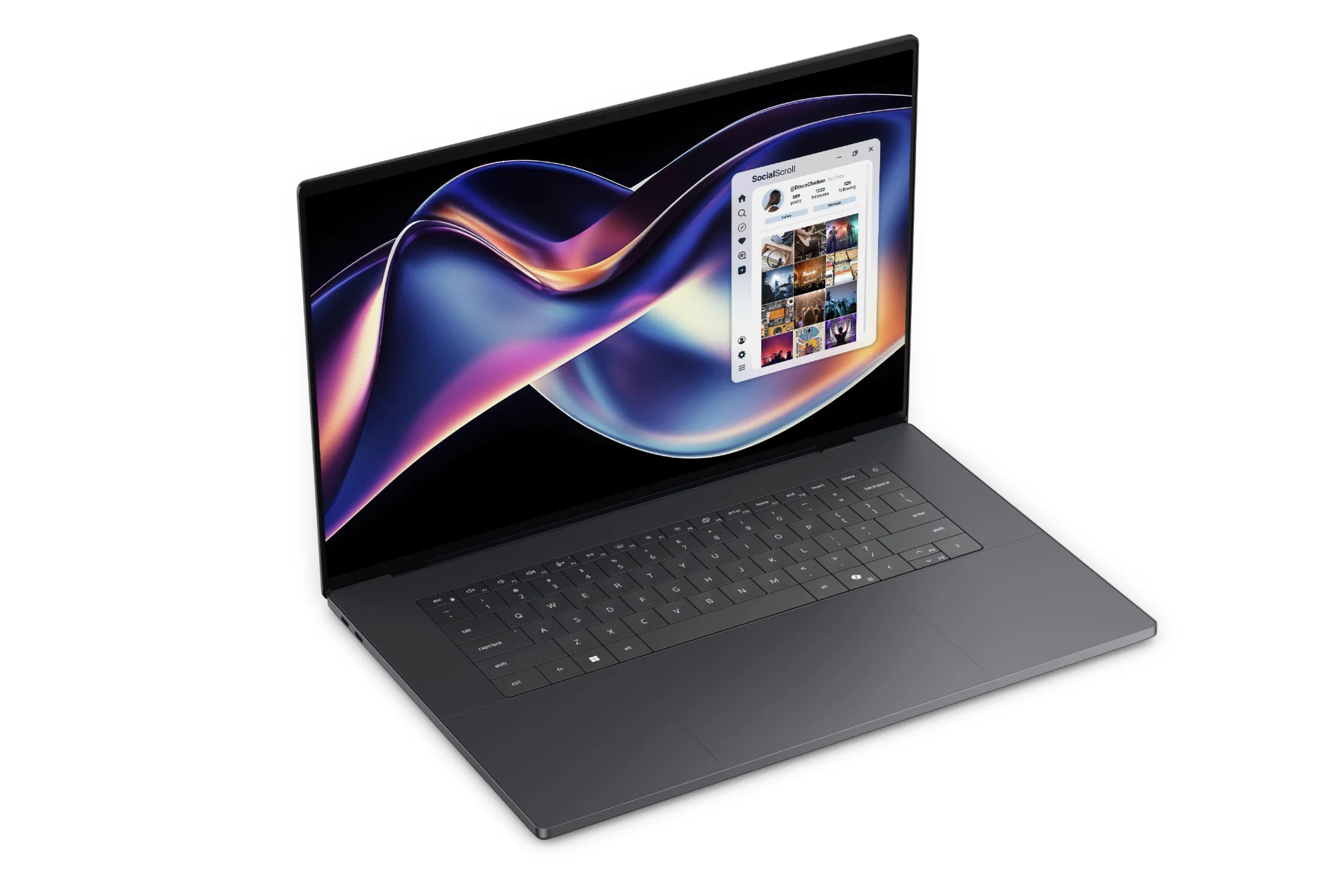
    After facing strong criticism from fans regarding the controversial redesign of the XPS in 2024 and the total rebranding to “Dell Premium” in 2025, it seems like Dell has regained its confidence. The new Dell XPS 14 for 2026 shows significant improvements compared to the 2025 Dell 14 Premium and the 2024 XPS 14. The standout feature of the Dell XPS 14 (2026) is the inclusion of an Intel Panther Lake APU, which makes a substantial impact.

    Improved Ratings

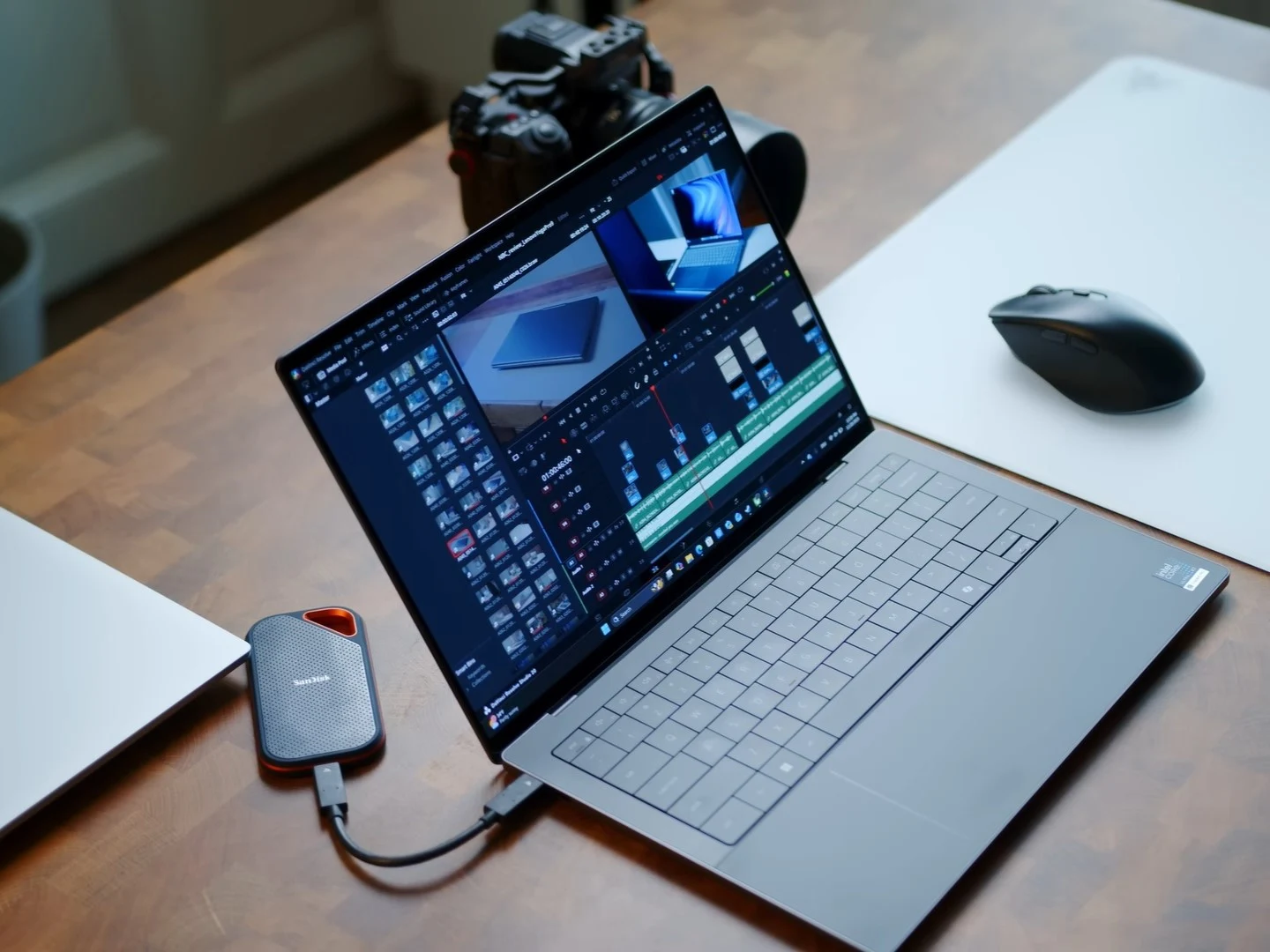
    In our comprehensive review of the Dell XPS 14 2026 equipped with the Core Ultra X7 358H, we awarded it a score of 87%, a notable increase from the 83% we gave the Dell 14 Premium last year. A major factor contributing to this excellent rating is the enhanced battery life. We are pleased to share that the Dell XPS 14 for 2026 achieved a remarkable 16 hours and 45 minutes in our WLAN test, conducted at 150 nits using the Balanced performance setting.

    Battery Life Comparison

    To give you some context, the Dell 14 Premium, which has a similar 69.5 Wh battery, only lasted 10 hours and 48 minutes during the same battery test. The comparison becomes even more striking when looking at the 2024 Dell XPS 14, which managed just 7 hours and 45 minutes with the same 69.5 Wh battery.

    In simpler terms, the Intel Core Ultra X7 358H Panther Lake APU offers an outstanding power efficiency, resulting in a 55% longer battery life for the 2026 Dell XPS 14 compared to the Dell 14 Premium. When comparing the latest Dell XPS 14 with Intel Panther Lake to the 2024 Dell XPS 14 with Intel Meteor Lake, the difference in battery life is an astonishing 216%.

    Conclusion and Pricing

    As we have noted with other laptops powered by Intel’s Panther Lake, the new Dell XPS 14 (2026) clearly shows that Intel has excelled with the Core Ultra 300 series APUs, especially regarding GPU performance and battery longevity. Now, we can only hope that the prices for Intel Panther Lake laptops don’t end up being as high as some leaks have suggested.

  • Windows Secure Boot 2026: Microsoft Warns of Expiring Certificates

    Windows Secure Boot 2026: Microsoft Warns of Expiring Certificates

    Key Takeaways

    1. Microsoft is rolling out a new Secure Boot certificate chain, replacing the original 2011 certificates that will expire starting June 2026.

    2. Firmware readiness is crucial; devices not updated to accept the new certificates may enter a “degraded security state,” losing access to future boot and security updates.

    3. Windows updates after February 13, 2024, will add the new 2023 certificates to the UEFI Secure Boot database, necessary for future updates.

    4. Vendor policies are significant; some devices may require firmware updates from their manufacturers to apply the new certificates correctly.

    5. Windows 10 users face pressure to upgrade, as support will end on October 14, 2025, meaning devices running unsupported Windows versions won’t receive updates, impacting Secure Boot transitions.


    Microsoft has begun the rollout of a new Secure Boot certificate chain that Windows will require as the original 2011 certificates start to expire in June 2026. Notebookcheck recently reported on Microsoft’s warning and the early rollout signals that have appeared in recent cumulative updates. The next steps focus more on the readiness of firmware rather than Windows itself.

    Firmware Readiness is Key

    If your computer’s UEFI firmware isn’t ready to accept and keep the new 2023 certificates, Windows Update might try to make the switch but could leave the device in what Microsoft calls a degraded security state. This means that future security updates related to booting may not apply properly.

    The original Secure Boot trust anchors from Microsoft, which date back to 2011, are set to expire starting on June 24, 2026, with other expirations happening later that year. Dell has provided a clear timeline, noting that the first certificate expiration is for the Microsoft Corporation KEK CA 2011 on June 24, followed by the Microsoft Corporation UEFI CA 2011 on June 27, and another significant certificate expiring on October 19, 2026, which is associated with Microsoft Windows Production PCA 2011.

    Important Transition Details

    Various vendors are emphasizing the same critical point: while systems are expected to continue booting, devices that do not upgrade to the 2023 certificate chain may lose the ability to obtain future bootloader and Secure Boot updates. This is where Microsoft’s mention of “degraded security” comes into play.

    The necessary technical support is already included in supported versions of Windows. According to Microsoft’s KB5036210, Windows updates released on or after February 13, 2024, will include the ability to add the Windows UEFI CA 2023 certificate to the UEFI Secure Boot Allowed Signature Database (db). Updating the db will be crucial for receiving future boot loader updates during monthly updates.

    Microsoft has stated that “most personal Windows devices” should receive the new certificates automatically through Microsoft-managed updates. However, it also warns that some devices may need an OEM firmware update to correctly apply the new certificates.

    Vendor Firmware Policies Matter

    This is where the policies of vendors become more important than many home users realize. Dell’s Secure Boot Transition FAQ makes a distinction between the Active Secure Boot database (which the system enforces during boot and is frequently modified by Windows Update) and the Default Secure Boot database (the factory reset state, typically updated via BIOS flashing). Dell also cautions that certain firmware actions, such as toggling “Expert Key Mode,” could erase Active variables that were set by Windows Update if the Default database has not been updated correctly.

    The same Dell document explains a “dual certificate strategy,” indicating that the company began shipping both 2011 and 2023 certificates on new platforms launched in late 2024, and has expanded this strategy across existing platforms by the end of 2025.

    Lenovo similarly advises that the fix for commercial PCs involves a BIOS update to add the 2023 certificates to the default Secure Boot variables, and additional steps may be needed to activate these variables on systems that are not already configured. It also mentions BitLocker recovery as a potential issue, which is why backing up recovery keys before firmware changes is a wise move.

    Other Vendor Actions

    HP has also been collaborating with Microsoft to prepare Secure Boot-enabled products for the new certificates and warns that certificate expiration could hinder systems from receiving Secure Boot and Windows Boot Manager security updates, thus increasing vulnerability to bootkit threats.

    ASUS stands out as one of the few consumer-oriented vendors that has published a detailed step-by-step guide for this transition. This guide includes instructions on how to check if the new 2023 entries are in the firmware and what steps to take if they are missing.

    In its FAQ, ASUS elaborates on how to navigate UEFI Secure Boot key management and verify that the KEK includes “Microsoft Corporation KEK 2K CA 2023” and that the db contains “Windows UEFI CA 2023” along with other 2023 Microsoft entries. It also outlines remediation steps like “Install Default Secure Boot Keys” or “Restore Factory Keys” after a BIOS update, which effectively refreshes the key databases from the firmware’s default store.

    This situation often impacts DIY systems the hardest: Windows can provide updates, but motherboard firmware can still need manual adjustments before the new keys are active and recognized.

    For IT Managed Systems

    For IT-managed fleets, Microsoft’s Secure Boot playbook provides clear indicators to monitor.

    Microsoft states that a successful deployment can be confirmed by checking Windows System Event Log for Event ID 1808. If there are failures in applying the updated certificates, this is linked to Event ID 1801. The playbook also points to the UEFICA2023Status registry key, which should ultimately read “Updated.” Moreover, the UEFICA2023Error key should not be present unless there is an outstanding error.

    The playbook also recommends applying OEM firmware updates before Secure Boot-related Windows updates if your organization has identified issues or if your OEM suggests a BIOS update, reinforcing the idea that the Windows aspect is only part of the overall picture.

    Implications for Windows 10 Users

    Lastly, the certificate refresh adds pressure on those still using Windows 10. Microsoft’s own support documentation indicates that support for Windows 10 ended on October 14, 2025, and positions Windows 10 Extended Security Updates (ESU) as the paid route for users wanting to continue receiving security updates post that date.

    Microsoft’s Secure Boot guidance stresses that devices running unsupported versions of Windows will not get Windows updates, which ties the Secure Boot transition directly to remaining on a supported servicing path (or ESU for Windows 10, where applicable).

    Source:
    Link



  • Dell XPS 14 and 16 with Core Ultra 7 355 Shipping Early

    Dell XPS 14 and 16 with Core Ultra 7 355 Shipping Early

    Key Takeaways

    1. The Dell XPS 14 and XPS 16 with the Core Ultra X7 358H processor have been available since late January, but more affordable options were initially missing.
    2. The new lower-tier models with Core Ultra 7 355 and Core Ultra 5 325 are now shipping earlier than expected, starting at $1600 for XPS 14 and $1750 for XPS 16.
    3. These lower-tier models are $400 less than the higher-end Core Ultra X7 358H versions and still offer the option for OLED displays.
    4. Upgrading to 32 GB of RAM or more is only available with the Core Ultra X7 358H model.
    5. Dell is planning to release models with the Core Ultra X9 388H processor, but the performance difference may not be significant for all users compared to Core Ultra X7 358H.


    While the Dell XPS 14 and XPS 16 featuring the Core Ultra X7 358H processor have been on the market since late January, the more affordable options with the Core Ultra 7 355 and Core Ultra 5 325 were strangely absent. Consumers who weren’t looking for the enhanced performance of the Core Ultra X7 but still wanted the newest design had to shell out more money as a result.

    Good News for Budget Buyers

    Now, there’s good news for those customers! The two lower-tier Panther Lake models are shipping earlier than anticipated, with prices starting at $1600 for the XPS 14 and $1750 for the XPS 16. These new prices are at least $400 less than their faster Core Ultra 7 358H counterparts, and buyers can still opt for OLED displays if they choose. However, if you want to upgrade to 32 GB of RAM or more, you’ll have to stick with the higher-end Core Ultra X7 358H model.

    Upcoming Options to Consider

    Regarding the Core Ultra X9 388H, Dell indicates that options with this high-performance processor are still on the way. It’s important to note that the difference in performance between the Core Ultra 7 355 and the Core Ultra X7 358H is much greater than that between the X7 358H and the upcoming X9 388H, making the X9 model possibly not suitable for all users.

    Stay tuned for our upcoming review of the Core Ultra 7 355 Dell XPS 14 configuration in the near future.

    Source:
    Link


  • Dell XPS 14 Arc B390 vs GeForce RTX 4050: 3DMark Insights

    Dell XPS 14 Arc B390 vs GeForce RTX 4050: 3DMark Insights

    Key Takeaways

    1. The Intel Arc B390 shows a significant lead in synthetic benchmarks, outperforming the RTX 4050 by 30 to 40 percent in tests like 3DMark.

    2. In real-world gaming scenarios, the performance gap between the Arc B390 and RTX 4050 is minimal, with only a 5 to 15 percent advantage for the Arc B390 in titles such as Cyberpunk 2077.

    3. Older games like GTA V and X-Plane tend to perform better on the RTX 4050 due to its larger size and higher power limits.

    4. In non-gaming tasks, the RTX 4050 outperforms the Arc B390 significantly in Blender benchmarks, achieving more than double the performance with Nvidia OptiX.

    5. The Arc B390 excels in power efficiency, using only 52 W for demanding tasks like gaming, compared to 95 W for the RTX 4050, making it a more efficient option overall.


    Excitement is soaring this month for Intel’s latest Arc B390, especially after CES 2026 and the recent first reviews of laptops using the integrated GPU. Bold claims about performance that rival or even exceed the GeForce RTX 4050 are tempting, yet how do these two GPUs truly stack up when comparing actual laptop models?

    Benchmark Comparisons

    The benchmarks below evaluate the 2026 Dell XPS 14, which has a Core Ultra X7 358H, against the 2024 Dell XPS 14 that features the RTX 4050. In synthetic testing, like 3DMark, the newer Dell with the Arc B390 shows a lead of 30 to 40 percent, indicating a clear edge in raw graphics capability. Claims of performance “better than RTX 4050” likely come from these 3DMark outcomes.

    Real-World Gaming Performance

    However, when it comes to real gaming scenarios, the gap between the Arc B390 and RTX 4050 nearly disappears. Titles such as Cyberpunk 2077 and Baldur’s Gate 3 exhibit only a 5 to 15 percent speed increase on average for the Arc B390 XPS 14 compared to the RTX 4050 XPS 14, while older games like GTA V and X-Plane tend to perform better on the RTX 4050 XPS 14. Moreover, numerous laptops featuring the RTX 4050 can outperform the Arc B390 XPS 14 due to their larger size and higher power limits. The performance advantage for Nvidia would increase even more with any applied DLSS versus XESS enhancements.

    Blender and Power Efficiency

    In non-gaming tasks, Blender benchmarks consistently show the RTX 4050 leading by margins greater than 2x when comparing Nvidia OptiX with OneAPI.

    Nevertheless, the Arc B390’s main strength is its low power requirement while still delivering high performance-per-watt. For instance, playing Cyberpunk 2077 on the Arc B390 XPS 14 only uses 52 W, compared to 95 W on the RTX 4050-powered Lenovo Yoga Pro 7 14. The Lenovo would only achieve about 20 percent higher frame rates before any AI enhancements are applied, making Intel’s iGPU a more efficient choice.