Tag: Dell XPS 14

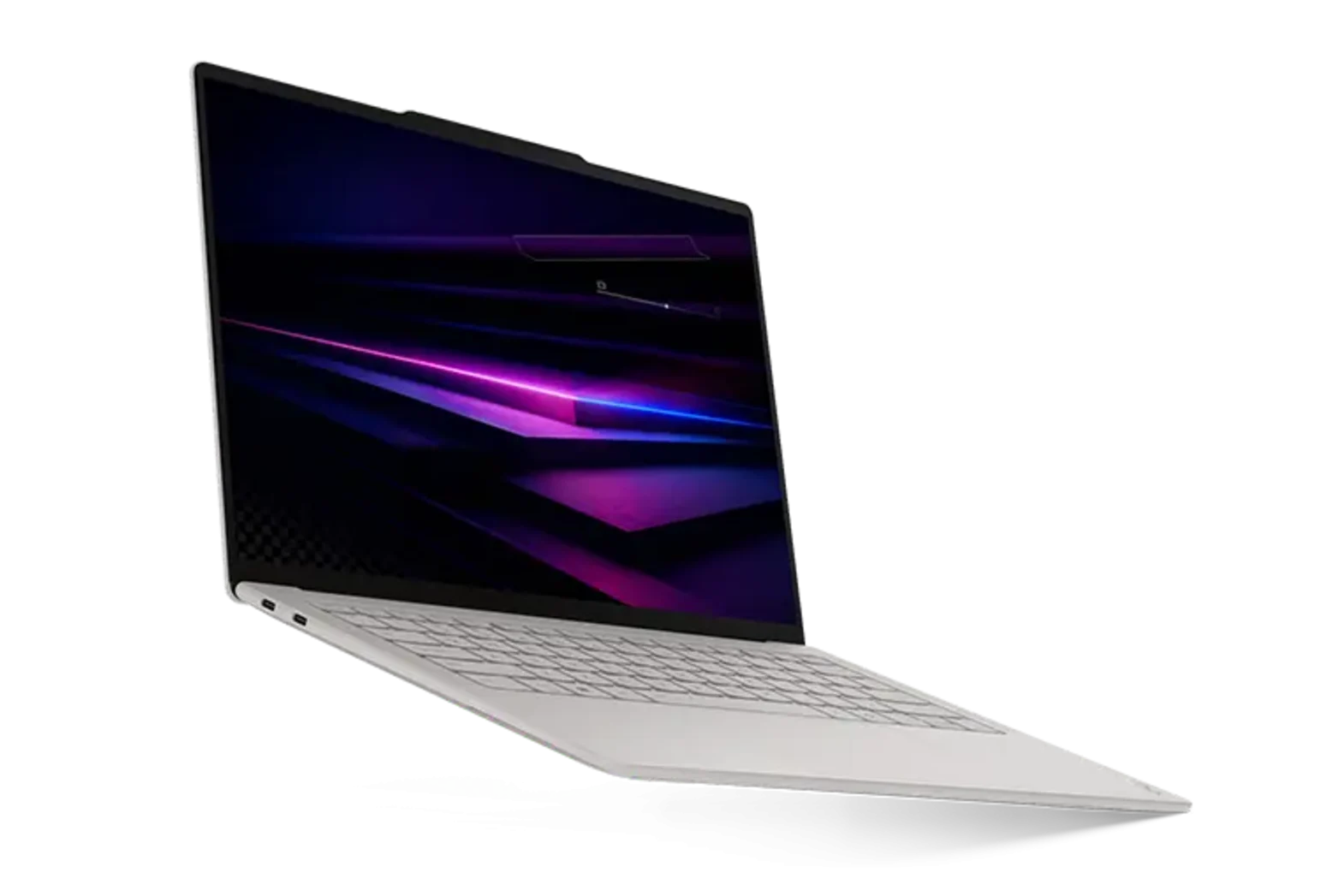
  • Lenovo Yoga Slim 7 Ultra 14 Aura: Lightest Laptop with Core Ultra X7 but Some Drawbacks

    Lenovo Yoga Slim 7 Ultra 14 Aura: Lightest Laptop with Core Ultra X7 but Some Drawbacks

    Key Takeaway

    1. The Lenovo Yoga Slim 7 Ultra Aura is significantly lighter than the Dell XPS 14 but has a more fragile build and limited SSD upgrade options.
    2. It runs louder under load due to a less dense cooling system, although both models are quiet during web browsing or streaming.
    3. While offering similar performance and display quality, the Lenovo’s design compromises include softer speakers and slightly reduced battery life.

    Lightweight Design of the Yoga Slim 7 Ultra Aura

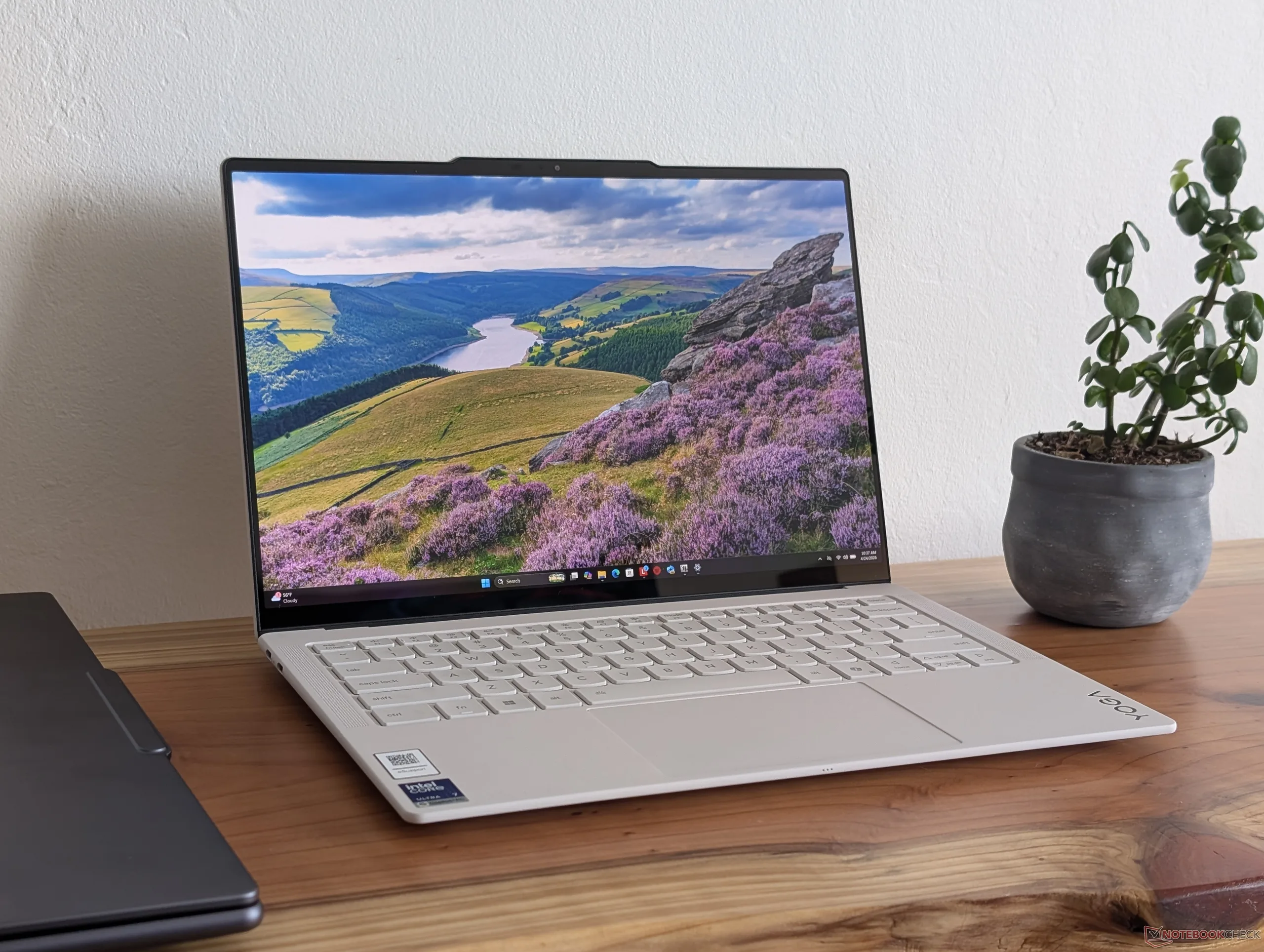
    Lenovo’s Yoga Slim 7 Ultra Aura are designed to be as portable as possible, and it clearly shows in the weight. It weighs significantly less than the Dell XPS 14, over 500 grams lighter. This significant weight cut means it’s easier to carry around, but come with its own set of drawbacks. The chassis, made out of thinner alloy, feels a lil bit more fragile and can flex more when pressure is applied. It might not be as sturdy as the heavier, more solid Dell XPS, but it still pretty much looks and feels nice overall.

    Performance and Cooling Concerns

    When using either of these laptops for everyday browsing or video streaming, they stay pretty quiet. But, when intense tasks like gaming or 3D rendering happen, the Yoga Slim 7 Ultra Aura tend to get louder quicker. During a 3DMark 06 test, the Dell reached just below 31 dB(A), while the Yoga hit close to 45 dB(A). This is mostly because the Ultra Aura has a lighter cooling system so the fans spin faster to keep the temperature down. This makes a big difference when you’re pushing the system for gaming or heavy use.

    Upgrade Limitations and Additional Features

    • Users should pay close attention because the Yoga Slim 7 Ultra Aura only supports smaller SSDs, specifically M.2 2242 or SSDs up to 42 mm long, to keep weight down.
    • Meanwhile, the Dell XPS 14 allows you to upgrade to longer M.2 2280 SSDs or SSDs up to 80 mm long, offering more flexibility for upgrades.

    Though the ultra-light structure feels a bit fragile, it doesn’t seem cheap, but its delicacy means it’s easier to warp or bend when pressure is applied. Also, the speakers on the Yoga aren’t as strong and the battery life may not last as long as the Dell. But, considering the big weight advantage and nearly similar performance and display quality, many could view these downsides as acceptable trade-offs for portability.
    Sources
    • Lenovo Yoga Slim 7i Ultra Aura Beats Dell XPS 14 with $300+ Savings and Double RAM

      Lenovo Yoga Slim 7i Ultra Aura Beats Dell XPS 14 with $300+ Savings and Double RAM

      Key Takeaway

      1. The Lenovo Yoga Slim 7i Ultra Aura Edition offers similar specifications and performance to the Dell XPS 14 but at a lower price and lighter weight.
      2. Lenovo’s model provides better value by including twice the RAM at a similar or lower cost compared to Dell, except for the highest-end CPU configurations.
      3. While the Lenovo has notable advantages, the Dell XPS 14 still maintains some key benefits worth considering.

      Introduction to the Competitors

      The new Dell XPS 14 and Lenovo Yoga Slim 7i Ultra Aura Edition both are now out in the market with comparable Panther Lake CPU options and display choices to pick from. Both of these models are direct rivals, making comparing their features and prices quite interesting for consumers. Today we’ll break down how they stack up against each other with the details on specifications and costs.

      Pricing and Configuration Comparison

      The Lenovo Yoga Slim 7i Ultra Aura Edition is generally more affordable when setup with similar specs to the Dell XPS 14. When you match the CPU, display size, SSD capacity, and even the amount of RAM, the Lenovo option costs less by a notable margin. It even comes with twice the RAM in some configurations. For example, if you look at the table, Lenovo provides a better deal for roughly the same hardware setup.

      While Dell does offer options with up to 32 GB of RAM, that feature is only available with their higher-end Core Ultra X7 processor, making the base models more comparable at lower RAM levels. In comparison, the Lenovo delivers comparable performance and display quality but is lighter by over 500 grams — it definitely offers an attractive value while saving more than $300. The Yoga Slim 7i Ultra Aura is regarded as one of the best 14-inch Lenovo laptops in recent years, blending performance with portability.

      Price Fluctuations and Market Uncertainty

      It is important for buyers to keep in mind that prices might change in the near future due to ongoing supply chain instability and market fluctuations. Regardless of what happens, for now, the Lenovo system offers some big benefits, especially in terms of savings and weight, that shoppers should consider before making a purchase decision. These advantages make the Yoga Slim 7i Ultra Aura an appealing alternative to the Dell XPS.

      Notable Features of Each Laptop

      However, the Dell XPS 14 still holds some key advantages that might make it more appealing for certain users. Features like build quality, brand reputation, and additional hardware options are part of the reasons to consider this device. For a thorough understanding of both models’ capabilities and differences, it’s a good idea to check out detailed reviews on the Yoga Slim 7i Ultra Aura.

      Sources
    • Core Ultra 7 355 Benchmarks Fall Short of Core Ultra X7

      Core Ultra 7 355 Benchmarks Fall Short of Core Ultra X7

      Key Takeaways

      1. The 2026 Dell XPS 14 offers two processor options: Core Ultra 7 and Core Ultra X7, with significant performance differences.
      2. The Core Ultra 7 355 is 30 to 50 percent slower than the Core Ultra X7 358H during multi-threaded tasks.
      3. Despite being a newer model, the Core Ultra 7 355 has similar power draw to the Core Ultra X7 and previous generation processors.
      4. The performance gap between the two processors does not result in a proportional reduction in power consumption.
      5. The Core Ultra 7 355’s performance-per-watt is noticeably lower compared to the Core Ultra X7 358H.


      The 2026 Dell XPS 14 is now available for purchase, allowing buyers to select between the Core Ultra 7 or the Core Ultra X7 Panther Lake processors. We recently had the opportunity to examine both models, and it’s important to note that the lower-priced Core Ultra 7 configuration presents a significant performance gap that potential customers should consider.

      Performance Discrepancies

      According to our comparison charts, the new U-series Core Ultra 7 355 in the XPS 14 is about 30 to 50 percent slower than the Core Ultra X7 358H during multi-threaded tasks. The more significant performance drop is especially evident in the first minute of CPU stress tests, where the Core Ultra X7 can take advantage of its higher Turbo Boost capabilities compared to the U-series model. Even after factoring in any throttling, the 30 percent difference is still quite substantial.

      Processor Comparison

      When we look at overall performance, the Core Ultra 7 355 is more comparable to the previous generation Lunar Lake Core Ultra 7 258V, but it shows slightly lower NPU TOPS performance. Many might think that the Core Ultra 7 355 would operate with a lower power draw than the Core Ultra X7 or the Core Ultra 7 258V since Panther Lake-U is slower and more recent than Panther Lake-H. Sadly, this assumption doesn’t hold true. For instance, when using CineBench R23 xT on an external monitor, the Core Ultra 7 XPS 14 requires nearly the same power as the Core Ultra X7 XPS 14 and the Lenovo ThinkPad T14 Gen 6 once Turbo Boost speeds have leveled off.

      Power Draw Insights

      This means that the 30 percent performance gap does not translate into a 30 percent reduction in power consumption, leading to a noticeable decrease in performance-per-watt when comparing the Core Ultra 7 355 and Core Ultra X7 358H.

    • Dell XPS 14 (2026) Boosts Battery Life 55% Over 2025 Model

      Dell XPS 14 (2026) Boosts Battery Life 55% Over 2025 Model

      Key Takeaways

      1. Dell has improved the XPS line with the new Dell XPS 14 for 2026, featuring significant upgrades over previous models.
      2. The Dell XPS 14 (2026) received an improved rating of 87%, up from 83% for the Dell 14 Premium.
      3. The 2026 model boasts an impressive battery life of 16 hours and 45 minutes, significantly better than the 2025 and 2024 versions.
      4. The Intel Core Ultra X7 358H Panther Lake APU contributes to a 55% longer battery life compared to the Dell 14 Premium and 216% longer compared to the 2024 Dell XPS 14.
      5. The performance of Intel’s Panther Lake APUs has enhanced GPU performance and battery longevity, but concerns remain about potential high pricing.


      After facing strong criticism from fans regarding the controversial redesign of the XPS in 2024 and the total rebranding to “Dell Premium” in 2025, it seems like Dell has regained its confidence. The new Dell XPS 14 for 2026 shows significant improvements compared to the 2025 Dell 14 Premium and the 2024 XPS 14. The standout feature of the Dell XPS 14 (2026) is the inclusion of an Intel Panther Lake APU, which makes a substantial impact.

      Improved Ratings

      In our comprehensive review of the Dell XPS 14 2026 equipped with the Core Ultra X7 358H, we awarded it a score of 87%, a notable increase from the 83% we gave the Dell 14 Premium last year. A major factor contributing to this excellent rating is the enhanced battery life. We are pleased to share that the Dell XPS 14 for 2026 achieved a remarkable 16 hours and 45 minutes in our WLAN test, conducted at 150 nits using the Balanced performance setting.

      Battery Life Comparison

      To give you some context, the Dell 14 Premium, which has a similar 69.5 Wh battery, only lasted 10 hours and 48 minutes during the same battery test. The comparison becomes even more striking when looking at the 2024 Dell XPS 14, which managed just 7 hours and 45 minutes with the same 69.5 Wh battery.

      In simpler terms, the Intel Core Ultra X7 358H Panther Lake APU offers an outstanding power efficiency, resulting in a 55% longer battery life for the 2026 Dell XPS 14 compared to the Dell 14 Premium. When comparing the latest Dell XPS 14 with Intel Panther Lake to the 2024 Dell XPS 14 with Intel Meteor Lake, the difference in battery life is an astonishing 216%.

      Conclusion and Pricing

      As we have noted with other laptops powered by Intel’s Panther Lake, the new Dell XPS 14 (2026) clearly shows that Intel has excelled with the Core Ultra 300 series APUs, especially regarding GPU performance and battery longevity. Now, we can only hope that the prices for Intel Panther Lake laptops don’t end up being as high as some leaks have suggested.

    • Dell XPS 14 and 16 with Core Ultra 7 355 Shipping Early

      Dell XPS 14 and 16 with Core Ultra 7 355 Shipping Early

      Key Takeaways

      1. The Dell XPS 14 and XPS 16 with the Core Ultra X7 358H processor have been available since late January, but more affordable options were initially missing.
      2. The new lower-tier models with Core Ultra 7 355 and Core Ultra 5 325 are now shipping earlier than expected, starting at $1600 for XPS 14 and $1750 for XPS 16.
      3. These lower-tier models are $400 less than the higher-end Core Ultra X7 358H versions and still offer the option for OLED displays.
      4. Upgrading to 32 GB of RAM or more is only available with the Core Ultra X7 358H model.
      5. Dell is planning to release models with the Core Ultra X9 388H processor, but the performance difference may not be significant for all users compared to Core Ultra X7 358H.


      While the Dell XPS 14 and XPS 16 featuring the Core Ultra X7 358H processor have been on the market since late January, the more affordable options with the Core Ultra 7 355 and Core Ultra 5 325 were strangely absent. Consumers who weren’t looking for the enhanced performance of the Core Ultra X7 but still wanted the newest design had to shell out more money as a result.

      Good News for Budget Buyers

      Now, there’s good news for those customers! The two lower-tier Panther Lake models are shipping earlier than anticipated, with prices starting at $1600 for the XPS 14 and $1750 for the XPS 16. These new prices are at least $400 less than their faster Core Ultra 7 358H counterparts, and buyers can still opt for OLED displays if they choose. However, if you want to upgrade to 32 GB of RAM or more, you’ll have to stick with the higher-end Core Ultra X7 358H model.

      Upcoming Options to Consider

      Regarding the Core Ultra X9 388H, Dell indicates that options with this high-performance processor are still on the way. It’s important to note that the difference in performance between the Core Ultra 7 355 and the Core Ultra X7 358H is much greater than that between the X7 358H and the upcoming X9 388H, making the X9 model possibly not suitable for all users.

      Stay tuned for our upcoming review of the Core Ultra 7 355 Dell XPS 14 configuration in the near future.

      Source:
      Link


    • Dell XPS 14 Arc B390 vs GeForce RTX 4050: 3DMark Insights

      Dell XPS 14 Arc B390 vs GeForce RTX 4050: 3DMark Insights

      Key Takeaways

      1. The Intel Arc B390 shows a significant lead in synthetic benchmarks, outperforming the RTX 4050 by 30 to 40 percent in tests like 3DMark.

      2. In real-world gaming scenarios, the performance gap between the Arc B390 and RTX 4050 is minimal, with only a 5 to 15 percent advantage for the Arc B390 in titles such as Cyberpunk 2077.

      3. Older games like GTA V and X-Plane tend to perform better on the RTX 4050 due to its larger size and higher power limits.

      4. In non-gaming tasks, the RTX 4050 outperforms the Arc B390 significantly in Blender benchmarks, achieving more than double the performance with Nvidia OptiX.

      5. The Arc B390 excels in power efficiency, using only 52 W for demanding tasks like gaming, compared to 95 W for the RTX 4050, making it a more efficient option overall.


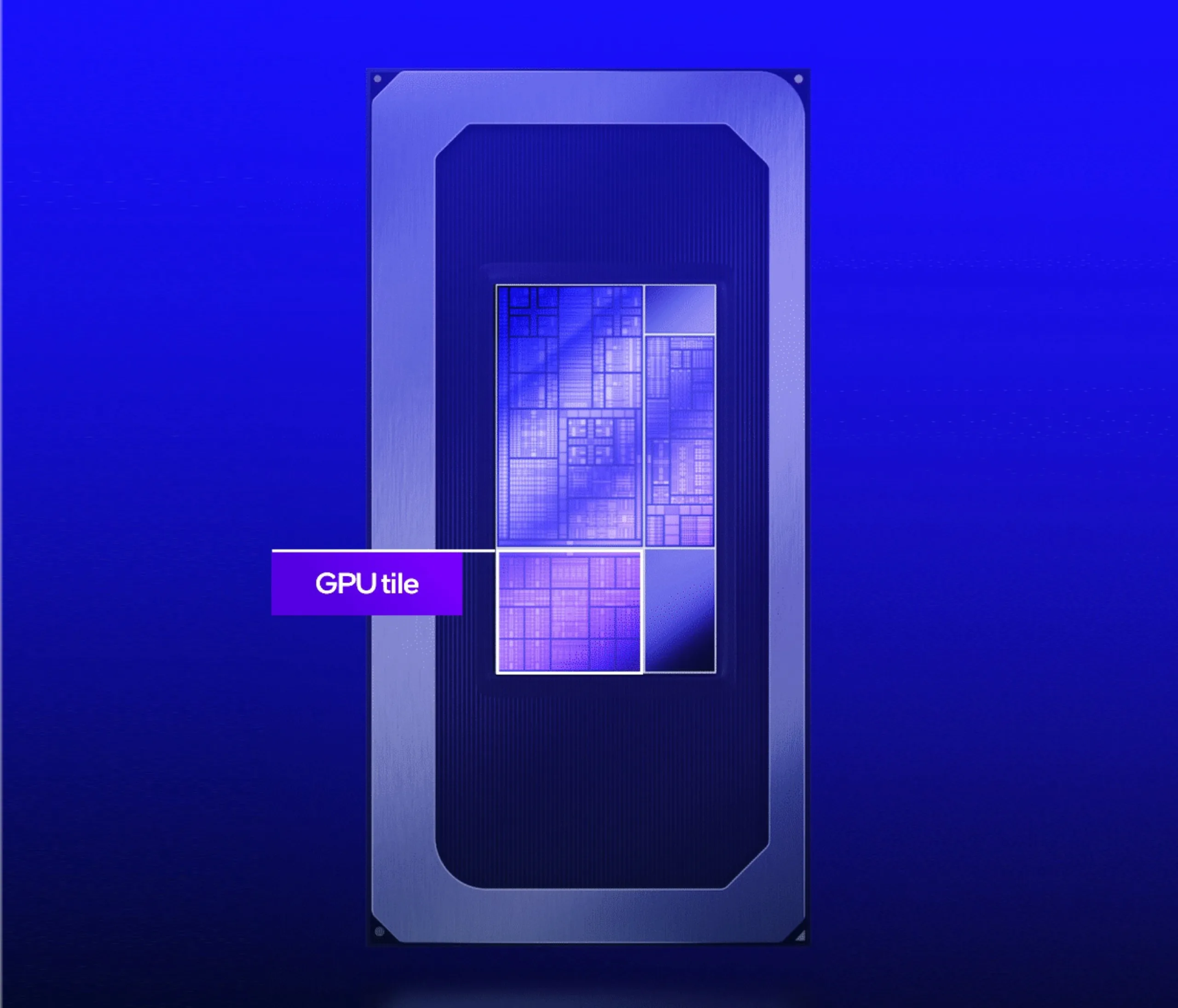
      Excitement is soaring this month for Intel’s latest Arc B390, especially after CES 2026 and the recent first reviews of laptops using the integrated GPU. Bold claims about performance that rival or even exceed the GeForce RTX 4050 are tempting, yet how do these two GPUs truly stack up when comparing actual laptop models?

      Benchmark Comparisons

      The benchmarks below evaluate the 2026 Dell XPS 14, which has a Core Ultra X7 358H, against the 2024 Dell XPS 14 that features the RTX 4050. In synthetic testing, like 3DMark, the newer Dell with the Arc B390 shows a lead of 30 to 40 percent, indicating a clear edge in raw graphics capability. Claims of performance “better than RTX 4050” likely come from these 3DMark outcomes.

      Real-World Gaming Performance

      However, when it comes to real gaming scenarios, the gap between the Arc B390 and RTX 4050 nearly disappears. Titles such as Cyberpunk 2077 and Baldur’s Gate 3 exhibit only a 5 to 15 percent speed increase on average for the Arc B390 XPS 14 compared to the RTX 4050 XPS 14, while older games like GTA V and X-Plane tend to perform better on the RTX 4050 XPS 14. Moreover, numerous laptops featuring the RTX 4050 can outperform the Arc B390 XPS 14 due to their larger size and higher power limits. The performance advantage for Nvidia would increase even more with any applied DLSS versus XESS enhancements.

      Blender and Power Efficiency

      In non-gaming tasks, Blender benchmarks consistently show the RTX 4050 leading by margins greater than 2x when comparing Nvidia OptiX with OneAPI.

      Nevertheless, the Arc B390’s main strength is its low power requirement while still delivering high performance-per-watt. For instance, playing Cyberpunk 2077 on the Arc B390 XPS 14 only uses 52 W, compared to 95 W on the RTX 4050-powered Lenovo Yoga Pro 7 14. The Lenovo would only achieve about 20 percent higher frame rates before any AI enhancements are applied, making Intel’s iGPU a more efficient choice.