Category: Computers

  • Dell XPS 14 Arc B390 vs GeForce RTX 4050: 3DMark Insights

    Dell XPS 14 Arc B390 vs GeForce RTX 4050: 3DMark Insights

    Key Takeaways

    1. The Intel Arc B390 shows a significant lead in synthetic benchmarks, outperforming the RTX 4050 by 30 to 40 percent in tests like 3DMark.

    2. In real-world gaming scenarios, the performance gap between the Arc B390 and RTX 4050 is minimal, with only a 5 to 15 percent advantage for the Arc B390 in titles such as Cyberpunk 2077.

    3. Older games like GTA V and X-Plane tend to perform better on the RTX 4050 due to its larger size and higher power limits.

    4. In non-gaming tasks, the RTX 4050 outperforms the Arc B390 significantly in Blender benchmarks, achieving more than double the performance with Nvidia OptiX.

    5. The Arc B390 excels in power efficiency, using only 52 W for demanding tasks like gaming, compared to 95 W for the RTX 4050, making it a more efficient option overall.


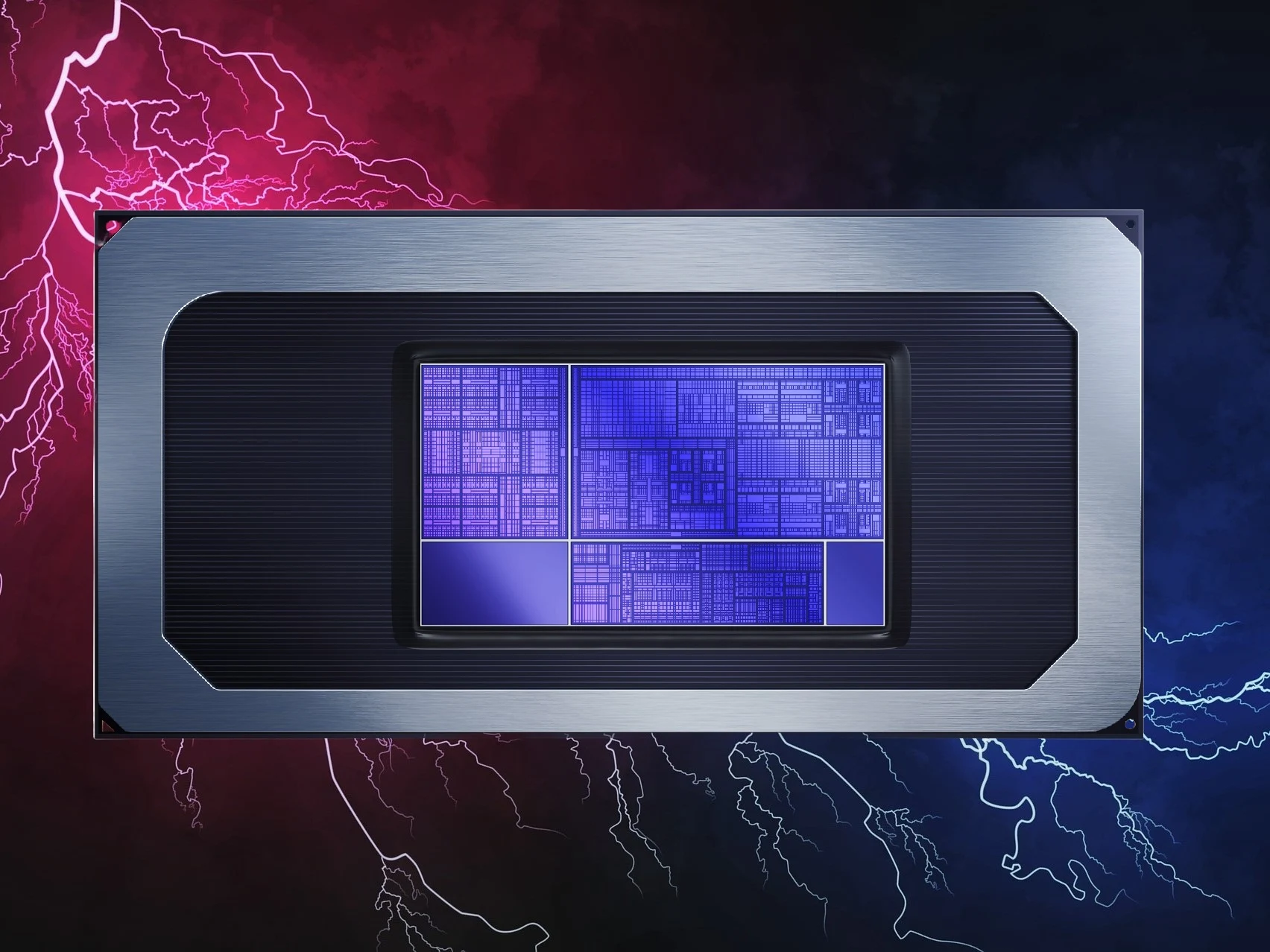
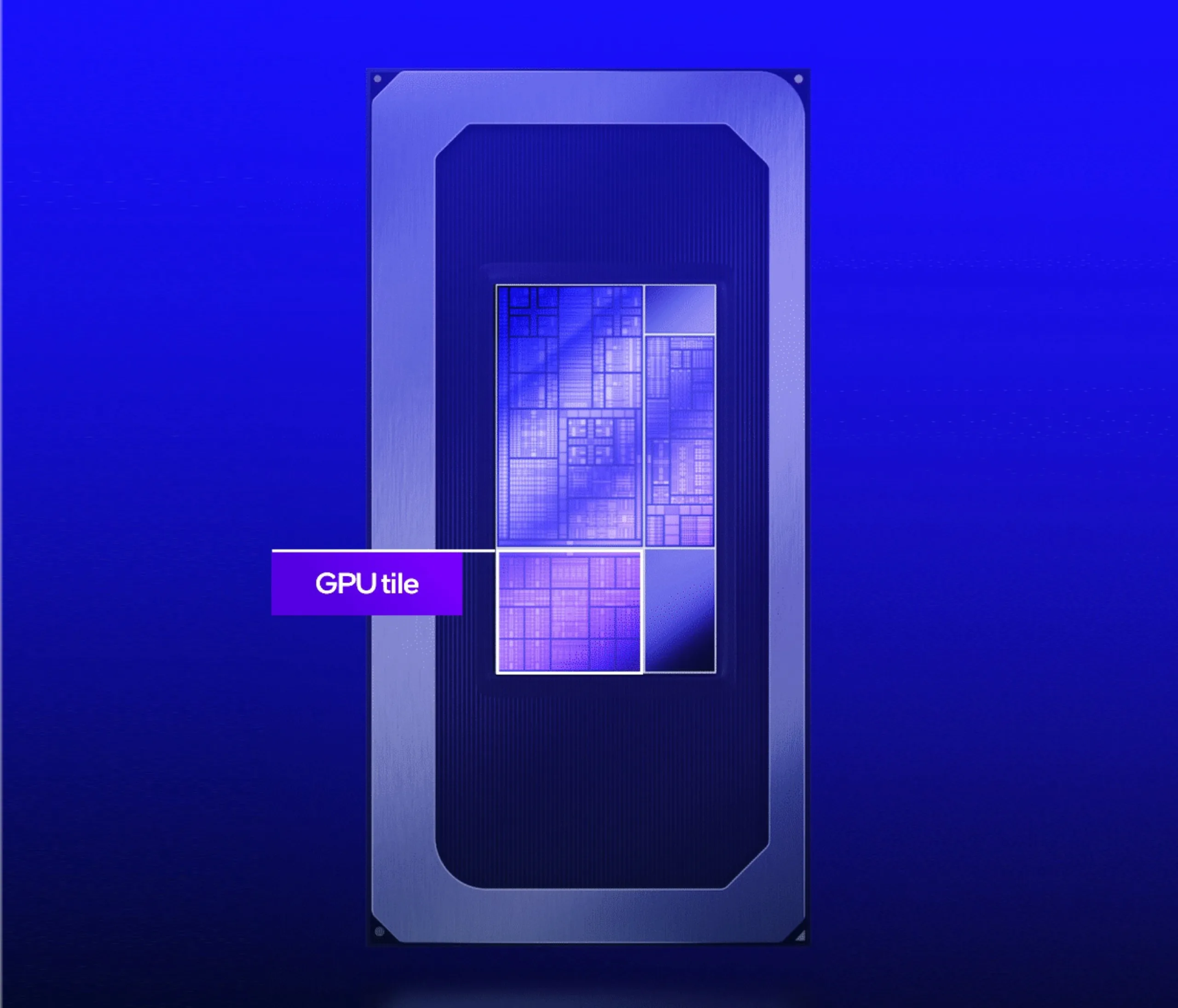
    Excitement is soaring this month for Intel’s latest Arc B390, especially after CES 2026 and the recent first reviews of laptops using the integrated GPU. Bold claims about performance that rival or even exceed the GeForce RTX 4050 are tempting, yet how do these two GPUs truly stack up when comparing actual laptop models?

    Benchmark Comparisons

    The benchmarks below evaluate the 2026 Dell XPS 14, which has a Core Ultra X7 358H, against the 2024 Dell XPS 14 that features the RTX 4050. In synthetic testing, like 3DMark, the newer Dell with the Arc B390 shows a lead of 30 to 40 percent, indicating a clear edge in raw graphics capability. Claims of performance “better than RTX 4050” likely come from these 3DMark outcomes.

    Real-World Gaming Performance

    However, when it comes to real gaming scenarios, the gap between the Arc B390 and RTX 4050 nearly disappears. Titles such as Cyberpunk 2077 and Baldur’s Gate 3 exhibit only a 5 to 15 percent speed increase on average for the Arc B390 XPS 14 compared to the RTX 4050 XPS 14, while older games like GTA V and X-Plane tend to perform better on the RTX 4050 XPS 14. Moreover, numerous laptops featuring the RTX 4050 can outperform the Arc B390 XPS 14 due to their larger size and higher power limits. The performance advantage for Nvidia would increase even more with any applied DLSS versus XESS enhancements.

    Blender and Power Efficiency

    In non-gaming tasks, Blender benchmarks consistently show the RTX 4050 leading by margins greater than 2x when comparing Nvidia OptiX with OneAPI.

    Nevertheless, the Arc B390’s main strength is its low power requirement while still delivering high performance-per-watt. For instance, playing Cyberpunk 2077 on the Arc B390 XPS 14 only uses 52 W, compared to 95 W on the RTX 4050-powered Lenovo Yoga Pro 7 14. The Lenovo would only achieve about 20 percent higher frame rates before any AI enhancements are applied, making Intel’s iGPU a more efficient choice.
     

  • Lenovo ThinkPad T16 Gen 4: Long Battery Life with 86 Wh Power

    Lenovo ThinkPad T16 Gen 4: Long Battery Life with 86 Wh Power

    Key Takeaways

    1. The Intel Lunar Lake platform (Core Ultra 200V) prioritizes efficiency with improved battery life, reduced heat, and less fan noise, making it ideal for office laptops.
    2. Lenovo has introduced new Lunar Lake options in the ThinkPad T16 Gen 4 and E16 Gen 3 models, despite the recent launch of the Intel Panther Lake platform.
    3. Both new Lenovo models share motherboards with existing smaller Lunar Lake versions, indicating an easy integration process.
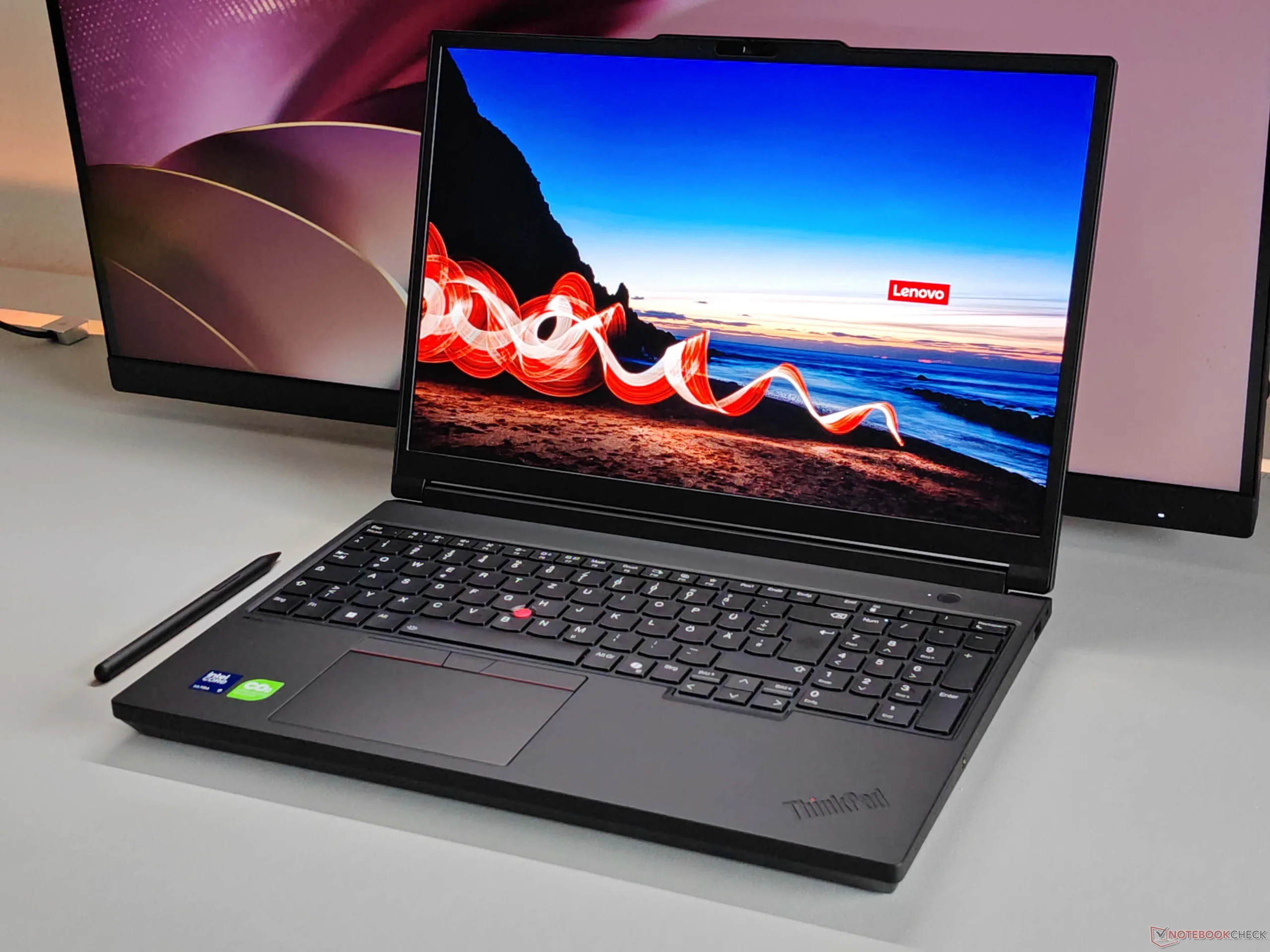
    4. The ThinkPad T16 Gen 4 features a large 86 Wh battery, potentially enhancing battery life when paired with the efficiency of Lunar Lake.
    5. The new ThinkPad models are listed in the Lenovo PSREF database, signaling an upcoming official release.


    Early September 2024 saw the launch of the Intel Lunar Lake platform. This series, known as Core Ultra 200V, hasn’t exactly wowed the world with groundbreaking performance, but it has provided Intel with something even more valuable: Efficiency. Overall, systems powered by Lunar Lake have shown improvements in battery life, reduced heat production, and less fan noise compared to previous Intel processors. This makes it a great fit for office laptops, where the user experience often takes precedence over raw performance.

    New Releases Amidst Competition

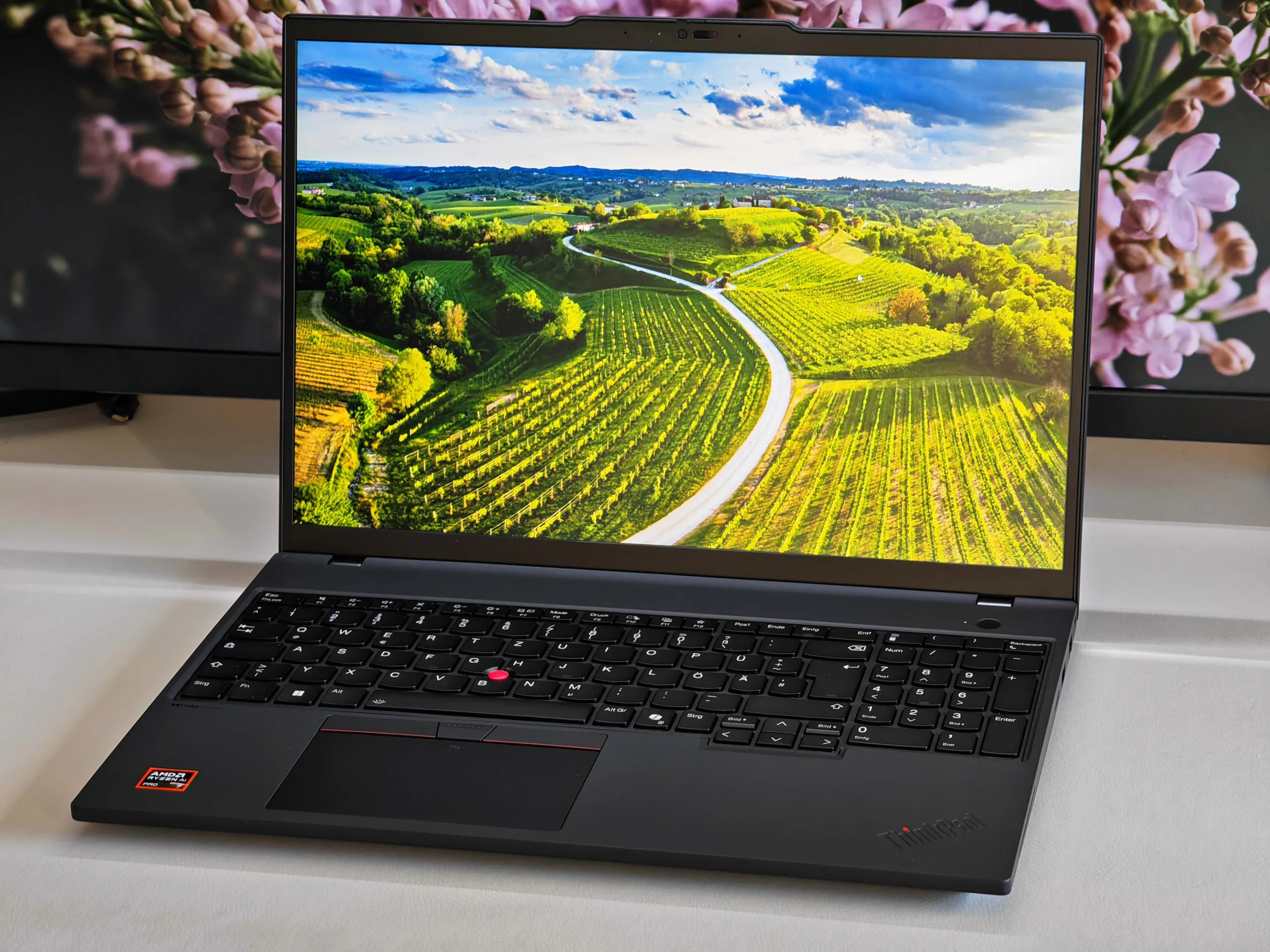
    With the recent arrival of the Intel Panther Lake platform, many would assume that new releases for Lunar Lake would be finished. However, Lenovo has quietly introduced two new Lunar Lake options for laptops that hadn’t been offered with these CPUs before. Specifically, these are the 16-inch Lenovo ThinkPad T16 Gen 4 and the Lenovo ThinkPad E16 Gen 3 models.

    Shared Motherboards

    A key feature of both of these models is that they utilize the same motherboards as the smaller Lunar Lake versions already available, like the ThinkPad T14 Gen 6 (which you can find on Amazon) and the ThinkPad E14 Gen 7. This means that incorporating Lunar Lake into these laptops is likely a straightforward process. The ThinkPad T16 Gen 4, in particular, stands out due to its large 86 Wh battery, which could lead to remarkable battery life combined with the efficiency of Lunar Lake.

    The Lenovo ThinkPad T16 G4 and the ThinkPad E16 G3 featuring Intel Lunar Lake have already appeared in the Lenovo PSREF database, indicating that their official release is just around the corner.

    Source:
    Link


  • MSI RTX 5090 Catches Fire on First Boot – Video Evidence

    MSI RTX 5090 Catches Fire on First Boot – Video Evidence

    Key Takeaways

    1. RTX 50 series GPUs, including the RTX 5090, have been reported to catch fire, often due to power cable or GPU issues.
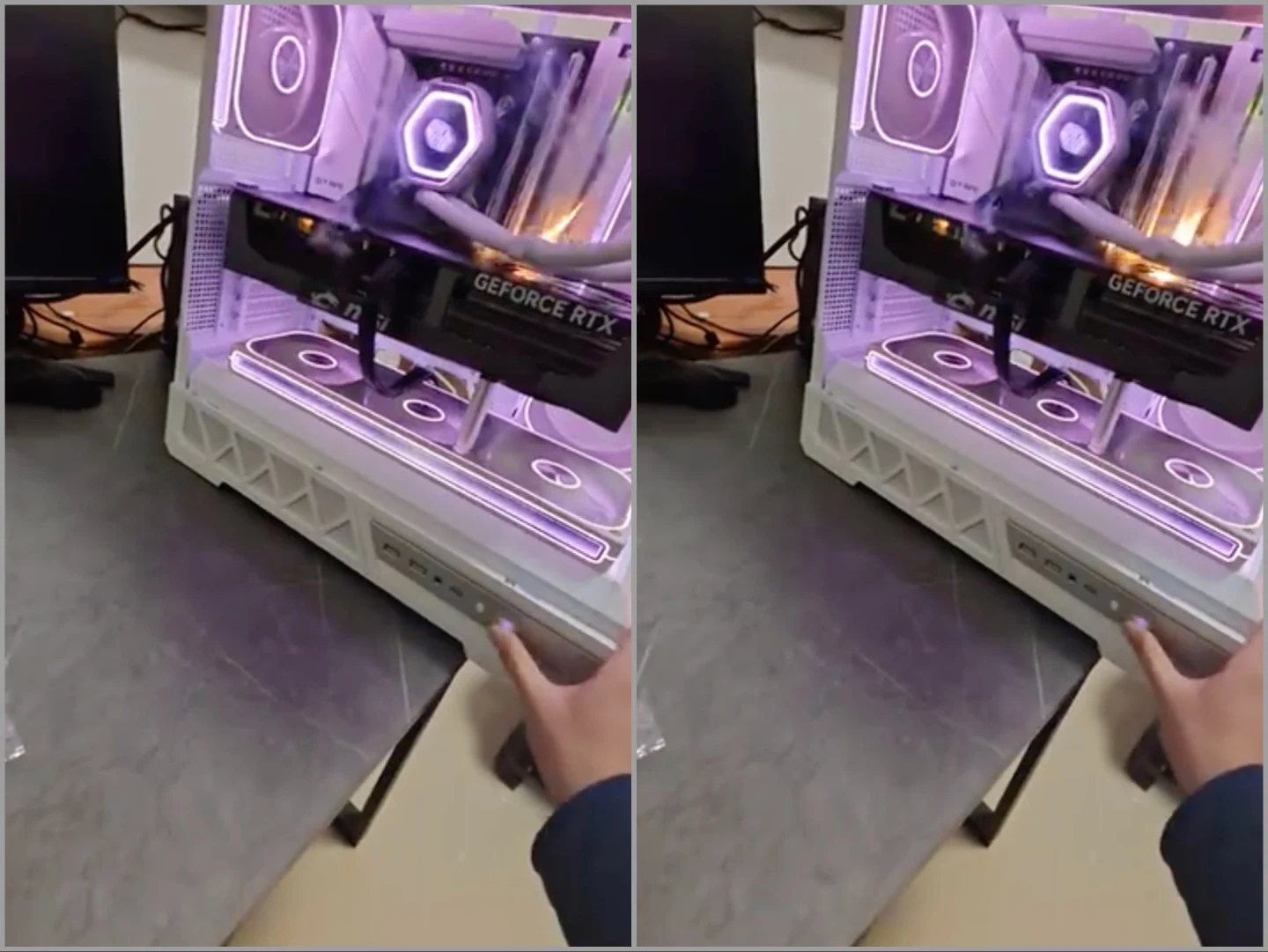
    2. A user from China captured footage of their RTX 5090 igniting during its first startup, resulting in visible flames and sparks.
    3. The faulty GPU caused burn damage to the motherboard, while other components in the system remained functional.
    4. The lack of official support for the RTX 5090 means the user must seek third-party repair services for potential fixes.
    5. Damage to the VRM circuit and VRAM is suspected, complicating repair efforts, and similar fire incidents have occurred with lower-end models like the RTX 4060 TI.


    At this stage, it’s not shocking to see an RTX 50 series GPU catching fire or experiencing a short circuit. Many users have faced the loss of pricey GPUs due to issues with either the power cables or the GPU itself. Moreover, these burnouts aren’t exclusive to Nvidia. In a recent incident, a user from China managed to capture footage of the high-end RTX 5090 GPU igniting, and sadly, it happened right after they assembled a brand new system.

    Video Evidence of Disaster

    The footage was uploaded on BiliBili, which is a Chinese platform for video sharing, by the user known as “Staying up late is equivalent to dying early” (translated by machines). The video depicts the unfortunate owner of a new MSI GeForce RTX 5090 Trio recording its first startup, only to see the GPU instantly burst into flames. Sparks can be seen around the heatsink and the PCIe connector area, with visible flames erupting as the user powers down the system.

    Aftermath and Troubleshooting

    The account that shared the video provided updates on what occurred afterward, indicating that the GPU was indeed faulty. The wiring from the PSU remained intact, and everything else in the system functioned properly. Unsurprisingly, there was a noticeable burn mark on the motherboard chipset. The user reverted back to using an RTX 5060, which operates smoothly in the same setup. What’s particularly unfortunate is that since it was an RTX 5090 and not the RTX 5090D model, there is no official support or possibility for RMA. The user will now need to visit a third-party repair service and hope for a successful fix.

    Potential Repair Issues

    UNIKO’s Hardware, the account that shared the video on X, suggests that the multiple fire locations indicate damage to the VRM circuit and the VRAM. If this assessment is accurate, repairing the card might not be practical. While this isn’t the first reported case of an RTX GPU catching fire, it’s usually the power cables that suffer burning damage. Additionally, not only the high-end models have been affected; there have also been reports of RTX 4060 TI GPUs melting in similar circumstances.

    Source:
    Link


  • Intel Nova Lake PL2 Power Limit Leaks for Core Ultra 400 CPUs

    Intel Nova Lake PL2 Power Limit Leaks for Core Ultra 400 CPUs

    Key Takeaways

    1. The Intel Nova Lake desktop CPU can draw over 700 W at full load, featuring 52 cores, which is significant for its market segment.
    2. The PL2 power limit for Nova Lake CPUs is expected to be higher than 400 W, particularly for models with dual compute tiles.
    3. Nova Lake CPUs will have a higher core count compared to Arrow Lake, increasing energy demands, making a 400+ W PL2 reasonable.
    4. High power limits do not align with average user needs for energy-efficient CPUs, as seen with the Ryzen 7 9800X3D and Core Ultra 9 285K.
    5. If Intel can maintain acceptable power limits for mainstream Nova Lake-S Core Ultra 5 CPUs while ensuring performance, concerns over high PL2 for 48/52-core models may lessen.


    We recently shared that the leading Intel Nova Lake desktop CPU, featuring 52 cores, can draw over 700 W when fully loaded. This number is truly astonishing, especially since Nova Lake is not aimed specifically at the high-end desktop (HEDT) market. We also pointed out that the PL2 power limit for the Nova Lake Core Ultra 400 CPUs will be lower but still noteworthy.

    Power Limit Insights

    Kopite7kimi suggests that even a PL2 of 400 W is merely a “conservative lower limit,” as Nova Lake CPUs equipped with dual compute tiles will need more than 400 W at full capacity. This represents a significant increase compared to the Core Ultra 9 285K.

    Intel’s official specifications indicate that the Core Ultra 9 285K has a PL2 of 250 W. Clearly, the CPU can draw much higher power under extreme conditions, as we’ve demonstrated in our assessments. Essentially, the Intel Nova Lake desktop CPUs will have a PL2 exceeding 60% compared to the 24-core flagship from Intel Arrow Lake.

    Core Count and Energy Needs

    It’s important to highlight that Nova Lake-S processors are set to have a substantial increase in core count over Arrow Lake. For instance, the top-tier Core Ultra 400 chip is anticipated to boast an impressive 52 cores. Naturally, powering this many cores simultaneously demands considerable energy, making the 400+ W PL2 reasonable.

    However, this high PL2 doesn’t align with the needs of the average user who seeks an energy-efficient CPU that performs adequately. Take the Ryzen 7 9800X3D as an example; it’s considered the top gaming CPU while also being one of the most power-efficient options available. The same can be said for the Core Ultra 9 285K. Even though the chip has seen a decline in gaming performance, it remains remarkably fast in multi-core applications, showing up to 64% more energy efficiency compared to the Core i9-14900K in multi-core tasks.

    Looking Ahead

    If Intel can guarantee that its mainstream Nova Lake-S Core Ultra 5 desktop CPUs, featuring 18, 24, and 28 cores, operate within acceptable power limits while delivering solid performance, the 400+ W PL2 for the 48/52-core models may not be a concern.

    Source:
    Link


  • Cyberattack on Poland’s Wind and Solar Farms Sparks Global Alarm

    Cyberattack on Poland’s Wind and Solar Farms Sparks Global Alarm

    Key Takeaways

    1. CISA issued a security alert following a cyberattack on Poland’s renewable energy systems, emphasizing risks from weak internet-connected devices in operational technology (OT).
    2. The attack affected around 30 sites of wind and solar power, with tools linked to a Russian-associated threat group.
    3. Attackers accessed systems through unpatched edge devices and used wiper malware to damage critical operational technology components.
    4. CISA is urging U.S. federal agencies to eliminate unsupported edge devices and strengthen cybersecurity measures in industrial control systems (ICS).
    5. Security experts highlight this attack as a significant escalation, specifically targeting distributed energy resources that often have weaker cybersecurity.


    The U.S. Cybersecurity and Infrastructure Security Agency (CISA) has released a security alert after a major cyberattack on Poland’s renewable energy systems. This incident highlights the dangers of weak internet-connected edge devices in operational technology settings.

    Details of the Attack

    This warning comes after a report from Poland’s Computer Emergency Response Team (CERT-Polska) on January 30, which revealed that a cyber incident in December affected around 30 sites of wind and solar power. The Polish agency indicated that the tools used in the attack were linked to a Russian-associated threat group known by various names, including Static Tundra, Berserk Bear, Ghost Blizzard, and Dragonfly.

    Implications for Industrial Systems

    CISA pointed out that this incident illustrates the increasing dangers to industrial control systems (ICS) and operational technology (OT), which are commonly used in energy production, utilities, and manufacturing industries. The agency explained that the attackers first accessed the systems through unpatched or outdated internet-facing edge devices like routers and firewalls.

    According to CISA, the attackers used wiper malware that harmed remote terminal units (RTUs), wiped data from human-machine interfaces (HMIs), and compromised the firmware of operational technology devices. While the generation of energy continued, operators temporarily lost the ability to monitor and control the affected installations.

    Steps to Mitigate Risks

    Recently, CISA has heightened its efforts to mitigate risks related to vulnerable networking devices. Just last week, the agency issued a binding directive mandating U.S. federal agencies to eliminate unsupported edge devices from their networks.

    Security experts at Dragos described the attack as a major escalation, noting that it is one of the first known cyber operations that specifically targeted distributed energy resources, including smaller wind, solar, and combined heat-and-power setups. Unlike traditional power plants, these distributed systems depend heavily on remote connections and typically receive less funding for cybersecurity.

    Officials from the United Kingdom’s National Cyber Security Centre have also called on operators of critical infrastructure to enhance their protective measures in response to the incident.

    CISA recommends that infrastructure operators examine CERT-Polska’s technical findings and adhere to federal advice aimed at reducing vulnerabilities in OT and ICS environments.

  • Lenovo ThinkPad T16g Gen 3: Thunderbolt 5 & OLED, RTX 5080

    Lenovo ThinkPad T16g Gen 3: Thunderbolt 5 & OLED, RTX 5080

    Key Takeaways

    1. Lenovo introduced two versions of its large mobile workstation: ThinkPad P16 Gen 3 with professional RTX PRO GPUs and ThinkPad T16g Gen 3 with consumer GeForce GPUs.

    2. The ThinkPad T16g Gen 3 features a slimmer design, reduced weight, optional 5G connectivity, and a high-quality matte OLED touchscreen.

    3. Performance is limited due to a maximum power input of 180 Watts, affecting CPU stability and restricting GPU performance to 105 Watts.

    4. The cooling system is insufficient, leading to high noise levels of up to 57 dB(A), making it the loudest in its comparison group.

    5. Overall, the ThinkPad T16g Gen 3 has mixed reviews, with feature-rich offerings overshadowed by performance and cooling concerns.


    Lenovo has made significant updates to its large mobile workstation this year, now presenting two distinct versions. The ThinkPad P16 Gen 3 comes with professional RTX PRO GPUs from Nvidia, while the nearly identical ThinkPad T16g Gen 3 features consumer GeForce GPUs. We recently examined the ThinkPad T16g Gen 3, which includes the Intel Core Ultra 9 275HX, the mobile GeForce RTX 5080 Laptop, and a matte tandem OLED touchscreen, but our thoughts are somewhat mixed.

    Design and Features

    The latest model is slightly slimmer than its predecessor, and Lenovo has managed to reduce the weight by nearly 500 grams. Along with the smaller 180W power adapter, the overall travel weight is noticeably decreased. This mobile workstation boasts all the features one could desire, including optional 5G connectivity. It also provides two Thunderbolt 5 ports and excellent maintenance options (4x SO-DIMM, 3x SSD). The matte OLED touchscreen with 120 Hz delivers very nice image quality, despite the image appearing a tad grainy.

    Performance Concerns

    When it comes to performance, this large workstation is somewhat underwhelming, mainly due to the cooling design and limitations from the power adapter. Lenovo opted to remove the familiar SlimTip charging port in favor of USB-C entirely. However, the power input is capped at just 180 Watts, which clearly impacts the performance limits of the components.

    The pure CU performance is decent during short load scenarios, as the processor can draw up to 160 Watts, but it falls to around 110 Watts after 30 seconds and further drops to merely 65-90 Watts after an additional 50 seconds. This indicates that CPU performance is far from stable. The GPU, a robust RTX 5080, has its maximum TGP restricted to just 105 Watts, making it the slowest version we’ve tested thus far. Even the RTX 4000 (which was based on the 4080) from the previous ThinkPad P16 Gen 2 running at 130 Watts offered nearly identical performance.

    Noise Levels and Conclusion

    When both components are stressed simultaneously, the GPU remains at 105 Watts, while the processor is reduced to a mere 25 Watts. The overall system consumption stays around 170 Watts, indicating an artificial limit. You might assume that the fans would be relatively quiet due to the lower performance, but that’s not the case. In fact, the ThinkPad T16g Gen 3 reaches up to 57 dB(A), making it the loudest device in our comparison group. It appears that the weight reduction primarily impacted the cooling system.

    In conclusion, we have mixed feelings regarding the new ThinkPad T16g Gen 3 and its sibling, the ThinkPad P16 Gen 3, which share similar limitations. While these mobile workstations are packed with features, those in need of consistent and high performance may find themselves disappointed. For more detailed insights, please refer to our comprehensive review of the new ThinkPad T16g Gen 3.

  • Beelink Launches SER10 Max Mini-PC with 10 Gbps LAN and 64 GB RAM

    Beelink Launches SER10 Max Mini-PC with 10 Gbps LAN and 64 GB RAM

    Key Takeaways

    1. Beelink has started pre-orders for the SER10 Max mini-PC globally after its recent release in China.
    2. The SER10 Max is only available in pre-configured versions, with options for 32 GB of RAM and 1 TB of storage starting at $1,259.
    3. The device features AMD’s Ryzen AI 9 HX 470 APU, M.2 and SODIMM slots for SSDs and RAM, and includes advanced connectivity options like 10 Gbps LAN and USB4.
    4. The SER10 Max has a vapor chamber cooling system to reduce thermal throttling and noise.
    5. Orders from the Eurozone, UK, and US will not incur import fees, with shipping expected to begin in March 2026.


    Beelink has begun taking pre-orders for its latest mini-PC worldwide. To give some background, the same device was just released a few days ago in China. As we mentioned previously, the SER10 Max was available in both barebones and fully configured units. However, it seems Beelink has chosen to only sell the SER10 Max in pre-configured versions globally.

    Pricing and Specifications

    Currently, the SER10 Max starts off with 32 GB of RAM and 1 TB of storage worldwide, similar to its predecessor, the SER9 Max, which is priced at $729.99 on Amazon. Alternatively, the SER10 Max can be customized to have up to 64 GB of storage. Nevertheless, the 1 TB storage option is available for a pre-order price of $1,699.

    Features and Capabilities

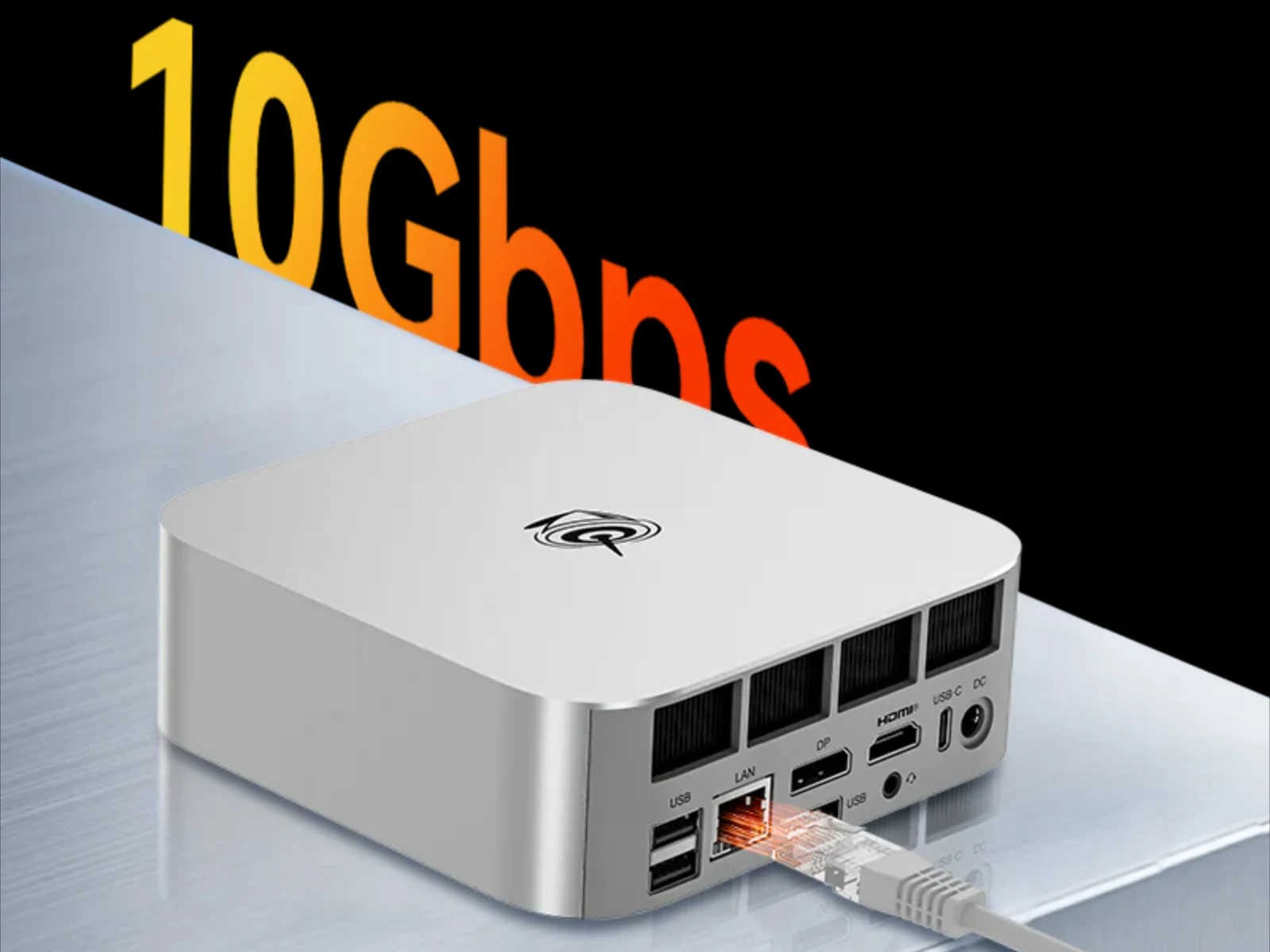
    Both versions come with AMD’s new Ryzen AI 9 HX 470 APU, alongside M.2 2280 and SODIMM slots for PCIe 4.0 SSDs and DDR5-5600 RAM, respectively. Additionally, it includes a 10 Gbps LAN and a USB4 connection, among other ports. Beelink has also integrated a comprehensive vapor chamber cooling system to reduce thermal throttling and minimize fan noise.

    The SER10 Max is currently listed at $1,259 and is set to start shipping in March 2026. Beelink emphasizes that orders made within the Eurozone, UK, and the US will be exempt from import fees. For more information, please visit Beelink’s website.

    Source:
    Link


  • Ugreen NAS Launch Discount: 10Gbps Speed & 136TB Capacity

    Ugreen NAS Launch Discount: 10Gbps Speed & 136TB Capacity

    Key Takeaways

    1. The Ugreen DXP4800 Pro NAS is priced at $779, currently available for $699 with an $80 discount.
    2. It features an Intel Core i3-1315U processor and comes with 8GB DDR5-5600 RAM, upgradeable to 96GB.
    3. The device has four bays for standard hard drives and two M.2 slots for SSDs, enhancing data access speed.
    4. Connectivity includes one 10Gbps Ethernet port, one 2.5Gbps Ethernet port, HDMI output, and multiple USB ports.
    5. Dimensions are 10.1 x 7.0 x 7.0 inches, and it supports Docker containers and virtual machines.


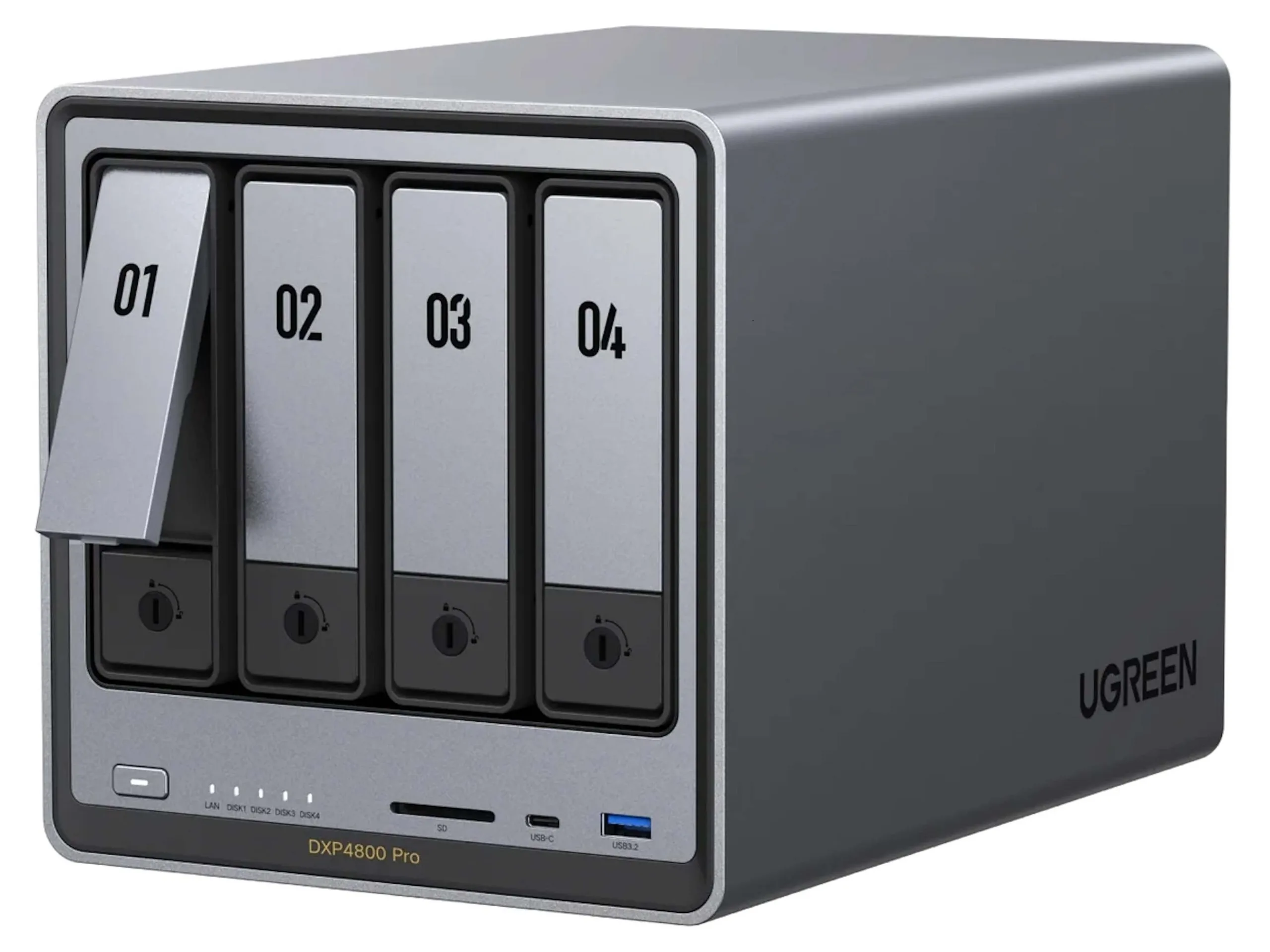
    Ugreen has recently introduced the DXP4800 Pro NAS, and it is now on sale for $779 directly from their website. However, with an $80 discount, the price drops to a more appealing $699. This device is tailored for serious hobbyists or professionals. As is typical, hard drives are not included, which can make the total investment exceed $1,000 quite easily. The device comes with DDR5-5600 memory that can be upgraded to a maximum of 96GB, though it ships with only 8GB of RAM. Powering the NAS is an Intel Core i3-1315U processor.

    Storage Options and Performance

    The DXP4800 Pro features four bays for standard hard drives along with two M.2 slots for faster access to frequently used data. While it’s true that speedy SSDs may not perform at their peak, the overall performance can be greatly improved due to one Ethernet port offering 10Gbps bandwidth. The other Ethernet port tops out at 2.5Gbps. For most users, a compatible network card will be necessary, as only a handful of PCs come with Ethernet capabilities that exceed 2.5Gbps.

    Dimensions and Connectivity

    Measuring 10.1 x 7.0 x 7.0 inches, the Ugreen DXP4800 Pro NAS includes an SD card reader and two front USB ports, one of which is USB-C. On the back, there are two USB 2.0 ports. Additionally, the device features HDMI output and has the capability to run Docker containers and virtual machines.

    Overall, Ugreen’s DXP4800 Pro NAS packs a lot of features into a compact design, making it a solid option for those needing robust storage solutions.

    Source:
    Link


  • KeyGo Gen 2: Portable 2-in-1 Display Keyboard for Mini PCs

    KeyGo Gen 2: Portable 2-in-1 Display Keyboard for Mini PCs

    Key Takeaways

    1. The KeyGo Gen 2 features a foldable display and keyboard, enhancing portability and transportability.
    2. It is currently in crowdfunding, requiring a $280 pledge with expected delivery in May 2026, carrying financial risks for backers.
    3. The upgraded model includes a 13-inch touchscreen with multi-touch functionality and improved resolution compared to the first version.
    4. It connects to multiple devices, functioning as a monitor or secondary screen, and has two USB Type-C ports for power and connectivity.
    5. The KeyGo Gen 2 has built-in speakers, recognizes as a standard monitor with no driver installation needed, and offers an adjustable backlight for the keyboard.


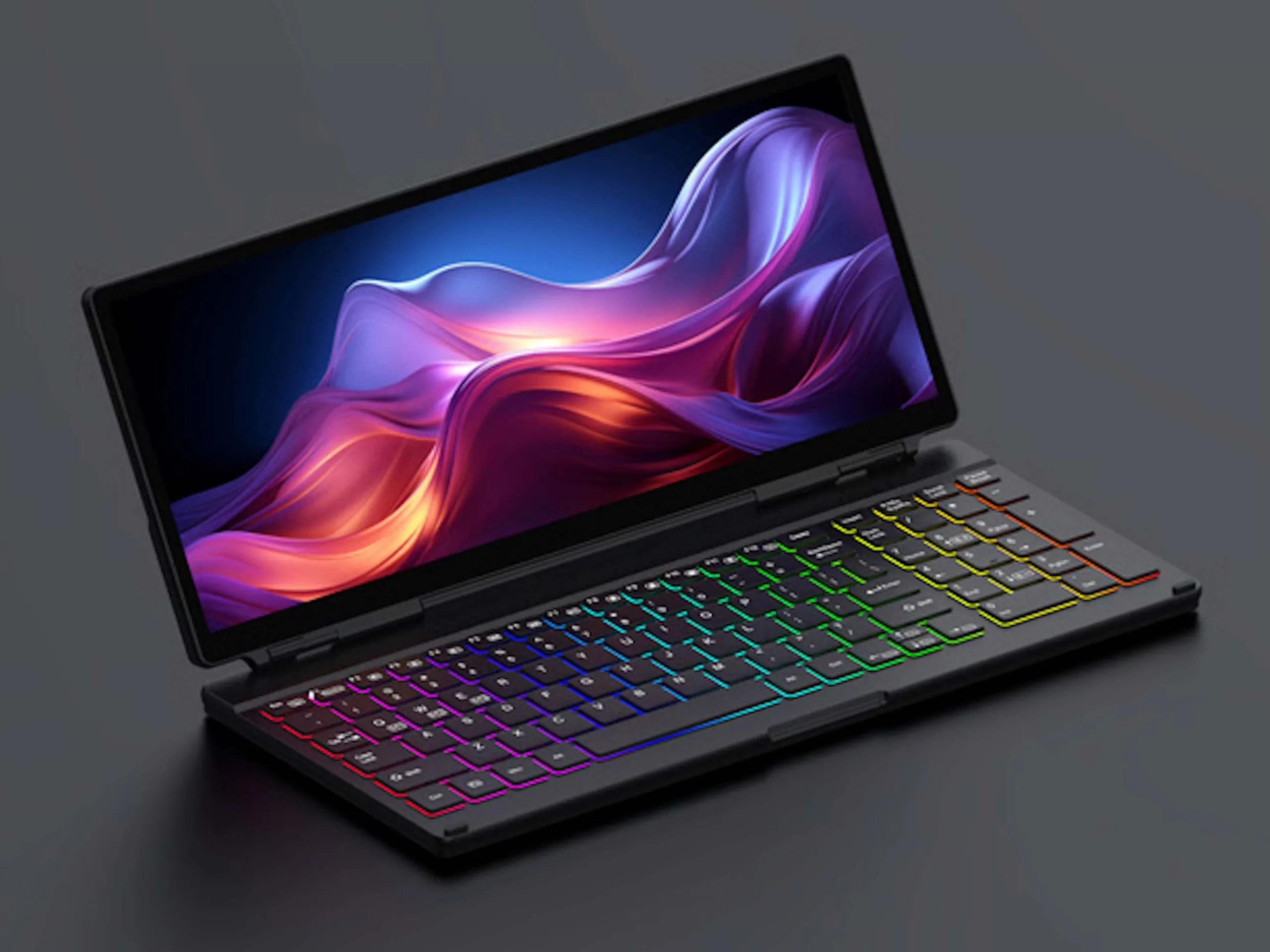
    The KeyGo Gen 2, much like its earlier version, features a foldable display and keyboard, making it portable and easy to transport. Currently, this device is in a crowdfunding phase, requiring backers to contribute $280 plus shipping to secure one. Expected delivery dates are set for May 2026. It’s important to remember that crowdfunding always has financial risks involved, and there’s a chance that backers could lose their entire pledge. Nonetheless, the first version of the KeyGo was successfully delivered to supporters and generally met its expected specifications.

    New Features and Enhancements

    The upgraded KeyGo Gen 2 boasts a 13-inch touchscreen that can detect inputs from ten fingers for multi-touch functionality. This model has an enhanced resolution compared to the first generation, which had a slightly smaller 12.8-inch display with a resolution of 1920 x 720 pixels, while the refresh rate stays at 60Hz. Additionally, this device can connect to multiple gadgets, allowing it to function as a monitor for a mini PC or as a secondary screen next to a main display. It includes two USB Type-C ports, and power is delivered through USB PD.

    Easy Use and Additional Specs

    The KeyGo Gen 2 is recognized by computers as a standard monitor, meaning users can display content without needing to install any drivers. It now comes equipped with built-in speakers and dimensions of 12.6 x 5.9 x 0.8 inches, weighing in at 2.2 lb. The keyboard is enhanced with an adjustable backlight that offers various effects. Should the crowdfunding campaign achieve specific funding goals, the developers intend to introduce more keyboard layouts, brightness adjustments, and Bluetooth connectivity. The project has already reached its funding target, although the stated goal of just over $3,800 seems to be more of a transient figure.

    Source:
    Link


  • MetaBox NAS: Sleek Metal Case for 2 SSDs and 5 HDDs

    MetaBox NAS: Sleek Metal Case for 2 SSDs and 5 HDDs

    Key Takeaways

    1. The Orico MetaBox HS series includes models HS200 and HS500, differing in capacity with two or five drive bays, respectively.
    2. Both models feature removable magnetic front panels for easy access to 3.5-inch drive trays.
    3. Expansion options include two M.2 slots for SSDs (up to 16TB) and two DDR4 SO-DIMM slots for memory upgrades (maximum 32GB).
    4. They run on “CyberData OS” with 32GB eMMC storage and an energy-efficient Intel Celeron N5105 processor.
    5. Pricing is $349 for the HS200 (4GB RAM, two bays) and $419 for the HS500 (8GB RAM, five bays), with potential extra shipping fees for European customers.


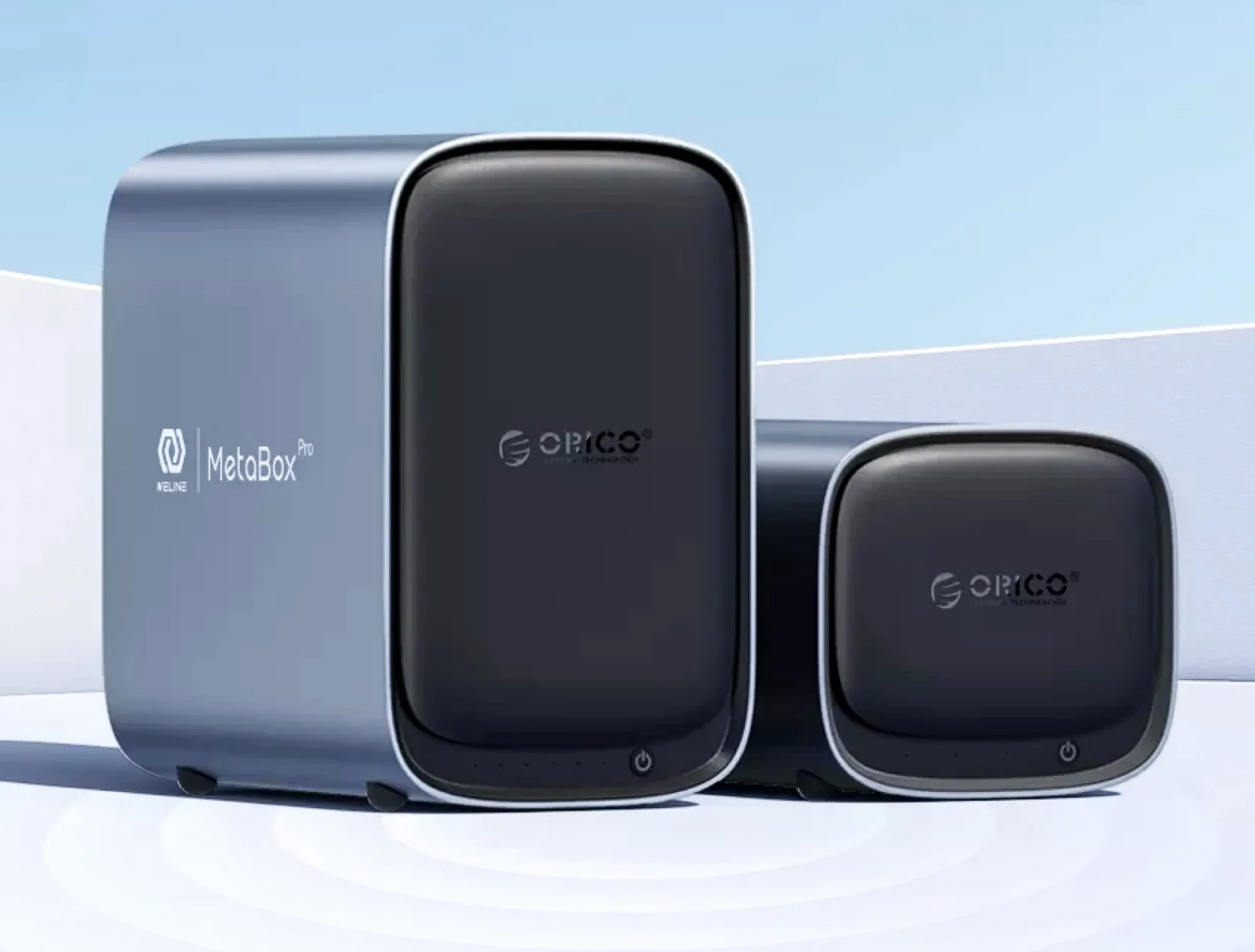
    The Orico MetaBox HS series comes in models with either two or five drive bays. The HS200 and HS500 are pretty much the same, aside from the number of drive bays. Their aluminum casing is nicely rounded, giving the NAS a sleek, modern appearance. You can easily take off the magnetic front panel to get to the 3.5-inch drive trays, which are either two or five, depending on which model you choose.

    Expansion and Memory

    These NAS devices are also equipped with two M.2 slots for SSDs, allowing for an expansion of up to 16TB in flash storage. If you look under the device, you will find those M.2 slots along with two DDR4 SO-DIMM slots for memory upgrades in the future. This may be a good thing to consider since the HS200 comes with only 4GB RAM, while the HS500 has 8GB. They support a maximum of 32GB, but right now, those RAM kits are quite pricey on Amazon because of the current shortage.

    Operating System and Processor

    For storage, there’s 32GB of eMMC storage dedicated to the operating system itself. Orico’s proprietary “CyberData OS” features a variety of backup tools and software for creating a media server, along with an AI-driven photo management system. The NAS runs on an energy-efficient Intel Celeron N5105, which is a quad-core processor from 2021 capable of boosting up to 2.9GHz.

    You can find the Orico MetaBox NAS series available at the manufacturer’s online store right now. The HS200 MetaBox with 4GB RAM and two drive bays is priced at $349, while the HS500 MetaBox with 8GB RAM and five drive bays is listed at $419. Orico also ships to Europe, but keep in mind that you may have to pay extra for shipping and import fees.

    Source:
    Link