Category: Software

  • Android 16 QPR2 Beta 2 Launches for Supported Pixel Devices

    Android 16 QPR2 Beta 2 Launches for Supported Pixel Devices

    Key Takeaways

    1. Android 16 QPR2 Beta 2 locks the API surface and finalizes app-facing behaviors.
    2. New security features include mandatory developer verification for app installations starting in September 2026 in certain regions.
    3. Users can download 64-bit system images to experience the beta on the Android Emulator, even without a supported Pixel device.
    4. Existing Android Beta program users will receive an over-the-air upgrade to Beta 2.
    5. This update significantly enhances user safety and experience as the final stable version approaches.


    Last week, users of compatible Pixel devices began engaging with Android 16 QPR2 Beta 2. This new update has locked the API surface, finalized app-facing behaviors, and brings us closer to the final stable version.

    Enhanced Security Features

    In this release, Google is rolling out developer verification to enhance safety for users. As stated in the Android Developers Blog, “Starting in September 2026 and in certain regions, Android will mandate that apps be registered by verified developers for installation on certified Android devices, with an exemption for installations done via the Android Debug Bridge (ADB).” Alongside this, Android 16 QPR2 Beta 2 includes several key highlights:

    Accessing the Beta

    For those without a supported Pixel device who wish to experience Android 16 QPR2 Beta 2, they can download the 64-bit system images to use with the Android Emulator in Android Studio. Users already enrolled in the Android Beta program will receive an over-the-air upgrade to Beta 2.

    Conclusion

    The enhancements in this update are a significant move towards improving user safety and experience. As we inch closer to the stable build, the excitement among developers and users alike is certainly palpable.

    Source:
    Link


  • Windows 11 Brings Back Video Wallpapers Feature

    Windows 11 Brings Back Video Wallpapers Feature

    Key Takeaways

    1. Microsoft is testing a new feature in Windows 11 that allows users to set video wallpapers in formats like MP4 and MKV.
    2. This feature is reminiscent of the Windows DreamScene, which enabled video wallpapers but was removed after Windows Vista.
    3. DreamScene’s removal has led to the rise of third-party apps, such as Wallpaper Engine, for dynamic desktop backgrounds.
    4. The reintroduction of video wallpapers may indicate a shift in Windows’ approach to user customization, blending old and new features.
    5. User response to this feature will be crucial in determining its popularity and impact on desktop personalization.


    Microsoft is experimenting with a fresh feature for Windows 11 that enables users to have video wallpapers. This new option, available in the most recent Windows 11 builds, permits individuals to use video formats such as MP4 or MKV as their desktop background.

    A Nod to the Past

    In a recent tweet, it was noted that some older users might recall Windows DreamScene from years ago. This was a built-in feature that allowed people to set videos as their wallpapers, but it was only available until Vista. Unfortunately, DreamScene was taken out in Windows 7 and has not been officially reinstated since. In the meantime, apps like Wallpaper Engine have gained traction and mostly taken the place of DreamScene. Ironically, due to Microsoft’s choices, many contemporary users may not even be aware that dynamic backgrounds were once a standard feature in Windows.

    Modern Alternatives

    As the tech landscape has evolved, various third-party tools have filled the gap left by DreamScene. These alternatives provide users with flexibility and vibrant options for personalizing their desktops. The reintroduction of video wallpapers could signal a shift in how Windows approaches user customization, potentially blending old and new features for a more dynamic experience.

    With this new feature on the horizon, it will be interesting to see how users respond and whether it’ll gain traction like its predecessor. There’s a good chance that many will embrace the change and enjoy the vividness that video wallpapers can bring to their digital workspace.

    Source:
    Link


  • Samsung Launches One UI 8 Update for Galaxy S24 Series

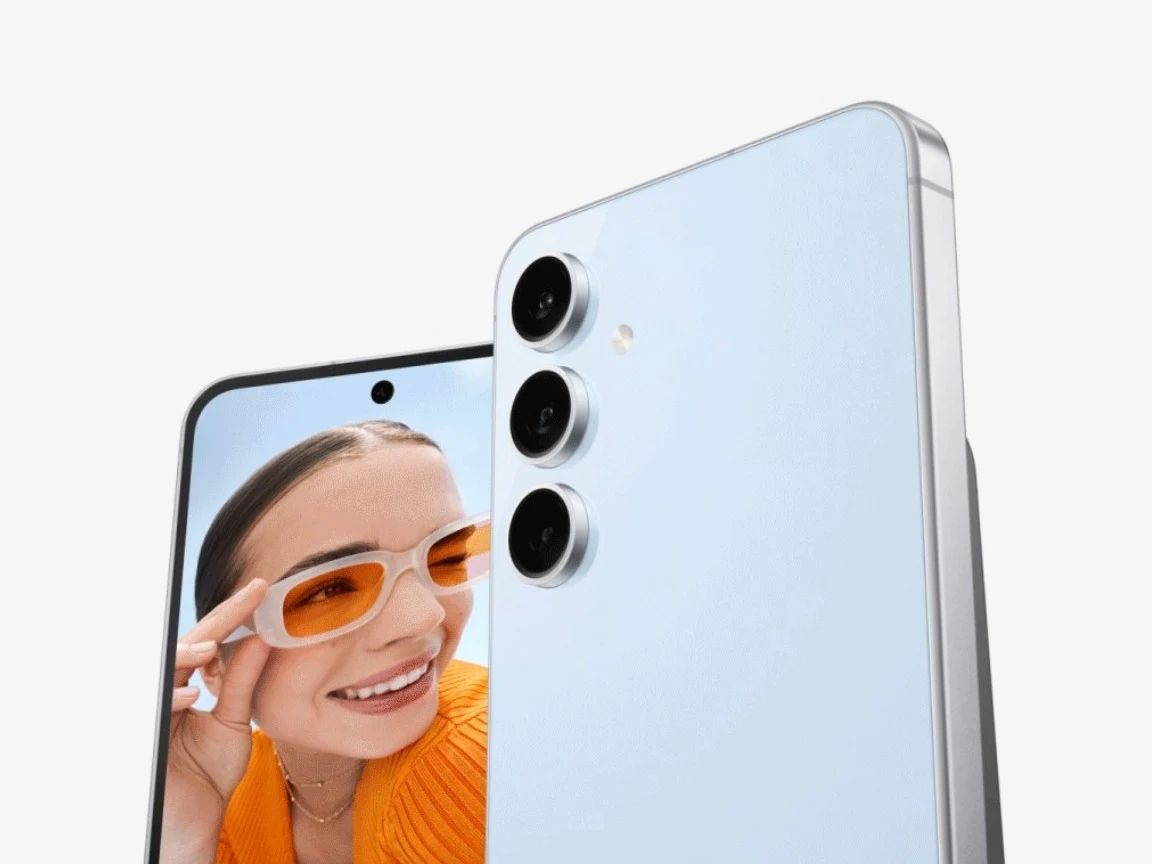
    Samsung Launches One UI 8 Update for Galaxy S24 Series

    Key Takeaways

    1. Samsung has started the stable release of One UI 8 for the Galaxy S24 series, including S24, S24+, S24 Ultra, and S24 FE.
    2. The update is initially rolling out to users in South Korea, with beta testers prioritized, and a global rollout expected soon.
    3. One UI 8, based on Android 16, focuses on enhancements like better customization, smoother animations, and new AI-driven tools, rather than a major redesign.
    4. The Galaxy S24 FE users will receive the new “Now Brief” function, providing tailored updates on the lock screen.
    5. Future updates for older flagship devices, including the Galaxy S23 series and mid-range models, are anticipated to follow soon.


    Samsung has kicked off the stable release of One UI 8 for its flagship Galaxy S24 series. Last week, the Galaxy S25 lineup was already updated with the Android 16-based software. Now, the Galaxy S24, S24+, S24 Ultra, and even the S24 FE are finally getting the eagerly anticipated One UI 8.

    Update Rollout Begins

    As is typical with Samsung, the update is initially being sent to S24 users in South Korea. Beta testers are prioritized to receive the final version of the software. The update is quickly spreading to users who were not part of the beta program, and a broader global rollout is expected shortly.

    Features and Improvements

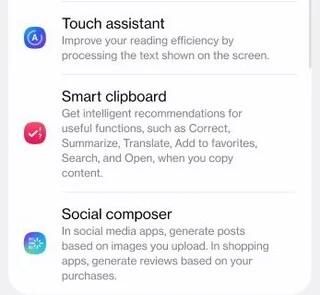
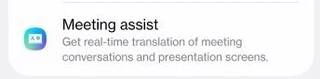
    This update, based on Android 16, does not introduce a major redesign of the interface. Rather, it emphasizes thoughtful enhancements that make the user experience smoother. Users can look forward to better customization options, smoother animations, and a collection of new AI-driven tools. The camera features have also seen some improvements.

    Specifics for Galaxy S24 FE Users

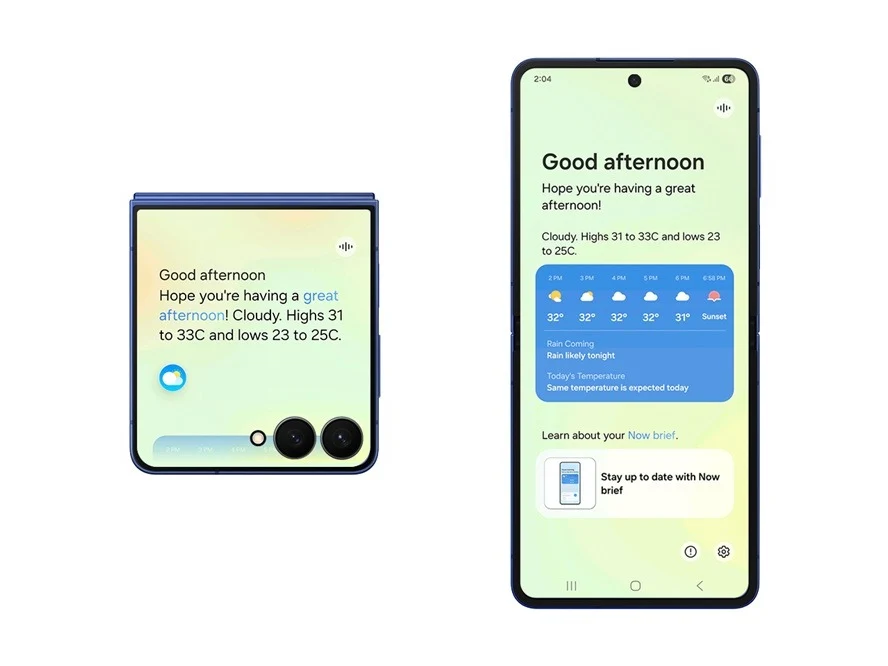
    For those with the Galaxy S24 FE, the new “Now Brief” function is finally available. Now Brief provides tailored updates and crucial information directly on the lock screen. While the FE model may lack some additional features, it still contains most of the key updates included in One UI 8.

    If you’re updating from the One UI 7 beta, the update size is relatively modest, only a few hundred megabytes. However, for users transitioning from the stable One UI 7 version, the download will be significantly larger, approximately 4GB.

    Future Updates and Focus

    With this release, Samsung will now turn its attention to older flagship devices. The Galaxy S23 series, along with the Fold 5 and Flip 5, are likely next to receive the update. Moreover, mid-range devices such as the Galaxy A56, A55, and A35 are also anticipated to get One UI 8 soon.

    Galaxy users interested in checking for the update can do so manually by going to Settings, then Software update, and selecting Download and install. This latest software highlights Samsung’s ongoing dedication to delivering a seamless and feature-rich experience for its expanding user community.

    Tarun Vats (1, 2)

    Source:
    Link


  • DietPi 9.17: Ultralight Debian 13 Linux for SBCs Now Available

    DietPi 9.17: Ultralight Debian 13 Linux for SBCs Now Available

    Key Takeaways

    1. DietPi is a Debian-based distribution focused on single-board computers (SBCs) and operates on over 135,000 machines worldwide.
    2. It supports a wide range of SBCs, including Raspberry Pi, PINE64, NanoPi, and Asus Tinker Board.
    3. The latest version, 9.17, is based on Debian 13 and introduces features like quicker backups and early access to the Roon Server.
    4. Users can find a complete list of supported hardware and download options, including BIOS/CSM and UEFI images.
    5. Additional improvements in this update resolve SPI storage flashing problems and enhance overall performance.


    Introduced more than ten years ago, DietPi is a Debian-based distribution that currently operates on over 135,000 machines across the globe. While it caters to PCs and virtual environments, its primary focus is on single-board computers (SBCs). The range of supported devices is extensive and features both well-known and lesser-known SBC families, including Raspberry Pi, PINE64, NanoPi, and the Asus Tinker Board. Notably, the Tinker Edge T, equipped with GC7000 Lite graphics, a quad-core processor clocked at 1.5 GHz, and memory/storage options of 1/8 GB, is now available for $87.79 on Amazon. The most recent update is derived from Debian 13 and is labeled as version 9.17.

    New Features in the Update

    As stated in the official release notes (a link is provided at the end of this article), this latest version “offers quicker and more disk space-efficient DietPi backups, a toggle for early access to the Roon Server, resolutions for SPI storage flashing problems, and additional improvements.” Here are some key points:

    Supported Hardware and Downloads

    You can view the complete list of compatible hardware devices on this page. The downloads section also features BIOS/CSM and UEFI native images, in addition to various virtual machine images, such as those for Parallels, Hyper-V, and VirtualBox, among others.

    Source:
    Link


  • Opera Introduces Redesigned History, New Themes, and Ad Skipping

    Opera Introduces Redesigned History, New Themes, and Ad Skipping

    Key Takeaways

    1. Opera has a long history of over thirty years as a desktop web browser, with the latest version being Opera 122.0.5643.51.
    2. The new version features a redesigned browsing History interface and two new dynamic visual themes: Obsidian and Cybercity.
    3. Users can now use Google Lens for image searches directly from the browser.
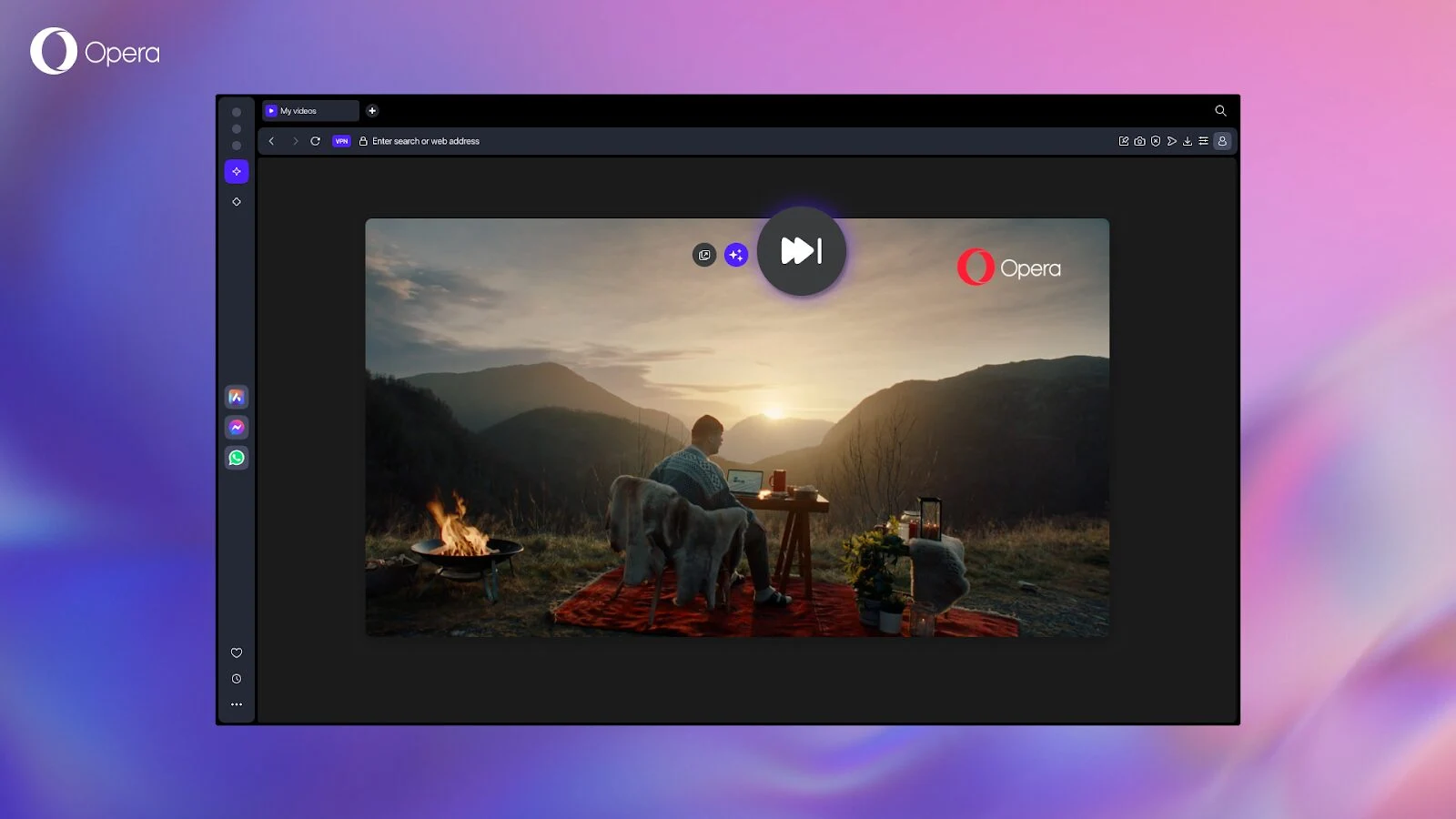
    4. A new Video Skip button has been introduced, allowing users to bypass video ads or unwanted content.
    5. Opera 122.0.5643.51 is available for download on Windows, macOS, and Linux platforms.


    With a rich history spanning more than thirty years, Opera stands out as one of the longest-running desktop web browsers that is still in use. The latest version, Opera 122.0.5643.51, was released last Thursday and comes packed with several noticeable updates, including a revamped browsing History interface. Users can also enjoy two new visual themes that can significantly alter the appearance of the browser, but they must be activated first. Other functional enhancements become apparent during use, such as the Google Lens image search capability and the new Video Skip button.

    Noteworthy Changes in History Section

    The revamped History section includes two standout features that are worth highlighting. First, there are two new dynamic themes that have been added to Opera One: Obsidian, which offers a sleek black minimalist design, and Cybercity, a futuristic cityscape designed by Mitch Myers that showcases neon lights against a dark urban backdrop. The Video Skip button is now available not only in Opera One but also in Opera Air and Opera GX. As stated in the official blog, this feature is described as “an experimental function that allows you to bypass video ads or unwanted content that appears before the video you actually want to see.”

    Availability Across Platforms

    Opera 122.0.5643.51 can be downloaded for Windows, macOS, and Linux (including DEB, RPM, and SNAP packages). Users can find the download links in this concise blog post, which also provides access to the changelog.

    Source:
    Link


  • Xiaomi HyperOS 3 Beta for 15+ Devices Launching Soon

    Xiaomi HyperOS 3 Beta for 15+ Devices Launching Soon

    Key Takeaways

    1. Xiaomi HyperOS 3 beta program is now open for users outside China, with the first international update expected on September 24, 2025.
    2. The specific global models for the initial HyperOS 3 beta update have not been announced, but a list has been compiled based on the Chinese program.
    3. The rollout of the Android 16 test firmware will occur in phases, starting with a few devices and expanding to more smartphones over time.
    4. Users interested in the beta version must register through the Xiaomi Community app.
    5. It’s recommended to back up important files before installing the beta update due to potential issues with unstable firmware.


    The Xiaomi HyperOS 3 beta program has been ongoing in China for some time now, with several devices already testing the Android 16 firmware. Recently, the company announced that users outside of China can now register for this program, with the first international beta update projected to arrive on September 24, 2025.

    Expected Devices for Update

    While Xiaomi has not disclosed which global models will be the first to receive the HyperOS 3 beta update, XiaomiTime has compiled a list based on the existing Chinese program and their firmware database. According to this source, these are likely to be the initial smartphones in Europe and worldwide to get the Android 16 test update:

    Rollout Plan

    Similar to the beta program in China, the worldwide Android 16 test firmware is anticipated to be released in phases. Therefore, after the first devices receive the update, more global smartphones will follow suit until Xiaomi completes its stable update rollout strategy.

    For those eager to experience HyperOS 3 in its beta version, they must sign up for the program via the Xiaomi Community app. However, before proceeding with the beta Android 16 update, it’s wise to back up any crucial files, as issues can arise with unstable firmware.

    Source:
    Link


  • Magix Launches Vegas Pro 23 with GPU-Accelerated Editing Features

    Magix Launches Vegas Pro 23 with GPU-Accelerated Editing Features

    Key Takeaways

    1. Vegas Pro 23 is a one-time purchase video editing software starting at $219.99, unlike subscription-based options like Adobe Premiere Pro.
    2. The software features GPU acceleration for improved performance, enabling better color grading and smooth playback of high-resolution projects.
    3. It offers a flexible interface that allows for track-level effects editing directly on the timeline.
    4. Users can capture gameplay without additional software, simplifying the recording process.
    5. Vegas Pro includes advanced audio capabilities and AI features, such as automatic background sound reduction and speech-to-text conversion.


    Magix has introduced Vegas Pro 23, a comprehensive video editing solution enhanced with GPU acceleration. Unlike subscription services like Adobe Premiere Pro, you can buy Vegas Pro outright for a one-time price starting at $219.99, available through Magix or Amazon. This software works seamlessly with Microsoft Windows devices, including those powered by the Snapdragon X ARM-based CPU.

    Editing Software Categories

    Video editing software can generally be categorized into three tiers: top-tier, mid-tier, and lower-tier. Avid Media Composer stands at the top, being the exclusive software used to edit all Hollywood blockbusters that earn over $500 million. The lower-tier features options like the free OpenShot and Cyberlink PowerDirector. Adobe Premiere Pro has been the leading mid-tier choice, thanks to its connectivity with other Adobe applications like Photoshop. Other options in this tier are Blackmagic DaVinci Resolve and Vegas Pro 23, which was previously owned by Sony from 2003 until 2016.

    New Features of Vegas Pro 23

    Vegas Pro 23 introduces the GPU-accelerated Vegas Core Engine, which harnesses the capabilities of modern graphics cards (for instance, the Nvidia 5090 GPU available on Amazon) to enhance color grading, allow real-time previews, and ensure smooth playback of high-res, multi-track projects, as stated by Magix.

    The updated interface allows for more layout flexibility, including track-level effects editing directly on the timeline. Users can now capture gameplay without needing to use Windows Game Bar or OBS, streamlining the process significantly.

    Audio Capabilities and AI Features

    Vegas Pro is also recognized for its extensive audio features, such as the ability to automatically lower background sounds during speech, tempo detection for better synchronization with music beats, and AI-driven functionalities like speech-to-text conversion.

    Source:
    Link


  • Ubuntu 25.10 Beta Launches with Linux 6.17 Kernel Features

    Ubuntu 25.10 Beta Launches with Linux 6.17 Kernel Features

    Key Takeaways

    1. Ubuntu 25.10 “Questing Quokka” beta version launched on October 9, 2023, with updates for various flavors including Edubuntu, Kubuntu, and Xubuntu.
    2. Users can update from Ubuntu 25.04 to 25.10 beta easily, with all images available for download; the kernel version is 6.17.
    3. Key component updates include systemd 257.9, gcc 15.2, Python 3.13.7, Rust 1.85, and Firefox 142.
    4. Wayland is now the exclusive option for GNOME users, replacing the outdated Xorg.
    5. Changes in default applications include Loupe as the new image viewer and Ptyxis replacing the GNOME Terminal.


    Scheduled for a debut on October 9, Ubuntu 25.10 “Questing Quokka” has just launched its latest beta version. Alongside the Desktop, Server, WSL, and Cloud offerings, this beta update also enhances the test editions of Edubuntu, Kubuntu, Lubuntu, Budgie, Cinnamon, Kylin, Studio, Unity, and Xubuntu. As stated in the official announcement, the beta images “are known to be reasonably free from showstopper image build or installer bugs,” and the features present are similar to those expected in the final version.

    Updating and Downloads

    Users who want to update from Ubuntu 25.04 to the 25.10 beta can easily do so, but all images are also ready for download. The kernel used in all these images is 6.17. The Server edition comes with the next-generation Subiquity server installer, allowing for quick and simple live sessions and installation processes that mirror those of the Desktop version.

    Key Updates and Changes

    Beyond the Linux kernel, Ubuntu 25.10 brings updates to several components including systemd 257.9, Netplan 1.1.2, gcc 15.2, Python 3.13.7, Rust 1.85, OpenJDK 25, Firefox 142, LibreOffice 25.8, among others. Xorg is now outdated, as Wayland has become the exclusive option for users of GNOME. Additionally, Ubuntu Insights will take over from Ubuntu Report during the GNOME Initial Setup. The default image viewer has shifted from eog to Loupe, and the GNOME Terminal has been substituted with Ptyxis (formerly known as Prompt). For those interested, the full release notes for Ubuntu 25.10 are available on the specified page.

    Source:
    Link


  • Xiaomi Launches Stable HyperOS 3 Update for 20+ Devices in October 2025

    Xiaomi Launches Stable HyperOS 3 Update for 20+ Devices in October 2025

    Key Takeaways

    1. HyperOS 3 beta testing has started in China following the launch of Xiaomi’s Android 16 interface.
    2. Global users with compatible devices can now access the HyperOS 3 testing firmware.
    3. Xiaomi plans to roll out the stable HyperOS 3 update to 24 devices by the end of October 2025 in China.
    4. An additional 17 devices are scheduled for updates by the end of November 2025.
    5. A total of 26 devices are expected to receive the update by the end of 2025, with more products planned for rollout by January 2026.


    The HyperOS 3 beta testing began in China shortly after Xiaomi launched its new Android 16 interface. The company has announced that global users with compatible devices can now get access to the testing firmware.

    Stable Version Rollout

    Xiaomi has recently shared the first list of devices that will get the complete Android 16 update. According to their announcement, 24 of Xiaomi’s products are set to receive the stable HyperOS 3 update by the end of October 2025 in China.

    Future Updates

    In addition, Xiaomi confirmed that 17 more devices will be updated by the end of November 2025. Furthermore, a total of 26 devices are expected to receive the update by the end of 2025. The company has plans to include even more products in the rollout by the end of January 2026.

    Source:
    Link


  • Vivaldi 7.6: New Editable Tab Bar Feature for Desktop Users

    Vivaldi 7.6: New Editable Tab Bar Feature for Desktop Users

    Key Takeaways

    1. The Vivaldi Browser version 7.6.3797.52 has been released for macOS, Windows, and Linux.
    2. A key feature is the fully customizable tab bar, enhancing tab management.
    3. The new Tab Button allows users to search open, synced, and recently closed tabs in one view.
    4. The update fixes crashes on macOS, search issues across all platforms, and various bugs for better stability.
    5. Mobile versions remain on version 7.5 and will receive updates later.


    The newest version of the Vivaldi Browser for desktops has just been released, maintaining its long version number of 7.6.3797.52 for users on macOS, Windows, and Linux. This update brings a notable enhancement to tab management, which is one of the key highlights. Users can now enjoy a fully customizable tab bar, and thanks to the new Tab Button, they can easily search through open tabs, synced tabs, and recently closed tabs, all in a single view.

    Additional Features

    Beyond the improvements in tab management, this update also features a few other important enhancements. However, it’s worth noting that the mobile versions of the browser remain on version 7.5 for the time being. The update 7.6.3797.52 also resolves several crashes on macOS, fixes some search issues that impacted all platforms, and addresses various other bugs to ensure a smoother user experience.

    Summary

    In conclusion, the Vivaldi Browser continues to evolve with its latest update, focusing on better tab management and overall stability. Users can look forward to a more organized browsing experience, while mobile users will have to wait a bit longer for the next version. The improvements made in this update are sure to enhance the daily use of the browser for many.

    Source:
    Link