Category: Software

  • Xiaomi HyperOS 3 Beta for 15+ Devices Launching Soon

    Xiaomi HyperOS 3 Beta for 15+ Devices Launching Soon

    Key Takeaways

    1. Xiaomi HyperOS 3 beta program is now open for users outside China, with the first international update expected on September 24, 2025.
    2. The specific global models for the initial HyperOS 3 beta update have not been announced, but a list has been compiled based on the Chinese program.
    3. The rollout of the Android 16 test firmware will occur in phases, starting with a few devices and expanding to more smartphones over time.
    4. Users interested in the beta version must register through the Xiaomi Community app.
    5. It’s recommended to back up important files before installing the beta update due to potential issues with unstable firmware.


    The Xiaomi HyperOS 3 beta program has been ongoing in China for some time now, with several devices already testing the Android 16 firmware. Recently, the company announced that users outside of China can now register for this program, with the first international beta update projected to arrive on September 24, 2025.

    Expected Devices for Update

    While Xiaomi has not disclosed which global models will be the first to receive the HyperOS 3 beta update, XiaomiTime has compiled a list based on the existing Chinese program and their firmware database. According to this source, these are likely to be the initial smartphones in Europe and worldwide to get the Android 16 test update:

    Rollout Plan

    Similar to the beta program in China, the worldwide Android 16 test firmware is anticipated to be released in phases. Therefore, after the first devices receive the update, more global smartphones will follow suit until Xiaomi completes its stable update rollout strategy.

    For those eager to experience HyperOS 3 in its beta version, they must sign up for the program via the Xiaomi Community app. However, before proceeding with the beta Android 16 update, it’s wise to back up any crucial files, as issues can arise with unstable firmware.

    Source:
    Link


  • Magix Launches Vegas Pro 23 with GPU-Accelerated Editing Features

    Magix Launches Vegas Pro 23 with GPU-Accelerated Editing Features

    Key Takeaways

    1. Vegas Pro 23 is a one-time purchase video editing software starting at $219.99, unlike subscription-based options like Adobe Premiere Pro.
    2. The software features GPU acceleration for improved performance, enabling better color grading and smooth playback of high-resolution projects.
    3. It offers a flexible interface that allows for track-level effects editing directly on the timeline.
    4. Users can capture gameplay without additional software, simplifying the recording process.
    5. Vegas Pro includes advanced audio capabilities and AI features, such as automatic background sound reduction and speech-to-text conversion.


    Magix has introduced Vegas Pro 23, a comprehensive video editing solution enhanced with GPU acceleration. Unlike subscription services like Adobe Premiere Pro, you can buy Vegas Pro outright for a one-time price starting at $219.99, available through Magix or Amazon. This software works seamlessly with Microsoft Windows devices, including those powered by the Snapdragon X ARM-based CPU.

    Editing Software Categories

    Video editing software can generally be categorized into three tiers: top-tier, mid-tier, and lower-tier. Avid Media Composer stands at the top, being the exclusive software used to edit all Hollywood blockbusters that earn over $500 million. The lower-tier features options like the free OpenShot and Cyberlink PowerDirector. Adobe Premiere Pro has been the leading mid-tier choice, thanks to its connectivity with other Adobe applications like Photoshop. Other options in this tier are Blackmagic DaVinci Resolve and Vegas Pro 23, which was previously owned by Sony from 2003 until 2016.

    New Features of Vegas Pro 23

    Vegas Pro 23 introduces the GPU-accelerated Vegas Core Engine, which harnesses the capabilities of modern graphics cards (for instance, the Nvidia 5090 GPU available on Amazon) to enhance color grading, allow real-time previews, and ensure smooth playback of high-res, multi-track projects, as stated by Magix.

    The updated interface allows for more layout flexibility, including track-level effects editing directly on the timeline. Users can now capture gameplay without needing to use Windows Game Bar or OBS, streamlining the process significantly.

    Audio Capabilities and AI Features

    Vegas Pro is also recognized for its extensive audio features, such as the ability to automatically lower background sounds during speech, tempo detection for better synchronization with music beats, and AI-driven functionalities like speech-to-text conversion.

    Source:
    Link


  • Ubuntu 25.10 Beta Launches with Linux 6.17 Kernel Features

    Ubuntu 25.10 Beta Launches with Linux 6.17 Kernel Features

    Key Takeaways

    1. Ubuntu 25.10 “Questing Quokka” beta version launched on October 9, 2023, with updates for various flavors including Edubuntu, Kubuntu, and Xubuntu.
    2. Users can update from Ubuntu 25.04 to 25.10 beta easily, with all images available for download; the kernel version is 6.17.
    3. Key component updates include systemd 257.9, gcc 15.2, Python 3.13.7, Rust 1.85, and Firefox 142.
    4. Wayland is now the exclusive option for GNOME users, replacing the outdated Xorg.
    5. Changes in default applications include Loupe as the new image viewer and Ptyxis replacing the GNOME Terminal.


    Scheduled for a debut on October 9, Ubuntu 25.10 “Questing Quokka” has just launched its latest beta version. Alongside the Desktop, Server, WSL, and Cloud offerings, this beta update also enhances the test editions of Edubuntu, Kubuntu, Lubuntu, Budgie, Cinnamon, Kylin, Studio, Unity, and Xubuntu. As stated in the official announcement, the beta images “are known to be reasonably free from showstopper image build or installer bugs,” and the features present are similar to those expected in the final version.

    Updating and Downloads

    Users who want to update from Ubuntu 25.04 to the 25.10 beta can easily do so, but all images are also ready for download. The kernel used in all these images is 6.17. The Server edition comes with the next-generation Subiquity server installer, allowing for quick and simple live sessions and installation processes that mirror those of the Desktop version.

    Key Updates and Changes

    Beyond the Linux kernel, Ubuntu 25.10 brings updates to several components including systemd 257.9, Netplan 1.1.2, gcc 15.2, Python 3.13.7, Rust 1.85, OpenJDK 25, Firefox 142, LibreOffice 25.8, among others. Xorg is now outdated, as Wayland has become the exclusive option for users of GNOME. Additionally, Ubuntu Insights will take over from Ubuntu Report during the GNOME Initial Setup. The default image viewer has shifted from eog to Loupe, and the GNOME Terminal has been substituted with Ptyxis (formerly known as Prompt). For those interested, the full release notes for Ubuntu 25.10 are available on the specified page.

    Source:
    Link


  • Xiaomi Launches Stable HyperOS 3 Update for 20+ Devices in October 2025

    Xiaomi Launches Stable HyperOS 3 Update for 20+ Devices in October 2025

    Key Takeaways

    1. HyperOS 3 beta testing has started in China following the launch of Xiaomi’s Android 16 interface.
    2. Global users with compatible devices can now access the HyperOS 3 testing firmware.
    3. Xiaomi plans to roll out the stable HyperOS 3 update to 24 devices by the end of October 2025 in China.
    4. An additional 17 devices are scheduled for updates by the end of November 2025.
    5. A total of 26 devices are expected to receive the update by the end of 2025, with more products planned for rollout by January 2026.


    The HyperOS 3 beta testing began in China shortly after Xiaomi launched its new Android 16 interface. The company has announced that global users with compatible devices can now get access to the testing firmware.

    Stable Version Rollout

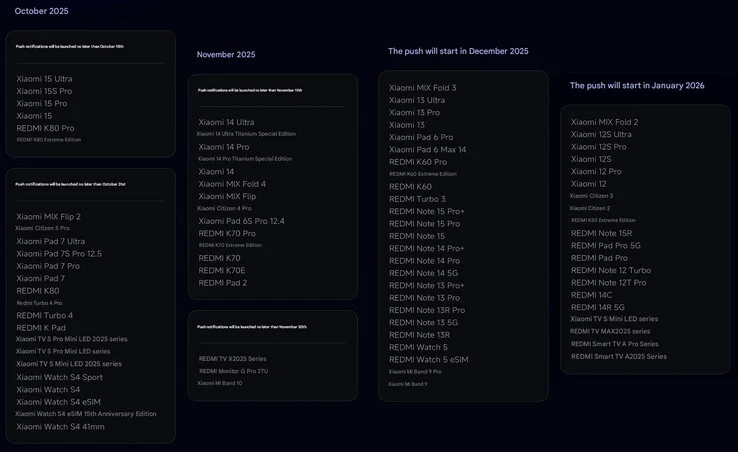
    Xiaomi has recently shared the first list of devices that will get the complete Android 16 update. According to their announcement, 24 of Xiaomi’s products are set to receive the stable HyperOS 3 update by the end of October 2025 in China.

    Future Updates

    In addition, Xiaomi confirmed that 17 more devices will be updated by the end of November 2025. Furthermore, a total of 26 devices are expected to receive the update by the end of 2025. The company has plans to include even more products in the rollout by the end of January 2026.

    Source:
    Link


  • Vivaldi 7.6: New Editable Tab Bar Feature for Desktop Users

    Vivaldi 7.6: New Editable Tab Bar Feature for Desktop Users

    Key Takeaways

    1. The Vivaldi Browser version 7.6.3797.52 has been released for macOS, Windows, and Linux.
    2. A key feature is the fully customizable tab bar, enhancing tab management.
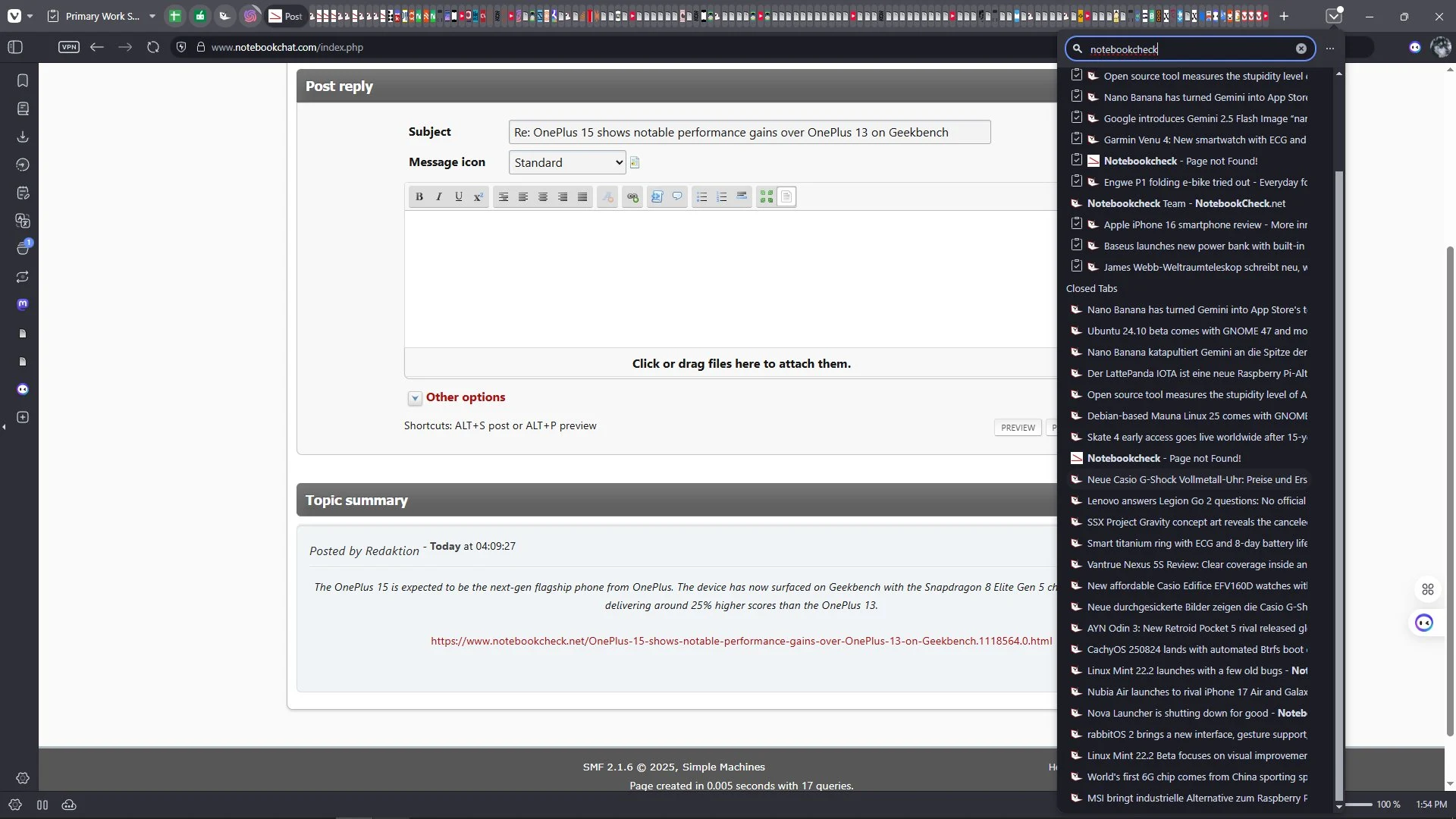
    3. The new Tab Button allows users to search open, synced, and recently closed tabs in one view.
    4. The update fixes crashes on macOS, search issues across all platforms, and various bugs for better stability.
    5. Mobile versions remain on version 7.5 and will receive updates later.


    The newest version of the Vivaldi Browser for desktops has just been released, maintaining its long version number of 7.6.3797.52 for users on macOS, Windows, and Linux. This update brings a notable enhancement to tab management, which is one of the key highlights. Users can now enjoy a fully customizable tab bar, and thanks to the new Tab Button, they can easily search through open tabs, synced tabs, and recently closed tabs, all in a single view.

    Additional Features

    Beyond the improvements in tab management, this update also features a few other important enhancements. However, it’s worth noting that the mobile versions of the browser remain on version 7.5 for the time being. The update 7.6.3797.52 also resolves several crashes on macOS, fixes some search issues that impacted all platforms, and addresses various other bugs to ensure a smoother user experience.

    Summary

    In conclusion, the Vivaldi Browser continues to evolve with its latest update, focusing on better tab management and overall stability. Users can look forward to a more organized browsing experience, while mobile users will have to wait a bit longer for the next version. The improvements made in this update are sure to enhance the daily use of the browser for many.

    Source:
    Link


  • Google Discover Now Displays Social Media Posts and YouTube Shorts

    Google Discover Now Displays Social Media Posts and YouTube Shorts

    Key Takeaways

    1. Expanded Content Offerings: The Discover feed now includes a mix of articles, videos, and social media posts from platforms like YouTube Shorts and Instagram.

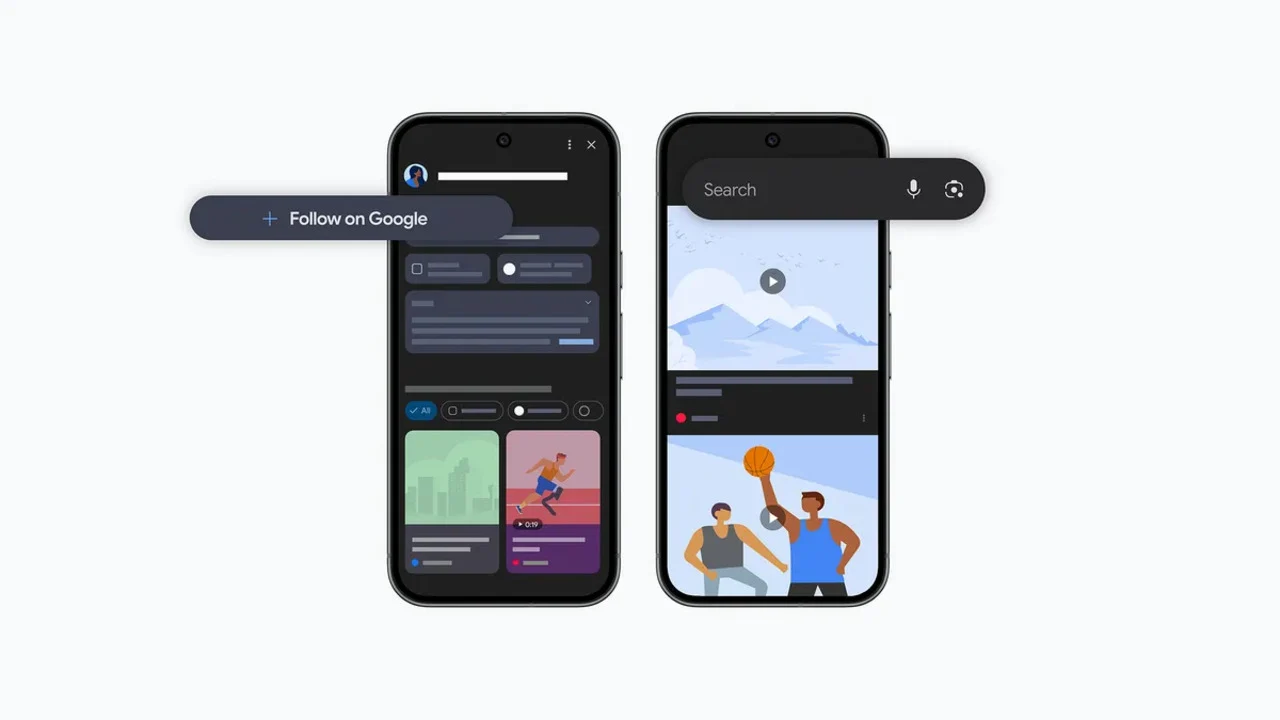
    2. Following Your Favorites: Users can follow their favorite publishers and content creators, allowing them to see previews of posts and updates directly in the feed.

    3. New Windows App: Google is launching an experimental Windows app for searching files, apps, and the web without a browser, featuring support for Google Lens and AI mode.

    4. Partnership for Safety: Google has partnered with StopNCII.org to combat Non-Consensual Intimate Imagery (NCII) by using digital identifiers to detect and remove inappropriate content.

    5. User Empowerment: Users can create their own identifiers for intimate imagery through the StopNCII website, enhancing personal safety and content control.


    Google has revealed a fresh update for its Discover feed, aiming to improve the way users can “find content from their favorite voices and publishers, no matter where they share it.”

    Expanded Content Offerings

    The Discover feed is now set to become a hub for all the information you care about, moving beyond just articles. It will now include posts from various social media platforms like YouTube Shorts, Instagram, and X.

    According to Google’s research team, people found joy in seeing a blend of content in Discover, which now encompasses videos and social posts along with articles.

    Following Your Favorites

    Users will have the ability to follow their favorite publishers and content creators directly on the feed. This means readers can catch previews of their posts, such as articles, YouTube videos, and social media updates. This feature comes along with the recently introduced option to select preferred news sources.

    Google promises to keep enhancing ways “for individuals to engage directly with the publishers and creators they admire in Discover.”

    New Windows App

    In addition, Google is rolling out a new experimental native app for Windows. This will enable users to search for anything without the need to launch a browser. You can activate it using the Alt + Space shortcut, and it will search through your files, Google Drive, installed apps, and the web.

    The app also features support for Google Lens, which allows you to select and search for anything visible on your screen. Furthermore, it includes Google’s AI mode.

    Partnership for Safety

    Moreover, the company has teamed up with StopNCII.org, a charity based in the UK, to help protect individuals from Non-Consensual Intimate Imagery (NCII). Google will start using StopNCII’s hashes, which are digital identifiers, on images and videos to eliminate content that goes against its policies.

    Additionally, users will be able to create their own identifiers on images through the StopNCII website for intimate imagery. These hashes will then be shared with partner companies, who will utilize them to identify and remove such images.

    Source:
    Link


  • Mauna Linux 25: GNOME 48 and Minor Updates in Debian-Based OS

    Mauna Linux 25: GNOME 48 and Minor Updates in Debian-Based OS

    Key Takeaways

    1. Mauna Linux 25 introduces GNOME as the fifth desktop environment, expanding user options.
    2. The “Christian Edition” (MaunaCE) is planned but not yet updated to the latest version.
    3. Key features include the Calamares system installer, Mauna software manager, and Portuguese language support.
    4. Mauna Linux 25 is based on Debian 13.1 Trixie and includes updates for several applications and a default kernel version of 6.12 LTS.
    5. The system requirements are 2 GB of RAM, 30 GB of storage, and an Intel Atom processor, with support for multiple languages.


    Until yesterday, Mauna Linux included four desktop environments and a unique edition. The newly released Mauna Linux 25 now adds GNOME as the fifth option for users. The special edition that was mentioned previously is still planned but has not been updated yet. This edition is designed for Christian believers and is known as the “Christian Edition” or “MaunaCE.” It features the Bible and various applications intended for church use. Notable aspects of Mauna Linux are the Calamares system installer, the Mauna software manager and updater, and it offers Portuguese language support right out of the box.

    Details About Mauna Linux 25

    Mauna Linux 25, codenamed Polaris, is built on Debian 13.1 Trixie and marks the first release to include GNOME. The default kernel version is 6.12 LTS, and several applications within the system have been updated. Among the revised items are Shortwave 5.0, OnlyOffice 9.0.4, Firefox 142.0.1, a firmware package dated 8.08.2025, Xfce 4.20 in the AHE edition, GIMP 3.0.4, along with numerous minor updates and fixes. These small improvements are sourced from both the Debian core and the Mauna development team.

    Waiting for the Christian Edition

    Unfortunately, users of the Christian Edition will need to be patient for their version to get the Mauna Linux 25 upgrade. For now, they must continue using the Debian Bookworm-based release. Beyond the previously mentioned Xfce version, those transitioning to Mauna Linux 25 will have access to desktop environments like Cinnamon 6.4.10, LXQt 21.0, MATE 1.26.2, and GNOME 48.1. The system requirements are quite manageable, needing only 2 GB of RAM, 30 GB of storage, and an Intel Atom processor. Additionally, the OS provides support for English and various other languages, although the download page is exclusively in Portuguese.

    Source:
    Link


  • Nothing OS 4.0 Launches: Android 16-Based UI and Key Improvements

    Nothing OS 4.0 Launches: Android 16-Based UI and Key Improvements

    Key Takeaways

    1. Nothing OS 4.0 introduces a redesigned user interface for a more seamless experience compared to Android 15.
    2. The Quick Settings menu features cleaner tiles and an “Extra Dark Mode” for improved aesthetics.
    3. Performance optimizations enhance app management and responsiveness throughout the OS.
    4. A new camera application and smarter Gallery are included, along with privacy-driven AI features and OpenAI’s Whisper integration.
    5. An Open Beta program will be launched soon, and most Nothing smartphones will receive the update, except the Phone (1) and CMF models.


    Nothing has yet to formally unveiled Nothing OS 4.0, the Android 16-based interface designed for its smartphones. In a recent video, the company highlights several modifications that the Android 16 upgrade will introduce, including a redesigned user interface across the entire operating system.

    Enhanced User Interface

    Specifically, Nothing has presented an interface that features more standardized components compared to their previous Android 15 skin. This improvement is expected to make Nothing OS 4.0 provide a more seamless and intuitive user experience.

    Updated Quick Settings

    The Quick Settings menu has also been refreshed, now showcasing cleaner tiles. Nothing OS 4.0 introduces what they call the “Extra Dark Mode,” which aims to enhance the signature dark aesthetics of the company’s interface in a more polished and cohesive manner.

    Performance Optimizations

    There are enhancements in how the OS manages app launches and runtime, leading to improved responsiveness and a more fluid experience throughout the operating system.

    On the camera front, Nothing OS 4.0 unveils a new camera application. When combined with the “smarter Gallery,” it promises a more refined user experience. The update also focuses heavily on privacy-driven AI features, adding a dedicated dashboard that reveals when tasks utilize LLMs (Large Language Models). It appears that OpenAI’s Whisper integration will also be part of this update.

    Additional Highlights

    Some additional key features of Nothing’s Android 16 update include a more responsive lock screen, improved connectivity, and enhanced overall stability. The company plans to launch an Open Beta program shortly for Nothing OS 4.0, giving eager users a sneak peek at the new update.

    When it comes to device compatibility, all Nothing smartphones, except the Phone (1) and CMF models, are slated to receive the Android 16 update (the Phone (3a) is currently priced at $359 on Amazon). To find out more about Nothing OS 4.0, take a look at the video below.

    Source:
    Link


  • Xiaomi Accelerates HyperOS 3 Beta Rollout to More Devices

    Xiaomi Accelerates HyperOS 3 Beta Rollout to More Devices

    Key Takeaways

    1. Xiaomi introduced HyperOS 3 in late August 2025, launching a beta program for eight devices.
    2. The beta program was expanded on September 15, allowing more users to participate.
    3. Users can sign up for the beta update via the Xiaomi Community app.
    4. The program will extend again on September 30, adding nine more devices.
    5. A launch event is scheduled for September 24 to discuss the stable release of HyperOS 3 and the 15T series.


    Xiaomi introduced HyperOS 3 in late August 2025. Shortly after its reveal, the company launched a beta program that was available for eight of its smartphones and tablets. Originally, the second group of devices was meant to receive the beta update on September 17, but an announcement made on September 15 indicated that the program would be expanded.

    Update Rollout

    Following the announcement, users with devices in the second batch began receiving the beta update. For those who didn’t catch our earlier report, the second batch eligible for the HyperOS 3 beta program includes the following devices:

    Users who have the devices listed above can sign up for the HyperOS 3 beta update via the Xiaomi Community app. Additionally, it’s important to note that the company plans to further extend the program again on September 30, adding nine more devices to the eligibility list.

    Upcoming Launch Event

    Regarding the stable release, Xiaomi has planned a launch event for September 24 to introduce the 15T series. During this event, the company is likely to provide additional information on when users can look forward to receiving the stable version of the HyperOS 3 update. For more details about this Android 16 update, be sure to check our initial coverage of the launch.

    Source:
    Link


  • Stable One UI 8.0 Update Now Available for Eligible Devices

    Stable One UI 8.0 Update Now Available for Eligible Devices

    Key Takeaways

    1. One UI 8.0 will be released soon for Samsung Galaxy phones and tablets, starting with the Galaxy S25 series in South Korea.
    2. Carrier-tied models may experience delays in receiving the update.
    3. A full list of eligible devices for the One UI 8.0 upgrade has been shared by Samsung.
    4. New features include AI-powered personalized suggestions, improved Knox security, and enhancements for larger screens.
    5. One UI 8.0 aims to provide a better overall user experience.


    Following a bit of a rocky start with One UI 7.0, its next version, One UI 8.0, is set to be released on Samsung Galaxy phones and tablets in the next few weeks. The official rollout of One UI 8.0 will begin soon, with the Galaxy S25 series being the first to get it in South Korea. Other areas are likely to get it shortly after. However, models tied to carriers may experience a delay. Samsung has also shared a full list of devices that will be eligible for the upgrade this year.

    New Features and Enhancements

    In addition to the fundamental changes introduced by Android 16, One UI 8.0 is bringing new features powered by AI, such as personalized suggestions, improved Knox security, Gemini Live, Circle to Search, and various enhancements for larger screens found on devices like the Galaxy Z Fold 7 and Galaxy Tab S11 Ultra.

    Conclusion

    Samsung has made significant advancements with One UI 8.0, aiming to provide a better experience for its users.