
Tag: Tab Management

  • Vivaldi 7.6: New Editable Tab Bar Feature for Desktop Users

    Vivaldi 7.6: New Editable Tab Bar Feature for Desktop Users

    Key Takeaways

    1. The Vivaldi Browser version 7.6.3797.52 has been released for macOS, Windows, and Linux.
    2. A key feature is the fully customizable tab bar, enhancing tab management.
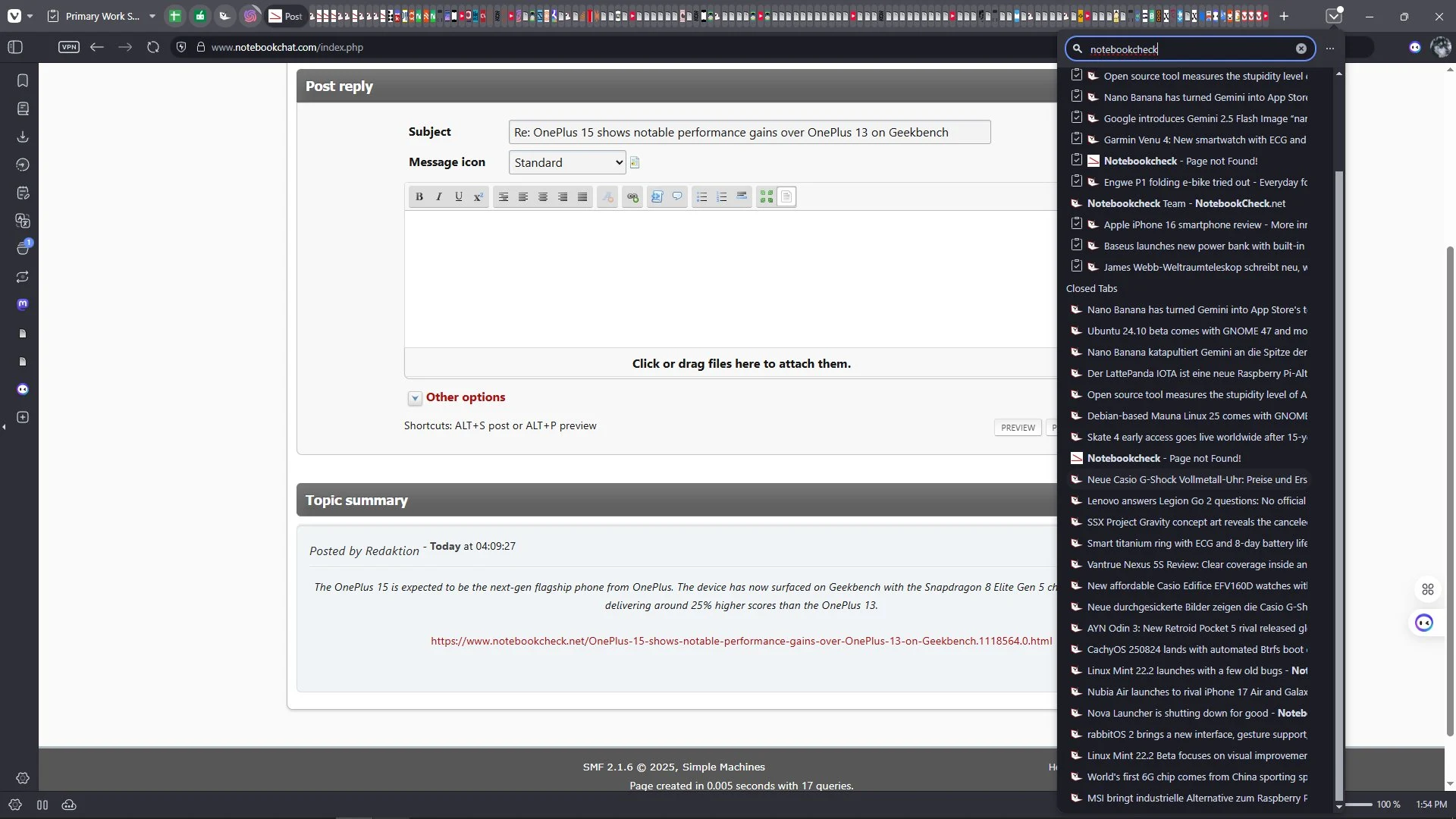
    3. The new Tab Button allows users to search open, synced, and recently closed tabs in one view.
    4. The update fixes crashes on macOS, search issues across all platforms, and various bugs for better stability.
    5. Mobile versions remain on version 7.5 and will receive updates later.


    The newest version of the Vivaldi Browser for desktops has just been released, maintaining its long version number of 7.6.3797.52 for users on macOS, Windows, and Linux. This update brings a notable enhancement to tab management, which is one of the key highlights. Users can now enjoy a fully customizable tab bar, and thanks to the new Tab Button, they can easily search through open tabs, synced tabs, and recently closed tabs, all in a single view.

    Additional Features

    Beyond the improvements in tab management, this update also features a few other important enhancements. However, it’s worth noting that the mobile versions of the browser remain on version 7.5 for the time being. The update 7.6.3797.52 also resolves several crashes on macOS, fixes some search issues that impacted all platforms, and addresses various other bugs to ensure a smoother user experience.

    Summary

    In conclusion, the Vivaldi Browser continues to evolve with its latest update, focusing on better tab management and overall stability. Users can look forward to a more organized browsing experience, while mobile users will have to wait a bit longer for the next version. The improvements made in this update are sure to enhance the daily use of the browser for many.

    Source:
    Link



  • Opera GX Gaming Browser Update: Exciting New Features Added

    Opera GX Gaming Browser Update: Exciting New Features Added

    Key Takeaways

    1. Opera GX is a specialized browser for gamers, allowing resource management and extensive customization.
    2. The latest update improves tab management with split-screen functionality for viewing two pages simultaneously.
    3. The “Tab Traces” feature enhances browsing history by allowing users to revisit their last five actions.
    4. “Tab Islands” helps users organize related tabs, and emojis can be added for easier tab identification.
    5. Bluesky integration is available in the sidebar, but some features require manual activation.


    Opera is more than just one web browser; it’s a whole family of them. Take the Opera GX browser, for example—it’s made especially for gamers. This browser can limit its resource use and can be customized like a video game. The modifications, known as extensions, are simpler to create.

    New Features in the Update

    Recently, the browser has been updated with a bunch of new features. The update aims to improve tab management, which is crucial for users who often work with many tabs open. Thanks to the split-screen functionality, users can now view two pages at once, eliminating the hassle of switching between different windows and tabs. This change is expected to make multitasking smoother.

    Enhanced User Experience

    In addition, the new “Tab Traces” feature works as an extended browser history, enabling users to go back through their last five actions. With the innovative “Tab Islands” in Opera GX, users can now cluster related tabs together to keep their workspace tidy. Plus, users can now attach emojis to their tabs for easier identification.

    Sidebar Integration and Accessibility

    Moreover, Bluesky has been added to the sidebar. However, the “Tab Emoji” and “Tab Islands” features need to be manually activated through the early bird settings. It’s worth noting that the Opera GX browser can be downloaded for free.

    Source:
    Link