

Tag: video editing software

  • Magix Launches Vegas Pro 23 with GPU-Accelerated Editing Features

    Magix Launches Vegas Pro 23 with GPU-Accelerated Editing Features

    Key Takeaways

    1. Vegas Pro 23 is a one-time purchase video editing software starting at $219.99, unlike subscription-based options like Adobe Premiere Pro.
    2. The software features GPU acceleration for improved performance, enabling better color grading and smooth playback of high-resolution projects.
    3. It offers a flexible interface that allows for track-level effects editing directly on the timeline.
    4. Users can capture gameplay without additional software, simplifying the recording process.
    5. Vegas Pro includes advanced audio capabilities and AI features, such as automatic background sound reduction and speech-to-text conversion.


    Magix has introduced Vegas Pro 23, a comprehensive video editing solution enhanced with GPU acceleration. Unlike subscription services like Adobe Premiere Pro, you can buy Vegas Pro outright for a one-time price starting at $219.99, available through Magix or Amazon. This software works seamlessly with Microsoft Windows devices, including those powered by the Snapdragon X ARM-based CPU.

    Editing Software Categories

    Video editing software can generally be categorized into three tiers: top-tier, mid-tier, and lower-tier. Avid Media Composer stands at the top, being the exclusive software used to edit all Hollywood blockbusters that earn over $500 million. The lower-tier features options like the free OpenShot and Cyberlink PowerDirector. Adobe Premiere Pro has been the leading mid-tier choice, thanks to its connectivity with other Adobe applications like Photoshop. Other options in this tier are Blackmagic DaVinci Resolve and Vegas Pro 23, which was previously owned by Sony from 2003 until 2016.

    New Features of Vegas Pro 23

    Vegas Pro 23 introduces the GPU-accelerated Vegas Core Engine, which harnesses the capabilities of modern graphics cards (for instance, the Nvidia 5090 GPU available on Amazon) to enhance color grading, allow real-time previews, and ensure smooth playback of high-res, multi-track projects, as stated by Magix.

    The updated interface allows for more layout flexibility, including track-level effects editing directly on the timeline. Users can now capture gameplay without needing to use Windows Game Bar or OBS, streamlining the process significantly.

    Audio Capabilities and AI Features

    Vegas Pro is also recognized for its extensive audio features, such as the ability to automatically lower background sounds during speech, tempo detection for better synchronization with music beats, and AI-driven functionalities like speech-to-text conversion.

    Source:
    Link


  • Blackmagic Launches DaVinci Resolve 20 at NAB 2025 for Creators

    Blackmagic Launches DaVinci Resolve 20 at NAB 2025 for Creators

    Key Takeaways

    1. DaVinci Resolve 20 introduces features tailored for social media creators, including vertical video editing and direct uploads to platforms like TikTok and YouTube.

    2. Enhanced AI capabilities streamline the editing process, offering automatic perspective changes, vocal isolation, and 3D audio panning.

    3. The software supports filmmakers using the Blackmagic PYXIS 12K camera, allowing easy upload of H.264 proxies to Blackmagic Cloud for remote editing.

    4. DaVinci Resolve lacks a dedicated image editing tool like Adobe’s offerings, and Avid Media Composer remains preferred for major Hollywood productions.

    5. The basic version of DaVinci Resolve is free, but advanced features require a $295 Studio license.


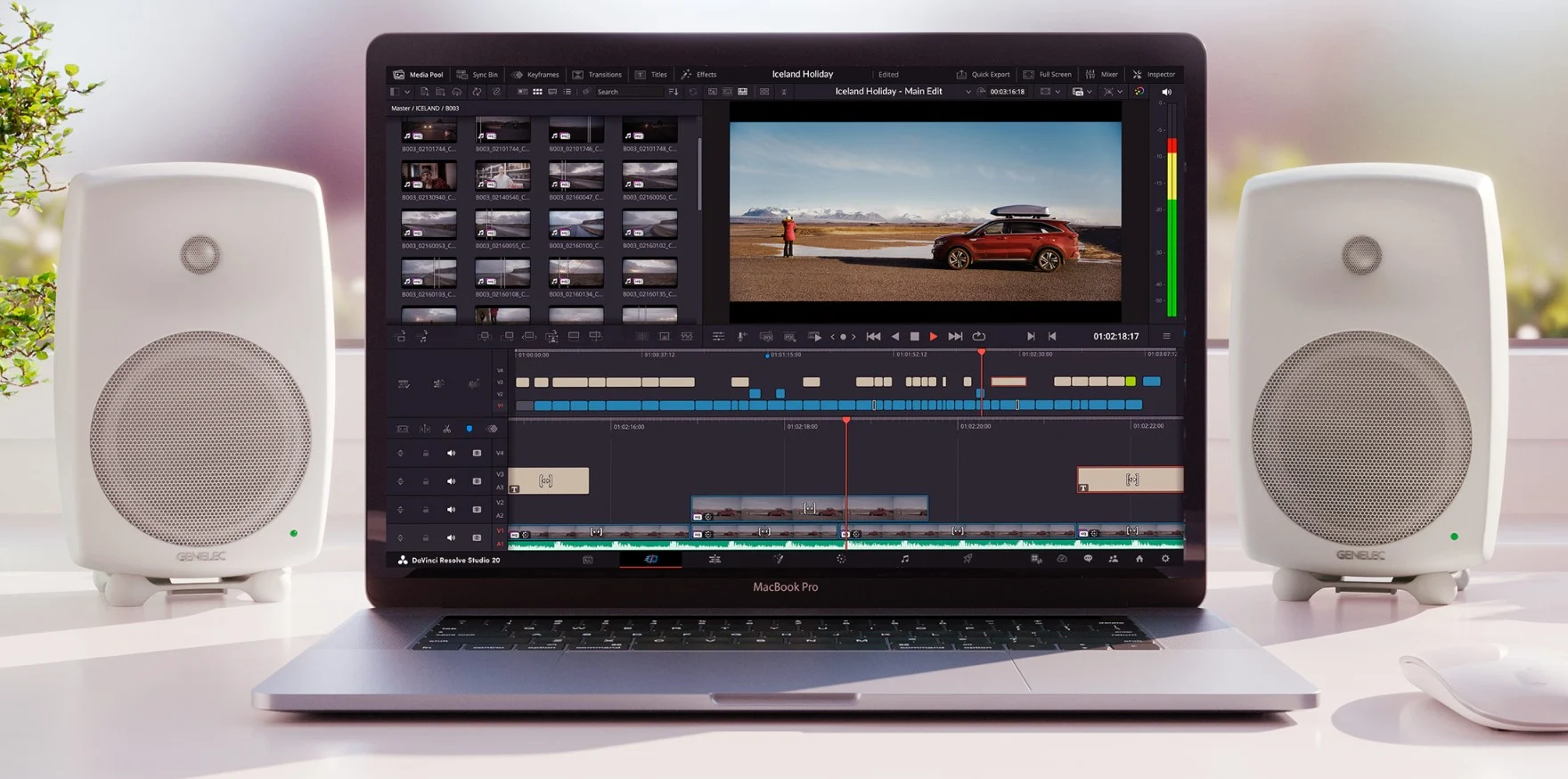
    Blackmagic DaVinci Resolve 20 has been launched with a variety of fresh and boosted features aimed at social media creators and filmmakers who need a robust all-in-one video editing software.

    A Legacy of Innovation

    Since its inception in 2003, DaVinci Resolve has been a favored tool among many Hollywood studios. While it started primarily for color grading, it has evolved to encompass a range of functionalities, including color correction, audio editing, special effects, motion graphics, and video effects.

    Features for Modern Creators

    For today’s content creators on social media, DaVinci Resolve 20 now allows vertical (portrait) video editing and direct uploads to platforms like TikTok, Vimeo, X, and YouTube. The new smart reframing and updated text tools make it easier to repurpose horizontal (landscape) videos.

    Enhanced AI Capabilities

    DaVinci AI significantly improves workflow by automatically changing perspectives for multi-camera edits, lowering background music during vocal segments, isolating and enhancing vocals for clarity, and even panning audio in 3D to follow moving subjects. With generative AI, the software can also extend cropped scenes, perform ADR using a simulated voice of any actor, and split speakers in a recording into distinct tracks.

    Filmmakers utilizing the newly announced Blackmagic PYXIS 12K digital film camera can seamlessly upload H.264 proxies to Blackmagic Cloud for quick access by remote Resolve editors.

    Limitations and Comparisons

    Despite its strengths, DaVinci currently doesn’t have an image editing tool comparable to that of Adobe Premiere CC with Photoshop CC. At the same time, Avid Media Composer continues to be the go-to video editor for major Hollywood productions, many of which earn over $500 million at the box office.

    The basic version of DaVinci Resolve is totally free, but for access to advanced AI and editing features, users must buy the DaVinci Resolve Studio license for $295 (available on Amazon).

    Blackmagic DaVinci Resolve is packed with new features, showcasing the brand’s commitment to innovation in video editing software.

    Source:
    Link