Tag: Windows app

  • Google Discover Now Displays Social Media Posts and YouTube Shorts

    Google Discover Now Displays Social Media Posts and YouTube Shorts

    Key Takeaways

    1. Expanded Content Offerings: The Discover feed now includes a mix of articles, videos, and social media posts from platforms like YouTube Shorts and Instagram.

    2. Following Your Favorites: Users can follow their favorite publishers and content creators, allowing them to see previews of posts and updates directly in the feed.

    3. New Windows App: Google is launching an experimental Windows app for searching files, apps, and the web without a browser, featuring support for Google Lens and AI mode.

    4. Partnership for Safety: Google has partnered with StopNCII.org to combat Non-Consensual Intimate Imagery (NCII) by using digital identifiers to detect and remove inappropriate content.

    5. User Empowerment: Users can create their own identifiers for intimate imagery through the StopNCII website, enhancing personal safety and content control.


    Google has revealed a fresh update for its Discover feed, aiming to improve the way users can “find content from their favorite voices and publishers, no matter where they share it.”

    Expanded Content Offerings

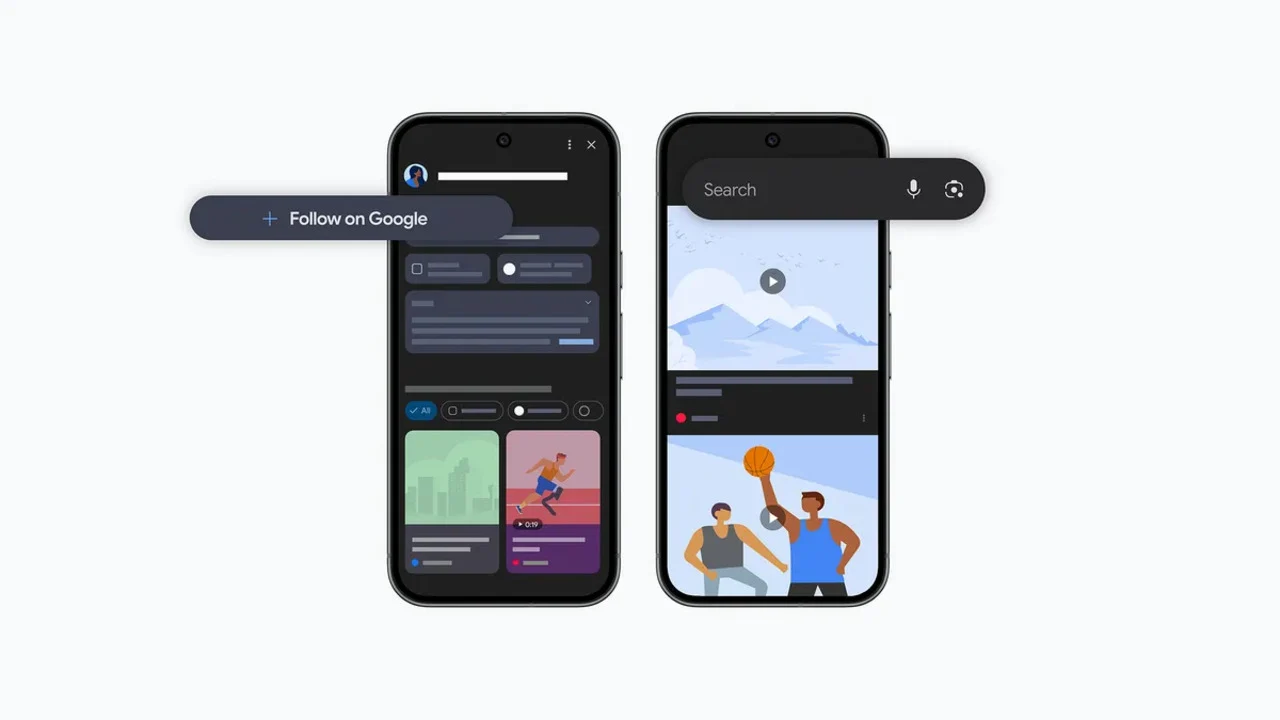
    The Discover feed is now set to become a hub for all the information you care about, moving beyond just articles. It will now include posts from various social media platforms like YouTube Shorts, Instagram, and X.

    According to Google’s research team, people found joy in seeing a blend of content in Discover, which now encompasses videos and social posts along with articles.

    Following Your Favorites

    Users will have the ability to follow their favorite publishers and content creators directly on the feed. This means readers can catch previews of their posts, such as articles, YouTube videos, and social media updates. This feature comes along with the recently introduced option to select preferred news sources.

    Google promises to keep enhancing ways “for individuals to engage directly with the publishers and creators they admire in Discover.”

    New Windows App

    In addition, Google is rolling out a new experimental native app for Windows. This will enable users to search for anything without the need to launch a browser. You can activate it using the Alt + Space shortcut, and it will search through your files, Google Drive, installed apps, and the web.

    The app also features support for Google Lens, which allows you to select and search for anything visible on your screen. Furthermore, it includes Google’s AI mode.

    Partnership for Safety

    Moreover, the company has teamed up with StopNCII.org, a charity based in the UK, to help protect individuals from Non-Consensual Intimate Imagery (NCII). Google will start using StopNCII’s hashes, which are digital identifiers, on images and videos to eliminate content that goes against its policies.

    Additionally, users will be able to create their own identifiers on images through the StopNCII website for intimate imagery. These hashes will then be shared with partner companies, who will utilize them to identify and remove such images.

    Source:
    Link


  • ChatGPT App for Windows Now Available for All Users

    ChatGPT App for Windows Now Available for All Users

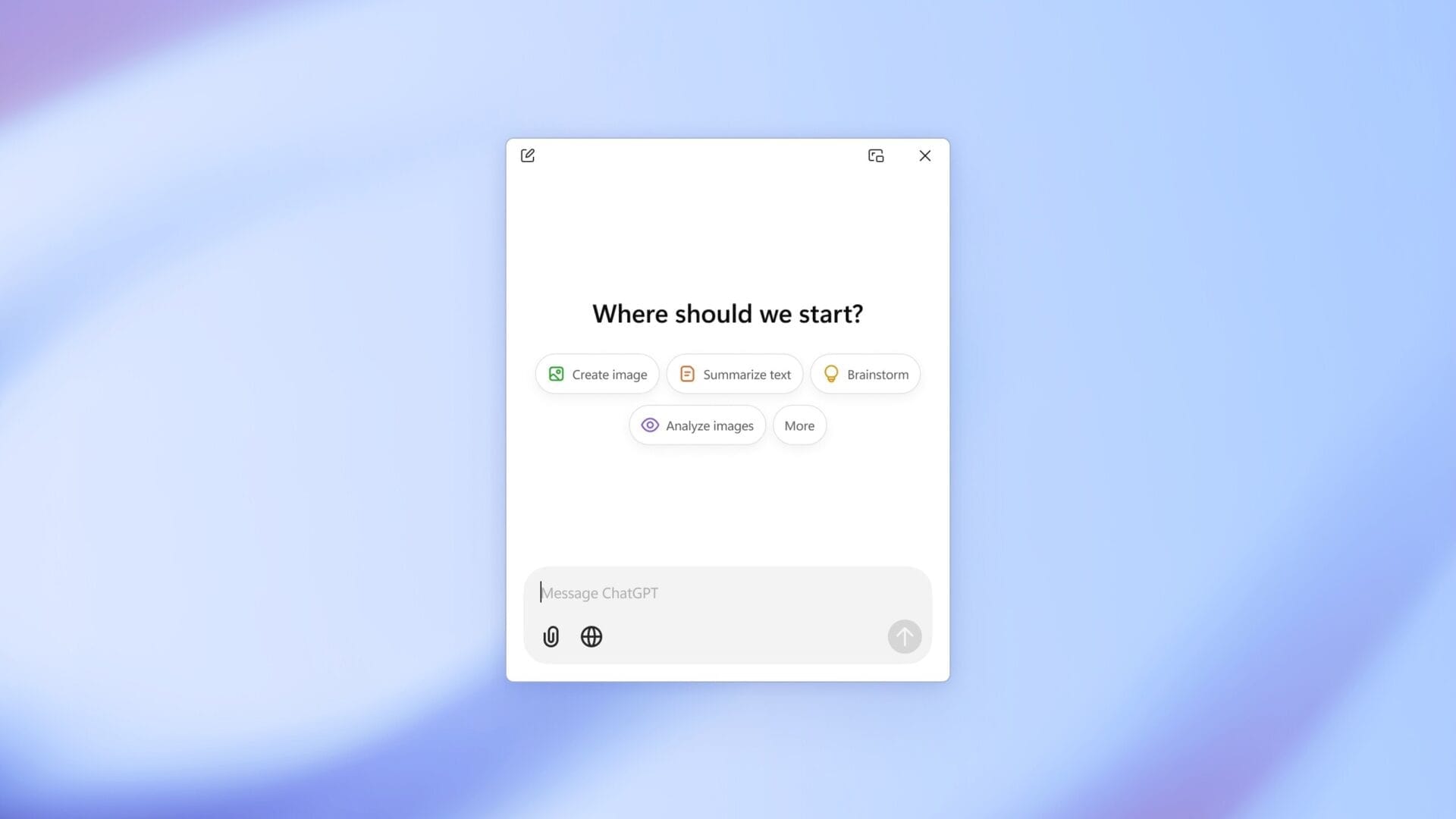
    OpenAI has just launched the ChatGPT application for Windows. At first, this app was only available to users who subscribed to ChatGPT Plus. The good news is that now everyone, even those on the free plan, can access it.

    Compatibility and Features

    This app is compatible with both Windows 10 and Windows 11. Users can find the ChatGPT app for Windows on the Microsoft Store. It includes all the functionalities that are present in the web version, which means users can utilize ChatGPT Search, engage in voice mode, and more.

    Instant Answers and Shortcuts

    Additionally, the Windows app features the Instant Answers function. This allows users to quickly bring up the ChatGPT app in a compact window by using the Alt + Space shortcut, making it super convenient for those who need quick access.

    Differences with macOS Version

    On the other hand, the ChatGPT app for macOS has been around since June. Because of this, it offers more features than its Windows counterpart, like a new beta tool that helps analyze content in coding environments such as VS Code, Xcode, Terminal, and iTerm2 for more accurate responses. At present, there is no word on when this capability will be added to the Windows application.

    Source: Link

  • Steam Ends Support for Older Versions of Windows – Only 10 Days Left

    Steam Ends Support for Older Versions of Windows – Only 10 Days Left

    Game Over for Windows 7, 8, and 8.1 on Steam, Time to Upgrade!

    Steam, the world's largest online game store, has announced that it will no longer support Windows 7, Windows 8, and Windows 8.1 starting from January 1, 2024. Users are now required to switch to a computer operating on Windows 10, Windows 11, or the upcoming Windows 12.

    Less Than 15 Days Left

    The announcement, made in March 2023, may not have been taken too seriously initially due to the nine-month deadline. However, time has quickly passed, and now there are less than 15 days remaining before the deadline. According to Steam's Hardware and Software Survey in November 2023, only 1% of Steam users are still using older versions of Windows.

    A Significant Number

    While 1% may seem insignificant at first glance, it's important to note that the estimated total number of Steam users as of December 2023 is 1.2 billion. This means that approximately 12 million people are still using older versions like Windows 7. If you're one of them and you love playing games, it's crucial to upgrade to the latest version as soon as possible.

    No More Delays

    Upgrading to the latest version of Windows is especially important if you want to continue enjoying your favorite games without any disruptions. Games like PUBG: Battlegrounds have already announced that they won't be playable on older Windows versions. This serves as a clear indication that there won't be any delays from Steam's end.

    It's time to say goodbye to Windows 7, 8, and 8.1 on Steam. Make sure to upgrade to a supported version to avoid any inconvenience and continue gaming seamlessly.

  • Android Excluded while iPhones, iPads, and Macs can now Run Windows

    Android Excluded while iPhones, iPads, and Macs can now Run Windows

    Microsoft Introduces New Windows App for Cross-Device Compatibility

    In today’s world, technology plays a crucial role in simplifying our lives and aiding us in our daily tasks. However, using incompatible products can sometimes create more problems than solutions. The convenience of operating within an ecosystem, where devices seamlessly communicate with each other, is undeniable. However, stepping outside of that ecosystem can often lead to a messy experience. If you have ever used a Windows PC alongside an iPhone, you can relate to this frustration. Fortunately, Microsoft is addressing this issue with its new Windows app, designed to bridge the gap between various devices.

    The Details of Microsoft’s New Windows App

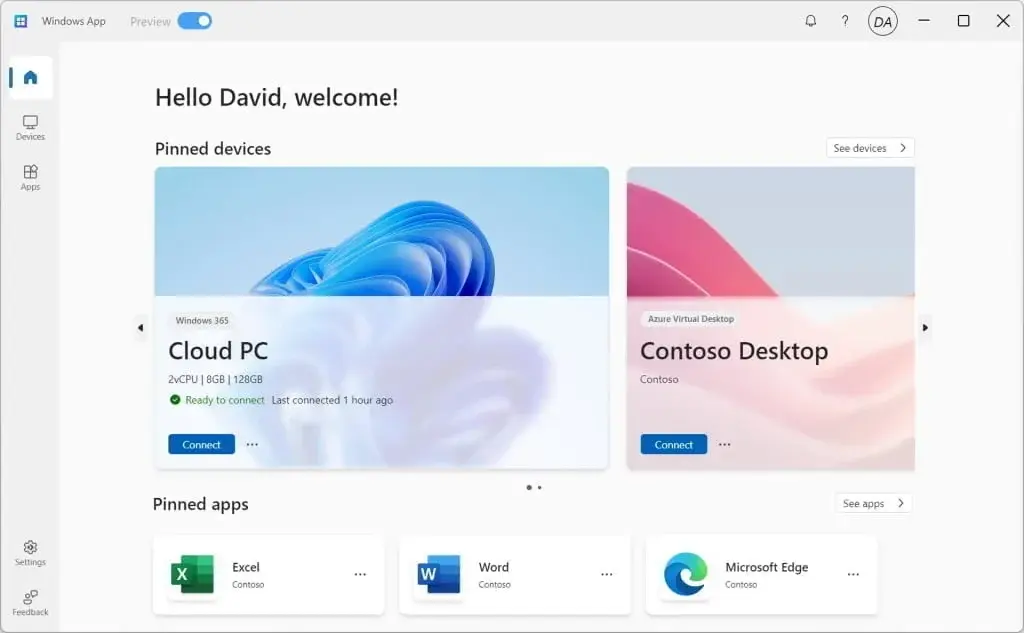
    Microsoft has recently unveiled a new Windows app that is compatible with iOS, iPadOS, macOS, Windows, and web browsers. This app serves as a central hub, allowing users to remotely view their Windows computer. However, it is important to note that the preview version of the app is currently not available on Android.

    The primary purpose of this app is to enable users to access, control, and utilize their remote devices, even when they are not physically present at their computers. Previously, establishing communication between Windows and iPhone devices was a cumbersome process. However, this new app has significantly improved access between the two platforms. Users no longer need to go through the hassle of trying to retrieve photos and files from their computers.

    Features and Availability

    At present, the app appears to be limited to Microsoft’s business accounts. However, there are indications that it will eventually be made available to consumers as well. The app offers a wide range of features to enhance the user experience. These include multi-monitor support, custom screen resolutions, dynamic screen resolutions and scaling, as well as support for devices such as webcams, audio, storage devices, and printers redirection.

    It is worth noting that Microsoft has already had remote connection applications for computers for many years. However, the introduction of a dedicated “Windows App” marks a significant development. This move may suggest that Microsoft’s overarching goal of transitioning Windows entirely to the cloud is still a work in progress.

    In conclusion, Microsoft’s new Windows app for cross-device compatibility is a promising development. It aims to simplify the experience of using different devices within the Windows ecosystem. With its range of features and potential availability for consumers in the future, this app has the potential to enhance productivity and streamline workflows across various platforms.

    Source: 1