Tag: Android

  • Jaye Band Smartwatch for Minimalists Launches on Kickstarter

    Key Takeaway

    – Jaye Band blocks all notifications by default; only user-selected contacts and apps can display messages.
    – Designed to reduce smartphone usage while ensuring important alerts (messages, calendar, timers) are seen.
    – Minimal hardware: thin body with small OLED display, no sensors, no health or fitness tracking.
    – $129 early bird price on Kickstarter, expected retail $249; shipping to U.S. only from December 2026.
    – Risks include potential quality issues and delays, typical for crowdfunding campaigns.


    Smartwatches Like the Apple Watch Series 11 Are Practically Mini-Smartphones

    Complete with apps, notifications, and social media. The Jaye Band takes a different approach, designed to display only important messages on a small screen. To this end, all notifications are block by default; the accompanying smartphone app allows users to select specific contacts and apps whose messages will be displayed on the Jaye Band.

    In Addition to Important Messages and Calendar Entries

    Productivity timers are also supported. The Jaye Band is designed to help users spend less time on their smartphones without missing any important messages or events. The hardware is remarkably simple – the Jaye Band features a small OLED display housed in a 7-millimeter-thin body.

    The Wearable Does Not Include Any Sensors

    Health features, or fitness tracking. The manufacturer expects the battery to last several days, but the exact battery life has not yet been determined. The Jaye Band is compatible with both the Apple iPhone and Android smartphones. The Jaye Band is currently being funded on Kickstarter.

    As Part of the “Super Early Bird” Offer

    The smartwatch costs $129; the retail price is expected to rise to $249. Delivery is expected to begin in December 2026. For the time being, the smartwatch will only be shipped to customers in the U.S. As is usually the case with crowdfunding campaigns, quality issues and delays cannot be ruled out.
    Sources

  • TrimUI Brick Hammer Pro U & Brick Pro Handhelds

    TrimUI Brick Hammer Pro U & Brick Pro Handhelds

    Key Takeaway

    – TrimUI Brick Pro and TrimUI Brick Hammer Pro U are two upcoming vertical handhelds with different specs.
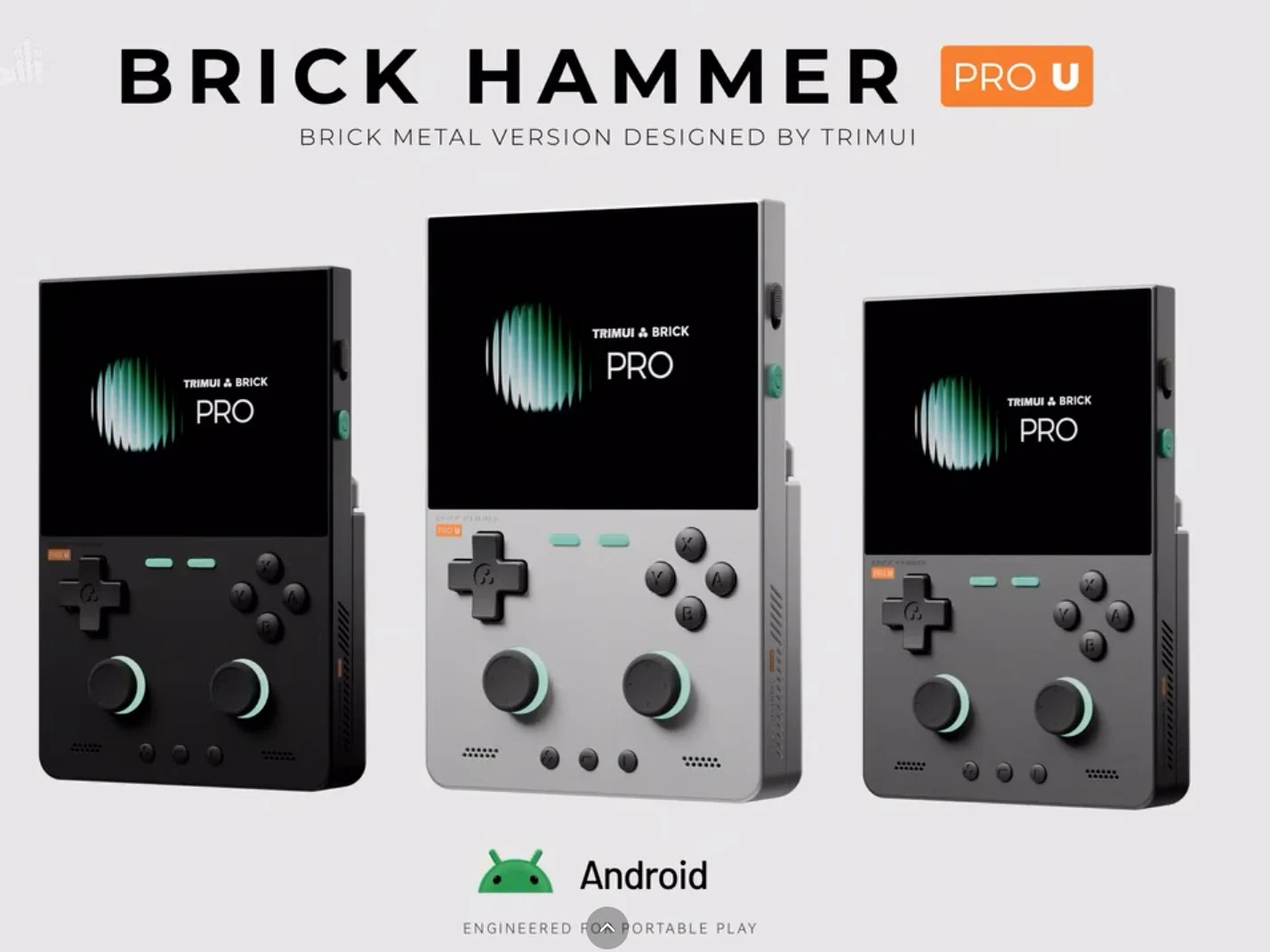
    – Brick Hammer Pro U is the premium model with a Snapdragon G2 Gen 1, 3.95-inch IPS display, 6-axis gyroscope, and a metal shell.
    – Brick Pro is the budget model with an Allwinner A133p processor, Linux OS, and a polycarbonate shell.
    – Both devices share the same 3.95-inch IPS panel (1024×768, 60Hz) and identical design, but differ in materials and price tier.
    – No release date, RAM, storage, or battery details have been announced yet.


    New Handhelds Announced by TrimUI

    TrimUI has gone and released an official video that confirms the launch of two new handhelds. The video not only reveals the names of the devices, wich will launch as the TrimUI Brick Pro and TrimUI Brick Hammer Pro U, but it also includes some of there key specs as well.

    TrimUI Brick Hammer Pro U Specifications

    According to the leaked video, the TrimUI Brick Hammer Pro U will have a 3.95-inch IPS screen with a 1024 x 768 pixels resolution and a 60Hz refresh rate. It is powered by the Snapdragon G2 Gen 1 processor wich includes an Adreno A21 GPU. It also has a 6-axis gyroscope integrated. Unfortunatly, TrimUI didnt reveal the RAM, storage, or battery capacity at this time.

    The more premium model, the Brick Hammer Pro U, will feature a metal shell similiar to the previous TrimUI Brick Hammer. It will be available in three colors: Black, Silver, and Gray. This device is designed to be the companys highest-end vertical handheld based on its specs and build quality.

    TrimUI Brick Pro Details

    On the other hand, the TrimUI Brick Pro also has a 3.95-inch IPS LCD panel, but it is powered by the Allwinner A133p. This is a quad-core processor that clocks at 1.8GHz, and its the same chipset found inside the Powkiddy V90S handheld. The Brick Pro will ship with Linux operating system out of the box, where as the Brick Hammer Pro U will run Android instead.

    • The Brick Pro uses a polycarbonate shell material.
    • It will be available in Light Grey, Black, and White color options.
    • Both devices share the same overall design for buttons, ports, and vents.

    Release and Availability

    TrimUI has not yet revealed an exact release date for either of these handhelds. However, the official video’s title suggests they are coming soon and more details will be shared in the near future. The less powerful Brick Pro is expected to be more affordable due to its plastic construction and weaker processor.

    Sources
  • X95 Pro Gaming Handheld: Snapdragon 7 Gen 1 Price Concerns

    Key Takeaway

    – The X95 Pro is a budget gaming handheld with a flashy design but lacks originality.
    – Its claimed Qualcomm Snapdragon 7 Gen 1 is likely a lie; MediaTek is more probable.
    – It runs Android with a custom launcher for button/joystick control.
    – Emulates platforms like PS1, PSP, and Game Boy, though most preloaded games are unlicensed.
    – Features a 3.5-inch IPS display (640×480), 8-hour battery life, and USB-C charging.


    The X95 Pro is a new gaming handheld that is fundementally similar to many other gaming handhelds in the budget price range. To put it bluntly, the manufacturer has failed to come up with anything original beyond a flashy design. Nevertheless, the inexpensive device should still offer plenty of gaming fun. According to the manufacturer, the model comes with a Qualcomm Snapdragon 7 Gen 1, which, in our opinion, is likely to be a blatant lie. MediaTek SoCs are more to be expected in this price range. It runs on Android, as confirmed by videos, and YouTube appears to be usable. A customized launcher is on board. Such a launcher is more or less necessary if operation is to be primarily via buttons and joysticks.

    Emulation Capabilities and Game Library

    The device is said to support emulation of various platforms, such as the PlayStation One, the PlayStation Portable and various Game Boy iterations. According to the manufacturer, over 20,000 games are already available. The vast majority of these are likely unlicensed classics, which is certainly highly questionable from a copyright perspective. The IPS display measures 3.5 inches and has a resolution of 640 x 480. Two joysticks are included, along with a D-pad, four action buttons and shoulder buttons. A headphone jack and built-in speakers are also on board. The integrated battery is said to provide up to eight hours of runtime and recharges via USB-C in two hours.

    Pricing and Specifications Breakdown

    • Processor: Qualcomm Snapdragon 7 Gen 1 (claimed, likely incorrect, probable MediaTek SoC)
    • Display: 3.5-inch IPS, resolution 640 x 480
    • Controls: Two joysticks, D-pad, four action buttons, shoulder buttons
    • Audio: Headphone jack, built-in speakers
    • Battery: Up to 8 hours runtime, 2-hour recharge via USB-C
    • OS: Android with custom launcher
    • Game Availability: Over 20,000 (likely unlicensed classics)

    Exploring Alternatives

    Those who want to explore alternatives are advised to take a look at the RG40XXH handheld.


    Sources

  • Epic Games Free Mobile Game Deal: Claim Now

    Epic Games Free Mobile Game Deal: Claim Now

    Key Takeaway

    – New free PC games available to claim before June 11 (one also on macOS).
    – Next free games (June 11–18) have been announced.
    – Free mobile game this week: *Wytchwood* (crafting adventure, $4.99 value).
    – Android claim worldwide; iOS/iPhone/iPad claim requires EU location.
    – Claimable until June 11, ~16:00 GMT via Epic Games mobile app or browser link.


    New Free Games Available Now!

    The Epic Games Store has just started offering new games for Windows gamers to claim before June 11. For reference, one of these games is available on macOS, too. Moreover, the storefront has revealed the games it will be giving away between June 11 and June 18, too. On top of that, it has also discounted a new title for mobile gamers.

    Mobile Game Giveaway Details

    As always, the mobile game can be claimed worldwide on Android. However, one must live in the European Union to pick up the same title for an iPad or an iPhone. Please see Epic Games’ dedicated support page for more details about redeeming a free mobile game on either of those platforms.

    This Weeks Mobile Giveaway is Wytchwood!

    As the video above and below make clear, this week’s mobile giveaway is Wytchwood. A crafting adventure game, Wytchwood retails for $4.99 and can already be purchased from the Apple App or Google Play stores. Incidentally, while the game has received an Editors’ Choice award on iOS, it averages only a 3.1/5 rating on Android.

    Steam Rating and Claiming Process

    Meanwhile, Wytchwood averages a Very Positive rating on Steam. This week’s giveaway will remain available to claim until June 11 at around 16:00 GMT. One can either redeem the game through Epic Games’ mobile app store or via this instant checkout link. Please note that you must be logged into a browser to use the latter. The discounted price or deal mentioned in this item was available at the time of writing and may be subject to time restrictions and/or limited unit availability.

    Epic Games Store is not responsible for price changes carried out by retailers, but it has been very generous with its weekly giveaways. Dont miss out on claiming these titles while they remain free! The offer ends soon so make sure to grab them before the deadline passes. Many gamers enjoy these offers and they are a great way to expand your library without spending any money at all.

    Sources
  • Acer Android Tablet: Aged Specs, Under $100

    Acer Android Tablet: Aged Specs, Under $100

    Key Takeaway

    – Outdated specifications (12nm processor, 1280×800 display, 128GB SD limit)
    – Low price (~$78) suitable for basic use like reading or video
    – Thick bezels and heavy build (570g, 9.8mm)
    – Underwhelming battery (5000mAh) and media features (Wi-Fi 5, 5MP cameras)
    – Feels like a device from a decade ago


    Introducing the Acer A312 Pad

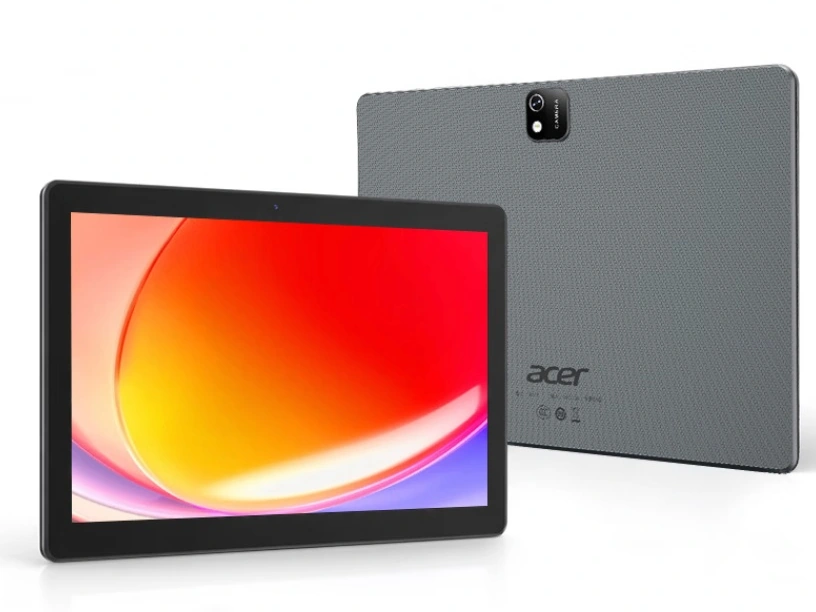
    So Acer has announced a new tablet in China, and when you look at its design and specs it realy feels like something that should of come out a decade ago. Called the Acer A312 Pad, this device also comes with a pretty low price tag that matches its age. Its basicly a cheap option for kids or just for reading and watching videos, nothing more fancy then that.

    Screen, Performance and Memory

    The A312 Pad has very thick bezels around its 10.1-inch display that only runs a 1280 x 800 resolution. This screen has a standard 60Hz refresh rate and it supports 10-point multi-touch for input. Under the hood, your getting a 12nm MediaTek MT8768 processor, which is also known as the Helio P22T and its around six years old now. The tablet includes 4GB of RAM and 64GB of storage. There is a microSD card slot too, but the maximum capacity it supports is a measly 128GB wich is quite limited.

    Cameras, Connectivity and Battery

    On both sides of the tablet there is a 5MP camera, and the rear camera even includes an LED flash for better photos in the dark. It does have Bluetooth 5.0 and Wi-Fi 5 for connectivity, plus it has stereo speakers. The battery capacity is a 5,000mAh unit, wich should give decent life for basic tasks. The tablet weighs in at 570g and its 9.8mm thick, but Acer does not mention the version of Android it will run on.

    Pricing and Availability

    The Acer A312 Pad has a price tag of CNY 525 which is around $78 or €67. However, in certain regions you can get discounts that bring the price down to CNY 499, which is about $74 or €63. So for the price its really not a bad deal if you just need something simple.

    Sources
  • Android Outperforms iPhone in Google Search Speed, Reports Say

    Android Outperforms iPhone in Google Search Speed, Reports Say

    Key Takeaways

    1. Android has surpassed iPhone as the fastest mobile platform for web browsing.
    2. Recent enhancements have improved performance on Android flagship devices in key benchmarks like Speedometer 3.1 and LoadLine.
    3. Speedometer measures browser responsiveness, showing Android devices outperforming iOS models.
    4. LoadLine assesses link opening speed, with Android devices reportedly opening links up to 47% faster than competitors.
    5. Despite significant benchmark improvements, real-world benefits for users are more modest, with only a 5% increase in loading times and 9% in smoothness.


    Just as AirDrop is beginning to expand to a wider range of Android devices, Google has now announced that Android has surpassed iPhone as the quickest mobile platform for browsing the web.

    New Performance Insights

    A recent post on the Chromium Blog reveals that recent enhancements have elevated the performance of Android flagship devices to unprecedented heights in key industry benchmarks, specifically Speedometer 3.1 and LoadLine.

    Speedometer, which is a collaborative effort involving Apple, Google, and Mozilla, mimics typical user activities like clicking on buttons and scrolling to gauge how responsive a browser feels. The benchmark results released by Google indicate that unnamed Android flagship smartphones are outperforming the latest models from a “competing mobile phone platform” (which refers to iOS).

    LoadLine Benchmarking

    The second tool, LoadLine, is a newer benchmark created by Google and its collaborators. It assesses the speed at which links are opened after being clicked. Google asserts that high-end Android devices now open links up to 47% faster than their non-Android rivals.

    Google attributes this increase in web browsing speed to what it calls “vertical integration.” By working closely with chip manufacturers and phone producers, Google has optimized the Android kernel and the Chrome engine for better efficiency with specific hardware. However, there’s a downside – the speed differences might not be as significant as the benchmarks indicate.

    Real-World Performance

    Even though these improvements have purportedly led to a 20-60% increase in benchmark scores year-over-year, Google mentions that users can expect only about a 5% increase in page loading times and a 9% enhancement in smoothness during everyday usage.

    In summary, while Android’s web browsing capabilities are impressive on paper, the practical benefits may be more modest than the statistics suggest.

    Source:
    Link


  • Chrome Dev 148 for Android Now Available on Google Play

    Chrome Dev 148 for Android Now Available on Google Play

    Key Takeaways

    1. Chrome Dev version 148.0.7739.3 is now available for Android users via Google Play.
    2. Google did not provide a detailed changelog for this update, encouraging users to refer to broader Chromium resources for information.
    3. This is the second update for Chrome Dev 148 in March, following version 148.0.7728.3 released on March 12.
    4. Chrome Dev is a development channel that allows testing of upcoming changes before they reach the stable version.
    5. The stable channel of Chrome is still on an earlier milestone, indicating ongoing development for version 148.


    A new update for Chrome Dev is now available through Google Play, bringing the Android browser to version 148.0.7739.3. Google announced this release on March 19, 2026, via a short post on its official Chrome Releases blog. The announcement mainly confirms the new Dev-channel build for Android but does not include a detailed list of fixes or changes in features.

    No Detailed Changelog

    Like many of its previous posts, Google has not provided an extensive changelog in the release notes. Instead, it suggests readers check broader Chromium resources, which include project logs and developer documentation, to get a better understanding of the ongoing work related to the browser.

    Main Update Confirmation

    The most significant detail confirmed here is the rollout itself: Chrome Dev version 148.0.7739.3 is now accessible for Android users who are part of the Dev track.

    This marks the second Chrome Dev 148 update for Android in March. On March 12, Google previously released Chrome Dev 148.0.7728.3, making the build 148.0.7739.3 the latest update in this same pre-release branch.

    Purpose of Chrome Dev

    Chrome Dev serves as the development channel that precedes the stable version of the browser. Its primary purpose is to test upcoming changes before they advance further in Google’s release process. According to Google’s public Chrome tracking, the stable channel is still on an earlier milestone, indicating that Chrome 148 is currently part of the company’s forward-testing branch for Android.

    Source:
    Link


  • Google is Disabling Features in Android Weather App Experience

    Google is Disabling Features in Android Weather App Experience

    Key Takeaways

    1. Google is replacing the Weather shortcut on Android with a web-only weather interface within Google Search.
    2. The new weather interface features an AI-generated summary and a 10-day forecast but lacks a full-screen view.
    3. Users now see a typical web results page with additional links and content, which is viewed as a downgrade in user experience.
    4. Not all Android devices have transitioned to the new setup yet, as some still display the traditional weather app.
    5. There are calls for Google to make the exclusive Weather app available for all Android devices, not just Pixel phones.


    Google is removing the easy way to get weather updates on Android devices. The Google Weather shortcut, which acted like a small, standalone app but was part of the Google Search app, is being replaced by a new web-only option.

    New Weather Interface

    Since November, Google has been sending users to a new weather interface within Google Search as part of a testing phase. However, according to 9to5Google, it seems that the tech giant has started a broader rollout, effectively ending the simple weather solution that Android users have depended on for many years.

    When users tap the Weather shortcut on their homescreen, they are now directed to a Google Search weather results page. This page showcases weather forecasts with a familiar Froggy background card, featuring an AI-generated weather summary, a standard 10-day forecast carousel, and drop-down menus for air quality, humidity, wind, and precipitation.

    Changes in User Experience

    Although the web-based setup still provides similar weather information and updates, it no longer offers a full-screen view. Now, it resembles a typical web results page, with extra links and search content appearing as users scroll down. This is seen as a clear downgrade in overall user experience, especially since Google has yet to release a dedicated weather app for Android devices, although they do provide an exclusive Weather app for Pixel phones.

    Not all devices have experienced this change yet; many on the latest Search beta are still showing the traditional app view. But the signs are clear. If Google is determined to eliminate its best weather interface, it’s high time to stop restricting access and allow the polished Pixel Weather app to be available for all Android phones.

    Via: 9to5Google

    Source:
    Link


  • Google to Penalize Apps That Drain Battery in Play Store Update

    Google to Penalize Apps That Drain Battery in Play Store Update

    Key Takeaways

    1. Google will penalize apps that excessively use “wake locks” starting March 1, 2026, to improve battery performance for Android users.
    2. Apps that misuse wake locks will see reduced visibility in Play Store recommendations and may feature warning labels regarding battery drain.
    3. The new policy adds battery efficiency to Google’s existing technical quality metrics, which already include app crashes and responsiveness.
    4. An app will be marked for high battery usage if it keeps the device awake for over two hours in 24 hours without a valid reason.
    5. Google collaborated with Samsung to develop these new battery efficiency metrics as part of efforts to enhance Android’s power management.


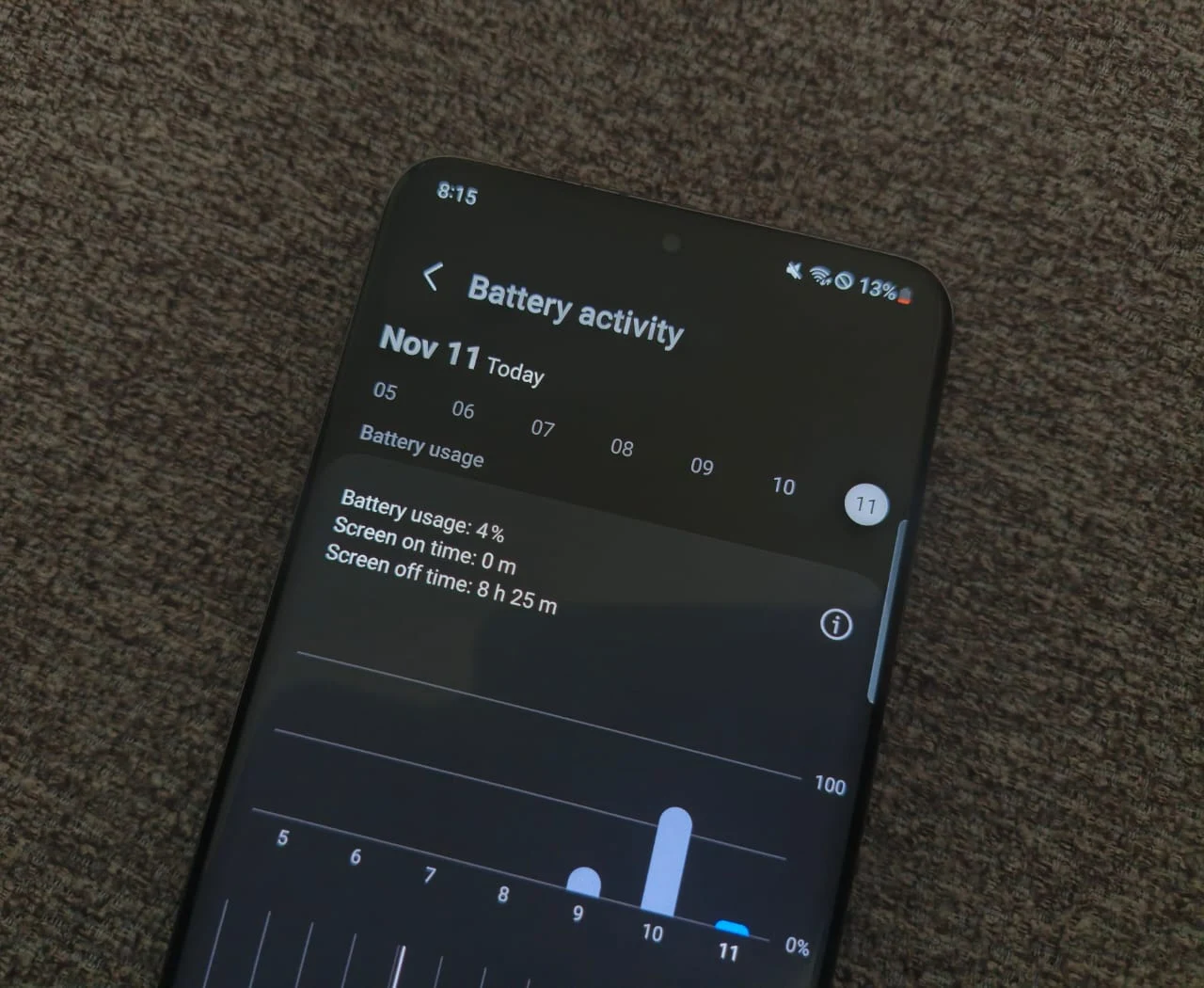
    Google is rolling out a new policy for the Play Store aimed at tackling a common annoyance for Android users: apps that unknowingly drain your phone’s battery. Beginning on March 1, 2026, the tech giant will start to identify and penalize apps that maintain “wake locks” for long durations without a good reason. Wake locks are a technical feature that keeps your device awake even when the display is turned off. They are helpful for activities like playing music or downloading files, but they can cause issues when apps misuse them by keeping the processor running unnecessarily.

    New Visibility Measures

    With this new policy, apps that are found to excessively hold wake locks will risk having their visibility reduced in Play Store recommendations. They might also carry a warning label on their listings, letting users know that these apps could lead to quicker battery drain. This initiative builds on Google’s current technical quality metrics, which already monitor problems like app crashes and lack of response, now including battery efficiency as an important performance metric. The aim is to assist developers in creating apps that are more mindful of power consumption while offering users better insights regarding how these apps affect their devices.

    Stricter Guidelines for Apps

    An Android app will be marked for high battery usage if it keeps the device awake for over two hours in a 24-hour timeframe without a valid explanation. For wearable devices, Google considers an app inefficient if it uses more than 4.44 percent of the watch’s battery every hour during active use. Applications that surpass these limits will face penalties in visibility and public alerts on their Play Store listings. The company highlighted that it collaborated closely with Samsung to fine-tune these new metrics, which are part of a broader initiative to enhance Android’s overall power management capabilities.

    Source:
    Link


  • Garmin Resolves Do Not Disturb Issue in Latest App Update

    Garmin Resolves Do Not Disturb Issue in Latest App Update

    Key Takeaways

    1. The Garmin Connect app for Android has been updated to version 5.19, addressing user concerns from version 5.18.
    2. The update restores the Do Not Disturb (DND) feature to operate independently from the paired smartphone’s DND settings.
    3. Users expressed dissatisfaction with the change in DND settings in version 5.18, prompting Garmin to revert the feature.
    4. Some users have requested a customizable option to choose between linked or separate DND settings, but Garmin has not indicated plans to implement this.
    5. Users may need to force close the app, clear the cache, or restart devices to see the changes after updating to version 5.19.


    The Garmin Connect app for Android has received an update, now at version 5.19, which addresses a problem recently reported by users. After the earlier version, 5.18, numerous customers expressed their dissatisfaction on the Garmin Forum regarding a modification made to the Do Not Disturb (DND) settings.

    Changes to DND Settings

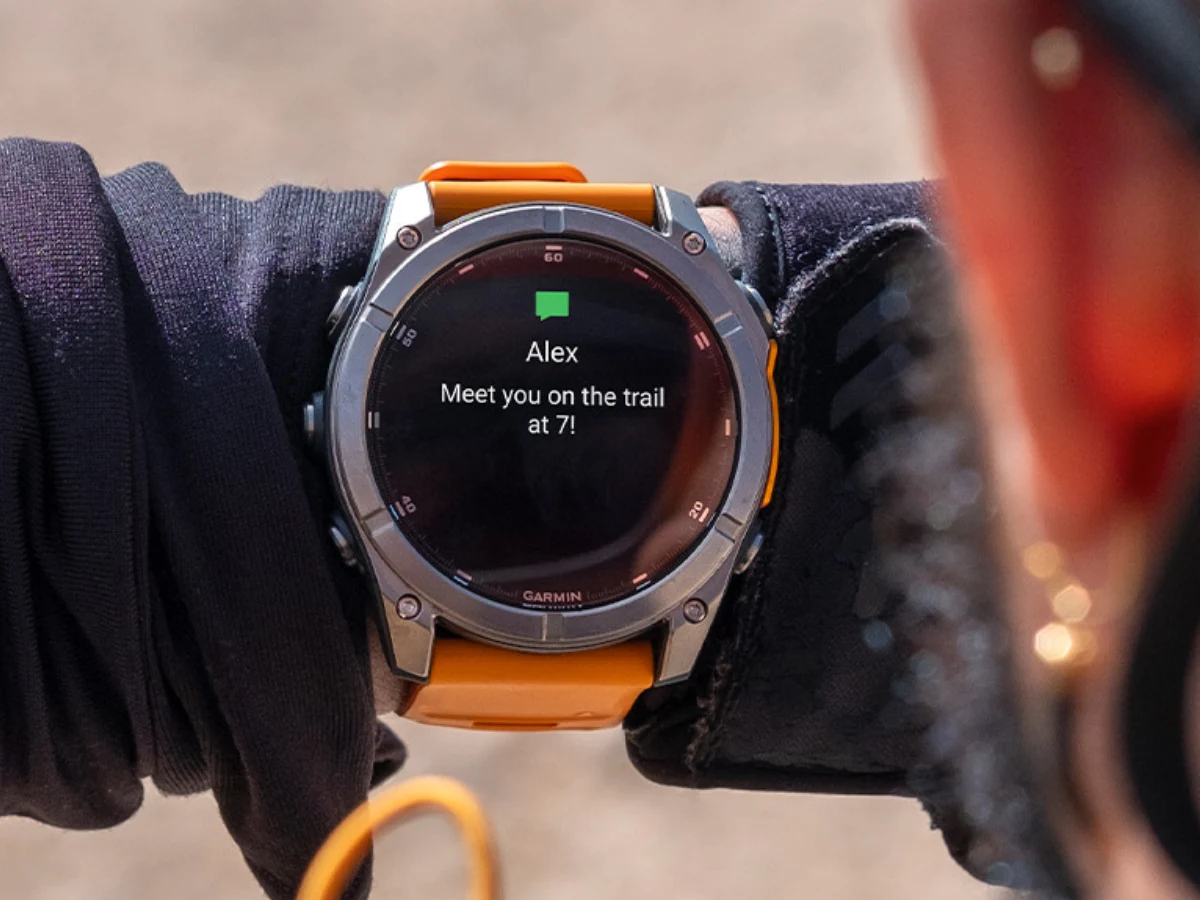
    Traditionally, the DND feature on a Garmin smartwatch was independent from the DND settings on the paired smartphone. This allowed the smartwatch to continue receiving notifications with vibrations or sounds as long as it wasn’t in DND mode. However, with the update to version 5.18, Garmin altered this feature so that it synced with the Android smartphone’s DND, muting all notifications from the watch.

    User Feedback and Reversion

    After receiving significant feedback from users, Garmin Connect app version 5.19 for Android has reverted to the previous DND settings. Now, the smartwatch operates independently of the phone’s DND status. Some users are suggesting that Garmin should introduce a feature that allows them to choose whether DND settings should be linked or separate from the smartphone. Nevertheless, there has been no indication that Garmin is considering this feature.

    Update Process

    Several users have reported on the Garmin Forum that they needed to force close the app, clear the cache, or even restart their devices to see the changes after updating the app. The Garmin Connect app version 5.19 is currently being rolled out globally and can be obtained from the Google Play Store.

    Source:
    Link