Tag: Google Play Store

  • Anbernic RG Vita Pro Gains Play Store Update

    Anbernic RG Vita Pro Gains Play Store Update

    Key Takeaway

    – Google Play Store added via OTA update (version 1.14) for the RG Vita Pro, enabling direct app downloads instead of sideloading.
    – Update also fixes bugs and optimizes system performance.
    – Anbernic continues rapid software updates across devices (RG77V launcher/control center, RG DS Linux OS option) showing active firmware support.


    Overview of the Update

    It has been almost two months since Anbernic released the RG Vita Pro handheld. The device, which ships with dual operating systems — Android 14 and Linux — has now received a software update that adds a major feature. Some readers might notice the sudden shift in the product’s capabilities, and it is worth noting how the update changes the user experience for both operating systems involved. The tone of the piece is kept straightforward while still attempting to convey the essence of the changes introduced in this release cycle.

    Android Play Services and the Play Store

    Although the RG Vita Pro ships with Android 14, it doesn’t come with Google Play Services installed. This should be obvious when you boot into Android as you won’t find any Google app. While some might prefer the handheld that way, it appears there are those who don’t, as Anbernic has released an update that adds the Google Play Store to the device. The addition broadens the horizon for users who rely on mainstream apps and services, making the device feel more like a typical Android experience in practice, even though the initial setup was sans Google services.

    Changelog and Build Details

    The OTA update arrives as version 1.14, and according to the changelog, it adds the Google Play Store. This addition means users can download the Android apps they need from the Play Store instead of sideloading or using alternative app stores. The changelog also mentions the update fixes some bugs and optimizes the system, suggesting improvements beyond merely enabling the store. The update is presented as a practical enhancement aimed at boosting daily usability rather than a cosmetic change to the interface or experience.

    Recent Releases from Anbernic

    Anbernic has been on a roll with its software releases. Earlier this month, it released a software update for the RG77V that added a new launcher and control center. Then it followed it up with a new Linux OS for the RG DS which originally ships with Android 14. Owners of the RG DS can install the new Linux OS on a microSD card and insert it into the device to boot up Linux, while still having Android on the device’s internal storage. This pattern demonstrates a strategy of offering flexible operating environments and upgradability for their devices, a point that appeals to enthusiasts who like to experiment with different setups.

    Market Context and Longevity

    With the rate at which these brands churn out new devices, it is nice to see that they are not getting abandoned. The ongoing updates, new OS options, and enhanced software experiences suggest a commitment to extending the useful life of existing hardware rather than pushing customers toward always-new models. This approach helps create a sense of value for current owners and keeps the product line relevant in a competitive market that often rewards rapid iteration over long-term support.
     

    Sources
  • Free Camera App Adds 16-bit RAW and Modular UI to Android

    Free Camera App Adds 16-bit RAW and Modular UI to Android

    Key Takeaway

    – Offers 8-bit JPEGs with minimal processing or 16-bit DNG RAWs, plus encrypted metadata to verify authenticity and track editing steps.
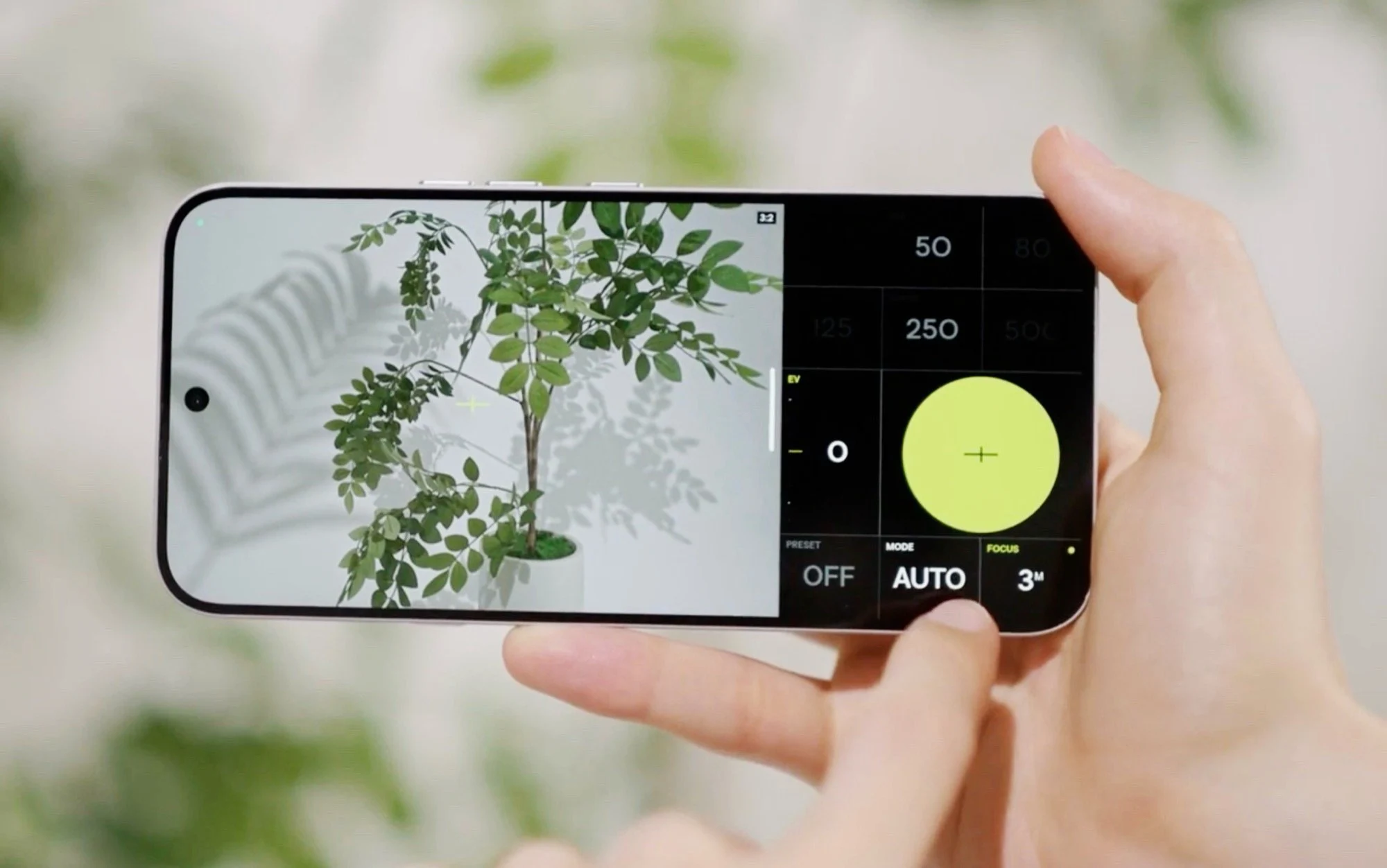
    – Focuses on essential UI with adjustable button layout, manual focus, and semi-automatic modes (manual shutter with automatic ISO for correct exposure); supports only the main camera.
    – Free to use in Google Play Store with no in-app purchases or subscriptions required.


    Introduction

    While smartphones such as the Samsung Galaxy S26 Ultra ($1,249 on Amazon) offer powerful camera hardware, flagship smartphones are increasingly relying on artificial intelligence to process photos that may look stylish, but in many cases no longer accurately reflect reality. This is exactly where the new VWFNDR + MBL camera app for Android comes in.

    Pricing and file formats

    This is because the app can record 8-bit JPEGs with minimal image processing, or 16-bit DNG RAW files that can be developed in software such as Capture One Pro or Lightroom. The metadata is provided with encrypted content credentials that allow the authenticity of a photo to be verified retrospectively and editing steps to be traced. This should make it easier for photographers to prove that they have recorded reality instead of having generated an image using artificial intelligence, for example.

    User interface and controls

    The user interface focuses on the essentials – a large shutter button and the setting of shutter speed, sensor light sensitivity and exposure compensation. The position of the buttons can be adjusted. The app also supports manual focus and semi-automatic modes, allowing photographers to set the shutter speed manually, for example, while the app adjusts the ISO value to ensure correct exposure. However, the app only supports the main camera of a smartphone and cannot use the selfie, ultra-wide-angle or telephoto camera.

    Availability and access

    The VWFNDR + MBL camera app for Android smartphones is now available free of charge in the Google Play Store. Neither in-app purchases nor subscriptions are required to use all features. More information about the app can be found on the developer’s website.


    Sources

  • Google Reduces Play Store Fees After Epic Settlement Changes Payments

    Google Reduces Play Store Fees After Epic Settlement Changes Payments

    Key Takeaways

    1. Google is shifting its Play Store commission from “up to 30%” to a range of 10% to 20%, based on purchase type and billing method.

    2. The changes are linked to a proposed agreement with Epic Games, pending court approval, detailing new fee structures for developers.

    3. For the External Payments program, fees are set at 10% for auto-renewing subscriptions and 20% for other in-app digital content, with the first $1 million in annual earnings for eligible developers also at 10%.

    4. Google’s new developer guidelines allow for more flexibility in billing and distribution, recognizing alternative payment options alongside Google Play Billing.

    5. A “Registered App Stores” system is being planned to make it easier to install competing Android app stores, with initial rollout expected in the US, UK, and Europe.


    Google is changing its Play Store commission structure, moving away from the previous “up to 30%” model. Reports suggest that most fees will now be in the range of 10% to 20%, depending on the type of purchase and the billing method used.

    Connection to Epic Games Settlement

    These updates are part of a proposed agreement with Epic Games, which is still waiting for court approval. The specifics about the fee structure for developers are already mentioned in Google’s Play Console Help pages, which detail the costs associated with programs that direct users to outside payment options or content links.

    Fee Breakdown

    For the External Payments program, Google states that the fees for qualifying external transactions will be 10% for auto-renewing subscriptions and 20% for other in-app digital content. Notably, the first $1 million (USD) of annual earnings for eligible developers will also be charged at a rate of 10%. Meanwhile, the External Content Links program follows a similar structure, maintaining the 10% for subscriptions and 20% for other transactions (again, with the first $1 million at 10% for qualified developers). Additionally, there’s a fee for “app download events” that occur within 24 hours of a click, which costs $2.85 for apps and $3.65 for games.

    Larger Changes on the Horizon

    Apart from the “lower fees,” a significant change is that Android will be more flexible regarding billing and distribution. Google’s developer guidelines now acknowledge that sales can happen via Google Play Billing or through approved alternatives as per its payment regulations. This is a key aspect of the broader “choice” solutions and settlement conditions.

    Reports also indicate that Google is looking to implement a “Registered App Stores” system, which will ease the process of installing competing Android app stores from the internet. They are also planning to expand the options available for developer billing systems.

    The timing of these changes is as crucial as the fee percentages. Major news sources report that the rollout tied to the settlement will begin first in the US, UK, and Europe, with wider global adaptations to follow later, depending on the specific program and the court’s decision.

    Source:
    Link


  • Google to Penalize Apps That Drain Battery in Play Store Update

    Google to Penalize Apps That Drain Battery in Play Store Update

    Key Takeaways

    1. Google will penalize apps that excessively use “wake locks” starting March 1, 2026, to improve battery performance for Android users.
    2. Apps that misuse wake locks will see reduced visibility in Play Store recommendations and may feature warning labels regarding battery drain.
    3. The new policy adds battery efficiency to Google’s existing technical quality metrics, which already include app crashes and responsiveness.
    4. An app will be marked for high battery usage if it keeps the device awake for over two hours in 24 hours without a valid reason.
    5. Google collaborated with Samsung to develop these new battery efficiency metrics as part of efforts to enhance Android’s power management.


    Google is rolling out a new policy for the Play Store aimed at tackling a common annoyance for Android users: apps that unknowingly drain your phone’s battery. Beginning on March 1, 2026, the tech giant will start to identify and penalize apps that maintain “wake locks” for long durations without a good reason. Wake locks are a technical feature that keeps your device awake even when the display is turned off. They are helpful for activities like playing music or downloading files, but they can cause issues when apps misuse them by keeping the processor running unnecessarily.

    New Visibility Measures

    With this new policy, apps that are found to excessively hold wake locks will risk having their visibility reduced in Play Store recommendations. They might also carry a warning label on their listings, letting users know that these apps could lead to quicker battery drain. This initiative builds on Google’s current technical quality metrics, which already monitor problems like app crashes and lack of response, now including battery efficiency as an important performance metric. The aim is to assist developers in creating apps that are more mindful of power consumption while offering users better insights regarding how these apps affect their devices.

    Stricter Guidelines for Apps

    An Android app will be marked for high battery usage if it keeps the device awake for over two hours in a 24-hour timeframe without a valid explanation. For wearable devices, Google considers an app inefficient if it uses more than 4.44 percent of the watch’s battery every hour during active use. Applications that surpass these limits will face penalties in visibility and public alerts on their Play Store listings. The company highlighted that it collaborated closely with Samsung to fine-tune these new metrics, which are part of a broader initiative to enhance Android’s overall power management capabilities.

    Source:
    Link


  • Google Play Store Introduces Quality Warnings for App Selection

    Google Play Store Introduces Quality Warnings for App Selection

    Key Takeaways

    1. Google is introducing app quality warnings on the Play Store to help users choose better apps.
    2. There are three types of warnings: high uninstall rates, low user engagement, and smaller user base.
    3. These warnings aim to provide more insight into app functionality and popularity.
    4. An app with a warning may still be suitable for specific needs; the warnings are not negative labels.
    5. The feature is part of version 44.7.24 of the Google Play Store and may expand with more warning types in the future.


    Finding the right application on the Google Play Store can feel like a roll of the dice. While user ratings and the number of downloads can provide some insight, they do not always give the full story. An app that has excellent reviews might actually be outdated and not work well with your device. On the other hand, an app that is not very popular may turn out to be a hidden treasure. To help users navigate this, Google is introducing a new feature that provides warnings about app quality.

    Google Introduces App Quality Warnings

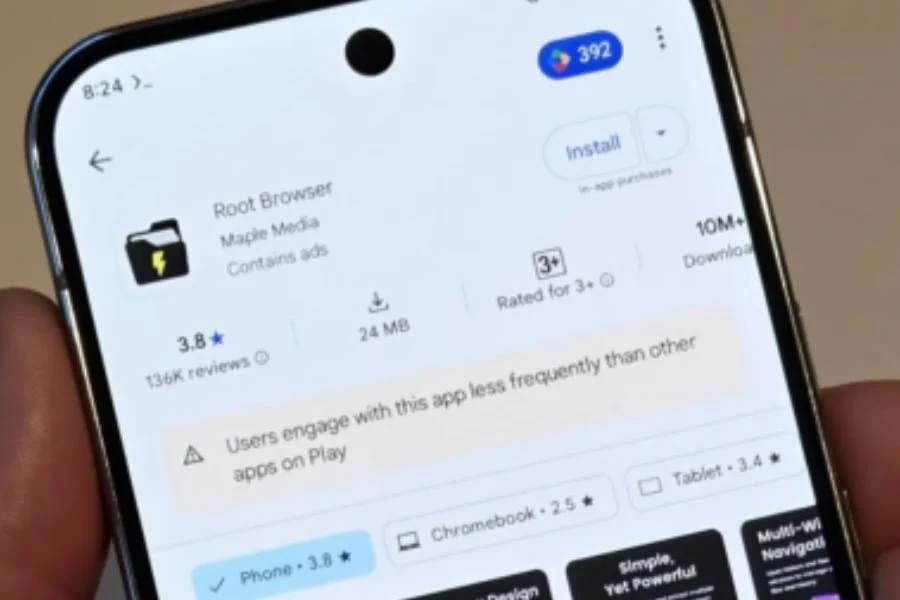
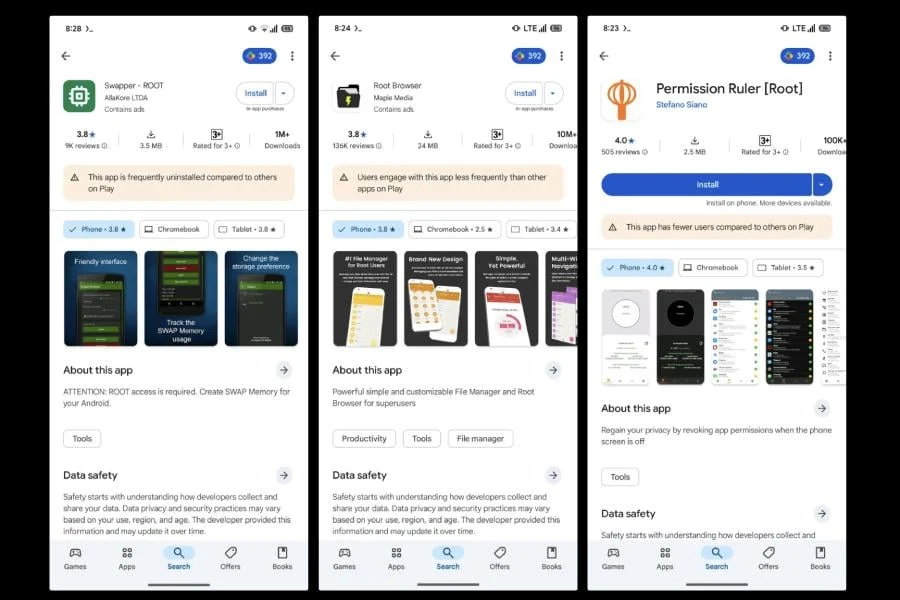
    At this moment, there seems to be three different types of warnings. One type lets users know about apps that are often uninstalled more than others on the Play Store. This could mean that people find the app unsatisfactory or that there are better options available. Another type of warning shows that users interact with the app less than with similar apps. The last warning tells users that the app has a smaller user base compared to other apps in its category.

    It’s crucial to realize that these warnings are not a mark of shame. An app that gets a “low engagement” warning might still be a suitable app for what you need it for.

    A Positive Change for Users

    These new quality warnings are a great addition to the Play Store. They provide a more thorough view of an app’s functionality and popularity, enabling users to make more informed choices. This feature has been seen in version 44.7.24 of the Google Play Store, and it is anticipated that it will be accessible to all users shortly. While the first set of warnings is beneficial, Google could add more types of warnings in the future to further improve the app discovery experience.

    Source:
    Link


  • Google Play Store to Introduce AI-Powered Ask a Question Feature

    Google Play Store to Introduce AI-Powered Ask a Question Feature

    Google is said to be developing an AI-powered tool for the Play Store that aims to assist users with questions about apps and help them find new ones. An analysis of the APK by Android Authority revealed that Google Play Store version 43.3.32-31 includes new strings labeled "Ask a Question," which appears to be the name of this upcoming feature.

    AI-Generated FAQs

    Previously, the publication shared details about AI-created FAQs for the Play Store. This feature automatically generates a FAQ (Frequently Asked Questions) section on app listings, providing users with essential information about an app.

    User Interaction

    The report indicates that this feature will likely show up as a button on both app listings and search results. When users click the button, they can type in their questions, and the AI will respond with answers. In theory, this could enhance the process of discovering new apps. However, Google has not made any official announcement regarding this feature, and it is not currently available on the Play Store. It’s also important to mention that not every feature found in the code makes it into the final version.

    Android Authority

    Image Source: Photo by Mika Baumeister on Unsplash

  • Google Play Store: Update or Install Multiple Apps Simultaneously

    Google Play Store: Update or Install Multiple Apps Simultaneously

    Google has introduced a long-anticipated feature to the Play Store, allowing users to download and update multiple Android apps at the same time. This update is a major time-saver, particularly useful when setting up new devices or restoring data from backups.

    Previously, the Play Store was limited to handling one app installation or update at a time, leading to delays, especially with numerous pending updates. The new feature enhances the speed of app installations and updates significantly.

    Simultaneous Download Capability

    The number of apps that can be downloaded and updated simultaneously may depend on network speed and device performance, but users have confirmed that at least three apps can be processed at once. This is a substantial improvement over the previous single-app restriction.

    How Does It Work?

    When choosing to update all apps, the Play Store prioritizes three apps for immediate download and installation. Other apps will remain in a "Pending" state and will be queued until the initial three are completed.

    Device Compatibility

    The simultaneous app download feature is gradually being rolled out to Android users worldwide. While it may not be available to everyone immediately, it is expected to reach a broader audience over the next few weeks.

    Impact on Android Users

    This new capability to download and update multiple apps simultaneously enhances the user experience on the Play Store. It simplifies app management, whether setting up a new device or keeping apps updated. It is worth noting that Apple has offered similar functionality for installing up to three iOS apps simultaneously for some time.

  • Popular Indian Apps at Risk of Removal as Google Play Store Enforces Stricter Policies

    Popular Indian Apps at Risk of Removal as Google Play Store Enforces Stricter Policies

    Google has begun enforcing its Play Store payment policy with various Indian app developers, a move that could lead to tensions with local tech firms. This enforcement may result in the removal of non-compliant apps, including popular ones like Shaadi.com and Quack Quack, from the platform.

    Compliance Efforts Vary Among Developers

    While some developers have started adhering to the policy, others have not yet done so. These companies had previously contested Google's policy in court but did not receive temporary protection. Presently, some, like Info Edge, have confirmed compliance, whereas others, such as Matrimony.com, have expressed concerns about the potential impact on their industry.

    Options for Delisted Developers

    Google has outlined options for developers facing delisting: integrating with Google Play's billing system (the standard approach), using an alternate billing system alongside Google Play (at a reduced fee but with less control), or operating as consumption-only (no fees but limited features). These choices underscore the importance of following Play Store policies and prompt developers to evaluate their compliance and select the most suitable option to maintain app availability for users.

    This recent enforcement action underscores the significance of Play Store policy adherence. Developers must consider their compliance status and make decisions to ensure their apps remain accessible to users. For some developers, the implications of non-compliance are severe, potentially requiring policy restructuring in response to updated regulations. The industry awaits to see how developers will navigate and respond to this policy enforcement.

  • The latest version of Google Play Store APK (39.5.18) is currently being released.

    The latest version of Google Play Store APK (39.5.18) is currently being released.

    Google has recently released an updated version of the Google Play Store, marked as version 39.5.18, for Android users. This latest update is part of Google’s routine enhancements, although the company has not disclosed specific details regarding the changes or improvements made.

    Compatibility and How to Download

    This update is designed for Android devices running Android 5.0 (Lollipop) or higher, ensuring broad compatibility. While the update typically installs automatically, users have the option to manually initiate the download and installation process. It’s worth noting that the download size may vary based on the device.

    Play Store Search Feature Overhaul

    Google is currently experimenting with a notable modification to the Play Store’s search functionality. This involves introducing a dedicated search page and relocating the search bar to the top of the Search tab, adding an additional step to initiate searches. Although this redesign aims to enhance monetization opportunities through advertising, it has received mixed feedback from users concerned about usability and the potential for more aggressive advertising tactics.

    Expanding Real-Money Gambling App Support

    In a strategic move, Google plans to broaden the availability of real-money gambling apps in select countries, including India, Mexico, and Brazil, starting June 2024. This decision comes with strict adherence to age and location restrictions to promote safety and legal compliance. This expansion is anticipated to increase competition among app developers while also spotlighting the significance of responsible gaming practices. This follows Google’s 2021 policy adjustments that allowed an increased presence of gambling apps in the US market, tailored to meet region-specific regulations.

    Installing the Google Play Store APK

    To manually install the Google Play Store APK on your Android device, follow these steps:

    1. Open your device’s Settings.
    2. Navigate to Applications or Security, depending on your device.
    3. Enable the Unknown Sources option to allow app installations from sources other than the Google Play Store.
    4. Download the Google Play Store APK.
    5. Locate the downloaded APK file and tap it to start the installation.
    6. Follow the on-screen prompts to complete the installation process.
    7. Once installed, the Google Play Store icon should appear on your home screen or in the app drawer.

    By following these instructions, you can ensure that your device runs the latest version of the Google Play Store, keeping you up to date with the newest features and improvements.

  • Remote App Uninstallation Enhances App Management across Devices on Google Play Store

    Remote App Uninstallation Enhances App Management across Devices on Google Play Store

    Google Play Store has introduced a new feature that allows users to remotely uninstall applications from their Android devices. This upgrade, available in Google Play Store version 38.8, aims to simplify the management of the Android ecosystem across multiple devices.

    Managing Multiple Devices Made Easy

    As the number of smart devices we own continues to increase, it becomes more challenging to manage them all efficiently. From smartphones and tablets to smartwatches and TVs, we rely on various gadgets in our daily lives. Recognizing this need, Google has taken a step towards making device management more convenient.

    Taking inspiration from Apple, Google previously introduced the application synchronization feature. This feature automatically installs apps on all devices linked to the same Google account when downloaded from the Play Store on an Android phone. Now, Google has expanded this functionality to include remote uninstallation of applications.

    Google Play Store Version 38.8 Unveils Remote App Uninstallation

    The latest version of Google Play Store, 38.8, introduces the remote app uninstallation feature to all users. With this update, Android users can now manage applications on different devices directly from their smartphones. This feature is particularly beneficial for devices with complex interfaces, such as Android TV and Android Auto.

    Simplifying Application Deletion

    The introduction of remote app uninstallation in Google Play Store version 38.8 aims to simplify the process of removing unwanted applications. This feature will be especially useful for users navigating tricky interfaces like those found on Android TV and Android Auto. To utilize the Remote App Uninstallation feature, follow these steps:

    1. Open the Google Play Store app on your phone or another device.
    2. Tap the “Manage apps & devices” option.
    3. Select the “Manage” tab.
    4. Tap the checkbox next to “This device” to display a list of all connected devices.
    5. Choose the device from which you want to uninstall apps.
    6. A list of installed apps on that device will appear.
    7. Select the apps you wish to uninstall and tap the “Uninstall” button.

    The introduction of remote app uninstallation in Google Play Store version 38.8 is set to enhance the user experience by providing a more streamlined approach to managing applications across multiple devices. With this new feature, Android users can easily remove unwanted apps from their smartphones, tablets, TVs, and smartwatches, all from a single device.