Tag: OTA Update

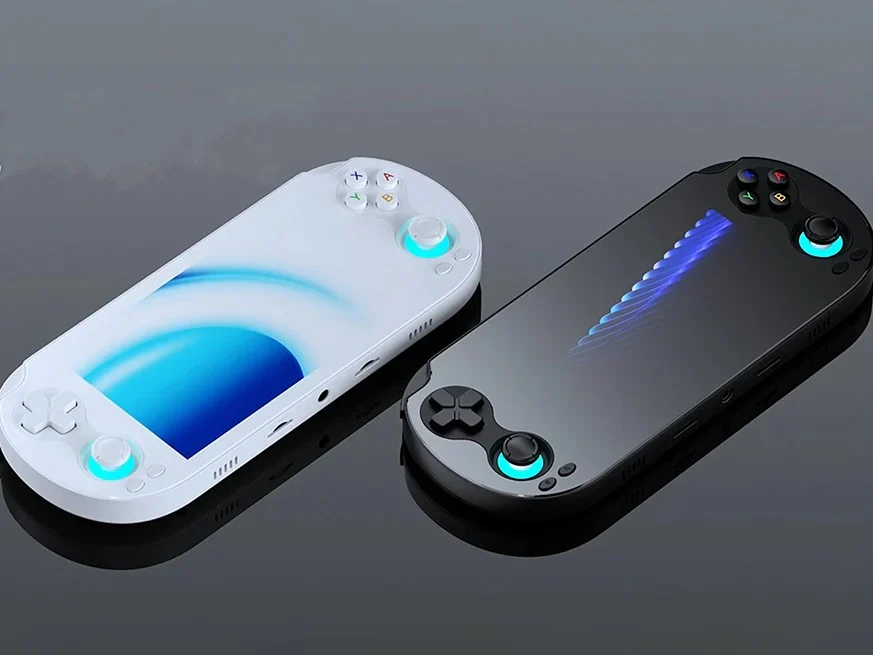
  • Anbernic RG Vita Pro Gains Play Store Update

    Anbernic RG Vita Pro Gains Play Store Update

    Key Takeaway

    – Google Play Store added via OTA update (version 1.14) for the RG Vita Pro, enabling direct app downloads instead of sideloading.
    – Update also fixes bugs and optimizes system performance.
    – Anbernic continues rapid software updates across devices (RG77V launcher/control center, RG DS Linux OS option) showing active firmware support.


    Overview of the Update

    It has been almost two months since Anbernic released the RG Vita Pro handheld. The device, which ships with dual operating systems — Android 14 and Linux — has now received a software update that adds a major feature. Some readers might notice the sudden shift in the product’s capabilities, and it is worth noting how the update changes the user experience for both operating systems involved. The tone of the piece is kept straightforward while still attempting to convey the essence of the changes introduced in this release cycle.

    Android Play Services and the Play Store

    Although the RG Vita Pro ships with Android 14, it doesn’t come with Google Play Services installed. This should be obvious when you boot into Android as you won’t find any Google app. While some might prefer the handheld that way, it appears there are those who don’t, as Anbernic has released an update that adds the Google Play Store to the device. The addition broadens the horizon for users who rely on mainstream apps and services, making the device feel more like a typical Android experience in practice, even though the initial setup was sans Google services.

    Changelog and Build Details

    The OTA update arrives as version 1.14, and according to the changelog, it adds the Google Play Store. This addition means users can download the Android apps they need from the Play Store instead of sideloading or using alternative app stores. The changelog also mentions the update fixes some bugs and optimizes the system, suggesting improvements beyond merely enabling the store. The update is presented as a practical enhancement aimed at boosting daily usability rather than a cosmetic change to the interface or experience.

    Recent Releases from Anbernic

    Anbernic has been on a roll with its software releases. Earlier this month, it released a software update for the RG77V that added a new launcher and control center. Then it followed it up with a new Linux OS for the RG DS which originally ships with Android 14. Owners of the RG DS can install the new Linux OS on a microSD card and insert it into the device to boot up Linux, while still having Android on the device’s internal storage. This pattern demonstrates a strategy of offering flexible operating environments and upgradability for their devices, a point that appeals to enthusiasts who like to experiment with different setups.

    Market Context and Longevity

    With the rate at which these brands churn out new devices, it is nice to see that they are not getting abandoned. The ongoing updates, new OS options, and enhanced software experiences suggest a commitment to extending the useful life of existing hardware rather than pushing customers toward always-new models. This approach helps create a sense of value for current owners and keeps the product line relevant in a competitive market that often rewards rapid iteration over long-term support.
     

    Sources
  • Retroid Releases OTA Update for Discontinued Handheld Device

    Retroid Releases OTA Update for Discontinued Handheld Device

    Key Takeaways

    1. Retroid has announced the discontinuation of the Pocket G2 handheld but will continue to provide support and updates.
    2. The latest update, version 1.0.0.176, includes various fixes and new features, including the charge separation functionality.
    3. The charge separation feature allows the Pocket G2 to draw power directly from the charger, improving battery health and lifespan.
    4. Users can enable the charge separation feature through the Quick Settings menu by customizing the tile.
    5. To update the device, users should navigate to the Settings app, select System, and check for the latest update under Retroid Pocket FOTA.


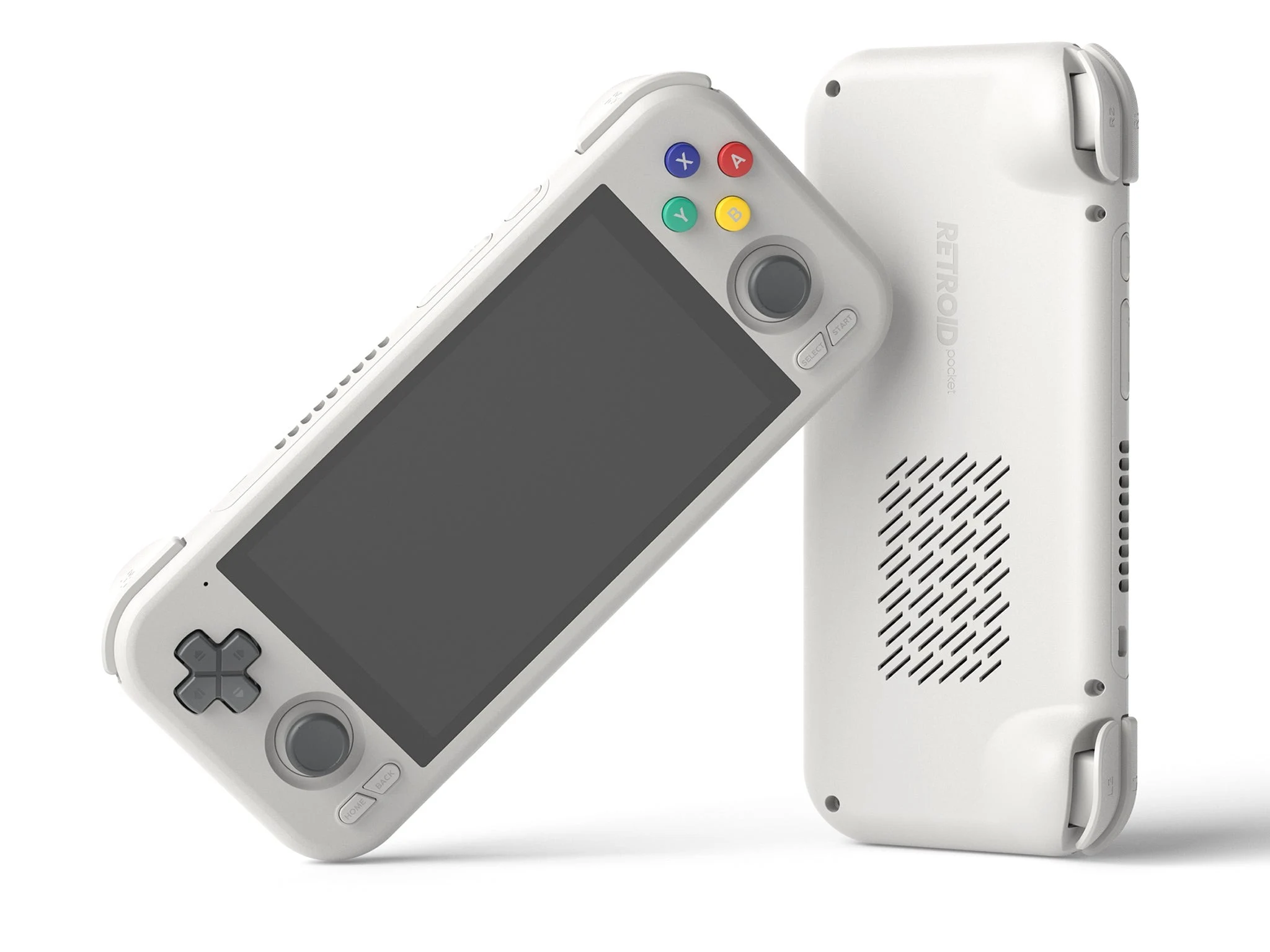
    Retroid has recently made an announcement regarding the Pocket G2 handheld, which was launched late last year, stating that it will no longer be produced. Despite this news, the device will continue to receive support, as the company has rolled out an OTA update that addresses various issues and introduces new functionalities.

    Update Version Details

    This update, confirmed during the discontinuation announcement, is designated as version 1.0.0.176. A notable feature included in this update is the bypass charging functionality, which Retroid refers to as the Charge separation feature.

    Benefits of Charge Separation

    When this feature is turned on, the Pocket G2 can pull power straight from the charger instead of relying on the battery while it’s connected. This can be beneficial for the health of the battery and can prolong its lifespan. It’s especially useful for long gaming sessions or when the device is being used in docked mode.

    Enabling the Feature

    You can easily enable the charge separation feature from the Quick Settings menu, but you’ll need to add the tile first. To do this, pull down the Quick Settings menu and click the pen icon in the bottom corner. Scroll until you see the Charging separation tile. Hold it and drag it to your preferred location. Tap the back arrow in the top left corner to return to the Quick Settings menu, and just tap the tile to toggle the feature on or off.

    The complete changelog for this update is provided below:

    To update your device, open the Settings app and scroll down to System. Tap on it, then select Retroid Pocket FOTA. Hit check version to see if there’s an update available. Download the update and install it, and you should be prompted to restart your device afterward.


  • Retroid Pocket 4 Pro Compatibility Update for Dual Screen Add-on

    Retroid Pocket 4 Pro Compatibility Update for Dual Screen Add-on

    Key Takeaways

    1. Retroid released an OTA update (version 1.0.0.167) that fixes the compatibility issue with the Dual Screen Add-on for the Retroid Pocket 4 Pro faster than expected.
    2. The update includes a new AOSP launcher for dual-screen multitasking and volume control in the quick settings menu.
    3. The volume control feature addresses issues with obstructed volume buttons when the Dual Screen Add-on is connected to certain devices.
    4. A new “Handheld Settings” menu has been added to allow users to adjust the video output mode.
    5. The Retroid Dual Screen Add-on is available for purchase at $69.00 and is compatible with various handheld devices.


    Just a week after revealing a compatibility problem that prevented the Retroid Dual Screen Add-on from functioning with the Retroid Pocket 4 Pro, Retroid has now stated that it is rolling out an OTA update that fixes this issue.

    Quick Resolution

    Previously, Retroid informed customers that it would provide a refund while working on a solution that might take months. Luckily, the problem has been resolved much quicker than anticipated. The update, which is version 1.0.0.167, has been made possible with assistance from MediaTek field application engineers, as noted in the changelog.

    New Features Added

    Alongside the fix, the update introduces a new AOSP launcher that enables dual-screen multitasking. Retroid also mentioned that it has included volume control in the quick settings menu. This addition is important because the Retroid Dual Screen Add-On can obstruct the volume buttons when connected to certain handhelds, like the Retroid Pocket 5, which is available on Amazon for $259. Finally, there’s a new “Handheld Settings” menu that allows users to adjust the video output mode.

    Purchase Information

    The Retroid Dual Screen Add-on can be purchased directly from Retroid for $69.00. This accessory provides a second screen for compatible handheld devices, including those from other brands.

    Retroid shared this update on X, reinforcing their commitment to customer satisfaction and product improvement.

    Source:
    Link


  • Cuktech 10 Super Power Ultra Charger Adds Exciting New Features

    Cuktech 10 Super Power Ultra Charger Adds Exciting New Features

    Key Takeaways

    1. The Cuktech 10 Super Power Charger Ultra received its first OTA update in China since its launch in June 2025.
    2. The update introduces “multi-port, multi-protocol control” for all USB ports, allowing users to manage various charging technologies.
    3. An automatic screen-off feature will now turn off the display after five minutes of inactivity.
    4. A new screen lock function has been added to prevent accidental touches, and the app’s home screen has been updated for better charging status visibility.
    5. Users can access the update through the Cuktech app, with no information on availability in other markets like the US yet.


    The Cuktech 10 Super Power Charger Ultra has just gotten its first OTA update in China. This device was launched in this region in June 2025. It comes equipped with four USB ports and has a 1.57-inch display that shows charging details.

    New Features for Better Control

    The latest OTA update introduces “multi-port, multi-protocol control.” Now, all three USB-C ports, along with the USB-A port, can utilize protocol controls. This means users can enable or disable charging technologies such as UFCS, PD, PPS, and SCP.

    Display Enhancements

    Regarding the display, an automatic screen-off feature has been added. The screen will turn off after five minutes of inactivity if no devices are connected. Additionally, a new screen lock function has been included to stop unintentional touches. Moreover, the app’s home screen has received an update, providing real-time information on charging status, along with a new section for Port Usage Protocol.

    Update Availability

    Users of the Cuktech 10 Super Power Charger Ultra can obtain the update through the brand’s app. It’s still not clear if or when this charger will be available in other markets, like the US, where Cuktech already offers other models such as the 15 140W 4-Port Fast Charger, which is currently priced at $49.99 on Amazon.

    Source:
    Link


  • Xiaomi Launches New OTA Update for Smart Air Conditioners

    Xiaomi Launches New OTA Update for Smart Air Conditioners

    Key Takeaways

    1. Xiaomi has started an OTA update (version 5.6.1) for its Mijia Air Conditioner Pro models in China.
    2. The update enhances the compressor algorithm for better overall performance and introduces a 6Hz frequency conversion for improved temperature control.
    3. A new Air Management feature allows connected devices to activate automatically when poor air quality is detected.
    4. The Intelligent Airflow Linkage feature enables users to set higher speeds on linked fans as needed.
    5. The update will be released in phases, and users can access it via the Mi Home app under Settings > Software Update.


    Xiaomi has begun distributing an over-the-air (OTA) update for its Mijia Air Conditioner Pro lineup in China. The version 5.6.1 update will be available for the Mijia Air Conditioner Pro Human-Sense Top Air Vent, Mijia Air Conditioner Pro Healthy Wind, and the Mijia Air Conditioner Pro Super Power Saving series.

    Update Announcement

    This update was shared in a recent Weibo message by Shan Lianyu, who is the General Manager of the Home Appliances division. It includes an enhancement to the compressor algorithm that improves overall performance. A new 6Hz frequency conversion algorithm has been introduced, promising more accurate temperature control and stable functioning in various conditions.

    New Features

    Additionally, a new Air Management feature has been added for those using Xiaomi air conditioners with smart temperature sensors, humidifiers, dehumidifiers, fans, and air purifiers. When poor air quality is detected, these connected devices will automatically activate. The new Intelligent Airflow Linkage feature allows users to set a higher speed on a linked fan when needed.

    The Weibo update mentions that this will be a phased release. Users can obtain the update through the Mi Home app by navigating to Settings > Software Update. Currently, Xiaomi has not released Mijia Air Conditioner Pro products in regions like Europe, where it markets other smart home gadgets such as the Smart Tower Fan 2.

    Source:
    Link


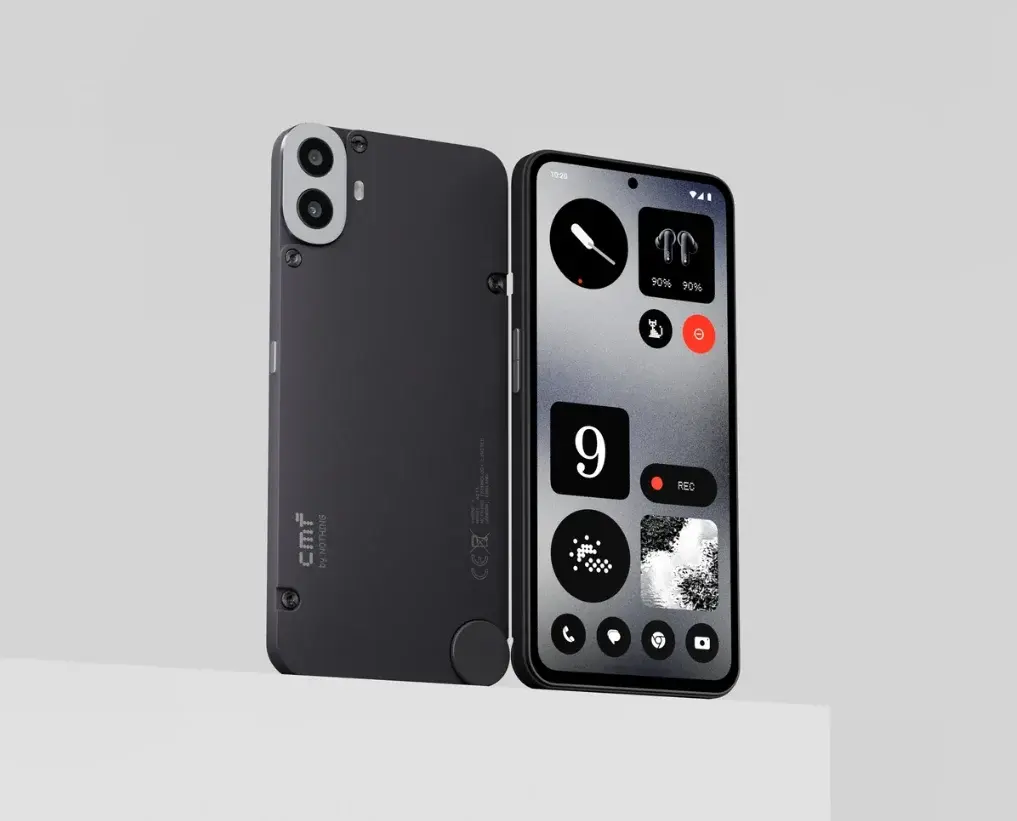
  • CMF Phone (1) Update: Bug Fixes, Camera Upgrades & New Features

    CMF Phone (1) Update: Bug Fixes, Camera Upgrades & New Features

    On July 8, the sub-brand of Nothing, CMF, introduced its first smartphone to the global market, named the CMF Phone 1. The device quickly gained popularity, selling over 100,000 units within just three hours of its release. Recently, the brand has rolled out the first OTA update for this device.

    This update, sized at 120MB, brings various camera enhancements, bug fixes, and some new features. The detailed changelog is provided below.

    New Features

    • Introduced Tips & Feedback for Nothing OS, accessible through Settings > Tips & Feedback.
    • Added a new Date Widget with a swipeable view of the next day.
    • Introduced a new swipe-down function for incoming notifications, which opens a pop-up view for instant access. This can be activated via Settings > System > Pop-up view.
    • Updated to the Android July Security Patch.

    Camera Improvements

    • Enhanced zoom clarity in specific scenarios.
    • Improved night scene photography.
    • Optimized HDR video recording.
    • Refined the interface during Vivid Mode.
    • Better effects for Portrait Mode images.
    • Enhanced color and skin tone performance of the front camera.
    • Corrected color inaccuracies in some scenes.
    • Fixed issues with low brightness in certain scenes.
    • Resolved issues with the filter not loading during motion photos on the rear camera.

    Other General Improvements

    • Increased launcher stability by fixing crash issues.
    • Reduced scrolling lag when using the X feature.
    • Improved the smoothness of fingerprint unlocking.
    • Resolved an issue causing fingerprint registration to fail when using a screen protector.
    • Fixed a stuttering issue during the unlocking process.