Tag: Emulation

  • Lenovo Legion Tab Gen 5: Top Android Tablet for Console Emulation

    Key Takeaway

    – Lenovo Legion Tab Gen 5 is a powerful Android gaming tablet and an excellent emulation machine for GameCube, PS2, 3DS, Wii U, and Switch at high resolutions.
    – It can handle x86 game emulation, running lighter PC games and even Cyberpunk 2077 at 720p/low with 40+ FPS.
    – Performance is limited by a lack of active cooling, causing the tablet to throttle under sustained load.
    – Despite throttling, it is a strong contender for a portable gaming console that can emulate a wide range of platforms.
    – Listed at $849.99, the price can be reduced to $649.99 using coupon codes BUYMORELENOVO and EXTRAFIVE.


    Performance Overview

    We remarked in our review of the Lenovo Legion Tab Gen 5 that the device is “an expensive but very high-quality and cleverly equipped gaming tablet”. This was due to the tablet’s speedy Snapdragon 8 Elite Gen 5, 12 GB of RAM, 256 GB of expandable storage, and a high-resolution 165 Hz IPS display. ETA Prime has now shown that the Legion Tab Gen 5 is not only a powerful Android gaming tablet but can also double as a capable emulation machine.

    Nintendo GameCube and PS2 Performance

    ETA Prime tested the Legion Tab Gen 5 for emulation of the Nintendo GameCube, Sony PlayStation 2, and Nintendo 3DS/Wii U/Switch, and found that the tablet can handle games at up to 4x resolution scale. Emulating GameCube games like The Legend of Zelda: The Wind Waker and Metroid Prime, the Legion Tab Gen 5 played the former at a locked 30 FPS and the latter at 60 FPS. Both games were running at 2,560 x 2,122 in the Dolphin Emulator.

    PS2 and Nintendo Wii U Emulation

    For PS2 emulation, the Legion Tab Gen 5 proved capable enough to run Metal Gear Solid 3 at a locked 30 FPS and God of War 2 at 60 FPS. The tablet was using the Nether SX2 emulator with a 4x resolution scale.

    Finally, ETA Prime also reports that the Legion Tab Gen 5 can run Nintendo Wii U games at 1080p, Nintendo Switch games at 1080p, and Nintendo 3DS games at 4x to 5x resolution scale.

    x86 Gaming and Thermal Throtteling

    While not extensively, ETA Prime also tested x86 game emulation on the Legion Tab Gen 5 using GameHub. The tablet managed to play Cyberpunk 2077 quite well at 40+ FPS at 720p/low. This is an impressive result, especially given that we are talking about an Android tablet with a mobile SoC.

    So, lighter AAA PC games and indie titles will run much better, making the Legion Tab Gen 5 a true contender for a portable gaming console that can do it all.

    Sadly, Lenovo’s decision of not having any active cooling in the Legion Tab Gen 5 has handicapped the tablet when it comes to sustained performance. The Legion Tab Gen 5 gets hot, as shown by ETA Prime. We also noted similar behavior in our review, where the Legion Tab Gen 5 throttled under load due to high operating temperatures. A dedicated active cooler would help a lot here.

    Pricing and Final Thoughts

    All things considered, the Lenovo Legion Tab Gen 5 is quite powerful, enough to handle console and x86 gaming emulation. If the tablet tickles your fancy, the coupon codes BUYMORELENOVO and EXTRAFIVE, which were active at the time of writing, can be used to get the price down to $649.99 from $849.99 on Lenovo’s official store.
    Sources
  • X95 Pro Gaming Handheld: Snapdragon 7 Gen 1 Price Concerns

    Key Takeaway

    – The X95 Pro is a budget gaming handheld with a flashy design but lacks originality.
    – Its claimed Qualcomm Snapdragon 7 Gen 1 is likely a lie; MediaTek is more probable.
    – It runs Android with a custom launcher for button/joystick control.
    – Emulates platforms like PS1, PSP, and Game Boy, though most preloaded games are unlicensed.
    – Features a 3.5-inch IPS display (640×480), 8-hour battery life, and USB-C charging.


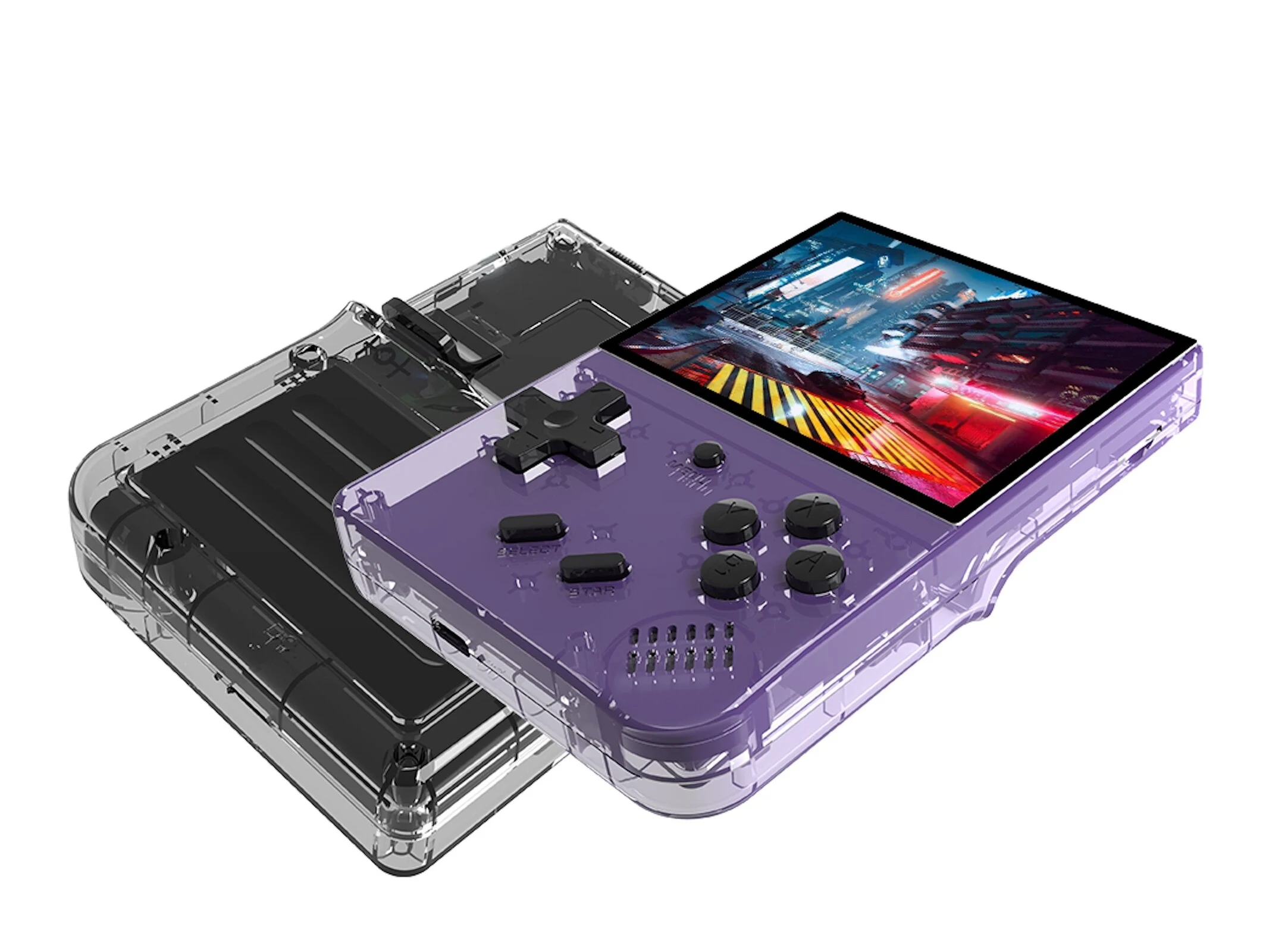
    The X95 Pro is a new gaming handheld that is fundementally similar to many other gaming handhelds in the budget price range. To put it bluntly, the manufacturer has failed to come up with anything original beyond a flashy design. Nevertheless, the inexpensive device should still offer plenty of gaming fun. According to the manufacturer, the model comes with a Qualcomm Snapdragon 7 Gen 1, which, in our opinion, is likely to be a blatant lie. MediaTek SoCs are more to be expected in this price range. It runs on Android, as confirmed by videos, and YouTube appears to be usable. A customized launcher is on board. Such a launcher is more or less necessary if operation is to be primarily via buttons and joysticks.

    Emulation Capabilities and Game Library

    The device is said to support emulation of various platforms, such as the PlayStation One, the PlayStation Portable and various Game Boy iterations. According to the manufacturer, over 20,000 games are already available. The vast majority of these are likely unlicensed classics, which is certainly highly questionable from a copyright perspective. The IPS display measures 3.5 inches and has a resolution of 640 x 480. Two joysticks are included, along with a D-pad, four action buttons and shoulder buttons. A headphone jack and built-in speakers are also on board. The integrated battery is said to provide up to eight hours of runtime and recharges via USB-C in two hours.

    Pricing and Specifications Breakdown

    • Processor: Qualcomm Snapdragon 7 Gen 1 (claimed, likely incorrect, probable MediaTek SoC)
    • Display: 3.5-inch IPS, resolution 640 x 480
    • Controls: Two joysticks, D-pad, four action buttons, shoulder buttons
    • Audio: Headphone jack, built-in speakers
    • Battery: Up to 8 hours runtime, 2-hour recharge via USB-C
    • OS: Android with custom launcher
    • Game Availability: Over 20,000 (likely unlicensed classics)

    Exploring Alternatives

    Those who want to explore alternatives are advised to take a look at the RG40XXH handheld.


    Sources

  • RPCS3 Adds Blu-Ray Support & Major Effects Fixes

    Key Takeaway

    – RPCS3 can now boot games directly from supported Blu-Ray drives and use disc dumping tools for decryption.
    – Automatic application of recommended database settings at boot simplifies game setup while preserving user preferences.
    – New UI features allow reordering of game list columns for easier sorting.
    – Major graphical fixes across dozens of games, including reflections, shadows, skyboxes, and lighting.
    – Support for decrypted and encrypted ISOs improves game preservation and disc-based emulation.


    New Features Hit RPCS3 Emulator

    The talented developers behind cross-platform PlayStation 3 emulator RPCS3 continue to impress with new features and fixes for the emulator, now including the ability to boot games from supported Blu-Ray drives. The same drives can now also be used to decrypt PlayStation 3 games with 13xforever’s disc dumping tool—but more on that below. For now, lets focus on the other new RPCS3 features and fixes.

    Boot improvements and UI changes

    One major improvement is in game booting itself. Now, RPCS3 will automatically apply recommended RPCS3 database configuration settings on boot, barring game patches, resolution scaling, anisotropic filtering, and debug configurations. Since those are typically unneccessary for getting a game to work properly (and may also boil down to personal preference,) they are left untouched by this update while still making it easier to get games up and running before opening up an RPCS3 Wiki page.

    Game list columns and visual fixes

    Another major feature addition is the game booting UI, which allows you to reorder game list columns (such as playtime, compatibility, etc), making it easier to sort games within the RPCS3 UI. By far the most important updates are to game effects themselves, though. Reflections, shadows, skyboxes, lighting, and various other effects have been fixed across dozens of games in the RPCS3 library, further improving accuracy and fidelity for the emulator. Weve listed known-impacted titles below.

    Preservation and drive support

    The full breadth of games with improved emulation is unknown even by the RPCS3 team, but what they’ve shown is fairly impressive for fans of emulation and game preservation alike. On the note of preservation, RPCS3 now supports both decrypted and encrypted ISOs alongside Blu-Ray drives, and the RPCS3 Quickstart page now includes a full list of compatible Blu-Ray drives at the bottom.

    Alongside the recent (unrelated) release of OmniDrive firmware, we’re seeing an impressive push on part of developers in the emulation scene to improve support for booting and backing up games from real media without the need for a jailbroken console. Hopefully, these efforts continue making emulation easier without the need to resort to piracy or bloating a perfectly-good SSD with a game you already have on a disc.

    Sources
  • Pixel 8 refused fix prompts owner to turn it into retro gaming console

    Pixel 8 refused fix prompts owner to turn it into retro gaming console

    Key Takeaway

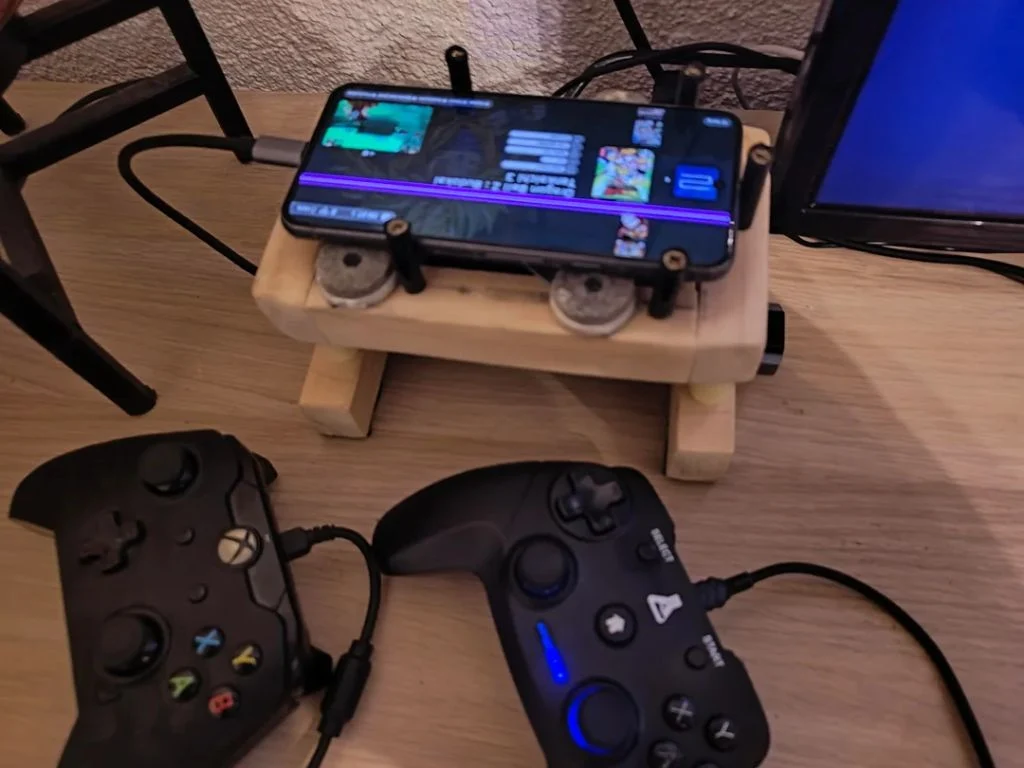
    – Repurposed a damaged Google Pixel 8 into a mini retro gaming hub with USB-C power, USB hub, wired controllers, mouse, and an active cooling fan.
    – Used the Pixel’s HDMI over USB-C output and EmulationStation Desktop Edition for a console-like, retro gaming experience.
    – Demonstrates a resourceful reuse path for a non-functional display: keep the phone functional via external peripherals and emulation software rather than recycling it.


    From Broken Screen to Mini Gaming Hub

    Average smartphone users might simply replace a broken device, but one inventive owner refused to throw away his Google Pixel and instead repurposed it into a compact gaming setup. The outcome is a quick, mini gaming hub that can be hooked up to a TV with wired controllers, a mouse, and an active cooling system to prevent performance throttling. This narrative demonstrates a creative salvage of a once useless gadget into something surprisingly functional, with a dash of nostalgia for retro titles.

    Retaining Pricing and Specification Details

    The Pixel 8, though afflicted by a stubborn pink vertical stripe, still powers up and drives a display through its USB-C HDMI output. The build leverages a 45W USB-C charger to power both the device and a central 4-port USB hub that feeds two wired controllers, a mouse, and a 50mm PC fan. This setup preserves the original hardware’s core specs while enabling a console-like experience that emphasizes cooling efficiency and controller versatility, all without changing the device’s essential components.

    Retro Vibe, Modern Hardware

    To recreate a nostalgic, console-inspired vibe, the builder installed EmulationStation Desktop Edition, pairing it with ES-DE for a cohesive retro interface. The library is organized by home console emulator, and games are displayed with original box art to enhance the old-school feel. Despite the Pixel 8 being nearly new in daily usage, the damaged screen rendered regular smartphone tasks impractical, pushing the creator to transform the Tensor G3 device into a dedicated retro gaming partner instead.

    Practical Build Details

    The central feature is a budget-friendly 4-port USB hub that sits at the heart of the project. It draws power from a 45W USB-C charger and distributes it to two wired controllers, a mouse, and a 50mm PC fan blowing cool air directly onto the back of the Pixel 8. This unorthodox cooling approach is notable because high-demand tasks like emulation can push Google’s Tensor CPUs to higher temperatures, making active cooling a sensible addition.

    Community and Documentation

    The entire journey was shared by the owner and Redditor Prior_Explanation_52 on r/EmulationonAndroid, who explained the motivation, setup, and improvements along the way. The thread highlights a practical path from a non-functional portion of hardware to a functioning, space-saving gaming hub, providing insights into hardware reuse, cooling strategies, and software choices that keep performance steady during retro play sessions.

    Sources
  • RPCS3 Team Urges AI Vibe Coders to Stop Pushing AI-Generated Code

    RPCS3 Team Urges AI Vibe Coders to Stop Pushing AI-Generated Code

    Key Takeaway

    1. The RPCS3 team is frustrated with low-effort, AI-generated code submissions that lack testing and verification.
    2. New rules have been implemented requiring contributors to fully understand and own their code, discouraging AI-only contributions.
    3. The team emphasizes quality and genuine effort over quantity, warning against the use of AI to generate untested or incomplete code.

    Development Team’s Frustration with AI-Generated Code

    The folks who work on the open-source PS3 emulator called RPCS3 are really annoyed lately with people just submitting AI-generated junk code. Recently, their Github has been flooded with low-quality, untested code that’s mostly churned out by big language models, with users who don’t really know much about coding, just pushing whatever the AI hands them. It’s kinda messing up their workflow and taking away their time from actual useful development.

    History and Achievements of RPCS3

    The developers behind RPCS3 have been working on this project by hand since way before AI became a big thing in coding. The project started back in 2011, and over the years, it’s grown a lot. Now, gamers can enjoy most PS3 games on modern computers—but not all, of course. They’ve managed to support nearly all titles, with just a few exceptions. Yet, the rise of AI-generated contributions has really tested their patience, and it’s a real problem for the community.

    Official Warning and New Rules

    The team didn’t hold back and came out straight with a message. They posted on X (formerly Twitter), saying, “Please stop submitting AI slop code pull requests to RPCS3. We will start banning those who do so without disclosing it. There are plenty of resources online to learn how to debug and code instead of generating slop that you don’t understand, and that doesn’t work.” It’s a clear warning telling folks that they need to put in real effort and learn if they want to contribute.

    Strict Guidelines for Contributions

    Following this, the RPCS3 team quickly made some rules for anyone wanting to add to the project. They explained that many recent submissions are untested and unverified, mostly AI-created, which just wastes their time and can even break the emulator for everyone. They warned that nobody could fake their way through this by just relying on AI, and said they would just block those who show up with pointless submissions. The message was loud and clear: learn how to code properly, or don’t bother at all.

    Allowing AI in Certain Situations

    That said, the rules aren’t against AI use entirely. They said researchers or people reverse-engineering can still use AI if they understand exactly what each line of their code means and take full responsibility for it. The key rule is, all communication and code must be written and owned by the contributor, not just generated by a bot or AI tool. They’re really fed up with people hiding behind AI in their pull requests.

    Final Message and Philosophy

    The bottom line from RPCS3’s team is pretty tough but fair—they believe that quality beats quantity, and that making something useful takes real effort, critical thinking, and dedication. They’re not gonna let a flood of AI-made junk drown out the good work. It’s a reminder that creating meaningful software or emulation is about passion and blood, sweat, tears—stuff AI just can’t replace.

    Sources
  • RPCS3 PS3 Emulator Displays Big Picture Mode Features

    RPCS3 PS3 Emulator Displays Big Picture Mode Features

    Key Takeaway

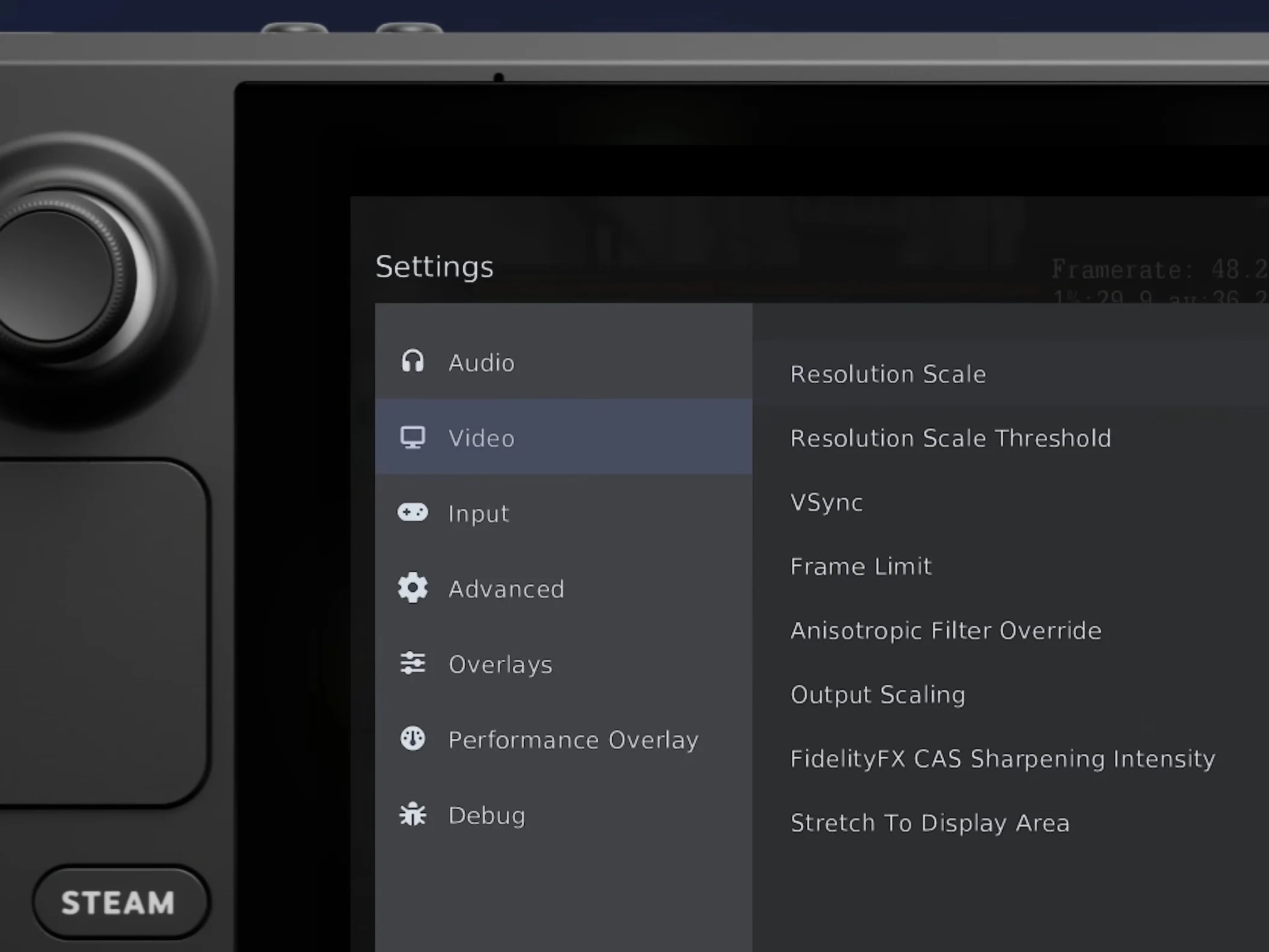
    1. The new “Handheld Experience” in RPCS3 integrates exhaustive settings accessible directly from in-game, enhancing performance customization for handheld PC users, especially Steam Deck.
    2. Enhanced UI features include SteamOS/Big Picture compatibility, game shortcuts with PS3 XMB artwork, and desktop UI autoplaying game audio/video on hover, rivaling RetroArch’s XMB clone.
    3. RPCS3 significantly improves controller support, closing the gap with other emulators, and offers a seamless experience for desktop and handheld users running PlayStation 3 games.
    4. The update underscores the relevance of handheld gaming devices like Steam Deck as successors to traditional PlayStation handhelds, emphasizing the appeal of PS3 emulation on portable platforms.
    5. The latest RPCS3 features are already available in the stable release, ready for users to enhance their PS3 emulation and handheld gaming experience.

    New Features for Handheld PC Gaming

    RPCS3, being a very advanced emulator for the PlayStation 3, now love a more refined “Handheld Experience” which allow users to tweak all settings directly in game. This is a big improvement compare to before, inspired by Steam Big Picture and Steam Deck controls. The interface is designed for easy control from both desktop and handheld devices, making it more user-friendly for gamers on the go. The updates focus on making gameplay smooth while giving access to important configurations, with settings that can significantly influence performance. The new UI looks really modern and fits naturally with SteamOS themes, what makes the experience even better.

    Enhanced UI and Controller Support

    Much attention was paid, especially for Steam Deck users, but also for players using other devices like ASUS ROG Ally X. Now, users can add RPCS3 game shortcuts straight into Steam, with artwork from the original PlayStation 3 game. The desktop interface also autoplays game audio and videos when you hover over a link, just like old PS3’s XMB system. This is a lot more advanced than RetroArch’s UI clone, especially in controller support, because now RPCS3 offers more than just basic game functions. The new design feels totally at home on SteamOS/Big Picture, sharing the same color schemes and aesthetic.

    Emulation on Handheld Platforms

    Right now is a exciting time for fans who love PlayStation 3 games played on handheld gadgets. Sony is holding back on releasing more PC ports, but devices like Steam Deck lets gamers relive their favorite titles like God of War (2014). Interestingly, even the previous Sony CEO experimented with Steam Deck by running PS4 games. Rumors also say Sony might release a PlayStation 6 handheld console someday, but for now, Steam Deck and similar devices are seen as the modern successors to handheld consoles like PSP and PS Vita. The PS Vita was a standout with its OLED display, being the first portable with such a screen. Until the Sony released newer versions with LCD screens, the original PS Vita had the most premium display on a portable gaming device. The Nintendo Switch OLED and Steam Deck OLED are stepping into that same level now, marking a new era for handheld gaming visuals.

    Latest Updates Ready for Use

    If you’re interested in what the recent update includes, just watch the video above for a detailed demonstration. For those who already have RPCS3 installed or are thinking about getting it, the latest improvements are available in the stable release, and you can start enjoying new features right now. Emulation for PS3 games on handhelds is becoming more polished, thanks to these advanced UI and support improvements, making it easier and more enjoyable than ever to relive your favorite classics anywhere you go.

    Sources
  • Budget Retro Handheld R350S with RK3326 SoC & 3.5-Inch Display

    Budget Retro Handheld R350S with RK3326 SoC & 3.5-Inch Display

    Key Takeaways

    1. The R350S gaming handheld costs about $34 and lacks left and right analogue sticks, featuring only two shoulder buttons instead of four.
    2. It has a 3.5-inch IPS screen with a resolution of 640 x 480 pixels and can run emulators for Neo Geo and Game Boy devices, but struggles with PSP titles.
    3. The built-in 2,000 mAh battery is expected to last up to five hours, though actual battery life may vary based on usage.
    4. The device runs on a tailored Linux system with pre-installed emulators and is designed for button navigation, lacking a touchscreen.
    5. It includes one memory card slot, a second USB port, and a headphone jack.


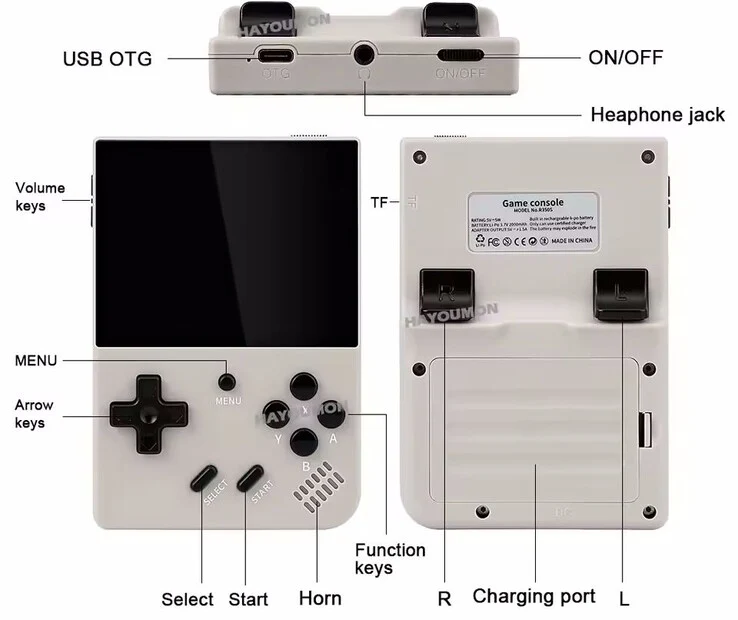
    The R350S gaming handheld has just hit the market through direct import, and it looks quite a bit like the R36XX at first glance. However, when you take a closer look, you’ll see some key differences in the input options. Costing about $34, the R350S doesn’t include left and right analogue sticks and instead features just two shoulder buttons instead of the usual four. While some games might not need all the buttons, the absence of extra shoulder buttons can limit functionality, like mapping them to the “switch screen” feature for Nintendo DS emulation.

    Display and Performance

    This handheld is equipped with a 3.5-inch IPS screen that has a resolution of 640 x 480 pixels. The manufacturer claims it can run emulators for the Neo Geo and various Game Boy devices. However, based on our tests, the RK3326 SoC inside falls short for smoothly emulating PSP titles. The built-in 2,000 mAh battery is supposed to last for up to five hours of playtime, but how long it really lasts can vary a lot depending on the platform you are emulating and the brightness of the screen.

    Operating System and Features

    Running on a tailored Linux system, the R350S comes with emulators already installed. The OS has been adjusted to work well with button navigation since there’s no touchscreen available. At the top of the device, you’ll find one memory card slot, in addition to a second USB port and a headphone jack.

    Source:
    Link


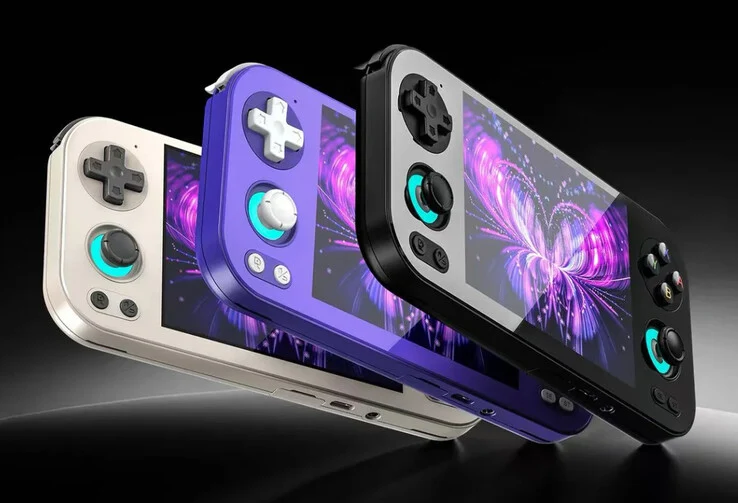
  • Anbernic RG476H: New Retro Handheld for GameCube, PS2, Dreamcast

    Anbernic RG476H: New Retro Handheld for GameCube, PS2, Dreamcast

    Key Takeaways

    1. The Anbernic RG476H has been officially launched globally, featuring a full glass front design similar to high-end Android gaming devices.
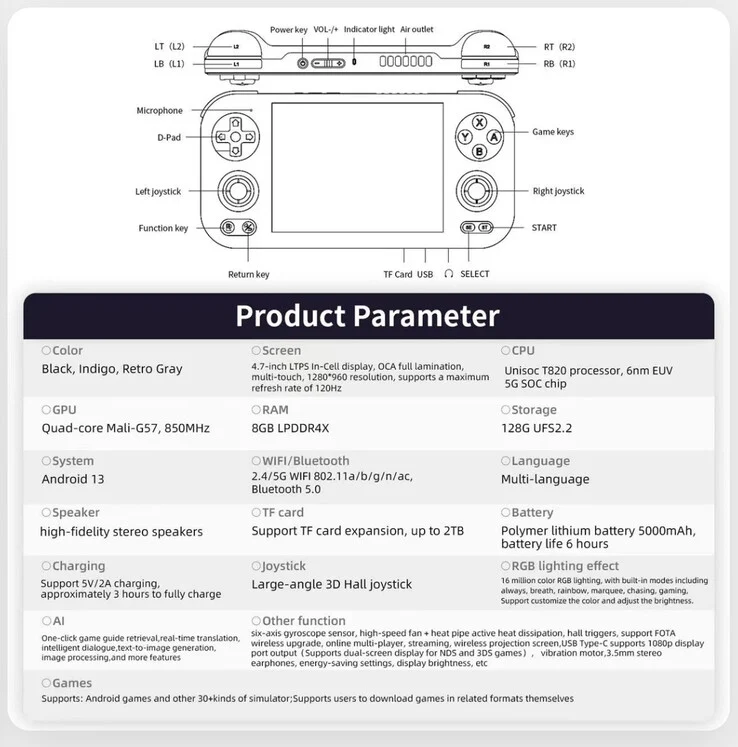
    2. It is powered by a Unisoc T820 processor, a Mali-G57 MP4 GPU, and 8 GB of LPDDR4X RAM, capable of running certain games at upscaled resolutions.
    3. The device includes a 4.7-inch IPS display, a 5,000 mAh battery, and features like Hall effect joysticks and a six-axis gyroscope.
    4. Pricing starts at $149.99 without a microSD card, with bundles available for $164.99 and $179.99, and there will be a price increase of $15 on September 22.
    5. The RG476H offers multiple color options, including Black, Indigo, and Retro Grey.


    Anbernic has officially launched the RG476H worldwide after a brief promotional period. This new model follows the RG477M that was released last month and features a full glass front, similar to the high-end designs of other well-known Android gaming devices like the Retroid Pocket 5, which currently sells for $259 on Amazon.

    Performance Comparisons

    The RG476H, however, isn’t as powerful as the Retroid Pocket 5 or its predecessor, the RG477M, which is evident from Anbernic’s initial pricing strategy. Still, it boasts a Unisoc T820 processor, a Mali-G57 MP4 GPU, and 8 GB of LPDDR4X RAM, enough to run Dreamcast and Nintendo 64 games at a 960p upscale. Additionally, it can emulate PSP titles at a 3x upscale, but the Unisoc T820 is limited to Gamecube and PlayStation 2 games at their original 480p resolution.

    Display and Features

    The RG476H showcases a 4.7-inch IPS display powered by a 5,000 mAh battery. The screen offers a 4:3 aspect ratio with a native resolution of 1,280 x 960 and can reach a brightness of 500 nits, along with a refresh rate of 120 Hz. Moreover, it includes 128 GB of expandable UFS 2.2 flash storage, Hall effect joysticks, and a six-axis gyroscope, all packed into a compact body measuring 176 x 86 x 16 mm and weighing approximately 290 g.

    Pricing Options

    The Anbernic RG476H is available starting at $149.99 without a microSD card. For those interested, Anbernic also has bundles that come with 128 GB and 256 GB microSD cards, priced at $164.99 and $179.99, respectively. Customers can choose from color options including Black, Indigo, and Retro Grey for all variants. Be aware that Anbernic plans to increase the prices by $15 on September 22 at 10:00 UTC.

    Source:
    Link


  • Anbernic RG476H: Portable Handheld for PS2 & Wii Games Previews

    Anbernic RG476H: Portable Handheld for PS2 & Wii Games Previews

    Key Takeaways

    1. The Anbernic RG476H gaming handheld can emulate systems like Dreamcast, PlayStation 2, and Nintendo Wii.
    2. It may feature either the MediaTek Dimensity 8300 or Unisoc T820 chipset, similar to other recent models.
    3. The device has a 4.7-inch IPS screen with a resolution of 1,280 x 960 pixels and a 120 Hz refresh rate.
    4. The display offers a peak brightness of 500 nits and a contrast ratio of 1,200:1, sourced from BOE.
    5. The RG476H will be priced globally at $174.99 and will compete with devices like the Ayaneo Pocket AIR Mini and Retroid Pocket 5.


    Anbernic has released more information about its upcoming gaming handheld following last week’s announcement. The company previously showcased the device’s design and color options in a brief video. Now, they have provided further details with a new video, which we have included below.

    Emulation Capabilities

    The video highlights several systems that the RG476H can emulate, including Dreamcast, PlayStation 2, and Nintendo Wii. Historically, Anbernic tends to reuse chipsets from its recent models, such as the RG Slide, RG477M, or RG557 (currently priced at $299 on Amazon). Therefore, it is quite possible that the RG476H will include either the MediaTek Dimensity 8300 or the Unisoc T820 chipset.

    Display Features

    Additionally, Anbernic has confirmed that the RG476H will feature a 4.7-inch IPS screen with a resolution of 1,280 x 960 pixels, a refresh rate of 120 Hz, a peak brightness of 500 nits, and a contrast ratio of 1,200:1. This custom panel, sourced from BOE, is already used in the RG477M and RG Slide. While those models target specific market segments, the RG476H will face competition from devices like the Ayaneo Pocket AIR Mini and the Retroid Pocket 5, among others. As reported by Retro Dodo, Anbernic has stated that the RG476H will be available for a global price of $174.99.

    Source:
    Link


  • Vortex F5 Gaming Handheld with Hall Effect Joysticks for $119

    Vortex F5 Gaming Handheld with Hall Effect Joysticks for $119

    Key Takeaways

    1. The QRD Vortex F5 is a handheld gaming device that supports emulation for multiple platforms, including PlayStation 1, PSP, Nintendo DS, Game Boy consoles, and Nintendo 64.
    2. It offers two storage options (64GB or 128GB microSD card), likely preloaded with games, and is priced at $119.
    3. Powered by an RK3566 SoC with four Cortex-A55 cores, the device has 1GB of LPDDR4X RAM and 8GB of internal eMMC storage.
    4. The device features a 5.5-inch display with a resolution of 1280 x 720 pixels, joysticks with Hall effect technology, and includes various buttons for gameplay.
    5. It has a 5,000mAh battery providing over six hours of usage and includes built-in speakers, a headphone jack, and an HDMI port for larger screen play.


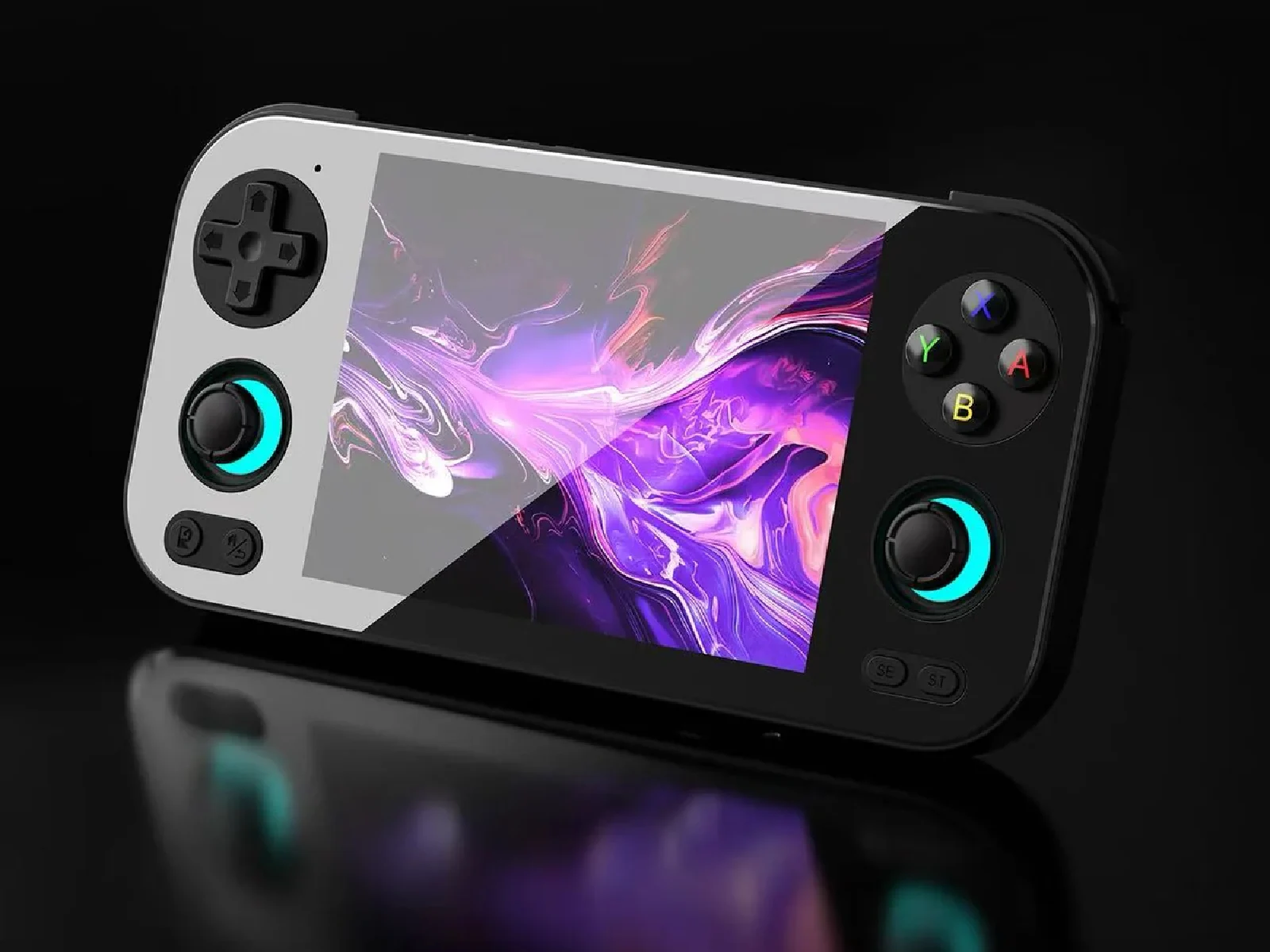
    The QRD Vortex F5 is a new handheld gaming device designed for playing a variety of games through emulation. It supports games from platforms like the PlayStation 1, PlayStation Portable, Nintendo DS, several Game Boy consoles, and the Nintendo 64. Customers can choose from two different storage options, with a microSD card available in either 64GB or 128GB, likely preloaded with some games. The device can be purchased for $119, however, buyers should check the shipping details ahead of making their purchase.

    Performance Specifications

    This retro gaming handheld is powered by an RK3566 SoC that features four Cortex-A55 cores. Its performance is notably less impressive when compared to more advanced gaming devices such as the Asus ROG Ally X, which starts at $649 on Amazon, a product we’ve previously covered in detail. Nevertheless, this device is equipped with 1GB of LPDDR4X RAM and 8GB of internal eMMC storage.

    Design and Features

    Weighing in at 0.73 lbs, the Vortex F5 has a 5.5-inch display with a resolution of 1280 x 720 pixels. The buttons and joysticks are positioned on either side of the IPS screen. Specifically, it includes two joysticks, action buttons, a D-pad, and shoulder buttons. The joysticks use Hall effect technology, which is designed to avoid stick drift, even after long periods of play.

    In addition, the device has two built-in speakers, a 3.5mm headphone jack, and an HDMI port, which can be handy for those who want to play multiplayer games on a bigger screen. The QRD handheld is powered by a 5,000mAh battery that offers over six hours of usage, although the actual battery duration may vary depending on the games being emulated and played.

    Source:
    Link