Tag: Android

  • Google Confirms Android Sideloading Remains, But With Limitations

    Google Confirms Android Sideloading Remains, But With Limitations

    Key Takeaways

    1. Google is enhancing security for sideloaded apps on Android by introducing a developer verification system.
    2. The new requirement mandates a valid digital signature for all sideloaded apps to increase protection against harmful software.
    3. Concerns have been raised within the community, particularly from the F-Droid team, regarding the impact on open-source app distribution.
    4. If a developer distributes malicious software, Google can revoke their certificate, disabling their apps on users’ devices.
    5. While sideloading will not disappear, the process will evolve, requiring verification requests for app distribution or using ADB as a workaround.


    Google is working on enhancing the security of a key feature in Android: the option to install apps from sources outside the official Play Store. Although sideloading is still an essential part of the Android experience—and Google reassures everyone that it is “absolutely not going away”—the unregulated era of installing unverified apps on Android is coming to an end. The company has recently shared more information about the new developer verification system for Android.

    Addressing Community Concerns

    Google has taken steps to tackle worries about this upcoming change. Recently, the team behind F-Droid, a well-known alternative app store that focuses on open-source applications, expressed that the new regulations “will end the F-Droid project and other free/open-source app distribution sources as we know them today.” Statements like these from respected voices have raised alarms within the community.

    New Mandate for Sideloaded Apps

    In a blog post, Google revealed that the shift revolves around a new requirement: developer verification for all apps that are sideloaded. This adjustment adds an important security layer intended to shield regular users from harmful software. On the flip side, it could make it more complicated for users who enjoy installing APKs that are not usually found on the Play Store.

    For many years, users who explored beyond the Play Store faced significant risks. Google points out that apps from outside the store carry malware at a rate 50 times higher than those found in its official marketplace. To bridge this gap, Google is instituting a requirement for a valid digital signature on each sideloaded app. Think of this signature as a digital ID card linked to the software. If a certified Android device tries to install an app that doesn’t have this verified signature, the installation fails automatically.

    Accountability Measures

    This digital ID ensures accountability. If a developer is found distributing harmful software, Google can quickly revoke their certificate. Such action immediately disables all related apps on users’ devices, making it much more difficult for “bad actors” to operate unchecked.

    The blog post also notes that developers can still use Android Studio to create, debug, and test apps locally without needing to go through the verification process. Tools like ADB will provide a “workaround” to evade the verification.

    In conclusion, while it’s accurate to say that app sideloading isn’t disappearing entirely, it is certainly going to evolve. Once these new measures are in place, anyone wishing to provide an Android app will need to either file a verification request or guide their community on using ADB for installation.

    Source:
    Link


  • Google’s New Rules May End Sideloading and Alternative App Stores

    Google’s New Rules May End Sideloading and Alternative App Stores

    Key Takeaways

    1. Android’s sideloading feature, allowing app installation from various sources, is at risk due to new developer registration requirements from Google.
    2. F-Droid warns that these regulations could threaten its operation as an open-source app store, placing Google in control of app distribution.
    3. Google’s proposed measures aim to enhance security but may lead to a decline in app availability and limit options for users, particularly impacting small developers.
    4. Centralizing app identity verification under Google could create barriers for independent and privacy-focused developers, risking the loss of diverse app offerings.
    5. Regulatory bodies, especially in Europe, are monitoring these changes, as they may conflict with laws allowing users to install apps from alternative sources.


    For many years, one of the biggest attractions of Android was the ability to sideload apps from various sources, setting it apart from iOS, which confines users to the App Store. This capability allowed Android users to install applications directly from websites or through alternative stores like F-Droid, granting them more flexibility and a feeling of autonomy over their devices. However, this freedom is now facing challenges. Google has plans to implement new developer registration requirements that could complicate the sideloading process significantly and might even eliminate independent app stores entirely.

    Concerns About Developer Registration

    F-Droid, which has been an open-source alternative to the Play Store for 15 years, has issued a warning that these new regulations could jeopardize its entire operation. According to Google’s proposed guidelines, every app would need to be associated with a registered developer identity. Developers would also have to submit government-issued ID along with their app identifiers and signing keys directly to Google. This could effectively place Google at the helm of app distribution on Android, granting it control not only over the Play Store but also over any app installed on Android devices.

    The Implications of Google’s Control

    In a blog post, F-Droid asserted that the “developer registration decree will end the F-Droid project and other free/open-source app distribution sources as we know them today.” While Google asserts that these measures will enhance security and curb the spread of malware, this claim is questionable given that the Play Store has previously hosted harmful apps despite its current verification processes. Android already includes Play Protect, a built-in feature that scans and removes dangerous apps, and F-Droid contends that an open-source model is more transparent, as the community can review the code and pinpoint problems.

    The Broader Impact on Developers and Users

    On the other hand, putting Google in charge of app identities creates a centralized authority that decides which apps can be installed and who can install them. The ramifications of this change could go beyond just security issues. Developers, especially hobbyists or small contributors, may be reluctant to provide personal identification or follow corporate-style verification processes, which could lead to a decrease in the availability of apps outside the Play Store. Privacy-oriented tools and community-driven projects may vanish entirely, resulting in a significant reduction in options for users. Even established developers could face risks, as losing a registration could mean an app would be cut off from distribution, irrespective of its popularity or usefulness.

    Regulatory Attention and Legal Challenges

    These concerns have already caught the eye of regulators, particularly in Europe, where the Digital Markets Act mandates that users should be able to install apps from alternative sources without unnecessary obstacles. If Google’s new system is perceived as making sideloading nearly impossible, it could face scrutiny and potential legal challenges within the region. In the U.S., Google is already contending with ongoing antitrust lawsuits related to app distribution, and the introduction of stricter developer identity verification is likely to be interpreted as a means of tightening its grip on the Android ecosystem.

    Source:
    Link


  • Signal Launches Free and Paid Secure Backup Options

    Signal Launches Free and Paid Secure Backup Options

    Key Takeaways

    1. Signal has launched new free and paid plans for backing up messages and media, currently available only on the Android beta version.
    2. The free backup option lasts for 45 days, while a $1.99 subscription allows backups of up to 100GB.
    3. The subscription fee helps cover the costs of data storage and transfer, as Signal does not sell user data.
    4. A unique 64-bit recovery key is created for each user, and losing this key means Signal cannot assist with message recovery.
    5. Future enhancements are planned, including secure backup options and cross-platform message transfer features.


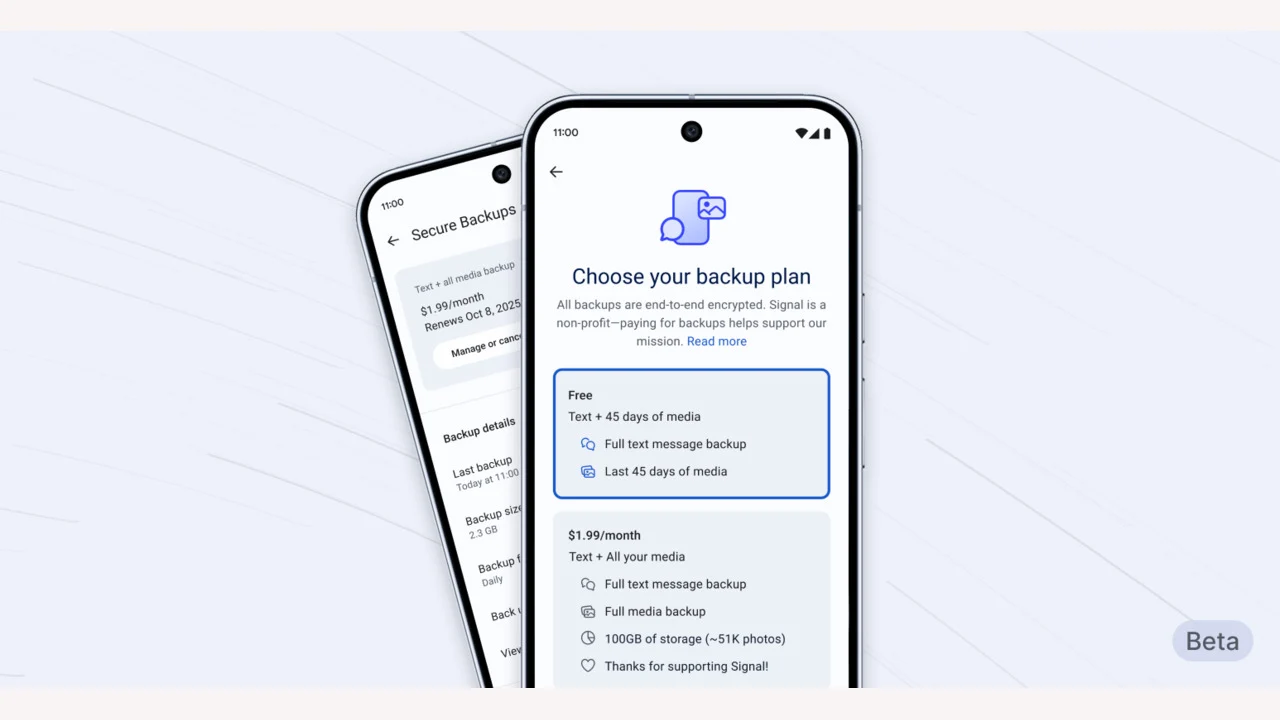
    Open-source messaging platform Signal has rolled out new free and paid plans for safely backing up messages and media. This feature is optional and you must download the newest beta version on Android to access it.

    Limited Release for Testing

    According to Signal, restricting the launch to Android lets them “test this feature in a limited setting, before it expands to iOS and Desktop shortly.”

    The free option permits users to back up all text messages and media for a period of up to 45 days. If users wish to increase this limit, they can opt for a $1.99 subscription that allows full media backups of up to 100GB.

    Cost of Data Storage

    Signal explained that “storing and transfering large amounts of data is costly.” As the company does not gather or sell user data, the $1.99 subscription helps them manage these expenses.

    The secure backup functionality adheres to the same “zero-knowledge” principle that the company embraces. This means that all backup archives “are stored without a direct link to a specific backup payment or Signal user account.”

    Recovery Key and User Responsibility

    Signal creates a 64-bit recovery key on your device that isn’t shared with their servers and is the sole means to “restore access to your messages.” If you lose this key, the company cannot assist you in recovering it.

    To use the new feature, you must download the latest beta version of the app from the Play Store. You will find the option to activate it in the Signal settings menu. Currently, this feature is exclusive to beta versions of the app on Android, but it will be available on all platforms soon.

    Future Enhancements

    The technology being utilized for the “initial version of secure backups will also provide the groundwork for more secure backup alternatives in the near future.”

    Signal also hinted at adding more comprehensive options soon, such as the ability to save “a secure backup archive to a location of your choice, along with features that facilitate transferring your encrypted message history across Android, iOS, and Desktop devices.”

    Source:
    Link


  • Workaround for Android App Sideloading Block Explained

    Workaround for Android App Sideloading Block Explained

    Key Takeaways

    1. Google is tightening control over Android by limiting unverified app sideloading starting in late 2026.
    2. A possible workaround for sideloading apps involves using the Android Debug Bridge (ADB), a command-line tool for developers.
    3. ADB allows experienced users to install unverified apps, but requires technical knowledge and is less user-friendly than previous methods.
    4. The new policy aims to protect less tech-savvy users from downloading harmful apps and malware.
    5. Developers must authenticate their identity with Google to distribute apps, replacing the traditional Play Protect system with a new app called Android Developer Verifier.


    If you enjoy the freedom of installing apps from various sources on Android, you might have felt uneasy following Google’s latest news. The tech giant is tightening its control over its mobile operating system, introducing a policy that will limit unverified app sideloading starting in late 2026. This means, in theory, you won’t be able to install external APKs from unverified developers anymore. However, recent discoveries indicate that there may be a workaround to keep sideloading apps on your Android device.

    Key Findings on Sideloading Workaround

    Android specialist Mishaal Rahman has shared both positive and negative updates regarding the restrictions on app sideloading. I stumbled across a small yet significant detail in Google’s FAQ that hints at a possible workaround: the Android Debug Bridge (ADB). This command-line tool, essential for developers, might be the solution for those looking to install unverified apps. According to the FAQ, developers can “install apps without verification using ADB.”

    Understanding ADB and Its Use

    For those who might not know, ADB is a technique for installing software (like apps, mods, and more) on Android devices and is favored by experienced users. Although it’s not overly complicated, it does require at least one line of code to kick off the process. This makes sideloading apps less straightforward than just a few taps on your device, which is a bit of a drawback.

    On the flip side, this development means that the option to sideload apps won’t completely vanish.

    Impact on Developers and Users

    Google’s new policy aims to minimize the risks for individuals who aren’t tech-savvy and may accidentally download malware by installing harmful apps. Meanwhile, experienced users can still sideload apps on Android by utilizing ADB as a workaround.

    According to the new guidelines, every developer who wants to distribute an Android app—whether on the Play Store or not—must first authenticate their identity with Google. Failing that, their applications won’t be installable on certified devices. Instead of relying on Play Protect, Google will launch a new system app called Android Developer Verifier. It’s intriguing that Google is opting for this new approach instead of the traditional Play Protect, and the reasons for this change are not yet clear. We can only hope for more information in the near future.

    Source:
    Link


  • Sidephone: Sneak Peek at the New Dumb Phone with Android OS

    Sidephone: Sneak Peek at the New Dumb Phone with Android OS

    Key Takeaways

    1. The Sidephone features a compact 2.8-inch screen running on Android, with essential apps and customizable quick settings tiles.
    2. Initial messaging support will include only SMS and MMS, with RCS unavailable at launch due to privacy concerns.
    3. Users can customize buttons and choose from different keyboard options, including a T9-style keypad for the first 1,000 units.
    4. The App Library allows for sideloading and updating apps, with detailed information about permissions and source code links.
    5. Pre-orders for the US are set to begin in mid-August 2025, with initial shipments expected in Fall 2025, while other regions will follow in early 2026.


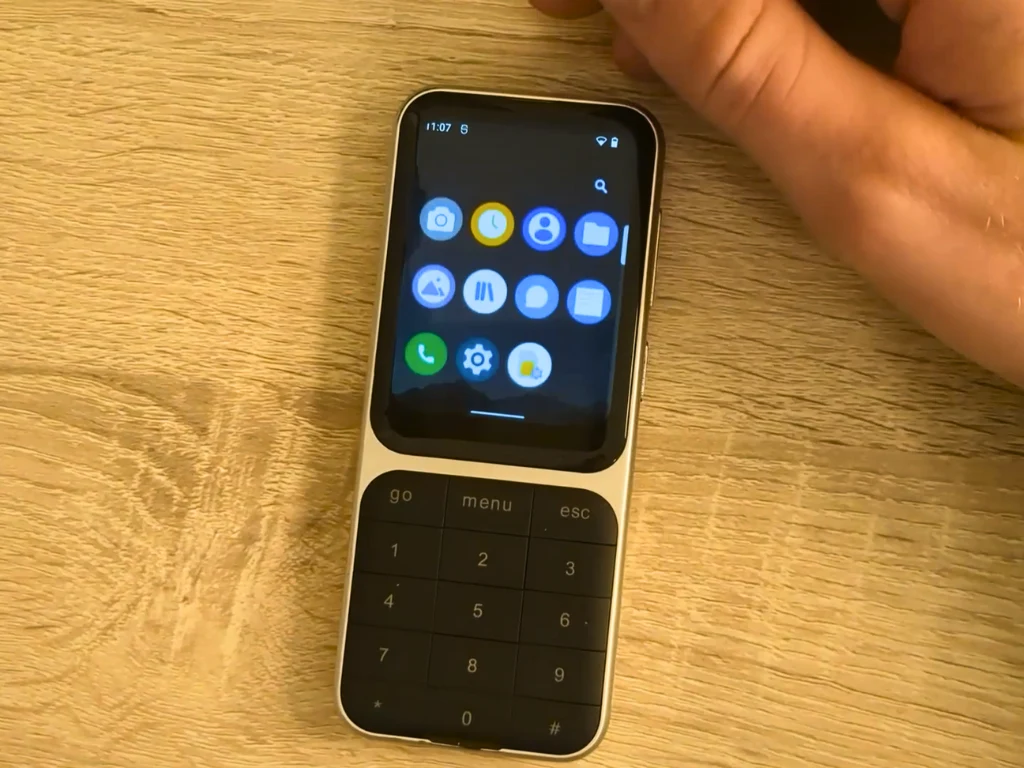
    The Sidephone captured significant interest when it was revealed in April 2025. Since then, the team has been preparing for the device’s release, and we now have a sneak peek at the operating system demo shared by u/sebastiansnell on the r/sidephone subreddit. In a 15-minute video, he delves into different features of the upcoming “dumb” phone.

    Display and Key Features

    The video kicks off by demonstrating Android on the compact 2.8-inch screen. u/sebastiansnell rearranged the widgets, highlighted the quick settings tiles, and showcased the default applications that will come with the Sidephone. These apps include various essential tools.

    He then opened up each of the mentioned applications to show how they function on the tiny touchscreen. Due to privacy issues, full messaging capabilities weren’t displayed in the video; however, Sebastian noted that the messaging service will support only SMS and MMS at its initial launch—RCS won’t be available just yet.

    Customization Options

    At the 4:09 mark, he highlighted how users can customize different buttons on the Sidephone, which includes a swappable keyboard. Users can assign important functions like play, pause, or next track to any button they choose. It’s important to note that the first 1,000 units will come with a T9-style keypad, as confirmed by the company. A physical QWERTY option and an MP3-style keypad will be available for pre-orders starting at the end of September.

    The App Library allows users to sideload and update Sidephone applications, providing access to a comprehensive list of compatible apps. Here, users can view source code links, permissions, and other details about each app. Sebastian mentioned that a complete list of available apps would be released in a couple of weeks. Additionally, users can scan QR codes to add repositories to the Sidephone to enhance the device’s functionality, such as by installing GPS apps.

    Typing Experience and Launch Details

    Finally, he showcased the typing experience on the on-screen QWERTY keyboard, which included quite a bit of autocorrect and predictive text—something expected on a smaller display. Sebastian mentioned that the T9 keyboard on his device was a bit buggy, so he opted not to use it for the demonstration.

    In an earlier Reddit post, the company announced that pre-orders for the US would start in mid-August, with the first batch of Sidephones expected to arrive in Fall 2025. Although as of August 27, there’s no pre-order button visible on the website, it should appear soon. Pre-orders for other regions will kick off in Fall 2025, with initial shipments planned for early 2026.

    Source:
    Link


  • Home Assistant App Update: Server-Related Changes Released

    Home Assistant App Update: Server-Related Changes Released

    Key Takeaways

    1. Version 2025.6 of the Home Assistant app is now available for both iOS and Android.
    2. Users can access the entity “more-info” section directly from the Control Centre.
    3. A bug fix was implemented for the macOS Download folder default choice.
    4. Measurement units in CarPlay sensor states have been restored.
    5. iOS users can now access settings even when the Home Assistant server is disconnected, thanks to a new Settings button.


    An update is here for the Home Assistant apps on both iOS and Android, now at version 2025.6. This comes after the 2025.5 version that was launched in May 2025, which included enhancements to the onboarding experience.

    What’s New in Version 2025.6

    The release notes in the App Store for the Home Assistant app version 2025.6 mention a variety of adjustments. To start, users can now access the entity “more-info” section directly from the Control Centre. Additionally, there’s a fix for a bug associated with the macOS Download folder that wasn’t consistently set as the default choice. The measurement units that were missing in CarPlay sensor states have been restored. Furthermore, users now have the ability to rearrange servers in their app settings through a simple drag and drop method.

    Enhancements for iOS Users

    Moreover, iOS users will be pleased to know that a problem related to the Home Assistant server has been addressed. Previously, if the server was disconnected, users found it impossible to access the settings in the companion app. With the new update, a Settings button will now appear when users launch the app.

    You can get the Home Assistant app version 2025.6 for both iOS and Android from the Apple App Store and Google Play Store, respectively. Earlier in July, there was a more extensive 2025.7 Home Assistant release, which introduced a new Ask Question action for users of this open-source home automation platform.

    Home Assistant can be found on Facebook, as well as on the Apple App Store and Google Play Store, along with Smarthome Assistent.

    Source:
    Link


  • Chrome OS and Android Set for Merging: What You Need to Know

    Chrome OS and Android Set for Merging: What You Need to Know

    Key Takeaways

    1. Google plans to merge Chrome OS and Android for enhanced user experience.
    2. Chromebook users may access Android features, while smartphones could run Linux applications.
    3. Confirmation of the merger came from Sameer Samat in a TechRadar interview.
    4. The change follows recent updates like Chrome OS porting and Linux support in Android.
    5. This move aims to compete with Apple’s integrated ecosystem, though a timeline is not yet provided.


    Google is gearing up to unite two of its well-known operating systems in the near future. This change could allow Chromebook users to access the finest features of Android, whereas smartphone users might find it possible to run Linux applications directly on their devices.

    Confirmation from TechRadar Interview

    This merger has been confirmed during an interview with Sameer Samat, the president of Google’s Android Ecosystem division, as reported by TechRadar.

    Logical Progression

    This move seems to be a natural evolution following significant developments, such as the successful port of Chrome OS to Pixel devices, and the introduction of Linux support through a virtual machine in the latest major Android update.

    Samat suggested that the new hybrid operating system will primarily influence how Chromebooks operate, but it could also lead to improvements in the desktop experience for smartphones.

    Competing with Apple

    The unification is expected to serve as Google’s response to the seamless integration seen in Apple’s iPhone/Mac/iPad ecosystem. However, Samat did not provide a specific timeline for when this new operating system combination will take place.

    Source:
    Link

  • Firefox Adds 2 Key Features for Tab Hoarders on Android Tablets

    Firefox Adds 2 Key Features for Tab Hoarders on Android Tablets

    Key Takeaways

    1. Firefox 138 introduces new features for desktop users, including tab groups and vertical tabs, enhancing productivity and profile management.
    2. Android users experience a subpar browsing experience, lacking the efficiency and design found in competitive browsers.
    3. Firefox on Android has awkward tab switching and limited keyboard shortcuts, hindering productivity for users with external keyboards.
    4. The browser lacks multi-window support, forcing Android users to choose alternative browsers for better functionality.
    5. Google maintains a monopoly in the browser market, with most competitors built on Chromium, highlighting the need for privacy-focused alternatives like Firefox.


    Firefox plays a significant role in the browser landscape, being the primary challenger to Google’s Chromium engine. This is evident in both the desktop and Android versions of the software. Even though Firefox remains quite functional on Windows, Linux, and macOS, it appears that the Firefox team is overlooking Android users who wish to be productive while on the move.

    New Features for Desktop Users

    With the introduction of Firefox 138, desktop users now benefit from tab groups and vertical tabs — the latter being added in a prior update about a month ago. This enhancement provides users with numerous options to efficiently manage a large number of tabs and improve their productivity, especially on screens with wider aspect ratios. Mozilla claims that the introduction of tab groups was the most requested feature by its users, which led to its implementation. Additionally, Firefox 138 brings profile management to the desktop application, a feature that had been notably absent.

    Android Users Left Behind

    Sadly, Android users are still feeling the brunt of neglect in their browsing experience.

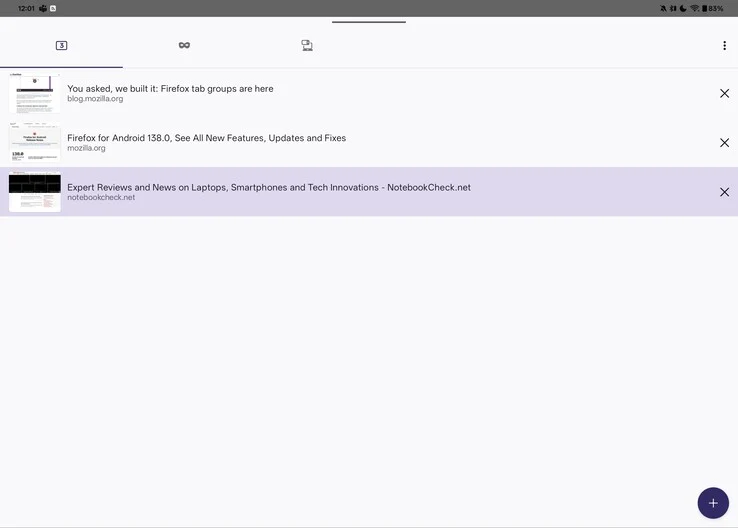
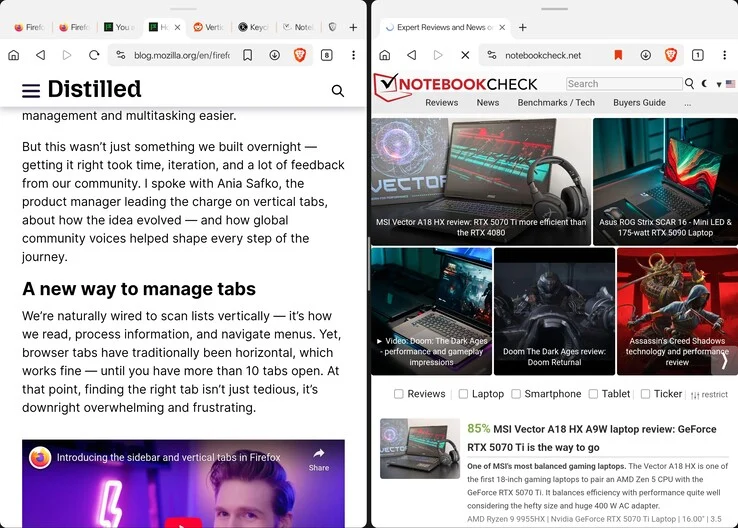
    Describing Firefox on Android as a painful experience would not do justice to just how inadequate it is. The basics are present: it loads pages reasonably well, has tabs, and the browser automatically activates desktop mode on larger screens, such as tablets. However, this is where the positives pretty much end. In contrast to competitive browsers like Brave, Vivaldi, and even Chrome, which display tabs in a ribbon above the address bar, Firefox on Android forces users to access a tab overview, creating an additional step that disrupts workflow and can be more distracting than one might think.

    User Interface Issues

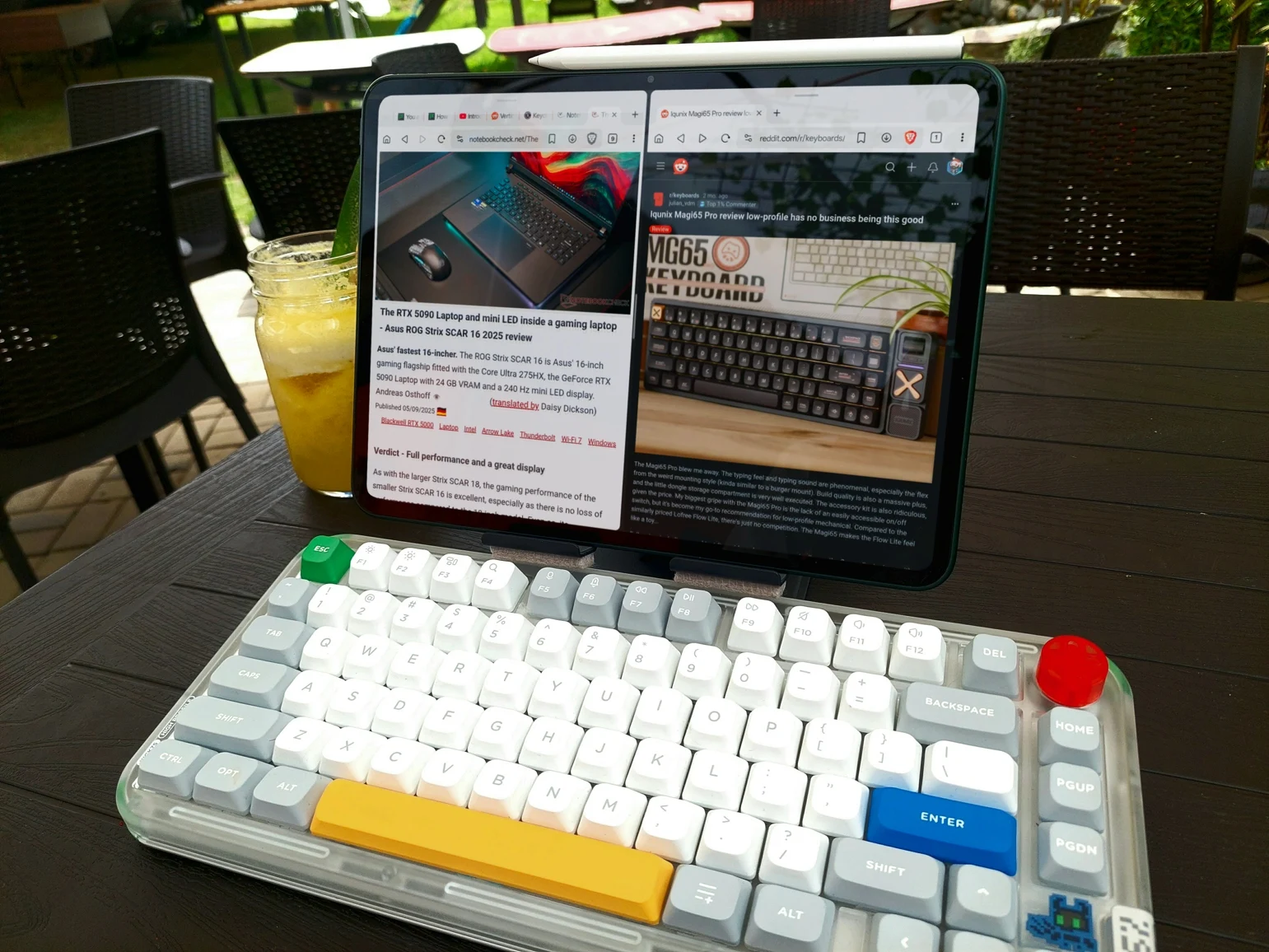
    Awkward tab switching and subpar UI design are not rare in Android applications, right? You might assume that at least you could utilize keyboard shortcuts when connecting to an external keyboard or keyboard cover. Unfortunately, common shortcuts such as Ctrl+Tab/Page Up and Page Down for switching tabs, Ctrl+T for opening a new tab, and Ctrl+W for closing a tab simply do not function in Firefox, with no apparent alternatives. The only “easy” way to navigate between tabs on Firefox for Android is to enable swiping on the address bar. While this gesture is somewhat practical, it also requires users to take their hands off the keyboard if their tablet is set up in a laptop-like manner.

    Lack of Multi-Window Support

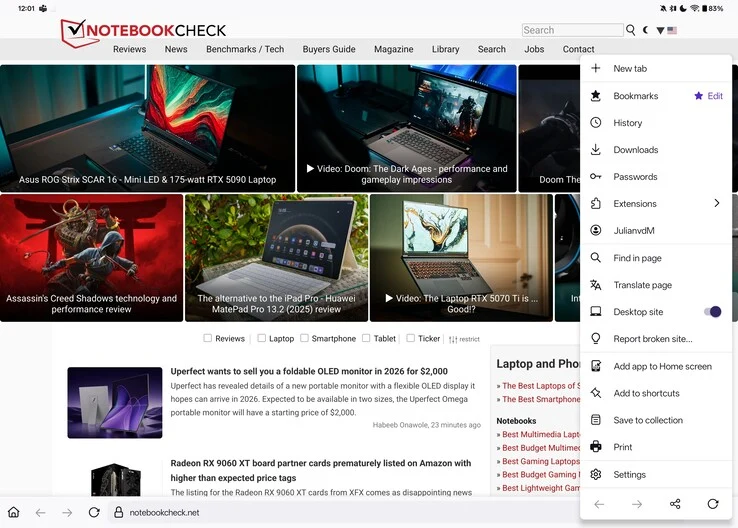
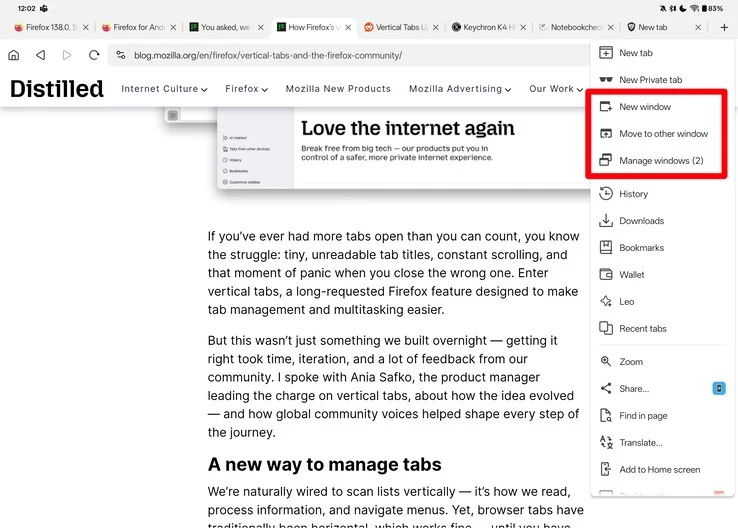
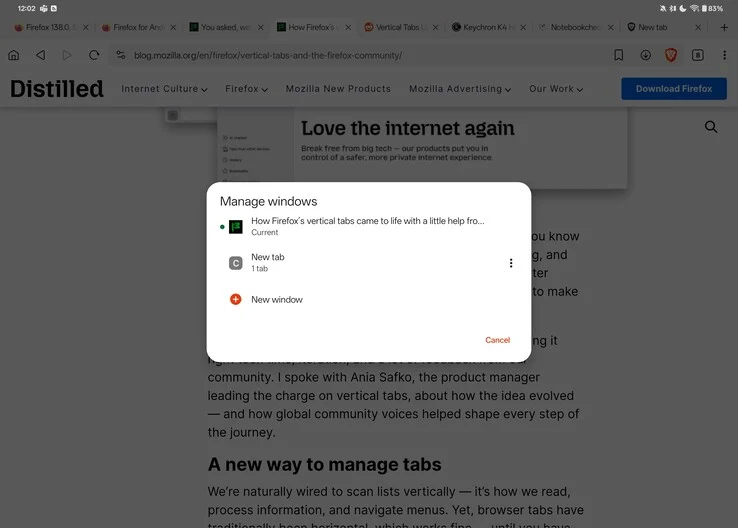
    This does not even cover the absence of window support in Firefox. Although it technically allows for resizable windows, both Brave and Vivaldi come with built-in multi-window capabilities. By tapping the “New Window” button in the browser’s menu, you can easily split your screen, displaying your original content on one side and a new window with a fresh tab on the other. Firefox lacks such functionality, which means anyone trying to use Firefox as a productivity tool on Android is forced to either switch to another browser or rely on quirky features like OnePlus’s duplicate app support for multi-window ability.

    The Browser Monopoly

    Unfortunately, Google has essentially established a monopoly in the web browser arena, with nearly every real competitor to Chrome being built on the same open-source Chromium foundation. Browsers like Brave, Opera, Vivaldi, and even Microsoft Edge are merely Chrome with their own unique touches added. While this might contribute to a solid user experience — simplifying the process for web developers to resolve issues and ensure compatibility across a large user base — it also grants Google considerable authority over web privacy, security, and user data. A prime example of this is the recent transition from Manifest V2 to Manifest V3, which has sparked significant backlash from privacy-conscious users.

    The Need for Alternatives

    Even though Firefox has a relatively small user base compared to Chrome or Safari, it’s crucial to have an alternative to Chrome for those seeking greater control over their privacy and online access. At this moment, however, Firefox continues to fall significantly short, particularly on the Android platform.

    Source:
    Link


  • Google Confirms AOSP Will Stay Open-Source Amid Private Shift

    Google Confirms AOSP Will Stay Open-Source Amid Private Shift

    Key Takeaways

    1. AOSP has provided access to mobile operating system source code for nearly 16 years.
    2. Google is merging AOSP development into a private branch, accessible only with a GMS license.
    3. The public version of AOSP has become increasingly outdated compared to the private branch.
    4. Google aims to streamline its development process with this shift.
    5. AOSP will remain open-source, but updates will come after work on the private branch is completed.


    The Android Open Source Project (AOSP) has given people access to the source code for one of the top operating systems for mobile gadgets like smartphones and tablets for almost 16 years. But now, Google is making a big change in how this works.

    Changing Development Branches

    For most of its existence, AOSP development has been managed under two main branches of its documentation: the public one, which is released under Apache 2.0, and a private one that needs a Google Mobile Services (GMS) license to access. Over the past few years, these two branches have started to differ more and more, with the public version often being outdated compared to the private one.

    Recently, Google has chosen to officially move all parts of AOSP to the private branch. When Android Authority asked for a comment on this shift, the tech giant from Mountain View said it was done to “streamline its development process.”

    Future of AOSP

    Google has promised to keep AOSP open-source by continuing to release the source code, but only after finishing work on the private branch. This means that the impact on regular users is expected to be minimal. However, some experts might view this as a sign that custom Android development is coming to an end.

    Source:
    Link

  • How Android Led to Nokia’s Decline: Rise and Fall Explained

    How Android Led to Nokia’s Decline: Rise and Fall Explained

    Key Takeaways

    1. Nokia once dominated the mobile phone market, holding over 40% share in the mid-2000s, known for reliable devices like the Nokia 3310 and N-series.
    2. The launch of Android in 2008 transformed the smartphone landscape, allowing various manufacturers to innovate quickly and create a vast app ecosystem.
    3. Nokia’s failure to adopt Android and its decision to focus on the struggling Windows Phone led to its rapid decline in the smartphone market.
    4. By 2013, Nokia’s smartphone market share had plummeted, resulting in the sale of its mobile division to Microsoft for $7.2 billion.
    5. The story of Nokia highlights the importance of adapting to technological changes and consumer preferences; early adoption of Android might have changed its fate.


    Nokia was once the leading name in the mobile phone sector. In the early 2000s, its products ruled global markets, and the brand was well-known for reliability and cutting-edge tech. However, within ten years, Nokia’s mobile segment diminished significantly, eventually being sold to Microsoft. A major reason for this rapid decline was the emergence of Android. Although Nokia made some errors, Google’s open-source operating system fundamentally changed the smartphone landscape, leaving Nokia finding it hard to keep up.

    The Height of Nokia’s Influence

    During its peak in the mid-2000s, Nokia held over 40% of the global mobile phone market. The Finnish company created some of the most memorable devices, such as the Nokia 3310 and the N-series, which were famous for their toughness, easy-to-use designs, and advanced features. Nokia’s own Symbian OS was prevalent, and its feature phones were popular in both advanced and growing markets. However, as technology progressed and consumer tastes shifted towards smartphones, Nokia was slow to adapt.

    The Emergence of Android and Market Evolution

    In 2008, Google launched Android, an open-source OS intended for a wide array of devices. Unlike Apple’s iOS, which was exclusive to the iPhone, Android was picked up by various manufacturers like Samsung, HTC, and Motorola. This open format led to quick innovation, a large app ecosystem, and a customizable user experience.

    Android’s versatility made it appealing for manufacturers searching for alternatives to closed operating systems like Symbian and BlackBerry OS. Companies such as Samsung swiftly took advantage of this, releasing robust Android smartphones that attracted a wide audience. Meanwhile, Nokia continued to depend on Symbian, an outdated platform that had trouble competing with the user-friendly interfaces and app ecosystems of Android and iOS.

    Nokia’s Poor Decisions

    While the rise of Android was a key factor in changing the industry, Nokia’s own choices sped up its decline. One of its major blunders was the hesitation to adopt Android. Even though Nokia saw the promise of smartphones, it opted to create its own Linux-based OS called MeeGo. However, internal struggles and management issues led to MeeGo’s failure, leaving Nokia without a competitive platform.

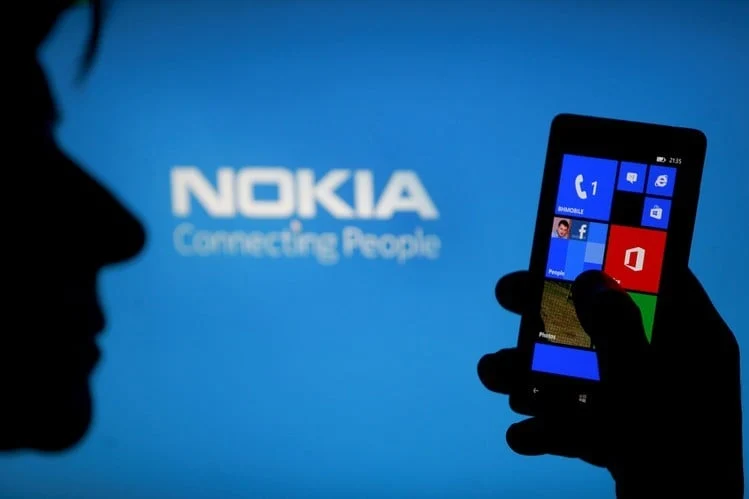
    In 2011, then-CEO Stephen Elop made a controversial choice to partner solely with Microsoft and adopt Windows Phone as its main OS. This decision alienated many devoted Nokia customers who were hoping for an Android option. At the same time, Windows Phone struggled to gain traction due to its limited app selection and weaker developer support compared to Android. As Samsung, Huawei, and other companies rapidly grew their Android lines, Nokia’s Windows Phone strategy lagged behind.

    The Unavoidable Downfall and Microsoft Takeover

    By the time Nokia tried to bounce back, it was too late. Android had already established its dominance, and companies like Samsung had become well-known names in the smartphone market. Nokia’s Lumia series, while praised for its hardware, failed to draw in enough users due to the shortcomings of Windows Phone. By 2013, Nokia’s smartphone market share had dropped significantly, leading the company to sell its mobile division to Microsoft for $7.2 billion.

    Sadly, Microsoft’s efforts to revive Nokia’s phone business with Windows Mobile also fell short. By 2016, Microsoft essentially abandoned the effort, signaling the end of Nokia’s role in the smartphone market.

    Nokia’s Comeback and Lessons Learned

    Even though Nokia doesn’t lead the mobile industry anymore, the brand has experienced a revival under HMD Global, which licenses the Nokia name for Android smartphones. However, HMD Global has faced challenges in effectively leveraging Nokia’s branding. Consequently, the company has ceased using the Nokia name for its smartphones, marking the end of Nokia-branded devices. Meanwhile, Nokia itself has shifted its focus entirely to network equipment technology, leaving its mobile history behind.

    The story of Nokia offers an important lesson in the tech world. Even the strongest companies can stumble if they don’t adjust to changing consumer preferences and new technologies. The rise of Android was inevitable, but if Nokia had embraced it sooner, the outcome for the company might have been quite different.