Tag: ios

  • Borderlands Mobile Launches Suddenly: Fans Find It Underwhelming

    Borderlands Mobile Launches Suddenly: Fans Find It Underwhelming

    Key Takeaway

    1. Borderlands Mobile is currently in a limited soft launch for iOS in the US, with a full release and Android version still uncertain.
    2. The game retains core series features like combat, loot, and humor, but only one class (Summoner) is available initially.
    3. Player reception is mixed, with skepticism about monetization and limited availability, but initial gameplay impressions are positive.
    4. The game has a high average rating (4.5 stars) in the US App Store, suggesting potential for success.

    Borderlands Mobile: A New Chapter for Fans

    Borderlands Mobile is a new addition to the popular game series, but it currently only available for iPad and iPhone in the US. This is because it’s just a soft launch, not the full release. The publisher 2K and developer Zynga want to see how players respond to the mobile version first. Even though there’s a video showcasing eight minutes of gameplay on IGN’s YouTube channel, it’s still early days to tell how good or popular the game will become overall.

    Gameplay and Visuals

    From what has been shown, the game stick pretty close to the original Borderlands vibe. It focuses on shooting enemies, collecting loot, and upgrading your character, all wrapped in that quirky humor and comic-book style that fans love. The game seems to take place around the time of Borderlands 3, featuring themes like corporations, Vaults, and treasure hunting. Currently, only one class, the Summoner, is available, but more classes are likely to come later through updates.

    Reactions and Expectations

    Right now, it’s tricky to know how players overall feel about the game. The initial feedback is mostly mixed, with some skepticism in the comments section of IGN’s video. Since the game is free-to-play, many players are cautious, expecting it might push costly in-app purchases soon. However, because these monetization features are not yet in place, it’s still uncertain how aggressive they will be once fully implemented.

    Complaints and Praises

    Many users are unhappy about the limited access to the game, but some praise the gameplay for being surprisingly smooth for a mobile title, capturing the essence of Borderlands well. It has already gained over 450 ratings in the US App Store, with an impressive average of 4.5 stars. This suggests the game has some real potential, though its long-term success might heavily depend on how it manages monetization strategies. An Android version has not been officially announced, but many people believe it’s a strong possibility in the future.
  • Google Maps Introduces iPhone-Exclusive Feature Like Waze and Apple Maps

    Google Maps Introduces iPhone-Exclusive Feature Like Waze and Apple Maps

    Key Takeaways

    1. Google Maps now offers an automatic parking location feature that activates when connected to the car via USB, Bluetooth, or CarPlay.
    2. The app saves your parking spot automatically when you arrive at your destination and removes the pin when you start driving again.
    3. This feature is currently only available for iOS users; Android users still have to use it manually.
    4. Users can now customize car icons instead of using the standard pin for their parking location.
    5. Similar parking features have existed in other navigation apps like Apple Maps and Waze.


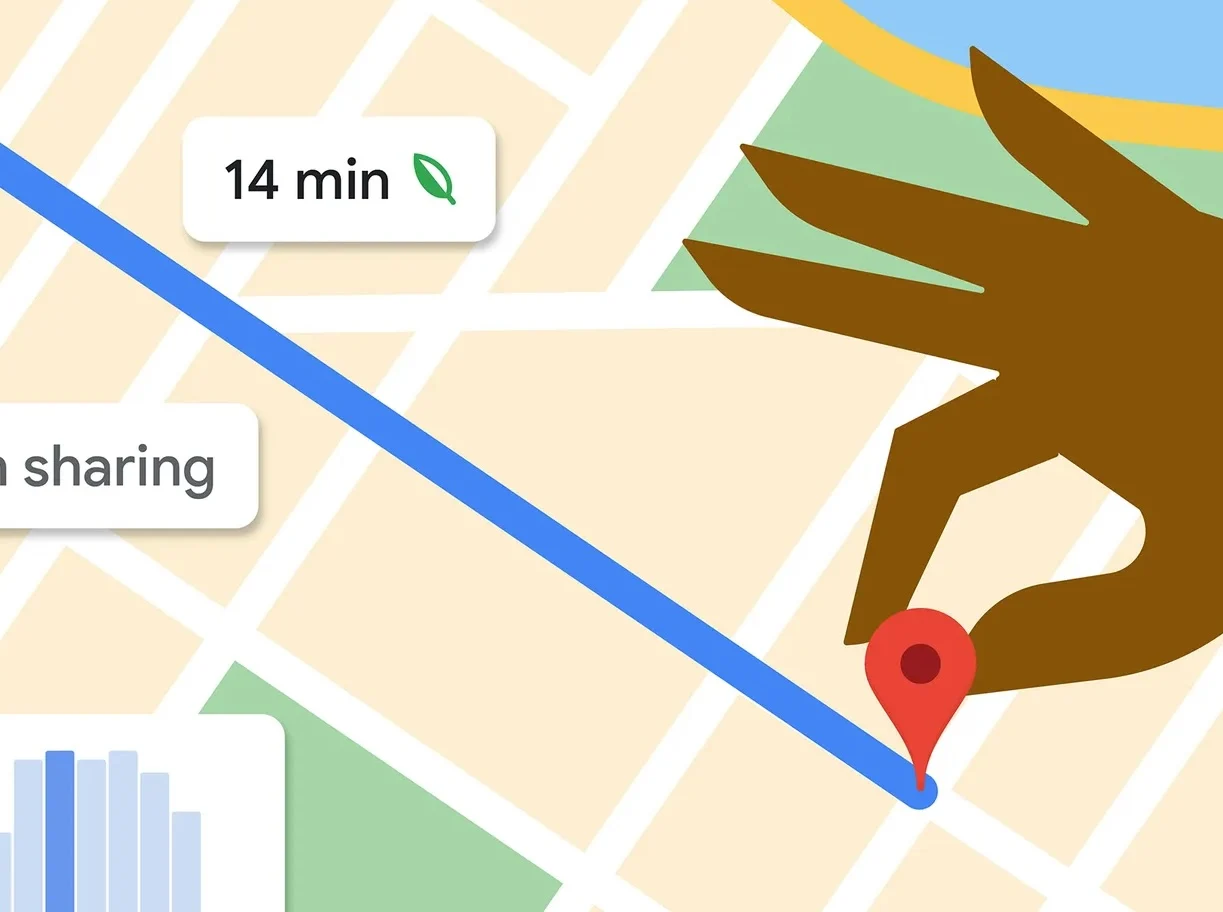
    Google Maps has offered the option to remember where you parked your car for some time, but it was not automatic until recently. This new automatic parking location feature was introduced by Google’s Rio Akasaka in a LinkedIn post, where he discussed the latest update.

    How It Works

    According to Akasaka, this new feature activates when Google Maps is linked to the car through USB, Bluetooth, or CarPlay. When you arrive at your destination, the app saves your parking spot. Then, when you start driving again, the pin that marks your parking location is automatically removed. Here’s what Akasaka shared:

    “Don’t worry anymore, because Google Maps will do the remembering for you. No more snapping pictures in parking garages or messing around with app settings or taking screenshots to keep track. Just hop in your car with Google Maps, connect via USB, Bluetooth, or CarPlay, and once you’re done driving, there’s a little pin waiting for you next time you open Google Maps—a personal parking valet, just for you. When you get back on the road, that pin disappears, just like that.”

    Availability Issues

    For now, this feature is only available for iOS users and started rolling out about a month ago. Unfortunately, Android users will still need to use the feature manually. Recently, it seems that users have the option to select custom car icons instead of the standard pin, which is a nice touch.

    Interestingly, similar features have been available on rival navigation apps like Apple Maps and Waze. It’s unclear why Google took so long to add this to their list of features, but it’s certainly better late than never. It’s also puzzling why this function hasn’t been released for Android users, who still have to do it manually.

    Source:
    Link


  • Circumvent Apple App Store: Safe Alternatives Without Jailbreak

    Circumvent Apple App Store: Safe Alternatives Without Jailbreak

    Key Takeaways

    1. Sideloading on iOS is possible without jailbreaking, but risks remain, especially outside the EU.
    2. Alternative app stores in the EU, such as Altstore PAL and Epic Game Store, still require apps to be notarized by Apple.
    3. Altstore Classic allows users to sideload apps without developer certificates and prevents app expiration.
    4. Sideloading can lead to access to both legitimate and pirated applications, raising trust issues with many services.
    5. Users should exercise caution with sideloading, especially when exploring third-party sources that may contain harmful content.


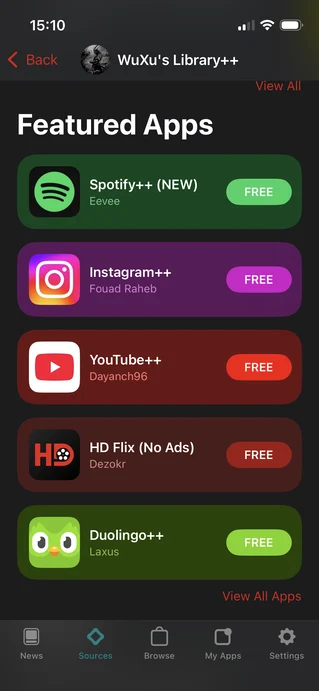
    Getting iOS applications from sources outside of Apple can seem like a good idea, but the situation is quite intricate. Sideloading on Apple devices has been possible for years without jailbreaking, regardless of whether you’re in the EU or not. Although sideloading is now “officially” available for EU users, it doesn’t significantly alter the overall sideloading environment for iOS. Many of the same risks persist, and in contrast to Android, there aren’t many reliable brands that guarantee a sense of safety, even if that’s just a perception.

    Alternate App Stores in the EU

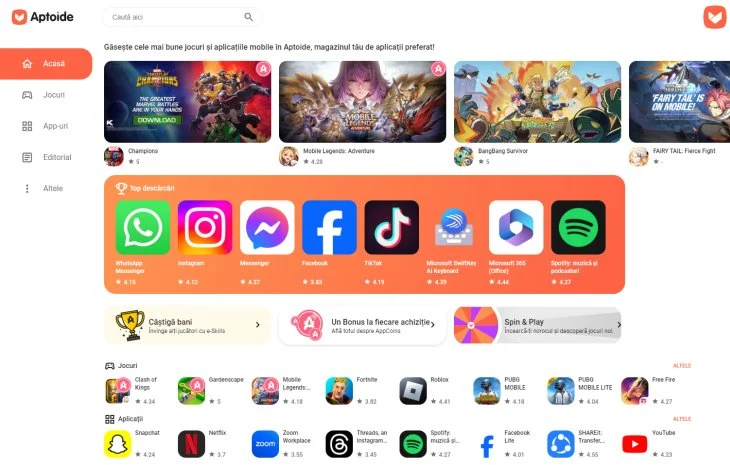
    For users in the EU, there’s the chance to access various alternative app stores. The current options include Altstore PAL, Epic Game Store, and more recently, Aptoide and the productivity suite Setapp. The common issue across all these platforms is that apps still need to be notarized by Apple. Notarization isn’t a quick process and isn’t as strict as Apple’s app review. Some content can slip through to third-party stores that wouldn’t even qualify for the official App Store. This essentially means that the content available on these third-party stores closely resembles what Apple officially offers.

    Installing Altstore and Its Features

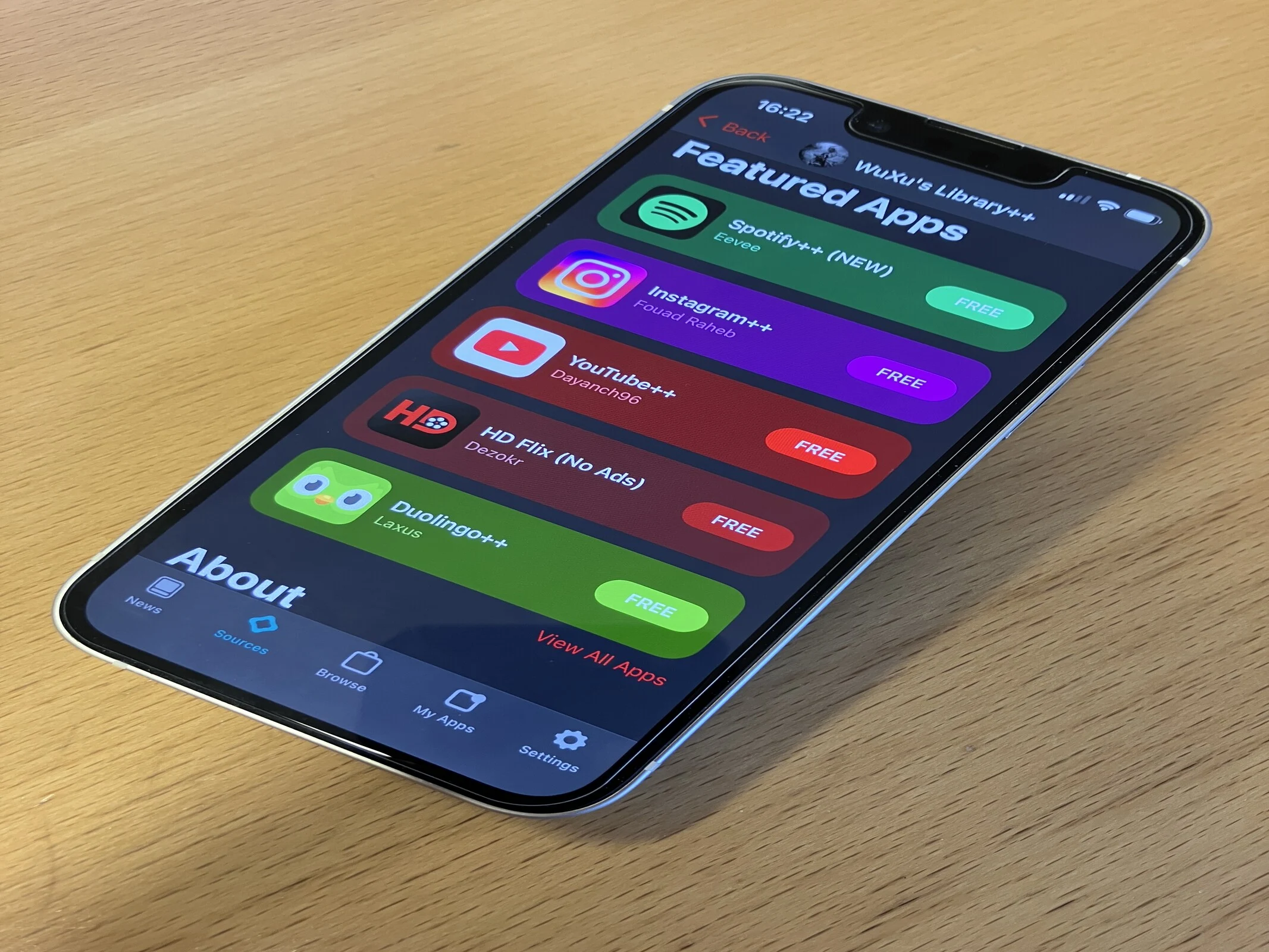
    If you decide to go with Altstore PAL, you can proceed to install Altstore Classic. Altstore PAL restricts installations to notarized apps, but once Altstore Classic is on your device, you can add your own sources. This will be discussed more in the next section, but the key difference is that apps installed through Altstore Classic won’t expire.

    In general, the most noteworthy change for EU users is the removal of the need to deal with developer certificates to install unverified or third-party apps. However, the other issues remain unchanged for users around the globe.

    Sideloading for Users Outside the EU

    For everyone else, sideloading remains a possibility. Whether you’re using Altstore Classic or a service like AppDB, you will need to have either your own developer certificate or one provided by the site you’re using. Since developer accounts can be revoked, having your own certificate is generally a better option, although AppDB claims to offer some protections against this. With Altstore Classic, you must use your personal developer account. Free developer accounts can install up to 10 apps for a week without needing to refresh. A paid developer account ($99 annually), however, allows for unlimited app installations for a full year.

    Altstore has a useful feature for free developer accounts that lets you refresh your certificates automatically. Yet, you must connect to a PC or Mac via Wi-Fi or cable every seven days to keep your sideloaded apps running.

    Reasons Behind Sideloading

    There are valid reasons for sideloading apps on your iOS device, such as emulation, downloading Linux ISOs, or setting up Kodi. However, the practice is often dominated by pirated applications. Sites like AppDB, iOSRocket, Signum, and Signulous provide access to paid apps without charge. For instance, AppDB offers multiple copies of Resident Evil Village for download without any payment required.

    While Altstore Classic allows sideloading through additional sources, some of these sources provide access to legitimate developers while others offer modified apps meant to bypass paid features.

    Trust Issues with Sideloading Services

    Besides Altstore and Aptoide in the EU, almost every sideloading service mixes questionable content with legitimate options, making them inherently untrustworthy. If these services are willing to share developer certificates and pirated software, how can users be sure they’re safe from malware, identity theft, fraud, and other risks associated with compromised devices?

    Altstore PAL and Altstore Classic provide the most legitimate avenues for sideloading. Their trusted sources list, while limited, offers users a degree of security. However, once you start exploring third-party sources, users again find themselves relying on developers who provide hacked and cracked apps.

    As a former Pixel 9 Pro (available on Amazon) user who recently switched to iOS, I hope Altstore can eventually gain a reputation similar to F-Droid. If you’re in the EU (and only in the EU), Aptoide might be a viable option. For now, using Altstore for sideloading should be approached with caution, while sideloading from other sources should definitely be avoided.

    Source:
    Link


  • Home Assistant App Update: Server-Related Changes Released

    Home Assistant App Update: Server-Related Changes Released

    Key Takeaways

    1. Version 2025.6 of the Home Assistant app is now available for both iOS and Android.
    2. Users can access the entity “more-info” section directly from the Control Centre.
    3. A bug fix was implemented for the macOS Download folder default choice.
    4. Measurement units in CarPlay sensor states have been restored.
    5. iOS users can now access settings even when the Home Assistant server is disconnected, thanks to a new Settings button.


    An update is here for the Home Assistant apps on both iOS and Android, now at version 2025.6. This comes after the 2025.5 version that was launched in May 2025, which included enhancements to the onboarding experience.

    What’s New in Version 2025.6

    The release notes in the App Store for the Home Assistant app version 2025.6 mention a variety of adjustments. To start, users can now access the entity “more-info” section directly from the Control Centre. Additionally, there’s a fix for a bug associated with the macOS Download folder that wasn’t consistently set as the default choice. The measurement units that were missing in CarPlay sensor states have been restored. Furthermore, users now have the ability to rearrange servers in their app settings through a simple drag and drop method.

    Enhancements for iOS Users

    Moreover, iOS users will be pleased to know that a problem related to the Home Assistant server has been addressed. Previously, if the server was disconnected, users found it impossible to access the settings in the companion app. With the new update, a Settings button will now appear when users launch the app.

    You can get the Home Assistant app version 2025.6 for both iOS and Android from the Apple App Store and Google Play Store, respectively. Earlier in July, there was a more extensive 2025.7 Home Assistant release, which introduced a new Ask Question action for users of this open-source home automation platform.

    Home Assistant can be found on Facebook, as well as on the Apple App Store and Google Play Store, along with Smarthome Assistent.

    Source:
    Link


  • Siri Needs Apple Intelligence Updates to Answer Simple Questions

    Siri Needs Apple Intelligence Updates to Answer Simple Questions

    Key Takeaways

    1. Apple confirmed that updates to Siri with Apple Intelligence will take longer than expected.
    2. Users reported that Siri struggles to answer basic questions, often responding with “Sorry, I don’t understand.”
    3. A Reddit thread highlighted Siri’s incorrect responses, including a bizarre answer regarding the current month.
    4. Siri provided confusing replies, such as claiming the Apple Podcasts app was not installed, despite it being pre-installed.
    5. Despite being around for 14 years, Siri’s performance has not improved significantly and is still less capable than Google Assistant.


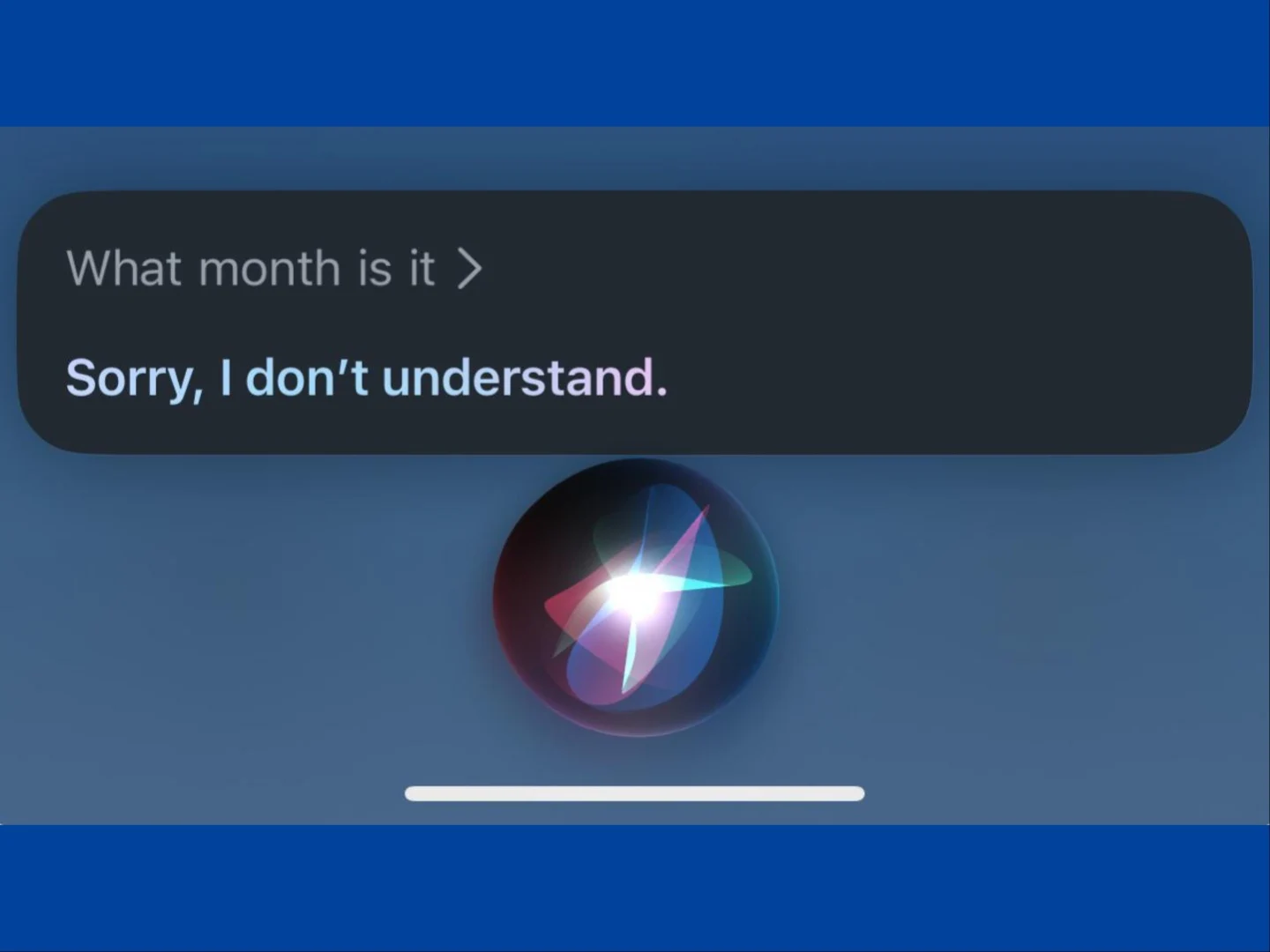
    Apple recently confirmed that updates to Siri with Apple Intelligence will take longer than they initially thought. While users are waiting for these improvements, it appears that Siri is struggling to answer even basic queries. A Reddit thread highlighted this issue, starting with a simple question: “what month is it?” Siri failed to respond correctly, replying, “Sorry, I don’t understand.”

    User Experiences Shared

    Many other Reddit users joined the conversation, sharing their own frustrating experiences with Siri. The assistant repeatedly gave the same “Sorry, I don’t understand” answer when users asked the same question on various iPhone models and different iOS versions. When someone reworded the question to “what is the current month?”, Siri bizarrely replied, “Saturday, March 1, 2025.”

    Surprising Responses

    In another instance, a user requested Siri to play a podcast, but the assistant replied, “I’m trying to play from Apple Podcasts but it doesn’t look like you have it installed.” This response is puzzling since the Apple Podcasts app is pre-installed and cannot be removed. Additionally, another user asked Siri to open a specific app that was clearly installed on their device, but instead of finding it, Siri suggested the same app from the App Store with an ‘Open’ button, not a ‘Get’ option.

    Siri has been around for 14 years, and although it has never been as capable as Google Assistant, this latest performance seems particularly disappointing. Apple has been working on enhancements with the Apple Intelligence updates, but those have been delayed until later in the year.

    Source:
    Link

  • Aptoide: Free App Store Alternative Now Available in EU

    Aptoide: Free App Store Alternative Now Available in EU

    Key Takeaways

    1. Aptoide is now available to all users in the European Union as of June 6, 2024, after years of limited access.
    2. The launch is seen as a significant milestone for game distribution on iOS, promoting an open app ecosystem.
    3. Users had to join a waiting list to access Aptoide, but that phase has now ended.
    4. Aptoide offers a unique “App Versions” feature, allowing users to access older versions of apps, unlike Google Play and Apple App Store.
    5. The opening of Aptoide’s app store represents a major advancement in the distribution of iOS apps.


    No less than 15 years after it first appeared, Aptoide is now accessible to everyone in the European Union. As of June 6, 2024, the iOS app store tailored for gamers was made available in the area, initially for a select group of testers. Interested users had to sign up on a waiting list, hoping to gain access sooner rather than later. That waiting phase has now ended, and anyone can try out this alternative app store.

    A Significant Step Forward

    Paulo Trezentos, Aptoide’s CEO, shared his thoughts on the launch, stating, “This full launch marks a major milestone in game distribution on iOS and Aptoide’s commitment to an open and unrestricted app distribution ecosystem. Apple users now have access to newfound freedoms, but there’s a huge amount of work still to be done to continue opening up iOS globally and reduce friction for users, and game developers.”

    Unique Features of Aptoide

    What differentiates Aptoide from others is its App Versions feature. This allows iOS users to access older versions of apps, much like Android users have been able to do through Aptoide and similar platforms. In contrast, neither the Google Play Store nor the Apple App Store offer this versioning feature, which can be incredibly helpful when an update doesn’t go as planned and reverting to a previous version is the best option available.

    The latest Aptoide version for iOS can be downloaded for free from here.

    Conclusion

    Android Authority notes that Aptoide’s app store opening to consumers across the European Union signifies a major advancement in the distribution of iOS apps.

    Source:
    Link

  • Elon Musk’s xAI Tests Standalone iOS App for Grok

    Elon Musk’s xAI Tests Standalone iOS App for Grok

    After a trial run of X’s AI chatbot, Grok, in select areas last month, the social media giant has opened up access to all users earlier this month. Now, it seems that xAI is experimenting with a separate app for Grok in certain regions.

    iOS Beta App

    According to Techcrunch, the standalone app is exclusively for Apple’s iOS and is currently in beta testing in a few countries. Last month, The Wall Street Journal mentioned that X was interested in separating Grok from its main platform and was thinking about creating a standalone application. Along with the app, there’s also a dedicated website for the chatbot that states “coming soon.”

    New Features Added

    This month, xAI introduced image generation capabilities to Grok using an autoregressive image model that can skillfully predict token inputs “from interleaved text and image data.” It also has the ability to take pre-existing images as input and create new images based on those.

    Free Version Access

    At the moment, you can use Grok for free, though there are some limitations. The free version restricts users to asking 10 questions every 2 hours and allows for the analysis of three images on a daily basis.

    Techcrunch and The Wall Street Journal have reported these developments.

    Source: Link

  • Quick Share for iPhone and Mac: Upcoming Expansion by Google

    Quick Share for iPhone and Mac: Upcoming Expansion by Google

    Sharing files between Android and iPhones may soon be simpler. Android specialist Mishaal Rahman has discovered a hint that suggests Google might be working on bringing its Quick Share file-sharing feature to iOS and macOS.

    Quick Share’s Popularity

    Quick Share is already well-liked among users of Android devices, Chromebooks, and Windows computers, as it allows for easy file transfers over a secure local network. However, the lack of this feature on Apple’s platforms has been a major issue for users who navigate between both operating systems.

    API Update Indicates Potential Expansion

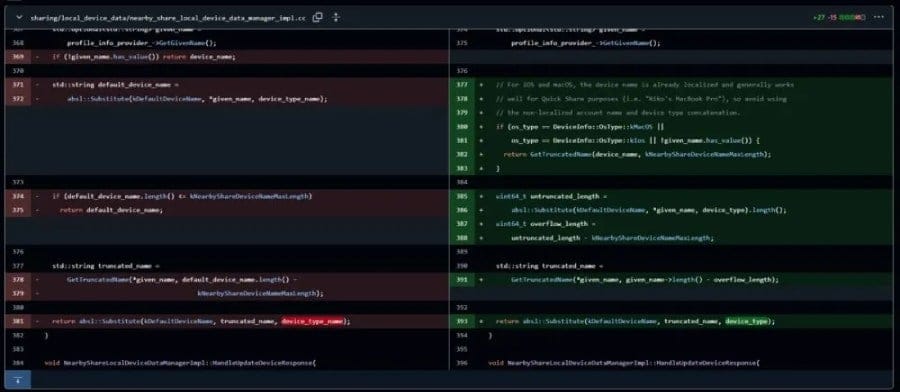
    This situation could change shortly. Quick Share, which was formerly known as Nearby Share, relies on Google’s Nearby Connections API, a peer-to-peer networking system. This open-source API is accessible on GitHub, enabling users to monitor any updates Google makes to it. As per Rahman, a recent bug fix in the API suggests that an iOS version could be on the way.

    A note in Google’s Nearby repository discusses how the app identifies device names, specifically for iOS and macOS. It mentions, “For iOS and macOS, the device name is already localized and generally works well for Quick Share purposes… avoid using the non-localized account name and device type concatenation.”

    Speculation Around Integration Challenges

    While this statement doesn’t verify the existence of a Quick Share app for iOS or macOS, it does raise questions. Google might be setting the stage for future growth or could even be crafting a solid plan for merging with Apple devices. However, merging Quick Share into Apple’s tightly regulated environment could present hurdles. Google may encounter challenges with the App Store’s rules and Apple’s rigorous privacy standards. It’s still unclear if Google will aim for a standalone app or incorporate Quick Share into existing services like Google Drive or Chrome.

    Although seamless file sharing might appear straightforward, if Quick Share is implemented, it could provide a fast and easy way to transfer files across different platforms, bypassing less convenient methods like cloud storage. Historically, Google has been more open to cross-platform collaboration compared to Apple. If a connection between these two technology leaders is established, it’s likely that Google will take the forefront.

    OnePlus Takes a Step Forward

    Interestingly, OnePlus has already initiated actions in this direction. Their newest software update, OxygenOS 15, features a “Share with iPhone” option through a specific iOS app. While Rahman mentions that some users are reluctant to download yet another app, the ease of transferring files between Android and iPhone could outweigh this hesitation.

    Ultimately, only time will tell if Google officially introduces Quick Share to iOS and macOS. Even though the change in code brings some hope, it’s prudent to keep expectations in check until there’s an official statement.

  • Cross-platform Save Feature Set for Warframe’s iOS Launch on February 20

    Cross-platform Save Feature Set for Warframe’s iOS Launch on February 20

    Digital Extremes is set to surprise iOS users with the launch of their popular free-to-play MMO, Warframe, on February 20. This exciting release comes with the addition of cross-platform save functionality, allowing players to seamlessly continue their gaming experiences across different devices.

    Warframe’s iOS debut has generated a lot of excitement among fans, providing an opportunity for iOS 14 and iPadOS 14 users with an A12 Bionic SoC to immerse themselves in the world of space warfare. While there may be some graphical limitations compared to the PC and console versions, the launch trailer promises an engaging gaming experience, featuring the fast-paced, third-person action that Warframe is known for.

    The introduction of cross-platform save functionality is a game-changer, enabling players to seamlessly transition between desktop and iPhone during commutes or switch between PlayStation and iPad at home without interruption. This functionality will be available from day one, enhancing accessibility and fostering a cohesive gaming community across platforms.

    Warframe is not stopping at iOS, as it plans to expand its reach to various gaming platforms. In addition to iOS, the game will also be available on Xbox Series X, PlayStation 5, Nintendo Switch, and Windows devices like the MSI Stealth 14 Air. This multi-platform approach not only expands the player base but also promotes inclusivity within the gaming community, ensuring that players can enjoy Warframe regardless of their preferred platform.

    The anticipation for Warframe’s iOS release is growing, and the promise of cross-platform save functionality marks a new era for mobile gaming. Whether you are a seasoned Tenno or new to the franchise, the prospect of embarking on epic space adventures from your iOS device is undeniably enticing.

  • Microsoft’s Copilot App Launches on iOS and iPadOS

    Microsoft’s Copilot App Launches on iOS and iPadOS

    Microsoft Expands Scope of AI Chatbot Copilot to iOS and iPadOS Devices

    In a strategic move, Microsoft has broadened the reach of its AI chatbot, Copilot, through seamless integration with the iOS and iPadOS platforms. With the recent deployment on Android devices, a more extensive user base can now avail themselves of Copilot’s cutting-edge functionalities.

    Accessing Microsoft Copilot on iPhone

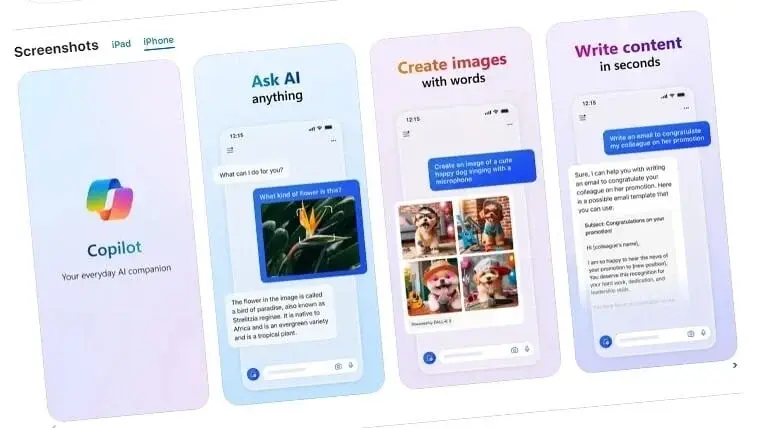
    The iOS version of the Copilot application mirrors the capabilities of OpenAI’s ChatGPT smartphone app, delivering a seamless experience for users. It empowers individuals to effortlessly craft emails, conduct inquiries, and distill information, presenting itself as a versatile AI companion. A distinguishing feature of the app lies in its incorporation of DALL-E3, the text-to-image generator, facilitating in-app image generation. Moreover, users can now delve into AI music creation through Suno, adding a creative dimension to their experience.

    Benefits Offered by Copilot

    Setting itself apart from other AI messaging services, Copilot grants users free access to GPT-4, the latest powerhouse model from OpenAI. This significant leap surpasses the previous GPT-3.5 utilized by the free version of ChatGPT, greatly enhancing the app’s capabilities and responsiveness. Microsoft’s strategic move to transform Bing Chat into Copilot underscores its intention to provide a distinctive and dedicated user interaction platform akin to ChatGPT, showcasing a deliberate shift in focus.

    Unique Web Experience

    Complementing the mobile application, Microsoft has introduced a standalone web interface for Copilot, accentuating its independence from Bing and reinforcing its individual identity.

    Availability and Significant Progress

    The Copilot app is now downloadable from the Apple App Store for iOS and iPadOS users, marking a pivotal achievement in Microsoft’s endeavor to distribute cutting-edge AI solutions across diverse platforms. Users can now harness the power of Copilot’s AI assistance, seamless text-to-image integration, and the enhanced capabilities of GPT-4 directly on their iOS devices.