Tag: Firefox

  • Goodbye Google: European Parliament picks Qwant as default search engine

    Goodbye Google: European Parliament picks Qwant as default search engine

    Key Takeaway

    – European Parliament switching Firefox/Edge default search from Google to Qwant
    – Framed as commitment to “digital sovereignty” amid EU push to reduce reliance on US tech
    – Qwant is developing its own search index with Ecosia (Staan), not just using Bing
    – MEPs and staff can still manually switch back to Google or any other engine
    – Many other dependencies (Windows, Office, hardware) remain unchanged


    European Parliament Switches to Qwant Search Engine

    Starting this Thursday, MEPs typing a query into the address bar of Firefox or Edge will no longer get Google results. The European Parliament is switching its default search engine to Qwant — a French rival that promises not to track users or collect personal data, according to an internal email reported by Euractiv.

    Symbolic Move Against US Tech Giants

    The move looks small but is symbolically loaded. Google controls roughly 90% of Europe’s search market, and EU institutions use US software heavily — Microsoft’s Office suite being one of the major ones among them. The Parliament is framing the swap as part of its commitment to “digital sovereignty,” and the timing is no accident too: it comes one day after the European Commission unveiled a whole package of proposals meant to loosen the bloc’s dependence on American tech giants.

    Qwant’s Search Index Development

    One of the most interesting wrinkles is Qwant itself. The company has long piggybacked on Microsoft’s Bing index to deliver results — hardly independence. But it is now co-developing its own index, dubbed Staan, alongside fellow European engine Ecosia. That probably explains the Parliament’s pick as being a bet on homegrown infrastructure, instead of a rebranded front end.

    No Mandatory Lockdown for Users

    It’s important to note that nobody is forced offline. MEPs can still switch their default back to Google or any other engine; Qwant is simply the out-of-the-box choice for the Parliament’s 720 lawmakers and thousands of staff.

    • Qwant does not track users or collect personal data
    • New search index called Staan is being co-developed with Ecosia
    • Parliament aims to reduce dependency on US tech infrastructure

    Remaining Dependencies on US Software

    Also, plenty of other dependencies — Windows, Office, foreign-built phones and email clients — are still firmly established.

    Sources
  • Firefox Update Gives Users Control Over AI Features

    Firefox Update Gives Users Control Over AI Features

    Key Takeaways

    1. Users are frustrated with the strong push for AI features in popular web browsers like Firefox, Chrome, and Edge.
    2. Mozilla is introducing new AI controls in Firefox 148, allowing users to manage or disable AI features starting February 24, 2026.
    3. The “Block AI Enhancements” switch in Firefox lets users turn off all AI capabilities with one click, retaining this setting through updates.
    4. Users can customize their experience by turning off specific AI tools while keeping others active.
    5. Community feedback on the Firefox subreddit is mostly positive, with suggestions for optional AI add-ons and a standardized opt-in system for AI features.


    Artificial intelligence can be useful in certain situations, but a lot of users are becoming increasingly annoyed by the strong push for it in popular web browsers. For example, Firefox has added an AI chatbot to its sidebar. Google Chrome is now closely linked with Gemini, while Microsoft Edge includes its own Copilot assistant. More and more users are rejecting AI altogether and want a browser that doesn’t keep urging them to use these features.

    New AI Controls in Firefox

    Mozilla is making moves to give users more options with the new AI controls in Firefox 148. Starting from February 24, 2026, users will find a dedicated settings area in the desktop version of the browser where they can manage or even turn off AI features completely. This update was first showcased in an official video released on January 31 and was later explained in a blog post in early February. A key part of this update is a clear off switch that lets users eliminate all AI functionalities with just one click.

    Disabling AI Features

    The new “Block AI Enhancements” switch turns off all AI capabilities in Firefox from that point on. Once this feature is turned on, the browser will stop suggesting or showing any AI-related functions. The setting is meant to stay in place even after browser updates, but it can be changed back at any time. Users also have the option to manage specific AI tools individually—like turning off automatic website translation and the built-in chatbot, while still keeping AI-driven link previews active.

    Community Reactions

    The feedback on the Firefox subreddit has been mostly positive, with many users appreciating the increased control. However, Mozilla hasn’t tackled every issue raised. Some members of the community are pushing for AI features to be available as optional add-ons, so that the browser can remain lightweight. Others are requesting a standardized opt-in system—where AI is turned off by default and only activated if the user decides to enable it.

    Source:
    Link


  • Firefox Adds 2 Key Features for Tab Hoarders on Android Tablets

    Firefox Adds 2 Key Features for Tab Hoarders on Android Tablets

    Key Takeaways

    1. Firefox 138 introduces new features for desktop users, including tab groups and vertical tabs, enhancing productivity and profile management.
    2. Android users experience a subpar browsing experience, lacking the efficiency and design found in competitive browsers.
    3. Firefox on Android has awkward tab switching and limited keyboard shortcuts, hindering productivity for users with external keyboards.
    4. The browser lacks multi-window support, forcing Android users to choose alternative browsers for better functionality.
    5. Google maintains a monopoly in the browser market, with most competitors built on Chromium, highlighting the need for privacy-focused alternatives like Firefox.


    Firefox plays a significant role in the browser landscape, being the primary challenger to Google’s Chromium engine. This is evident in both the desktop and Android versions of the software. Even though Firefox remains quite functional on Windows, Linux, and macOS, it appears that the Firefox team is overlooking Android users who wish to be productive while on the move.

    New Features for Desktop Users

    With the introduction of Firefox 138, desktop users now benefit from tab groups and vertical tabs — the latter being added in a prior update about a month ago. This enhancement provides users with numerous options to efficiently manage a large number of tabs and improve their productivity, especially on screens with wider aspect ratios. Mozilla claims that the introduction of tab groups was the most requested feature by its users, which led to its implementation. Additionally, Firefox 138 brings profile management to the desktop application, a feature that had been notably absent.

    Android Users Left Behind

    Sadly, Android users are still feeling the brunt of neglect in their browsing experience.

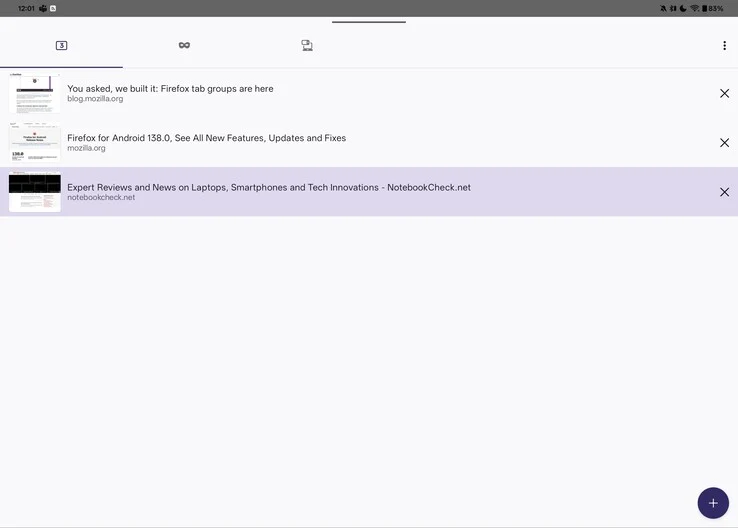
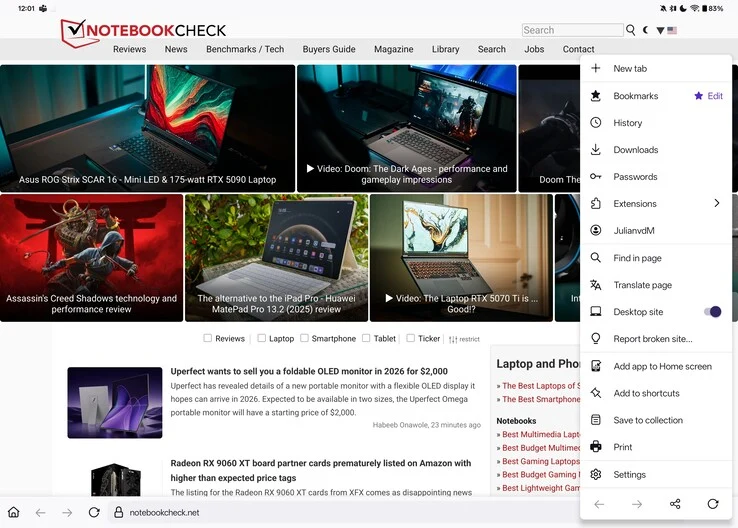
    Describing Firefox on Android as a painful experience would not do justice to just how inadequate it is. The basics are present: it loads pages reasonably well, has tabs, and the browser automatically activates desktop mode on larger screens, such as tablets. However, this is where the positives pretty much end. In contrast to competitive browsers like Brave, Vivaldi, and even Chrome, which display tabs in a ribbon above the address bar, Firefox on Android forces users to access a tab overview, creating an additional step that disrupts workflow and can be more distracting than one might think.

    User Interface Issues

    Awkward tab switching and subpar UI design are not rare in Android applications, right? You might assume that at least you could utilize keyboard shortcuts when connecting to an external keyboard or keyboard cover. Unfortunately, common shortcuts such as Ctrl+Tab/Page Up and Page Down for switching tabs, Ctrl+T for opening a new tab, and Ctrl+W for closing a tab simply do not function in Firefox, with no apparent alternatives. The only “easy” way to navigate between tabs on Firefox for Android is to enable swiping on the address bar. While this gesture is somewhat practical, it also requires users to take their hands off the keyboard if their tablet is set up in a laptop-like manner.

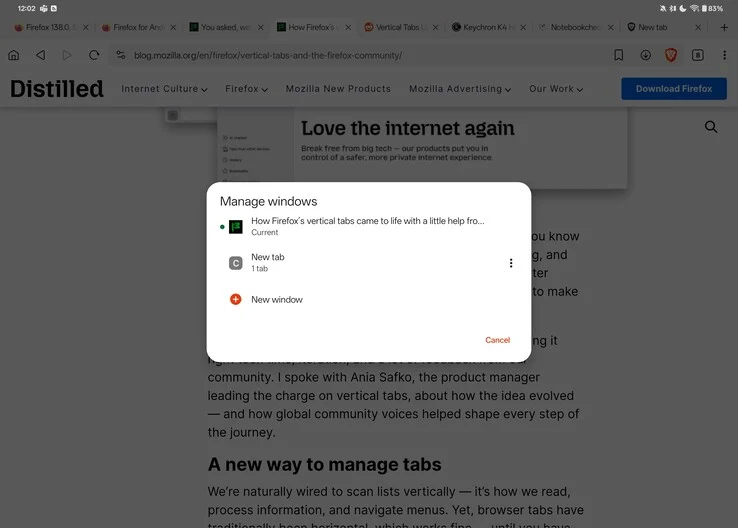
    Lack of Multi-Window Support

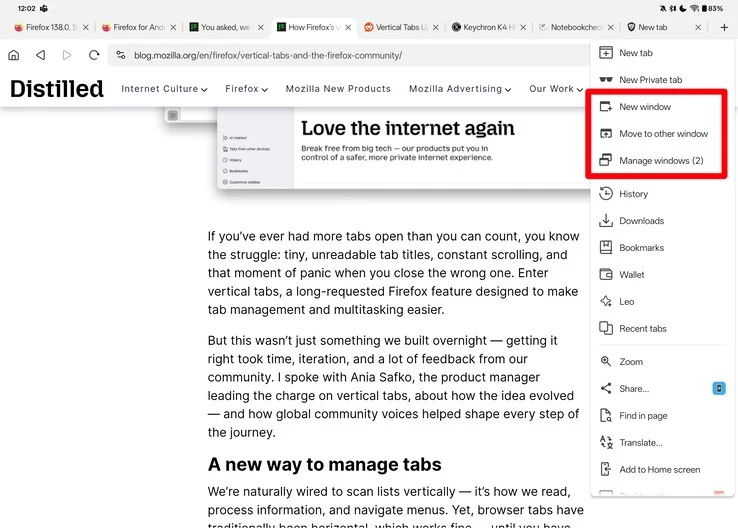
    This does not even cover the absence of window support in Firefox. Although it technically allows for resizable windows, both Brave and Vivaldi come with built-in multi-window capabilities. By tapping the “New Window” button in the browser’s menu, you can easily split your screen, displaying your original content on one side and a new window with a fresh tab on the other. Firefox lacks such functionality, which means anyone trying to use Firefox as a productivity tool on Android is forced to either switch to another browser or rely on quirky features like OnePlus’s duplicate app support for multi-window ability.

    The Browser Monopoly

    Unfortunately, Google has essentially established a monopoly in the web browser arena, with nearly every real competitor to Chrome being built on the same open-source Chromium foundation. Browsers like Brave, Opera, Vivaldi, and even Microsoft Edge are merely Chrome with their own unique touches added. While this might contribute to a solid user experience — simplifying the process for web developers to resolve issues and ensure compatibility across a large user base — it also grants Google considerable authority over web privacy, security, and user data. A prime example of this is the recent transition from Manifest V2 to Manifest V3, which has sparked significant backlash from privacy-conscious users.

    The Need for Alternatives

    Even though Firefox has a relatively small user base compared to Chrome or Safari, it’s crucial to have an alternative to Chrome for those seeking greater control over their privacy and online access. At this moment, however, Firefox continues to fall significantly short, particularly on the Android platform.

    Source:
    Link


  • SystemRescue 12.00: New LTS Kernel and Features for Computer Repair

    SystemRescue 12.00: New LTS Kernel and Features for Computer Repair

    Key Takeaways

    1. SystemRescueCD started in 2004 with i386 support, transitioned to i686 in 2007, and now exclusively supports x86_64 based on Arch Linux.
    2. The latest version 12.00 includes kernel 6.12.19 and Firefox 128.8.0 ESR, along with other updated tools like GParted 1.7.0 and nwipe 0.38.
    3. Version 12.00 introduces support for bcachefs and fixes display issues affecting grub on some hardware.
    4. An extensive list of package updates includes bind 9.20.6, e2fsprogs 1.47.2, and Python 3.13.2, covering various system needs.
    5. The release provides tools for disk management, recovery, security, networking, and more, ensuring comprehensive system repair capabilities.


    Back in the summer of 2004, SystemRescueCD 0.2.15 was released with support for the i386 architecture but did not come with a default desktop environment. By 2007, it added support for i686 and introduced WMaker. After spending two years with JWM, it transitioned to Xfce in 2009. Currently, it exclusively supports x86_64 and is based on Arch Linux. The most recent version, marked as 12.00, introduces several significant updates to this live system designed for repairing systems and recovering data after a crash.

    New Features in Version 12.00

    In December of the previous year, SystemRescue 11.03 was launched featuring the LTS kernel 6.6.63 alongside Firefox 128.5.1 ESR. With the 12.00 upgrade, the system now includes kernel version 6.12.19 and Firefox 128.8.0 ESR. Other notable additions include GParted 1.7.0, nwipe 0.38, and dump 0.4b49. Furthermore, it also provides support for bcachefs and a fix for display problems that may impact grub on certain hardware setups.

    Comprehensive Package Updates

    The list of packages that have been updated is extensive, featuring bind 9.20.6, e2fsprogs 1.47.2, glibc 2.41, kmod 34.1, mesa 25.0.1, openssh 9.9p2, openssl 3.4.1, perl 5.40.1, Python 3.13.2, qt 6.8.2, samba 4.22.0, systemd 257.4, along with xfdesktop 4.20.1 and xorg-server 21.1.16. The tools included in this release are as thorough as always, addressing various needs like storage and disk partitioning, file systems, networking, remote access, security, data recovery, secure deletion, file management, hardware diagnostics and testing, plus features for text editing, internet browsing, file handling, and scripting.

  • Firefox Restores Option to Remove “List All Tabs” Button

    Firefox Restores Option to Remove “List All Tabs” Button

    On October 10, a user named Postone began a conversation on Mozilla Connect about the inability to turn off or delete the "List All Tabs" button. He also brought up "Tab preview," but Firefox version 131.0.3 only fixed the first issue. Mozilla identified this situation as a bug rather than a planned modification.

    Bug Report Insights

    The Bugzilla page that discusses this matter shows that the problem appeared with Firefox 132. It was marked as a defect with a P1 priority and S2 severity level, but this issue is now resolved. The bug report was closed just eight days ago with a status of "fixed."

    User Experience Concerns

    Regardless of whether it was a bug, the fact that users couldn’t eliminate the "List All Tabs" option was a significant inconsistency in the Firefox user experience. While this problem persisted, those wanting to personalize their interface had the ability to remove nearly all other similar elements, including the "New Tab" button. Currently, things seem fine, but the initial comment from the Mozilla Connect user raises concern for the developers of this browser:

    "It appears, when you compare it to 10 or 15 years ago, things are getting worse and more complex instead of becoming simpler."

    A Nostalgic Read

    For anyone interested in revisiting the early days of the internet, they can find "Where Wizards Stay Up Late: The Origins of the Internet" on Amazon in four different formats. Prices start at $0.99 for the audiobook (with membership) and go up to $24.99 for the hardcover version.

    gHacks Technology News