Tag: One UI 8.5

  • Samsung Galaxy A27 Full Specs Leaked By Czech Listing

    Samsung Galaxy A27 Full Specs Leaked By Czech Listing

    Key Takeaway

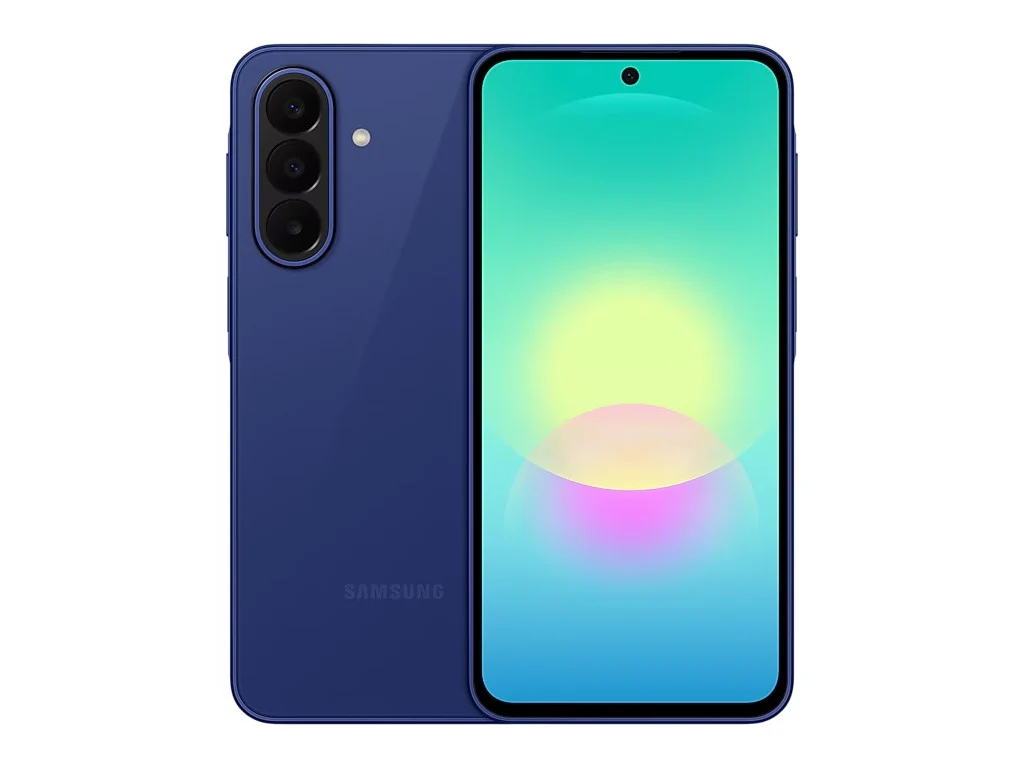
    – 6.7″ FHD+ Super AMOLED 120Hz display with punch-hole camera (replaces notch)
    – Snapdragon 6 Gen 3 chipset, 6/8GB RAM, 128/256GB expandable storage
    – 50MP main + 5MP ultrawide + 2MP macro rear cameras; 12MP front camera
    – 5,000mAh battery with 25W fast charging, IP64 rating (downgraded from IP67)
    – Ships with One UI 8.5, 6 years of OS/security updates, Quick Share to iOS


    The Galaxy A27 5G is not yet officially announced by Samsung, but a product page has gone live on the Samsung Czech Republic website. This page reveals all of the phones specifications, except for details about pricing and availability.

    Display and Design Details

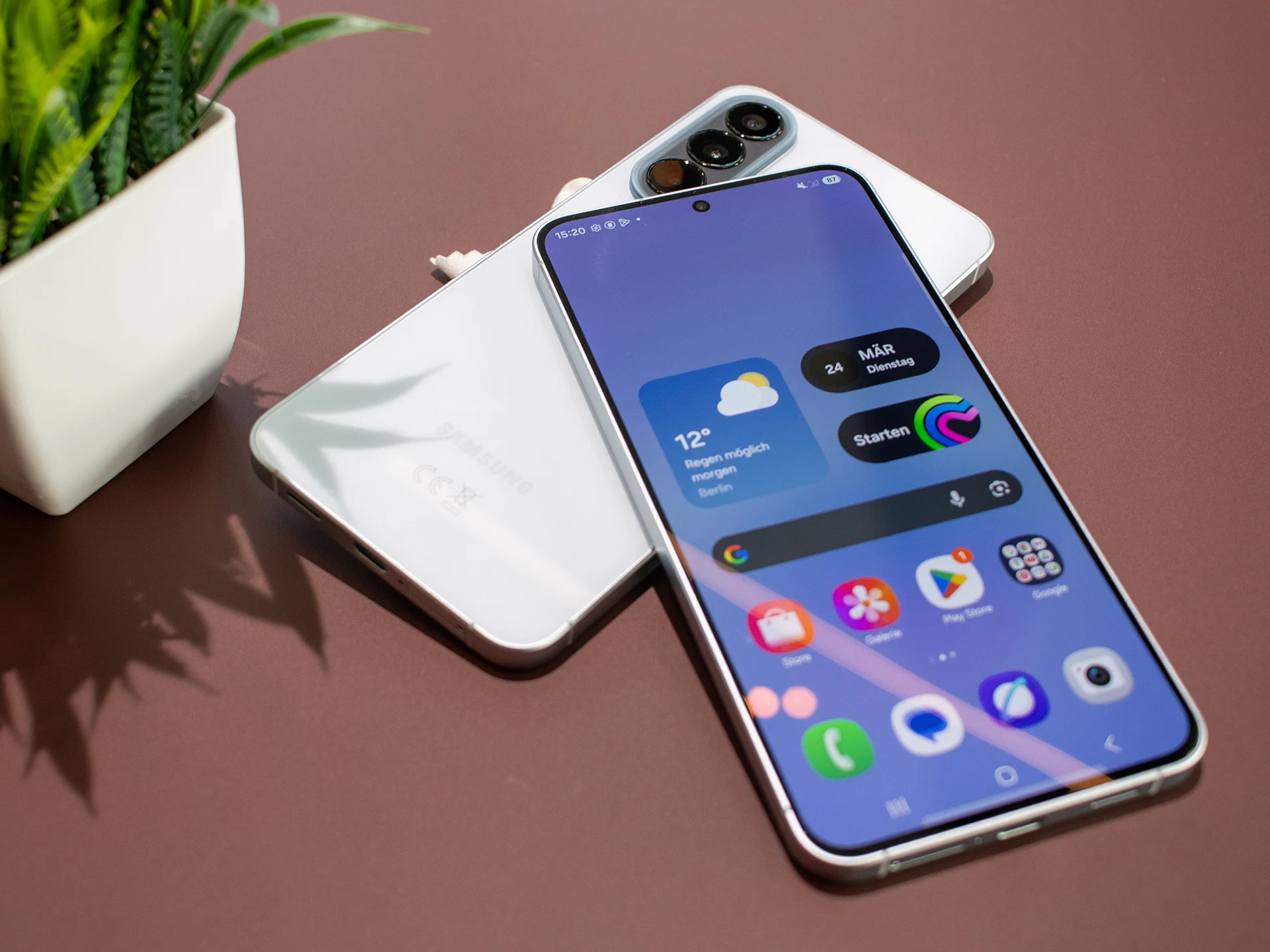
    The Galaxy A27 5G has a 6.7-inch display, and while this is the same size as the Galaxy A26 (see our review), there is a major design difference. Gone is the U-shaped notch, replaced by a round cut-out in the center for the front-facing camera. The screen is an FHD+ (1080 × 2340) Super AMOLED panel with a 120Hz refresh rate and Gorilla Glass Victus+ protection.

    Core Performance and Storage Options

    Powering the Galaxy A27 is a Snapdragon 6 Gen 3, this replaces the Exynos 1380 from the previous generation. The spec sheet says the phone has 6GB of RAM and 128GB of expandable storage, but there is also a 256GB version which RAM isn’t stated for. However, earlier leaks revealed the phone will be available with 8GB of RAM and 256GB of storage.

    Camera System Comparisons

    For the cameras, the Galaxy A27 has a 12MP f/2.0 front-facing camera while the back is home to a 50MP f/1.8 primary camera, a 5MP f/2.2 ultrawide angle camera, and a 2MP f/2.4 macro camera. For comparison, the Galaxy A26 has a 50MP f/1.8 primary rear camera, an 8MP f/2.2 ultrawide angle camera, a 2MP macro camera, and a 13MP f/2.2 front-facing camera.

    Software, Updates, and Connectivity

    The Galaxy A27 ships with One UI 8.5 out of the box and will recieve 6 years of OS and security updates. It also supports Quick Share for iOS devices. Suprisingly, Samsung has downgraded the IP rating to IP64 from IP67 on the Galaxy A26. Other features include dual SIM support (hybrid SIM tray), Bluetooth 5.1, and dual-band Wi-Fi.

    Battery, Charging, and Color Options

    There is a 5,000mAh battery inside the phone with support for 25W fast wired charging (up to 45% in 30 minutes). The Galaxy A27 5G will be available in Black, Blue, Light Green, and Light Pink, altough pricing and availability remains unknown. However, a recent leak revealed the 6+128GB version will have a €349 price tag while the 8+128GB version will cost €439.

    Sources
  • Samsung Galaxy S26 Ultra Security Patches Falling Behind

    Samsung Galaxy S26 Ultra Security Patches Falling Behind

    Key Takeaway

    1. The Galaxy S26 Ultra is a refined, premium device with advanced features like Wi-Fi 7, UWB, and a 5,000 mAh battery.
    2. Its Privacy Display effectively restricts side viewing angles, enhancing privacy in public but reducing brightness and color accuracy.
    3. The device runs on Android 16 with One UI 8.5, promising seven years of updates, security, and feature longevity, with some delays in Google Play system updates.

    Impressive Specifications of the Galaxy S26 Ultra

    The Galaxy S26 Ultra is a highly refined device, with Samsung putting a lot of effort into perfecting every detail. It boasts an impressive set of specs, featuring cutting-edge Wi-Fi 7, Ultra Wideband (UWB), a swift USB 3.2 port, latest cellular connectivity options, and a robust 5,000 mAh battery. Such specifications ensure that the device is well-equipped for future-proof usage, and its hardware performance is quite remarkable for a flagship model.

    Practical Features for Daily Life

    One of the standout features in real-world use is the new Privacy Display. This technology significantly limits side viewing angles, which is particularly handy when you’re in public spaces. However, this privacy comes with some trade-offs—namely, reduced brightness and slight imperfections in color fidelity. Nonetheless, the display, performance, and camera are all top-tier, showing that Samsung prioritized optimizing existing features rather than reinventing them, especially regarding battery life and camera functions.

    Android and Software Support

    Perhaps most appealing is the software experience. The Galaxy S26 Ultra ships with Android 16 and Samsung’s One UI 8.5 interface. The device is promised seven years of updates—meaning support until at least February 28, 2033. This extensive update window positions the Galaxy S26 Ultra as a smart choice for users looking for long-term security and functionality. Plus, several AI-powered features are available, many of which process data directly on the device itself, enhancing privacy.

    Update Reliability and Concerns

    Since its release, Android updates have been consistently punctual, with security patches current as of April 5, 2026. However, the Google Play system updates are still lagging, stuck on the November 1, 2025 version. The previous Ultra model, the Galaxy S25 Ultra, also experienced delays initially but then saw reliable updates. It’s hopeful that Samsung will improve this aspect for the Galaxy S26 Ultra soon, ensuring complete and timely software support for users.

    Sources
  • Samsung Galaxy A57 5G & A37 5G Launch with New Exynos Chips

    Samsung Galaxy A57 5G & A37 5G Launch with New Exynos Chips

    Key Takeaways

    1. Samsung launched the Galaxy A57 5G and Galaxy A37 5G, featuring One UI 8.5 and design improvements over previous models.
    2. The Galaxy A57 5G has significant upgrades, including a new Exynos 1680 SoC, IP68 water and dust resistance, and a brighter 120 Hz display with 1,900 nits peak brightness.
    3. The camera system remains the same as the A56, but an improved Image Signal Processor enhances image quality, especially for portraits.
    4. The Galaxy A37 features minor upgrades over the A36, including a new Exynos 1480 SoC and an upgraded ISP for better low-light photography, while maintaining the same display and camera configurations.
    5. Both models will be available on April 10, with a pre-order incentive for double storage until April 18, and they share a 5,000 mAh battery and 45 W charging capability.


    Samsung has launched the updated Galaxy A series mid-range smartphones, introducing the Galaxy A57 5G and Galaxy A37 5G. These new models come equipped with One UI 8.5 and maintain the design of their earlier versions, but they include several notable enhancements.

    Major Upgrades in Galaxy A57 5G

    The Samsung Galaxy A57 5G has received the most significant upgrades among the new mid-range devices. Key enhancements feature the new octa-core Exynos 1680 SoC built on a 4 nm process, IP68 water and dust resistance, and support for Wi-Fi 6E and Bluetooth 6.0, along with a brighter display.

    Additionally, the Galaxy A57 5G is now more compact, slimmer at 6.9 mm, and lighter at 179 g compared to the Galaxy A56, while still boasting the same 6.7-inch Super AMOLED display. Samsung has achieved this by reducing the size of the display bezels. The 6.7-inch FHD+ 120 Hz screen now offers a peak brightness of 1,900 nits, making it more vibrant.

    Camera System and Image Quality

    Unfortunately, the camera setup appears to remain unchanged from the Galaxy A56, which is starting to feel outdated. We still have the same triple-camera arrangement with a:

    Samsung asserts that an improved Image Signal Processor (ISP) enables the Galaxy A57 to capture more colorful and clearer images with less noise. The device is also said to produce better portrait shots thanks to advanced AI subject separation.

    The Galaxy A57 5G keeps the premium metallic edges, Gorilla Glass Victus+ covering both the front and back, along with a substantial 5,000 mAh battery from the Galaxy A56. Users can fast-charge the device using a 45 W charger, sold separately by Samsung.

    Galaxy A37: Minor Changes

    On the other hand, the Galaxy A37 is largely similar to the Galaxy A36, with just a few notable differences. The most significant updates for the Galaxy A37 include the new 4 nm Exynos 1480 SoC with eight cores, an IP68 rating, and an upgraded ISP. Samsung claims the new ISP will enhance low-light photography by reducing noise and improving sharpness and color accuracy.

    Everything else, including the triple-camera configuration, the front-facing camera, and the 6.7-inch FHD+ Super AMOLED display, has not changed.

    Fortunately, like the Galaxy A57, the Galaxy A37’s display can also reach a peak brightness of 1,900 nits. Unlike the A57, the A37 still features the thicker bezels, dimensions, and weight of 196 g from its predecessor.

    Availability and Pricing

    The Galaxy A37 5G, like its sibling, shares the 45 W charging capability, 5,000 mAh battery, and One UI 8.5. Based on Android 16 QPR2, One UI 8.5 introduces a refreshed look and a range of AI features, including Circle to Search, for the new Galaxy A series.

    Both the Galaxy A57 5G and the Galaxy A37 5G are set to be available for purchase starting April 10. Samsung has also offered a pre-order incentive of double the storage, meaning if you pre-order either the Galaxy A57 or Galaxy A37 before April 18, you’ll receive double the storage at no additional cost.

  • Samsung’s Privacy Display Features Preview Ahead of Galaxy Unpacked

    Samsung’s Privacy Display Features Preview Ahead of Galaxy Unpacked

    Key Takeaways

    1. The Galaxy S26 Ultra will feature a unique built-in privacy display, enhancing user security.
    2. Customisation options will allow the privacy display to activate in public environments.
    3. The privacy display setting is expected to be part of the One UI 8.5 software release.
    4. Analysts predict that the privacy features will be exclusive to the Galaxy S26 Ultra, not available on other models like the Galaxy Z Fold7.
    5. Samsung will officially unveil the Galaxy S26 and Galaxy Buds 4 series on February 25 at the Galaxy Unpacked event.


    Samsung is gearing up to launch the Galaxy S26 Ultra, which will feature a unique built-in privacy display. This was hinted at by the company in late January, followed by additional details from a well-known leaker. Recently, leaked images have shed more light on how this privacy display might function.

    Customisation Features

    As reported by 9to5Google, these images first appeared in October. They were later shared again without credit, revealing that Samsung intends to provide a variety of customisation features at the time of launch. For example, the leak from October highlighted a setting that activates the privacy display only when users are in public environments.

    Potential Software Exclusivity

    According to an AI-generated video, this particular setting has made its way into the One UI 8.5 software release. This leads us to believe that Samsung may have included additional settings as well, like custom conditions and a feature to hide your screen lock from view.

    Currently, analysts such as Ice Universe anticipate that this software will be exclusive to the Galaxy S26 Ultra. This means that even the Galaxy Z Fold7, which is currently priced at $1,039.99 for a refurbished model on Amazon, is not expected to receive these features, despite being a flagship device of the current generation. Samsung is set to unveil the Galaxy S26 and the Galaxy Buds 4 series on February 25 at their upcoming Galaxy Unpacked event.

    Source:
    Link


  • Samsung Galaxy S26 First Render Images Discovered in One UI 8.5

    Samsung Galaxy S26 First Render Images Discovered in One UI 8.5

    Key Takeaways

    1. The Samsung Galaxy S26 series includes three models: S26, S26 Plus, and S26 Ultra, identified by code names M1, M2, and M3.
    2. Recent render images of the new models were found in Samsung’s code, revealing their back design.
    3. There are questions about the thickness of the standard Galaxy S26 model due to last-minute design changes.
    4. The Galaxy S26 series will feature integrated magnets for easier use with Qi2 accessories, eliminating the need for cases.
    5. This magnetic feature is currently offered by only a few other devices, such as the HMD Skyline and some Google Pixel 10 models.


    It has been noted how the Samsung Galaxy S26, S26 Plus, and S26 Ultra are expected to appear in the upcoming time, despite some lingering doubts about the precise thickness of the standard model, which seems to have been altered at the last moment.

    New Revelations About the Design

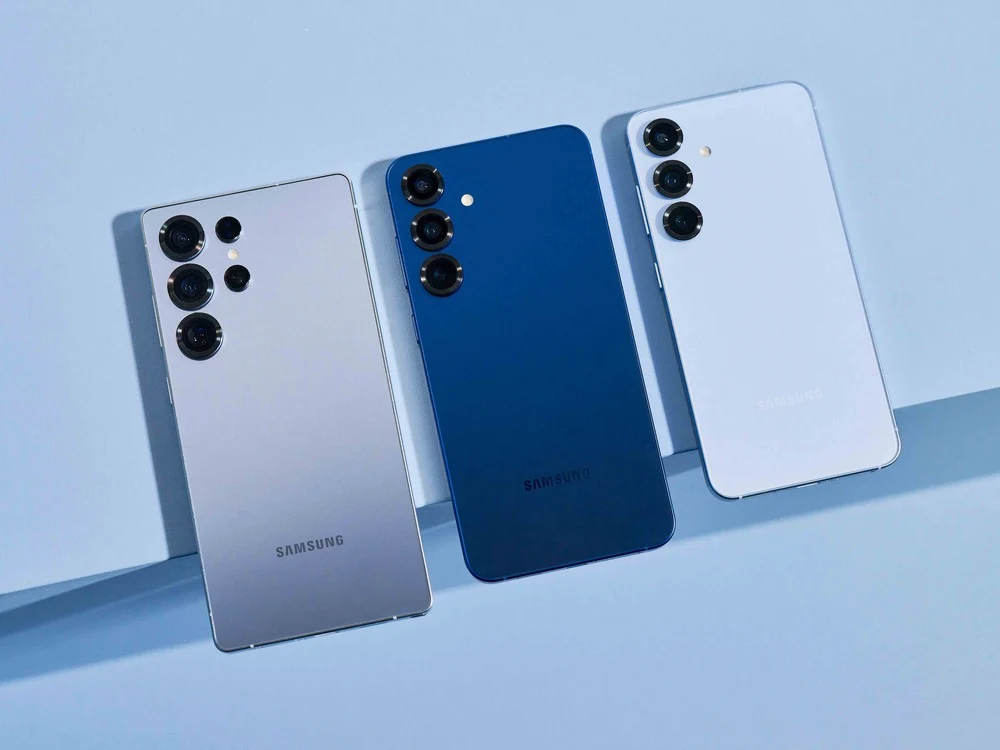
    Recently, some quite plain render images were found within Samsung’s code, or more specifically, in a recent One UI 8.5 test version. As reported by Android Authority, the four images displayed below illustrate the back design of the three new Samsung flagship models identified by the code names M1, M2, and M3. M1 signifies the Samsung Galaxy S26, while M2 is probably the Samsung Galaxy S26 Plus, and M3 represents the Samsung Galaxy S26 Ultra.

    Exciting Features of the Galaxy S26 Series

    In a separate report from today, a leaked magnetic power bank intended for the Galaxy S26 series indicates that these Samsung smartphones will finally come with integrated magnets. This means users won’t need a case for the effective use of Qi2 accessories. Up till now, only the HMD Skyline and a handful of Google Pixel 10 flagship devices have provided this handy feature.

    Source:
    Link


  • Samsung One UI 8.5 Changelog: New Features for Galaxy Devices

    Samsung One UI 8.5 Changelog: New Features for Galaxy Devices

    Key Takeaways

    1. Enhanced Bixby Features: Bixby can now understand natural language better, making it easier to find settings and features without precise commands.

    2. Improved Weather and Health Tools: The weather widget now includes precipitation alerts and a pollen index, while weekly health reports offer more comprehensive data, including medication tracking.

    3. New Photo and Media Sharing Options: Quick Share can suggest sharing photos with people in them, and the Photo Assist feature allows continuous image generation without saving each version separately.

    4. Power Management and Security Enhancements: The update includes improved power saving options, a revamped battery info screen, and new theft protection measures for enhanced security.

    5. Customizable User Experience: Users can now personalize their lock screen clock, rearrange quick settings in the Quick Panel, and use features like partial screen recording and early reminder alerts for a tailored experience.


    The first leak of One UI 8.5 appeared in September, and many recent clues about the new Galaxy S26 features stem from it. Just a few days ago, wallpapers for the Galaxy S26 Ultra surfaced, showcasing the anticipated color choices for Samsung’s upcoming flagship devices. Now, the full changelog for the significant update to One UI has also been leaked, detailing all the modifications from the initial beta version.

    New Features and Improvements

    This changelog probably doesn’t cover all the features that will debut solely with the Galaxy S26 line, like those related to Galaxy AI. Some notable highlights include enhanced power management, improved Auracast support, new security features, a time zone calculator, and a revamped weather widget that can alert users about impending rain.

    Continuous Image Generation

    Keep creating without stopping. Photo Assist now allows you to generate AI images using various Photo Assist features without needing to save each version separately. Once you finish, you can check all your creations in your history and select your favorites.

    Smarter Device Control

    Talk to Bixby in your own words. Bixby is now better at locating the settings or features you need, even if you don’t use precise commands or feature names. Just express what you need, and let Bixby handle the rest.

    Ask Anything, Anytime

    If you require a quick answer or in-depth information, just ask Bixby for an instant reply. You won’t have to waste time on multiple searches or switching between apps.

    Conversation History

    Looking back at earlier chats with Bixby has become simpler than ever. You can now access your chat history from the side panel in the Bixby app.

    Storage Share

    Access your files from anywhere. Files from your other Samsung devices, including phones, tablets, and PCs, are available in the My Files app on your phone. You can also reach your phone’s files on other Samsung devices, such as your TV.

    Quick Connection to Smart View Devices

    Connect to your favorite displays more swiftly. You can now add a shortcut on your Home screen to instantly mirror your phone’s display to a TV or another screen.

    Enhanced Auracast Features

    It’s now easier than ever to listen to and broadcast sound with Auracast. Options for both broadcasting and listening can now be found in the Audio broadcast menu under “Settings.”

    Voice Broadcasts

    Broadcast your voice to those around you using Auracast. In addition to media sound, you can now share your voice through your phone’s built-in microphone.

    Avoid Unwanted Sharing Requests

    You can now configure Quick Share to only accept files from devices logged into your Samsung account or Google account.

    Photo Sharing Suggestions

    Share pictures with the right people quicker. When you share photos that feature friends or family, Quick Share can identify who’s in them and suggest sharing directly with those individuals.

    Automatic Lock Screen Layout

    Wallpapers featuring people or pets now fit perfectly every time. When you select a photo for your Lock screen, the layout adjusts automatically, ensuring the clock and widgets don’t obscure important parts of the image.

    More Customizable Clock Fonts

    Personalize your Lock screen clock more. You can now modify the thickness of various font styles to align with your preferred aesthetic.

    Enhanced Weather Widget

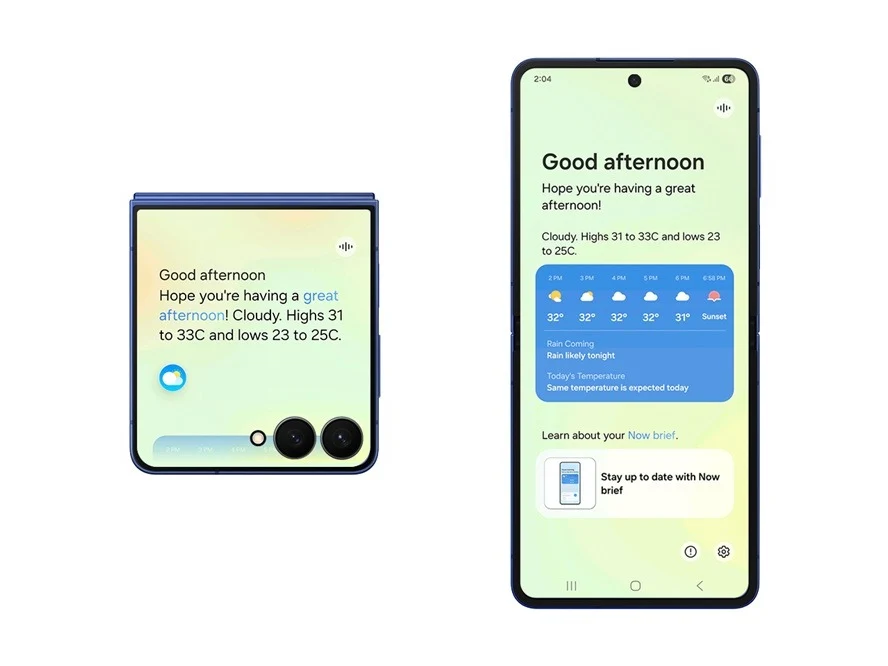
    Quickly check expected precipitation in the Weather widget on your Home screen. The widget now shows a graph if rain is anticipated in the upcoming hours.

    Pollen Index

    Check the pollen levels in the air to help manage your allergies. You can view pollen counts for trees, grass, and ragweed.

    Weather Alarm Backgrounds

    Wake up to an alarm that prepares you for the day’s weather. Your alarm screen can now display the current weather conditions as a background when it goes off.

    Time Zone Converter

    View time zones at a glance. The new slider in the Clock app makes it simple to check the time difference between locations worldwide.

    Enhanced Weekly Reports

    Get a more comprehensive view of your health weekly. Weekly reports now encompass data from your medication tracker and mindfulness sessions.

    Upgraded Sharing Experience

    Share your workouts your way. Combine your exercise stats with photos from your workout to create the ultimate social media post.

    Start Meditations from Your Watch

    Find calm right from your wrist. You can now initiate preferred or recommended meditations directly on your Galaxy Watch without needing to grab your phone.

    Antioxidant Measurements from Your Watch

    Check your antioxidant levels anytime. Measure directly from your Galaxy Watch, even if it’s not linked to your phone. This is compatible with Galaxy Watch8 and Galaxy Watch Ultra.

    Theft Protection

    Keep your phone and information secure if it gets lost or stolen. Activate the Failed authentication lock to automatically lock the screen after too many failed attempts to verify your identity with fingerprints, PINs, patterns, or passwords. Identity check now safeguards even more settings than before.

    Temporarily Disable Auto Blocker

    If you need to turn off Auto Blocker’s security temporarily, a new option allows you to automatically turn it back on after 30 minutes, so you don’t forget.

    Revamped Battery Info

    View your battery usage more clearly. The redesigned Battery settings screen makes it easier to monitor remaining time, charging status, and daily use over the past week.

    Improved Power Saving

    Utilize Power Saving to extend your battery life without needing to recharge. Choose Standard for moderate savings and customizable limits, or select “Maximum” to deactivate all non-essential features and maximize battery duration.

    Easily Control Bluetooth Hearing Aids

    Access the settings for your Bluetooth hearing aids directly from the Accessibility shortcut. A pop-up appears that allows you to modify your hearing program, toggle Ambient sound on or off, and more.

    Control Magnification with Mouse or Keyboard

    Keep what you need magnified in view with these new choices. You can make the magnified area follow the cursor as you type or shift when you change focus using the keyboard. When using a mouse, you can make the magnified area adjust as you move the pointer toward the edge of the screen.

    Dwell and Corner Actions

    The Auto action after pointer stops feature has been split into two features. Dwell action enables you to set custom actions when your mouse stops moving for a certain duration. Corner actions allow you to assign different actions for each corner of the screen.

    More Customizable Quick Panel

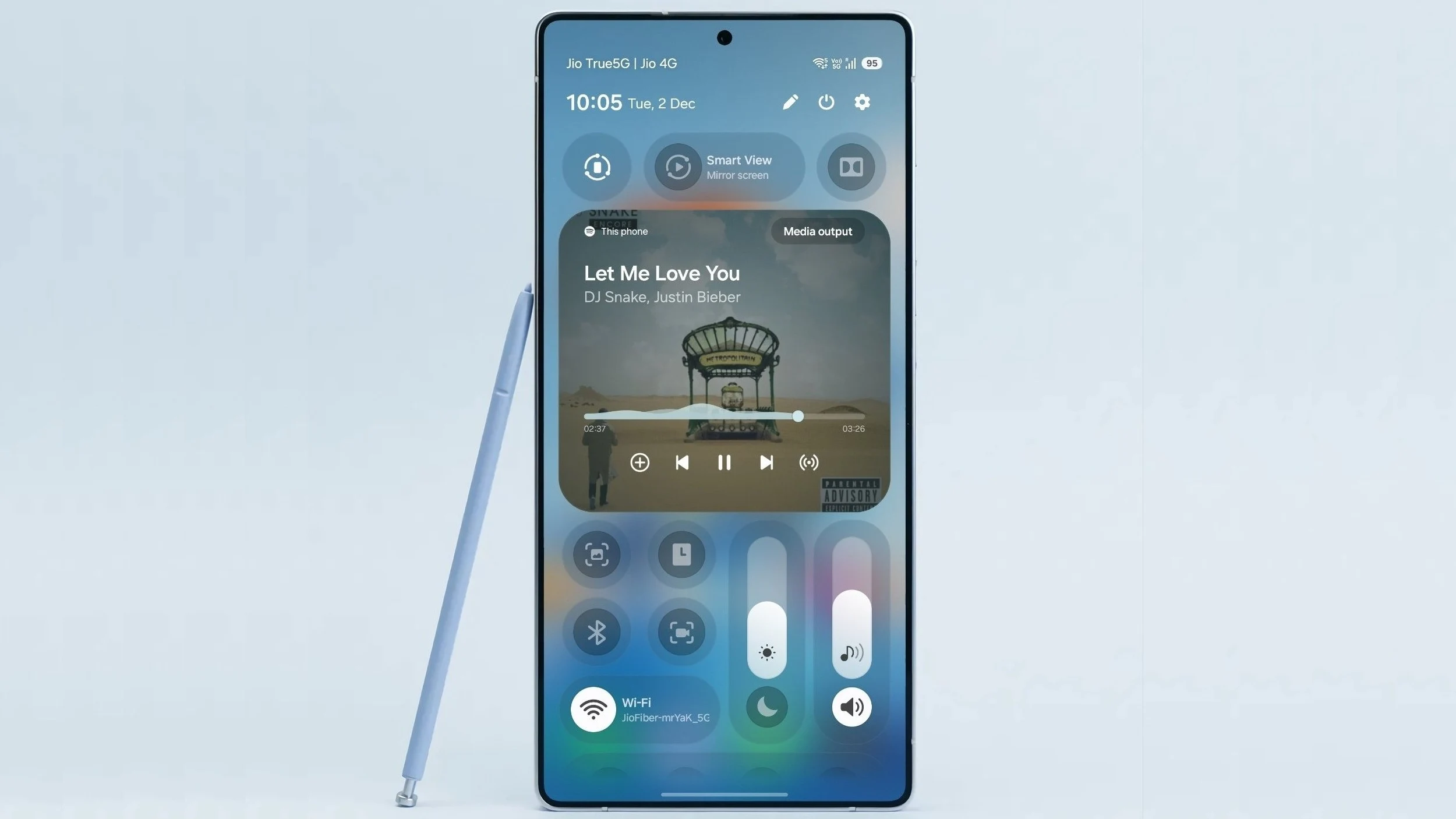
    Arrange your quick settings exactly how you prefer. You can now add, remove, reorder, and reorganize controls in the quick panel.

    Early Alerts for Reminders

    Receive alerts before reminders are due to ensure you don’t overlook important tasks. You can decide how far in advance to get a notification for each reminder.

    Partial Screen Recording

    Capture only what you need in your screen recordings. You can now select just the part of the screen you wish to record.

    Calculator Nudges

    Save time on calculations. Numbers and formulas copied to your clipboard will be suggested when you open Calculator, allowing you to enter them with a quick tap.

    Keep Window Sizes in DeX

    DeX now remembers your app window sizes and positions. When you reopen an app, it will appear just as you left it.

    Source:
    Link



  • Samsung One UI 8.5 Beta Program Timeline Leaked Details

    Samsung One UI 8.5 Beta Program Timeline Leaked Details

    Key Takeaways

    1. Samsung is preparing to launch the beta program for One UI 8.5 for select Galaxy devices.
    2. The expected start date for the One UI 8.5 beta program is December 8.
    3. The beta rollout will follow a staged, multi-phase schedule typical for major Samsung updates.
    4. Early firmware versions for devices like the Galaxy S25 Ultra and Galaxy Z Fold 7 show visual and functional enhancements.
    5. Official confirmation of the beta program dates by Samsung is still pending, so the timeline may change.


    Samsung is said to be getting ready to kick off the beta program for One UI 8.5, which is the next significant software update for select Galaxy smartphones and tablets. If the recent information is accurate, the official testing phase, which was expected to start earlier than usual, might commence very shortly.

    Potential Launch Date

    Reports indicate that December 8 is the anticipated date for the beginning of the first phase of the One UI 8.5 beta program.

    In reaction to a user on Twitter who mentioned the supposed start date of the One UI 8.5 beta program—December 8—tech insider Tarun Vats confirmed this, providing additional insights about it.

    Beta Rollout Schedule

    As per the information available, the rollout for One UI 8.5 beta will adhere to a staged, multi-phase schedule that is typical for major Samsung updates. The timeline might look something like this:

    For a little while now, early firmware versions of One UI 8.5 for the Galaxy S25 Ultra and Galaxy Z Fold 7 have been surfacing. This has shown that the update will introduce both visual and functional enhancements. Users should look forward to new features and design adjustments, as well as AI-driven innovations.

    It’s important to mention that Samsung has not officially confirmed the dates for the One UI 8.5 Beta program. Thus, the timeline could change. Nevertheless, with various sources agreeing on a start in early December, the wait for Galaxy users to try out the newest One UI features might soon be over.

    Source:
    Link


  • Samsung One UI 8.5 Enhancements for Galaxy Z Fold7 Revealed Early

    Samsung One UI 8.5 Enhancements for Galaxy Z Fold7 Revealed Early

    Key Takeaways

    1. One UI 8.5 will introduce advanced AI features and improvements for Samsung’s foldable devices.
    2. The Phone app will feature a pop-up dialer instead of a full-screen interface.
    3. Notification and quick panel shades will be adjusted to smaller pop-ups, improving visibility of content behind them.
    4. Enhanced customization options for the quick panel will be included, along with refinements for one-handed usability.
    5. An official release date for One UI 8.5 has not yet been announced.


    Samsung has yet to officially announce the full range of updates it intends to implement with its One UI 8.5 version. However, some advanced AI features appeared a few months ago in a leaked version. Recently, SamMobile acquired an early build of this update specifically for the Galaxy Z Fold7, which is currently priced at $1,599 on Amazon.

    Changes Expected in One UI 8.5

    It seems that One UI 8.5 could introduce numerous modifications for Samsung’s foldable devices, even though it is just a temporary update before One UI 9 launches early next year. Based on Samsung’s typical release patterns, One UI 9 is likely to debut with the Galaxy S26 series in late February, followed by updates for existing flagship models shortly after. Meanwhile, this early glimpse gives us an idea of what One UI 8.5 will offer for foldable devices.

    New Features for the Phone App

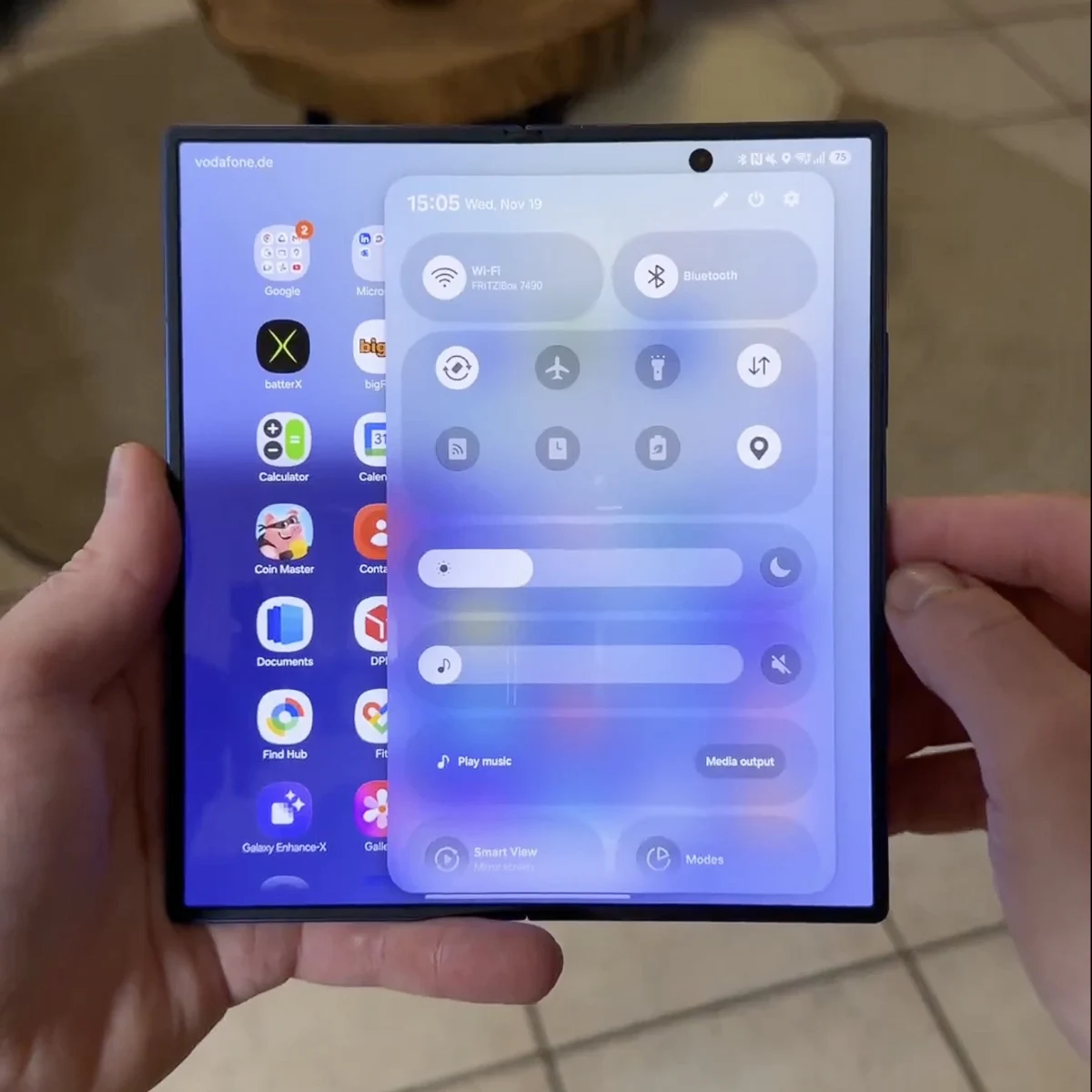
    For example, the Phone application now utilizes a pop-up dialer instead of switching to a full-screen interface, which is common in other One UI versions. Additionally, the notification and quick panel shades no longer cover the entire screen and blur the content behind them. They have been adjusted to smaller pop-ups that appear below the point of activation.

    Enhancements in Customization and Usability

    Furthermore, One UI 8.5 will enhance the customization options for the quick panel and refine system applications to improve usability for one-handed operation. Sadly, a specific release date for One UI 8.5 is still not known at this point. For more information, check out the video above and the tweet linked below.

    Source:
    Link


  • Samsung Galaxy Buds4 Pro: New Stem Design and Gesture Support

    Samsung Galaxy Buds4 Pro: New Stem Design and Gesture Support

    Key Takeaways

    1. The Galaxy Buds4 and Buds4 Pro will have minor battery improvements over previous models.
    2. The design will feature a dual-tone look with a flat stem, moving away from the sharp design of the Buds3 series.
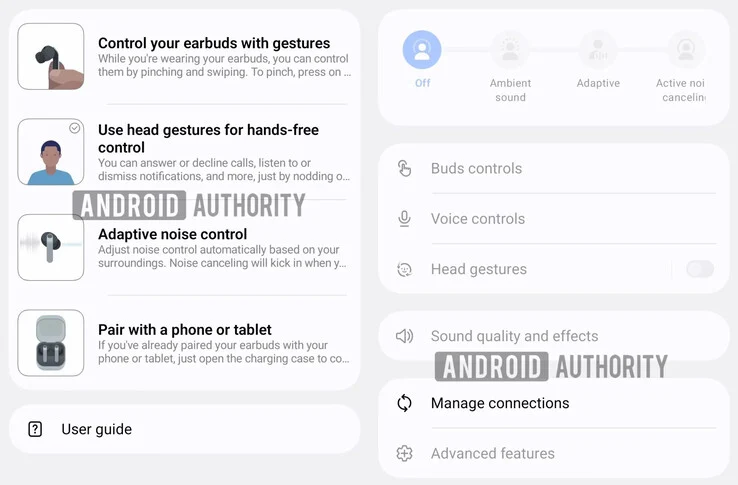
    3. Gesture controls and Multi Point connectivity will be retained, along with new head gesture features for notifications and calls.
    4. The Buds4 Pro will support 360° audio recording and include a “find my phone” feature with a redesigned case.
    5. The expected launch of the Galaxy Buds4 series is alongside the Galaxy S26 series, anticipated for late February 2026.


    Over a month has gone by since Android Authority offered an initial glimpse of the Galaxy Buds4. At that time, the site mentioned finding an icon in the One UI 8.5 firmware related to the ‘Buds 4’ name. Later that same month, GalaxyClub hinted that both the Galaxy Buds4 and Galaxy Buds4 Pro would come with minor battery improvements compared to the previous models.

    New Developments

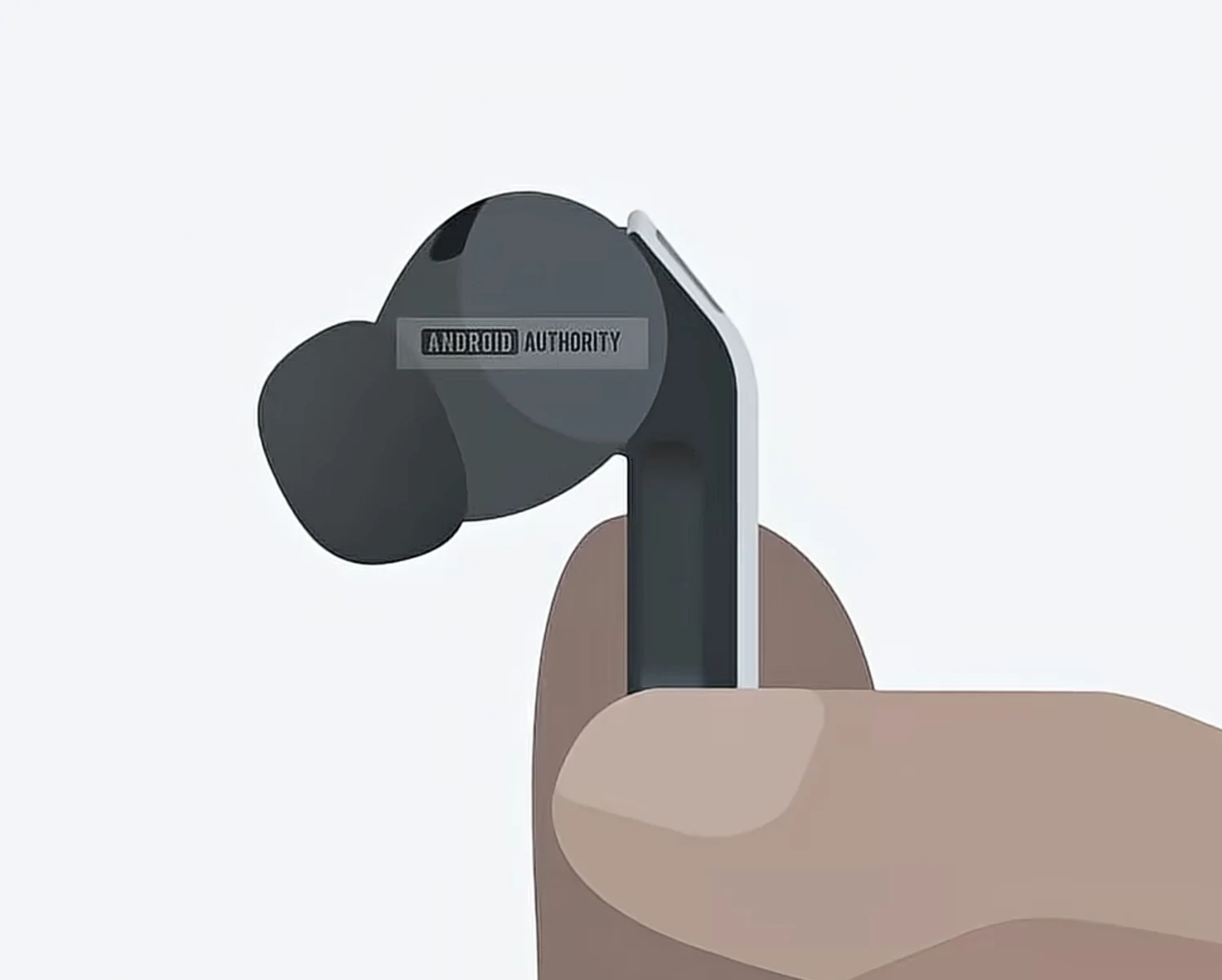
    Recently, Android Authority has reportedly discovered more information by examining a Galaxy Buds app APK that Samsung plans to release with its future One UI 8.5 update. The Galaxy Buds4 and Galaxy Buds4 Pro, codenamed Handel and Bach respectively, seem to move away from the sharp design seen in the Galaxy Buds3 series (currently priced at $169 on Amazon). However, leaked animations suggest that Samsung is not following Apple’s design style with the AirPods.

    Design Features

    The Galaxy Buds4 series is said to feature a dual-tone look with a flat stem. While Samsung has apparently eliminated the light bar found in the Galaxy Buds3 series, it will keep gesture controls along with Multi Point connectivity and adaptive noise cancellation. Additionally, Samsung has incorporated head gestures that enable users to reply to notifications and answer calls without needing to use physical controls or check their phones.

    Upcoming Launch

    Furthermore, the Galaxy Buds4 Pro will continue to support 360° audio recording and will include a “find my phone” feature with a redesigned case. Samsung is currently anticipated to unveil the Galaxy Buds4 series together with its Galaxy S26 series. According to recent speculation, the company is planning to launch the Galaxy S26 around the end of February 2026.

    Source:
    Link


  • Samsung One UI 8.5 Leak Unveils Exciting New AI Features

    Samsung One UI 8.5 Leak Unveils Exciting New AI Features

    Key Takeaways

    1. Samsung has launched One UI 8.0 for the Galaxy S25 and S24 series, while the Galaxy S23 lineup is still in beta.
    2. One UI 8.5 will focus on artificial intelligence to enhance everyday device functions.
    3. New AI features in One UI 8.5 include Touch Assistant, Smart Clipboard, Social Composer, and Meeting Assist.
    4. Design changes may include floating buttons with a frosted glass effect, similar to iOS 26.
    5. One UI 8.5 is expected to launch with the Galaxy S26 series in early 2026 and will run on Android 16.


    Samsung has begun to launch One UI 8.0 for compatible devices, including the Galaxy S25 and Galaxy S24 series. On the other hand, phones like the Galaxy S23 lineup are still running in beta mode. However, fresh details have surfaced regarding Samsung’s next software update, One UI 8.5, which highlights a strong focus on artificial intelligence. The upcoming update seems to incorporate AI into everyday functions of the devices to make daily tasks easier.

    New Features Unveiled

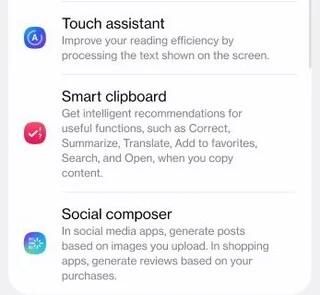
    According to a leak from NirmalSri, there are several exciting new features on the way. The post shared on X/Twitter indicates that One UI 8.5 will introduce at least four new AI-enhanced tools: Touch Assistant, Smart Clipboard, Social Composer, and Meeting Assist.

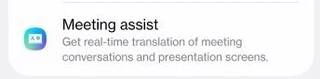
    Touch Assistant aims to enhance reading efficiency by processing text displayed on the screen. The Smart Clipboard is expected to automatically recommend actions like summarizing, translating, or correcting text. For social media interactions, the Social Composer will generate posts and reviews automatically. Finally, Meeting Assist is said to provide real-time translation during meetings and presentations.

    Design Expectations

    Earlier leaks have hinted at potential design changes coming with One UI 8.5. This update is rumored to introduce floating buttons with see-through backgrounds, resembling features found in iOS 26, but Samsung is likely to apply its distinctive “frosted glass” effect.

    The new features are anticipated to launch alongside the Galaxy S26 series in the first quarter of 2026. This would be the initial rollout of the new software on flagship devices, with other compatible devices receiving it later. It’s worth mentioning that One UI 8.5 will still operate on Android 16. In contrast, One UI 9.0, which is rumored to be the next major OS update, will be built on Android 17.

    Source:
    Link