Tag: Galaxy S26

  • Samsung One UI 9.0 Beta 3 Rolling Out Next Week

    Samsung One UI 9.0 Beta 3 Rolling Out Next Week

    Key Takeaway

    – One UI 9.0 Beta 3 release is scheduled for next week.
    – Beta 2 focused primarily on bug fixes, with Beta 3 expected to add new features.
    – Beta 1 introduced UI refinements like a redesigned media player and reorganized Settings menus.
    – Galaxy S25 series expected to join the One UI 9.0 Beta program soon.
    – Galaxy Z Fold 8 and Z Flip 8 will be the first devices to ship with One UI 9.0 pre-installed.


    Next Week Might Be the Big One for Samsung One UI 9.0 Beta

    So it looks like Samsung could be dropping the third beta version of One UI 9.0 as early as next week, at least thats what a notice posted in the Samsung Members app via the Samsung Korea community is saying. The screenshot of the notice clearly states that “The 3rd beta version is scheduled to be released next week,” giving us the most solid hint yet abuot when the next software update is comming. This was first spotted by the tipster Chanakya Shrutam (@SamSWUpdate) over on X.

    Where We Started: Beta 1 and Beta 2

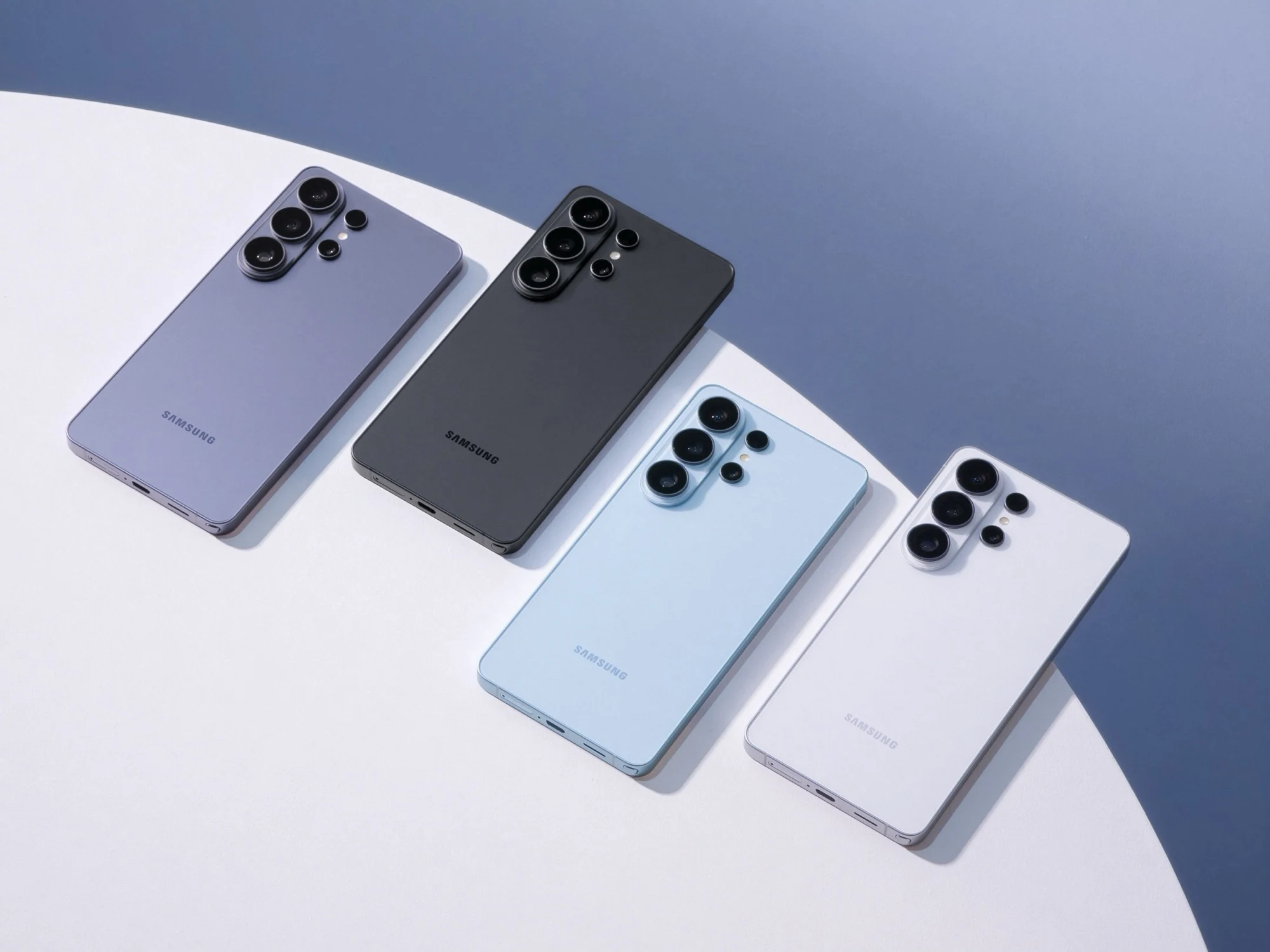
    Samsung originally opened the One UI 9.0 beta program way back in early May for the Galaxy S26, Galaxy S26 Plus, and the Galaxy S26 Ultra, but only in a few select markets at first. People who signed up for the program got the first beta build pushed to them as an over-the-air update right away. So far, the updates have mostly been about refining features that already exist, rather then adding a ton of new stuff. Honestly, you could argue that One UI 8.5 from last year was actually a more feature-packed release then what One UI 9 is looking like so far in these early builds.

    What Was Actually New in Beta 1

    In Beta 1, we did see a few fresh additions across the user interface, like a redesigned media player that got some updated visuals and a few refreshed menu screens inside the Settings app. The settings menus were also reorganised a bit to give it a cleaner overall layout. There was also a bunch of customisation improvements, like users in the beta program can now move the volume slider around independently inside the Quick Panel, and the status bar icons and text have been made bigger for better visibility across the hole interface.

    Why Beta 3 is the One to Watch

    Apart from those few tweaks, not much has happend because Beta 2 was almost entirely focused on squashing bugs and errors that people reported after the first build. So naturally, all the attention is now on Beta 3 to bring in some actual new features and also fix the remaining bugs from the second beta. In other news, it’s also expected that the Samsung Galaxy S25 series should be the next devices to join the One UI 9 Beta program soon, but Samsung hasnt announced any official dates for that yet. In the mean time, the first devices confirmed to ship with One UI 9 out of the box will be the next gen Samsung foldables, the Galaxy Z Fold 8 and the Z Flip 8, at Samsung’s next Galaxy Unpacked event.

    Sources

  • Samsung launches One UI 9 Beta 1 with 12 major updates

    Samsung launches One UI 9 Beta 1 with 12 major updates

    Key Takeaway

    1. Samsung has begun rolling out One UI 9 Beta, starting with Galaxy S26 Ultra in select countries.
    2. The beta build is approximately 3.6 GB and includes security patches from May 5, 2026.
    3. Focus areas for improvement include enhancing Samsung DeX and adding more Quick Panel customization options.

    Samsung Unveils One UI 9 Beta for Galaxy Devices

    Yesterday, Samsung announced the latest beta program for its popular One UI interface, named One UI 9 Beta. This is just the newest in a string of beta releases set for various smartphones over recent years. The company’s initial statement indicated that the first beta, based on Android 17, would be available ‘starting this week’ for users of Galaxy S26 series in countries like Germany, India, Poland, South Korea, the UK, and the US. However, no specific dates were communicated at that time.

    Global Rollout of One UI 9 Beta Begins

    Despite the lack of concrete timelines, the rollout of One UI 9 Beta builds has now commenced across different regions. As per reports from Reddit, Beta 1 has already started to arrive in Germany and the United States. Interestingly, the Galaxy S26 Ultra (which is priced at around $1,099) seems to be getting priority over its smaller counterparts, including the Galaxy S26 and Galaxy S26 Plus, at this stage. The focus appears to be on delivering the new software first on the Ultra model.

    Details & Features of the Beta Build

    The latest beta build, known as One UI 9 Beta 1, weighs in at approximately 3.6 GB and comes with the security patches dated May 5, 2026. Samsung’s current efforts aim at refining its software in around twelve different areas for this release. For example, the update enhances Samsung DeX functionality, providing users with improved desktop previews. Moreover, the beta version introduces more options for customizing the Quick Panel, a feature that was somewhat limited in the previous One UI 8. Users can see a summary of these updates in the screenshots included with the official release.


    Sources

  • Samsung Galaxy Phones Now Block Ads in Push Notifications

    Samsung Galaxy Phones Now Block Ads in Push Notifications

    Key Takeaway

    1. The Samsung Device Care app now includes “Intelligent Blocking,” which analyzes and manages push notifications to reduce unwanted advertising alerts.
    2. Apps that send frequent advertising notifications are placed into “deep sleep,” preventing further notifications from those apps.
    3. The feature is initially available on devices with One UI 8.5, such as the Galaxy S26 series, and may take weeks to roll out via official channels.

    New Update Brings Smarter Notification Management

    The latest update for Samsung’s Device Care app, now at version 13.8.80.7, bring a useful feature aimed at reducing irritation from unwanted push notifications. It is designed to analyze incoming notifications and identify which are purely advertising. Once detected, the app can automatically put these advertising notifications into “deep sleep” mode so they won’t bother you anymore. This helps make your experience more smooth and less cluttered. Samsung states that sometimes the classification between marketing and useful alerts isn’t perfect, but you can always unblock important notifications easily in the app settings.

    How Intelligent Blocking Works

    With this smart feature, called “Intelligent Blocking,” the app scans the notifications to determine if they are spam or promotional in nature. Notifications that are deemed to be more advertising than content are suppressed if they appear too frequently. This means you’ll no longer be annoyed by persistent ads. And if you still want to see certain notifications, simply unblocking them in the settings will do the trick. It is a simple but effective way to keep your notifications relevant and less intrusive, especially for power users who get bombarded constantly.

    Availability and Compatibility

    Right now, this update is seen first on smartphones that use the newest version of One UI 8.5, like the Galaxy S26, Galaxy S26+ and Galaxy S26 Ultra smart phones. If you are eager to try it sooner, versions of the app can be found outside official app stores, such as on APKMirror, where an updated version 13.8.80.7 has already been uploaded. However, official updates may take a few weeks to roll out globally to all compatible devices through proper channels like Samsung Galaxy Store or Google Play Store. Stay tuned for your device’s update to include this new helpful feature.

  • Samsung Galaxy S26: Restriction on Precise Location Tracking Explained

    Samsung Galaxy S26: Restriction on Precise Location Tracking Explained

    Key Takeaway

    1. NFC is mainly used for mobile payments, while UWB and Bluetooth are key for smart home integration and object tracking.
    2. The Galaxy S26 lacks UWB, which is present in the S26+ and S26 Ultra, affecting features like precise locating and digital car or door keys.
    3. The Galaxy S26 is equipped with Bluetooth 5.4, potentially limiting its smart object locating capabilities compared to upcoming devices with newer standards.
    4. The device features a high-quality build, a bright and accurate OLED display, and solid performance, but has moderate battery life and slower charging compared to competitors.
    5. The Galaxy S26 is a refined flagship with incremental upgrades, emphasizing display quality and overall user experience over radical innovations.

    Short-range wireless technologies including NFC, UWB, and Bluetooth

    These technologies are mainly used for quick and easy data transfer as well as for locating devices in close proximity. NFC is most commonly used for mobile payments, while UWB and Bluetooth also have respective roles in smart home systems and in tracking things like objects or tags. UWB is integrated into models like the S26+ and S26 Ultra, but unfortunately the Galaxy S26 lacks this feature, which limits its ability to precisely locate items or serve as access points to smart locks or car keys. Its functions extend beyond just tracking, assisting in contactless unlocking and vehicle access systems.

    Role of Bluetooth in Smart Ecosystems

    Bluetooth, especially starting from the 6.0 version, is becoming more competitive with UWB for locating smart objects if it gets enough updates. Despite that, Samsung set it back a little by opting for the older Bluetooth 5.4 in the Galaxy S26, instead of the latest iteration. Fans hope that future models like the Galaxy S27 will feature more advance Bluetooth versions, thus closing the gap with UWB on smart device findability and connectivity. Bluetooth also supports many features in smart homes, like controlling lights, locks, and appliances, providing an essential connectivity backbone across many connected gadgets.

    Overview of the Galaxy S26

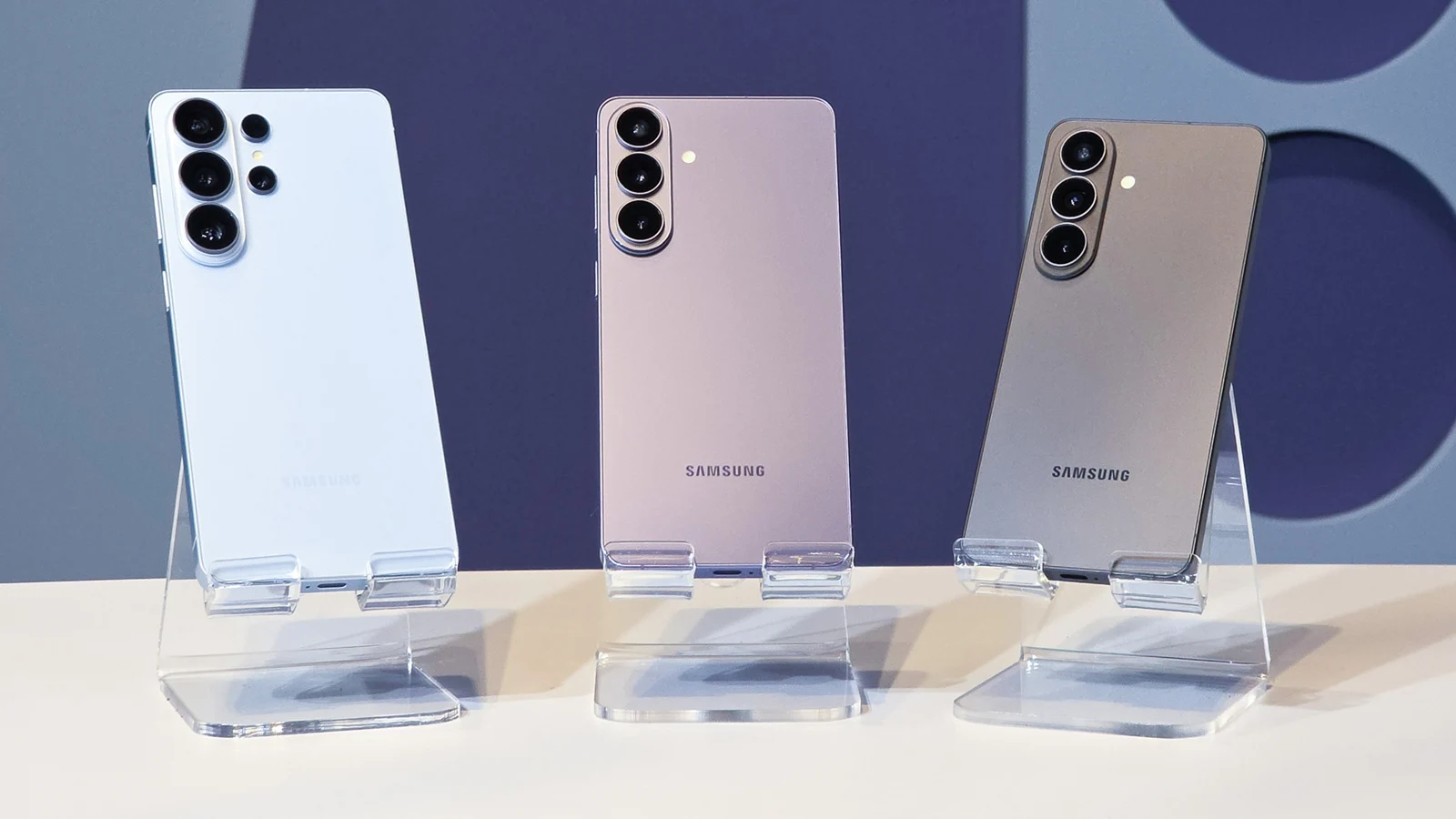
    The Galaxy S26 presents itself as a compact luxury smartphone that stands out because of its performance, display, and battery. Powered by the Exynos 2600 chipset, it has a 6.3-inch OLED screen which is bright, evenly lit, and calibrated for accurate colors. The device is built with high-quality materials and feels very premium in hand, making it a top-tier choice for those looking for a sleek, reliable device. The display’s brightness and color precision make it suited for everyday use, whether indoors or outside in sunlight.

    Pros and Cons of the Galaxy S26

    • Fast, dependable operation with good network reception
    • Long-term support with updates expected for seven years
    • Battery capacity of 4,300 mAh, delivering decent daily usage

    However, it has its limitations. Charging speeds are only 25 watts, which is somewhat slow considering current standards, leading to longer recharge times. The phone’s battery life is only moderately improved over previous models, and it underperforms under sustained high performance, with noticeable throttling of its processor. The camera system remains similar to previous generations without notable upgrades in hardware or features. Overall, the Galaxy S26 isn’t a complete overhaul but rather a smarter, slightly refined version of a flagship, excelling mostly in its display, usability, and overall build quality.

    Sources
    • Samsung Galaxy S26 Gains AirDrop Support in US and Europe

      Samsung Galaxy S26 Gains AirDrop Support in US and Europe

      Key Takeaways

      1. Samsung is rolling out a significant software update (build AZCF) for Galaxy S26 series users in Europe, India, and the U.S.
      2. The update introduces native AirDrop support to Samsung’s Quick Share feature, allowing file sharing with iPhones, iPads, and Macs.
      3. This functionality enables users to share files directly without needing third-party applications.
      4. Currently, AirDrop support is limited to the S26 series, but Samsung plans to extend it to more devices with the upcoming One UI 8.5 update.
      5. Apple’s lack of official response suggests they may be considering easing restrictions due to regulatory pressure from the European Commission.


      This is a significant moment! Samsung is closing one of the biggest divides between Android and iOS.

      Major Update Rolling Out

      After launching in South Korea, Samsung is now distributing a substantial software update (build AZCF) to Galaxy S26, S26+, and S26 Ultra users in Europe, India, and the United States, according to the latest reports. This update, which is about 900 MB in size, introduces native AirDrop support to Samsung’s Quick Share feature.

      New Sharing Capabilities

      With this new functionality, Galaxy users can easily share files directly with iPhones, iPads, and Macs without the need for any third-party applications. Although this feature was first seen on the Pixel 10 (thanks to Google’s initiative to enable AirDrop cross-compatibility), Samsung is now the latest brand to implement this standard.

      Getting Started with AirDrop

      To enable “AirDrop” on your Samsung device using Quick Share:

      Currently, this feature is only available for the S26 series, but Samsung intends to extend support to additional devices, likely with the forthcoming One UI 8.5 update.

      It should be mentioned that Apple hasn’t made any official statements regarding the “AirDrop on Android” situation. The feature seems to be a reverse-engineered solution rather than a collaboration between the two companies, at least based on what is known publicly. Nonetheless, the absence of any blocks indicates that Apple might be gearing up to relax their strict policies in response to growing regulatory demands from the European Commission.

      Source:
      Link


    • Samsung Galaxy S26 Series Introduces AirDrop Support for Quick Share

      Samsung Galaxy S26 Series Introduces AirDrop Support for Quick Share

      Key Takeaways

      1. AirDrop support is coming to Quick Share on the Galaxy S26 lineup, enhancing content sharing across devices.
      2. This feature is a software update, not a new hardware addition, focusing on ecosystem integration for users.
      3. The rollout starts on March 23 in Korea, with plans to expand to other regions, but availability may vary by market.
      4. Currently, only the Galaxy S26 series will support this feature, with future device compatibility to be announced later.
      5. The Galaxy S26 series will serve as a testing ground for the new Quick Share functionality, potentially leading to broader support in the future.


      Samsung has revealed that AirDrop support is coming to Quick Share on the Galaxy S26 lineup, offering a fresh method for its flagship devices to share content across different devices. In an announcement made on March 23, Samsung confirmed that this feature will initially be available for the Galaxy S26, Galaxy S26+, and Galaxy S26 Ultra.

      Software Update vs. Hardware Feature

      While this change is described as a software update rather than a new hardware addition, it provides the Galaxy S26 series with an extra selling point focused on ecosystem integration. Quick Share has been Samsung’s primary solution for transferring files between devices, and the inclusion of AirDrop support enhances this compatibility for users who frequently switch between platforms. However, Samsung’s announcement primarily highlights the rollout process and does not delve into the technical workings of the feature.

      Global Rollout Details

      Samsung states that the rollout will commence on March 23 in Korea, with plans to extend availability to other areas such as Europe, Hong Kong, Japan, Latin America, North America, Southeast Asia, and Taiwan. The company also cautions that the timing might differ by market, so the feature may not be accessible everywhere simultaneously.

      This staggered launch is common for Samsung’s software updates, particularly when new features are being introduced in various regions. For Galaxy S26 users outside of Korea, this announcement is significant as it signals that broader availability is on the horizon, even if the feature isn’t available in their location immediately.

      Future Device Support

      Currently, Samsung is restricting this feature to the Galaxy S26 family. The company has indicated that support for additional Galaxy devices will be disclosed later, but no specific timeline or comprehensive list of devices has been provided yet.

      Thus, the Galaxy S26 series serves as the initial testing ground for the new Quick Share functionality. If the rollout proceeds without issues, this update could evolve into a more substantial ecosystem feature for a larger segment of Samsung’s mobile devices in the future months.


    • Samsung Mobile Division Faces Potential Loss Amid Rising Chip Costs

      Samsung Mobile Division Faces Potential Loss Amid Rising Chip Costs

      Key Takeaways

      1. The Galaxy S26 has strong sales since its March launch, but Samsung’s mobile division faces financial challenges.
      2. Samsung MX, the mobile division, is under emergency management due to financial difficulties.
      3. Soaring costs of memory semiconductors, with prices up over 850%, are impacting profitability significantly.
      4. Operating profit predictions could drop from $8.62 billion to $3.34 billion by 2026, with profit margins falling from 11% to 3%.
      5. Samsung is implementing financial adjustments, including encouraging early retirement for long-term employees and changing travel policies.


      Compared to previous flagship smartphones from Samsung, the Galaxy S26 has shown strong sales since its launch in March. Nevertheless, the mobile division of Samsung may be facing a financial challenge for the first time.

      Emergency Management

      A report by FNNews highlights that Samsung Electronics has put its mobile division, known as Samsung MX, under emergency management. This division is part of the larger Device Experience (DX) segment, which also includes home appliances, mobile devices, and television products. Other units within DX are already operating under similar emergency measures.

      Rising Costs Impacting Profitability

      FNNews states that the financial difficulties stem from the soaring costs of memory semiconductors essential for producing these devices. Over the past year, prices for these chips have skyrocketed by more than 850% in the memory semiconductor market.

      The steep rise in chip prices is significantly affecting profitability. Last year, the operating profit was around $8.62 billion, but predictions suggest it could plummet to $3.34 billion by 2026. When comparing the first quarter of 2025 to the first quarter of 2026, the profit margin may drop from 11% to just 3%. According to insiders whom FNNews consulted, achieving even a 1% profit or avoiding a loss by the end of 2026 could be nearly impossible.

      Financial Adjustments in Place

      In light of these challenges, Samsung is implementing several financial measures. Long-term employees are encouraged to consider early retirement, and now, travel plans lasting under 10 hours must be booked in economy class instead of business class.

      Source:
      Link


    • Samsung Qi2 Magnetic Power Bank for Galaxy S26 Series Now Available

      Samsung Qi2 Magnetic Power Bank for Galaxy S26 Series Now Available

      Key Takeaways

      1. Global Launch: Samsung has introduced the Magnet Wireless Battery Pack worldwide, designed for compatibility with Galaxy S26 and S25 series smartphones.

      2. Design and Fit: The battery pack attaches to smartphones and is specifically tailored to fit the Galaxy S26 series, overcoming challenges posed by the devices’ camera bump.

      3. Power Specifications: It has a capacity of 5,000 mAh and supports wireless charging at 15W, with a USB-C port for faster 25W charging.

      4. Hands-Free Feature: The power bank includes a foldable kickstand for convenient hands-free usage.

      5. Pricing and Availability: It retails for $64.99 in the U.S. and £37.80 in the UK, with availability issues noted as it is sold out at major retailers like Amazon and Best Buy.


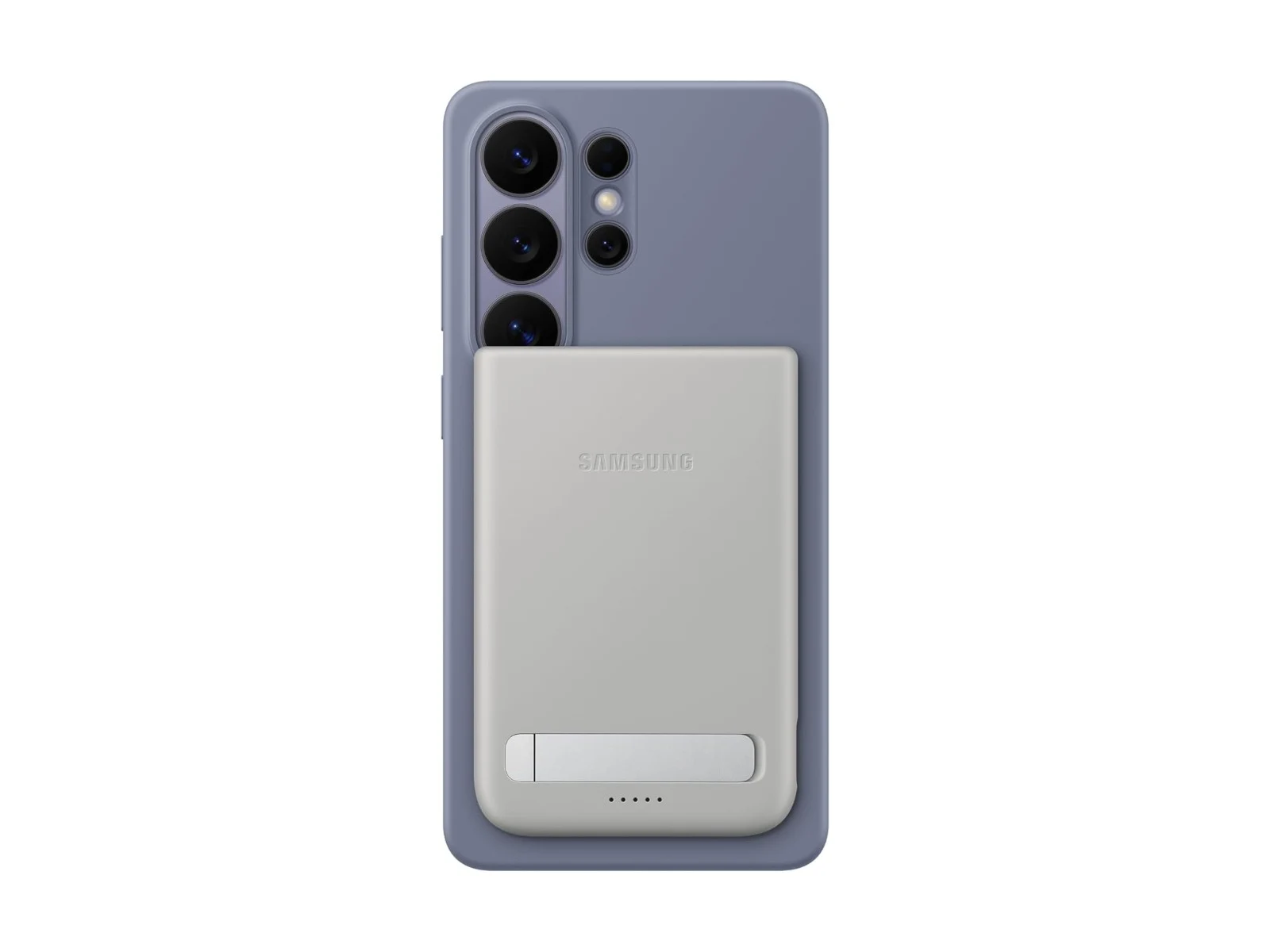
      Samsung has begun to offer its new Magnet Wireless Battery Pack worldwide. Just to remind, the Galaxy S26 series, which includes the Galaxy S26 Ultra, was released without built-in magnets. Nevertheless, the recent flagship models still are compatible with Qi2 wireless charging and can connect to Qi2 accessories when used with magnetic cases, most of which are official.

      Design and Compatibility

      The Magnet Wireless Battery Pack is specifically made to attach to the back of smartphones that are compatible. So far, it seems to be the only Qi2 power bank that fits well with the Galaxy S26 and S25 devices, including the larger Galaxy S26 Ultra. The bulky vertical camera bump on these smartphones makes it difficult for many third-party Qi2 power banks to sit flush enough to enable wireless charging.

      Specifications and Features

      In terms of power, it has a capacity of 5,000 mAh, which should provide at least one complete charge for most smartphones. The wireless charging is capped at 15W, even though the Galaxy S26 Ultra can achieve up to 25W with Qi2. For quicker charging options, Samsung has included a USB-C port that can handle up to 25W, and it also features a foldable kickstand for hands-free usage. The dimensions of the power bank are 7.6 x 102.5 x 14.2 mm, and it weighs in at 40g.

      Pricing and Availability

      Customers can buy the Samsung Magnet Wireless Battery Pack directly from Samsung for $64.99. It is also available at Amazon and Best Buy, although it is currently sold out. In the UK, it’s offered by Samsung UK and Amazon UK at a reduced price of £37.80, down from £54. The package includes a 0.2m USB-C cable.

      Source:
      Link


    • Samsung Galaxy Phones Now Support WhatsApp and X Over Satellite

      Samsung Galaxy Phones Now Support WhatsApp and X Over Satellite

      Key Takeaways

      1. Samsung Galaxy phone users can access a selection of apps that work without mobile internet under “Satellite-ready apps on your phone” in Settings.
      2. Samsung partners with various mobile network providers across North America, Europe, and Japan for satellite services.
      3. Satellite connectivity options vary by region, with some areas allowing only texting or emergency services, while others support calls and internet access.
      4. A list of apps compatible with satellite functionality is available for Samsung Galaxy smartphones.
      5. The Galaxy S26 series will feature built-in satellite communication, and Samsung plans to expand this service globally.


      As mentioned by @theoneacid on X, certain Samsung Galaxy phone users can now find a selection of apps that function without requiring a mobile internet connection. These apps are available under the “Satellite-ready apps on your phone” section found in the Settings menu.

      Partnerships Across Continents

      The South Korean tech giant has teamed up with several mobile network providers in North America, including AT&T, Verizon, and T-Mobile. In Europe, they are collaborating with MasOrange in Spain, Virgin Media 02, and Vodafone. Meanwhile, in Japan, partners include Docomo, KDDI, Rakuten Mobile, and SoftBank. Unlike Apple, which connects directly with satellite internet firms like SpaceX for Starlink, Samsung has taken a different route.

      Different Options by Region

      Typically, customers looking for direct-to-satellite services will find varying options depending on their location. In certain regions, satellite connectivity might only allow for texting or emergency services. However, in other areas, users can make calls, send SMS, and surf the internet.

      List of Satellite-Compatible Apps

      The list of apps that support satellite functionality on Samsung’s Galaxy smartphones includes various options. Samsung revealed back in February that the Galaxy S26 series will come equipped with satellite communication features. The company has also vowed to broaden this service on a global scale.

      Source:
      Link


    • Galaxy S25 Gets Galaxy S26’s Cool Camera Features

      Galaxy S25 Gets Galaxy S26’s Cool Camera Features

      Key Takeaways

      1. The Galaxy S26 series includes enhanced camera capabilities, specifically the Virtual Aperture feature, which allows for adjustable background blur.
      2. The Virtual Aperture feature will soon be available for the telephoto cameras (3x and 5x) on the Galaxy S25 series.
      3. Virtual Aperture is a software solution to modify bokeh effects, compensating for the lack of physical apertures in smartphone cameras.
      4. The Galaxy S25 series will soon receive an AI document scanning feature, enhancing scanning with translation, text recognition, and drawing options.
      5. Samsung aims to incorporate new features into previous flagship models, although no specific timeline has been provided for these updates.


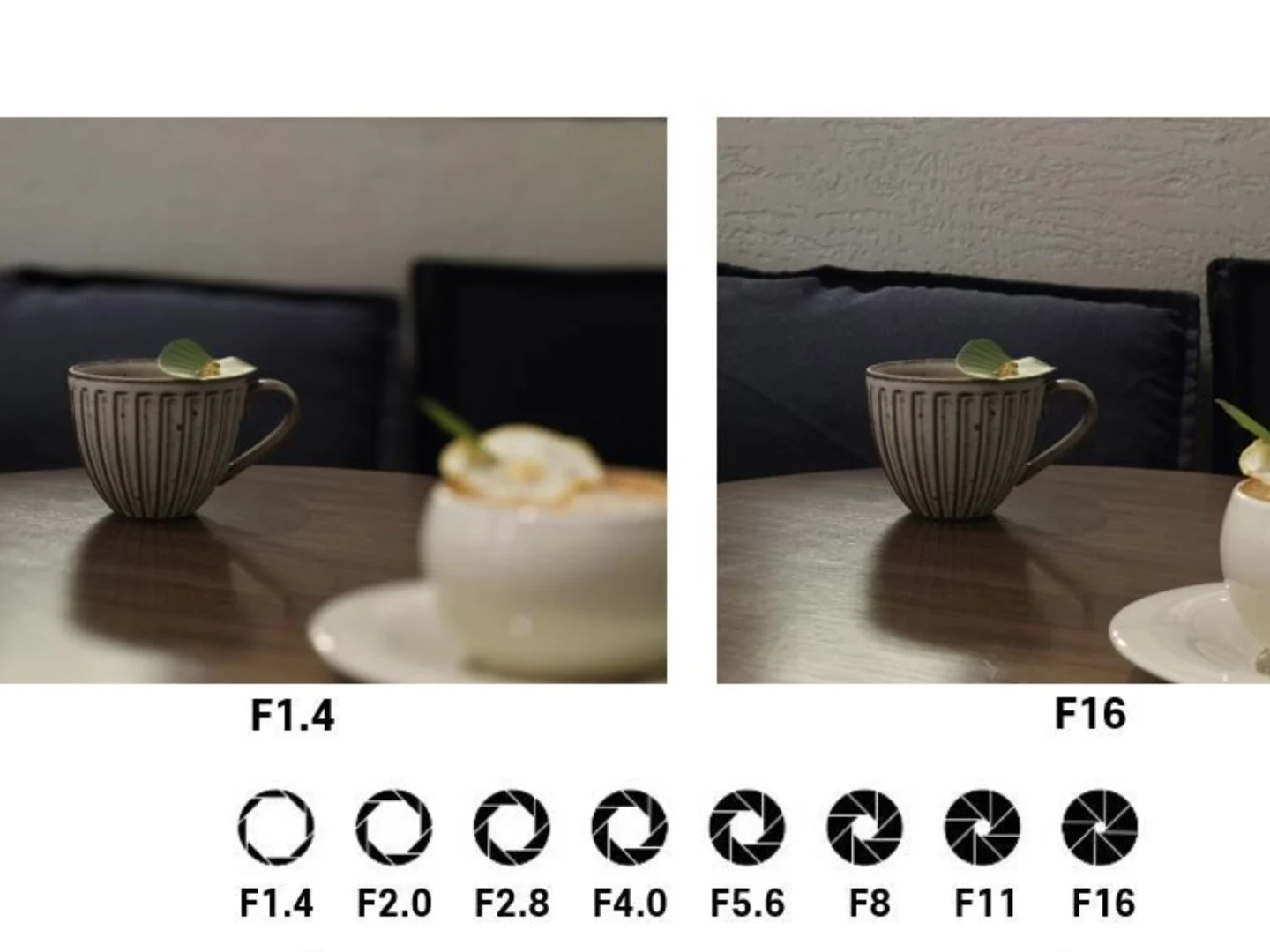
      The Galaxy S26 series brings several notable improvements compared to its predecessor. The basic and Plus versions do not feature the Privacy Display found in the Ultra model, but all three versions come equipped with an enhanced camera capability known as Virtual Aperture. Although the Galaxy S25 series does include this feature, it is somewhat limited in its application.

      Exciting Camera Updates

      On a Korean Galaxy S26 Camera/Gallery community page, a user inquired whether the Galaxy S25 Ultra would be able to use Virtual Aperture for its telephoto lens via the ExpertRaw app. A Samsung official, who also moderates the page, replied that this feature will be extended to the Galaxy S25. Presently, the Galaxy S25 series offers Virtual Aperture for its primary camera, and it appears that soon the telephoto cameras (3x and 5x) will gain this capability as well.

      Understanding Virtual Aperture

      Virtual Aperture enables users to modify the bokeh effect or background blur using software, since smartphone cameras don’t have physical apertures that can be adjusted like DSLRs do. This feature was first introduced with the Galaxy S25 series and has been improved upon in the Galaxy S26 series.

      New Features for Galaxy S25

      Additionally, there’s a new feature on the horizon for the Galaxy S25 series, which is AI document scanning. In response to another user’s inquiry, the executive indicated that this feature is expected to be available for the Galaxy S25. It’s worth mentioning that all Android devices can scan documents, either through built-in capabilities or using Google Drive. The AI document scanning feature on the Galaxy S26 will enable translation, text recognition, and drawing options, in addition to standard multi-page scanning abilities.

      At this point, no specific timeline has been provided, but it’s encouraging to see that Samsung is working to incorporate these features into its previous flagship models as well.

      Source:
      Link