Tag: Raspberry Pi

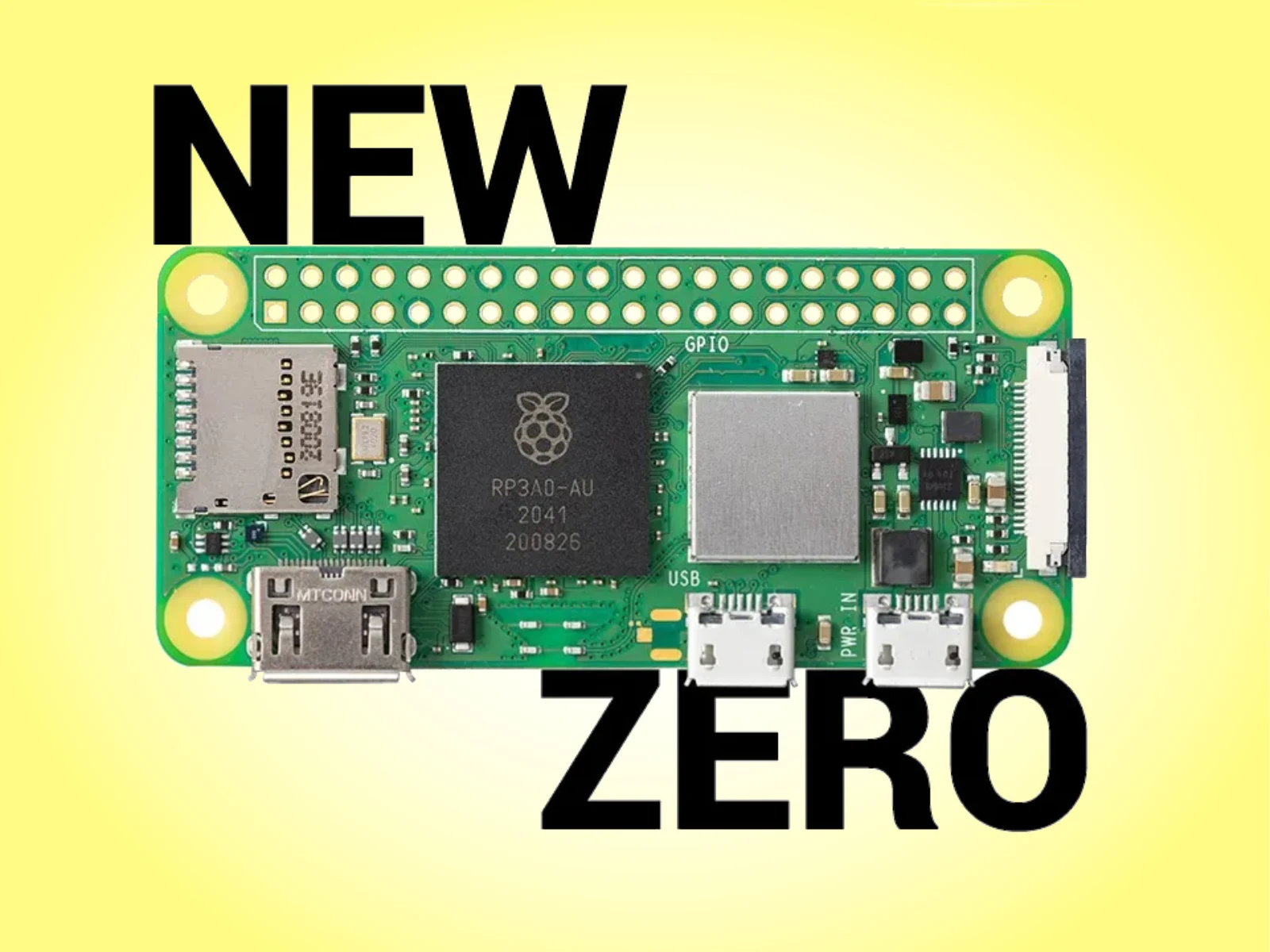
  • Raspberry Pi Zero 3 W: Affordable, Un-Zero-Like Price Today

    Raspberry Pi Zero 3 W: Affordable, Un-Zero-Like Price Today

    Key Takeaway

    – Zero 3 W is considered feasible but unlikely to follow the historic rapid cadence; price and RAM constraints are delaying the release.
    – A potential Zero 3 W may require a dual-sided board to fit DRAM and a more modern SoC, increasing complexity and cost.
    – Ongoing LPDDR4/LPDDR4X price pressures are the main reason for postponingZero announcements, aiming for a more reasonable price point.


    The Raspberry Pi Zero 2 W is almost half a decade old. Presented in late 2021, the Zero 2 W was originally priced at $15. Additionally, Raspberry Pi complemented its tiny single-board computer (SBC) with a Zero 2 WH variant for those who needed a pre-soldered GPIO header (curr. $36.99 on Amazon).

    Industry Update

    Now, Raspberry Pi CEO Eben Upton has offered early hints about the prospect of it launching a long-awaited Zero 3 W. For context, the company released the original Pi Zero in 2015 at a mere $5. In a Reddit AMA, Upton has indicated that the Zero W series will not follow this release cadence for its third-generation release.

    Feasibility and Hardware Considerations

    Currently, Upton considers a Zero 3 W ‘quite feasible’. However, it stresses that the next Zero-branded SBC may need to adopt a dual-sided SBC to accommodate DRAM and ‘one of the more modern SoCs’. Unfortunately, ongoing LPDDR4 and LPDDR4X price pressures mean that a Zero 3 W would launch with a ‘rather un-Zero-like price point’ today.

    Market Strategy

    As a result, Upton and Raspberry Pi appear to have postponed any new Pi Zero announcements until it can stockpile LPDDR4 and LPDDR4X RAM at more reasonable prices. For reference, Raspberry Pi has also commented on the state of the Raspberry Pi 6, too. Please see our corresponding article for more details about the company’s other anticipated SBC.
    Sources
  • MX Linux 25.2 Release: Fixes and Package Updates

    MX Linux 25.2 Release: Fixes and Package Updates

    Key Takeaway

    – MX Linux 25.2 updates include Debian 13.5 “Trixie” plus MX repo patches, with Mesa 26.0.1 for Xfce and KDE AHS; Fluxbox flavor available as well.
    – Xfce-AHS version uses a low-latency Liquorix 7.0.9 kernel; other versions share Mesa 26.0.1 but not the kernel tweak.
    – No reinstallation required for existing users; updates arrive via the standard channel and new uc-tool-mx in the live-kernel-updater workflow.


    Overview

    Available since March 2012, MX Linux is one of the many Debian-based distros currently active. It focuses on desktop users and uses core antiX components alongside additional software from the MX community, such as the roughly 40 user-oriented pieces of code known as MX Tools. The latest update is labeled 25.2 and comes with Mesa 26.0.1 for the Xfce and KDE Advanced Hardware Support (AHS) versions. A Fluxbox flavor is also available.

    Release Notes

    According to the official release notes, the Xfce-AHS version is the only one that received the low-latency Liquorix 7.0.9 kernel, even though both AHS versions mentioned above include Mesa 26.0.1. What unites all versions is the inclusion of Debian 13.5 “Trixie” updates alongside the latest MX repository refresh, which includes patches for all the recent “meme bugs” found in the kernel. However, some components received special attention this time:

    Upgrade Path

    As usual, existing users don’t need to reinstall the system unless they really want to do that for some reason. The updates come through the regular update channel, and the new options uc-tool-mx package utilized by live-kernel-updater can be found in the standard repository.

    Flavors and Downloads

    The Xfce version comes in a regular and an AHS version, and the Fluxbox and KDE/Plasma versions only get one ISO each. Raspberry Pi users can grab the ZIP containing the image file, the signature, and the checksum files from the same page (see the Source link below the video).

    Cost and Availability

    Obviously, those who don’t own a Raspberry Pi yet and would like to enter this world on a rather low budget can grab the CanaKit Raspberry Pi 4 Starter Kit with 2/32 GB on Amazon for $134.99.

    Sources
  • Debian-Based UmbrelOS 1.7.0 Includes Home Screen Shortcuts and New Translations

    Debian-Based UmbrelOS 1.7.0 Includes Home Screen Shortcuts and New Translations

    Key Takeaway

    1. Home cloud solutions like umbrelOS are ideal for users with limited internet speed or concerns about data privacy.
    2. umbrelOS supports running various applications, including OpenClaw, Hermes Agent, Ollama, and a Bitcoin node.
    3. The OS is based on Debian, offers improved speed and usability, especially in file management, and is available for Raspberry Pi 4 and 5.

    Home Cloud Solutions

    Home cloud solutions are quite popular among people who have not such fast internet connection or do no trust others with their data. They prefer to store all their media files locally, which makes umbrelOS handy. Not just storage, umbrelOS also provides a platform to run a variety of apps like OpenClaw, Hermes Agent, and Ollama, plus a Bitcoin node for those into cryptocurrencies. It works on the Umbrel Pro home cloud server and also on devices such as the Raspberry Pi 4, which can be bought for only $149.99 in a 4 GB starter Pro kit. Crazy, isn’t it?

    Features and Compatibility

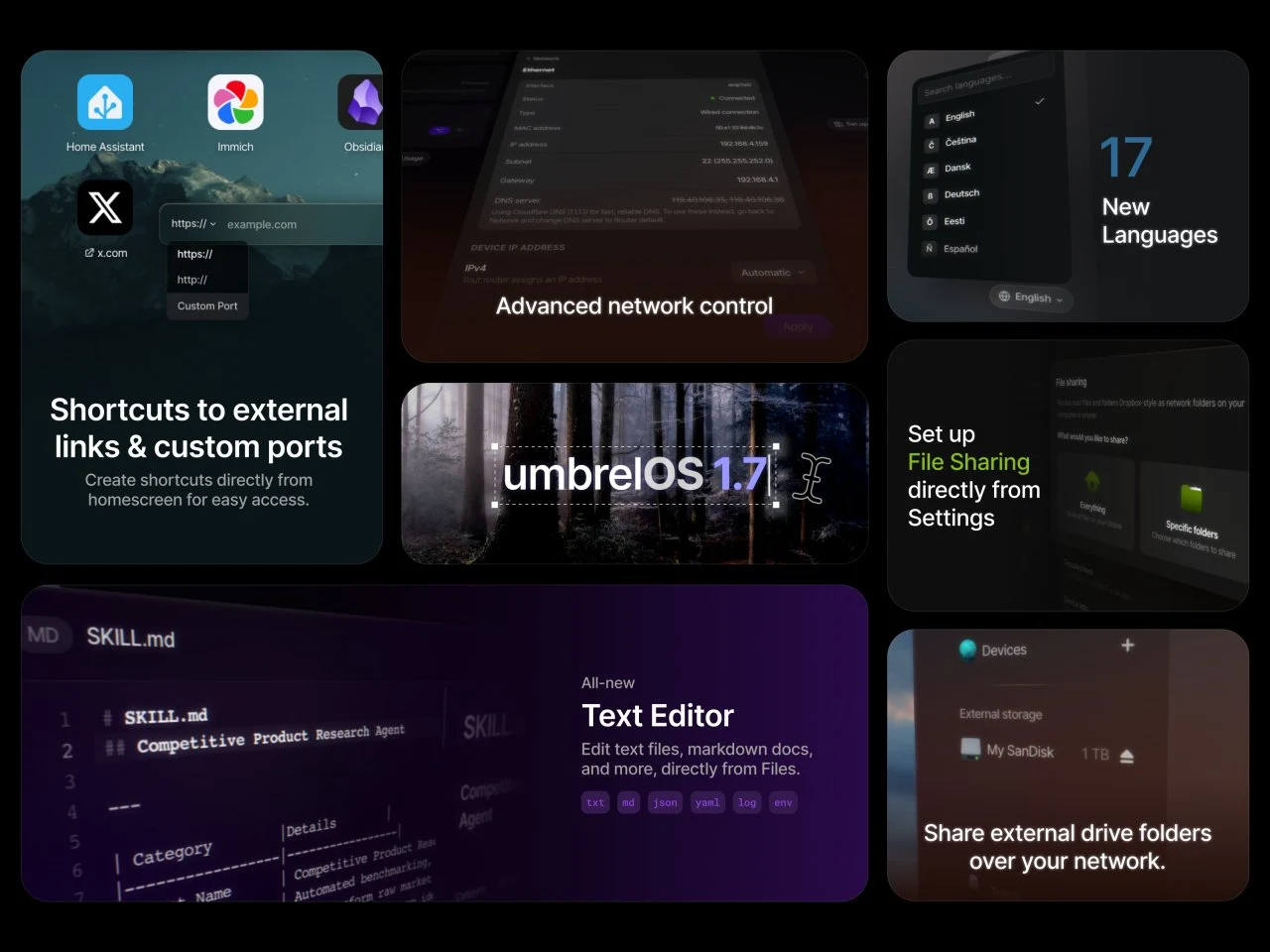
    UmbrelOS is built on a Debian core, making it quite stable. The latest version 1.7 offers some notable upgrades. For instance, it is snappier, especially when working with Files. You will notice faster opening times, and it now remembers the last folder you viewed. Also, navigation with the keyboard is improved along with better previews. If you’re excited to try it out, you can download the ISO or IMG installers, and there are specific images ready for Raspberry Pi 4 and Pi 5 models. All these files are available on the project’s GitHub page, which you should check out to get your hands on the latest version.

    Additional Information and Downloads

    • The system is designed for users who value privacy and local control over their data.
    • UmbrelOS supports running multiple applications besides storage, like Bitcoin nodes and other blockchain tools.
    • For those using Raspberry Pi, the images for Pi 4 and Pi 5 are helpful and easy to set up.
    Sources
  • Pokédex with 5 Screens and Raspberry Pi Recognizes Pokémon via Camera

    Pokédex with 5 Screens and Raspberry Pi Recognizes Pokémon via Camera

    Key Takeaway

    1. The custom Pokédex features five displays, 22 buttons, a loudspeaker, and a camera, allowing for interactive Pokémon data access and multimedia features.
    2. It uses AI and a camera to recognize physical Pokémon items like trading cards, toys, or drawings, automatically loading relevant information.
    3. The device can answer Pokémon-related questions via a chatbot and is built using a Raspberry Pi Compute Module 4, with housing from 3D printing and CNC machining.

    A Creative Collaboration for a Custom Pokédex

    Mr. Volt and BigRig Creates have teamed up to bring a childhood fantasy alive with their innovative project. They built a working Pokédex which is equipped with five displays, 22 buttons, a loudspeaker and a camera. Such features make this project surprisingly functional, despite it being a modding project. The main idea was to make something that resembles the real Pokédex from the games, but with added tech goodness, and they succeed well in this.

    Details of the Portable Game Companion

    The gadget’s design includes a large OLED screen on the left side, which displays key data about different Pokémon across generations. It helps to navigate all the info easily. On the right, a bigger display presents text info, which can be heard aloud through an integrated speaker for a more immersive experience. Smaller screens at the bottom right show specific Pokémon types, like fire or water, maximum of two types, while the bottom left corner indicates the battery status and Wi-Fi connectivity.

    Tech Specs and Interactivity

    The mod utilizes a Raspberry Pi Compute Module 4 for processing power, which cost around $60, and the case is 3D printed, with the only premium part being the aluminum back that was CNC-milled. The interface includes an array of buttons for easy navigation among Pokémon data. An impressive feature is the inclusion of a camera that works with artificial intelligence, allowing you to simply hold a Pokémon card, toy or even a drawing in front of the camera to fetch the right data automatically.

    Enhanced Features and Future Possibilities

    Beyond just showing Pokémon data, the Pokédex can recognize Pokémon toys, sprites from games or even hand-drawn sketches. By using the microphone, users can interact with the device through a basic Pokémon chatbot, asking questions like when a Pokémon evolves or what moves can be learned using TMs. This makes the device not just a display but a conversational tool as well. Currently, this project remains a hobbyist endeavor without plans for commercial release, but it showcases an impressive DIY milestone for Pokémon fans and tech enthusiasts alike.

    Sources
  • YouTuber Creates Global Private Internet Using $20 Radio Boards and Reticulum

    YouTuber Creates Global Private Internet Using $20 Radio Boards and Reticulum

    Key Takeaway

    1. A functional, decentralized international mesh network can be built using affordable, off-the-shelf hardware like Raspberry Pi units and Heltech radio boards, reducing reliance on traditional ISPs.
    2. Sub-GHz wireless technologies such as Wi-Fi HaLow and LoRa enable long-distance (over 3 miles) neighborhood coverage with stable connections, even through obstacles.
    3. The Reticulum protocol and its stack allow seamless bridging across diverse devices and communication mediums, supporting encrypted VPN tunnels for secure global data transfer.
    4. Community-driven infrastructure using readily available materials and creative deployment methods (e.g., drones, kites) demonstrates the practicality of decentralized communication networks.

    Innovative Mesh Network Uses Low-Cost Hardware and Software

    YouTube creator Data Slayer just dropped a cool video about a really cool cool mesh network setup that works across different countries. The project drops the usual internet service provider control and uses radios that operate in sub-gigahertz frequencies, along with private tunnels for private communications. The best part? All of it made with simple, cheap, everyday parts, showing that you don’t need an expensive lab to build a decentralized comms system anymore!

    Hardware Components and Radio Technologies

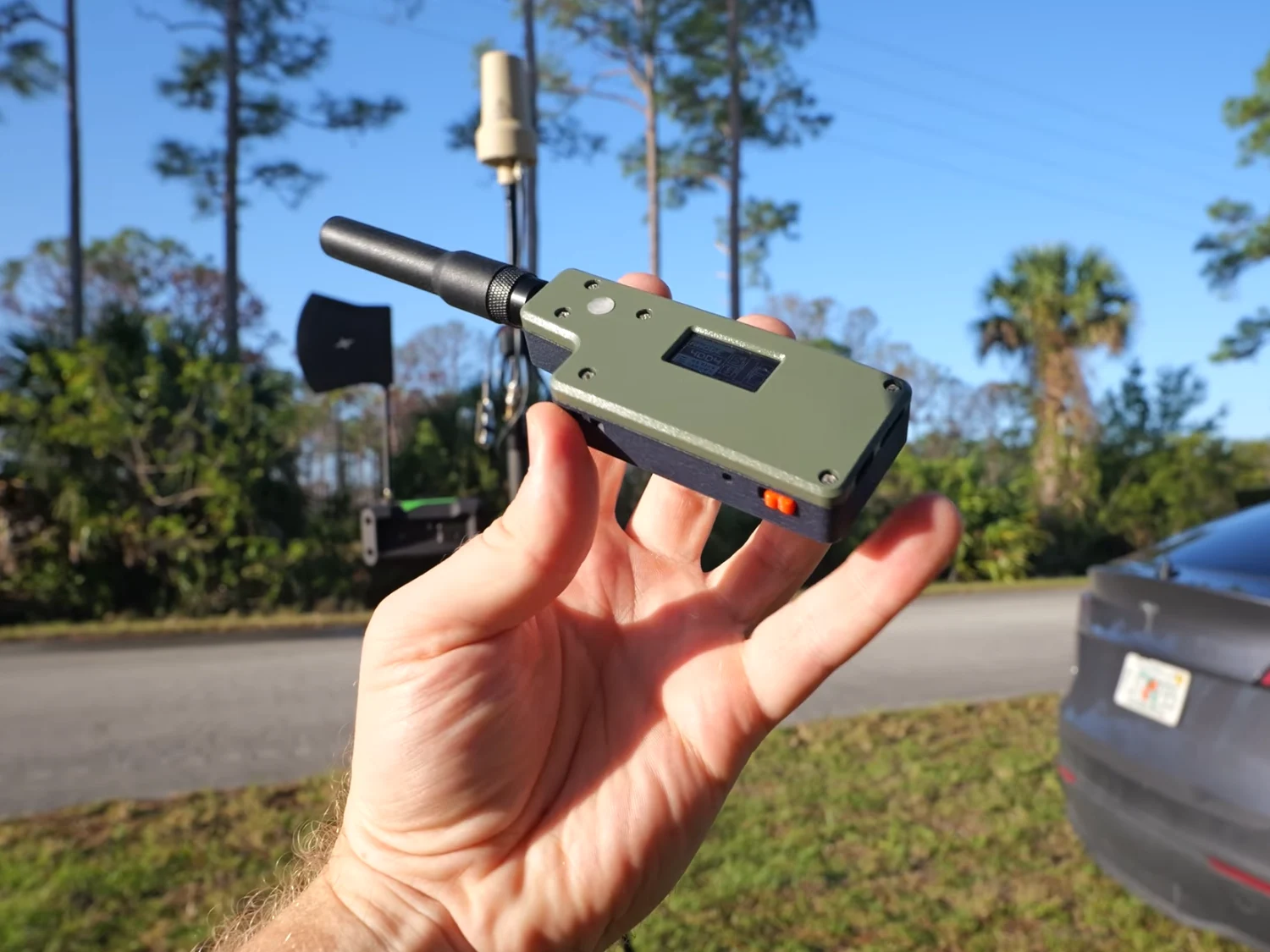
    The main hardware consists of Raspberry Pi computers and Heltech radio boards. In initial tests, Wi-Fi HaLow was used to send local data through concrete walls, but later, they moved to LoRa technology, which is well-known for long-range low-power wireless signal. These radio units can reliably communicate over distances more than 3 miles (~4.8 km) if there is a clear line of sight. Heltech modules are pretty inexpensive, costing around $20 to $30 each, making them a very affordable way to set up independent network nodes.

    Software and Protocols Connecting the Devices

    On the software side, applications like Mesh Chat and Sideband were used to send messages, showing how the Reticulum Network Stack (RNS) brings different gadgets, such as phones and computers, together. Because Reticulum is protocol-free, it doesn’t matter whether data moves via radio, Ethernet, or even Morse code, which means it can adapt to many communication methods seamlessly.

    Global Communication with Secure Tunnels

    Connecting a huge distance, about 2,500 miles (~4,000 km), between Florida and Venezuela needed Tailscale, a tool that creates encrypted tunnels. Reticulum considers these tunnels as simple carriers for data, allowing it to travel the entire world securely and privately. This system uses the public internet just as a physical pathway, but the data remains encrypted end-to-end, making it impossible for anyone besides the intended recipient to see the information, even if it’s passing through ordinary, public infrastructure.

    Creative Approaches and Community Spirit

    In the final part of his project, Data Slayer shows a do-whatever-it-takes attitude, even using drones and kites to position some of the nodes in the best spots for a decent signal. This project proves that community-based networks are more feasible and practical than they used to be. It emphasizes that anyone with some basic gear and creative ideas can help build resilient, private communication systems in their own neighborhoods.

    Sources
  • PocketTerm35 Handheld with Touchscreen, Keyboard & Raspberry Pi 5

    PocketTerm35 Handheld with Touchscreen, Keyboard & Raspberry Pi 5

    Key Takeaway

    1. The PocketTerm35 is a handheld device powered by Raspberry Pi 4 or Pi 5, with different RAM and storage options.
    2. It features a 3.5″ touchscreen, multiple ports including USB and Ethernet, and an integrated 5,000mAh battery for portability.
    3. The device includes a six-row keyboard, suitable for typing and gaming, with additional arrow and action buttons.
    4. Design incorporates a bulge for housing the single-board computer, increasing thickness but supporting standard ports.
    5. The PocketTerm35-Pi5 is priced at $149, emphasizing its versatile, portable computing capabilities.

    Introduction to the PocketTerm35 Handheld

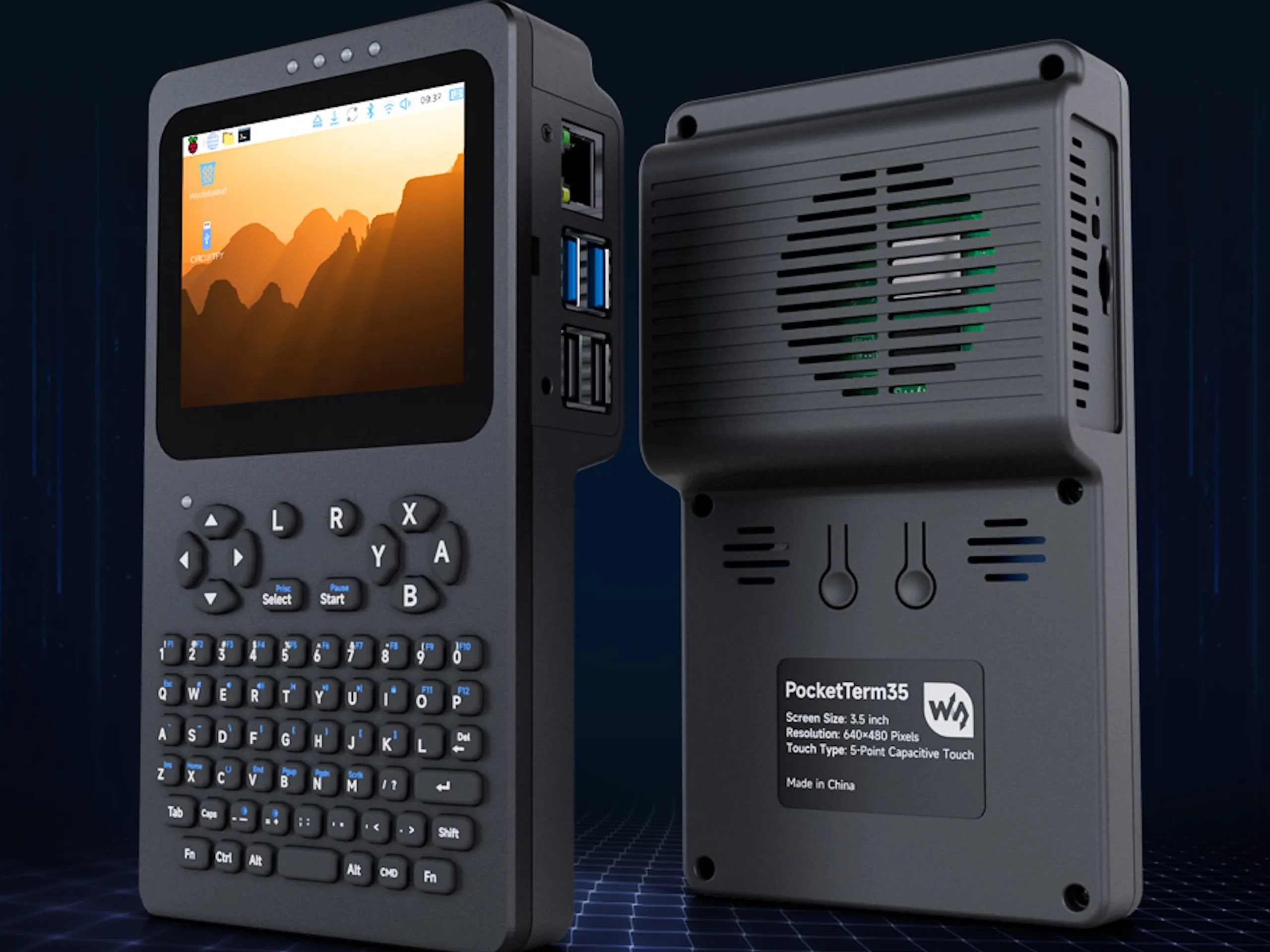
    The PocketTerm35 is a new portable device based on Raspberry Pi, designed for those who wants a compact computer for various uses. It comes in two main versions, the PocketTerm35-Pi5 and the PocketTerm35-Pi4, both offering different Raspberry Pi options and features that suit varied needs. The device is designed with portability and functionality in mind, making it perfect for on-the-go use or hobbyist projects.

    Design and Hardware Features

    The PocketTerm35-Pi5 hosts the powerful Raspberry Pi 5 with only 1GB of RAM and ships with a 64GB preinstalled storage card. The design displays a noticeable bulge behind the screen, where the single-board computer is situated, causing the device’s thickness to increase from about 0.8 inches to approximately 1.5 inches. The PocketTerm35-Pi4 on the other hand uses the Raspberry Pi 4 with 2GB RAM, maintaining the overall look reminiscent of standard single-board computer setups with accessible ports.

    Connectivity Options and Battery

    Standard ports including multiple USB ports and Ethernet are available on this device owing to its design. It also packs a substantial 5,000mAh battery, allowing users to operate the device while mobile without relying solely on external power sources. This makes it versatile enough for casual use or fieldwork without worrying about quick power drainage.

    Input Devices and Display

    The device features a six-row keyboard which allows for direct number input, eliminating the need to use secondary functions for numerals. Additionally, it includes arrow keys and buttons for action, making it suitable for certain gaming activities, although the silicone keyboard might not deliver the crisp response typists expect. The PocketTerm35 sports a 3.5-inch touchscreen with a resolution of 640 x 480 pixels, complemented with video output options via HDMI and a headphone jack for audio.

    Pricing and Summary

    According to Waveshare, the PocketTerm35-Pi5 is priced at $149, offering an affordable portable Raspberry Pi experience with powerful hardware and flexible features. Overall, this handheld provides a neat combination of portability, connectivity, and functionality, targeting Raspberry Pi enthusiasts and casual users alike.


    Sources

  • Debian-based Volumio Update: Enjoy Music on Low-Spec Hardware

    Debian-based Volumio Update: Enjoy Music on Low-Spec Hardware

    Key Takeaways

    1. Volumio is a Debian-based software that integrates the open-source Music Player Daemon for high-quality audio streaming.
    2. It supports local music playback and online streaming from services like Spotify, Last.fm, and SoundCloud, with a premium subscription option.
    3. The latest version, 4.096, retains the Openbox desktop environment and offers many features for free that competitors charge for.
    4. Key features include DSD support, AirPlay playback, and compatibility with Raspberry Pi and Odroid 12S DACs.
    5. Volumio’s website provides a section for specialized hardware to enhance the audiophile listening experience.


    When talking about streaming audio with high quality, the software environment has to be both effective and very stable. Volumio, which is based on Debian, seeks to completely integrate the open-source Music Player Daemon into the Linux framework and make it better for the optimal user experience.

    Features and Compatibility

    Not only does it play music stored locally across various hardware setups, but it also supports online streaming from platforms like Spotify, Last.fm, and SoundCloud. Nevertheless, some functionalities are reserved for Premium users, who can try a 14-day free trial. After that, the subscription price is US$79.99 annually.

    Version Updates

    The latest version, 4.096, continues to use the Openbox desktop environment, similar to its predecessor that launched in July last year. Here are some updated package names along with their versions:

    The free version of Volumio includes an extensive array of features that other comparable products typically offer only to their paying clients. These features include DSD support, AirPlay playback, the ability to create and modify custom playlists, and native compatibility with Raspberry Pi and Odroid 12S DACs, among other things. You can find two primary download options: a Raspberry Pi image and one for x86/x64 computers.

    Additional Resources

    Volumio’s website also features a unique section with specialized hardware that audiophiles can purchase to achieve the ideal combination of software and hardware for their listening experience.

    Source:
    Link


  • Pironman 5 Pro Max: AI-Ready Raspberry Pi 5 Tower PC with Touchscreen

    Pironman 5 Pro Max: AI-Ready Raspberry Pi 5 Tower PC with Touchscreen

    Key Takeaways

    1. The Pironman 5 Pro Max features a large 4.3-inch touchscreen for multiple uses, including a Home Assistant dashboard and gaming.
    2. Enhanced multimedia capabilities include a camera mount, 3.5 mm audio jack, stereo speakers, and a USB microphone dongle.
    3. Improved cooling and lighting systems with three RGB PWM fans and six addressable RGB LEDs for customizable effects.
    4. The PC maintains performance through the Raspberry Pi 5 platform, suitable for AI processing, NAS functions, and gaming, but has display limitations.
    5. The Pironman 5 Pro Max is priced at $145 (excluding the Raspberry Pi) and offers customization options for additional components and accessories.


    The first Pironman 5 tower PC was introduced in mid-2024, featuring a single NVMe SSD. A year later, the company launched the Pironman 5-MAX, which included support for dual NVMe SSDs (with RAID capability) and/or an AI accelerator. Later that same year, they also brought out the Pironman 5-Mini, a more affordable and smaller version that had fewer features and a simpler assembly process.

    Newest Model Unveiled

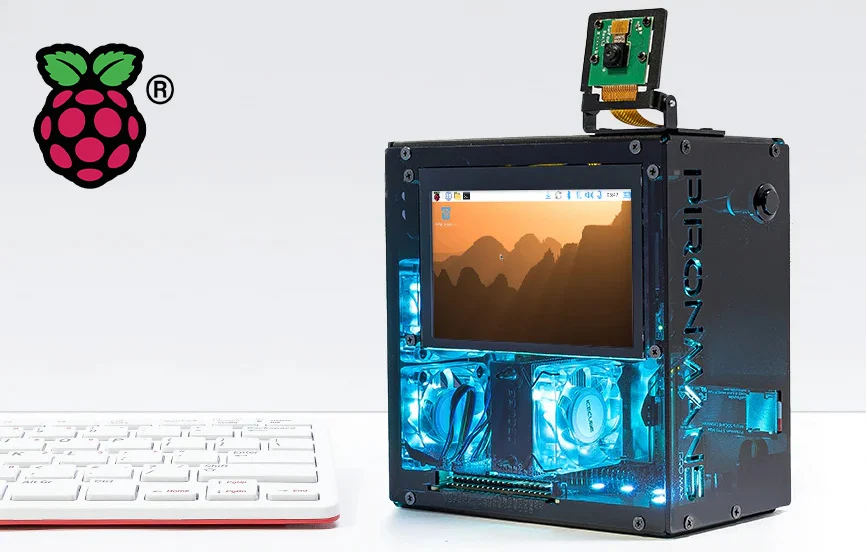
    Recently, the Pironman 5 Pro Max has been unveiled, claiming to be the “most advanced” tower PC yet. It boasts a large 4.3-inch touchscreen on the side, which can serve multiple purposes, such as a Home Assistant dashboard, a NAS status display, or even for gaming if desired.

    Enhanced Multimedia Features

    The multimedia capabilities have greatly improved, now including a camera mount atop the case designed to hold either the official Raspberry Pi camera module V2 or the Raspberry Pi AI camera. Additionally, the back of the unit features a 3.5 mm audio jack and 3W stereo speakers. A USB microphone dongle is also provided for microphone support, albeit at the cost of one USB 2.0 Type-A port on the Pi.

    Cooling and Lighting Improvements

    The cooling and lighting systems have seen upgrades too, with three addressable RGB PWM fans and six WS2812B addressable RGB LEDs included. These can be synchronized through software for colorful patterns and lighting effects.

    Other components like the tower cooler equipped with PWM-controlled RGB fans, a 40-pin GPIO expansion header, an IR LED, a microSD card slot, dual full-size HDMI ports, Ethernet, two USB 3.0 Type-A ports, one USB 2.0 Type-A port, an RTC battery, and a 0.96-inch OLED display (which monitors system status) with an auto-sleep feature and vibration wake-up, plus a safe power button on the front, have remained unchanged.

    Performance Capabilities

    In terms of performance, it continues to rely on the Raspberry Pi 5 platform, suitable for local AI processing, functioning as a Home Assistant hub, serving as a compact NAS, or allowing for gaming, including Portal and other modern 2D games that can run smoothly. However, expectations should be tempered regarding the built-in 4.3-inch 800 × 480 display; while gaming is possible, the display may lack vibrancy and color accuracy. To support this hardware setup, SunFounder suggests using the official 27W power supply for steady performance. The unit has a sleek dark anodized finish and dimensions of 140.9 × 77.0 × 138.7 mm.

    The Pironman 5 Pro Max is available for $145 on the SunFounder store (excluding the Raspberry Pi) and is currently listed as “coming soon.” Buyers have the option to customize the PC by adding a Raspberry Pi 5, NVMe SSDs, an AI accelerator, a camera module, and basic accessories like a power adapter, keyboard, or HDMI cable, or they can opt to buy the case alone as a barebones setup.

    Source:
    Link


  • Lakka 6.1: New Visuals and Kernel for Retro Console Gamers

    Lakka 6.1: New Visuals and Kernel for Retro Console Gamers

    Key Takeaways

    1. Lakka is a lightweight retro gaming distribution featuring the RetroArch user interface and built on LibreELEC.
    2. The latest version, Lakka 6.1, includes LibreELEC 12.2 and RetroArch 1.22.2, along with updates for improved reliability.
    3. It is commonly used on low-powered single-board computers like the Raspberry Pi but also supports older hardware systems.
    4. Installation files and guides are available for users to set up Lakka on various devices.
    5. Lakka supports a wide range of hardware, including Nintendo Switch, Allwinner and Rockchip devices, TV boxes, home arcade machines, and standard desktops/laptops.


    Available for more than ten years, Lakka is a lightweight retro gaming distribution that’s driven by the community. It features the RetroArch user interface and is built on LibreELEC. It’s commonly used on low-powered single-board computers, such as the Raspberry Pi, but it also supports older hardware systems.

    New Features and Updates

    The latest version includes LibreELEC 12.2 and incorporates necessary changes to ensure maximum reliability with the new LTS kernel series, notably 6.18. Lakka 6.1 is also bundled with RetroArch 1.22.2, alongside several updated components.

    Installation and Compatibility

    You can find the installation files and a guide on this page. Besides the previously mentioned platforms, the list of supported hardware is extensive. It also supports Nintendo Switch consoles, devices powered by Allwinner and Rockchip, TV boxes, home arcade machines, as well as standard desktops and laptops, among others.

    Source:
    Link


  • Boost Raspberry Pi Performance: Top Overclocking Tips

    Boost Raspberry Pi Performance: Top Overclocking Tips

    Key Takeaways

    1. The RP2350 is an upgraded version of the RP2040 but is slower than modern AMD or Intel processors and not designed for desktop use or gaming.
    2. The RP2350 has overclocking capabilities, with an official clock speed of 150MHz that can exceed 500MHz without extra cooling.
    3. With additional cooling and increased voltage, the RP2350 can reach speeds beyond 600MHz.
    4. Extreme overclocking to over 800MHz is possible with a voltage of 3.05 V, achieving more than 5 times the base speed.
    5. Operating the RP2350 at high speeds for long periods may lead to increased wear and a shorter lifespan if proper cooling is not maintained.


    The Raspberry Pi Foundation has a range of single-board computers and microcontrollers. The RP2350 is an upgraded version of the RP2040, but its computing power should be viewed in perspective. When compared to modern processors from AMD or Intel, this chipset is quite slow. It’s not built to handle full desktop operating systems, gaming, or even provide video output in most instances. Its primary purpose is to manage external sensors and actuators.

    Overclocking Capabilities

    Interestingly, Liliputing has reported that the RP2350 can be overclocked significantly, something that seems almost unthinkable for desktop CPUs. The official clock speed sits at 150MHz, but it seems to be capable of exceeding 500MHz without needing any extra cooling. If additional cooling is applied and the voltage is raised to 1.9 V, the Raspberry Pi chip can even reach speeds beyond 600MHz.

    Extreme Overclocking Potential

    Raising the voltage of the RP2350 that powers the Raspberry Pi Pico 2 to 3.05 V can allow clock speeds to go past 800MHz, achieving an overclock of over 5 times. However, it’s debatable whether running the processor at such high speeds for long periods is wise. Increased wear and a shorter lifespan would be expected, especially at higher temperatures, if the cooling system isn’t improved.

    Source:
    Link