Category: Computers

  • Acer Neo vs MacBook: Budget Laptop with Snapdragon CPU

    Acer Neo vs MacBook: Budget Laptop with Snapdragon CPU

    Key Takeaway

    – Affordable Acer Aspire Go 15 targets the budget laptop market (expected ~$399).
    – Slim, thin design with a 15.6-inch FHD display (16:9 aspect ratio).
    – Powered by a new 8-core Snapdragon C-series processor.
    – Comes with up to 8GB RAM and a 53Wh battery.
    – Offers solid ports: two USB-C, one USB-A, HDMI 1.4, and WiFi 6E.


    New Acer Laptop is Cheap and Light

    Acer have recently announced a new thin and light laptop that will be positioned as an affordable MacBook Neo rival. It’s confirmed to be powered by a new 8-core Snapdragon C-series processor, which targets laptops priced as low as $300. This processor is ment to give good performance while keeping the cost way down for budget buyers.

    Design and Weight Details

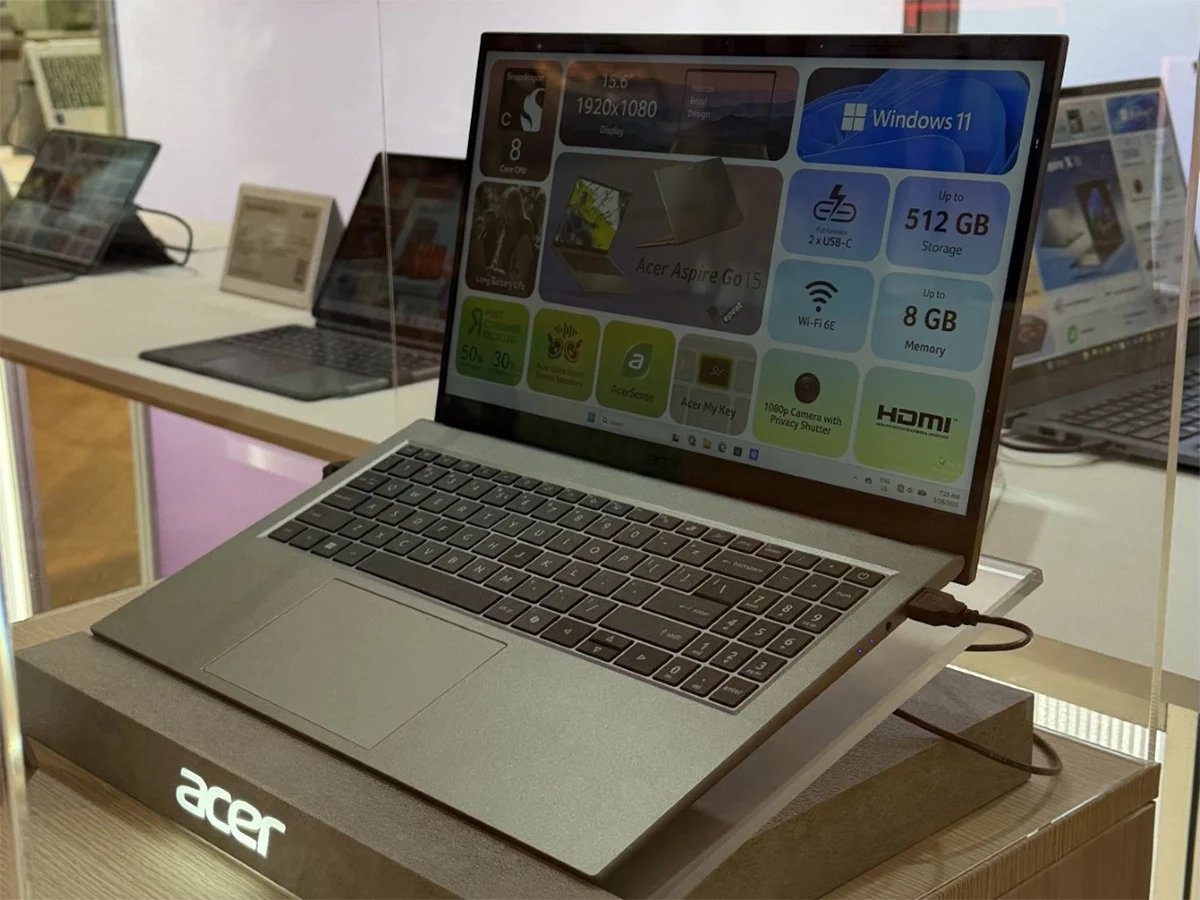
    This affordable Acer laptop, the Aspire Go 15, has now been officially showcased, offering a clear look at its thin and light design. As the demo unit shows, the overall form factor is quite slim, and while the brand didn’t disclose the exact weight, the last-gen model weighs around 3.7lbs (about 1.7 kg). The laptop looks like it will be easyer to carry around than older models.

    • 8-core Snapdragon C-series processor
    • Up to 8GB of RAM, possibly a 4GB version
    • 15.6-inch FHD display with 16:9 aspect ratio
    • 53Wh battery
    • Ports: 1x USB-A, 1x HDMI 1.4, 1x 3.5mm audio, 2x full-function USB-C
    • Bluetooth 5.4 and WiFi 6E

    Display and Battery Specs

    The company has also given another look at the specs of the laptop. Its 8-core Snapdragon C processor will be paired with up to 8GB of RAM, and, as we previously reported, Acer may offer a configuration with 4GB of memory. Nonetheless, Acer has also confirmed that the Aspire Go 15 2026 will feature a 15.6-inch display with an FHD resolution and a 16:9 aspect ratio. This makes the panel less sharp than the Liquid Retina display on the MacBook Neo, and its possible that the peak brightness rating, which hasn’t been confirmed yet, will be lower as well.

    Wireless and Port Info

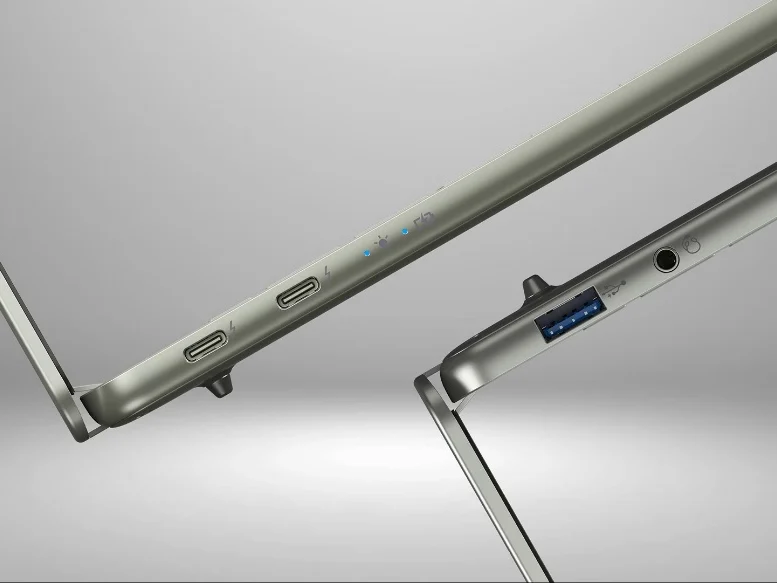
    A 53Wh battery will power the internals of the laptop, and while the Snapdragon-powered Aspire Go 15 is slim, it appears to have a decent port configuration. Acer notes that there is one USB-A, one HDMI 1.4, one 3.5mm audio, and two full-function USB-C ports. For wireless connectivity, there are Bluetooth 5.4 and WiFi 6E. This gives users enought options for connecting monitors and other devices.

    Price and Availablity

    There’s still no concrete word on the price, but it’s expected to have a starting price tag of around $399. More details on the availability and pricing of the Acer Aspire Go 15 2026 should emerge soon. The laptop seems like a good choice for people who want a cheap device with modern features like USB-C charging and fast wireless.
    Sources
  • New PC Era: Lenovo Laptop Leak Reveals First N1X Notebooks, High Prices

    New PC Era: Lenovo Laptop Leak Reveals First N1X Notebooks, High Prices

    Key Takeaway

    – New 15.3-inch Lenovo Yoga Pro 7 with ARM APU from Nvidia & MediaTek
    – At least three Nvidia N1(X) SKUs confirmed, likely differing in clock speeds
    – Top model (N1X 675) includes 64GB RAM, priced at ~€4,049
    – Chip features 20 ARM v9.2 cores, Blackwell GPU with 6,144 CUDA cores
    – Official announcements expected at Computex, June 1, 2026


    Lenovo’s Yoga Pro 7 has previously bin avalible with an Intel chip and in an AMD variant, but a new 15.3-inch version with an ARM APU produced by Nvidia and MediaTek is coming soon, as a new retailer leak discovered by WinFuture reveals. This once again reinforces that Nvidia CEO Jensen Huang will not only talk about AI in the early morning hours of June 1, 2026, when opening this year’s Computex. Widespread teasers from Nvidia, Microsoft, MediaTek, and ARM have promissed nothing less than a new era for the PC over the past few hours.

    Retailer Leaks and Detailed Specifications

    The retailer leaks come from Eastern Europe and each describes a 15.3-inch Lenovo Yoga Pro 7 workstation with a 165Hz WQXGA OLED touchscreen, up to 64GB RAM, a 1TB PCIe SSD, and Windows 11 Home. The most interesting part is, of course, the reference to two or possibly three Nvidia N1(X) models. The likely top configeration based on an Nvidia N1X 675 is listed at the equivalent of €4,049, with 64GB RAM also included. A slightly cheaper version with an Nvidia N1X 650 APU and 32GB RAM comes in at €3,199.

    Pricing and Chip Variants Confirmed

    We do not have a screenshot or prices for another Yoga Pro 7 variant listed with an Nvidia N1 chip. This therefore appears to confirm that there will be at least three Nvidia N1(X) SKUs, which will likely differ primarily in their achievable clock speeds. It remains unclear weather the Nvidia N1 will also be cut back in terms of features compared to the N1X. According to earlier leaks, the ARM CPU, developed together with MediaTek and manufactured by TSMC on its 3nm process, is a chip with 20 ARM v9.2 cores as well as a Blackwell GPU with 6,144 CUDA cores and 48 SM units.

    • Key specifications: 15.3-inch 165Hz WQXGA OLED touchscreen
    • Up to 64GB RAM and a 1TB PCIe SSD
    • Nvidia N1X 675 variant: €4,049 with 64GB RAM
    • Nvidia N1X 650 variant: €3,199 with 32GB RAM
    • At least three N1(X) SKUs expected

    Alongside Lenovo, other manufacturers are also expected to unveil their first Nvidia N1X-based laptops next week, with new products from Asus rumored, for example. Microsoft’s Surface division could also contribute news at launch, as the ecosystem around this new ARM platform expands. The high price points suggest a flagship workstation focus for these initial devices, targetting professionals who need powerfull mobile computing solutions.

    Sources
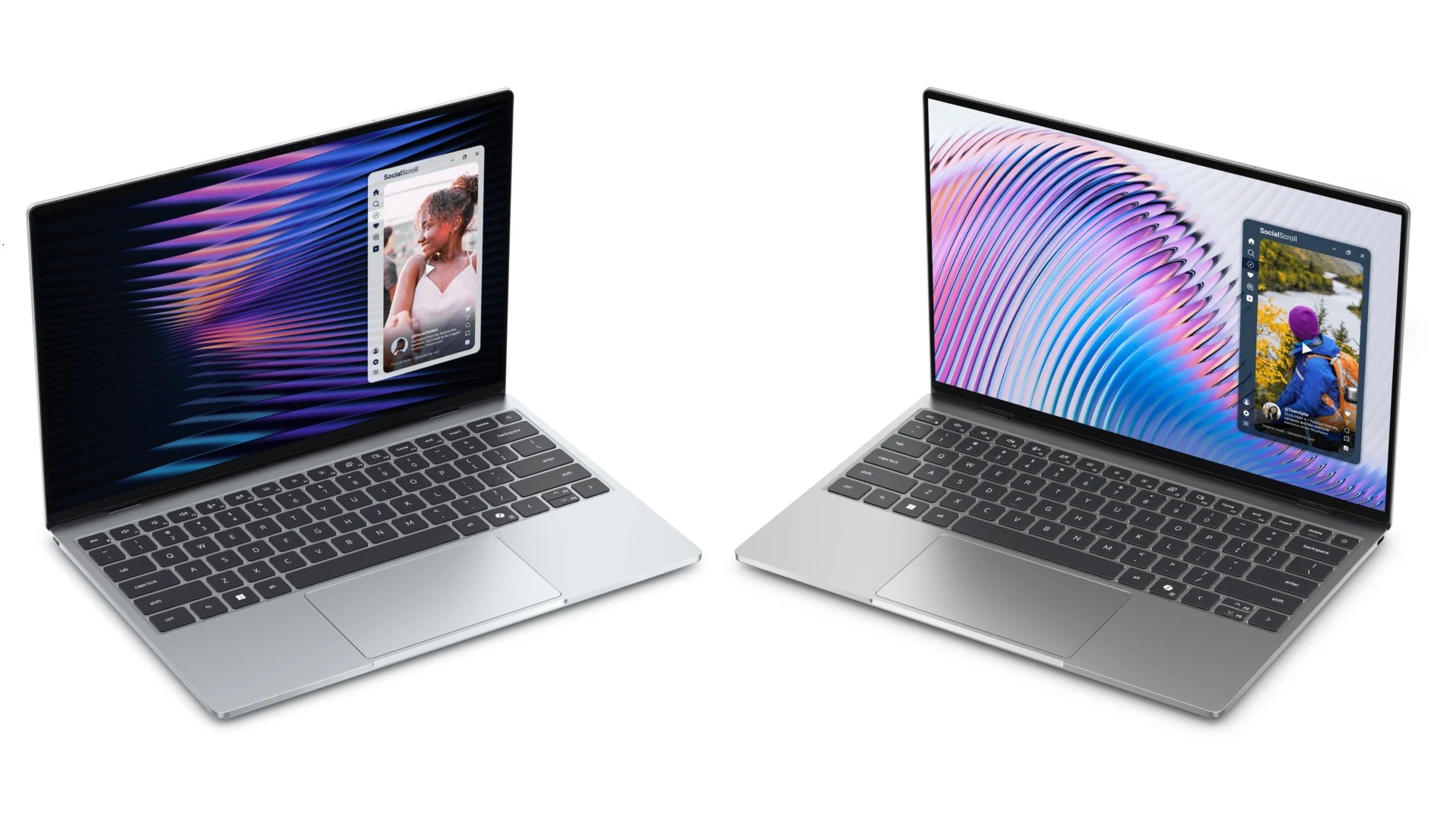
  • Versatile Dell XPS Laptop: Fast Boot, Low Price

    Versatile Dell XPS Laptop: Fast Boot, Low Price

    Key Takeaway

    – Dell XPS 13 leaked via press images, specs, and US pricing before official launch.
    – Base model starts at $699 ($599 for students) with Intel Core 5 320 and 8 GB RAM.
    – Higher-end SKUs feature Intel Core Ultra 7 355 (Panther Lake) and up to 32 GB RAM.
    – Ultra-thin (12.7 mm) aluminum chassis weighs 1 kg, with a 52 Wh battery rated for 17 hours of video.
    – 13.4-inch 2,560 x 1,600 120 Hz touchscreen, Wi-Fi 7, Bluetooth 6, and quad speakers with Dolby Atmos.


    Dell’s Recent Mistake

    Dell has just made a small blunder. A (now-dead) link containing official press information about an upcoming launch was shared by a leaker on X, which naturally lead to related articles appearing on several websites, such as Videocardz, ITHome or Winfuture. Consequently, the Dell XPS 13 with model number DX13260—which has not yet been officially unveiled—can be seen in advance in official press images, and a list of specs and some US prices are now available.

    Pricing and Specifications

    According to reports, the new XPS notebook with a 13.4-inch touchscreen will be available in the US starting at $599 for students, with a regular starting price of $699. However, this price only includes the Wildcat Lake configuration with an Intel Core 5 320 (16 TOPS NPU performance) and 8 GB of RAM. Thunderbolt 4 is reserved for the higher-priced SKUs, such as those with an Intel Core Ultra 7 355 (49 TOPS NPU performance) from the Panther Lake family. Those willing to spend more can get the XPS 13 with 16 GB or 32 GB of RAM. Storage options include 256 GB, 512 GB and 1 TB PCIe Gen 4 SSDs.

    Build and Display

    The Dell XPS 13 with its two USB-C ports in a CNC-milled aluminium chassis starts at just 1 kg and is extremly thin at only 12.7 mm. Despite its slim profile, it features a 52 Wh battery, which Dell claims provides up to 17 hours of runtime for video streaming. The 13.4-inch InfinityEdge display offers a resolution of 2,560 x 1,600, a variable refresh rate of 30 to 120 Hz, and 500 nits of brightness. It also covers 100% of the DCI-P3 color gamut. Dolby Vision and DisplayHDR 400 certification are also supported.

    Colours and Audio

    Two color options are available: Sky (top) and Storm (bottom). A quad-speaker array with Dolby Atmos support, a 1080p webcam, Wi-Fi 7, Bluetooth 6 and a backlit keyboard complete the package. Information regarding availability and prices in Europe is still pending.

    • Wildcat Lake: Intel Core 5 320 (16 TOPS NPU)
    • Panther Lake: Intel Core Ultra 7 355 (49 TOPS NPU)
    • RAM: 8 GB, 16 GB or 32 GB
    • Storage: 256 GB, 512 GB or 1 TB PCIe Gen 4 SSDs
    • Display: 13.4-inch, 2560×1600, 30-120 Hz, 500 nits, 100% DCI-P3
    • Battery: 52 Wh (up to 17 hours video streaming)
    • Weight: 1 kg, thickness: 12.7 mm
    • Colors: Sky and Storm
    • Connectivity: Thunderbolt 4 (higher SKUs only), Wi-Fi 7, Bluetooth 6
    • Audio: Quad speakers with Dolby Atmos
    • Webcam: 1080p


  • ThinkPad T14 Gen 7: Keyboard Issue Finally Fixed

    ThinkPad T14 Gen 7: Keyboard Issue Finally Fixed

    Key Takeaway

    – Lenovo reduced the keyboard width on 14-inch ThinkPads from 28.5 cm to 27.5 cm starting with the T14 Gen 3.
    – This shrink harmed European ISO layouts, shrinking frequently used keys like “Ü” and “Ä” to just 13 mm instead of the standard 16 mm.
    – After years of complaints, Lenovo redesigned the keyboard for the T14 Gen 7.
    – The fix: a less wide Enter key allowed two of the previously shrunken keys to return to the standard 16 mm width.


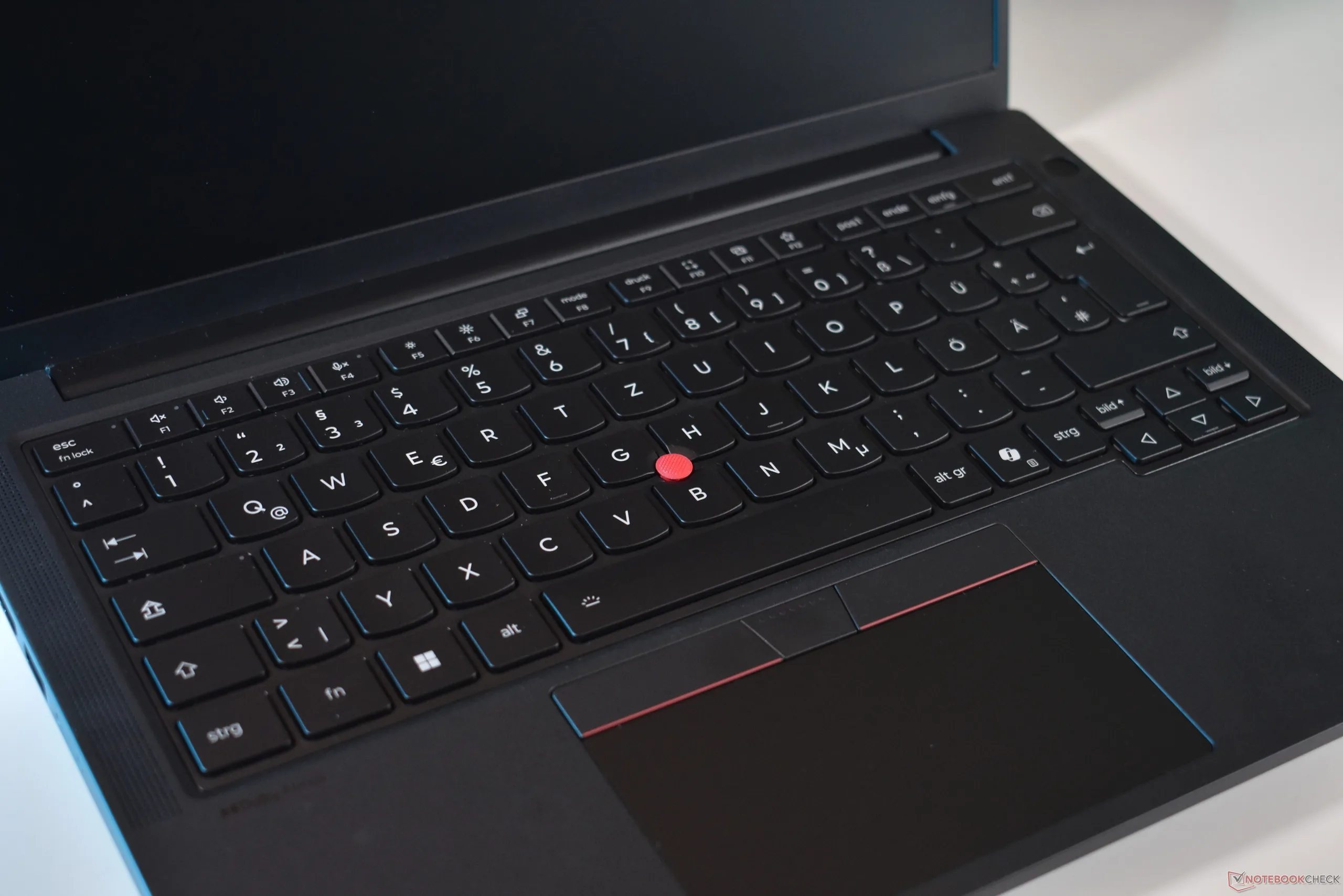
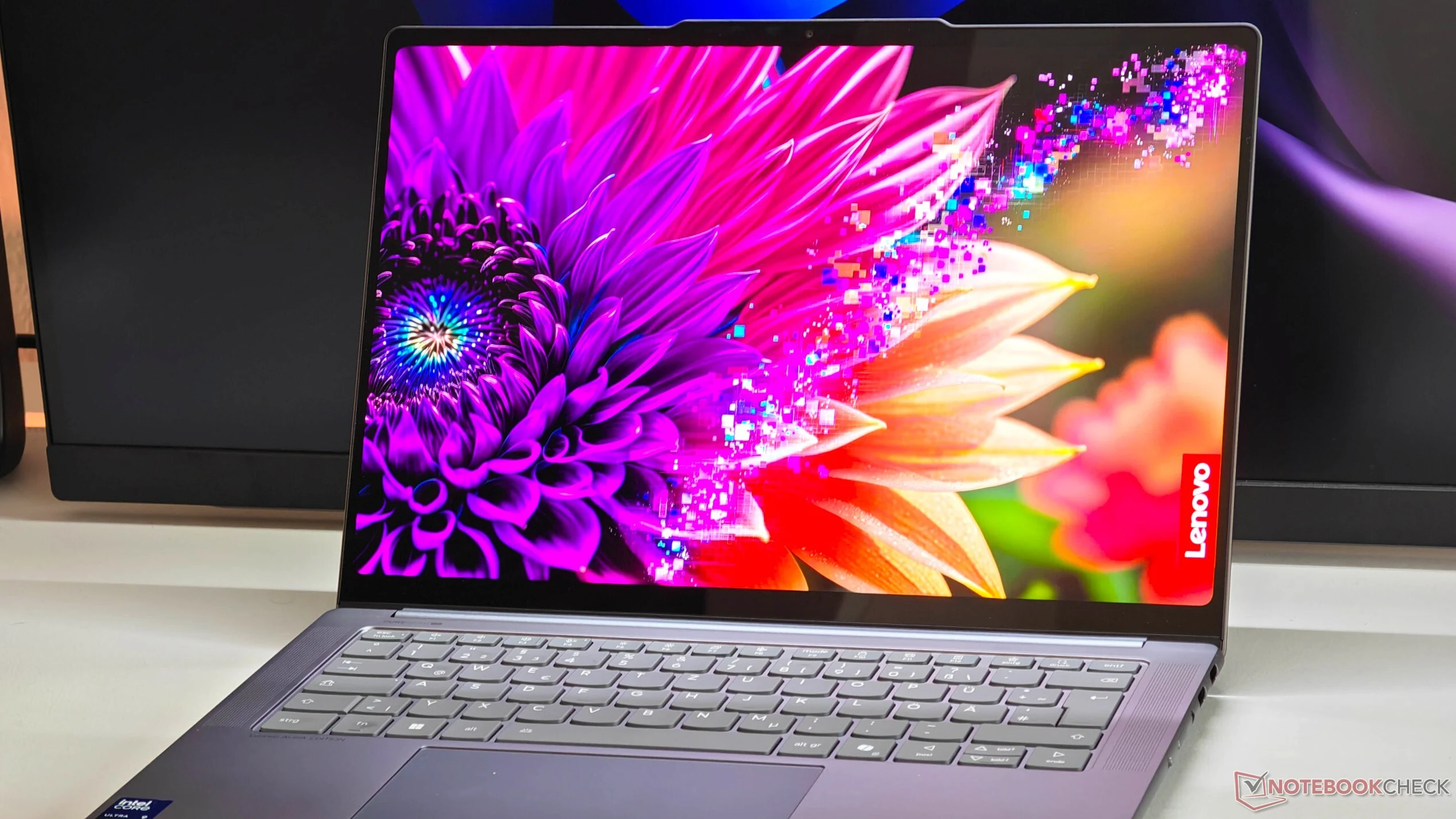
    ThinkPad keyboards are well known for their comfort, but ever since the Lenovo ThinkPad T14 Gen 3 came out in 2022, European ThinkPad users in particular had a complaint. That specific model brought not only the return to narrower 16:10 screens, but also a new, slightly narrower keyboard layout.

    Changes to Keyboard Dimensions

    In total, Lenovo reduced the width of their keyboard on 14-inch models from 28.5 cm to 27.5 cm. The extra one cm was gained by shrinking keys at the right edge of the keyboard. On US-ANSI style layouts, the ones with the small enter key, this worked well, as pretty much all keys still had a normal size and only special keys were slightly smaller.

    Impact on European-ISO Layouts

    On European-ISO layouts, though, this meant that the four keys to the left of the big Enter key were shrunken down, being only 13 mm wide instead of the standard key-cap size of 16 mm. This hit especially some countries like Germany hard, where frequently used “Umlaut” keys, like “Ü” and “Ä” were shrunken.

    After four years and much complaining, it seems Lenovo has finally listened. With the new Lenovo ThinkPad T14 Gen 7, which we recently reviewed, Lenovo changed their European ISO layout. The new model has a less wide Enter key, which means that Lenovo was able to increase the width of two of the formerly shrunken keys could be increased to the standard width – in the case of the German layout we used, the frequently used “Ü” and “Ä” keys are bigger.

  • HP OmniBook 7 Flip 2.8K OLED Ultra 7 40% Off

    HP OmniBook 7 Flip 2.8K OLED Ultra 7 40% Off

    Key Takeaway

    – HP OmniBook 7 Flip 2-in-1 available for under $905 with coupon code “MDSPC25”
    – Features a 16-inch OLED touchscreen (2,880×1,800, 48-120 Hz, 500 nits HDR)
    – Powered by Intel Core Ultra 7 256V with Arc 140V iGPU, 16 GB RAM, and 1 TB SSD
    – Includes Thunderbolt 4, Wi-Fi 7, and a 68 Wh battery with 65 W charging
    – Similar to OmniBook X Flip, praised for vibrant OLED, long battery life, and build quality but lacks SD card reader and has mediocre keyboard


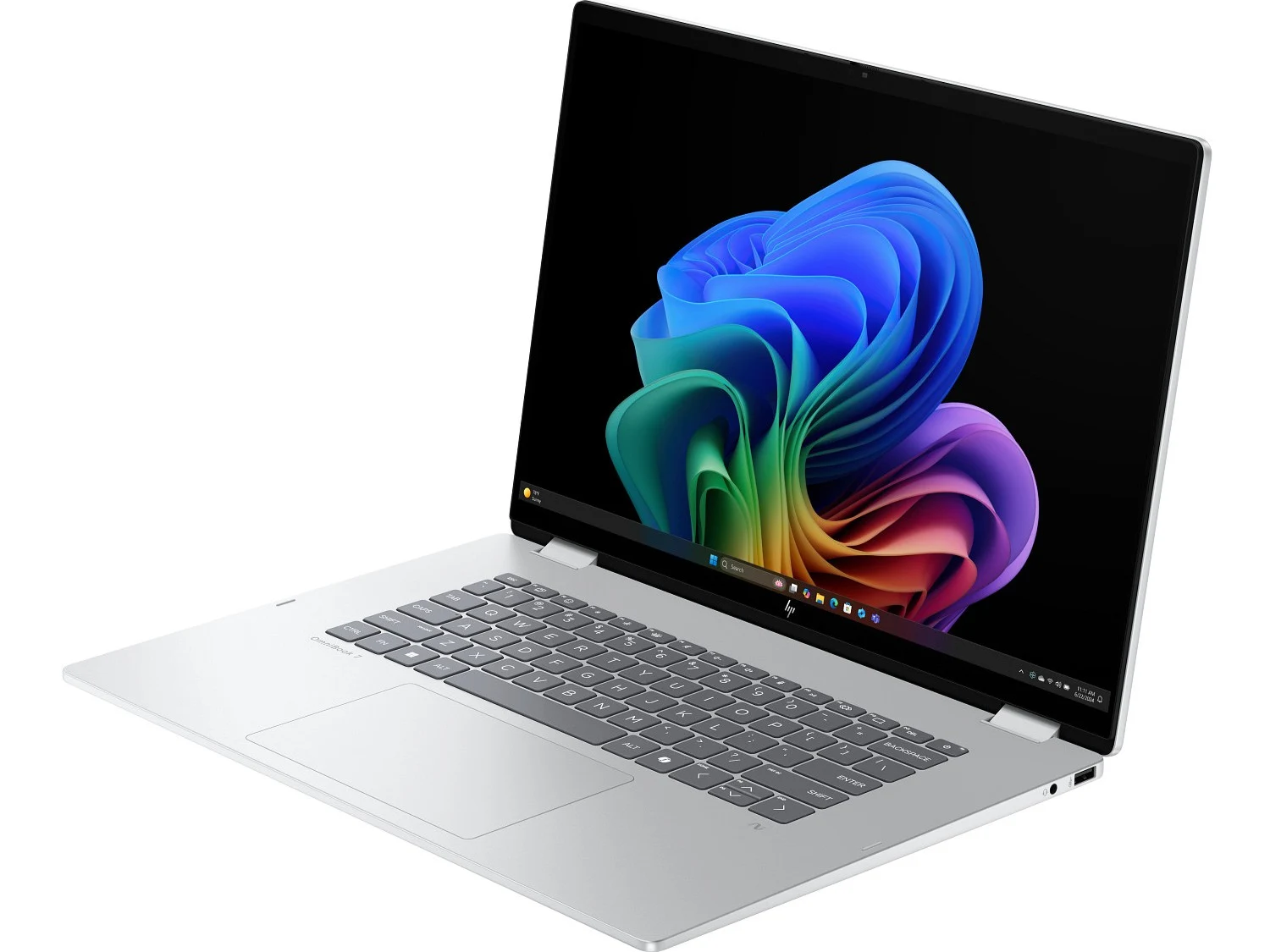
    HP is presently selling the OmniBook 7 Flip 2-in-1 for just under $905 when adding the coupon code “MDSPC25” during checkout. It has a 16-inch OLED touchscreen featuring a resolution of 2,880 × 1,800, an adjustable refresh rate between 48-120 Hz, and 500 nits of peak brightness in HDR.

    Specifications and Internal Hardware

    Inside is an Intel Core Ultra 7 256V (four P-cores, four LP E-cores, Arc 140V iGPU with eight Xe-cores) paired with 16 GB of LPDRR5X-8533 on-package memory and a 1 TB PCIe 4.0 SSD. This configuration provides solid performance for both productivity and light creative work, while the on-package memory ensures efficient power usage.

    Ports and Wireless Options

    Connectivity comprises a Thunderbolt 4 port (40 Gbps, DisplayPort 2.1, Power Delivery), a further 10 Gbps USB-C (DisplayPort 1.4a, Power Delivery), a couple of 10 Gbps USB-A ports, HDMI 2.1, and a 3.5 mm audio combo jack. An Intel BE201 wireless card adds Wi-Fi 7 and Bluetooth 5.4 support, so you can handle high-speed networking and connect to your favorite peripherals.

    • Thunderbolt 4: 40 Gbps, DisplayPort 2.1, Power Delivery
    • USB-C: 10 Gbps, DisplayPort 1.4a, Power Delivery
    • Two USB-A: 10 Gbps each
    • HDMI 2.1 and 3.5 mm audio jack
    • Intel BE201 Wi-Fi 7 and Bluetooth 5.4

    Chasis, Battery and Dimensions

    The notebook’s chassis measures 14.02 × 9.67 × 0.61 inches (35.61 × 24.55 × 1.53 cm) and weighs about 3.95 lb (1.79 kg), while packing a 68 Wh battery that can charge at up to 65 W with the bundled USB-C power adapter. This gives you a nice balance of portability and all-day battery life for work or school.

    Comparisons and Performance Impressions

    While we don’t have a review of the HP OmniBook 7 Flip 16, the OmniBook X Flip seems to virtually be the same machine, except it comes bundled with a stylus pen. The X Flip made an impression thanks to its vibrant OLED display, long battery life, and excellent build quality. The lack of an SD card reader and mediocre keyboard were the primary drawbacks, so take that into account if you need card slots or a snappier typing experience.

    Sources
  • 2026 Razer Blade 16 Swaps AMD for Intel, Gets Great Results

    2026 Razer Blade 16 Swaps AMD for Intel, Gets Great Results

    Key Takeaway

    – 2026 Blade 16 switches from AMD Ryzen AI 9 HX 370 to Intel Core Ultra 9 386H
    – Intel model gains Thunderbolt 4/5 support, faster 9600 MHz RAM
    – Brighter OLED panel (DisplayHDR1000) and higher max TGP (165W vs 160W)
    – Longer battery life and improved gaming performance
    – AMD model slightly faster in multi-threaded workloads


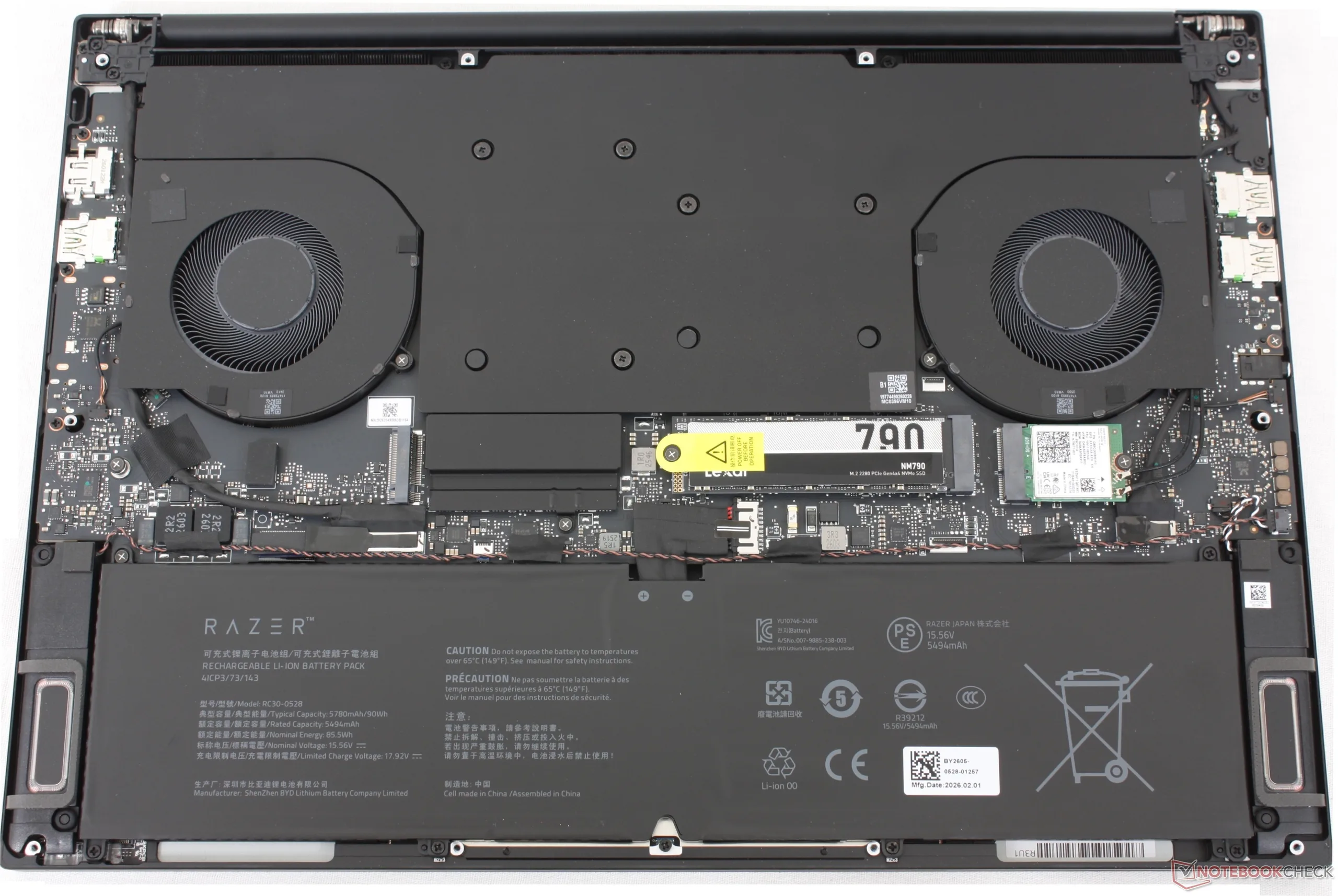
    The new 2026 Blade 16 is now shipping to sucessed last year’s 2025 Blade 16. The model carries the same external shape but with an Intel Panther Lake Core Ultra 9 386H CPU across the board to replace the AMD Ryzen AI 9 HX 370.

    Advantages of Switching to Intel

    Switching to Intel has some immediate benifits. Primarily, the USB-C ports on the Blade 16 now support Thunderbolt 4 and Thunderbolt 5 where the same ports on the AMD-based Blade 16 SKUs are USB4 only. Secondly, onboard memory speeds are faster at 9600 MHz up from 8000 MHz on the 2025 Blade 16.

    Enhanced Display and Battery Life

    Other benifits with the Intel-based Blade 16 include longer battery life, a much brighter OLED panel (from DisplayHDR500 to DisplayHDR1000) and a slight bump to the maximum TGP boost from 160 W to 165 W. Both changes improve the gaming experience by small but persistent margins.

    Performance Trade-offs

    Switching to Intel isnt all roses, however. As shown by the benchmark comparisons below, the Ryzen AI 9 HX 370 can slightly outperform the Core Ultra 9 386H when it comes to traditional multi-threaded workloads. The Intel Blade 16 is nonethless the faster machine for gaming as our review shows.

    Sources
    • Acer Swift Air 14 vs Macbook Neo: Top Competitor

      Acer Swift Air 14 vs Macbook Neo: Top Competitor

      Key Takeaway

      – Ultra-light Swift Air 14 starts at $699, competing with Macbook Neo.
      – Powered by Intel Core Series 3 “Wildcat Lake” hexacore processors (Core 5 or Core 7).
      – Features a 14-inch 120 Hz display with 100% sRGB color coverage.
      – Includes two Thunderbolt 4 ports and Wi-Fi 6E, but limited overall ports.
      – 70 Wh battery rated for up to 19 hours of usage (real-world performance unconfirmed).


      Acer just announced some new portable computers, including the Swift Spin 14 and the Swift Air 14. The later is an ultra-light model that starts at $699.

      Swift Air 14 Specifications and Pricing

      Positioned as a direct competitor to the Macbook Neo, the Swift Air is powered by Intel’s budget Core Series 3 “Wildcat Lake” hexacore processors, with buyers having the option between the Core 5 and Core 7. This is accompanied by 512 GB SSD and 8 GB of LPDDR5 RAM, both of which are expandable up to 1 TB and 16 GB, respectively. The aluminium chassis is available in green, pink, purple and grayish blue. The 14-inch screen has a resolution of 1920 x 1200, a brightness of 350 nits, and a refresh rate of 120 Hz. Although not the best screen specs, aside from the 120 Hz refresh rate, the panel purportedly offers 100% sRGB color space coverage.

      Ports and Connectivity Details

      Ports are scarce, but nevertheless up to date and should suffice for all but the most demanding users: two Thunderbolt 4 Type-C ports and one USB-A 3.2 port. Wi-Fi 6E is also on board. Lastly, the 70 Wh battery promises “up to 19 hours” and “up to 16 hours” of video playback, though it remains to be seen whether Acer’s marketing claims hold up to real-world testing.

      • Starting price: $699
      • Processor: Intel Core Series 3 (Core 5 or Core 7)
      • Storage: 512 GB SSD (expandable to 1 TB)
      • RAM: 8 GB LPDDR5 (expandable to 16 GB)
      • Screen: 14-inch, 1920×1200, 350 nits, 120 Hz refresh rate
      • Color options: green, pink, purple, grayish blue
      • Battery: 70 Wh (claimed 19 hours video playback)
      Sources
    • Nvidia Announces New PC Era: AI Chips Arrive

      Nvidia Announces New PC Era: AI Chips Arrive

      Key Takeaway

      – Nvidia will unveil a long-rumored ARM APU (likely named N1X or N1) at Computex.
      – The chip features 20 CPU cores, a 3nm TSMC process, and an iGPU comparable to an RTX 5070 Ti.
      – This ARM chip aims to compete with Qualcomm’s Snapdragon X2 Elite series.
      – Windows 12 will not be announced, but new Surface and PC updates are expected.
      – The event is scheduled for Monday, June 1, at 11:00 am local time in Taipei.


      That sounds exciting, but it is unlikely to be the new era that PC and laptop fans might be hoping for. After Nvidia CEO Jensen Huang primarily drew attention around Computex in Taiwan in recent years with his AI ambitions, this year’s tech trade show in Taipei could also include something for PC enthusiasts, whom Nvidia has largely neglected in recent years. In any case, both Microsoft’s Windows account and Nvidia announced the same thing ahead of Computex: a new PC era.

      Cryptic Coordinates and a Secret Venue

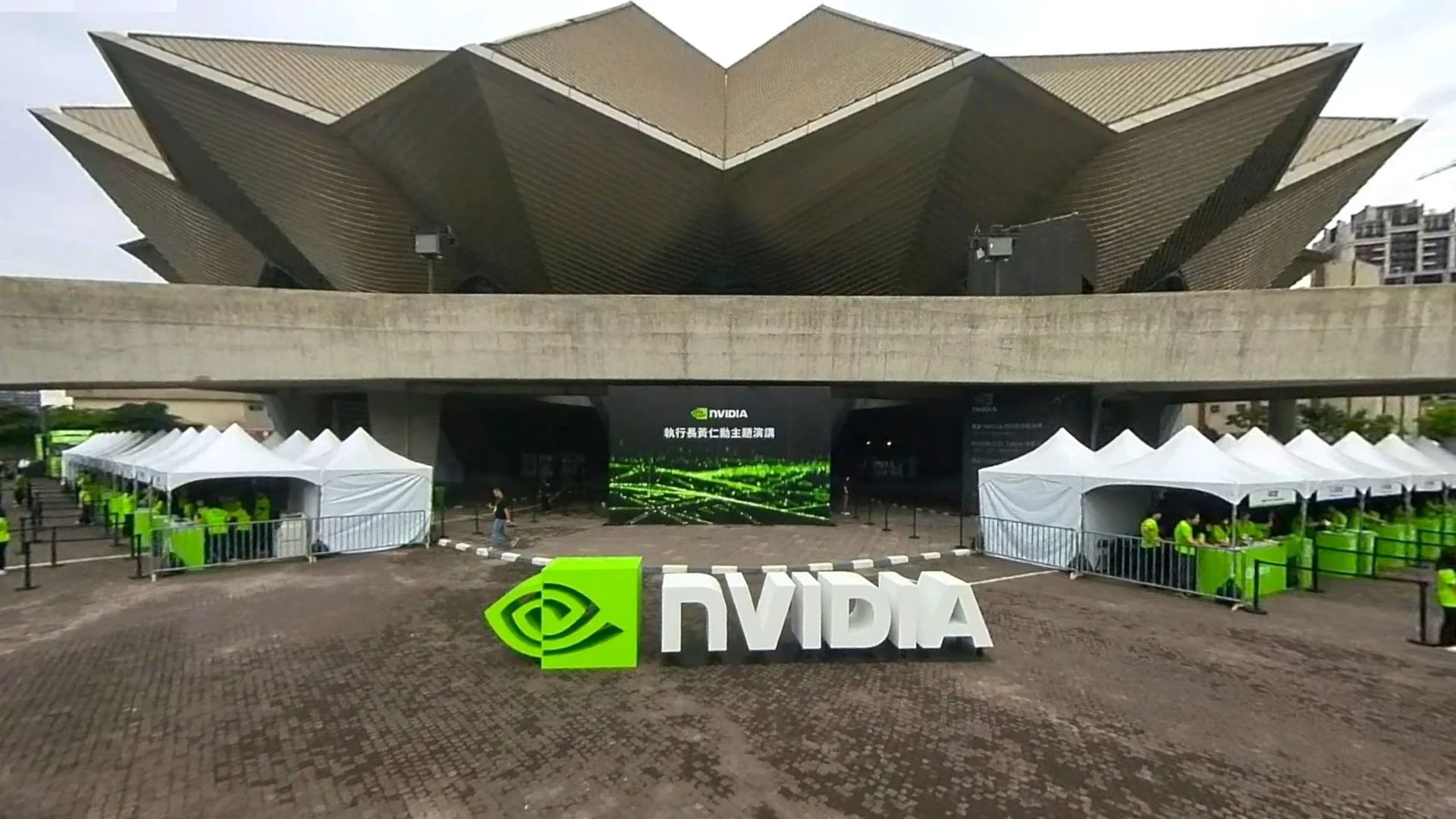
      In both cases, there is also a cryptic number code, which appears to be coordinates for the Taipei Music Center. Google Maps conveniently already shows the venue for the keynote, which Nvidia has decorated for the occasion and which starts on Monday, June 1, at 11:00 am local time.

      Not Windows 12, But Something Else Entirely

      But what exactly will be unveiled? It will not be Windows 12, as Windows EVP Pavan Davuluri specifically emphasized on X. However, Nvidia’s announcement could very well be followed by new Surface news as well as updates from other PC manufacturers, since Nvidia is almost certain to unveil its long-rumored ARM APU on Monday, which will reportedly be called the N1X or N1.

      A Geekbench entry for the chip had already surfaced in 2025, revealing 20 CPU cores with clock speeds of at least 2.81GHz, while further leaks pointed to an iGPU that could offer performance roughly on par with a GeForce RTX 5070 Ti. The chipset, reportedly manufactured by TSMC using its 3nm process, was likely developed in cooperation with MediaTek and is expected to compete primarily with Qualcomm’s Snapdragon X2 Elite series. Whether this marks the beginning of an entirely new PC era remains to be seen.


    • Microsoft faces security backlash over Nightmare Eclipse

      Microsoft faces security backlash over Nightmare Eclipse

      Key Takeaway

      – Three unpatched Windows zero-days (YellowKey, GreenPlasma, MiniPlasma) pose active risks and need immediate mitigation.
      – Microsoft’s threat of criminal prosecution against the researcher has backfired, drawing sharp criticism from the security community.
      – The researcher claims Microsoft deleted their bug report account, disputing the company’s narrative of irresponsible disclosure.
      – Microsoft previously hired a researcher (SandboxEscaper) who published zero-day code without warning, contradicting its current hardline stance.
      – Administrators should apply Defender Engine version 1.1.26040.8 for RedSun/UnDefend and configure TPM+PIN to block YellowKey’s physical extraction route.


      Microsoft Threatens Security Researcher Over Zero-Day Flaws

      The software giant has been facing a massive backslash from the security community after it publicly threatend to seek criminal charges againt a researcher who disclosed six Windows zero-day vulnerabilities. This dispute has quickly turned into a full-scale backlash, with many experts criticizing Microsoft’s approach to handling the situation. Nightmare Eclipse, the researcher in question, published weaponized proof-of-concept code without coordinating with Microsoft.

      Vulnerabilities and Their Current Status

      Between early April and mid-May 2026, the researcher published exploit code for six Windows flaws, three of which—BlueHammer, RedSun, and UnDefend—have been exploited in real-world attacks. The remaining vulnerabilities, known as YellowKey, GreenPlasma, and MiniPlasma, have not yet been patched by the company. Microsoft has accused the researcher of bypassing coordinated disclosure standards and described the disclosures as “never justifiable” in a blog post published on May 28. The company warned it’s Digital Crimes Unit would pursue cases against anyone enabling criminal activity through exploit code.

      • BlueHammer: Exploited in live attacks
      • RedSun: Exploited, but Defender Engine version 1.1.26040.8 or later protects against it
      • UnDefend: Exploited, covered by latest Defender updates
      • YellowKey: Unpatched, requires manual editing of offline WinRE registry
      • GreenPlasma: Unpatched, active risk for administrators
      • MiniPlasma: Unpatched, threat of escalation to remote code execution

      The Researcher’s Side of the Story

      Nightmare Eclipse disputes Microsoft’s version of events, claming the company deleted the Security Response Center account used to file the original bug reports. “You literally deleted the Microsoft account I used to report bugs to you with, and I got zero pennies from doing so,” the researcher wrote. The security industry has largely sided with the researcher, with Katie Moussouris, who pioneered bug bounty programs at Microsoft, publicly criticizing the company’s blog post on Bluesky. She argued that invoking “responsible disclosure” was the first problem and that adding a prosecution threat would push researchers away from trusting Microsoft.

      Industry Reactions and Precedent

      Kevin Beaumont, a former Microsoft security engineer, described the situation as “a dumpster fire of their own making.” He noted that Microsoft previously hired SandboxEscaper after she published zero-day exploit code without warning, behavior the company now describes as criminal. Nightmare Eclipse was banned from GitHub around May 23 and GitLab on May 26-27, and now publishes from a personal blog. A July 14 exploit release targeting July’s Patch Tuesday remains a threat, with warnings of escalation to remote code execution vulnerabilities.

      Recommended Actions for Administrators

      Administrators should treat YellowKey, GreenPlasma, and MiniPlasma as active risks. For YellowKey, Microsoft’s mitigation requires manually editing the offline WinRE registry hive and stripping autofstx.exe from the BootExecute value. A TPM+PIN pre-boot configuration cuts off the physical extraction route entirely. Defender Engine version 1.1.26040.8 or later handles RedSun and UnDefend, and that update should not wait for a scheduled maintenance window.

    • Dell 16-Inch Laptop: 64GB LPCAMM2 RAM, Nvidia Graphics

      Dell 16-Inch Laptop: 64GB LPCAMM2 RAM, Nvidia Graphics

      Key Takeaway

      – Heavier than the Pro Precision 5 Series 16S at 2.16 kg, but offers optional Nvidia RTX Pro graphics.
      – Supports up to a Core Ultra 9 processor and 64 GB of user-replaceable LPCAMM2 RAM.
      – Display options are limited to 400-nit IPS screens (FHD+ or QHD+), no OLED or higher brightness.
      – Starts at $2,722 in the US; UK and Eurozone start with a higher-tier processor.
      – Configurable with 64Wh or 96Wh battery, dual SSDs, Smart Card Reader, and 5G.


      Global Launch Details for Dell’s New Workstation

      The Dell Pro Precision 5 Series 16 is finally hitting shelves worldwide, weighing in at a hefty 2.16 kg which makes it chunkier then its sibling, the Pro Precision 5 Series 16S. Unlike the lighter version, this heavier model can be equiped with optional Nvidia graphics cards. For context, this machine carries about the same heft as the MacBook Pro 16 we reviewed earlier this year with an M5 Pro chip.

      Processor, Memory, and Graphics Options

      Customers can currently configure the Pro Precision 5 Series 16 with up to a Core Ultra 9 386H vPro processor and 64 GB of user-replaceable LPCAMM2 RAM running at 8,533 MT/s. Additionally, Dell offers Nvidia RTX Pro 500 Blackwell (6 GB), RTX Pro 1000 Blackwell (8 GB) and RTX Pro 2000 Blackwell (8 GB) as discrete GPU choices. Unfortunately, only 400-nit IPS displays are avaiable, either with FHD+ or QHD+ resolutions.

      Pricing and Regional Variations

      The starting price for the Pro Precision 5 Series 16 in the US is $2,722 with a Core Ultra 5 336H vPro, 16 GB of LPCAMM2 RAM and a 256 GB SSD. In contrast, the same laptop costs £2,247 in the UK and €2,549 in the Eurozone. Interestingly, these markets recieve the Core Ultra 7 366H as their starting processor option, showing a clear regional difference in base configurations.

      Battery, Storage, and Connectivity Features

      By default, this 16-inch workstation ships with a 64 Wh battery, but Dell also provides a 96 Wh battery and a dedicated Long Life Cycle variant for each capacity. A Smart Card Reader can be configured, as well as an additional PCIe Gen 4 or PCIe Gen 5 SSD and 5G cellular connectivity. For more specific details, please consult Dell’s official website.