Tag: MacBook Pro 16

  • Dell 16-Inch Laptop: 64GB LPCAMM2 RAM, Nvidia Graphics

    Dell 16-Inch Laptop: 64GB LPCAMM2 RAM, Nvidia Graphics

    Key Takeaway

    – Heavier than the Pro Precision 5 Series 16S at 2.16 kg, but offers optional Nvidia RTX Pro graphics.
    – Supports up to a Core Ultra 9 processor and 64 GB of user-replaceable LPCAMM2 RAM.
    – Display options are limited to 400-nit IPS screens (FHD+ or QHD+), no OLED or higher brightness.
    – Starts at $2,722 in the US; UK and Eurozone start with a higher-tier processor.
    – Configurable with 64Wh or 96Wh battery, dual SSDs, Smart Card Reader, and 5G.


    Global Launch Details for Dell’s New Workstation

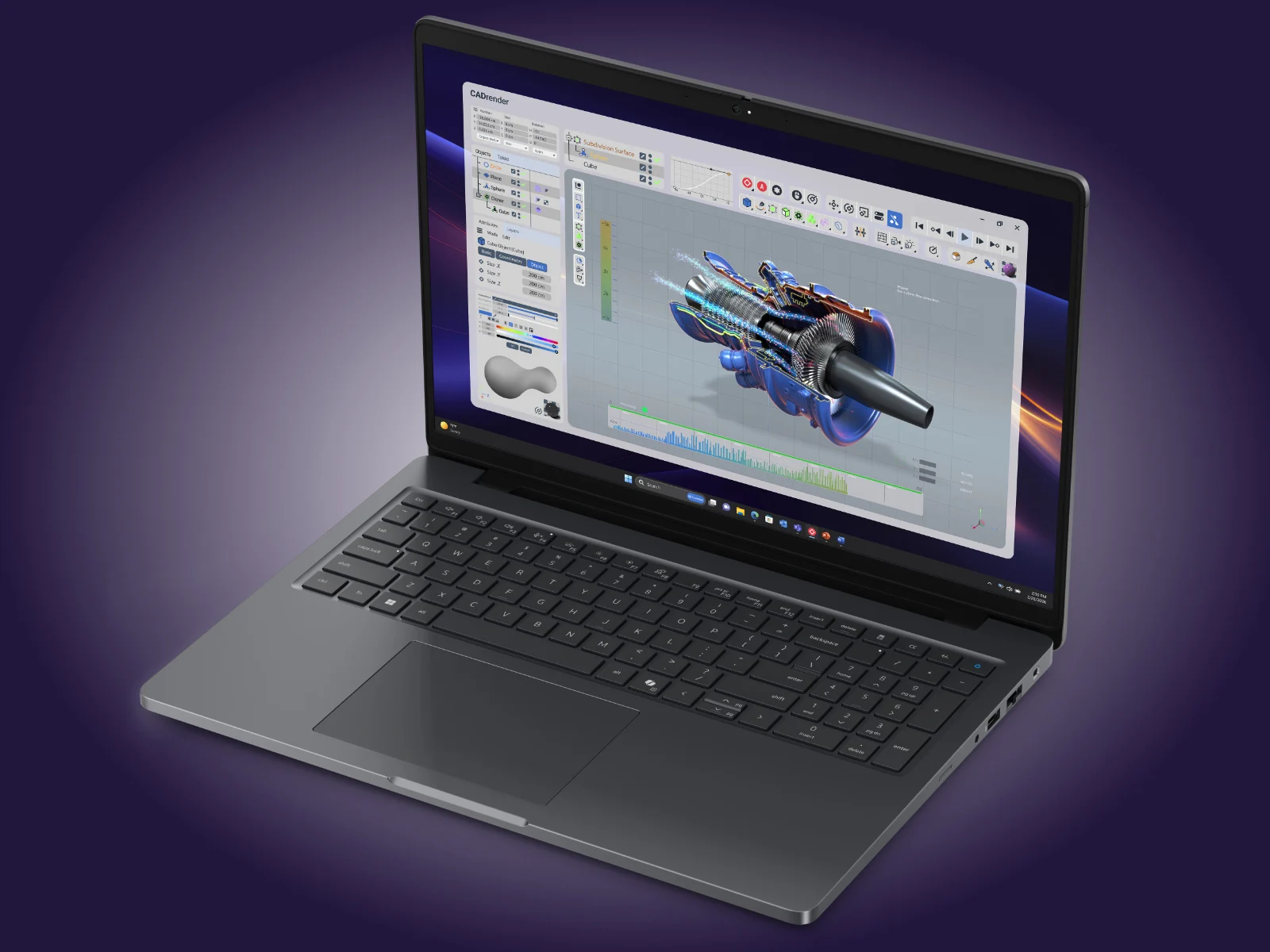
    The Dell Pro Precision 5 Series 16 is finally hitting shelves worldwide, weighing in at a hefty 2.16 kg which makes it chunkier then its sibling, the Pro Precision 5 Series 16S. Unlike the lighter version, this heavier model can be equiped with optional Nvidia graphics cards. For context, this machine carries about the same heft as the MacBook Pro 16 we reviewed earlier this year with an M5 Pro chip.

    Processor, Memory, and Graphics Options

    Customers can currently configure the Pro Precision 5 Series 16 with up to a Core Ultra 9 386H vPro processor and 64 GB of user-replaceable LPCAMM2 RAM running at 8,533 MT/s. Additionally, Dell offers Nvidia RTX Pro 500 Blackwell (6 GB), RTX Pro 1000 Blackwell (8 GB) and RTX Pro 2000 Blackwell (8 GB) as discrete GPU choices. Unfortunately, only 400-nit IPS displays are avaiable, either with FHD+ or QHD+ resolutions.

    Pricing and Regional Variations

    The starting price for the Pro Precision 5 Series 16 in the US is $2,722 with a Core Ultra 5 336H vPro, 16 GB of LPCAMM2 RAM and a 256 GB SSD. In contrast, the same laptop costs £2,247 in the UK and €2,549 in the Eurozone. Interestingly, these markets recieve the Core Ultra 7 366H as their starting processor option, showing a clear regional difference in base configurations.

    Battery, Storage, and Connectivity Features

    By default, this 16-inch workstation ships with a 64 Wh battery, but Dell also provides a 96 Wh battery and a dedicated Long Life Cycle variant for each capacity. A Smart Card Reader can be configured, as well as an additional PCIe Gen 4 or PCIe Gen 5 SSD and 5G cellular connectivity. For more specific details, please consult Dell’s official website.

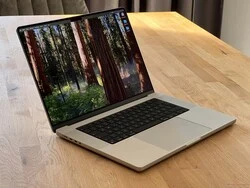
  • Apple M5 Max in MacBook Pro 16 is 15% Faster than 14

    Apple M5 Max in MacBook Pro 16 is 15% Faster than 14

    Key Takeaways

    1. The MacBook Pro 14 with the M5 Max shows inconsistent CPU and GPU performance, even in High Power mode, with no significant improvement over the M4 Max.
    2. Initial benchmarks of the MacBook Pro 16 with the M5 Max reveal an 18% performance advantage in CPU compared to both the 14-inch model and the M4 Max.
    3. The MacBook Pro 16 achieves improved performance in quiet Automatic mode, unlike the 14-inch model, where High Performance mode did not enhance single benchmark results.
    4. Graphics performance in the MacBook Pro 16 demonstrates a 12% improvement over the 14-inch model and a 21% lead over the older M4 Max, with stable performance under continuous workloads.
    5. The M5 Max appears to be a better fit for the larger MacBook Pro 16, showing notable performance differences compared to the MacBook Pro 14.


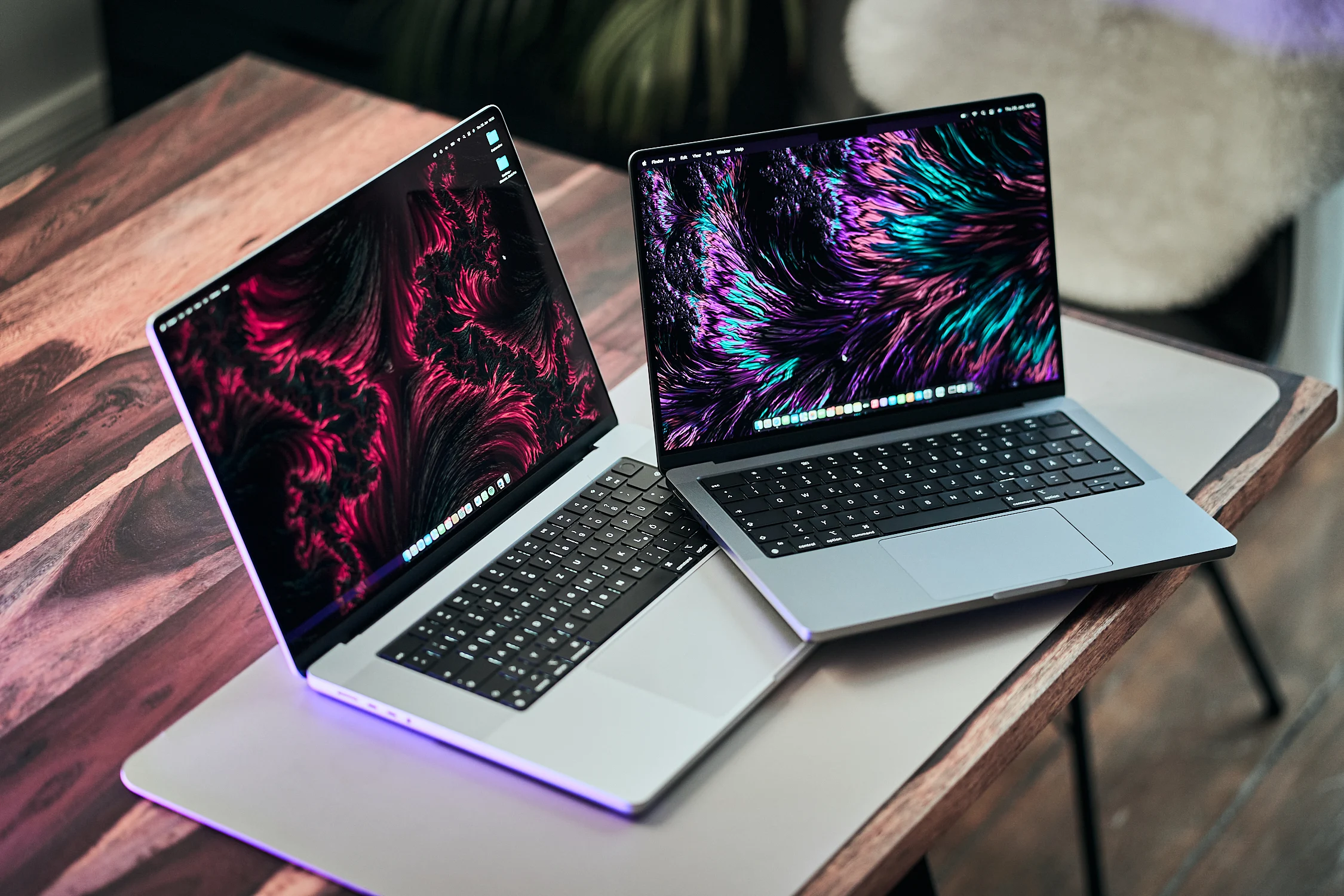
    During our examination of the MacBook Pro 14 featuring Apple’s latest high-performance SoC M5 Max, equipped with the ultra-fast 40-core GPU, we encountered problems with inconsistent CPU performance even while in High Power mode. Additionally, the graphics performance was also not reliable. Our CPU analysis revealed that the CPU performance was not significantly improved compared to the previous M4 Max. We believe that the M5 Max could show better performance in the larger MacBook Pro 16, and now we have a review unit of the MBP 16 with the M5 Max for testing.

    Initial Benchmarks Show Promising Results

    We have conducted some preliminary benchmarks, and the results indicate an improvement in both CPU and GPU performance. Unlike the 14-inch model, we have not detected any of the performance variations experienced previously.

    The Cinebench 2024 multi-core test reveals an 18% advantage for the M5 Max in the MacBook Pro 16 over both the M5 Max in the 14-inch model and the older M4 Max. Notably, the MBP 16 achieves this result even in Automatic mode, which operates much quieter. Although the High Performance mode does not enhance the performance during a single benchmark run, we still intend to investigate whether it influences sustained performance. In one benchmark run, the CPU cores drew 78/65 Watts, which is significantly higher than the MBP 14.

    Graphics Performance Improvements

    The graphics performance has also seen enhancements, as indicated by the current 3DMark Steel Nomad test showing a 12% advantage for the M5 Max in the MBP 16 compared to the M5 Max in the MBP 14, and a 21% lead over the older M4 Max in the MBP 16. We can confidently state that the GPU performance remains stable under continuous workloads, a stark contrast to the smaller model that exhibited declines of -7.4% in High Performance mode and -25% in Automatic mode.

    We will of course carry out more tests, but our initial benchmark findings suggest that the M5 Max is a much more suitable choice for the larger MacBook Pro 16, with a notable performance difference when compared to the MacBook Pro 14.

  • Cyberpunk & AC Shadows on Apple M4 Max: RTX 5060 Gaming Performance

    Cyberpunk & AC Shadows on Apple M4 Max: RTX 5060 Gaming Performance

    Key Takeaways

    1. The selection of games on macOS is smaller than on Windows, but notable titles like Cyberpunk 2077 and Assassin’s Creed Shadows are now available.

    2. Cyberpunk 2077 performs 68% better in native mode on the MacBook Pro 16 with M4 Max compared to the emulated version.

    3. Gaming performance on the M4 Max is comparable to Windows laptops with mobile GeForce RTX 5060 and some RTX 5070 models.

    4. Native Cyberpunk 2077 shows 46% better efficiency compared to the emulated version and outperforms many Windows laptops in similar performance brackets.

    5. While the MacBook Pro 16 with M4 Max is not ideal solely for gaming, it offers a solid gaming experience alongside other tasks with less fan noise.


    Gaming on Macs is still a bit of a complicated issue, as the selection of games is significantly smaller than on Windows. There are some well-known AAA games available for macOS, such as Resident Evil 7, Civilization 7, Baldur’s Gate 3, and No Man’s Sky. Recently, we’ve seen the addition of Cyberpunk 2077 and Assassin’s Creed Shadows, both of which come with built-in benchmarks. This is perfect for comparing performance with Windows systems. It also helps in assessing efficiency, as Cyberpunk 2077 is our go-to game for laptop reviews. We evaluated both titles on the MacBook Pro 16 equipped with the powerful M4 Max SoC.

    Performance Testing

    We were eager to discover how the Cyberpunk 2077 version designed for Mac compares to the emulated version we previously tested using CrossOver on the MacBook Pro 16. When looking at our standard benchmark settings (1080p Low, Medium, High, Ultra, QHD, and 4K), the native version shows a performance edge of 68%. Notably, the 1080p and QHD settings revealed significant enhancements, but the 4K performance remained nearly the same. Nevertheless, 4K is not playable and needs MetalFX upscaling, which allowed us to boost the frame rate from 23.6 to 34.1 fps (quality setting).

    Game Experiences

    Cyberpunk 2077 performs impressively on the MacBook Pro 16 with the M4 Max, even at high detail levels. The Raytracing Ultra setting is playable at QHD resolution with a frame rate of 37 fps. When Apple releases its version of frame generation, it should further enhance the performance. On the other hand, Assassin’s Creed Shadows requires more from the hardware. The Ultra High setting only manages around 30 fps, and there’s not much difference between 1080p and QHD. However, the High preset runs smoother at about 50 fps.

    When compared to Windows laptops, the performance is similar to machines featuring fast versions of the mobile GeForce RTX 5060 with a TGP of 100 Watts. Slower models with an 80 Watts TGP fall behind. The M4 Max can also outperform the slower RTX 5070 Laptop versions, such as the 60W model found in the Dell 16 Premium. AMD’s Strix Halo with the Radeon 8060s also offers a slight performance advantage.

    Efficiency Comparison

    As mentioned earlier, the native version of Cyberpunk 2077 provides the opportunity to evaluate gaming efficiency against Windows laptops. Measurements were taken while the laptop was connected to an external display, ensuring that the internal screen did not impact the results. Initially, we noticed that the efficiency of the native Cyberpunk 2077 was 46% better than the emulated version.

    When stacked against Windows laptops, Apple’s M4 Max manages to outperform almost all competitors with similar performance metrics, except for the slower 60W variant of the GeForce RTX 5070 Laptop in the Dell 16 Premium, which is roughly on par.

    Despite the limited game selection on macOS compared to Windows, native titles perform remarkably well on the M4 Max, offering gaming experiences comparable to the mobile GeForce RTX 5060 or slightly slower versions of the RTX 5070. The M4 Max also sidesteps VRAM limitations since the GPU can utilize system memory.

    Conclusion

    In conclusion, purchasing the MacBook Pro 16 with the M4 Max solely for gaming might not be the best idea. However, if you require it for other tasks and wish to enjoy gaming occasionally, it handles native titles quite effectively. The efficiency outshines that of similarly powerful Windows laptops, and it typically operates with less fan noise.


  • Fonecyc MegaHub Dock for MacBook Pro Adds 16TB SSD Storage

    Fonecyc MegaHub Dock for MacBook Pro Adds 16TB SSD Storage

    Key Takeaways

    1. The MegaHub is a docking solution specifically designed for the Apple MacBook Pro 16, with some compatibility for other devices using USB Type-C ports.
    2. The dock’s design offers ergonomic advantages but makes the laptop bulkier, potentially affecting its portability.
    3. It allows users to expand storage capacity significantly, accommodating up to four M.2 2280 SSDs for a total of 16TB.
    4. The technical features include a maximum bandwidth of 1 Gbit/s, multiple USB ports, a headphone jack, and an SD card reader.
    5. The MegaHub is currently crowdfunding on Kickstarter, with a backing price of $158 and potential risks associated with investing in crowdfunding projects.


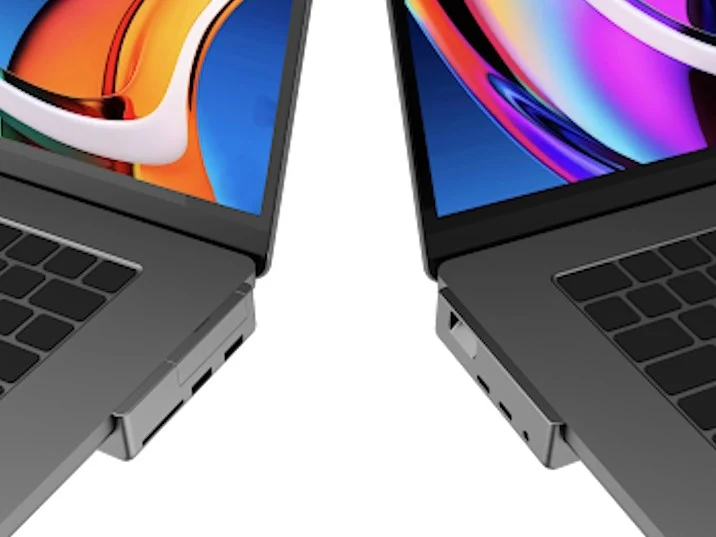
    The MegaHub is now in the process of crowdfunding on Kickstarter. As its name implies, this is a docking solution created for the Apple MacBook Pro 16 (starting at $2,229 on Amazon). Although the MegaHub utilizes USB Type-C ports that could theoretically work with other gadgets, its design is particularly tailored for the 16-inch MacBook Pro.

    Dock Design and Ergonomics

    The docking station has dimensions of around 14.4 x 3.5 x 1.1 inches and is partially situated beneath the Apple laptop. This positioning creates an angle that may provide ergonomic advantages. Nonetheless, it does make the laptop notably thicker, which could prevent it from fitting into sleeves or bags that are designed specifically for this model.

    Storage Expansion Capabilities

    On a positive note, the MegaHub allows users to significantly boost the storage capacity of the MacBook Pro, which can be a lot cheaper than Apple’s high prices for additional SSD space. Specifically, it can accommodate up to four M.2 2280 SSDs, offering a whopping total of 16TB of mass storage, as stated by the manufacturer. This amount of storage is sufficient to manage vast quantities of data, including RAW and high-resolution video files, thus making external hard drives unnecessary.

    Technical Features and Crowdfunding Details

    The dock boasts a maximum bandwidth of 1 Gbit/s and includes two USB Type-A ports, two USB Type-C ports that support up to 100W PD, a headphone jack, and an SD card reader. Those interested in supporting the Kickstarter campaign can secure their MegaHub by contributing $158. However, potential backers should keep in mind the typical risks of crowdfunding, which includes the possibility of losing their investment if the product fails to reach the market.

    Source:
    Link

  • Apple’s New MacBook Pro Could Feature Quantum Dot Displays

    Apple’s New MacBook Pro Could Feature Quantum Dot Displays

    Ross Young has shared some new details about the latest MacBook Pro 14 and MacBook Pro 16 models, which come with Apple’s M4, M4 Pro, and M4 Max chipsets. Apple has not made any alterations to the mini-LED screens in these devices. However, customers can now choose a nano-texture display finish for both models, though this option comes with an extra cost.

    Display Brightness Comparison

    Apple states that only the nano-texture displays can achieve higher peak brightness levels. They mention that these displays can reach up to 1,000 nits of peak brightness, while the standard displays on both the MacBook Pro 14 and MacBook Pro 16 max out at 600 nits (curr. $1,654 on Amazon).

    Technological Advancements

    According to Young, the M4 series marks the first time Apple has incorporated Quantum Dot technology into its machines. Previously, Apple used KSF phosphor films for their displays. The reason for this switch is that KSF films were more efficient and did not contain Cadmium, which is heavily regulated in the European Union and several other regions.

    Improved Efficiency

    The newer Quantum Dot films are claimed to be more efficient than the older versions. These films are said to offer better motion clarity and color accuracy compared to the KSF films, which might explain why Apple has chosen to implement them. In our recent reviews of the MacBook Pro 14, we noticed only slight declines in color space and response times. As per the latest whispers, it seems Apple won’t be introducing significant redesigns for the MacBook Pro 14 and MacBook Pro 16 for at least another two generations.

    Ross Young’s insights provide a clearer picture of these exciting developments in Apple’s laptop lineup.

    Source: Link,Link,Link


    Image 1