Tag: MacBook Pro 14

  • Belkin UltraCharge Pro 25K 158W Power Bank Launch Deal

    Belkin UltraCharge Pro 25K 158W Power Bank Launch Deal

    Key Takeaway

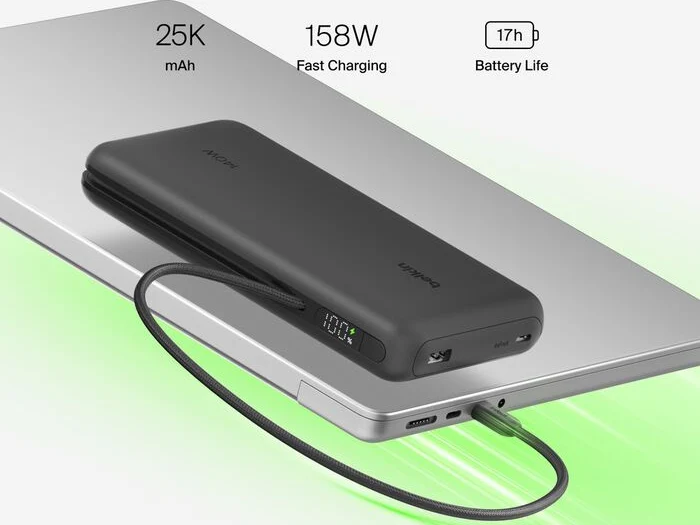
    – 25,000mAh capacity with up to 158W total output, sufficient to charge a 14-inch MacBook Pro
    – Integrated 140W braided USB-C cable, plus an additional USB-C and USB-A port for multi-device charging
    – Features a digital display, 15W passthrough charging, and a 2-year warranty with $2,500 Connected Equipment Warranty
    – Priced at $84.99 after a limited-time $15 discount in the US (also available in China for ~$78)
    – A higher-capacity 27,000mAh version exists with 240W max output and a top-mounted display for $149.99


    New Power Bank From Belkin Hits Market

    Belkin has started selling a fresh power bank in the US and China which is capable of charging many devices including a 14-inch MacBook Pro at up to 158W. It also contains a quite sizable battery capacity and arives with a discount. The new power bank features an braided USB-C cable that is built-in and can charge at 140W, it also has a other USB-C port and a USB-A port, and when it is connected to three devices all at once, the power banks maximum power output is 158W.

    Battery and Display Features

    If you couldnt deduce from the name, the power bank holds a 25,000mAh battery capacity, and Belkin claims that it can give up to 17 extra hours for a MacBook Pro 14. The power bank includes a digital display on the side which shows remaining battery capacity and indicates when it is charging. Another feature of the power bank is its support for 15W pass-through charging.

    Dimensions and Warranty Details

    The Belkin UltraCharge Pro Laptop Power Bank 25K measures 164 × 89 × 26.2 mm and weighs 590g, and they describes it as TSA Carry-on compliant. It also says they offer a 2-year warranty and a $2500 Connected Equipment Warranty which means Belkin will repair or replace a users electronic device(s) if they get damaged by an electrical charge while properly connected to the power bank, up to $2500.

    • Price tag of $99.99 with a $15 discount bringing it down to $84.99
    • Available on Amazon for a limited time
    • Available to buy now in Black, but product images show Beige and White too
    • In China the power bank is cheaper at ¥529 ($78/€68)

    Alternative Version with Higher Capacity

    If 25,000mAh is to small, there is a version of the Belkin UltraCharge Pro Laptop Power Bank with a 27,000mAh capacity. It also has an integrated USB-C cable that can deliver up to 140W, but its maximum shared output is higher at 240W and its display is placed at the top. They say its available in Charcoal, and Belkin has put a $149.99 price tag on it.
    Sources
  • Apple MacBook Pro Becomes the Bargain Laptop Option

    Apple MacBook Pro Becomes the Bargain Laptop Option

    Key Takeaway

    – Apple MacBook Pro offers better build quality, quieter operation, and superior efficiency.
    – MacBook has better value when discounted, often costing less than comparable Windows laptops like the Lenovo Yoga Pro 7i.
    – Yoga excels with its OLED touchscreen, higher refresh rate, and better keyboard, but has glossier display and minor build issues.
    – For gaming and Windows compatibility, the Yoga (with RTX 5060) is preferable; otherwise, the MacBook is stronger overall.
    – Battery life depends on usage: MacBook wins at adjusted brightness; Yoga wins at full brightness.


    Pricing and Specs Comparison

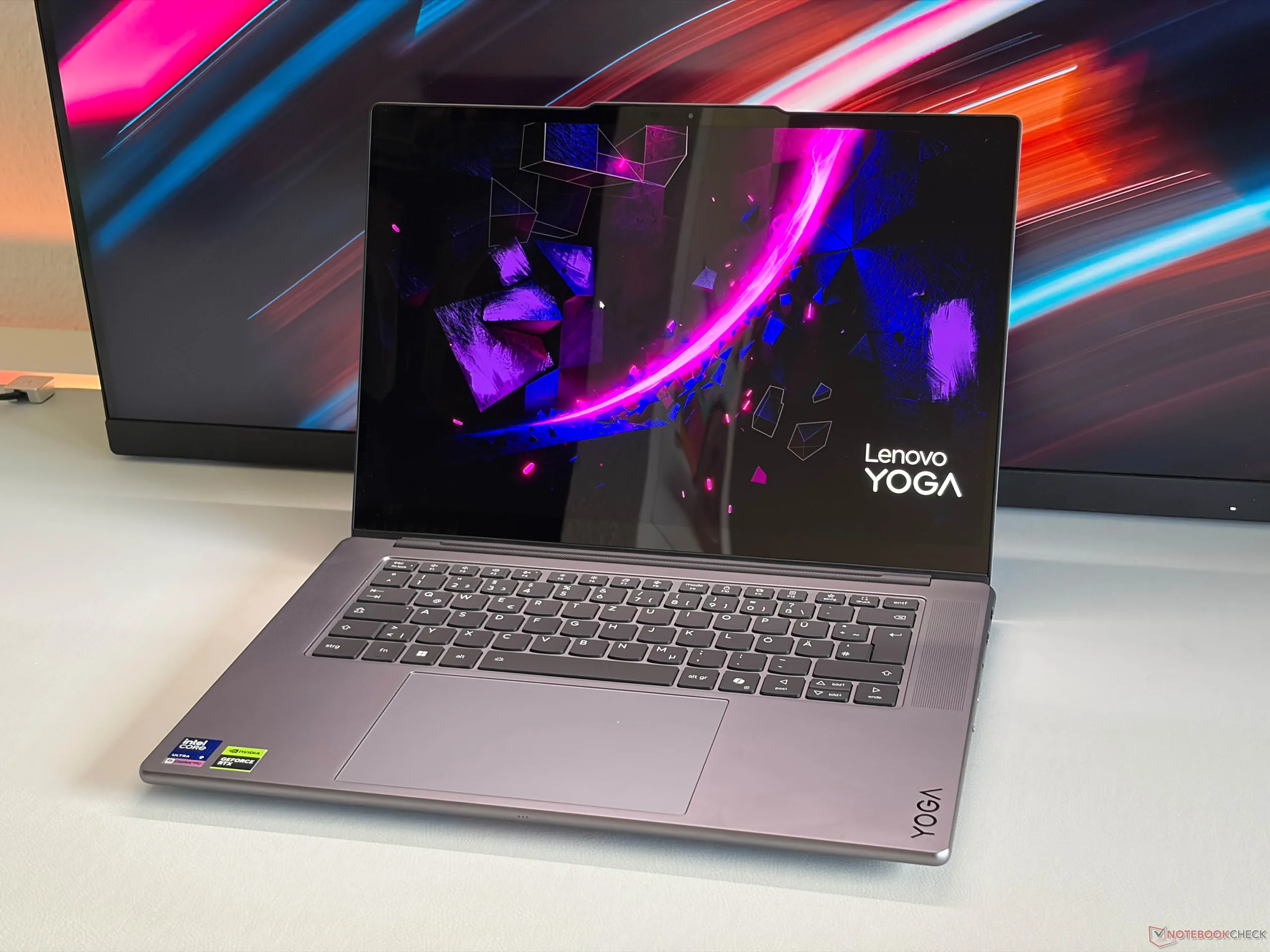
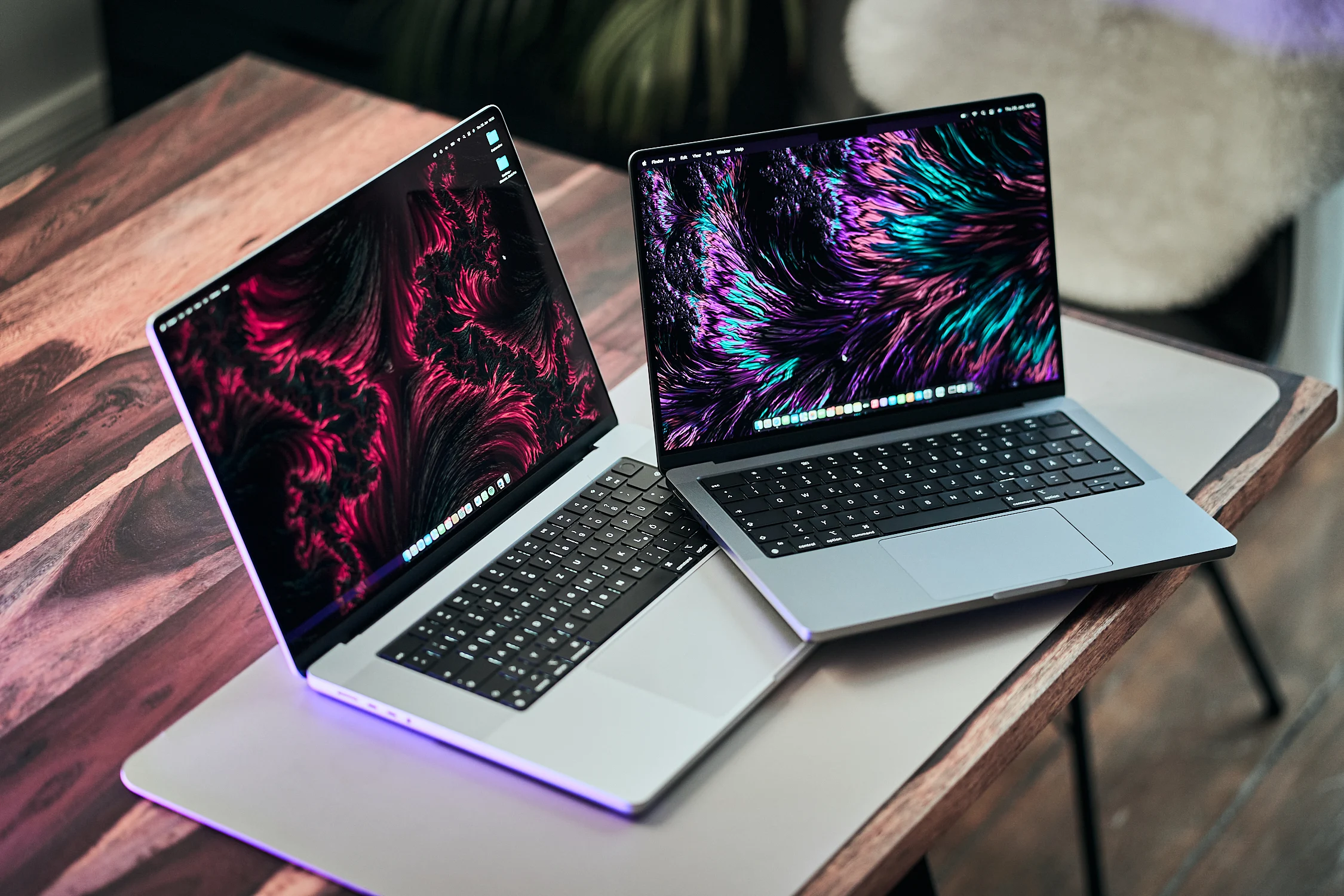
    Apple’s MacBook Pro models are among the best multimedia laptops you can buy and the overall package is still hard to beat. They’re expensive devices specially when you select some options, but preconfigured models which are also sold by other retailers are usually heavily discounted. This is becoming a bigger issue for Windows laptops like the new Lenovo Yoga Pro 7i 15, witch we recently reviewed. In terms of size it is more comparable to the slightly smaller MacBook Pro 14 (the MBP 16 is noticeably larger), which is already available for around $2050 with the M5 Pro, 24 GB RAM and 1 TB SSD. So you really have to think about weather you want to spend around $600 more for the mentioned Yoga, for example.

    Build Quality and Ports

    If you dont want to play games (where the RTX 5060 in combination with the superior selection of games for Windows), the MacBook is better in some respects. This starts with the chassis quality, were our Yoga suffered from some minor creaking sounds from the hinges. The MacBook also offers Thunderbolt 5 ports, whereas the Yoga offers two regular USB-A ports, which are still useful in practise. Its key to note that the MacBooks unibody construction feels more premium overall, while the Yoga’s plastic elements might flex under pressure, though this doesn’t affect daily use significantly.

    Display Panel Differences

    The display situation is a bit more complicated. The Mini-LED panel of the MacBook Pro 14 offers superior brightness results, but the OLED panel of the Yoga does not have to hide, neither in terms of brightness nor color accuracy. It even features a higher refresh rate and you can get a touchscreen, which does not affect the image quality. However it is also super glossy, which is less of a problem on the MacBook Pro (which is even available with a matte panel). For creative professionals, the MacBooks local dimming zones provide better contrast in HDR content, while the Yoga’s OLED delivers perfect blacks in dark enviroments.

    Performance and Efficiency

    In terms of pure CPU performance, the M5 Pro is superior to the Intel Core Ultra 9 386H (Panther Lake), which has a bigger focus on efficiency but does not stand a chance against the M5 Pro (neither performance nor efficiency). The MacBook is also super quiet in everyday situations even in short load situations, where you can hear the fans of the Yoga. The speaker systems are very comparable, but the Yoga has a better keyboard. Then there is the battery runtime, where the MacBook is superior at an adjusted panel brightness, while the Yoga has an advantage at full brightness (but it is also a bit darker). This makes the Yoga a better choice for outdoor use, while the MacBook excels in indoor long-session work.

    Overall Value Proposition

    All in all the devices are comparable and except for the differences in terms of operating system and compatibility issues, Apple offers the better overall package for a lower price. The Yoga provides a touchscreen, higher refresh rate, and USB-A ports for legacy devices, but suffers from fan noise and hinge creaking. Meanwhile the MacBook delivers superior build, Thunderbolt 5, quiet operation, and better battery life in normal conditions. For gamers and Windows users, the Yoga remains a viable option, but for multimedia tasks and productivity, the MacBook Pro 14 wins with its lower entry price of $2050. Consider your software needs before choosing between these two excellent machines.


  • Apple M5 Max in MacBook Pro 16 is 15% Faster than 14

    Apple M5 Max in MacBook Pro 16 is 15% Faster than 14

    Key Takeaways

    1. The MacBook Pro 14 with the M5 Max shows inconsistent CPU and GPU performance, even in High Power mode, with no significant improvement over the M4 Max.
    2. Initial benchmarks of the MacBook Pro 16 with the M5 Max reveal an 18% performance advantage in CPU compared to both the 14-inch model and the M4 Max.
    3. The MacBook Pro 16 achieves improved performance in quiet Automatic mode, unlike the 14-inch model, where High Performance mode did not enhance single benchmark results.
    4. Graphics performance in the MacBook Pro 16 demonstrates a 12% improvement over the 14-inch model and a 21% lead over the older M4 Max, with stable performance under continuous workloads.
    5. The M5 Max appears to be a better fit for the larger MacBook Pro 16, showing notable performance differences compared to the MacBook Pro 14.


    During our examination of the MacBook Pro 14 featuring Apple’s latest high-performance SoC M5 Max, equipped with the ultra-fast 40-core GPU, we encountered problems with inconsistent CPU performance even while in High Power mode. Additionally, the graphics performance was also not reliable. Our CPU analysis revealed that the CPU performance was not significantly improved compared to the previous M4 Max. We believe that the M5 Max could show better performance in the larger MacBook Pro 16, and now we have a review unit of the MBP 16 with the M5 Max for testing.

    Initial Benchmarks Show Promising Results

    We have conducted some preliminary benchmarks, and the results indicate an improvement in both CPU and GPU performance. Unlike the 14-inch model, we have not detected any of the performance variations experienced previously.

    The Cinebench 2024 multi-core test reveals an 18% advantage for the M5 Max in the MacBook Pro 16 over both the M5 Max in the 14-inch model and the older M4 Max. Notably, the MBP 16 achieves this result even in Automatic mode, which operates much quieter. Although the High Performance mode does not enhance the performance during a single benchmark run, we still intend to investigate whether it influences sustained performance. In one benchmark run, the CPU cores drew 78/65 Watts, which is significantly higher than the MBP 14.

    Graphics Performance Improvements

    The graphics performance has also seen enhancements, as indicated by the current 3DMark Steel Nomad test showing a 12% advantage for the M5 Max in the MBP 16 compared to the M5 Max in the MBP 14, and a 21% lead over the older M4 Max in the MBP 16. We can confidently state that the GPU performance remains stable under continuous workloads, a stark contrast to the smaller model that exhibited declines of -7.4% in High Performance mode and -25% in Automatic mode.

    We will of course carry out more tests, but our initial benchmark findings suggest that the M5 Max is a much more suitable choice for the larger MacBook Pro 16, with a notable performance difference when compared to the MacBook Pro 14.

  • Apple MacBook Pro 14 Struggles with M5 Max Performance Issues

    Apple MacBook Pro 14 Struggles with M5 Max Performance Issues

    Key Takeaways

    1. Apple has launched the M5 Max chip with 18 CPU cores and 40 GPU cores in the MacBook Pro 14, but the power adapter is inadequate.
    2. In stress tests, the M5 Max peaks at 96 Watts briefly, stabilizing around 42 Watts, while the M5 Pro in the MacBook Pro 16 can draw 70W.
    3. CPU and GPU stress tests show a drop in power consumption after initial peaks, with the GPU performance decreasing by about 10% under continuous workloads.
    4. The MacBook Pro 16 is expected to outperform the 14-inch model, better utilizing the M5 Max GPU’s capabilities.
    5. Future M6 chips are anticipated to use a 2 nm manufacturing process, which may require Apple to improve cooling solutions in MacBook designs.


    Apple has introduced its latest powerful chip, the M5 Max, featuring 18 CPU cores and 40 GPU cores, in the compact MacBook Pro 14 that we just took a look at. Our evaluations revealed some problems, and we’ve already mentioned the inadequate power adapter.

    Stress Test Findings

    In our stress tests, the M5 Max (considering both CPU and GPU cores, excluding RAM) peaks at 96 Watts for a short duration of 1-2 seconds. After this burst, the chip drops rapidly to 46 Watts, but it can’t hold this level and eventually stabilizes around 42 Watts. The larger MacBook Pro 16 has an edge in this area, as the M5 Pro can draw 70W during stress tests, which is 66% more. This difference is clearly visible in the chart below (red indicates MacBook Pro 14 M5 Max; yellow represents MacBook Pro 16 M5 Pro).

    CPU and GPU Performance

    When only the CPU or GPU is under stress, similar patterns emerge. The CPU cores can briefly consume up to 75W but then fall back to about 50W. On the other hand, GPU stress can push consumption to 72W, which quickly drops to 55W and eventually stabilizes at 44W, even while using High Power mode. Under continuous workloads, the GPU performance also isn’t consistent, showing a decrease of around 10%. The MacBook Pro 16 seems likely to outperform the 14-inch model and fully showcase the capabilities of the new M5 Max GPU with its 40 cores, which we plan to test soon with a review unit.

    Future Expectations

    The current M5 generation still uses the well-known 3 nm manufacturing process (now in its third generation). We anticipate that the forthcoming M6 chips will transition to the 2 nm process at TSMC, which should enhance efficiency. However, these chips are becoming so powerful that Apple may need to rethink their MacBook designs, incorporating more effective cooling solutions. For more details, refer to our comprehensive review of the MacBook Pro 14 with M5 Max.

  • Rumored New Apple MacBook Pro Refresh Coming Soon

    Rumored New Apple MacBook Pro Refresh Coming Soon

    Key Takeaways

    1. The MacBook Pro 14 with the M5 chipset is currently available for $1,511 on Amazon and has been on the market since October 2025.
    2. More powerful versions, the M5 Pro and M5 Max, are expected to be released soon, with possible launch dates between February and March 2026.
    3. The new MacBook Pro 16 will feature the same processors as the MacBook Pro 14 and is the first update since November 2024.
    4. Apple has not officially confirmed the release of the new models, but extended lead times for M4 series models suggest an imminent launch.
    5. Future upgrades may include new chipsets, with major redesigns and features like Face ID and an OLED touchscreen expected in late 2026 or early 2027.


    The MacBook Pro 14 featuring Apple’s M5 chipset has been on the market since October 2025, currently priced at $1,511 on Amazon. There are reports that more powerful versions, the M5 Pro and M5 Max, are set to be released soon. Additionally, the new MacBook Pro 16, the first update since November 2024, will come with the same processors as its smaller counterpart.

    Possible Release Dates

    Mark Gurman has indicated in his Power On newsletter that the new MacBook Pro 14 and 16 models might be launched sometime between February and March. He states that Apple plans to align these updates with the macOS 26.3, which just entered its third beta phase last week. In contrast, the leaker known as @ld_vova has hinted that the M5 Pro and M5 Max might come out by the end of February 2.

    No Official Confirmation

    As is typical, Apple has not given any public hints regarding the refresh of its higher-end MacBook Pro line. However, the extended 4-6 week lead times for pricier M4 series models on the Apple Online Store suggest that the launch of M5 Pro and M5 Max is imminent. For this generation, the primary upgrades are expected to center around new chipsets, while redesigns, Face ID, and an OLED touchscreen are projected to be introduced in late 2026 or early 2027.

    Source:
    Link


  • Apple M5: Faster Performance with Shorter Battery Life in Daily Use

    Apple M5: Faster Performance with Shorter Battery Life in Daily Use

    Key Takeaways

    1. The Apple M5 SoC is the latest silicon used in the iPad Pro and base MacBook Pro 14 models.
    2. Performance is excellent, but Wi-Fi battery life is slightly reduced compared to previous models due to increased power draw from the M5 chip.
    3. The M5 chip operates on a third-generation 3 nm manufacturing process, leading to higher power consumption with increased clock speeds.
    4. Devices with passive cooling may face more challenges in performance compared to those with active cooling, like the MacBook Pro.
    5. Future M6 chips are expected to be built on a 2 nm process, which may further impact performance and efficiency.


    Apple’s M5 SoC represents the newest version of the company’s silicon. Both iPad Pro variants and the base MacBook Pro 14 model come equipped with this advanced chip. We’ve already conducted reviews on the iPad Pro 11 and the MacBook Pro 14, and also made comparisons between the new M5 and its competitors from AMD, Intel, and Qualcomm in our detailed analysis. This comparison focused on both performance and efficiency.

    Performance Insights

    It’s no surprise that the performance is top-notch; the previous M4 chip was already quite powerful. However, we did observe that the Wi-Fi battery life seems to be slightly reduced compared to earlier models, affecting both the new iPad Pro and the MacBook Pro. All other components remain the same, so this change must be linked to the processor. A more careful examination indicates that the M5 chip draws more power due to its increased clock speeds, in both single-core and multi-core tasks. This can be particularly noticeable during daily use, which often involves brief bursts of high demand. While the difference is not massive, it accumulates over extended usage.

    Manufacturing Process and Cooling Challenges

    Clearly, Apple has moved into the third generation of the 3 nm manufacturing process, and higher clock speeds generally necessitate comparatively higher power consumption. Given these increased consumption rates, devices like the iPad Pro and the forthcoming MacBook Air, which utilize passive cooling, may face more challenges. The performance gap between these devices and those with active cooling, like the MacBook Pro, could be wider than what we saw with the current M4 models. We are really looking forward to seeing how the next M6 generation will perform, as they are likely to be the first chips built on a 2 nm process.

    For further details, be sure to check out our analysis of the new M5 SoC, along with our reviews of the iPad Pro 11 and the MacBook Pro 14.