Category: Computers

  • Apple’s New MacBook Pro 14 M5: Best Value in Base Model

    Apple’s New MacBook Pro 14 M5: Best Value in Base Model

    Key Takeaways

    1. The new MacBook Pro 14 with the M5 chip shows improved performance and efficiency, particularly in multi-core and GPU tasks.
    2. The base model starts at $1599 (€1799) but can quickly become expensive with upgrades, nearing the price of the M4 Pro model.
    3. The M5 chip excels in single-core performance, but the M4 generation still outperforms most competitors and has advantages in multi-core and GPU performance.
    4. The M4 Pro model features better cooling with a dual fan system and supports Thunderbolt 5, offering enhanced performance for demanding users.
    5. For users requiring higher performance, the M4 Pro model is recommended over the base M5 model, especially if considering significant upgrades.


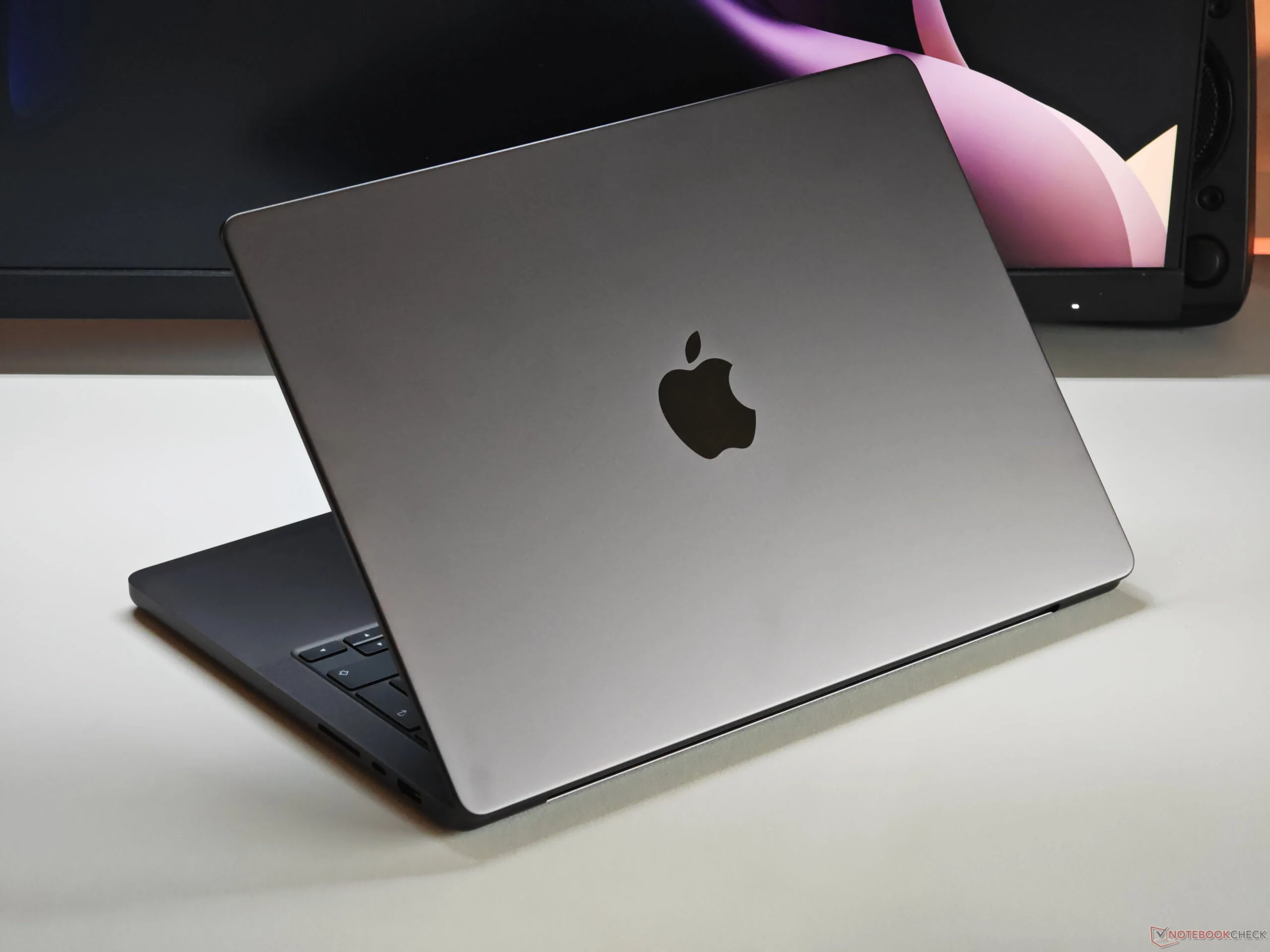
    We have previously examined Apple’s latest MacBook Pro 14 featuring the M5 chip. Our evaluation and analysis indicate that there’s been a noticeable boost in performance, along with enhanced efficiency, especially regarding multi-core and GPU load situations. The starting price for the new base model, which includes the M5 chip, 16 GB of RAM, and 512 GB of SSD storage, is $1599 (€1799). However, once you opt for upgrades—like additional RAM—you’ll find yourself quickly approaching the current market price of the MacBook Pro 14 equipped with the M4 Pro.

    Performance Comparison

    Indeed, the M5 SoC provides superior single-core performance, but it’s important to note that the M4 generation was already strong and remains better than most competitors. Nonetheless, the M4 Pro stands out when it comes to multi-core and GPU performance. This advantage is evident in the benchmark data presented below. The MacBook Pro with the M4 Pro also features improved cooling through its dual fan system, as opposed to the single fan on the M5 model, and it supports Thunderbolt 5.

    Review Insights

    Our test model of the MacBook Pro M5 came with 32 GB of RAM, a 1 TB SSD, and the matte nano-texture display option, all at a high price of $2349. Generally, the base model is only worthwhile if you stick to the basic specifications or make minor upgrades. For users needing higher performance, we suggest considering the faster MacBook Pro 14 equipped with the M4 Pro. For more in-depth information, refer to our detailed review of the new MacBook Pro 14 M5.
     

  • Apple M5: Faster Performance with Shorter Battery Life in Daily Use

    Apple M5: Faster Performance with Shorter Battery Life in Daily Use

    Key Takeaways

    1. The Apple M5 SoC is the latest silicon used in the iPad Pro and base MacBook Pro 14 models.
    2. Performance is excellent, but Wi-Fi battery life is slightly reduced compared to previous models due to increased power draw from the M5 chip.
    3. The M5 chip operates on a third-generation 3 nm manufacturing process, leading to higher power consumption with increased clock speeds.
    4. Devices with passive cooling may face more challenges in performance compared to those with active cooling, like the MacBook Pro.
    5. Future M6 chips are expected to be built on a 2 nm process, which may further impact performance and efficiency.


    Apple’s M5 SoC represents the newest version of the company’s silicon. Both iPad Pro variants and the base MacBook Pro 14 model come equipped with this advanced chip. We’ve already conducted reviews on the iPad Pro 11 and the MacBook Pro 14, and also made comparisons between the new M5 and its competitors from AMD, Intel, and Qualcomm in our detailed analysis. This comparison focused on both performance and efficiency.

    Performance Insights

    It’s no surprise that the performance is top-notch; the previous M4 chip was already quite powerful. However, we did observe that the Wi-Fi battery life seems to be slightly reduced compared to earlier models, affecting both the new iPad Pro and the MacBook Pro. All other components remain the same, so this change must be linked to the processor. A more careful examination indicates that the M5 chip draws more power due to its increased clock speeds, in both single-core and multi-core tasks. This can be particularly noticeable during daily use, which often involves brief bursts of high demand. While the difference is not massive, it accumulates over extended usage.

    Manufacturing Process and Cooling Challenges

    Clearly, Apple has moved into the third generation of the 3 nm manufacturing process, and higher clock speeds generally necessitate comparatively higher power consumption. Given these increased consumption rates, devices like the iPad Pro and the forthcoming MacBook Air, which utilize passive cooling, may face more challenges. The performance gap between these devices and those with active cooling, like the MacBook Pro, could be wider than what we saw with the current M4 models. We are really looking forward to seeing how the next M6 generation will perform, as they are likely to be the first chips built on a 2 nm process.

    For further details, be sure to check out our analysis of the new M5 SoC, along with our reviews of the iPad Pro 11 and the MacBook Pro 14.

  • Orico Unveils Launch Plans for New Apple Mac Pro Lookalike

    Orico Unveils Launch Plans for New Apple Mac Pro Lookalike

    Key Takeaways

    1. Orico is known for its docking stations and has introduced a new 20-in-1 port solution and SSD expansion for Mac mini.
    2. The company is hinting at a mysterious new device, initially thought to cater to gamers, but now appears focused on a Mac Pro-like item.
    3. Orico’s upcoming device aims to “redefine desktop aesthetics” and enhance workspace performance and visual appeal.
    4. There is speculation that the new device could be a tower case inspired by Apple’s design or a network-attached storage (NAS) solution.
    5. The full reveal of the new device is scheduled for November 1.


    Orico is well-known for its docking stations, which include adding more ports, such as its new 20-in-1 port solution, SSD expansion for Mac mini, or external SSDs for iPhones (currently priced at $59.99 on Amazon). Recently, the company has been hinting at a new, mysterious device on Chinese social media platforms.

    Mysterious New Device

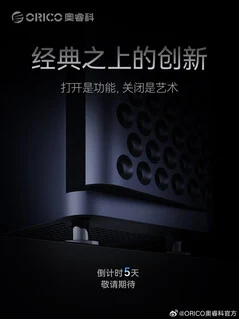
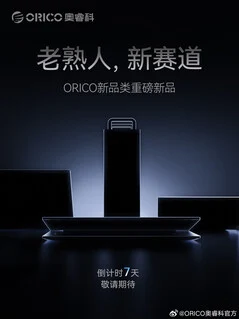
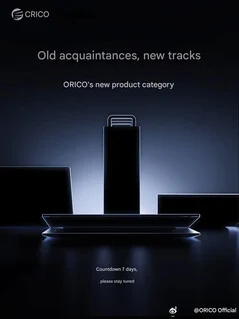
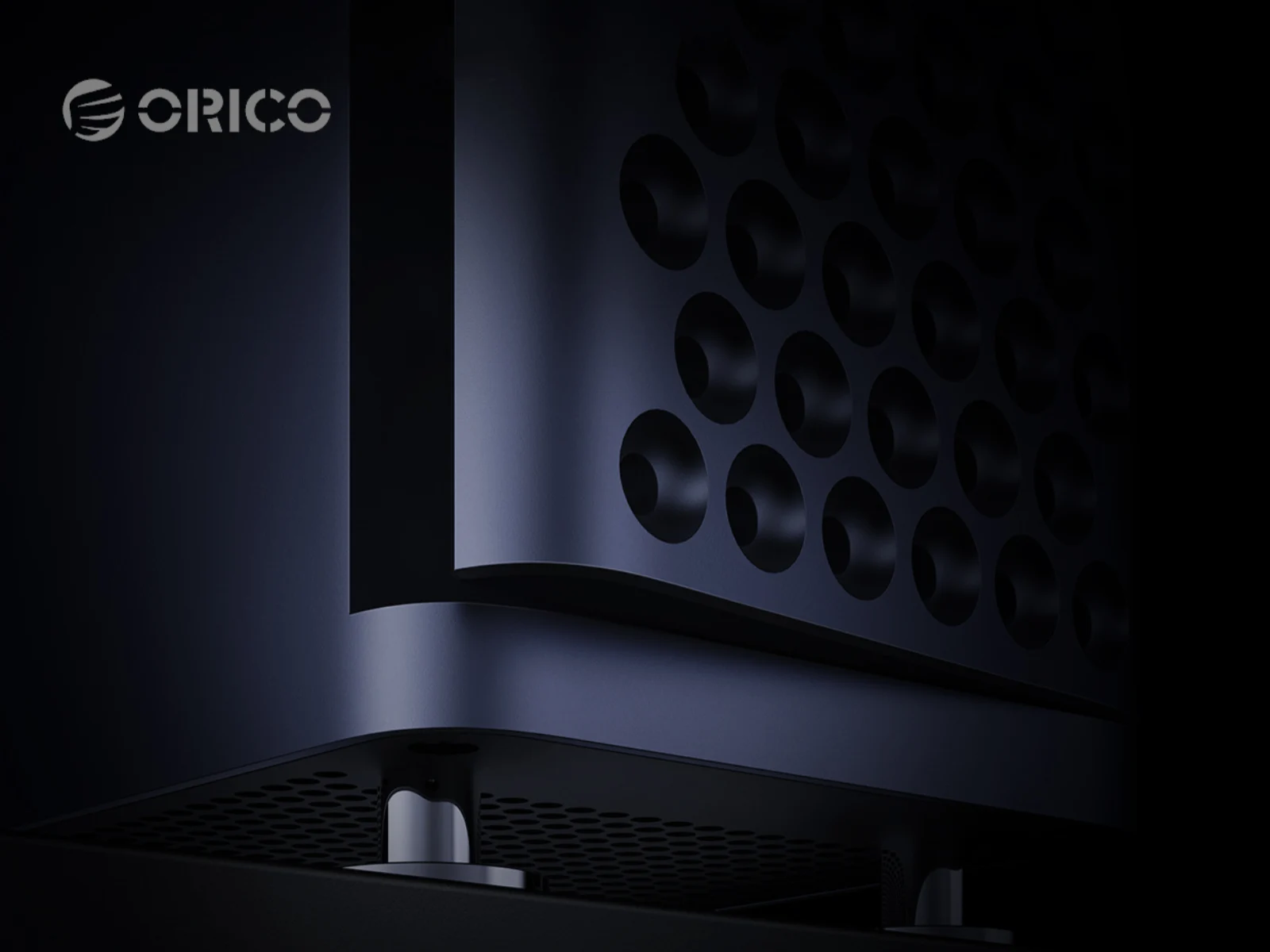
    At this moment, Orico is not being very specific about what it has planned. Initially, there were indications that the company had several new products in the works for gamers. However, Orico has recently shifted its focus to a Mac Pro-like item shown in the back of its original teaser image, but without any detailed information.

    Redefining Desktop Aesthetics

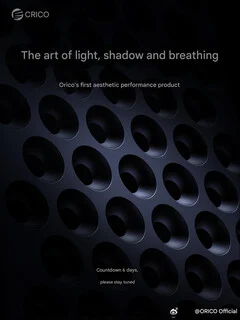
    In its Weibo posts, Orico continues to be quite unclear. They mention that the upcoming device aims to “redefine desktop aesthetics,” turning your workspace into the “ultimate stage for… performance” while also being a “visual centerpiece.” Based on this wording, it appears that Orico might be developing a tower case inspired by Apple’s latest desktop design. However, it’s also possible that the item in the image is actually a network-attached storage (NAS) solution. The full reveal of this new device is set for November 1.

    Source:
    Link


  • 3D-Printed Console PC with Laptop Motherboard and 7900 XTX GPU

    3D-Printed Console PC with Laptop Motherboard and 7900 XTX GPU

    Key Takeaways

    1. A member of the Framework community created an innovative console using a Framework 13 mainboard and a DIY Oculink eGPU setup, highlighting open hardware culture.
    2. The project utilizes a Framework Ultra 7 165H mainboard with a 7900XTX GPU and features a custom 3D-printed, actively-cooled case.
    3. The setup achieves about 90% of expected GPU performance compared to traditional desktop PCIe slots and allows for easy portability with a removable mainboard “cartridge.”
    4. The creator documented challenges faced during the build, such as bandwidth limits and material heat resistance, contributing to the learning process.
    5. This project exemplifies the modularity and experimentation possible within the Framework ecosystem, encouraging personal engineering and component combination.


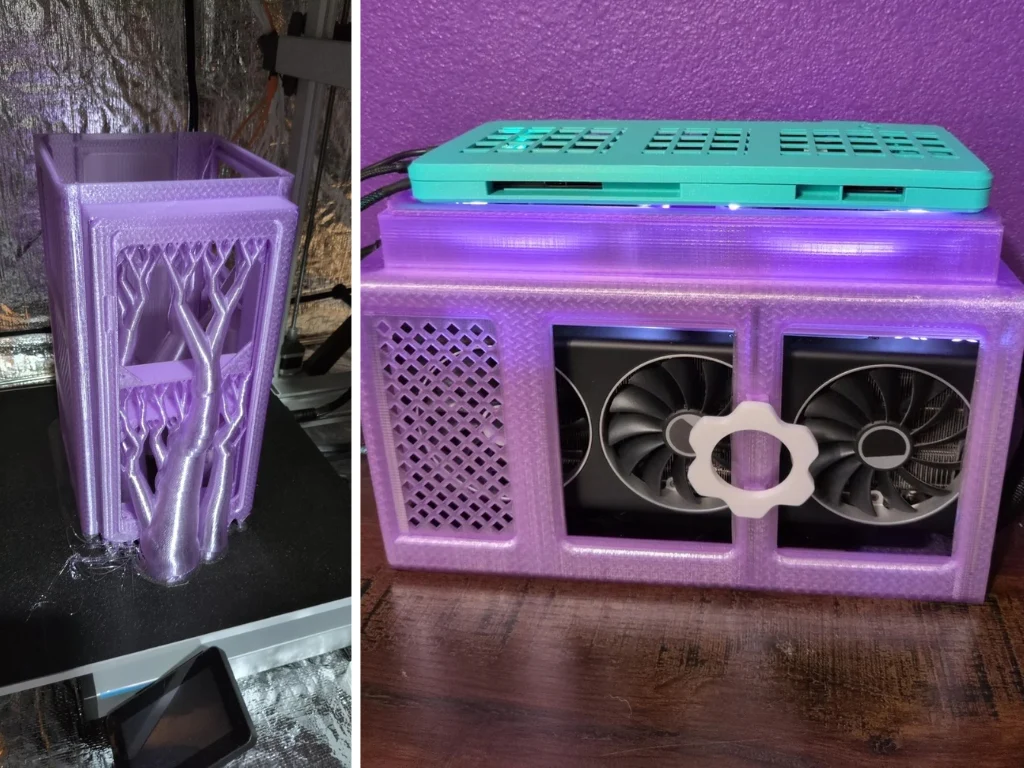
    One member of the Framework community has transformed a collection of “mystery box” mainboards into a truly innovative console creation. This individual combined a Framework 13 mainboard with a DIY Oculink eGPU setup, encasing it all in a 3D-printed shell. The degree of modularity and experimentation shown here goes beyond a simple hardware modification. It’s a project that embodies the spirit of open hardware culture, showcasing the vast potential of the Framework platform.

    The Starting Point

    This project kicked off with a Framework Ultra 7 165H mainboard, sourced from a mystery box, paired with a 7900XTX GPU through a DEG1 Oculink dock, which is currently priced at $99.99 on Amazon. The entire setup is contained within a customized, actively-cooled case that the creator developed and printed, going through several iterations of 3D models and print trials to reach the end result. A Corsair 850W PSU provides the power needed, while active cooling on the mainboard and three 120mm fans for the GPU ensure everything stays stable.

    Performance and Modularity

    The creator has thoroughly tested the build using Fedora and Bazzite OS, based on Steam Deck, for both desktop and living-room gaming. The mainboard connects through M.2 to Oculink, utilizing PCIe gen 4 x4. In actual gaming scenarios, the GPU performance reportedly achieves about 90% of what you would expect from a conventional desktop PCIe slot.

    What stands out is how the mainboard and GPU are placed in different 3D-printed enclosures. This fresh design allows for easy removal of the mainboard “cartridge,” making it portable.

    Documenting the Journey

    The build log reveals some interesting real-world issues, such as bandwidth limits found on older 12th-gen mainboards compared to newer models, the difficulties of working with PETG and ASA filaments for heat resistance, and the need for precise airflow adjustments for effective cooling. The user has meticulously recorded all the processes (you can check out the initial builds here and here), from fine-tuning firmware and cooling for the mainboard to ensuring the eGPU enclosure keeps the powerful 7900XTX under control.

    Even though this isn’t a commercially available product, it illustrates the kind of personal engineering that’s very attainable in a Framework ecosystem, where components like mainboards, adapters, OSes, and GPUs can be freely combined.

    Source:
    Link


  • iFixit Teardown: MacBook Pro M5 Shows Repair Challenges and Upgrades

    iFixit Teardown: MacBook Pro M5 Shows Repair Challenges and Upgrades

    Key Takeaways

    1. The 14-inch MacBook Pro features updates like the new Apple M5 ARM chip and a quicker SSD, but its design remains unchanged.
    2. Loud fan noise during heavy use and the lack of Wi-Fi 7 are notable criticisms of the device.
    3. Battery replacement is difficult, requiring removal of twelve adhesive strips and is sold only with a new upper case.
    4. Most repairs necessitate removing the motherboard, making the process complicated despite some minor improvements.
    5. The MacBook Pro received a low repairability score of four out of ten from iFixit, indicating significant challenges for users needing repairs.


    The 14-inch MacBook Pro has had some updates, especially with the new Apple M5 ARM chip and a quicker SSD, but the overall design hasn’t changed. In our thorough review, we noted some criticisms like the excessively loud fans during heavy use, the absence of Wi-Fi 7, and the limited maintenance options similar to the last version.

    Teardown Insights

    The teardown specialists at iFixit took the new MacBook Pro apart to check for any internal changes beyond the exterior design. One major issue is that changing the battery is still a hassle. After unscrewing the bottom and disconnecting the trackpad cable, users must remove twelve adhesive strips to free the six battery cells. It seems Apple doesn’t trust users to handle this, as they only sell the battery together with a new upper case that includes the keyboard. To do the repair as Apple suggests, almost the entire MacBook Pro needs to be disassembled.

    Repair Process

    While both speakers can be replaced quite easily, nearly all other repairs require the motherboard to be taken out, which involves dealing with many screws and unplugging various cables. Once that’s done, replacing connections, the trackpad, and the fan can be accomplished. Some minor improvements have been made compared to the last model. For instance, you can now swap the battery without needing to take out the trackpad, and Apple provides a repair manual on launch day. However, the repair process can still be quite complex, leading to a score of only four out of ten on the iFixit repair scale.

    Conclusion

    Overall, while there are some upgrades, the 14-inch MacBook Pro still faces significant challenges in terms of repairability, keeping it from being user-friendly for those who might need to fix it themselves.

    Source:
    Link


  • Nvidia RTX 5090 Founders Edition Teardown Reveals Fragile Design

    Nvidia RTX 5090 Founders Edition Teardown Reveals Fragile Design

    Key Takeaways

    1. Nvidia’s RTX 5090 Founders Edition has a complex internal design with multiple interconnected boards, increasing repair difficulty.
    2. The FPC connector used to connect the GPU to the PCIe slot is fragile and can easily be damaged during disassembly or installation.
    3. A technician found bent and broken pins on the FPC connector, likely caused by improper handling while installing custom water blocks.
    4. The card’s heavy weight adds to the challenges of servicing it, making it prone to further issues during repairs.
    5. Northridge Fix advises against water-cooling or modifying the RTX 5090 Founders Edition due to the risk of irreparable damage.


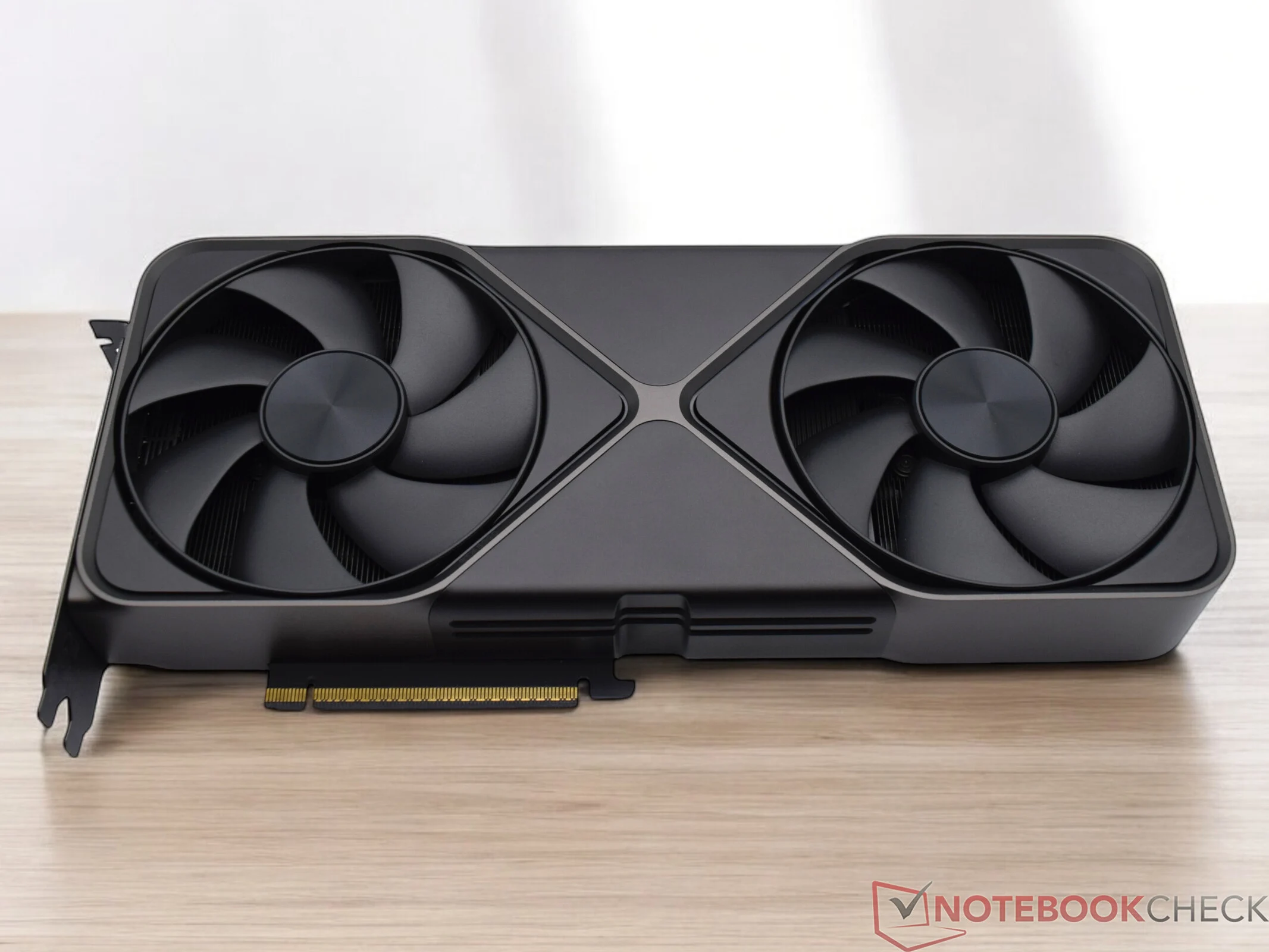
    Nvidia’s top-of-the-line RTX 5090 Founders Edition has come under fire from the repair experts at Northridge Fix. This well-known electronics repair shop and YouTube channel shared their analysis of a malfunctioning unit, expressing serious concerns about its internal structure.

    Issues with Dual RTX 5090 Cards

    The technician looked at two RTX 5090 graphics cards that were brought in by a customer who had installed custom water blocks. One card, an ASUS variant, was fixed by simply putting back the standard cooler. Unfortunately, the other one, a Founders Edition, turned out to be a real headache.

    During the disassembly, it became clear that Nvidia opted for a design featuring multiple interconnected boards instead of a single printed circuit board (PCB). The GPU connects to the PCIe slot via a thin, flexible printed circuit (FPC) connector.

    Fragility Concerns

    The technician pointed out that the FPC connector is quite fragile. Even a slight misalignment or too much bending while taking it apart could lead to disaster for the tiny pins, causing them to bend or snap. If damaged, the GPU will not send out any signal, even if the voltage rails and other circuits seem normal.

    Using a powerful microscope, the repair technician found that one pin on the FPC connector was bent, while another was completely broken. He believed this damage likely occurred during the installation of the water block.

    Repair Challenges

    Unfortunately, the technician could not find a replacement connector, so he had to conclude that the card was beyond repair.

    Aside from the fragile connector, Northridge Fix also criticized the card’s overly complex internal design. Disassembling the Founders Edition 5090 involved dealing with numerous screws, brackets, and tiny parts, which increased the risk of failure points.

    Another major concern was the card’s heavy weight, making it difficult to service. The technician commented, “The 5090 is really heavy, and when you add in delicate joints among key components, you’re just inviting problems.”

    Northridge Fix recommended that fans steer clear of water-cooling or altering the RTX 5090 Founders Edition. The absence of replacement connectors means that even a minor error could turn the GPU into a useless brick.

    Source:
    Link


  • Reddit Cheers “Indestructible” GPU Fix with Nokia Phone

    Reddit Cheers “Indestructible” GPU Fix with Nokia Phone

    Key Takeaways

    1. u/bulochklem’s computer setup features a Nokia 6124 Classic phone supporting his GPU instead of a traditional bracket.
    2. The post has received over 560 upvotes and sparked 40 comments, showcasing the community’s enthusiastic response.
    3. The creator describes his PC case as “trash from 20 years ago,” emphasizing a rugged, “post-nuclear look.”
    4. Despite some imperfections in cable management, commenters believe good airflow is more important than aesthetics.
    5. The Nokia phone is celebrated for its durability, leading to humorous comments about the phone’s toughness compared to modern hardware.


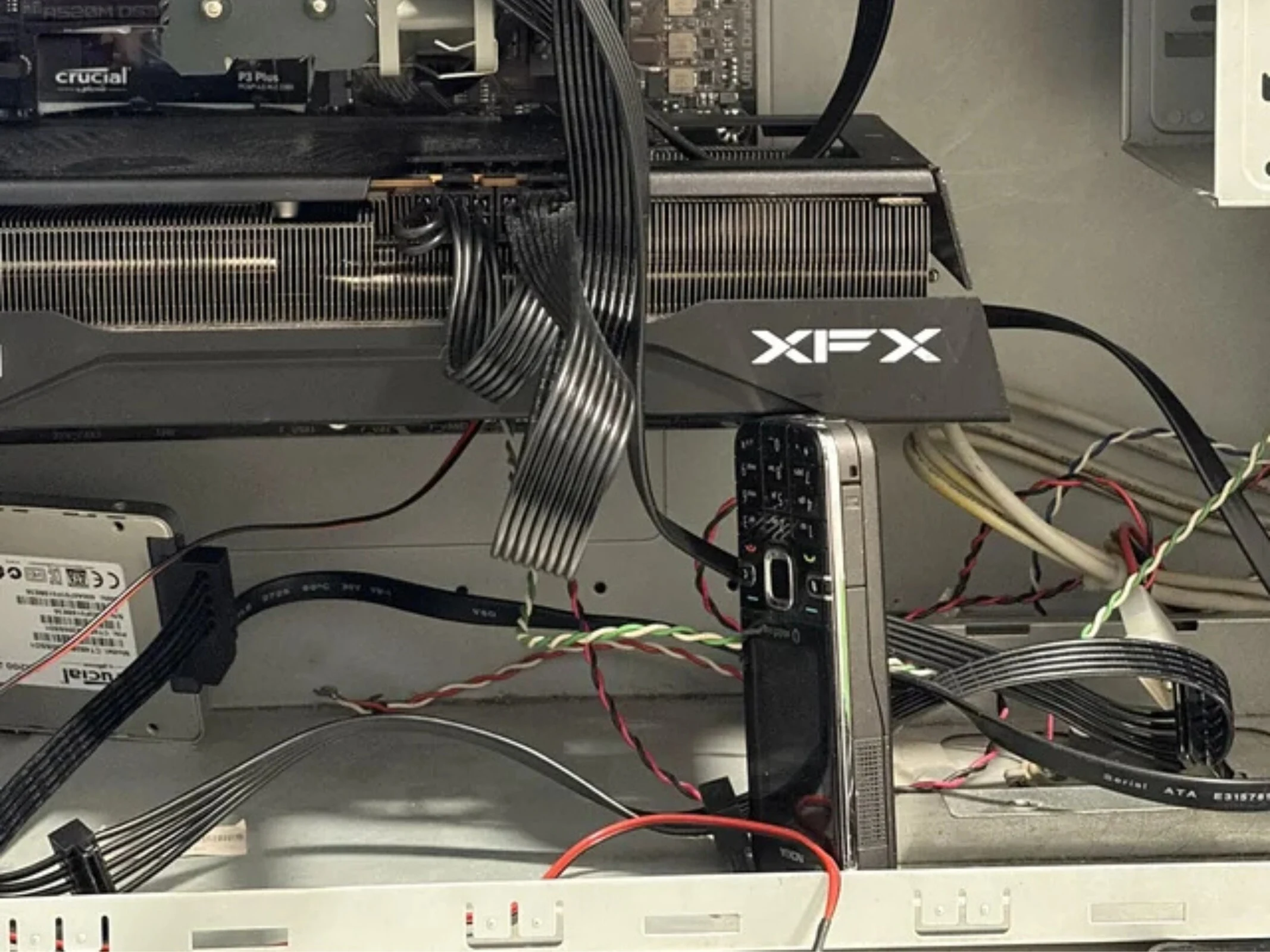
    Reddit user u/bulochklem is making headlines in the r/pcmasterrace community with his post titled “Using a Nokia to hold GPU.” He shares a peek into his computer setup, where the graphics card is held up not by a standard bracket, but by an old Nokia 6124 Classic phone. The post has gained over 560 upvotes and 40 comments, with the community responding enthusiastically and in true Reddit style.

    A Unique Approach

    The creator of this setup seems to enjoy the mix of admiration and humor his post has generated. He confesses that the PC case is “trash from 20 years ago” – a leftover from the early 2000s. In terms of cable management, while some commenters admit it’s “not perfect,” they argue that it’s “overrated as long as the airflow is good.” u/bulochklem refers to the aesthetic of his build as a “post-nuclear look,” aiming for a deliberately rugged and rough appearance.

    A Choice of Durability

    Naturally, he could have opted for a more traditional method to support his GPU, like an aluminum brace which can be found on Amazon for around $9. However, u/bulochklem selected the Nokia 6124 Classic, as few items represent durability and longevity like those old Nokia phones. In the comments section, users unleashed a flurry of jokes regarding the phone’s famed toughness. One user, u/DKkigerSC, quipped, “Your GPU will never dare to sag.” Another, u/SnookemsTheSlayer, responded wittingly, “The Nokia will destroy the GPU first.” Yet another commenter added humorously, “Either the case or the table breaks – but not the Nokia.”

    Source:
    Link


  • MateBook 14 Launches: Mid-Range Laptop with 3:2 OLED Touchscreen

    MateBook 14 Launches: Mid-Range Laptop with 3:2 OLED Touchscreen

    Key Takeaways

    1. Wiko collaborated with Huawei on the Hi MateBook 14, featuring similar designs but with unique elements like round-shaped keys.
    2. The laptop has a sleek metal body, built-in fingerprint sensor, weighs 1.32 kg, and is 14.5 mm thick.
    3. It boasts a 3:2 OLED touchscreen display with a resolution of 2,880 x 1,920 pixels, 120 Hz refresh rate, and 450 nits peak brightness.
    4. Powered by an AMD Ryzen 7 H 255 processor and integrated Radeon 780M graphics, it offers up to 15 hours of video playback and includes a 1 TB SSD with 16 GB or 32 GB RAM options.
    5. The Hi MateBook 14 will launch in China starting at ¥4,999 (about $702), with international availability details yet to be announced.


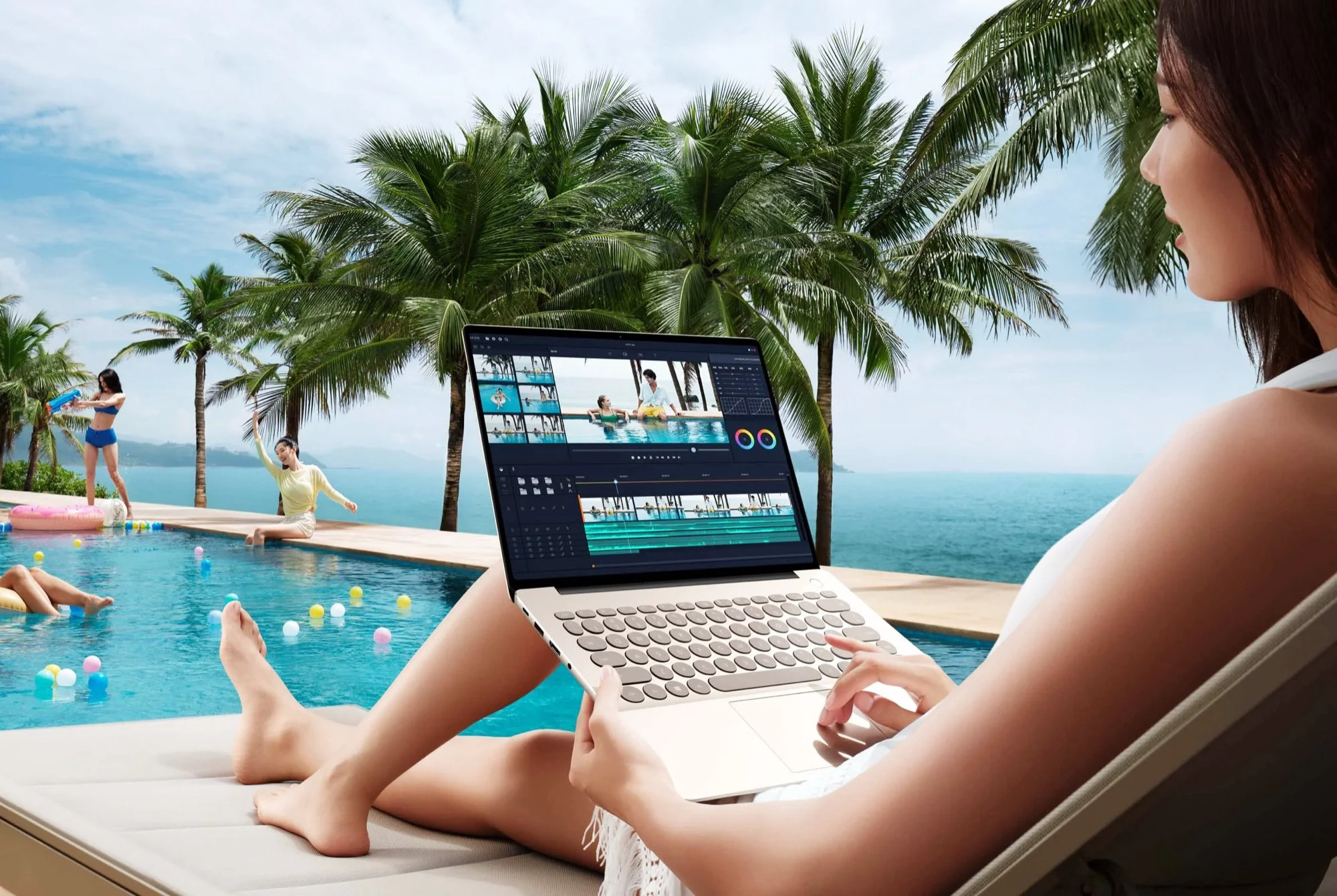
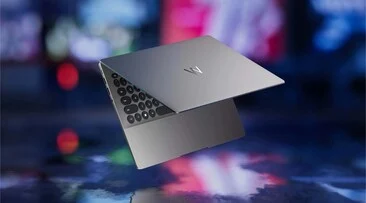
    Wiko seems to have worked closely with Huawei again on the Hi MateBook 14, as there are clear similarities with Huawei’s laptop designs and branding. However, Wiko has added some distinctive features to the Hi MateBook 14, including a keyboard with round or pill-shaped keys instead of the usual rectangular ones.

    Design and Build

    This laptop features a metal body and comes with a built-in fingerprint sensor located in the power button, all while being quite portable at only 14.5 mm (0.57 inches) thick and weighing 1.32 kg (2.9 lbs). One impressive aspect in this price range is the display: the 3:2 OLED touchscreen boasts a resolution of 2,880 x 1,920 pixels, a refresh rate of 120 Hz, and a peak brightness of 450 nits, along with a PWM frequency of 1,920 Hz to reduce noticeable flicker.

    Performance and Specifications

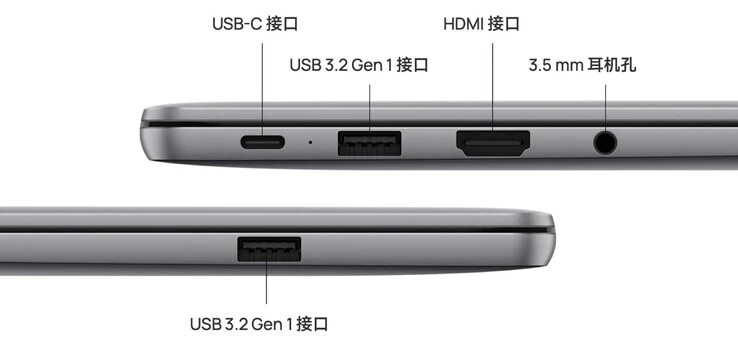
    Inside, the Hi MateBook 14 runs on an AMD Ryzen 7 H 255 processor, which has eight Zen 4 performance cores that can boost up to 4.9 GHz, along with integrated AMD Radeon 780M graphics. It comes with a sizeable 70 Wh battery, allowing the laptop to reportedly provide up to 15 hours of local video playback per charge. Wiko includes a 1 TB SSD in the device, with memory options of either 16 GB or 32 GB. In terms of ports, the laptop has a USB-C port, two USB-A ports (5 Gbit/s), an HDMI port, and a 3.5 mm headphone jack.

    Availability and Pricing

    The Wiko Hi MateBook 14 is expected to first launch in China, with a starting price of ¥4,999 (approximately $702). Details regarding pricing and availability in other countries are still pending, though some may consider direct import if they are interested in purchasing the device.

    Source:
    Link


  • Aoostar EG01: New OCuLink eGPU Launch with Pricing Details

    Aoostar EG01: New OCuLink eGPU Launch with Pricing Details

    Key Takeaways

    1. Minisforum launched the DEG2, a new version of the DEG1, priced at $99 on Amazon.
    2. Aoostar introduced the EG01 with OCuLink connectivity and compatibility with ATX or SFX power supplies.
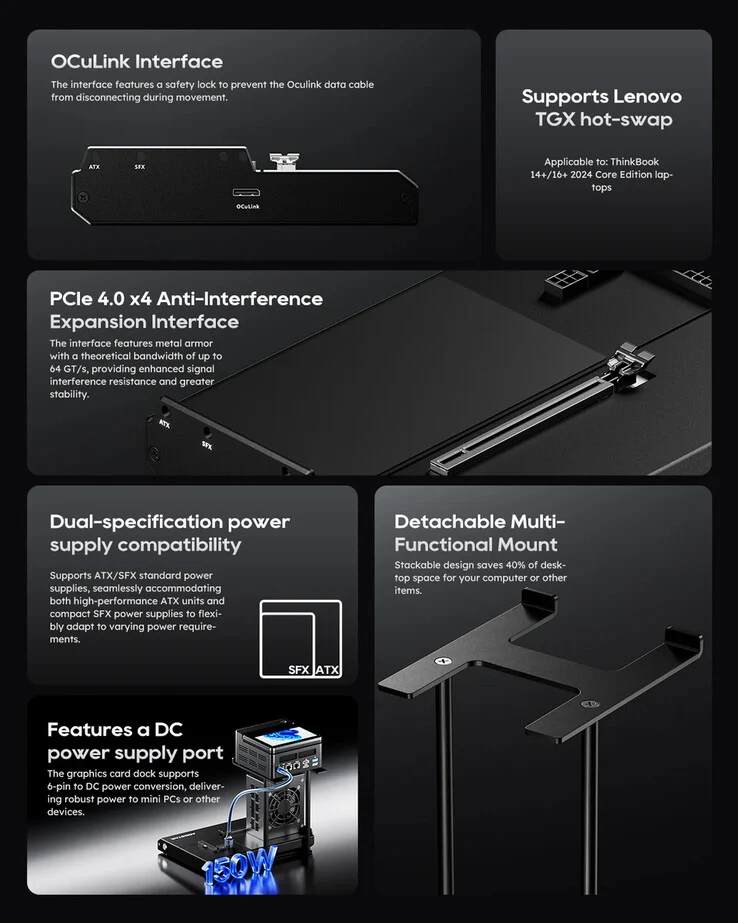
    3. The EG01 features a removable mount for attaching a mini-PC, secured with three screws.
    4. The EG01 includes 6-pin DC and 8-pin CPU connectors for power, allowing up to 150 W delivery to a mini-PC.
    5. The EG01 is priced at CNY 474 (about $67) in China and will be available for pre-order worldwide starting November 2 at $109.


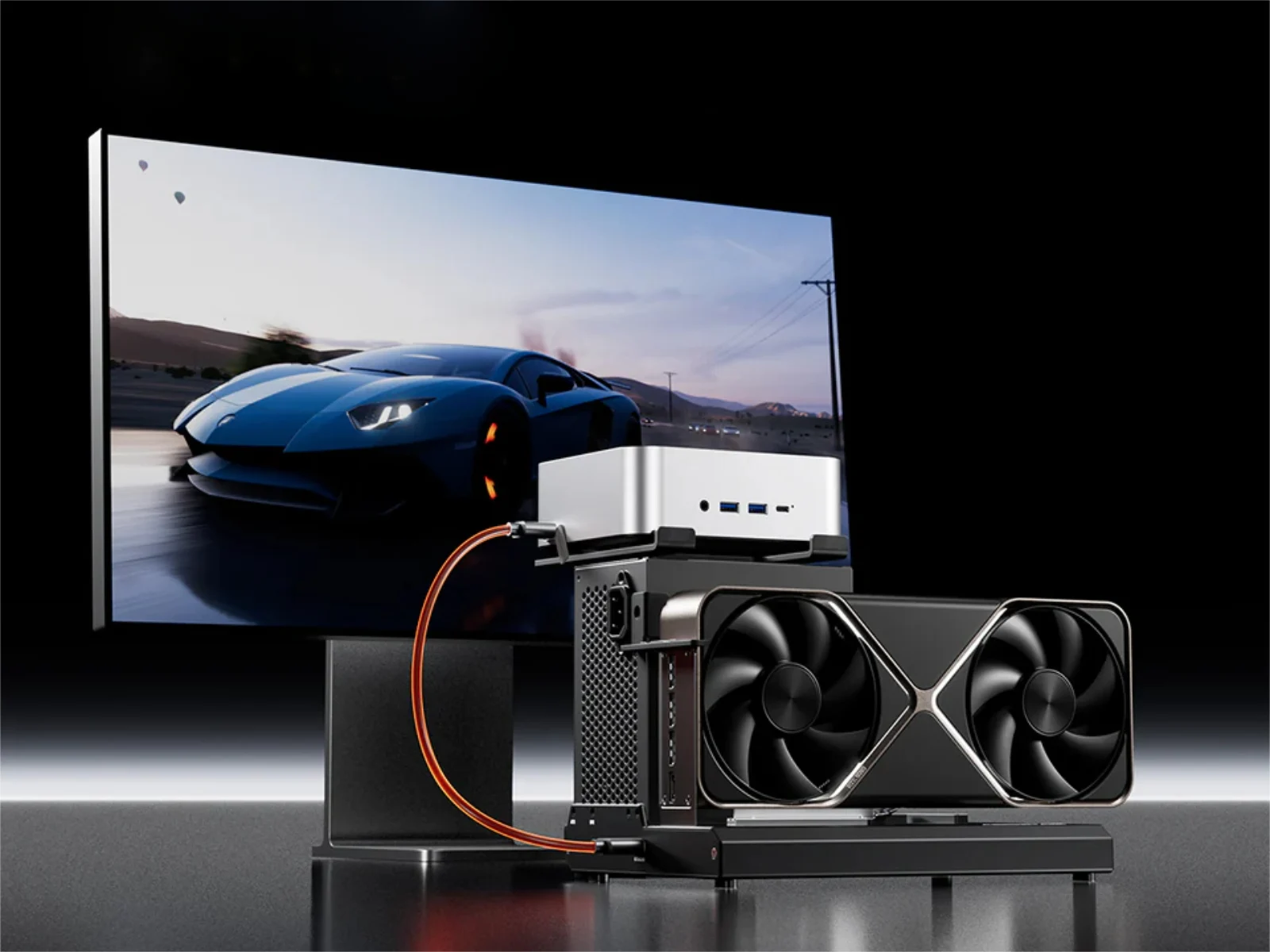
    The eGPU market is becoming more exciting once again, with Minisforum introducing the DEG2 last week as a new version of the DEG1 (currently priced at $99 on Amazon). In addition, Aoostar has launched the EG01 in China, with plans for a worldwide release coming soon. Just over a month ago, Aoostar showcased the EG01, featuring OCuLink connectivity and compatibility with either ATX or SFX power supplies (PSUs).

    Design and Features

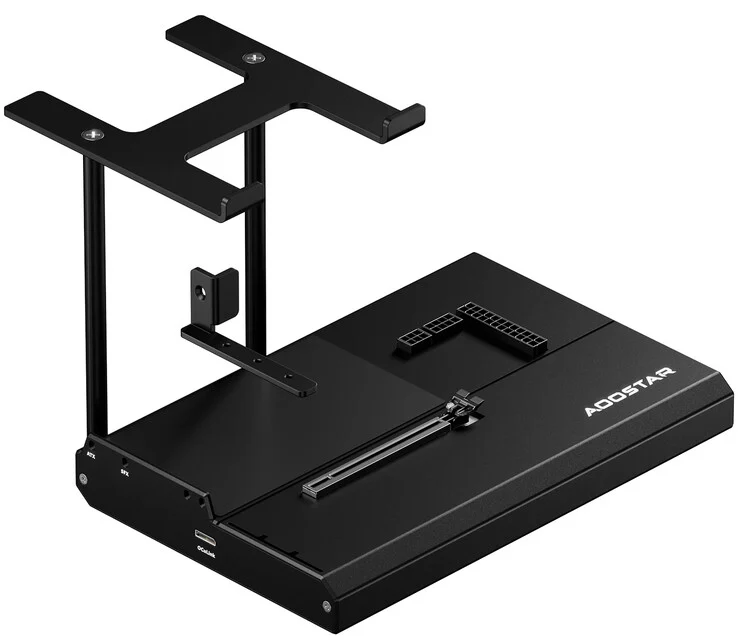
    At first glance, the EG01 looks similar to the Minisforum DEG1 but has a special mount for attaching a mini-PC. As illustrated in the image below, this mount can be removed but needs to be secured with three screws that go beneath the EG01’s bottom plate. This means that the mount is a bit more fixed than the GPU bracket used for ATX or SFX PSUs.

    Power Connectors

    One significant difference between the EG01 and the DEG1 is Aoostar’s choice to include 6-pin DC and 8-pin CPU connectors. The 6-pin connector is meant to deliver up to 150 W to a mini-PC using a DC power connector that Aoostar provides in the package. On the other hand, the 8-pin CPU connector appears to be designed for those who wish to connect a CPU directly in a more open workbench-style setup.

    Pricing and Availability

    Currently, the EG01 is being sold in China for CNY 474 (approximately $67). In comparison, the global price for the same device is set at $109. Customers can start pre-ordering the Aoostar EG01 worldwide on November 2, at 12:00 UTC.

    Source:
    Link


  • AMD Ryzen 9 9950X3D2 Release Date and Features Revealed

    AMD Ryzen 9 9950X3D2 Release Date and Features Revealed

    Key Takeaways

    1. AMD is expected to enhance the Ryzen 9 9950X3D2 with boosted 3D V-Cache and increase clock speed for the Ryzen 7 9850X3D.
    2. The Ryzen 9 9950X3D2 may not launch until December at the earliest, with a possible availability delay until Q1 2026.
    3. Retailers have not received updates about the Ryzen 9 9950X3D2 or Ryzen 7 9850X3D, supporting speculation of a 2026 release.
    4. AMD’s release strategy may coincide with Intel’s Arrow Lake Refresh launch to maintain competitive advantage in the CPU market.
    5. The upcoming Ryzen CPUs could strengthen AMD’s position as the leading gaming CPU manufacturer, building on the success of the Ryzen 7 9800X3D.


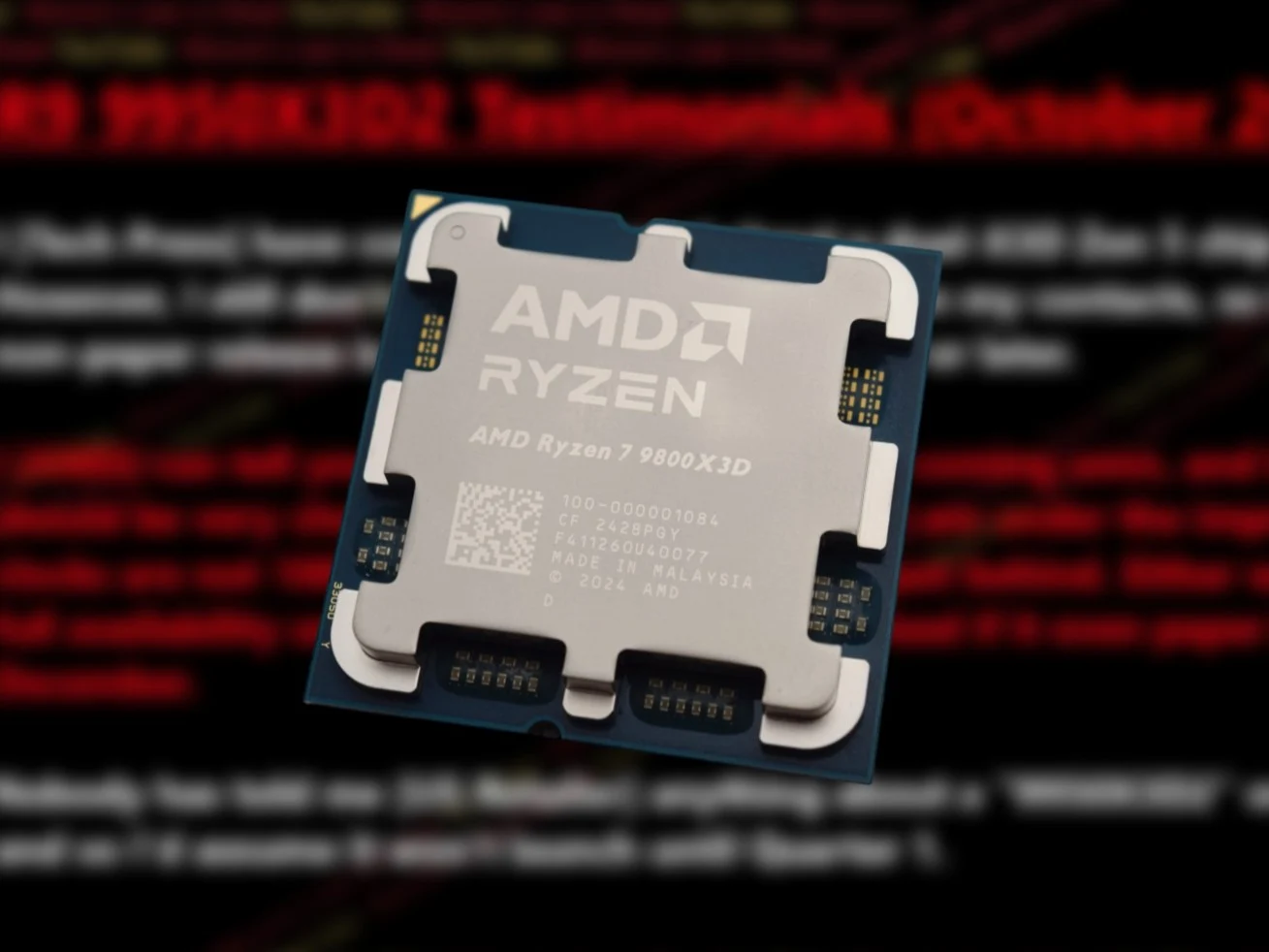
    A few days back, a leaker known as Chi11eddog shared some details on the specs for the Ryzen 9 9950X3D2 and Ryzen 7 9850X3D. It appears that AMD is set to boost the 3D V-Cache for the Ryzen 9 9950X3D2, while the Ryzen 7 9850X3D will have an increase in clock speed. Recently, Moore’s Law Is Dead has updated us with crucial information about when we might see the Ryzen 9 9950X3D2 hit the market.

    Release Timeline Insights

    According to information from various retail, AMD, and “Tech Press” sources, MLID has reported that the actual launch of the Ryzen 9 9950X3D2 is not anticipated until December at the earliest. An insider from AMD mentioned that the Ryzen 9 9950X3D2 is “coming soon,” but it’s believed that it won’t be available in stores until the first quarter of 2026. This insider also stated that the specifications that were leaked before are likely to be “close to the final spec.” However, there may be modifications to the clock speeds that AMD has previously reported.

    Retailer Silence and Implications

    In addition, a source from a “US Retailer” allegedly informed MLID that there has been no word concerning the Ryzen 9 9950X3D2 or the Ryzen 7 9850X3D. This adds weight to the expectation of a 2026 launch, as retailers would normally be briefed ahead of time if AMD were planning to introduce the Ryzen 9 9950X3D2 this year.

    Competitive Landscape

    Considering that Intel is rumored to launch the Arrow Lake Refresh desktop CPUs early next year, a Q1 2026 release for both the Ryzen 9 9950X3D2 and Ryzen 7 9850X3D seems probable. AMD might strategically time the release of these new X3D CPUs to divert attention from Intel’s new offerings.

    Currently, AMD holds the title for the fastest gaming CPU with the Ryzen 7 9800X3D (Available on Amazon). Our tests indicate that the Ryzen 7 9800X3D outperforms the Core Ultra 9 285K in gaming by over 30%. The launch of the dual-3D V-Cache Ryzen 9 9950X3D2 and the higher-clocked Ryzen 7 9850X3D could give AMD an even bigger advantage in the gaming sector.

    Regrettably, it seems unlikely that the forthcoming Arrow Lake Refresh CPUs will bridge this performance gap. Thus, we won’t see significant competition in the desktop market until the arrival of Intel Nova Lake.

    Source:
    Link