Category: Computers

  • Google’s Willow Chip: 13,000x Faster Quantum Computing Explained

    Google’s Willow Chip: 13,000x Faster Quantum Computing Explained

    Key Takeaways

    1. Google’s Willow processor executes the Quantum Echoes algorithm 13,000 times faster than the fastest classical supercomputers.
    2. The Willow chip utilizes 105 superconducting qubits, allowing for complex computations through superposition and entanglement.
    3. Designed to operate at nearly absolute zero, Willow minimizes heat and vibrational interference to maintain stability in quantum states.
    4. The reproducibility of results from the Quantum Echoes algorithm confirms quantum superiority and enhances the modeling of molecular behavior.
    5. Willow has potential applications in AI development, chemical modeling, and the design of new materials, pushing quantum computing toward practical solutions.


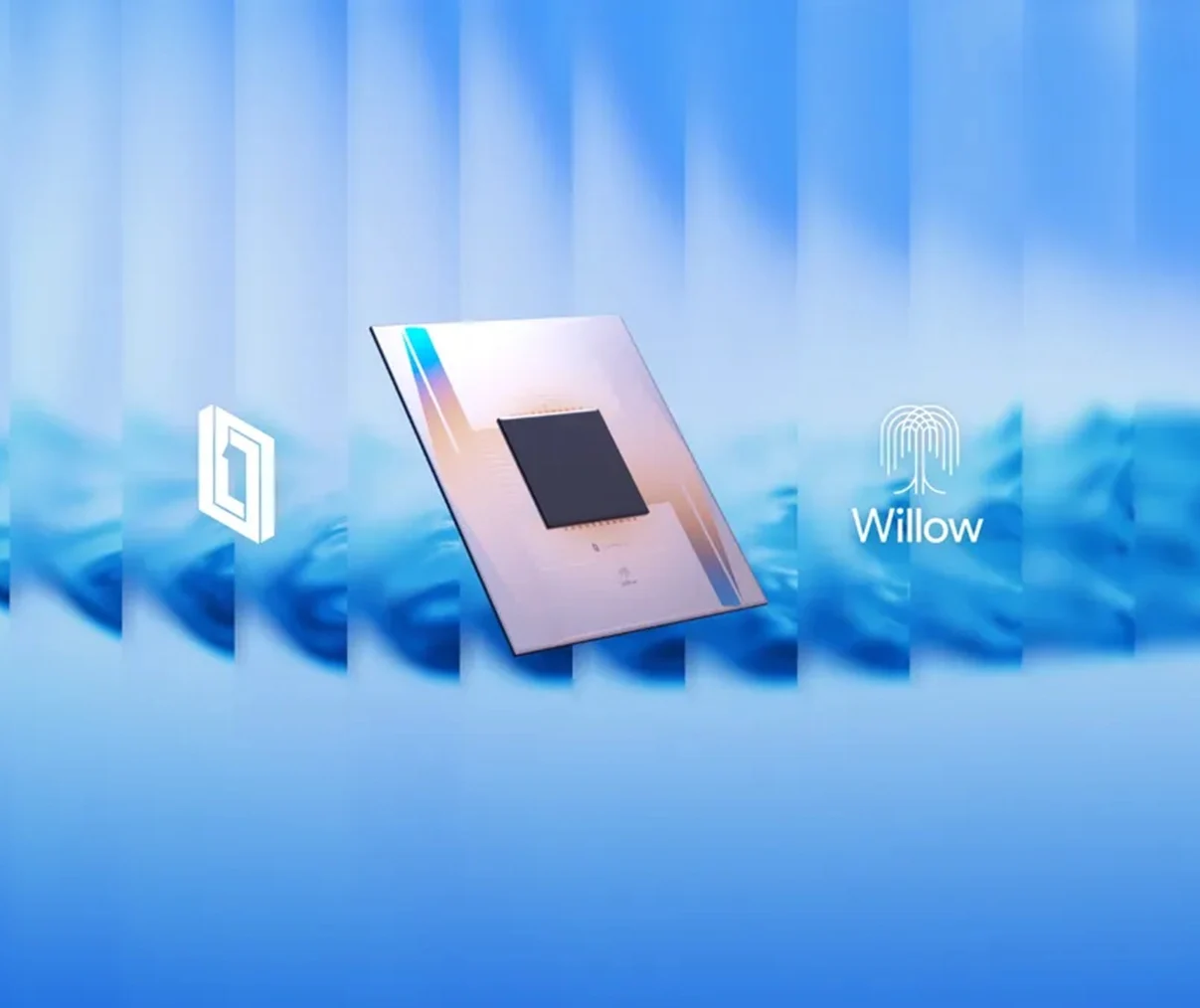
    Google has made a significant announcement regarding its advancements in quantum computing. The company’s Willow processor has successfully executed a complex Quantum Echoes algorithm approximately 13,000 times quicker than the fastest classical supercomputers available today.

    A New Era of Quantum Computing

    Willow marks a distinct progress from Google’s earlier success with the Sycamore chip back in 2019. In contrast to the latter, this new superconducting chip has tangible benefits in real-world applications. It has shown promise in areas such as AI development, chemical modeling, and research into advanced materials, as noted in findings published in Nature.

    Understanding the Technology

    The Willow chip utilizes 105 superconducting qubits (a qubit is the quantum equivalent of a classical bit, serving as the fundamental unit of information in quantum computing). Each qubit acts like a simulated atom, capable of storing information in superposition or in various states at the same time.

    When these qubits become entangled (which is a condition where two or more qubits influence each other regardless of the distance), they can transmit quantum information instantly. This allows the processor to assess numerous solutions at once.

    Stability is Key

    For quantum systems to function predictably over time, they must maintain stability in their quantum states. Therefore, Google has engineered Willow to work at nearly absolute zero, effectively minimizing heat and vibrational interference.

    The design of the chip prioritizes speed and accuracy, with reported single-qubit gate fidelities of 99.97 percent and entangling gates achieving 99.88 percent. Such specifications make Willow exceptionally well-suited for executing large-scale quantum algorithms.

    (Gate fidelity refers to how well a quantum gate operates in comparison to its perfect, error-free counterpart. The closer the fidelity is to 100 percent, the more accurately it functions as intended.)

    Verifiability and Practical Application

    The Willow project stands out primarily due to its verifiability. By validating the results of the Quantum Echoes algorithm across various machines or lab conditions, Google has fulfilled crucial criteria for asserting quantum superiority.

    The Quantum Echoes algorithm allows scientists to model molecular behavior, chemical bonds, and electronic structures with greater precision than classical simulations. The chip drove a supercomputer that completed the algorithm, yielding results in one-thirteenth-thousandth of the time required by a classical supercomputer.

    As Google researcher Tom O’Brien pointed out, the reproducibility of Willow distinguishes true breakthroughs from theoretical ones. He remarked, “If we can’t prove the data is correct, we can’t do anything with it.”

    Insights from the Experts

    Another key figure in the project, Nobel laureate Michel H. Devoret, who served as the lead physicist, stated, “We demonstrated that electrical circuits can mimic atoms. Now we are revealing what these artificial atoms are capable of.”

    The Willow superconductor chip has the potential to significantly decrease the time needed for scientists to simulate biological systems. Additionally, it could tackle scenarios where classical computing struggles to produce accurate data.

    Google’s processor is also applicable in the design of new materials and in training data-efficient AI systems. If further confirmed, the Willow breakthrough might bring quantum computation closer to practical and scalable solutions for industrial challenges.

     

  • HP ZBook X G1i 16: Upgraded ZBook Power 16 with Arrow Lake & Nvidia

    HP ZBook X G1i 16: Upgraded ZBook Power 16 with Arrow Lake & Nvidia

    Key Takeaways

    1. HP has launched the ZBook X G1i 16 mobile workstation to replace the ZBook Power 16 with a new naming system for better model distinction.
    2. The ZBook X G1i 16 features minor upgrades, including improved efficiency with Arrow Lake CPU and Blackwell GPU, resulting in better battery life.
    3. The design and features of the ZBook X G1i 16 are largely the same as the previous ZBook Power 16, offering a similar user experience.
    4. The design consistency is intentional, as manufacturers typically maintain designs for a few years before major updates.
    5. Users who don’t need the extra power of the ZBook X G1i 16 can opt for the ZBook Power 16 without losing features or compatibility.


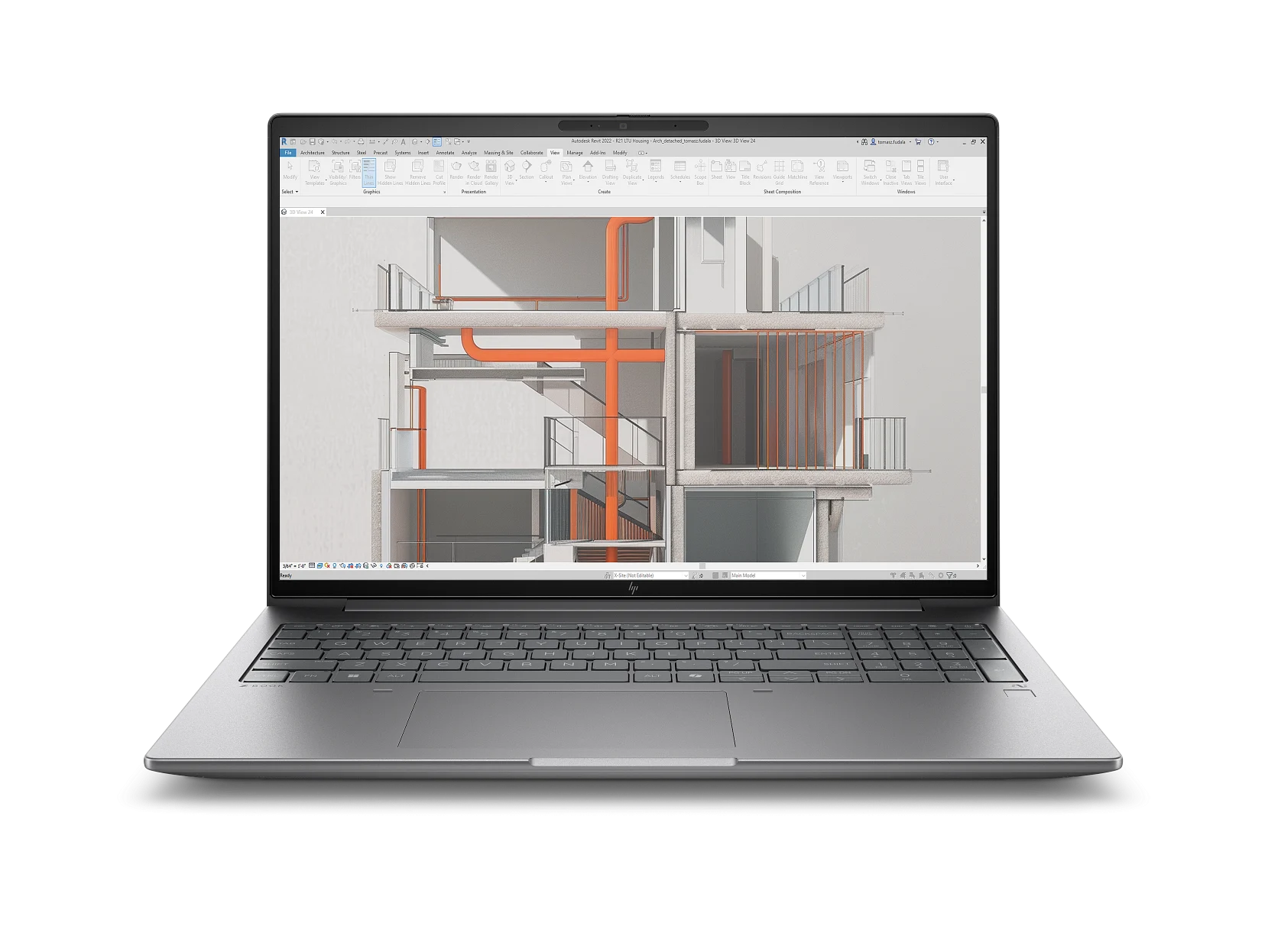
    HP has begun delivering its new ZBook X G1i 16 mobile workstation, which is set to take the place of last year’s ZBook Power 16. Similar to the OmniBook X G1a series and the EliteBook X G1a series, the ZBook X G1i 16 introduces a fresh naming system for the Power series, aiming to assist customers in distinguishing between different models more easily.

    Minor Upgrades

    Even with the updated name, the 2025 ZBook X G1i 16 doesn’t offer many significant advancements compared to the 2024 ZBook Power 16, whether that’s good or bad. The Meteor Lake CPU and Ada Lovelace GPU from the previous model have been upgraded to Arrow Lake and Blackwell, respectively, which results in improved battery life thanks to greater efficiency. Other than that, the ZBook X G1i 16 and ZBook Power 16 maintain the same chassis design and features, providing users with virtually identical experiences.

    Design Consistency

    The slight update this year was to be expected, considering the ZBook Power 16 G11 design is only a year old. Manufacturers usually like to stick with the same design for a while before rolling out a complete refresh. Therefore, users who don’t require the extra power of the ZBook X G1i 16 can save money by choosing the older ZBook Power 16 G11 without fearing any loss of features or compatibility problems.


  • SanDisk Launches Colorful USB-C Flash Drive for Kids

    SanDisk Launches Colorful USB-C Flash Drive for Kids

    Key Takeaways

    1. The SanDisk Crayola USB-C Flash Drive is designed with vibrant colors inspired by Crayola crayons, targeting kids as the main audience.
    2. Available in 64GB, 128GB, and 256GB sizes, with color options like Cerulean Blue, Electric Lime, and Mango Tango.
    3. It supports USB 3.2 Gen 1 with speeds up to 5 Gbps and works with the SanDisk Memory Zone app for file organization and backup.
    4. Pricing starts at $14.99 for the 64GB model and goes up to $28.99 for the 256GB version, which is more expensive than the plain SanDisk Luxe USB-C Flash Drive.
    5. Each purchase includes a 3-month subscription to the Crayola Create and Play app, which must be activated by December 31, 2027.


    SanDisk has unveiled an eye-catching flash drive that’s all about color. The SanDisk Crayola USB-C Flash Drive takes its design cues from Crayola’s vibrant crayons. Although it appeals to everyone, it seems like kids are the main target audience for this product.

    Colorful Options and Storage Capacity

    The SanDisk Crayola USB-C Flash Drive comes in 64GB, 128GB, and 256GB sizes, with color choices including Cerulean Blue, Electric Lime, and Mango Tango. This flash drive is ideal for storing school assignments, art projects, photos, games, and books, and it can connect to any devices equipped with a USB-C port, like smartphones, tablets, or computers.

    Compatibility and Features

    Additionally, the flash drive works with the SanDisk Memory Zone app, which is available for Windows, iOS, and Android. This app allows users to organize and back up their files easily. The SanDisk Crayola USB-C Flash Drive offers USB 3.2 Gen 1, boasting a maximum theoretical speed of 5 Gbps (625 MB/s). Given its intended audience of kids, it’s a bit surprising that it lacks water resistance or a sturdy design.

    Pricing and Subscription Offer

    The pricing for the SanDisk Crayola USB-C Flash Drive starts at $14.99 for the 64GB model and increases to $19.99 for the 128GB option. The 256GB model is the priciest at $28.99, making it more costly than the plain SanDisk Luxe USB-C Flash Drive (256GB), which is priced at $24.95 on Amazon.

    Along with Crayola, each purchase of the SanDisk Crayola USB-C Flash Drive comes with a 3-month subscription to the Crayola Create and Play app. To activate this subscription, users will need to set up a new account and have internet access. They must also redeem the offer on or before December 31, 2027.


  • Minisforum DEG2: New Thunderbolt 5 eGPU Dock with OCuLink

    Minisforum DEG2: New Thunderbolt 5 eGPU Dock with OCuLink

    Key Takeaways

    1. The Minisforum DEG2 eGPU dock introduces a Thunderbolt 5 port alongside the OCuLink connection for enhanced compatibility.
    2. The Thunderbolt 5 interface allows the DEG2 to work with systems that do not have an OCuLink port, including the Minisforum MS-S1 Max.
    3. Performance tests indicate that OCuLink is superior to Thunderbolt 5, but the DEG2 uses the Intel JHL9480 controller and has a full-length PCIe slot for standard GPUs.
    4. The eGPU dock features an M.2 2280 slot for additional storage, supporting drives like the 2 TB Samsung 990 EVO Plus.
    5. The DEG2 is compatible with SFX and ATX power supplies but does not include a built-in power supply unit (PSU).


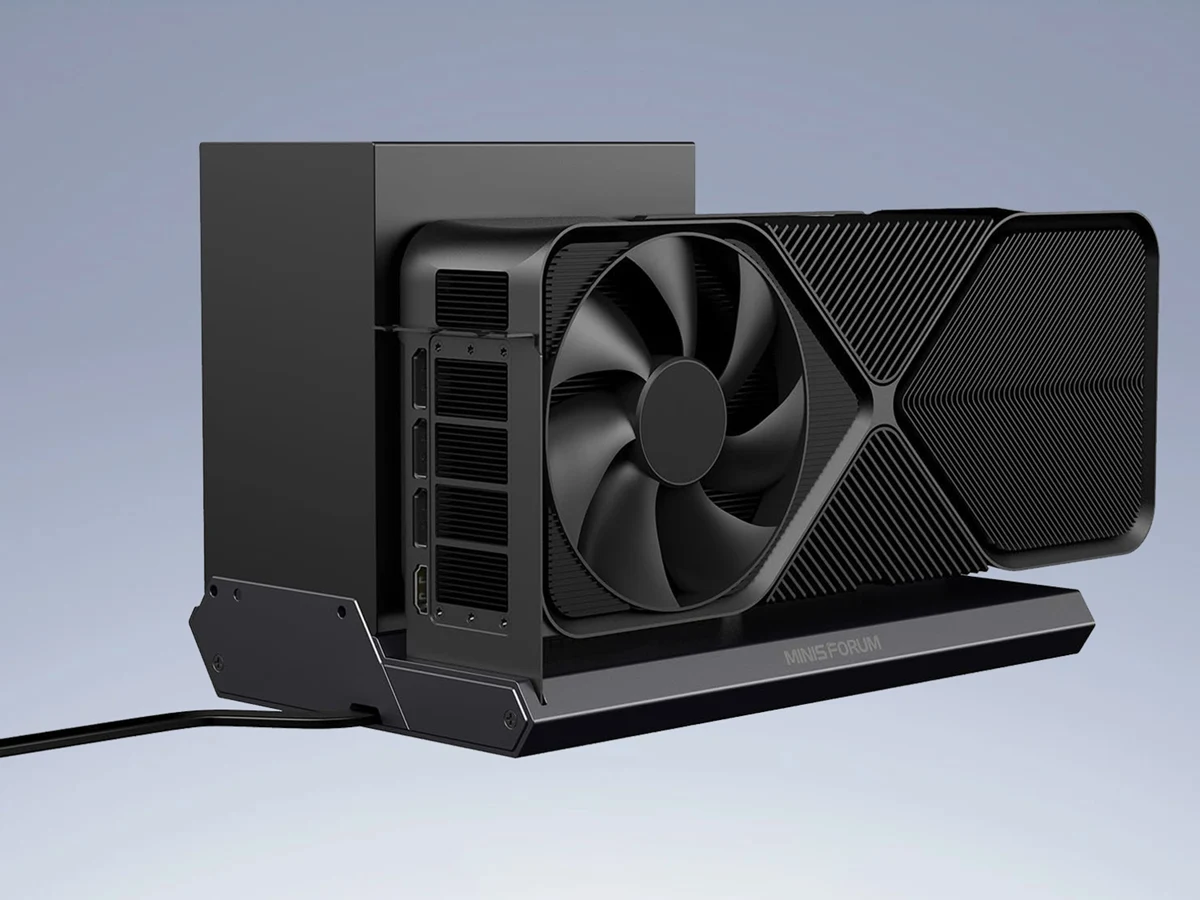
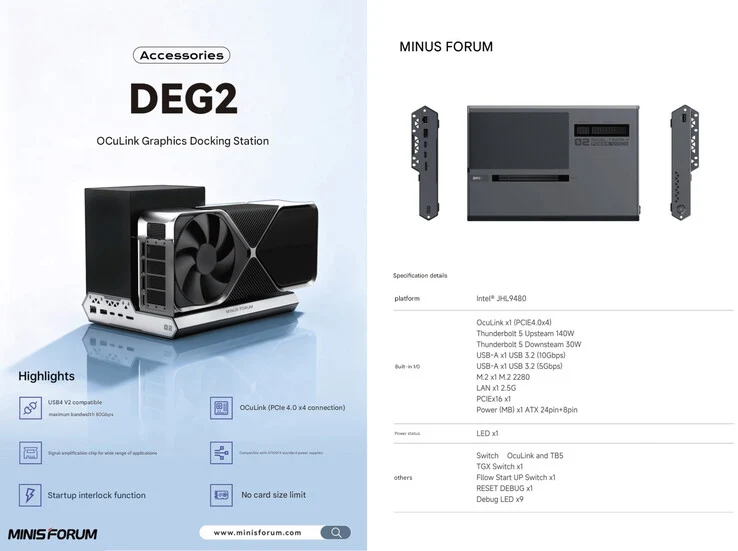
    Minisforum has revealed their latest eGPU dock, the DEG2, during the Japan IT Week 2025 event. This new model directly follows the DEG1, which was an external GPU dock that only used the OCuLink connection. The DEG2, however, brings greater flexibility, now including a Thunderbolt 5 upstream port in addition to the OCuLink interface.

    Compatibility and Connections

    With the addition of the Thunderbolt 5 port, the DEG2 can work with systems that lack an OCuLink port, such as the newly released Minisforum MS-S1 Max. It’s worth mentioning that the Thunderbolt 5 interface on this dock is not just compatible with the new 80 Gbps USB4 v2 port, but also supports older Thunderbolt ports.

    Performance Considerations

    Recent tests have suggested that when it comes to performance, OCuLink is still superior to Thunderbolt 5. Despite this, Minisforum points out that the DEG2 uses the Intel JHL9480 controller and features a full-length PCIe slot that can accommodate a standard desktop GPU.

    In addition to this, the eGPU dock provides various expansion options. For instance, the Minisforum DEG2 includes an M.2 2280 slot for boosting the storage capacity of the connected system, supporting a 2 TB Samsung 990 EVO Plus, which is currently priced at $139.99 on Amazon. It also has several other ports for added functionality.

    Power Supply Options

    Like its predecessor, the Minisforum DEG2 does not include a built-in power supply unit (PSU). However, it is compatible with both SFX and ATX power supplies. While Minisforum has not yet revealed the launch date or pricing information for the eGPU dock, it is expected that these details will be available soon.


  • MutantC: Customizable Open-Source Linux Handheld Device

    MutantC: Customizable Open-Source Linux Handheld Device

    Key Takeaways

    1. The MutantC project is popular and accessible, suitable for beginners in crafting.
    2. Requires a 3D printer or third-party printing service; separate purchase of two circuit boards is necessary.
    3. Features a Raspberry-pi CM4 module and a sliding TFT touchscreen available in 4.3-inch or 5-inch sizes.
    4. Offers connectivity options with two USB 2.0 ports, GPIO ports, and add-on boards for extended capabilities.
    5. Versatile use cases include controlling home devices, serving as a portable computer, or acting as a home automation controller.


    The MutantC project has gained a lot of popularity and is now in its fifth iteration. This project is designed to be quite accessible, making it a great choice even for those who are not very experienced in crafting. Typically, you’ll need a 3D printer to create it, but you can also get the printing done by a third-party service if you prefer. Moreover, there are two circuit boards that usually need to be bought separately. You can choose between two models that differ in thickness: either 39 mm or 42 mm, and you can select a battery capacity of either 7,000 mAh or 10,000 mAh.

    Hardware Specifications

    At the heart of the MutantC is a Raspberry-pi CM4 module, which serves as the computing engine. The TFT touchscreen is available in sizes of 4.3 inches or 5 inches and cleverly slides up to uncover the keyboard. There’s also a thumbstick located on the right side for controlling the mouse. You can connect the device to an external display, making it a good option for office tasks like text editing on a larger screen.

    Connectivity Options

    The device comes with two USB 2.0 ports and GPIO ports that support SPI and I2C, enabling you to connect various external sensors and actuators. Furthermore, you can use add-on boards to extend its capabilities, such as adding an M.2 2280 SSD, extra USB ports, or Ethernet connectivity. To put everything together, you will need a soldering iron, and having a scalpel on hand could be handy too. Ultimately, the MutantC can serve many functions, from controlling home devices to functioning as a portable computer or even a home automation controller.

  • iMac Alternative: Sixunited AXA33 with AMD Ryzen, 4K OLED, 128GB RAM

    iMac Alternative: Sixunited AXA33 with AMD Ryzen, 4K OLED, 128GB RAM

    Key Takeaways

    1. The Sixunited AXA33 features a powerful AMD Ryzen Strix Halo chipset and a sleek design, positioning it as a strong competitor to the Apple iMac.
    2. The top configuration includes the AMD Ryzen AI Max+ 395 with 16 Zen 5 cores and an AMD Radeon 8060S integrated GPU, suitable for demanding gaming at high settings.
    3. Users can choose up to 128GB LPDDR5x RAM and dual M.2 PCIe 4.0 SSDs for enhanced performance and storage.
    4. The 27-inch display offers options for OLED or IPS panels with a 3840 x 2160 resolution and 60Hz refresh rate, housed in an aluminum body with a privacy shutter for the webcam.
    5. Connectivity features include a USB-C port with USB 4 support, five USB-A ports, HDMI 2.0, dual 2.5Gbps Ethernet ports, and an SD card reader, with pricing and availability yet to be announced.


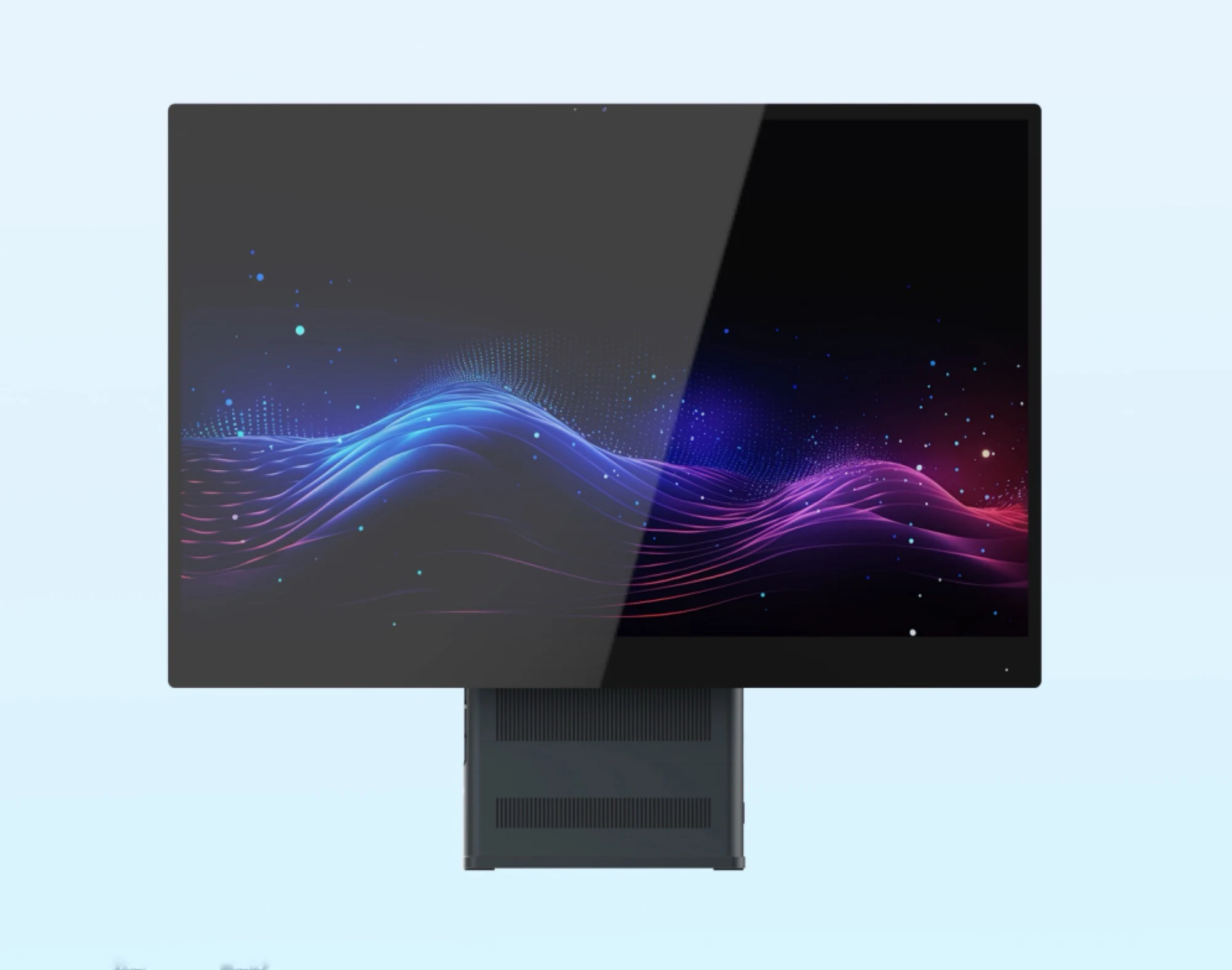
    The Sixunited AXA33 could be a strong rival to the Apple iMac, which starts at $1,182 on Amazon. This product features a fast AMD Ryzen Strix Halo chipset in a sleek design. The specifics about the processors are not yet fully disclosed.

    High-Performance Setup

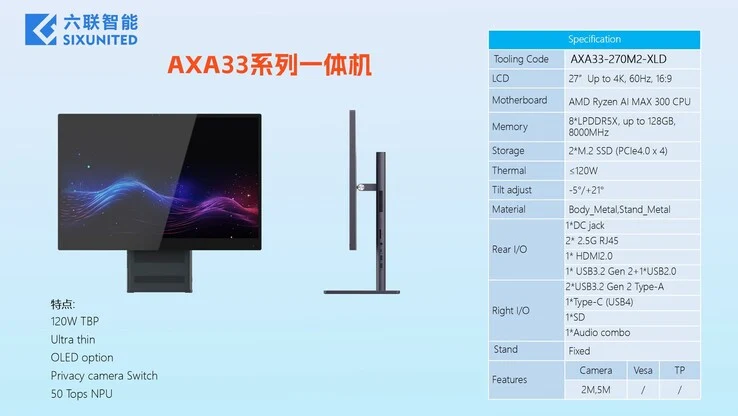
    The top configuration is expected to include the AMD Ryzen AI Max+ 395, which comes with 16 Zen 5 performance cores, alongside the very fast AMD Radeon 8060S integrated GPU. With a thermal design power (TDP) of 120 watts, this chipset should be powerful enough to handle demanding games like The Elder Scrolls IV Oblivion Remastered or Assassin’s Creed Shadows at 1080p with high graphics settings. In addition, Sixunited provides options for up to 128GB LPDDR5x RAM and two M.2 PCIe 4.0 solid-state drives.

    Impressive Display Features

    The 27-inch screen can be either an OLED or IPS panel, boasting a resolution of 3840 x 2160 pixels and a refresh rate of 60Hz, depending on the choice of configuration. The body and stand are crafted from aluminum, and there is a privacy shutter that can cover the 5MP webcam. This all-in-one computer is also equipped with one USB-C port supporting USB 4 (40Gbps), five USB-A ports, HDMI 2.0, two Ethernet ports with 2.5Gbps capabilities, and an SD card reader.

    As is typical for Sixunited, no specific pricing or availability information has been made public, since this competitor to the iMac will likely be marketed by OEMs under various brand names and product labels.


  • Fujitsu FMV Note A: 16″ Laptop with Blu-ray, USB 4 & Ryzen 7

    Fujitsu FMV Note A: 16″ Laptop with Blu-ray, USB 4 & Ryzen 7

    Key Takeaways

    1. The Japanese laptop market features unique designs, including laptops with round trackpads and lightweight models with small batteries.
    2. The Fujitsu FMV Note A includes a Blu-ray drive, catering to the increased demand for optical drives as Windows 10 support ends.
    3. Despite its modern processor, the FMV Note A has somewhat dated specifications, including 16GB of RAM and a 512GB SSD.
    4. The FMV Note A weighs nearly 4.2 lbs and has a 50Wh battery, offering about 6.7 hours of video playback.
    5. The laptop is available in Japan, with prices starting at around $820 for the base model and reaching about $1,400 for the high-end version, but it is not typically sold in Europe and North America.


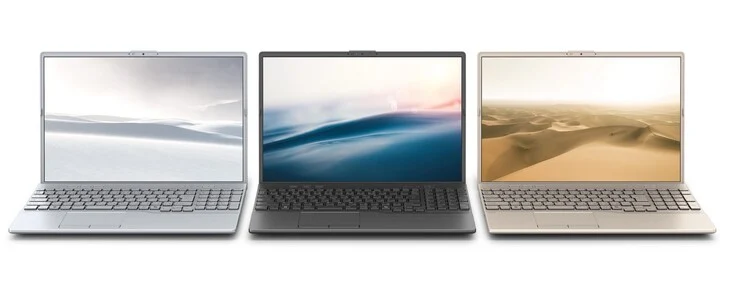
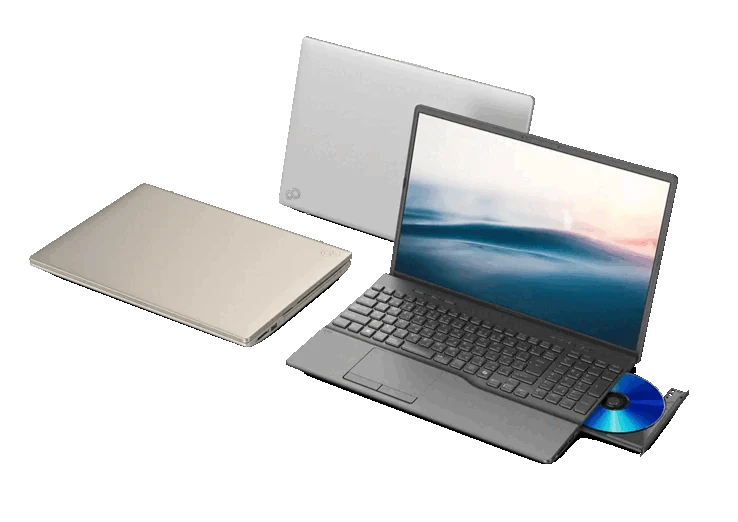
    The Japanese laptop market is quite unique. Notebooks featuring a round trackpad are nearly exclusive to Japan, and many of the lightest laptops in the world hail from this country. These lightweight models often come with very small batteries, which might not do well in other markets. The recently launched Fujitsu FMV Note A is a bit different, as it includes a Blu-ray drive.

    Demand for Optical Drives

    The launch timing isn’t random; the approaching end of Windows 10 support has led to a rise in demand for new computers that have optical drives. However, aside from the Blu-ray drive, the FMV Note A’s specs are somewhat dated. Its high-end version runs on an AMD Ryzen 7 7735U from 2023, but it only has 16GB of RAM and a 512GB SSD. The 16-inch IPS screen comes with a 16:10 aspect ratio and a resolution of 1920 x 1200 pixels.

    Weight and Connectivity

    Weighing nearly 4.2 lbs and measuring over an inch in height, the FMV Note A isn’t exactly a featherweight laptop. This heft is likely due to the disc drive mentioned earlier, as its 50Wh battery is not particularly big. Fujitsu claims that it can last for about 6.7 hours while watching videos. The laptop also boasts several connectivity options, including two USB-C ports (one of which supports USB 4). Additionally, it has two USB-A ports, HDMI, Gigabit Ethernet, and an SD card reader.

    Pricing and Availability

    The Fujitsu FMV Note A is already on sale in Japan. The starting model features an Intel Core i3-1315U, 8GB RAM, a 256GB SSD, and a DVD drive, priced at about $820. The top-tier model, equipped with an AMD Ryzen 7 7735U, 16GB RAM, a 512GB SSD, and a Blu-ray drive, costs around $1,400. Typically, Fujitsu FMV laptops are not sold directly in Europe and North America, so customers there can only obtain these devices through imports from Japan.


  • Ayaneo AM03 Mini-PC: Artistic Design Meets Flagship Performance

    Ayaneo AM03 Mini-PC: Artistic Design Meets Flagship Performance

    Key Takeaways

    1. Ayaneo launched several new handheld devices in 2023, including the AM01S, Flip 1S, Pocket Air Mini, and Pocket DS.
    2. The Ayaneo 3 is currently priced at $1,399 on Amazon and was released earlier this year.
    3. The new AM03 mini-PC features a bold design and is expected to combine performance with aesthetics.
    4. The AM03 will include various connectivity options, such as front-facing USB Type-A, Type-C, and 3.5 mm ports, as well as dual video outputs and Ethernet on the back.
    5. Ayaneo is likely to use AMD APUs for the AM03, consistent with their previous mini-PCs and gaming handhelds.


    Ayaneo has launched a lot of devices this year, many of which were showcased during a summer event for strategic sharing. Recently, it began selling the AM01S, Flip 1S, Pocket Air Mini, and Pocket DS over the past few months. These new handhelds are now part of the lineup that includes the Ayaneo 3, which is currently priced at $1,399 on Amazon, released earlier this year.

    New Mini-PC Launch

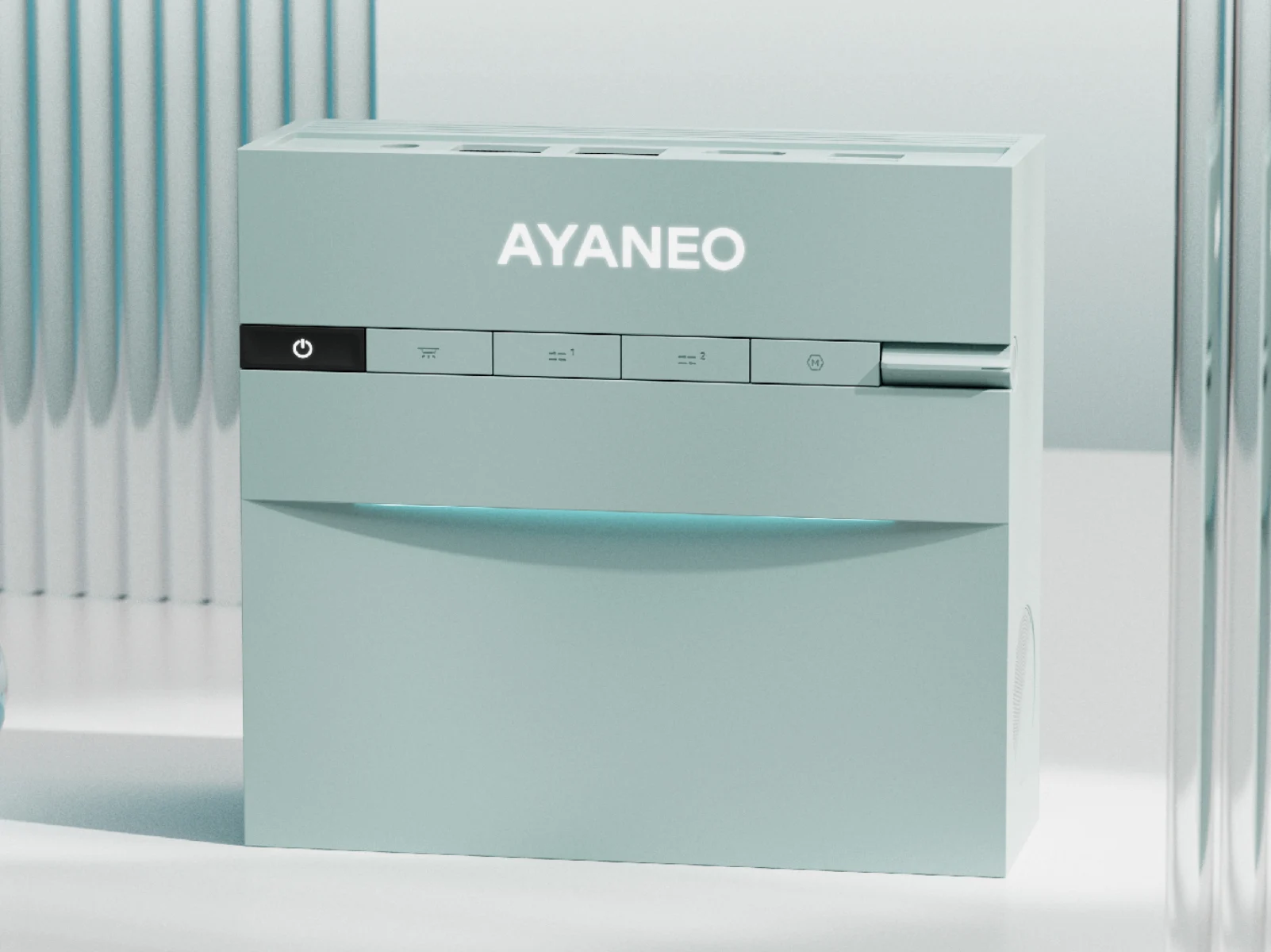
    Now, Ayaneo is back with its AM mini-PC series, introducing the AM03 that was also hinted at during the summer. To summarize, the company first teased the AM03 in two colors and with a ‘bold new design language.’ Furthermore, Ayaneo suggested that the AM03 would combine performance with an artistic look, although no detailed information was shared.

    Teasers and Features

    As shown in the embedded tweet below, Ayaneo has announced that ‘more exciting’ details regarding the AM03 are ‘coming soon.’ Sadly, the company is currently only distributing images of the mini-PC. However, its appearance this summer confirms that its stylish exterior conceals front-facing USB Type-A, Type-C, and 3.5 mm ports.

    Design and Connectivity

    Additionally, it appears that the AM03 features built-in speakers located on both the left and right sides. On the back, there are dual video outputs, Ethernet, and Type-A ports. Likely, Ayaneo will use AMD APUs again, as it usually does for its mini-PCs and gaming handhelds.

  • Noctua 20th Anniversary: NP-DM3 Desk Mat & New Website Launch

    Noctua 20th Anniversary: NP-DM3 Desk Mat & New Website Launch

    Key Takeaways

    1. Noctua, founded in 2005, has grown from 10 to over 80 employees in 20 years.
    2. The company launched a new modern website to enhance product exploration.
    3. Noctua’s products are only available through retailers, not directly to consumers.
    4. To celebrate its anniversary, Noctua released a durable desk mat featuring a timeline of its key products.
    5. The desk mat is machine washable and currently retails for $39.99 on Amazon.


    Vienna-based fan maker Noctua, which started in 2005, has expanded its team from just ten to more than 80 people. To mark its 20th anniversary, Noctua has launched a new website that features a much more modern look, making it simpler to explore Noctua’s range of products.

    Retail Availability and Anniversary Product

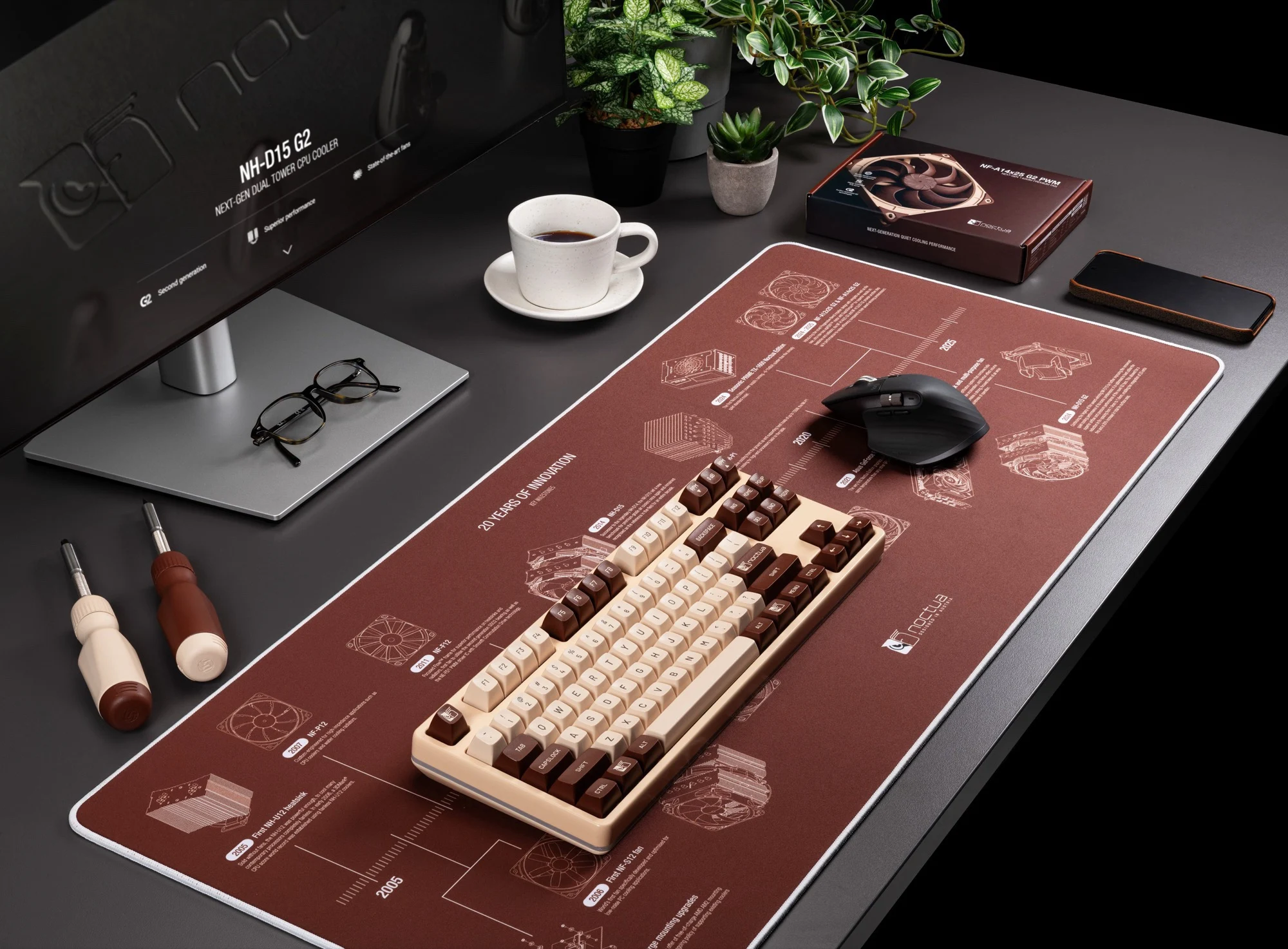
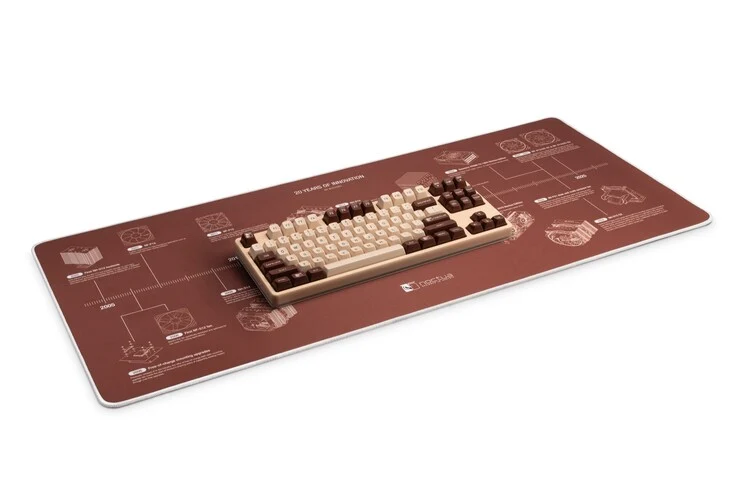
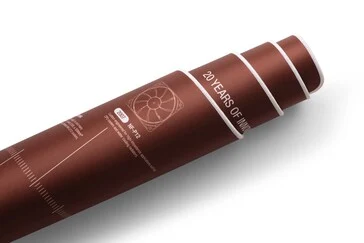
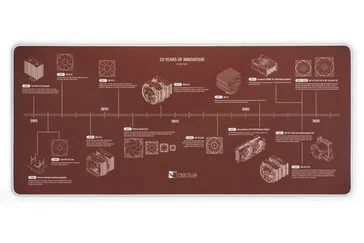
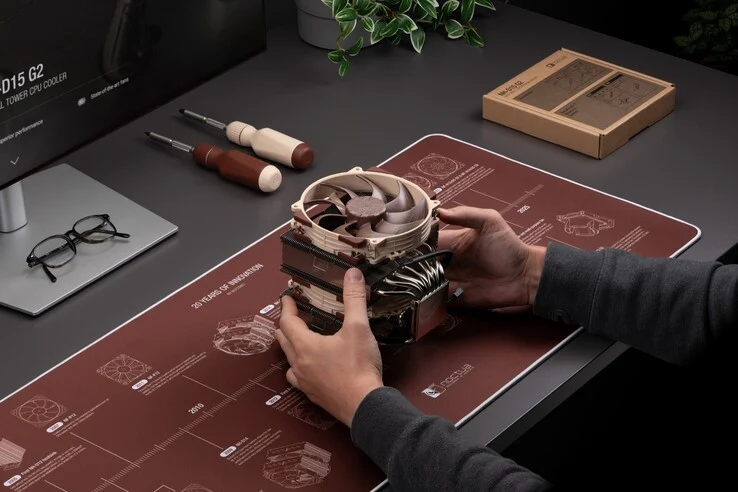
    Noctua’s items aren’t sold directly to the end users, instead, they are available only through retailers. Alongside the new website, the company has released a desk mat in its classic brown color to celebrate its anniversary. The mat has a non-slip bottom and stitched edges for durability. Measuring 90 x 40 centimeters, it provides ample room for a keyboard and mouse. A standout feature is the print that is resistant to wear, showcasing a timeline of Noctua’s key products from the last two decades.

    Product Evolution and Care Instructions

    Noctua has seen considerable growth in its product lineup over the years, starting with the NH-U12 CPU cooler in 2005, which came without a fan, and followed by the first fan, the NF-S12, in 2006. Recently, they introduced the Asus GeForce RTX 3070 Noctua Edition and the NV-FS1 table fan. Notably, Noctua mentions that the desk mat can be machine washed on a gentle 30-degree cycle without spinning.

    The Noctua NP-DM3 desk mat is currently listed on Amazon at $39.99. You can find more details about the desk mat on the newly revamped Noctua website.


  • Lingmo OS 3.0: Slim macOS Clone for Old PCs – Stable & Fast

    Lingmo OS 3.0: Slim macOS Clone for Old PCs – Stable & Fast

    Key Takeaways

    1. Lingmo OS is based on Debian 12 “Bookworm,” providing high stability.
    2. The interface, “LingmoUI,” is designed to resemble macOS for user comfort.
    3. It uses the 6.12 LTS kernel for enhanced stability.
    4. Users can install applications using the Lingmo Package Manager (LPM) or other compatible package managers.
    5. Lingmo OS 3.0 has low system requirements, making it suitable for older computers and laptops.


    Lingmo OS is built on Debian 12 “Bookworm,” which is known for its high stability and is also the base for Q4OS. From this solid foundation, the developers have created their own interface, called “LingmoUI,” which closely resembles the appearance of macOS.

    User-Friendly Design

    The design of Lingmo OS is intended to make the user experience easier and to help those switching from MacOS feel comfortable. An important aspect of Lingmo OS is its stability, so it’s logical that the developers are using the 6.12 LTS (Long-Term Support) kernel as a base.

    Package Management

    To install new applications, users can utilize the Lingmo Package Manager (LPM). However, because Lingmo OS 3.0 is founded on Debian, other package managers like Synaptic or Discover are also likely to be compatible.

    System Requirements

    This OS could be a great choice for owners of older computers, laptops, and notebooks, as the system requirements for Lingmo OS 3.0 are quite low. The specifications are:

    The ISO image, which was updated on October 19, has a size of 3.4 GB and can be download directly from the website.