Tag: MacBook Neo

  • Asus Laptop Deal: Save $170 vs MacBook Neo—Double RAM, Backlit Keyboard

    Asus Laptop Deal: Save $170 vs MacBook Neo—Double RAM, Backlit Keyboard

    Key Takeaway

    1. The $599 Apple MacBook Neo presents significant challenges for Windows laptop manufacturers, prompting price reductions in competing models.
    2. The Asus Vivobook 14 CoPilot+ is available at a discounted price of $429.99, offering better specifications (16 GB RAM, 512 GB storage) and features compared to the MacBook Neo.
    3. The Vivobook 14 has notable drawbacks, such as a lower-quality display, plastic build material, and a less powerful Snapdragon processor, but remains a strong value for its price.

    Introduction to the New Asus Laptop

    The Asus Vivobook 14 CoPilot+ has recently gained attention due to its affordable price point and impressive features. According to the Asus CEO, the new Apple MacBook Neo caused quite a stir, and it has been challenging for Windows-based laptop manufacturers to keep up. This particular model, costing $599, stands out by providing a premium experience that feels even more expensive. The current landscape leaves other laptop providers scrambling, often resorting to price cuts on their existing lineup to stay competitive, which benefits users looking for good deals.

    Price Drop and Specification Highlights

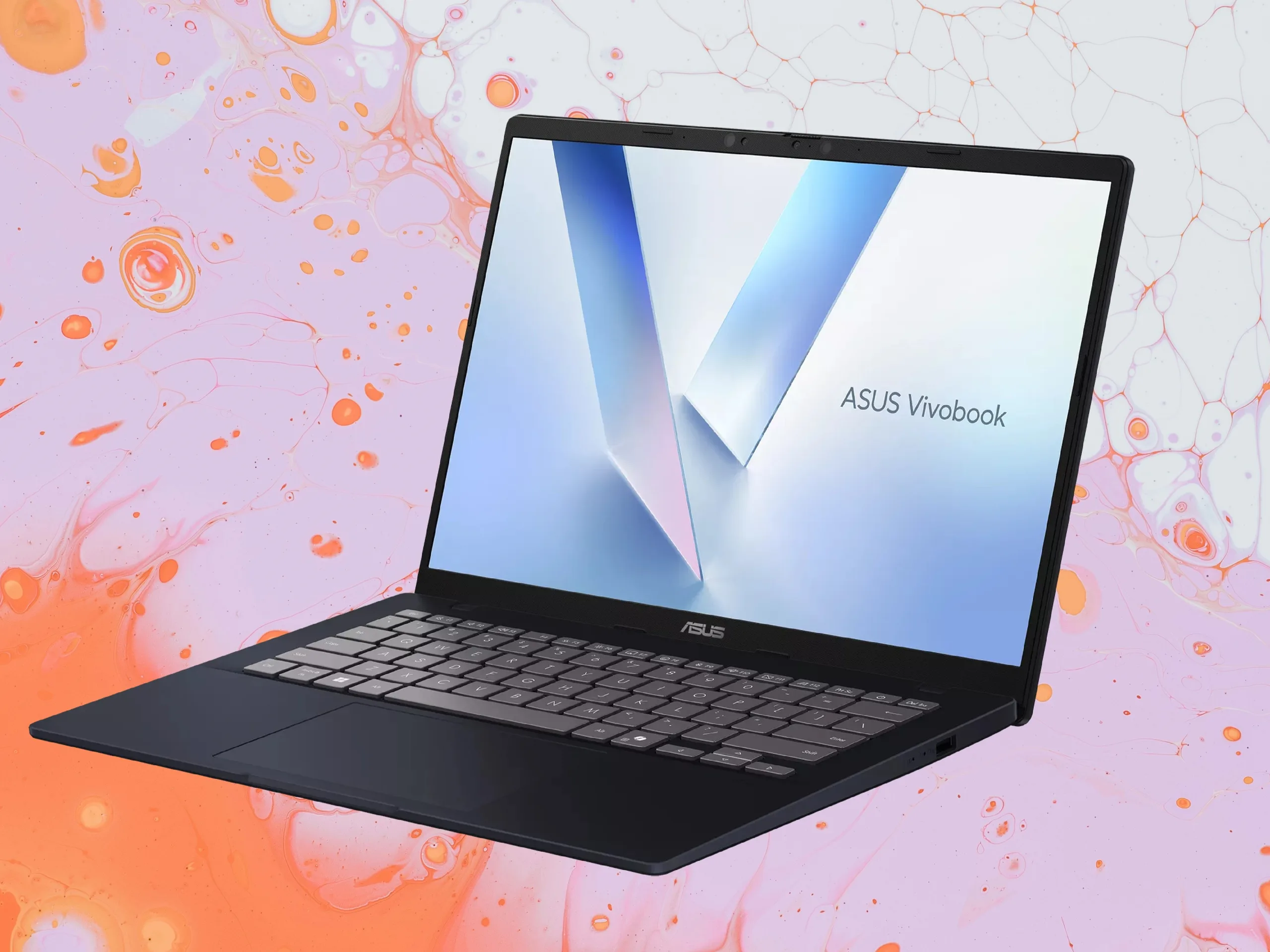
    Recently, the Asus Vivobook 14 CoPilot+ has seen its price trimmed to just $429.99 at Best Buy, a significant reduction from its original suggested price of $749.99. The retailer labels this as a savings of $320, making it an appealing option for many consumers. With this discount, the Vivobook offers a lot more bang for the buck, especially considering that the MacBook Neo begins at $599 with only 8 GB of RAM and 256 GB of storage. The Vivobook, by comparison, comes equipped with 16 GB RAM and 512 GB storage.

    • Price at Best Buy: $429.99
    • Original price: $749.99
    • Price difference with MacBook Neo: $170 less

    Performance and Features

    Powering the Asus Vivobook 14 is the Qualcomm Snapdragon X1-26-100 chip, featuring 8 cores, which gives it a noticeable edge in performance over some competitors. The device also offers a much better port setup, including USB-C, USB-A, HDMI, and a headphone jack, unlike the minimal port options of the MacBook Neo. Additionally, it has a backlit keyboard and expandable storage, features that are missing from the MacBook Neo, which enhances convenience for daily use. Its sizeable 50 Wh battery promises extended usage times, making it suitable for work or entertainment on the go.

    Drawbacks and Build Quality

    Despite its attractive price, the Vivobook 14 does come with some compromises. The primary drawback is its 14-inch IPS display. While the MacBook Neo offers a brighter 500 nits and 100% sRGB color accuracy, the Vivobook’s 1200p screen delivers only 45% NTSC (~65% sRGB) and a maximum brightness of 300 nits, which may lead to less vivid visuals. Moreover, the build quality relies heavily on plastic, whereas the MacBook Neo features a premium metal chassis. The Snapdragon X1-26-100, although capable, isn’t as blazing fast as some higher-end chips, especially in single-core tasks, even though it performs well in multi-core workloads.

    Final Verdict

    Overall, the Asus Vivobook 14 at its current sale price is an outstanding option for around $430. It handles everyday tasks like browsing, document editing, and multimedia consumption efficiently. However, users who prioritize display quality and build material might prefer the more premium but pricier MacBook Neo. For those looking for a good balance of price and functionality, the Vivobook is undeniably a compelling choice.

    Sources
  • Apple to Increase Production of MacBook Neo to Meet Growing Demand

    Apple to Increase Production of MacBook Neo to Meet Growing Demand

    Key Takeaway

    1. Apple has increased the production target of the MacBook Neo to 10 million units due to high demand.
    2. The shortage of the Apple A18 Pro SoC has been a key factor, with Apple utilizing binned chips in the current models.
    3. The increased production is likely to benefit sales during upcoming US shopping events, especially the back-to-school season.
    4. There is speculation that Apple may focus on higher-margin versions of the MacBook Neo to maintain profitability.
    5. The market may see competitive responses from Windows laptop OEMs at upcoming industry events like Computex 2026.

    Demand for the MacBook Neo is soaring high

    The MacBook Neo has become incredibly popular, so much so, that Apple might be struggling with the supply of a key part for this model. That critical component is the Apple A18 Pro SoC, which seems to be running out quickly as Apple just can’t seem to keep up with the demand for the Neo. To counter this, it looks like Apple has decided to increase their production plans to 10 million units, which is quite a jump from their initial projections.

    Specifications and Pricing Details

    • Starting at an affordable $599
    • Production target raised from 5-8 million to 10 million units
    • Uses Apple A18 Pro SoC (likely the binned-down chips not used in iPhone 16 Pro)

    Implication for Apple’s production strategy

    If Apple really is pushing out 10 million MacBook Neos, it clearly means they are making more of the A18 Pro chips. Interestingly, the chips in the current Neo models are probably the less powerful versions that didn’t qualify for the iPhone 16 Pro and Max, which could mean that Apple is focusing more on boosting availability than on high-end performance. This shift might slightly cut into profit margins, since the chips used are probably the cheaper, lower-grade ones.

    What about pricing and market response?

    The $599 price tag for the entry-level MacBook Neo is unlikely to change, but Apple might prefer to push the $699 version more. This strategy could help maximize profits during these high-demand periods, especially since they might prefer to sell more expensive variants. However, given the markets and sales events coming up – like back-to-school and holiday seasons – having loads of these devices available will surely give Apple a boost.

    Future competition and market movements

    It’ll be interesting if any Windows-based laptops are getting ready to challenge the MacBook Neo. With Computex 2026 just around, we shall see if any manufacturers announce innovative models that could rival Apple’s offering. Keep your eyes peeled for news and updates on this front.

    Sources
    • MacBook Neo excels in Windows 11 gaming performance test

      MacBook Neo excels in Windows 11 gaming performance test

      Key Takeaway

      1. The MacBook Neo, powered by the Apple A18 Pro SoC, demonstrates surprisingly strong performance in both macOS and Windows 11 gaming tasks.
      2. Virtualization with Parallels Desktop allows for effective gaming on Windows 11 ARM, especially for games without native macOS versions.
      3. The system can handle demanding games like Dirt 3, Portal 2, and Skyrim at reasonable framerates, though more resource-intensive titles like GTA V may require additional tools such as Crossover for better performance.

      Introduction to the MacBook Neo

      The MacBook Neo is a new kind of budget-friendly laptop from Apple, which is quite different because it comes with a mobile processor. This device runs on the Apple A18 Pro chip, the same one that powers the iPhone 16 Pro series. Many assumed that this processor might be a bottleneck, especially since it runs on MacOS, but real-world tests and benchmarks show it’s quite capable.

      Performance in MacOS and Windows

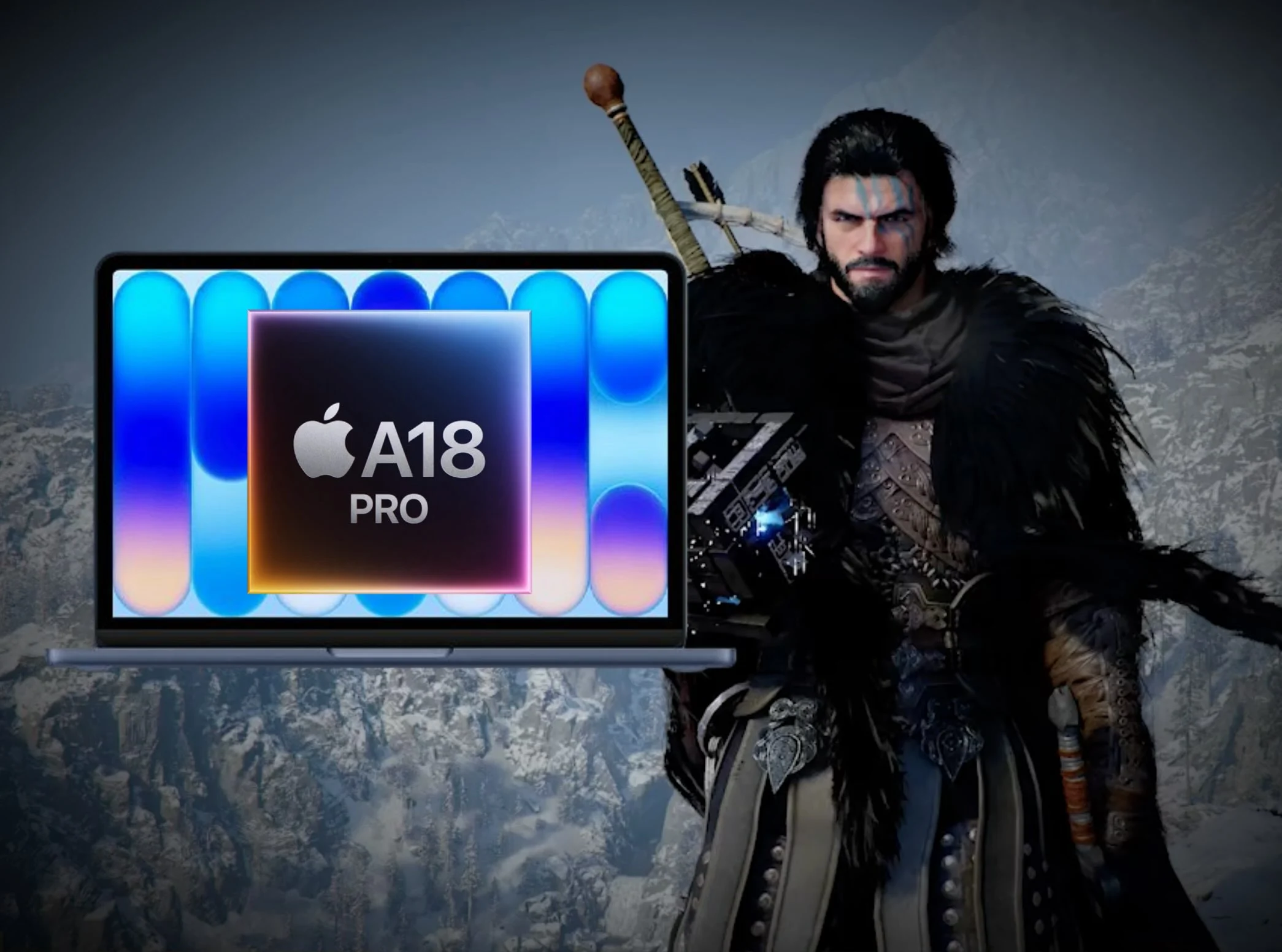
      Playing MacOS games on the Neo, the A18 SoC does better than what many expected. The device’s performance isn’t just limited to MacOS, as ETA Prime tested Windows 11 through virtualization software. Surprisingly, the Windows experience was quite impressive considering the hardware limitations.

      Using Virtualization for Windows 11

      ETA Prime used Parallels Desktop to run Windows 11 on the MacBook Neo. Other free options like UTM and VMware Fusion were tried, but they didn’t perform as well. It’s important to note that Windows 11 was tested via ARM version, without any x86 emulation, which helps keep performance smoother. The laptop’s RAM was allocated to 5 GB, which is tight since the device only has 8 GB total.

      Gaming Performance and Tests

      The focus of the gaming tests was on titles that don’t have native macOS versions, making virtualization a suitable option. Games like Marvel Cosmic Invasion ran at about 60 FPS at max settings. Dirt 3 was tested at 1200p resolution on high settings and managed around 75 FPS. Portal 2 at medium settings stayed above 100 FPS, and Skyrim kept steady at about 60 FPS at 1200p with medium visuals.

      Running Demanding Games Like GTA V

      GTA V didn’t hit a playable frame rate on the MacBook Neo using Parallels, but with special software like Crossover, which relies on Wine and Proton layers, it’s possible to play smoothly. Overall, the performance of Parallels on this setup is quite notable, considering the limited RAM. For more detailed insights, check out the video linked below.

      Sources
    • Modded MacBook Neo: The Apple Laptop Version You Never Saw

      Modded MacBook Neo: The Apple Laptop Version You Never Saw

      Key Takeaway

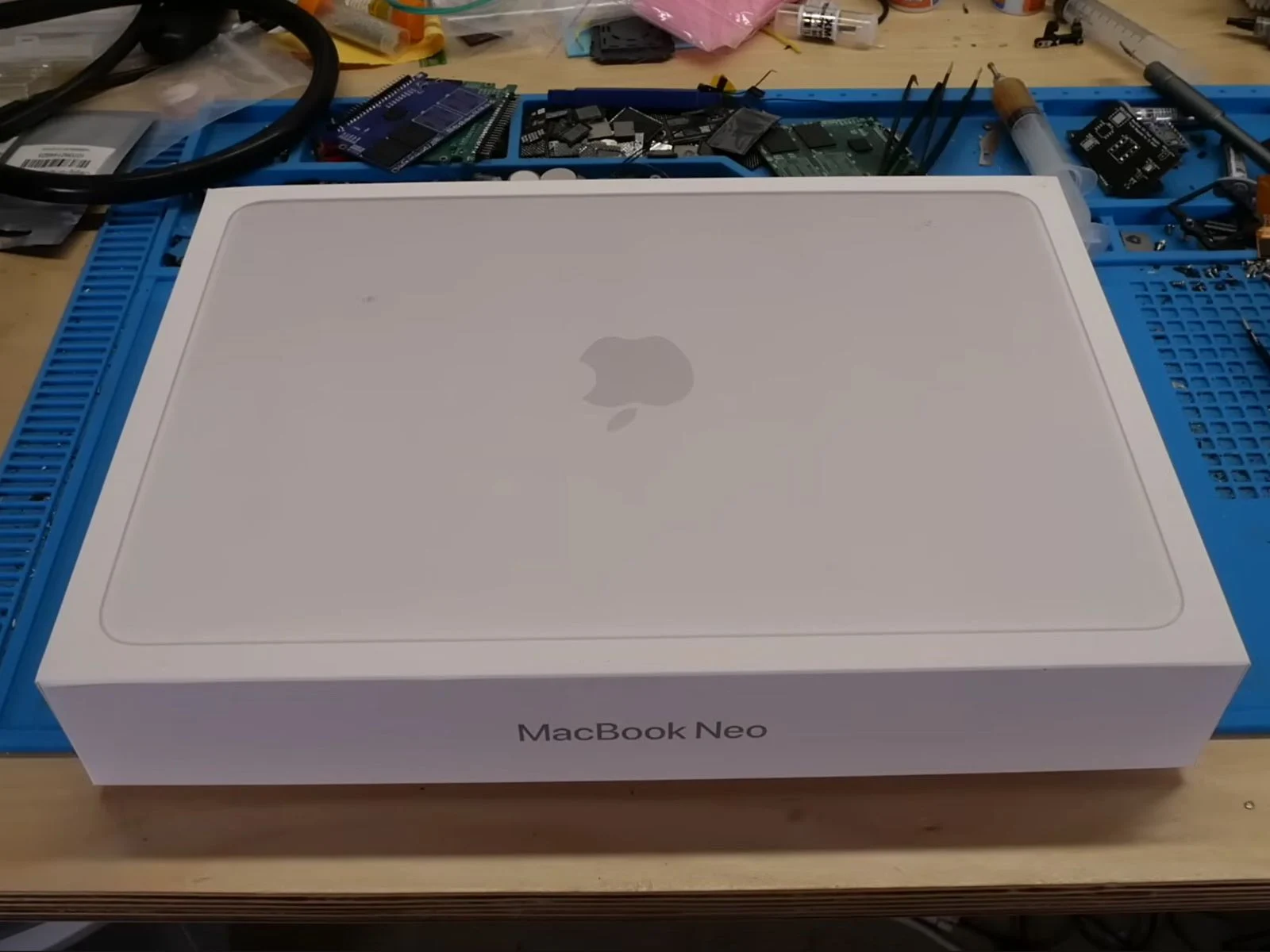
      1. The MacBook Neo, powered by the A18 Pro chip, is capable of supporting 1 TB of storage by replacing the original NAND chip.
      2. Upgrading the SSD involved soldering a blank 1 TB NAND chip designed for an iPhone 16 Pro onto the logic board, which successfully recognized and formatted the new storage.
      3. The device uses a NAND-only boot chain, allowing stability and automatic recovery mode even when the NAND is replaced with a blank chip.
      4. Upgrading RAM is impossible due to the PoP design, which stacks RAM on top of the SoC, and no alternative RAM packages are available for this layout.

      Introduction to the MacBook Neo and Its Capabilities

      The MacBook Neo has been a big hit for apple. Even though it is a passively cooled device, it packs the A18 Pro chip that is still very capable for everyday work. When apple introduced the entry-level Neo, the company brought the amazing power efficiency of the A18 Pro SoC into a wallet-friendly laptop. But, it had a strict storage limit of 512 GB officially.

      Shared Components and Storage Potential

      Since the Neo and the iPhone 16 Pro share the same A18 Pro silicon, and the iPhone supports up to 1 TB storage, some question if the Neo could be upgraded too. To find out, the youtuber dosdude1 took a 1 TB NAND chip meant for iPhone 16 Pro and soldered it onto the Neo’s mainboard.

      Testing the Hardware and Initial Results

      Before starting with soldering and risking the warranty, the YouTuber checked how the Neo performs straight from the box. With a fresh install of macOS 26, it runs just as you’d expected for a machine with Apple Silicon.

      The RAM Limitation and Why It Can’t be Upgraded

      If you’re asking why the 8 GB RAM isn’t getting an upgrade, it’s because of the design of the A18 Pro. It uses a PoP setup, meaning the RAM is stacked right on top of the processor. And with no alternative packs available in this specific layout, RAM upgrades are practically impossible, even with soldering skills.

      Soldering the 1 TB NAND and Final Tests

      The YouTuber also explains that a used NAND from an old iPhone can’t be used, because the new NAND must be blank. Using a JC P15 programmer, they checked the chip and confirmed it was empty and ready to work with macOS.

      After soldering and reassembling, it was found that Neo’s A18 Pro uses a NAND-only boot process. Unlike older Macs that often get stuck with a blank NAND, the Neo stayed stable and quickly entered DFU mode, similar to an iPhone or iPad.

      Successful Upgrade and Performance

      Using Apple’s Configurator with a macOS IPSW file, the YouTuber saw the system detect the new 1 TB drive, format it, and complete the restore without any problem. When checked in macOS, the storage shows 1 TB and speeds in Disk Utility showed around 1700 MB/s — about 200 MB/s faster than the original 256 GB drive.

      Conclusion and Economic Factors

      While the upgrade was successful, the cost is high. Due to the ongoing shortage caused by AI component demands, buying a blank 1 TB NAND chip is very costly now, often over $200, compared to under $100 previously.

      The entire process is shown in the video linked below, where the YouTuber demonstrates the storage upgrade on the MacBook Neo.


      Sources

    • MacBook Neo Faces Supply Shortage Amid A18 Pro Chip Demand

      MacBook Neo Faces Supply Shortage Amid A18 Pro Chip Demand

      Key Takeaway

      1. MacBook Neo’s strong sales have exceeded expectations, causing supply constraints due to limited A18 Pro chip availability.
      2. Apple is using defective A18 Pro chips in the MacBook Neo, which are otherwise unusable for high-quality products.
      3. The company faces a dilemma between increasing A18 Pro production, which would reduce profit margins, and missing out on potential sales.
      4. The MacBook Neo’s competitive price ($599) has disrupted the Windows laptop market, providing Apple a market advantage.
      5. Future plans include continuing the use of impaired mobile SoCs like the A19 Pro in upcoming MacBook Neo models.

      MacBook Neo’s Surprising Success And Apple’s Dilemma

      Seems like the MacBook Neo has been pretty popular than what many were expecting, and this kinda puts apple into a tough situation. According to some reports from Taiwan, apple originally only had plans to make about 5 to 6 million units of the MacBook Neo. This decision was mainly based on the amount of defective or lower-grade A18 Pro chips that apple had collected in their stockpile. Interestingly, those A18 Pro chips are considered “almost free” for Apple because they couldn’t qualify for the iPhone 16 Pro and would have been thrown away otherwise.

      Supply Constraints And Technical Decisions

      • All chips have imperfections, and the Apple A18 Pro isn’t an exception. Apple used the best A18 Pro chips inside the iPhone 16 Pro & iPhone 16 Pro Max, while the flawed chips, which had a disabled GPU core, were kept for the MacBook Neo.
      • Demand for the MacBook Neo is booming which means, Apple might run out of both the A18 Pro chips and the units themselves sooner than expected. The company is now talking to suppliers to determine what next step to take.

      Choosing The Path Forward

      They have basically two options: First, they can ask TSMC to ramp up the production of the A18 Pro chips using their advanced 3nm technology. But doing so might cut into Apple’s profit margins. Second, if they chose not to increase production, Apple might miss out on significant revenue because of unfulfilled demand for the MacBook Neo.

      Market Impact And Competitive Landscape

      Priced at only $599, the MacBook Neo stands quite alone with little competition, which has made Windows-based laptop makers very nervous. Combine its price with current costs for RAM and storage, and it’s clear that it’ll be tough for Windows laptop brands to match what Apple is offering now. This could be a perfect moment for Apple to dominate the affordable laptop scene.

      Future Production Plans

      The initial plan, according to reports, was to cap the production of the MacBook Neo at 5 to 6 million units, planning to focus next year on a newer version featuring the binned-down Apple A19 Pro. That basically confirms that Apple intends to keep using lower-grade mobile SoCs in their future MacBook Neo models well into 2027.

      Speculations And Expectations

      There’s also hope that, apart from the A19 Pro, Apple might incorporate the vapor chamber cooling technology from the iPhone 17 Pro into the MacBook Neo, and possibly into the upcoming MacBook Air too — that would really benefit the overall performance and thermal management of the devices.

    • Apple macOS 26.4 Released: Boost Your MacBook Battery Life

      Apple macOS 26.4 Released: Boost Your MacBook Battery Life

      Key Takeaways

      1. macOS 26.4 is now available for compatible Macs, including models with Apple ARM chips.
      2. A new battery management feature allows users to cap battery charge levels at 80%, 85%, 90%, or 95% to prolong battery lifespan.
      3. The compact tab layout has returned in Safari, organizing tabs and buttons in a single line to save vertical space.
      4. The Freeform app now offers premium content for subscribers of Apple Creator Studio.
      5. A new alert notifies users when launching apps not optimized for ARM processors, as Rosetta 2 support will end with macOS 28 next year.


      At the same time that iOS 26.4 for the iPhone is released, Apple has also launched macOS 26.4. This update should be accessible on all compatible Macs within a few hours and can be downloaded and installed from System Preferences under General –> Software Update. The update is available for all Macs using the Apple ARM chip, including the new MacBook Neo ($599 on Amazon), as well as the MacBook Pro and the Mac Pro from 2019.

      New Battery Management Feature

      One of the most thrilling new features is the ability to cap the battery charge level at 80, 85, 90, or 95 percent in the system settings. Not charging the battery to its full 100 percent could potentially prolong its lifespan before a replacement is necessary. This feature comes alongside Apple’s “optimized charging,” which aims to charge the battery only to the specified maximum at the time the MacBook usually gets unplugged from the power source – this should also help in extending the battery’s life.

      Safari and App Updates

      macOS 26 reintroduces the compact tab layout in Safari, which was taken away with the previous macOS 26 release. The tabs, buttons, and address bar are organized in a single line to conserve vertical space. The Freeform app is now getting premium content, but this is only for subscribers of Apple Creator Studio. Furthermore, macOS 26.4 adds a new alert when launching an app that has not been optimized for ARM processors, as Rosetta 2 will be phased out with macOS 28 next year, meaning these apps won’t be accessible in the future. The Reminders app now has an option to mark entries as “urgent” with a keyboard shortcut for easier filtering.

      Conclusion

      Apple’s macOS 26.4 is packed with significant updates that aim to enhance user experience and device longevity. The new battery management feature is particularly noteworthy, allowing users to manage their battery life more effectively. With the return of the compact tab layout and the introduction of new functionalities in apps, Apple continues to refine its software to meet the needs of its users.


    • Windows 11 Update: Enhanced RAM, Faster File Explorer, Better UI

      Windows 11 Update: Enhanced RAM, Faster File Explorer, Better UI

      Key Takeaways

      1. Microsoft has faced backlash from Windows 11 users due to AI-driven updates and the controversial Recall feature, leading to concerns about security and privacy.
      2. Apple’s new MacBook Neo, with just 8 GB of RAM, performs well under load, highlighting performance issues with Windows 11 laptops of similar specs.
      3. Upcoming Windows 11 enhancements will include new background policies to reduce RAM and storage usage, aiming for better efficiency.
      4. Microsoft plans to improve the user interface by transitioning to WinUI 3, which is expected to enhance responsiveness and performance.
      5. Hardware support upgrades will address common issues like Bluetooth dropouts, USB failures, and improve overall device reliability.


      Microsoft has upset many Windows 11 users over the past year by pushing updates that emphasize AI-driven Copilot features across most default applications. Along with this, the controversial Recall feature raised major concerns about security and privacy. To win back users who were considering moving to Linux, Microsoft pledged to lessen its AI emphasis earlier this year. However, Apple quickly reminded everyone of the competition with the launch of the MacBook Neo, which is an affordable laptop offering just 8 GB of RAM.

      Surprising Performance of Apple’s Budget Laptop

      Interestingly, 8 GB of RAM proves sufficient for Apple’s entry-level model, as tests show the new version of Mac OS maintains good speed even with numerous apps open. In contrast, a Windows 11 laptop with 8 GB would likely struggle, and even one with 16 GB could face challenges. This again led to complaints from Windows users, prompting Microsoft to consider essential improvements to enhance the Windows experience.

      Upcoming Enhancements to Windows 11

      To address these concerns, Windows 11 will soon introduce new background policies to better manage RAM and storage. Specifically for RAM, Microsoft aims to lower the base memory usage, allowing the OS to use fewer resources when idle. Currently, an 8 GB RAM system running Windows 11 consumes nearly 6 GB when idle, while a 16 GB system uses around 10 GB. This is over 50% of total RAM in both cases. While systems with 32 GB and more fare better, current RAM prices may not permit such upgrades easily. Microsoft hasn’t disclosed precise details on RAM improvements, but TechPowerUp indicates that Windows 11 might incorporate a system similar to the Xbox Full Screen Experience, which enhances performance while reducing RAM usage by cutting back on background tasks.

      User Interface and File Explorer Upgrades

      While the design in Windows 11 is more unified and smoother, it still occasionally feels sluggish. This sluggishness is attributed to various frameworks being used simultaneously, including WebView2, React, and older code remnants. Microsoft plans to tackle these issues by transitioning the entire UI framework to WinUI 3. This change should make the Start menu respond much faster once it shifts from React to WinUI.

      File Explorer is also set to receive upgrades. Despite the recent pre-loading feature, File Explorer in Windows 11 remains slower than its Windows 10 counterpart. Consequently, Microsoft intends to boost responsiveness by decreasing latency in search bars, navigation, and context menus. Additionally, improvements in speed and reliability for operations like copying and moving large files are on the horizon. Overall, apps should launch quicker as well.

      Hardware Support Improvements

      On the hardware front, Microsoft aims to support the latest technologies and processors with improved drivers to minimize crashes. The company plans to address common issues like Bluetooth dropouts, USB connection failures, camera and audio inconsistencies on tablets, and wakeup problems with devices connected to docks.

      Source:
      Link


    • Apple’s MacBook Neo Draws New Customers Despite Tech Limits

      Apple’s MacBook Neo Draws New Customers Despite Tech Limits

      Key Takeaways

      1. The MacBook Neo starts at $599, targeting a new, budget-conscious audience, particularly in the education sector ($499 for educational purchases).
      2. Despite using a smartphone processor, the MacBook Neo offers smooth performance and a quality typing experience, with a sturdy aluminum chassis.
      3. The 13-inch IPS display provides bright, accurate colors, suitable for tasks like image editing in the sRGB color space.
      4. Users enjoy the full macOS experience with essential pre-installed software, enhancing its value compared to Windows laptops and Chromebooks.
      5. While there are some technical limitations, the MacBook Neo’s pricing and features appeal to its target customers, especially compared to the pricier $699 model.


      Apple has stepped into a fresh market with the compact MacBook Neo, which starts at just $599, making it significantly more budget-friendly than other MacBooks. While it cannot be said that it falls short of the MacBook Air 13 M4 or M5, that point is not really what matters. The appealing starting price indicates that Apple is aiming for a brand new audience, and the Neo could potentially thrive, particularly in the education sector where it is available for $499.

      Performance and Build Quality

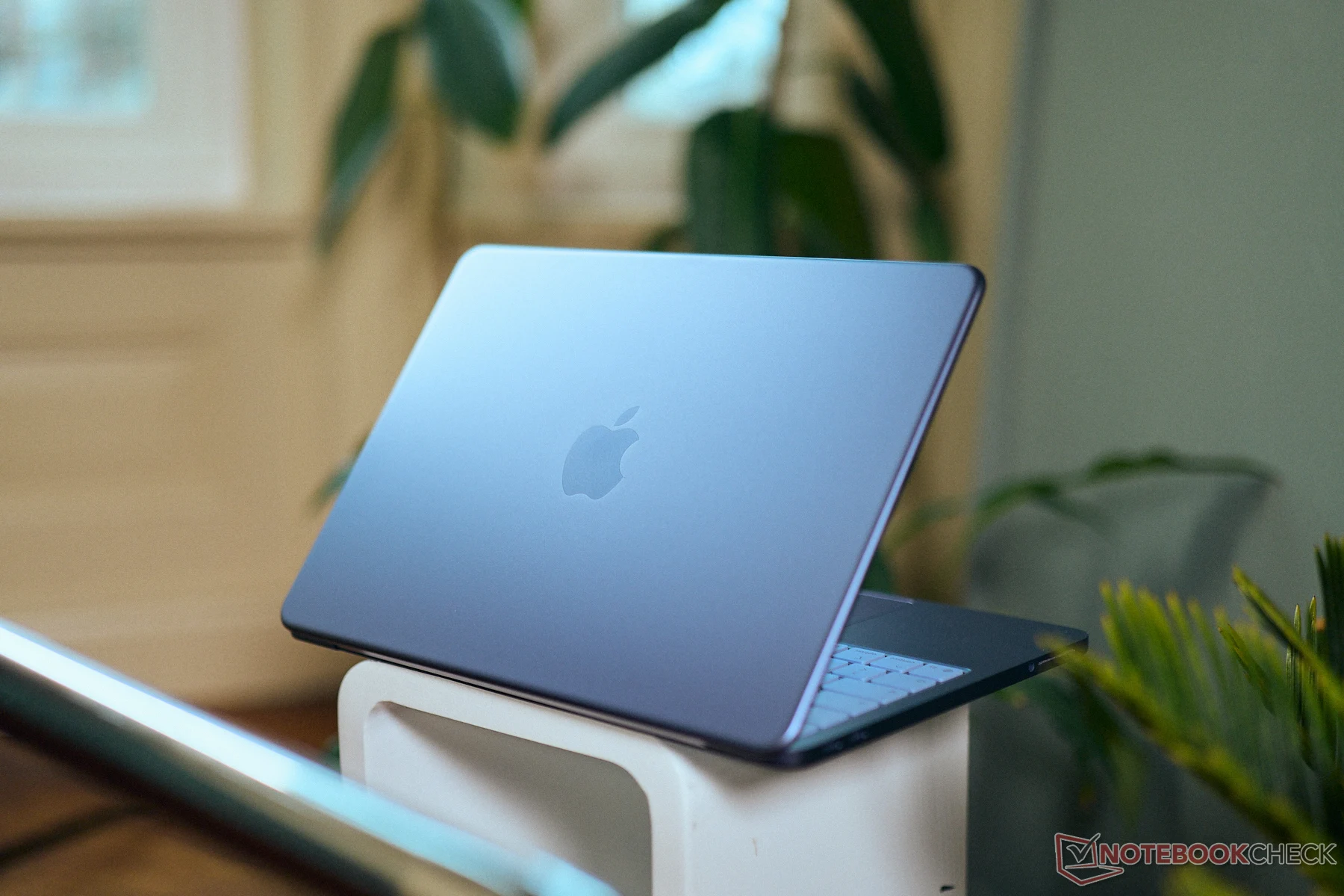
      After conducting a thorough review, it’s apparent that even with a smartphone processor, the small MacBook Neo still gives off the same vibe as other MacBooks. The operation is seamless, and the device has enough performance to handle daily tasks. The typing experience mirrors that of its pricier counterparts, and you also receive a sturdy aluminum chassis, which is quite impressive for this price bracket. Additionally, the 13-inch IPS display provides decent image quality with very precise colors, allowing users to edit images in the sRGB color space. It also shines bright at 500 nits.

      Software Advantages

      The operating system and bundled software are other perks. Unlike Chromebooks, you benefit from the full macOS experience without restrictions, just like any other MacBook. This extensive software package is a significant advantage when compared to Windows laptops, especially within this price category. Free alternatives for various applications (such as Microsoft Office) are available, but the MacBook Neo already comes equipped with essential programs like office apps (including Pages & Numbers) and iMovie for video editing and creation.

      Considerations on Pricing

      Of course, there are some technical limitations, and with some digging, you might uncover similar Windows devices. However, this might not be a concern for the target customer group. The pricier model priced at $699 does not offer the same value-for-money proposition. For more insights, check out our review of the new MacBook Neo.


    • Crimson Desert Runs at 50 FPS on MacBook Neo at Low Resolution

      Crimson Desert Runs at 50 FPS on MacBook Neo at Low Resolution

      Key Takeaways

      1. Mixed Reviews for Crimson Desert: While some praise its stunning visuals, others criticize the gameplay mechanics and narrative.

      2. Affordable MacBook Neo: Apple’s new MacBook Neo is designed to be budget-friendly, featuring a last-generation iPhone SoC and 8 GB of RAM.

      3. Performance on MacBook Neo: The game runs natively on Apple Silicon, but only at very low settings, achieving around 50 FPS with upscaling and frame generation.

      4. Playable Experience: With adjustments, players can achieve a steady 30 FPS, making it a somewhat enjoyable experience on lower-end devices.

      5. Optimization for Lower Hardware: Pearl Abyss shows commitment to optimizing Crimson Desert for less powerful hardware, as evidenced by its performance on the MacBook Neo.


      Crimson Desert reviews are mixed, to say the least. Some reviewers rave about the stunning visuals of this expansive open-world game, while others view the gameplay mechanics and narrative as lacking. On the bright side, it performs quite well on lower-end hardware, which is great news for gamers on a budget.

      A New Affordable Option

      The MacBook Neo marks Apple’s first laptop designed with affordability in mind. It’s equipped with a last-generation iPhone SoC and has a modest 8 GB of RAM, helping to keep the price down. Interestingly, Crimson Desert runs natively on Apple Silicon, which includes this new MacBook Neo model.

      Testing the Limits

      Popular gaming YouTuber Andrew Tsai took it upon himself to see how well the MacBook Neo handles the game. It turns out that the laptop can run the highly talked-about title, but only at very low settings. This is not surprising, given that the minimum requirements for running Crimson Desert on a Mac are an M2 Pro or M3-class SoC.

      With the game set to its lowest preset, using MetalFX to upscale from a lowly 180p to 540p, and enabling frame generation, the MacBook Neo achieves around 50 FPS while running Crimson Desert. Given that the A18 Pro’s 5-core GPU includes hardware-accelerated mesh shaders, performance is nearly on par with the M1.

      Playable Yet Limited

      With a slightly better resolution, achieving a steady 30 FPS gameplay with the help of frame generation and upscaling seems feasible on this system. Andrew mentioned that playing Crimson Desert with frame generation turned on is a fairly enjoyable experience, which may be the redeeming factor for those using lower-end Apple Silicon devices.

      It’s important to note that the MacBook Neo isn’t designed for gaming, but the fact that it can run Crimson Desert with only 8 GB of shared RAM between the CPU and GPU shows that Pearl Abyss is serious about optimizing for less powerful hardware.

      Andrew Tsai via YouTube

      Source:
      Link


    • iFixit Teardown: iPhone 17e Repairability and MagSafe Upgrade

      iFixit Teardown: iPhone 17e Repairability and MagSafe Upgrade

      Key Takeaways

      1. The iPhone 17e has a compatible MagSafe backplate with the iPhone 16e, making upgrades easier.
      2. Apple’s Self Service Repair Store does not currently offer spare parts for the iPhone 17e, but third-party options may emerge.
      3. The disassembly process for the iPhone 17e is similar to the iPhone 16e, making repairs more straightforward.
      4. Replacing the USB-C port is complicated and requires significant disassembly of the phone.
      5. The iPhone 17e received a repairability score of 7 out of 10 from iFixit, indicating good repair potential.


      Apple’s basic devices for 2026 are surprisingly simple to fix. The MacBook Neo impressed testers during a teardown with its high repairability. Now, experts from iFixit have taken apart the iPhone 17e (check out the video below), and they found something unexpected: the new MagSafe-enabled backplate is actually compatible with the iPhone 16e.

      Compatibility Insights

      This means that adding MagSafe to the iPhone 16e should not be too hard. However, purchasing a replacement directly from Apple might cost a lot. Currently, Apple’s Self Service Repair Store has not listed any spare parts for the iPhone 17e, but backplates for both the iPhone 16e and 17 are priced at a hefty $159 each. It’s likely just a matter of time before third-party companies start providing cheaper options.

      Similarities in Design

      Besides the MagSafe back glass, taking apart the iPhone 17e is very much like the process for its predecessor. To open the smartphone, you need to remove two screws at the bottom, then detach the backplate, which is held in place by clips and adhesive, from the frame. Once you can access the internals, replacing the device’s 4,005 mAh battery, 48 MP main camera, and 12 MP front camera is relatively straightforward.

      Repair Challenges

      iFixit points out that replacing the USB-C port is still quite time-consuming, as it requires nearly complete disassembly of the phone. On the positive side, the iPhone 17e can also be accessed from the front for screen replacements, which cuts down on unnecessary teardown steps. Since many spare parts for the iPhone 16e also work with the iPhone 17e, Apple’s newest budget-friendly iPhone has earned a solid repairability score of 7 out of 10 from iFixit.

      Source:
      Link