Category: Computers

  • NuPhy Halo V2 Keyboards: 4X Battery Life & Num Pad Option

    NuPhy Halo V2 Keyboards: 4X Battery Life & Num Pad Option

    Key Takeaways

    1. NuPhy has launched the Kick75 hybrid profile keyboard and the updated Air75 V3, both featuring Gateron Low-Profile V3 switches.
    2. The new NuPhyIO versions of the Halo65 V2 and larger models improve battery life significantly by switching from QMK/VIA to proprietary NuPhyIO firmware.
    3. The Halo V2 series includes three models (Halo65 V2, Halo75 V2, Halo96 V2) with a battery life increase, despite retaining the same 4,000 mAh capacity.
    4. The Halo96 V2 NuPhyIO version offers a wireless battery life of approximately 1200 hours compared to 307 hours on the QMK/VIA version, though backlighting reduces this gain.
    5. NuPhyIO firmware offers features like automatic updates and built-in key binds, but lacks the open-source advantages of QMK, such as deep customization and community support.


    NuPhy has been quite busy recently, launching the innovative Kick75 hybrid profile mechanical keyboard and the refreshed Air75 V3. Both of these new models come equipped with the latest Gateron Low-Profile V3 switches. Now, the mechanical keyboard manufacturer has revealed the new NuPhyIO versions of the Halo65 V2 and its larger variants. Although the hardware updates seem minimal, the primary change is in the firmware. NuPhy asserts that switching from QMK/VIA to their proprietary NuPhyIO firmware has significantly improved the battery life of these keyboards.

    Pricing and Availability

    The NuPhy Halo V2 NuPhyIO series can be purchased directly from the NuPhy store, with prices between $119.95 and $139.95, depending on the layout you choose. Meanwhile, the original Halo75 V2 with QMK firmware is listed on Amazon for $149.95.

    Different Models, Same Battery

    The Halo V2 series offers three options: the compact Halo65 V2, the somewhat larger Halo75 V2, and the numpad-equipped Halo96 V2. All of these models boast extended battery life, thanks to the NuPhyIO firmware. They maintain the same 4,000 mAh battery capacity as their QMK/VIA versions, but the QMK firmware is known for being less efficient. The PCB in the NuPhyIO versions is claimed to be simpler and more integrated compared to the QMK PCB.

    Impressive Battery Life Gains

    The switch in PCB and firmware is said to have led to a striking improvement in battery life. For instance, the wireless battery life on the Halo96 V2 NuPhyIO version has been extended to around 1200 hours from roughly 307 hours on the QMK/VIA version—nearly a 300% increase. However, it’s worth mentioning that the situation isn’t as bright when the backlighting is activated, with the new firmware only adding about a 10% boost to battery life.

    In our testing of wireless keyboards, such as the Keychron K4 HE, we found that turning up the RGB backlighting also leads to high power consumption, but NuPhy’s specific testing methods remain unclear. Factors like backlighting brightness and connectivity mode do influence power use—though the difference in power consumption between 2.4 GHz and Bluetooth polling rates from 125 Hz to 1,000 Hz isn’t as dramatic as one might expect.

    Firmware Features and Customization

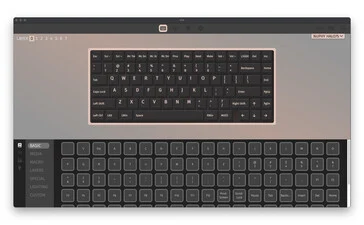
    When contrasting the NuPhyIO and QMK/VIA firmware versions, another vital aspect is the features available in each customization suite. Both offer browser-based customization, but they come with their own pros and cons. QMK is an open-source firmware project, which means that even if NuPhy were to cease operations, you could still customize your keyboard as long as you had the right JSON file. Some users even recommend cloning the QMK and VIA repositories, and in emergencies, direct firmware file edits are possible. QMK provides deep customization options, backed by excellent documentation and a robust community for support.

    On the other hand, NuPhyIO includes some handy features that QMK lacks, such as automatic firmware updates and certain built-in key binds for select creative applications. However, it doesn’t have the same open-source advantages as QMK firmware. There have also been reports of NuPhyIO keyboards losing custom key binds and macros if the battery is disconnected or runs out—this could be a deal-breaker for many serious users.

    Source:
    Link


  • New Lenovo ThinkPad P16 G3, T1g Gen 8 & P14s Gen 6 Now Available

    Key Takeaways

    1. Lenovo’s P series workstation laptops were launched later than usual this year, unveiled at IFA 2025 in Berlin.
    2. Entry-level options include the ThinkPad P14s Gen 6 and P16s Gen 4, both under $1,400 and featuring Intel’s Arrow Lake H CPUs and Nvidia’s RTX Pro 1000 graphics.
    3. The mid-range ThinkPad P16v Gen 3 offers more features like Nvidia RTX Pro 2000 and larger battery, starting at $2,120.
    4. Premium models, ThinkPad P1 Gen 8 and T1g Gen 8, feature a full metal chassis and Thunderbolt 5, starting at $2,850 and $2,800, respectively.
    5. The top-tier ThinkPad P16 Gen 3 supports up to 192 GB RAM, three M.2 SSDs, and utilizes Intel’s Arrow Lake HX CPUs, starting at $2,800.


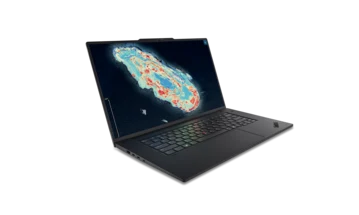
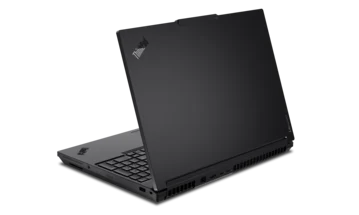
    Most Lenovo ThinkPad laptops are usually released in spring, but the P series workstation laptops follow a different schedule. Last year, they were launched in late summer, and this year, Lenovo unveiled them even later at IFA 2025 in Berlin, after summer had ended. Now, these new workstation ThinkPad laptops are available in the USA, featuring Intel processors and dedicated Nvidia GPUs.

    Entry-Level Options

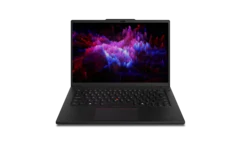
    At the entry level, the Lenovo ThinkPad P14s Gen 6 Intel and Lenovo ThinkPad P16s Gen 4 Intel are available, both priced under $1,400. The P14s Gen 6 is unique with its 14.5-inch display, making it the lightest option at just 1.6 kg. Both models are powered by Intel’s Arrow Lake H class CPUs and can be configured with Nvidia’s RTX Pro 1000 graphics.

    Mid-Range Model

    Moving up, there’s the Lenovo ThinkPad P16v Gen 3. This laptop also features Intel’s Arrow Lake H, but offers the option for the Nvidia RTX Pro 2000. It comes equipped with a larger battery, two M.2 SSD slots, and an SD card reader. However, it weighs more at 2.1 kg compared to the P16s which is 1.8 kg, and it starts at a higher price of $2,120.

    Premium Options

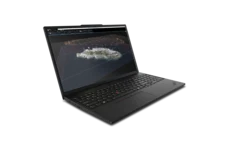
    Completing the lineup of Intel Arrow Lake H models are the ThinkPad P1 Gen 8 and its sibling the ThinkPad T1g Gen 8. Building on the previous ThinkPad P1 Gen 7 (which you can find on Amazon), these models showcase a premium design with a full metal chassis and a haptic touchpad, while also including Thunderbolt 5 connectivity. They compete with high-end laptops like the Apple MacBook Pro 16, HP ZBook Studio, and Dell Pro Max Premium. The P1 Gen 8 can be configured with Nvidia’s RTX Pro 2000, while the T1g Gen 8 supports up to the Nvidia GeForce RTX 5070. Both models demand a higher price starting at $2,850 and $2,800, respectively.

    Top Choice

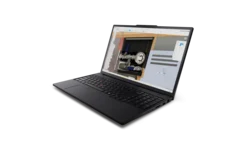
    The Lenovo ThinkPad P16 Gen 3 stands as the top-tier option, weighing in at 2.54 kg, making it the heaviest of the lineup. This model offers great flexibility with four RAM slots supporting up to 192 GB, while the other models are limited to 96 GB and 64 GB (for T1g/P1). It also allows for three M.2 SSDs and comes with a modular GPU, with the Nvidia RTX Pro 5000 being the best choice. Unlike the other ThinkPad workstations, the P16 Gen 3 utilizes Intel’s Arrow Lake HX CPUs, which have more CPU cores. It also features Thunderbolt 5 and 2.5 GBit Ethernet, starting at a price of $2,800.

    Source:
    Link


  • Intel Reduces Open-Source Contributions to Boost Competition

    Intel Reduces Open-Source Contributions to Boost Competition

    Key Takeaways

    1. Intel may shift away from open-source contributions unless they provide a direct competitive advantage.
    2. The company plans to use open-source software strategically rather than for collaborative purposes.
    3. Intel’s decision to discontinue Clear Linux reflects its changing approach to open-source engagement.
    4. This shift highlights Intel’s ongoing struggles to compete with AMD and Nvidia amid technical challenges.
    5. Recent job cuts at Intel have impacted teams responsible for Linux kernel driver maintenance, complicating its open-source strategy.


    Intel has been known for its active role in the open-source community, contributing to initiatives like the RISC-V architecture and providing open-source Linux drivers for both its Arc integrated GPUs and the more recent gaming-oriented discrete GPUs. However, reports from Phoronix suggest that this trend is about to change, as indicated by comments from Kevork Kechichian, the executive vice president and general manager of Intel’s Data Center Group.

    Shift in Contribution Philosophy

    Kechichian mentioned that Intel will likely stop supporting open-source projects unless those contributions directly benefit the company and provide a competitive advantage over rivals. He stated, “We need to find a balance where we use [our open-source software] as an advantage to Intel and not let everyone else take it and run with it.”

    “We take pride in our open-source contributions. We will continue to do this. But as I said, it needs to give us an edge against everyone else.” – Kevork Kechichian (via Phoronix)

    A New Approach to Open Source

    Additional remarks from the Intel executive suggested that the company may not participate in open-source projects if it believes those contributions could aid competitors. This announcement follows Intel’s decision in July to discontinue Clear Linux, a performance-focused Linux distribution the company had been developing for over a decade. Such a move contradicts the essential spirit of open-source, which promotes the idea that “a rising tide raises all ships,” where all participants benefit from shared contributions.

    With this new approach, it appears Intel aims to leverage the open-source community as a tool to regain its competitive stance rather than engaging in genuine collaboration.

    Struggles in Competition

    Intel’s latest strategy seems to highlight the company’s ongoing challenges in competing with AMD and Nvidia, especially considering Kechichian’s emphasis on maintaining a competitive edge. The company has faced numerous setbacks, delays, and technical challenges related to both CPU and GPU designs, as well as its foundry operations. This shift in its open-source strategy appears to be yet another indication of Intel’s struggles, even though there are signs of improvement with the Panther Lake architecture.

    Moreover, these remarks come in the wake of job cuts at Intel that reportedly impacted those responsible for maintaining the company’s Linux kernel drivers. The situation becomes more complex with the heavy reliance on open-source software in various corporate settings, particularly in AI development.

    If you’re looking for a compact Linux gaming solution, Intel may not be your best option. Consider alternatives like the Asus ROG Flow Z13 2-in-1 laptop, which features an AMD Ryzen AI Max+ 395 and is currently priced at $2,169.99 on Amazon.

    Source:
    Link


  • Framework Faces Backlash for Supporting Controversial Figures

    Framework Faces Backlash for Supporting Controversial Figures

    Key Takeaways

    1. Framework is facing community backlash for sponsoring projects like Hyprland and Omarchy, linked to controversial figures.
    2. Critics argue that financial support for these projects funds individuals who have harmed the open-source community.
    3. Some users have threatened to boycott Framework if the sponsorships continue, citing political concerns.
    4. Supporters of Framework defend the company’s “big tent” philosophy, focusing on contributions to open-source rather than personal beliefs.
    5. The debate remains heated, with Framework employees emphasizing their commitment to supporting open-source development amid ongoing controversies.


    Framework, a company known for its modular laptops and commitment to open-source software, is currently under heavy scrutiny in its community forum. This comes after they announced sponsorships for projects like Hyprland and Omarchy. Users on the forum have expressed concerns that Framework’s support is backing individuals perceived as controversial or linked to far-right ideologies, especially pointing to Hyprland’s maintainer and David Heinemeier Hansson (DHH), the founder associated with Omarchy.

    Concerns from the Community

    Discussions in the forum reveal two primary issues raised by critics. Firstly, some argue that Framework’s financial support for these projects is funding people they believe have harmed or divided the open-source community. The allegations include claims of exclusionary actions and backing contentious political views. A number of users have even threatened to boycott Framework’s products or persuade others to do the same if the company continues with these sponsorships.

    Defense of the Philosophy

    Conversely, various members of the community, along with representatives from Framework, highlighted the company’s “big tent” approach. They assert that Framework chooses to partner based on contributions to open-source software rather than personal or political ideologies. Many users still maintain that the focus should be on the quality of the software funded, arguing there is insufficient proof linking Framework’s sponsorship to negative political actions. Others are advocating for a reduction in political discord, showing support for Framework’s dedication to the wider open-source ecosystem instead of individual beliefs.

    Ongoing Debate

    Despite the strong opinions from both sides, the discussion remains heated. With no sign of the debate cooling off, Framework employees continue to assert that supporting open-source development is their main objective for partnerships, irrespective of the surrounding controversies.

    Source:
    Link


  • NASA Launches Six Satellites to Study Solar Particles and Mapping

    NASA Launches Six Satellites to Study Solar Particles and Mapping

    Key Takeaways

    1. Solar events like flares and coronal mass ejections cause particles to move at high speeds, leading to solar radio bursts.
    2. Energetic particles from these events can pose risks to astronauts and satellites outside Earth’s magnetic field.
    3. NASA’s SunRISE mission involves six small satellites working together as a large radio telescope to study solar radio bursts.
    4. The mission aims to identify sources of radio bursts and track the paths of energetic particles to improve radiation event predictions.
    5. SunRISE will launch on a United Launch Alliance Vulcan Centaur rocket and work alongside other heliophysics missions like STEREO, Parker Solar Probe, and Solar Orbiter.


    During solar events such as solar flares or coronal mass ejections, particles are pushed to extreme speeds. This causes solar radio bursts to occur. The particles can move through the solar system but do so at a slower pace than the radio bursts.

    Risks to Space Missions

    These energetic particles can be dangerous for astronauts and satellites that are beyond the protective shield of Earth’s magnetic field. It is important to study these bursts and their formation to understand the effects of these radiation events.

    NASA’s SunRISE Mission

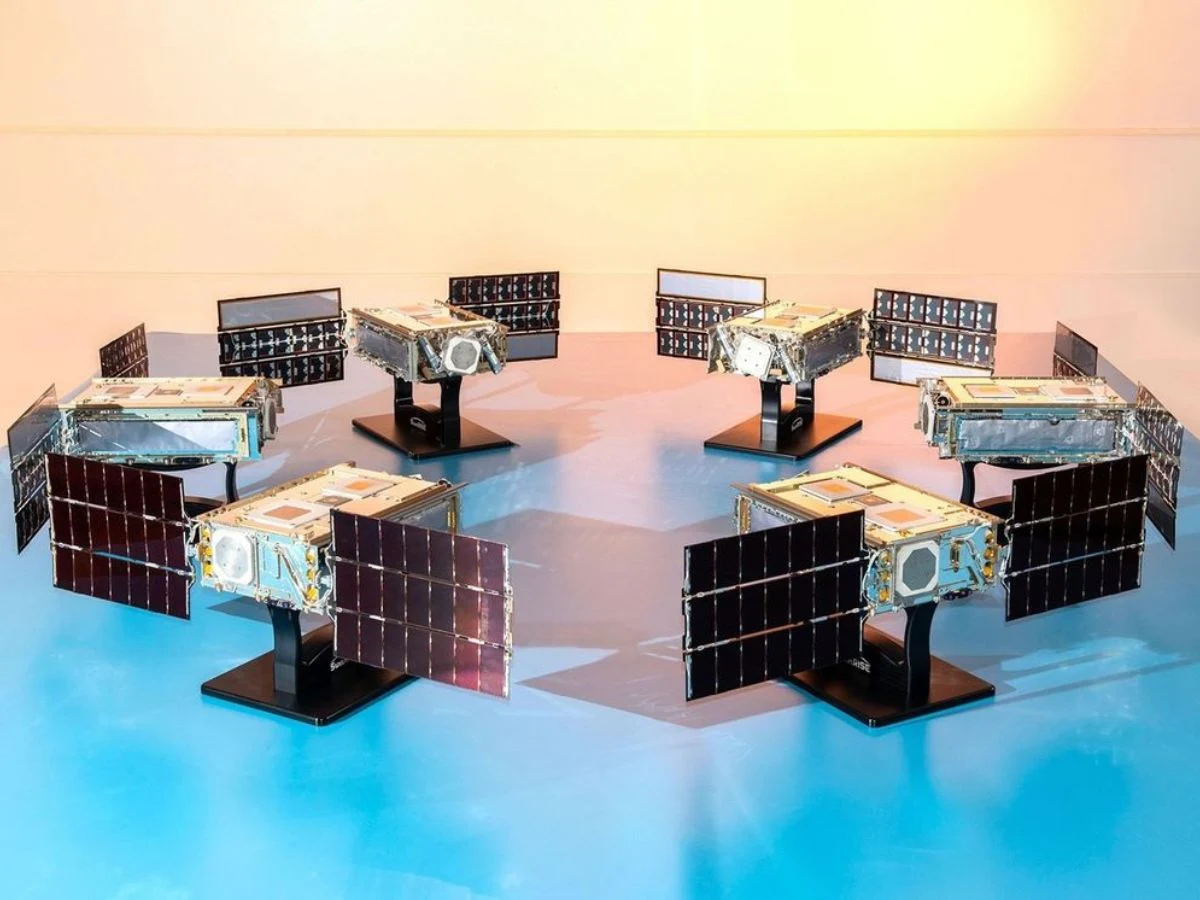
    This is the objective NASA is pursuing with SunRISE (Sun Radio Interferometer Space Experiment). SunRISE consists of six small satellites designed for a heliophysics mission. These satellites will be positioned in Earth’s orbit, approximately 6 miles (10 kilometers) apart.

    They will collaborate as a large radio telescope by merging their signals through interferometry. The SunRISE mission aims to pinpoint the sources of the radio bursts and deduce the path taken by the energetic particles. This information will enhance the ability to predict the direction and effect of radiation events.

    Launch Details

    SunRISE is set to launch as a rideshare on a United Launch Alliance Vulcan Centaur rocket. It will operate alongside other heliophysics missions, such as NASA’s STEREO (Solar TErrestrial RElations Observatory), Parker Solar Probe, and the Solar Orbiter.

    Source:
    Link


  • Intel Panther Lake CPUs: 16 New Cores, 30% Efficiency Boost

    Intel Panther Lake CPUs: 16 New Cores, 30% Efficiency Boost

    Key Takeaways

    1. New Panther Lake CPUs Unveiled: Intel officially launched the Panther Lake CPUs for laptops, succeeding the Lunar Lake CPUs, but without desktop variants.

    2. Advanced Specifications: The Panther Lake chips are built on the Intel 18A process and feature new P-cores, E-cores, and an integrated Xe3 GPU, claiming over 50% better CPU and GPU performance compared to Lunar Lake.

    3. Diverse CPU Models: Intel offers three main CPU models, including a top-tier 16-core model with extensive PCIe and memory support, a mid-range option with fewer GPU cores, and an entry-level 8-core chip.

    4. Memory System Changes: The Panther Lake CPUs transition back to conventional DDR5 and LPDDR5, allowing for higher memory capacity and speed compared to the previous on-die memory system.

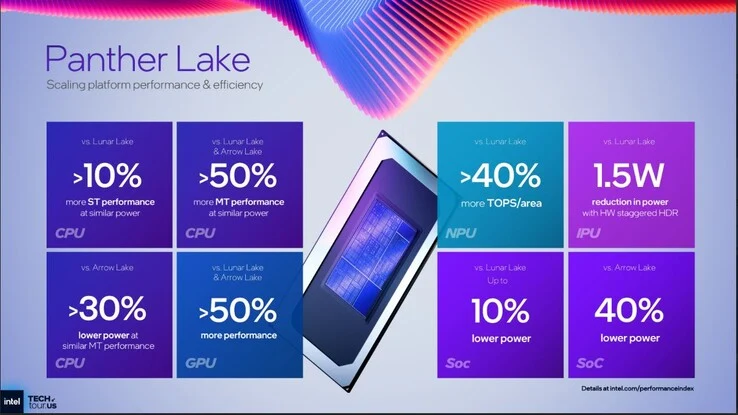
    5. Efficiency Improvements: Intel claims Panther Lake CPUs provide over 10% faster single-core performance and more than 50% better multi-core performance than earlier models, while consuming up to 30% less power than Arrow Lake.


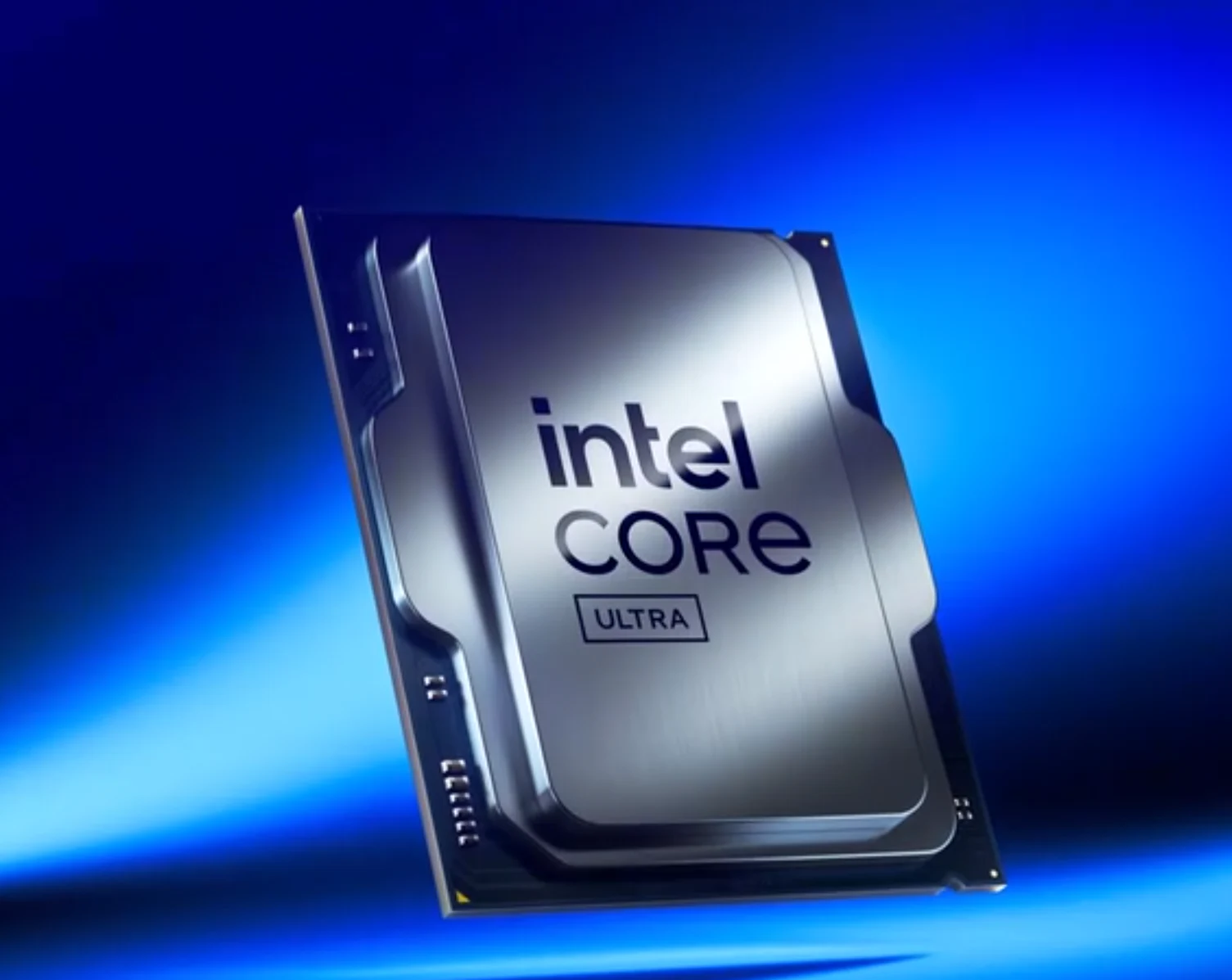
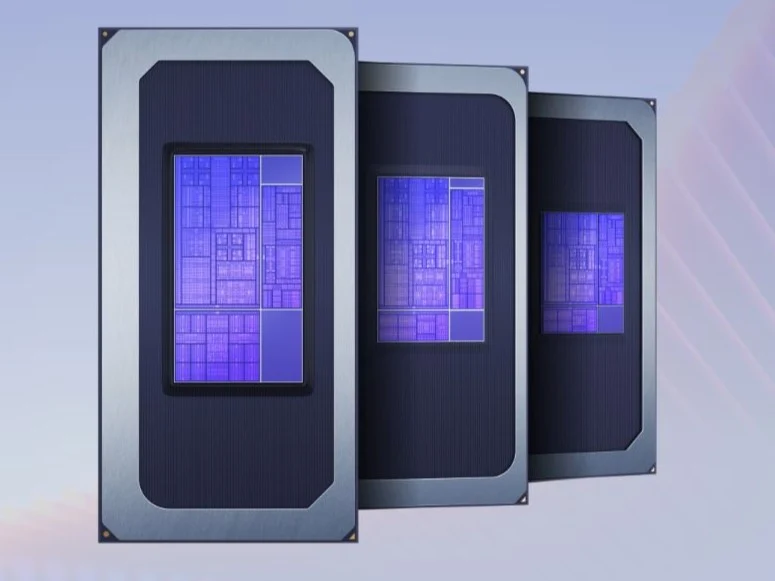
    After a long period of speculation and leaks, the new Intel Panther Lake CPUs for laptops have been officially unveiled. These chips are the next version following the Intel Lunar Lake CPUs, but they do not have any desktop variants. This may disappoint fans who were looking forward to new Intel desktop processors.

    Impressive Specifications

    The Intel Panther Lake products look quite promising on paper. They are built on the advanced Intel 18A process node and utilize technologies like RibbonFET and PowerVia. Intel asserts that these chips merge the efficiency of the Core Ultra 200V Lunar Lake with the multi-core prowess of the Core Ultra 200H Arrow Lake mobile CPUs.

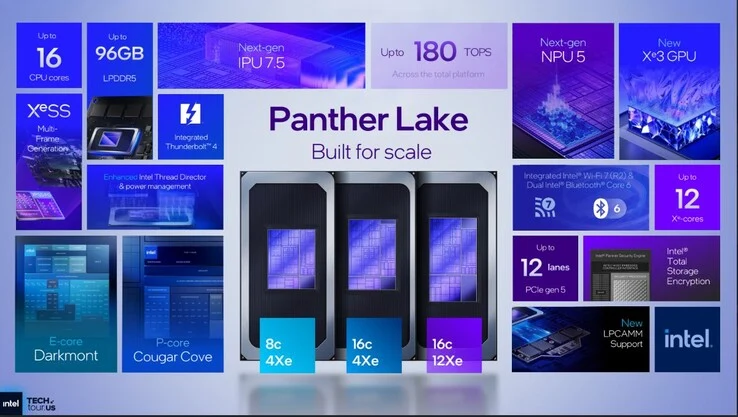
    At the core of the Panther Lake CPUs are the new “Cougar Cove” P-cores, “Darkmont” E-cores, along with an Intel Arc Celestial-based Xe3 integrated GPU (iGPU). Intel claims that these innovations provide Panther Lake with over 50% better CPU and GPU performance compared to Lunar Lake. But before diving into performance claims, let’s examine the core specifications and the available Panther Lake models.

    Diverse Offerings

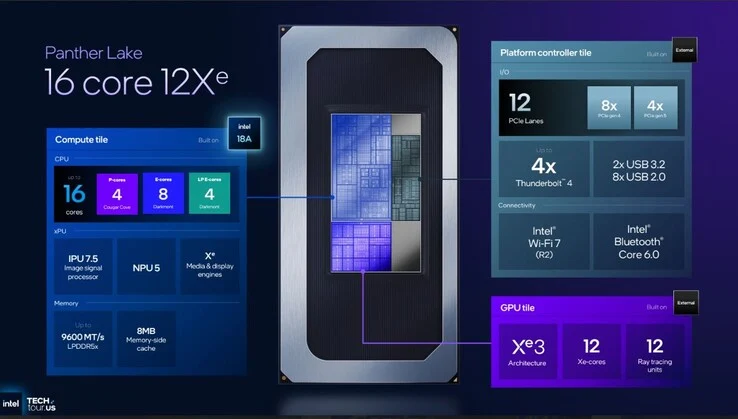
    Intel is categorizing the PTL CPUs into three main groups:

    The top-tier 16-core model includes:

    In addition, this CPU supports 12 PCIe lanes (8 Gen 4 + 4 Gen 5), up to 4 Thunderbolt 4 ports, and Intel Wi-Fi 7 Rev 2/BT 6.0.

    Intel is also revamping the memory system with Panther Lake. The on-die memory of Lunar Lake is being replaced, as Intel returns to conventional DDR5 and LPDDR5 modules. This change is favorable since the on-die memory on previous chips constrained OEMs in terms of configurations and pricing. According to Intel, the highest-end PTL model can accommodate up to 96 GB of LPDDR5x memory at 9,600 MT/s.

    Mid-Range Options

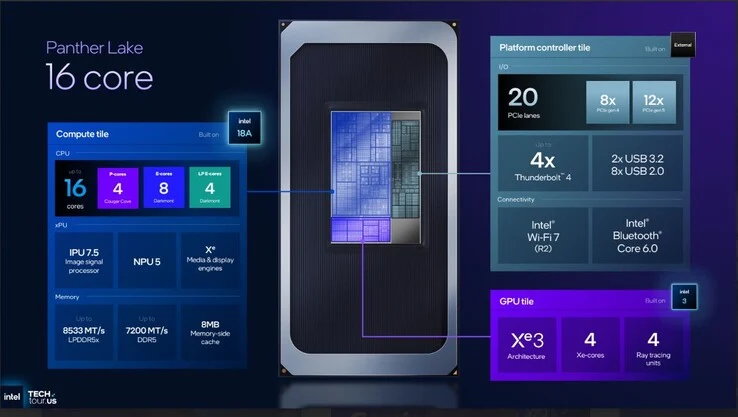
    Beneath the top PTL processor, Intel is providing OEMs with a 16-core chip that has fewer Xe3 cores. This could be a solid choice for budget gaming laptops, allowing OEMs to pair the 16-core PTL CPU with mid-range discrete GPUs like the RTX 5060 (desktop version is available on Amazon).

    The main specifications for this version consist of:

    This chip has only 4 Xe3 iGPU cores, 20 PCIe lanes instead of 12, and slower maximum memory speeds. Intel has capped the mid-range PTL SKU at 7,200 MT/s for DDR5 and 8,533 MT/s for LPDDR5x. Other connectivity options, such as 4 Thunderbolt 4 support, are unchanged.

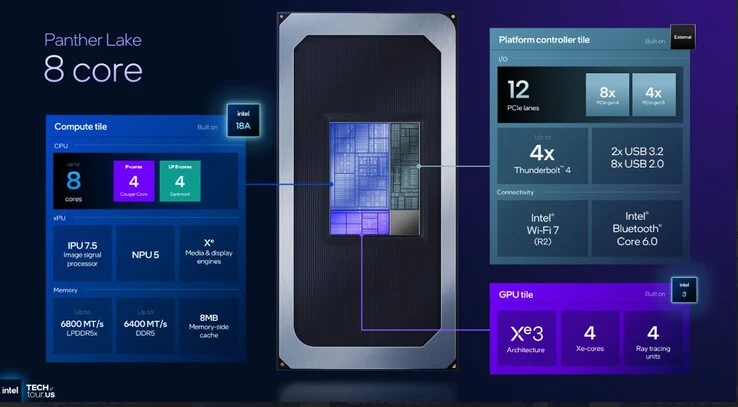
    For budget-friendly thin and light laptops, Intel has an 8-core Panther Lake chip with:

    This SKU lacks regular E-cores. Furthermore, this entry-level processor shares the same GPU tile and Platform controller tile as the mid-range model. Thus, the PCIe lanes, connectivity features, and iGPU specifications remain the same. However, the memory system has been reduced, with Intel limiting this entry-level Panther Lake model to 6,400 MT/s of DDR5 and 6,800 MT/s of LPDDR5x.

    Efficiency Claims Awaited

    Unfortunately, Intel has only provided basic performance and efficiency metrics for the Panther Lake CPUs. Therefore, we will need to wait for thorough testing to see how these CPUs actually compare with Lunar Lake and Arrow Lake-H.

    Intel claims that the leading Panther Lake SKU delivers more than 10% faster single-core performance than Lunar Lake and Arrow Lake CPUs at similar power levels. The improvement in multi-core performance is even more significant, with Intel boasting a greater than 50% increase in multi-core performance compared to Lunar Lake and Arrow Lake at similar power levels. Hyper-threading is still absent.

    Intel also appears to have improved power efficiency. The company reports that Panther Lake CPUs consume 30% or less power than Arrow Lake to achieve the same level of multi-core performance. The SoC tile for Panther Lake reportedly uses 10% less energy than Lunar Lake and a substantial 40% less power than Arrow Lake.

    We’ve dedicated another article to the iGPU gaming performance, so don’t forget to see how the Panther Lake’s Xe3 iGPU compares to previous generations.

    In summary, we can anticipate runtime performance that is similar or even superior to that of Lunar Lake-based laptops. In our analysis of Lunar Lake, we noted that while the Core Ultra 200V chips may not excel in raw performance, they were notably power-efficient. This efficiency led to devices powered by Core Ultra 200V, like the Asus Vivobook S14, achieving excellent battery life.

    Source:
    Link


  • GT1 Mega and Geekom Mini PCs on Sale for Amazon Prime Big Deal Days

    GT1 Mega and Geekom Mini PCs on Sale for Amazon Prime Big Deal Days

    Key Takeaways

    1. Amazon’s Prime Big Deal Days offer significant discounts on tech gadgets, including mini PCs.
    2. The Geekom IT12 is a budget-friendly option, priced at $364 (15% off), featuring an Intel Core i5 and 16GB RAM.
    3. The Geekom IT13 provides higher performance with an Intel Core i9 and 32GB RAM, available for $560.
    4. The Geekom GT1 Mega is a top-tier mini PC with an Intel Core Ultra 9, 32GB DDR5, and 2TB SSD, now priced at $829.
    5. Shoppers should explore Geekom’s range of mini PCs during the sales for great deals on various performance levels.


    Amazon’s Prime Big Deal Days are now in full effect, which is great news for tech lovers looking to upgrade their gadgets. If you’re in the market for a new device, it’s worth checking if any of your top picks have seen a significant price reduction. For example, those interested in mini PCs should definitely explore the discounts offered on Geekom’s range of desktop computers.

    Great Options for Budget Buyers

    If you’re watching your budget, the Geekom IT12 could be a perfect fit. This model serves as a solid alternative to the Intel NUC 12. It’s powered by an Intel Core i5-12450H Alder Lake processor, along with 16GB of RAM and a 512GB SSD. The system comes with Windows 11 Pro, USB4 connectivity, and an Ethernet port supporting 2.5Gbps. Currently, during the Prime Day sales, the IT12 is available for $364, down from its regular price of $429, giving you a nice 15% savings.

    Higher Performance for Demanding Users

    On the other hand, if you need more computing power, the Geekom IT13 is a great choice. Featuring the top-of-the-line Intel Core i9-13900HK and 32GB of RAM, this mini PC is offered at an attractive sale price of $560. It also includes a 1TB SSD, USB4, HDMI 2.0 connectivity, and a 3-year warranty, all housed in a stylish blue metal case. The IT13 stands out as a solid mid-range option for users willing to invest around $500.

    Top-Tier Performance in a Compact Form

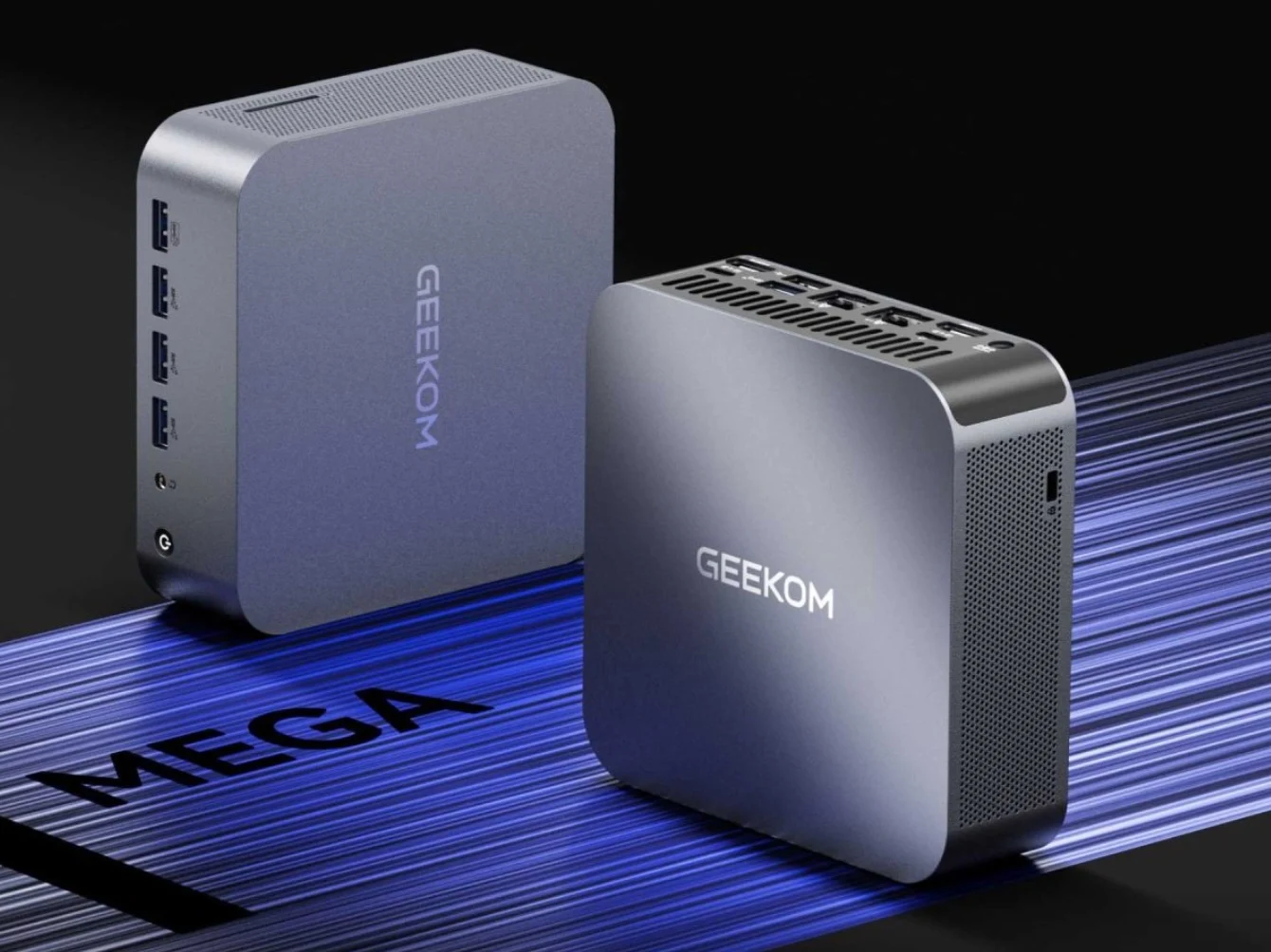
    Lastly, for those who are truly passionate about small desktop PCs, the GT1 Mega is an excellent consideration. This powerful mini PC is fitted with the incredibly fast Intel Core Ultra 9 185H, paired with 32GB DDR5 and a generous 2TB SSD. Thanks to a significant price drop, you can now snag the Geekom GT1 Mega for just $829.

    To take advantage of any of these deals or explore more offers from Geekom during the Amazon Prime Big Deal Days, make sure to visit this overview page to find the mini PC that best suits your needs.

  • Corsair EX300U Magnetic Portable SSD Offers Up to 4TB Storage

    Corsair EX300U Magnetic Portable SSD Offers Up to 4TB Storage

    Key Takeaways

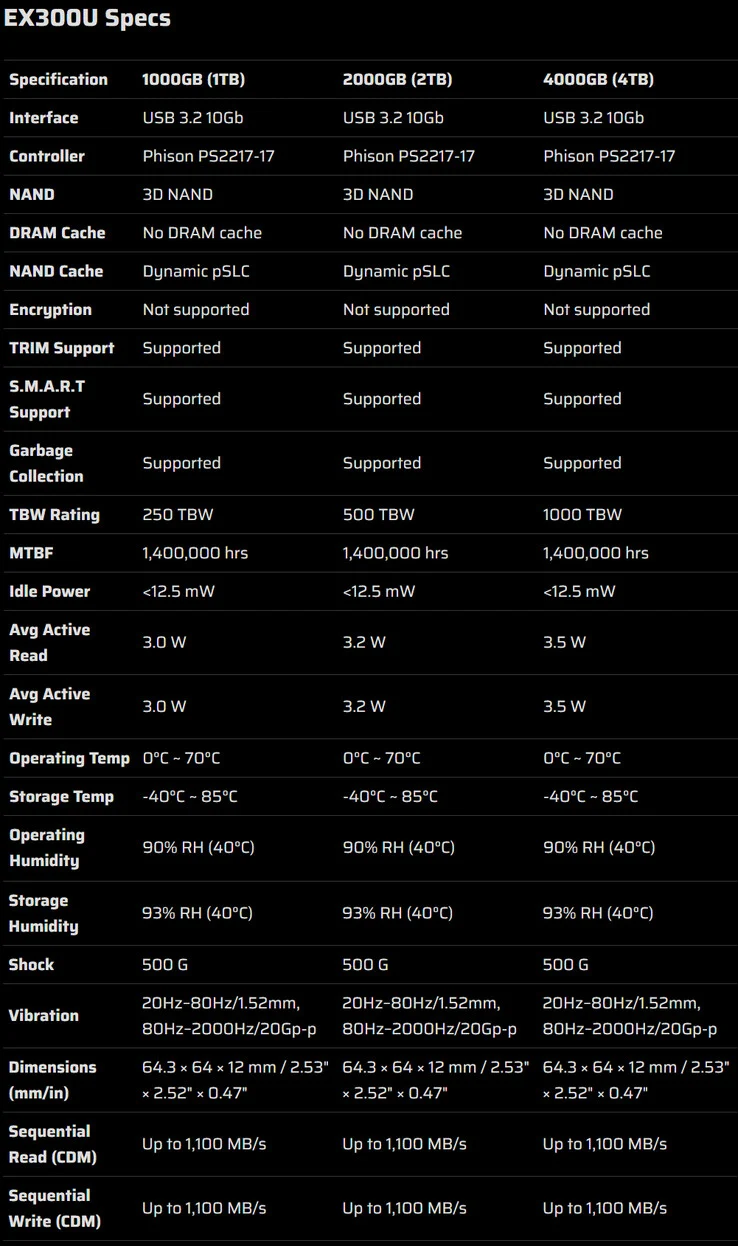
    1. Corsair’s new portable SSD, the EX300U, is compatible with MagSafe and comes in three capacities: 1 TB ($99.99), 2 TB ($159.99), and 4 TB ($324.99).
    2. The MagSafe feature allows the SSD to magnetically attach to certain iPhone models and some newer Android phones, as well as stick to metal surfaces.
    3. The EX300U has a USB Type-C 3.2 Gen 2 port, achieving read and write speeds of up to 1,100 MB/sec, and includes a 90-degree USB-C to USB-C cable.
    4. The SSD is compact, lightweight, shock-resistant, and has a 1000 TBW rating for the 4 TB version.
    5. The EX300U will be available for purchase on the official website, with shipping starting on October 10, 2025.


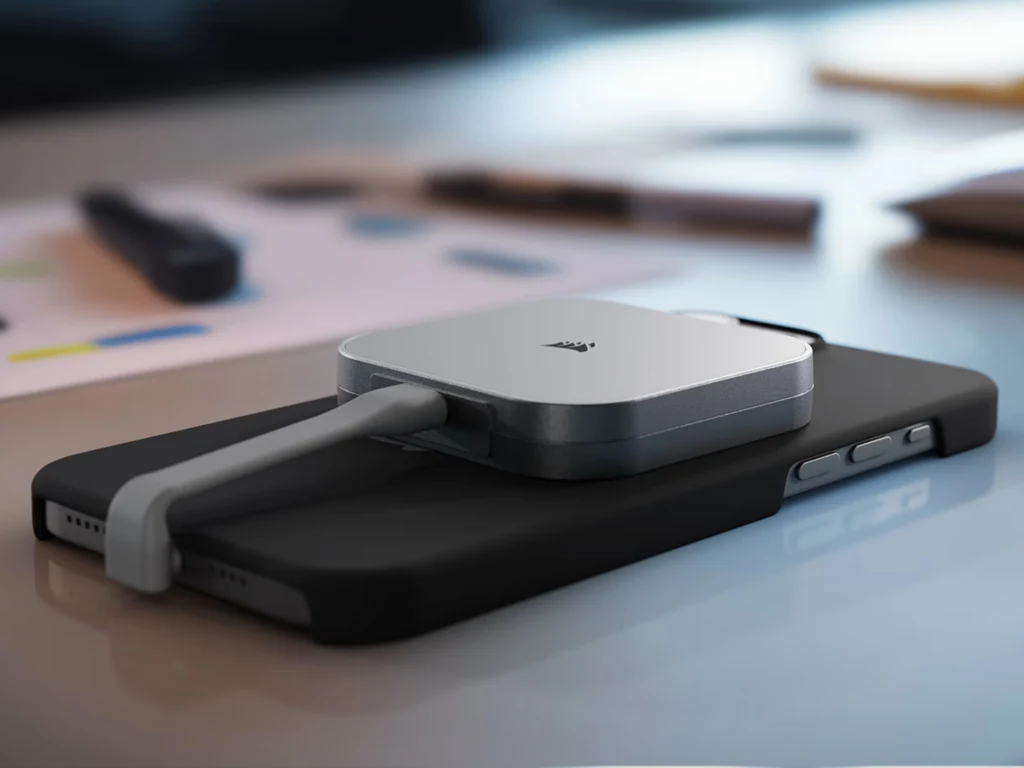
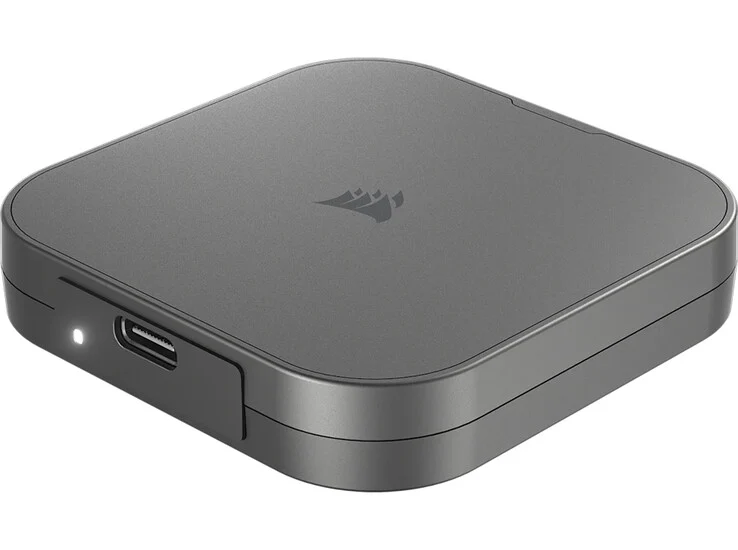
    Corsair has introduced a new portable SSD known as the EX300U, which is compatible with MagSafe. This storage device comes in three different capacities, starting with a 1 TB option priced at $99.99. The second option offers 2 TB for $159.99, and the largest variant provides 4 TB of storage, costing $324.99.

    MagSafe Features

    The EX300U’s MagSafe compatibility enables it to magnetically attach to certain iPhone models (currently, a MagSafe silicone case for the iPhone 17 Pro is priced at $37 on Amazon). This magnetic feature is also said to work with some newer Android phones that support magnetic accessories. Additionally, Corsair notes that the SSD can stick to metal surfaces.

    Connectivity and Speed

    For connection, the Corsair EX300U is equipped with a USB Type-C 3.2 Gen 2 port. This allows the SSD to achieve impressive read and write speeds of up to 1,100 MB/sec. The USB-C design ensures that the external drive is compatible with most devices straight out of the box.

    The package includes a USB-C to USB-C cable, with one end featuring a 90-degree angle that makes it easier to connect to smartphones. Another aspect worth mentioning is its compact design; Corsair claims that it’s small enough to fit into pockets without any issues.

    Additional Features

    Moreover, the SSD boasts shock resistance, a lightweight construction, and a 1000 TBW rating for the 4 TB version. The Corsair EX300U can be found for sale on the official website, and the first orders are set to start shipping on October 10, 2025.


  • Blackview MP100 Pro: Intel Mini PC with 64GB RAM & 4K Support

    Blackview MP100 Pro: Intel Mini PC with 64GB RAM & 4K Support

    Key Takeaways

    1. The Blackview MP100 Pro is a compact mini PC powered by the Intel Core i3-1215U processor, priced at $314 in the US and €238 in Europe.
    2. It features dimensions of 5.81 x 5.81 x 1.65 inches, comes with 16GB of RAM (upgradable to 64GB), and includes a 512GB M.2 SSD with Windows 11 Pro pre-installed.
    3. The mini PC can support up to three 4K monitors using HDMI, DisplayPort, and USB Type-C, with the latter also providing data transfer speeds of up to 10 Gbps.
    4. Connectivity options include Gigabit Ethernet, WiFi 6, four USB 3.1 Gen 1 Type-A ports, two USB 3.1 Gen 2 ports, and a 3.5mm audio jack.
    5. Potential buyers should be aware that the warranty and customer service may not be very reliable for this product.


    Blackview is a brand that has become more recognized, and we’ve previously looked at various products from them. The latest offering is the MP100 Pro, a compact mini PC powered by the Intel Core i3-1215U processor. It’s currently available on AliExpress for $314 for customers in the US or for €238 for those in Europe. However, potential buyers should keep in mind that the warranty and customer service may not be very reliable if any issues arise.

    Design and Specifications

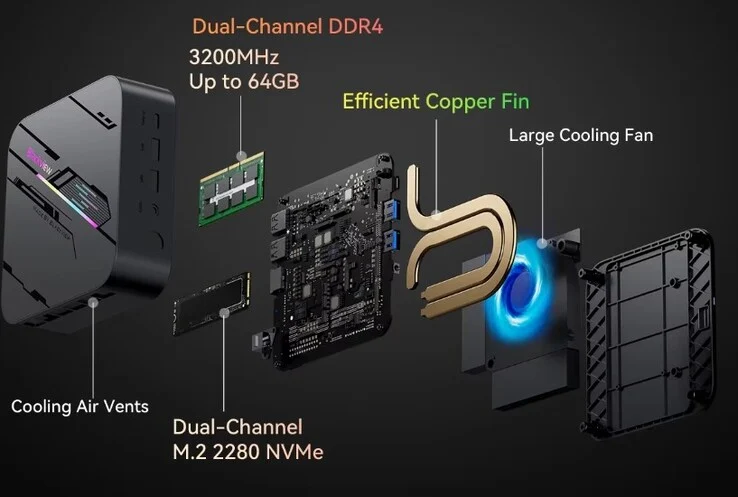
    The MP100 Pro has dimensions of 5.81 x 5.81 x 1.65 inches and is outfitted with 16GB of RAM. This budget-friendly mini PC uses 3,200 MHz DDR4 memory and allows upgrades up to 64GB for those who want to enhance their system later. Furthermore, it includes a 512GB M.2 SSD, with Windows 11 Pro already installed, letting users get started as soon as they unbox and set up the device.

    Connectivity Options

    You can connect up to three 4K monitors at the same time using HDMI, DisplayPort, and USB Type-C. This USB Type-C port not only handles video output but also supports data transfers at speeds up to 10 Gbps, although it does not cater to USB Power Delivery (PD). For wired connections, there’s Gigabit Ethernet, while WiFi 6 provides the option for wireless internet. On the back, there are four USB 3.1 Gen 1 Type-A ports, and the front features two USB 3.1 Gen 2 ports along with the standard 3.5mm audio jack. Finally, the Blackview MP100 Pro mini PC is powered through a traditional barrel plug.

    Source:
    Link


  • Ubiquiti Launches UniFi UPS Battery Backup for Networks and Servers

    Ubiquiti Launches UniFi UPS Battery Backup for Networks and Servers

    Key Takeaways

    1. Ubiquiti Networks has launched two new UPS models: Unifi UPS Tower and Unifi UPS 2U, enhancing their power backup solutions.
    2. The Unifi UPS Tower is designed for desktop use, features ten C13 ports, and provides a battery capacity of 102Wh, operational for up to seven minutes at half load.
    3. The Unifi UPS 2U is a rack-mounted unit with a larger battery capacity of 216Wh, operating for up to 8 minutes at half load, and requires two rack units (2U) of space.
    4. Both models feature hot-swappable batteries, surge protection, and a NUT server for monitoring without needing Unifi software.
    5. The Unifi UPS Tower is priced at $159 and is available now, while the Unifi UPS 2U is priced at $279 and will be available later this month.


    Ubiquiti Networks has launched two new uninterruptable power supply (UPS) models, known as the Unifi UPS Tower and the Unifi UPS 2U. These new products build on the company’s previous switch that features a built-in battery for essential infrastructure, as well as its popular power backup solution which utilizes unique connectors for the brand’s rack-mounted devices.

    Unifi UPS Tower Features

    The Unifi UPS Tower is intended for desktop placement. It includes a network port for easy integration with Unifi and surge protection for network connections through GbE. This tower is equipped with a total of ten C13 ports designed for C14 plugs. All these ports are protected against surges, and five of them are also connected to the internal battery to ensure a steady power supply.

    In terms of performance, the battery can operate at a full load of 1,000VA/600W/102Wh for two minutes. When running at half load, this time stretches to seven minutes. Notably, the battery is hot-swappable. The tower stands approximately 11 inches tall, weighs nearly 17.6 lbs, and is currently listed on Ubiquiti’s official store for a price of $159.

    Unifi UPS 2U Specifications

    On the other hand, the Unifi UPS 2U, designed for 19-inch racks, boasts a much larger capacity. Rather than the 102Wh of the tower model, this unit features an internal battery with 216Wh. Similar to the tower, its battery is also hot-swappable and accessible from the front. This device can deliver 1,500VA or 1,000W for 2.3 minutes, and when at half load, it can operate for up to 8 minutes. As a rack-mounted option, it requires two rack units (2U) of space. With a depth of 300 mm, the Ubiquiti UPS is ideal for use in network cabinets. However, it only provides a 4+4 C13 configuration for connectivity. The rest of the connections are similar to those found in the tower model, but the rack unit is priced higher at $279.

    Additional Features and Availability

    Both models come with a NUT server that can relay additional information, meaning that monitoring through Unifi is not always necessary. Lastly, availability differs between the two units; the tower is ready for order now, whereas the rack unit is anticipated to be available later this month.

    Source:
    Link