Tag: Ubiquiti

  • Ubiquiti UniFi 5G Backup Device $99

    Ubiquiti UniFi 5G Backup Device $99

    Key Takeaway

    – 5G Backup WWAN adds a 5G fallback layer to existing UniFi gateways, using an Ethernet-connected antenna stick with no internal power source (requires PoE).
    – Supports eSIM and SIM slot; in the US, can operate without a physical SIM thanks to a T-Mobile partnership (likely using an eSIM profile).
    – Uses RedCap (reduced-capability 5G) for IoT-oriented features; speeds around 10% faster than LTE backup, but prioritizes reliability over high throughput.
    – Requires a cloud gateway in the network to function; price is about $99 for the antenna stick.


    Overview

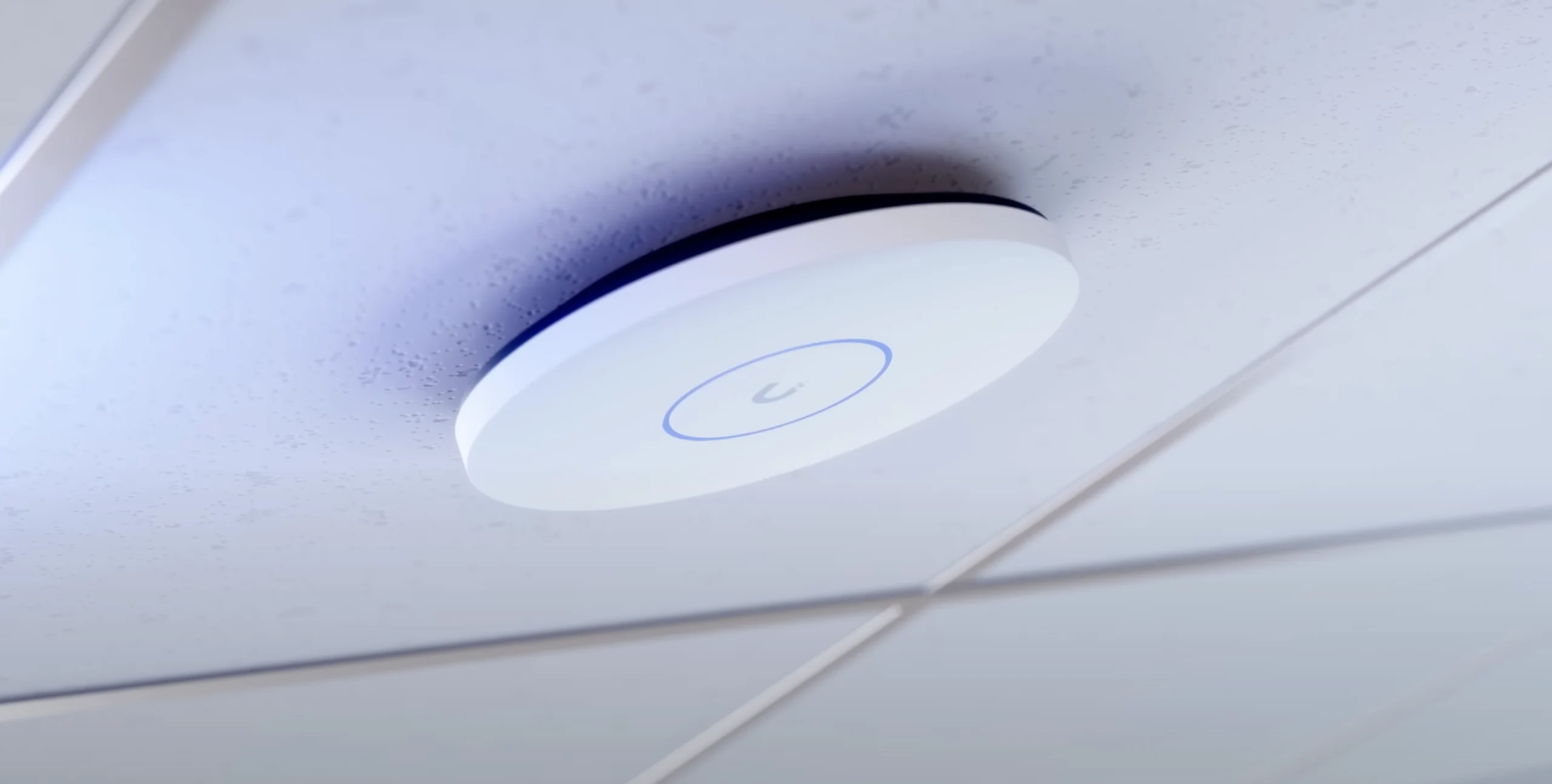
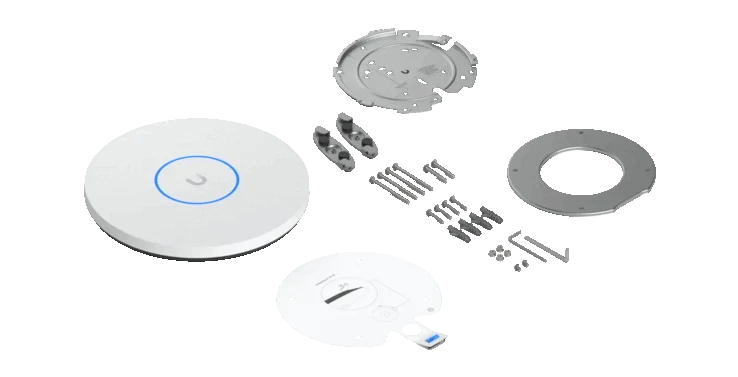
    Ubiquiti has announced the UniFi 5G Backup WWAN backup solution. According to the manufacturer, the fallback solution can add a 5G connection as a backup layer to any current gateway. UniFi 5G Backup is a simple antenna stick solution that can be mounted to a wall, for example. A status display shows current connection information. The antenna connects via Ethernet and is automatically integrated into the UniFi network. However, since the device does not have a power connector, it requires a port with Power over Ethernet support.

    Global Availability and SIM Options

    At least in the US, UniFi is cooperating with T-Mobile US. The stick can therefore be used without inserting a SIM card. However, there is still a SIM card slot. According to Ubiquiti, the device has no SIM lock. The eSIM standard is also supported. Presumably, the T-Mobile SIM is stored as an eSIM profile. Whether there is a partner in Europe cannot be determined from the technical specifications provided for Europe. Ultimately, that only means sysadmins need one additional step, which is rarely required.

    Technical Basis

    Technically, the 5G solution uses the RedCap principle, short for reduced capabilities, which the GSMA has been promoting for some time primarily for IoT applications. This means that 5G features have been implemented, but speed is not a high priority. Accordingly, the backup solution is only around 10% faster in 5G mode than when the backup connects via LTE (220 vs. 195 Mbps). However, the stick should benefit from the reliability improvements that 5G can offer.

    Pricing and Ordering

    The antenna can already be ordered and costs around $99 at the brand’s official US store. The antenna can only be used if there is a (cloud) gateway in the network.
    Sources
  • Ubiquiti Unveils Fanless Router and New UniFi Industrial Series

    Ubiquiti Unveils Fanless Router and New UniFi Industrial Series

    Key Takeaways

    1. Ubiquiti launched the UniFi Industrial product range, starting with the Cloud Gateway Industrial (UCG Industrial) priced at $579.
    2. The UCG Industrial features a rugged design with passive cooling, multiple PoE+++ ports, and a total power budget of 270 watts.
    3. It includes a rack-mount kit option for easy installation and supports WiFi 7, though the 6GHz band from WiFi 6E is not available yet.
    4. The router has two non-operational SIM card slots, expected to be activated in a future update for remote SIM capabilities.
    5. Additional UniFi Industrial products, like switches and access points, are anticipated, with a showcase planned for MWC 2026 in Barcelona.


    Ubiquiti has introduced a fresh product range within the UniFi family. The new line, called UniFi Industrial, aims to provide items that are particularly tough and very dependable. The inaugural product in this series is the Cloud Gateway Industrial (UCG Industrial), which is priced at $579 and is now up for grabs.

    Rugged Design and Features

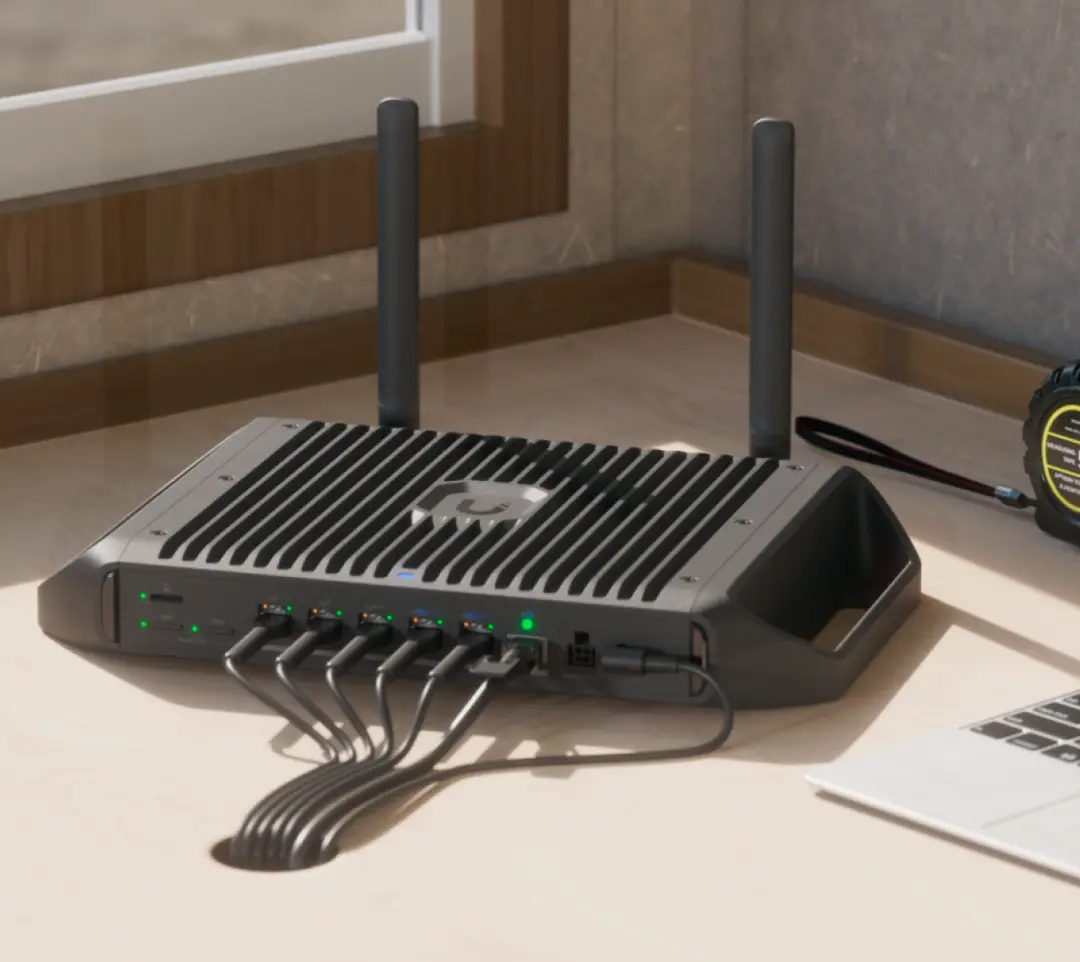
    At this price point, customers receive a robust and passively cooled router packed with various features. For instance, the UCG Industrial comes with multiple PoE+++ ports rated at 90 watts, and it boasts a total power budget of 270 watts. With a standard power of 28 watts, this gateway requires proper heat dissipation. To tackle this potential concern, Ubiquiti, like many other brands, uses a metal casing that has a large finned area for effective cooling. This design contributes to a weight of 5.3 lb, not counting extras like feet or mounting gear. A stand is provided by default and can be replaced with handles for vertical placement of the Ubiquiti router.

    Mounting Options and Connectivity

    Additionally, there’s a rack-mount kit available for $59 that includes a standard rack ear and a support surface for the external power supply, enabling the UCG Industrial to fit within 1U rack shelves. The router also supports wireless connections that go up to WiFi 7 (802.11be), although it does not include the 6GHz band introduced with WiFi 6E.

    Moreover, the chassis contains two SIM card slots, but this function is currently not operational and is anticipated to be enabled in a future update. Once this happens, users will be able to connect the UniFi 5G Max Outdoor modem. The concept is to keep the SIM cards within the gateway for easy swapping, while the outdoor modem can be set up in a hard-to-reach but elevated position. This way, the modem’s SIM slots can remain vacant. Ubiquiti refers to this capability as Remote SIM. A software update will also be necessary for this feature.

    Networking Capabilities and Future Plans

    On the networking front, the router is equipped with an SFP+ cage for transceivers or DAC, a single 10GbE RJ45 port, and four 2.5GbE ports. It also includes the standard UniFi Gateway functionalities for camera integration and other devices. Additionally, there is a microSD card slot for expanded storage and 3GB of RAM.

    In addition to the gateway, more UniFi Industrial products are expected to join this new lineup. Videos indicate that Ubiquiti may also launch switches and access points with external antennas. Ubiquiti is likely to have a substantial presence at MWC 2026 in Barcelona this year, where these new UCG Industrial products will probably be showcased. There might also be a sneak peek at the additional products.

    Source:
    Link


  • Ubiquiti UniFi Travel Router: Simplify Hotel WiFi Logins

    Ubiquiti UniFi Travel Router: Simplify Hotel WiFi Logins

    Key Takeaways

    1. The UniFi Travel Router connects to a user’s UniFi network, providing a familiar WiFi experience while traveling.
    2. It requires an external power source via USB Type-C and can connect to a network through Ethernet or WiFi.
    3. The router can share hotel WiFi across multiple devices, simplifying the login process for users.
    4. It uses 802.11ac WiFi (WiFi 5) on both 2.4 and 5 GHz bands, which is efficient for travel but lacks the capabilities of advanced access points.
    5. The UniFi Travel Router will launch on December 29, priced at $79.


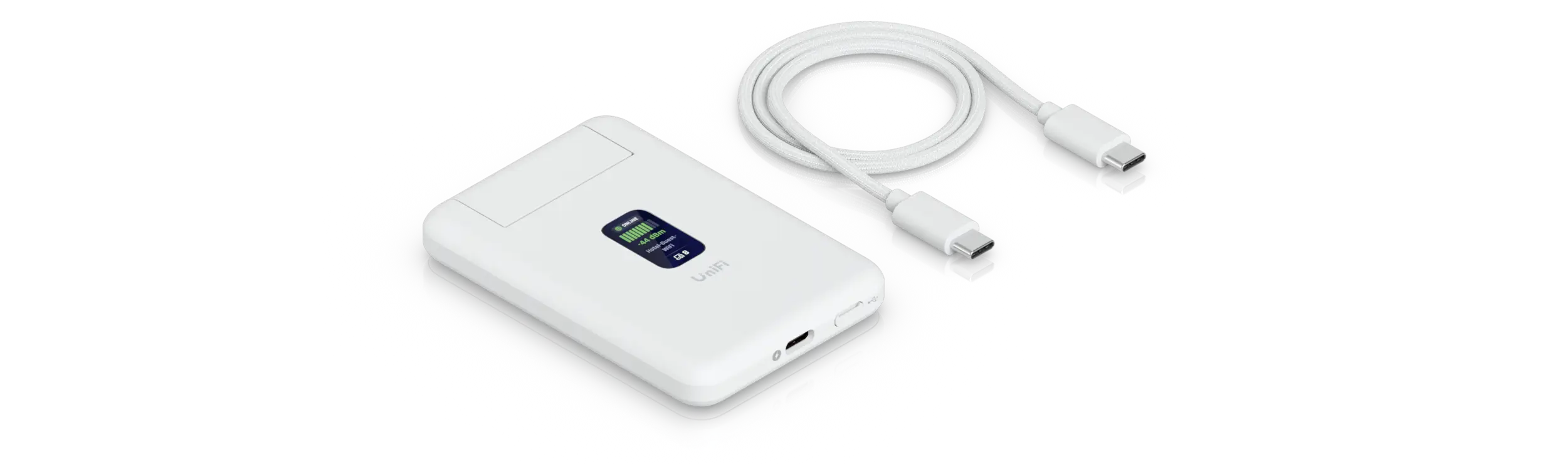
    Just before the year wraps up, Ubiquiti has unveiled yet another product. The UniFi Travel Router aims to function like a typical router and links to a user’s UniFi network, offering a familiar WiFi experience while on the go. No matter where you are, Ubiquiti strives to maintain a consistent networking atmosphere. Users can take along other devices that typically connect to the UniFi network while traveling.

    Power and Connectivity

    However, this new gadget isn’t a complete travel router. It needs an external power source through USB Type-C along with a network link, which can be achieved via an Ethernet cable or WiFi. You can also connect a 5G modem using USB (multi uplink) if needed.

    Additionally, a small status screen conveniently shows specific information. Users can set up the UniFi Travel Router using a smartphone via Bluetooth. Thus, this travel router mainly targets individuals who already have a UniFi network. For different needs, a standard 5G router with a battery might be a more suitable option.

    Hotel WiFi Sharing

    One interesting aspect is its ability to share hotel WiFi across multiple devices. This feature eliminates the need to register each device individually. Usually, hotel WiFi redirects users to a captive portal, which sometimes only requires a T&C agreement. Regardless, the Ubiquiti travel router is designed to take care of this pesky login process itself, allowing guests and all their devices to connect right away.

    For more complicated captive portals, users will have to pull out their smartphone. The captive portal will then be redirected so it can be manually solved. Ubiquiti notes that WPA Enterprise and Passpoint are not supported, but hotels generally don’t use such networks for their guests.

    Technical Specifications

    Internally, the router links devices using 802.11ac WiFi (WiFi 5, 2×2) on both the 2.4 and 5 GHz bands. While this isn’t the most recent standard, it should help in lowering power use and is likely enough for travel. Nonetheless, the UniFi Travel Router doesn’t match the technical capabilities of real access points, but it only needs up to 5 watts of power.

    The UniFi Travel Router is set to launch on December 29 with a price tag of $79 at Ubiquiti’s official online store.

    Source:
    Link


  • Ubiquiti UniFi 5G Max: Dual-SIM and eSIM Cellular Modem

    Ubiquiti UniFi 5G Max: Dual-SIM and eSIM Cellular Modem

    Key Takeaways

    1. 5G Modem Integration: Ubiquiti’s UniFi 5G Max seamlessly integrates into UniFi networks and supports Power over Ethernet (PoE) for easy installation without nearby power outlets.

    2. Dual SIM Support: The modem features two nano SIM slots and supports eSIM profiles, allowing users to combine a physical SIM with an eSIM for flexibility.

    3. High-Speed Performance: Expected download speeds can reach up to 3.4 Gbps with uplink speeds of around 560 Mbps in non-standalone networks; standalone setups may halve download speeds but increase upload speeds.

    4. Rugged Outdoor Variant: The UniFi 5G Max Outdoor model is designed for tough conditions with an IP67 rating, suitable for rooftop installations and vehicular use.

    5. Pricing and Availability: The UniFi 5G Max is priced at $399, with the outdoor model set to launch in January 2026 at $459, both available on Ubiquiti’s online store.


    Ubiquiti has just unveiled the UniFi 5G Max, a new 5G modem that seamlessly fits into a UniFi network. With support for PoE, this device can link directly to a PoE switch, eliminating the need for a power outlet close by. The RJ45 network port is capable of 2.5GbE speeds.

    Features and Functionality

    The modem includes two physical nano SIM slots for cellular connections and has the ability to support eSIM profiles as well. The Ubiquiti UniFi 5G Max also implements Dual SIM Single Standby (DSSS) mode, allowing one SIM to act as a backup for the other if needed. Users have the option to mix a physical SIM with an eSIM instead of using two physical SIM cards.

    Activating an eSIM requires a manual activation code, as QR codes cannot be utilized. For customers in the US, there might be a minor issue with T-Mobile. Ubiquiti clarifies that users should inform customer support that the supposed incompatibility is actually a database error from T-Mobile. While installing eSIMs on smartphones has become common, it remains a relatively unusual feature for routers. Thus, network providers may not be very familiar with this configuration.

    Speed and Performance

    Expected download speeds can reach up to 3.4 Gbps, with uplink speeds around 560 Mbps in non-standalone networks. However, in standalone scenarios, download speeds are halved, but upload speeds can increase to 650 Mbps. A small status display provides information about the network connection. In addition, the Ubiquiti UniFi 5G Max can switch back to 4G/LTE or even 3G/UMTS if necessary, and the complete list of supported frequency bands is available on the spec sheet. Importantly, a UniFi cloud gateway is needed for the UniFi 5G Max to operate.

    Rugged Design Options

    There’s also a robust variant called the UniFi 5G Max Outdoor. This version boasts an IP67 rating and is designed for improved reception in tougher conditions, like being connected to a cellular tower on a rooftop. Ubiquiti even suggests that the 5G modem can be utilized in a vehicle.

    Ubiquiti’s official MSRP for the UniFi 5G Max is $399. The outdoor model is expected to launch in January 2026 and will retail for $459. Both models are already available on the brand’s official online store.

    Source:
    Link


  • Ubiquiti Launches Dream Router 5G Max with Tri-Band WiFi

    Ubiquiti Launches Dream Router 5G Max with Tri-Band WiFi

    Key Takeaways

    1. Ubiquiti has launched the Dream Router 5G Max, which features an integrated 5G cellular modem and supports WiFi across three frequency bands: 2.4 GHz, 5 GHz, and 6 GHz (WiFi 7 standard).
    2. The router includes four RJ45 ports and an SFP slot for fiber-optic connections, but technical specifications and multi-gigabit support details are not fully disclosed.
    3. It supports both traditional SIM cards and eSIMs, allowing users to choose between redundancy, failover, or using cellular as the main connection.
    4. The device runs on Unifi OS, allowing the use of Unifi applications, and includes a microSD card slot for storage, along with a status display for network information.
    5. The Dream Router 5G Max is currently not available for sale, and its price and release date have not been announced.


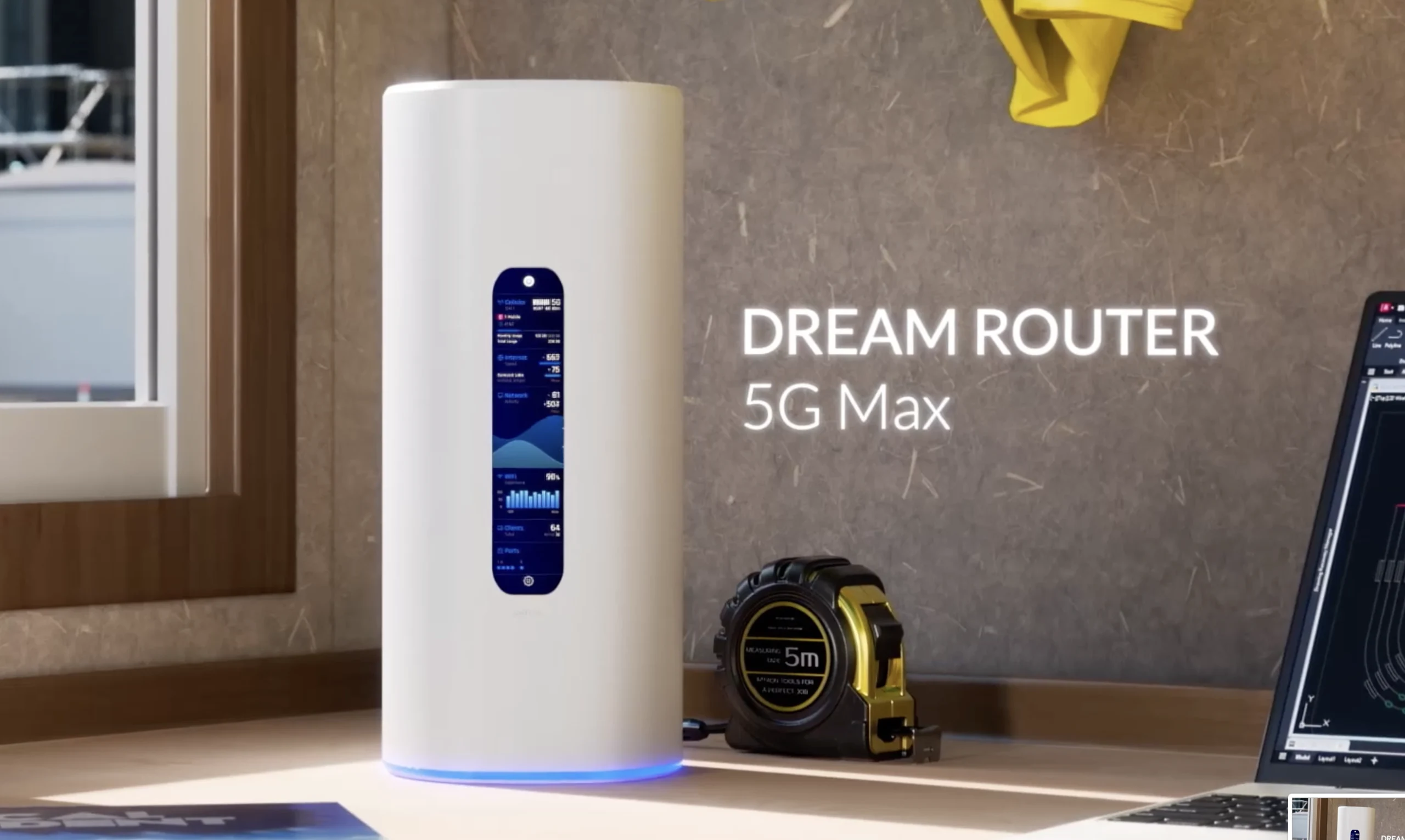
    Ubiquiti has unveiled a fresh WiFi router that features an integrated 5G cellular modem. This new device, named the Dream Router 5G Max, comes packed with a variety of appealing functionalities. Notably, it can establish a WiFi network across three frequency bands: 2.4 GHz, 5 GHz, and 6 GHz. The 6 GHz band is part of the WiFi 7 standard, also referred to as 802.11ax.

    Technical Specs and Features

    Currently, Ubiquiti hasn’t disclosed many technical specifications, but from the pictures, it appears the 5G router includes four RJ45 ports. It’s still uncertain if these ports support multi-gigabit connections (802.11bz). A noteworthy feature is the SFP slot located at the back, which allows for the connection of fiber-optic cables. However, users will need to buy a compatible transceiver separately.

    Cellular Support and Functionality

    As the name suggests, the Ubiquiti Dream Router 5G Max is designed to support the 5G cellular standard. Additionally, this device accommodates both traditional SIM cards and eSIMs. Ubiquiti has stated that users can choose whether to use these cellular connections for redundancy or failover, or as their main connection.

    Additional Features and Availability

    Since this device operates on Unifi OS, it can run Unifi applications. It includes a microSD card slot for file storage or video recordings. Moreover, a status display shows various information about the network connection, such as signal quality, current throughput, and total data usage.

    The Dream Router 5G Max has just been revealed and is not yet available for sale. Unlike other recent 5G products, this router isn’t listed on the brand’s official online store. Therefore, both the price and release date are still a mystery for now.

    Source:
    Link


  • Ubiquiti Unveils SFP Wizard for SFP and QSFP Module Support

    Ubiquiti Unveils SFP Wizard for SFP and QSFP Module Support

    Key Takeaways

    1. Ubiquiti launched the SFP Wizard to combat vendor lock-in in the networking sector, allowing users to program SFP and QSFP modules for various switches.
    2. The device features two module slots, a 1.1Wh battery lasting 75 minutes, a touchscreen interface, and Bluetooth LE communication.
    3. The SFP Wizard is compact, measuring approximately 2 x 3.5 inches and weighing about 3 oz, making it easily portable.
    4. Priced at $49, the SFP Wizard offers strong value compared to higher-priced alternatives, making it accessible for smaller setups.
    5. Ubiquiti also reduced prices for its SFP modules, enhancing affordability and accessibility for users.


    Ubiquiti has rolled out a new device designed for programming SFP network modules, called the SFP Wizard. This device is intended to combat the common practice of vendor lock-in in the networking field. Many switch makers prevent the use of third-party modules in their SFP and QSFP ports. This issue can occur even with switches that are priced just a few hundred dollars. The strictness of these limitations varies widely by manufacturer.

    Strategic Move Against Competitors

    The launch of the SFP Wizard by Ubiquiti can be interpreted as a bold move against the lucrative market of its rivals. The company has kicked off a rather unique and assertive marketing campaign, dubbing it an “SFP Liberation Day.”

    Features of the SFP Wizard

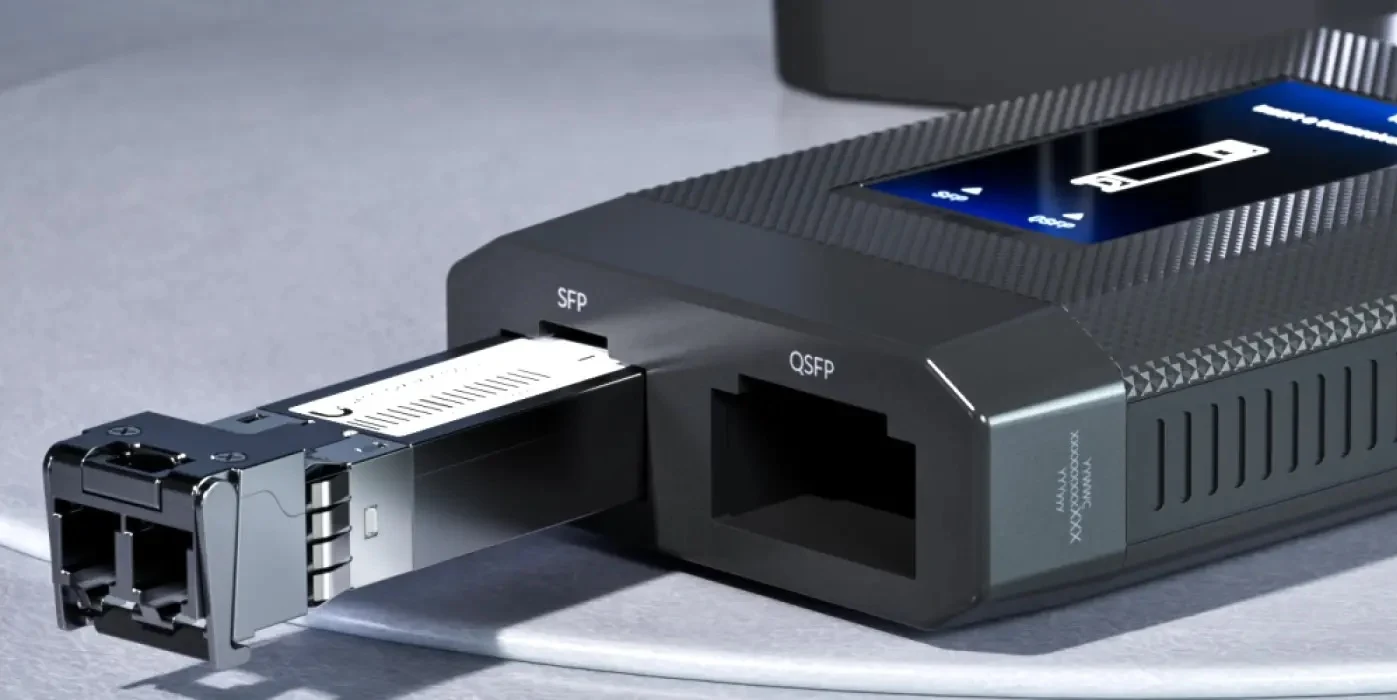
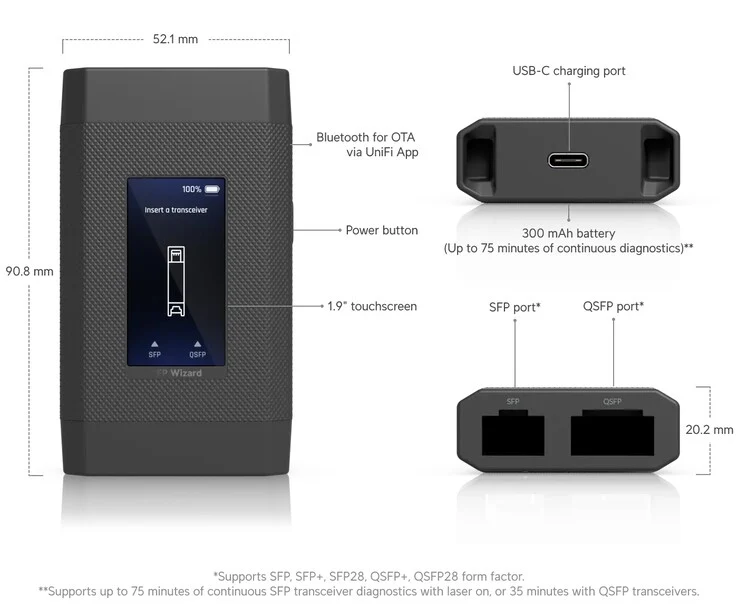
    This device enables users to prepare SFP and larger QSFP modules for integration with different switches. To facilitate this, the SFP Wizard is equipped with two module slots of the appropriate sizes. Ubiquiti claims that the device’s 1.1Wh battery lasts for 75 minutes without needing external power. It also features a touchscreen, which can be handy for module programming. The device’s dimensions are roughly 2 x 3.5 inches, and it weighs about 3 oz, making it compact enough to easily fit in most pockets.

    The two slots are compatible with SFP, SFP+, SFP28, QSFP+, and QSFP28 modules. Additionally, the device can receive firmware updates. Communication is done through Bluetooth LE, and setting it up requires the Unifi Mobile App available for both Android and iOS devices.

    Pricing and Accessibility

    The SFP Wizard was available for a short time at a price of $49, but it sold out quickly after the first batch. At this price point, the Ubiquiti SFP Wizard seems to offer a strong value. Comparable products, like the Flexbox, come with a much higher price tag, which made them primarily appealing to larger enterprises. With the introduction of Ubiquiti’s SFP Wizard, smaller setups can now access this useful tool.

    In addition to the SFP Wizard’s debut, Ubiquiti has also reduced the prices of its SFP modules. For instance, an SFP+ multimode transceiver suited for shorter distances with 10Gbps is now priced at around $9, while the QSFP28 100GbE module is selling for about $39.

    Source:
    Link


  • Ubiquiti Launches UniFi UPS Battery Backup for Networks and Servers

    Ubiquiti Launches UniFi UPS Battery Backup for Networks and Servers

    Key Takeaways

    1. Ubiquiti Networks has launched two new UPS models: Unifi UPS Tower and Unifi UPS 2U, enhancing their power backup solutions.
    2. The Unifi UPS Tower is designed for desktop use, features ten C13 ports, and provides a battery capacity of 102Wh, operational for up to seven minutes at half load.
    3. The Unifi UPS 2U is a rack-mounted unit with a larger battery capacity of 216Wh, operating for up to 8 minutes at half load, and requires two rack units (2U) of space.
    4. Both models feature hot-swappable batteries, surge protection, and a NUT server for monitoring without needing Unifi software.
    5. The Unifi UPS Tower is priced at $159 and is available now, while the Unifi UPS 2U is priced at $279 and will be available later this month.


    Ubiquiti Networks has launched two new uninterruptable power supply (UPS) models, known as the Unifi UPS Tower and the Unifi UPS 2U. These new products build on the company’s previous switch that features a built-in battery for essential infrastructure, as well as its popular power backup solution which utilizes unique connectors for the brand’s rack-mounted devices.

    Unifi UPS Tower Features

    The Unifi UPS Tower is intended for desktop placement. It includes a network port for easy integration with Unifi and surge protection for network connections through GbE. This tower is equipped with a total of ten C13 ports designed for C14 plugs. All these ports are protected against surges, and five of them are also connected to the internal battery to ensure a steady power supply.

    In terms of performance, the battery can operate at a full load of 1,000VA/600W/102Wh for two minutes. When running at half load, this time stretches to seven minutes. Notably, the battery is hot-swappable. The tower stands approximately 11 inches tall, weighs nearly 17.6 lbs, and is currently listed on Ubiquiti’s official store for a price of $159.

    Unifi UPS 2U Specifications

    On the other hand, the Unifi UPS 2U, designed for 19-inch racks, boasts a much larger capacity. Rather than the 102Wh of the tower model, this unit features an internal battery with 216Wh. Similar to the tower, its battery is also hot-swappable and accessible from the front. This device can deliver 1,500VA or 1,000W for 2.3 minutes, and when at half load, it can operate for up to 8 minutes. As a rack-mounted option, it requires two rack units (2U) of space. With a depth of 300 mm, the Ubiquiti UPS is ideal for use in network cabinets. However, it only provides a 4+4 C13 configuration for connectivity. The rest of the connections are similar to those found in the tower model, but the rack unit is priced higher at $279.

    Additional Features and Availability

    Both models come with a NUT server that can relay additional information, meaning that monitoring through Unifi is not always necessary. Lastly, availability differs between the two units; the tower is ready for order now, whereas the rack unit is anticipated to be available later this month.

    Source:
    Link


  • Run UniFi OS on Windows, macOS, or Linux with Ubiquiti’s Server

    Run UniFi OS on Windows, macOS, or Linux with Ubiquiti’s Server

    Key Takeaways

    1. Ubiquiti introduced the Unifi OS Server, allowing managed service providers to host the UniFi Network stack on their own hardware.
    2. Users can customize their server setups to meet specific needs, supporting various architectures (X86, X64, ARM64).
    3. The software operates without requiring an internet connection and avoids license management.
    4. Ubiquiti aims to reach new customer segments while maintaining revenue through linked hardware instead of a licensing model.
    5. The Unifi OS Server builds on previous capabilities, allowing users to install WLAN controllers on their own hardware for cost savings.


    Ubiquiti has recently revealed the Unifi OS Server, a software solution that can be run on your own hardware. This product is mainly designed for managed service providers who wish to host the complete UniFi Network stack on their own servers while still having the advantage of UniFi’s cloud features.

    Custom Configuration Options

    With this new server, users can tailor their server setup to fit their specific requirements instead of depending solely on Ubiquiti’s hardware. The Unifi OS Server can be deployed on virtual machines and also on systems that utilize X86, X64, or ARM64 architectures.

    No Internet Required

    Importantly, Ubiquiti emphasizes that an internet connection isn’t necessary for the software’s operation. Additionally, there will be no need for license management, which aligns with the company’s original philosophy. While a licensing model could have been an option, Ubiquiti prefers to sustain its revenue through the hardware linked to the Unifi OS server.

    Targeting New Markets

    This innovative strategy is aimed at reaching new customer segments. Nonetheless, it’s worth noting that this isn’t a completely new concept. In the past, users were already able to install the WLAN controller on their own hardware for WLAN setups, which allowed them to save a significant amount of money by opting for more affordable hardware solutions.

    Source:
    Link

  • Ubiquiti U7 Pro XG & XGS: New Tri-Band WiFi 7 Access Points

    Ubiquiti U7 Pro XG & XGS: New Tri-Band WiFi 7 Access Points

    Key Takeaways

    1. Ubiquiti launched WiFi 7 access points: U7 Pro XG and U7 Pro XGS, with the XGS featuring enhanced capabilities like interference detection and “Zero Wait DFS.”
    2. The XGS has a 4×4 antenna setup for the 5GHz band, allowing a maximum bandwidth of 8.6Gbps, while the XG has a 2×2 setup with a maximum of 4.3Gbps.
    3. Pricing for the U7 Pro XG and XGS models is $199 and $299 respectively, while the new dual-band U7 Lite is priced at $99.
    4. The XG supports up to 300 clients, while the XGS can connect up to 500 clients, with both supporting the 6GHz frequency band.
    5. The new models feature multi-gigabit ports (5GbE and 10GbE) and require at least 22 watts of Power over Ethernet during peak usage.


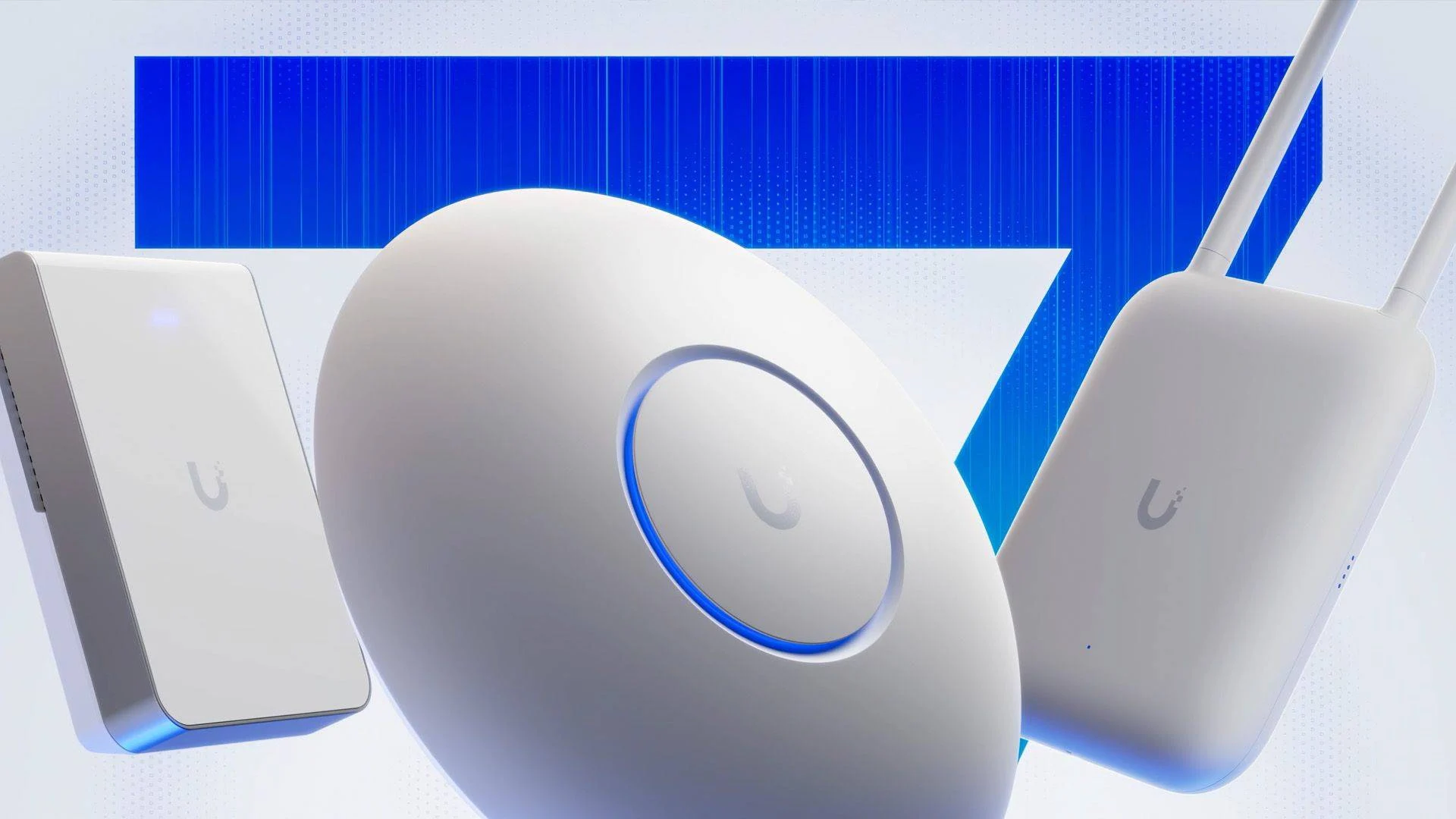
    Ubiquiti has launched its latest WiFi 7 access points, called the U7 Pro XG and U7 Pro XGS. Both models are 802.11be access points, although the XGS has some enhanced features. For example, it includes a special radio to detect interferences. Additionally, it boasts a “Zero Wait DFS” function, allowing it to quickly restart after radar detection.

    Enhanced Connectivity

    The XGS Access Point comes with a 4×4 antenna setup for the 5GHz band. This configuration allows it to connect to more devices than the XG, which has a 2×2 setup. The theoretical maximum bandwidth for the XGS is 8.6Gbps, while the XG can reach up to half of that. These specifications are based on a 240MHz wide channel.

    Pricing and Client Capacity

    In addition to the U7 Pro XG(S) models, Ubiquiti is also offering the new dual-band U7 Lite, which is priced at only $99. However, the prices for the XG and XGS models are considerably higher, at $199 and $299 respectively. The number of clients that can be connected has also increased, allowing for 300 clients on the XG and up to 500 on the XGS. Both models support the 6GHz frequency band, a feature introduced with WiFi 6E but optional in WiFi 7.

    Future of Older Models

    It remains uncertain whether these new access points will replace the existing U7 Pro and U7 Pro Max models. Currently, both older models are sold out in Ubiquiti’s official online store. The technical specs of both the Pro and XG, along with the Pro Max and XGS, are quite similar. However, the new XG(S) models come with multi-gigabit ports, offering 5GbE and 10GbE options, while the older versions only provided 2.5GbE.

    Lastly, these new Access Points utilize Power over Ethernet and need at least 22 watts or more during peak usage. Ubiquiti has already made these new access points available in its official store, including a sleek black color option, which previously required separate black covers.

    Source:
    Link