Category: Computers

  • Ubiquiti Launches UniFi UPS Battery Backup for Networks and Servers

    Ubiquiti Launches UniFi UPS Battery Backup for Networks and Servers

    Key Takeaways

    1. Ubiquiti Networks has launched two new UPS models: Unifi UPS Tower and Unifi UPS 2U, enhancing their power backup solutions.
    2. The Unifi UPS Tower is designed for desktop use, features ten C13 ports, and provides a battery capacity of 102Wh, operational for up to seven minutes at half load.
    3. The Unifi UPS 2U is a rack-mounted unit with a larger battery capacity of 216Wh, operating for up to 8 minutes at half load, and requires two rack units (2U) of space.
    4. Both models feature hot-swappable batteries, surge protection, and a NUT server for monitoring without needing Unifi software.
    5. The Unifi UPS Tower is priced at $159 and is available now, while the Unifi UPS 2U is priced at $279 and will be available later this month.


    Ubiquiti Networks has launched two new uninterruptable power supply (UPS) models, known as the Unifi UPS Tower and the Unifi UPS 2U. These new products build on the company’s previous switch that features a built-in battery for essential infrastructure, as well as its popular power backup solution which utilizes unique connectors for the brand’s rack-mounted devices.

    Unifi UPS Tower Features

    The Unifi UPS Tower is intended for desktop placement. It includes a network port for easy integration with Unifi and surge protection for network connections through GbE. This tower is equipped with a total of ten C13 ports designed for C14 plugs. All these ports are protected against surges, and five of them are also connected to the internal battery to ensure a steady power supply.

    In terms of performance, the battery can operate at a full load of 1,000VA/600W/102Wh for two minutes. When running at half load, this time stretches to seven minutes. Notably, the battery is hot-swappable. The tower stands approximately 11 inches tall, weighs nearly 17.6 lbs, and is currently listed on Ubiquiti’s official store for a price of $159.

    Unifi UPS 2U Specifications

    On the other hand, the Unifi UPS 2U, designed for 19-inch racks, boasts a much larger capacity. Rather than the 102Wh of the tower model, this unit features an internal battery with 216Wh. Similar to the tower, its battery is also hot-swappable and accessible from the front. This device can deliver 1,500VA or 1,000W for 2.3 minutes, and when at half load, it can operate for up to 8 minutes. As a rack-mounted option, it requires two rack units (2U) of space. With a depth of 300 mm, the Ubiquiti UPS is ideal for use in network cabinets. However, it only provides a 4+4 C13 configuration for connectivity. The rest of the connections are similar to those found in the tower model, but the rack unit is priced higher at $279.

    Additional Features and Availability

    Both models come with a NUT server that can relay additional information, meaning that monitoring through Unifi is not always necessary. Lastly, availability differs between the two units; the tower is ready for order now, whereas the rack unit is anticipated to be available later this month.

    Source:
    Link


  • Arduino UNO Q Single-Board Computer Launch with New Software

    Arduino UNO Q Single-Board Computer Launch with New Software

    Key Takeaways

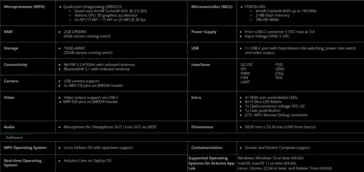
    1. The Arduino UNO Q features a Qualcomm Dragonwing QRB2210 microprocessor with four Arm Cortex-A53 CPU cores and an unnamed Adreno GPU.
    2. It offers various connectivity options, including Wi-Fi 5, Bluetooth 5.4, and USB-C, which can serve as both camera input and video output.
    3. Initial models will have 2 GB of RAM and 32 GB of eMMC storage, with a higher variant of 4 GB RAM and 64 GB storage expected soon.
    4. The device runs on Zephyr OS and connects to its Memory Protection Unit via Debian, with new Arduino App Lab software for all major operating systems.
    5. Pricing and availability details for the Arduino UNO Q will be announced at a later date.


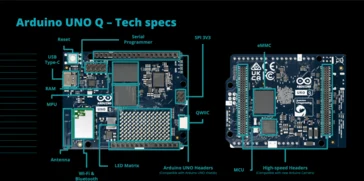
    Arduino has introduced a new single-board computer known as the Arduino UNO Q. This device is packed with various connectivity options like Wi-Fi 5, Bluetooth 5.4, and USB-C. At its core, it features a Qualcomm Dragonwing QRB2210 microprocessor that includes four Arm Cortex-A53 CPU cores, along with an unnamed Adreno GPU. Additionally, it is paired with an STMicroelectronics STM32U585 microcontroller that has one Arm Cortex-M33 core.

    Specifications and Variants

    The Arduino UNO Q will initially be available with 2 GB of RAM and 32 GB of eMMC storage. A version featuring 4 GB of RAM and 64 GB of storage is expected to be released shortly. The USB-C port has the ability to function as both a camera input and video output by default, however, users can also utilize dedicated pins to keep the port free for other uses. It’s important to note that microphones will always require a pin for connection.

    Software and Pricing

    On the software side, the Arduino UNO Q operates using Zephyr OS and connects with its Memory Protection Unit through Debian. The company has also launched its new Arduino App Lab software, which is compatible with all major operating systems. Details regarding pricing and availability will be revealed at a future date.


  • Benefits of Choosing Older AMD CPUs Over Newer Models

    Benefits of Choosing Older AMD CPUs Over Newer Models

    Key Takeaways

    1. AMD and Intel often recycle older processors under new names, with AMD releasing Zen 4 (Ryzen 200) and Zen 5 (Ryzen AI 300) CPUs for laptops.
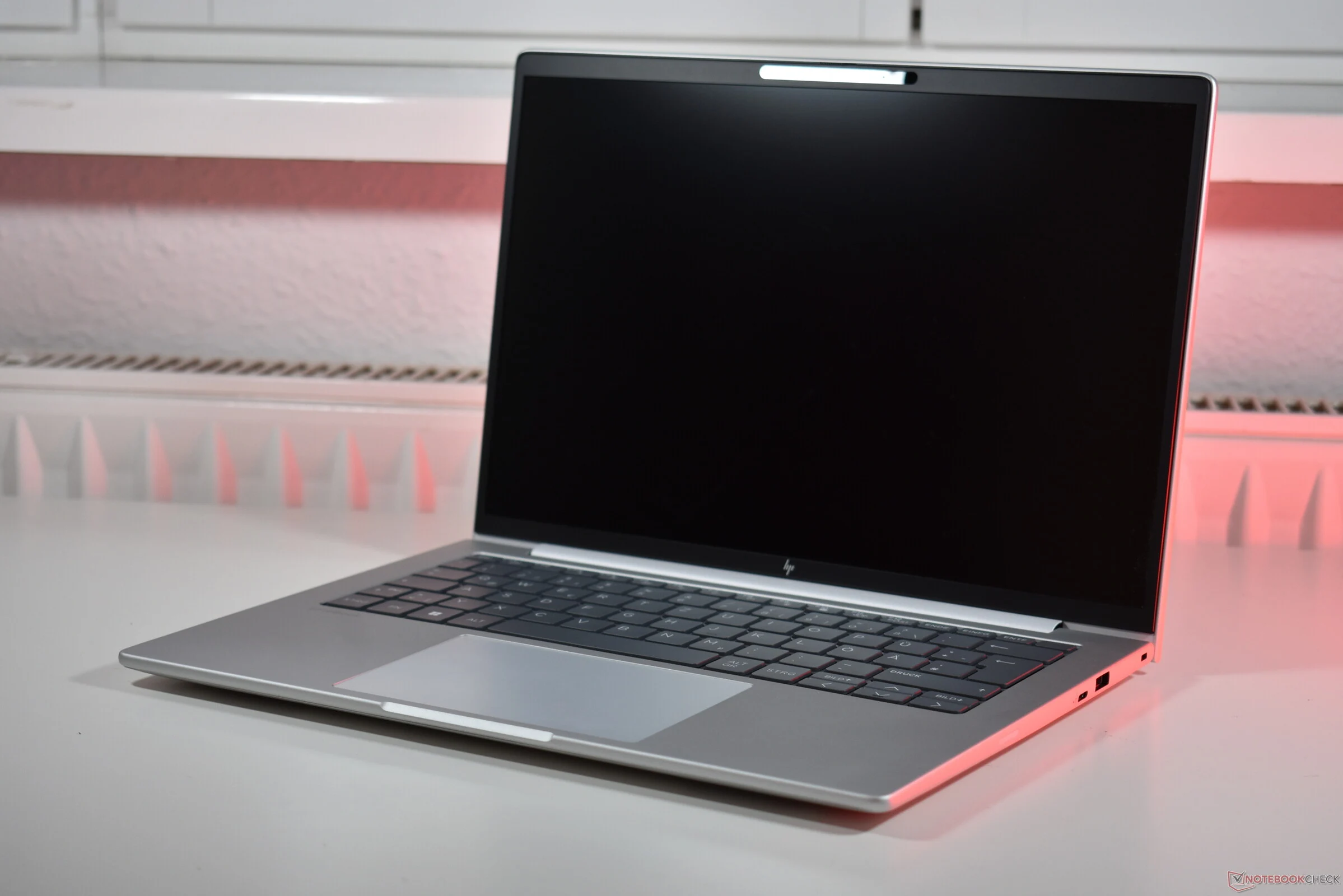
    2. The HP EliteBook 8 G1a 14 can be configured with either Zen 4 or Zen 5 processors, with pricing differences reflecting the older model being more budget-friendly.
    3. The Zen 4 CPU, despite being older, performs well in terms of speed, efficiency, battery life, and heat generation, while the Zen 5 shows only marginal improvements.
    4. The main advantage of the Zen 5 is its enhanced NPU, offering features like Copilot+, though this is not essential for all users.
    5. Choosing the Ryzen 200 version of the EliteBook saves $450, making it a more cost-effective option for most users compared to the Ryzen AI 300.


    Recycling old processors under new names is a common practice in the PC industry. Both Intel and AMD engage in this strategy. At present, AMD has made available both Zen 4 and Zen 5 CPUs for laptops. The Zen 4, also known as Hawk Point Refresh, is marketed as the AMD Ryzen 200, whereas the Zen 5, referred to as Krackan Point, appears as the Ryzen AI 300 series. The previous generation CPUs serve as budget-friendly alternatives.

    Pricing Insights

    This trend is evident in the pricing of laptops equipped with these processors, like the HP EliteBook 8 G1a 14. This compact business laptop, featuring an aluminum body and powered by AMD processors, can be configured with either CPU generation. We thoroughly examined the model that comes with the Zen 4 based AMD Ryzen 7 250, but there’s also an option to purchase it with the AMD Ryzen AI 7 350 (which is available on Amazon).

    Performance Review

    Our evaluations demonstrated that the older Zen 4 CPU is far from outdated. While the GPU performance may not be top-tier, it performed admirably in our tests, ensuring the HP EliteBook remains both speedy and efficient with impressive battery life and minimal heat generation. Although we haven’t tested the Krackan Point variant, we have access to multiple benchmarks for the Krackan Point CPU in our database. To give a hint: the newer Zen 5 CPU doesn’t significantly outshine its predecessor in most aspects. It does achieve marginally better single-core CPU scores, but that’s the extent of the performance enhancement.

    Key Differences

    The primary benefit of the Krackan Point lies in its more powerful NPU, which transforms it into a Copilot+ PC. However, while this might be beneficial for some users, for many, it serves as an added feature rather than a critical necessity for now.

    On the flip side, the savings associated with picking the Ryzen 200 version of the EliteBook are quite real: the model featuring the older processor is priced at $1,450 in the HP US online store, whereas the Zen 5 EliteBook with identical screen, SSD, and RAM is priced at $1,900.

    In our opinion, keeping that extra $450 in your wallet is a smart move. For most users, opting for the AMD Ryzen AI 7 350 over the AMD Ryzen 7 250 isn’t justifiable at this time.

    Source:
    Link


  • Configurable M5 Pro and Max: MacBook Pro, Mac Studio, Mac mini

    Configurable M5 Pro and Max: MacBook Pro, Mac Studio, Mac mini

    Key Takeaways

    1. Apple is expected to announce M5 series MacBook Pro and iPad Pro models soon, likely this month.
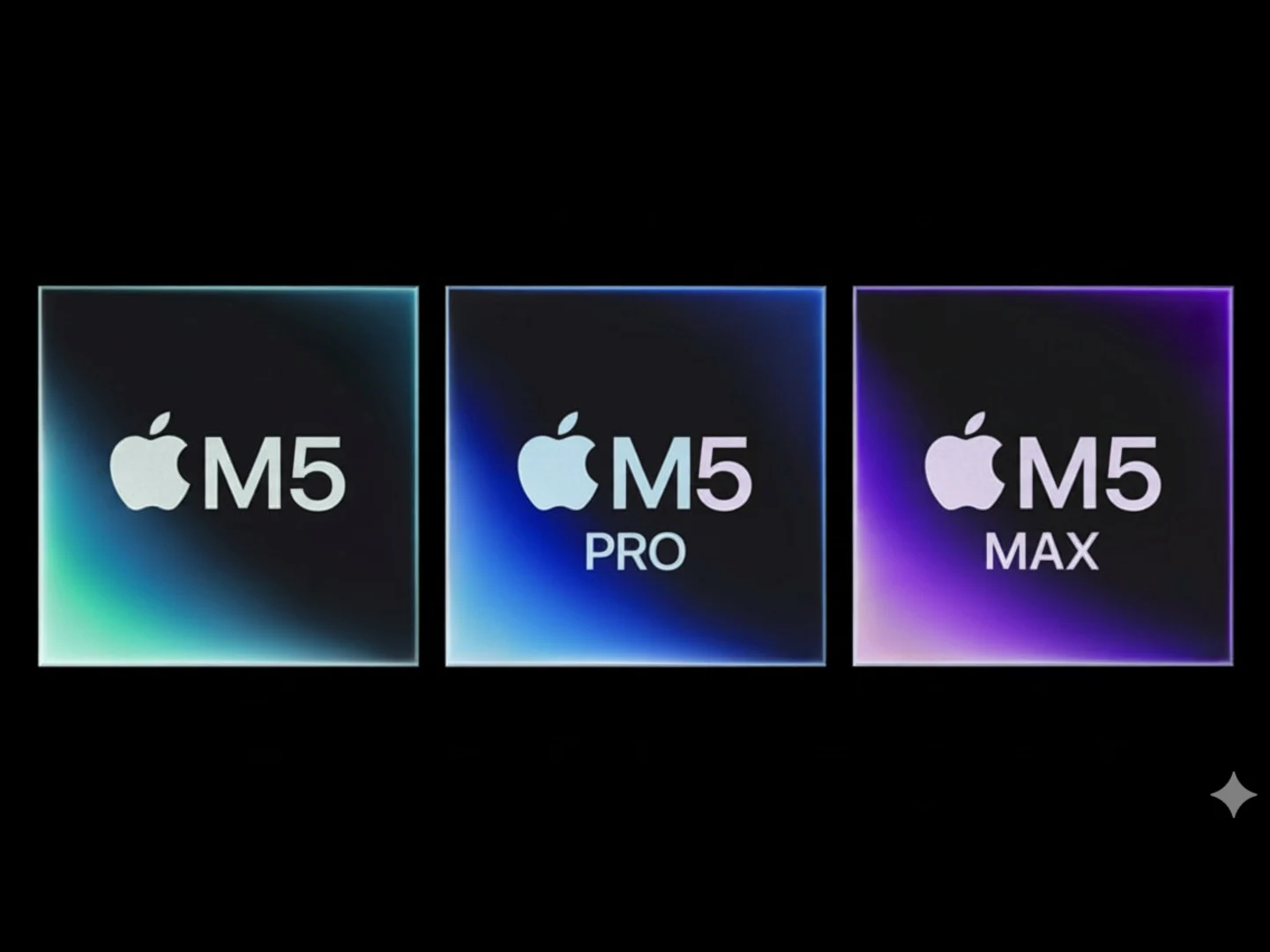
    2. The M5 Pro and M5 Max models will feature a new design with separate CPU and GPU sections for more customization.
    3. Customers may have the option to mix and match configurations for M5 Pro and Max devices.
    4. M5 Pro and Max devices may be delayed until 2026, while M5-powered MacBook Pro and iPad Pro are set for a timely release.
    5. Recent developments include an unboxing of an M5-powered iPad Pro and certification of the M5 MacBook Pro by the US FCC.


    Apple is likely to reveal its M5 series MacBook Pro and iPad Pro models shortly. There are numerous signs that the announcement may take place this month, although the new devices are anticipated to feature only minor updates. While this appears true for the M5 powered gadgets, the M5 Pro and M5 Max models are reportedly set to introduce a more intriguing change that will provide customers with broader configuration options.

    New Design Features

    Vadim Yuryev, from the Max Tech YouTube channel (shared via X), mentions that the M5 Pro and M5 Max chips will sport a fresh design, featuring distinct CPU and GPU sections. This isn’t entirely new, as it was initially speculated for the M5 Pro, Max, and Ultra chips back in December of the previous year. This pertains to TSMC’s SoIC-MH design, which means Small Outline Integrated Circuit Molding-Horizontal.

    Direction for Future Models

    Yuryev’s post reinforces that Apple is moving in this direction for its upcoming MacBook Pro, Mac Studio, and Mac mini models. It’s quite fascinating because this change will enable more customizable devices regarding core counts. Customers will probably have the option to mix and match their M5 Pro and Max devices, such as using a base M5 CPU core count along with a fully-equipped GPU.

    Release Timeline Updates

    Yuryev also mentions that this is why the M5 Pro and Max devices are reportedly being delayed until 2026. In contrast, the M5 powered MacBook Pro and iPad Pro are not expected to undergo similar delays and should be announced soon, possibly this month (October). Recently, an M5-powered iPad Pro was unboxed, and the M5-powered MacBook Pro received certification from the US FCC, while some versions of the M4 iPad Pro have already sold out.

    Vadim Yuryev’s insights on X.

    Source:
    Link


  • NucBox K7 Plus Mini PC: Core i7 and 96GB RAM Support

    NucBox K7 Plus Mini PC: Core i7 and 96GB RAM Support

    Key Takeaways

    1. The NucBox K7 Plus features an Intel Core i7-13620H processor with 10 cores but lacks a dedicated graphics card.
    2. It offers a barebone version for $339 and a fully configured model for $599 with 32GB RAM and a 1TB SSD.
    3. The mini PC supports up to 96GB of RAM and has two M.2 SSD slots, though only one provides faster data transfer rates.
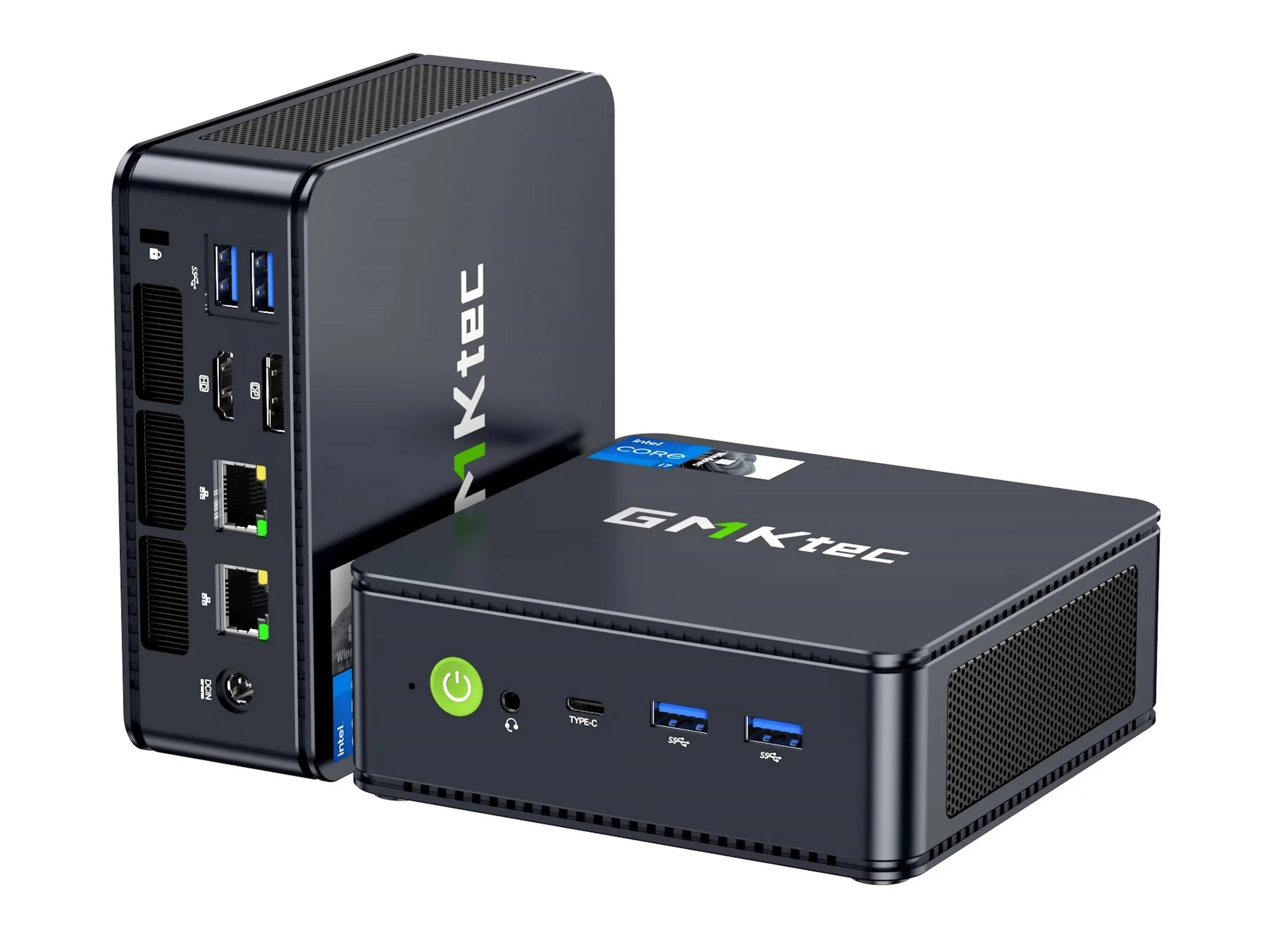
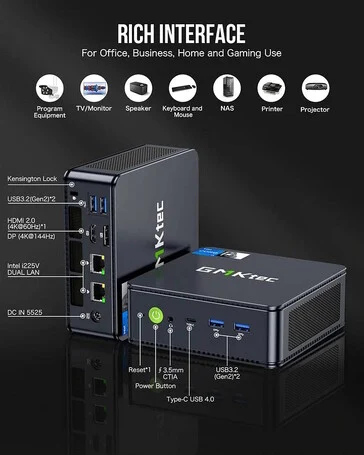
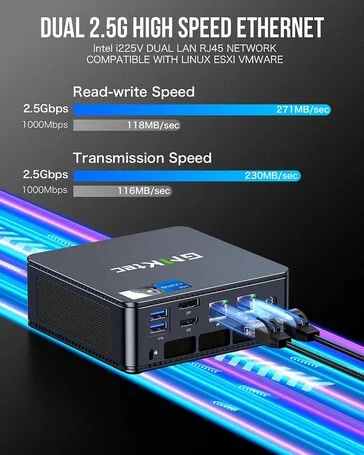
    4. Connectivity includes two HDMI 2.0 ports, one DisplayPort, a USB4 port, four USB 3.2 Gen 2 Type-A ports, and 2.5 Gbps Ethernet ports.
    5. The NucBox K7 Plus supports up to three monitors and features WiFi 6 and Bluetooth 5.2 for enhanced connectivity.


    The NucBox K7 Plus is a new mini PC model joining a competitive market. This version features an Intel Core i7-13620H processor with 10 cores and Intel UHD Graphics. However, it does not come with a dedicated graphics card or support for one. If users are looking for better GPU performance, the NucBox K7 Plus might not be the best option. Additionally, this mini PC does not have OCuLink or Thunderbolt 5 ports for connecting external graphics cards.

    Pricing and Configuration Options

    The manufacturer offers a barebone version that does not include RAM or an SSD, priced at $339 on their official website. For $599, customers can purchase the NucBox K7 Plus with 32GB of RAM and a 1TB SSD. However, this isn’t the most powerful setup possible, as the two DDR5 slots can hold up to 96GB of 4,800MHz memory. The compact PC also includes two M.2 2280 SSD slots, though only the primary slot appears to provide faster data transfer rates.

    Connectivity Features

    This mini PC can support up to three monitors, thanks to its two HDMI 2.0 ports and one DisplayPort, all capable of 4K resolution at 60Hz. It also includes one USB4 port and four USB 3.2 Gen 2 Type-A ports. Moreover, there’s a 3.5mm audio jack available, and both Ethernet ports offer a bandwidth of 2.5 Gbps. Finally, the updated NucBox K7 Plus supports WiFi 6 and Bluetooth 5.2, enhancing its connectivity options.

    Source:
    Link


  • Aoostar Maco Mini PC: AMD APU, 64GB RAM, 2TB Storage Available

    Aoostar Maco Mini PC: AMD APU, 64GB RAM, 2TB Storage Available

    Key Takeaways

    1. Aoostar’s Maco mini PC is now available for international purchase, starting at $625 for the base model.
    2. The device features an AMD Ryzen 7 H 255 processor with 8 cores and supports simultaneous multithreading.
    3. It has a compact design (130 x 150 mm, 55 mm tall) and offers various connectivity options, including HDMI 2.1, DisplayPort, and USB 4 ports.
    4. Networking capabilities include two 2.5 Gbps Ethernet ports, Wi-Fi 6, and Bluetooth 5.2.
    5. Shipping may take time, and there are no warranty options for international buyers.


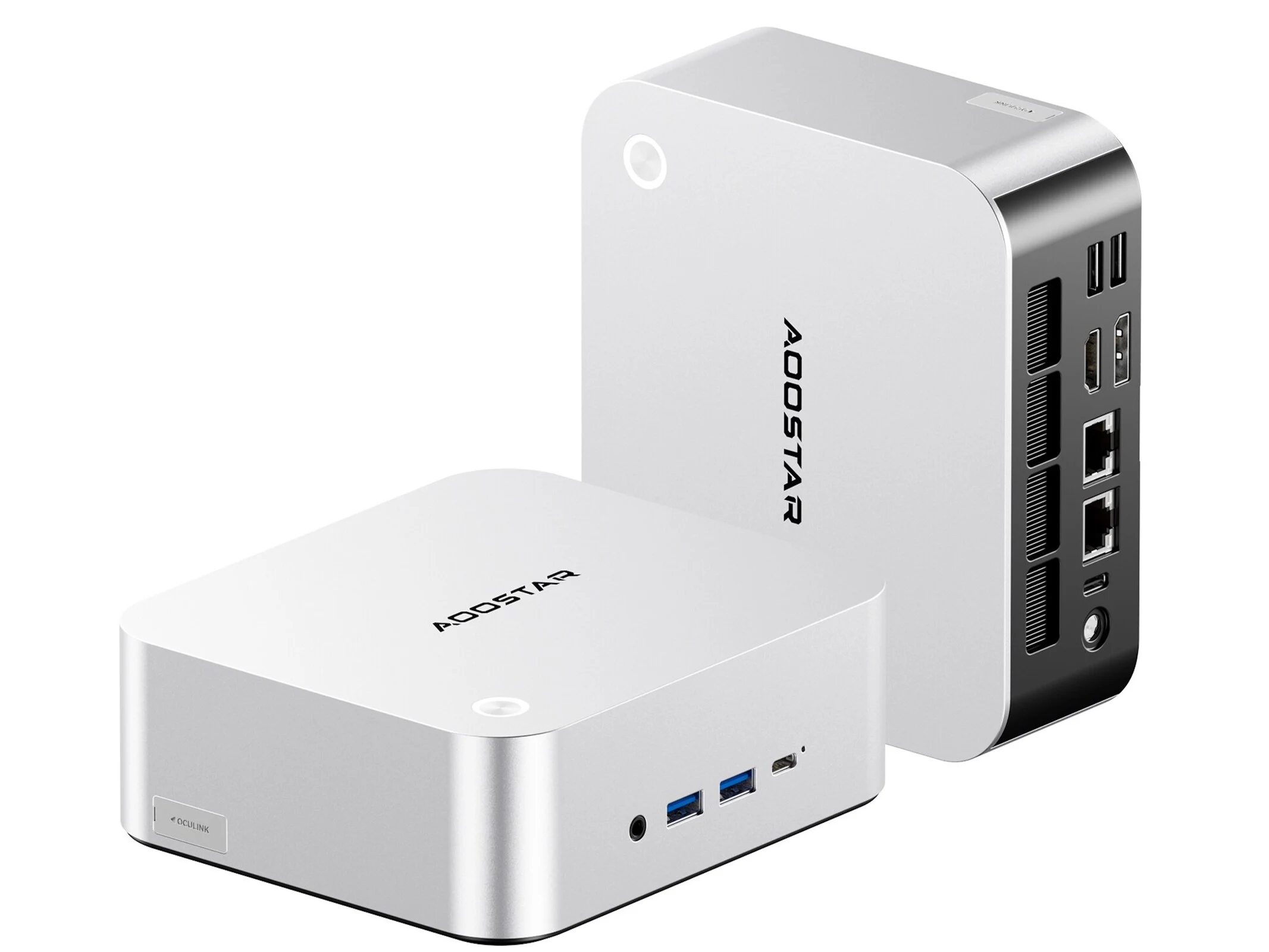
    Aoostar’s Maco mini PC is not really a fresh product, as it made its debut in China about two months ago. However, it’s now available for international purchase through direct import. Buyers should keep two important things in mind: shipping can take a while, and there are no warranty options. The base model starts at $625, which includes 32 GB of RAM and a 1 TB SSD. For an additional $190, you can boost it to 64 GB of RAM and a 2 TB SSD.

    Performance and Specifications

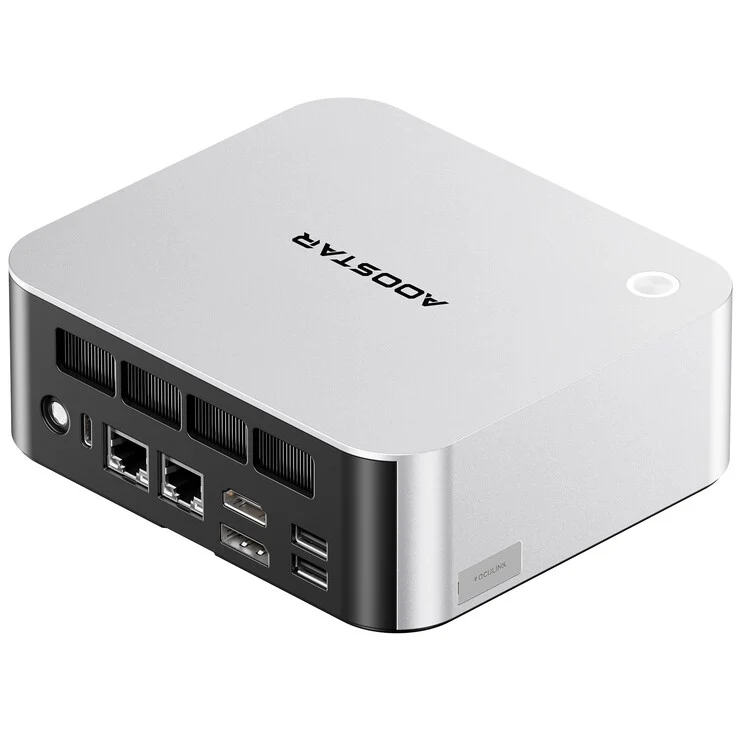
    The device is powered by an AMD Ryzen 7 H 255, which is a strong APU featuring eight processing cores that can handle twice as many threads due to simultaneous multithreading technology. The compact design measures 130 x 150 mm and is 55 mm tall, offering a variety of ports, although it lacks OCuLink and Thunderbolt 5 because of platform limits. For networking, it has two Ethernet ports, each capable of a maximum data transfer speed of 2.5 Gbps, which is quite handy for network-attached storage. Additionally, it supports Wi-Fi 6 and Bluetooth 5.2.

    Connectivity Options

    You can connect multiple monitors through HDMI 2.1 and DisplayPort, while video signals can also be transmitted via two USB 4 ports. Other available ports include two USB 3.2 Type-A ports and a USB 2.0 port, ideal for connecting your keyboard and mouse. The power supply is provided through a round plug. You can find more information about this mini PC on their website.

    Source:
    Link


  • Beelink Mini PC Ryzen 7, Radeon, 32GB RAM, 1TB Storage Deal

    Beelink Mini PC Ryzen 7, Radeon, 32GB RAM, 1TB Storage Deal

    Key Takeaways

    1. Powerful Performance: The Beelink SER5 Max features an AMD Ryzen 7 6800H APU with Radeon 680M GPU, outperforming many similarly priced gaming handhelds.

    2. Great Value Pricing: Currently available for $339 during an Amazon Prime Day promotion, offering 32 GB of RAM and a 1 TB SSD.

    3. Strong Specs: The Ryzen 7 6800H has 8 cores and 16 threads with a boost frequency of up to 4.7 GHz, while the Radeon 680M GPU is comparable to the Nvidia GTX 1050 Ti.

    4. Compact Design: Its sleek design makes it suitable for office use and as a home-theater PC, with a VESA mount for a clean setup.

    5. Port Limitations: The SER5 Max has limited ports, including only two USB 2.0 ports and lacks USB 3.1 or higher options, which is a notable drawback.


    The Beelink SER5 Max, despite being a bit older, still boasts a powerful AMD Ryzen 7 6800H APU along with its Radeon 680M integrated GPU. This combo allows it to outperform many gaming handhelds that fall in the same pricing range. With 32 GB of RAM, which is the configuration we’re looking at here, it serves as a compact desktop that can manage almost any general office tasks or standard productivity workloads effortlessly.

    Pricing and Deal

    Currently, as part of an early Amazon Prime Day promotion, the SER5 Max is available for only $339 on Amazon. This model comes with 32 GB of LPDDR5 RAM and a generous 1 TB PCIe SSD, providing great value for its price.

    Specs and Performance

    The AMD Ryzen 7 6800H has eight Zen 3+ cores, resulting in a total of 16 threads that can reach a maximum boost frequency of 4.7 GHz. The Radeon 680M integrated GPU features 12 compute units built on the RDNA 2 architecture, which puts it on par with the Nvidia GeForce GTX 1050 Ti in many benchmarks we’ve conducted.

    Design and Usability

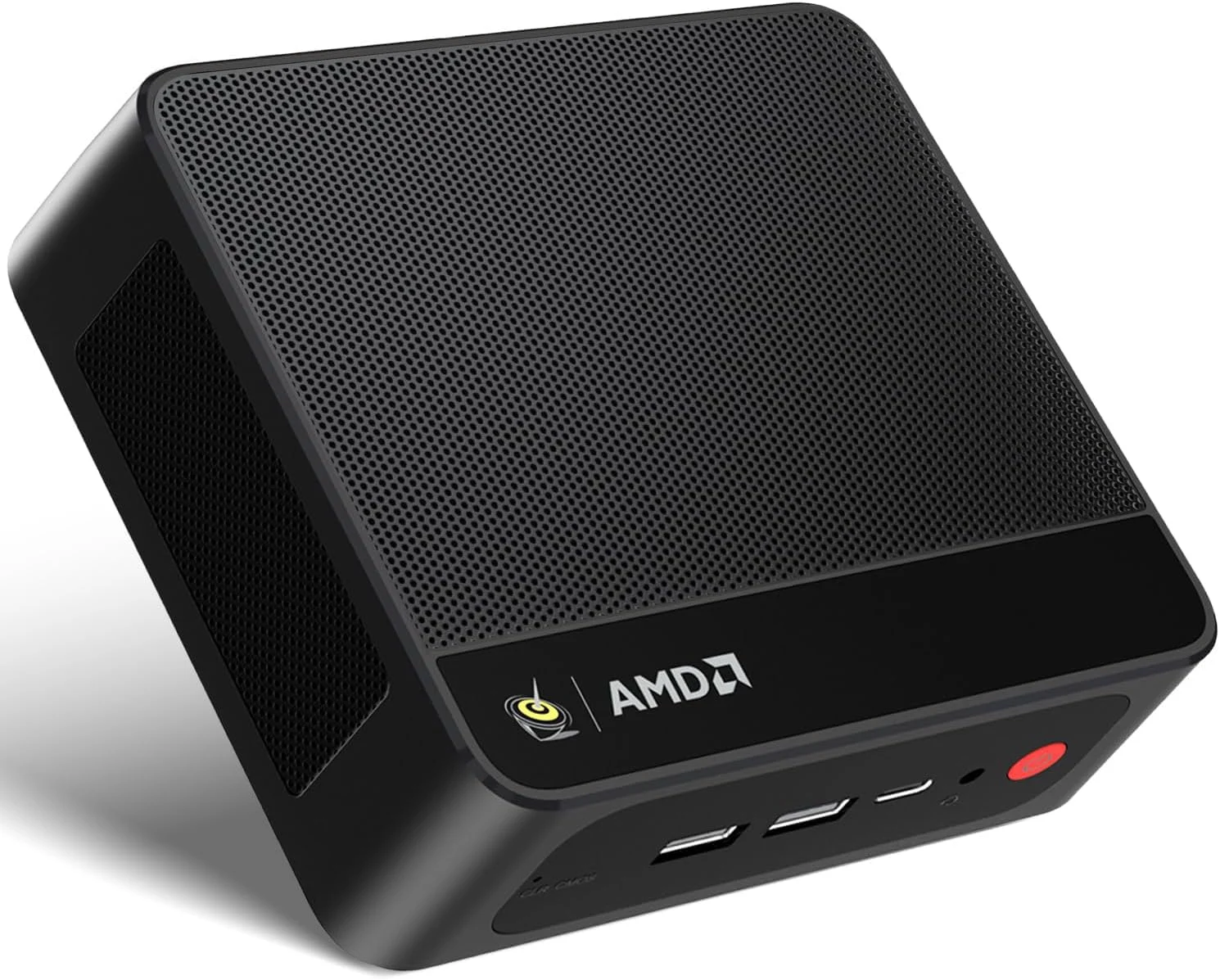
    We recently reviewed the Beelink SER5 Pro, which is quite similar to the Max, and we were impressed by Beelink’s offering overall. The performance and thermal management were surprisingly good considering its small size. The SER5 Max is mainly aimed at office usage, and its sleek all-black design, complemented by a single red power button on the front, allows it to blend well in a living room as a home-theater PC, which can also double as a mini gaming console for casual indie games and e-sports. Additionally, it includes a VESA mount, which can help you hide the mini PC and its cables behind a monitor for a cleaner look.

    Port Limitations

    However, the Beelink SER5 Max does have a notable drawback regarding its ports. It features two USB 2.0 ports that could have easily been upgraded to USB 3.1 or higher. The absence of an OcuLink or USB4 port for integrated GPU connectivity is also a letdown. Nevertheless, the performance it offers is still remarkable for the price, making it competitive with devices like the Lenovo Legion Go S, which is priced at $683.86 on Amazon.

    Source:
    Link


  • NASA Rover Finds New Signs of Life on Mars

    NASA Rover Finds New Signs of Life on Mars

    Key Takeaways

    1. NASA’s Perseverance rover discovered “leopard spots” in Mars’ Bright Angel area, consisting of vivianite and greigite, minerals linked to possible past life.
    2. The formation of these minerals suggests a potential biological process rather than purely geological activity.
    3. Lead scientist Joel Hurowitz likened the discovery to a treasure hunt, indicating valuable findings but with unknown implications.
    4. Caution is advised, as the “leopard spots” do not provide definitive evidence of life; similar patterns can occur through non-biological processes.
    5. Analyzing the rock samples on Earth could yield strong evidence of life on Mars, but current budget cuts and political issues are delaying this possibility.


    According to a report from Space.com, lead scientist Joel Hurowitz from Stony Brook University shared some exciting news about NASA’s Perseverance rover. It has found strange “leopard spots” in the Bright Angel area of Mars. These areas are made up of the minerals vivianite (iron phosphate) and greigite (iron sulfide), which are both seen as possible signs of past life on Earth. These minerals form through redox reactions, a method some microbes on our planet use to create energy.

    A Treasure Hunt in Space

    Hurowitz described the finding like a treasure hunt: “The metal detector has gone off – we’ve found something valuable, but we don’t yet know exactly what.” The rock layers looked at show no signs of high heat or pressure, which makes it less likely that the “leopard spots” formed purely from geological processes. This raises the exciting possibility that biological processes could have played a role in their formation. In another interview with Space.com, Mike Tice from Texas A&M University pointed out that forming greigite naturally on Mars would be quite hard without some type of microbial activity.

    Caution on Claims of Life

    While the “leopard spots” are intriguing, they do not provide clear evidence of life beyond Earth. Similar chemical patterns can happen from non-biological means, and these can only be completely ruled out by thorough lab tests back on Earth. However, this would mean bringing the rock samples collected by Perseverance back to our planet – a task currently stalled due to budget cuts at NASA and political issues.

    If the samples can eventually be closely examined, they might give us the first strong proof of life outside Earth. “It would be the strongest evidence we’ve ever had on Mars,” Hurowitz said.

    Source:
    Link


  • Compact UPS Ensures Data Integrity and 24/7 NAS Availability

    Compact UPS Ensures Data Integrity and 24/7 NAS Availability

    Key Takeaways

    1. Ugreen launched the US3000 UPS solution for backup power during outages, compatible with select NAS models.
    2. The US3000 features a compact design and a 43.2 Wh battery, sustaining operations for hours during power failures.
    3. It provides a maximum output of 120 watts and includes built-in safety features for enhanced reliability.
    4. The device has a USB port for remote interaction via an app, allowing users to monitor and manage the UPS.
    5. Priced around $100, the US3000 is a competitive option for consumers seeking effective power management for NAS systems.


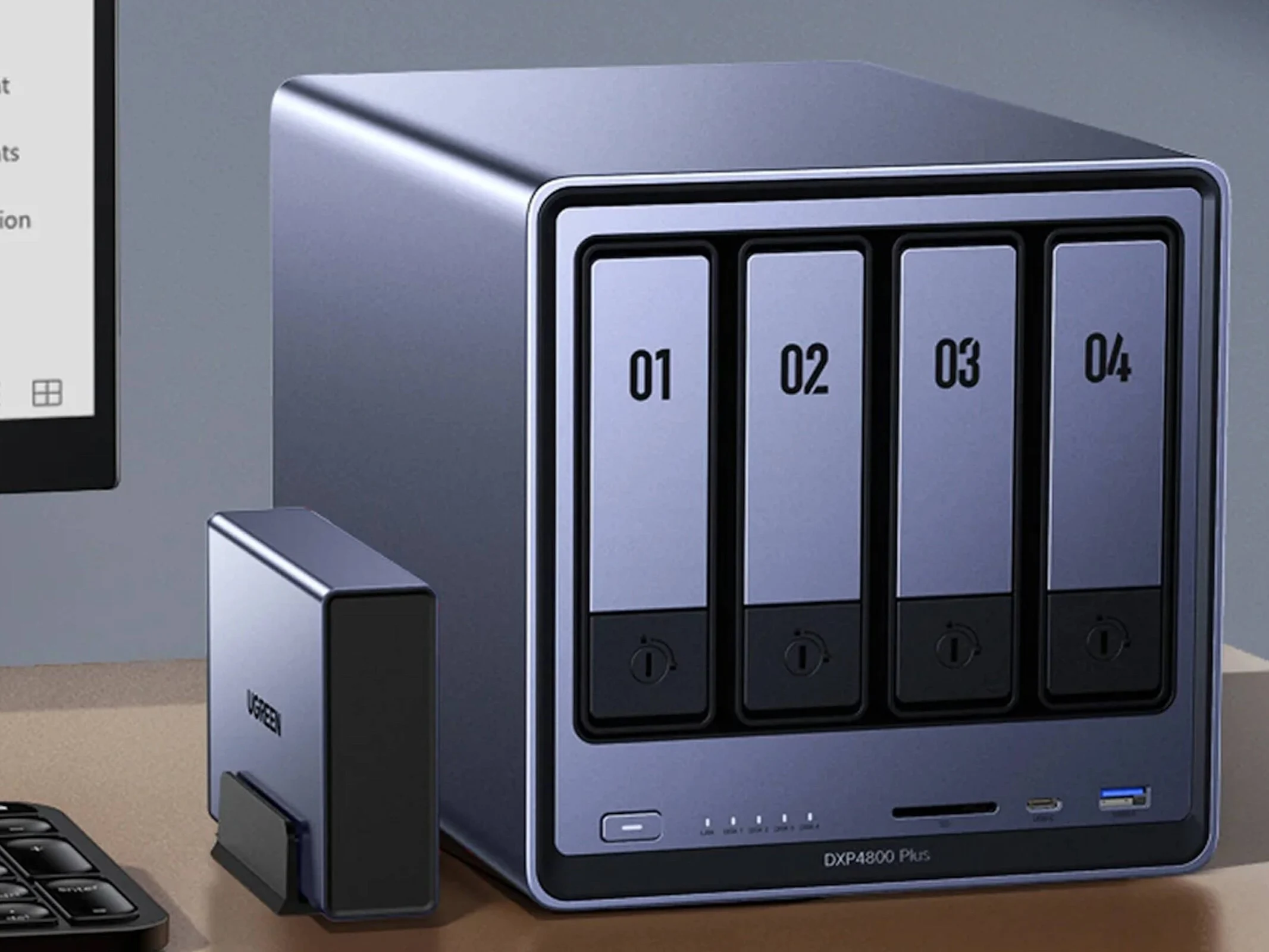
    Ugreen has launched a distinctive UPS solution alongside its range of NAS devices, aimed at providing backup power during unforeseen power outages—a situation that can happen even in developed countries. The Ugreen US3000 is specifically designed to work with some of Ugreen’s NAS models. Notably, it does not support the DXP6800 and DXP8800 series. The US3000 can instantly switch to battery power when the mains fail, connecting directly between a wall outlet and a NAS device’s power input. Additionally, it includes a USB port for data transfer, enabling users to interact with the UPS remotely through an app.

    Compact Design and Battery Capacity

    With compact dimensions of 120.5 x 80.5 x 29 mm (4.74 x 3.17 x 1.14 in), the device can house a 43.2 Wh battery. Given that most NAS devices consume less than 10 watts in standby mode, this battery is capable of sustaining operations for several hours. For longer power outages, it is wise to properly shut down the NAS system to reduce the chances of data loss, particularly during file transfers. Users also need to make sure that their router and computers are powered by the battery, ensuring that the NAS system stays reachable. As per the specifications, the Ugreen US3000 can provide a maximum output of 120 watts and comes equipped with several built-in safety features. It can be purchased directly from Ugreen or on Amazon for about $100.

    Conclusion and Availability

    Ugreen’s innovative approach with the US3000 highlights its commitment to enhancing user experience in the realm of NAS devices. This UPS solution is ideal for those who need reliable power backup to protect their data from unexpected outages. The price point makes it a competitive choice for consumers looking for effective power management solutions.

    Source:
    Link


  • Intel ZenBook 14 OLED: AMD Version Offers Faster Wi-Fi 7 Speeds

    Intel ZenBook 14 OLED: AMD Version Offers Faster Wi-Fi 7 Speeds

    Key Takeaways

    1. The Asus GT-AXE11000 router was used for speed tests, and Wi-Fi 7 testing is not possible yet due to the lack of compatible routers.
    2. The AMD ZenBook 14 OLED is priced at $1,249 and still uses Wi-Fi 6E, while the Intel model includes Wi-Fi 7.
    3. Surprisingly, the AMD model with RealTek hardware outperformed the Intel model in transfer speeds by about 9% under Wi-Fi 6E conditions.
    4. In the 5 GHz band, the AMD version showed approximately 10% faster download speeds and a 5% advantage in upload speeds compared to the Intel version.
    5. Despite the Intel model’s Wi-Fi 7 capability, it does not translate to better real-world performance compared to the AMD model’s RealTek module.


    We need to mention something important: our findings are based on transfer speeds evaluated with our Wi-Fi 6E router, the Asus GT-AXE11000. Right now, Notebookcheck isn’t able to test Wi-Fi 7 since we don’t have a router for that standard yet.

    Pricing Differences

    Although both ZenBook 14 OLED versions we examined have similar price points, Wi-Fi 7 is only available on the Intel model. For some reason, the AMD version, which is listed at $1,249 on Amazon, still uses RealTek’s Wi-Fi 6E module.

    Performance Insights

    However, saying “stuck with” may not be the most accurate way to describe this situation, because our speed tests brought some unexpected results. Under Wi-Fi 6E conditions, it wasn’t the Intel BE201 chip that performed the best; instead, the AMD model with the RealTek hardware came out ahead. The difference was mainly in transfer speeds, with the RealTek chip leading by around 9%. Both laptops had nearly identical download performance.

    On the 5 GHz band, the difference grew a bit. In this case, the AMD version was approximately 10% faster in downloading and still maintained a 5% advantage in upload speeds.

    Real-World Application

    So, while the Intel ZenBook 14 OLED may seem better on paper, this benefit doesn’t really show up in practical use—at least not when using Wi-Fi 7. Interestingly, the supposedly weaker RealTek module in the AMD model actually achieves slightly better transfer rates.

    That said, the Intel version does provide other hardware benefits and includes some new features this year. For a comprehensive examination of these advantages—and what the AMD model will offer in 2025—you can take a look at our complete reviews for both the Intel ZenBook 14 and the AMD ZenBook 14.