Category: Computers

  • Apple M5 Launch Details for MacBook Pro 14, iPad Pro, Vision Pro

    Apple M5 Launch Details for MacBook Pro 14, iPad Pro, Vision Pro

    Key Takeaways

    1. Apple’s M5 generation Mac lineup details were revealed, with an updated basic MacBook Pro expected by the end of the month.
    2. The updated MacBook Pro will replace the current M4 model, priced at $1,399.
    3. More advanced MacBook Pro and MacBook Air models are not expected until spring 2026.
    4. The MacBook Pro 14, along with refreshed iPad Pro tablets and a new Vision Pro headset, could be released soon.
    5. Apple is likely to announce these products through press releases rather than a special event, possibly mid-week.


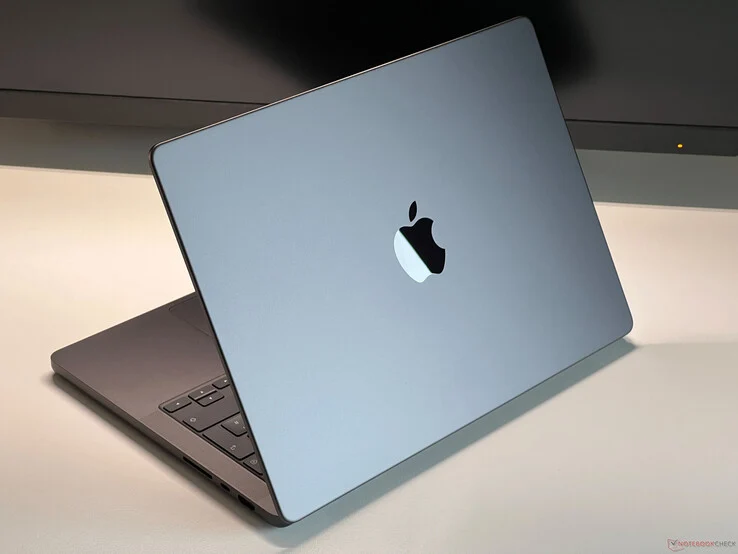
    Just yesterday, information about Apple’s entire M5 generation Mac lineup was revealed online. AppleInsider mentioned that the basic MacBook Pro is set to be updated before the month ends to take the place of the existing Apple M4 model, which is currently priced at $1,399 on Amazon. In contrast, the more advanced MacBook Pro and MacBook Air models will not be available until spring 2026.

    Upcoming Devices

    Mark Gurman has shared that the MacBook Pro 14 is one of three devices powered by the Apple M5 that could be released “as early as this week,” assuming the week begins on a Sunday. In his recent Power On newsletter, the analyst also noted that refreshed iPad Pro tablets and a new Vision Pro headset will launch around the same time, with information about these products leaking earlier this month.

    Expected Announcement Timing

    However, Gurman hasn’t given an exact launch date. Instead, he believes Apple will announce these three products through press releases rather than holding a special launch event. It seems that Apple might avoid making these announcements tomorrow, as it would coincide with Columbus Day in the US. Therefore, it looks likely that the new iPad Pro, MacBook Pro, and Vision Pro launches will take place mid-week.

    Source:
    Link


  • XMG Core 16 M25 AMD: Best All-Rounder for Gaming and Work

    XMG Core 16 M25 AMD: Best All-Rounder for Gaming and Work

    Key Takeaways

    1. The XMG Core 16 (M25) is a versatile laptop designed for both gaming and professional tasks, featuring a sleek aluminum design.
    2. It offers a large display with a 300 Hz refresh rate and an accurate sRGB profile, making it ideal for gaming and photo/video editing.
    3. Users can customize performance components, including options for various AMD Zen 5 processors and mobile RTX graphics cards.
    4. The laptop provides ample storage and memory expansion, with the capability to support up to 16 TB of storage and 128 GB of RAM.
    5. While there are minor issues, such as heating under heavy usage and lack of Wi-Fi 7 support, the starting price is competitive at €1549.


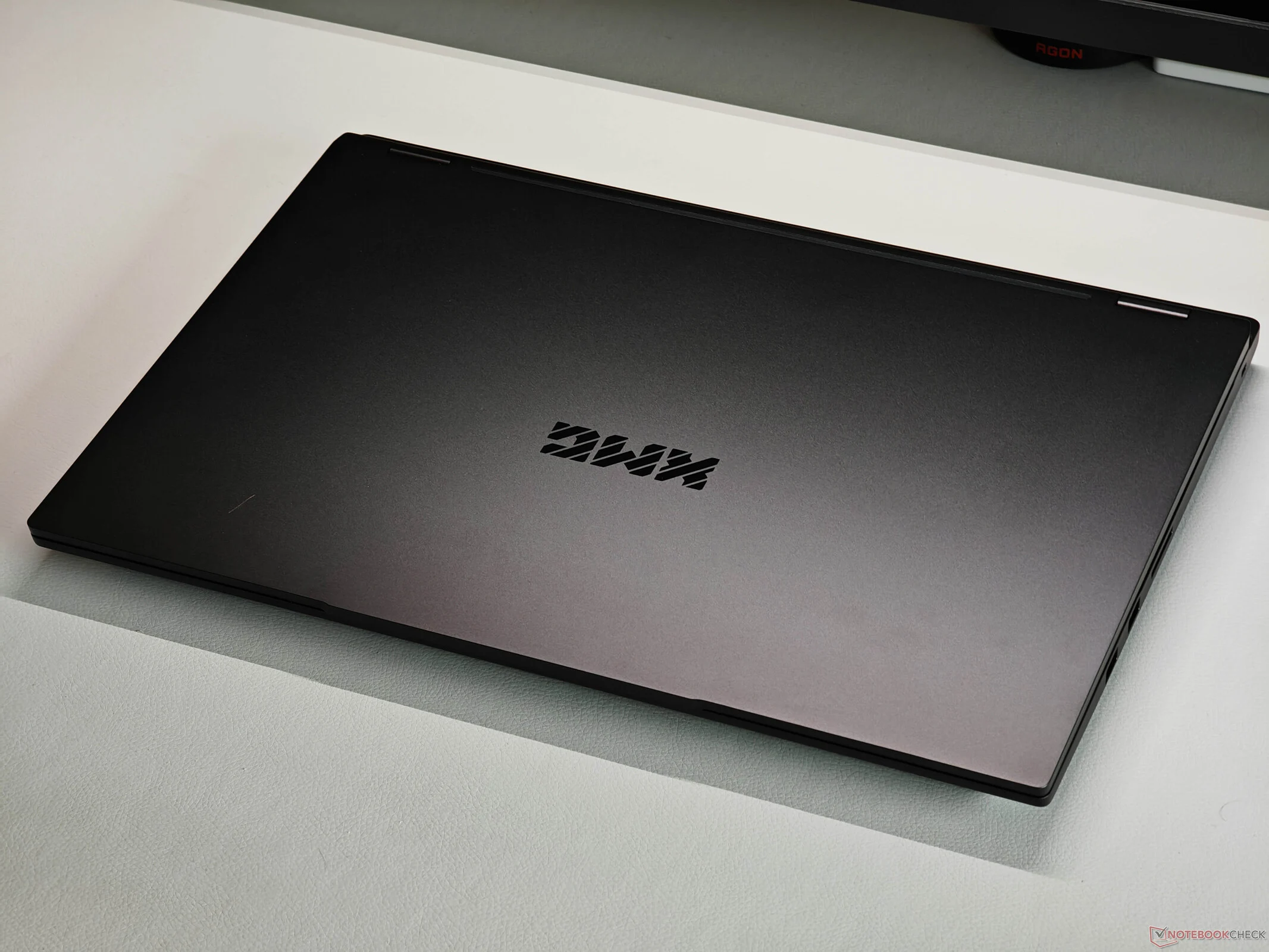
    Are you in the market for a versatile laptop that can manage various tasks? The new XMG Core 16 (M25) could be just what you need. Although it’s fundamentally a gaming laptop, its sleek black aluminum design allows it to blend in seamlessly in any setting. The large display supports gaming with a refresh rate of 300 Hz and quick response times, yet it also provides excellent image quality for professional work due to its matte finish and absence of PWM flickering. For those involved in photo or video editing, the accurate sRGB profile is a bonus. Plus, you can access our calibrated profile for free in the review article if you seek the utmost accuracy. The keyboard and touchpad are user-friendly, and it features a dedicated number pad. Weighing about 2.1 kg, this 16-inch laptop remains quite portable.

    Customizable Performance

    You can customize both the performance components and memory according to your requirements. If you’re aiming for top-notch gaming performance, the mobile RTX 5070 is the way to go, but the RTX 5060 found in the base model already delivers solid performance. For the processor, you can choose from various AMD Zen 5 chips that meet all the needs for Windows’ AI capabilities. The base model features the Ryzen AI 7 350 (8 cores), but there’s also the option for the Ryzen AI 9 365 (10 cores) or the quicker Ryzen AI 9 HX 370 (12 cores). Our review unit had the HX 370, and the performance was impressive. XMG provides several power profiles, allowing for a wide range of performance levels and fan noise. The Core 16 includes two slots each for SSDs and memory modules, enabling storage of up to 16 TB and 128 GB of RAM.

    Minor Issues Found

    During our review of the XMG Core 16 M25, we did not encounter any significant issues. However, the bottom panel tends to heat up under heavy usage, and it lacks Advanced Optimus GPU switching. This isn’t a major drawback since it includes a MUX switch. Additionally, Wi-Fi 7 isn’t supported, but this shouldn’t pose a problem for most users. The Core 16 M25 is priced starting at €1549, which includes the smaller Zen 5 processor, the mobile RTX 5060, 16 GB of RAM, and a 1 TB SSD.

  • Modernizing Port Selection: HP’s EliteBook 8 Success Explained

    Modernizing Port Selection: HP’s EliteBook 8 Success Explained

    Key Takeaways

    1. Apple introduced an all USB-C setup with the 2016 MacBook Pro, eliminating USB-A ports entirely.
    2. HP’s EliteBook series maintained traditional USB-A ports until 2024, featuring two USB-A ports in earlier models.
    3. The redesigned HP EliteBook lineup now includes one USB-A port and three USB-C ports, enhancing its modern appeal.
    4. The new USB-C port on HP EliteBooks allows charging from both sides, improving user convenience.
    5. The USB-C ports do not support Thunderbolt functionality, but the increased charging flexibility is a notable advancement.


    Apple surprised everyone in the laptop industry back in 2016 by introducing the new MacBook Pro, which completely eliminated the USB-A port for the first time. Instead, it switched to an all USB-C setup. Since that launch, Apple has stuck with this choice and hasn’t brought back USB-A, even with the latest redesign which did reintroduce the HDMI port. Other laptop makers, such as HP, have also started to embrace an entirely USB-C port configuration in some of their devices.

    EliteBook’s Traditional Approach

    HP’s EliteBook series was not part of this trend, as the company opted for a more traditional approach with its business laptops. Up until 2024, nearly all EliteBook models, like the HP EliteBook 845 G11 (which you can purchase on Amazon), featured two USB-A ports. However, this year, HP redesigned its EliteBook lineup, including the mainstream HP EliteBook 8 series, which carries on the heritage of the previous EliteBook 800 series.

    Modernization and Compatibility

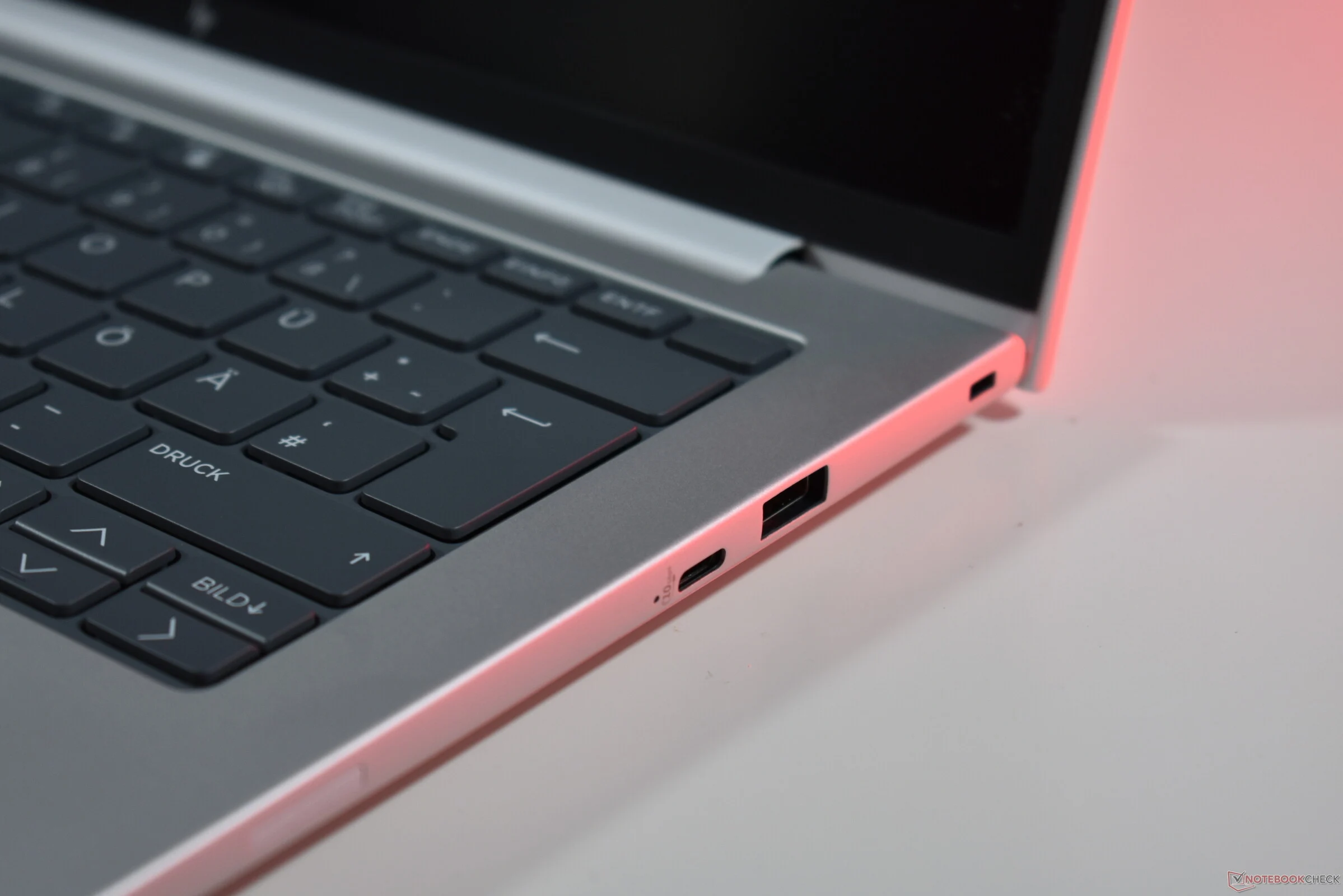
    With the newly released models, HP implemented a modest change: now there is just one USB-A port instead of two, and the number of USB-C ports has increased from two to three. This is a smart modernization move: HP retains backward compatibility while adding an extra USB-C port, which is functionally better than USB-A since it supports DisplayPort output and charging.

    Charging Flexibility

    This aspect is particularly significant: the new USB-C port is located on the right side, allowing the new HP EliteBooks, like the HP EliteBook 8 G1a 14 that we recently reviewed in detail, to be charged from either the left or right side. This addresses a long-standing issue that many laptop users face, as manufacturers typically position charging USB-C ports on just one side, restricting charging options.

    HP could still enhance certain features: the new USB-C port does not support Thunderbolt functionality, unlike the ports on the left side. Nonetheless, having the flexibility to charge from both sides is definitely a major improvement.

    Source:
    Link


  • MSI Prestige 16 AI+ Mercedes-AMG: Lunar Lake 4K OLED Ultrabook

    MSI Prestige 16 AI+ Mercedes-AMG: Lunar Lake 4K OLED Ultrabook

    Key Takeaways

    1. The MSI Prestige 16 AI+ Mercedes-AMG Limited Edition is priced at €2,199 and available in Germany and other locations.

    2. It features a 16-inch OLED display with a resolution of 3840 x 2400 pixels, 32GB RAM, and a 2TB PCIe 4.0 SSD.

    3. The ultrabook is powered by the Intel Core Ultra 9 288V processor and integrated Intel Arc 140V graphics.

    4. Connectivity options include WiFi 7, Bluetooth 5.4, two Thunderbolt 4 USB-C ports, and HDMI 2.1, among others.

    5. The design includes a Mercedes-AMG logo, a color scheme inspired by the brand’s vehicles, and comes with additional accessories like a wireless mouse and laptop sleeve.


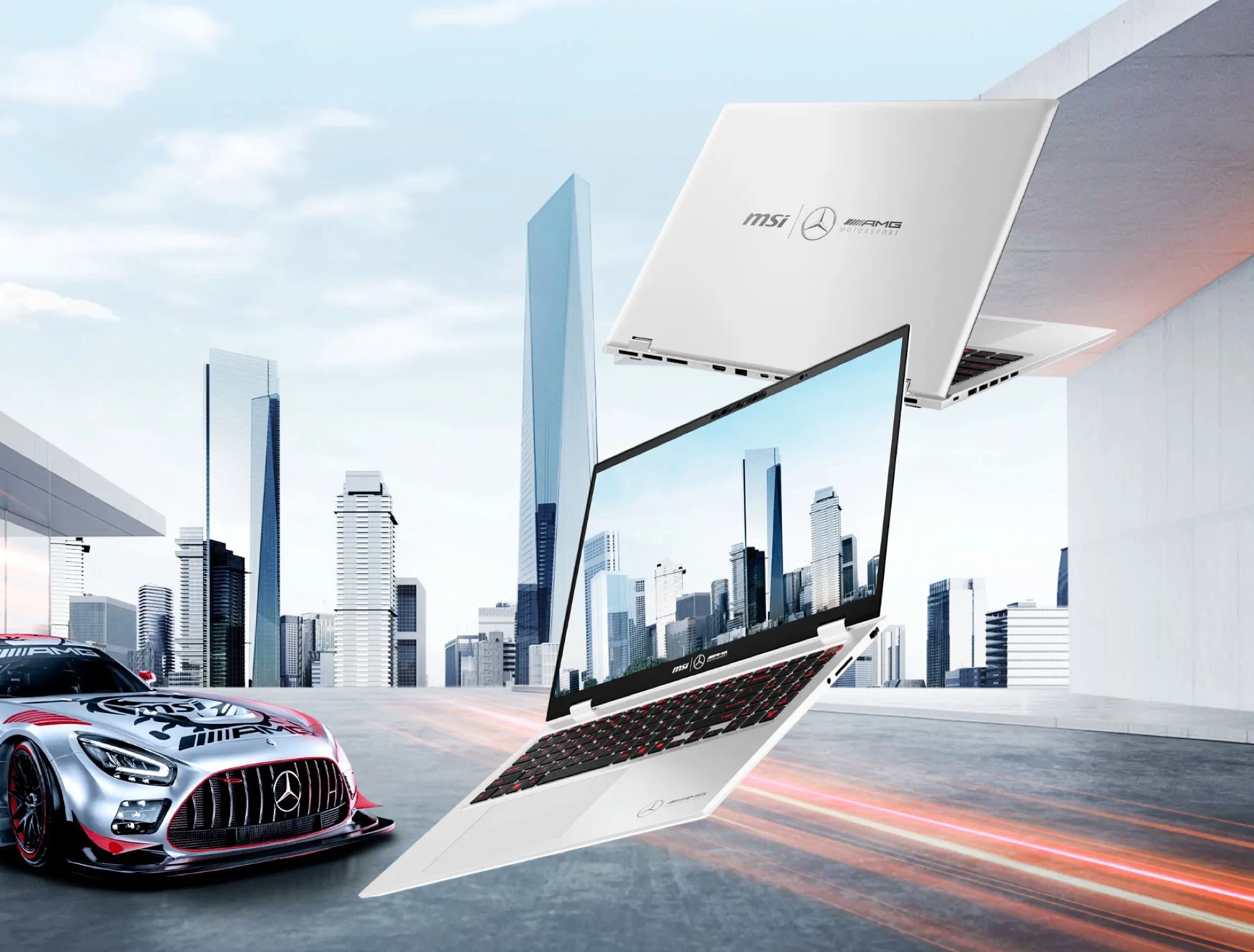
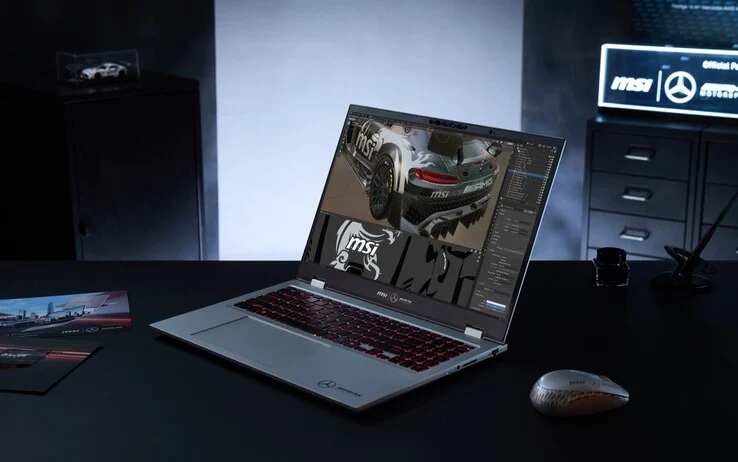
    The MSI Prestige 16 AI+ Mercedes-AMG Limited Edition is now available in Germany and other locations, like Notebooksbilliger, where it sells for €2,199. This ultrabook has a thickness of 0.71 inches, weighs 3.3 lbs, and runs on the Intel Core Ultra 9 288V processor, along with integrated Intel Arc 140V graphics.

    Specifications and Display

    The device features 32GB of LPDDR5x-8533 RAM and a spacious 2TB PCIe 4.0 SSD. It’s outfitted with a 16-inch OLED display that has a 16:10 aspect ratio, boasting a resolution of 3840 x 2400 pixels and a refresh rate of 60Hz. Thanks to the efficient Lunar Lake processor and a large 99Wh battery, this laptop is expected to deliver impressive battery life.

    Features and Connectivity

    Additional features include a backlit keyboard, a fingerprint sensor, WiFi 7, Bluetooth 5.4, two 2-watt stereo speakers, and a 5MP webcam. The MSI Prestige 16 AI+ also comes with two Thunderbolt 4 USB-C ports, one USB-A port, Gigabit Ethernet, HDMI 2.1, and an SD card reader, providing a wide range of connectivity choices. The Mercedes-AMG Motorsport Limited Edition mainly offers some design changes and extra accessories in the package.

    Design and Accessories

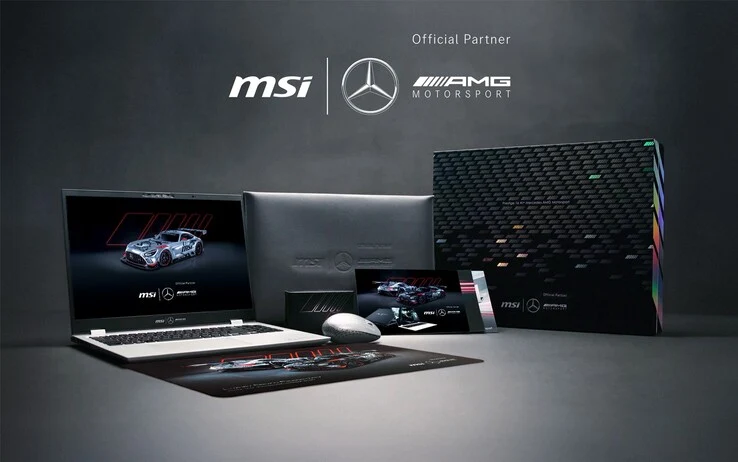
    For instance, it has a Mercedes-AMG logo on the lid, while the color scheme showcases gray, silver, and red accents, drawing inspiration from the brand’s vehicles. MSI also includes a wireless mouse, mouse pad, and a laptop sleeve that matches the overall design. For more information about the ultrabook, you can check the official product page.

    Source:
    Link


  • Affordable 3.5-Inch USB-C Display for Gamers Under $15

    Affordable 3.5-Inch USB-C Display for Gamers Under $15

    Key Takeaways

    1. A new budget-friendly secondary screen is available on AliExpress for about $13, but returning or replacing it may be difficult.
    2. Secondary monitors can connect via HDMI/DisplayPort or operate through specific software, each with its own pros and cons.
    3. The new display connects via USB-C and is primarily used to show system metrics like temperatures and CPU/GPU usage.
    4. It features an IPS panel measuring 1.9×2.9 inches with a resolution of 320 x 480.
    5. The display can be positioned both horizontally and vertically and includes a stand, with the option to mount it inside a gaming PC case.


    A new and budget-friendly secondary screen is now for sale on AliExpress for about $13. As is common with direct imports, returning or replacing the item if it’s defective may be tricky or not even possible, but considering the low cost of this device, that risk might be worth it. Reports suggest that shipping to the US typically takes between 1 to 2 weeks.

    Different Uses of Secondary Displays

    Secondary monitors can be utilized in two different manners. Firstly, there are displays that connect through HDMI or DisplayPort, functioning like a typical monitor. Secondly, there are devices that are operated through specific software. Each option has its benefits and drawbacks. For instance, an HDMI monitor can display images or videos, but this setup takes up an extra output for visuals.

    Specifications of the New Display

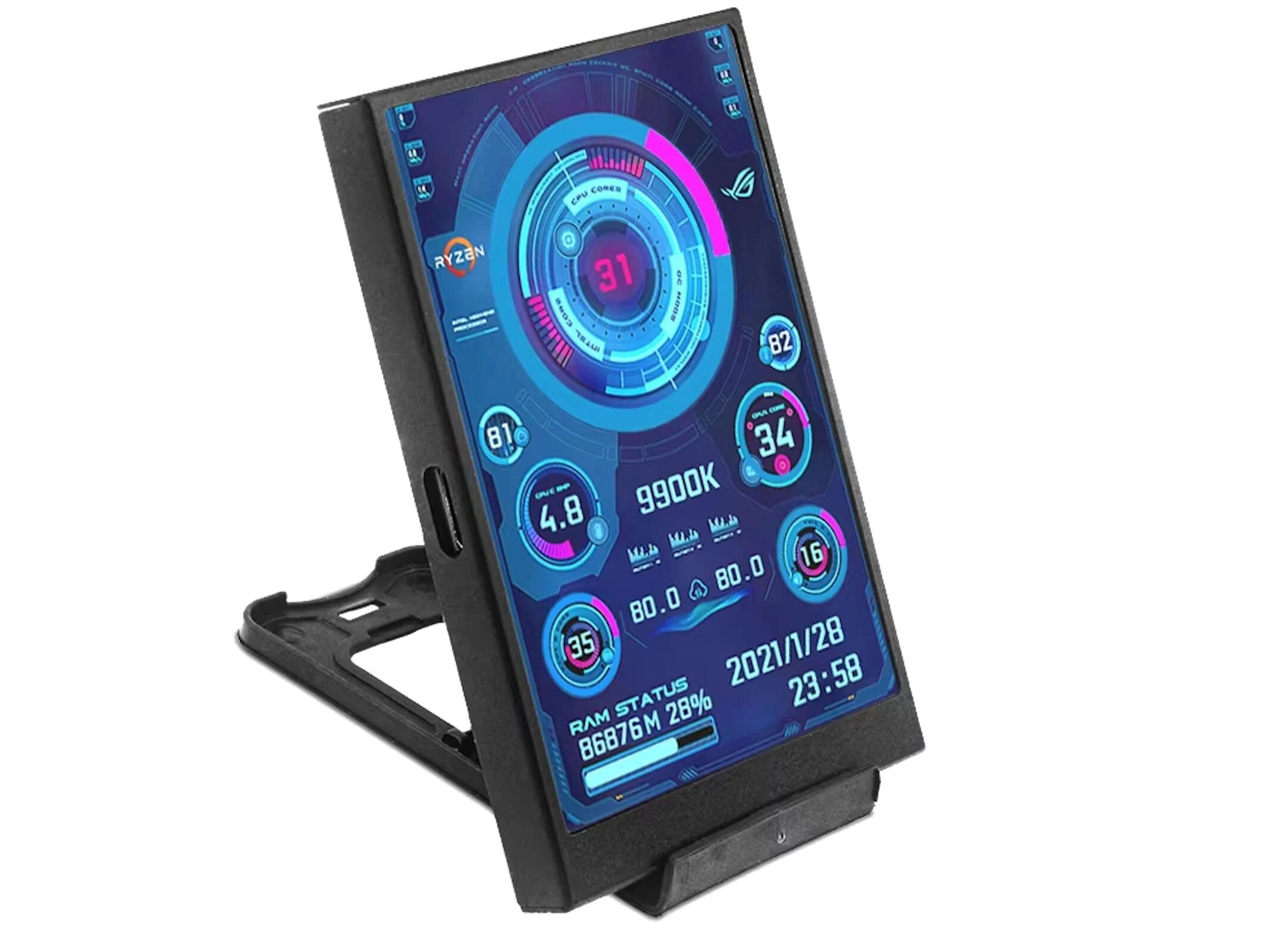
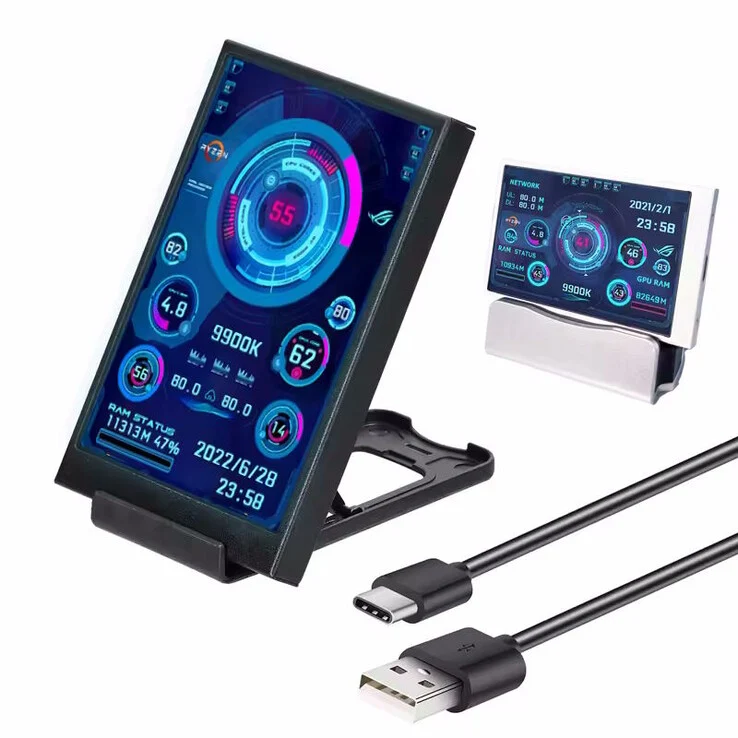
    This specific display falls into the latter category and connects via USB-C, operated through software. The app that goes along with it provides various setup options, but it’s mainly intended to display system metrics like temperatures or CPU and GPU usage. The IPS panel has dimensions of 1.9×2.9 inches and boasts a resolution of 320 x 480. It can be positioned both horizontally and vertically, and it includes a stand, which can also be mounted inside a gaming PC case if desired.

    AliExpress’

    Source:
    Link


  • Chilkey ND104 Keyboard Launches on Kickstarter with Unique Storage

    Chilkey ND104 Keyboard Launches on Kickstarter with Unique Storage

    Key Takeaways

    1. Chilkey’s ND104 full-size mechanical keyboard will launch on Kickstarter on October 15 at 10 AM EST.
    2. Two models will be available: ND104 Lite with multiple color options and ND104 Ultra in Shadow Black.
    3. Customization options include different PCB thicknesses and aluminum or polycarbonate plates available as add-ons.
    4. Early bird pricing starts at $169 for ND104 Lite and $189 for ND104 Ultra, with limited quantities for each tier.
    5. The keyboard features tri-mode connectivity, a built-in calculator display, and a modular design for customizable components.


    Beijing-based Chilkey has revealed that its ND104 full-size mechanical keyboard will be launching on Kickstarter on October 15 at 10 AM EST. This marks the beginning of their first significant crowdfunding effort. The ND104, which was initially hinted at in September, features a high-quality aluminum construction, quiet switches, a distinctive built-in calculator display, and a range of customization choices.

    Editions and Color Options

    The Kickstarter campaign will present two main models – the ND104 Lite and the ND104 Ultra. While they share the same layout and internal configuration, they differ in their finishes and color selections. The ND104 Lite will be available in Lumen Yellow, Sky Blue, Lunar White, Soft Pink, and Gunmetal Gray. In contrast, the ND104 Ultra will only be offered in Shadow Black.

    For those outside the U.S., Chilkey has announced that an ISO layout will be available, but only in the Gunmetal Gray variant at launch. All six colors will be provided in an ANSI layout for U.S. customers.

    Customization and Pricing

    The keyboard will come with options for PCB thickness of 1.2 mm and 1.6 mm, and Chilkey intends to sell both versions as separate add-ons. The same goes for the aluminum and polycarbonate (PC) plates, which will be available in both ANSI and ISO formats.

    Early supporters can take advantage of several limited pricing tiers for both versions. The ND104 Lite starts at $169, with the first 200 backers offered a choice between two free gifts – either an $89 keycap set or over 105 extra switches. This same price applies to an additional 500 units without add-ons, followed by higher tiers at $179 and $189, each limited to 1,000 units.

    Final Pricing Structure

    The ND104 Ultra follows a similar pricing structure, starting at $189 for the first 200 units, which also includes the free gift options. Subsequent batches will be priced at $189, $199, and $209, with limits of either 500 or 1,000 units depending on the tier.

    Both versions will go live through their official Kickstarter page when the campaign kicks off on October 15.

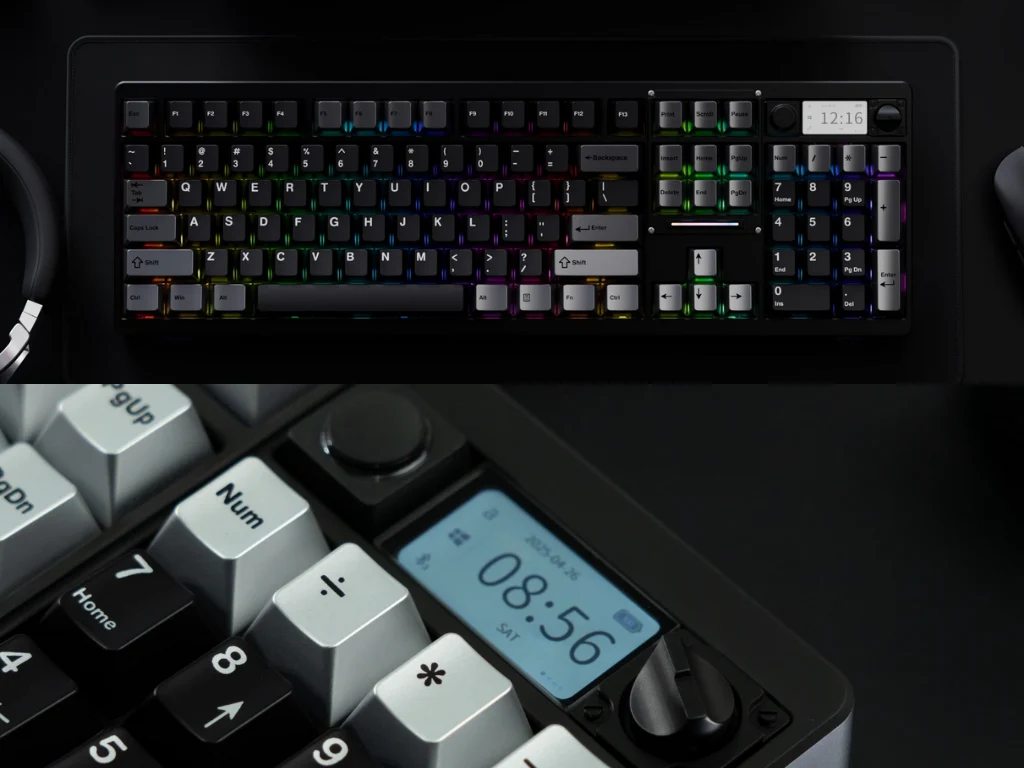
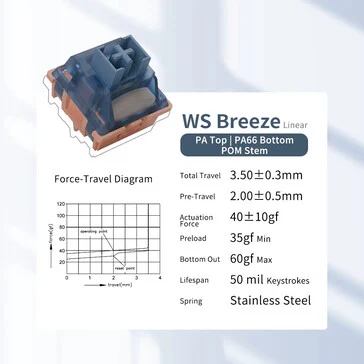
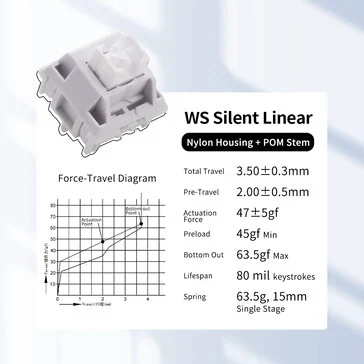
    To recap, the ND104 is designed with a full aluminum frame, tri-mode connectivity (USB-C, Bluetooth 5.4, and 2.4GHz wireless), and features a built-in calculator key and display situated above the numpad. It employs WS Breeze and Silent Linear switches for a quieter typing experience and includes various internal dampening layers to minimize noise. The keyboard also has modular design aspects, allowing users to remove or replace the LCD, keys, and knob based on their layout preferences.

    In the end, the Kickstarter campaign will shape the final production run and the shipping schedule for early backers. Links for both the ND104 Lite and ND104 Ultra will be activated when the campaign launches on October 15 at 10 AM EST.

    Source:
    Link


  • Peladn Mini PC: AMD APU, 32GB RAM, Quad 4K Display Support

    Peladn Mini PC: AMD APU, 32GB RAM, Quad 4K Display Support

    Key Takeaways

    1. The Peladn WO-4 mini PC starts at $330 and offers a base model with 16 GB of DDR5 RAM and a 512 GB SSD.
    2. Customers can upgrade to 32 GB of RAM and a 1 TB SSD for an additional $100, but both versions are currently sold out.
    3. It features an AMD Ryzen 5 7640HS processor with six cores and twelve threads, suitable for various applications but not high-end gaming.
    4. The WO-4 includes an additional M.2 slot for storage upgrades, but it’s limited to PCIe 3.0 compared to the primary SSD’s PCIe 4.0.
    5. Connectivity options include two Ethernet ports (up to 2.5 Gbps), USB 4, USB 3.2 Type A, USB 2.0 ports, and outputs for dual monitor setups (HDMI and DisplayPort).


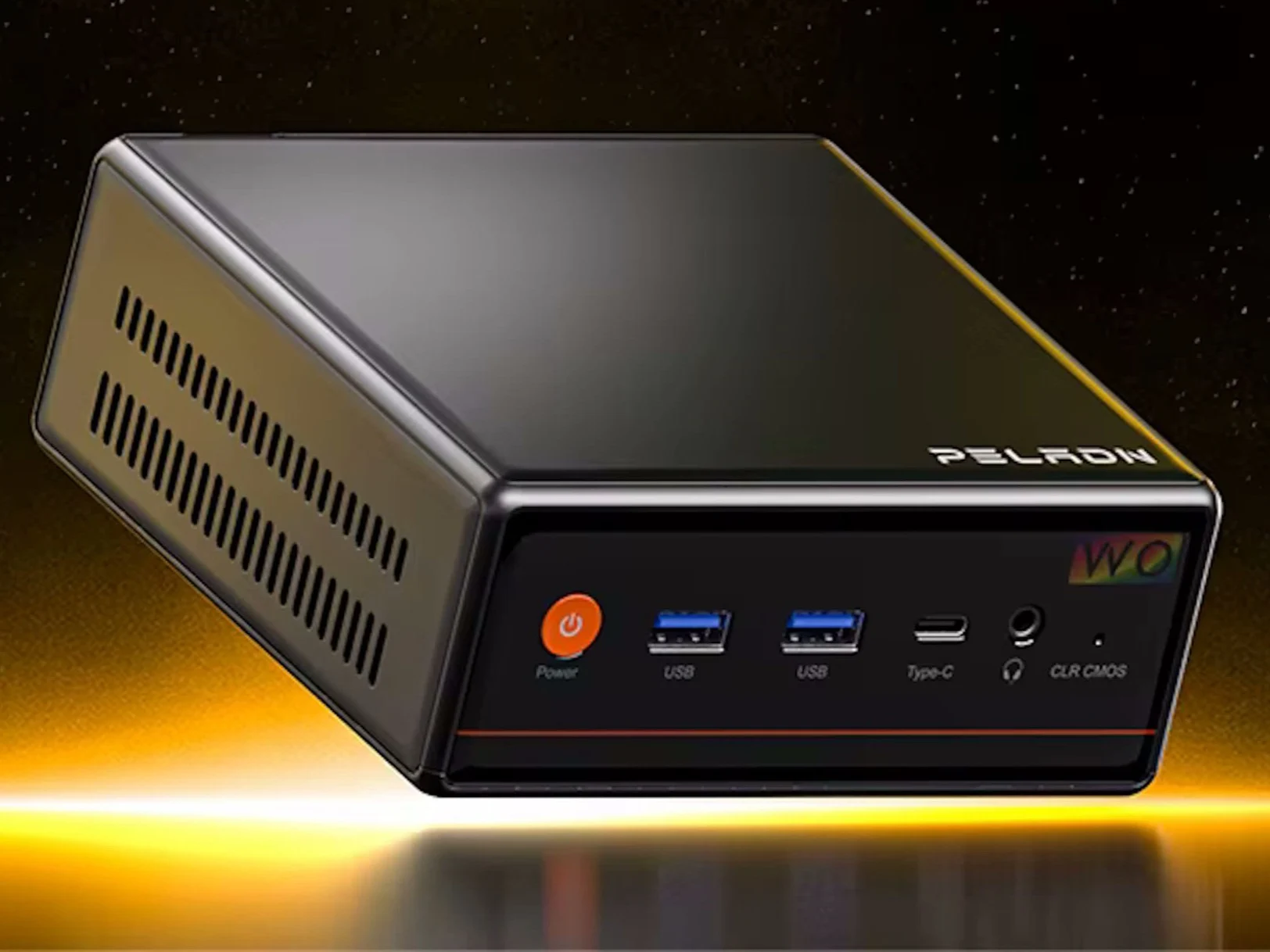
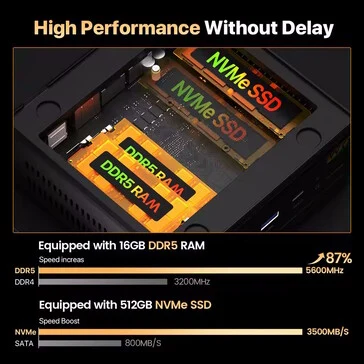
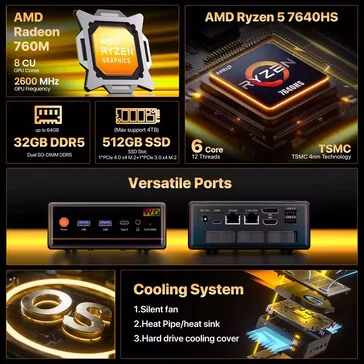
    The Peladn WO-4 is a newly launched mini PC that can be purchased directly through Amazon, starting at a price of $330. This base model is equipped with 16 GB of DDR5 RAM and a 512 GB SSD. If customers are willing to spend an additional $100, they can upgrade to 32 GB of RAM and a 1 TB SSD, which offers excellent value. However, it seems both versions are currently sold out. This situation may change soon, so potential buyers should keep an eye on the listings.

    Performance Features

    No matter which version you choose, the WO-4 comes with an AMD Ryzen 5 7640HS processor. This chip features six cores and is capable of handling twelve threads at once. While the Ryzen 5 7640HS isn’t the latest and greatest on the market, our analysis of the GMKtec NucBox M6 Ultra indicates that this APU performs adequately across various applications, except for high-end gaming scenarios.

    Expandability and Connectivity

    When it comes to storage, the WO-4 makes it quite straightforward to upgrade, thanks to an additional M.2 slot. However, this second slot is limited to four PCIe 3.0 lanes, unlike the primary SSD, which uses PCIe 4.0. The mini PC includes two Ethernet ports, one of which can reach speeds of up to 2.5 Gbps. Additional connectivity options feature USB 4, USB 3.2 Type A, and USB 2.0 ports. For those wanting to use multiple displays, both HDMI and DisplayPort outputs are provided for dual monitor setups.

    Source:
    Link


  • Xiaomi Wireless Mouse 3 Comfort Edition: Most Ergonomic Design Yet

    Xiaomi Wireless Mouse 3 Comfort Edition: Most Ergonomic Design Yet

    Key Takeaways

    1. Ergonomic Design: The Wireless Mouse 3 Comfort Edition features a broad, sculpted body and contoured thumb rest for improved comfort and grip.

    2. Lightweight Build: Weighing only 65 grams and measuring 11.89 cm by 7.55 cm, it is designed to accommodate different hand shapes better than its predecessor.

    3. Functionality: It includes dual color-matched side buttons for navigation, a silicone-coated scroll wheel for tactile feedback, and can connect to three devices (one via 2.4GHz and two via Bluetooth).

    4. Power Source: The mouse operates on a single AA battery, offering months of usage, but lacks a USB-C charging option.

    5. Color Options and Price: Available in Black, Pink, Blue, and White, it is priced at CNY 109 (about $15) in China, with no global release date announced yet.


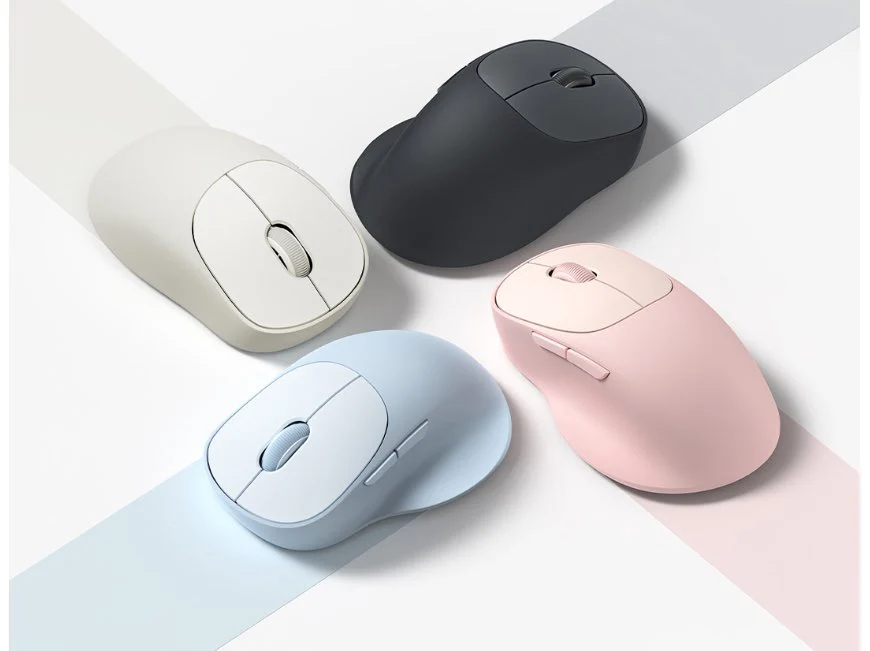
    Xiaomi has launched the Wireless Mouse 3 Comfort Edition, which takes a more ergonomic approach compared to the previously released Wireless Mouse 3 from May. While maintaining the same hardware, this new version features a broad, sculpted body and a contoured thumb rest to enhance comfortable grip.

    Lightweight Design

    This mouse is quite light, measuring 11.89 cm in height and 7.55 cm in width, weighing just 65 grams. According to Xiaomi, the new “meticulously sculpted” asymmetrical design is tailored for different hand shapes, offering better support for the user’s palm and fingers than its symmetrical counterpart. The PixArt 1200DPI optical sensor isn’t particularly impressive, but it suits its purpose as an entry-level device meant for office tasks, with gaming not being mentioned in Xiaomi’s marketing materials.

    Functionality and Features

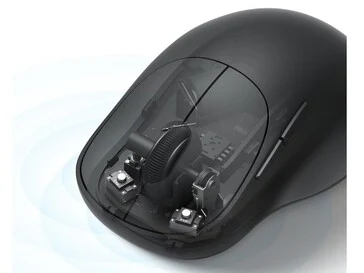
    The dual color-matched side buttons located on the right side look appealing; however, they seem to be non-programmable and are solely intended for forward and backward navigation. Xiaomi collaborated with TTC to create the buttons, and they’re said to produce softer, quieter clicks.

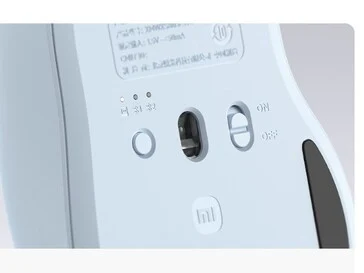
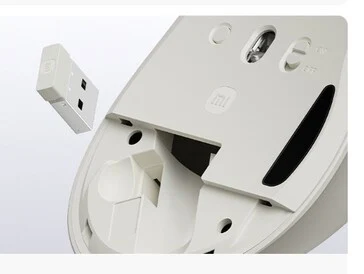
    The Wireless Mouse 3 Comfort Edition also features a new, wider silicone-coated scroll wheel that provides precise tactile feedback. It can connect to up to three devices—one via a 2.4GHz wireless connection and two through Bluetooth. Notably, there is no USB-C charging option; instead, it operates on a single AA battery, with Xiaomi claiming that users can expect months of usage from just one battery.

    Color Options and Pricing

    The Comfort Edition is offered in four colors: Black, Pink, Blue, and White, and it is currently available for purchase in China at a price of CNY 109 (approximately $15). There has been no announcement regarding a global release yet, but since the standard version was introduced in Europe and other Asian regions, there is at least a chance it may be launched elsewhere.

    Source:
    Link


  • HiMill: Affordable CNC Machine with Impressive Performance

    HiMill: Affordable CNC Machine with Impressive Performance

    Key Takeaways

    1. The HiMill D1 and D1S are budget-friendly CNC machines designed for everyday users.
    2. The D1S model offers quicker tool changes and higher precision (0.02 mm) compared to the D1 (0.04 mm).
    3. Both models have a workspace of 280 x 200 x 80 mm and can work with various materials like wood and metal.
    4. They can accurately drill, engrave, and cut, making them useful for projects like drilling holes in PC cases.
    5. The machines feature USB and WiFi connectivity and require some familiarity with CAD/CAM software for optimal use.


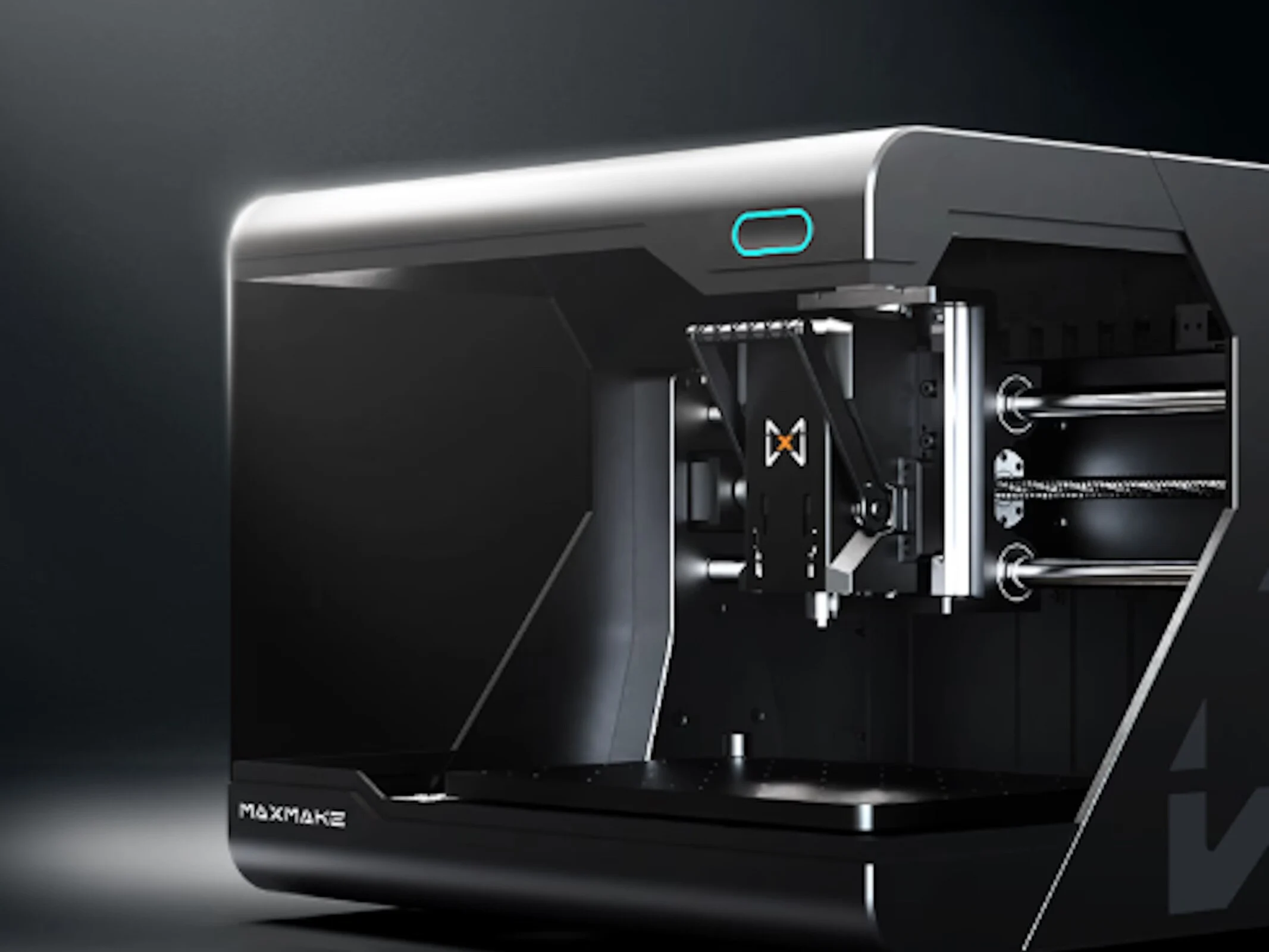
    The HiMill D1 and HiMill D1S are budget-friendly CNC machines that are meant to be user-friendly for everyday users. The two models have notable differences; only the D1S version supports quick tool changes and boasts a precision of 0.02 millimeters, compared to the 0.04 millimeters of the D1. Both models come with a workspace of 280 x 200 x 80 millimeters and are capable of working with a range of materials like wood and metal. These CNC machines are adept at drilling holes accurately, but they can also handle engraving and cutting tasks. Moreover, this tool can significantly simplify and expedite certain projects, such as when numerous holes need to be drilled in a PC case’s side panel. Additionally, a laser module can be added to the machine.

    Features and Capabilities

    The company also promotes an output power of 250 Watts along with a brushless motor. With the right accessory, users can clamp materials, enabling the CNC machine to operate effectively as a lathe. The operation is intended to be simple, allowing users to start using the device right out of the box. However, some familiarity with CAD/CAM software will likely be necessary for optimal use. Features like USB and WiFi connectivity are included as well. As part of an active Kickstarter campaign, those interested can reserve the HiMill D1 for a pledge of $420, though backers should be aware of the usual financial uncertainties that come with crowdfunding endeavors.

    Conclusion

    In conclusion, the HiMill D1 and D1S are practical CNC options for hobbyists and professionals alike. Their affordability, precision, and versatility make them attractive choices for those looking to enhance their crafting and engineering projects. However, potential users should consider the learning curve associated with the necessary software and the inherent risks of supporting a crowdfunding project.

    Source:
    Link


  • NuPhy Halo V2 Keyboards: 4X Battery Life & Num Pad Option

    NuPhy Halo V2 Keyboards: 4X Battery Life & Num Pad Option

    Key Takeaways

    1. NuPhy has launched the Kick75 hybrid profile keyboard and the updated Air75 V3, both featuring Gateron Low-Profile V3 switches.
    2. The new NuPhyIO versions of the Halo65 V2 and larger models improve battery life significantly by switching from QMK/VIA to proprietary NuPhyIO firmware.
    3. The Halo V2 series includes three models (Halo65 V2, Halo75 V2, Halo96 V2) with a battery life increase, despite retaining the same 4,000 mAh capacity.
    4. The Halo96 V2 NuPhyIO version offers a wireless battery life of approximately 1200 hours compared to 307 hours on the QMK/VIA version, though backlighting reduces this gain.
    5. NuPhyIO firmware offers features like automatic updates and built-in key binds, but lacks the open-source advantages of QMK, such as deep customization and community support.


    NuPhy has been quite busy recently, launching the innovative Kick75 hybrid profile mechanical keyboard and the refreshed Air75 V3. Both of these new models come equipped with the latest Gateron Low-Profile V3 switches. Now, the mechanical keyboard manufacturer has revealed the new NuPhyIO versions of the Halo65 V2 and its larger variants. Although the hardware updates seem minimal, the primary change is in the firmware. NuPhy asserts that switching from QMK/VIA to their proprietary NuPhyIO firmware has significantly improved the battery life of these keyboards.

    Pricing and Availability

    The NuPhy Halo V2 NuPhyIO series can be purchased directly from the NuPhy store, with prices between $119.95 and $139.95, depending on the layout you choose. Meanwhile, the original Halo75 V2 with QMK firmware is listed on Amazon for $149.95.

    Different Models, Same Battery

    The Halo V2 series offers three options: the compact Halo65 V2, the somewhat larger Halo75 V2, and the numpad-equipped Halo96 V2. All of these models boast extended battery life, thanks to the NuPhyIO firmware. They maintain the same 4,000 mAh battery capacity as their QMK/VIA versions, but the QMK firmware is known for being less efficient. The PCB in the NuPhyIO versions is claimed to be simpler and more integrated compared to the QMK PCB.

    Impressive Battery Life Gains

    The switch in PCB and firmware is said to have led to a striking improvement in battery life. For instance, the wireless battery life on the Halo96 V2 NuPhyIO version has been extended to around 1200 hours from roughly 307 hours on the QMK/VIA version—nearly a 300% increase. However, it’s worth mentioning that the situation isn’t as bright when the backlighting is activated, with the new firmware only adding about a 10% boost to battery life.

    In our testing of wireless keyboards, such as the Keychron K4 HE, we found that turning up the RGB backlighting also leads to high power consumption, but NuPhy’s specific testing methods remain unclear. Factors like backlighting brightness and connectivity mode do influence power use—though the difference in power consumption between 2.4 GHz and Bluetooth polling rates from 125 Hz to 1,000 Hz isn’t as dramatic as one might expect.

    Firmware Features and Customization

    When contrasting the NuPhyIO and QMK/VIA firmware versions, another vital aspect is the features available in each customization suite. Both offer browser-based customization, but they come with their own pros and cons. QMK is an open-source firmware project, which means that even if NuPhy were to cease operations, you could still customize your keyboard as long as you had the right JSON file. Some users even recommend cloning the QMK and VIA repositories, and in emergencies, direct firmware file edits are possible. QMK provides deep customization options, backed by excellent documentation and a robust community for support.

    On the other hand, NuPhyIO includes some handy features that QMK lacks, such as automatic firmware updates and certain built-in key binds for select creative applications. However, it doesn’t have the same open-source advantages as QMK firmware. There have also been reports of NuPhyIO keyboards losing custom key binds and macros if the battery is disconnected or runs out—this could be a deal-breaker for many serious users.

    Source:
    Link