Tag: CNC machine

  • 40% Off NestWorks C500 CNC Machine: High-Accuracy Titanium Processing

    40% Off NestWorks C500 CNC Machine: High-Accuracy Titanium Processing

    Key Takeaways

    1. The NestWorks C500 CNC machine is available at a 40% discount, starting at approximately $2,800, but crowdfunding risks apply.
    2. It is designed for a wide range of users, capable of working with various materials including wood, plastics, metals, and tough alloys.
    3. The machine is suitable for creating durable parts, prototypes, and spare components, though some self-made tools may have limitations in professional use.
    4. Key specifications include 800 watts spindle power, 18,000 RPM rotation speed, and an accuracy of 0.02 millimeters.
    5. Features include an automatic tool changer, RFID system for tool identification, and optional 5W laser module for engraving tasks.


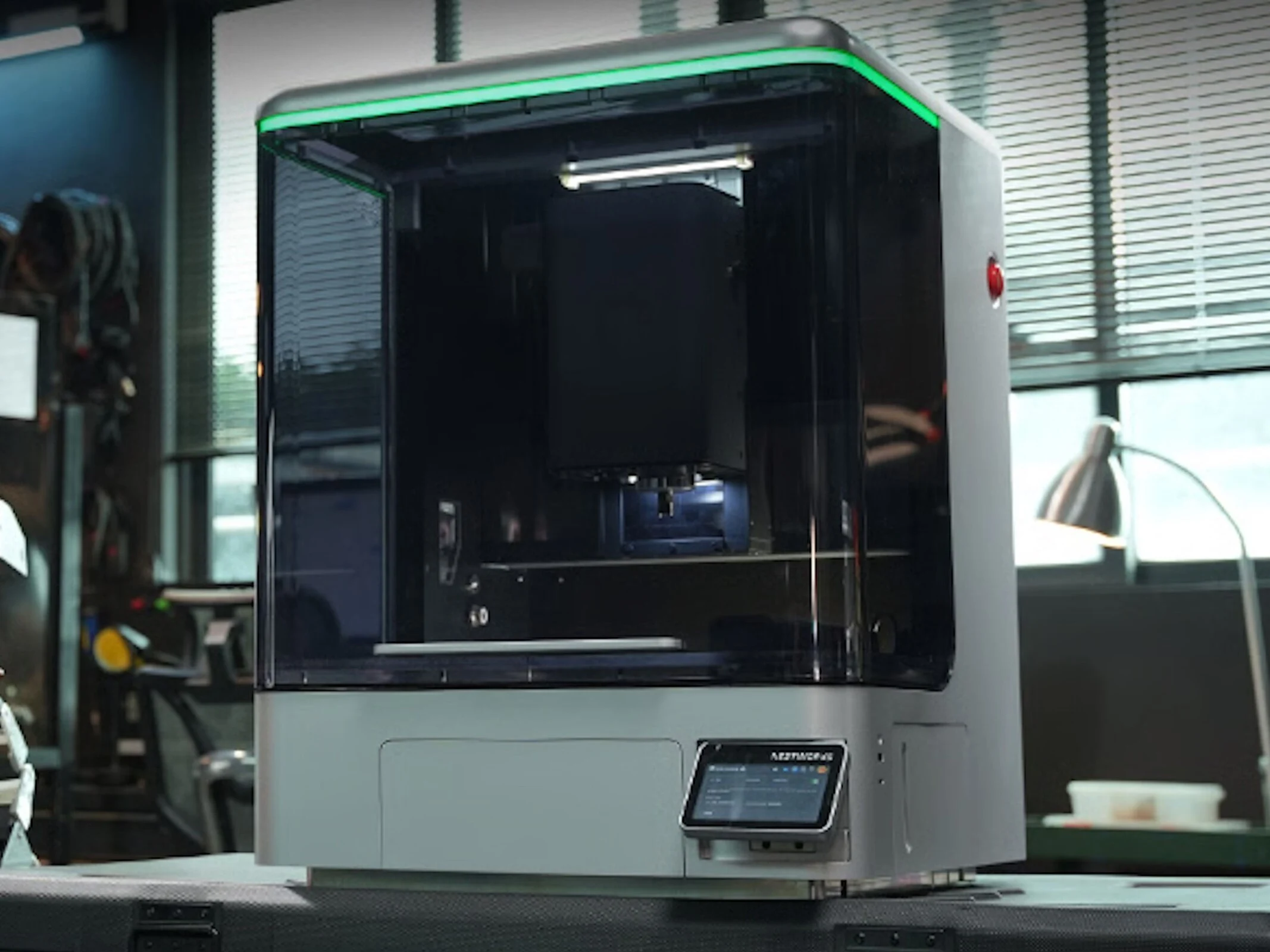
    Even though the Kickstarter campaign was very successful, potential buyers can still purchase the new CNC machine known as the NestWorks C500 at a significant discount. More specifically, there is a notable 40% price reduction being offered, but it’s important to keep in mind that typical crowdfunding risks apply here too. Currently, prices begin at about $2,800, which means there’s a possibility of losing that money in a worst-case scenario.

    Designed for Various Users

    The NestWorks C500 aims to satisfy the needs of strict and even industrial users. As per the manufacturer’s claims, it can work with a wide variety of materials. While wood and plastics are just the beginning, this CNC machine can also handle metals like aluminum, magnesium, and even tougher materials like steel and titanium alloys. This feature is particularly advantageous for making highly durable parts. Moreover, it can be beneficial for developing prototypes and spare components. However, it’s important to remember that some self-made tools and parts may have limitations in professional settings.

    Impressive Specifications

    The spindle power is rated at 800 watts, with a rotation speed of 18,000 revolutions per minute. NestWorks also claims an accuracy of 0.02 millimeters. An automatic tool changer is included, and there’s an RFID system for identifying tools. Additionally, optical sensors are part of the setup, although the optional 5W laser module might come in handy for engraving tasks.

    Source:
    Link


  • Makera Unveils $900 Beginner CNC for Cutting Titanium

    Makera Unveils $900 Beginner CNC for Cutting Titanium

    Key Takeaways

    1. The Makera Z1 desktop CNC has exceeded its Kickstarter funding goal of $99,973, raising over $5 million with 28 days left.
    2. The Z1 is marketed as beginner-friendly but can also machine non-ferrous metals like copper, bronze, and aluminum, with caution advised for harder metals like steel and titanium.
    3. A demonstration video showcases the machining of titanium at 13,000 RPM, emphasizing safety measures during the process.
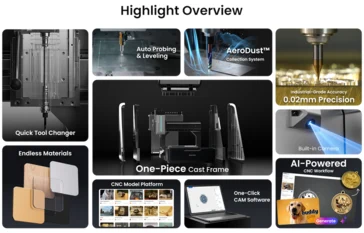
    4. The new AeroDust system improves cooling and chip management without needing an external air source, unlike previous models.
    5. The Z1 features a quick-tool changer and built-in camera, with Kickstarter pricing starting at $899 and a retail price of $1,199 set for January 2026.


    We recently discussed the Makera Z1 desktop CNC and its Kickstarter debut, which has already surpassed its funding target of $99,973, amassing over $5 million in pledges with 28 days remaining. Although Makera promotes the Z1 as a beginner-friendly CNC machine, they assert that this compact device can machine certain non-ferrous metals, like copper, bronze, and aluminum, provided it’s done with care. While the company states that steel and titanium can also be machined on the Z1, there are concerns about how well an aluminum-constructed CNC will handle harder metals. Makera seems keen to address these concerns in their latest YouTube video.

    Titanium Cutting Demonstration

    It’s not clear which titanium alloy is showcased in Makera’s demonstration, but they are using a range of titanium bits in a 1/4-inch collet, spinning the spindle at its peak speed of 13,000 RPM. In some sections of the video, the cutting speeds appear to be quite brisk, especially during the roughing phase. However, Makera still advises taking special safety measures and closely monitoring the milling process when working with titanium.

    The AeroDust System

    What’s particularly fascinating about this experiment is that Makera seemingly isn’t utilizing any external cooling during the machining, instead relying solely on the new AeroDust system to manage chips and keep both the tool and workpiece cool. This dust collection and cooling method represents an improvement over the $2,199.99 Carvera Air desktop CNC, which necessitates an external air source and vacuum for effective chip removal and cooling.

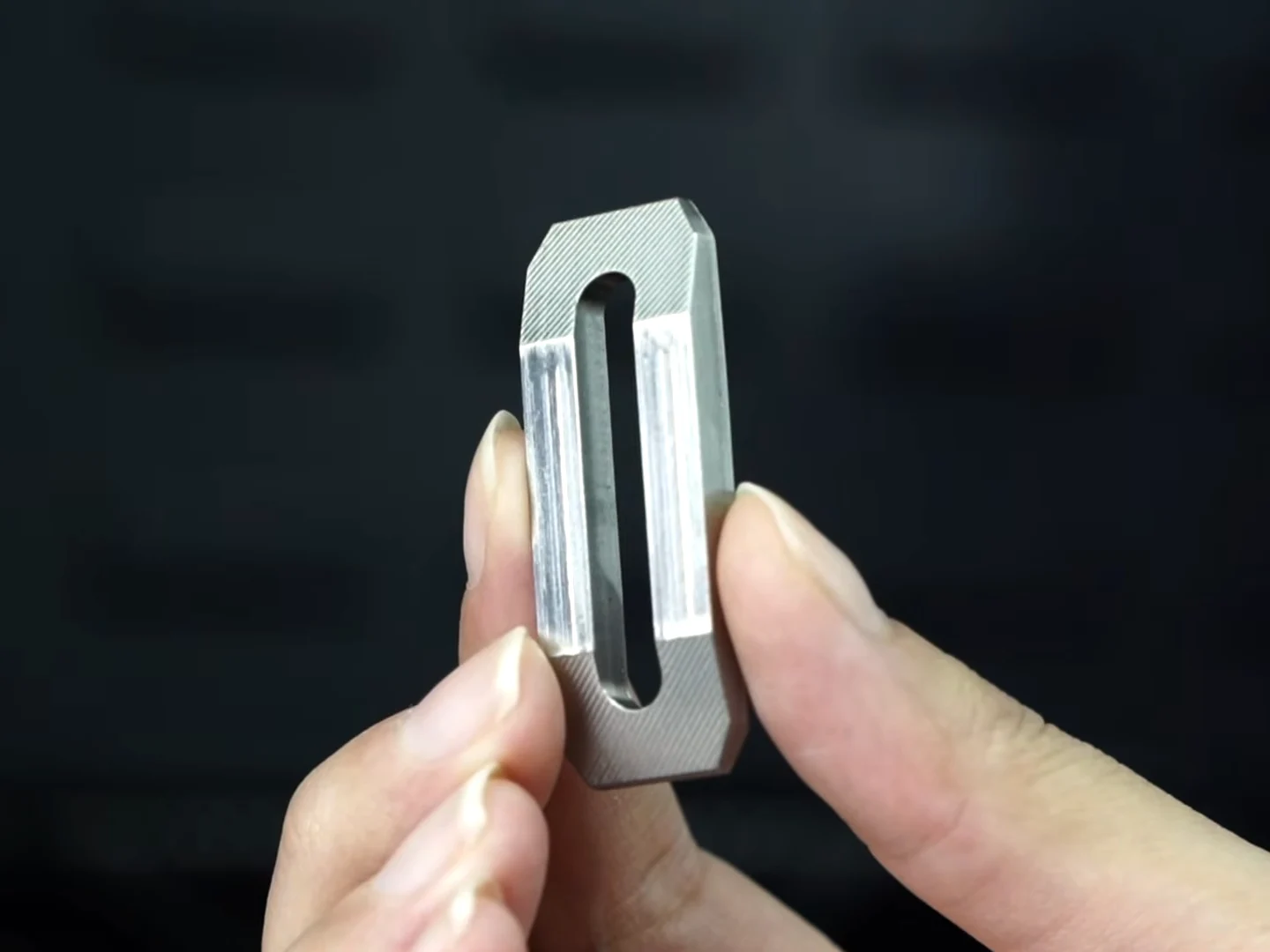
    While it’s difficult to assess the precision of the component shown in Makera’s video, at the conclusion, the company highlights a finished part that appears to be a straightforward part clamp for the CNC machine itself, with a surface finish and edges that look satisfactory.

    Specifications and Pricing

    The Kickstarter page for the Makera Z1 refrains from making bold claims about milling intricate steel and aluminum components, instead noting that these metals should only be used for “light-duty milling.” The Z1 is equipped with Nema 17 stepper motors, linear rails, and a high-torque spindle capable of running at 13,000 RPM. It also features a quick-tool changer and a built-in camera for easy operation and remote monitoring. Currently, the Kickstarter campaign offers the Z1 CNC starting at $899, with the official retail price set to be $1,199 upon its launch in January 2026.


    Source:
    Link


  • HiMill: Affordable CNC Machine with Impressive Performance

    HiMill: Affordable CNC Machine with Impressive Performance

    Key Takeaways

    1. The HiMill D1 and D1S are budget-friendly CNC machines designed for everyday users.
    2. The D1S model offers quicker tool changes and higher precision (0.02 mm) compared to the D1 (0.04 mm).
    3. Both models have a workspace of 280 x 200 x 80 mm and can work with various materials like wood and metal.
    4. They can accurately drill, engrave, and cut, making them useful for projects like drilling holes in PC cases.
    5. The machines feature USB and WiFi connectivity and require some familiarity with CAD/CAM software for optimal use.


    The HiMill D1 and HiMill D1S are budget-friendly CNC machines that are meant to be user-friendly for everyday users. The two models have notable differences; only the D1S version supports quick tool changes and boasts a precision of 0.02 millimeters, compared to the 0.04 millimeters of the D1. Both models come with a workspace of 280 x 200 x 80 millimeters and are capable of working with a range of materials like wood and metal. These CNC machines are adept at drilling holes accurately, but they can also handle engraving and cutting tasks. Moreover, this tool can significantly simplify and expedite certain projects, such as when numerous holes need to be drilled in a PC case’s side panel. Additionally, a laser module can be added to the machine.

    Features and Capabilities

    The company also promotes an output power of 250 Watts along with a brushless motor. With the right accessory, users can clamp materials, enabling the CNC machine to operate effectively as a lathe. The operation is intended to be simple, allowing users to start using the device right out of the box. However, some familiarity with CAD/CAM software will likely be necessary for optimal use. Features like USB and WiFi connectivity are included as well. As part of an active Kickstarter campaign, those interested can reserve the HiMill D1 for a pledge of $420, though backers should be aware of the usual financial uncertainties that come with crowdfunding endeavors.

    Conclusion

    In conclusion, the HiMill D1 and D1S are practical CNC options for hobbyists and professionals alike. Their affordability, precision, and versatility make them attractive choices for those looking to enhance their crafting and engineering projects. However, potential users should consider the learning curve associated with the necessary software and the inherent risks of supporting a crowdfunding project.

    Source:
    Link


  • Makera Launches Z1 Entry-Level CNC Desktop Machine at $800

    Makera Launches Z1 Entry-Level CNC Desktop Machine at $800

    Key Takeaways

    1. The Makera Carvera and Carvera Air target the “CNC from zero” market but come with high prices; the Carvera Air costs $2,897, while the new Makera Z1 is significantly cheaper at $799 with early reservations.
    2. The Makera Z1 is promoted as a strong alternative to 3D printing, capable of producing robust parts and offering respectable specifications for beginners.
    3. The Z1 features a cutting area of 200 × 200 mm and a 150 W spindle with speeds up to 13,000 RPM, allowing for quick tool changes with its collet system.
    4. Unlike the Carvera Air, the Z1 has an integrated AeroDust collection system for effective chip removal and cooling without needing an external air supply.
    5. The Z1 can cut various materials, including woods, plastics, and non-ferrous metals, with upgrade options available for enhanced functionality through a 4th-axis kit and compatibility with new Makera CAM software.


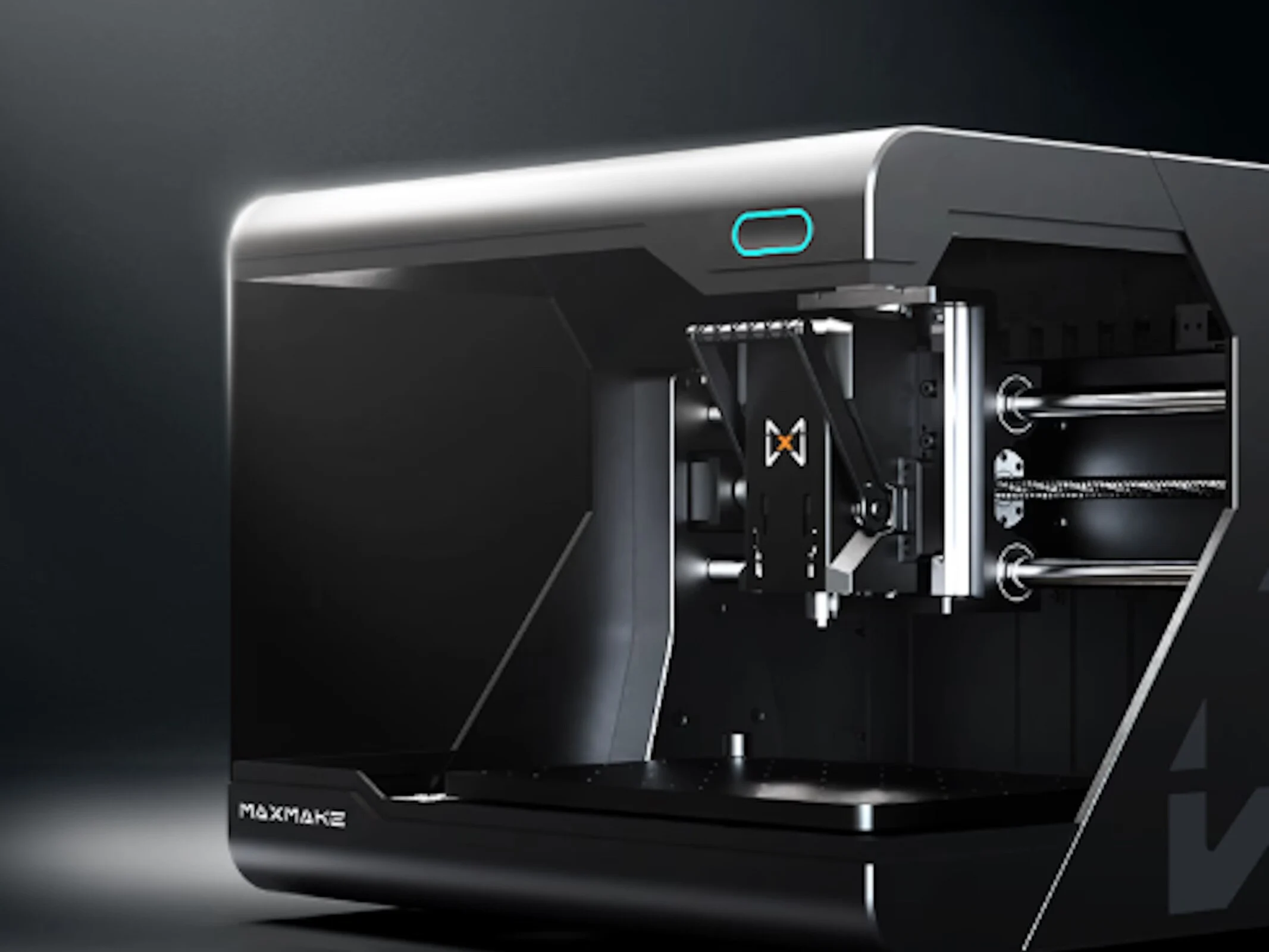
    The Makera Carvera and Carvera Air are designed to serve a niche in the “CNC from zero” category, boasting impressive specifications in a compact CNC machine that aims to be as user-friendly as a typical 3D printer. However, both models come with a hefty price tag. The more affordable Carvera Air is listed at $2,897 on Amazon, which includes a 4-axis kit. Meanwhile, the new Makera Z1, the latest addition to Makera’s desktop CNC lineup, reduces the cost significantly—half the price—while still offering respectable specs and some new features that could make it appealing for beginners interested in CNC technology.

    A New Approach to CNC Cutting

    Makera promotes the Z1 CNC as a viable substitute for 3D printing, emphasizing its ability to create more robust parts suitable for everyday use. This capability is comparable to what can be produced by some of the finest 3D printers we’ve assessed. While Makera hasn’t fully rolled out the Z1 yet, they are accepting reservations with a $39 refundable deposit that secures a $400 discount for early birds, lowering the price from the manufacturer’s suggested retail price of $1,199 to just $799. Those who reserve will likely see their Z1 shipped by January 2025.

    Cutting Area and Specifications

    When choosing a CNC machine, the cutting area is a key factor to consider. The Makera Z1 provides nearly the same cutting area as the Carvera Air, measuring 200 × 200 mm and standing 100 mm tall. It is equipped with a 150 W spindle that can reach speeds of 13,000 RPM, as well as a custom ⅛-inch collet, which can also accommodate optional ¼-inch, 6 mm, and 4 mm collets. The collet system allows for quick tool changes, a feature that has been beneficial in our ongoing evaluation of the Carvera Air.

    Integrated Features

    In contrast to the Carvera Air, which relies on an external air supply and vacuum for chip removal and spindle cooling, the Makera Z1 incorporates an AeroDust collection system. This system cools the spindle while effectively collecting chips and dust. Unlike the Carvera Air, there’s no additional air supply required.

    Despite having a slightly smaller cutting area than typical 3D printers, the Z1 offers a reasonable work space at its price point, especially with added conveniences like a cast aluminum frame, linear rails, and built-in support for various CAM software. It also features an enclosed lid that significantly reduces noise and dust, making it a more practical choice for makers living in apartments.

    Material Compatibility

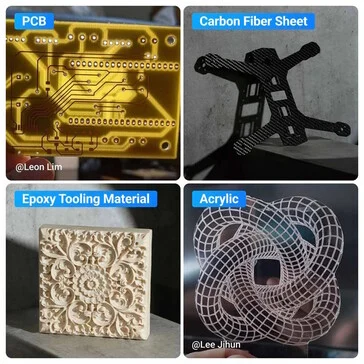
    The Makera Z1 is capable of cutting various materials, including both hard and soft woods, MDF, several types of plastics, FR4, fiberglass composites, and metals such as aluminum, brass, bronze, and copper, among other non-ferrous options. However, it’s important to note that Makera recommends taking extra care when cutting metals, advising users to proceed slowly.

    Upgrade Options

    Also, buyers can opt for a 4th-axis kit and a 5 W module, both of which are the same systems found in the Carvera Air and the full-featured Carvera CNC. This allows users to make upgrades that will enhance their machine’s functionality. Additionally, the Z1 is compatible with the newly updated Makera CAM software, which is set to rebrand as Makera Studio. Users can control the machine through the Makera App (previously known as Makera Controller), available on Windows, Linux, macOS, iOS, and Android.

    Source:
    Link


  • Affordable Snapmaker A350T: 3D Printing, Laser Cutting, CNC

    Affordable Snapmaker A350T: 3D Printing, Laser Cutting, CNC

    Key Takeaways

    1. Multi-Functionality: The Snapmaker A350T can 3D print, laser cut, engrave, and CNC mill with the right modules.

    2. Quick Swap Kit: This feature allows for easy and fast changes between different toolheads for various tasks.

    3. Pro Combo Package: Includes a dual-extrusion module for using two types of filaments simultaneously, along with a powerful 10-watt laser.

    4. Working Area: The device offers a working area of 320 x 335 x 270 mm (12.6 x 13.2 x 10.6 inches) for all operations, ensuring versatility with various materials.

    5. User-Friendly Design: The 5-inch touchscreen and additional safety features, like an air purifier and enclosure, make it accessible and safe for users.


    A broad selection of 3D printers is on the market today, but the Snapmaker A350T (which you can find on Amazon) really distinguishes itself with its extra features. In addition to 3D printing, this device can be outfitted with a laser module for both cutting and engraving, or it can convert into a CNC machine when you add the right module. The Quick Swap kit allows for a quick and easy change between different toolheads. Along with this kit and the regular printing module, the Pro Combo package includes a dual-extrusion printing module that enables users to utilize two types of filaments at the same time. This package also comes with a 10-watt laser in addition to the standard 1.6-watt laser module. The CNC module that comes by default provides 50 watts of power. You can also buy additional upgrades separately, such as a 40-watt laser, a 200-watt CNC module, and an infrared laser module that has a wavelength of 1,064 nm for high-precision engraving.

    Work Area and Capabilities

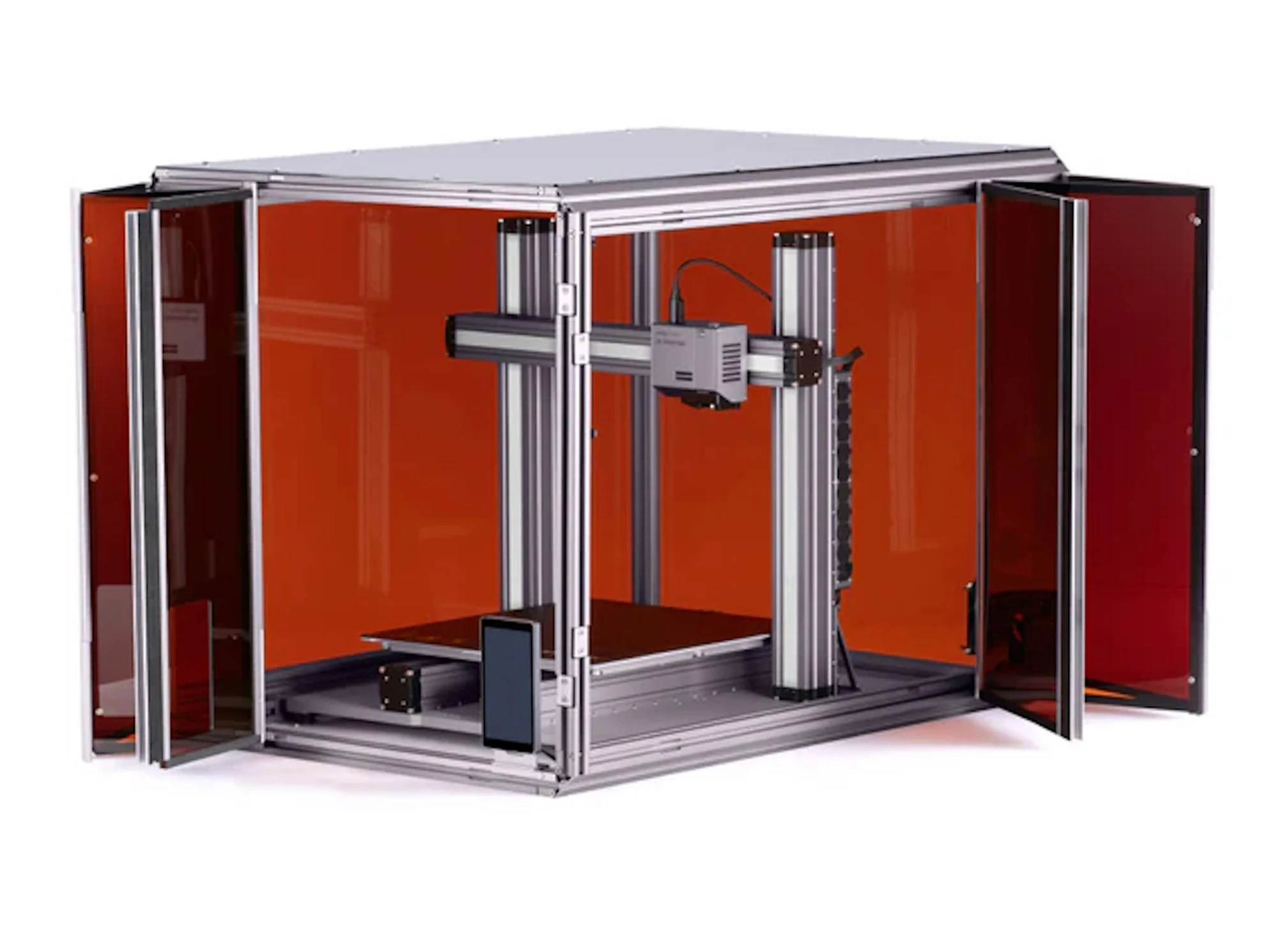
    When the dual-extrusion module is installed, the Snapmaker A350T has a working area of 320 x 335 x 270 mm (which is around 12.6 x 13.2 x 10.6 inches). For tasks like laser engraving, cutting, as well as CNC milling, the official specifications indicate that the working area remains at 320 x 335 mm (12.6 x 13.2 inches). Thanks to its versatile 3-in-1 modular setup, the A350T can work with a wide variety of materials, from wood to metal. It also comes with a 5-inch touchscreen that improves user experience. Additionally, Snapmaker provides an air purifier and an enclosure to ensure safety while laser cutting and performing CNC operations.

    Additional Features

    Snapmaker’s design emphasizes versatility, making it a great choice for hobbyists and professionals alike. The ability to switch between functionalities quickly makes it a valuable tool in any workspace. Its user-friendly interface further enhances its appeal, as anyone can easily navigate its features. Overall, the Snapmaker A350T is not just a 3D printer; it’s a comprehensive solution for various creative projects, blending function and convenience seamlessly.

    Source:
    Link