
Tag: HP EliteBook 8 G1a 14

  • Modernizing Port Selection: HP’s EliteBook 8 Success Explained

    Modernizing Port Selection: HP’s EliteBook 8 Success Explained

    Key Takeaways

    1. Apple introduced an all USB-C setup with the 2016 MacBook Pro, eliminating USB-A ports entirely.
    2. HP’s EliteBook series maintained traditional USB-A ports until 2024, featuring two USB-A ports in earlier models.
    3. The redesigned HP EliteBook lineup now includes one USB-A port and three USB-C ports, enhancing its modern appeal.
    4. The new USB-C port on HP EliteBooks allows charging from both sides, improving user convenience.
    5. The USB-C ports do not support Thunderbolt functionality, but the increased charging flexibility is a notable advancement.


    Apple surprised everyone in the laptop industry back in 2016 by introducing the new MacBook Pro, which completely eliminated the USB-A port for the first time. Instead, it switched to an all USB-C setup. Since that launch, Apple has stuck with this choice and hasn’t brought back USB-A, even with the latest redesign which did reintroduce the HDMI port. Other laptop makers, such as HP, have also started to embrace an entirely USB-C port configuration in some of their devices.

    EliteBook’s Traditional Approach

    HP’s EliteBook series was not part of this trend, as the company opted for a more traditional approach with its business laptops. Up until 2024, nearly all EliteBook models, like the HP EliteBook 845 G11 (which you can purchase on Amazon), featured two USB-A ports. However, this year, HP redesigned its EliteBook lineup, including the mainstream HP EliteBook 8 series, which carries on the heritage of the previous EliteBook 800 series.

    Modernization and Compatibility

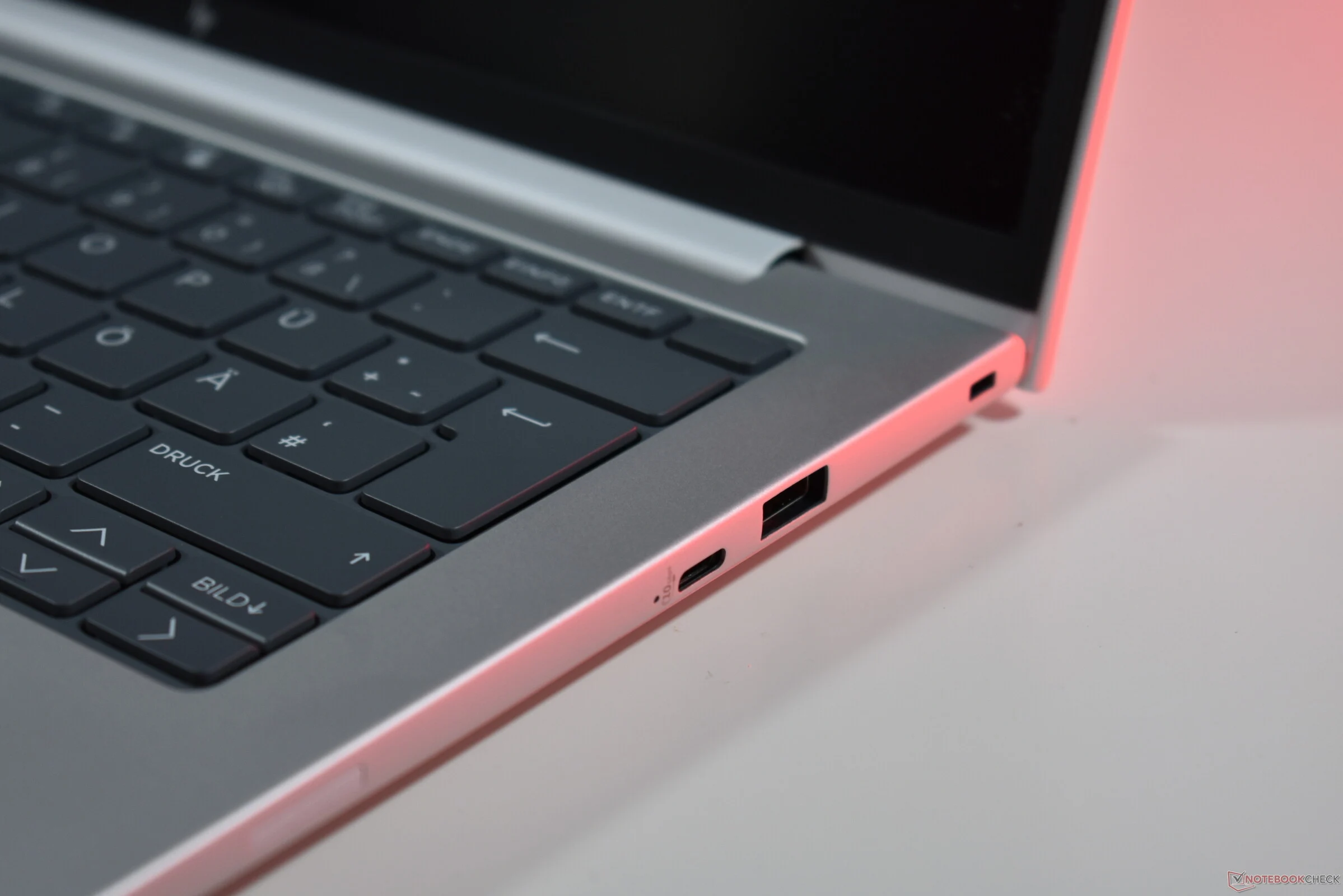
    With the newly released models, HP implemented a modest change: now there is just one USB-A port instead of two, and the number of USB-C ports has increased from two to three. This is a smart modernization move: HP retains backward compatibility while adding an extra USB-C port, which is functionally better than USB-A since it supports DisplayPort output and charging.

    Charging Flexibility

    This aspect is particularly significant: the new USB-C port is located on the right side, allowing the new HP EliteBooks, like the HP EliteBook 8 G1a 14 that we recently reviewed in detail, to be charged from either the left or right side. This addresses a long-standing issue that many laptop users face, as manufacturers typically position charging USB-C ports on just one side, restricting charging options.

    HP could still enhance certain features: the new USB-C port does not support Thunderbolt functionality, unlike the ports on the left side. Nonetheless, having the flexibility to charge from both sides is definitely a major improvement.

    Source:
    Link


  • Benefits of Choosing Older AMD CPUs Over Newer Models

    Benefits of Choosing Older AMD CPUs Over Newer Models

    Key Takeaways

    1. AMD and Intel often recycle older processors under new names, with AMD releasing Zen 4 (Ryzen 200) and Zen 5 (Ryzen AI 300) CPUs for laptops.
    2. The HP EliteBook 8 G1a 14 can be configured with either Zen 4 or Zen 5 processors, with pricing differences reflecting the older model being more budget-friendly.
    3. The Zen 4 CPU, despite being older, performs well in terms of speed, efficiency, battery life, and heat generation, while the Zen 5 shows only marginal improvements.
    4. The main advantage of the Zen 5 is its enhanced NPU, offering features like Copilot+, though this is not essential for all users.
    5. Choosing the Ryzen 200 version of the EliteBook saves $450, making it a more cost-effective option for most users compared to the Ryzen AI 300.


    Recycling old processors under new names is a common practice in the PC industry. Both Intel and AMD engage in this strategy. At present, AMD has made available both Zen 4 and Zen 5 CPUs for laptops. The Zen 4, also known as Hawk Point Refresh, is marketed as the AMD Ryzen 200, whereas the Zen 5, referred to as Krackan Point, appears as the Ryzen AI 300 series. The previous generation CPUs serve as budget-friendly alternatives.

    Pricing Insights

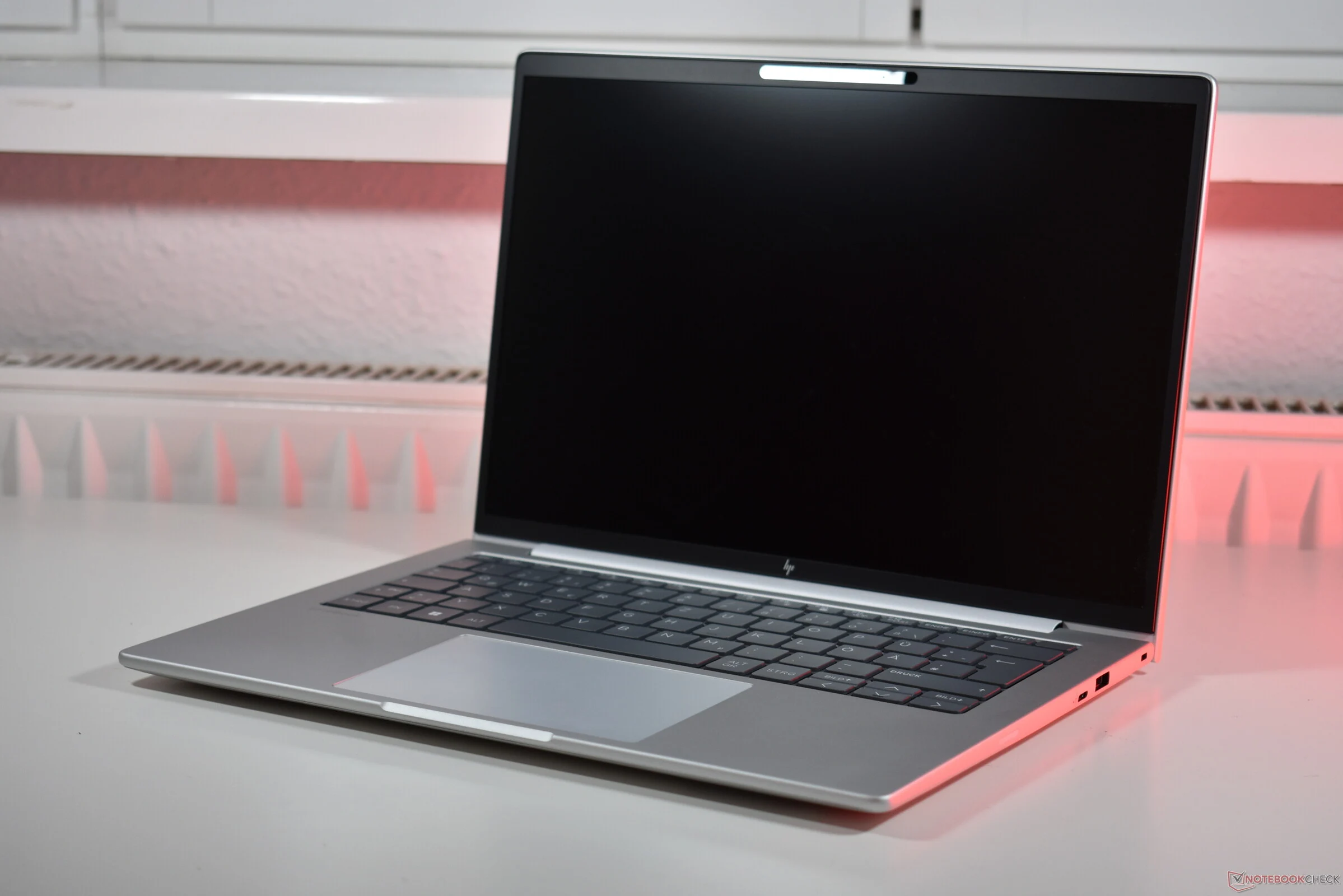
    This trend is evident in the pricing of laptops equipped with these processors, like the HP EliteBook 8 G1a 14. This compact business laptop, featuring an aluminum body and powered by AMD processors, can be configured with either CPU generation. We thoroughly examined the model that comes with the Zen 4 based AMD Ryzen 7 250, but there’s also an option to purchase it with the AMD Ryzen AI 7 350 (which is available on Amazon).

    Performance Review

    Our evaluations demonstrated that the older Zen 4 CPU is far from outdated. While the GPU performance may not be top-tier, it performed admirably in our tests, ensuring the HP EliteBook remains both speedy and efficient with impressive battery life and minimal heat generation. Although we haven’t tested the Krackan Point variant, we have access to multiple benchmarks for the Krackan Point CPU in our database. To give a hint: the newer Zen 5 CPU doesn’t significantly outshine its predecessor in most aspects. It does achieve marginally better single-core CPU scores, but that’s the extent of the performance enhancement.

    Key Differences

    The primary benefit of the Krackan Point lies in its more powerful NPU, which transforms it into a Copilot+ PC. However, while this might be beneficial for some users, for many, it serves as an added feature rather than a critical necessity for now.

    On the flip side, the savings associated with picking the Ryzen 200 version of the EliteBook are quite real: the model featuring the older processor is priced at $1,450 in the HP US online store, whereas the Zen 5 EliteBook with identical screen, SSD, and RAM is priced at $1,900.

    In our opinion, keeping that extra $450 in your wallet is a smart move. For most users, opting for the AMD Ryzen AI 7 350 over the AMD Ryzen 7 250 isn’t justifiable at this time.

    Source:
    Link