Tag: AMD Ryzen 7 250

  • Dynabook Launches New 2-in-1 Laptop with 8-Core AMD Ryzen APU

    Dynabook Launches New 2-in-1 Laptop with 8-Core AMD Ryzen APU

    Key Takeaways

    1. The Dynabook Protege X45W is a 14-inch 2-in-1 laptop powered by AMD Ryzen 200 series APUs, offering solid multicore performance.
    2. The laptop can be equipped with the AMD Ryzen 7 250 APU, featuring 8 cores and 16 threads, suitable for everyday tasks and moderate workloads.
    3. It has a 1920 x 1200 touch display with MPP 2.0 support, allowing for 4,096 levels of pressure sensitivity.
    4. Key features include a spill-resistant backlit keyboard, MIL-STD-810H certification, and a robust aluminum body, along with 16 GB of RAM and 512 GB of storage.
    5. Connectivity options include WiFi 7, Bluetooth, gigabit Ethernet, HDMI, USB-C, USB-A, and microSD ports, with pricing and availability yet to be announced.


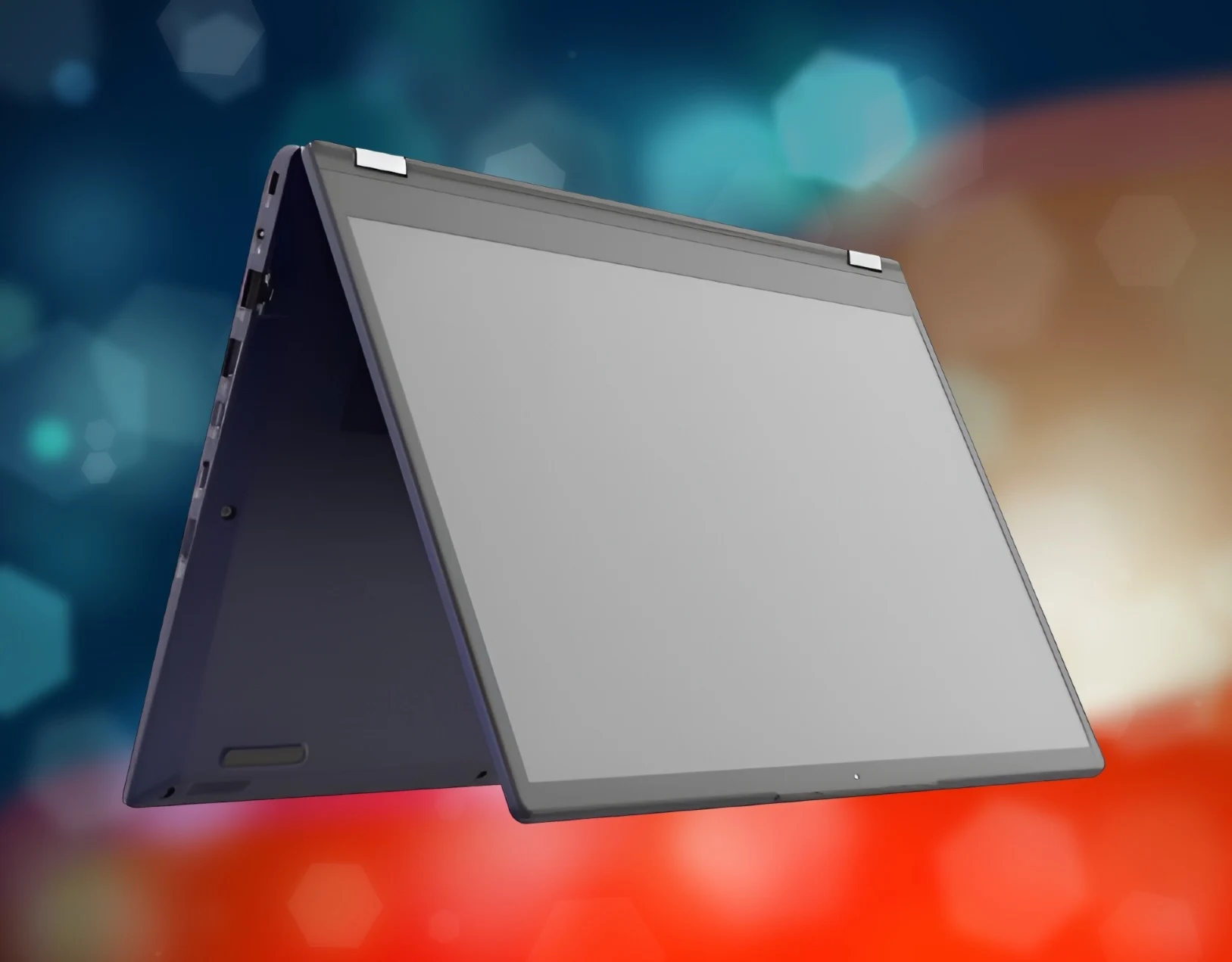
    Dynabook has launched a new laptop that runs on AMD technology and comes with a 14-inch screen. The device, named the Protege X45W, is a versatile 2-in-1 convertible that features AMD Ryzen 200 series APUs, which offer decent multicore performance and capable integrated graphics.

    Performance Specs

    The Protege X45W can be outfitted with the powerful AMD Ryzen 7 250 APU, which has 8 cores and 16 threads. This APU belongs to the older Hawk Point family. Although the Zen 4 cores are beginning to show their age, they should still perform adequately for multicore tasks. There will also be lower-end options featuring the Ryzen 5 220 and Ryzen 5 230.

    Benchmark tests show that the Ryzen 7 250’s performance is in between the Core Ultra 7 155H and the Core Ultra 5 225H in multicore assessments. In simpler words, everyday tasks and some moderately demanding activities should run smoothly on this laptop. There’s no choice for dedicated graphics cards, and the Radeon 780M integrated GPU can manage decent frame rates in older games at lower settings. It should handle basic video and photo editing tasks as well.

    Display and Features

    The display of the Protege X45W is a 14-inch screen with a resolution of 1920 x 1200 and it supports touch input. It also includes MPP 2.0 support, allowing for 4,096 levels of pressure sensitivity. However, Dynabook hasn’t provided additional information about the laptop’s color accuracy or brightness levels.

    Among other key features of this 2-in-1 laptop are a spill-resistant backlit keyboard, MIL-STD-810H certification, a Full HD webcam, and a sturdy aluminum body that adds a touch of premium feel. The laptop comes standard with 16 GB of RAM and 512 GB of storage, and customers will have the option to upgrade through BTO choices.

    Connectivity Options

    While the complete details of the I/O options are not fully disclosed, it is known that the laptop will include WiFi 7, Bluetooth, gigabit Ethernet, and a mix of HDMI, USB-C, USB-A, and microSD ports.

    As for pricing and availability, that information is still not clear at this moment. For comparison, the Lenovo ThinkPad E14 Gen7 business laptop has similar specifications and is listed for $899 on Amazon. The Dynabook Protege X45W might be priced similarly.

    Source:
    Link


  • Affordable Lenovo LOQ Gaming Laptop with Nvidia RTX 5060 and AMD CPU

    Affordable Lenovo LOQ Gaming Laptop with Nvidia RTX 5060 and AMD CPU

    Key Takeaways

    1. Powerful APU: The Lenovo LOQ 15APH11 is powered by the AMD Ryzen 7 250, featuring eight Zen 4 cores and 16 threads.
    2. Generous RAM and Storage: It includes 32 GB of DDR5 RAM at 5,600 MT/s and 2 TB of PCIe Gen 4 storage.
    3. Advanced Cooling: The laptop utilizes Hyperchamber Cooling technology for optimal temperature management during gaming.
    4. High-Quality Display: It features a 15.3-inch IPS display with a 180 Hz refresh rate, 400 nits brightness, and 100% sRGB coverage.
    5. Affordable Price: The starting price is $1,299, making it an attractive option for budget-conscious gamers.


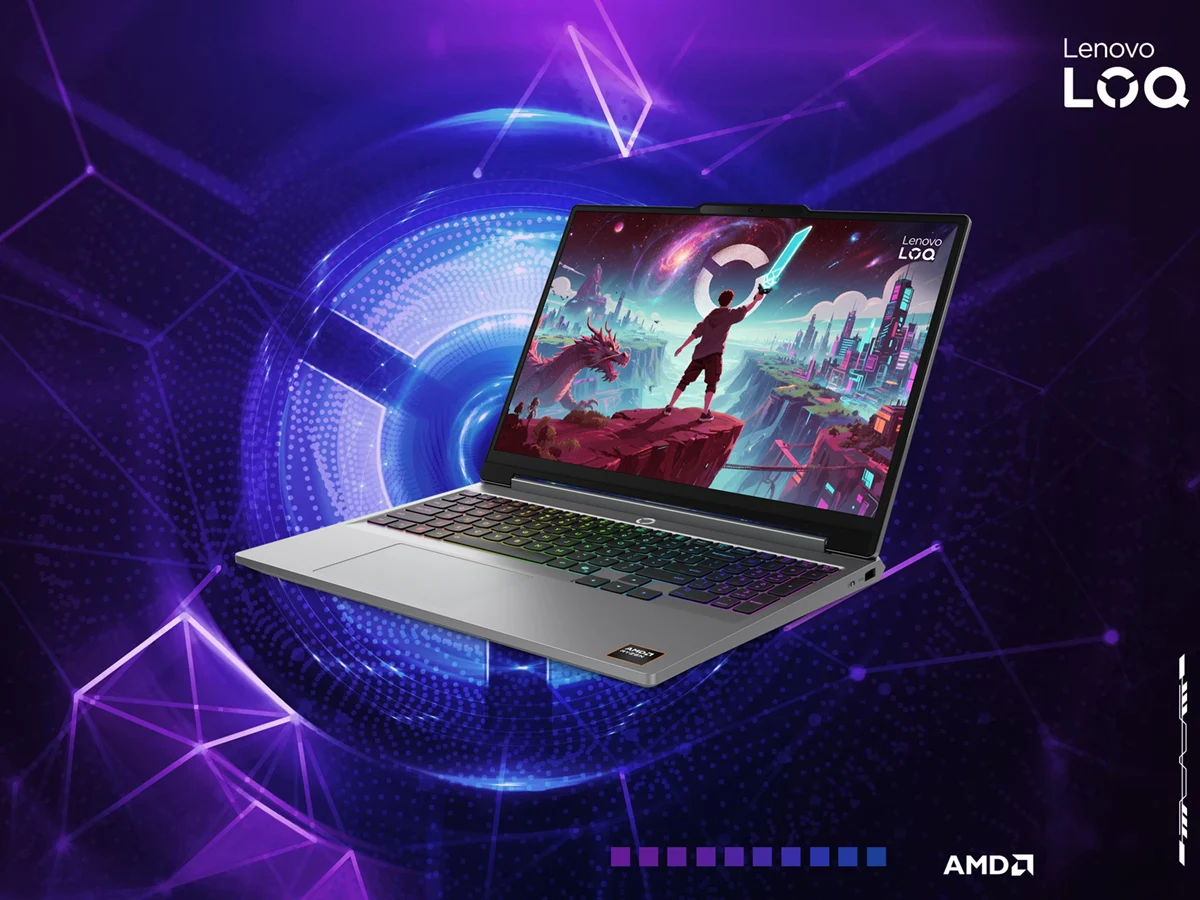
    The Lenovo LOQ 15APH11 is one of the latest gaming laptops introduced by the company at CES 2026. It offers a budget-friendly option powered by the AMD Ryzen 7 250, which is essentially a renamed version of the Ryzen 7 8840U, a robust APU from the Hawk Point series.

    Specifications and Performance

    This AMD APU includes eight Zen 4 cores and 16 threads. Lenovo has combined it with 32 GB of DDR5 RAM operating at 5,600 MT/s and 2 TB of PCIe Gen 4 storage. When it comes to graphics, the laptop can be configured with up to the Nvidia RTX 5060 Laptop GPU.

    Cooling and Display Features

    Lenovo emphasizes that this budget gaming laptop is equipped with Hyperchamber Cooling technology. This system is designed to maintain optimal temperatures for critical components during heavy use by improving airflow and directing hot air away from the laptop.

    On the display front, the Lenovo LOQ 15APH11 boasts a 15.3-inch screen with a refresh rate of 180 Hz. This IPS display also offers a brightness rating of 400 nits, supports Nvidia G-Sync, and provides 100% sRGB coverage. The selection of ports is adequate, and it includes the following:

    For connectivity, the gaming laptop supports Bluetooth 5.3 and WiFi 6. Other notable features include a dual-speaker configuration, a QHD webcam with an E-Shutter, and a 60 WHr battery. The starting price for the LOQ 15APH11 is $1,299, with Lenovo stating that it will be available for purchase starting in April 2026.

    Conclusion

    In summary, the Lenovo LOQ 15APH11 presents a compelling choice for gamers on a budget, combining solid performance with features that enhance the gaming experience.


  • Benefits of Choosing Older AMD CPUs Over Newer Models

    Benefits of Choosing Older AMD CPUs Over Newer Models

    Key Takeaways

    1. AMD and Intel often recycle older processors under new names, with AMD releasing Zen 4 (Ryzen 200) and Zen 5 (Ryzen AI 300) CPUs for laptops.
    2. The HP EliteBook 8 G1a 14 can be configured with either Zen 4 or Zen 5 processors, with pricing differences reflecting the older model being more budget-friendly.
    3. The Zen 4 CPU, despite being older, performs well in terms of speed, efficiency, battery life, and heat generation, while the Zen 5 shows only marginal improvements.
    4. The main advantage of the Zen 5 is its enhanced NPU, offering features like Copilot+, though this is not essential for all users.
    5. Choosing the Ryzen 200 version of the EliteBook saves $450, making it a more cost-effective option for most users compared to the Ryzen AI 300.


    Recycling old processors under new names is a common practice in the PC industry. Both Intel and AMD engage in this strategy. At present, AMD has made available both Zen 4 and Zen 5 CPUs for laptops. The Zen 4, also known as Hawk Point Refresh, is marketed as the AMD Ryzen 200, whereas the Zen 5, referred to as Krackan Point, appears as the Ryzen AI 300 series. The previous generation CPUs serve as budget-friendly alternatives.

    Pricing Insights

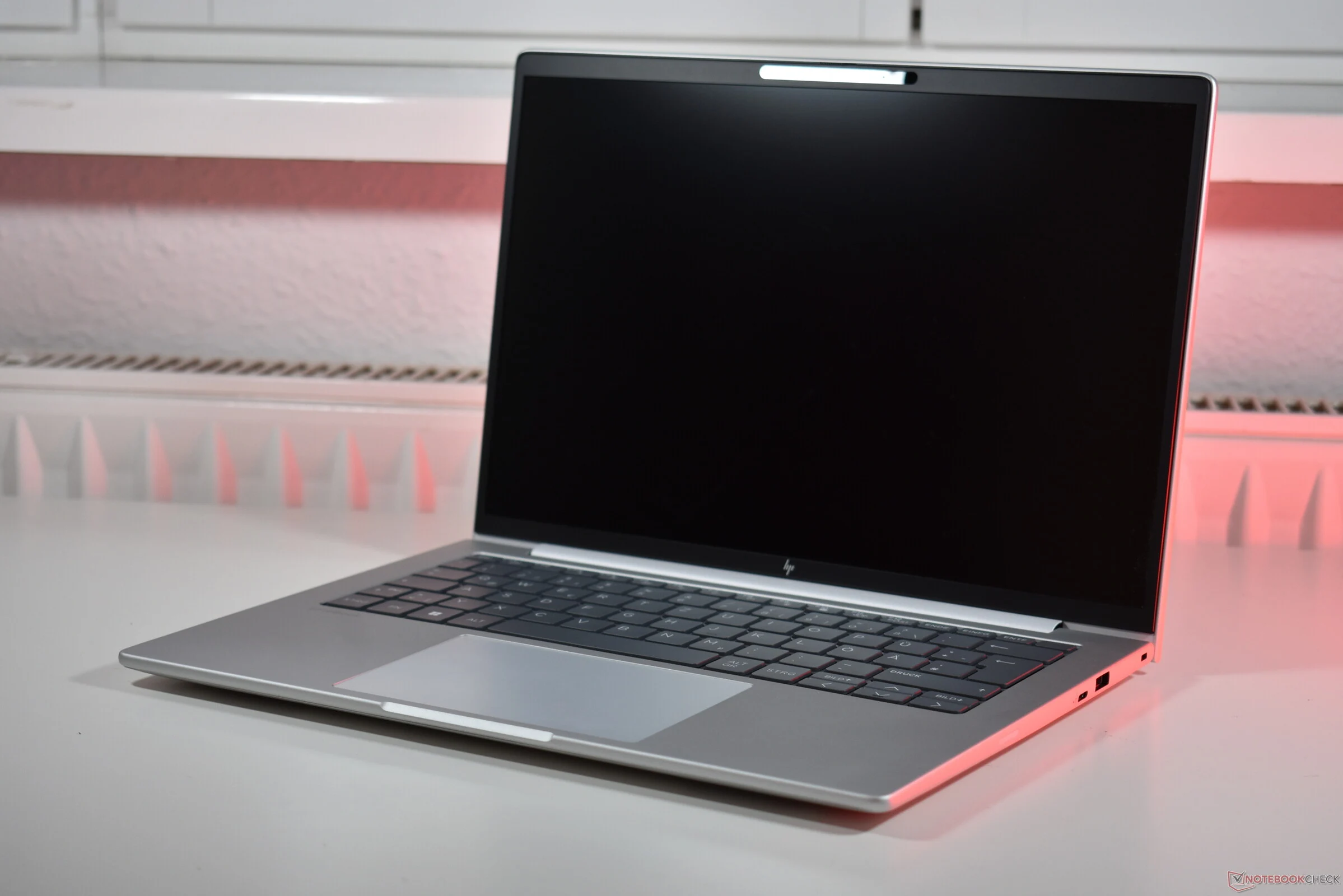
    This trend is evident in the pricing of laptops equipped with these processors, like the HP EliteBook 8 G1a 14. This compact business laptop, featuring an aluminum body and powered by AMD processors, can be configured with either CPU generation. We thoroughly examined the model that comes with the Zen 4 based AMD Ryzen 7 250, but there’s also an option to purchase it with the AMD Ryzen AI 7 350 (which is available on Amazon).

    Performance Review

    Our evaluations demonstrated that the older Zen 4 CPU is far from outdated. While the GPU performance may not be top-tier, it performed admirably in our tests, ensuring the HP EliteBook remains both speedy and efficient with impressive battery life and minimal heat generation. Although we haven’t tested the Krackan Point variant, we have access to multiple benchmarks for the Krackan Point CPU in our database. To give a hint: the newer Zen 5 CPU doesn’t significantly outshine its predecessor in most aspects. It does achieve marginally better single-core CPU scores, but that’s the extent of the performance enhancement.

    Key Differences

    The primary benefit of the Krackan Point lies in its more powerful NPU, which transforms it into a Copilot+ PC. However, while this might be beneficial for some users, for many, it serves as an added feature rather than a critical necessity for now.

    On the flip side, the savings associated with picking the Ryzen 200 version of the EliteBook are quite real: the model featuring the older processor is priced at $1,450 in the HP US online store, whereas the Zen 5 EliteBook with identical screen, SSD, and RAM is priced at $1,900.

    In our opinion, keeping that extra $450 in your wallet is a smart move. For most users, opting for the AMD Ryzen AI 7 350 over the AMD Ryzen 7 250 isn’t justifiable at this time.

    Source:
    Link


  • AMD vs Intel: Best Processor for Lenovo ThinkPad E14 Gen 7

    AMD vs Intel: Best Processor for Lenovo ThinkPad E14 Gen 7

    Key Takeaways

    1. Processor Comparison: The Intel Core Ultra 7 255H has 16 cores, outperforming the AMD Ryzen 7 250, which has 8 cores, especially in single-core performance.

    2. Display Quality: The Intel version features a superior 2.8K IPS display with a 120 Hz refresh rate, while the AMD version has a WUXGA display with a 60 Hz refresh rate.

    3. Power Consumption: The AMD model operates at a power limit of 35 W, compared to 28 W for the Intel model.

    4. Thermal Performance: The AMD variant runs cooler and quieter under stress than the Intel model.

    5. Battery Life: The Intel model has better battery efficiency, nearly matching the AMD version in Wi-Fi browsing tests despite its higher display power consumption.


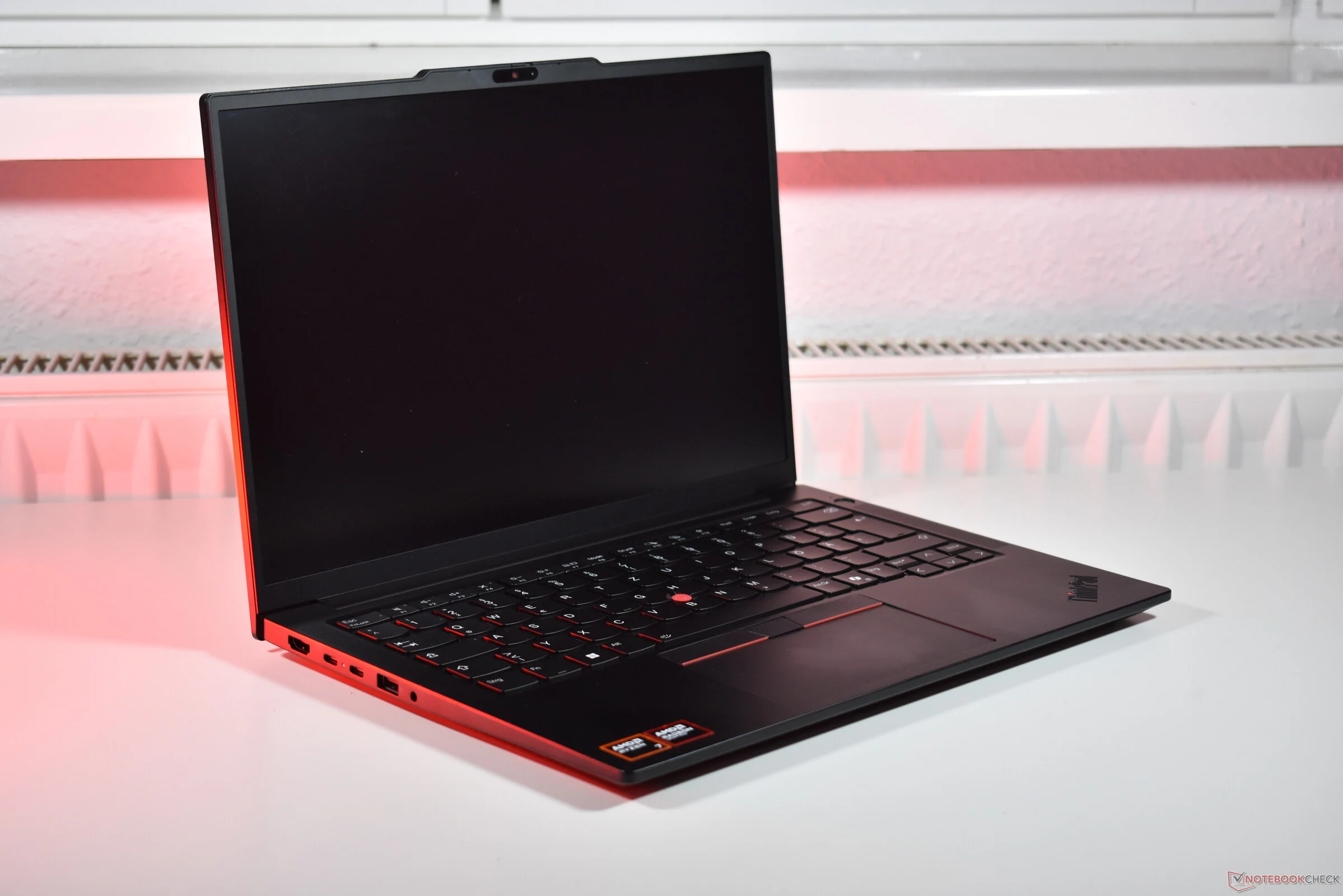
    AMD or Intel? This is a question that many people ask when buying a PC, as these two brands are the leading manufacturers of processors for computers and laptops. Interestingly, some laptops are available with both types of processors. A clear example is Lenovo’s ThinkPad E14 Gen 7, which comes in both AMD and Intel options. We previously reviewed the Intel version this summer and have now published our thorough evaluation of the Lenovo ThinkPad E14 Gen 7 AMD model, so it’s time to compare the two!

    Comparing Processors

    The AMD Ryzen 7 250 is in the competition, featuring eight Zen 4 cores, whereas the Intel Core Ultra 7 255H boasts 16 cores (including 6 Lion Cove P cores, 8 Skymont E cores, and 2 Skymont LPE cores). The Intel version of the ThinkPad is equipped with a superior 2.8K (2,880 x 1,800) IPS display that supports a 120 Hz refresh rate, while the AMD variant has a simpler WUXGA (1,920 x 1,200) IPS display with a 60 Hz rate. Other essential specifications, such as battery capacity and cooling systems, remain the same. The AMD version operates at a power limit of 35 W, while the Intel model has a limit of 28 W.

    Performance Insights

    It appears that the Intel variant has the advantage overall. The screen quality is noticeably better on the Intel model, which raises the question of why Lenovo doesn’t provide the same display for the AMD version. Additionally, the Arrow Lake H processor generally outperforms the AMD CPU in most benchmark tests. While the AMD Ryzen 7 excels under continuous load, it falls short in single-core performance, with the Intel Core Ultra model being approximately 25 percent faster.

    Heat, Noise, and Battery Life

    Now let’s consider heat, noise, and battery life. The Lenovo ThinkPad E14 Gen 7 AMD runs somewhat cooler on average compared to the Intel model (which is found on lenovo.com) when under stress, and it is also a bit quieter. However, the battery life of the ThinkPad E14 Gen 7 Intel proves to be more efficient: even with the display that consumes more power, the Intel model nearly ties in our Wi-Fi browsing test. If both models had the same display, we are confident that the Intel version would outperform the AMD variant.

    In conclusion, even though AMD has had a strong performance in recent years, Intel is simply the superior choice in this instance. A significantly better display combined with a more powerful and efficient processor leads to an improved user experience, despite the AMD model being cooler and quieter.

    Source:
    Link


  • Qualcomm’s Edge in Budget Laptops: Intel and AMD’s Weaknesses

    Qualcomm’s Edge in Budget Laptops: Intel and AMD’s Weaknesses

    Key Takeaways

    1. AMD Ryzen 200 and Intel Core 200 are based on 2023 technology, but budget laptops often use outdated processors.
    2. Qualcomm’s Oryon processors introduce competitive ARM technology to the laptop market, featuring eight to twelve cores.
    3. Qualcomm targets affordable laptops with the Snapdragon X series, offering options below $1,000 while using the latest technology.
    4. The Snapdragon X processor provides impressive performance and over 19 hours of battery life, outperforming some Intel options.
    5. Competition in the market drives innovation, with expectations for Qualcomm to further impact the sub-$1,000 laptop segment.


    AMD Ryzen 200 is built on 2023 technology, while the Intel Core 200 utilizes Intel’s Raptor Lake, also from the same year. It’s unfortunate that budget laptops often get neglected by chip makers, who equip them with processors that may have trendy names but are, in fact, outdated. These processors aren’t slow, but their performance can’t match the efficiency of the latest CPU designs that take advantage of newer manufacturing processes. It seems like the time when you could find a Core i3 or Ryzen 3 using cutting-edge technology is a thing of the past.

    Qualcomm’s Impact on the Market

    Amidst this landscape, Qualcomm emerges as a refreshing change for consumers. As a relatively new player in the PC sector—especially concerning competitive System on Chips (SoCs)—Qualcomm’s entry with its Oryon processors featuring eight to twelve cores has shaken up the laptop market. The Snapdragon X CPUs are pioneering competitive ARM processors designed for Windows laptops, marking a significant development.

    Targeting Affordable Laptops

    To expand its influence, Qualcomm appears to be focusing on a specific niche: affordable laptops. The Snapdragon X Elite and Snapdragon X Pro are clearly aimed at the higher-end market, priced above $1,000, while the Snapdragon X is designed for those looking for options below this key price point. For instance, the Lenovo IdeaPad Slim 3 15Q8X10, which we thoroughly reviewed, starts at about $600. What’s unique about the Snapdragon X is that it’s essentially a scaled-down version of the X Elite and X Pro, utilizing the latest technology, unlike the budget options from Intel and AMD.

    Impressive Performance and Battery Life

    In exchange, customers receive a robust eight-core processor that operates efficiently, allowing the IdeaPad Slim 3 (available on Amazon) to boast over 19 hours of battery life. The Lenovo device remains remarkably cool even during stress tests, outperforming its Intel counterpart, the Intel Core 5 210H. AMD is also feeling the heat, as to compete with the Snapdragon X’s performance, it must offer at least an AMD Ryzen 7 250 or Ryzen 7 8840U.

    In summary, it can be concluded that competition invigorates the market! We are eager to see if Qualcomm will introduce its latest technology into the sub-$1,000 bracket with its next generation of Oryon processors.

    Source:
    Link