
Key Takeaways
1. Apple introduced an all USB-C setup with the 2016 MacBook Pro, eliminating USB-A ports entirely.
2. HP’s EliteBook series maintained traditional USB-A ports until 2024, featuring two USB-A ports in earlier models.
3. The redesigned HP EliteBook lineup now includes one USB-A port and three USB-C ports, enhancing its modern appeal.
4. The new USB-C port on HP EliteBooks allows charging from both sides, improving user convenience.
5. The USB-C ports do not support Thunderbolt functionality, but the increased charging flexibility is a notable advancement.
Apple surprised everyone in the laptop industry back in 2016 by introducing the new MacBook Pro, which completely eliminated the USB-A port for the first time. Instead, it switched to an all USB-C setup. Since that launch, Apple has stuck with this choice and hasn’t brought back USB-A, even with the latest redesign which did reintroduce the HDMI port. Other laptop makers, such as HP, have also started to embrace an entirely USB-C port configuration in some of their devices.
EliteBook’s Traditional Approach
HP’s EliteBook series was not part of this trend, as the company opted for a more traditional approach with its business laptops. Up until 2024, nearly all EliteBook models, like the HP EliteBook 845 G11 (which you can purchase on Amazon), featured two USB-A ports. However, this year, HP redesigned its EliteBook lineup, including the mainstream HP EliteBook 8 series, which carries on the heritage of the previous EliteBook 800 series.
Modernization and Compatibility
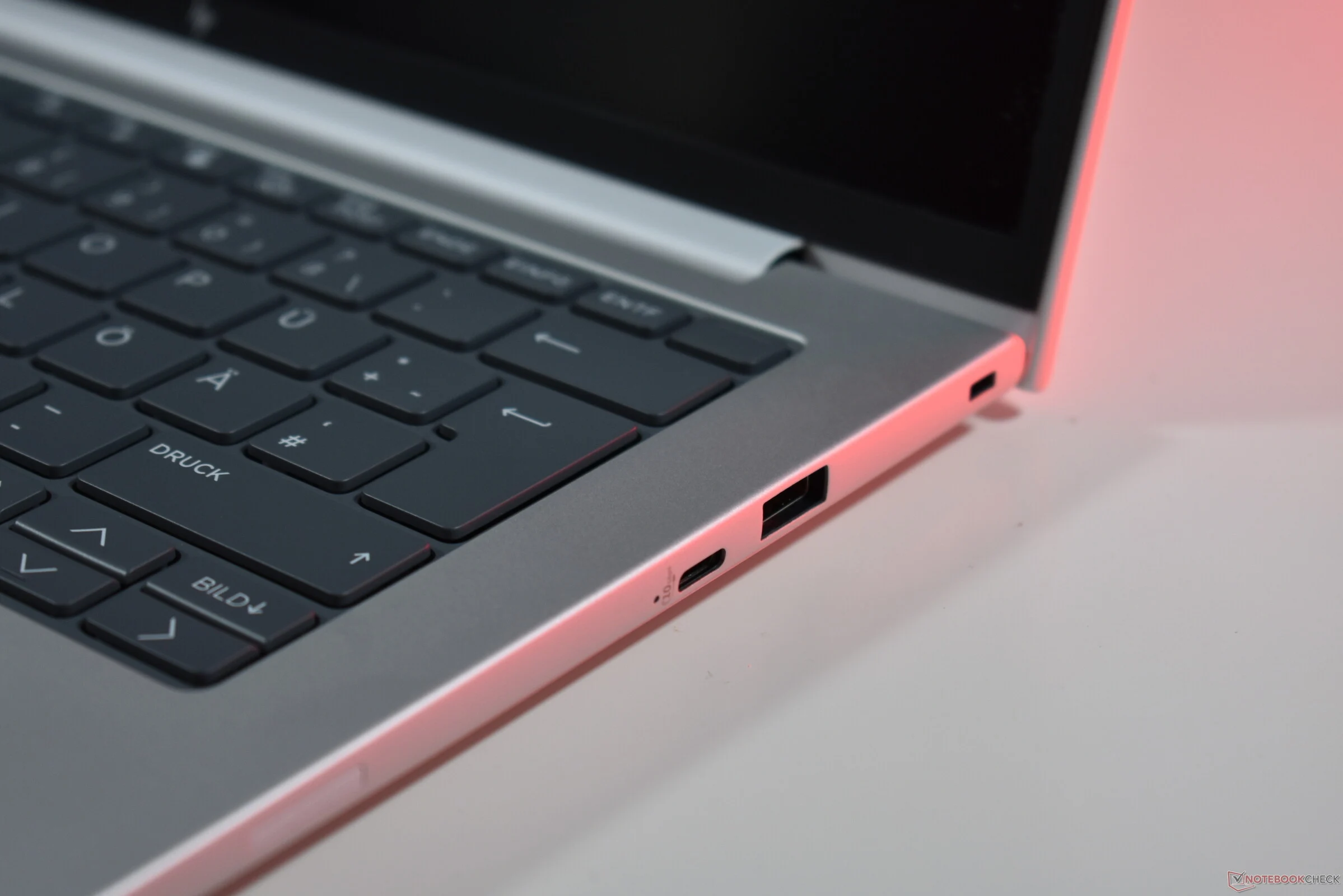
With the newly released models, HP implemented a modest change: now there is just one USB-A port instead of two, and the number of USB-C ports has increased from two to three. This is a smart modernization move: HP retains backward compatibility while adding an extra USB-C port, which is functionally better than USB-A since it supports DisplayPort output and charging.
Charging Flexibility
This aspect is particularly significant: the new USB-C port is located on the right side, allowing the new HP EliteBooks, like the HP EliteBook 8 G1a 14 that we recently reviewed in detail, to be charged from either the left or right side. This addresses a long-standing issue that many laptop users face, as manufacturers typically position charging USB-C ports on just one side, restricting charging options.
HP could still enhance certain features: the new USB-C port does not support Thunderbolt functionality, unlike the ports on the left side. Nonetheless, having the flexibility to charge from both sides is definitely a major improvement.
Source:
Link
Leave a Reply