Category: Artificial intelligence

  • Ex-Google CEO Booed at University of Arizona Over AI Remarks

    Ex-Google CEO Booed at University of Arizona Over AI Remarks

    Key Takeaway

    – AI will shape the future, and it’s up to this generation to influence how it’s developed and used.
    – The audience expressed fear about job displacement and societal impacts, highlighting concerns over the pace of change and algorithmic influence.
    – Leaders should acknowledge these concerns, address the ethical and employment implications, and focus on proactive, responsible AI adoption.

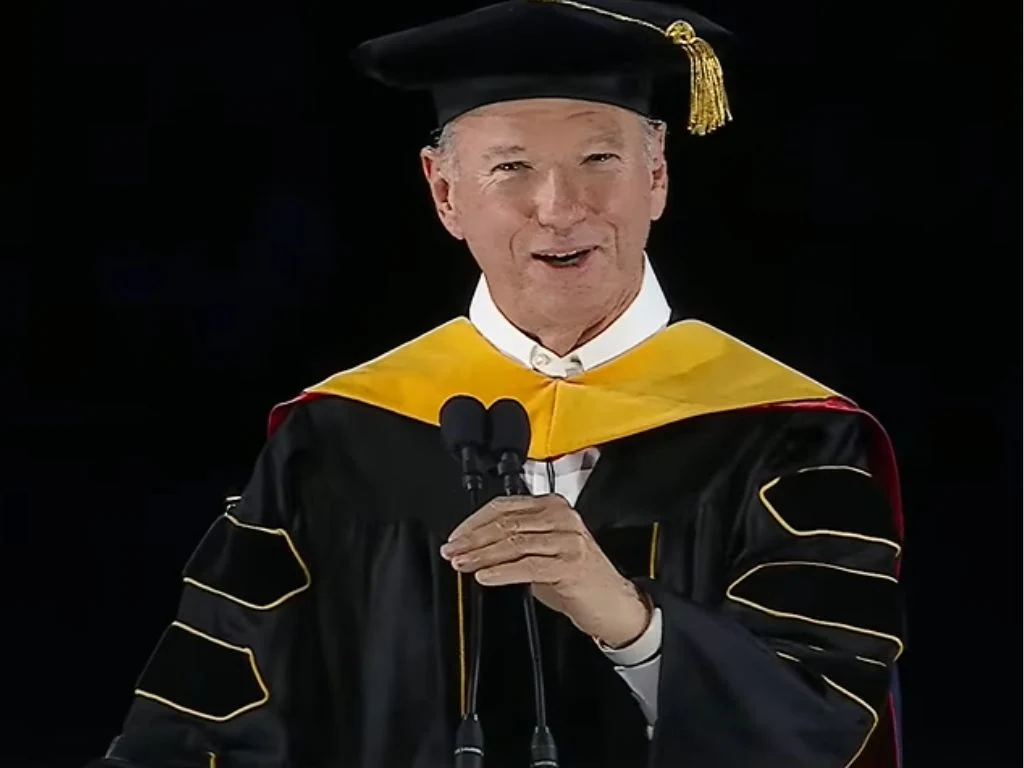
    The former Google CEO, Eric Schmidt, who ran the company from 2001 to 2011, was recently booed by a stadium full of students at the University of Arizona’s 162nd commencement ceremony last Friday. The crowd grew even more hostile when he started discussing AI on stage. Thousands of University of Arizona graduates were packed into the Casino Del Sol stadium, and the booing began right before he jumped into his main topic.

    AI sparks mixed reactions at the desert gathering

    Whenever Schmidt uttered the words “AI” or “artificial intelligence,” the booing resumed and grew louder each time. He opened his discussion by looking back on how past technological breakthroughs built what he calls a “cathedral of knowledge.” There is a sense that the crowd wanted celebration, but the topic of AI unsettled many. The scene mixed awe with anxiety, making the atmosphere tense and charged as the talk unfolded.

    Schmidt frames AI as a turning point

    It was an inspiring analogy for some, but things grew tense when he brought up AI. He stated, “Last December, Time magazine selected its Person of the Year for 2025, and this time it was the architects of artificial intelligence.” The remark landed with mixed reaction, as some graduates pictured opportunities, while others saw risk. The response underscored a broader debate about employment shifts and technological pace.

    An uneasy reception accelerates the moment

    Of course, this upset the crowd, many of whom are expected to find themselves exposed to a rapidly changing job market, and they responded by jeering. Things got so intense that Schmidt had to pause before directly addressing the University of Arizona graduates:

    “I know what many of you are feeling about that. I can hear you. There is a fear in your generation that the future has already been written, that the machines are coming, that jobs are evaporating, that the climate is breaking, that politics is fractured, and that you are inheriting a mess that you did not create. And I understand that fear.”

    He calls concerns rational and points to algorithms

    He described all these concerns as “rational” and blamed social media algorithms for worsening them. Schmidt then tried to shift the narrative, saying, “The question is not whether AI will shape the world. It will. The question is whether you will help shape artificial intelligence.”

    Closing notes and a call to action

    Later in his speech, Schmidt also said, “If you don’t care about science, that’s okay… because AI is going to touch everything else as well. Whatever path you choose, AI will become a part of how work is done.”

    At this point, the boos reached their peak, but Schmidt continued, saying, “The future is not yet finished. It is now your turn to shape it.”

    A concern that lingers beyond the stage

    However, the audience’s reaction made it clear that many young graduates are deeply concerned that AI could eliminate entry-level positions across multiple industries.


    Sources
  • Linux developers overwhelmed by AI bug reports

    Linux developers overwhelmed by AI bug reports

    Key Takeaway

    – AI-generated bug reports and vulnerability submissions are increasing, creating verification and triage bottlenecks for maintainers.
    – Many AI-created submissions are low-quality, inaccurate, or duplicated, escalating spam-like noise in issue trackers.
    – While AI tools can help spot simple issues, the net effect is slower response times and higher maintenance workload due to manual filtering.

    Linux kernel developers are reportedly dealing with a rising number of AI-generated bug reports, creating extra work for maintainers and slowing down parts of the review process. The shift is unsettling for teams who rely on precise, human-sifted inputs to keep kernels secure and stable.

    AI slop floods issue trackers and review queues

    According to recent community discussions, maintainers across several open-source projects — including parts of the Linux ecosystem — say the volume of automated submissions has increased noticeably in recent months. Some developers have described the trend as “AI slop,” overwhelming issue trackers and review queues. What was already an issue a couple of years ago has now apparently gotten even worse.

    Impact on triage and workflows

    The growing number of AI-assisted submissions is also affecting vulnerability triage and bug bounty workflows. Since AI tools make it easier to produce large amounts of legit-looking reports, maintainers now face higher verification overhead and slower response times for genuinely critical issues. This is changing how fast critical patches get validated and could delay security fixes across projects.

    Much of the chatter around this topic includes warnings that automated reports, while sometimes valid, frequently arrive as duplicates, are inaccurate, or are of too low-quality to merit immediate attention. In practice, this means developers must spend more time filtering noise from signal, diverting resources away from real problems.

    Leaders weigh in, including Linus Torvalds

    The discussion has also drawn comments from Linus Torvalds, who has repeatedly criticized automated low-quality submissions that waste developers’ time. His stance underscores a broader concern: automation should assist, not overwhelm, the precious review bandwidth that keeps kernel code robust.

    Potential benefits with careful checks

    Some developers still see value in AI-assisted tools when they are used carefully and checked by humans, especially for spotting simple coding mistakes or potential vulnerabilities faster. The bigger problem, according to maintainers, is the growing amount of spam-like reports mixed in with legitimate submissions, which can erode trust in automated signals.

    More broadly, the situation shows how AI is changing open-source development workflows. While these tools can help uncover bugs faster, they are also increasing the amount of time developers spend verifying reports and filtering out inaccurate submissions, complicating collaboration across diverse teams.

    Sources
  • iOS 27: Generate Genmoji from Photos and Typing Habits

    iOS 27: Generate Genmoji from Photos and Typing Habits

    Key Takeaway

    – Apple allegedly developing an intelligent, proactive Genmoji system that auto-suggests custom emojis from your photo library and typing habits in iOS 27/iPadOS 27.
    – Potentially moves Genmoji from a manual feature to a more everyday-use tool by offering context-aware emoji suggestions.
    – Privacy concerns arise over on-device vs. cloud processing and the handling of personal photos and typing history.
    – Unclear whether the new system will run entirely on-device, continuing Apple’s Apple Intelligence emphasis.

    New Bloomberg Leak Hints at Genmoji Upgrades in iOS 27

    rumors from Bloomberg’s Mark Gurman suggest Apple is tinkering with Genmoji in a fresh update, this time pegged to iOS 27 and iPadOS 27. the report describes an “intelligent recommendation” system that could auto generate emoji suggestions from photos in the user’s gallery and the typing patterns they develop over time. the tone here mixes curiosity with caution as we await official confirmation, since these features tread close to personal data use.

    What Genmoji Has Been and Could Become

    Genmoji showed up in iOS 18.2 as part of Apple Intelligence, letting people craft custom emoji from text prompts. later, iOS 26 broadened the slate by letting users blend two emoji styles into a single Genmoji, expanding creative control. if iOS 27 expands this further, it might move beyond a novelty and into a practical daily tool for chats, provided it stays reliable enough to feel non intrusive as conversations flow.

    Proactive Emoji Suggestions on the Horizon

    the upcoming system reportedly tests a keyboard option that would offer auto generated emojis based on what’s in the photo library and the phrases users often type. such a feature could slip into everyday messaging, offering contextually appropriate emoji without manual prompts, provided it learns well and keeps up with diverse chat topics. privacy and on-device processing remain hot topics in this discussion.


    Sources

  • Microsoft MDASH AI Finds 16 Windows Flaws Before Exploitation

    Microsoft MDASH AI Finds 16 Windows Flaws Before Exploitation

    Key Takeaway

    – MDASH (Multi-model Agentic Scanning Harness) found 16 Windows vulnerabilities (4 critical RCEs) before attackers; all patched on May 12 Patch Tuesday; uses 100+ specialized agents and human verification.

    – The four critical flaws include CVE-2026-33827 (tcpip.sys, crafted IPv4) and CVE-2026-33824 (IKEEXT, pre-auth RCE over UDP 500); plus two 9.8 CVSS flaws in Netlogon and Windows DNS Client; most flaws were network-reachable without credentials.

    – MDASH is model-agnostic and goes beyond traditional scanners by multi-file, multi-path reasoning with verification steps before human review; demonstrated strong performance in CyberGym and private testing (0 false positives in StorageDrive; 96–100% recall on MSRC-related code).

    – It’s in limited private preview with enterprise customers, with broader availability expected in coming months, part of a broader AI-driven defense/offense race among major players.

    Microsoft has a new AI system that hunts for Windows vulnerabilities, and it just proved its worth. The system, codenamed MDASH, found 16 security flaws in Windows before any attacker could get to them, including four critical remote code execution bugs that could have handed unauthenticated attackers a straight line into enterprise networks. All 16 were patched in the May 12 Patch Tuesday. Satya Nadella posted about it on X the next day.

    MDASH’s modular, multi-model approach

    MDASH stands for Multi-model Agentic Scanning Harness. Microsoft’s Autonomous Code Security team built it, with several members coming from Team Atlanta, the group that won the $29.5 million DARPA AI Cyber Challenge. It does not work like a traditional scanner or a single AI model reviewing code. It runs more than 100 specialized agents across a mix of frontier and distilled models, each one assigned a specific job: some look for flaws, others challenge whether the finding is real, and a final stage tries to build inputs that prove the bug is actually exploitable. Only then does a human engineer see the result.

    The 16 vulnerabilities and critical flaws

    The 16 vulnerabilities are spread across the Windows TCP/IP stack, the IKEEXT IPsec service, and HTTP.sys, Netlogon, Windows DNS, and the Telnet client. Ten were kernel-mode. Most were reachable over the network without any credentials. Two of the four critical flaws stand out. CVE-2026-33827 lives in tcpip.sys and is triggered by crafted IPv4 packets. CVE-2026-33824 is a pre-authentication double-free in the IKEEXT service, reachable over UDP port 500 on machines running RRAS VPN, DirectAccess, or Always-On VPN. Both yield LocalSystem execution. Two more critical flaws in Netlogon and the Windows DNS Client each carried CVSS scores of 9.8.

    Microsoft says these were not bugs that a standard scanner would surface. The tcpip.sys flaw required reasoning across three concurrent code paths, all freeing the same object. The IKEEXT issue spanned six source files. That kind of multi-file, multi-path analysis is exactly where single-model approaches fall apart.

    Performance, testing and notable results

    MDASH scored 88.45% on CyberGym, a UC Berkeley benchmark built around 1,507 real-world vulnerability reproduction tasks. That put it at the top of the public leaderboard. Anthropic’s Mythos Preview model scored 83.1%. OpenAI’s GPT-5.5 scored 81.8%. In private testing against a Windows driver codebase called StorageDrive that had never been publicly released, MDASH found all 21 planted vulnerabilities with zero false positives. Against five years of confirmed MSRC cases in clfs.sys and tcpip.sys, it hit 96% and 100% recall.

    The system is model-agnostic. Microsoft can swap the underlying models as newer ones arrive without rebuilding the pipeline. MDASH is currently in limited private preview with a small group of enterprise customers. Broader availability is expected in the months ahead. The announcement follows Anthropic’s Project Glasswing and OpenAI’s Daybreak initiative, both running similar programs behind narrow access gates. All three are racing to find exploitable flaws before attackers do, and the gap between AI-powered defense and AI-powered offense is narrowing fast.

    Outlook and comparison

    The other side of that race is already underway. The broader landscape includes efforts like these programs from major AI labs, all aiming to find exploitable flaws before attackers do. MDASH is designed to adapt as newer models arrive, and its private-preview status suggests Microsoft intends to bring it to more enterprises soon. In the meantime, the field remains highly competitive, with performance metrics evolving as more vulnerabilities are discovered and reproduced across real-world targets.

  • NASA AI Processor Enables Autonomous Spacecraft in Deep Space

    NASA AI Processor Enables Autonomous Spacecraft in Deep Space

    Key Takeaway

    – HPSC is a fault-tolerant, high-performance chip designed to replace older space-grade semiconductors and enable onboard AI for autonomous deep-space missions.
    – It is engineered to withstand harsh radiation and extreme temperature changes, with tests showing substantial performance gains (NASA claims up to 100x; early results hint at over 500x vs current space chips).
    – The project is a collaboration with Microchip Technology Inc., with sample chips already produced and targeted for rovers, satellites, and deep-space probes.
    – Benefits include better handling of unexpected hazards and improved reliability during delayed Earth Communications, with a focus on challenging planetary landings.

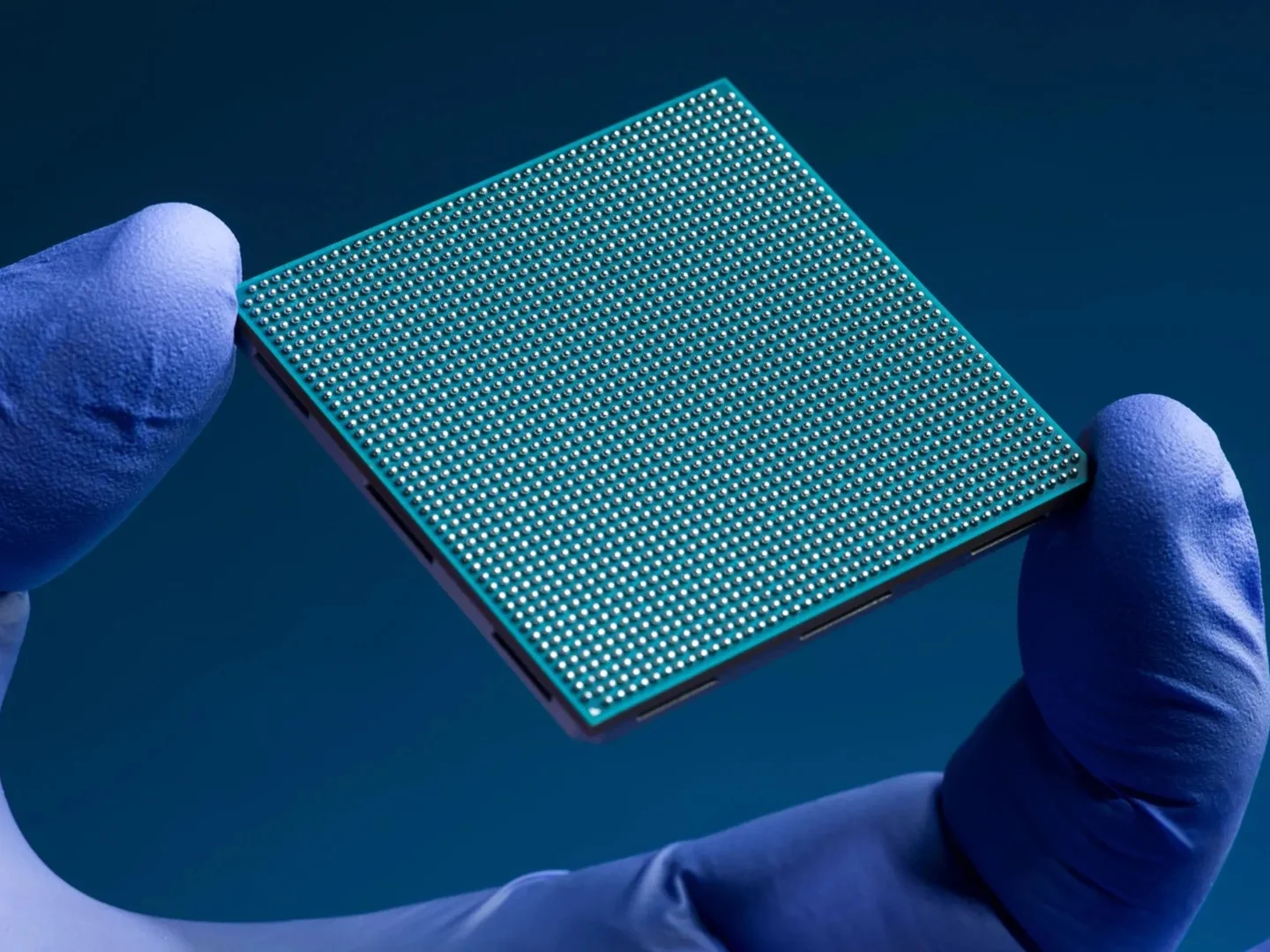
    The new chip is code-named the High Performance Spaceflight Computing (HPSC) project. It is intended to replace older semiconductors used by current space-grade electronics, and to power advanced missions. In plain terms, this is meant to upgrade spacecraft brains so that they can crunch more data with less cooling and fewer downtimes, allowing missions to push farther, faster, and with a bit more margin against the unpredictable conditions of deep space. The language around it reads like promise and practical risk, all in one.

    HPSC Project Overview

    The chip is designed to withstand the extreme conditions of deep space. It will boost spacecraft autonomy by enabling faster scientific analysis through onboard AI. It has been described as fault-tolerant, flexible, and extremely high-performing. NASA claims the chip can perform up to 100 times better than current hardware. The prototypes are passing through tests simulating the harsh radiation-intensive conditions in outer space. The chip must hold its own against intense electromagnetic radiation and extreme temperature changes. For instance, NASA is paying particular attention to how the HPSC chip will behave during challenging planetary landings.

    Tests and Capabilities

    The stress tests are being carried out at the NASA-funded JPL facility. The federal space agency states that early results have been positive, with the processor performance reportedly exceeding 500 times that of current space-focused chips. JPL is collaborating with Microchip Technology Inc., and sample chips have already been produced. The work here hints that this is not a purely experimental exercise but a bridge between government labs and private suppliers, aiming to speed up readiness for future missions.

    Collaborations and Potential Uses

    The finished product will also potentially be used in planet rovers, satellites, and deep-space probes. The benefits of the chip include future spacecraft being able to handle unexpected hazards. They will also function better when communication with Earth-based control stations is delayed. Pricing details are not provided in the source text. The project signals that industry and space agencies are thinking ahead about autonomy, resilience, and data processing when the sun isn’t shining on Earth.

    Sources
  • Windows 11 Release Preview: Copilot in Excel & Security Patches

    Windows 11 Release Preview: Copilot in Excel & Security Patches

    Key Takeaway

    – Three Release Preview builds released (24H2 and 25H2 via KB5089573; 26H1 via KB5089570), with 26H1 targeting AI PCs.
    – GA timelines: 24H2/25H2 could reach general availability as early as June 2026; 26H1 aimed for late Q3 2026 (back-to-school cycle).
    – Security fixes baked in: CVE-2026-1127 (kernel elevation) and CVE-2026-1139 (Windows graphics RCE).
    – AI/enterprise feature gains: Shared LE Audio, multi-app camera support, improved NPU task management, Copilot in Excel (offline via local models), Windows AI Studio toolkit, and new admin Group Policy objects.
    – Known issue: VPN connections may fail to reconnect after waking from sleep; manual toggle workaround.

    Microsoft pushed three new Windows 11 Release Preview builds today, May 14, giving Insiders an early look at what is likely to ship to all users in the coming months. The updates cover Windows 11 versions 24H2 and 25H2 via KB5089573, pushing both to Build 26100.8514 and 26200.8514, respectively, alongside a separate build for the upcoming Windows 11 version 26H1 via KB5089570, which targets next-generation AI PCs with strict hardware requirements. The cadence and labeling of these builds remains a little puzzling to testers, yet the core objective is straightforward: test, stabilize, and prep for broader deployment windows ahead, with feedback guiding final tweaks.

    Release Preview Build Overview

    Release Preview builds are typically the final code before a feature update ships to all users. Microsoft sources indicate that 24H2 and 25H2 could reach general availability as early as June 2026, while 26H1 is on track for a late-third-quarter launch timed to the back-to-school PC refresh cycle. The 26H1 build has specific hardware requirements: devices must have an NPU capable of at least 40 TOPS, 16 GB of RAM, and a minimum of 256 GB of NVMe storage. For enterprise customers this means planning ahead with compatible hardware in mind.

    AI Features and Security

    The release preview builds integrate fixes for two zero-day vulnerabilities from the May 2026 Patch Tuesday: CVE-2026-1127, a kernel elevation of privilege flaw, and CVE-2026-1139, a remote code execution vulnerability in the Windows graphics component. Both are fully baked into the cumulative update and will be part of the final public release. KB5089573 also introduces Shared LE Audio, enabling a single audio stream to be broadcast to multiple Bluetooth devices simultaneously. Multi-app camera support arrives as well, allowing two applications to access the same camera input at the same time, a change that addresses a longstanding limitation for users running video calls and recording software in parallel. NPU task management improvements are included across all three builds, helping Windows better distribute AI workloads between the CPU and the neural processing unit on Copilot+ devices.

    Copilot in Excel and Enterprise Readiness

    Copilot in Excel is now live in all three Release Preview builds, letting users generate formulas, pivot tables, and data visualisations by typing natural language questions directly into a taskbar pane while working in a spreadsheet. The feature requires a Microsoft 365 subscription but runs on locally cached language models, so it works without an internet connection. The Windows AI Studio toolkit, previously limited to the Dev channel, also ships with these builds, providing developers with pre-trained models for image classification, sentiment analysis, and text summarisation that run exclusively on the NPU. All three builds introduce new Group Policy Objects that give IT administrators direct control over AI features. Admins can disable or restrict Copilot integrations, manage which applications can access the NPU, and set policies for how AI agents interact with the taskbar. Microsoft describes these GPOs as part of a broader effort to make AI features enterprise-ready before the builds go to general availability. Insiders enrolled in the Release Preview channel can pull today’s updates through Windows Update immediately. A known issue affects VPN software on some configurations, with connections failing to re-establish automatically after waking from sleep, requiring a manual toggle.

    Sources
  • Windows 11 Release Preview: Copilot in Excel and Security Patches

    Windows 11 Release Preview: Copilot in Excel and Security Patches

    Key Takeaway

    – Microsoft released three Release Preview builds (24H2/25H2 via KB5089573; 26H1 via KB5089570) with Build 26100.8514 and 26200.8514.
    – Timeline: 24H2/25H2 could GA as early as June 2026; 26H1 expected in late Q3 2026 (back-to-school cycle).
    – 26H1 hardware requirements: NPU ≥ 40 TOPS, 16 GB RAM, 256 GB NVMe.
    – Notable features: Shared LE Audio, multi-app camera support, improved NPU task management, Copilot in Excel with offline local models, Windows AI Studio toolkit for developers.
    – Enterprise controls and issues: New Group Policy Objects to manage AI features; VPN may fail to reconnect after sleep (manual toggle required).

    Microsoft pushed three new Windows 11 Release Preview builds today, May 14, giving Insiders an early look at what is likely to ship to all users in the coming months.

    Release Preview details

    The updates cover Windows 11 versions 24H2 and 25H2 via KB5089573, pushing both to Build 26100.8514 and 26200.8514, respectively, alongside a separate build for the upcoming Windows 11 version 26H1 via KB5089570.

    Final code status

    Release Preview builds are typically the final code before a feature update ships to all users. Microsoft sources indicate that 24H2 and 25H2 could reach general availability as early as June 2026, while 26H1 is on track for a late-third-quarter launch timed to the back-to-school PC refresh cycle. The 26H1 build has specific hardware requirements: devices must have an NPU capable of at least 40 TOPS, 16 GB of RAM, and a minimum of 256 GB of NVMe storage.

    Security fixes and vulnerabilities

    The release preview builds integrate fixes for two zero-day vulnerabilities from the May 2026 Patch Tuesday: CVE-2026-1127, a kernel elevation of privilege flaw, and CVE-2026-1139, a remote code execution vulnerability in the Windows graphics component. Both are fully baked into the cumulative update and will be part of the final public release.

    KB5089573 features

    KB5089573 also introduces Shared LE Audio, enabling a single audio stream to be broadcast to multiple Bluetooth devices simultaneously. Multi-app camera support arrives as well, allowing two applications to access the same camera input at the same time, a change that addresses a longstanding limitation for users running video calls and recording software in parallel. NPU task management improvements are included across all three builds, helping Windows better distribute AI workloads between the CPU and the neural processing unit on Copilot+ devices.

    Copilot in Excel and AI Studio

    Copilot in Excel is now live in all three Release Preview builds, letting users generate formulas, pivot tables, and data visualisations by typing natural language questions directly into a taskbar pane while working in a spreadsheet. The feature requires a Microsoft 365 subscription but runs on locally cached language models, so it works without an internet connection. The Windows AI Studio toolkit, previously limited to the Dev channel, also ships with these builds, providing developers with pre-trained models for image classification, sentiment analysis, and text summarisation that run exclusively on the NPU.

    Enterprise controls

    All three builds introduce new Group Policy Objects that give IT administrators direct control over AI features. Admins can disable or restrict Copilot integrations, manage which applications can access the NPU, and set policies for how AI agents interact with the taskbar. Microsoft describes these GPOs as part of a broader effort to make AI features enterprise-ready before the builds go to general availability. Insiders enrolled in the Release Preview channel can pull today’s updates through Windows Update immediately. A known issue affects VPN software on some configurations, with connections failing to re-establish automatically after waking from sleep, requiring a manual toggle.


    Sources
  • Thunderobot Unveils Steam Machine-Style AMD Mini PC with 96GB VRAM Support

    Thunderobot Unveils Steam Machine-Style AMD Mini PC with 96GB VRAM Support

    Key Takeaway

    1. The Thunderobot AI Mini Workstation is now available for purchase in China, priced at approximately $3,975, featuring high-end specifications including 128GB LPDDR5X RAM and 2TB PCIe 4.0 storage.
    2. Powered by an AMD Ryzen AI Max+ 395 APU with Radeon 8060S iGPU, benchmarked performance approaches that of an Nvidia RTX 4070 Laptop GPU, suitable for heavy AI workloads.
    3. The system incorporates a custom liquid cooling setup with a full-coverage cold plate, supporting up to 176W of power to maintain optimal thermal performance in a compact cubic form factor.

    Unveiling the Thunderobot AI Mini Workstation

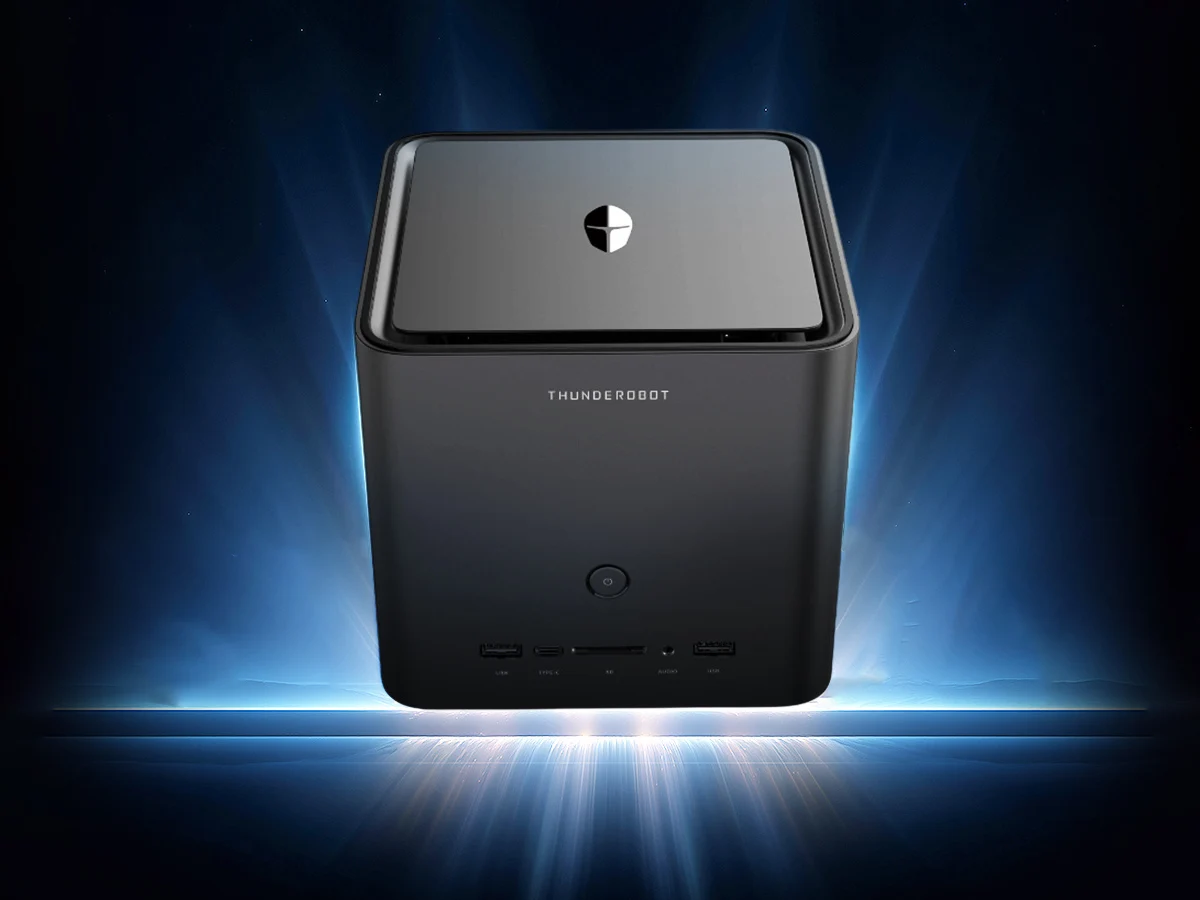
    Back at CES 2026, Thunderobot revealed their new AI Mini Workstation, a compact machine that resembles a Steam console. In that early reveal, they didn’t say when it would be on sale, but now, it is available for purchase in China. Even with a launch discount, its price is notably high, which might be a concern for budget minded buyers.

    Pricing and Specs in Details

    The AI Mini Workstation sports impressive hardware, with 128GB of LPDDR5X RAM and a large 2TB PCIe 4.0 SSD. The initial cost stands at CNY 26,999 in China, roughly equal to $3,975 USD. Under the hood, it runs on the AMD Ryzen AI Max+ 395, the most powerful chip in the Strix Halo series, coupled with Radeon 8060S integrated graphics. This iGPU, based on RDNA 3.5, performed very well in recent tests, coming close to the Nvidia RTX 4070 Laptop GPU. Users can allocate as much as 96GB of VRAM from the total RAM to support AI workloads, making this device especially suitable for intensive tasks.

    Cooling System and Design

    The mini PC’s cooling setup is notable, featuring a custom liquid cooler with a “full-coverage cold plate,” designed to manage heat during demanding use. The liquid cooling system, combined with a 14-phase power supply, provides up to 176W of power output to keep the system running smoothly. Its shape is cubic, measuring 199x199x199mm, making it a compact yet powerful desktop option. The device offers an array of connectivity options, including a variety of ports, and supports WiFi 7 along with Bluetooth 5.4 for wireless connections.

    Market Availability and Alternatives

    Though this high-performance, Steam Machine-style mini PC is currently limited to China, chances of it being available globally seem slim, due to Thunderobot’s limited international reach. For those who are interested in similar configurations, the GMKtec EVO-X2 is a viable alternative, and can typically be found on online retail platforms. As it stands, the Thunderobot AI Mini Workstation is a potent but pricey option, especially suited for demanding AI and gaming tasks within a compact form factor.


    Sources

  • Google Expands Gemini AI Features Across Android Devices

    Google Expands Gemini AI Features Across Android Devices

    Key Takeaway

    1. Google announced the expansion of Gemini Intelligence AI in Android OS, enhancing automation and integration with Google products.
    2. The AI will access personal data, including passports, to autofill forms and facilitate various tasks through user permission.
    3. New features include multilingual transcription, custom widgets, and voice dictation capabilities, with ongoing concerns about accuracy and safety.
    4. The implementation raises questions about error rates, safeguards against AI mistakes, and handling of potential prompt injection hacks.

    Google Unveils New AI Features During Android Show

    During the recent Android Show: I/O Edition 2026, Google announced some exciting new updates for Android OS that focus on AI integration. They plan to expand the capabilities of their Gemini Intelligence AI, aiming to make daily tech tasks easier and more efficient for users.

    Enhanced Personal Data Access and Automation

    The AI will have the ability to access all personal info stored on your device, like passports, and use it across various Google services including Gmail, Photos, and Wallet. This means forms can be filled out automatically, saving users lots of time. However, this level of access raises questions about privacy and security.

    Speech Recognition and Text Editing Improvements

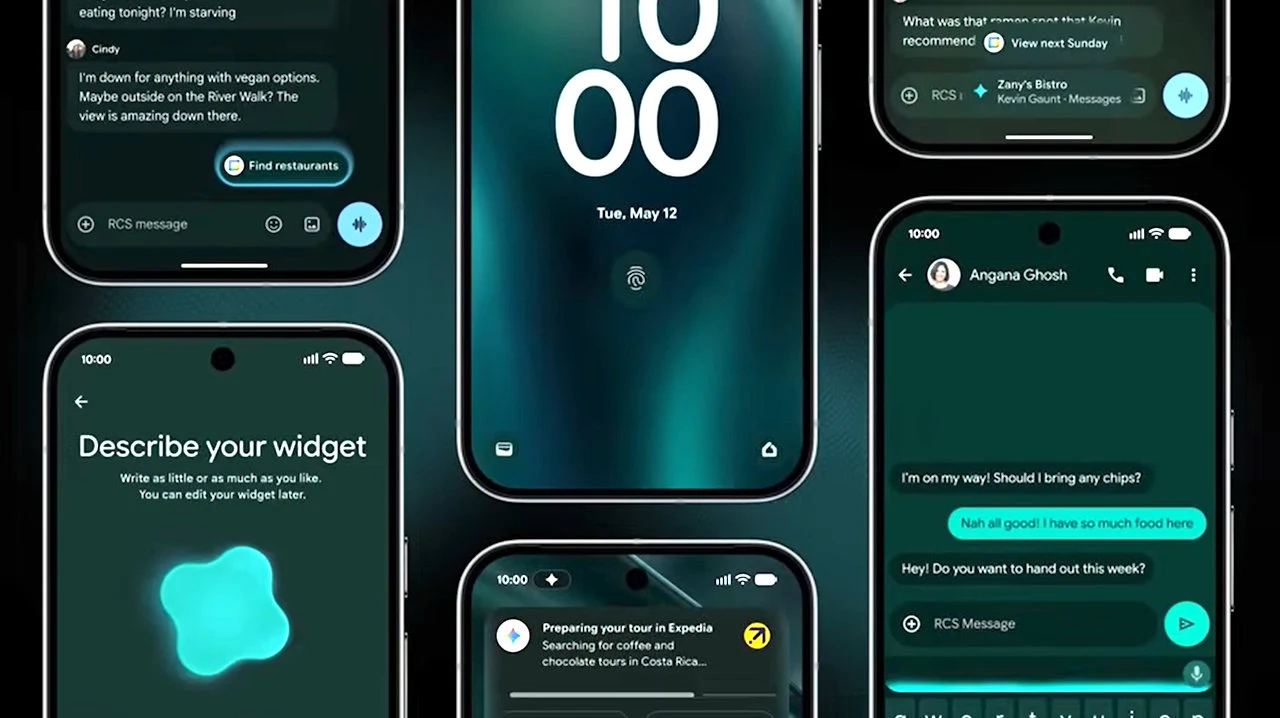
    The Gboard keyboard will now feature a new Rambler tool that transcribes multiple languages spoken aloud. It will help remove filler words such as “um” and rewrite longer, complex sentences for clearer communication. Google didn’t share how often its rewriting might get things wrong, though.

    Voice Commands and Widget Customization

    Users will be able to give voice commands to Gemini, like ordering food or planning trips. The AI should ask for permission before taking actions like sharing personal photos publicly, but specifics about safeguards remain unclear. Besides, users can create custom widgets displaying current weather conditions or other data, for their phone and smartwatch, but details on costs for data access or widget creation aren’t available yet.

    Potential Benefits and Concerns of AI Integration

    Introducing AI wide into Android could help users overcome daily digital challenges, potentially boost productivity, but concerns about its error rate and security remain. No info was given on how well Gemini understands tasks or resists hacks like prompt injections. That’s worrying because AI systems can sometimes make serious mistakes, like deleting important data or misposting content.

    Mitigating Risks and Future Implementation

    Mindy Brooks, VP of Android Platform, stated that Gemini will only work when instructed and stops once tasks are completed. Still, there are unanswered questions about how swiftly problematic AI behavior can be halted or who is accountable for damages caused by AI errors. The new AI features are expected to begin rolling out during summer 2026, starting with Google Pixel and Samsung Galaxy devices.

  • Apple macOS 27 to Enhance Liquid Glass and Launch New Features

    Apple macOS 27 to Enhance Liquid Glass and Launch New Features

    Key Takeaway

    1. macOS 26 introduces a modernized design language similar to iPhone, though limited by hardware differences such as display type and sensor availability on Macs.
    2. The initial implementation of Liquid Glass on Macs faces aesthetic and functional limitations, with planned improvements in macOS 27.
    3. macOS 27 will feature enhanced transparency, shadows, and overall design cleanup, alongside performance optimizations and bug fixes.
    4. New AI features, including a redesigned Siri resembling chatbots like ChatGPT, and tab grouping in Safari, are slated for macOS 27.
    5. The release of macOS 27 is expected around WWDC 2026 in June, with availability in September or October.

    Introduction to Apple’s New macOS Update

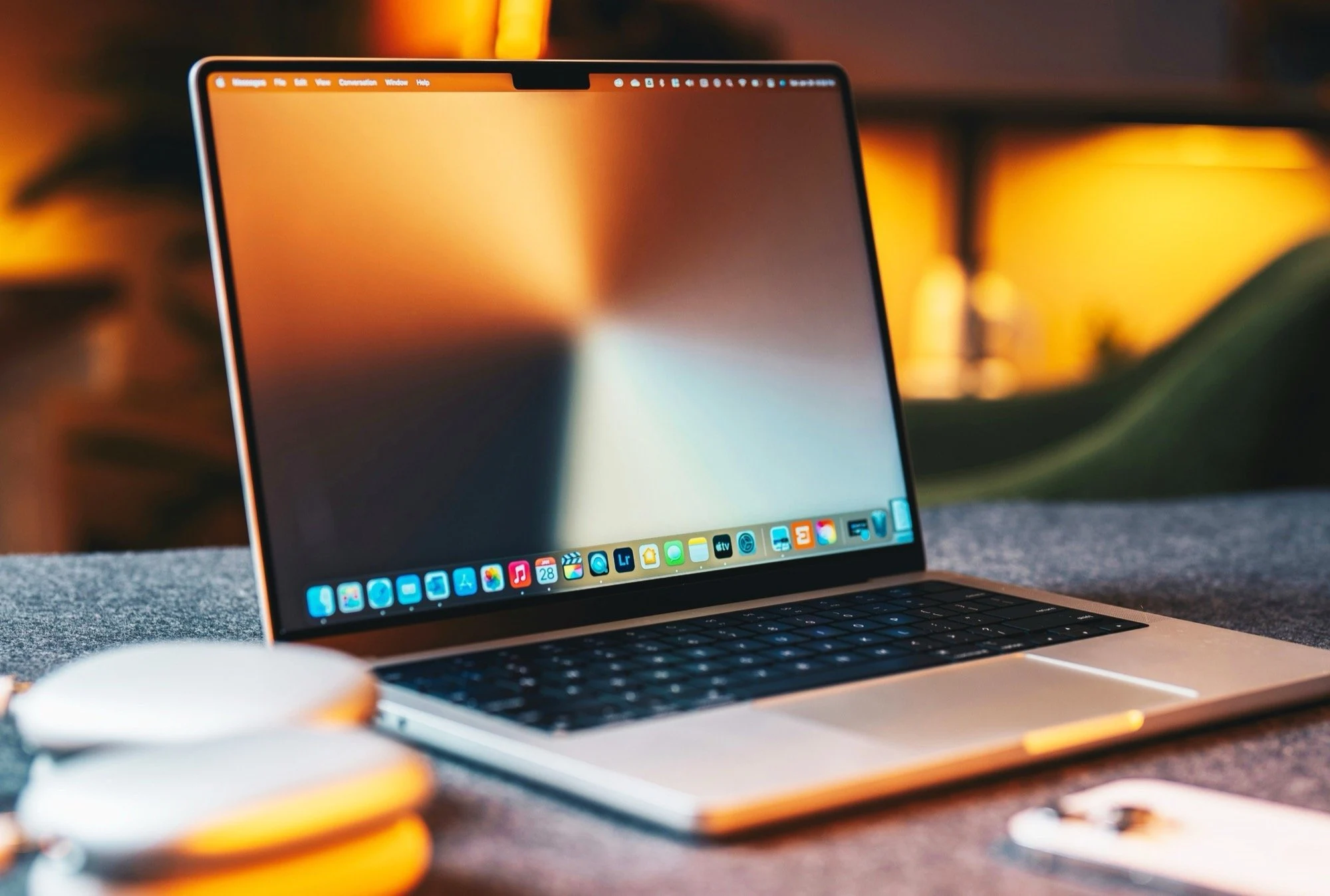
    With the recent launch of macOS 26, Apple has really refreshed the overall look and feel of its desktop software. They has taken some design cues from the iPhone OS, making the interface more unified and modern. But, the “Liquid Glass” effect, which looks pretty sleek on iPhones, don’t quite translate as well on laptops like the MacBook Air, which costs $949. This is mainly because MacBooks don’t feature a high-contrast OLED screen or a motion sensor that can tweak the lighting effects maybe when you move it around.

    Design Challenges and Future Improvements

    Sources from Bloomberg report that Apple’s software engineers had some trouble getting the Liquid Glass effect to look exactly how the designers envisioned. For macOS 27, the plan is to fix this, especially focusing on transparency and shadows. These tweaks should make it easier to read sidebars and quick settings in the Control Center. The company is also using this update to clean up the overall UI and fix bugs, making everything run more smoothly and efficiently.

    Exciting New Features and Release Timeline

    Besides making the interface look better and improving performance, macOS 27 is set to bring some major new AI-powered features. The biggest one is a new Siri app with more advanced capabilities. This new Siri will more closely resemble AI chatbots like ChatGPT, making interactions more natural. Apple will also upgrade Safari to enable automatic grouping of tabs, which should help with better management of your browsing. The update is expected to debut at WWDC 2026 in June, with availability likely in September or October.

    Sources