Author: GizNews

  • GameSir Unveils New Rival to 8BitDo Arcade Controller

    GameSir Unveils New Rival to 8BitDo Arcade Controller

    Key Takeaways

    1. GameSir has launched new products including the Turbo Drive racing sim wheel, Pocket Taco, and G7 Pro Nioh 3 Edition.
    2. The upcoming Delta-X7 is GameSir’s first Hitbox controller, designed without traditional sticks.
    3. Delta-X7 features a touch screen, 8K polling rate, and seamless input type switching.
    4. The controller is battery-powered, with a display showing battery level and includes a potential locking button for the touch screen.
    5. More details about the Delta-X7’s launch are expected soon, but no specific date has been provided.


    GameSir has kicked off this year with some exciting product reveals like the Turbo Drive racing sim wheel, the Pocket Taco, and the G7 Pro Nioh 3 Edition. Now, the gaming accessory company has hinted at a new item that’s set to introduce a whole new category.

    New Teaser for Delta-X7

    On its social media platforms, GameSir shared a teaser for a product called the Delta-X7, claiming it to be their first Hitbox controller. A hitbox controller is often known as a leverless or stickless controller, similar to the 8BitDo Arcade Controller, which is priced at $80.99 on Amazon.

    Advanced Features of Delta-X7

    Unlike the 8BitDo model, the GameSir Delta-X7 appears to come with more sophisticated features. The teaser displays a (touch) screen, an 8K polling rate, and the capability to switch between different input types seamlessly. Additionally, the teaser hints that the controller includes a button located on the right side of the screen. While the exact function of this button is unclear, its lock icon suggests it might enable a locking mechanism for the touch display.

    Battery-Powered and Special Edition

    The teaser further indicates that this controller is battery-operated, as it shows the current battery level on the display. The Delta-X7 also seems to be a special edition, as indicated by a signature in the bottom left corner of the teaser.

    GameSir has not shared any specifics about when the Delta-X7 will be launched, but it’s likely that more information will come out in the near future.

    GameSir on X.

    Source:
    Link



  • Capcom: PC Sales Lead, Enigma DRM Removed from Resident Evil 4

    Capcom: PC Sales Lead, Enigma DRM Removed from Resident Evil 4

    Key Takeaways

    1. Capcom is experiencing strong success with its cross-platform releases, particularly Resident Evil Requiem, and is committed to enhancing game quality for PC players.
    2. The company has removed Enigma DRM from Resident Evil 4 Remake to improve player performance and is focusing on fixing technical issues in its games.
    3. PC sales account for approximately 50% of Capcom’s total sales, indicating a significant market for PC gaming compared to consoles and mobile.
    4. Capcom is prioritizing PC as a primary launch platform and plans to strengthen its PC development framework based on feedback and performance improvements.
    5. Ongoing improvements in game performance, particularly for Monster Hunter Wilds and future titles using the RE Engine, suggest enhanced gaming experiences across Capcom’s franchises.


    Capcom has been doing quite well lately, with the hugely successful cross-platform release of Resident Evil Requiem (also known as Resident Evil 9 if you prefer to keep track) and ongoing work to fix performance issues in Monster Hunter Wilds. This shows a real commitment to PC players and enhances the quality of the developer’s games. Just yesterday, it was confirmed that Enigma DRM has been removed from Resident Evil 4 Remake after it caused a drop in player performance. Additionally, Capcom mentioned that sales for its PC games make up “approximately” 50% of all sales. This indicates that PC sales are significantly higher than any single console, and when considering mobile sales too, the total is still impressive.

    Listening to Fans

    In a positive change for Japanese game creators and AAA developers overall, Capcom appears to be actively listening to its audience and prioritizing the resolution of technical problems. They are treating PC as a primary launch platform rather than an afterthought that comes after console releases. Responding to questions during their Q3 Fiscal Year 2025 Quarterly Report, Capcom clearly stated that “we expect this ratio to continue increasing. Accordingly, we will further strengthen our PC development framework.” They also mentioned that the knowledge gained from fixing the complexities and performance issues in Monster Hunter Wilds will be used in future game development.

    Improvement in Game Performance

    Although Monster Hunter Wilds had a rough launch on PC, recent updates have significantly enhanced performance for players using both budget and high-end systems. This game and Dragon’s Dogma 2 are both open-world titles built on the RE Engine, which has faced challenges with open-world performance yet still showcases impressive modern features, including path tracing in the launch of Resident Evil Requiem. If Capcom keeps enhancing the performance of the RE Engine, it could lead to considerable improvements across its various IPs.

    The comprehensive Capcom FAQ also shares insights into how Capcom is managing its other franchises, mentioning tie-in TV shows and movies for Devil May Cry and Street Fighter that are effectively boosting sales of their catalog. Capcom’s statements also suggest plans for additional content or marketing for Street Fighter 6 in relation to the release of the live-action film. Furthermore, rumors are swirling about a new or remade Devil May Cry game, fueled by the success of its alternate-timeline series on Netflix.

    Source:
    Link


  • Fedora-Based Origami Linux 2026.03 Released with Kernel 6.19.3

    Fedora-Based Origami Linux 2026.03 Released with Kernel 6.19.3

    Key Takeaways

    1. Origami Linux 2026.03 has two versions: standard and Nvidia-specific, featuring CachyOS kernel (6.19.3) and COSMIC desktop (1.0.8).
    2. Distrobox integration allows for isolated development environments, keeping the host system clean.
    3. Rust-based tools replace traditional commands: eza (ls), bat (cat), and ripgrep (grep).
    4. Comes with various development tools pre-installed, including Helix, LazyGit, and Micro.
    5. Only supports 64-bit processors, aiming to provide a user-friendly and optimized Linux desktop experience.


    After a period of beta testing, Origami Linux is now officially released. The new version, called 2026.03, comes in two varieties: a standard version and one specifically designed for Nvidia hardware. Both versions feature the CachyOS kernel by default (6.19.3), along with the COSMIC desktop (1.0.8) and a Fedora Atomic foundation.

    Key Features

    Besides the components mentioned earlier, it’s also worth noting that Origami Linux has Distrobox integration. This feature allows for isolated development environments, which helps keep the host system clean while managing multiple project containers. Moreover, this distribution substitutes old tools with Rust-based alternatives: eza replaces ls, bat is used instead of cat, and ripgrep takes the place of grep. Origami Linux also ships with a variety of new development tools right out of the box: Helix, LazyGit, Micro, Yazi, Hyperline, Procs, Zellij, and du-dust.

    Additional Offerings

    The feature set further includes Fastfetch for system information, Starship prompt, customizable color themes, and terminal art tools. It also integrates the Zen Browser and Cloudflare Warp, includes the Surge downloader, offers cava for audio visualization, and utilizes Rust-based replacements for sudo, as well as system monitoring tools and coreutils.

    As is common with many Linux distributions currently available, Origami only supports 64-bit processors. This new phase in the project’s development aims to provide “a consistently updated, unbreakable, and hyper-optimized Linux desktop” for all users, including those who are new to Linux.

    Source:
    Link


  • Activate Vodafone Bridge Mode: Use Your Router as a Modem

    Activate Vodafone Bridge Mode: Use Your Router as a Modem

    Key Takeaways

    1. Switching to Bridge Mode: Before using OpenWRT, the Vodafone router must be set to bridge mode to avoid network issues like double NAT.

    2. Accessing Bridge Mode: Bridge mode cannot be enabled through the local web interface; it must be done via the Vodafone online account.

    3. Homespot Feature: The Homespot feature, which allows sharing of the internet connection, must be disabled to activate bridge mode, and this process can take up to a week.

    4. Testing the New Setup: Ensure that the OpenWRT router is functioning properly before enabling bridge mode by testing it behind the Vodafone Station.

    5. Next Steps: After confirming the new router works, bridge mode can be activated, leading to further network enhancements like adding a switch and a dedicated access point.


    In the last section of this series, I got OpenWRT up and running on an x86 PC, specifically a Zimaboard (the prices are nuts right now: $376 for the Zimaboard 2 over on Amazon).

    Time to Change the Vodafone Router

    Before the new open-source router can take charge, the Vodafone router must stop being a router. If both devices are routing, you’ll face issues like double NAT and other network problems. To prevent that, it’s necessary to switch the Vodafone Station into bridge mode so it can operate solely as a modem.

    Enabling Bridge Mode

    Turning on bridge mode isn’t very complicated, but it can’t be done through the router’s local web interface. Instead, you have to log into your Vodafone online account. Once you’re logged in, head over to the homepage (“My Vodafone”), then:

    Sometimes, you can switch it on right away. If you see the option and it’s clickable, the process might be pretty easy.

    However, in many situations, bridge mode can’t be activated immediately because the Vodafone Homespot is still on. Homespot lets you share a part of your internet connection with other Vodafone users, and in return, you get access to millions of Vodafone hotspots across the globe.

    Understanding the Homespot Issue

    The catch is that Homespot makes the Vodafone Station create a distinct public Wi-Fi network. This feature doesn’t work with bridge mode since a modem-only setup can’t support extra wireless networks.

    To move forward, you’ll need to turn off the Homespot feature. Remember that doing this will cut off access to Vodafone’s hotspot network. Personally, I’ve never used it.

    Disabling Homespot isn’t immediate. Vodafone mentions that the process could take up to a week. After you request the deactivation, keep checking your account. Once Homespot is completely turned off, you should be able to switch on bridge mode.

    Testing Your Setup

    But, it’s essential to only enable bridge mode after confirming that your new router is operating as it should (refer to part 3 of the Unbloated Network series). Before making the change, it’s wise to test your new setup.

    Plug your OpenWRT router behind the Vodafone Station. If everything connects properly in this arrangement, your new router is working as it should and is ready to take over. Only after that should you enable bridge mode.

    In the upcoming part of the series, we’ll check if everything runs smoothly as planned. With bridge mode activated, the new router connected behind the modem, and the PC linked to the router—will the system function well?

  • Resident Evil Requiem Achieves ~70 FPS on Apple Silicon

    Resident Evil Requiem Achieves ~70 FPS on Apple Silicon

    Key Takeaways

    1. Game Availability: Capcom’s Resident Evil Requiem is released for PC and consoles, but Mac users are still waiting for an official macOS version.

    2. Performance on Older Apple Silicon: Older Apple Silicon chips (M1 and M2) struggle with the game, often crashing due to lack of hardware mesh shader support.

    3. Positive Results on Newer Devices: On the M3 Max MacBook Pro, the game runs at about 70 FPS at 1080p with default settings, demonstrating good performance without upscaling.

    4. Enhanced Indoor Performance: Indoor scenes show improved performance, achieving 73-75 FPS, and better results are seen at 1440p with MetalFX Quality upscaling.

    5. Affordable Device Performance: The budget-friendly MacBook Air with the M4 chip can run the game at 60 FPS with lower settings and upscaling adjustments, showcasing playable performance on less powerful hardware.


    Capcom’s Resident Evil Requiem has now been released for PC and consoles, and we’ve also seen how it performs on Linux. However, Mac users are still in anticipation of an official macOS version. Despite this, testing from Andrew Tsai’s YouTube channel reveals that the game can actually run on Apple Silicon devices with CrossOver 26, offering playable performance on the latest chips.

    Performance on Older Chips

    Testing indicates that older Apple Silicon chips like the M1 and M2 struggle with Resident Evil Requiem, crashing during startup. The tester proposes that this might be due to the absence of hardware mesh shader support, a crucial feature that the game seems to need quite a lot.

    Better Results on Newer Machines

    For newer devices, results are much more encouraging. The game was tested on an M3 Max MacBook Pro equipped with 48 GB of unified memory and a 40-core GPU through CrossOver 26. At native 1080p with default graphics settings, MetalFX turned off and frame generation disabled, the system maintained approximately 70 FPS in an open street area, demonstrating that the hardware can manage the game without relying on upscaling techniques. The overlay indicates the title operates through Apple’s Game Porting Toolkit layer with around 14 ms frame times, while consuming about 10.5 GB of GPU memory.

    Indoor Performance and Upscaling Tests

    When it comes to indoor scenes, the performance is even more impressive, reaching about 73-75 FPS, with frame times sitting near 13-14 ms.

    In a different test at 1440p using MetalFX Quality upscaling, the game runs at roughly 50 FPS, with frame times close to 19-20 ms. MetalFX is set to Quality, rendering internally at 1708 × 960 before scaling to 2560 × 1440, while frame generation remains turned off. The overlay also shows GPU memory usage of around 11.2 GB and application memory at about 17.2 GB.

    Enhanced Performance with Frame Generation

    Activating frame generation delivers a noticeable boost in performance. In the same 1440p MetalFX Quality setting, the game runs at approximately 87 FPS, with frame times around 11-12 ms. The overlay also indicates a render FPS of about 34-35 FPS, meaning the actual rendered frames are lower and frame generation effectively increases the displayed frame rate. GPU memory usage increases slightly to around 13.1 GB, while application memory reaches about 19.3 GB.

    Running on More Affordable Devices

    On the more budget-friendly MacBook Air with the M4 chip, the game can still function with some tweaks. The game was adjusted to 1080p with the lowest graphics settings, while enabling MetalFX Ultra Performance upscaling and frame generation. Under these conditions, the game achieves around 60 FPS, with frame times near 16 ms. The overlay also shows a render FPS of approximately 31-32 FPS, suggesting that frame generation helps elevate the final frame rate. GPU memory usage is around 5.3 GB, while application memory is about 9.1 GB.

    Andrew also illustrates the complete process of setting up CrossOver 26 and running the game on a Mac, so be sure to check out the full video linked below for additional details.

    Source:
    Link


  • IKEA Smart Home Hub Update Boosts Matter Compatibility

    IKEA Smart Home Hub Update Boosts Matter Compatibility

    Key Takeaways

    1. IKEA released software version 2.934.0 for the Dirigera Hub to improve smart home performance.
    2. The onboarding process for Matter-compatible devices has been made more stable.
    3. Previous issues with devices disconnecting unexpectedly have been addressed.
    4. A bug related to IKEA Bilresa remotes, affecting volume control on linked speakers, has been fixed.
    5. The update will be automatically sent to users via the IKEA Home smart app, with rollout timing still uncertain.


    IKEA has announced a new update for the Dirigera Hub. This latest software version, 2.934.0, comes about a month after the previous update for the smart hub. The last release was meant to improve the performance of the Thread Network in certain situations and fix a problem related to moving Matter-compatible devices across different rooms.

    Updates and Improvements

    The release notes for version 2.934.0 of the IKEA Dirigera Hub, which were posted on Reddit, mention two main changes to ensure that your smart home functions more smoothly. To start with, the company has worked on making the onboarding process for Matter devices even more stable. It’s worth mentioning that IKEA launched a variety of smart home products with Matter support in late 2025 and early 2026. Nevertheless, some users have reported problems where devices wouldn’t connect properly or would disconnect without warning.

    Bug Fixes in the System

    Another point in the change log involves the IKEA Bilresa remotes. A bug that was stopping users from changing the volume of music paused on a linked smart speaker has been fixed. The software version 2.934.0 for the IKEA Dirigera Hub will be automatically sent to users through the IKEA Home smart app. It remains uncertain when this update will be fully rolled out.

    u/xoblite via Reddit

    Source:
    Link


  • 8.8-Inch Capacitive Touchscreen for Raspberry Pi Wall Panels

    8.8-Inch Capacitive Touchscreen for Raspberry Pi Wall Panels

    Key Takeaways

    1. The new 8.8-inch DSI LCD features a unique 4:1 aspect ratio, making it suitable for stylish home decor and various applications like digital signage and kiosks.
    2. It connects directly to Raspberry Pi via MIPI DSI and supports 10-point touch functionality through I2C interface.
    3. The display is durable with a 6H hardness rating, features optical bonding, and allows brightness adjustments via software.
    4. It is plug-and-play compatible with Raspberry Pi 4B, Raspberry Pi 5, and Compute Module 4, requiring no additional drivers or power sources.
    5. Pricing for the display is $79.99 on Waveshare’s store, $99.99 on Amazon, and $75.20 on AliExpress.


    We have witnessed Waveshare introduce various smart home displays, such as the 7-inch 1080 × 1080 LCD module and the ESP32-P4-WIFI6-Touch-LCD-4.3-C, aimed at smart home uses. However, those devices tend to be bulky like tablets or large and round, which might not fit well into the design of a stylish home.

    Unique Design Features

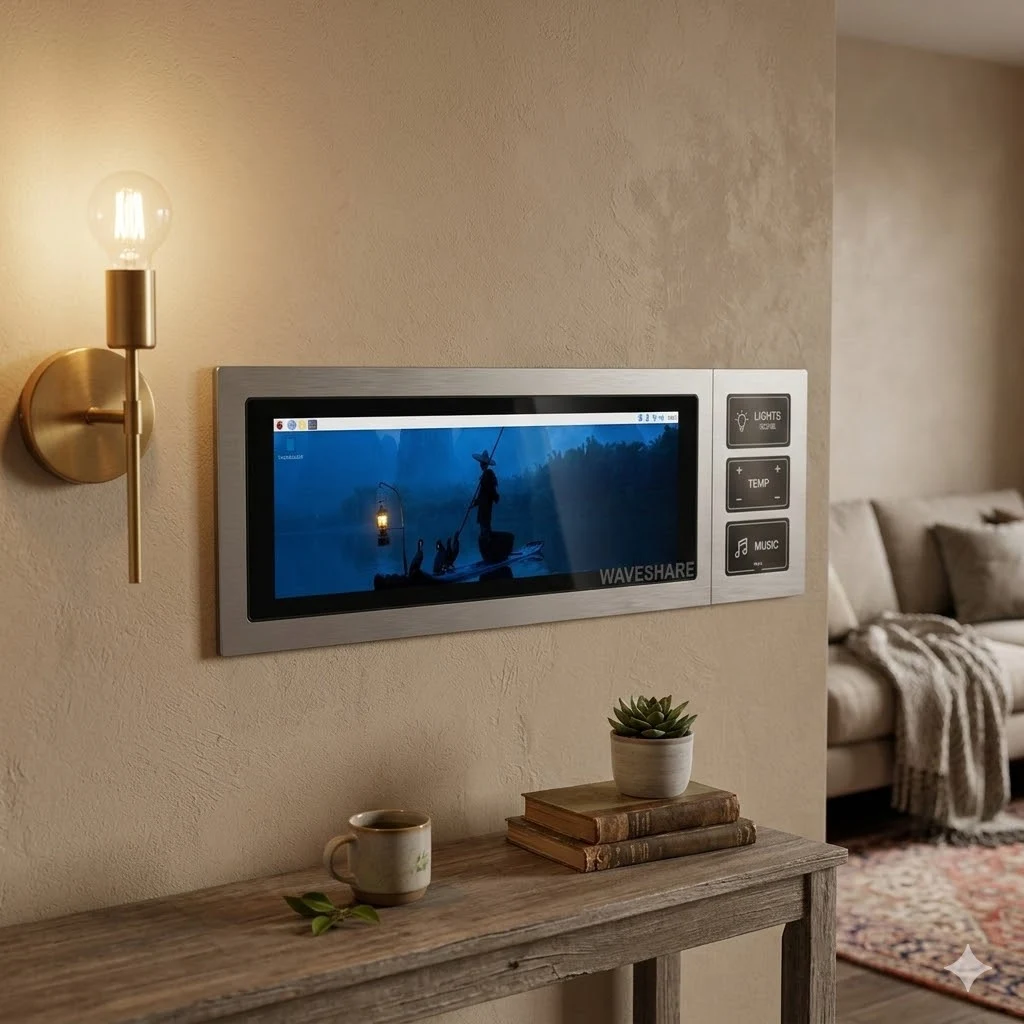
    This newly launched “8.8-inch DSI LCD” stands out due to its elongated bar-like 4:1 aspect ratio, which integrates seamlessly with home decor. It is suitable for a range of applications including digital signage, dashboards, kiosks, or any narrow interface where space is limited.

    The display connects directly to a Raspberry Pi using the built-in MIPI DSI connector and employs the I2C interface for its 10-point touch functionality. Waveshare notes that the default orientation of the display is portrait mode, but users can easily switch it to landscape mode through software settings.

    Durability and Usage

    Like its predecessors, this display features optical bonding and a durable glass panel rated up to 6H hardness, which reduces glare and keeps dust out. Furthermore, users can modify the brightness of the display through software controls.

    Regarding software, the display is designed to be plug-and-play and does not require drivers on the latest versions of Raspberry Pi OS. It is fully compatible with Raspberry Pi 4B, Raspberry Pi 5, and the Compute Module 4 (CM4) IO Board. The display can be powered using 5V pogo pins on the Pi 4B and Pi 5 or through the CM4 IO board’s 5V GPIO pins, eliminating the need for an additional power source.

    Pricing and Availability

    The 8.8-inch capacitive touch display is priced at $79.99 in the Waveshare store. On Amazon, it retails for $99.99, while on AliExpress, it is available for $75.20.

    Source:
    Link


  • Eco-Friendly Aqueous Battery: Lasts for Centuries

    Eco-Friendly Aqueous Battery: Lasts for Centuries

    Key Takeaways

    1. Traditional batteries use harmful acids and alkalis, posing environmental risks upon disposal.
    2. Researchers have developed a safer water-based battery using neutral magnesium and calcium salts to prevent corrosion.
    3. The new battery design features a covalent organic polymer for the negative electrode, allowing for high conductivity and fast ion storage.
    4. The battery can deliver 2.2 volts and last over 120,000 charge cycles, potentially lasting more than 300 years.
    5. The environmentally-friendly materials allow for safe disposal under strict regulations, though production scalability remains a challenge.


    Traditional batteries depend on harsh and corrosive acids and alkalis, which can damage their internal parts and create serious risks for the environment when they are thrown away. To solve this problem, a team of researchers from the City University of Hong Kong and the Southern University of Science and Technology has created a safer, water-based battery option.

    Innovative Design

    This new battery design swaps out the dangerous liquids for an electrolyte made from neutral magnesium and calcium salts—these are minerals often found in tofu brine. By keeping the pH level at a neutral 7.0, this solution effectively stops internal corrosion from happening. For the negative electrode, the scientists developed Hexaketone-tetraaminodibenzo-p-dioxin, which is a type of covalent organic polymer. This structure resembles plastic and has electron-donating chemical connections, allowing for high conductivity and fast storage of divalent ions. The positive electrode is made from a Prussian blue analog, completing the system.

    Impressive Performance

    In testing, the full cell showed it could deliver a voltage range of 2.2 volts and specific energy of 48.3 watt-hours per kilogram, considering the total weight of the electrodes and the electrolyte. Most impressively, the battery can remain stable through 120,000 charge cycles at a specific current of 20 amperes per gram. If used with a daily charging schedule, this battery could theoretically last more than 300 years, which is significantly better than typical batteries that usually start to fail after just a few thousand cycles.

    Environmental Benefits

    The system achieves a specific capacity of 112.8 milliampere-hours per gram. Since the materials used are non-toxic to the environment, the battery can be disposed of safely under strict international regulations like the United States Resource Conservation and Recovery Act and ISO 14001. However, to bring this new battery to market, developers still face hurdles in scaling up the production of the organic polymer and boosting the overall energy capacity in limited spaces.

    Source:
    Link


  • Buy New Casio G-Shock Camo Watches Now Available in the US

    Buy New Casio G-Shock Camo Watches Now Available in the US

    Key Takeaways

    1. Casio has launched two new G-Shock models, GA2100CM-5A and GA2100CM-8A, now available in the US for $145 each.
    2. Both models feature a camouflage design, with the GA2100CM-5A in beige and sand colors, and the GA2100CM-8A in darker grey with subtle red.
    3. They have a lightweight construction (51 g) and are made from carbon and bio-based resin, offering shock resistance and water resistance up to 200 m.
    4. Functionality includes world time for 31 time zones, a stopwatch, countdown timer, five daily alarms, and double LED illumination.
    5. The watches are powered by two SR726W batteries with an estimated lifespan of three years and are made from renewable organic materials, promoting sustainability.


    Alongside the well-known collab between Edifice and Honda, Casio has introduced two new G-Shock models with a camouflage theme now available in the US. The GA2100CM-5A and GA2100CM-8A, which were previously launched in the UK, are now priced at $145 each in the US. Each watch also comes with a complimentary Nigo sticker set.

    Design and Features

    Both models are built on the 2100-series “CasiOak” foundation and showcase the classic octagonal case along with an analog-digital display. The key distinction between the two models lies in their camo designs: the GA2100CM-5A features a beige and sand-colored camo pattern, whereas the GA2100CM-8A displays a darker grey and subtle red camouflage.

    Specifications

    The dimensions of the case are 48.5 × 45.4 × 11.8 mm, and it weighs 51 g, making it quite lightweight for daily use. The primary materials used are carbon and bio-based resin, employing G-Shock’s Carbon Core Guard structure for shock resistance. Both variants are rated for water resistance up to 200 m.

    Functionality-wise, these models come with the typical GA-2100 features. They provide world time for 31 time zones (48 cities), a 1/100-second stopwatch, a 24-hour countdown timer, five daily alarms, and an hourly time signal. Additionally, they have double LED illumination, a complete auto-calendar extending to 2099, and an accuracy of ±15 seconds per month.

    Power and Sustainability

    The power source consists of two SR726W batteries, which Casio estimates to last around three years. There’s also a hand shift feature that temporarily moves the analog hands to enhance the visibility of the digital display. Moreover, Casio claims that the material used for the watches comes from renewable organic resources, which aids in minimizing environmental impact.

    Source:
    Link


  • Snapdragon X2E-96-100 CPU & GPU Shine in Geekbench with Asus Laptop

    Snapdragon X2E-96-100 CPU & GPU Shine in Geekbench with Asus Laptop

    Key Takeaways

    1. Asus, HP, and other brands showcased laptops with Snapdragon X2 Elite at CES 2026, but they are not yet available globally.
    2. Snapdragon X2 Elite shows strong single-core performance (4,033) surpassing Apple’s M4 Max, but trails in multi-core performance (23,198).
    3. The Snapdragon X2 Elite outperforms AMD’s Strix Halo and Intel’s Core Ultra X9 in various benchmarks.
    4. The Adreno X2-90 GPU scores 44,786 in OpenCL, nearly doubling the performance of the previous Adreno X1-85 GPU.
    5. Qualcomm’s promises on GPU performance are notable, but gaming benchmarks are needed for a complete assessment, highlighting a potential impact in the Windows-on-Arm market.


    Even though Asus, HP, and several other brands presented a variety of laptops powered by the Snapdragon X2 Elite at CES 2026, they have not yet become available in global markets. Qualcomm made some bold assertions regarding the CPU and GPU capabilities of the Snapdragon X2 Elite, but the absence of devices ready for production has made it a bit tricky to confirm those claims. Now, we can check out the Snapdragon X2 Elite Extreme X2E-96-100 on Geekbench.

    Performance Insights

    It achieves scores of 4,033 in single-core and 23,198 in multi-core tests on Geekbench 6.5. These figures are consistent with Qualcomm’s previous first-party data, which indicated that it surpasses Apple’s M4 Max in single-core performance (3,880) but falls behind in multi-core performance (25,760). Additionally, it leaves AMD’s Strix Halo flagship chip (2,947/18,481) and the Ryzen AI Max+ 395 far behind. As expected, Intel’s top-tier Core Ultra X9 388H (3,066/17,809) Panther Lake also does not measure up.

    GPU Performance Overview

    Another listing offers a look into the Snapdragon X2 Elite Extreme X2E-96-100’s GPU capabilities. The Adreno X2-90 GPU records a score of 44,786 in Geekbench’s OpenCL benchmark. Although Geekbench states that it has 16 CUs, the score might not be reliable due to the reported clock speed being only 1 MHz. Still, it nearly doubles the performance of the previous-gen Adreno X1-85 GPU, which only managed 23,854 points in the same benchmark.

    Future Outlook

    Qualcomm has made significant promises regarding the GPU performance of the Snapdragon X2 Elite, and it’s still too soon to draw firm conclusions, especially without gaming benchmarks available. However, its CPU strength appears to be impressive, giving Qualcomm a real opportunity to make its mark in the Windows-on-Arm space. This development comes at just the right time, as Nvidia’s N1X chips are also expected to be released sometime in 2026.

    Source:
    Link