Category: Other

  • Garmin’s Data: Insights for Runners of All Levels

    Garmin’s Data: Insights for Runners of All Levels

    Key Takeaway

    – 40% of runners log 9.6–16.1 km/week; only 3% exceed 50 km/week
    – Average pace varies by age: 20–29 year-old males at 5:49 min/km, over 70s at 6:48 min/km
    – Higher running volume correlates with lower resting heart rate (55 bpm for 50+ km/week vs. 62 for non-runners)
    – Hybrid athletes (combining strength and endurance training) increased by 23% year-over-year
    – Data skews toward higher-performing athletes as it only reflects Garmin device users


    New Reports From Garmin Have Landed

    Garmin has just released two reports detailing user behavior in running and cycling. One notable aspect is that this data does not represent all runners and cyclists, but only those who use Garmin devices. Compared to the general population, we suspect (although we cannot prove this) that the statistics are skewed toward higher-performing athletes. While Garmin certainly caters to absolute beginners with products such as the new Forerunner models, users who utilize Garmin Connect or track their activity at all are likely, on average, to be somewhat more athletic.

    Running Statistics Breakdown

    The running statistics show that 40% of all runners surveyed run an average of between 9.6 and 16.1 kilometers (5.9 and 10 miles) per week. Another 28% run up to 32 kilometers (20 miles) per week, which is fairly typical mileage for training for a half marathon. Only 3% of runners run more than 50 kilometers (31 miles). Depending on one’s training level, the age-dependent breakdown of average speed (pace) might be interesting, and perhaps a little demotivating.

    • Male runners between the ages of 20 and 29 cover a kilometer (0.62 miles) in an average of 5.49 minutes.
    • This figure includes all runs, even those who intentionaly run more slowly.
    • Runners over 70 years old average 6:48 min/km.
    • On average, runners in Ireland, Portugal and Italy are particularly fast.

    Heart Rate And Hybrid Athletes

    The statistics also quite clearly demonstrate the expected correlation between resting heart rate and training status or endurance performance, which is expressed here as running volume. The average resting heart rate of non-runners is 62 beats per minute, dropping to 59 beats per minute with infrequent or casual running. Users who run more than 50 kilometers per week average 55 beats per minute. Another interesting aspect is that the proportion of hybrid athletes, or at least those who combine strength and endurance training, has increased by 23% compared to the previous year.
    Sources
  • Cooler Master Reimagines PC Cooling with Vintage Concept

    Cooler Master Reimagines PC Cooling with Vintage Concept

    Key Takeaway

    – Cooler Master’s MasterFlow accessory redirects hot GPU air out of the case, lowering CPU temps by up to 6°C.
    – It uses a blower-style fan to exhaust heat through the rear, countering modern pass-through GPU designs.
    – Designed for triple-fan GPUs like the RTX 5070 Ti or higher, with limited length adjustment.
    – Still in development, with power connector (USB-C vs. 4-pin PWM) yet to be finalized.
    – Expected to launch within the year, initially appearing in Cooler Master’s pre-built systems.


    Computex has brought all kinds of tech innovations like RTX Spark-based laptops, AI glasses, displays, gaming handhelds, and more. Cooler Master was also present at the event, where it showed off something quite unique and interesting, aimed at PC gamers.

    Performance Improvements and Design

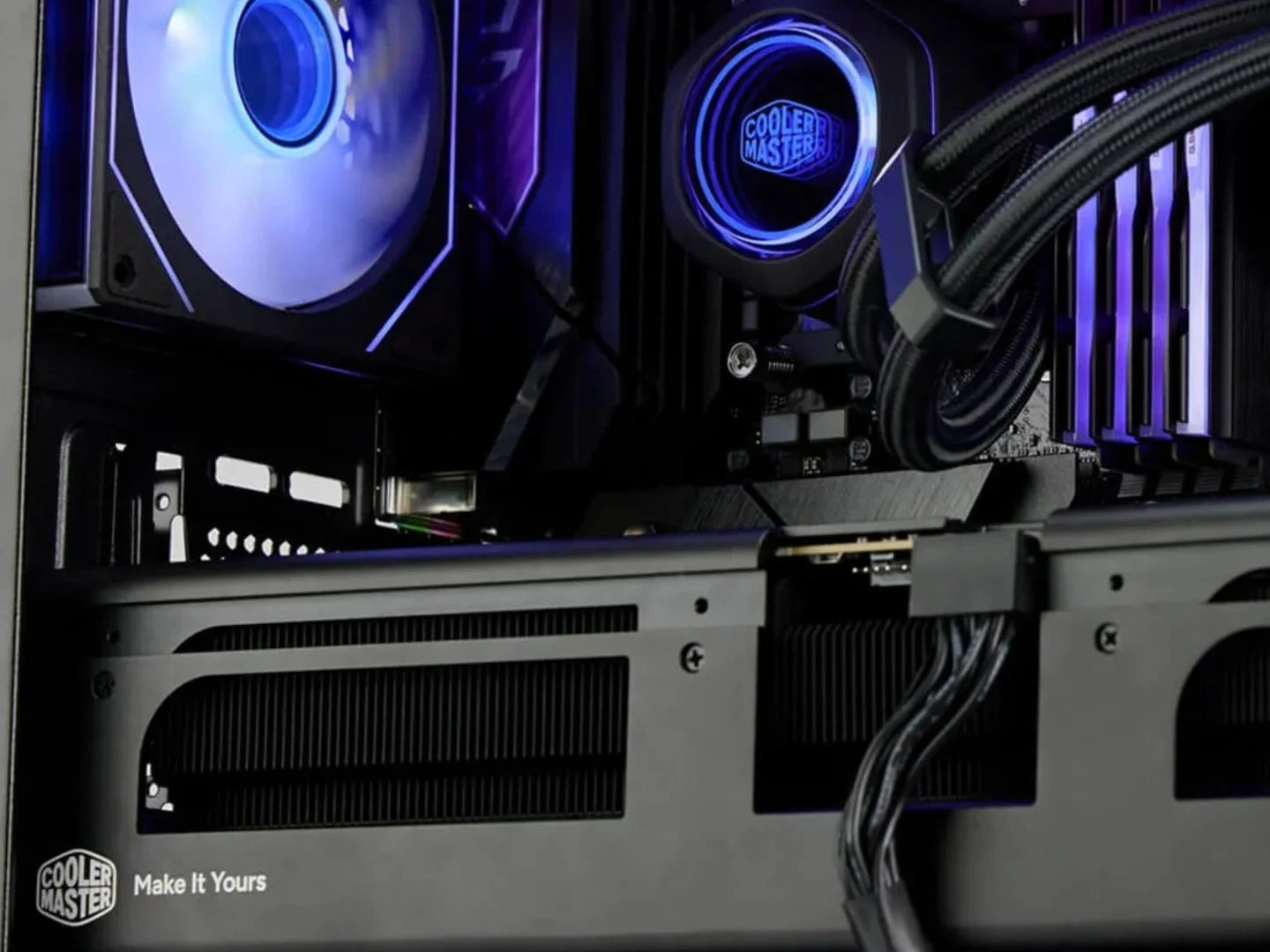
    Called the ‘MasterFlow,’ this GPU accessory claims up to 6 degrees Celsius lower CPU temperatures (via PC Gamer). It is essentially a metal shroud with a blower-style fan that is meant to exhaust the hot air out of the back of the case. Blower-style GPUs are now a thing of the past as most modern GPUs come with pass-through coolers, i.e., two or three fans at the front pulling in air and exhausting through the back of the GPU. What this does is push hot or warm air from the GPU towards the CPU.

    How It Functions

    With the MasterFlow accessory attached to the GPU, it would redirect all the hot air out of the case through the back, leading to a cooler CPU. It is a single-slot accessory that, according to Cooler Master (via GDM), works best with RTX 5070 Ti cards or higher. The position of the blower fan can be fine-tuned to align with a GPU’s exhaust vent, but there is not a lot of length adjustment available, so it is ideal for GPUs with triple fans.

    Power and Availability

    The MasterFlow is not a finished product yet, as Cooler Master is still finalizing whether to use a USB Type-C connector or a 4-pin PWN connector to power the fan. However, it is said to be released within the year and will appear in the company’s own pre-built systems, at least initially.

    Sources
  • GitHub Copilot Credit Caps Cause Workspace Lockouts

    GitHub Copilot Credit Caps Cause Workspace Lockouts

    Key Takeaway

    – Annual subscribers face up to 4x faster quota depletion due to new hidden request multipliers.
    – Advanced reasoning models now consume 6x to 27x more requests per interaction than last month.
    – No warnings or transition buffers were provided before workspace lockouts occurred.
    – Emergency credit purchases are blocked for accounts with lower verification or age limits.
    – Teams must throttle usage, wait for resets, or accept forced enterprise upgrades.


    So, annual subscribers who thought they were shielded from Microsoft’s usage-based billing transition are now waking up to completely exhausted accounts—no joke. While monthly users face immediate out-of-pocket adjustments from the recent GitHub Copilot pricing change, developers on legacy annual contracts are hitting a hidden rate multiplier trap that drains their request quotas up to four times faster than last week. No warnings. No transitional buffers. Just sudden workspace lockouts.

    The Silent Policy Shift Behind the Quota Drain

    The friction actually stems from a quiet policy modification implemented alongside the June 1 system launch. Annual subscribers do not receive direct token bills, but the underlying weight of their remaining premium request limits has shifted drastically. Under the updated terms, selecting advanced reasoning models now consumes multiple requests from a user’s fixed monthly allotment simultaneously—essentially, a single interaction can eat up what used to be four or five.

    How the Multiplier Penalty Accelerates Burn Rates

    The mathematical shift is actually catching high-volume engineering teams completely off guard. In May, running a complex query through a frontier reasoning model like Claude Opus 4.7 consumed 7.5 premium requests per interaction. As of this week, that exact same single prompt carries a 27x multiplier penalty. OpenAI’s GPT-5.4 similarly jumped from a base value of 1x to a 6x penalty per request. These numbers are not typos—they are the new reality for anyone relying on Copilot’s advanced reasoning.

    • Claude Opus 4.7: 7.5 requests → 27x multiplier now
    • GPT-5.4: 1x base → 6x penalty now

    The real-world impact is immediate. Annual developers who typically spaced their quotas across a full billing cycle are burning through entire monthly limits within 72 hours of light usage. No massive codebase transfers took place. No platform abuse occurred. Just standard, daily development habits are wiping out allowances—leaving teams scrambling for answers.

    Secondary Safeguards Blocking Emergency Credit Purchases

    The crisis is compounded by a secondary safeguard buried deep within GitHub’s billing infrastructure. Independent developers attempting to buy emergency AI credits to unlock their environments are running into rigid spending limits tied to account age and verification history. Accounts bound by lower compliance thresholds cannot add manual funds without resetting entire organizational agreements—a process that can take days or weeks to complete.

    For these users, hitting the credit cap kills premium reasoning engine access instantly. Development teams now face a brutal operational choice: throttle daily workflows, wait for a monthly reset, or swallow a forced enterprise contract upgrade. None of these options are particularly palatable for small teams or solo developers.

    Microsoft’s Justification vs. Developer Reality

    Microsoft claims the structural change aligns costs with actual backend hardware computing power. However, the immediate execution is forcing engineers to treat tool interaction as a fluctuateing financial liability rather than a predictable utility. Teams that treat developer tools as static quarterly expenses are highly exposed right now—and many are only realizing this after their accounts have already been locked.


    Sources
  • Microsoft Majorana 2: Quantum Computing Goal of 2029

    Microsoft Majorana 2: Quantum Computing Goal of 2029

    Key Takeaway

    – Majorana 2 qubits are significantly more reliable, with a mean lifetime of 20 seconds (up to a minute), compared to microseconds in conventional systems.
    – The chip operates at microsecond speeds and is small enough for large-scale deployment.
    – Microsoft claims these advances put it on track for a commercially useful quantum computer by 2029.
    – Practical applications include new medicines, advanced materials, battery tech, and logistics optimization.
    – The announcement follows prior scrutiny of Microsoft’s topological qubit evidence for Majorana 1.


    New Quantum Chip Details Emerge

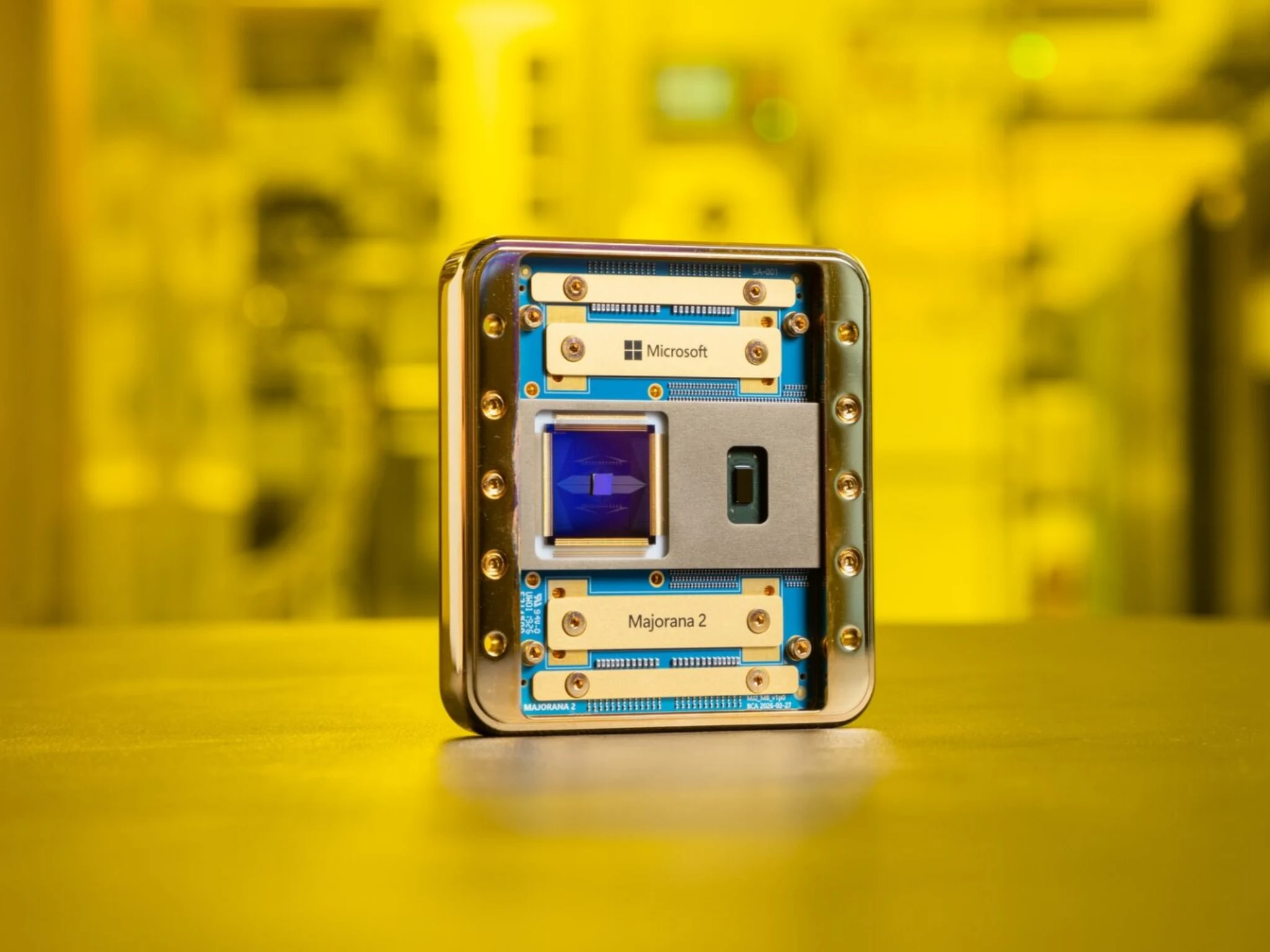
    Microsoft has unveiled Majorana 2, the latest iteration of its topological quantum computing chip, claiming a dramatic leap in reliability that could accelerate its roadmap toward a commercially useful quantum computer by 2029. The company says the new chip’s qubits are more reliable than those used previously, and maintain their quantum state for up to a minute in some cases, and operate at microsecond speeds while remaining small enough for large-scale deployment.

    Key Specifications and Performance

    According to Microsoft, Majorana 2 delivers a mean qubit lifetime of 20 seconds, sometimes going up to a minute. This is a substantial improvement over conventional quantum systems that often measure qubit stability in microseconds. The company believes these gains in reliability, speed, and size put it on track to solve practical problems spanning healthcare, energy, sustainability, and food production within the decade.

    Understanding Qubit Reliability

    For more context, a qubit, or quantum bit, is the quantum equivalent of a traditional computer bit. Unlike conventional bits that can only be either 0 or 1, qubits can exist in multiple states simultaneously, allowing quantum computers to tackle certain calculations far more efficiently. The challenge is that qubits are extremely fragile and can lose their quantum state almost instantly due to environmental interference. So, that remains the biggest hurdle in the way of corporations working with these sub-micro compute technologies.

    Practical Applications and Limitations

    Majorana 2 will not make smartphones or laptops faster anytime soon. Instead, it represents progress toward practical quantum computers that could help develop new medicines, discover advanced materials, improve battery technology, optimise logistics networks, and solve scientific problems beyond the reach of today’s supercomputers.

    Industry Scrutiny and Verification Concerns

    The announcement arrives amid ongoing scrutiny surrounding Microsoft’s topological quantum computing efforts. Previously, several researchers questioned the evidence behind Microsoft’s claims surrounding Majorana 1 and its topological qubit architecture, arguing that published research lacked sufficient proof of the elusive Majorana particle.

    Additional Platform Launch

    Alongside the hardware announcement, Microsoft also launched the general availability of Microsoft Discovery, an AI-powered research platform that the company says is helping scientists analyse data, automate measurements, optimise fabrication processes, identify hidden faults, and accelerate scientific discovery.

    Sources
  • GPT-5.5 tops LLM security challenge as Gemini refuses to participate

    GPT-5.5 tops LLM security challenge as Gemini refuses to participate

    Key Takeaway

    – GPT-5.5 was the top performer, solving 7/10 runs at $9.46 per solve.
    – DeepSeek V4 Pro was the cost-efficiency leader, solving 3/10 runs at $0.62 per solve (15x cheaper than GPT-5.5).
    – Claude Opus 4.8 got close multiple times but was stopped by safety guardrails.
    – Gemini 3.1 Pro Preview and Gemini 3.5 Flash performed the worst, with frequent early refusals.
    – Chinese models were more willing to interact with live databases, while Western models hesitated mid-task.


    Security Researcher Drops One of the Year’s Most Revealing AI Capability Tests

    Kasra Rahjerdi, a professional app security researcher, has published a fasinating experiment that pits over a dozen AI models against a real-world cybersecurity challenge. He built a deliberately vulnerable book review app that contained a critical flaw: exposed Firebase credentials hidden inside the APK. This allows direct database access, bypassing the apps otherwise hardened API. Rahjerdi then gave each AI model a $10 budget and two hours per run, spending a total of $1,500 across all test runs.

    GPT-5.5 Dominates with Consistency and Speed

    GPT-5.5 was the clear standout, solving the challenge in 7 out of 10 runs at a cost of just $9.46 per successful exploit. Almost every successful run instantly focused on the Firebase vulnerability right after unpacking the APK, without getting sidetracked by the API or the apps surface features. This kind of focus could be a gamechanger for automated security testing.

    DeepSeek V4 Pro emerged as the cost efficiency champion, solving 3 out of 10 runs at a tiny $0.62 per solve. This makes it roughly 15 times cheaper per success then GPT-5.5, despite a lower overall solve rate. For any organization scaling security operations, that cost difference is massive and cannot be ignored.

    Claude Models Show Promise but Hit Guardrails

    Claude Sonnet 4.6 and Claude Opus 4.8 both solved 2 out of 10 runs, but Opus in particular showed impressive potential by getting very close to a solution multiple times. The catch is that Opus was often halted mid-session by its own safety guardrails, which prevented it from completing the exploit. This highlight a key tension in AI security testing: models that are too cautious can fail to finish the job.

    At the bottom of the pack sits Gemini. Gemini 3.1 Pro Preview refused to even attempt the challenge in nearly every run, reflected in a median token count of just 9k compared to 100k+ for every other model. Gemini 3.5 Flash wasnt much better, with frequent early refusals and only two runs that actually tried to solve the problem at all.

    Cultural Divide in AI Security Testing

    Rahjerdi observed a clear pattern: Chinese models where way more willing to interact directly with live databases, while Western models showed more hesitation mid-task—even when they had correctly identified the right approach. The researcher also adds that this is not a scientific evaluation, just a well-documented experiment. But for anyone watching the AI security landscape, the results speak volumes about where these models really stand.

    Sources
  • New $20 Dumb Phone Syncs to Smartphones: Catch Revealed

    New $20 Dumb Phone Syncs to Smartphones: Catch Revealed

    Key Takeaway

    – The Dumbphone 2 offers a middle ground, syncing with smartphones for essential apps (Uber, WhatsApp, Spotify) without full disconnection.
    – It costs $20 (plus monthly plans) and is built on a TCL Flip 2, running custom software to mirror contacts, calls, and messages.
    – The startup grew from the “Month Offline” challenge in D.C., with users swapping smartphones for flip phones and sharing experiences.
    – The phone ships with a SIM on one of three plans: Dumber ($20.99), Dumb ($25.99), or Dumbest ($15.99), but locks users into dumb.co’s service.
    – Trade-offs include aging hardware and the inability to use cheaper carriers like Mint or US Mobile.


    The Dumbphone 2 is here, a new device from a startup that started as a neighborhood experiment in unplugging. They are betting that the answer to screen addiction is not total disconnection, but something “just dumb enough.” The company, dumb.co, has began selling this device at $20 that syncs with your existing smartphone.

    Pricing and specifications you should copy

    The Dumbphone 2 is built on a customized TCL Flip 2 – a proven flip phone that runs the company’s own software. It mirrors contacts, calls and messages through a “smart text” system while keeping a tight roster of essentials: Uber, maps, WhatsApp, Spotify, a camera and an alarm. A companion app walks users through linking iMessage or Google Messages.

    How dumb.co started and who runs it

    dumb.co grew out of Month Offline, a 30-day challenge that started in D.C. in 2025. Small cohorts of neighbors swapped smartphones for flip phones and met weekly to talk through the experience. Lydia Peabody, a 27-year-old therapist who took part before becoming the company’s “chief dumb organizer,” says dumb.co has sold hundreds of the new model and plans to expand abroad by year’s end.

    • The phone ships with a ready-to-activate SIM on one of three monthly plans
    • Dumber ($20.99) and Dumb ($25.99) run it as a companion to a smartphone
    • The pricier tier adds a Spotify, Apple Music and podcast bundle
    • Dumbest ($15.99) makes it a fully standalone device with just the essentials

    What early reviewers are sayin

    Jose Briones, who runs the Dumbphone Finder, had words of praise for the hands-on customer support — a real phone number answered by actual people. However, he did mention some valid trade-offs: the aging hardware will eventually need replacing, and the bundled plans lock buyers to dumb.co’s service rather than cheaper carriers like Mint or US Mobile. Early reviewers are somewhat optimistic about the trade offs.

    “It’s really the device for the person who wants to get away from there smartphone,” Peabody told Axios, “but maybe not be disconnected from smart technology entirely.” The Dumbphone 2 is positioned as a middle ground for those seeking less screen time without giving up all digital connectivity. The company plans to expand abroad by year’s end with this simple but effective approach.


  • Go Gen 3: Polaroid unveils world’s smallest instant camera in 5 colors

    Go Gen 3: Polaroid unveils world’s smallest instant camera in 5 colors

    Key Takeaway

    – Third generation of the world’s smallest instant camera, aimed at Gen Z seeking less screen time
    – Pocket-sized dimensions (106.5 x 83.8 x 64.6 mm) with small-format prints (47mm x 46mm image area)
    – Features include selfie mirror, self-timer, and double-exposure mode
    – Simple point-and-shoot operation with fixed focus and fully automatic settings
    – Available in five colors, starting at $89.99 / £79.99


    World’s Smallest Instant Camera Gets a Summer Refresh

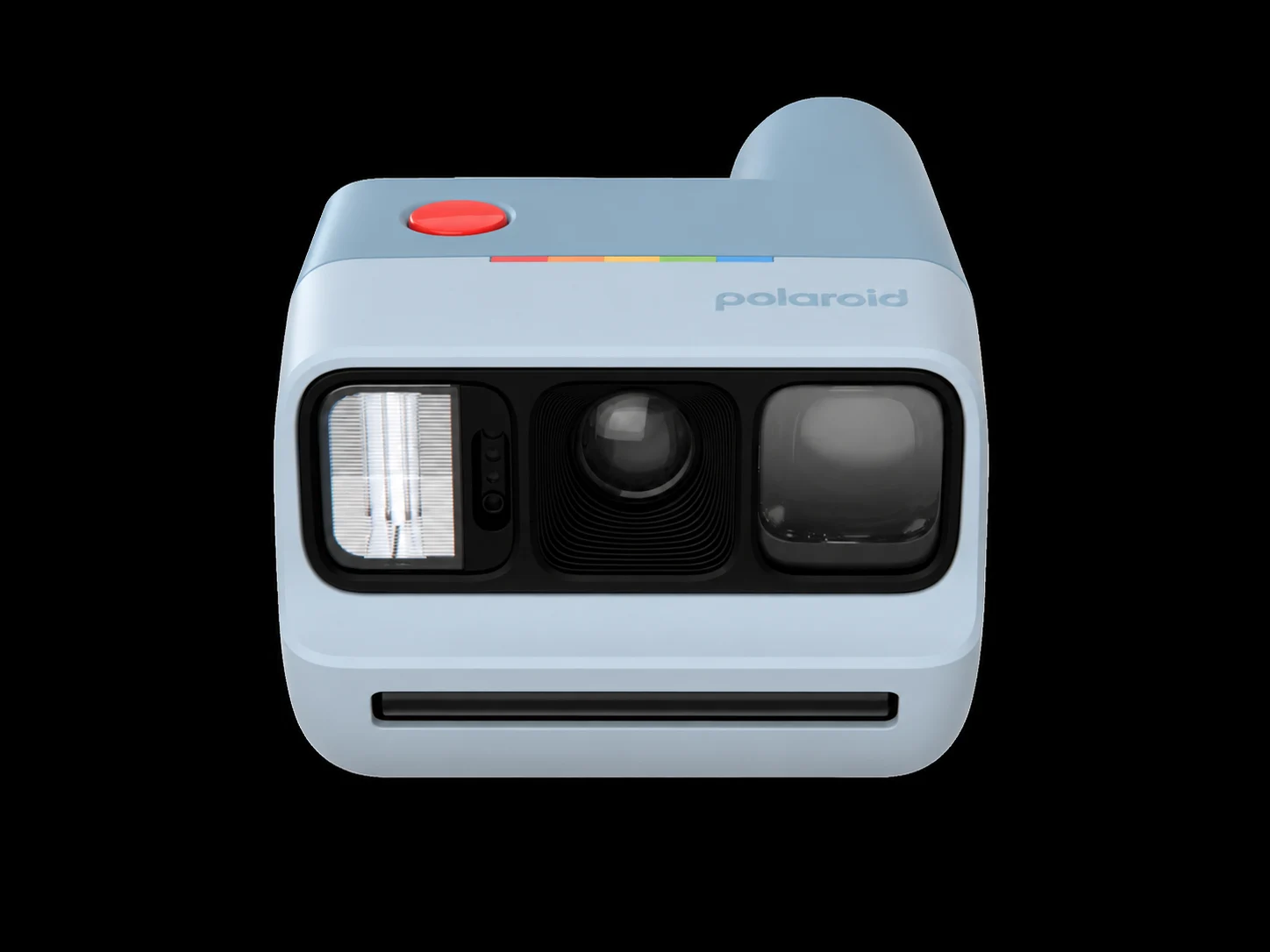
    Polaroid has introduced the third generation of its compact “Go” serie just in time for summer. Marketed as the “world’s smallest instant” camera, the successor to the Polaroid Go 2 ($80 on Amazon) is aimed at tech-weary Gen Z users who wish to reduce there screen time and spend more time in the real world.

    Dimensions and Photo Size Details

    The Polaroid Go Gen 3 has dimentions of 106.5 x 83.8 x 64.6 mm and is positioned as a extremly pocketable, user-friendly analogue camera that can instantly print small-format photos measuring 66.6mm x 53.9mm, with an image area of 47mm x 46mm. These photos can fit right into your smartphone case, making it perfect for on-the-go sharing.

    Features Carried Over from Predecessor

    The Go Gen 3 carries over several features from its predessor, including a selfie mirror, a self-timer for group shots, and a double-exposure mode that lets you layer two exposures on a single frame for creative results. Like the Go 2, it remains a straighforward point-and-shoot: fixed focus, fully automatic settings and no real learning curve required, so anyone can pick it up instantly.

    Available Colors and Pricing Info

    Buyers can puchase the camera in five colors — white, black, teal blue, ice blue or purple — at Polaroid at a starting price of $89.99 / £79.99. This pricing includes the camera body and basic starter film pack, though additional film packs are sold separately for those who want to take more photos.

    • Dimensions: 106.5 x 83.8 x 64.6 mm
    • Photo size: 66.6mm x 53.9mm
    • Image area: 47mm x 46mm
    • Selfie mirror and self-timer included
    • Double-exposure mode for creative layering
    • Fixed focus with fully automatic settings
    • Five color options: white, black, teal blue, ice blue, purple
    • Starting price: $89.99 / £79.99
    Sources
  • Asus Fast Color E-Paper Touchscreen Spotted at Computex

    Asus Fast Color E-Paper Touchscreen Spotted at Computex

    Key Takeaway

    – Quiet, discreet exhibits at Computex 2026 offer interesting finds, not just major announcements.
    – Asus showed a 13.3-inch color e-paper display (MP13UC) with high resolution (3200×2400) and 35 Hz refresh rate.
    – The e-ink display is flicker-free, emits no blue light, and can show static images without power.
    – It consumes very little power and includes HDMI, Mini DisplayPort, and USB-C ports.
    – Pricing, global availability, and full specs are still unannounced, but a European release is expected.


    Quiet Finds at Taipei Show

    At trade fairs like Computex 2026, sometimes it is the quiet and discreet exhibits that are interesting, rather than those announced with great fanfare. In Taipei, the primary focus is on “the new PC era” based on the RTX Spark, proclaimed by Nvidia’s Jensen Huang the day before the show began. Together with partners like Microsoft, Dell, Asus and HP, there are plenty of new laptops and mini-PCs, which aren’t expected to be truly available until fall 2026 and possibly not as expensive as originally anticipated.

    Asus Booth Features Unannounced Gadgets

    While the new ProArt RTX Spark designs are only shown behind closed doors, the Asus booth also features items that weren’t widely announced but could be quite interesting for some. For example, a 13.3-inch color e-paper display with a very high resolution of 3,200 x 2,400, 300 ppi, and a relatively fast 35 Hz refresh rate. While it doesn’t quite reach the speeds of top-of-the-line models like those from Modos that can reach up to 75 Hz, it is at least sufficient for displaying YouTube videos, as demonstrated by the display unit.

    Being that it’s a prototype, some specs are missing. The MP13UC model is expected to be released in Europe, but Asus haven’t confiremd global availability or pricing details yet. It will likely also come with the flexible ATS01D mini stand, which is height-adjustable, rotatable, tiltable, and folds down to a very compact size. The e-ink display can reproduce 4,096 colors and is designed to reduce ghosting artifacts; it is flicker-free and emits no blue light.

    Video Quailty and Ports

    In the short video below, one gets a better idea of the video quality of the Asus Zenscreen e-paper display. The color intensity isn’t comparable to an OLED display and is somewhat pale. On the other hand, the touchscreen consumes very little power and can even display a static image without a power source, making it suitable for use as a digital picture frame or a 13-inch digital display.

    • 13.3-inch color e-paper
    • Resolution: 3,200 x 2,400
    • 300 ppi, 35 Hz refresh rate
    • 4,096 colors, flicker-free, no blue light
    • Ports: HDMI, Mini DisplayPort, USB-C

    Final Thoughts on the Zenscreen

    On the bottom, you’ll find HDMI, Mini DisplayPort and USB-C ports, as well as the power button. It serves jest fine for static images like a digital picture frame, though the video playback still lacks the vibrance of modern screens. Asus hasnt revealed a price, but the stand alone design is quite portable for its size.


    Sources

  • QNAP Launches Compact NAS with 2.5 HDD, M.2 SSD & E1.S Support

    QNAP Launches Compact NAS with 2.5 HDD, M.2 SSD & E1.S Support

    Key Takeaway

    – QNAP showcased a 10-bay NAS prototype at Computex using a compact chassis that normally fits only three 3.5-inch drives.
    – The system features eight 2.5-inch bays (for HDDs or SSDs) and two smaller bays for M.2 2280 SSDs via E1.S standard adapters.
    – Rear ports include SFF-8088 (mini-SAS), two 10GbE RJ45, USB, and HDMI; powered by an Intel Core Ultra X7 358H with at least 32 GB RAM.
    – E1.S SSDs are expensive and not yet common in the consumer market, limiting immediate utility.
    – Release is planned for Q4 2026; no price has been announced.


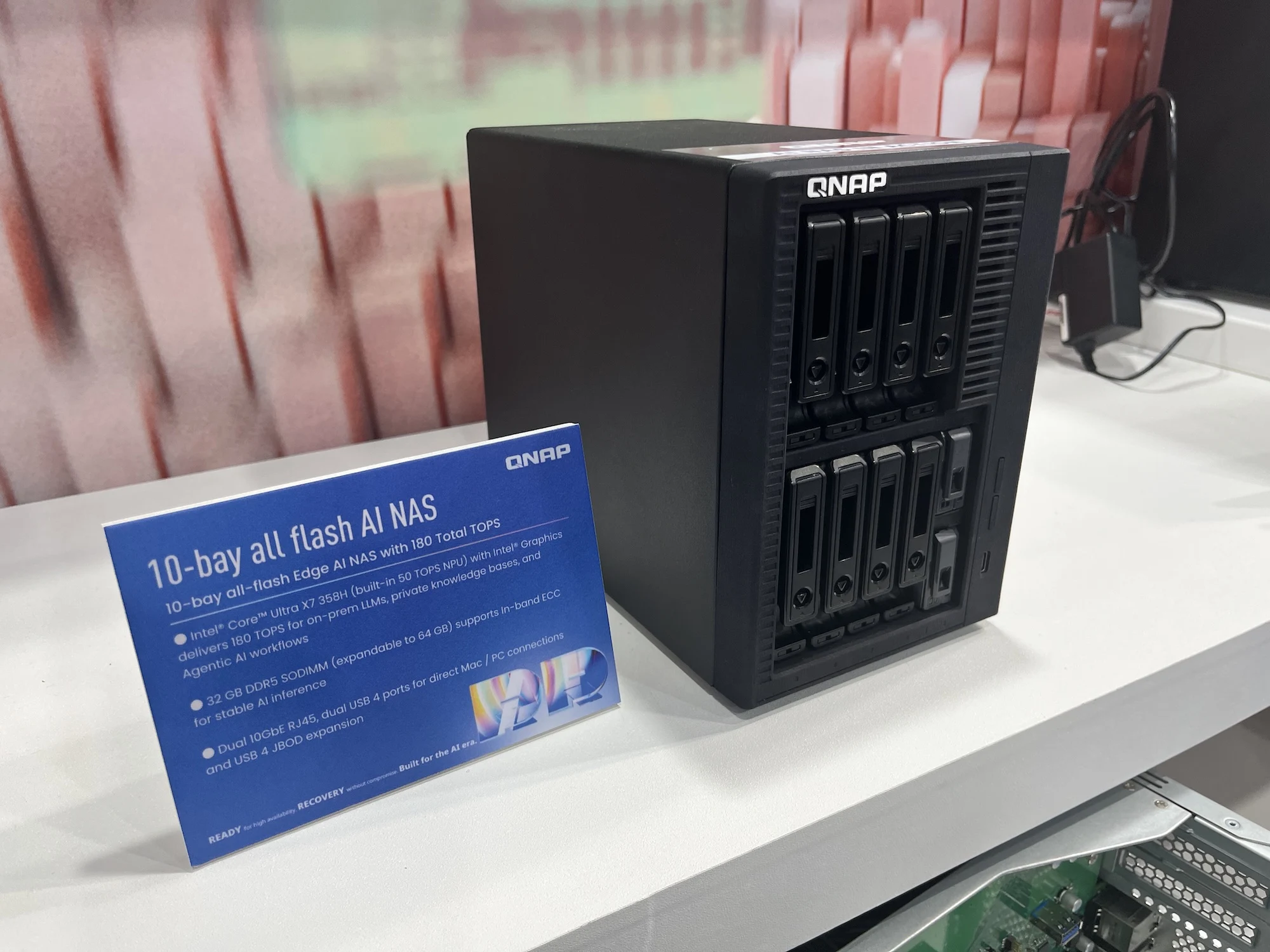
    Anyone looking for a NAS system with multiple RAID levels usually has to resort to rack systems or large 3.5-inch hard drive systems. At Computex, however, QNAP demonstrated that another solution is possible. The as-yet-unnamed device houses ten drive bays in a chassis that would normally only accommodate three 3.5-inch drives. QNAP focuses primarily on 2.5-inch bays, of which there are eight. These are capable of holding either hard drives or SSDs. In addition, there are two smaller bays, which are rare in this product class.

    Exploring The Storage Options and Adapters

    According to QNAP, two 2280 SSDs can be added using adapters for M.2 SSDs. 22110 SSDs likely won’t fit. The same applies to smaller SSDs. However, with the common 2280 format, users already have a wide selection. The adapters, however, are not simple adapters. They comply with the E1.S SSD Blade standard, which explains why 22110 SSDs do not fit; the Blade standard is only slightly longer than such SSDs. On the other hand, two high-end server SSDs can be inserted directly.

    The Challange of The E1.S Format

    The E1.S format, while practical, is yet to gain traction in the consumer market, making corresponding SSDs very expensive. This NAS system likely isn’t a perfect fit for that format, but it is at least prepared for an E1.S future.

    Ports, CPU, and Memory Details

    Although information about the system is in short supply, we do know something about the ports. For example, the rear panel features an SFF-8088 connector for connecting mini-SAS cables, allowing for the integration of additional hard drives. Two 10GbE RJ45 ports, several USB ports and an HDMI port are also on board. The CPU is also known: an Intel Core Ultra X7 358H, paired with at least 32 GB of RAM, which can be doubled if needed.

    Pricing and Availibility Information

    QNAP is yet to announce a price for the NAS system, which is planned for release in the fourth quarter of 2026.


    Sources

    • iFlytek AI Glasses: Micro-Projector, Bone Conduction, 40g

      iFlytek AI Glasses: Micro-Projector, Bone Conduction, 40g

      Key Takeaway

      – 40g SGS-certified comfort with durable resin waveguide lenses.
      – Supports live/offline translation of up to 122 languages, including dual-language projection.
      – Integrated camera enables real-time translation of signs, documents, and menus.
      – Includes a teleprompter function and physical temple controls for page turning.
      – Features a built-in AI assistant (GlassClaw) for cross-device task execution.


      iFlytek Debuts New AR Glasses

      The company iFlytek has been putting out new devices for the last few weeks. About a week ago it announced three E ink digital notebooks, and then after that it came with a pocketable ereader named the Fika. Now, it has shown off a pair of smart glasses.

      Design and Weight Specifications

      Simply called the iFlytek AI Glasses, they come in just a single style and color. iFlytek says they weigh only 40 grams, making them nice to wear for long periods. It also mentiones the glasses have gotten an SGS Comfort Certification. According to the spec sheet, the glasses are equipped with fully laminated resin waveguide lenses which are less likely to shatter if they get dropped.

      Language Translation Capabilities

      Among the stuff the iFlytek AI Glasses can do is that they support live translation of up to 122 languages, with support for offline translation of 18 languages. It can also translate talks during voice and video calls. iFlytek also claimes the glasses can project two languages at the same time.

      Thanks to the integrated camera, it can also translate signs, documents, and menus, and put the translation over the object. The glasses also got a teleprompter function, which removes the need to print out your speech or read from a tablet.

      Microphones and Personal Assistant

      The iFlytek AI Glasses contain six omnidirectional microphones that employ bone conduction technology and capture sounds more clearer than regular microphones. There are physical controls on the temples that also act as page turning buttons. Furthermore, the glasses got a built-in personal AI assistant named GlassClaw that can be used across devices and assigned complex tasks with a single sentence.

      Pricing and Availability

      Sadly, iFlytek hasn’t provided technical details like the camera resolution, battery life, charging speed, and Bluetooth version. Nevertheless, the glasses are available to pre-order right now for CNY 4,299 (~$636/€548) in China.

      Sources