Author: GizNews

  • Google Pixel 11 Pro wallpaper leak reveals new colors

    Google Pixel 11 Pro wallpaper leak reveals new colors

    Key Takeaway

    – Pixel 11 series wallpapers feature aerial landscape photos
    – Colors for Pixel 11: green, turquoise, blue, red
    – Pixel 11 Pro models: green, turquoise, blue, orange (replaces red)
    – Official unveiling expected in August
    – Key upgrades: Tensor G6 chip, Pixel Glow LED, improved cameras


    Official Wallpapers Revealed for Pixel 11 Series

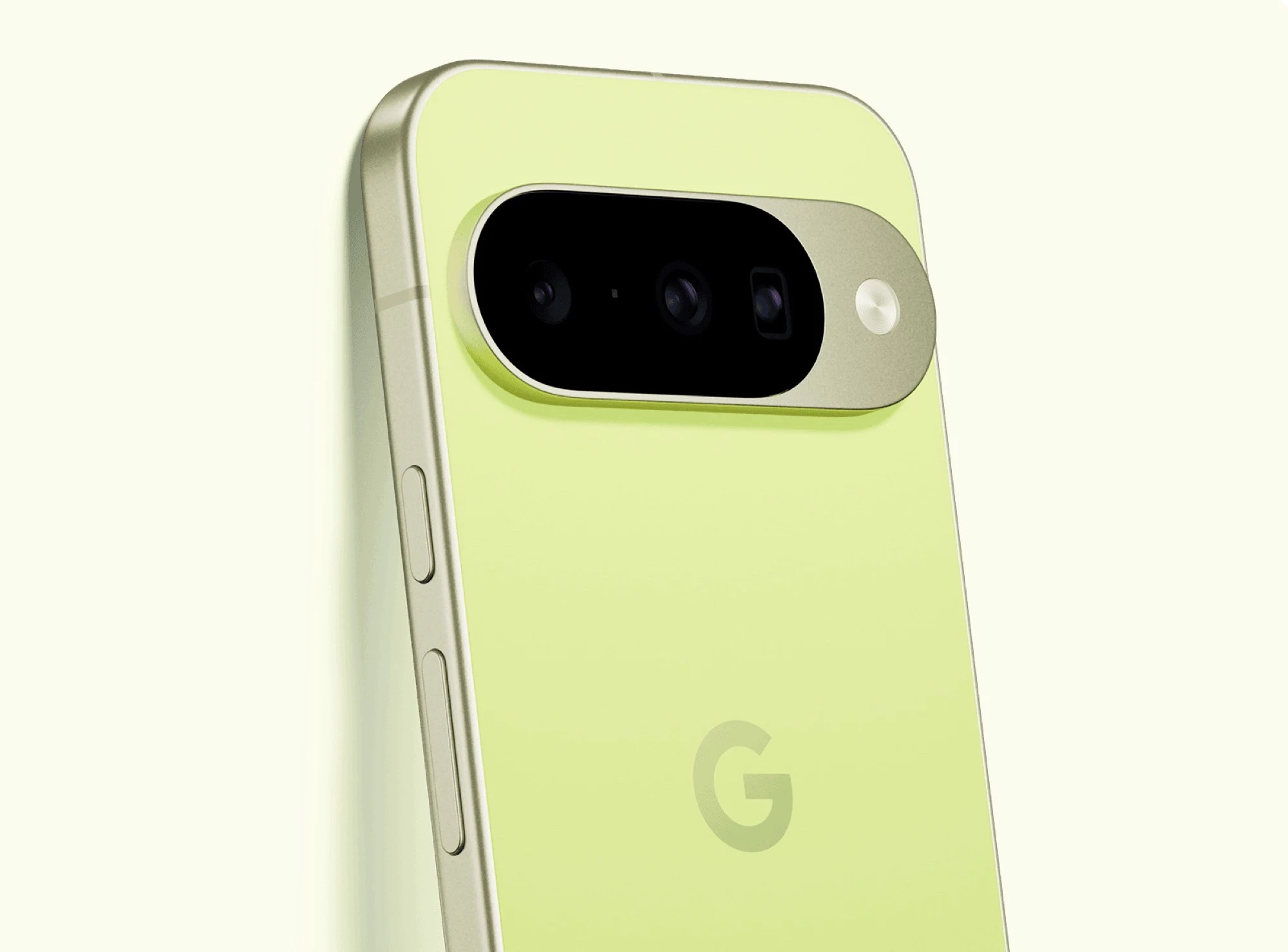
    After the official wallpapers of the Pixel 11 Pro Fold have already surfaced, the usually very reliable leaker Mystic Leaks has now also published the wallpapers that are allegedly intended for the Google Pixel 11, Pixel 11 Pro and Pixel 11 Pro XL. Aerial landscape photos are apparently the theme of the new wallpapers for the Pixel 11 series. Google usually matches the color of the official wallpapers to the color of the smartphones, so these images might already give a taste of the colors in which the next-generation Pixel smartphones will be offered. Google is apparently not planning bright, intense colors like Lemongrass for the this years models. The Google Pixel 11 will therefore be available in green, turquoise, blue and red.

    Pro Models Get Slightly Different Hues

    The Google Pixel 11 Pro and Pixel 11 Pro XL, on the other hand, will each be available in four colors. Three of these colors are similar to the Pixel 11, but green, blue and turquoise are slightly darker. Red, on the other hand, is replaced by orange in the Pro models, which appears to be Googles take on the new color of the Apple iPhone 17 Pro. This could mean that the Pro variants aim for a more mature and subtle look compared to the standard version, while still offering a distinct palette for enthusiast who prefer warmer tones like orange over red.

    Expected Launch and Key Upgrades

    The Google Pixel 11 series is expected to be officially unveiled in August. Over the past few months, leaks have already revealed the design of the Google Pixel 11 and of the Pixel 11 Pro (XL), and most of the details about the specifications are already known. The most significant upgrades are reportedly the Google Tensor G6 ARM chip, a Pixel Glow LED light and improved main and telephoto cameras. These changes suggests Google is focusing on processing power and photography, potentially closing the gap with competitors like Samsung and Apple in low-light performance and AI-driven features.

    • The Pixel 11 base model colors: green, turquoise, blue, red.
    • Pro model colors: slightly darker green, blue, turquoise, plus orange instead of red.
    • Key hardware: Tensor G6 chip, Pixel Glow LED, enhanced cameras.
    • Official announcement rumored for August.

    Wallpaper Design Philosophy

    A big part of the appeal for these wallpapers come from the thematic choice of aerial landscape photos. This style often provieds a sense of depth and serenity, complementing the devices bezel-less design. Since Google ties wallpaper colors to phone finishes, users can get a preview of what the final product might look like in the flesh, without needing to wait for official marketing material or hands-on videos from reviewers.



    Sources

  • Whoop alternative: Open-source app kills expensive subscriptions

    Whoop alternative: Open-source app kills expensive subscriptions

    Key Takeaway

    – Goose is an open-source app that pulls health data from a Whoop 5.0 tracker entirely offline, bypassing the subscription.
    – It operates locally on iOS using SwiftUI for the interface and Rust for processing Bluetooth data packets.
    – The project is a raw, pre-alpha proof of concept with lag, iOS-only support, and no compatibility with older Whoop models.
    – An alternative is Google’s Fitbit Air, a subscription-light competitor to Whoop.


    Hardware subscription fatigue hits a boiling point

    Consumers are increasingly tired of buying a premium piece of technology, only to find that there own biometric data is locked behind a mandatory monthly paywall. We saw this friction recently when Oura Ring users began looking for subscription-free workarounds to access there data, and now the movement has arrived for screenless fitness trackers.

    Whoop’s business model under fire

    The primary target this time is Whoop. From it’s inception, the company has built its business model on the idea that the wearable is useless without an active subscription. If you stop paying the monthly fee, the device on your wrist essentially becomes a paperweight, leaving customers frustrated with there lack of control.

    An open-source challenger emerges

    However, an independent developer named Bennet is challenging that paradigm with an open-source project called Goose, which aims to see just how much utility can be squeezed out of the tracker without giving Whoop another dime. Announced recently on X, the project is a raw, pre-alpha proof of concept. It is far from a polished consumer application, but it successfully achieves the unthinkable: it pulls and displays health data directly from the wearable entirely offline.

    How the app bypasses the paywall

    I had a look at the GitHub files, and the app eliminates the need for external servers by operating as a local-first application. When the fitness band transmits data, the app uses standard Bluetooth connection protocols on your phone to intercept the raw data packets right out of the air, giving users back there own information without ongoing fees.

    Technical architecture and performance

    To handle this constant stream of data without melting your phone’s battery, the project uses a hybrid architecture. The user interface is built using SwiftUI, giving you a clean dashboard for tracking sleep, strain, and recovery metrics. Meanwhile, the heavy lifting of parsing and decoding those raw Bluetooth packets is handed off to a high-performance backend written in Rust. The two sides communicate locally on the device, ensuring your health data never leaves your phone, which is a big win for privacy.

    Limitations and current state

    Now, while the achievement is impressive, the project is still a developer’s playground rather than a viable alternative for the average user. Because the code is unoptimized, early builds suffer from quite a lot of processing lag. The app is also currently built exclusively for iOS devices, meaning Android users are locked out for the time being. There’s also no support for older hardware, and the app only works with the latest Whoop 5.0 model. If you don’t feel like trying out the app, Google recently launched Fitbit Air, a direct competitor to Whoop that doesn’t rely heavily on subscriptions. There’s also a Google Health premium subscription if you need more information.

    • Goose is an open-source project that bypasses Whoop’s subscription.
    • It uses Bluetooth to intercept data from the wearable directly.
    • The app is currently only available for iOS and Whoop 5.0.
    • Performance issues and processing lag are present in early builds.
    • Google’s Fitbit Air offers a subscription-free alternative.
    Sources
  • Dell Launches New 16-Inch with 120Hz VRR & 64GB RAM

    Dell Launches New 16-Inch with 120Hz VRR & 64GB RAM

    Key Takeaway

    – Dell Pro 5 Series 16 (P516265) launched with AMD Ryzen AI 400 processors, offering up to 49% CPU and 80% GPU performance gains over base models.
    – Configurable with up to 64 GB DDR5-5600 RAM, 2 TB storage, and battery options of 45 Wh, 57 Wh, or 70 Wh.
    – Display options include up to a 1600p, 500-nit, 120 Hz VRR anti-glare IPS panel; Wi-Fi 6E/7 and 4G/5G cellular modems available.
    – Starts at $2,099 in the US, priced significantly lower than Intel Panther Lake-based models.
    – Available globally, though order placement requires a phone call in Australia.


    New Dell Pro 5 Series 16 Laptop Variants

    Dell has returned to its Pro 5 Series 16 laptop with new versions, so lets look. To recap, the company introduced Intel Panther Lake-based models at the start of May 2026. Replacing the Pro 16 PC16255 (curr. $1,199 on Amazon), the P516260 was complemented last week by Wildcat Lake-based SKUs in Europe.

    AMD Ryzen AI 400 Processor Options Start

    Alternatively, Dell sells the Pro 5 Series 16 with AMD Ryzen AI 400 processors. Available globally, P516265 variants start with a Ryzen AI 5 Pro 435 but can be configured with up to the Ryzen AI 9 HX Pro 470. For reference, the latter enjoys a 49% performance improvement over the former in our benchmarks, which extends to over 80% in GPU workloads.

    Memory, Storage and Battery Configurations

    Also, Dell sells the P516265 with up to 2 TB of storage and 64 GB of DDR5-5600 RAM. While user-replaceable, this RAM is neither as fast nor as energy efficient as the LPCAMM2 equivalent in the P516260. Setting that aside, Dell lists 45 Wh, 57 Wh and 70 Wh battery configurations, which can be supported by 65 W, 100 W or 65 W GaN chargers. Moreover, Wi-Fi 6E and Wi-Fi 7 modems are available, as are Snapdragon X12 4G cellular and MediaTek T700 5G cellular modems.

    Display and Pricing Details

    The P516265 can be configured with up to a 1600p, 500-nit and 120 Hz VRR display with an anti-glare coating too. All display options are IPS-based, though. Currently, the Pro 5 Series 16 (P516265) starts at $2,099 in the US for a substantial saving over Panther Lake-based models. Comparable pricing exists in other markets too, although one must call Dell to place an order in Australia.

  • Lenovo ThinkPad T14 Gen 7 Screen Downgrade: RAM Crisis Impact

    Key Takeaway

    – Tech sector prices rising due to datacenter boom and component shortages.
    – PC makers cut costs by using cheaper, lower-quality components.
    – Lenovo ThinkPad T14 Gen 7 base model costs €450 more than its predecessor.
    – Low-end screen covers only ~60% sRGB, offering poor color accuracy.
    – Best option for customers may be buying the older Gen 6 model while available.


    Rising Tech Prices Hit Laptops Hard

    Prices are climbing across the tech world, all thanks to the boom of datacenters and the chaos in supply chains for memory, SSDs, and processors. This price hike is a nightmare for PC builders. Who actually wants to fork out more cash for a laptop that cost way less just last year? It is a really though situation for everyone.

    How Manufacturers Soften the Blow

    One trick to ease the pain is for companies to cut corners on cheaper parts. They might stick in slower CPUs, smaller SSDs, or less RAM, while also fitting terrible screens. This is becoming a common theme, and its not a great look for consumers who expect quality.

    A perfect example of this is the Lenovo ThinkPad T14 Gen 7 we recently looked at. We tested the most basic version you can buy in Germany, and it starts at around €1,600. That is approximately €450 more expensive than the last generation base-model, the ThinkPad T14 Gen 6 Intel, which is a big jump for a new model.

    • Screen size: 14-inch
    • Resolution: WUXGA (1,920 x 1,200)
    • Brightness: 400 cd/m²
    • Color gamut: Only about 60% sRGB

    The Cheap Screen Problem

    What gives it away as a low-cost screen is the colour gamut. It covers a measly 60 percent of the sRGB range, so colours look washed out and inaccurate. For a laptop at this price, that is a major letdown, and it makes photo editing or watching videos less enjoyable.

    To be fair, Lenovo offered the exact same screen on the old model too. However, it was rarely used in consumer configurations. Nearly every T14 Gen 6 you could buy in Germany came with a better 500 cd/m² display that hit 100% sRGB, so most people got a decent panel.

    Current Configuration Situation

    Now, almost all configurations under €2,000 have this inferior screen as standard. This is a frustrating situation for customers. There is basically no perfect solution without compromises, except maybe grabbing an older Lenovo ThinkPad T14 Gen 6 while it is still available.

    Sources
    • Review: Verbatim Portable Fan with USB-C, Display & Tank

      Review: Verbatim Portable Fan with USB-C, Display & Tank

      Key Takeaway

      – Improved water tank design with gravity-assisted flow, but 50ml capacity limits mist duration.
      – Quieter operation than Nitecore Izzcool 10 Pro with comparable airflow.
      – Multiple speed settings via slider with display, plus a pulsating mist mode.
      – Available June 2026 in Europe; pricing and battery life details still unannounced.
      – Charged via USB-C; good airflow for its compact size.


      New Portable Fan on the Horizon

      Verbatim will soon launch a new portable fan, the Cool ‘n’ Go Aqua Breeze. It is one of several new products in this segment, the expansion of which the company announced at IFA 2025. The company was pleasantly surprised by the subsequent demand, and by the end of the season, the first products were practically sold out.

      Hands-On Experience at Computex Taipei

      We were able to try out the Cool ‘n’ Go Aqua Breeze at Computex Taipei. At our request, the model was filled with water. Unfortunatley, it was difficult to gauge the noise level in the noisy hall. In any case, the noise level can be limited thanks to the many speed settings available via a slider, whose status can be seen on the display. In a direct comparison with the Nitecore Izzcool 10 Pro, which we had to purchase in Asia since it isn’t available in Europe, the Verbatim fan seemed slightly quieter while delivering comparable airflow.

      Water Supply and Mist Performance

      The water supply has been significantly improved, as the tank is positioned around the fan. Gravity assists in this process. However, with a 50 ml capacity, the mist spray is unlickely to last very long, especially in continuous mode. Verbatim specifies a runtime of 60 minutes here. Alternatively, a pulsating mode, similar to the Nitecore model, is also available. Experience has shown this to be more effective, as cooling through evaporation is more efficient during short pauses.

      Battery, Charging, and Overall Impressions

      Verbatim has not yet provided any information on battery life. The device is charged via USB-C on the back. Overall, we liked the new model. It has good features, the water tank design is likely better than on our Nitecore model, and we were quite pleased with the airflow in view of its compact dimensions.

      Availability and Pricing Information

      The new fans are currently on there way to the European warehouse, as Verbatim informed us, and are expected to be available in June 2026. Information on price is still pending.


      Sources

      • Xiaomi Award-Winning Wireless Soundbar & Subwoofer Launches in New Country

        Xiaomi Award-Winning Wireless Soundbar & Subwoofer Launches in New Country

        Key Takeaway

        – Xiaomi Soundbar Pro 2.1 ch launches in the UK at £159.
        – Features wireless subwoofer and 300W total power output.
        – Supports Dolby Audio and DTS Virtual:X with six audio modes.
        – Includes HDMI ARC, coaxial, optical, Bluetooth, and NFC connectivity.
        – Lacks Wi-Fi streaming, unlike competitors such as the Sonos Ray.


        Soundbar Pro 2.1 ch Hits UK Market

        Earlier today, we reported that Xiaomi had started selling the Soundbar Pro 2.0 ch in the UK. For context, the two-channel soundbar arrived around 24 hours after the cheaper Desktop Speaker Pro Set debuted in the same country. Now, the Soundbar Pro 2.1 ch has joinned the party in the UK too.

        Global Release Timeline Details

        To recap, Xiaomi confirmed in June 2025 that the Soundbar Pro 2.1 ch would eventually recieve a global release. However it took until November that year for the device to arrive in the Eurozone. Suprisingly, it has taken over six months for the Soundbar Pro 2.1 ch to launch in the UK.

        Pricing, Power and Dimensions

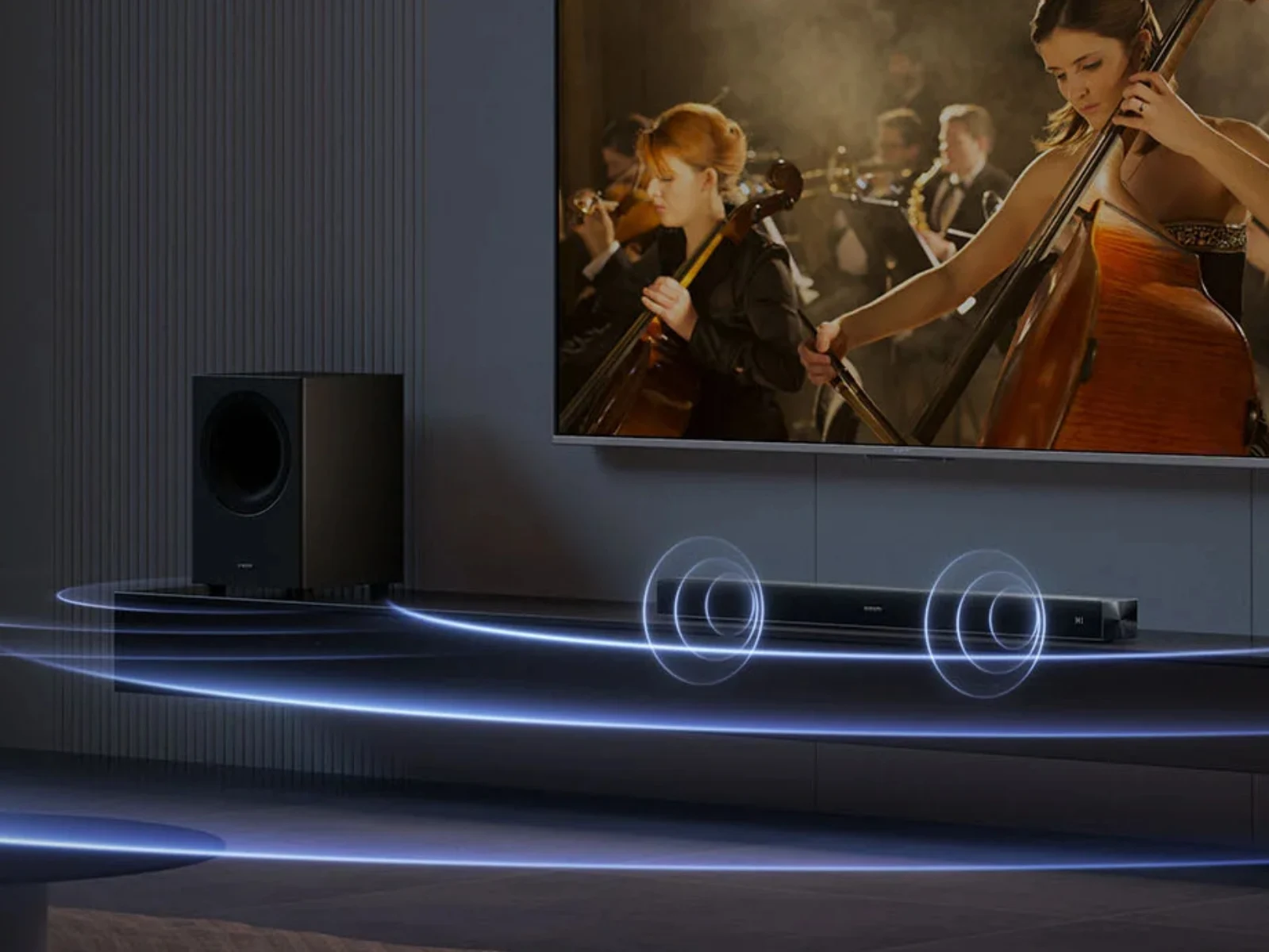
        Nonetheless it is now available to purchase for £159 with its wireless soundbar and subwoofer delivering up to 300 w of power from three drivers. For reference, the soundbar and subwoofer elements measure 840 x 87 x 60 mm and 363 x 249 x 249 mm, respectively. Also, the pair support six audio modes, Dolby Audio and DTS Virtual: X.

        Connection Options and Missing Features

        Moreover, Xiaomi includes coaxial and optical audio connections, as well as an ARC-compatible HDMI port. Bluetooth connectivity and NFC pairing are supported too. Wi-Fi streaming is unavailable though, unlike on more expensive soundbars like the Sonos Ray (curr. $219 on Amazon). Please see Xiaomi’s website for more details about its latest 2.1-channel system.


        Sources

      • Asus ZenScreen 14-inch OLED Monitor with Built-in Kickstand

        Asus ZenScreen 14-inch OLED Monitor with Built-in Kickstand

        Key Takeaway

        – Ultra-thin and lightweight design (8mm, under 500g) with fold-out stand for easy portability
        – Dual USB-C ports with 85W laptop charging capability (no built-in battery)
        – 14-inch OLED panel with 1920×1200 resolution and 90% DCI-P3 color coverage
        – Compatible with Windows and macOS, includes Asus DisplayWidget Center app for settings
        – Price and release date not yet confirmed; larger ZenScreen MQ16FC available at $279


        Ultra-Portable Design and Setup

        With the ZenScreen OLED 14, Asus presents one of its most portable mobile monitors to date, as the 8 millimeter thick screen weighing just under 500 grams should fit easily into many laptop bags and can be set up in a few simple steps thanks to a fold-out stand. This makes it a good traveling companion for professionals or students who need a secondary display without much hassle, the thin profile is really quiet remarkable for an OLED panel, you can simply slip it into your bag without worrying about bulk.

        Connectivity and Power Features

        The screen has two USB-C ports. If a power supply unit is plugged into one of these ports, a laptop connected to the second USB-C port can be charged with up to 85 watts. Alternatively, the monitor can also be supplied with power from the laptop, but Asus does not have an integrated battery. The monitor is compatible with both Windows and macOS, and settings such as brightness can be conveniently adjusted via the Asus DisplayWidget Center app. It also supports daisy chaining for multiple displays, though this will depend on your laptops capabilities.

        OLED Panel Specifications

        The heart of the latest ZenScreen model is the 14-inch OLED panel, which is designed in 16:10 format. This panel achieves a resolution of 1,920 x 1,200 pixels and can display 90 percent of the DCI-P3 color space. As is typical for OLEDs, perfect blacks and fast response times should be possible, although Asus does not provide any information on the frame rate and brightness – in order to reduce power consumption, mobile monitors usually compromise in these two areas in particular. The colors look vibrant though, making it ideal for photo editing or watching movies on the go.

        Pricing and Availability Status

        Asus has not yet confirmed when or at what price the ZenScreen OLED 14 (MQ14FCKV) will be available on the market. For reference: The larger ZenScreen MQ16FC is already available for $279. This gives potential buyers a rough price range but nothing official yet, so youll have to wait for an announcment before purchasing. It is recomended to check the Asus website periodically for updates on release dates.


        Sources

      • Why gamers choose an $800 Steam Deck over Xbox ROG Ally or Legion Go S

        Key Takeaway

        – Strong Steam integration and existing library convenience
        – OLED display, trackpads, battery life, and speakers as key advantages
        – Popularity persists despite higher price than more powerful competitors
        – Scalpers were initially suspected, but user preference explains demand
        – Valve must now prove value without previous price advantage


        Steam Deck OLED Still Flying Off Shelves Despite Price Hike

        Since the sudden price increase, the Steam Deck OLED has cost around $790. Nevertheless, the handheld sold out shortly after the adjustment. Reddit user Pretty_Trip_2215 raises an obvious question: why is Valve’s handheld still so popular when more powerful devices are available at lower prices? The Lenovo Legion Go S starts at $499.99, while the ASUS ROG Xbox Ally has an MSRP of $599.

        Community Reacts to Scalper Theory

        At first, the creator of the Reddit thread suspected that scalpers might be behind the rush for the expensive Steam Deck OLED. However, the discussion quickly took off. Many users explained why they still prefer Valve’s handheld. In a later edit, the thread creator summarized the most common reasons.

        Reading through the comments shows that users do not judge the Steam Deck by performance alone. Many simply like Valve and appreciate the seamless Steam integration. Anyone who already has a Steam library can simply switch on the device, log in and start playing right away – a clear convenience advantage over the competition.

        Technical Edge and Display Quality

        Although the Steam Deck cannot keep up in terms of raw performance, it still has several technical advantages – most notably the OLED display. In the Reddit discussion, the trackpads are also repeatedly mentioned as an argument in favor of the Steam Deck. They work like small touchpads and allow mouse-like control. This not only makes navigation easier, but also makes strategy games more comfortable to play. For many users, Valve’s handheld also has the edge when it comes to battery life and speakers.

        Valve’s Value Proposition Under Fire

        Critics argue that Valve has squandered the Steam Deck’s biggest advantage with the price increase: its strong value for money. On social media, the handheld is therefore repeatedly described as “dead.” The situation is not quite that dramatic, but after losing its previous price advantage, Valve now has to prove that the Steam Deck is still attractive enough even at significantly higher prices.

        Sources
      • MocaccinoOS 26.06: Minimal Distro with KDE 6.6.5 & Kernel 6.18.33

        MocaccinoOS 26.06: Minimal Distro with KDE 6.6.5 & Kernel 6.18.33

        Key Takeaway

        – Version bumped to 26.06, now hosted on SourceForge
        – Includes a new LTS kernel
        – Offers GNOME, MATE, and DesktopMinimal ISOs
        – DesktopMinimal ISO is only 1.6 GB in size


        MocaccinoOS is back with a new update, which brings its current version number up to 26.06. This release comes after 26.05 and is the first one to move to the distro’s SourceForge page. Obviously, this is not all that needs to be said about MocaccinoOS 26.06, which also comes with a new LTS kernel and several other goodies.

        Release Highlights and What’s New

        The MocaccinoOS 26.06 release includes a updated Linux LTS kernel, ensuring better hardware compatability and stability. There are several other system improvements and performance tweaks that make this build a solid step forward for the distro. Users can expect a smoother out-of-the-box experience with this version, specially if they have newer hardware that needs modern driver support.

        ISO File Options and Download Sizes

        In addition to the three ISO files mentioned above, those interested in this self-proclaimed Windows 11 alternative can also grab the GNOME and MATE versions, as well as a “DesktopMinimal” ISO whose name should say it all. For bandwidth-conscious users, the DesktopMinimal ISO is also a good choice since it only has 1.6 GB in size, while all the others weigh between 2.3 and 2.5 GB.

        The variety of desktop enviroments means you can pick your prefered workflow without being locked into a single interface. The GNOME version offers a modern, streamlined experience, while MATE provides a more traditional desktop layout for those who like classic computing. All versions are built on the same stable base, so performence remains consistent across the board.

        Kernel and System Under the Hood

        This release uses the latest LTS kernel branch, which is a big deal for security and driver support. The developers have also included several under-the-hood optimizations that reduce memory usage and improve boot times. If your running older hardware, you might notice a noticable speed bump compared to previous releases of the OS.

        Getting Started With MocaccinoOS 26.06

        Downloading the ISO is straight forward from the official SourceForge page. Once you’ve got the file, you can create a bootable USB using tools like Rufus or Ventoy. The installation process remains user-friendly, with a guided wizard that walks you through partitioning and setup. Beginners should find it no trouble at all to get the system up and running.

        For those who prefer a lighter footprint, the DesktopMinimal ISO is a excellent choice, coming in at just 1.6 GB. This version strips away some non-essential applications, giving you a clean slate to install only what you need. It also makes for a faster download and a more efficient use of disk space on the target machine.

        Community and Future Support

        The community behind MocaccinoOS is active and continues to improve the distro with each update. With the move to SourceForge, downloads should be more relible and faster for users around the world. Future updates will likely follow this same distribution model, making it easier to keep your system current with the latest patches and features.

        Sources
      • Goodbye Google: European Parliament picks Qwant as default search engine

        Goodbye Google: European Parliament picks Qwant as default search engine

        Key Takeaway

        – European Parliament switching Firefox/Edge default search from Google to Qwant
        – Framed as commitment to “digital sovereignty” amid EU push to reduce reliance on US tech
        – Qwant is developing its own search index with Ecosia (Staan), not just using Bing
        – MEPs and staff can still manually switch back to Google or any other engine
        – Many other dependencies (Windows, Office, hardware) remain unchanged


        European Parliament Switches to Qwant Search Engine

        Starting this Thursday, MEPs typing a query into the address bar of Firefox or Edge will no longer get Google results. The European Parliament is switching its default search engine to Qwant — a French rival that promises not to track users or collect personal data, according to an internal email reported by Euractiv.

        Symbolic Move Against US Tech Giants

        The move looks small but is symbolically loaded. Google controls roughly 90% of Europe’s search market, and EU institutions use US software heavily — Microsoft’s Office suite being one of the major ones among them. The Parliament is framing the swap as part of its commitment to “digital sovereignty,” and the timing is no accident too: it comes one day after the European Commission unveiled a whole package of proposals meant to loosen the bloc’s dependence on American tech giants.

        Qwant’s Search Index Development

        One of the most interesting wrinkles is Qwant itself. The company has long piggybacked on Microsoft’s Bing index to deliver results — hardly independence. But it is now co-developing its own index, dubbed Staan, alongside fellow European engine Ecosia. That probably explains the Parliament’s pick as being a bet on homegrown infrastructure, instead of a rebranded front end.

        No Mandatory Lockdown for Users

        It’s important to note that nobody is forced offline. MEPs can still switch their default back to Google or any other engine; Qwant is simply the out-of-the-box choice for the Parliament’s 720 lawmakers and thousands of staff.

        • Qwant does not track users or collect personal data
        • New search index called Staan is being co-developed with Ecosia
        • Parliament aims to reduce dependency on US tech infrastructure

        Remaining Dependencies on US Software

        Also, plenty of other dependencies — Windows, Office, foreign-built phones and email clients — are still firmly established.

        Sources