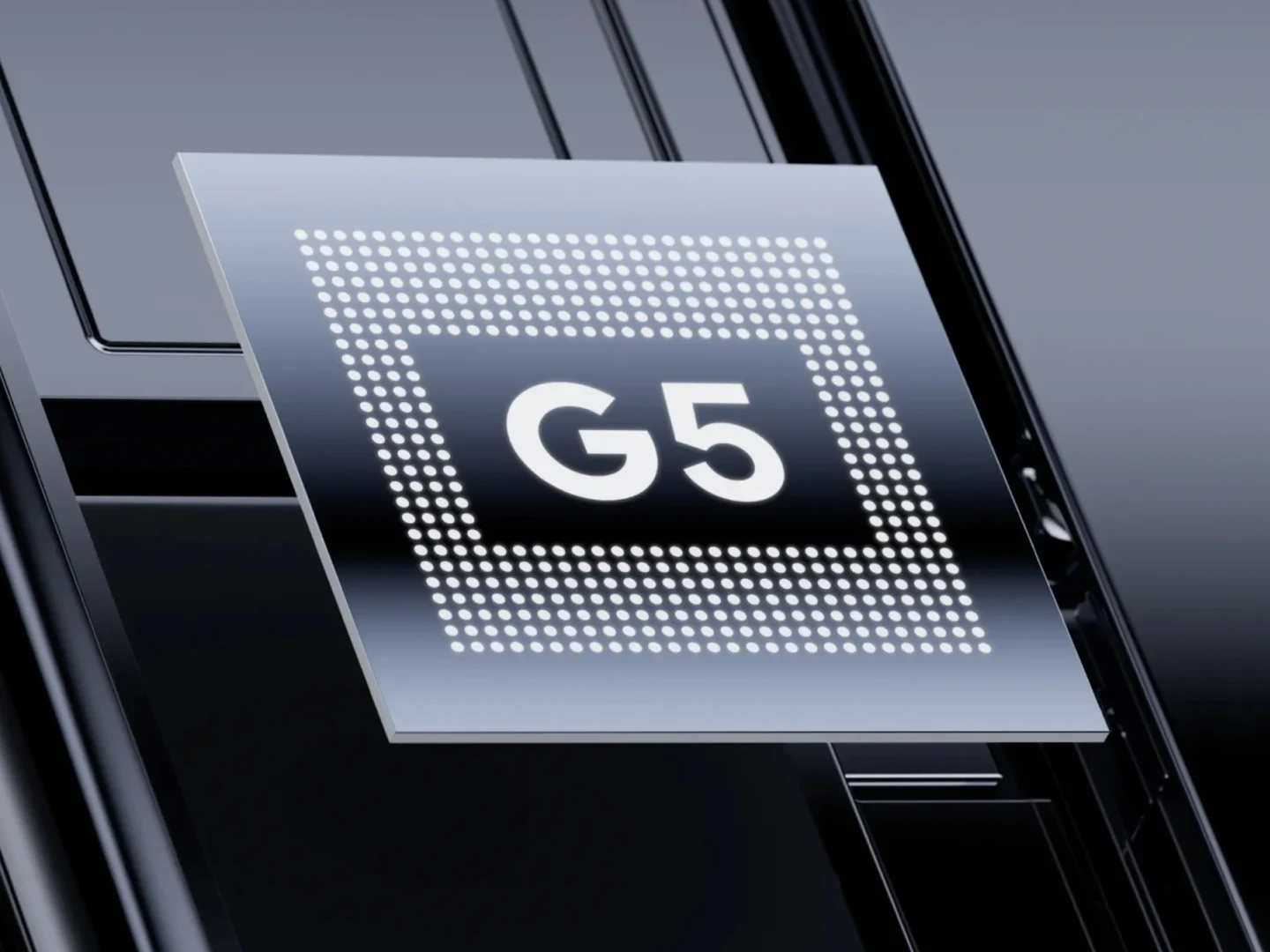
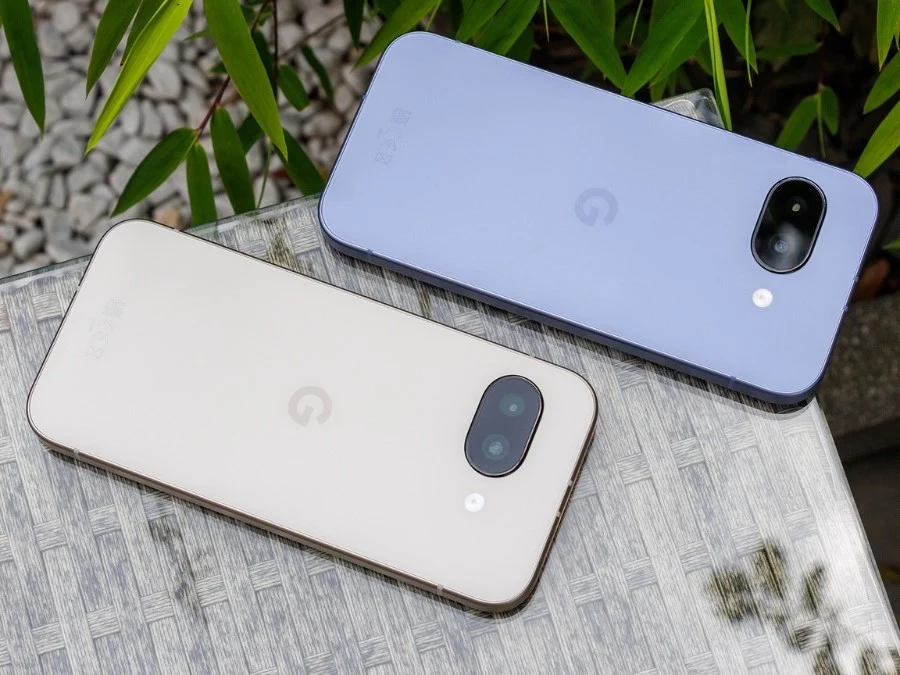
Tag: Pixel 10

  • New Pixel Drop: Screen Reactions for Content Creators

    New Pixel Drop: Screen Reactions for Content Creators

    Key Takeaway

    – Google is launching a new Pixel Feature Drop with AI tools like Screen Reactions and Gemini Omni.
    – Screen Reactions lets users record themselves while doing anything on their phone without needing editing apps.
    – Gemini Omni provides video creation tools and AI music generation on Pixel devices.
    – No official launch date yet, but the update is expected soon after the March 2026 Feature Drop.


    Google’s Next Pixel Feature Drop Leaks

    Google is reportedly getting ready to launch a new Pixel Feature Drop, a series of updates that Pixel phones (such as the Pixel 10) receive quarterly (3 to 4 times a year). The impending Feature Drop includes new AI features such as Screen Reactions and Gemini Omni. Usually these updates bring a mix of software improvements and fresh tools to enhance the user experience across the board for Pixel owners who are eagerly waiting for something new and intresting to try out on their devices.

    What Screen Reactions Does For You

    Screen Reactions is a tool that will allow users to record themselves whilst being able to do almost anything on their phone at the same time: browsing a website, searching for cheaper flights, playing an online game, reacting to comments on social media, or comparing two fashionable products. Users will no longer need to resort to an editing app in order to blend home screen recordings with front camera video recordings. The functionality of Screen Reactions is demonstrated in the image below and it seams like a huge time saver for content creators who want to combine their face with live screen activity without dealing with complicated editing softwares that often require a learning curve.

    Gemini Omni Overview

    With Gemini Omni, on the other hand, users will have video creation tools directly on their Pixel devices. Another feature is an AI-music tool that allows users to generate music based on their tastes. This could change how people produce short clips and social media posts because they dont need a seperate computer or software to make high quality videos anymore. The AI music generator might also help users create original soundtracks for their projects without worrying about copyright issues or having to pay for royalty free tracks from third party websites.

    Release Date Speculations

    For now, Google has not confirmed an exact date for the launch of the new Pixel Drop. However, the last Feature drop was in March 2026, so the next update is likely to be just around the corner. Typically these updates roll out over the air so users will get a notification on there phone when the update is avalible for download, provided they have a compatible Pixel device running the latest software version before the drop arrives in the coming weeks.
    Sources
  • Google Pixel May 2026 Update Fails to Fix Battery Drain Problems

    Google Pixel May 2026 Update Fails to Fix Battery Drain Problems

    Key Takeaway

    1. The March 2026 update caused widespread battery drain issues on Pixel devices, affecting both new and older models.
    2. The May 2026 update includes various bug fixes and display-related improvements but does not address the ongoing battery life problem.
    3. Users experiencing battery drain will need to wait for an upcoming patch, as no specific timeline has been provided by Google.

    Battery Drain Problems Persist in Pixel Phones

    If your using a Google Pixel smartphone and you’re facing dreadful battery drain issues since the March 2026 update, it makes you wonder if a fix is ever going to come. Many people thought that the latest May update would help solve this mess, but it seems like it didn’t help much at all. People all over the community are still frustrated, and the problem remains unaddressed in the recent updates.

    Patch Notes and Fixes in the May Update

    Now, Google has rolled out the May 2026 Pixel update for devices running Android 16. The update was released just yesterday and is gradually being sent out to users layer after layer, depending on what phone model you got and your carrier. The update included some bug fixes and improvements for Pixel phones, like fixing camera app freezes during video recordings and zoom issues. There were also some issues with the screen flickering and display glitches, which could cause the display to look fuzzy or frozen, were also fixed in this update.

    Battery Fixes But No Solution for Drain Issue

    One of the improvements does involve batteries—the update addresses slow wireless charging speeds when the battery level is around 75% to 80%. But, here’s the thing: this fix has nothing to do with the big battery draining problem that users have been crying about since March. Sadly, there’s no mention of any fix for this problem in the update notes, which means everyone affected still stuck. Google hasn’t yet announced when the real fix for the massive battery drain is coming, leaving users in limbo.

    Official Tracking and User Concerns

    • The battery drain issue has been documented for quite some time on Google’s official Issue Tracker site.
    • Despite multiple updates, no concrete solutions have been shared publicly for the major problem.
    • Many users are still waiting patiently, or maybe impatiently, for an official patch that finally gets rid of the draining batteries.
    Sources
  • CheckMag: GrapheneOS Releases Stable Experimental Builds for Pixel 10

    CheckMag: GrapheneOS Releases Stable Experimental Builds for Pixel 10

    Key Takeaways

    1. Enhanced Security Features: GrapheneOS provides advanced security options like disabling USB ports, duress passwords, bootloader re-locking, and app sandboxing.

    2. Recent Updates: The OS has launched an experimental version for the Pixel 10 series, based on Android 16 QPR1, despite Google halting device support.

    3. Installation Process: Installation requires bootloader unlocking and will wipe the device, but can be completed quickly via a web browser.

    4. App Compatibility: Users can access the Google Play Store through the Graphene App Store or Aurora Store, though some apps may not function properly due to integrity checks.

    5. Future Upgrades: Over the Air (OTA) updates will simplify future security patches, making it easier to maintain the OS as it evolves beyond the experimental stage.


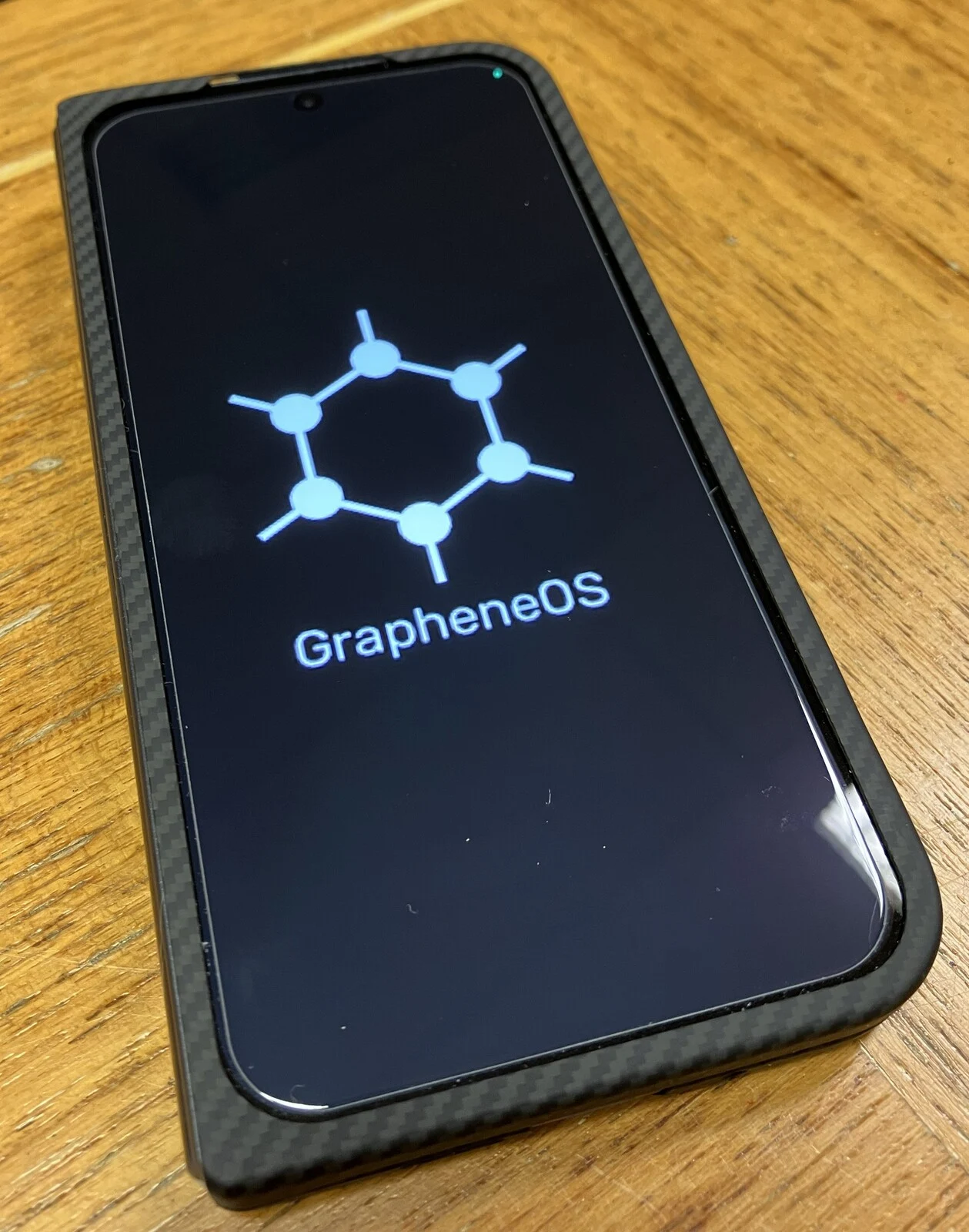
    GrapheneOS is a modified operating system that aims to provide the highest level of security available for Android devices. It is based on the Android Open Source Project (AOSP) and serves as a fortified version of Android while still allowing users to access the Google Play Store, either anonymously or by logging in.

    Security Features

    This OS includes numerous security enhancements such as disabling the USB port, offering protection against exploits, a duress password feature, the ability to re-lock the bootloader, and sandboxing Play Store applications in their own userspace. These features help prevent data tracking among apps and give users enhanced control over their permissions.

    Privacy enthusiasts favor this operating system, but it often gets mischaracterized by the media as being a tool for illegal activities.

    Recent Developments

    Even though Google has stopped publishing device trees and driver binaries for their devices, which has raised concerns within the Android community, GrapheneOS has successfully launched the first build of its system for the Pixel 10 series.

    The latest release is based on Android 16 QPR1 and is still labeled as “experimental.” However, GrapheneOS has mentioned:

    > Declaring the releases non-experimental is an arbitrary decision, and we don’t know when we’ll consider it well tested enough for that to happen. It doesn’t make much difference, it’s near fully functional and stable now.

    After several days of testing, “experimental” might not be the best term to describe the current version.

    Installation and Compatibility

    To install it, you need to unlock your bootloader by activating “OEM unlocking” in the developer options. The entire installation process can be completed in just a few minutes via a web browser on the GrapheneOS installation page, but keep in mind that it will wipe your phone, so back up your data first.

    All hardware functions as expected, including 5G, Wi-Fi, Bluetooth connections, and fingerprint recognition.

    The Play Store can be accessed through the Graphene App Store, allowing users to download both free and paid applications. If you’d rather install apps from Google Play without signing in, you can use the Aurora Store.

    While I managed to get various banking applications to work, GrapheneOS would often report that they relied on basic integrity instead of strong integrity. Hence, your experience may vary, and some specific apps might not operate properly with basic integrity.

    Connecting a Galaxy Watch required a bit of research since the setup failed at 80%. However, the Graphene forums provided the necessary information, indicating that extra permissions needed to be added to Google Play Services. This applies to all versions of Graphene, not just the Pixel 10 model.

    Camera and Other Features

    You can also install the native Pixel camera app from the Play Store, but you won’t be able to access the gallery from within the app unless you install Google Photos. This limitation is inherent to the Pixel Camera app. Graphene claims that its built-in camera app offers similar lens control and quality as the Pixel app, though opinions may vary on this.

    Android Auto is functional as well, but like the Galaxy Watch, it requires granting additional permissions to Google Play Services.

    Battery life appears to remain mostly unchanged compared to the stock OS. Aside from a few minor issues, GrapheneOS operates as you would expect from any custom ROM, offering various additional privacy and security features for those who require them.

    Future Updates

    Over the Air (OTA) updates will allow for easy upgrades as new security patches become available, eliminating the need to reinstall the OS once Graphene moves beyond the experimental stage.

    Setting up GrapheneOS is not the easiest process, requiring more adjustments than the stock OS or an alternative custom ROM. However, this is typical for any installation of Graphene.

    Currently, it is the only aftermarket ROM available for the Pixel 10 series and serves as a suitable daily operating system, despite its “experimental” label. If you wish to move away from the stock OS, it’s your only option.

    Source:
    Link


  • Qualcomm Announces Quick Share for Snapdragon Devices Coming Soon

    Qualcomm Announces Quick Share for Snapdragon Devices Coming Soon

    Key Takeaways

    1. The Pixel 10 and its family are the first Android phones to share files with iPhones using Quick Share.
    2. Qualcomm confirmed that Snapdragon-powered devices will soon support Quick Share.
    3. The feature is expected to expand beyond Tensor-powered devices to other Android smartphones.
    4. MediaTek and Samsung have not commented yet, but the feature may also come to their devices.
    5. Quick Share might be available on other gadgets like tablets and Chromebooks in the future.


    The Pixel 10 and its family are the first Android phones that can share files with iPhones through Quick Share. Google has mentioned that it is planning to extend this feature to more Android smartphones. Meanwhile, Qualcomm has verified that Snapdragon-powered devices will also get this capability.

    Snapdragon’s Announcement

    This confirmation was shared by the official Snapdragon account on X. They referenced a post from the Android account that introduced the feature. The Snapdragon post expressed excitement, saying, “Can’t wait for people to use this once enabled on Snapdragon in the near future.”

    Wider Availability

    The announcement indicates that this feature won’t just be limited to Tensor-powered devices like the Pixel 10, which you can find on Amazon for $599. It also suggests that we can expect this feature to come to other smartphones soon. While MediaTek and Samsung haven’t made any comments yet, the feature should also be rolling out to devices with MediaTek and Exynos chips.

    Future Prospects

    Besides smartphones, there’s a chance that this feature might soon be available on other gadgets like tablets and Chromebooks, since those devices also support Quick Share.

    Source:
    Link


  • Pixel 10 Series Update: Share Files Easily with Apple Users

    Pixel 10 Series Update: Share Files Easily with Apple Users

    Key Takeaways

    1. Google has introduced a feature allowing Pixel and iPhone users to transfer files easily using AirDrop and Quick Share.
    2. The Quick Share feature now works with AirDrop, enabling file sharing between Pixel 10 series and Apple devices.
    3. Users can share files without needing third-party apps or additional software installations.
    4. The feature requires iPhones to have AirDrop visibility set to ‘Everyone for 10 minutes’ for easy detection and transfers.
    5. Google emphasizes security and privacy with a layered security framework for cross-platform file sharing.


    Google has dropped a surprising update that allows users of Pixel and iPhone to transfer files easily using AirDrop and Quick Share. This new feature means that users can skip third-party apps and Bluetooth transfers, making the whole process simpler and more secure. It also works both ways without needing any extra software to be installed.

    Quick Share Meets AirDrop

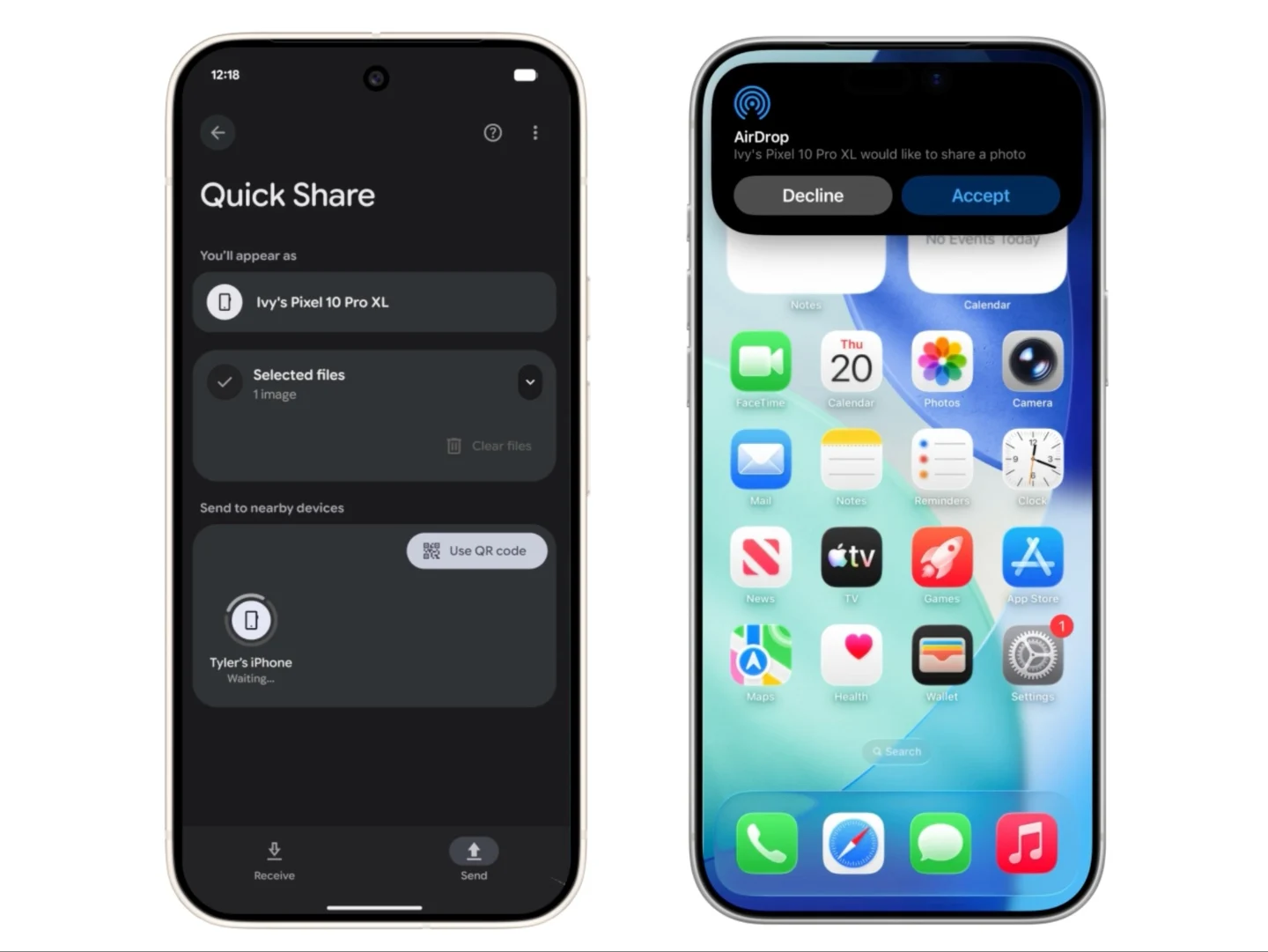
    According to a recent blog post, Google has enabled the Quick Share feature to work alongside AirDrop. Up until now, Quick Share was Android’s method for quickly sharing files between two Android devices, while AirDrop had been a unique feature for iPhone, iPad, and MacBook users. Now, with this new partnership, owners of the Pixel 10 series can use Quick Share to send files to users with Apple devices that support AirDrop.

    Easy File Transfers

    As illustrated in the animation, the Quick Share menu will detect nearby iPhones that have AirDrop activated, provided their visibility is set to ‘Everyone for 10 minutes’, allowing for easy file transfers. Likewise, iPhone users or any Apple device that utilizes AirDrop can access the AirDrop menu to share files with Pixel 10 devices that are close by. Google announced that this feature is being rolled out today (November 20) for the Pixel 10 series, with plans to extend it to more Android devices soon.

    Privacy and Security Measures

    Google emphasizes that sharing across platforms comes with privacy and security measures integrated as part of its “secure by design” strategy. This involves a layered security framework that includes a secure sharing channel, built-in protections specific to Android and iOS, along with user approval systems to enhance security.


    Source:
    Link


  • Apple’s N1 Chip Boosts iPhone 17’s Network Performance vs. Android

    Apple’s N1 Chip Boosts iPhone 17’s Network Performance vs. Android

    Key Takeaways

    1. The iPhone 17 features Apple’s new N1 networking chip, supporting Wi-Fi 7 and Bluetooth 6, resulting in a nearly 40% performance increase over the iPhone 16.
    2. In global median download speeds, Google’s Pixel 10 led at 335.35 Mbps, followed closely by the iPhone 17 at 329.56 Mbps, with the iPhone outperforming the Pixel in less favorable conditions.
    3. In North America, the iPhone 17 achieved a top speed of 416.14 Mbps, surpassing the Pixel 10 Pro and Samsung Galaxy S25.
    4. The iPhone 17 demonstrated the best 10th-percentile download speed at 56.08 Mbps, indicating reliable performance in challenging Wi-Fi 7 environments.
    5. North America had the highest Wi-Fi 7 user distribution at 20.62%, significantly leading other regions like Northeast Asia and Europe.


    A fresh analysis from Ookla, a company known for network diagnostics and the Speedtest app, looked into the network performance of Apple’s iPhone 17 in comparison to the latest Android flagship devices. The tests focused on Apple’s new N1 networking chip against rival chips from Qualcomm, Broadcom, and MediaTek.

    N1 Networking Chip Features

    The N1 chip marks Apple’s initial venture into custom networking technology, featured in the iPhone 17 series, and it supports Wi-Fi 7 and Bluetooth 6. According to the final results derived from crowdsourced data from Speedtest, the iPhone 17 saw almost a 40% increase in performance when stacked against the iPhone 16, which relied on a Broadcom chip.

    Download Speeds Compared

    Google’s Pixel 10 achieved the top median download speed worldwide at 335.35 Mbps, slightly ahead of the iPhone 17’s 329.56 Mbps. In the least favorable conditions, the iPhone 17 outperformed with a speed of 56.08 Mbps, whereas the Pixel 10 reached a maximum of 53.25 Mbps.

    In the North American region, the iPhone 17 showcased speeds reaching up to 416.14 Mbps, while the Pixel 10 Pro came in at 411.21 Mbps, and the Samsung Galaxy S25 settled at 323.69 Mbps.

    Consistency and Performance

    Apple’s latest model also boasted the best 10th-percentile download speed at 56.08 Mbps, proving to be a reliable option even under less-than-ideal Wi-Fi 7 circumstances.

    The report highlighted that the N1 chip’s limitation of a 160 MHz channel width, as opposed to the 320 MHz capacity of Wi-Fi 7, hasn’t yet hindered actual performance in practical terms. The iPhone 17 exhibited the highest 90th percentile speeds across all devices in North America, hitting up to 976.39 Mbps, while the Pixel 10 reached 932.19 Mbps and Samsung’s Galaxy S25 recorded 815.19 Mbps.

    Wi-Fi 7 User Distribution

    In terms of Wi-Fi 7 users, North America led the way with 20.62% of the study’s participants, followed by Northeast Asia at 5.38%, Europe at 4.95%, Southeast Asia at 2.95%, and the Gulf region at 1.73%.

    Ookla’s analysis provides valuable insights into the performance of the iPhone 17 and its networking capabilities against leading competitors in the market.

    Source:
    Link


  • Google Photos Enhances AI with Prompt Editing and New Ask Button

    Google Photos Enhances AI with Prompt Editing and New Ask Button

    Key Takeaways

    1. Google Photos now allows users to make edits based on prompts, available for iOS users.
    2. The “Help me edit” feature includes the fun Nano Banana for creative photo transformations.
    3. AI templates are introduced for quick image creation, launching initially on Android in India and the US.
    4. AI-powered search functionality is now available in over 100 countries and supports 17 new languages.
    5. A new “Ask” button lets users interact with images and start conversations about them.


    Google has rolled out several new artificial intelligence features for the Google Photos application. One notable addition is the capability to make edits based on prompts, a feature that was previously limited to the Pixel 10 series. Now, with this update, users on iOS can also take advantage of this AI-driven editing functionality.

    Easy Editing with AI

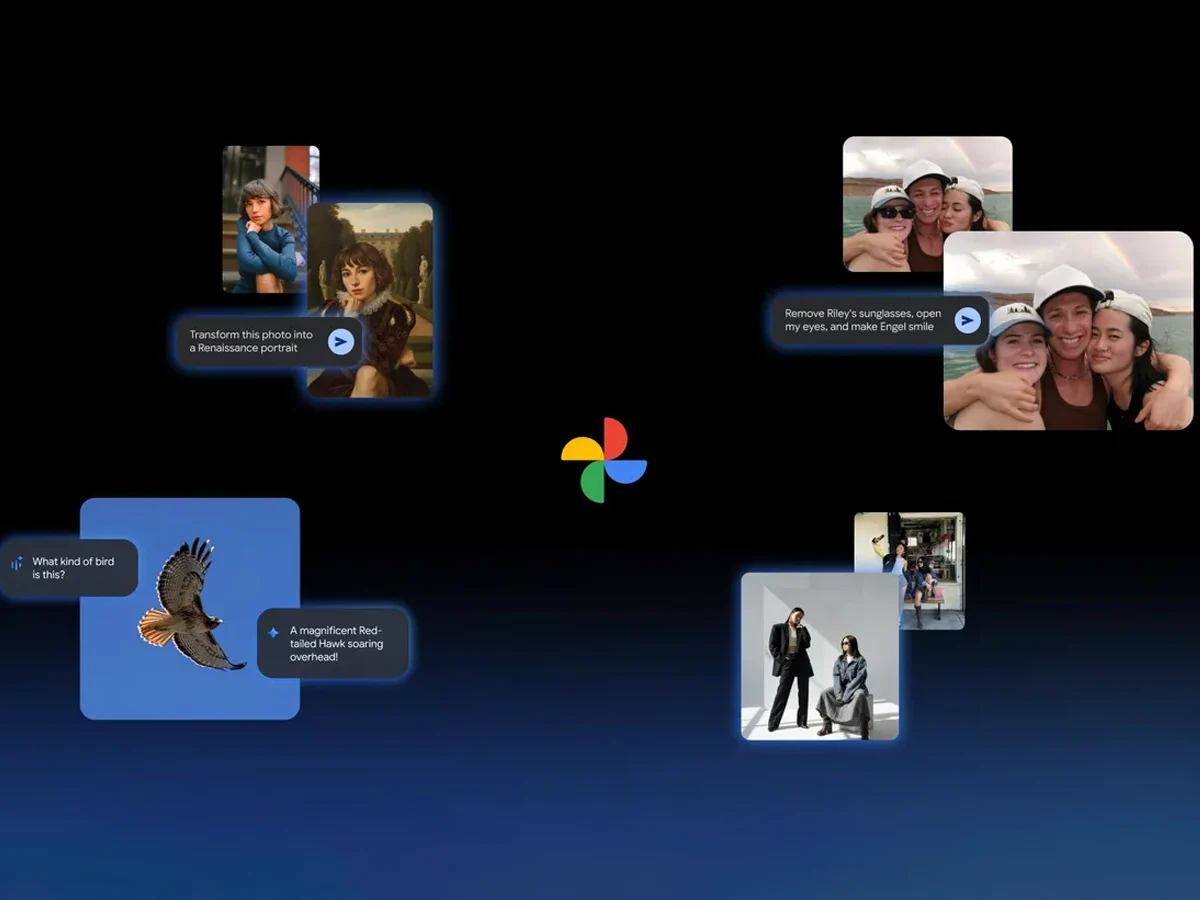
    After updating the app, users can use the “Help me edit” option in Google Photos to request their desired changes. This enhancement also includes the integration of Nano Banana, which adds a fun twist to photo editing.

    As per the company’s announcement, the inclusion of Nano Banana allows users to customize their images in a variety of artistic styles. Google demonstrated how a simple photo could be transformed into a Renaissance-style portrait, and the feature appears to perform effectively within the application.

    AI Templates for Quick Creation

    Another exciting feature added to Google Photos is the introduction of AI templates. The brand claims these templates will help users easily generate images based on a reference they provide. Initially, this feature will launch on Android in both India and the United States.

    The company also emphasized the growth of its AI-powered search function, which was first launched in the US. This search capability is now accessible in over 100 countries and supports more than 17 new languages, including Japanese, Bengali, and Arabic.

    New Interactive Features

    Lastly, there’s a fresh “Ask” button available in Google Photos. This new option empowers users to engage more deeply with the images they see. For instance, they can immediately start a dialogue with Gemini about any photo with just a click of that button.

    Google Blog

    Source:
    Link


  • Genshin Impact Update Makes Pixel 10 Series Nearly Unplayable

    Genshin Impact Update Makes Pixel 10 Series Nearly Unplayable

    Key Takeaways

    1. Google’s Tensor chips are not aimed at competing with high-end Qualcomm and MediaTek products, leading to potential disappointment for gamers.
    2. Genshin Impact’s updated minimum requirements exclude devices with PowerVR GPUs, affecting older Apple A series chips and the Pixel 10 series.
    3. Performance of Genshin Impact on the Pixel 10 is subpar, with reports of lag and unresponsiveness from users.
    4. Issues seem to stem from PowerVR GPU drivers rather than the game itself, with performance varying by location within the game.
    5. Google has not provided a timeline for resolving these performance issues, leaving users uncertain.


    Google has consistently maintained that its Tensor chips are not designed to rival the high-end products from Qualcomm and MediaTek. Consequently, players looking to enjoy high-quality games may find themselves disappointed. Genshin Impact, recognized as one of the most demanding games available, is struggling to perform well on Google’s latest smartphones.

    New Device Requirements

    An update on the Genshin Impact website outlines the new minimum requirements for devices. For Android users, it clearly mentions “non Power VR GPU,” which points out several older Apple A series chips, such as the Apple A10X, some basic MediaTek devices like the Helio G35, and notably, the Pixel 10 series that runs on the Tensor G5 with a PowerVR GPU.

    Performance Issues

    Although Genshin Impact can technically operate on the Pixel 10, the experience is far from satisfactory. Gamers on platforms like X and Reddit have shared videos showing that the game is nearly unplayable on the Pixel 10 Pro XL due to lag and an unresponsive touchscreen. However, one player mentioned that the lag only occurs in specific areas, suggesting the game runs better in other parts.

    In any case, this seems to be a problem related to PowerVR GPU drivers rather than Genshin Impact itself. The PowerVR DXT-48 in the Tensor G5 is capable of handling most games, albeit with some compromises on visual quality. Google has not yet addressed this issue, leaving users unsure of when a resolution might be available.

    Source:
    Link


  • Starlink 5G Mobile Chip for Phones: SpaceX Leverages Dish Spectrum

    Starlink 5G Mobile Chip for Phones: SpaceX Leverages Dish Spectrum

    Key Takeaways

    1. SpaceX will launch V3 Starlink satellites next year, offering 10 times the throughput of the current V2 generation with a capacity of 1 Tbps.
    2. Dedicated equipment, such as the expensive Performance kit, is needed to access gigabit speeds, though improvements to the Starlink Standard dish may be forthcoming.
    3. The new V3 satellite constellation aims to create a 5G Starlink network that can connect directly to smartphones, with some models already compatible with an additional solution.
    4. SpaceX is developing custom connectivity chips with mobile processor manufacturers to allow smartphones to connect directly to Starlink’s 5G service, with testing beginning in 2026.
    5. Strategic partnerships with major mobile chipset manufacturers are in progress to integrate Starlink connectivity directly into smartphones, moving away from reliance on carrier partnerships.


    SpaceX is set to initiate the launch of its V3 satellites next year, kicking off its gigabit network. The new Starlink satellites are comparable in size to a Boeing 737 and will offer 10 times the throughput of the current V2 generation, with a staggering capacity of 1 Tbps. Users can expect peak Starlink speeds to surpass 1 Gbps for downloads and 160 Gbps for uploads, with the uplink being 24 times faster than what’s currently available on the Starlink network.

    Dedicated Gear Needed

    To fully experience the gigabit Starlink speeds, dedicated equipment is essential. The only dish that can currently support these speeds is the expensive Performance kit, which is aimed at enterprise clients. There is a possibility that Starlink may enhance the Starlink Standard dish, which is presently on sale at Amazon, to accommodate gigabit speeds, at least theoretically. Additionally, the company intends to provide fast satellite Internet access directly to cell phones.

    Future of Connectivity

    The forthcoming launch of its direct-to-cell V3 satellite constellation will enable SpaceX to establish a 5G Starlink network that transmits data from space. The company is already considering ways to connect every phone to Starlink. Currently, smartphones in the new Pixel 10 series and the Galaxy Z Fold 7 and Z Flip 7 can connect to the Starlink direct-to-cell satellites with an additional solution. However, after acquiring $17 billion worth of Dish spectrum, SpaceX is contemplating a more integrated solution.

    Custom Chips in Development

    SpaceX is reportedly in discussions with leading mobile processor manufacturers to incorporate a custom Starlink satellite connectivity chip into their devices. These new chipsets would allow iPhones, Pixels, Samsung Galaxies, and others to connect directly to the future Starlink 5G service, eliminating the need for the current dish kit.

    Testing for the first phones equipped with these Starlink chips is expected to begin in 2026, with Starlink aiming to complete its V3 direct-to-cell satellite constellation by 2027. By that time, most smartphones should have the capability to access fast satellite Internet data directly. However, it’s important to note that while SpaceX’s Starlink service will comply with the 5G network standard, due to its space-based nature, it may reach speeds closer to LTE Advanced, around 100 Mbps.

    Despite these advancements, this remains a significant upgrade compared to current carrier satellite connectivity services, like the T-Satellite collaboration with T-Mobile, which primarily supports messaging and image sharing, with only a select number of apps such as Google Maps optimized for Starlink direct-to-cell satellite data.

    Strategic Partnerships

    Gwynne Shotwell, SpaceX’s President, mentioned that the company is currently working on a custom Starlink connectivity modem for major mobile chipset manufacturers like Qualcomm, Apple, or MediaTek. The aim is to ensure that the appropriate Starlink chip is integrated into all phones, rather than depending on carrier partnerships such as T-Satellite. Shotwell noted, “Now it’s our spectrum, but we want to collaborate with them, essentially providing capacity and wholesaling it to their customers.”

    Source:
    Link


  • Pixel 10 GPU Performance Issues May Be Fixed with Driver Update

    Pixel 10 GPU Performance Issues May Be Fixed with Driver Update

    Key Takeaways

    1. Google launched the Pixel 10 series on August 20, featuring the new Tensor G5 chip, which is built on a 3 nm process for improved performance.
    2. The Tensor G5’s GPU, PowerVR DXT-48-1536, shows disappointing real-world performance, particularly under load, despite strong theoretical specifications.
    3. The Pixel 10 phones are currently using an outdated GPU driver (version 24.3), which is likely limiting their performance.
    4. A new driver (version 25.1) from Imagination Technologies is available, which supports Vulkan 1.4 and could significantly improve performance.
    5. Google needs to prioritize releasing the updated driver to unlock the full potential of the Tensor G5 in the Pixel 10 devices.


    Google revealed its Pixel 10 series on August 20, and while the design changes were minor, there were notable enhancements inside the device. The new SoC, Tensor G5, is Google’s first chip built on a 3 nm process, which theoretically should lead to a significant boost in performance. Despite this, real-world performance has been less impressive, especially regarding the GPU. Thankfully, there may be an easy solution, provided Google takes action.

    GPU Specifications and Performance

    The Tensor G5 is equipped with a PowerVR DXT-48-1536 GPU made by Imagination Technologies. On paper, this GPU appears to be robust, supporting Vulkan 1.3 with a theoretical performance of 1.5 TFLOPS FP32 and a maximum clock speed of 1,100 MHz. However, tests in the real world and synthetic benchmarks reveal performance levels that do not align with the SoC’s potential. Users have also observed that the GPU remains at a low idle frequency of 396 MHz, even when under significant load (source: Android Police).

    Driver Issues Affecting Performance

    It has come to light that the Pixel 10 phones are using an outdated driver, version 24.3, which likely contributes to the disappointing GPU performance. Fortunately, Imagination Technologies has rolled out a new driver, version 25.1, which adds support for Vulkan 1.4, enhances OpenCL features, and ensures compatibility with Android 16. This update is expected to enhance real-world performance and enable the Tensor G5 in the Pixel 10 devices to reach its full potential.

    What’s Next for Google?

    The next step is for Google to push out a driver update. Although the latest GPU driver was made available before the Pixel 10 series was introduced, the phones have continued to run an earlier version. It remains uncertain how high a priority driver updates are for Google. Nonetheless, the company has already addressed issues with red, green, and white lines appearing on some Pixel 10 units, making it possible that the GPU performance fix could be the next item on their agenda.

    Source:
    Link