Tag: Wi-Fi 7

  • Samsung Galaxy Z Flip 8 Gets Satellite, Loses UWB

    Samsung Galaxy Z Flip 8 Gets Satellite, Loses UWB

    Key Takeaway

    – Launch expected end of July alongside Galaxy Z Fold8 and Watch Ultra 2
    – US model (SM-F776U) uses Snapdragon 8 Elite Gen 5 for Galaxy; Europe may get Exynos 2600
    – FCC certification confirms Wi-Fi 7, Bluetooth, NFC, wireless charging, and satellite connectivity (NB-NTN B255)
    – No ultra-wideband (UWB) support on the US model, unlike some previous Galaxy Z Flip variants


    Anticipated Launch and Certification

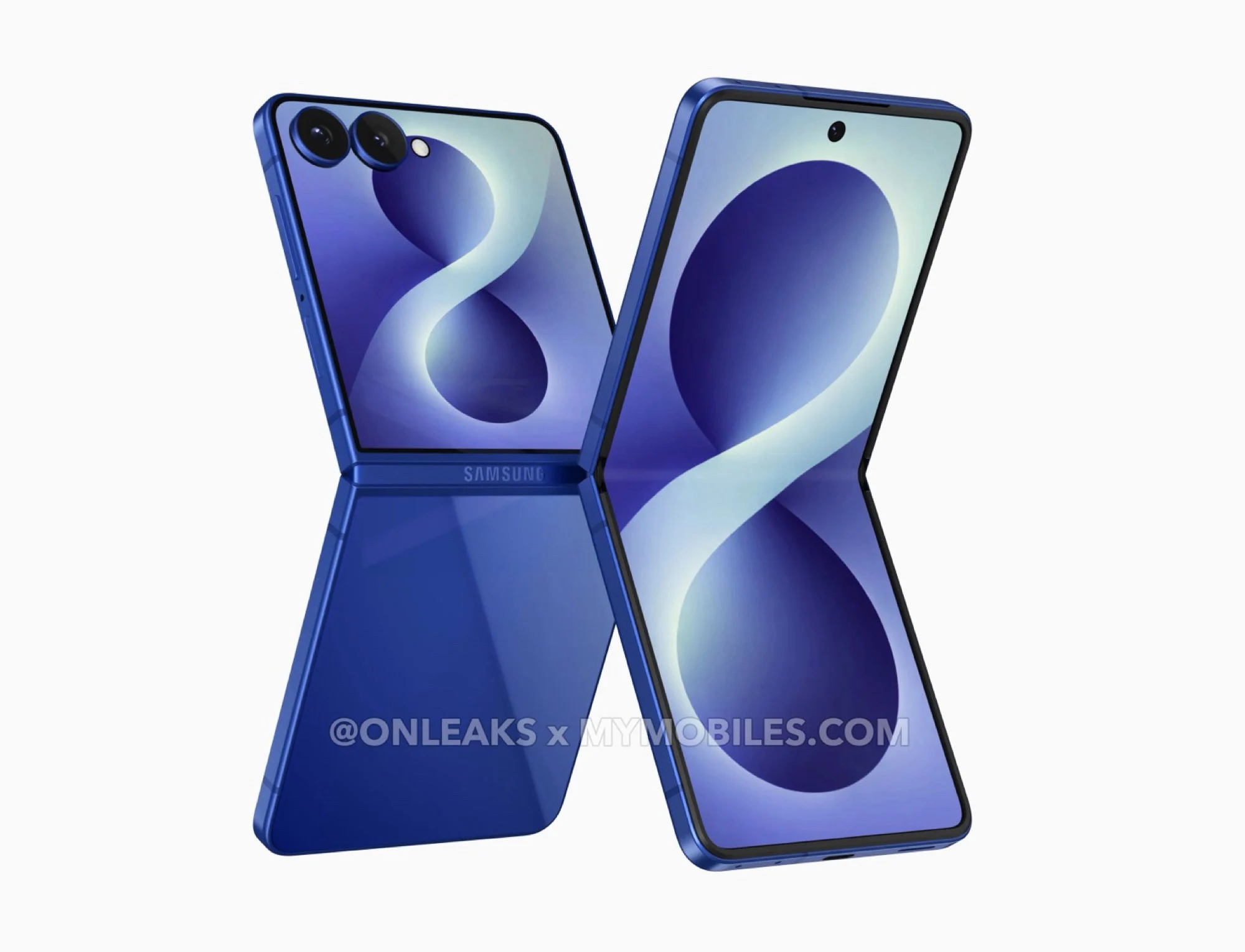
    The Samsung Galaxy Z Flip8 is rumored too be officialy unveiled at the end of July, alongside the Galaxy Z Fold8, the Galaxy Z Fold8 Wide and the Galaxy Watch Ultra 2. The smallest of these three foldable smartphones has now been certified by the FCC, which is a necessary step before it can be sold in the US market.

    US Model Specifications

    The US model carries the model number SM-F776U, and its expected to be equiped with the Qualcomm Snapdragon 8 Elite Gen 5 for Galaxy. Some rumors suggest the European Galaxy Z Flip8 will instead use a Samsung Exynos 2600, which could mean the smartphone would be slightly less powerfull. The FCC certification confirms the US model supports Wi-Fi 7 (802.11be) including the 6 GHz channel, Bluetooth and NFC.

    Charging and Connectivity Features

    Wireless charging and wireless power share are also possible on this device. The integrated 5G modem supports NB-NTN B255, a network band used for communicating with a satellite network. This feature was previously available on the Galaxy Z Flip7, but it was limited to a few regions including the US.

    Missing Ultra-Wideband

    A noticeable absence is the ultra-wideband (UWB) chip. On the Galaxy Z Flip7, only the model sold in South Korea came equiped with UWB, while the Galaxy Z Fold7 was shipped globaly with a UWB chip. Among other uses, UWB allows finding a Galaxy Smart Tag2 more easily by displaying the direction and distance of the tracker.
  • Dell Launches 16-Inch Laptop: 64GB RAM, AMD Zen 5

    Dell Launches 16-Inch Laptop: 64GB RAM, AMD Zen 5

    Key Takeaway

    – Dell Pro 3 Series 16 replaces older Pro 14/16 models with AMD Ryzen AI 400 options.
    – Configurable with Ryzen AI 5/7 Pro processors, up to 64 GB DDR5 RAM, and 2 TB storage.
    – Battery choices include 45 Wh, 57 Wh, or 70 Wh with Long Life Cycle options.
    – Features Wi-Fi 7/Bluetooth 5.4 (standard is Wi-Fi 6E/5.2) and optional 4G-ready display hardware.
    – Pricing starts at $1,700 (US), €1,675 (EU), CAD 2,286 (Canada), £1,490 (UK).


    New Dell Pro 3 Series 16 Laptop Launches with AMD Ryzen AI Options

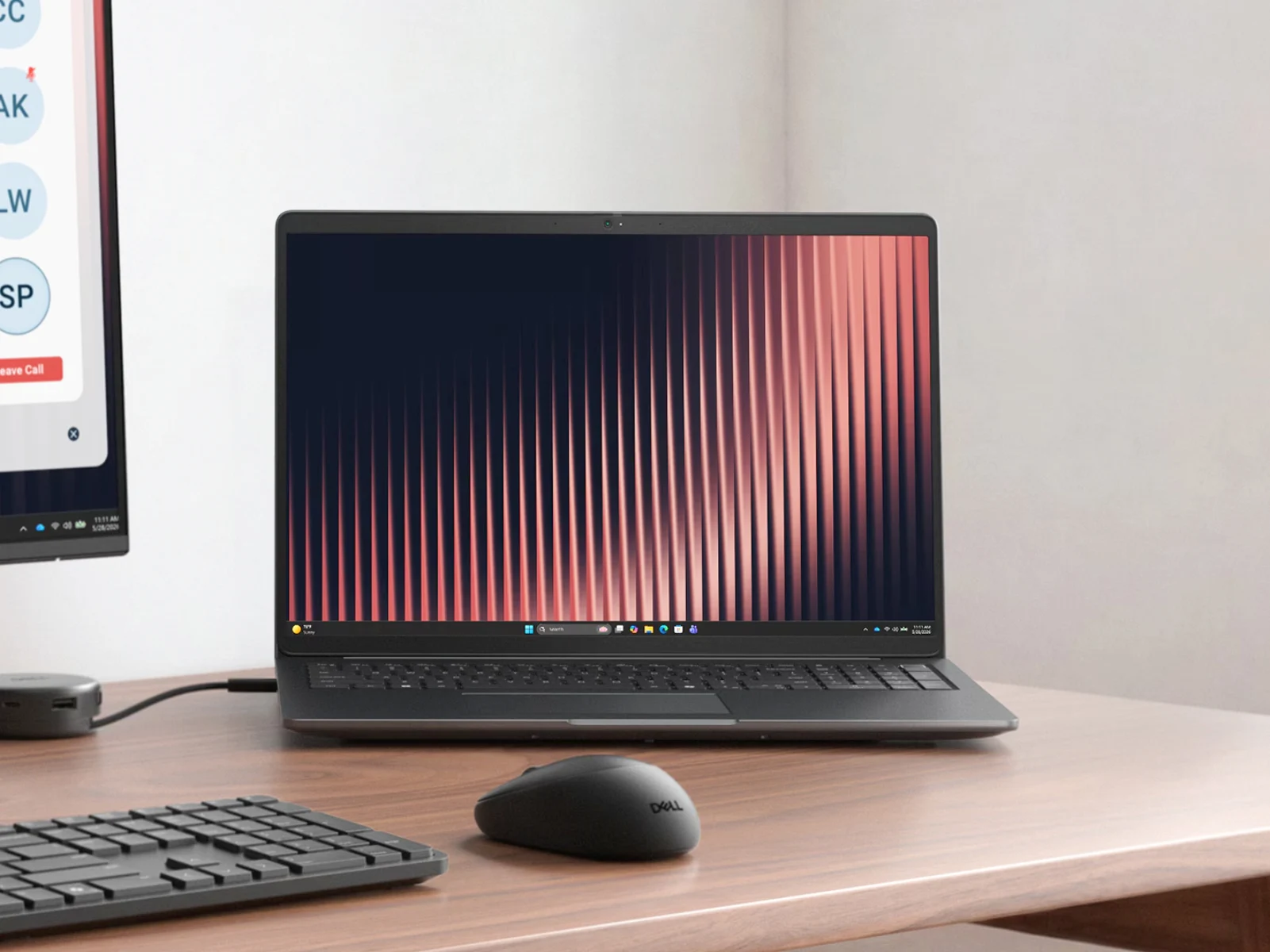
    Dell is now selling a new laptop in its Pro 3 lineup. To recap, the company announced in March that the Pro 3 series would be replacing last years Pro 14 and Pro 16 models. While that did not come to pass, the Pro 3 Series 16 is now available to purchase with AMD Ryzen AI 400 options.

    Configuration and Performance Specifications

    Specifically, the Pro 3 Series 16 (P316265) can be configured with either the Ryzen AI 5 Pro 435, the Ryzen AI 7 450 or the Ryzen AI 7 Pro 450. Also, these Zen 5 processors can be complemented by 16 GB, 32 GB or 64 GB of DDR5-5600 RAM and up to 2 TB of storage. On top of that, Dells P316265 variant comes with a choice between 45 Wh, 57 Wh or 70 Wh batteries with dedicated Long Life Cycle options.

    Connectivity and Display Details

    Moreover, one can add Wi-Fi 7 and Bluetooth 5.4 connectivity over the Wi-Fi 6E and Bluetooth 5.2-capable modem that comes as standard. However, while Dell mentions 4G cellular connectivity in its technical specifications, we cannot find a way to configure this yet in any country. The P316265 can be purchased with a display containing the hardware to handle 4G connectivity, though. Please note that all display options are 1200p, 400-nit and 60 Hz IPS panels with 62.5% sRGB colour space coverage.

    Pricing and Regional Availability

    Pricing starts at just over $1,700 in the US, €1,675 in the Eurozone, CAD 2,286 in Canada and £1,490 in the UK. Meanwhile, those in Australia must call to place a P316265 order. Incidentally, Dell is already selling Pro 3 series laptops with Intel Wildcat Lake options. Please see our recent release article for more details about these 6-core laptops with basic Xe3 graphics.


  • Minisforum N4: NAS with Wildcat Lake, Wi-Fi 7, USB 4

    Minisforum N4: NAS with Wildcat Lake, Wi-Fi 7, USB 4

    Key Takeaway

    – Wildcat Lake targets Apple MacBook Neo competitors but is also ideal for low-cost, high-performance NAS.
    – Minisforum N4 NAS likely uses a 6-core Intel Core 3 305 (2P+4E, up to 4.3GHz), much faster than the common Core 3 N350.
    – Comes with 16GB RAM, dual M.2 PCIe 4.0 x1 slots, and four 3.5-inch drive bays.
    – Offers premium connectivity: USB4, 10GbE, 2.5GbE, Wi-Fi 7, and HDMI.
    – Integrated AI accelerator on some chips enables local AI apps like OpenClaw; price and launch date unconfirmed.


    Intel Wildcat Lake’s Target Use Case

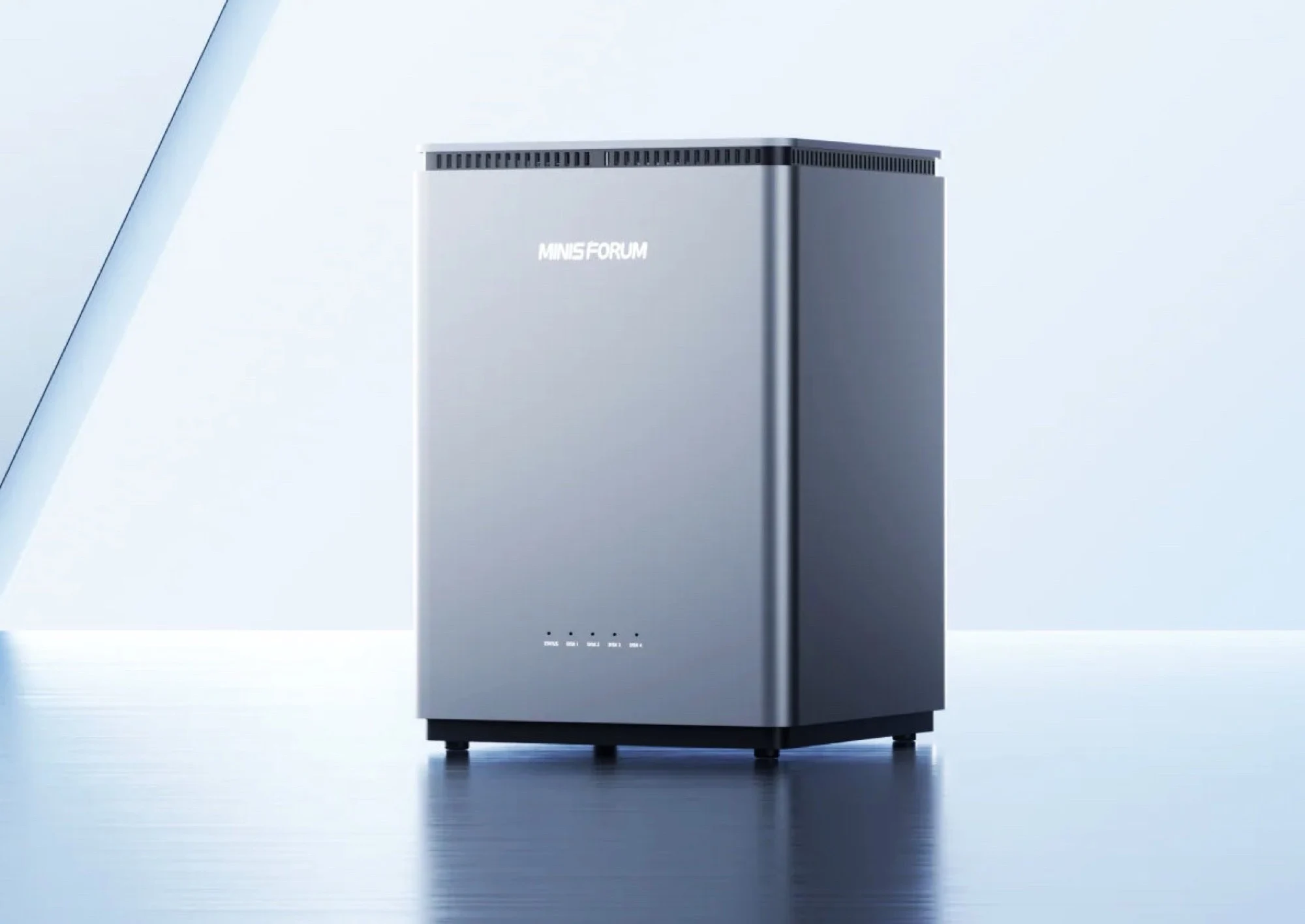
    Intel Wildcat Lake is primarily intended for competitors to the Apple MacBook Neo, but the relatively inexpensive chips with low power consumption are also suitable for network storage, as shown not least by the new Minisforum N4 NAS. The processor family is design to offer a balance of cost and performance for light weight computing tasks.

    Unconfirmed Specifications and RAM Details

    Minisforum has not yet confirmed exactly which chip is being used, apart from the fact that it has six processor cores. This means that it’s at least the Intel Core 3 305 which, with two performance cores, four efficiency cores and boost clocks of up to 4.3 GHz, is already much faster than the Intel Core 3 N350, which is widely used in low-cost NAS. Minisforum also installs 16 GB of RAM in the device for multitasking.

    Connectivity and Storage Options

    Intel Wildcat Lake also offers a relatively high bandwidth and enables Minisforum to install two M.2 slots, which are connected via PCIe 4.0 x1. In addition, the NAS offers space for four 3.5-inch hard disks and a modern selection of connections, including USB 4 (USB-C), two USB-A ports, 10 Gbit/s Ethernet, 2.5 Gbit/s Ethernet and Wi-Fi 7, so that a wireless connection to the home network can also be establish.

    AI Accelerator and Chassis Design

    Some chips in the Wildcat Lake series also have an integrated AI accelerator, which would allow OpenClaw to be used on the NAS, for example. An HDMI port is available for connecting a monitor for direct configuration. The NAS chassis is made of metal and the hard drives can be accessed by removing the top cover for easy upgrades. Minisforum has not yet confirmed when or at what price the N4 NAS will be launched on the market.

    Sources
  • Lenovo 16″ Laptop with 32GB RAM and Intel Panther Lake

    Lenovo 16″ Laptop with 32GB RAM and Intel Panther Lake

    Key Takeaway

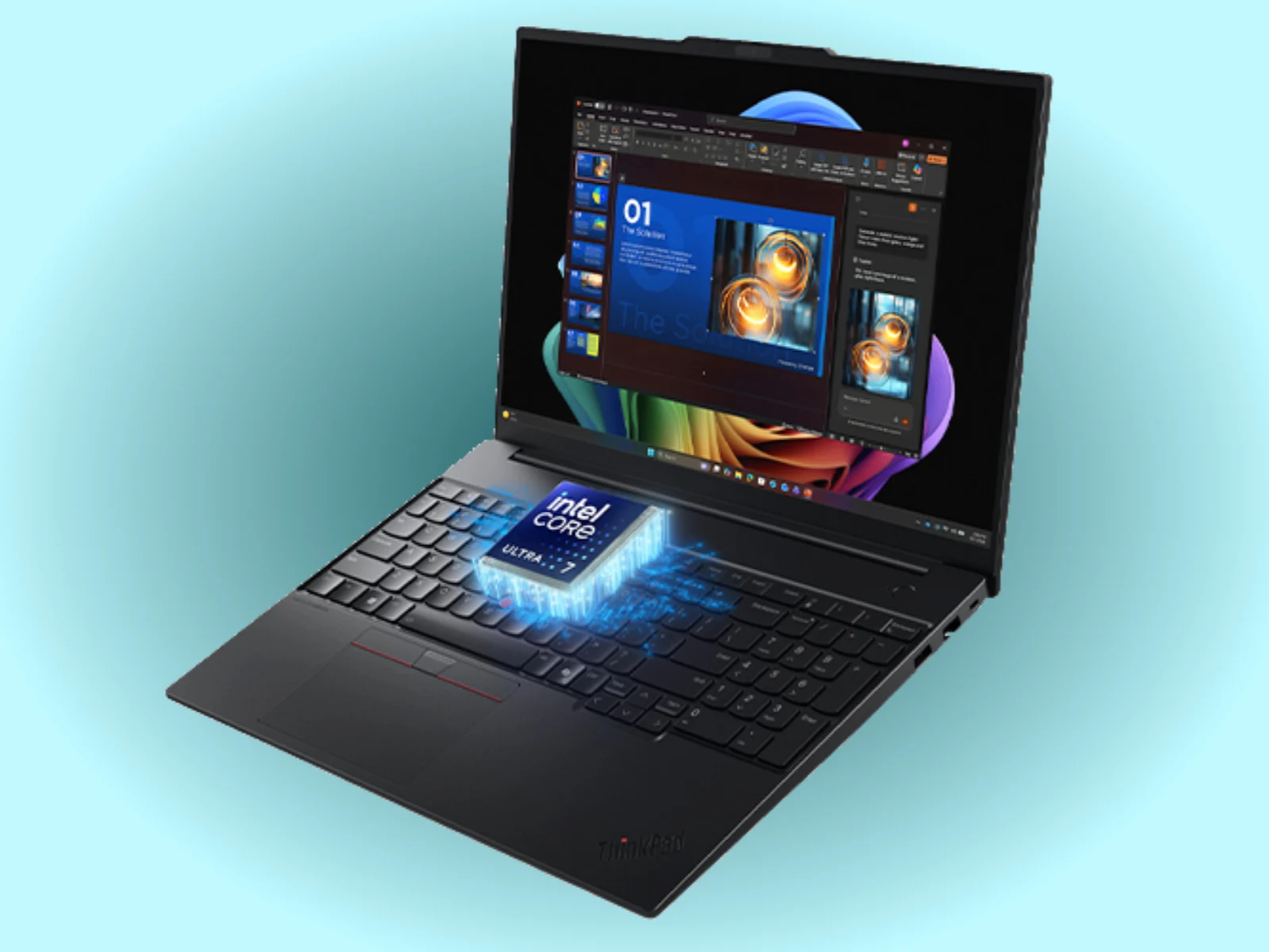
    – ThinkPad E16 Gen 4 shifts to Intel Panther Lake and offers Core Ultra 5–7 configurations, with RAM up to 64 GB and PCIe 4.0 storage options.
    – Choices between Wi‑Fi 6E or Wi‑Fi 7, and battery options of 48 Wh or 64 Wh (64 Wh model rated for over 32 hours in official tests).
    – Display options include default 1200p/60 Hz (45% NTSC) or higher-end 1600p/120 Hz with 100% sRGB and 400 nits brightness; up to 64 GB RAM in some regions.


    Lenovo ThinkPad E16 Gen 4 Update and Context

    Lenovo has finally released its new ThinkPad E16 generation in some capacity. To recap, the company has just updated the ThinkPad E16 Gen 3 with Lunar Lake processors. Running alongside existing Arrow Lake options (curr. $1,299 on Amazon), these Lunar Lake models serve as cheaper options in Lenovo’s 16-inch ThinkPad portfolio.

    Gen 4 Variants and Core Ultra Configurations

    Now, it has complemented the ThinkPad E16 Gen 3 with Gen 4 variants. This time, Lenovo has switched to Intel’s newer Panther Lake platform, albeit without powerful Core Ultra X variants. Instead, the ThinkPad E16 Gen 4 starts with a Core Ultra 5 325 and can be configured through to the Core Ultra 7 356H as needed.

    RAM, Storage, Connectivity, and Battery Options

    Additionally, Lenovo offers its new 16-inch ThinkPad with 16 GB or 32 GB of DDR5-5600 RAM and 256 GB, 512 GB or 1 TB of PCIe 4.0 storage via an M.2 2242 drive. Moreover, the laptop comes with a choice between Wi-Fi 6E or Wi-Fi 7 connectivity and 48 Wh or 64 Wh batteries, the latter of which is rated to last over 32 hours in official battery life tests.

    Display Options and Color Gamut

    By default, the ThinkPad E16 Gen 4 comes with a 1200p IPS display that peaks at 60 Hz and 45% NTSC, colour space coverage. Alternatively, Lenovo offers up to a 1600p and 120 Hz IPS panel with 100% sRGB colour space coverage and 400 nits peak brightness at its disposal.

    Pricing and Market Reach

    Currently, pricing starts at HKD 12,074, AUD 1,862, MYR 5,745 and SGD 2,525 (~$1,976) in Hong Kong, Australia, Malaysia and Singapore, respectively. For reference, Lenovo charges at least SGD 4,092 (~$3,203) for the ThinkPad P16s i Gen 5 in Singapore. Eventually, the ThinkPad E16 Gen 4 should reach more markets with up to 64 GB of RAM. Unfortunately, it remains to be seen when that will be the case.


  • HP launches 16-inch laptop worldwide with 32GB RAM and 1100-nit OLED display

    HP launches 16-inch laptop worldwide with 32GB RAM and 1100-nit OLED display

    Key Takeaway

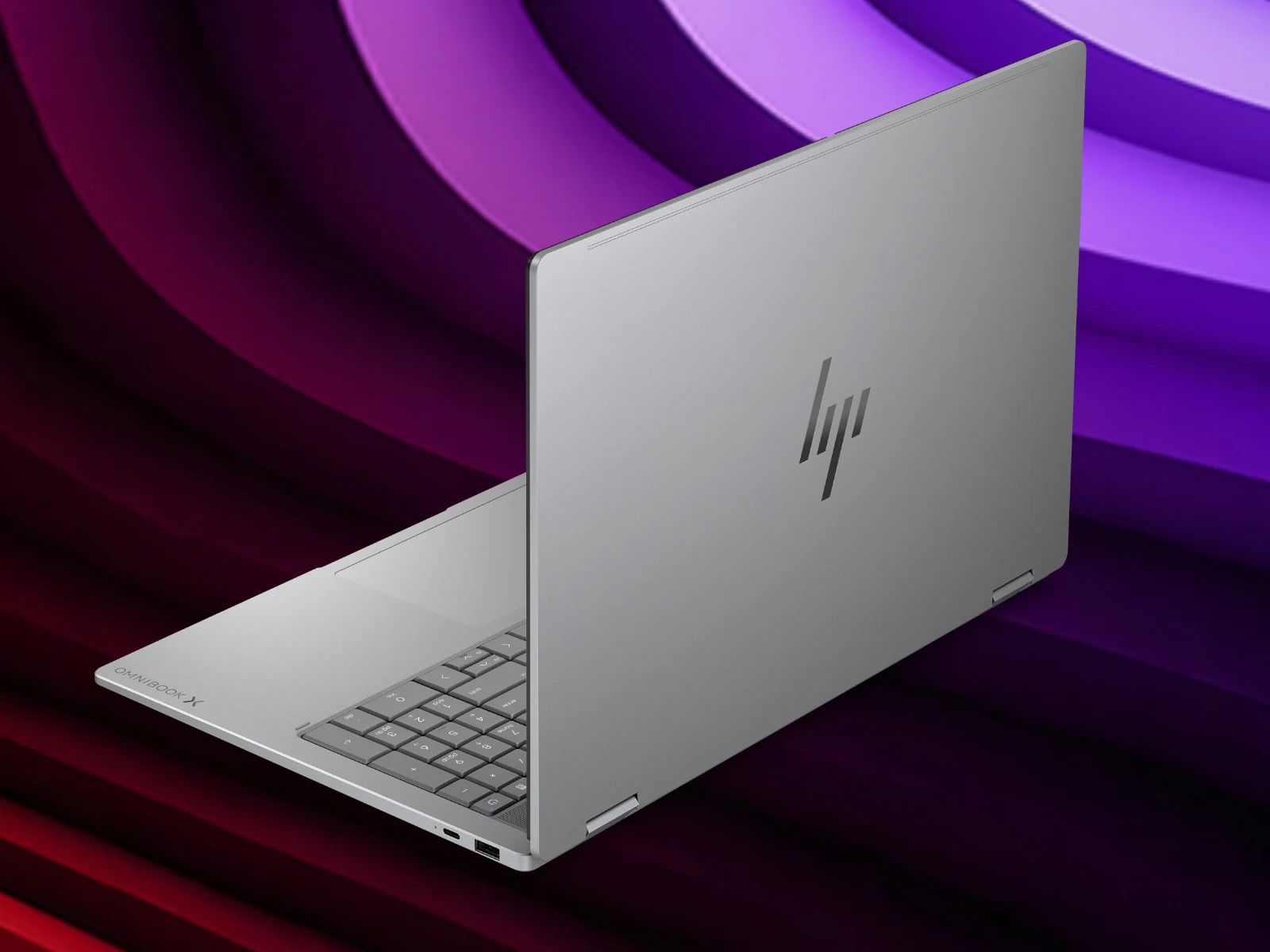
    – The new OmniBook X Flip 16 uses Panther Lake-based CPUs (Intel Core Ultra 5/7/9 or AMD Ryzen AI variants) with 16–32 GB RAM options and PCIe Gen 4/5 SSDs depending on platform.
    – All models include a 70 Wh battery, Wi‑Fi 7, and optional up to a 1800p OLED display (120 Hz, 100% DCI-P3, 500 nits SDR/1100 nits HDR).
    – Price range starts at $1,499 (US) up to $2,709 (Intel top config); European pricing varies (UK €1,299–€2,299; Eurozone €1,798–€2,099 depending on config).


    OmniBook X Flip 16: A Quick Intro

    Almost five months have passed since HP presented a successor to the OmniBook X Flip 16 we reviewed in July 2025 (curr. $749 on Amazon). To recap, that model leveraged Intel’s Panther Lake platform. By contrast, this year’s successor moves the OmniBook X Flip 16 range onto newer Panther Lake-based alternatives. The description keeps it sharp, yet the pace of updates remains brisk, and readers must note pricing as it shifts with configurations and regional availability.

    Processors and RAM Options

    Specifically, the new 16-inch convertible can be configured with the Core Ultra 5 325, Core Ultra 7 355 and the Core Ultra 9 386H, which are joined by 16 GB, 24 GB or 32 GB of RAM. The same is true for new AMD variants, which combine these RAM configurations with the Ryzen AI 5 430, Ryzen AI 5 435, Ryzen AI 7 445, Ryzen AI 7 450 or the Ryzen AI 9 465. Different markets may see nuanced availability, but core choices spotlight a balance between power and memory capacity that enthusiasts will weigh against price points.

    Finishes and Storage

    For some reason, HP reserves Eclipse Grey and Meteor Silver finishes for its Intel and AMD variants, respectively. All versions can be purchased in an Atmospheric Blue finish, though. Also, while the OmniBook X Flip 16 can be optioned with 512 GB, 1 TB and 2 TB of storage, HP includes PCIe Gen 4 SSDs in AMD models and faster PCIe Gen 5 alternatives in Intel models. The mix of finishes and storage tiers is presented with a pragmatic approach, yet the choices might feel uneven across markets and lineups.

    Battery, Display, and Connectivity

    Meanwhile, all versions ship with a 70 Wh battery and Wi-Fi 7 connectivity. Moreover, HP offers up to a 1800p (2.8K) OLED display with AMD or Intel processors. For reference, this display delivers a 120 Hz refresh rate, 100% DCI-P3 colour space coverage and 500 nits SDR/1,100 nits HDR brightness. The combination aims to satisfy both workhorse usability and media-erudite viewing preferences, though real-world brightness can vary with content and thermal limits.

    Pricing Across Regions

    Pricing starts at $1,499 in the US but can rise to $2,579 for AMD models and to $2,709 for their Intel counterparts. Meanwhile, the OmniBook X Flip 16 has reached the UK for £1,299 with a Core Ultra 7 355, 16 GB of RAM and 1 TB of storage. The same SKU sells for €1,699 in the Eurozone too, where pricing stretches to €2,299 for the same top configuration sold in the US. Currently, AMD models start at €1,798 in the Eurozone and rise to €2,099 with a Ryzen AI 9 465, 32 GB RAM, 1 TB SSD and a 1800p display.


  • Oppo Pad 6 Debuts with 144 Hz Display and Dimensity 9500s – $515

    Oppo Pad 6 Debuts with 144 Hz Display and Dimensity 9500s – $515

    Key Takeaway

    – Oppo Pad 6 is thinner (5.99 mm) and slightly lighter (577 g) than the Pad 5, with an aluminum body and slim bezels, available in silver, black, and blue.
    – 12.1″ IPS display at 3000×2120, 144 Hz, 900 nits brightness, ~98% DCI-P3, with a separately sold compatible stylus.
    – High-end performance centered on MediaTek Dimensity 9500s, plus Wi-Fi 7, 5G, six speakers, two mics, and ambient light sensor; no fingerprint sensor.
    – Battery is 10,420 mAh with 67 W USB-C charging; camera setup includes 8 MP front and back.
    – Initial China launch only, pricing from CNY 3,499 for 8/256 GB to CNY 4,299 for 16/512 GB; international release TBD.


    The Oppo Pad 6 is official, and with a height of 5.99 millimeters and a weight of 577 grams, it is considerably thinner and slightly lighter than the Oppo Pad 5. The aluminum body is relatively ordinary with a flat frame, a pill-shaped camera module and evenly narrow screen bezels on all sides, with Oppo offering the tablet not only in silver and black, but also in blue.

    Display and cameras

    Oppo has installed a 12.1-inch display based on an IPS panel with a resolution of 3,000 x 2,120 pixels, a frame rate of 144 Hz and a remarkable brightness of 900 nits, 98% of the DCI-P3 color space can be displayed. A compatible stylus is sold separately. Oppo has installed an 8 megapixel camera on both the front and the back

    Battery and performance

    Despite the thinner body, Oppo is able to install a 10,420 mAh battery, which can be charged with up to 67 watts via USB-C, just like the Chinese version of the Oppo Pad 5. In addition to the display, the processor is the highlight of the specifications, as the tablet should offer almost flagship-level performance with the MediaTek Dimensity 9500s. Wi-Fi 7, a 5G modem, six speakers, two microphones and an ambient light sensor complete the specs, but the Oppo Pad 6 does not offer a fingerprint sensor.

    Launch and pricing

    The Oppo Pad 6 will first be launched in China. The base model with 8 GB RAM and 256 GB flash memory costs CNY 3,499 ($515), while Oppo is charging CNY 4,299 ($632) for the top model with 16 GB RAM and 512 GB storage. Details on the international launch are still pending. The Oppo Pad 5 was also launched internationally.

    Oppo


    Sources

  • Upgradeable ThinkPad P16 G3 with Modular Design and Wi-Fi Boost

    Upgradeable ThinkPad P16 G3 with Modular Design and Wi-Fi Boost

    Key Takeaway

    1. Traditional ThinkPads used socketed, upgradable Wi-Fi modules, but most transitioned to soldered, integrated solutions with CNVi technology.
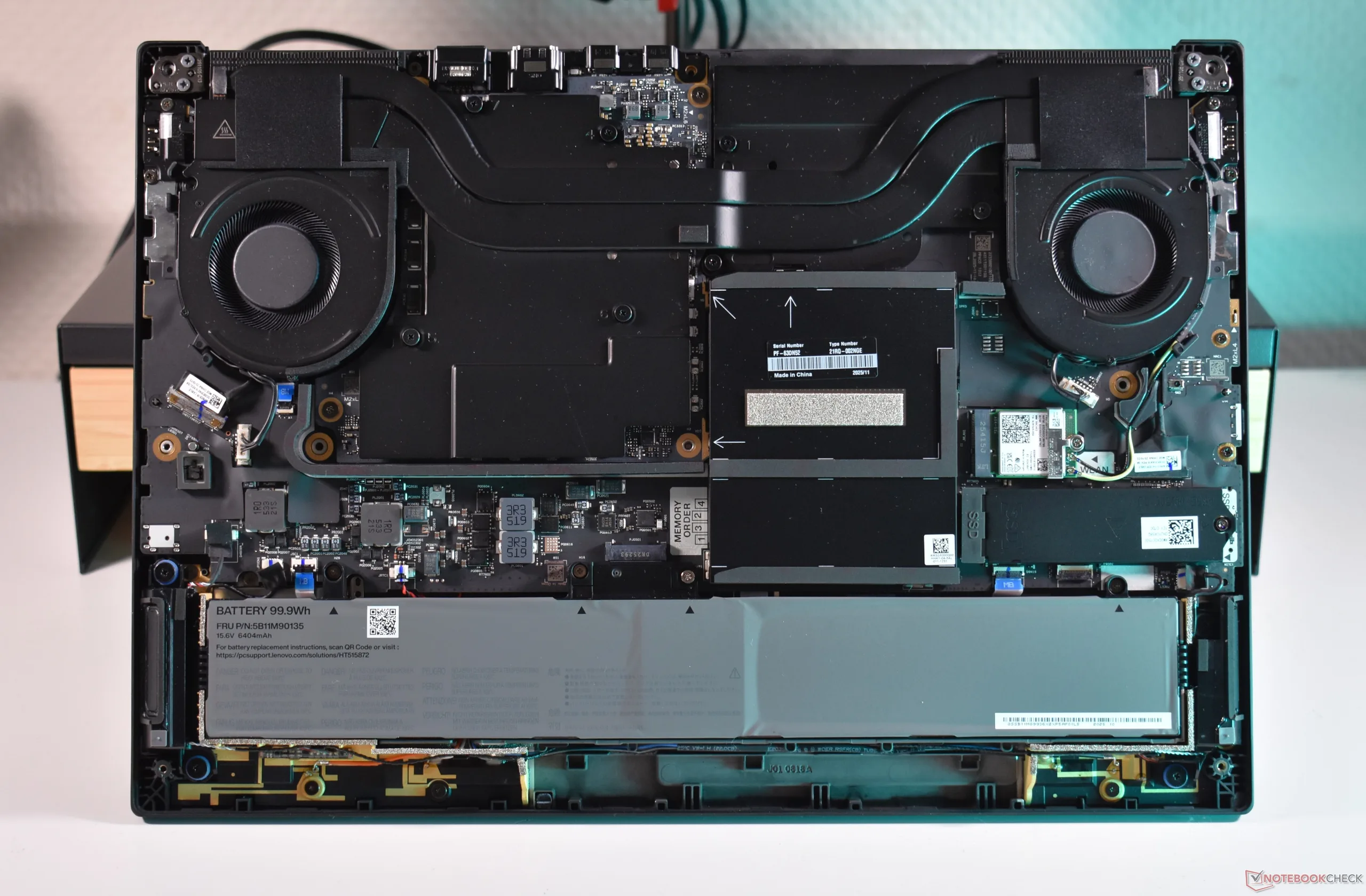
    2. The Lenovo ThinkPad P16 Gen 3 is an exception, returning to a modular Wi-Fi design with an easily upgradable M.2 2230 slot.
    3. This reintegration allows users to upgrade to newer Wi-Fi standards, such as Wi-Fi 8, in future updates, maintaining upgradeability in enterprise models.

    History of ThinkPad Wi-Fi Modules

    Way back in the day, ThinkPad laptops had these socketed Wi-Fi modules that you could actually swap out or upgrade yourself. It all started with mPCIe cards, but then the industry moved onto the m.2 2230 standard after it came out. This meant you could easily replace or upgrade your Wi-Fi hardware, giving more freedom to users wanting better performance or newer tech.

    Shift to Integrated Wi-Fi Technology

    As the tech evolved, Intel introduced CNVi technology, combining parts of the Wi-Fi functions directly into the SoC. Lenovo followed along, shifting most of its models from easy-to-replace modules to soldered solutions. This transition made repairs and upgrades tougher, as the Wi-Fi was no longer just a quick swap but built into the motherboard. Only budget-friendly models like the E series kept the modular design intact for a while.

    Return of Modular Wi-Fi in the P16 Gen 3

    But things are changing again! As of 2026, one flagship ThinkPad, the Lenovo ThinkPad P16 Gen 3, got a major upgrade — the return of modular Wi-Fi. This 16-inch powerhouse, which we recently got to review, now includes an M.2 2230 slot where the Wi-Fi card sits. Specifically, it has the latest Wi-Fi 7 BE200 card, which is modern and fast. And while you probably won’t need to upgrade this anytime soon, this move opens the doors for future updates.

    The Future of Wi-Fi Upgrades on ThinkPads

    This P16 Gen 3 is currently unique in the enterprise lineup for having a modular Wi-Fi slot, but Lenovo says it might bring this feature to other models later on. With Wi-Fi 8 already on the horizon, the fact you can upgrade your wireless standard easily is pretty exciting. It’s a reminder of how thoughtful design considerations can make a big difference in how durable and adaptable your tech is over the years. So, if you’re a fan of future-proofing your workstation, this is definitely a step in the right direction.

    Sources
    • Ubiquiti Launches U7 Mesh: Wi-Fi 7 with Extended Range

      Ubiquiti Launches U7 Mesh: Wi-Fi 7 with Extended Range

      Key Takeaways

      1. Ubiquiti’s U7 Mesh Wi-Fi units launched at MWC, using Wi-Fi 7 (802.11be) for improved mesh networking.
      2. Coverage area remains at 140 square meters, with enhanced directional antennas in the 5 GHz band for longer distances.
      3. Data rate on the 5 GHz band is 4.3 Gbps, down from 4.8 Gbps, but the U7 Mesh supports more clients with lower latency.
      4. Installation requires a Power-over-Ethernet switch or PoE injector, and includes a 2.5GbE port for connectivity.
      5. Redesigned for better outdoor protection and easier installation, the U7 Mesh units are priced at $199.


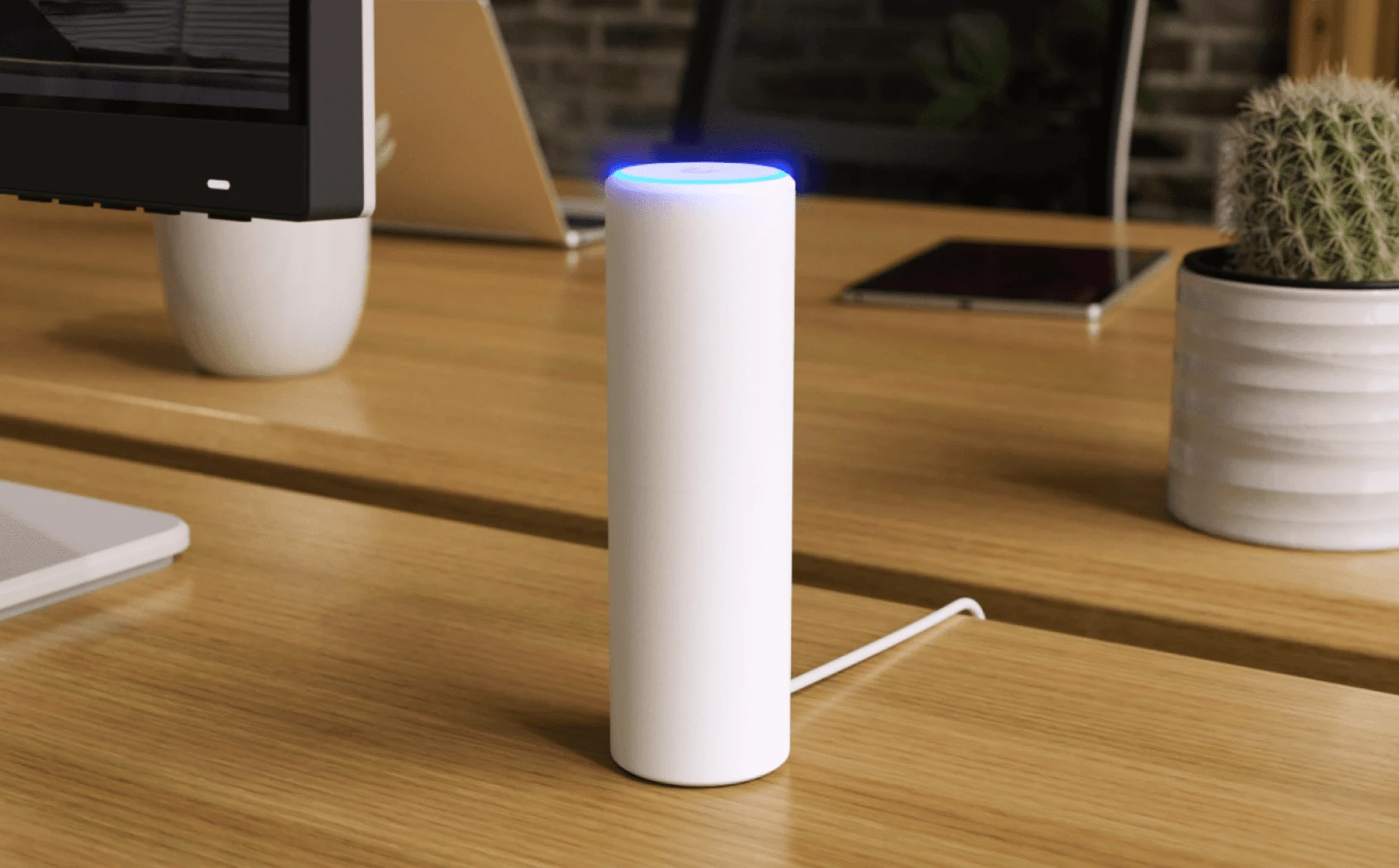
      Ubiquiti Networks has just launched its latest U7 Mesh Wi-Fi units at the Mobile World Congress (MWC). These new Wi-Fi 7 access points, which use the 802.11be standard, can establish a wider Wi-Fi network thanks to their mesh technology. They are the next generation of the U6 Mesh, maintaining the same coverage area of 140 square meters and the feature to direct antennas in the 5 GHz band, allowing for longer distances between the mesh points. This is a significant upgrade from the previous models, which did not have this feature.

      Performance Insights

      Interestingly, the data rate has dropped from 4.8 Gbps to 4.3 Gbps on the 5 GHz band due to the transition to Wi-Fi 7. Nevertheless, the U7 Mesh is crafted to manage a high number of Wi-Fi clients more efficiently, thanks to its lower latency. However, the 6 GHz band, which came with Wi-Fi 6E, is not yet available. Currently, devices are limited to the 2.4 GHz band. The new Wi-Fi 7 generation enhances roaming between access points by supporting the 802.11k, r, and v standards.

      Installation Requirements

      To power the units, you’ll need a Power-over-Ethernet switch or a PoE injector, and Ubiquiti provides the latter. Additionally, there’s a 2.5GbE port for network connectivity.

      Ubiquiti markets the units with accessories suitable for both indoor and outdoor setups, giving users the flexibility to decide how to install them post-purchase. For IPX6 protection, using the wall mount that comes with a rubber seal is essential. Thus, the U7 Mesh units can serve as an alternative to the current U7 (Pro) Outdoor models.

      Design and Availability

      Ubiquiti states that the U7 Mesh units have undergone a complete redesign, particularly enhancing their outdoor protection and simplifying the installation process.

      The mesh units are now available for purchase at a price of $199.

      Source:
      Link


    • MSI Launches High-Performance Mesh System with Wi-Fi 7 Support

      MSI Launches High-Performance Mesh System with Wi-Fi 7 Support

      Key Takeaways

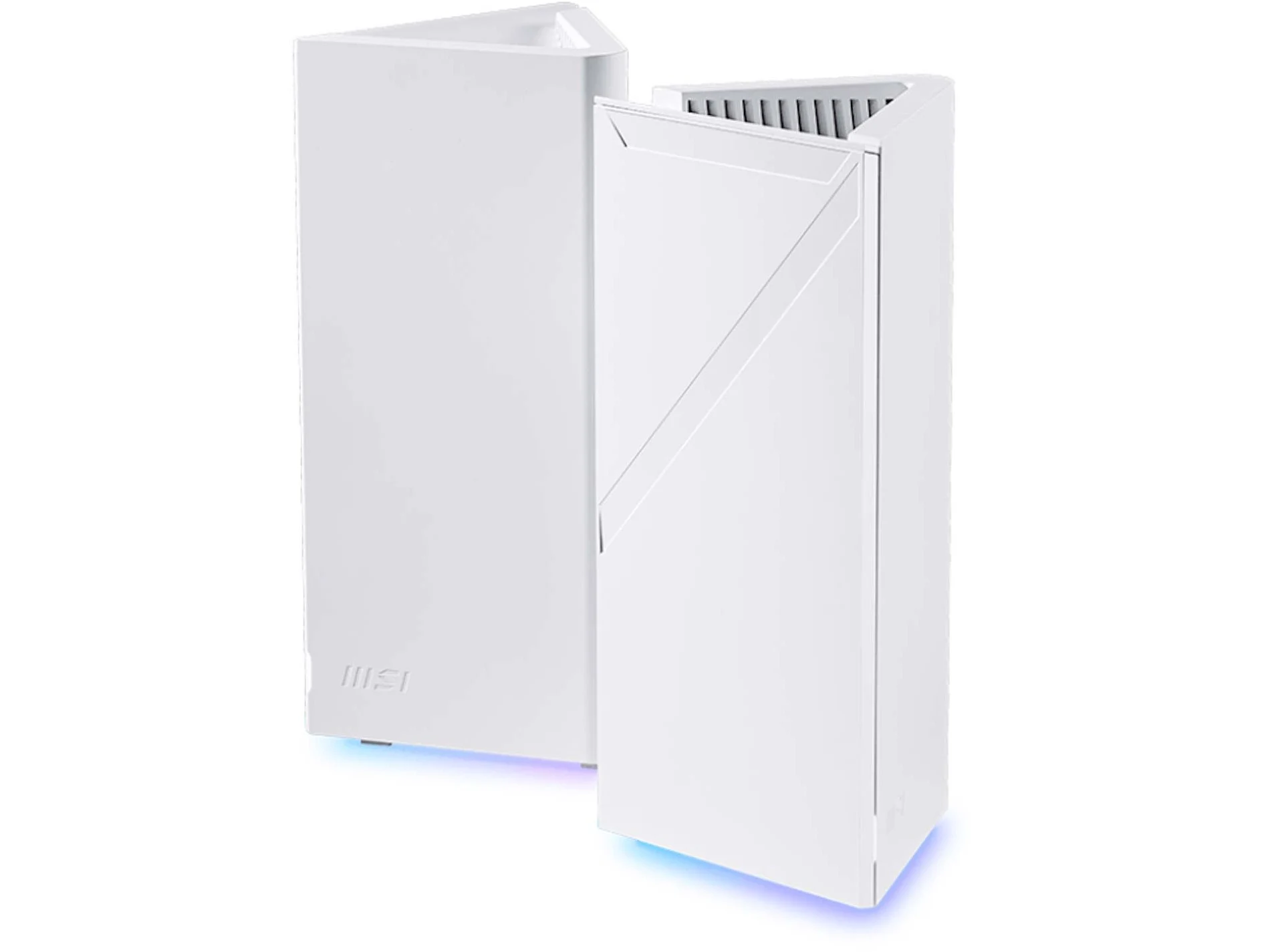
      1. Network Coverage: The Roamii BE Pro Mesh System requires at least two routers and can cover approximately 560 m² (6,000 sq ft), accommodating up to 200 devices.

      2. Wi-Fi 7 Compatibility: It supports the Wi-Fi 7 standard and operates on 2.4 GHz, 5 GHz, and 6 GHz bands, with a maximum transfer rate of 11 Gbit/s across all bands.

      3. Multi-Link Operation (MLO): Compatible devices can connect across multiple bands simultaneously, improving speed, reducing latency, and enhancing connection reliability.

      4. Adaptive Roaming: The system allows devices to switch between nodes and bands for optimal performance, with options for both wireless and wired connections.

      5. Additional Features: Each router includes internal antennas, customizable RGB lighting, and can be managed via an app, with a price of about $350 available from retailers.


      MSI has made a big announcement with the Roamii BE Pro Mesh System. This system needs at least two routers to work and is made to provide excellent network coverage in large homes, even those with multiple levels. The company claims it can handle up to 200 devices at once and can cover about 560 m² (6,000 sq ft) with two routers, but actual coverage may change based on the environment.

      Wi-Fi 7 and Speed

      The Roamii BE Pro is compatible with the Wi-Fi 7 standard and runs on the 6 GHz band, in addition to the usual 2.4 GHz and 5 GHz bands. It boasts a maximum transfer rate of 11 Gbit/s, but it’s important to note that this number represents the total throughput across all bands combined. With Multi-Link Operation (MLO), devices that are compatible can connect to the system through multiple bands at the same time, which enhances speed, reduces latency, and increases overall connection dependability.

      Advanced Features

      One of the standout features of the Roamii BE Pro is its adaptive roaming, which allows devices to easily switch between nodes and pick the best band for the best performance. The two routers can talk to each other wirelessly or through their four 2.5 Gbit/s Ethernet ports. The wired connection is especially handy in homes that already have Ethernet wiring, and it also provides faster links to NAS devices or PCs. Each router has internal antennas, customizable RGB lighting, and management via an app. The Roamii BE Pro is currently available from retailers like Amazon for about $350, along with its lower-cost version, the MSI Roamii BE Lite.

      Source:
      Link


    • AMD ThinkPad T16: Thunderbolt 4 and Feature-Rich Performance

      AMD ThinkPad T16: Thunderbolt 4 and Feature-Rich Performance

      Key Takeaways

      1. Premium business laptops like the Lenovo ThinkPad T16 offer unmatched overall value despite newer gaming laptops having advanced features.
      2. The ThinkPad T16 Gen 4 AMD variant includes two Thunderbolt 4 ports, enhancing connectivity options.
      3. User-friendly maintenance features include easy access to RAM, SSD, fan, battery, and keyboard removal.
      4. Integrated 5G connectivity with eSIM support provides significant convenience for frequent travelers.
      5. Business laptops often have higher costs due to extended warranties and guaranteed availability of replacement parts.


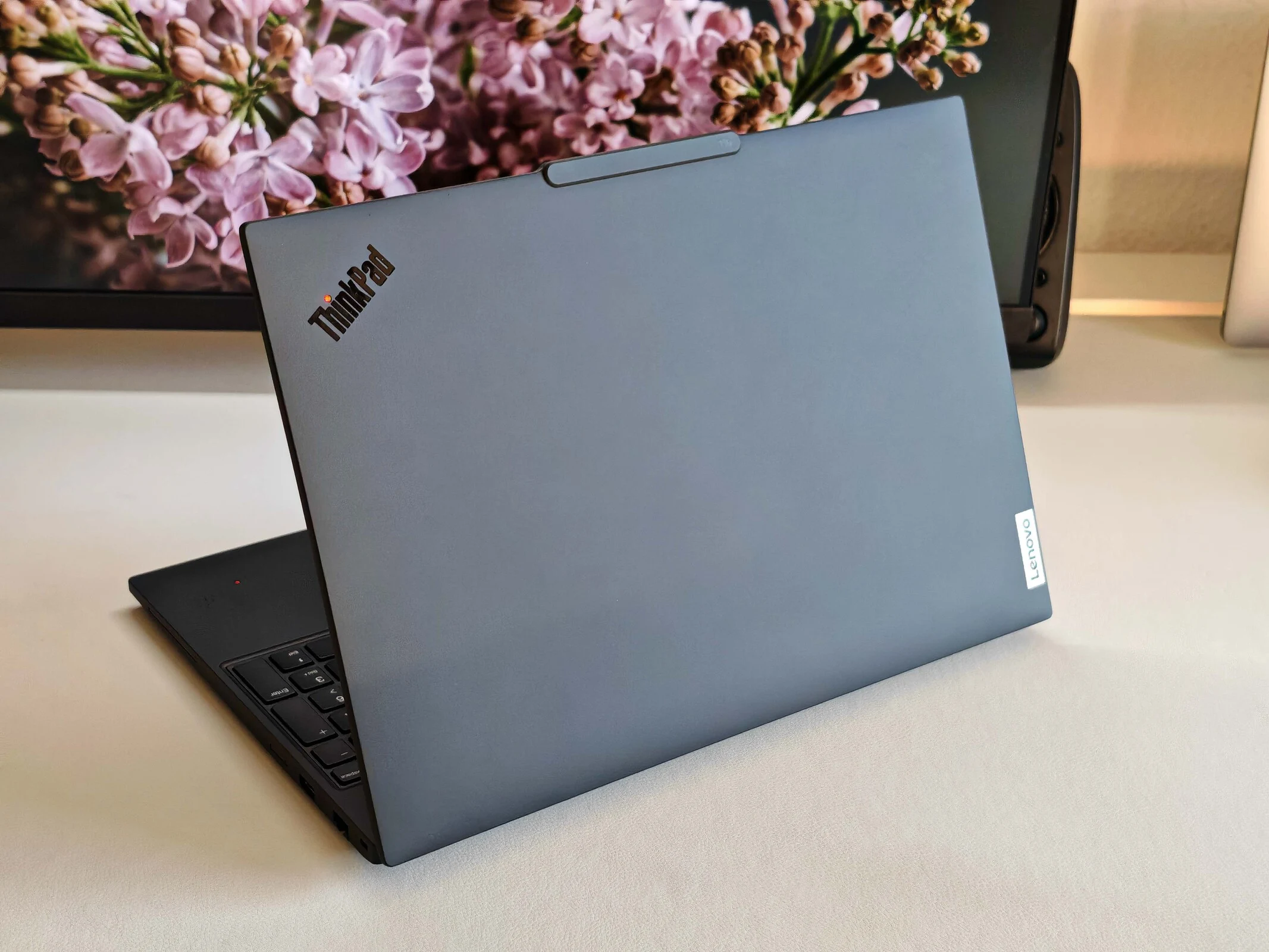
      Premium business laptops, such as the recently analyzed Lenovo ThinkPad T16, remain a standard for features. While gaming laptops and mobile workstations may have more up-to-date capabilities like Thunderbolt 5 or PCIe 5.0, the overall value of business laptops is tough to match. This begins with the ports, where typical connectors are usually paired with Ethernet ports and SmartCard readers, which are particularly crucial for larger organizations. It’s a little surprising that the AMD variant of the ThinkPad T16 Gen 4 includes two Thunderbolt 4 ports instead of just USB 4.0. Additionally, maintenance is quite user-friendly with two SO-DIMM slots, and replacing the SSD is straightforward. Accessing the fan and battery is simple, too, and you can remove the keyboard after loosening just two screws on the underside.

      Connectivity Options

      Although many new laptops support Wi-Fi 7, the choices for mobile Internet connections are more limited. Most consumer laptops lack 5G or LTE capabilities, and if you frequently travel, you understand how frustrating it is to depend on your smartphone or public Wi-Fi hotspots. Having an integrated 5G connection is significantly more convenient, and with an eSIM, it becomes easy to use in various countries. Our review model of the ThinkPad T16 Gen 4 was ready for WWAN, which means it came with a Nano-SIM card reader (besides eSIM) and had antennas already installed.

      Cost Considerations

      When you take into account factors like extensive warranties (including on-site services) and guaranteed availability of replacement parts over a specified duration, it becomes clear why business laptops tend to be pricier than similarly equipped consumer models. For more details, refer to our in-depth review of the latest ThinkPad T16 Gen 4 AMD.