
Tag: Google Photos

  • Google Photos Launches on Samsung Smart TVs First, Others Soon

    Google Photos Launches on Samsung Smart TVs First, Others Soon

    Key Takeaways

    1. Samsung plans to integrate Google Photos into its Tizen smart TVs starting in 2026.
    2. Users will be able to display photos from their smartphones on their TVs, organized by categories like people and places.
    3. The integration will feature options like Daily+ and Daily Board for showcasing photos.
    4. Users need to log into their Google Account to access their photos on the TV.
    5. The rollout will occur in three stages, beginning with new TVs in 2026 and extending to older models through OS updates.


    Despite the many smart TVs that run on Android TV or Google TV, none currently feature Google Photos, except for its screensaver integration. However, this may soon change. Samsung has made it known that its smart TVs, which run on Tizen, are set to include Google Photos in 2026.

    Samsung’s Plans for Google Photos

    In a recent announcement, the electronics company confirmed its efforts to integrate Google Photos into Samsung TVs, enabling users to experience their cherished memories on a bigger screen. This feature will allow users to effortlessly display photos taken on their smartphones right on their TVs. The photos will be organized by various categories like people, places, and special moments.

    Deep Integration with Samsung TVs

    The plan is for a robust integration of photos with Samsung TVs, meaning users will see their pictures showcased through features like Daily+ and Daily Board. Reports indicate that activating this feature will simply require users to log into their Google Account. Once logged in, their photos will show up on the TV without delay.

    According to Samsung, the rollout of Google Photos will happen in three stages:

    Rollout Timeline

    The new feature is expected to first appear on TVs that are released in 2026, while older models will gain access “following the OS update schedule.” It’s important to note that users will also need a Google account and ensure that their photos and videos are backed up.

    Source:
    Link


  • Google Photos Enhances AI with Prompt Editing and New Ask Button

    Google Photos Enhances AI with Prompt Editing and New Ask Button

    Key Takeaways

    1. Google Photos now allows users to make edits based on prompts, available for iOS users.
    2. The “Help me edit” feature includes the fun Nano Banana for creative photo transformations.
    3. AI templates are introduced for quick image creation, launching initially on Android in India and the US.
    4. AI-powered search functionality is now available in over 100 countries and supports 17 new languages.
    5. A new “Ask” button lets users interact with images and start conversations about them.


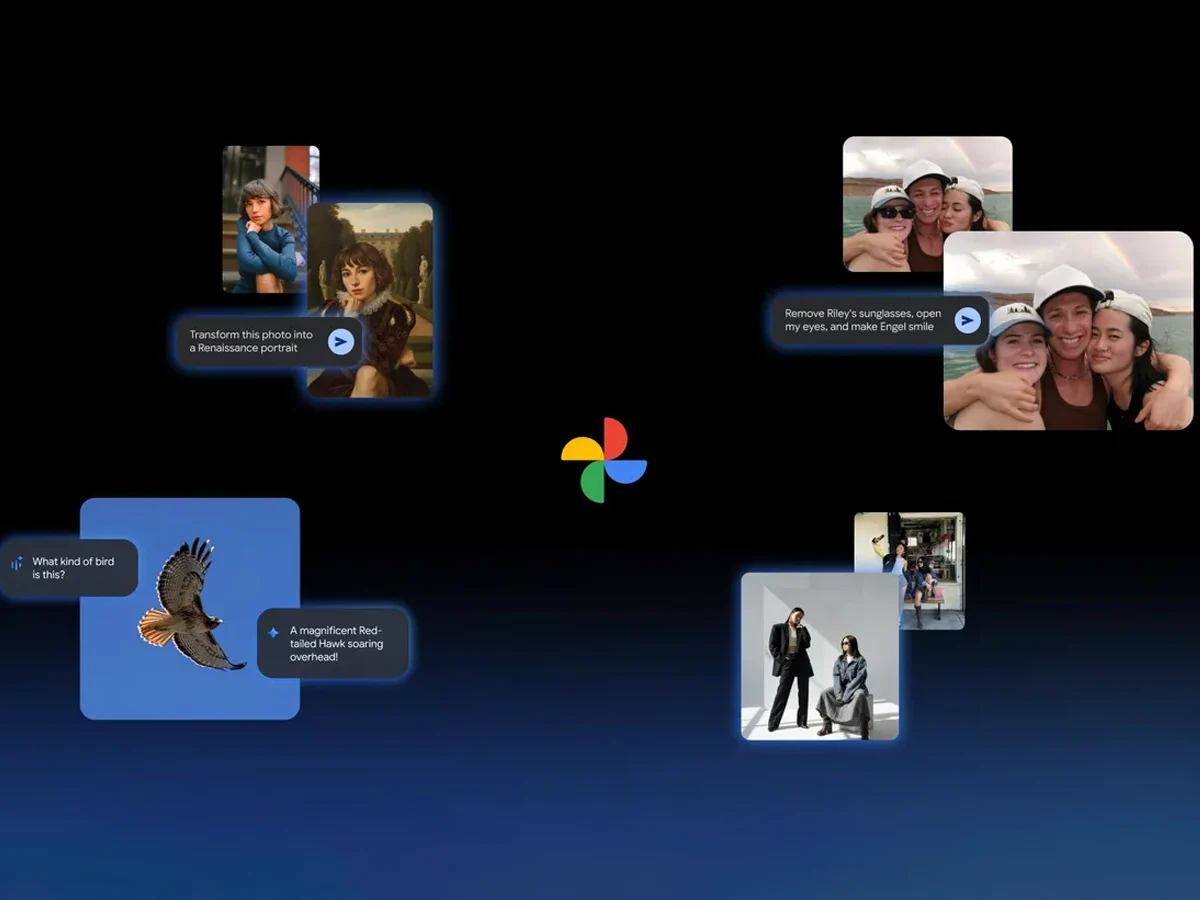
    Google has rolled out several new artificial intelligence features for the Google Photos application. One notable addition is the capability to make edits based on prompts, a feature that was previously limited to the Pixel 10 series. Now, with this update, users on iOS can also take advantage of this AI-driven editing functionality.

    Easy Editing with AI

    After updating the app, users can use the “Help me edit” option in Google Photos to request their desired changes. This enhancement also includes the integration of Nano Banana, which adds a fun twist to photo editing.

    As per the company’s announcement, the inclusion of Nano Banana allows users to customize their images in a variety of artistic styles. Google demonstrated how a simple photo could be transformed into a Renaissance-style portrait, and the feature appears to perform effectively within the application.

    AI Templates for Quick Creation

    Another exciting feature added to Google Photos is the introduction of AI templates. The brand claims these templates will help users easily generate images based on a reference they provide. Initially, this feature will launch on Android in both India and the United States.

    The company also emphasized the growth of its AI-powered search function, which was first launched in the US. This search capability is now accessible in over 100 countries and supports more than 17 new languages, including Japanese, Bengali, and Arabic.

    New Interactive Features

    Lastly, there’s a fresh “Ask” button available in Google Photos. This new option empowers users to engage more deeply with the images they see. For instance, they can immediately start a dialogue with Gemini about any photo with just a click of that button.

    Google Blog

    Source:
    Link


  • Google Photos Image Editor: New Design and Features Coming in August

    Google Photos Image Editor: New Design and Features Coming in August

    Key Takeaways

    1. Google Photos app celebrates its tenth anniversary with a significant update for its built-in photo editor.
    2. The update introduces modern Material 3 Expressive Design, featuring a user-friendly layout with rounded edges.
    3. Editing tools have been reorganized into categories: Auto, Actions, Markup, Filters, Lighting, and Color, enhancing the editing experience.
    4. A new tool search function allows users to quickly find specific editing tools, improving efficiency.
    5. The update is currently in limited testing in the U.S., with a wider rollout for Android expected in August; no specific timeline for Apple users yet.


    Mountain View marked the tenth year of the Google Photos app at the start of June. It was apparent even then that the search giant was preparing a significant update for the built-in photo editor within the Google Photos app. The latest features were found in version 7.34.0.772224975, bringing both visual and functional enhancements. The aim is to improve user-friendliness and streamline the editing experience. Google has chosen to utilize modern Material 3 Expressive Design, which will be featured alongside Android 16. The design emphasizes gentle, rounded edges and an organized layout.

    New Tool Categories

    The editing tools have been reorganized into distinct groups like Auto, Actions, Markup, Filters, Lighting, and Color. While the existing functionalities remain, they have been rearranged to make the user experience smoother. The Filters category now includes the new “Sky Styles” feature, offering effects such as Luminous, Radiant, Vivid, and Ember specifically for sky editing. Additionally, the Auto section has been broadened to provide three automatic enhancement choices: Enhance, Dynamic, and AI Enhance. Tools that were previously hidden, such as Portrait Blur, Erase, Move, and Reimagine, are now easily reachable in this area.

    Improved Search Functionality

    A notable new feature is the tool search function, which is very useful. Users can look for a specific editing tool rather than having to navigate through various menus. This not only saves time but also makes it simpler to find less common tools.

    Google initially stated that the update would be available globally in June. However, it has so far only been activated for a limited testing group in the United States.

    Future Rollout Plans

    As per a recent comment made to Android Authority, a wider rollout for the Android platform is anticipated for August. Apple users will need to be a bit more patient. It is still uncertain when all users will be able to take advantage of the new features.

    Source:
    Link

  • Google Photos AI Editing Tools Now Available: Tips to Maximize Usage

    Google Photos AI Editing Tools Now Available: Tips to Maximize Usage

    Google recently introduced a range of AI-driven photo editing tools in Google Photos, which were initially exclusive to select Pixel and Galaxy devices. But in April, the tech giant announced that these AI-based editing features would be accessible to all Google Photos users. “It’s really exciting that so many more people will be able to use these tools,” said Selena Shang, Google Photos senior product manager. The company has reportedly fine-tuned these AI tools to ensure they function well on various devices.


    Google Photos AI Editing Tools Now Available: Tips to Maximize Usage

    In a recent blog update, Google also elaborated on how to best utilize tools like Magic Editor, Magic Eraser, Photo Unblur, and others, which are also discussed in this article.

    Maximizing Magic Editor’s Erase Tool and Magic Eraser

    Magic Editor includes several features, one of which is the generative AI-powered Erase tool. According to Google, the Erase feature in Magic Editor and Magic Eraser can both help remove unwanted elements from photos, but they are optimized for different tasks.

    “Magic Eraser works best for quick fixes on smaller portions of the photo,” Selena explains. She notes that Magic Eraser is ideal for removing people or objects from the background of landscape shots. For more prominent and complex foreground objects, or those occupying a larger portion of the photo, Magic Editor’s generative AI is more effective at filling the space. This tool is expected to deliver superior results for “more complex erases.”

    Selecting Objects in Magic Editor

    Magic Editor offers three different methods for selecting an object: tapping, brushing, or circling. According to Google, some methods are better suited for specific types of selection. Objects with clear boundaries, like a water bottle in the foreground, are typically easier to tap. However, for objects with less distinct edges, such as tree leaves, circling or brushing might be more effective. Users can also zoom in to achieve higher precision in their selections.

    There is also a strength slider that allows users to adjust the intensity of edits. This can be useful for fine-tuning the results. “After applying Portrait Light, I’ll play with the strength because sometimes I want the effect to be a little more subtle,” Selena says. This slider is also applicable for Photo Unblur, where AI enhances the subject’s details. However, users might opt to retain some fuzziness for an artistic effect, for which they can adjust the strength of the enhancement.