Tag: Material 3

  • Unexpected Google Pixel Drop: Not So Shocking After All

    Unexpected Google Pixel Drop: Not So Shocking After All

    Key Takeaways

    1. The Pixel Watch now features Gemini, enhancing usability for YouTube Music subscribers and integrating with emails and WhatsApp.
    2. Circle to Search has improved, allowing follow-up questions and specific game searches, but is currently limited to users in the U.S. and India.
    3. Pixel 9 Pro users receive a complimentary year of Gemini AI Pro and access to the Veo 3 video creation tool.
    4. Google aims to increase user reliance on its AI tools through ongoing subscriptions and features.
    5. The July Pixel Drop is set to roll out soon, and the original Pixel Watch is available at low prices on Amazon.


    While we all eagerly anticipate Google’s Material 3, the latest update for Pixel devices focuses on AI, which isn’t surprising at all.

    New Features for Pixel Watch

    The first exciting addition is Gemini for the Pixel watch, which seems to benefit those who have YouTube music subscriptions. The accompanying video suggests that we no longer need to remember anything, with Gemini being integrated into our emails and WhatsApp conversations.

    Circle to Search Enhancements

    Circle to Search is also getting an upgrade, allowing users to ask follow-up questions. It even helps you search for specific parts of a game, making it easier to find tutorials for those challenging sections. However, these features are currently limited to users in the United States and India.

    Perks for Pixel 9 Pro Users

    Owners of the Pixel 9 Pro will enjoy a complimentary year’s subscription to Gemini AI Pro. This also provides access to Veo 3, an AI video creation tool that generates short videos from text prompts. Since Pixel 9 series users previously received a free 12-month subscription to Gemini Advanced, it appears Google aims to deepen users’ reliance on its AI tools.

    The July Pixel Drop is expected to begin its rollout soon. For those not yet part of Google’s ecosystem, the original Pixel Watch is available on Amazon at very low prices.

    Source:
    Link

  • Google Photos Image Editor: New Design and Features Coming in August

    Google Photos Image Editor: New Design and Features Coming in August

    Key Takeaways

    1. Google Photos app celebrates its tenth anniversary with a significant update for its built-in photo editor.
    2. The update introduces modern Material 3 Expressive Design, featuring a user-friendly layout with rounded edges.
    3. Editing tools have been reorganized into categories: Auto, Actions, Markup, Filters, Lighting, and Color, enhancing the editing experience.
    4. A new tool search function allows users to quickly find specific editing tools, improving efficiency.
    5. The update is currently in limited testing in the U.S., with a wider rollout for Android expected in August; no specific timeline for Apple users yet.


    Mountain View marked the tenth year of the Google Photos app at the start of June. It was apparent even then that the search giant was preparing a significant update for the built-in photo editor within the Google Photos app. The latest features were found in version 7.34.0.772224975, bringing both visual and functional enhancements. The aim is to improve user-friendliness and streamline the editing experience. Google has chosen to utilize modern Material 3 Expressive Design, which will be featured alongside Android 16. The design emphasizes gentle, rounded edges and an organized layout.

    New Tool Categories

    The editing tools have been reorganized into distinct groups like Auto, Actions, Markup, Filters, Lighting, and Color. While the existing functionalities remain, they have been rearranged to make the user experience smoother. The Filters category now includes the new “Sky Styles” feature, offering effects such as Luminous, Radiant, Vivid, and Ember specifically for sky editing. Additionally, the Auto section has been broadened to provide three automatic enhancement choices: Enhance, Dynamic, and AI Enhance. Tools that were previously hidden, such as Portrait Blur, Erase, Move, and Reimagine, are now easily reachable in this area.

    Improved Search Functionality

    A notable new feature is the tool search function, which is very useful. Users can look for a specific editing tool rather than having to navigate through various menus. This not only saves time but also makes it simpler to find less common tools.

    Google initially stated that the update would be available globally in June. However, it has so far only been activated for a limited testing group in the United States.

    Future Rollout Plans

    As per a recent comment made to Android Authority, a wider rollout for the Android platform is anticipated for August. Apple users will need to be a bit more patient. It is still uncertain when all users will be able to take advantage of the new features.

    Source:
    Link

  • Android 16: New Features and Visual Enhancements Unveiled

    Android 16: New Features and Visual Enhancements Unveiled

    Key Takeaways

    1. Live Updates Feature: Users can now monitor delivery progress without constantly checking apps, initially supporting select ride-share and food delivery apps.

    2. Visual Improvements: The status bar text is bolder for better readability, and control panel tiles can be customized with refreshed brightness and volume sliders.

    3. Streamlined Notifications: Notifications from the same app are now grouped together, making it easier to find specific alerts.

    4. Enhanced Features for Large Screens: Desktop Windowing is introduced for larger devices, enhancing productivity on foldables and tablets, with custom keyboard shortcuts available.

    5. Advanced Protection: Google’s strongest mobile device protection is now available, activated with one tap to safeguard against online threats and scams.


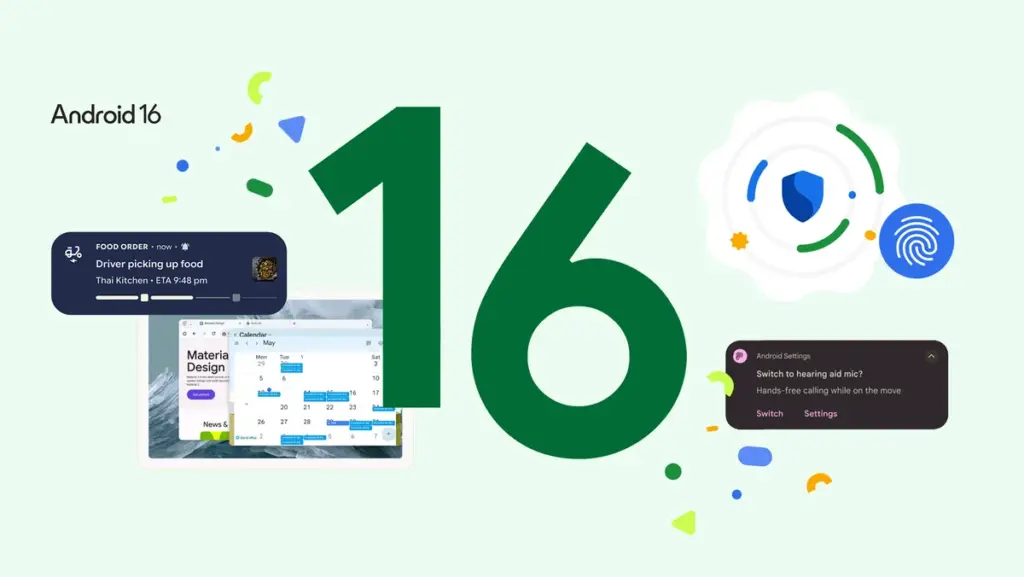
    Android 16 has arrived, bringing several visual updates that enhance user experience. This release is notable as it is the earliest major Android launch in many years and sets the stage for Google’s new Material 3 Expressive design language. The version currently available is the Android 16 QPR1 beta release (Google has recently issued QPR1 Beta 2, which includes some fixes), and it is ready for supported Pixel devices. Let’s dive into the new features.

    New Live Updates Feature

    One small yet handy addition is the Live Updates feature. Now, instead of constantly checking a delivery app, you can monitor the progress quickly. Initially, it supports a few ride-share and food delivery apps, but more are likely to come as development continues. Samsung’s Now Bar and OPPO and OnePlus’ Live Alerts will also incorporate this feature to improve the overall Android experience.

    Visual Improvements

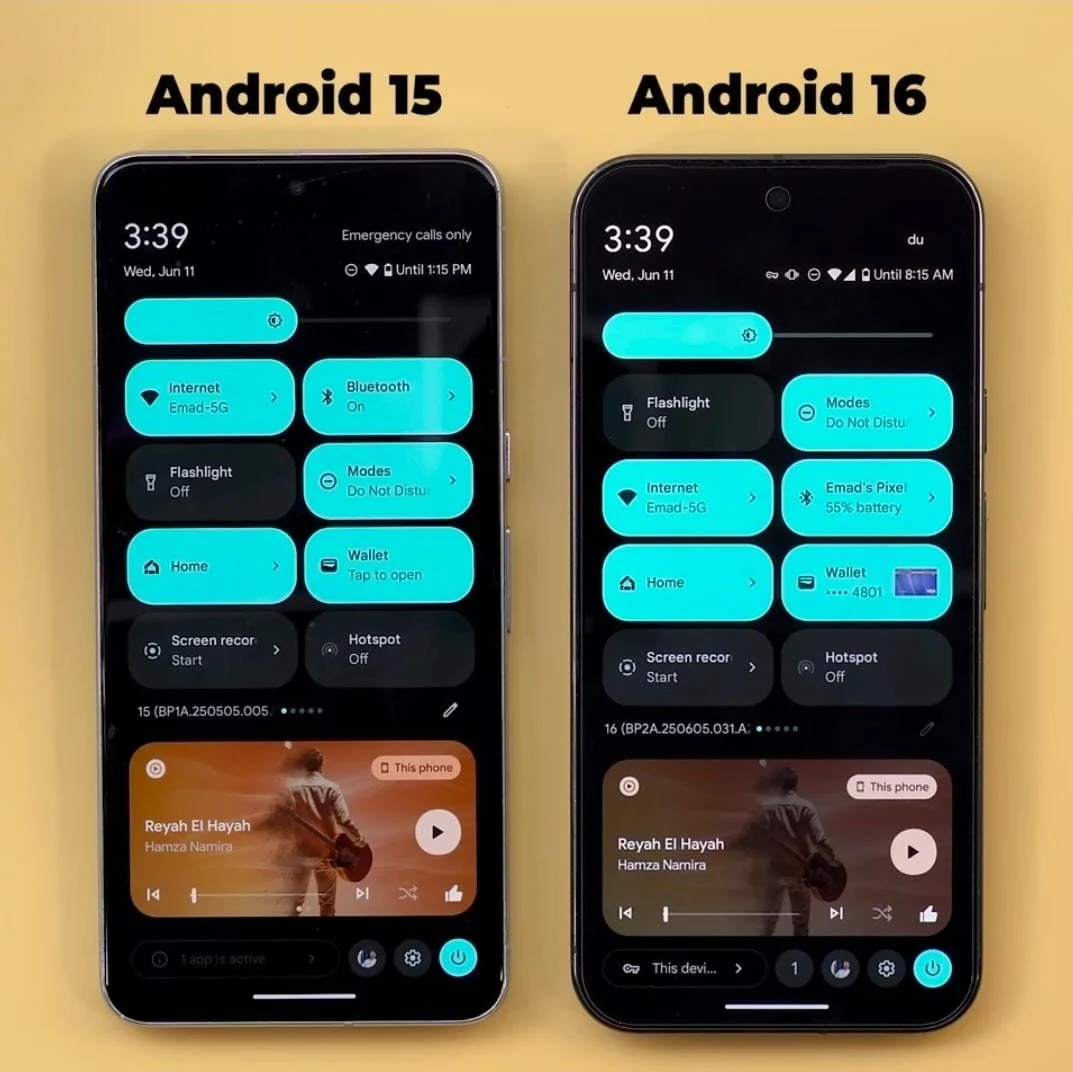
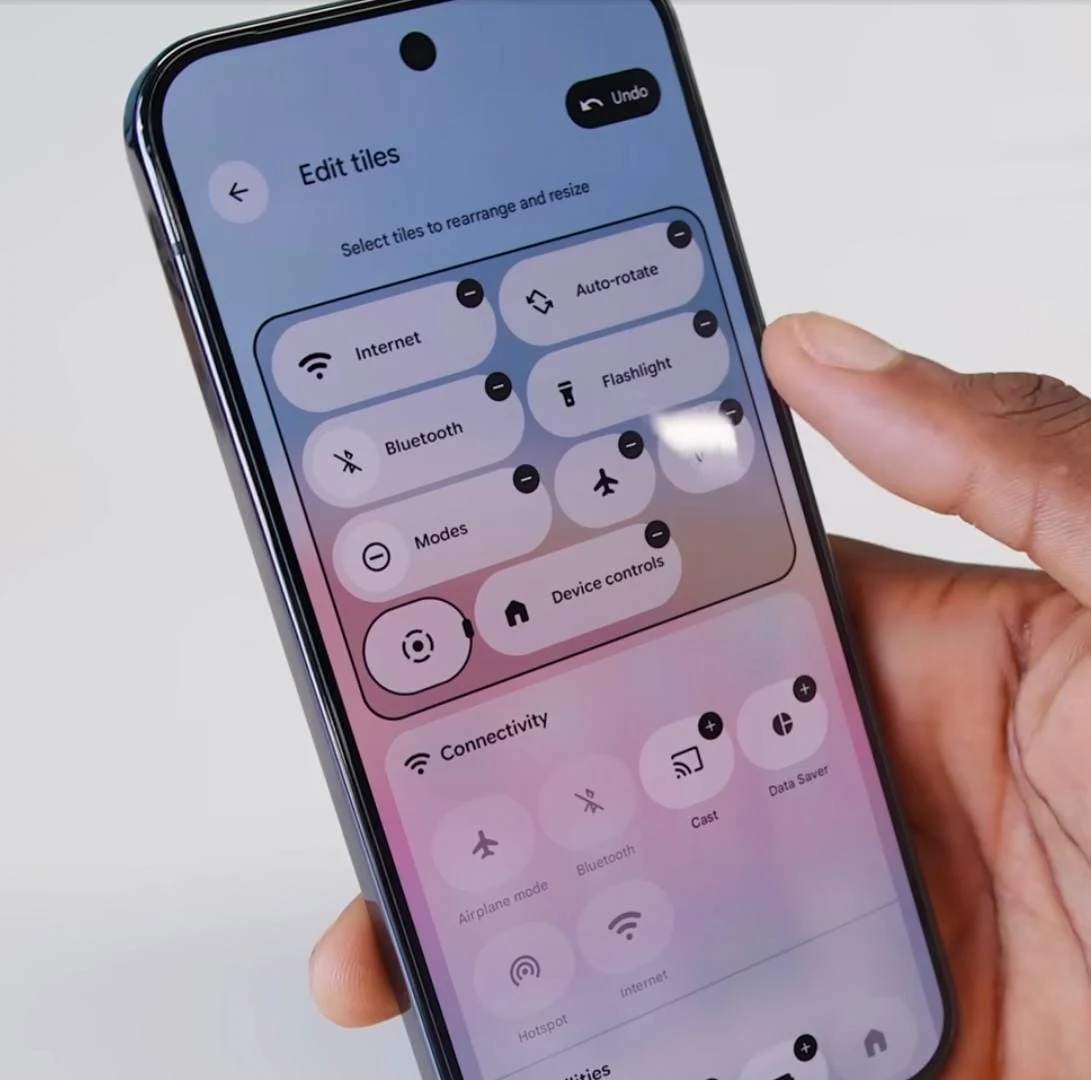
    Regarding visual updates, there are several noteworthy changes. The status bar text now features a bold font, making it clearer and easier to read. Additionally, the tiles in the control panel can be customized, and both the brightness and volume sliders have received a fresh look.

    Streamlined Notifications

    Tired of scrolling through endless notifications or having trouble locating the one you need? Android 16 now organizes notifications from the same app together, which simplifies the process of finding what you’re after.

    Enhanced Features for Large Screens

    For larger devices, Android 16 brings Desktop Windowing, inspired by Samsung’s DeX. There’s a video available that showcases how this feature works and how it can enhance productivity on foldable devices or Android tablets. Users can also set up custom keyboard shortcuts to maximize the utility of their lightweight, efficient, yet powerful device.

    Advanced Protection

    Another significant addition is Advanced Protection, which Google describes as its “strongest mobile device protection” to date. It can be activated with just one tap and is designed to safeguard users against online threats, malicious apps, unsafe websites, scam calls, and more.