
Key Takeaways
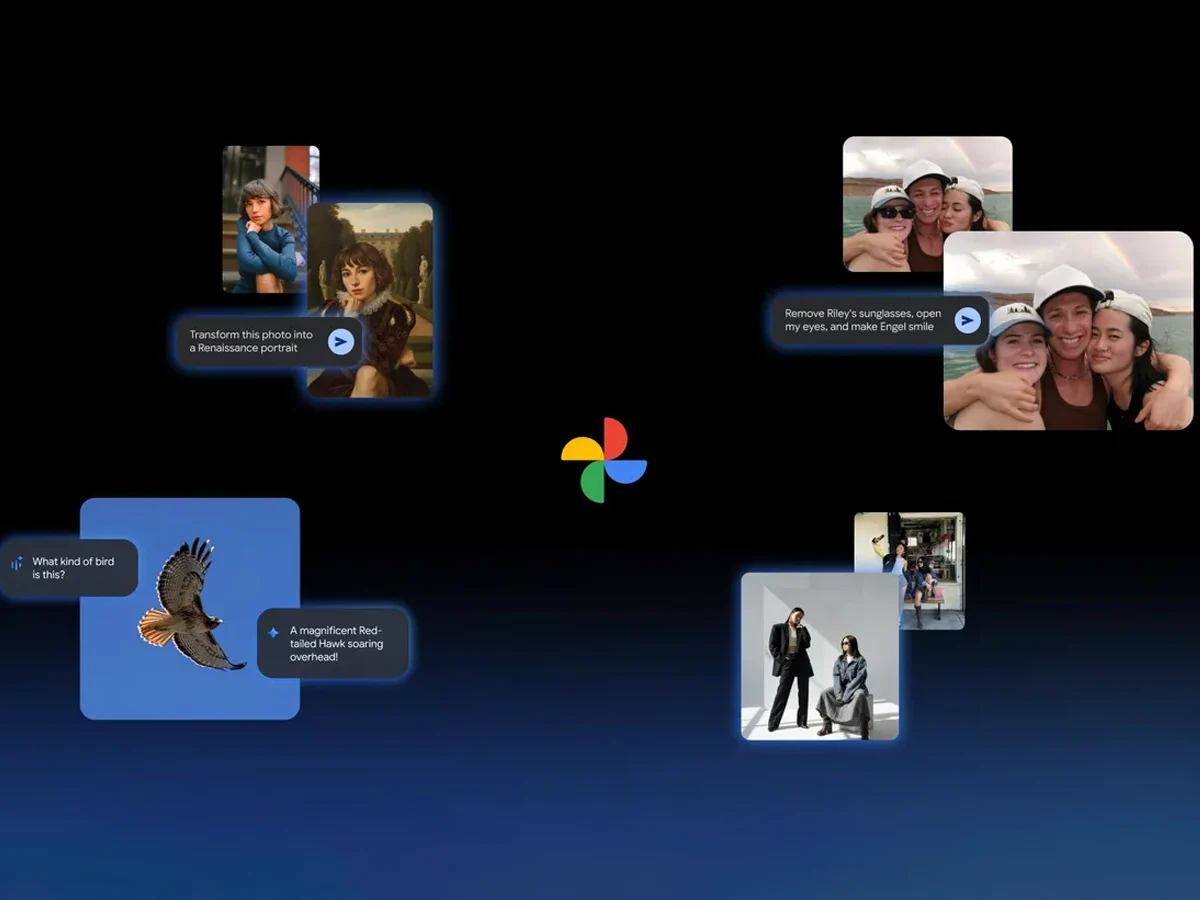
1. Google Photos now allows users to make edits based on prompts, available for iOS users.
2. The “Help me edit” feature includes the fun Nano Banana for creative photo transformations.
3. AI templates are introduced for quick image creation, launching initially on Android in India and the US.
4. AI-powered search functionality is now available in over 100 countries and supports 17 new languages.
5. A new “Ask” button lets users interact with images and start conversations about them.
Google has rolled out several new artificial intelligence features for the Google Photos application. One notable addition is the capability to make edits based on prompts, a feature that was previously limited to the Pixel 10 series. Now, with this update, users on iOS can also take advantage of this AI-driven editing functionality.
Easy Editing with AI
After updating the app, users can use the “Help me edit” option in Google Photos to request their desired changes. This enhancement also includes the integration of Nano Banana, which adds a fun twist to photo editing.
As per the company’s announcement, the inclusion of Nano Banana allows users to customize their images in a variety of artistic styles. Google demonstrated how a simple photo could be transformed into a Renaissance-style portrait, and the feature appears to perform effectively within the application.
AI Templates for Quick Creation
Another exciting feature added to Google Photos is the introduction of AI templates. The brand claims these templates will help users easily generate images based on a reference they provide. Initially, this feature will launch on Android in both India and the United States.
The company also emphasized the growth of its AI-powered search function, which was first launched in the US. This search capability is now accessible in over 100 countries and supports more than 17 new languages, including Japanese, Bengali, and Arabic.
New Interactive Features
Lastly, there’s a fresh “Ask” button available in Google Photos. This new option empowers users to engage more deeply with the images they see. For instance, they can immediately start a dialogue with Gemini about any photo with just a click of that button.
Google Blog
Source:
Link

Leave a Reply