
Key Takeaways
1. Google has introduced a feature allowing Pixel and iPhone users to transfer files easily using AirDrop and Quick Share.
2. The Quick Share feature now works with AirDrop, enabling file sharing between Pixel 10 series and Apple devices.
3. Users can share files without needing third-party apps or additional software installations.
4. The feature requires iPhones to have AirDrop visibility set to ‘Everyone for 10 minutes’ for easy detection and transfers.
5. Google emphasizes security and privacy with a layered security framework for cross-platform file sharing.
Google has dropped a surprising update that allows users of Pixel and iPhone to transfer files easily using AirDrop and Quick Share. This new feature means that users can skip third-party apps and Bluetooth transfers, making the whole process simpler and more secure. It also works both ways without needing any extra software to be installed.
Quick Share Meets AirDrop
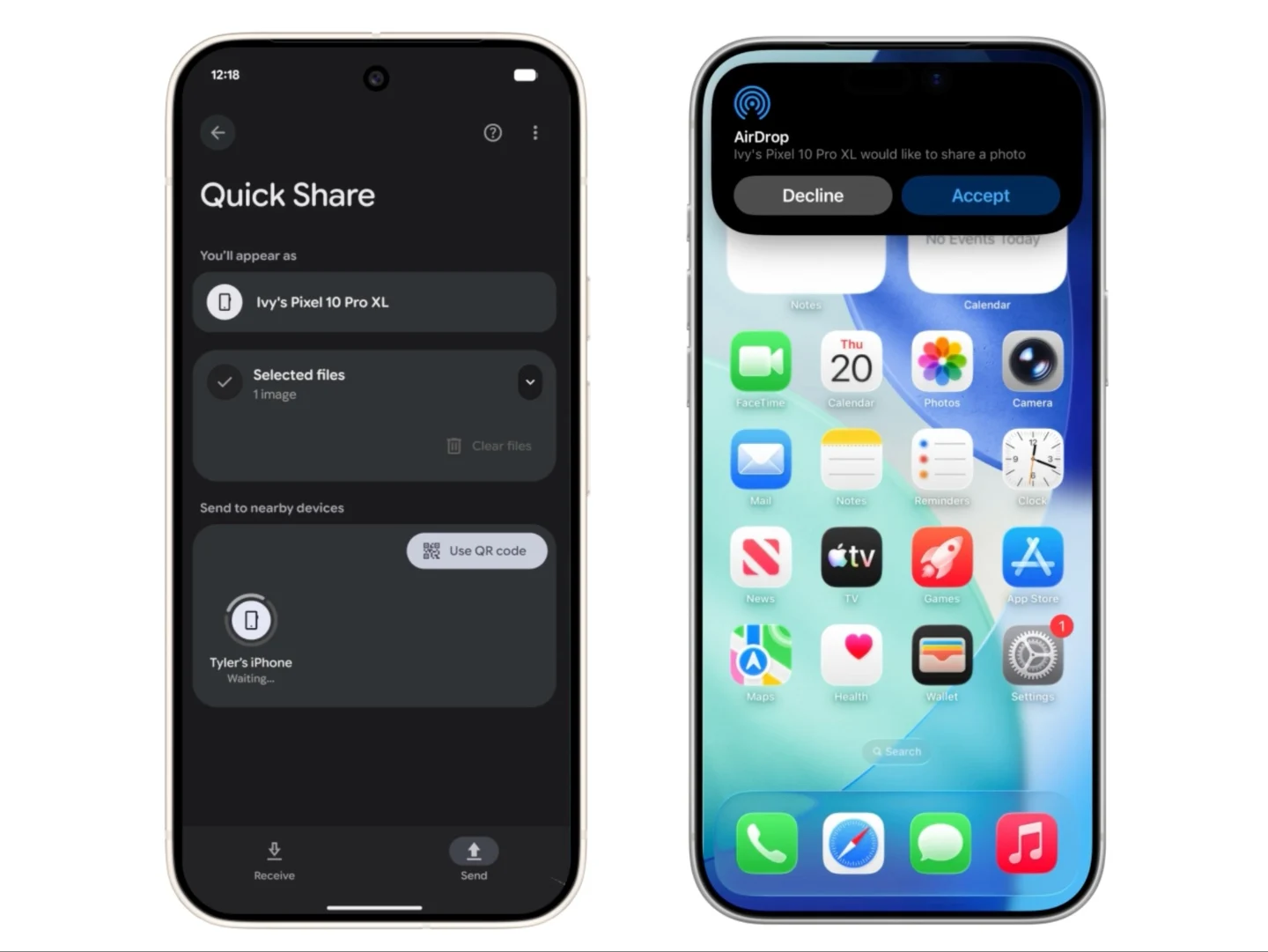
According to a recent blog post, Google has enabled the Quick Share feature to work alongside AirDrop. Up until now, Quick Share was Android’s method for quickly sharing files between two Android devices, while AirDrop had been a unique feature for iPhone, iPad, and MacBook users. Now, with this new partnership, owners of the Pixel 10 series can use Quick Share to send files to users with Apple devices that support AirDrop.
Easy File Transfers
As illustrated in the animation, the Quick Share menu will detect nearby iPhones that have AirDrop activated, provided their visibility is set to ‘Everyone for 10 minutes’, allowing for easy file transfers. Likewise, iPhone users or any Apple device that utilizes AirDrop can access the AirDrop menu to share files with Pixel 10 devices that are close by. Google announced that this feature is being rolled out today (November 20) for the Pixel 10 series, with plans to extend it to more Android devices soon.
Privacy and Security Measures
Google emphasizes that sharing across platforms comes with privacy and security measures integrated as part of its “secure by design” strategy. This involves a layered security framework that includes a secure sharing channel, built-in protections specific to Android and iOS, along with user approval systems to enhance security.
Source:
Link
Leave a Reply