Category: Software

  • New EU Ruling States Apple is Not Required to Open iMessage to Rivals

    New EU Ruling States Apple is Not Required to Open iMessage to Rivals

    A recent decision by the European Union (EU) has sparked conversations around the regulations of messaging apps, particularly focusing on Apple’s iMessage. The EU, after careful examination, concluded that iMessage doesn’t hold the “gatekeeper” status within Europe’s digital communication sphere. This term applies to platforms that control significant market power and, thus, have specific obligations for interoperability with third-party services. What’s more interesting is that users were nearly convinced that Apple would likely open up iMessage to its rival operating systems, but it seems like that isn’t happening anytime soon.

    EU’s investigation sided with Apple in the end and is now closed.

    Apple initially identified iMessage as falling under this category but later revised its stance, suggesting that the app’s usage in Europe didn’t meet the criteria for such a classification. The EU’s investigation into the matter, which also included Microsoft‘s Bing among others, has now been closed, agreeing with Apple’s argument. This means iMessage won’t be compelled to enable cross-platform communication with other messaging services.

    Apple to support Rich Communication Services (RCS) in iMessage

    Interestingly, this decision arrives amidst Apple’s announcement to support Rich Communication Services (RCS) in iMessage by later 2024. RCS is touted as the next evolution in messaging technology, promising enhanced features over traditional SMS and MMS. Google has been a strong advocate for RCS, urging Apple to adopt this standard to facilitate smoother messaging experiences across Android and iOS devices.

    EU ruling and Apple’s influence

    While the EU’s ruling exempts iMessage from being labeled a gatekeeper, it doesn’t negate Apple’s influence in the digital marketplace, nor does it impact the ongoing oversight of Apple and Microsoft’s broader platform services. The EU maintains its vigilance, ready to reassess should market dynamics shift significantly.

  • Global Service Disruptions: Trello Users Encounter Inaccessibility Issues with Boards

    Global Service Disruptions: Trello Users Encounter Inaccessibility Issues with Boards

    Trello, the popular project management and collaboration tool, is currently experiencing technical difficulties that are preventing users from accessing their boards. This issue is affecting businesses and individuals worldwide, including the team at Gizmochina.

    Technical Difficulties Impacting Trello Users

    Reports of Trello’s unavailability started to surface earlier today, and the company has acknowledged the problem. Trello’s official Status site currently displays a “Trello is Slow” message with a recent update stating that their team is investigating the issue causing slowness and working to resolve it as quickly as possible.

    Trello is a widely used tool for organizing tasks, tracking progress, and collaborating with teams. This unexpected outage is undoubtedly disrupting workflows for many users. Although Trello’s team is actively working on a solution, there is no immediate estimate for when the service will be fully restored.

    Stay Updated on Trello’s Service Status

    To stay informed about the status of Trello’s service, you can visit the Trello Status site. This site provides real-time information about any ongoing incidents or maintenance affecting Trello and its other services.

    At Gizmochina, all of our writers rely on Trello to coordinate our editorial calendar and ensure a smooth publishing process. The outage has certainly impacted some aspects of our operations. Like many other users, we are eagerly awaiting Trello’s swift restoration.

    We will continue to monitor the situation and provide updates as more information becomes available.

  • First software update for Apple Vision Pro introduces passcode reset capability

    First software update for Apple Vision Pro introduces passcode reset capability

    Following its recent launch, Apple has released the first software update for the Vision Pro headset. The update, visionOS 1.0.3, arrives two weeks after the previous 1.0.2 version which was released before the headset launch.

    Resetting Passcode Made Easier

    While Apple doesn’t disclose all the fixes in this update, it targets a significant issue and includes general bug fixes.

    The most notable change in the visionOS 1.0.3 update is the ability to reset a forgotten passcode. Previously, users who forgot their Vision Pro passcode had no recourse other than visiting an Apple store for a reset. Now, if the incorrect passcode is entered enough times, the headset will offer the option to erase the device.

    This feature provides additional convenience and control for Vision Pro users. Apple maintains security by keeping the Activation Lock in place; erasing the headset won’t bypass the requirement for the owner’s Apple ID.

    Important Bug Fixes

    Apple’s release notes simply state that the update includes “important bug fixes”. The specific bugs that have been addressed aren’t publicly detailed.

    Vision Pro owners can download and install the update directly on their headset. Navigate to the Settings app and locate the Software Update section to begin the process.

    Keeping Your Vision Pro Up to Date

    As with any device, keeping your Vision Pro software updated is important to ensure you have the latest features, bug fixes, and security enhancements that Apple provides.

    First software update for Apple Vision Pro introduces passcode reset capability
  • Apple Pay Users Now Have Virtual Card Numbers for Increased Security

    Apple Pay Users Now Have Virtual Card Numbers for Increased Security

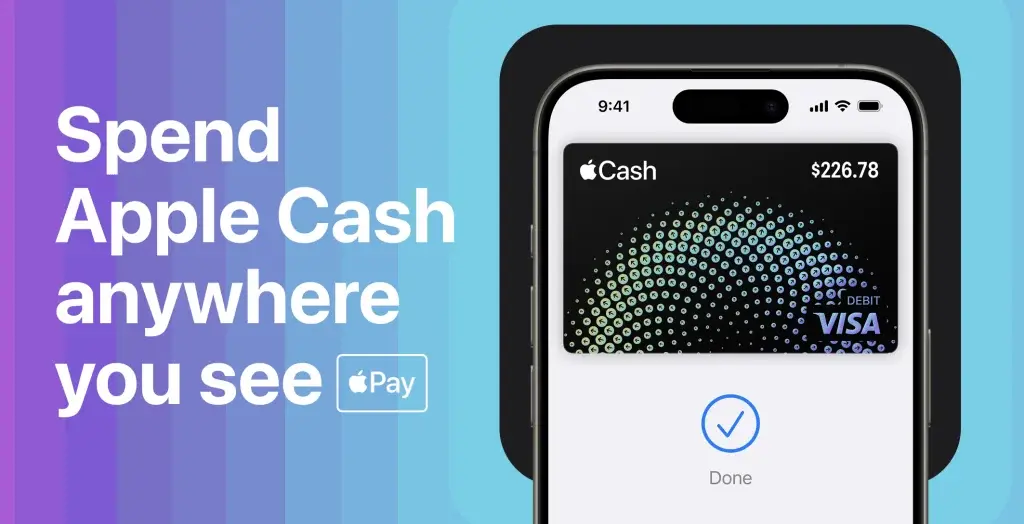
    Apple has released its latest iOS 17.4 beta, which includes a significant upgrade for Apple Cash users. This new feature allows users to generate a virtual card number, providing a solution for making payments in places where Apple Pay is not accepted.

    Virtual Card Numbers for Non-Apple Pay Locations

    The beta version of iOS 17.4 introduces the ability to create virtual card numbers, although it may not be available to all testers at this time. To check if you have access to this feature, simply open the Wallet app, select your Apple Cash card, and look for the option to create a virtual card number. The process is quick and easy, requiring just a few steps.

    Accessing Virtual Card Details

    Once you have set up your virtual card number, you can view the card details, including the card number, expiration date, and security code, within the app. It is important to note that Apple Cash will still have a separate card number for Apple Pay transactions, which can be accessed through an additional step in the app.

    Enhancing the Utility of Apple Cash

    This update greatly enhances the usefulness of Apple Cash. Despite the widespread adoption of Apple Pay, there are still many places where it is not accepted. With the addition of virtual card numbers, Apple Cash becomes more versatile, allowing users to avoid the hassle and fees associated with transferring funds to a bank account for non-Apple Pay purchases.

  • Romania Experiences Widespread Ransomware Attack Targeting 18 Hospitals

    Romania Experiences Widespread Ransomware Attack Targeting 18 Hospitals

    A recent ransomware attack has caused significant disruption to 18 hospitals across Romania, putting a halt to their operations. The attack targeted the Hipocrate Information System (HIS), which is essential for managing patient care and medical records. As a result, the system is currently down, leaving hospitals struggling to maintain their usual level of care.

    The patient care and medical records are currently unavailable

    The attack occurred overnight between February 11 and 12, 2024, leading to encrypted databases and files. The Romanian Ministry of Health has acknowledged the severity of the situation and is actively working on a solution. Efforts to recover the affected systems are in progress, with IT and cybersecurity experts from the National Cyber Security Directorate (DNSC) leading the charge.

    The impact of the ransomware attack is widespread, affecting a variety of medical facilities including regional hospitals and cancer treatment centers. To prevent further damage, the Ministry of Health has enhanced security measures for other hospitals that were not affected by the attack.

    Details about the attack and compromised data remain unclear

    Currently, the details about the ransomware group behind the attack or the specifics of the data compromised are not clear. The provider of the HIS system, RSC, has not yet made a public statement regarding the incident.

    Incidents such as these expose the vulnerability of healthcare systems to cyberattacks and further boost the importance of robust cybersecurity measures to protect sensitive patient data and ensure the continuous operation of critical healthcare services. This is one sector that can’t afford serious downtime like these, and for obvious reasons too!

  • Google Chrome Users in India Receive Urgent Security Warning from Indian Government

    Google Chrome Users in India Receive Urgent Security Warning from Indian Government

    Google Chrome, undoubtedly the world’s most popular web browser with a 66% market share. Many of us use this browser for various activities, from daily tasks to work. However, this popularity comes with its share of problems. A security vulnerability in a platform with millions or even billions of users jeopardizes not only individuals or companies but even the security of nations. For this reason, the Indian government has issued a high severity warning to Google Chrome users, advising them to promptly update their browsers due to multiple high-risk vulnerabilities. Here are the details…

    Indian Government Alerts Chrome Users: Update Immediately to Close Vulnerabilities

    CERT-In, the Indian government’s cybersecurity agency, has issued a “high severity” warning concerning various vulnerabilities found in Google Chrome. These security flaws, if exploited, may allow remote attackers to execute malicious code on a user’s computer. In other words, hackers could take control of systems or steal sensitive data.

    The security advisory issued by CERT-In notes that remote attackers can exploit these vulnerabilities by persuading unsuspecting victims to visit specially crafted web pages. After visiting these pages, the security flaws will be triggered, allowing attackers to launch unnoticed attacks on unaware users.

    This security vulnerability allows attackers to exploit memory errors in the Side Panel Search feature, potentially leading to arbitrary code execution or bypassing security measures.

    Users should be cautious when browsing the internet, especially when visiting unfamiliar or suspicious websites. Avoid clicking on links from untrusted sources and refrain from interacting with unwanted emails or messages.

  • Clues within Android 14 easter egg suggest upcoming arrival of Android 15

    Clues within Android 14 easter egg suggest upcoming arrival of Android 15

    The latest update from Google, Android 14 QPR 3 Beta 1, brings more than just the useful “Circle to Search” feature to Pixel phones. Within this update, there’s a hidden surprise—an Easter egg hinting at the Android 15.

    Hidden Easter Egg

    As reported by 9to5Google, keen-eyed observers noticed a subtle change in the Android 14 logo—it now resembles an inverted triangle, reminiscent of the letter “V.” Google has a tradition of including a hidden mini-game in each Android release, accessible by tapping the logo multiple times. However, there’s no such game teasing the next Android version just yet. Nevertheless, we can see the codename “Vanillaicecream,” which aligns with the internal name for Android 15.

    Naming Tradition

    This follows Google’s established tradition of naming Android versions alphabetically after desserts, with Android 15 being affectionately called “Vanilla Ice Cream.” While an official release date for the Android 15 Developer Preview hasn’t been announced, Google’s history suggests it could arrive later this month.

    Release Timeline

    Based on the timelines of Android 13 and 14, the first betas might become available a few months after the Developer Preview. In keeping with their usual schedule, a stable Android 15 release could land in October, likely alongside the launch of new Pixel phones.

    Expected Features

    Though it’s too early to know everything Android 15 will offer, some clues have emerged. In the recent Android 14 QPR3 beta, an “App Pairs” feature appeared, suggesting the next Android version will offer better multitasking capabilities. Google has yet to make any official announcements regarding a firm release date for Android 15. However, it’s certain that the next iteration of Android is actively under development.

    Speculation and Expectations

    As we get closer to an official announcement, speculation on the range of new features and improvements coming with Android 15 will undoubtedly grow.

  • Lenovo Set to Reveal New AI-Driven Operating System in 2022

    Lenovo Set to Reveal New AI-Driven Operating System in 2022

    It’s been a while since Lenovo has innovated in the ‘software’ side of things. The Hong-Kong-based company is stepping up its game in the tech world by working on a new Artificial Intelligence (AI) operating system that might just give Windows 11 a run for its money. At the CES 2024 event, Lenovo’s big shot, Liu Jun, let slip their plans to roll out an AI OS this year. A move like this is clearly a part of Lenovo’s big push into AI; the company seems serious about leading the charge in smart tech.

    Lenovo’s AI OS to Compete with Windows 11

    AI is making its way onto almost all platforms, and Lenovo wants a piece of the pie. Last year, Lenovo was all about boasting its full-stack intelligence strategy. Now, they’re moving forward with an AI OS focused on AI PCs and personal helpers. The idea is to make computers and devices smarter at understanding what we want, using natural language. This means our gadgets could get a lot better at figuring out our needs without us having to spell everything out.

    Smart AI PCs and Devices

    Lenovo’s first batch of these smart AI PCs is expected to hit the shelves in the first half of this year. They’re designed to be super intuitive, with a knack for picking up on user intent. On top of that, Lenovo’s crafting smart devices embedded with AI, emphasizing that they’re built to respect user privacy and security.

    Revolutionizing Technology with an AI PC Ecosystem

    The new AI OS isn’t just about launching nifty devices; Lenovo wants to kickstart an AI PC ecosystem. This is a big deal because it’s not just about making cool products; it’s about changing how technology works for us on a daily basis.

    With tech giants in China and around the world trying to make their own operating systems, Lenovo’s new project could shake things up. If they pull it off, Lenovo’s AI OS might stand toe-to-toe with big names like Microsoft’s Windows 11. The organization’s dive into AI could mark a turning point, making technology smarter and more in tune with our lives.

  • Play Protect’s real-time update effectively combats financial fraud

    Play Protect’s real-time update effectively combats financial fraud

    Since its launch, Google Play Protect has been scanning installed apps for malware, however this still does not guarantee that customers’ banking apps are 100% safe. Hackers merely need to gain access to the one-time password (OTP) that users received through SMS, enter the right verification code, and they can easily access the victim’s bank account.

    Fraud protection on Google Play Protect

    Play Protect will now check on the permissions an app requires, the ones that hackers most frequently abuse: RECEIVE_SMS, READ_SMS, BIND_Notifications, and Accesibility. This is a brand-new functionality that Google revealed for the Play Protect. Hackers can view incoming SMS messages and notifications with these permissions, and they can even use the device without the user’s awareness with accesibility permission.

    Fraud protection on Play Protect

    Since this functionality was developed in collaboration with Cyber Security of Singapore, Google only makes it available in Singapore for now. Users in Singapore will be the first to receive this fraud prevention tool from Google. This is a new feature from Google that always keeps an eye on what apps are doing in the background regarding permissions.

    Google states that this allows users to use banking apps safely. Play Protect fraud protection kicks in when users install a third-party application, such as an APK file downloaded from the internet. If the app requests all 4 permissions, a report will be provided to the user.

    It’s a really smart move to check these four permissions: RECEIVE_SMS, READ_SMS, BIND_Notifications, and Accesibility. This stops hackers from spying on SMS and notifications coming into the user’s phone, thereby limiting users’ data given to the app so hackers can’t access the user’s bank account.

  • Enhanced Security: WhatsApp to Sync Chat Locks Across Devices

    Enhanced Security: WhatsApp to Sync Chat Locks Across Devices

    WhatsApp, the widely-used messaging application owned by Meta, is working on a new security feature to further strengthen user privacy. The new feature will synchronize chat locks across all devices connected to your account.

    Improved User Privacy

    In simpler terms, if you decide to lock a conversation on your smartphone, that lock will also be applied to the same conversation when accessed through WhatsApp on your computer, tablet, or any other linked device.

    WhatsApp Beta Update

    This nifty upgrade was first noticed by WABetaInfo, a reliable source for WhatsApp updates. It was found in the latest WhatsApp beta for Android 2.24.4.14 update, available to download for all the enrolled beta testers via the Google Play Store.

    Enhanced Security Options

    WhatsApp introduced the ability to lock specific chats last year. They later introduced another feature called Secret Lock, allowing users to set a unique password different from their device password. This password hides the Locked chats folder, making it invisible to anyone who doesn’t know the code.

    Synchronization Across Devices

    However, a downside to these features is that they are device-specific settings. This means that these locks must be set up separately on each device—your computer and phone—rather than being synchronized automatically.

    The upcoming change will streamline this process, automatically extending your security choices across all platforms where you use WhatsApp. This improved chat lock feature will likely be rolled out in the upcoming WhatsApp update.